
Before choosing a social media scheduler, it's crucial to look at genuine user feedback. In this article, we break down Iconosquare reviews to assess its analytics, scheduling, and whether Iconosquare delivers on its "analytics-first" promise in 2026.
If you're debating whether to go with Iconosquare or explore alternatives, this overview will help.
Iconosquare Overview
Iconosquare is a social media management platform that positions itself as "analytics-first." It is trusted by over 10,000 brands and agencies and offers deep analytics, competitor tracking, industry benchmarks, scheduling, and AI-powered caption generation across 8 platforms.
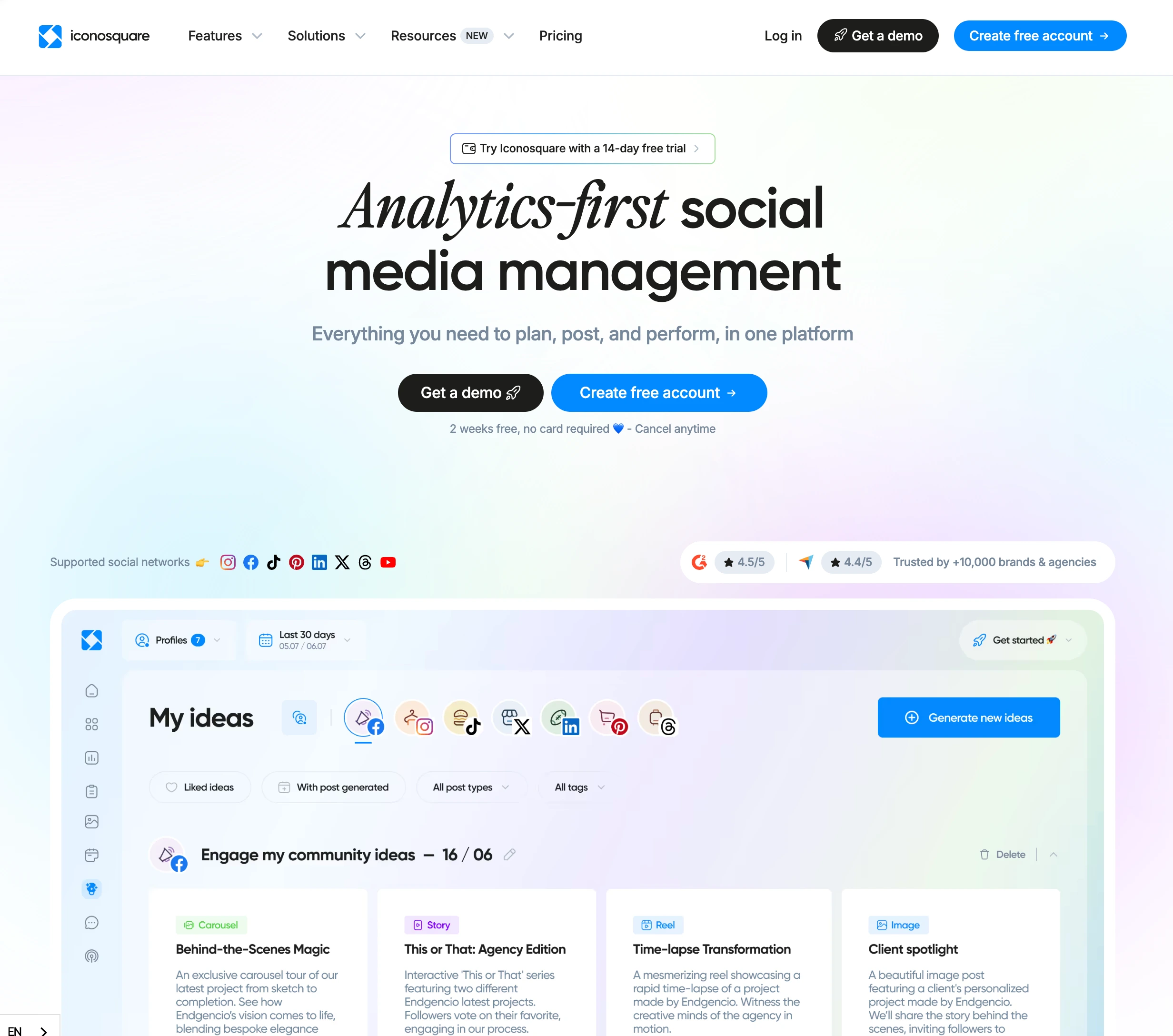
Highlighted features include:
- 100+ analytics metrics with custom dashboards
- Competitor tracking (up to 10 per profile)
- Industry benchmark comparisons
- Post scheduling and content calendar
- AI caption generation and hashtag suggestions
- White-label reports (Excel plan)
- External collaborator approval links
- Best time to post recommendations
Despite Iconosquare's strong analytics reputation, user reviews reveal important insights into publishing limitations, pricing, and feature gaps.
User Reviews and Ratings
On G2
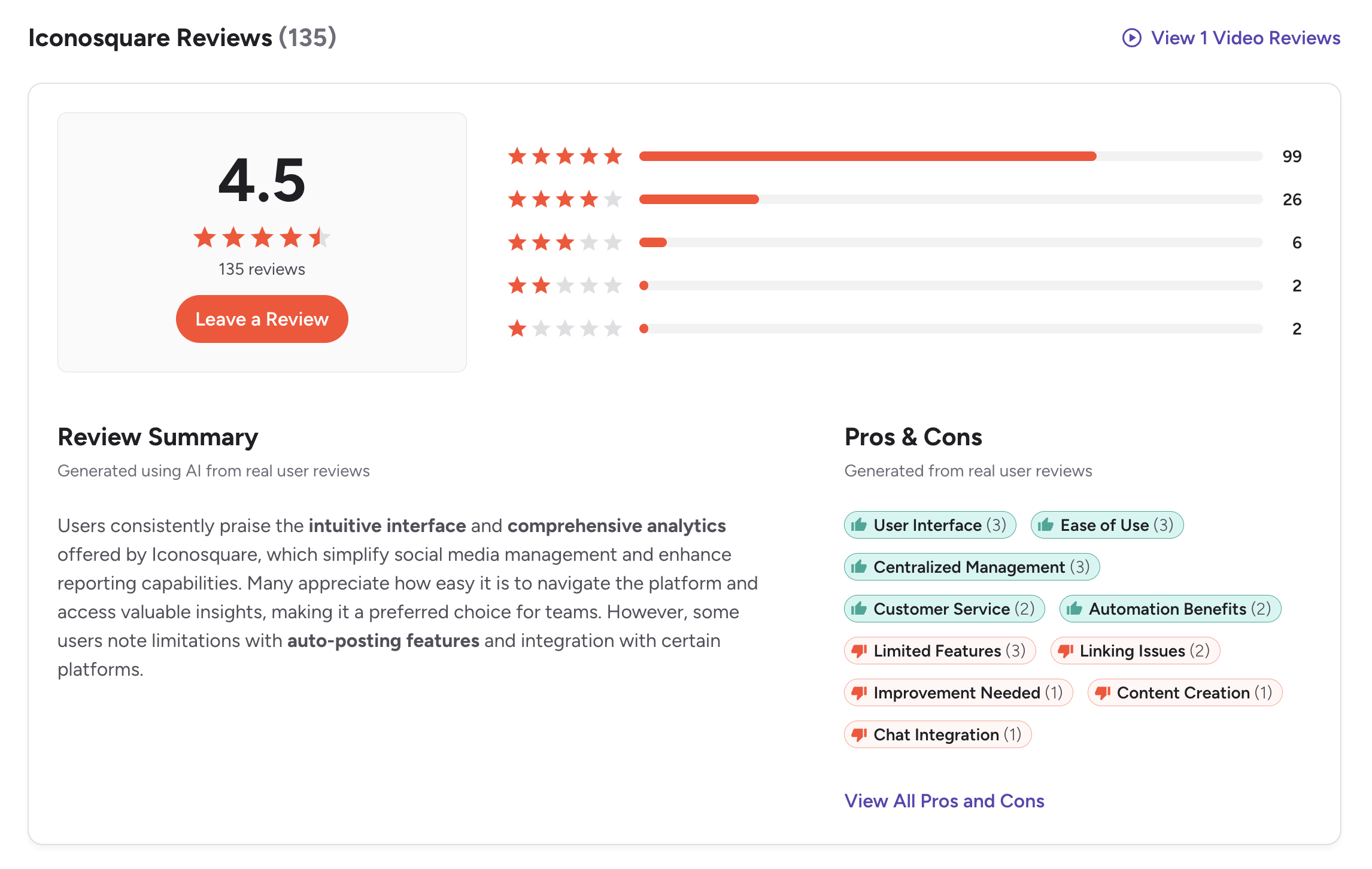
On G2, Iconosquare has a rating of 4.5 out of 5, based on 135 reviews. Users consistently praise the intuitive interface and comprehensive analytics, noting that Iconosquare simplifies social media management and enhances reporting capabilities.
The review summary highlights that many users appreciate how easy it is to navigate the platform and access valuable insights, making it a preferred choice for teams focused on data-driven social media strategies.
However, some users note limitations with auto-posting features and integration with certain platforms. Issues with account linking and content creation tools are also mentioned.
Rating: 4.5/5 (135 reviews)
Pros
- User Interface (3 mentions)
- Ease of Use (3 mentions)
- Centralized Management (3 mentions)
- Customer Service (2 mentions)
- Automation Benefits (2 mentions)
Cons
- Limited Features (3 mentions)
- Linking Issues (2 mentions)
- Improvement Needed (1 mention)
- Content Creation (1 mention)
- Chat Integration (1 mention)
(credit: G2)
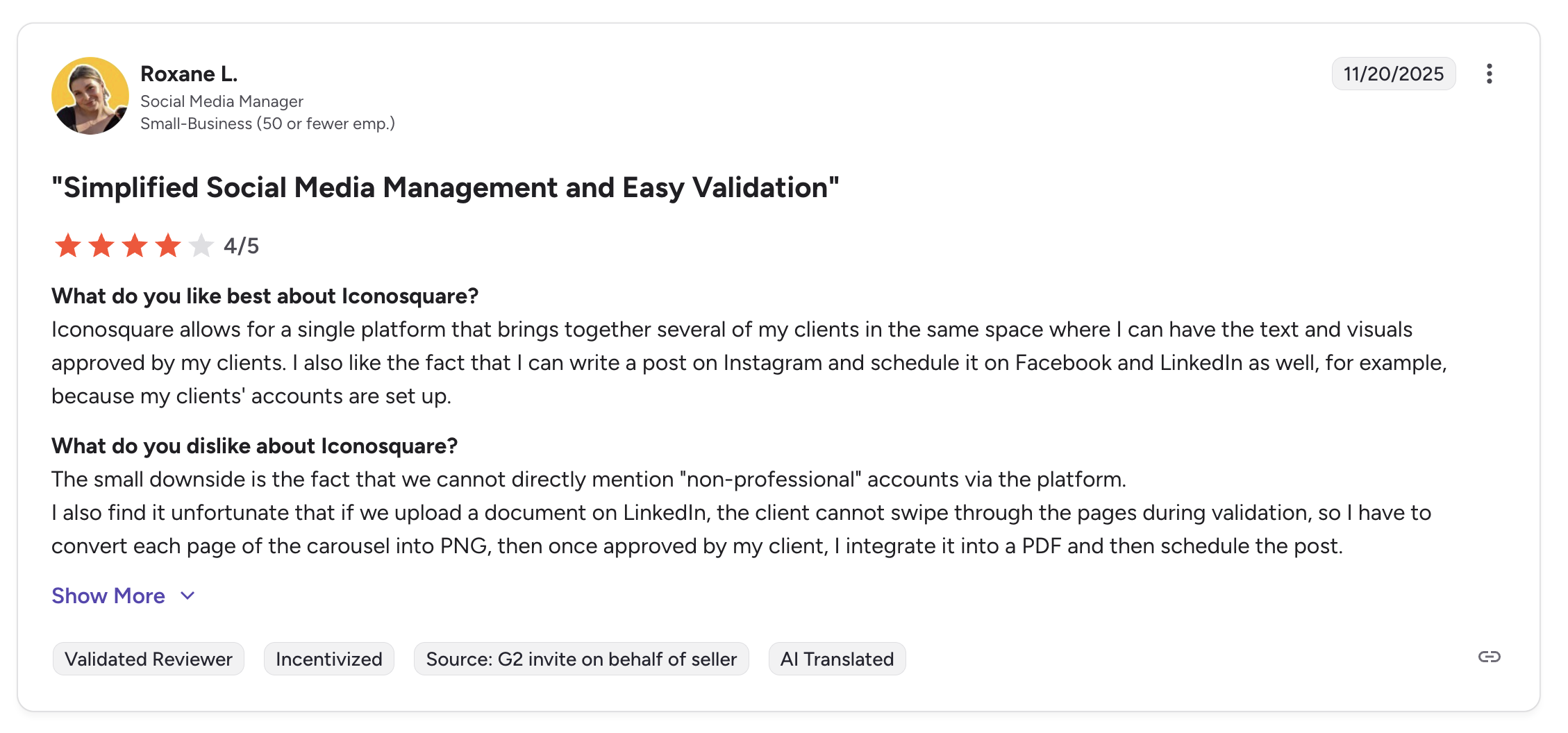
A featured review titled "Simplified Social Media Management and Easy Validation" from a Social Media Manager at a small business highlights how Iconosquare brings together client content in a single platform where text and visuals can be approved and then cross-posted to multiple platforms. The reviewer also notes downsides: you cannot directly mention non-professional accounts, and LinkedIn document carousels require manual conversion to PNG before scheduling.
On Trustpilot
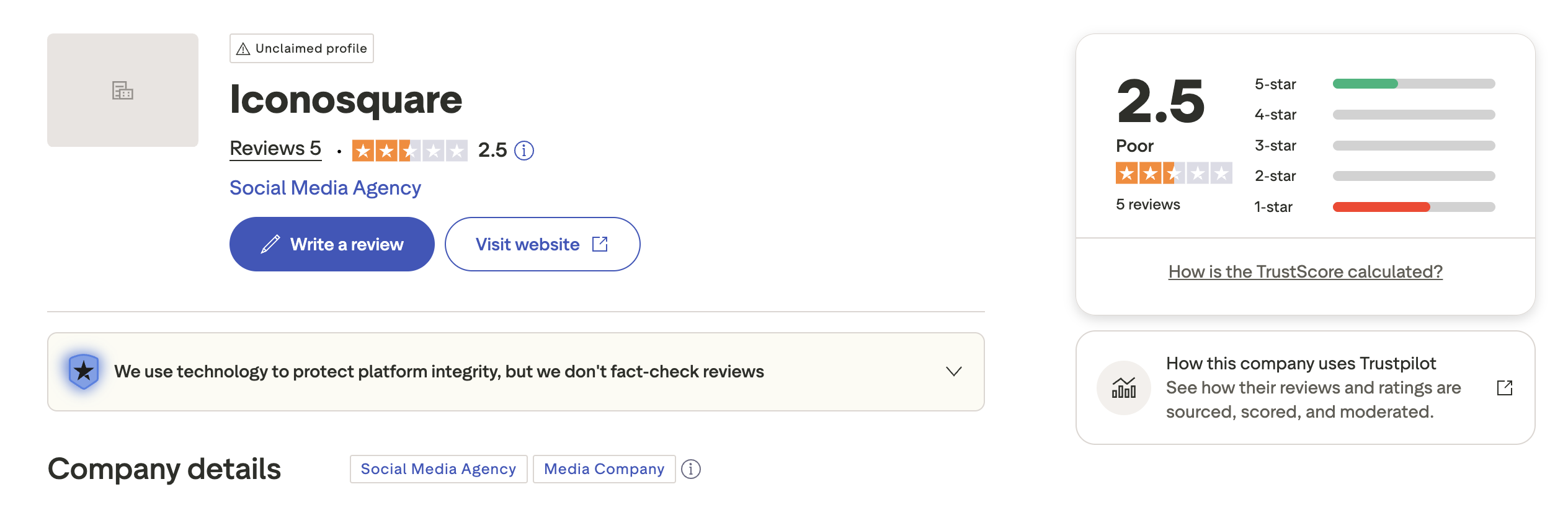
On Trustpilot, Iconosquare has a rating of 2.5 out of 5, based on 5 reviews with a "Poor" TrustScore. The profile is unclaimed, and the very small sample size means this rating is not statistically significant.
With only 5 reviews, the Trustpilot rating does not provide a reliable picture of user sentiment. The low score may reflect individual negative experiences rather than a broader trend.
Rating: 2.5/5 (5 reviews)
(credit: Trustpilot)
What Reddit Users Say About Iconosquare
Iconosquare has a smaller footprint on Reddit compared to tools like Buffer or Hootsuite, but the discussions that do exist reveal consistent themes from social media professionals:
- Theme 1: Analytics depth is the main draw. When Iconosquare comes up in Reddit recommendation threads, it is almost always in the context of analytics. Users describe it as one of the best tools for understanding Instagram and Facebook performance at a granular level, follower demographics, engagement rate breakdowns, and competitor benchmarking. Users managing data-driven campaigns frequently recommend it over scheduling-first tools.
- Theme 2: Scheduling is functional but secondary. Reddit users who have tried Iconosquare for scheduling describe it as capable but not its strength. Multiple users report preferring to schedule posts directly on native platforms or through a different tool, then using Iconosquare purely for analytics and reporting. The scheduling interface is described as usable but not as polished as dedicated scheduling tools.
- Theme 3: Pricing is a barrier for smaller users. Community discussions frequently flag Iconosquare's pricing as a concern. Starting at roughly $49-59/month with additional per-user charges of $16-19/month, several Reddit users describe it as "expensive for what it is" unless analytics are a core business need. Solo creators and small businesses in particular note that the cost is hard to justify when cheaper tools cover scheduling and basic analytics.
- Theme 4: Platform coverage gaps. Reddit users point out that Iconosquare's platform support is narrower than competitors. The inability to add personal LinkedIn pages and the absence of X/Twitter analytics are frequently mentioned limitations. Users managing cross-platform strategies describe needing a second tool to fill these gaps.
- Theme 5: Connection stability issues. A recurring complaint in community forums is that social media accounts frequently disconnect from Iconosquare, requiring manual reconnection. Users describe this as disruptive to their workflow, particularly when it interrupts automated reporting schedules.
Feature-by-Feature User Feedback
- Analytics: This is Iconosquare's strongest category across all review platforms. Users praise the 100+ metrics, custom dashboards, competitor tracking (up to 10 profiles), and industry benchmarks. Capterra reviewers rate it 4.2/5 for features, with the analytics and reporting described as "on point." The main criticism is that historical data access is restricted on lower plans, limiting long-term trend analysis.
- Scheduling: Functional but not best-in-class. G2 reviewers note limitations with auto-posting, Instagram Stories and Carousels cannot be directly posted, and LinkedIn document carousels require manual conversion to PNG. Capterra users describe the scheduling calendar as clean and intuitive, but less feature-rich than dedicated scheduling tools.
- Pricing: Capterra rates Iconosquare 4.1/5 for value for money, the lowest sub-score across all categories. Plans start at approximately $49/month, with each additional team member costing $16-19/month. Users consistently describe the pricing as justified for agencies and brands with serious analytics needs, but steep for small teams or creators who primarily need scheduling.
- Support: Capterra gives customer service a 4.4/5 rating. However, some users report that email support responds only once daily, often during non-US business hours (2-4 AM). Chat support availability is described as limited. Users who need real-time help during US business hours report frustration with response times.
- Ease of Use: Capterra rates this 4.5/5, the highest sub-score. Users describe the interface as intuitive and the data visualization as accessible even for non-technical team members. The learning curve is described as short, with most users reaching full productivity within a few days. The mobile app, however, is described as missing key desktop features.
Review Authenticity
Iconosquare's G2 rating (4.5/5 from 135 reviews) is the more reliable indicator of user sentiment. The Trustpilot profile has only 5 reviews and is unclaimed, making it statistically irrelevant. G2 reviews come from verified users and provide a more consistent picture: Iconosquare excels at analytics and reporting, with noted gaps in content creation, platform integrations, and publishing flexibility.
- Rating divergence analysis: The gap between G2 (4.5/5) and Trustpilot (2.5/5) appears dramatic but is misleading. Trustpilot has only 5 reviews, far too few to draw any conclusions. The unclaimed profile suggests Iconosquare does not actively manage its Trustpilot presence. Capterra's 4.4/5 from 69 verified reviews aligns closely with the G2 score, reinforcing that satisfied users represent the majority.
- Volume and reliability: G2's 135 reviews and Capterra's 69 reviews provide a combined sample of over 200 verified users. Sub-scores on Capterra are notably consistent: Ease of Use (4.5), Customer Service (4.4), Features (4.2), Value for Money (4.1). The slight dip in value-for-money reflects the pricing concerns that surface across all platforms.
- Review authenticity signals: The G2 review distribution does not show suspicious patterns. The majority of reviews are 4-5 stars, with a small but present tail of lower ratings that cite specific, verifiable issues (platform limitations, auto-posting gaps). This pattern is consistent with an authentic review profile rather than one inflated by incentivized reviews.
Who Iconosquare Works Best For (Based on Reviews)
Users who are typically satisfied:
- Agencies and brands that prioritize analytics and reporting over publishing volume
- Social media managers who need competitor tracking and industry benchmarking data
- Teams that produce white-label reports for clients (Excel plan includes branded PDF/XLS exports)
- Instagram and Facebook-focused marketers who need deep performance insights beyond native analytics
- Users who value a clean, intuitive interface and short learning curve
Users who tend to leave:
- Solo creators and small businesses who find the per-user pricing difficult to justify for basic scheduling needs
- Multi-platform marketers who need X/Twitter, Threads, or Bluesky support, Iconosquare's 8-platform coverage leaves gaps
- Teams that need robust content creation tools, Canva integration, or in-app image editing
- Users who rely on Instagram Story or Carousel auto-posting, these require manual steps in Iconosquare
- Anyone who needs real-time support during US business hours, response times are reported as slow outside European hours
- Users managing personal LinkedIn profiles, Iconosquare does not support personal LinkedIn pages
Compare Iconosquare with Other Tools
See how Iconosquare compares in a detailed head-to-head breakdown: PostPlanify vs Iconosquare. Browse all comparisons on our alternatives hub.
Before choosing a social media scheduler...
Consider the following tips:
- Identify whether your priority is analytics or content creation. Iconosquare leads on analytics; other tools lead on publishing workflows.
- Check post limits on entry plans. Iconosquare's Launch plan caps at 100 posts/month.
- Factor in per-user costs when calculating team pricing. Additional users cost $16/month each. See the full Iconosquare pricing breakdown for details.
- Look at which platforms you actually need. Iconosquare supports 8 platforms; some alternatives support 9 or more.
- Test the scheduling and publishing experience during the free trial, not just the analytics dashboards.
Ultimately, the best scheduler is the one that fits both your analytics needs and your content creation workflow.
Iconosquare is one of the strongest analytics tools in its category, but teams that need AI image generation, visual bulk scheduling, post previews for every platform, and a Link in Bio builder may want to explore alternatives.
PostPlanify is built for agencies serving local businesses. Each client gets their own workspace from the entry plan, across 10 platforms including Google Business Profile, and team members and client approvers are never billed as seats.

Pricing starts at $39/month for your first client workspace, or $31/month billed yearly, and the rate falls as you add clients:
| Client workspaces | Growth | Premium | Scale |
|---|---|---|---|
| 1 | $39/mo | $49/mo | $59/mo |
| 3 | $97/mo | $127/mo | $157/mo |
| 5 | $155/mo | $205/mo | $255/mo |
| 10 | $250/mo | $350/mo | $450/mo |
| Social accounts per workspace | 4 | 6 | 8 |
Each plan answers a theme from the reviews above:
- Growth ($39/mo first workspace) covers the scheduling and workflow gaps reviewers describe, since Iconosquare's publishing is rated well behind its analytics: approval workflows, a social inbox across Instagram, Facebook, LinkedIn, Google Business and YouTube, a workspace per client rather than a single group, plus unlimited users and posts, shared calendar, roles and permissions, bulk scheduling and a media library.
- Premium ($49/mo first workspace): advanced analytics, branded client reports that schedule themselves, team comments and mentions, AI brand voice and knowledge base, plus full API and MCP access.
- Scale ($59/mo first workspace): a white-label dashboard, white-label client emails and reports, dedicated onboarding, migration help and priority human support.
Credit where it is due: the reviews are right that analytics is Iconosquare's strongest category, and PostPlanify does not match its depth or its two years of data retention. Its 14-day trial is also longer than our 7.
The same reviews rate scheduling as merely functional, and the structure compounds it for agencies. Client separation runs through groups, and the $83 Scale plan includes one, so a second client means Excel at $139. Google Business Profile is not supported at any tier. Three local business clients here is $97/month with a workspace each.
Start your 7-day free trial today.










