
Before choosing a social media scheduler, it's crucial to look at genuine user feedback. In this article, we break down Zoho Social reviews to assess usability, reliability, and whether Zoho Social is the right tool for your social media workflow in 2026.
If you're debating whether to stick with Zoho Social or explore alternatives, this overview will help.
Zoho Social Overview
Zoho Social is a social media management tool built for businesses and agencies, and it is part of the larger Zoho ecosystem of business products. It offers post scheduling, a publishing calendar, social monitoring, and analytics. Its biggest selling point is native integration with Zoho CRM and Zoho Desk.
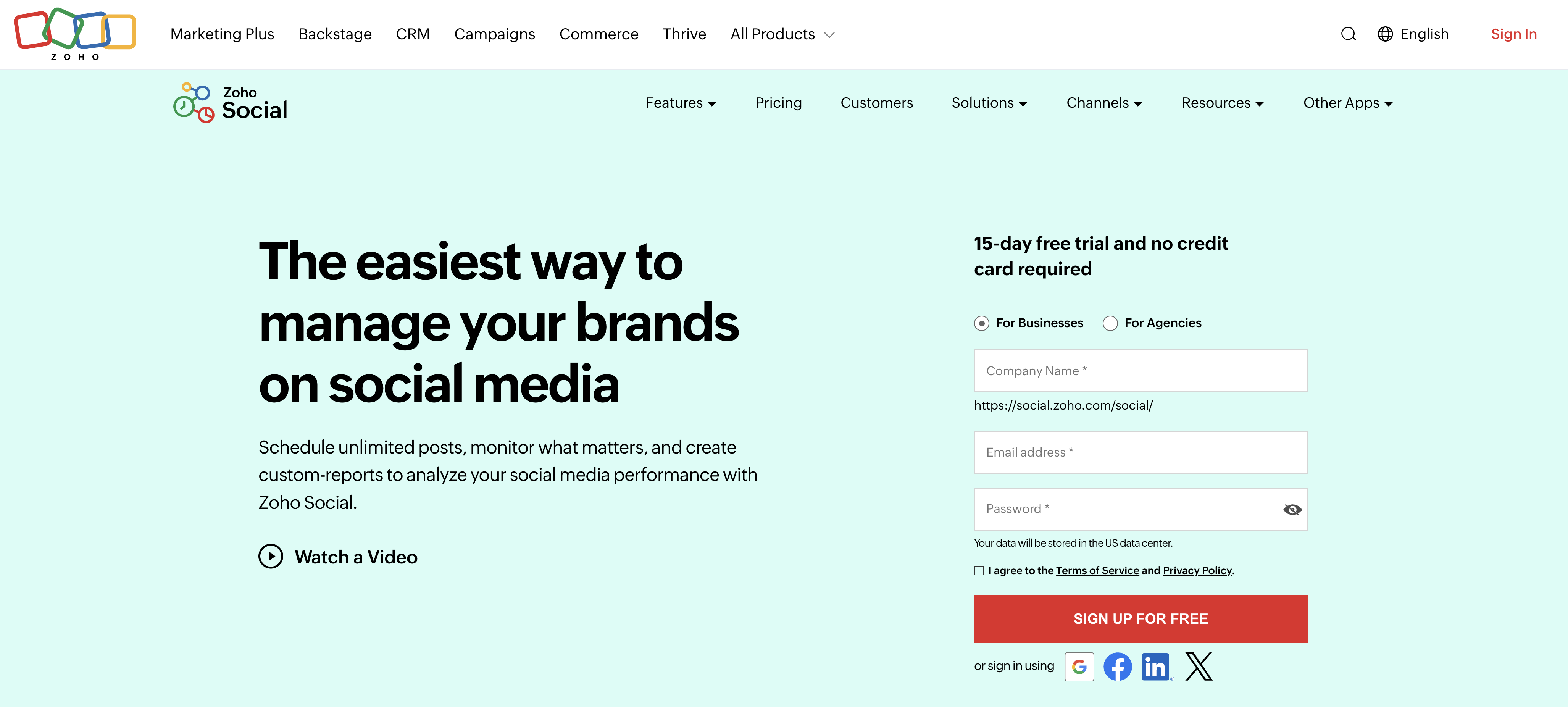
Highlighted features include:
- Post scheduling and publishing calendar
- Social monitoring and inbox (Premium plan)
- AI assistant (Zia) for caption generation (credit-limited)
- Bulk scheduling via CSV import (Professional+)
- Team collaboration and approval workflows (Premium plan)
- Native Zoho CRM and Zoho Desk integration
Despite Zoho Social's popularity among Zoho ecosystem users, reviews reveal important insights into performance, pricing, and feature limitations.
User Reviews and Ratings
On G2
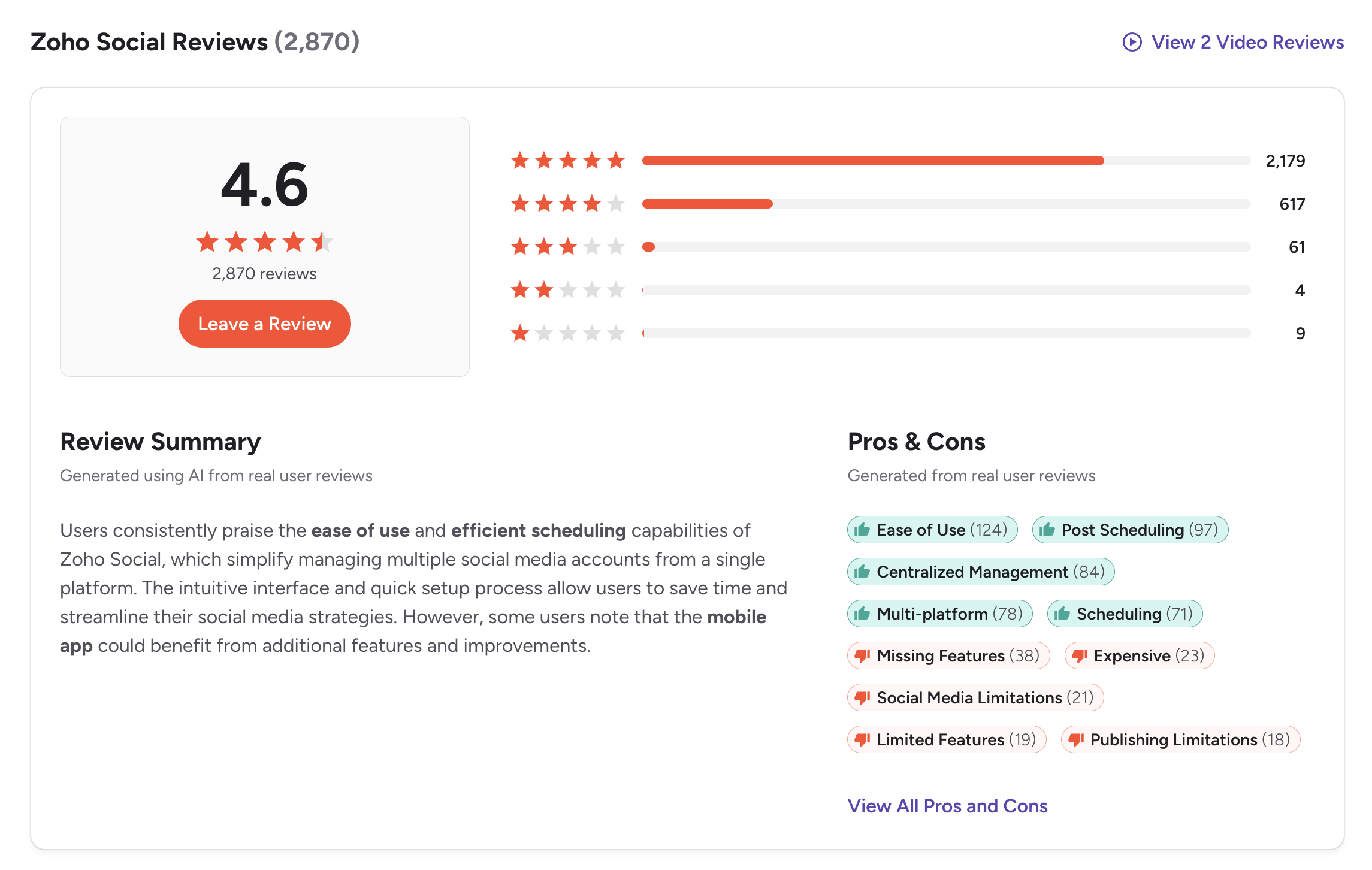
On G2, Zoho Social has a strong rating of 4.6 out of 5, based on 2,870 reviews. Users consistently praise the ease of use and efficient scheduling capabilities. The intuitive interface and quick setup process are frequently mentioned as highlights.
The review summary notes that users find Zoho Social simple and reliable for everyday social media management, with the centralized dashboard making scheduling, publishing, and monitoring easy even for new users.
However, reviewers also highlight limitations in advanced features, analytics depth, and post previews. Some users note that managing a large number of brands or high posting volumes can feel cluttered, and the mobile app could benefit from additional features.
Rating: 4.6/5 (2,870 reviews)
Pros
- Ease of Use (124 mentions)
- Post Scheduling (97 mentions)
- Centralized Management (84 mentions)
- Multi-platform support (78 mentions)
- Scheduling reliability (71 mentions)
Cons
- Missing Features (38 mentions)
- Expensive (23 mentions)
- Social Media Limitations (21 mentions)
- Limited Features (19 mentions)
- Publishing Limitations (18 mentions)
(credit: G2)
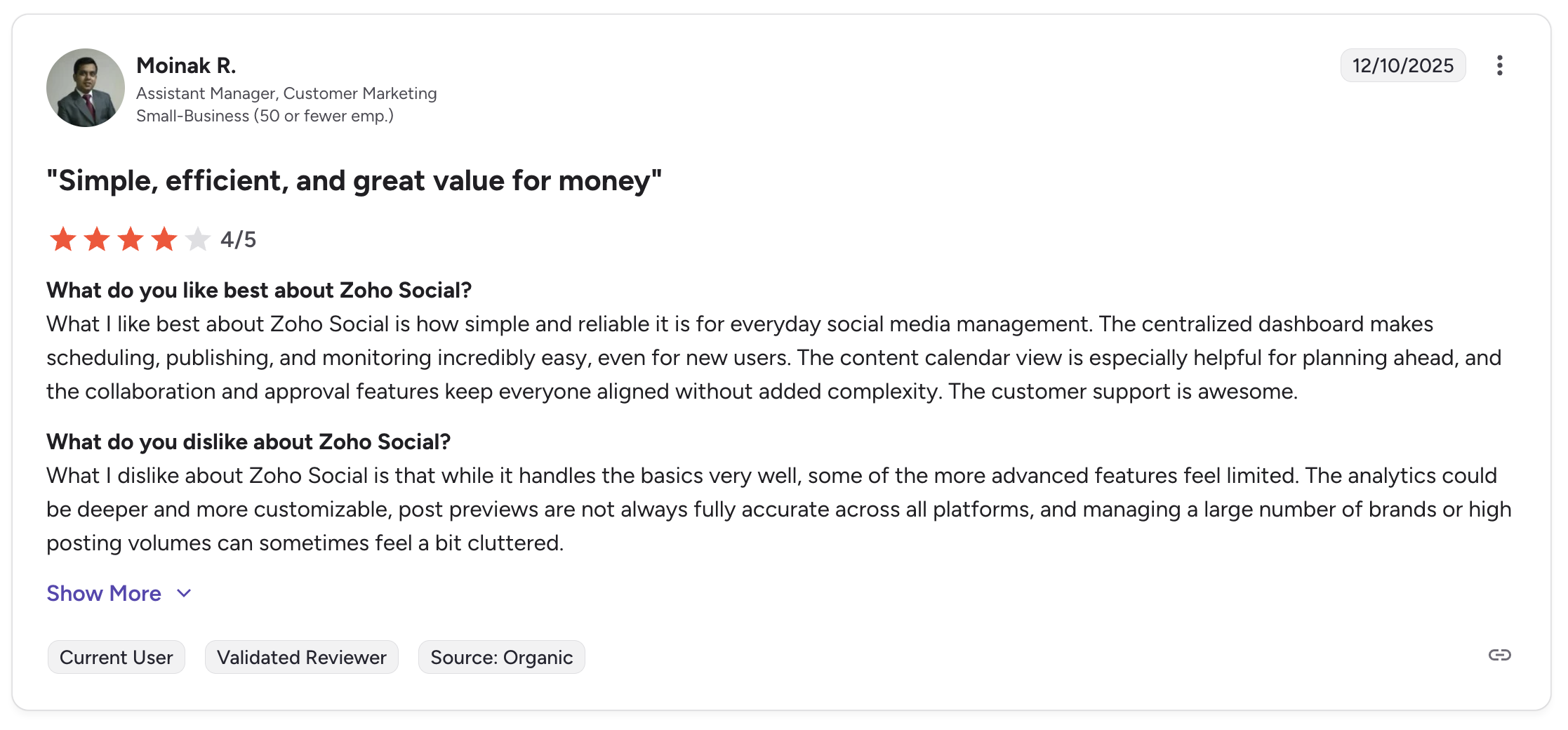
A featured review titled "Simple, efficient, and great value for money" from an Assistant Manager at a small business highlights that the centralized dashboard makes scheduling easy, and the collaboration and approval features keep teams aligned. On the flip side, the same reviewer notes that analytics could be deeper, post previews are not always accurate across platforms, and managing high volumes can feel cluttered.
On Trustpilot
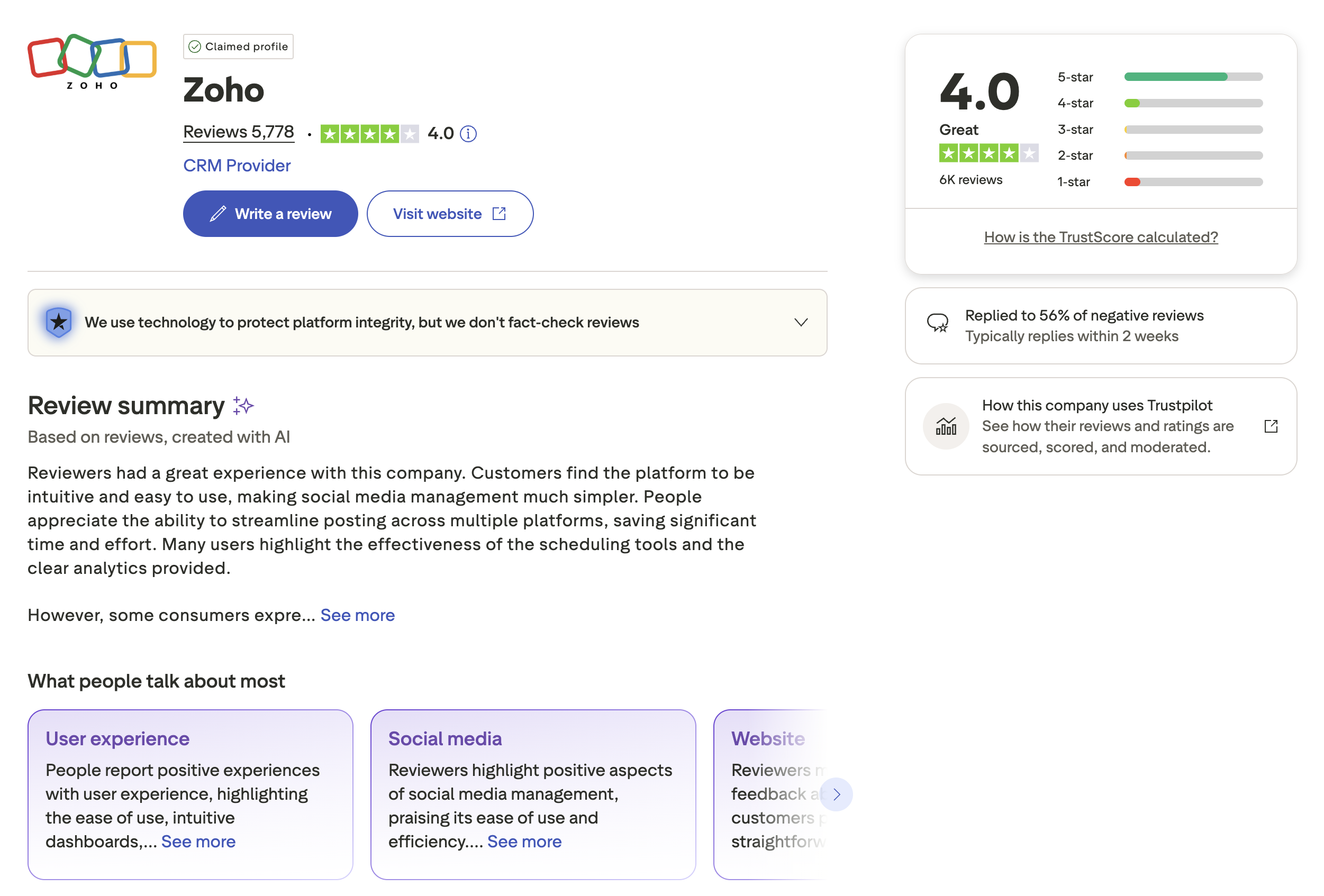
On Trustpilot, Zoho (the parent company) has a rating of 4.0 out of 5, based on approximately 5,778 reviews with a "Great" TrustScore. Note that Trustpilot reviews cover Zoho as a whole (CRM, mail, social, and other products), not Zoho Social specifically.
The review summary indicates that reviewers generally had a great experience. Customers find the platform intuitive and easy to use, making social media management simpler. People appreciate the ability to streamline posting across multiple platforms, saving time and effort. Many users highlight the effectiveness of the scheduling tools and clear analytics.
However, some consumers express concerns, suggesting there is room for improvement in certain areas.
Rating: 4.0/5 (~5,778 reviews for Zoho overall)
Pros
- Intuitive and easy to use
- Effective scheduling tools
- Clear analytics
- Streamlines multi-platform posting
Cons
- Some feature gaps
- Occasional platform sync issues
- Response time on support
(credit: Trustpilot)
What Reddit and Community Users Say About Zoho Social
Discussions on Reddit (r/socialmedia, r/smallbusiness, r/zoho) and the Zoho Community forums surface recurring themes about Zoho Social that do not always appear in formal review platforms. Here are the most common talking points based on real community feedback.
- Best value for existing Zoho ecosystem users. The most consistent positive theme is that Zoho Social is a natural fit if you already use Zoho CRM, Zoho Desk, or Zoho One. Users praise the ability to turn social interactions into CRM leads and route support requests to Zoho Desk without leaving the platform. Multiple Reddit threads recommend it specifically for businesses that are "all-in on Zoho."
- Ecosystem lock-in is a real concern. The flip side of deep Zoho integration is that users who want to switch away find it difficult. Community posts describe the challenge of migrating scheduled content, analytics history, and CRM-linked social data to a non-Zoho tool. Several users note that the tight coupling with Zoho CRM makes it hard to evaluate Zoho Social as a standalone product.
- Analytics depth disappoints power users. Reddit users who manage multiple brands or run data-driven campaigns frequently cite analytics as Zoho Social's weakest area. Complaints include limited customization of reports, no cross-platform benchmarking, and post previews that do not always match what actually publishes. Users comparing it to Sprout Social or Vista Social say the gap in reporting depth is significant.
- One-account-per-channel restriction is limiting. A recurring community complaint is that Zoho Social only allows one account per social media channel on lower-tier plans. Agencies and businesses managing multiple brands find this restriction forces them into more expensive plans or workarounds. This limitation is frequently cited as a dealbreaker for agency use cases.
- Customer support receives mixed feedback. Community sentiment on support is split. Some users report helpful and timely responses, while others describe slow ticket resolution, unhelpful replies, and difficulty escalating issues. The Zoho Community forum itself contains threads where users post "problem" tickets that remain unresolved for weeks.
Feature-by-Feature User Feedback
- Scheduling: Scheduling is consistently cited as Zoho Social's strongest feature. The publishing calendar provides a clear visual overview, and the SmartQ feature, which suggests optimal posting times based on audience activity, receives particular praise. Bulk scheduling via CSV import (available on Professional plans and above) is valued by teams managing high content volumes. However, users report limitations with scheduling Instagram Stories with interactive elements (polls, question stickers) and Reels with trending audio. TikTok publishing support is also described as limited.
- Analytics: Analytics is the area that draws the most criticism. While basic metrics (likes, shares, reach) are available, users report that deeper analysis requires exporting data to external tools. Post previews across platforms are not always accurate, and the reporting templates lack the customization options available in competitors like Sprout Social or Vista Social. On TrustRadius, reviewers note that the analytics "handle the basics very well" but that "more advanced features feel limited."
- Pricing: Zoho Social is broadly seen as competitively priced, particularly for small businesses. The free plan and 15-day trial are appreciated. However, community feedback highlights steep jumps between tiers, with features like the social inbox and team collaboration locked to the Premium plan ($65/month). Several Capterra reviewers note that adding team members incurs per-seat costs that can add up quickly. YouTube support being excluded from certain plans is also flagged as an unexpected restriction.
- Support: Reviews on support quality are inconsistent. G2 reviewers tend to rate support positively, while Trustpilot and community forum users are more critical. The Zoho Community forum shows "problem" threads where users report DMs and comments not displaying correctly, platform sync failures, and delayed responses from the support team. The parent-company Trustpilot profile (4.0/5 from 5,778 reviews) covers all Zoho products, making it difficult to isolate Zoho Social-specific support sentiment.
- Ease of Use: Ease of use is Zoho Social's second-most-mentioned strength after scheduling. The interface is described as simple and uncluttered, with a low learning curve compared to enterprise tools. Capterra reviewers note that the layout "becomes much easier to navigate" once you learn it, but the initial view can feel crowded with extras and add-ins. The mobile app receives consistently lower marks than the desktop experience, with users noting fewer features and a more confusing navigation structure.
Review Authenticity
Zoho Social's reviews are generally consistent across platforms, with G2 showing a higher rating (4.6) from users specifically reviewing the social media tool, and Trustpilot reflecting Zoho's broader product suite (4.0). The G2 data is more relevant for evaluating Zoho Social specifically, as it comes from verified users of the social media product. The high volume of reviews (2,870 on G2) provides a reliable picture of user sentiment.
- Rating divergence analysis: The 0.6-point gap between G2 (4.6) and Trustpilot (4.0) is partially explained by Trustpilot reviews covering all Zoho products, CRM, Mail, Books, and others, not just Zoho Social. Users frustrated with Zoho CRM billing or Zoho Mail support may leave ratings that drag down the overall Trustpilot score. The G2 rating is the more reliable indicator of Zoho Social-specific satisfaction. On Capterra and Software Advice, Zoho Social receives ratings in the 4.5-4.7 range, which aligns closely with the G2 data.
- Volume and trends: With 2,870 G2 reviews, Zoho Social has one of the largest review pools in the social media management category. Review velocity has been steady over several years, with no obvious signs of incentivized review campaigns. The Trustpilot volume (5,778 reviews for Zoho overall) is also substantial, though the inability to filter by specific product limits its usefulness for evaluating Zoho Social alone.
- Overall assessment: The review data paints a picture of a reliable, competitively priced tool that works best within the Zoho ecosystem. Criticisms are consistent across platforms, analytics depth, per-channel account limits, and mobile app quality, which lends credibility to both the praise and the complaints.
Who Zoho Social Works Best For (Based on Reviews)
Users who are happy with Zoho Social:
- Small to mid-size businesses already using Zoho CRM, Zoho Desk, or Zoho One who want native integration
- Teams that prioritize straightforward scheduling and publishing over advanced analytics
- Budget-conscious businesses that value the free plan and competitive pricing at lower tiers
- Users who need a simple, uncluttered interface with a low learning curve
Users who may want to look elsewhere:
- Agencies managing multiple brands per social channel who hit the one-account-per-channel restriction
- Data-driven marketing teams that need deep, customizable analytics and cross-platform benchmarking
- Teams that are not in the Zoho ecosystem and do not benefit from CRM or Desk integration
- Users who need strong Instagram Reels, TikTok, or social listening capabilities
- Organizations that require responsive, fast-turnaround customer support
Compare Zoho Social with Other Tools
See how Zoho Social compares in a detailed head-to-head breakdown: PostPlanify vs Zoho Social. Browse all comparisons on our alternatives hub.
Before choosing a social media scheduler...
Consider the following tips:
- Check multiple review platforms to ensure consistent user feedback.
- Look at whether reviews mention the specific product (Zoho Social) or the broader suite (Zoho).
- Research what people are saying on forums like Reddit for more unbiased opinions.
- Consider whether you need Zoho ecosystem integrations (CRM, Desk) or if a standalone tool works better.
- Compare team pricing carefully, as per-seat costs vary significantly between tools. See our Zoho Social pricing breakdown for a full comparison of plans and costs.
Ultimately, the best scheduler is the one that fits your team's workflow and budget without unnecessary complexity.
Zoho Social is a solid option for businesses in the Zoho ecosystem, but you can find a more affordable social media scheduler with stronger AI features and flat-rate team pricing.
PostPlanify is built for agencies serving local businesses. Each client gets their own workspace rather than a separate subscription, and team members and client approvers are never billed as seats.

Pricing starts at $39/month for your first client workspace, or $31/month billed yearly, and the rate falls as you add clients:
| Client workspaces | Growth | Premium | Scale |
|---|---|---|---|
| 1 | $39/mo | $49/mo | $59/mo |
| 3 | $97/mo | $127/mo | $157/mo |
| 5 | $155/mo | $205/mo | $255/mo |
| 10 | $250/mo | $350/mo | $450/mo |
| Social accounts per workspace | 4 | 6 | 8 |
Each plan answers a theme from the reviews above:
- Growth ($39/mo first workspace) fixes the one-brand and one-seat limits reviewers describe: a workspace per client, unlimited team members, unlimited posts, plus approval workflows and a social inbox on the entry plan where Zoho reserves both for Premium, full analytics on all 10 platforms, shared calendar, roles and permissions, bulk scheduling and a media library.
- Premium ($49/mo first workspace) answers the analytics depth complaint that appears most often: advanced analytics, branded client reports that schedule themselves, team comments and mentions, AI brand voice and knowledge base, plus full API and MCP access.
- Scale ($59/mo first workspace) puts the platform under your agency's brand with a white-label dashboard, white-label client emails and reports, dedicated onboarding, migration help and priority human support.
Credit where it is due: reviewers are right that Zoho Social is excellent value for a single brand, and if you already run Zoho CRM, Desk or Books the integration is a real advantage PostPlanify has no answer to. The free plan is usable and $15 Standard undercuts anything we offer.
The complaints are about structure. Every standard tier covers one brand and the first three include one team member, so a second client means a second subscription or the Agency plan at $275/month. Three local business clients is $275 on Zoho against $97/month here, with approvals and an inbox included rather than gated to the $65 tier.
Start your 7-day free trial today.










