


You’ve followed the generic advice: "Post at 1 PM on Tuesdays." But when your content gets minimal engagement, you realize the one-size-fits-all approach doesn’t work. The problem is that universal "best times" ignore the unique habits, time zones, and platform behaviors of your specific followers. This leads to publishing content when your audience is offline, wasting its potential.
There's no single best time to post on social media — it depends on the platform. Our analysis of 30,000+ posts found Facebook engagement peaks at midday (around noon ET), while Instagram peaks at 8 PM and TikTok at 6 PM. The rule of thumb: Facebook is a midday platform; Instagram and TikTok are evening platforms — and Tuesday is a strong day across all three.
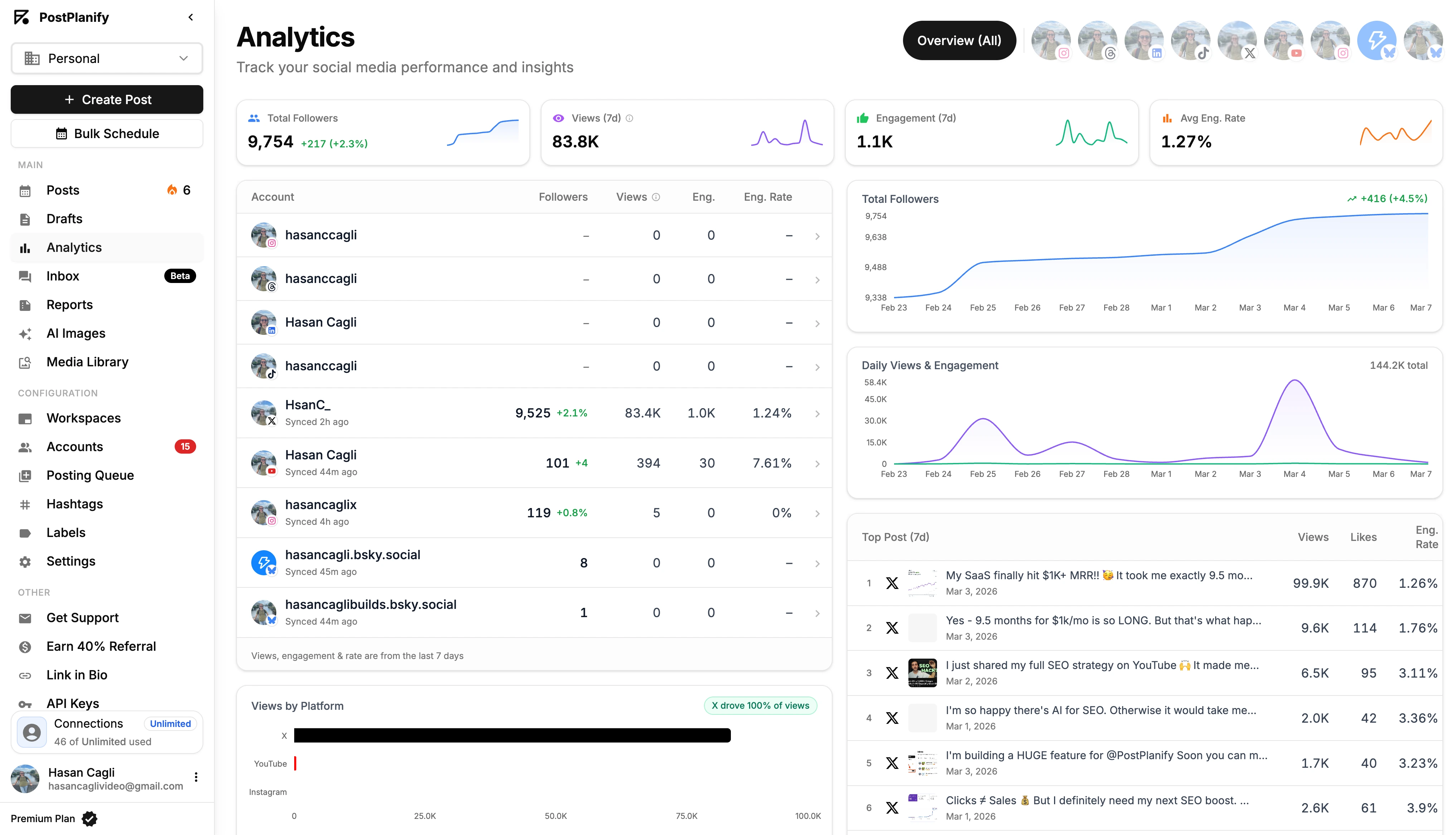
The goal isn’t finding a generic best time to post on social media; it’s discovering the optimal schedule for your brand. This requires a data-driven strategy, not just broad recommendations. To pinpoint your custom windows, you need to understand your own analytics, which starts with a solid grasp of social media analytics and reporting.
The recommendations in this guide combine PostPlanify's own analysis of 30,000+ posts (detailed below) with aggregated data from major analytics platforms — Sprout Social's 2.7 billion engagements, Buffer's 14 million posts, and Hootsuite's cross-platform research — plus platform-specific algorithm behavior in 2026.
This guide provides a practical framework to solve this. If you manage multiple social media accounts, getting timing right on every platform is even more critical. We'll start with research-backed, platform-specific posting windows for every major network, explaining the user behavior behind them. Then, we'll give you a step-by-step process to analyze your own data, identify your audience's true activity peaks, and build a posting schedule that turns engagement from a guess into a predictable strategy.
We Analyzed 30,000+ Posts: The Best Time to Post on Each Platform
"Post at 1 PM on Tuesday" is the kind of one-size-fits-all advice that quietly costs you reach. So we measured it. PostPlanify analyzed 30,000+ posts across Instagram, TikTok, and Facebook published through our platform, measuring engagement by the exact day and hour each post went live (US Eastern).
The biggest finding: there is no universal best time — the platforms split into two camps. Facebook engagement peaks at midday, while Instagram and TikTok peak in the evening. Publish the same content at the same time everywhere and you're optimized for none of them.
| Platform | Best time (ET) | Best day | The pattern |
|---|---|---|---|
| ~12 PM (noon) | Tuesday | A midday platform — peaks at lunchtime; weakest 9–10 AM and 3 PM | |
| 8 PM (Reels also 11 AM) | Wednesday | Evenings beat midday; Reels and Feed peak at different times | |
| TikTok | 6 PM | Monday | Evening dominates; views peak hardest from 5–7 PM |
What to do with this: stagger your schedule by platform instead of cross-posting at one time. A strong default — Facebook at noon, Instagram at 8 PM, TikTok at 6 PM — and reserve your best content for Tuesday through Thursday.
Methodology: ~31,000 posts (8,600+ Instagram, 12,000+ TikTok, 11,000+ Facebook) published via PostPlanify; median engagement rate by day and hour, US Eastern, outliers excluded. These are population-wide patterns — your audience may differ, so verify against your own analytics.
1. Facebook: Why Your Posts Aren't Seen and How to Fix It
The Problem: Low Reach and Engagement on Facebook
You're posting high-quality content on Facebook, but it feels like no one is seeing it. The likes and comments are far lower than you expect, and your reach analytics show that only a small fraction of your followers are being served your posts.
Why This Happens: The Facebook algorithm prioritizes content that receives immediate engagement (likes, comments, shares) shortly after being published. Using a Facebook scheduler to publish at the right moment is often the difference between a post that gains traction and one that falls flat. If you post when your audience is offline or inactive, your content fails to get that initial traction. The algorithm then assumes the post isn't valuable and stops showing it to a wider audience, severely limiting its reach.
Common Causes:
- Posting at a generic "best time" that doesn't match your specific audience's online habits.
- Ignoring time zones and posting at a time that's convenient for you but midnight for most of your followers.
- Inconsistent posting times, which prevents the algorithm from learning your audience's predictable engagement patterns. (Timing is only half the equation — see how often to post on social media for the frequency half.)
The Solution: Target Peak User Activity (Around Noon, Weekdays)
Data from Sprout Social's 2025 analysis (2.7 billion engagements across 463,000 profiles) and Hootsuite's 300-brand study consistently point to 9 AM–12 PM on weekdays as the strongest window, with Monday through Thursday performing best. This captures users during their morning scroll and midday break when they are most likely to engage. Publishing here gives your post the best chance at immediate engagement, signaling its value to the algorithm.
Actionable Steps to Fix Your Facebook Timing:
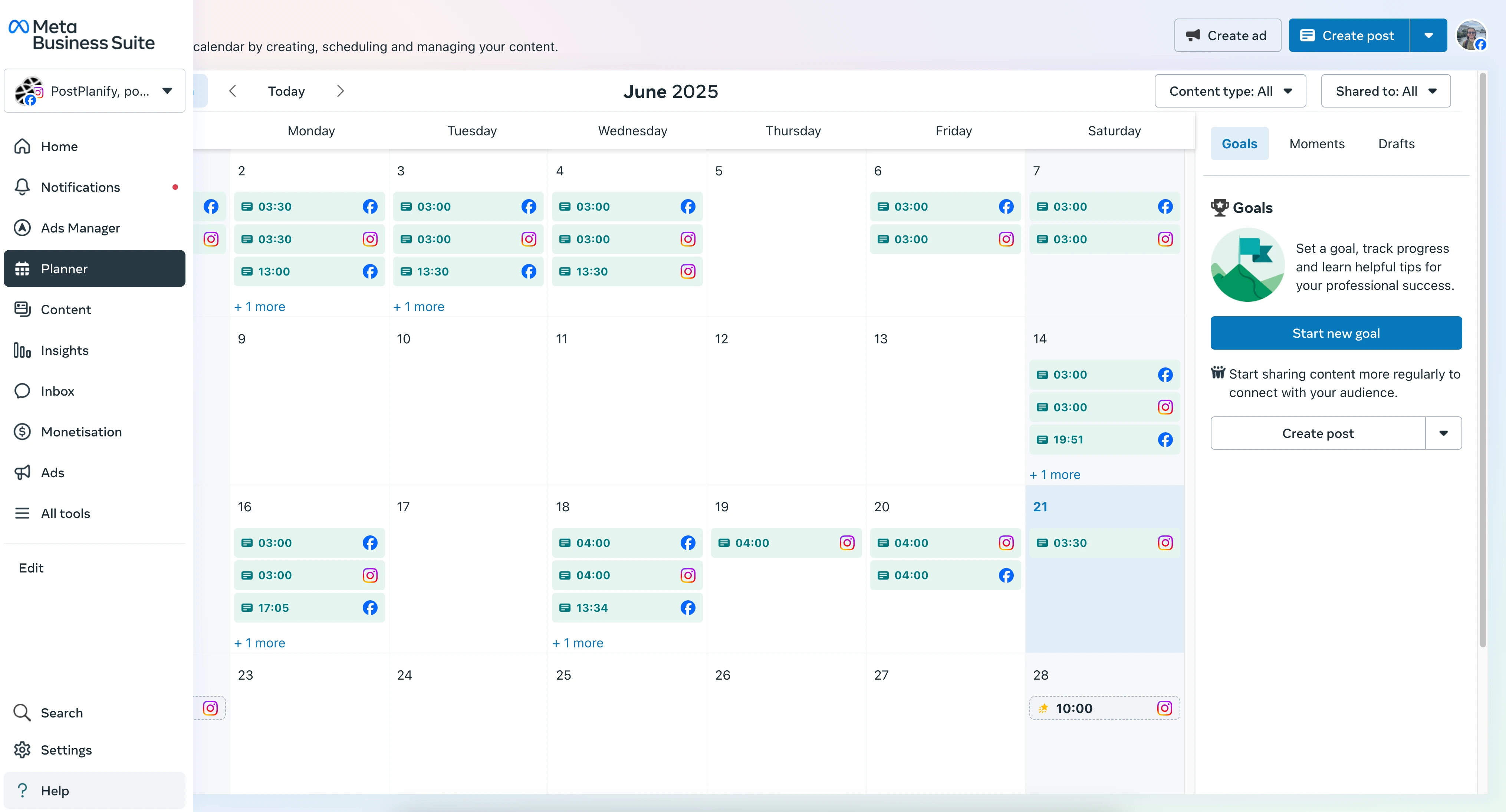
- Schedule for the Peak Window: Use a scheduling tool to ensure your content goes live around midday (11 AM–1 PM, peaking at noon) in your audience's primary time zone. This removes the human error of manual posting. Platforms like Meta Business Suite or a dedicated tool like PostPlanify can automate this. For a detailed walkthrough, learn how to schedule Facebook posts for maximum impact. You can also dig deeper into platform-specific timing in our best time to post on Facebook guide.
- Verify with Your Own Data: Use Facebook Insights to confirm this timing. Go to Insights > Your Audience > Active Times. This chart shows the exact days and hours your specific followers are most active. If your peak is 2 PM, adjust your schedule to match your data.
- Account for Multiple Time Zones: If you have a national or global audience, posting at 10 AM ET means it's only 7 AM PT. To solve this, either publish key content multiple times to hit different time zone peaks or use a scheduling tool that allows for location-based targeting.
Limitations & Edge Cases:
- API Delays: Occasionally, third-party scheduling tools may experience minor API delays. Always double-check that your posts went live as scheduled.
- Content Saturation: This is a popular time to post. Your content must be high-quality and engaging to stand out from the noise.
 PostPlanify
All your social media in one simple dashboard
Schedule posts, track analytics, and reply to comments/DMs without switching tabs.

Engagement
+18%
Views
52.8k
2. Instagram: Solving the Dual-Peak Engagement Puzzle
The Problem: Inconsistent Instagram Engagement Throughout the Day
You post a Reel in the morning and it gets great views, but a feed post at the same time flops. Later, a Story you post in the evening gets tons of interaction, while a Reel gets none. Your engagement feels random and unpredictable.
Why This Happens: Instagram user behavior is not monolithic; it's split into distinct patterns. There are two primary engagement windows driven by different user mindsets: a midday check-in for browsing and an evening session for entertainment and deep engagement. Posting the wrong type of content at the wrong time leads to a mismatch between what your audience wants and what you deliver.
Common Causes:
- Using a single posting time for all content formats (Reels, Stories, feed posts). An Instagram scheduler lets you set format-specific windows.
- Ignoring the evening entertainment window, where users are more likely to watch longer videos and interact with Stories.
- Not aligning content with user intent (e.g., posting a complex carousel when users are looking for a quick, entertaining Reel).
The Solution: Align Content to Dual Sweet Spots (11 AM–1 PM & 7–9 PM)
The best time to post on social media for Instagram involves a dual-peak strategy. The 11 AM–1 PM slot catches users on their lunch break, perfect for visually appealing feed posts. The 7–9 PM slot targets them during post-dinner downtime when engagement with Reels and interactive Stories skyrockets.
Actionable Steps to Fix Your Instagram Timing:
- Map Content Formats to Time Slots: Use a scheduling tool to plan your content strategically. Schedule visually-rich carousels and product announcements for the 11 AM–1 PM window. Reserve your most engaging Reels and interactive Stories (polls, Q&As) for the 7–9 PM slot to capitalize on evening entertainment trends. You can learn more about how to schedule Instagram posts for optimal results.
- Use Native Analytics for Precision: Go to Instagram Insights > Total Followers and scroll down to "Most Active Times." This will show you the specific hours and days your unique audience is online. If your data shows a peak at 8 PM instead of 7 PM, trust your analytics and adjust your schedule.
- Optimize Story Timing: While Stories have a 24-hour lifespan, their initial viewership is key. Post your most important Story content—like a new product teaser or a poll—during one of these two peak windows to maximize immediate views and interactions. Beyond timing, understanding how views work on Instagram Stories helps you measure what's actually holding attention.
Limitations & Edge Cases:
- Account Type: You must have an Instagram Business or Creator account to access detailed follower analytics. Personal accounts do not provide this data.
- Algorithm Lag: There can be a delay between when your audience is most active and when the algorithm starts pushing your content. Test posting 30-60 minutes before your identified peak time.

3. X (Twitter): How to Overcome a Short Content Lifespan
The Problem: Your Tweets Disappear into the Void
You spend time crafting the perfect tweet, but within minutes it's buried in the feed with almost no likes or retweets. The fast-paced nature of X makes it feel impossible to get noticed.
Why This Happens: The lifespan of a tweet is incredibly short—often less than 30 minutes. The X algorithm is built for real-time conversation. If your tweet doesn't get immediate engagement, it quickly loses visibility and is rarely resurfaced. Posting when your audience isn't actively scrolling is the number one cause of this problem.
Common Causes:
- Posting only once a day, which isn't enough to stay visible in a high-velocity feed.
- Not engaging immediately after posting, which fails to signal to the algorithm that the content is sparking conversation.
- Ignoring the commuter and end-of-day news cycles, when X usage spikes.
The Solution: Target Commuter Windows (8–10 AM & 5–6 PM)
Research from sources like Hootsuite and Buffer identifies two key engagement peaks: 8-10 AM and 5-6 PM on weekdays. An X scheduler ensures your tweets land inside these narrow windows. These windows align with common user habits, capturing audiences during their morning commute check-ins and their after-work wind-down when they are looking for news and updates.
Actionable Steps to Fix Your X Timing:
- Increase Posting Frequency and Schedule for Peaks: Due to the short lifespan of a tweet, you must post more often. Aim for 3-5 high-quality posts per day. Use a scheduling tool to queue your most important announcements and content for the 8–10 AM and 5–6 PM windows. You can learn how to schedule X posts for maximum reach to refine this process.
- Be Ready to Engage Immediately: The X algorithm rewards immediate interaction. As soon as your scheduled post goes live, be prepared to reply to comments and engage with retweets. This signals to the algorithm that your content is valuable, boosting its visibility.
- Use Threads for High-Value Content: For more in-depth topics, create a thread. Schedule the first tweet of the thread to be published during a peak window. Threads extend the visibility of your message and encourage sustained engagement as users click to "show more replies."
Limitations & Edge Cases:
- API Limits: Be aware of X's API limits on posting frequency. Posting too many times in a short period can get your account flagged. A good scheduling tool will manage this for you.
- Breaking News: For X, real-time events trump scheduled times. If relevant breaking news occurs, pause your scheduled content and engage with the current conversation.
4. LinkedIn: Getting B2B Content Seen by Decision-Makers
The Problem: Your LinkedIn Posts Get No Traction
You share valuable industry insights, company news, and thought leadership articles on LinkedIn, but the engagement is consistently low. Your posts aren't reaching the right professionals or generating meaningful conversations. (Our dedicated best time to post on LinkedIn guide covers this platform in depth, with first-party data from 794 company page posts.)
Why This Happens: LinkedIn is a professional network, and its users have specific browsing habits tied to the workday. They are not scrolling idly on evenings or weekends. Posting outside of core business hours means your content is published when your target audience of decision-makers and professionals is offline, causing it to be missed entirely.
Common Causes:
- Posting on Mondays or Fridays, which are typically the busiest and least engaged days of the workweek.
- Publishing content in the late afternoon or evening, after most professionals have logged off for the day.
- Failing to engage in the first hour, which is critical for signaling value to the LinkedIn algorithm.
The Solution: Align with Professional Hours (Tue–Thu, 10 AM–12 PM & 3–5 PM)
The best time to post on social media for a B2B audience aligns with the professional workday — but the pattern has shifted. Sprout Social's 2025 data points to Tuesday through Thursday, 8 AM–2 PM as the primary window, while Buffer's 2026 analysis of 4.8 million LinkedIn posts revealed a notable shift: peak engagement has moved to late afternoon and evening hours (3–8 PM), suggesting LinkedIn usage patterns are becoming less tethered to the traditional 9-to-5. A LinkedIn scheduler paired with a content calendar makes it easy to hit both slots consistently.
Actionable Steps to Fix Your LinkedIn Timing:
- Focus on Mid-Week Scheduling: Prioritize your most important content for Tuesday, Wednesday, and Thursday. Use a scheduling tool to ensure your posts go live within the peak windows. Engagement on Mondays is often low as people catch up, and it drops off on weekends. For best practices, see our guide on how to schedule LinkedIn posts.
- Segment Content by Time Slot: Use the 10 AM–12 PM window for high-value content like industry reports or company news to capture midday attention. The 3–5 PM slot is ideal for more engaging content like polls, questions, or short videos — Buffer's 2026 data shows this late-afternoon window now outperforms traditional morning slots.
- Engage in the "Golden Hour": The first 60-120 minutes after posting are critical. The LinkedIn algorithm heavily favors posts with early engagement. Be ready to respond to comments and questions immediately to boost your content's reach.
Limitations & Edge Cases:
- Global Audiences: If you are targeting professionals in different countries, you must schedule posts for the peak morning hours in their respective time zones (e.g., 8 AM London time for a UK audience, then 8 AM ET for a US audience).
- Company Page vs. Personal Profile: The algorithm generally gives more organic reach to personal profiles than to company pages. Encourage key employees to share company content from their personal profiles during these peak hours to amplify reach.
PostPlanifyAll your social media in one simple dashboard
Schedule posts, track analytics, and reply to comments/DMs without switching tabs.
Engagement
+18%
Views
52.8k
5. TikTok: How to Get on the For You Page (FYP)
The Problem: Your TikTok Videos Are Stuck at Low Views
You're creating videos with trending sounds and hashtags, but they get stuck at a few hundred views and never make it to the For You Page (FYP). Your content isn't getting the viral traction you see from other creators.
Why This Happens: TikTok's algorithm is all about "engagement velocity." It tests your new video with a small group of users. If that group quickly likes, comments, shares, and watches the full video, the algorithm pushes it to a much larger audience. Posting when user activity is low means you won't get that initial surge of engagement, and your video's journey ends there.
Common Causes:
- Posting during school or work hours, when TikTok's core user base is inactive.
- Not understanding your audience's location and posting at 8 PM your time, which could be 3 AM for them.
- Failing to post consistently, which prevents the algorithm from learning when your audience typically engages with your content.
The Solution: Target Peak Entertainment Cycles (5–9 PM Weekdays)
Sprout Social's 2025 data (2.7 billion engagements) shows TikTok engagement is now almost exclusively concentrated in evening hours: 5–9 PM on Monday through Thursday is the strongest window, with Friday extending from 3–10 PM. Automating with a TikTok scheduler removes the risk of missing these high-impact moments. Buffer's analysis of 7.1 million TikTok posts in 2026 also found Saturday afternoons (3–5 PM) perform well for weekend content.
Actionable Steps to Fix Your TikTok Timing:
- Check Your Native Analytics First: Before using generic times, check your specific data. Go to your Creator Tools > Analytics > Followers tab. Scroll down to "Follower activity" to see the exact hours and days your audience was most active over the last week. This is the most accurate data you can get.
- Schedule for Both Windows: Use a scheduling tool to plan content for both the morning and evening slots identified in your analytics. This doubles your chances of capturing algorithmic momentum. You can learn more in our guide on how to schedule TikTok posts for 2026.
- Act Fast on Trends: When you spot a new sound or trend, create and post your version within hours. Aim to publish it during the next upcoming peak window (e.g., if you see a trend at 2 PM, schedule your version for the 7 PM slot).
Limitations & Edge Cases:
- Account Type: You need a TikTok Business or Creator Account to access follower analytics. You can switch for free in your settings.
- Viral Content Can Defy Timing: A truly exceptional, original video can go viral at any time. However, for most content, timing provides the essential initial push.
6. YouTube: Maximizing Initial Velocity for Long-Term Success
The Problem: Your New YouTube Videos Get Very Few Initial Views
You spend weeks producing a high-quality video, but when you publish it, only a handful of subscribers see it in the first 24 hours. The video fails to gain momentum and gets lost in the platform's vast library.
Why This Happens: While YouTube's algorithm prioritizes long-term metrics like watch time, the first 24-48 hours are still critical. A surge of initial views, likes, and comments from your subscribers signals to the algorithm that the video is engaging. This can trigger the algorithm to promote your video more widely on the homepage and in suggested videos, creating a snowball effect. Publishing when your subscribers are offline robs your video of this crucial launchpad.
Common Causes:
- Publishing at random times without a consistent schedule.
- Uploading on days with low viewership, like early in the week or on Saturday mornings.
- Failing to promote the video launch on other platforms to drive immediate traffic.
The Solution: Schedule for a Weekend Launchpad (Thu–Fri, 4–6 PM)
Data from the YouTube Creator Academy shows that uploading during peak viewership hours, specifically Thursday-Friday between 4-6 PM, gives your content the best start for weekend success. A YouTube scheduler lets you set the exact publish time weeks in advance. This timeframe catches viewers as they finish school or work and look for content to watch over the weekend when viewership is highest.
Actionable Steps to Fix Your YouTube Timing:
- Schedule for Peak Hours: Use YouTube's built-in scheduling feature to set your video to go live between 4–6 PM in your audience's primary time zone. You can find this data in YouTube Studio > Analytics > Audience.
- Create a Launch Event: Don't just upload; launch. Announce your upcoming video on other social platforms (like X or Instagram Stories) an hour before it goes live. This builds anticipation and drives immediate traffic at the moment of launch. Use YouTube's "Premiere" feature to create a live countdown event.
- Train Your Subscribers with Consistency: Upload at the same time and on the same day each week (e.g., every Friday at 5 PM ET). This trains your subscribers to expect your content, creating a loyal and punctual viewership habit.
Limitations & Edge Cases:
- Content is King: On YouTube, a great thumbnail and title are more critical than timing. An amazing video with a compelling thumbnail will eventually find its audience. Timing simply accelerates that process.
- Notifications: A large portion of initial views comes from subscriber notifications. If your subscribers have notifications turned on, they will see your video regardless of the exact upload time, but timing it for when they are free to watch increases the likelihood they'll click immediately.
YouTube Shorts vs Long-Form: Different Timing Rules
YouTube Shorts and long-form videos have fundamentally different audience behaviors, which means they need different posting strategies:
| Format | Best Time to Post | Best Days | Why |
|---|---|---|---|
| Long-form videos (8+ min) | 4–6 PM | Thursday–Friday | Viewers settle in for longer content in the evening; publishing before the weekend maximizes the initial 48-hour window |
| YouTube Shorts (under 3 min) | 7–9 AM, 12–2 PM | Monday–Friday | Shorts are consumed in quick-scroll sessions during commutes and lunch breaks — similar to TikTok and Reels |
Why the difference matters: Long-form videos need viewers with time to watch. Shorts need viewers who are killing time. Publishing a 15-minute tutorial at 8 AM means your audience is commuting — they'll skip it. Publishing a 30-second Short at 8 AM means your audience is scrolling on the train — perfect timing. For scheduling Shorts in advance, see our guide on how to schedule YouTube Shorts.
7. Pinterest: Timing for Long-Term Discovery
The Problem: Your Pins Aren't Getting Saved or Driving Traffic
You're creating beautiful pins and adding them to relevant boards, but they aren't getting many saves, and more importantly, they aren't driving traffic back to your website or blog.
Why This Happens: Pinterest functions more like a visual search engine than a social media feed. While the lifespan of a pin is months, not hours, the initial engagement it receives can influence how the algorithm categorizes and distributes it for future searches. Pinning when users are not in a "planning" mindset means you miss the initial boost that helps with long-term discoverability.
Common Causes:
- Pinning during work hours when users are less focused on personal projects and inspiration.
- Not using keyword-rich descriptions, which is the most critical factor for long-term search visibility.
- Pinning inconsistently, which fails to build authority in the eyes of the algorithm.
The Solution: Align with Planning Mindsets (Afternoon: 2–4 PM & Evening: 8–11 PM)
Data identifies two key windows for Pinterest engagement: a mid-afternoon slot from 2-4 PM and a prime evening period from 8-11 PM. A Pinterest scheduler helps you cover both windows without manual effort. The afternoon window captures users looking for quick ideas (like dinner recipes), while the evening window is when users are relaxed and planning bigger projects (like home renovations or vacations).
Actionable Steps to Fix Your Pinterest Timing:
- Schedule for Both Windows: Use a scheduling tool like PostPlanify to cover both the afternoon and evening peaks. This ensures you are present when different segments of your audience are most active.
- Prioritize SEO Over Everything: Long-term success on Pinterest depends on keyword-rich descriptions, relevant board titles, and high-quality images. Timing provides an initial boost, but SEO ensures your pin is discoverable for months to come.
- Embrace High Volume: Pinterest rewards prolific pinning. Aim for a consistent schedule of 3-10 fresh pins per day, spread across the peak windows, to maximize your reach and keep your content visible.
Limitations & Edge Cases:
- Evergreen Content: The primary value of Pinterest is its long-term, evergreen nature. A well-optimized pin can start driving traffic weeks or even months after it was published, making initial timing less critical than on other platforms.
- Seasonal Trends: For seasonal content (e.g., "Christmas decor ideas"), start pinning 45-60 days in advance to give the algorithm time to index your content before the search demand peaks.
PostPlanifyAll your social media in one simple dashboard
Schedule posts, track analytics, and reply to comments/DMs without switching tabs.
Engagement
+18%
Views
52.8k
8. Snapchat: Capitalizing on Ephemeral Engagement
The Problem: Low Story Views on Snapchat
You post Snapchat Stories, but the viewership is disappointingly low. Your content expires before most of your followers even have a chance to see it.
Why This Happens: Snapchat's content is ephemeral, with Stories disappearing after 24 hours. Success on the platform depends entirely on capturing your audience's attention in real-time. If you post when your audience—primarily a younger demographic—is busy with school, work, or other activities, your Story will expire before they log on.
Common Causes:
- Posting during the daytime on weekdays.
- Not creating a sense of urgency or an "event" around your posts.
- Failing to use interactive elements like polls or Q&As that encourage immediate engagement.
The Solution: Target Peak Evening Downtime (8–10 PM Weeknights)
User behavior trends consistently highlight one key window for maximum Snapchat viewership: 8–10 PM on weeknights. This period captures the core Gen Z and Millennial demographic during their evening downtime after homework and other obligations are complete, when they are actively catching up with friends' Stories.
Actionable Steps to Fix Your Snapchat Timing:
- Time Your Story Drops: Plan your most important content to go live precisely between 8 PM and 10 PM. Build anticipation by announcing on other platforms (like Instagram) that a special Snap Story will be "dropping" at a specific time.
- Engage in Real-Time: The first hour after posting is critical. Monitor replies and reactions to your Stories and engage back immediately. This interaction boosts visibility and shows your audience you are actively present.
- Use Trending AR Lenses and Sounds: Increase your content's appeal by incorporating trending AR filters and sounds that are popular during this evening peak. This helps your content feel native and relevant.
Limitations & Edge Cases:
- Weekends Differ: Weekend peak times can be more varied, often occurring later in the evening (10 PM - 1 AM). Test different times to see what works for your audience.
- Discover Page: Getting featured on Snapchat's Discover page is driven by partnerships and editorial decisions, not just timing. The timing advice here is for maximizing organic viewership from your existing followers.
9. Reddit: Mastering Upvote Velocity for Visibility
The Problem: Your Reddit Posts Die in "New"
You submit a post to a relevant subreddit, but it gets one or two upvotes and is quickly buried, never reaching the "Hot" or "Top" sections of the community.
Why This Happens: Reddit's algorithm is driven by "upvote velocity"—how quickly a post gains traction after being submitted. A post that gets a surge of upvotes and comments in its first hour is propelled to the top of the subreddit. If you post when the community is asleep or inactive, you miss this critical window, and your post dies.
Common Causes:
- Ignoring the subreddit's specific culture and peak activity times.
- Writing a weak, uninteresting title that fails to grab attention.
- Not engaging with the first few commenters to help build momentum.
The Solution: Target Morning and Evening Commutes (8–10 AM & 6–8 PM)
General peak user activity on Reddit falls into two key windows: 8–10 AM and 6–8 PM on weekdays, corresponding with the morning commute and evening relaxation periods for Reddit's largely US-based audience.
Actionable Steps to Fix Your Reddit Timing:
- Research Your Specific Subreddit: Every community is different. Before posting, browse the "Top" posts from the last week in your target subreddit and note what time they were submitted. This is your most valuable data.
- Craft a Killer Headline: On Reddit, the title is 90% of the battle. It must be clear, intriguing, and tailored to the subreddit's culture to secure those vital early upvotes.
- Engage Immediately in the Comments: As soon as your post is live, be ready to respond to the first few comments. Your own comments can help clarify your post and signal activity to the algorithm.
Limitations & Edge Cases:
- Moderator Rules: Always read the subreddit's rules before posting. Many have specific rules about post types, formatting, or frequency that can get your content removed regardless of timing.
- Global Subreddits: For highly international subreddits (like r/pics or r/askreddit), peak times are less pronounced, but the US morning window (8-10 AM ET) often still provides the largest single audience block.
10. Email Marketing: Getting Your Campaigns Opened
The Problem: Low Open and Click-Through Rates
You send out well-crafted email newsletters and promotions, but the open rates and click-through rates (CTR) are consistently low. Your message is getting lost in a crowded inbox.
Why This Happens: Professionals and consumers have established routines for checking and cleaning out their inboxes. Sending an email on a Monday morning means it's likely to be deleted in a mass clean-up. Sending it late at night or on a weekend means it will be buried under dozens of other messages by the next business day.
Common Causes:
- Sending on Mondays or Fridays, the lowest engagement days for email.
- Using a generic, uninspired subject line that doesn't create urgency or curiosity.
- Not segmenting your list and sending the same message to everyone at the same time.
The Solution: Target Mid-Week, Mid-Day Windows (Tue–Thu, 10 AM & 2 PM)
Research from leaders like Mailchimp identifies a clear pattern: the best time to send emails is between 10 AM and 2 PM from Tuesday to Thursday. The 10 AM slot catches people after their morning meetings, while the 2 PM slot targets the post-lunch productivity push.
Actionable Steps to Fix Your Email Timing:
- Schedule with Precision: Use your email service provider (ESP) to schedule your campaigns for these optimal windows in your subscribers' time zones. Avoid Mondays, where open rates can be 22% lower.
- A/B Test Your Send Times: Use the 10 AM and 2 PM times as your starting point. Run an A/B test where you send the same email to two small segments of your list at different times. Send the campaign to the rest of your list at the winning time.
- Focus on the Subject Line: Timing gets your email seen; a compelling subject line gets it opened. Craft a concise, value-driven subject line that sparks curiosity and clearly communicates what’s inside.
Limitations & Edge Cases:
- B2C vs. B2B: While 10 AM is often best for B2B, some B2C e-commerce brands find success with evening sends (around 8 PM) when people are browsing and shopping from their couch.
- Urgent Announcements: For truly time-sensitive information (like a flash sale or event reminder), immediate sending can be more important than waiting for a peak window.
11. Threads: Catching the Morning Crowd
The Problem: Low Engagement on a Growing Platform
Threads is still growing, and many brands aren't sure when to post. The platform launched in mid-2023 and engagement patterns are now well-established — but they're different from Instagram despite sharing the same parent app.
Why This Happens: Threads users behave more like X/Twitter users than Instagram users. The platform is text-first and conversation-driven, and the audience skews toward early adopters who check in during morning hours rather than evening entertainment sessions.
The Solution: Target Weekday Mornings (6–11 AM)
Buffer's 2026 analysis of 2.5 million Threads posts found a clear pattern: weekday mornings between 6 AM and 11 AM produce the strongest engagement, with Wednesday, Thursday, and Tuesday as the best days. Evening posts (6–11 PM) consistently underperform — the opposite of TikTok and Instagram Reels.
Actionable Steps:
- Schedule for morning windows. Use a scheduling tool to queue your Threads posts for 9–11 AM on Tuesday through Thursday. This is the tightest high-performance window across the data.
- Post conversational content. Threads rewards text-based content that sparks replies. Questions, hot takes, and short observations outperform link posts.
- Cross-post strategically. If you're already posting on X, adapt your best-performing content for Threads — but schedule it for the morning window, not necessarily the same time as your X posts.
Limitations & Edge Cases:
- Evolving algorithm: Threads is still refining its recommendation system. These patterns may shift as the platform matures and its user base grows.
- Saturday underperformance: Weekend engagement drops significantly on Threads, more so than on other text-based platforms.
12. Bluesky: Reaching the Early Adopter Audience
The Problem: Low Engagement Despite a Growing Platform
Bluesky is one of the fastest-growing social platforms in 2025-2026, but many creators posting there see low engagement because the audience behavior is different from X/Twitter — despite the similar interface.
Why This Happens: Bluesky's user base skews toward tech-savvy early adopters, journalists, and creators who migrated from X. This audience has different peak hours than mainstream social media users, and the chronological-first feed means timing matters more here than on algorithmic platforms.
Common Causes:
- Posting at X/Twitter peak times and assuming the same windows work on Bluesky.
- Ignoring the chronological feed — on Bluesky, a post published 3 hours ago is already buried. There's less algorithmic resurfacing than on X.
- Neglecting the platform entirely because "it's too small" — missing the low-competition advantage.
The Solution: Catch the Tech-Savvy Morning Crowd (7–10 AM Weekdays)
Bluesky's engagement patterns show clear peaks during weekday mornings between 7 AM and 10 AM, with a secondary window in the early evening (5–7 PM). The tech-professional audience checks Bluesky during their morning routine alongside RSS feeds and newsletters, then again during the post-work wind-down.
| Day | Best Times | Engagement Level |
|---|---|---|
| Monday–Friday | 7–10 AM, 5–7 PM | Morning peak is strongest |
| Saturday | 9–11 AM | Lower volume but engaged niche audience |
| Sunday | Minimal engagement | Skip unless testing |
Actionable Steps:
- Front-load your week. Post your best content Tuesday through Thursday mornings. Bluesky's audience is most receptive mid-week.
- Post more frequently than other platforms. The chronological feed means each post has a shorter visibility window. 3-5 posts per day is sustainable on Bluesky without overwhelming followers.
- Cross-post from X strategically. If you're already active on X, adapt your top tweets for Bluesky — but post them during Bluesky's morning window, which may differ from X's peak times.
- Schedule with a multi-platform tool. Use PostPlanify's Bluesky scheduler to queue posts at Bluesky's specific peak times alongside your other platforms, without manually posting to each one.
Limitations & Edge Cases:
- Platform is evolving rapidly. Bluesky's user demographics and engagement patterns are shifting as the platform grows. Re-evaluate your timing quarterly.
- Chronological feed = shorter shelf life. Unlike algorithmic platforms where a good post surfaces hours later, Bluesky posts peak within 30-60 minutes. Time your posts precisely.
- Niche audience advantage. The smaller, more focused user base means higher engagement rates per impression than larger platforms — making it worth the effort despite the smaller total reach.
Best Posting Times by Industry
The platform-specific windows above are general benchmarks. Your industry shifts the optimal times significantly because your audience's daily routine differs from the average user's.
| Industry | Best Platforms | Best Times | Best Days | Why |
|---|---|---|---|---|
| E-commerce / Retail | Instagram, TikTok, Pinterest | 12–2 PM & 7–9 PM | Tue–Thu, Sunday | Lunch-break browsing + evening shopping sessions; Sunday is the highest online shopping day |
| B2B / SaaS | LinkedIn, X | 8–11 AM & 3–5 PM | Tue–Thu | Decision-makers check LinkedIn before meetings and during late-afternoon wind-down |
| Healthcare / Wellness | Instagram, Facebook | 7–9 AM & 6–8 PM | Mon–Wed | Pre-work health motivation + post-work wellness routines |
| Education / Online Courses | YouTube, LinkedIn, TikTok | 4–6 PM & 8–10 PM | Tue–Thu | After-school/work learning sessions; YouTube tutorials peak on evenings |
| Real Estate | Instagram, Facebook, LinkedIn | 9–11 AM & 1–3 PM | Wed–Sat | Home buyers browse during late morning and lunch; Saturday open houses drive weekend engagement |
| Restaurants / Food & Beverage | Instagram, TikTok, Facebook | 11 AM–1 PM & 5–7 PM | Mon–Fri | Pre-lunch cravings + dinner planning windows |
| Fitness / Gym | Instagram, TikTok, YouTube | 6–8 AM & 5–7 PM | Mon–Wed | Before-work and after-work gym sessions; motivation peaks early in the week |
| Travel / Hospitality | Instagram, Pinterest, TikTok | 12–2 PM & 8–10 PM | Wed–Sun | Lunch-break dreaming + evening trip planning; weekends drive booking intent |
| Legal / Financial Services | LinkedIn, Facebook | 8–10 AM & 12–2 PM | Tue–Thu | Morning research + lunch-break consultations; professionals seek advice during business hours |
| Beauty / Fashion | Instagram, TikTok, Pinterest | 11 AM–1 PM & 7–9 PM | Tue–Fri | Midday trend browsing + evening "get ready with me" content |
| Tech / Software | LinkedIn, X, YouTube | 9–11 AM & 2–4 PM | Tue–Thu | Morning industry news + afternoon deep-dive content |
| Non-Profit / Advocacy | Facebook, Instagram, LinkedIn | 10 AM–12 PM & 6–8 PM | Tue–Wed | Midday awareness + evening emotional engagement when people have time to read and donate |
How to use this table: Find your industry, then cross-reference with the platform-specific timing earlier in this guide. If you're a fitness brand on Instagram, combine the industry timing (6–8 AM, 5–7 PM) with Instagram's general peaks (11 AM–1 PM, 7–9 PM) to identify overlapping windows. The overlap — in this case, early evening — is your highest-probability posting time.
Does Posting Time Still Matter in 2026
Before we summarize, let's address the question every social media manager is asking: with modern algorithms, does timing even matter anymore?
The honest answer: yes, but less than it used to.
Instagram head Adam Mosseri has publicly confirmed that the top ranking factors are watch time, likes per reach, and DM shares — posting time is notably absent. TikTok's For You Page can surface days-old content to new audiences. LinkedIn posts can gain traction 24-48 hours after publishing. The era of purely chronological feeds is over.
But timing still provides a real edge. Here's why:
- Initial velocity matters. Every major platform's algorithm evaluates early engagement — likes, comments, shares, watch time — within the first 30 to 90 minutes. Posting when your audience is active increases the chance of that critical early momentum.
- Buffer's data shows a 20-40% engagement difference between optimal and suboptimal posting times across 9.6 million Instagram posts.
- TikTok's distribution model tests your video with a small group first. If that group quickly engages, the algorithm pushes it wider. Posting when more potential viewers are online increases the size and responsiveness of that initial test group.
The bottom line: Think of timing as a multiplier on content quality, not a substitute for it. A great post at a bad time will still outperform a mediocre post at the perfect time. But a great post at the right time? That's how you maximize reach.
All Platforms: Best Times to Post at a Glance
| Platform | Best Times | Best Days | Key Tip |
|---|---|---|---|
| 9 AM–12 PM | Mon–Thu | Morning scroll and midday break drive highest reach | |
| 11 AM–1 PM & 7–9 PM | Tue–Thu | Feed posts midday, Reels and Stories in the evening | |
| X / Twitter | 8–10 AM & 5–6 PM | Tue–Thu | Commuter windows; tweet lifespan is under 30 minutes |
| 10 AM–12 PM & 3–5 PM | Tue–Thu | Evening engagement is rising; test afternoon slots | |
| TikTok | 5–9 PM | Mon–Thu | Almost exclusively evening-concentrated in 2026 |
| YouTube (Long-Form) | 4–6 PM | Thu–Fri | Publish before weekend viewing peaks |
| YouTube Shorts | 7–9 AM, 12–2 PM | Mon–Fri | Quick-scroll sessions during commutes and lunch |
| 2–4 PM & 8–11 PM | Tue–Wed | Afternoon ideas + evening planning sessions | |
| Threads | 6–11 AM | Wed–Thu | Morning-first platform; evenings underperform |
| Snapchat | 8–10 PM | Weeknights | Gen Z evening downtime |
| 8–10 AM & 6–8 PM | Weekdays | Upvote velocity in first hour determines visibility | |
| 10 AM & 2 PM | Tue–Thu | After morning meetings + post-lunch window | |
| Bluesky | 7–10 AM, 5–7 PM | Tue–Thu | Tech-savvy morning crowd + post-work wind-down |
Frequently Asked Questions
What is the single best time to post on social media across all platforms?
The most universally effective window is Tuesday through Thursday between 10 AM and 1 PM in your audience's local time zone. This midweek, midday slot aligns with lunch-break scrolling habits on Facebook, Instagram, LinkedIn, and X. Buffer's 2026 data across millions of posts shows well-timed posts can earn 20-40% more engagement than identical content published at off-peak hours.
Does posting time really matter for social media engagement?
Yes, but less than it used to. Modern algorithms (Instagram, TikTok, LinkedIn) can surface content hours or days after publishing, reducing the importance of exact timing. However, every platform still evaluates early engagement signals within the first 30 to 90 minutes. Posting when your audience is active gives your content the initial momentum it needs. Think of timing as a multiplier on content quality — it won't save bad content, but it maximizes the reach of good content.
Should I post at the same time on every platform?
No. Each platform has a different user base with distinct daily routines. Instagram peaks at lunch and again in the evening, LinkedIn engagement has shifted toward late afternoon (3-5 PM), TikTok is almost exclusively evening-concentrated (5-9 PM), and Threads performs best in the morning (6-11 AM). Tailoring your schedule per platform typically increases overall engagement by 15-30%.
How do time zones affect the best time to post?
Time zones can shift your optimal window by several hours. If most of your audience is on the US East Coast, schedule for ET peaks. For global audiences, use "wave scheduling" — posting 2-3 times daily to hit peak times in your top geographic regions. Data from Influencer Marketing Hub (2025) shows international creators gain 45% more engagement when posting for multiple time zones.
How often should I re-evaluate my posting schedule?
Re-test your posting times at least once per quarter. Audience habits shift with seasonal changes, algorithm updates, and cultural events. A quick two-week A/B test every 90 days keeps your schedule aligned with current behavior. LinkedIn's peak times shifted from morning-only to late afternoon in 2026 — brands that didn't re-evaluate missed the change entirely.
Is it better to post more often or at the right time?
Timing and consistency both matter, but posting at the right time has a larger immediate impact. One well-timed post per day outperforms three posts published at random hours. Sprout Social's 2025 data confirms a "post less, engage more" trend — brands are seeing better results from fewer, strategically timed posts than from high-volume publishing.
What is the best time to post Reels on Instagram?
Reels perform best during evening hours — 7 PM to 9 PM on Tuesday through Thursday — when users are in entertainment mode and more likely to watch full videos. This is different from feed posts, which peak during the midday lunch window (11 AM–1 PM). Buffer's 2026 analysis of 9.6 million Instagram posts confirmed that evening hours (6-11 PM) produce the strongest engagement for video content.
Does the best posting time change by industry?
Yes. B2B brands see the strongest engagement during business hours (Tuesday-Thursday, 10 AM–12 PM), especially on LinkedIn and X. B2C and e-commerce brands perform better during evening and weekend windows (5-9 PM weekdays, Sunday afternoons) on Instagram and TikTok. Entertainment and lifestyle content skews heavily toward evening posting across all platforms.
Should I use a scheduling tool to post at the best time?
A scheduling tool is the most reliable way to hit optimal posting windows consistently — especially if you manage multiple platforms with different peak times. Manual posting means you're tied to your phone at 5 PM, 7 PM, and 9 PM across different platforms. Tools like PostPlanify let you set platform-specific posting times weeks in advance from one calendar, and the analytics dashboard helps you identify your unique peak hours based on your actual audience data.
What is the best time to post on Threads?
Buffer's 2026 analysis of 2.5 million Threads posts found that weekday mornings between 6 AM and 11 AM produce the strongest engagement, with Wednesday and Thursday as the best days. Unlike Instagram, evening posts on Threads consistently underperform. Saturday is the weakest day.
How do I find my own best time to post instead of using generic recommendations?
Every platform provides native analytics showing when your specific followers are most active. On Instagram, go to Insights > Total Followers > Most Active Times. On TikTok, check Creator Tools > Analytics > Followers > Follower Activity. On Facebook, use Insights > Your Audience > Active Times. Start with the generic recommendations in this guide, post consistently for 2-4 weeks, then shift your schedule based on your own data. Re-evaluate quarterly.
Does posting at the wrong time hurt my reach?
It won't permanently damage your account, but it does waste potential. A post published when your audience is offline misses the critical first-hour engagement window that algorithms use to decide whether to push your content to a wider audience. The post may still perform okay eventually, but it won't get the initial momentum boost that comes from well-timed publishing.
How to Find Your Optimal Posting Schedule
The platform-specific windows in this guide are your starting point, not your finish line. Industry benchmarks provide direction, but your own data provides the destination.
Here's a five-step process to build a posting schedule tailored to your audience:
- Start with platform analytics. Go into your native analytics (Instagram Insights, TikTok Analytics, YouTube Studio) and identify the peak hours your platform is already showing you. Complement native data with a social media analytics dashboard for a unified cross-platform view.
- Form a hypothesis. Based on your analytics and the benchmarks in this guide, choose 2-3 distinct time slots to test for your most important platform. For a B2C brand on Instagram, this might be 11 AM, 7 PM, and 9 PM.
- Schedule and test consistently. Use a scheduling tool to queue up similar content formats for each test window over a two-week period. Consistency is key — don't compare the performance of a Reel at one time to a static image at another.
 4. Analyze and identify winners. Focus on the metrics that matter most: reach and impressions (which time slot delivered to the most users), engagement rate (when did your audience actively interact), and click-through rate (which time drove traffic).
5. Refine and repeat quarterly. Consolidate your posting schedule around the winning time slots, then fold this testing process into a regular social media audit every 90 days to stay aligned with shifting audience behavior.
4. Analyze and identify winners. Focus on the metrics that matter most: reach and impressions (which time slot delivered to the most users), engagement rate (when did your audience actively interact), and click-through rate (which time drove traffic).
5. Refine and repeat quarterly. Consolidate your posting schedule around the winning time slots, then fold this testing process into a regular social media audit every 90 days to stay aligned with shifting audience behavior.
Key Takeaways
- Tuesday through Thursday, 10 AM–1 PM is the most universally effective window across platforms — but platform-specific timing matters more than a one-size-fits-all approach.
- Instagram has two peaks: midday (11 AM–1 PM) for feed posts and evening (7–9 PM) for Reels and Stories.
- LinkedIn's peak has shifted from strictly morning hours to late afternoon (3-5 PM) in 2026 — a significant change from previous years.
- TikTok engagement is now evening-concentrated (5–9 PM weekdays), per Sprout Social's 2.7 billion engagement analysis.
- Threads is a morning platform (6–11 AM weekdays) — the opposite of TikTok and Instagram Reels.
- Timing is a multiplier, not a substitute for content quality. Buffer data shows a 20-40% engagement boost from optimal timing, but algorithms now surface content hours or days later based on quality signals.
- Your own analytics are more accurate than any generic recommendation. Every platform provides native data showing when your specific followers are most active.
- Re-evaluate quarterly. Audience habits shift with algorithm updates, seasonal changes, and platform evolution.
Making the Switch
Finding the best time to post is only half the battle — you need a tool that can actually schedule content at those optimal windows across every platform, without you being glued to your phone.
PostPlanify lets you set platform-specific posting times weeks in advance from a single content calendar. Schedule your Instagram Reels for 7 PM, your LinkedIn posts for 3 PM, your TikTok videos for 6 PM, and your Threads posts for 9 AM — all from one dashboard. Beyond scheduling, PostPlanify gives you:
- Advanced analytics — track engagement across all platforms and identify your audience's actual peak hours, not just generic benchmarks
- Multi-platform scheduling — plan content for Instagram, TikTok, X, LinkedIn, Facebook, YouTube, Pinterest, Threads, Bluesky, and Google Business from one calendar
- Social inbox — manage comments and messages across platforms without switching apps
- AI assistant — generate captions and improve content without leaving the dashboard
- Team collaboration — invite unlimited team members (Premium plan) with role-based permissions to keep your posting schedule consistent
PostPlanify plans start at $29/month. All plans include a 7-day free trial.
Related Reading
- Best Time to Post on Instagram
- Best Time to Post on TikTok
- Best Time to Post on Facebook
- Best Times to Post on Pinterest
- Best Time to Upload a YouTube Video
- How to Schedule Social Media Posts
- Social Media Scheduling Tools
- How to Schedule Posts on X
- Views on X (Twitter): What Counts & How to Get More
- How to Schedule LinkedIn Posts
- How to Schedule YouTube Shorts
- How to Schedule Instagram Reels
- How to Schedule TikTok Posts
- How to Schedule Facebook Posts
- Content Batching
- Automating Instagram Posts Safely
- Social Media Analytics and Reporting
- How to Improve Social Media Engagement
- Social Media Cross-Posting Guide
- Threads Text Formatter
PostPlanifyAll your social media in one simple dashboard
Schedule posts, track analytics, and reply to comments/DMs without switching tabs.
Engagement
+18%
Views
52.8k
About the Author

Hasan Cagli
Founder of PostPlanify, a content and social media scheduling platform. He focuses on building systems that help businesses, agencies, and teams plan, publish, and manage content and social media more efficiently across platforms.


