


Struggling with low social media engagement? It usually boils down to a disconnect between what you're posting and what your audience actually wants to interact with. The fix isn't about posting more; it's about starting conversations your followers are eager to join. This guide provides actionable steps to diagnose and solve the common problems that kill engagement.
To improve social media engagement in 2026, focus on posting at peak times, using platform-native features like Reels and carousels, responding to comments within the first hour, and analyzing your metrics weekly to double down on what works.
Why Your Social Media Engagement Is Low
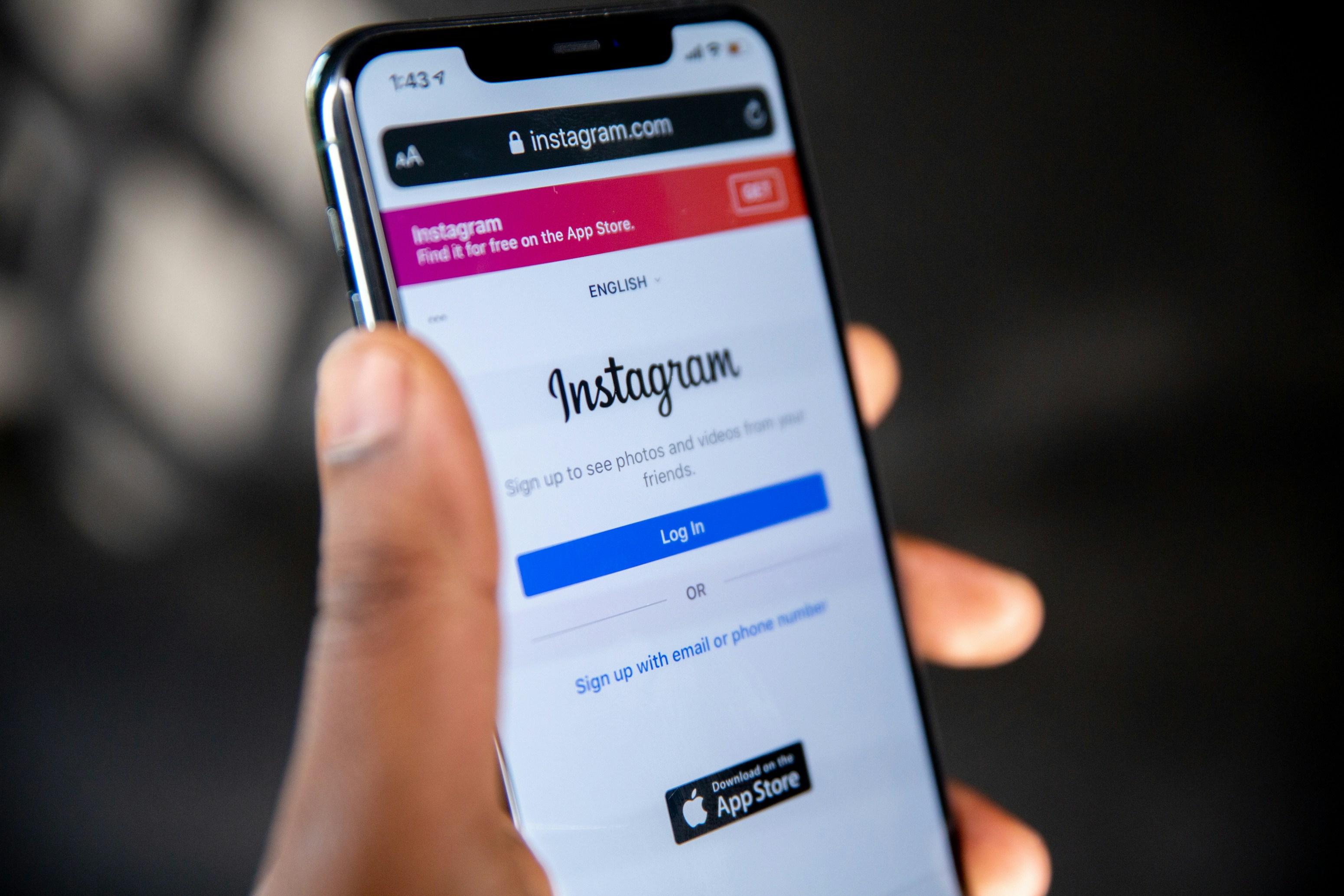
It’s a common problem: you’re consistently publishing content, but the likes, comments, and shares aren't materializing. Before trying new tactics, you need to identify the root cause. Low engagement is rarely caused by a single issue; it's typically a combination of small problems creating a larger disconnect.
For instance, you might be posting the same content across Instagram, LinkedIn, and TikTok. This approach ignores that each platform has a unique culture and audience expectation. If you are managing multiple social media accounts, tailoring content for each channel is essential. A professional case study that performs well on LinkedIn will almost certainly fail on a fast-paced, entertainment-first platform like TikTok.
Common Causes of Poor Engagement
Another frequent mistake is talking at your audience instead of with them. If your feed is just a stream of product announcements, you've missed the "social" aspect of social media. People log on to connect, not to be sold to. They engage when they feel heard and valued.
Here are the most common culprits behind a quiet feed:
- Audience Mismatch: Your content isn't reaching the right people. The followers you have may not be your ideal customers or fans, leading to a lack of interest. If your impressions are high but engagement is low, this is likely the cause.
- Inconsistent Posting: An erratic schedule causes you to fall off your audience's radar. Social media algorithms favor active, consistent accounts. A content calendar helps you stay on track.
- Generic Content: Your posts don't offer value. If they don't teach, entertain, or inspire, users have no reason to stop scrolling.
- Ignoring Your Community: When you don't reply to comments or DMs, you signal that you're not interested in a two-way relationship, discouraging future interaction.
Misusing Platform-Specific Features
Many brands fail to use platform features correctly, which can suppress reach from the start. For example, using irrelevant or overly popular hashtags on Instagram can make your content look spammy and get it deprioritized by the algorithm. If you're unsure, understanding the fundamentals of how many hashtags to use on Instagram is a simple but effective fix.
The Problem: Low engagement is almost always a symptom of a weak strategy. Posting without a clear understanding of your audience, platform norms, or content purpose leads to a silent feed.
The Fix: You must diagnose why engagement is low before you can effectively fix it.
Once you pinpoint the underlying issues, you can apply targeted solutions instead of guessing. For a deeper look at effective tactics, these proven social media engagement strategies provide a solid foundation.
Troubleshooting Common Engagement Problems
This table breaks down common engagement issues, their likely causes, and the first actionable step you should take to fix them.
| Problem | Common Cause | Actionable Fix (Numbered Steps) | Platform-Specific Nuances |
|---|---|---|---|
| High Reach, Low Likes | Your content is being seen but isn't compelling enough to earn a click. It's likely too generic, self-promotional, or visually uninteresting. | 1. Audit your last 10 posts. 2. Identify the one with the highest reach but lowest like-to-reach ratio. 3. Rewrite its caption to include a stronger emotional hook or a surprising statistic in the first line. | On Instagram, this often points to a weak visual. On X (Twitter), the text hook is everything. |
| Likes, but No Comments | The content is agreeable but doesn't prompt a response. You haven't given your audience a reason to type. | 1. Choose your next post topic. 2. Craft a caption that ends with a specific, open-ended question (e.g., "What's the biggest challenge you face with X?"). 3. When comments come in, reply with a follow-up question. | On LinkedIn, ask for professional opinions. On Facebook, ask for personal stories or experiences. |
| No DMs or Inbound Messages | You appear unapproachable, or your content doesn't create a need for private conversation. Your CTAs are likely too public. | 1. Plan an Instagram or Facebook Story. 2. Use a Q&A or Poll sticker to explicitly invite one-on-one interaction. 3. In your next feed post, add a CTA like "DM me for the link/details." | This is highly effective on Instagram, where users are accustomed to replying to Stories. |
| Follower Count is Stagnant | Your current content isn't being shared, and you aren't reaching new audiences. You're likely not using discoverability features effectively. | 1. Research 3-5 relevant, niche hashtags (under 100k posts) for your next post. 2. Create a short-form video (Reel/TikTok) that addresses a common pain point. 3. Add a CTA: "Share this with someone who needs to hear it." | On TikTok, using a trending sound is crucial for discoverability. On Instagram, a mix of niche and broad hashtags works best. |
Creating Content That Sparks Conversation
If your content isn't starting conversations, it's just adding to the noise. Engagement comes from creating posts that invite people to stop, think, and interact. This isn't about chasing viral trends; it's about consistently providing value and making your audience feel like part of a dialogue.

Step 1: Design for the Scroll Stop
Before anyone reads your caption, they see your visual. If it's generic, they will scroll past. Your primary goal is to interrupt their scrolling pattern.
Why the Problem Happens: Users scroll through hundreds of posts a day. Their brains are trained to filter out anything that looks familiar or boring. A generic stock photo or a plain text graphic won't register.
How to Fix It:
- Use High-Contrast Visuals: On platforms like Instagram and Facebook, bold colors, unexpected compositions, and human faces making eye contact are effective.
- Create Intrigue with Carousels: On Instagram and LinkedIn, design your first carousel slide with a hooky headline that creates a "curiosity gap," forcing users to swipe.
- Show, Don't Tell: Instead of a clean product shot of a pan, post a 10-second video of cheese pulling from a lasagna made in that pan. Sensory, dynamic visuals are impossible to ignore.
 PostPlanify
All your social media in one simple dashboard
Schedule posts, track analytics, and reply to comments/DMs without switching tabs.

Engagement
+18%
Views
52.8k
Step 2: Craft Captions That Ask, Don't Just Tell
Many brands use captions to broadcast information. This is a mistake. A caption should be the start of a dialogue, not a monologue.
Why the Problem Happens: A statement-based caption gives the user nothing to do but agree and move on. It doesn't invite participation.
How to Fix It:
- End with a Specific Question: Avoid lazy questions like "What do you think?" Ask something that requires a thoughtful response.
- Weak: "Here's our new feature. Thoughts?"
- Strong: "We just launched dark mode! What's the one other feature you think we should build next?"
- Give Your Audience a Role: The strong question signals that their input is valued, making them more likely to comment.
- Keep Paragraphs Short: Break up long captions into short, scannable lines. On platforms like LinkedIn and Instagram, this improves readability and keeps users engaged.
Struggling with creative captions? Our guide on holiday captions for Instagram has templates you can adapt for any occasion. For a complete framework on writing captions that convert, see our social media copywriting guide. If Instagram is your primary channel, our dedicated playbook on how to increase engagement on Instagram goes deeper on carousel structure, Reel hooks, and community workflows.
Step 3: Embrace Short-Form Video
Static images have their place, but video is the dominant force in engagement. Platforms like TikTok, Instagram (Reels), and YouTube (Shorts) heavily favor video content.
Why the Problem Happens: Video is a more immersive and passive consumption experience, making it easier to capture and hold attention than a static image or text post. Failing to use it means missing out on significant algorithmic reach.
How to Fix It:
- Hook in the First 3 Seconds: Start your video with a controversial statement, a surprising visual, or a direct question that piques curiosity.
- Use On-Screen Text and Captions: Most users watch videos with the sound off. Use clear, bold text overlays to convey your message. Auto-captions are essential for accessibility and engagement.
- Leverage Platform Features: Use TikTok's Duets or Instagram's Remix feature to engage directly with other creators' content. This is an excellent way to tap into existing communities and show the algorithm you're an active participant. Not sure which Instagram format drives the most engagement? Our guide on Instagram Post vs Story vs Reel compares each format's strengths.
Step 4: Leverage User-Generated Content (UGC)
People trust recommendations from their peers far more than they trust branded marketing. User-generated content (UGC)—photos, videos, and testimonials from your actual customers—is a powerful tool for building social proof and sparking authentic conversation.
Why the Problem Happens: Your own marketing content is inherently biased. UGC provides authentic, third-party validation that is more trustworthy and relatable.
How to Fix It:
- Create an Incentive: Run a contest or offer a small discount for customers who share photos of your product using a specific hashtag.
- Always Ask for Permission: Before reposting, send a direct message to the original creator asking for their permission. This is a critical step for both legal and ethical reasons. Once you have permission, you can use social media digital signage to display the content on smart TVs or embed the UGC in your website.
- Give Proper Credit: When you share UGC, tag the original creator in the image/video and mention them in the caption. This provides them with exposure and encourages others to share their content.
To learn more about building these connections, explore these strategies for creating engaging content that connects.
Mastering Your Posting Schedule for Peak Engagement
Creating great content is only half the battle. If you post it when your audience is offline, it will fail to gain the initial traction needed for algorithmic success.
Why the Problem Happens: Social media algorithms reward immediate interaction. A post that gets likes, comments, and shares shortly after being published is flagged as high-quality and shown to a wider audience. Posting at a low-activity time robs your content of this crucial initial momentum.
Step 1: Find Your Unique Peak Times
Generic advice like "post on Tuesday at 2 PM" is useless because it ignores the single most important factor: your specific audience's behavior.
How to Fix It: Use platform-native analytics to find when your followers are most active.
- For Instagram (Business/Creator accounts): Go to
Professional Dashboard>Total Followers. Scroll to the bottom to find the "Most Active Times" chart, which shows data by day and hour. - For TikTok (Creator accounts): Go to
Creator Tools>Analytics>Followers. The "Follower activity" section shows the hours and days your audience is most active. - For Facebook Pages: Go to
Insights>Posts. The "When Your Fans Are Online" tab provides a detailed breakdown of daily and hourly activity. - For LinkedIn Pages: Go to
Analytics>Followers. While LinkedIn doesn't provide an hourly chart, you can see follower demographics. Experiment by posting at different times (e.g., 8-10 AM, 12-1 PM, 4-6 PM on weekdays) and track which slots get the most initial engagement.
Limitations to Consider:
- Time Zones: Analytics often default to your local time or PST. If your audience is global, you may need to identify several peak windows.
- Data Lag: Analytics data is often delayed by 24-48 hours.
Step 2: Build a Consistent Posting Cadence
Sporadic posting confuses both your followers and the algorithms. A steady rhythm is key.
How to Fix It:
- Use a Content Calendar: Plan your posts for the week or month using a content calendar or dedicated tool. Assign each piece of content to a specific peak time slot you identified in Step 1. Our guide on how to create a social media content calendar walks you through the process.
- Automate Your Schedule: Use a scheduling tool to batch-create your content and schedule it in advance. This ensures you never miss a peak posting time and frees you up for live engagement. Tools like PostPlanify allow you to schedule posts across multiple platforms from a single dashboard. Just be mindful of platform action limits—engaging too aggressively (mass-liking, rapid-fire following) can trigger spam filters or even get your Instagram account suspended.
For a deeper dive, our guide on the best time to post on social media provides a great starting point for platform-specific experiments.
Troubleshooting Common Scheduling Issues
Even with the right tools, issues can arise.
- API Limitations: Some platform features, like certain interactive Instagram Story stickers or new Reel effects, may not be available through third-party scheduling tools. You may need to post these natively.
- API Delays & Bugs: Occasionally, the connection between a scheduler and a platform (the API) can lag. A post scheduled for 3:00 PM might go live at 3:05 PM. This is usually minor but can be critical for time-sensitive announcements.
- Account Permissions: Ensure the user connecting the social accounts to a scheduling tool has full admin-level permissions. Lesser roles (like Editor) can cause publishing failures.
Turning Followers Into an Active Community
True engagement isn't about metrics; it's about building a loyal community that feels connected to your brand. This requires shifting from a content publisher to a community manager.
Why the Problem Happens: Ignoring comments and DMs signals that you don't value your audience's input. Over time, this trains them not to interact, as they don't expect a response.
Step 1: Master the Art of the Human Response
Your replies are a powerful engagement tool. An automated response is nearly as bad as no response.
How to Fix It:
- Personalize Your Replies: Use the commenter's name and reference their specific point.
- Add Value or Ask a Question: Keep the conversation going.
- Generic: "Thanks!"
- Human: "So glad you found this helpful, Jane! Have you tried applying this tip to your own projects yet?"
- Respond Promptly: Aim to reply to comments and DMs within a few hours, which is far easier from a single unified inbox than four native apps. This rewards users for their interaction and encourages more of it. If Facebook is your primary platform, our guide on managing comments on Facebook covers moderation workflows, automation, and triage systems in detail.
Step 2: Proactively Spark Conversations
Don't wait for your audience to start the conversation. Create structured opportunities for them to participate.
How to Fix It:
- Run Purposeful Polls: Instead of "Coffee or tea?", ask questions that provide valuable feedback. For more ideas, see our list of social media post ideas. A SaaS company could ask, "Which of these two features should we build next?" This drives engagement and doubles as customer research.
- Host Live Q&As: Use Instagram Stories, Facebook Live, or LinkedIn Live to give your community direct access to your expertise. Announce it in advance to build anticipation and gather questions. To understand how Story views translate into engagement, check our guide on views on Instagram Stories.
- Create Weekly Rituals: Dedicate one day a week to a specific theme. A marketing agency could have "Tool Tuesday" and ask followers to share their favorite software. This creates a predictable routine that fosters a sense of belonging.
Step 3: Handle Negative Feedback with Grace
Negative comments are an opportunity to demonstrate your brand's character. Deleting them often makes the situation worse.
How to Fix It:
- Acknowledge and Validate Publicly: Start with a simple, public reply like, "I'm so sorry to hear you had this experience. That's not the standard we aim for."
- Take the Conversation Private: Immediately follow up with, "I'm sending you a DM now so we can get more details and make this right." This shows transparency while protecting the user's privacy.
- Focus on Resolution: Work to solve the problem offline. Once resolved, you can ask if they would be willing to update their original comment. Turning a detractor into a fan is a powerful win for community trust.
Building your reach through other channels can also foster community. For those exploring video, our guide on how to livestream on YouTube without 1000 subscribers offers another way to connect.
How to Measure and Analyze Your Engagement
If you aren't tracking your performance, you're operating blindly. Data-driven decisions are the key to sustainable growth. This means focusing on metrics that signal genuine interest, not just vanity numbers. A thorough social media audit is a great starting point for understanding your current baseline.
Why the Problem Happens: Focusing on follower counts and likes can be misleading. A post can get thousands of likes from passive scrollers without creating any real connection or driving business results.
Moving Beyond Vanity Metrics to Actionable Metrics
Real engagement comes from actions that require more user effort.
- Saves (Instagram, TikTok, Pinterest): This signals that your content is so valuable the user wants to return to it later. It's a strong indicator of high-quality, useful content. Strong engagement also directly impacts monetization potential — platforms that reward interaction tend to pay creators more. See our guide on which social media platform pays the most for a full earnings comparison.
- Shares (All platforms): A share is a personal endorsement. The user is showing your content to their own network, which is a key driver of organic reach and social proof.
- Meaningful Comments: Comments that are more than one or two words indicate that your post sparked a real thought or emotion.
Focus Shift: Prioritize creating content designed to be saved or shared. This naturally leads you to produce more valuable and entertaining posts, which drives all other engagement metrics up.
How to Calculate Your Engagement Rate
Your engagement rate contextualizes your metrics. It tells you what percentage of people who saw your post cared enough to interact with it.
The Formula:
(Total Engagements / Total Followers or Reach) x 100 = Engagement Rate %
Use "Reach" for a more accurate measure of how engaging a specific post was to those who saw it. Use "Followers" to gauge the overall health and responsiveness of your community. For a quick analysis, tools like Instagram engagement calculator or TikTok engagement calculator can do the math for you.
How to Run a Simple A/B Test on Your Content
An A/B test allows you to compare two versions of a post to see which performs better. This replaces guesswork with data.
Example: A/B Testing a Call-to-Action (CTA)
- Form a Hypothesis: "I believe that a question-based CTA will generate more comments than a statement-based CTA on LinkedIn."
- Create Two Variations (A and B):
- Post A: Publish a post on Tuesday with a strong visual and a caption ending with a statement: "Here's how to improve your workflow."
- Post B: Publish a post on Thursday with a similar visual and topic, but end the caption with a question: "What's one tip you would add to improve this workflow?"
- Measure the Results: After 48 hours, compare the number of comments and the overall engagement rate for both posts.
- Analyze and Iterate: If Post B received significantly more comments, your hypothesis is validated. You can now confidently incorporate more question-based CTAs into your LinkedIn strategy and move on to testing another variable, like visual format (image vs. carousel).
Key Engagement Metrics by Platform
Focus on the metrics that matter most for each platform's algorithm.
| Platform | Primary Engagement Metrics | What They Signal |
|---|---|---|
| Saves, Shares, Comments, Story Replies | Content value, resonance, and community connection. | |
| Shares, Comments, Reactions (Love, Haha) | High resonance and community health. Reactions provide more emotional nuance than Likes. | |
| TikTok | Shares, Saves, Comments, Watch Time | Virality potential, rewatchability, and entertainment value. |
| X (Twitter) | Retweets (especially with comment), Replies | Message amplification and conversation-starting potential. |
| Comments, Shares, Reactions | Professional value, thought leadership, and network expansion. |
Using an analytics tool can simplify this process. A platform like PostPlanify centralizes your metrics, making it easier to spot trends, identify your best-performing content pillars, and make smarter strategic decisions. Learn more in our guide to social media analytics and reporting.
Frequently Asked Questions
Here are direct answers to the most common questions about improving social media engagement.
How long does it take to see results?
You can see leading indicators within weeks, but meaningful, sustainable growth takes months. Be patient with the overall goal but disciplined with your daily actions.
- Weeks 1-4: Expect small wins. You might notice more thoughtful comments or an increase in Story replies. These are the first signs that your new approach is working.
- Months 2-3: Your overall engagement rate should begin to trend upward as your consistent posting and community management efforts take hold. You'll start to recognize your most active community members.
- Months 4-6+: This is where a true community begins to form. You'll see more user-generated content and organic conversations happening without your direct prompting.
Is engagement on Instagram and TikTok the same?
No, they are fundamentally different. Treating them the same is a common mistake.
- Instagram: Engagement is often driven by high-quality aesthetics, connection, and educational value (e.g., well-designed carousels, in-depth captions, personal Stories). The vibe is more curated and conversational.
- TikTok: Engagement is driven by raw entertainment, relatability, and participation in trends (e.g., using trending sounds, stitches, duets). The vibe is fast, unpolished, and participatory.
Think of it this way: Instagram is a conversation at a coffee shop; TikTok is a flash mob.
How can a scheduling tool actually help engagement?
A scheduling tool doesn't replace human interaction; it creates the time and consistency required for it to happen.
Here’s how a tool like PostPlanify helps:
- Guarantees Consistency: It ensures you post regularly during peak times, which is a key positive signal to algorithms.
- Frees You Up for Real-Time Interaction: By automating the publishing process, you can spend your time in the comments and DMs, where relationships are built. This is the most critical benefit.
- Enables Strategic Planning: Visualizing your content on a calendar helps you build cohesive campaigns and ensure variety in your feed, preventing content fatigue.
A scheduling tool handles the logistics, so you can focus on the creative and community-building work that truly drives engagement.
What is a good engagement rate on social media?
A good engagement rate varies by platform, but generally 1-3% is considered average, while anything above 3-6% is strong. On Instagram, the median engagement rate is around 1.2%, whereas TikTok accounts often see rates above 4%. Always benchmark against your own industry and past performance rather than generic averages.
Does posting more often increase engagement?
Not necessarily. Posting frequency matters less than posting quality and consistency. Studies show that accounts posting 3-5 high-quality posts per week often outperform those publishing daily with lower-quality content. Focus on a sustainable cadence that delivers value, and use content batching to maintain consistency without burnout.
Should I use hashtags to boost engagement in 2026?
Hashtags still help with discoverability, but their impact varies by platform. On Instagram, 3-5 targeted niche hashtags outperform 30 generic ones. On TikTok, 2-3 relevant hashtags paired with trending sounds drive the most reach. On LinkedIn and Facebook, hashtags have minimal algorithmic impact, so focus instead on compelling captions and engaging content.
How do I create content that gets saved and shared?
Content that gets saved typically teaches something actionable, like step-by-step tutorials, checklists, or data-driven insights. Content that gets shared evokes a strong emotional response or validates the sharer's identity. Focus on creating social media content that is either highly useful or highly relatable, and design carousels and infographics that users want to reference later.
What role does video play in social media engagement?
Video is the dominant content format for engagement across every major platform in 2026. Short-form video on TikTok, Instagram Reels, and YouTube Shorts consistently delivers 2-3x more engagement than static images. Understanding how the Instagram Reels algorithm ranks and distributes content can help you tailor your videos for maximum reach. Even on LinkedIn, native video posts receive significantly more comments and shares. Prioritize video in your content strategy to maximize reach and interaction.
Engagement Improvement Checklist
Use this summary to guide your strategy:
- Diagnose First: Identify why your engagement is low before changing tactics.
- Create for the Platform: Tailor your content format and tone for each social network.
- Design to Stop the Scroll: Use compelling visuals and strong hooks.
- Ask, Don't Tell: End your captions with specific questions to invite conversation.
- Post at Peak Times: Use your analytics to find when your unique audience is most active.
- Be Consistent: Use a content calendar and scheduling tool to maintain a steady posting rhythm.
- Engage Proactively: Reply to all comments, host Q&As, and run polls.
- Track What Matters: Focus on shares, saves, and meaningful comments over likes.
- Test and Iterate: Run simple A/B tests to let data guide your decisions.
Ready to implement a smarter workflow and grow your engagement? PostPlanify provides the tools to plan, schedule, and analyze your content, saving you hours each week.
PostPlanifyAll your social media in one simple dashboard
Schedule posts, track analytics, and reply to comments/DMs without switching tabs.
Engagement
+18%
Views
52.8k
About the Author

Hasan Cagli
Founder of PostPlanify, a content and social media scheduling platform. He focuses on building systems that help businesses, agencies, and teams plan, publish, and manage content and social media more efficiently across platforms.


