


Your impressions dropped overnight. Replies you post under popular tweets seem invisible. Hashtags you use don't surface your content anymore. If this sounds familiar, you might be dealing with a Twitter shadowban.
The frustrating part is that X (Twitter) will never tell you directly. There's no notification, no email, no warning banner. Your account looks completely normal from your side while your content quietly disappears from everyone else's feeds and search results.
This guide walks you through exactly how to confirm whether you're shadowbanned, what's causing it, and the concrete steps to recover your visibility. No fluff, no speculation — just what actually works based on how the platform operates in 2026.
What Is a Twitter Shadowban?
A shadowban (also called "visibility filtering" or "reach restriction") is when Twitter reduces or hides your content from other users without notifying you. From your perspective, everything looks normal. You can still post, reply, like, and retweet. But your content reaches a fraction of the audience it normally would — or no audience at all.
Twitter officially avoids the word "shadowban." In their documentation and public statements, they refer to it as "visibility filtering" or "search result ranking." But the effect is the same: your content becomes partially or fully invisible to others while you have no idea it's happening.
Why does Twitter do this instead of just suspending accounts? Because outright suspensions are obvious — users immediately create new accounts or complain publicly. Shadowbanning quietly suppresses problematic content while the user continues engaging with the platform, unaware that nobody is seeing their posts. It's a moderation strategy designed to reduce harmful content without creating confrontation.
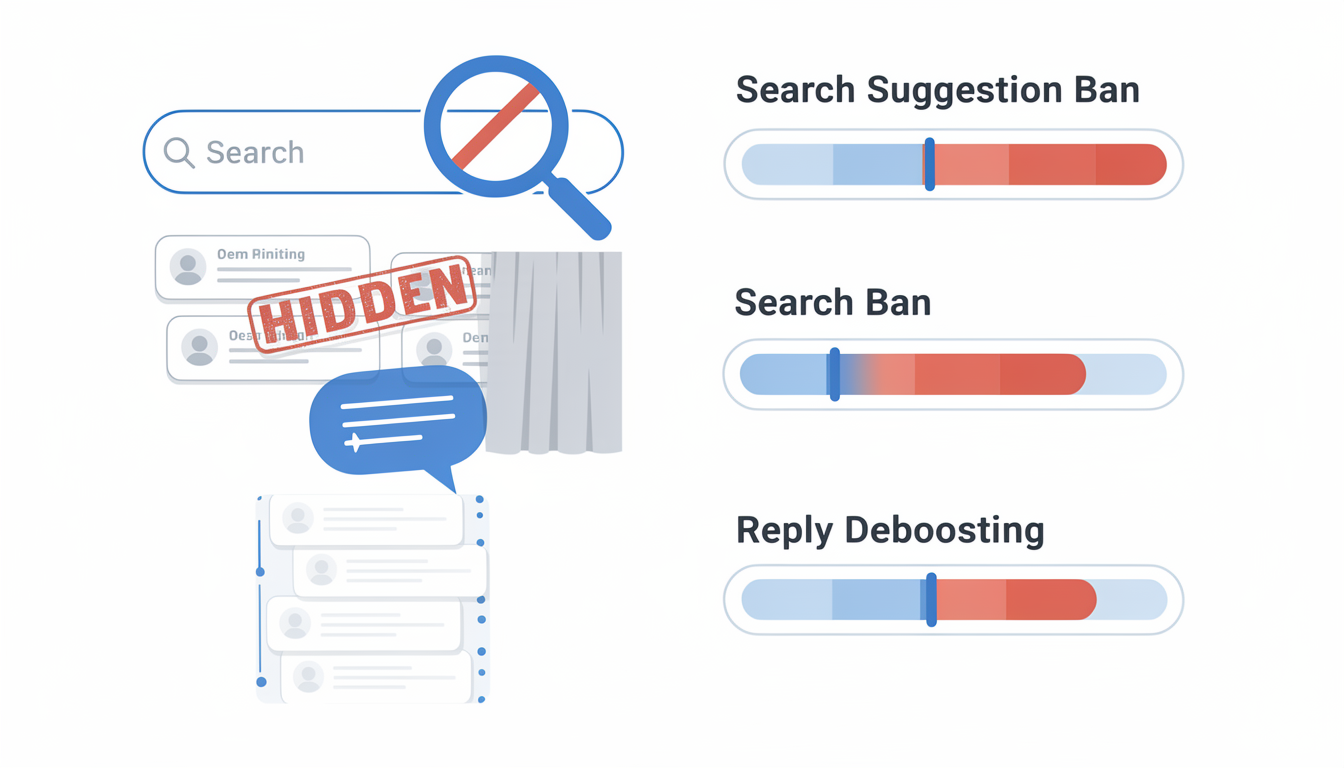
The Four Types of Twitter Shadowbans
Not all shadowbans work the same way. Twitter applies different levels of visibility filtering depending on what triggered the restriction. Understanding which type you're dealing with is critical because each one has different symptoms and different recovery timelines.
1. Search Suggestion Ban
Your account stops appearing in search suggestions when someone types your username. People can still find you through direct search, but the autocomplete dropdown won't show your profile. This is the mildest form and often the first sign something is wrong.
How to spot it: Ask a friend to start typing your @handle in the search bar. If your account doesn't appear in the dropdown suggestions but does appear when they search the full handle and hit enter, you have a search suggestion ban.
2. Search Ban
Your tweets are completely removed from Twitter search results. When someone searches for a keyword that appears in your tweet, or even searches specifically for from:yourusername, your content doesn't show up. This is more severe than a suggestion ban and directly impacts your discoverability.
How to spot it: Log out of Twitter (or open an incognito window), go to Twitter search, and type from:yourusername. If zero results appear, you have a search ban.
3. Reply Deboosting (Ghost Ban)
This is the most common type in 2026. Your replies under other people's tweets are hidden behind a "Show more replies" link or hidden entirely. Your reply still exists — it's just buried where almost nobody will see it. For accounts that rely on engagement through replies and conversations, this is devastating.
How to spot it: Reply to a popular tweet from a large account. Then log out and find that same tweet. Look for your reply. If it's hidden behind "Show more replies" or completely absent while less-relevant replies are visible, you're being deboosted.
4. Timeline Demotion
Your posts are algorithmically suppressed in your followers' "For You" feeds. Your content still appears on your profile and in the "Following" tab, but the algorithm stops recommending it. Since most users browse the default "For You" timeline, this can reduce your impressions by 80-95% without any visible sign.
How to spot it: Check your Twitter Analytics. If impressions dropped sharply (50%+ decline) over a few days without any change in your posting habits, timeline demotion is likely.
How to Check If You're Shadowbanned on Twitter
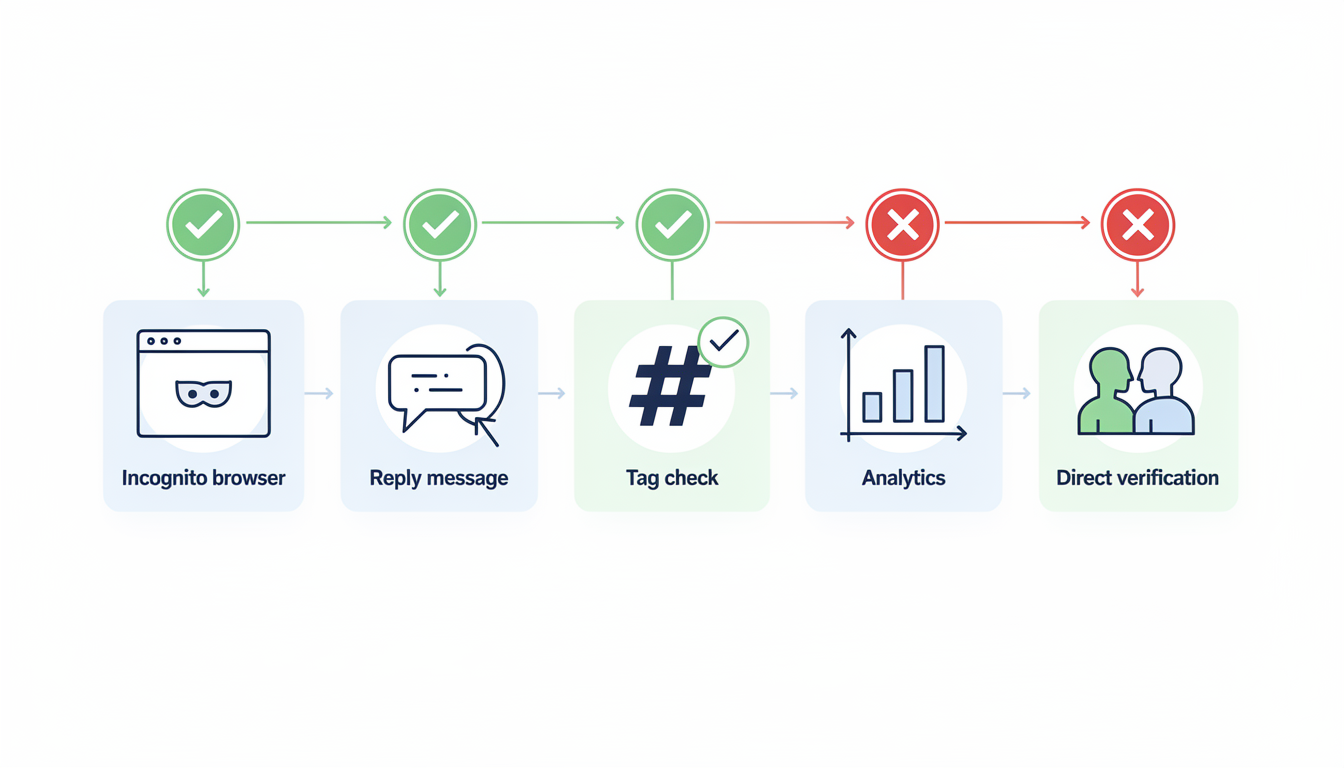
Before you start fixing anything, you need to confirm the problem. A drop in engagement isn't always a shadowban — it could be algorithm changes, a shift in your audience's behavior, or simply a slow content day. Here are five reliable checks you can run right now.
Check 1: The Incognito Search Test
This is the fastest and most reliable manual check.
- Open an incognito/private browser window (important: don't use a window where you're logged into Twitter)
- Go to x.com
- Use the search bar to type
from:yourusername(replace with your actual handle) - Look at the results
If your recent tweets appear: You're not search-banned. If zero results show up or only very old tweets appear: You likely have a search ban.
Why incognito matters: When you're logged in, Twitter always shows you your own content. The shadowban only affects how others see your content. Incognito simulates being a stranger.
Check 2: The Reply Visibility Test
This checks for the most common shadowban type — reply deboosting.
- Reply to a recent tweet from a large account (50K+ followers) that already has several replies
- Wait 5-10 minutes
- Log out or open incognito
- Find that same tweet and scroll through the replies
If your reply is visible in the main reply thread: You're fine. If your reply is hidden behind "Show more replies," or it's completely absent: You're likely reply-deboosted.
Important note: Twitter naturally sorts replies by relevance. A new account replying to a celebrity's tweet will naturally appear lower. This test is most reliable when you have an established account with followers, and your replies used to be visible but suddenly aren't.
Check 3: The Hashtag Test
- Post a tweet using an uncommon, specific hashtag — something nobody else is using (e.g.,
#testhashtag928374) - Wait 2-3 minutes
- Open incognito and search for that exact hashtag
If your tweet appears: Hashtag search is working. If it doesn't appear: Your content is being filtered from search.
Check 4: Analytics Deep Dive
Open your Twitter Analytics (click "More" in the left sidebar, then "Analytics," or visit analytics.x.com directly).
Look at your impressions trend over the last 28 days. What you're looking for:
- Gradual decline (10-20% per week): Likely not a shadowban. This is normal fluctuation or content quality issues.
- Sudden cliff drop (50%+ in 1-3 days): Strong indicator of a shadowban or timeline demotion, especially if your posting frequency and content style didn't change.
- Replies and likes stable but impressions crashed: Classic timeline demotion. Your existing followers still see and engage with your content, but the algorithm stopped pushing it to new audiences.
Check 5: Ask Someone Directly
Sometimes the simplest approach works best. Ask a friend or colleague who follows you:
- "Can you see my recent tweets in your For You feed?"
- "When you search for my username, does it autocomplete?"
- "Can you see my reply under [specific tweet]?"
This sounds basic, but it's the one test that can't be fooled by caching, regional differences, or testing methodology errors.
Run all five checks before concluding you're shadowbanned. If only one check fails and the others pass, you might have a specific, limited restriction rather than a full shadowban. If multiple checks fail, you're almost certainly dealing with visibility filtering.
Online Twitter Shadowban Checker Tools
You'll find several free online tools that claim to check your shadowban status automatically. Here's what they are, what they actually do, and why you shouldn't rely on them exclusively.
Popular Checker Tools
| Tool | What It Does | Reliability | Notes |
|---|---|---|---|
| shadowban.yuzurisa.com | Checks search ban, suggestion ban, and ghost ban status | Moderate | One of the oldest and most referenced tools. Can produce false positives during Twitter API outages. |
| Circleboom Shadowban Test | Enters your username and checks visibility across search and suggestions | Moderate | Simple to use but limited to search-based checks only. |
| Bulkoid Shadowban Checker | Checks if tweets appear in search, hashtags, and follower feeds | Low-Moderate | Accuracy varies; API access limitations can affect results. |
| HiSubway Shadowban Test | Tests search ban, suggestion ban, ghost ban, and reply deboosting | Moderate | More comprehensive than most but still API-dependent. |
Why Manual Checks Are More Reliable
These tools query Twitter's API to determine your visibility status. The problem is that Twitter's API doesn't always reflect the actual user experience. A tool might report "no shadowban detected" while your replies are still hidden from real users browsing the platform. Conversely, API delays or caching can cause false positives — the tool says you're banned when you're actually fine.
The most reliable approach: Use the 5 manual checks in the section above as your primary diagnostic. Use online tools as a quick supplementary check, not as the definitive answer. If a tool says you're shadowbanned but all 5 manual checks pass, trust the manual checks.
When Online Tools Are Useful
- Quick sanity check when you notice a sudden engagement drop — run the tool in 30 seconds to see if something obvious shows up
- Checking someone else's account — the manual checks require logging out and searching; tools let you check any public account instantly
- Monitoring over time — some tools let you track your status periodically to catch issues early
Why Twitter Shadowbans Accounts: The Actual Triggers
Twitter doesn't shadowban randomly. The platform uses automated systems that flag specific behaviors. Understanding these triggers is essential — both for fixing a current shadowban and preventing future ones.
Aggressive Follow/Unfollow Behavior
Following or unfollowing large numbers of accounts in a short time is one of the fastest ways to trigger a shadowban. Twitter's automation detection treats this as bot behavior.
The thresholds (approximate, based on community reports):
- Following more than 50-100 accounts per day on a new account
- Following more than 200-400 accounts per day on an established account
- Following and then unfollowing the same accounts repeatedly (the "churn" pattern)
Why it triggers: Legitimate users don't follow 300 accounts in an hour. This pattern is almost exclusively associated with bots and follow-for-follow schemes.
Posting Duplicate or Near-Duplicate Content
Posting the same tweet multiple times, or posting very similar tweets with minor variations, triggers spam detection. This includes:
- Copying and pasting the same reply under multiple tweets
- Using the same promotional text across threads
- Retweeting your own content excessively
- Posting identical content across multiple accounts
The nuance: Resharing your own evergreen content occasionally is fine. The problem starts when the system detects a pattern of repetitive, low-variation content within a short timeframe.
Excessive Automation and Third-Party Apps
Using automation tools that violate Twitter's API terms can flag your account. This includes:
- Auto-liking or auto-retweeting tools
- Bots that automatically reply to tweets containing certain keywords
- Tools that post at machine-like intervals (exactly every 60 minutes, 24/7)
What's safe: Scheduling posts in advance using legitimate tools is perfectly fine. Twitter's own interface supports scheduling, and reputable third-party schedulers like PostPlanify use Twitter's official API. The issue is automation that mimics human engagement, not automation that helps you plan content.
Spammy Engagement Patterns
Twitter's systems look for patterns that suggest you're trying to game the algorithm:
- Liking hundreds of tweets per hour
- Replying to dozens of tweets with generic one-word responses ("Great!", "Nice!", "Agree!")
- Tagging accounts that haven't interacted with you in mass-mention tweets
- Posting links to the same external URL repeatedly
Content Violations and Reports
Posting content that violates Twitter's rules — even content that falls in a gray area — can trigger visibility filtering before it triggers an actual suspension. This includes:
- Hate speech, harassment, or targeted abuse
- Misleading or manipulative content
- Graphic or sensitive content without proper labels
- Content flagged by multiple users via the report button
The report threshold: If multiple unrelated users report your account or specific tweets within a short period, Twitter's automated systems may apply restrictions while the reports are reviewed. Even if the reports are eventually dismissed, the temporary restriction can feel like a shadowban.
New Account or Recently Changed Account
Brand-new accounts and accounts that recently made significant changes (new email, new phone number, new username) face heightened scrutiny. Twitter's systems apply a "probation period" where your content may be filtered more aggressively.
Typical probation indicators:
- Account is less than 30 days old
- Email or phone number was recently changed
- Account was recently unsuspended
- Account has a very low follower-to-following ratio
 PostPlanify
All your social media in one simple dashboard
Schedule posts, track analytics, and reply to comments/DMs without switching tabs.

Engagement
+18%
Views
52.8k
How to Fix a Twitter Shadowban: Step-by-Step Recovery
Now the part you actually came here for. If you've confirmed you're shadowbanned using the checks above, here's exactly how to recover your visibility.
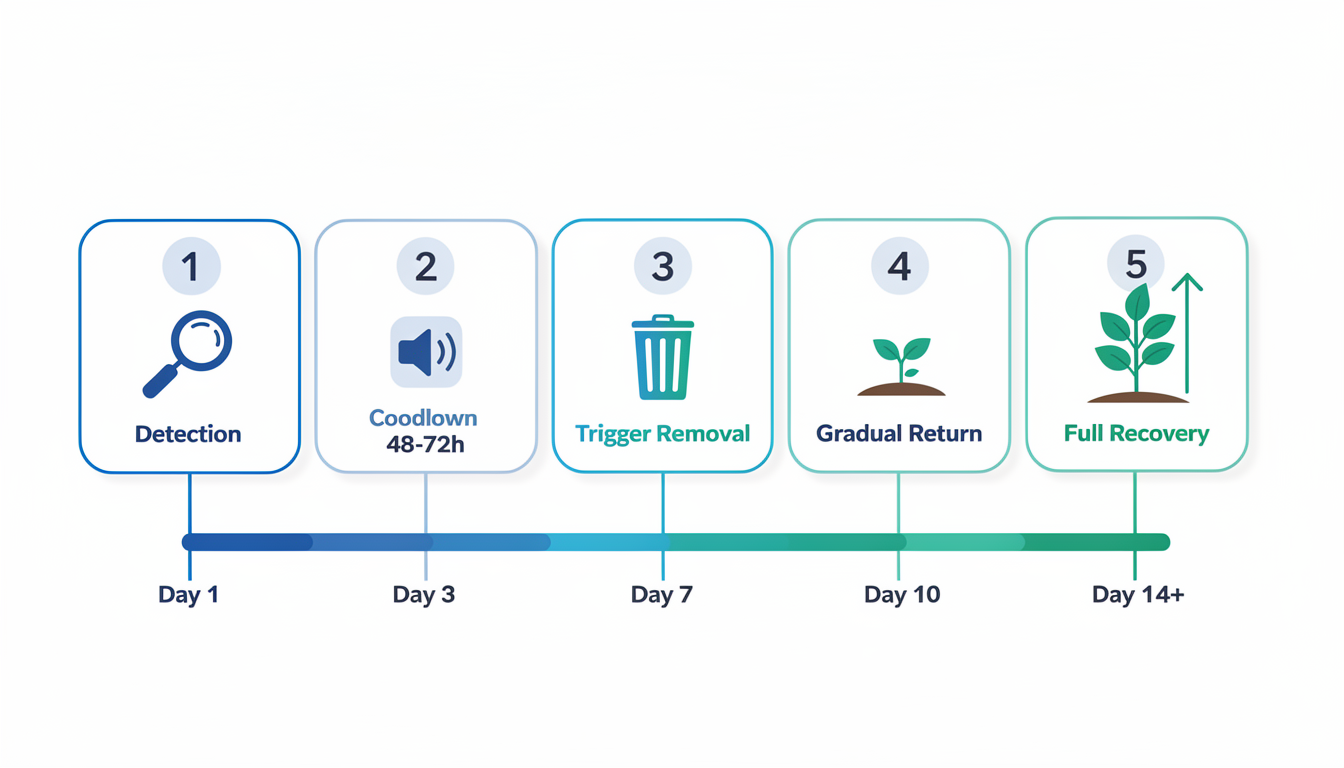
Step 1: Stop All Activity for 48-72 Hours
This is the single most effective recovery action. Stop posting, stop liking, stop replying, stop following or unfollowing anyone. Complete radio silence.
Twitter's automated systems operate on rolling time windows. When you stop the behavior that triggered the flag, the system gradually resets. Most minor shadowbans lift within 48-72 hours of inactivity.
Yes, this feels counterproductive. You want to post more to recover your reach, not less. But continuing to post while flagged can actually extend the restriction. The algorithm interprets continued high activity from a flagged account as confirmation that the behavior is automated.
Step 2: Remove the Trigger
While you're in your 48-72 hour cooldown, identify and remove whatever caused the shadowban:
- If you used aggressive follow/unfollow: Stop completely. Unfollow any accounts you mass-followed.
- If you posted duplicate content: Delete the duplicate tweets.
- If you used a problematic automation tool: Revoke its access immediately. Go to Settings → Security and account access → Apps and sessions → Connected apps, and remove anything suspicious.
- If specific tweets were reported: Consider deleting them, even if you don't think they violated rules. Removing the flagged content signals compliance to the system.
- If you used engagement pods or group DMs for mutual engagement: Stop participating immediately.
Step 3: Secure Your Account
Sometimes shadowbans are triggered by security flags rather than content issues. Rule this out:
- Change your password to something strong and unique
- Enable two-factor authentication if you haven't already
- Verify your email address is confirmed and current
- Add a phone number if your account doesn't have one — verified accounts face fewer automated restrictions
- Review connected apps and remove any you don't recognize or no longer use
Step 4: Resume Activity Gradually
After 48-72 hours of silence, come back slowly. This is critical — don't return with a burst of 10 tweets and 50 likes on day one.
Week 1 recovery schedule:
- Days 1-2: Post 1-2 original tweets per day. No replies to others. No likes. No follows.
- Days 3-4: Post 2-3 tweets. Add 5-10 genuine replies to accounts you normally engage with.
- Days 5-7: Post 3-4 tweets. Engage normally but at roughly half your usual volume.
Week 2 and beyond: Gradually return to your normal posting volume. Monitor your analytics daily. If impressions dip again, scale back immediately.
Step 5: File an Appeal (If Nothing Else Works)
If your shadowban persists beyond two weeks despite following the steps above, you can contact Twitter support:
- Go to the X Help Center
- Navigate to the account issues section
- Submit a request describing your situation clearly and briefly
- Include your username, the approximate date your reach dropped, and what you've done to address it
Be realistic about response times. Twitter support is notoriously slow. Appeals can take days to weeks, and many go unanswered entirely. This is a last resort, not a first step.
Recovery Timeline Expectations
| Shadowban Type | Typical Duration | Recovery With Action |
|---|---|---|
| Search suggestion ban | 24-48 hours | Often resolves on its own |
| Search ban | 48 hours - 7 days | 2-4 days with cooldown + trigger removal |
| Reply deboosting | 3-14 days | 5-7 days with gradual re-engagement |
| Timeline demotion | 7-28 days | 1-2 weeks with consistent quality content |
| Multiple simultaneous bans | 2-4 weeks | 2-3 weeks with full recovery protocol |
These timelines are approximate. The actual duration depends on several variables — not just the type of ban.
Factors That Influence How Long Your Shadowban Lasts
| Factor | Shorter Duration | Longer Duration |
|---|---|---|
| Offense history | First-time offense — system treats it as a one-off | Repeat offender — each subsequent flag increases the cooldown window |
| Account age | Established account (1+ years, consistent activity) gets more trust | New account (under 90 days) faces stricter, longer restrictions |
| Continued posting during ban | You stopped immediately after noticing | You kept posting at full volume for days before stopping |
| Severity of trigger | Mild spam signals (slightly too many follows) | Severe violations (harassment reports, mass duplicate content) |
| Speed of trigger removal | You deleted problematic content and revoked bad apps within hours | Problematic content/apps stayed active for days |
| Account verification | Verified/Premium account — mild trust signal | Unverified account with low followers — higher scrutiny |
| Volume of reports | 1-2 reports from random accounts | 10+ reports from unrelated accounts in a short period |
The key insight: The single biggest factor is how quickly you stop the triggering behavior after detection. An account that goes silent within 24 hours of noticing the ban recovers in half the time of an account that keeps posting for a week before acting.
How to Prevent Twitter Shadowbans: Practices That Actually Work
Prevention is dramatically easier than recovery. Once you understand what triggers the system, avoiding shadowbans becomes second nature.
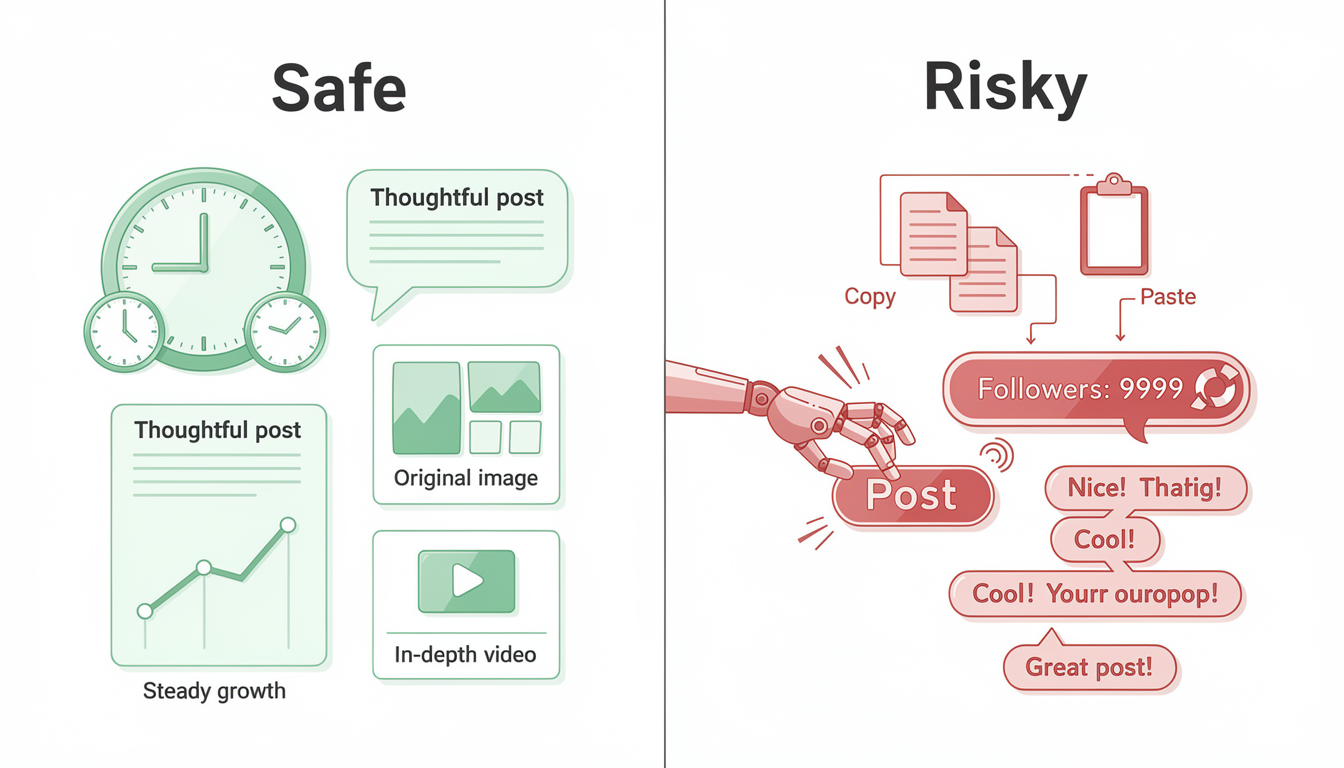
Post Like a Human, Not a Bot
The single most important rule. Twitter's detection systems are built to identify automated, inauthentic behavior. The closer your behavior looks to a real person naturally using the platform, the safer you are.
What "human" looks like to the algorithm:
- Varied posting times (not exactly every 60 minutes)
- Mix of content types (text, images, replies, retweets)
- Natural engagement patterns (some days active, some days quiet)
- Genuine replies that reference the content you're replying to
What "bot" looks like to the algorithm:
- Identical intervals between posts
- Same format for every tweet
- Sudden spikes from zero activity to 50 posts in a day
- Generic, templated replies
Use Scheduling Tools the Right Way
Scheduling posts in advance is completely safe when done through legitimate tools. Twitter's own API supports scheduling, and the platform doesn't penalize content that was scheduled versus posted manually.
The key is using tools that go through Twitter's official API rather than browser automation or scraping. Tools like PostPlanify use authorized API access, which means Twitter recognizes the activity as legitimate.
Best practices for scheduled content:
- Vary your posting times slightly rather than posting at the exact same minute every day
- Mix scheduled content with real-time, spontaneous tweets
- Don't schedule more than 10-15 tweets per day unless you're a verified media account
- Use bulk scheduling to batch-prepare content efficiently while keeping natural variety
Keep Your Engagement Authentic
- Reply with substance. A reply like "Great thread! I especially agree with point #3 because..." is safe. A reply like "Nice!" on 50 different tweets is a red flag.
- Follow accounts you actually want to follow. If you wouldn't read their content, don't follow them.
- Don't participate in engagement pods. These mutual-engagement groups (where everyone agrees to like and retweet each other) are exactly the pattern Twitter's systems are built to detect.
Diversify Your Content
Accounts that only post one type of content — especially promotional content with external links — face higher scrutiny. Mix it up:
- Educational or informational posts
- Questions and polls that invite genuine discussion
- Quote tweets with original commentary
- Images, videos, and threads alongside plain text
- Personal observations alongside professional content
A balanced content mix signals that you're a real person contributing to the platform, not a marketing bot pushing links.
Monitor Your Analytics Weekly
Don't wait until your engagement craters to check your metrics. Build a weekly habit:
- Check impressions trend (is it stable, growing, or declining?)
- Check profile visits (are new people discovering you?)
- Check reply visibility (are your replies getting engagement from non-followers?)
If you notice a gradual decline before it becomes a cliff drop, you can adjust your behavior and prevent a full shadowban from materializing.
Related: Best Time to Post on Social Media | How to Improve Social Media Engagement
How to Use Automation on Twitter Without Getting Shadowbanned
Automation is one of the most misunderstood shadowban triggers. The reality is nuanced: scheduling is safe, engagement automation is not. Here's the exact line.
What's Safe
| Action | Why It's Safe | Tools |
|---|---|---|
| Scheduling tweets in advance | Uses Twitter's official API; identical to posting manually from Twitter's perspective | PostPlanify, Buffer, Hootsuite |
| Cross-posting to multiple platforms | Single action, no engagement simulation | PostPlanify, Typefully |
| Auto-posting from RSS feeds | Content syndication is a recognized use case | IFTTT, Zapier |
| Analytics tracking | Read-only API access, no account actions | Twitter Analytics, PostPlanify |
| Thread scheduling | Same as tweet scheduling, just multiple tweets queued | PostPlanify, Typefully |
What Gets You Banned
| Action | Why It's Dangerous | Risk Level |
|---|---|---|
| Auto-liking tweets | Simulates human engagement; detected by rate and pattern analysis | Very High |
| Auto-following/unfollowing | The #1 shadowban trigger across all reports | Very High |
| Auto-replying to keywords | Spam bot behavior; Twitter's systems are specifically built to catch this | Very High |
| Auto-retweeting | Looks like coordinated amplification | High |
| Auto-DMs to new followers | Spam behavior that generates reports from recipients | High |
| Posting at machine-precise intervals | Exactly every 60 minutes, 24/7 = obvious bot pattern | Medium |
The Safe Automation Checklist
- ✅ Use tools that authenticate through Twitter's official API (OAuth)
- ✅ Vary your scheduled posting times by 10-30 minutes each day
- ✅ Mix scheduled content with real-time, spontaneous tweets (aim for 70/30)
- ✅ Keep scheduled tweets under 10-15 per day unless you're a media account
- ✅ Engage manually after scheduled posts go live — reply to comments, like responses
- ❌ Never use tools that ask for your Twitter password (API tools use OAuth, not passwords)
- ❌ Never use tools that promise "auto-engagement" or "growth hacking"
- ❌ Never run multiple automation tools on the same account simultaneously
For a full guide on scheduling X/Twitter content safely, see how to schedule posts on X.
Ongoing Monitoring: Catch Shadowbans Before They Crush Your Reach
Most creators discover they're shadowbanned days or weeks after it starts — by then, the damage to their momentum is done. A simple monitoring routine catches issues within 24 hours.
Daily Check (30 seconds)
Glance at your notifications tab. If you posted in the last 12 hours and have zero interactions from non-followers, something may be wrong. This isn't definitive on its own, but it's your early warning signal.
Weekly Check (5 minutes)
Every Monday, run through this quick audit:
| Check | What to Look For | Action If Flagged |
|---|---|---|
| Impressions trend | Open Twitter Analytics → compare this week to last week. A 30%+ drop warrants investigation. | Run the 5 manual checks from this guide |
| Reply visibility | Pick your most recent reply to a large account → log out → check if it's visible | If hidden, you may be reply-deboosted |
| Search presence | Incognito → search from:yourusername → verify recent tweets appear | If missing, you have a search ban |
| New follower rate | Compare to your 30-day average. A sudden stop suggests you're not being recommended. | Check timeline demotion via analytics |
Monthly Check (15 minutes)
- Review connected apps: Go to Settings → Security and account access → Apps and sessions. Remove anything you don't recognize or no longer use.
- Audit your content mix: Is more than 40% of your recent content links to the same domain? Diversify.
- Check follower-to-following ratio: A ratio below 0.5 (following twice as many as follow you) is a trust signal issue. Clean up who you follow.
- Review any content flags: Check if any tweets received "sensitive content" labels or were reported.
The payoff: Creators who monitor weekly catch shadowbans within 1-2 days instead of 1-2 weeks. Since recovery time depends on how fast you act, early detection can cut your total downtime by 50-70%.
Twitter Shadowban Myths vs. Reality
There's a lot of misinformation about shadowbans. Let's clear up the most persistent myths.
Myth 1: "Using third-party apps will get you shadowbanned"
Reality: Using apps that access Twitter through the official API is completely safe. Twitter literally provides the API for this purpose. What triggers bans is using unauthorized tools that scrape the site, automate engagement (auto-likes, auto-follows), or violate the API's rate limits. Scheduling a tweet through PostPlanify or Buffer is not in the same category as running a bot that likes 500 tweets per hour.
Myth 2: "Tweeting too much causes shadowbans"
Reality: Posting frequency alone doesn't trigger shadowbans. Some verified media accounts and journalists tweet 20-30 times per day without any restrictions. What matters is the pattern and quality. Twenty thoughtful, varied tweets are fine. Twenty identical promotional tweets with the same link are not.
Myth 3: "Twitter Blue / Premium subscribers can't be shadowbanned"
Reality: Paying for Twitter Premium does not make you immune to visibility filtering. Premium subscribers have reported shadowbans. However, verified accounts may receive lighter automated restrictions because verification serves as a trust signal. It's a factor, not a shield.
Myth 4: "Deleting your account and starting fresh fixes everything"
Reality: Creating a new account to evade restrictions violates Twitter's Terms of Service and can result in a permanent ban on all your accounts. Twitter tracks device fingerprints, IP addresses, and phone numbers. A new account from the same device will often inherit or face even stricter restrictions.
Myth 5: "Shadowbans are permanent"
Reality: The vast majority of shadowbans are temporary. They're applied by automated systems and lift once the triggering behavior stops. Permanent visibility restrictions are rare and typically only applied to accounts with severe or repeated violations. If you follow the recovery steps in this guide, most shadowbans resolve within one to two weeks.
PostPlanifyAll your social media in one simple dashboard
Schedule posts, track analytics, and reply to comments/DMs without switching tabs.
Engagement
+18%
Views
52.8k
Frequently Asked Questions
How long does a Twitter shadowban last?
Most Twitter shadowbans last between 48 hours and 14 days, depending on the type and severity. Search suggestion bans often resolve within 24-48 hours on their own. Reply deboosting and timeline demotions can take 1-2 weeks, especially if the triggering behavior continued for a long time before you noticed. Accounts with a history of violations may face longer restrictions. The key factor is how quickly you stop the behavior that triggered it — accounts that go silent for 48-72 hours and then gradually resume activity recover significantly faster than those that keep posting through the restriction.
Can I check if someone else is shadowbanned on Twitter?
Yes. You can check any public account using the same incognito search test described in this guide. Open a private browser window, go to Twitter search, and type from:theirusername. If their recent tweets don't appear in search results, they likely have a search ban. You can also check their replies under popular tweets — if their replies are consistently hidden behind "Show more replies" while they used to be visible, they may be reply-deboosted. Keep in mind that some accounts have their tweets set to protected (private), which looks similar but is a user setting, not a shadowban.
Does posting links cause shadowbans on Twitter?
Posting links does not automatically cause a shadowban, but it can contribute to one if done excessively or if the links point to flagged domains. Twitter is particularly cautious about shortened URLs (bit.ly, etc.), links to known spam domains, and affiliate links posted repeatedly. If links are your primary content — for example, every tweet contains a link with minimal original text — the algorithm may reduce your visibility. The safe approach is to mix link-containing posts with text-only content, images, and genuine engagement. A good ratio is no more than 30-40% of your tweets containing external links.
Will deleting tweets remove a shadowban faster?
Deleting the specific tweets that triggered the shadowban can help, but mass-deleting your tweet history will not. If you know which tweets were reported or which ones contained duplicate/spammy content, removing those sends a positive signal to Twitter's moderation systems. However, going on a deletion spree (removing hundreds or thousands of tweets at once) can actually trigger additional automated flags because mass deletion is another pattern associated with bot accounts. Be targeted: remove the problematic content, leave everything else.
Is there an official Twitter shadowban checker tool?
No. Twitter does not provide an official tool to check if your account is shadowbanned, and they likely never will since they don't officially acknowledge "shadowbanning" by that name. Third-party tools like those available online can perform automated checks, but their accuracy varies and they can produce false positives. The most reliable method remains the manual checks outlined in this guide — particularly the incognito search test and the reply visibility test — because they test the actual user experience rather than relying on API data that may not reflect real visibility.
Can a shadowban affect my follower count?
A shadowban doesn't directly remove followers, but it can indirectly slow or stall your follower growth. When your content is hidden from search results and the "For You" timeline, fewer new people discover your profile, which means fewer new follows. Your existing followers can still see your content in the "Following" tab, so you typically won't lose followers rapidly during a shadowban. However, if the shadowban persists for weeks, the lack of visibility can lead to gradual follower decline as natural unfollows aren't offset by new followers.
How is a shadowban different from a full account suspension?
A Twitter suspension is explicit — you'll see a notice that your account is suspended, and you won't be able to use it at all. A shadowban is invisible: your account works normally from your perspective, but your content is hidden from others. Think of it as the difference between being kicked out of a room (suspension) and being in the room but everyone is wearing noise-cancelling headphones (shadowban). Suspensions require a formal appeal process. Shadowbans typically resolve on their own once you change the behavior that triggered them. If your account is suspended and you need to rebuild your social media presence, having a solid social media strategy in place before you start posting again will help you grow back sustainably.
Can I get shadowbanned for using hashtags on Twitter?
Not for using hashtags in general — but overusing them can trigger spam detection. Twitter's systems flag accounts that stuff tweets with 10+ hashtags, use the same hashtag set across multiple tweets, or jump on trending hashtags with irrelevant content. The safe range is 1-3 relevant hashtags per tweet. Using banned or restricted hashtags (which Twitter doesn't publicly list) can also trigger visibility filtering. If you notice a drop in engagement after using a specific hashtag, stop using it and test whether your visibility recovers.
Does Twitter shadowban you for political content?
Twitter's automated systems use behavioral signals, not topic-based filtering, to determine shadowbans. Posting about politics doesn't trigger a shadowban. What triggers it is the behavior pattern that often accompanies political content: mass-replying to opposing accounts, aggressive follow/unfollow campaigns, coordinated engagement from like-minded groups, and high report volumes from people who disagree with you. An account posting thoughtful political commentary with genuine engagement is safe. An account copy-pasting the same political reply under 50 different tweets is not — regardless of the political position.
Can paying for X Premium remove or prevent a shadowban?
Paying for X Premium does not remove an active shadowban and does not make you immune to future ones. Premium status serves as a mild trust signal — verified accounts may receive slightly lighter automated restrictions — but the same behavioral triggers apply. Multiple Premium subscribers reported being shadowbanned during the 2025-2026 period. The subscription gives you a blue checkmark, longer tweets, and edit access, but it does not override Twitter's moderation systems. If you're currently shadowbanned, the recovery steps in this guide work regardless of subscription status.
Does changing my username or display name help fix a shadowban?
No. Changing your @handle or display name does not reset your account's moderation status. The shadowban is tied to your account ID, not your username. In fact, changing your username during a shadowban can trigger additional automated scrutiny because sudden profile changes are a pattern Twitter associates with spam accounts trying to evade detection. Keep your username stable during the recovery period and focus on the behavioral changes (cooldown + trigger removal) instead.
How do I know if my Twitter impressions dropped because of a shadowban or the algorithm?
This is the most common misdiagnosis. Here's how to tell the difference:
- Shadowban indicators: Impressions dropped 50%+ within 1-3 days. Your replies are hidden under other tweets. Incognito search for
from:yourusernameshows no results. Multiple manual checks from this guide fail. - Normal algorithm fluctuation: Impressions declined gradually (10-20% per week). Your content is still visible in search and replies. Engagement dropped but proportionally to impressions (engagement rate stayed similar). You changed your posting frequency, content style, or took a break.
If your engagement rate stayed roughly the same but total impressions dropped, it's almost certainly an algorithm change or audience behavior shift — not a shadowban. If your engagement rate and impressions both crashed suddenly while you kept posting the same content at the same frequency, that's a shadowban.
PostPlanifyAll your social media in one simple dashboard
Schedule posts, track analytics, and reply to comments/DMs without switching tabs.
Engagement
+18%
Views
52.8k
Twitter Shadowban vs Low Engagement: How to Tell the Difference
Many people think they're shadowbanned when they're actually just experiencing normal engagement fluctuations. Before going through the full recovery protocol, use this table to determine which situation you're in:
| Signal | Shadowban | Normal Low Engagement |
|---|---|---|
| Impression drop speed | Sudden cliff (50%+ in 1-3 days) | Gradual decline over weeks |
| Incognito search test | Your tweets don't appear | Your tweets appear normally |
| Reply visibility | Hidden behind "Show more replies" | Visible but fewer likes/replies |
| Hashtag test | Your tweet doesn't show up under the hashtag | Your tweet appears but gets little engagement |
| Content changed? | No — same content, same schedule | Yes — you changed topics, posting frequency, or format |
| Engagement rate | Both impressions AND rate crashed simultaneously | Impressions down but rate is stable |
| Affecting all content? | Every tweet underperforms equally | Some tweets do fine, others don't |
| Duration | Started on a specific day you can identify | Gradual, no clear start date |
| Other accounts affected? | Often yes — platform-wide enforcement waves | No — it's specific to your account's content quality |
What to Do Based on Your Diagnosis
If it's a shadowban: Follow the 5-step recovery process earlier in this guide — stop activity for 48-72 hours, remove triggers, secure your account, resume gradually.
If it's normal low engagement:
- Review your recent content — did you change topics, format, or tone?
- Check your posting consistency — did you take a break and lose algorithmic momentum?
- Look at your audience activity — are your followers' active hours shifting?
- Test new content formats (threads, images, polls) to re-engage the algorithm
- Use PostPlanify's analytics to identify which content types still perform and double down on those
The fix for low engagement is better content strategy. The fix for a shadowban is behavioral recovery. Applying the wrong fix wastes time — that's why diagnosis matters.
Final Takeaway
Twitter shadowbans are frustrating, but they're not mysterious. They're caused by specific behaviors, detected by automated systems, and resolved by specific actions. The pattern is always the same: stop the triggering behavior, go quiet for a few days, come back gradually, and post quality content.
The accounts that never deal with shadowbans aren't lucky — they simply behave like authentic humans on the platform. They post varied content, engage genuinely, avoid automation shortcuts, and use legitimate scheduling tools to stay consistent without triggering spam filters.
If you're dealing with a shadowban right now, follow the five-step recovery process in this guide. If you're here to prevent one, focus on the prevention practices. Either way, the answer is the same: be real, be consistent, and let your content speak for itself.
Dealing with a shadowban on another platform? Check out our guide on how to fix being shadowbanned on TikTok — the diagnosis and recovery process is similar but has important platform-specific differences.
Related Reading
- How to Schedule Posts on X
- Views on X (Twitter): What Counts & How to Get More
- How to Gain Twitter Followers
- What Are Impressions on Twitter?
- How to Automatically Post Tweets
- Best Time to Post on Social Media
- How to Improve Social Media Engagement
- Social Media Strategy Examples
- Shadowbanned on TikTok? How to Fix It
- Suspended Instagram Account: How to Appeal
- How to Recover Your YouTube Account
PostPlanifyAll your social media in one simple dashboard
Schedule posts, track analytics, and reply to comments/DMs without switching tabs.
Engagement
+18%
Views
52.8k
About the Author

Hasan Cagli
Founder of PostPlanify, a content and social media scheduling platform. He focuses on building systems that help businesses, agencies, and teams plan, publish, and manage content and social media more efficiently across platforms.


