


YouTube rewards channels that publish consistently, both long-form videos and Shorts. Consistency is especially critical if you're working toward monetization, since the YouTube Partner Program requires hitting specific subscriber and watch-hour thresholds within set timeframes (see our guide on when YouTube starts paying you for the full breakdown). But scheduling YouTube content works differently from scheduling an Instagram post or a tweet. Videos take time to upload and process (sometimes hours for 4K). Shorts have their own metadata rules, thumbnail quirks, and a recent length change from 60 seconds to 3 minutes that some tools still haven't caught up with. And YouTube Studio, while free, has no batch scheduling, no cross-posting, and no team workflows.
Searching for best YouTube scheduler or how to schedule YouTube Shorts pulls up tools ranging from full social media management platforms to YouTube-specific browser extensions. The challenge is figuring out which tools actually auto-publish to YouTube via the API versus which ones just send you a reminder, and whether they support Shorts, long-form, or both.
This guide compares ten of the best YouTube scheduling tools for 2026 and covers:
- which tools support Shorts scheduling, long-form video scheduling, or both
- which ones handle custom thumbnail uploads during scheduling
- which platforms offer cross-posting to TikTok and Instagram Reels in the same workflow
- what YouTube's API actually allows and where the limitations are
Quick Answer: What Is the Best YouTube Scheduling Tool in 2026?
For agencies serving local businesses, the best YouTube scheduling tool is PostPlanify, from $39/mo per client workspace. It auto-publishes both long-form videos and Shorts with custom thumbnails (on long-form videos), AI-written titles and descriptions, and cross-posting to TikTok, Instagram Reels, and seven more networks, all from one plan with no per-channel or per-seat fees.
The right pick depends on what you need:
- Best free option / full native control: YouTube Studio: free and supports everything (long-form, Shorts, custom thumbnails, premieres, playlists), but it's YouTube-only with no batch scheduling or cross-posting.
- Best for analytics: Metricool: deep YouTube analytics, competitor tracking, and a best-time heatmap, with a free plan to start. For analytics specifically, see our best YouTube analytics tools comparison.
- Best for simple, low-cost Shorts scheduling: Buffer: a clean free plan for Shorts (no long-form).
- Best for agencies at scale: SocialPilot: bulk-upload up to 500 posts via CSV, client approvals, and white-label reports.
- Best for enterprise teams: Hootsuite and Sprout Social: approval governance, social listening, and advanced reporting (at per-seat prices).
- Best for content approval workflows: Planable: feed-style previews with multi-level client and team sign-off before anything publishes.
How I Evaluated These YouTube Schedulers
I scored each tool on the dimensions that actually matter for YouTube, not a generic social checklist. YouTube's quirks (video processing time, the Shorts-vs-long-form split, custom-thumbnail rules, and the Data API's separate upload quota) shaped the criteria:
| Evaluation area | What I checked |
|---|---|
| Auto-publish via API (25%) | True auto-publish through the YouTube Data API, not a manual reminder. |
| Content coverage (20%) | Shorts, long-form, custom thumbnails, and 3-minute Shorts support. |
| Cross-posting (15%) | Publishing the same vertical video to TikTok and Instagram Reels in one workflow. |
| Pricing at real volume (15%) | Flat vs per-channel/per-seat cost once you add channels and team members. |
| Team capabilities (15%) | Approval workflows, roles, and multi-brand workspaces. |
| Reliability & support (10%) | Track record maintaining the YouTube integration and handling large uploads. |
Feature support was verified against each vendor's own documentation in September 2026, since custom-thumbnail and long-form support in particular vary more than most roundups admit, and pricing comes from each vendor's public pricing page.
Quick Comparison: Best YouTube Schedulers 2026
| Tool | Starting Price | Free Option | Shorts | Long-Form | Thumbnails | Best For |
|---|---|---|---|---|---|---|
| PostPlanify | From $39/mo per workspace | 7-day trial | Yes | Yes | Yes | Agencies serving local businesses |
| YouTube Studio | Free | Full access | Yes | Yes | Yes | All YouTube creators |
| Buffer | $6/channel | 3 channels free | Yes | No | No | Simple scheduling |
| Hootsuite | $99/user/mo | 14-day trial | Yes | Yes | Yes | Enterprise teams |
| SocialBee | $29/mo | 14-day trial | Yes | Yes | Yes | Evergreen content |
| Metricool | $25/mo | Free (1 brand) | Yes | Yes | Yes | Analytics-focused |
| Later | $25/mo | 14-day trial | Yes | No | No | Visual planners |
| SocialPilot | $30/mo | 14-day trial | Yes | Yes | Yes | Agencies at scale |
| Sprout Social | $99/seat/mo | 30-day trial | Yes | Yes | Yes | Enterprise + analytics |
| Planable | $39/workspace/mo | First 50 posts free | Yes | Yes | Yes | Team approvals |
A note on the Thumbnails column: custom thumbnails apply to long-form videos only. YouTube does not allow custom thumbnails on Shorts, since it auto-generates one from a frame, so the thumbnail column reflects long-form support, regardless of tool. Buffer and Later are Shorts-only, so they don't support custom thumbnails at all.
1. PostPlanify
PostPlanify is a social media management platform built for agencies serving local businesses. Each client gets its own workspace, and it publishes long-form YouTube videos and Shorts alongside TikTok, Instagram Reels, and seven more networks.
For YouTube specifically, PostPlanify auto-publishes both long-form videos and Shorts through the YouTube Data API, with custom thumbnail uploads on long-form videos (YouTube doesn't allow custom thumbnails on Shorts), and its vision-powered AI assistant writes titles and descriptions tuned to each brand. Because the same calendar also schedules TikTok, Instagram Reels, and seven more networks, you can cross-post one vertical video everywhere in a single workflow, then track views, watch time, and engagement from the built-in analytics, reply to YouTube comments from the social inbox, and hand clients white-label PDF reports.

Supported Platforms:
- YouTube (long-form + Shorts)
- TikTok
- X (Twitter)
- Threads
- Bluesky
- Google Business
YouTube-Specific Features:
- Auto-publish long-form videos and Shorts: with custom thumbnail upload on long-form videos
- YouTube analytics: views, watch time, subscriber growth, engagement rate, and best-time-to-post suggestions across all your channels, on every plan
- Social inbox for YouTube comments: read, manage, and reply to YouTube comments from the same dashboard, alongside Instagram, Facebook, LinkedIn, Threads, Bluesky, and Google Business
- Client reports on Premium, fully white-labeled on Scale: branded YouTube performance reports with shareable links to deliver to clients
- AI Caption Writer: generates titles and descriptions tailored to each brand's voice
- Cross-posting: schedule the same vertical video to YouTube Shorts, TikTok, and Instagram Reels in one workflow
- Post Previews: see how videos and Shorts will appear before scheduling
Additional Features:
- Unlimited scheduling on every plan
- Bulk scheduling and bulk media upload for batch sessions
- Weekly and monthly calendar views
- Multi-brand workspaces and team collaboration with approval workflows included from the entry plan, and unlimited team members and client approvers on every plan
- Canva and Google Drive integration via the media library
- Link in bio page for each workspace
 PostPlanify
All your social media in one simple dashboard
Schedule posts, track analytics, and reply to comments/DMs without switching tabs.

Engagement
+18%
Views
52.8k
Pricing:
| Workspaces | Growth | Premium | Scale |
|---|---|---|---|
| 1 workspace | $39/mo | $49/mo | $59/mo |
| 3 workspaces | $97/mo | $127/mo | $157/mo |
| 5 workspaces | $155/mo | $205/mo | $255/mo |
| 10 workspaces | $250/mo | $350/mo | $450/mo |
| Social accounts per workspace | 4 | 6 | 8 |
Unlimited team members on every plan, no per-seat fees. Yearly billing saves 20%. All plans include a 7-day free trial with a 14-day money-back guarantee.
- Growth (from $39/mo, 4 accounts per workspace): unlimited posts, analytics, social inbox, approvals, best time to post, bulk scheduling
- Premium (from $49/mo, 6 accounts): adds client reports, team comments, and API access
- Scale (from $59/mo, 8 accounts): adds full white labeling and priority support
Best For: Agencies and freelancers publishing YouTube videos and Shorts for local-business clients alongside TikTok and Instagram Reels, who want custom thumbnail uploads, AI captions, and cross-platform scheduling in one dashboard.
👉 Learn more about the PostPlanify YouTube Scheduler
2. YouTube Studio (Native Scheduler)
YouTube Studio is YouTube's built-in, free scheduling tool. It supports both long-form videos and Shorts, custom thumbnails, premiere scheduling, and playlist management, which is more native functionality than any other platform's built-in scheduler.
For YouTube scheduling, nothing matches the native tool's depth: it handles long-form videos and Shorts, custom thumbnails, premieres, playlist assignment, end screens, captions, and monetization settings, with no API quota limits. The catch is that it's YouTube-only: no batch scheduling, no cross-posting to TikTok or Instagram, no team approvals, and no content calendar view.
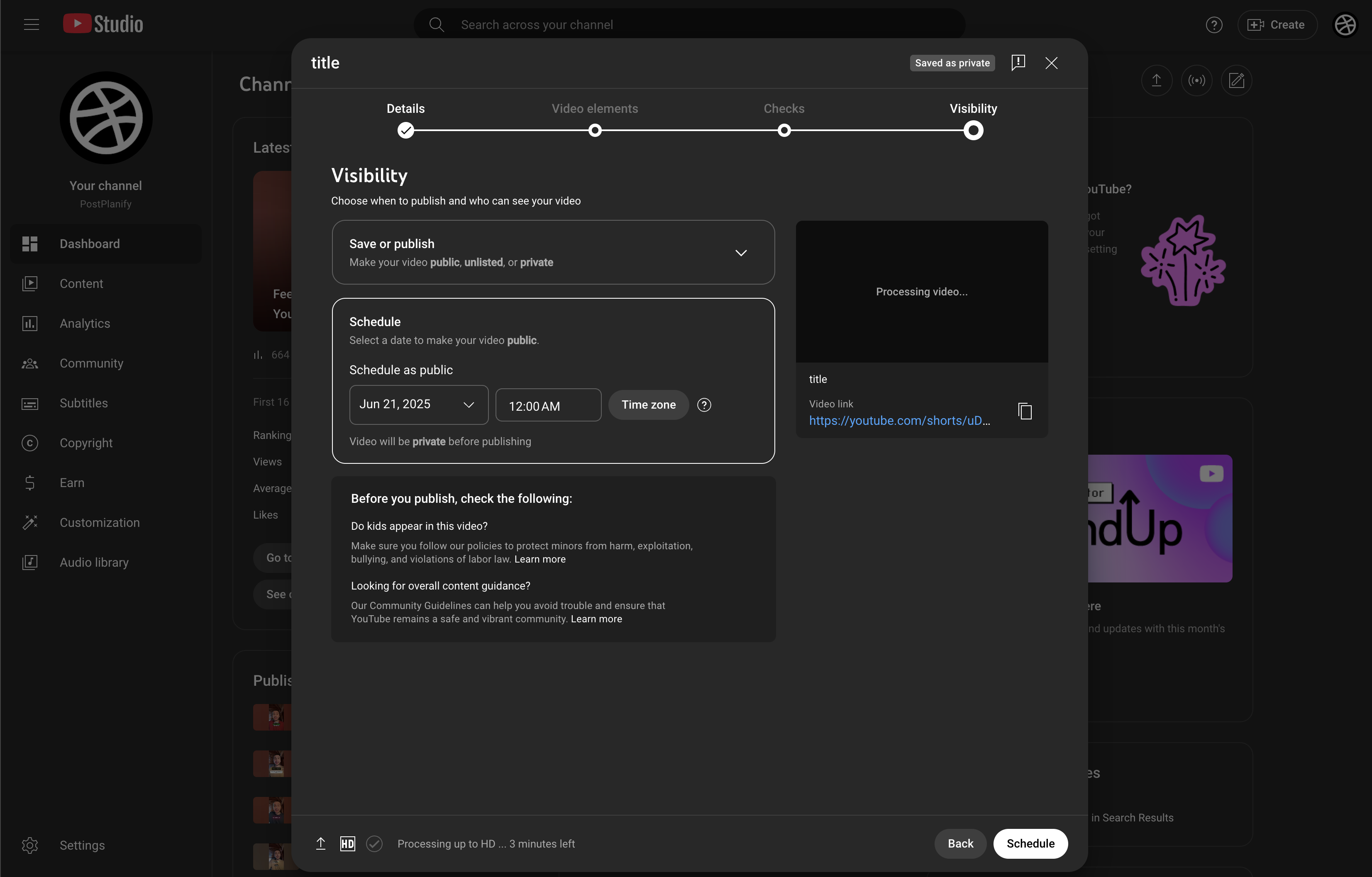
What it supports:
- Long-form video scheduling (unlimited time horizon)
- Shorts scheduling (up to 3 minutes)
- Custom thumbnail upload
- Premiere scheduling
- Playlist assignment during upload
- End screens and cards
- Caption/subtitle upload
- Monetization settings
- Age restrictions and visibility controls
Strengths:
- 100% free
- Supports every YouTube feature (no API limitations)
- Most reliable option (native integration)
- No daily upload quota restrictions
- Full control over monetization, premieres, and advanced settings
Limitations:
- No batch scheduling, since each video must be uploaded and scheduled individually
- No cross-posting to TikTok, Instagram, or other platforms
- No team approval workflows
- No AI caption or title generation tools
- No content calendar view (just a list of scheduled uploads)
- Processing time can be unpredictable (especially for 4K content)
Best For: All YouTube creators who need full control over their uploads and don't need cross-platform scheduling or team workflows. If you want to turn long-form content into Shorts, see our guide on how to clip a YouTube video.
👉 How to Schedule YouTube Shorts: Full Guide
3. Buffer
Buffer supports auto-publishing for YouTube Shorts. Its clean, fast interface makes it a good fit for creators who want straightforward Shorts scheduling alongside other platforms.
For YouTube, Buffer keeps it simple: auto-publish Shorts, draft titles and descriptions with its AI Assistant, and manage your queue from a calendar. The trade-offs: per Buffer's own docs it schedules Shorts only (no long-form YouTube videos), there's no custom thumbnail upload, and per-channel pricing climbs as you add channels.
YouTube-Specific Features:
- Auto-publish YouTube Shorts
- AI Assistant for generating and rewriting titles and descriptions
- Hashtag manager for organizing reusable tag sets
- Calendar and queue views for managing upload schedule
- Best time to post recommendations
Pricing:
- Free: 3 channels, 10 posts per channel
- Essentials: $6/channel/month (unlimited posts, analytics)
- Team: $12/channel/month (approval workflows, unlimited users)
👉 Learn more: Buffer pricing · Buffer reviews · best Buffer alternatives
Strengths:
- Simple and fast to use
- Clean AI title and description drafting
- Affordable for a single YouTube channel
Limitations:
- Shorts only, with no long-form YouTube video scheduling
- No custom thumbnail upload during scheduling
- Per-channel pricing adds up with multiple channels
- Analytics are basic unless you upgrade
Best For: Solo creators managing a single YouTube channel alongside other social accounts who value simplicity. See how Buffer compares: Buffer vs Hootsuite, Buffer vs Later, and Buffer vs Metricool.
4. Hootsuite
Hootsuite is an enterprise social media management platform that supports YouTube auto-publishing for both Shorts and long-form videos, including custom thumbnail uploads and team approval workflows.
For YouTube at scale, Hootsuite auto-publishes both Shorts and long-form videos with custom thumbnail uploads, queues up to 350 posts via its Bulk Composer, and adds OwlyGPT for titles and descriptions, social listening, and multi-level approvals. That depth suits enterprise teams, though per-user billing from $99/month is overkill for a solo channel, and YouTube's API quota can throttle very high-volume scheduling.

YouTube-Specific Features:
- Auto-publish Shorts and long-form videos
- Custom thumbnail upload during scheduling
- Bulk Composer: schedule up to 350 posts at once via CSV
- OwlyGPT AI for titles, descriptions, and content strategy
- Advanced analytics with custom reporting
- Team approval workflows
- Social listening for YouTube brand mentions
Pricing:
- Standard: $99/user/month (10 accounts)
- Professional: $199/user/month (unlimited accounts)
- Advanced: $399/user/month (unlimited accounts, approvals, bulk scheduling)
- Enterprise: custom pricing
👉 Learn more: Hootsuite pricing · Hootsuite reviews · best Hootsuite alternatives
Strengths:
- Full YouTube support: Shorts, long-form, and thumbnails
- Best-in-class reporting and analytics
- Bulk scheduling for high-volume publishers
- Strong team collaboration features
Limitations:
- Per-user billing adds up fast: three users on Standard is $297/month, and approvals only start on Advanced at $399/user
- Overkill for solo creators
- Steeper learning curve
- API quota limits may affect high-volume scheduling
Best For: Enterprise marketing teams and agencies managing multiple YouTube channels with strict approval processes. See how Hootsuite compares: Hootsuite vs Buffer, Hootsuite vs Later, and Hootsuite vs Metricool.
5. SocialBee
SocialBee supports YouTube auto-publishing for both Shorts and long-form videos, with its signature category-based content system for keeping upload schedules organized.
For YouTube, SocialBee auto-publishes Shorts and long-form videos (up to 512MB, no length cap), supports custom thumbnail uploads on verified channels, and sorts uploads into content categories so your channel keeps a balanced rotation on autopilot. Evergreen recycling plus CSV and RSS imports make it strong for creators with large content libraries, though the category system can feel complex if you just want a simple calendar.
YouTube-Specific Features:
- Auto-publish Shorts and long-form videos
- Category queues for organizing content themes (tutorials, vlogs, Shorts, etc.)
- AI assistant for generating titles and descriptions
- Evergreen content recycling
- Canva integration
- Bulk upload via CSV and RSS feed imports
Pricing:
- Bootstrap: $29/mo (5 profiles, 1 user)
- Accelerate: $49/mo (10 profiles, 1 user)
- Pro: $99/mo (25 profiles, 3 users)
- All plans include a 14-day free trial
👉 Learn more: SocialBee pricing · SocialBee reviews · best SocialBee alternatives
Strengths:
- Category system keeps Shorts and long-form content balanced
- Evergreen recycling can re-share evergreen Shorts on other platforms
- Strong bulk scheduling
Limitations:
- No playlist assignment during scheduling
- Prices increase significantly with more profiles
- Category system can feel complex for simple needs
Best For: Creators with large content libraries who want organized, automated YouTube publishing alongside other platforms. See how SocialBee compares: SocialBee vs Buffer, SocialBee vs Hootsuite, and SocialBee vs Later.
PostPlanifyAll your social media in one simple dashboard
Schedule posts, track analytics, and reply to comments/DMs without switching tabs.
Engagement
+18%
Views
52.8k
6. Metricool
Metricool combines YouTube scheduling with detailed analytics, competitor tracking, and performance reporting. It supports both Shorts and long-form video auto-publishing.
For YouTube, Metricool auto-publishes Shorts and long-form videos, lets you upload a custom thumbnail while scheduling, and pairs publishing with one of the strongest analytics dashboards here: views, watch time, subscriber growth, competitor benchmarking, and a best-time heatmap. A generous free plan makes it easy to test, though the deepest reporting sits on paid tiers.
YouTube-Specific Features:
- Auto-publish Shorts and long-form videos
- Best-time heatmap showing when your YouTube audience is most active
- YouTube-specific analytics: views, watch time, subscribers gained, engagement rate
- Competitor analysis for YouTube channels (paid tiers)
- Bulk scheduling with CSV and ZIP imports
- Exportable reports (PDF, PPT, Looker Studio integration)
Pricing:
- Free: 1 brand, 20 posts/month, 30 days of analytics history, no LinkedIn or X
- Starter: From $25/mo (up to 10 brands, unlimited scheduling)
- Advanced: From $67/mo (up to 50 brands, extended analytics)
👉 Learn more: Metricool pricing · Metricool reviews · best Metricool alternatives
Strengths:
- Strong YouTube analytics dashboard
- Best-time heatmap for optimizing upload schedule
- Genuinely free tier for one brand (20 posts/month)
- Competitor benchmarking for YouTube channels
Limitations:
- Interface can feel complex for first-time users
- Advanced reporting locked behind higher tiers
- X/Twitter requires a paid add-on
Best For: Data-driven creators who want deep YouTube analytics alongside scheduling. See how Metricool compares: Metricool vs Buffer, Metricool vs Later, and Metricool vs Hootsuite.
7. Later
Later supports YouTube Shorts auto-publishing with its visual drag-and-drop calendar. It's focused on short-form content and pairs well with Instagram Reels and TikTok scheduling.
For YouTube, Later auto-publishes Shorts (15 seconds to 3 minutes) from its visual calendar, with hashtag suggestions, best-time recommendations, and a strong mobile app. It's purpose-built for short-form creators who run YouTube Shorts alongside Instagram Reels and TikTok, but per Later's own docs it doesn't schedule long-form videos or support custom thumbnails, so it's strictly Shorts-only.

YouTube-Specific Features:
- Auto-publish YouTube Shorts (15 seconds to 3 minutes)
- Visual content calendar with drag-and-drop
- Hashtag suggestions
- Best time to post recommendations
- Mobile app for scheduling on the go
Pricing:
- Free trial: 14 days
- Starter: $25/mo (1 social set (8 profiles), 30 posts per profile)
- Growth: $50/mo (2 social sets (16 profiles), 2 users, 180 posts per profile)
- Scale: $110/mo (6 social sets (48 profiles), 4 users, unlimited posts)
👉 Learn more: Later pricing · Later reviews · best Later alternatives
Strengths:
- Clean visual planner
- Good for Shorts-focused creators
- Easy to learn
Limitations:
- No long-form video scheduling: Shorts only
- No custom thumbnail upload
- Monthly post caps on lower tiers
- Costs rise quickly for multi-brand teams
Best For: Creators focused on YouTube Shorts alongside Instagram Reels who want a visual planning calendar. See how Later compares: Later vs Buffer and Later vs Hootsuite.
8. SocialPilot
SocialPilot supports YouTube auto-publishing for both Shorts and long-form videos, with strong bulk scheduling and agency features.
For YouTube, SocialPilot auto-publishes both Shorts and long-form videos, supports custom thumbnail uploads with an in-app image editor (verified channels), and can bulk-upload up to 500 posts from a single CSV. Client management, approval workflows, and white-label PDF reports make it a practical agency pick well below Hootsuite or Sprout Social, though the interface feels dated next to newer tools.
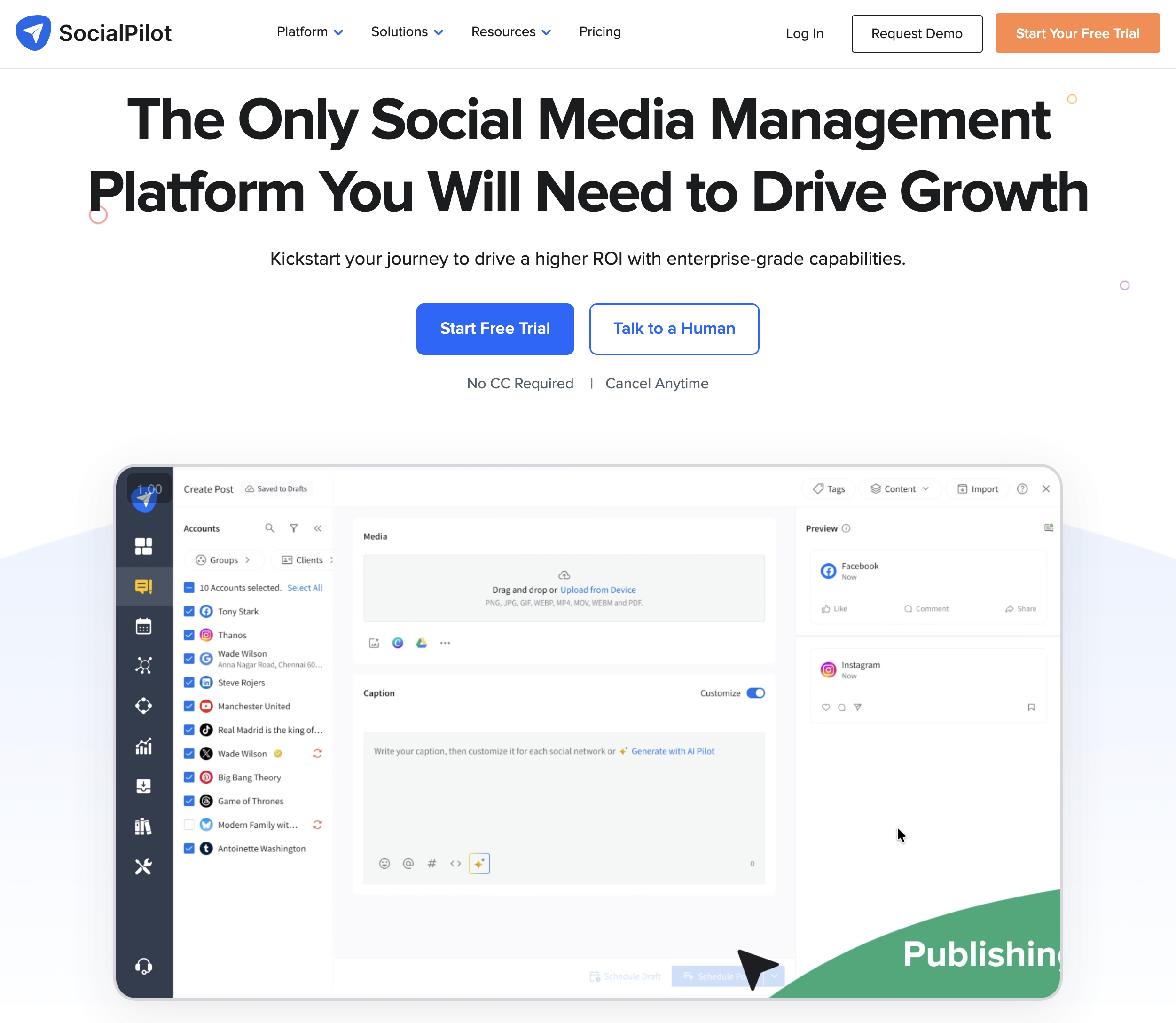
YouTube-Specific Features:
- Auto-publish Shorts and long-form videos
- Bulk scheduling: upload up to 500 posts via CSV
- Content calendar with drag-and-drop
- AI assistant for title and description generation
- Client management and approval workflows
- White-label PDF reports (higher tiers)
Pricing:
- Essentials: $30/mo (7 social accounts, 1 user)
- Standard: $50/mo (15 accounts, 3 users)
- Premium: $100/mo (25 accounts, 6 users)
- Enterprise: custom pricing
- All plans include a 14-day free trial
👉 Learn more: SocialPilot pricing · SocialPilot reviews · best SocialPilot alternatives
Strengths:
- Bulk CSV upload (500 posts at once)
- Affordable agency pricing
- Supports both Shorts and long-form
- White-label reports for client work
Limitations:
- Interface feels dated compared to newer tools
- Analytics are less detailed than Metricool or Hootsuite
- No permanent free tier (trial only)
Best For: Agencies managing multiple YouTube channels who need bulk scheduling and white-label reporting.
9. Sprout Social
Sprout Social is a premium enterprise platform that supports YouTube auto-publishing for Shorts and long-form videos, including custom thumbnail uploads on long-form videos, with deep analytics and social listening.
For YouTube, Sprout Social auto-publishes Shorts and long-form videos with custom thumbnail uploads on long-form videos, and surrounds them with the deepest analytics and social listening on this list: watch time, subscriber growth, sentiment, and executive-ready reporting. That power comes at a premium: per-seat pricing from $199/seat/month puts it out of reach for most individual creators.
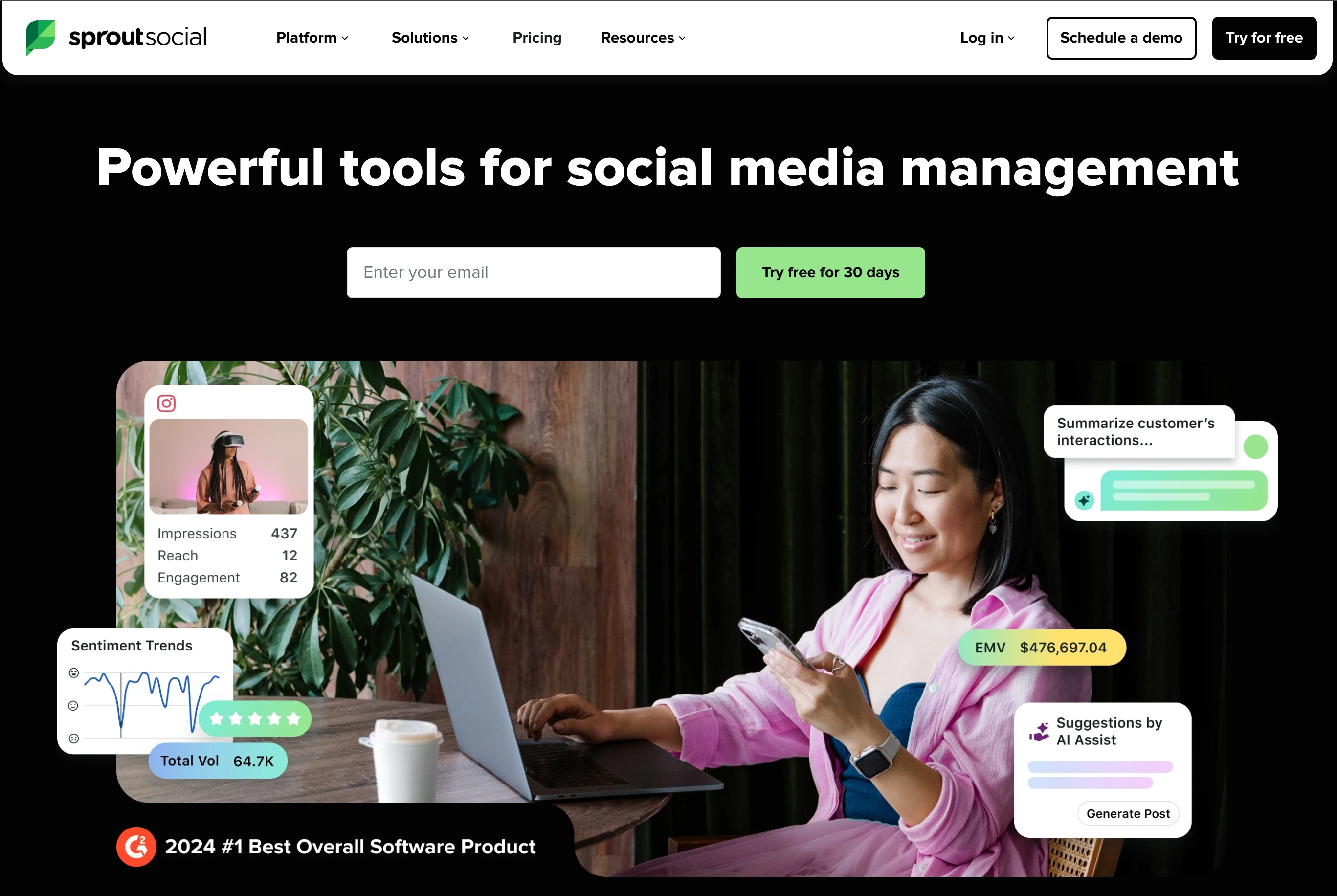
YouTube-Specific Features:
- Auto-publish Shorts and long-form videos
- Custom thumbnail upload on long-form videos
- Advanced YouTube analytics with watch time, subscriber growth, and engagement tracking
- Social listening for YouTube trends and brand mentions
- Team collaboration with multi-level approval workflows
- Automated reporting with scheduled exports
Pricing:
- Essentials: $99/seat/month, or $79 billed annually (5 profiles)
- Standard: $199/seat/month (5 profiles)
- Professional: $299/seat/month (unlimited profiles)
- Advanced: $399/seat/month (premium analytics)
- Enterprise: custom pricing
👉 Learn more: Sprout Social pricing · Sprout Social reviews · best Sprout Social alternatives
Strengths:
- Full YouTube support including thumbnails
- Deepest analytics and social listening
- Enterprise-grade security
- Excellent reporting for stakeholders
Limitations:
- Most expensive tool on this list
- Per-seat pricing makes teams very costly
- Far more than most creators need
Best For: Enterprise organizations with dedicated teams that need advanced YouTube analytics, social listening, and thumbnail management alongside scheduling.
10. Planable
Planable supports YouTube auto-publishing for both Shorts and long-form videos, with its strength in team collaboration and content approval workflows.
For YouTube, Planable auto-publishes Shorts and long-form videos (up to 60 minutes on verified channels) and supports custom thumbnails on long-form videos, but its real strength is the approval layer in front of publishing: feed, grid, calendar, and list previews plus comments, annotations, and multi-level approvals keep clients and stakeholders aligned before anything goes live. The trade-offs are minimal analytics and per-workspace pricing that grows with the number of brands.
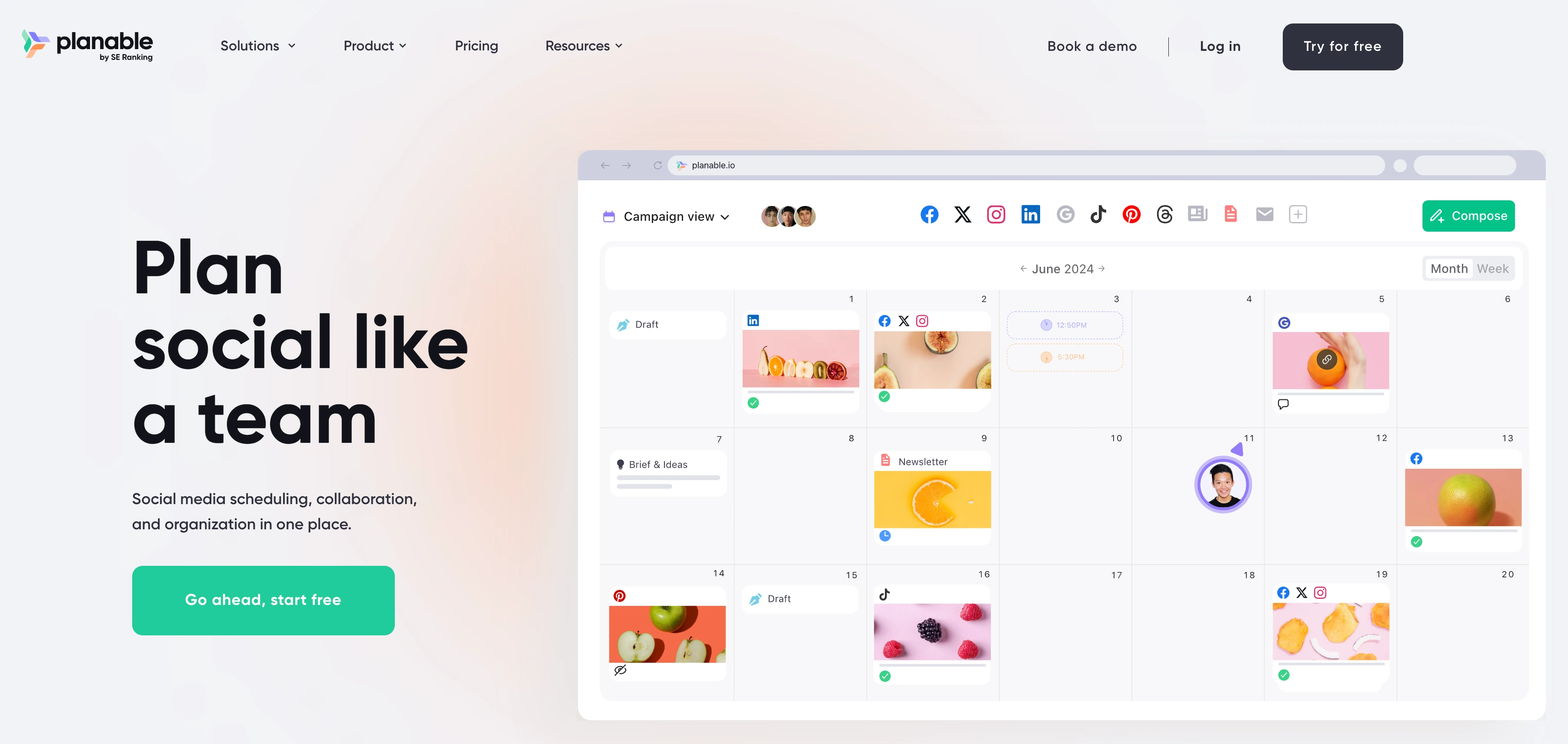
YouTube-Specific Features:
- Auto-publish Shorts and long-form videos
- Multi-level approval workflows (none, optional, required, multi-level)
- Visual content calendar with multiple views
- Real-time collaboration with comments and annotations
- Role-based permissions for teams and clients
- Version history for tracking changes
Pricing:
- No free plan, but the first 50 posts are free with no time limit
- Basic: $39/workspace/month (60 posts/month, 4 social pages, unlimited users)
- Pro: $59/workspace/month (150 posts/month, approval workflows, custom roles)
- Enterprise: custom pricing
👉 Learn more: Planable pricing · Planable reviews · best Planable alternatives
Strengths:
- Best approval workflow for video content review
- Real-time collaboration is excellent for teams
- Clean, modern interface
Limitations:
- No AI title/description generation on lower tiers
- Per-workspace pricing adds up if you run many separate brands
- Free plan is 50 total posts (not monthly)
- Analytics are minimal
Best For: Teams and agencies where YouTube content must go through approval before publishing.
PostPlanifyAll your social media in one simple dashboard
Schedule posts, track analytics, and reply to comments/DMs without switching tabs.
Engagement
+18%
Views
52.8k
Why YouTube Scheduling Is Different From Other Platforms
YouTube scheduling has unique complexities that Instagram, TikTok, and Facebook don't share. Understanding these differences helps you pick the right tool:
- Processing time matters. When you upload a video to YouTube, it goes through processing before it's ready to publish: a 1080p video might take 30 minutes; a 4K video can take 4-8 hours. "Schedule for 3 PM" requires the video to be uploaded and fully processed before that time, so upload well ahead of your scheduled slot.
- Shorts vs long-form are different workflows. Shorts (vertical, under 3 minutes) and long-form videos have different thumbnail requirements, metadata strategies, and audience behaviors. Better tools let you optimize each format separately. See our guides on how to schedule YouTube Shorts and YouTube SEO.
- File sizes are massive. YouTube accepts files up to 256 GB (verified accounts) versus TikTok's 10 GB and Instagram's 650 MB. Uploads take longer and are more prone to failure on unstable connections, so tools with resumable uploads handle this better.
- Custom thumbnails require a verified account. You need phone verification on your YouTube channel to upload custom thumbnails, in YouTube Studio and via the API. Without it, you're stuck with auto-generated thumbnails, and remember that custom thumbnails apply to long-form videos only, not Shorts.
- API quota limits constrain third-party tools. Uploads sit in their own bucket: per YouTube's Data API quota docs, a project gets 100
videos.insertcalls per day (1 unit each), 100search.listcalls, and 10,000 units per day for everything else. That works out to roughly 100 uploads per day per connected app, so the ceiling only bites for agencies publishing at real volume across many channels. Older roundups still quote 1,600 units per upload and "6 uploads a day", which the per-method cost table implies but the quota notes override.
What YouTube Content Can Be Scheduled
| Content Type | YouTube Studio | Third-Party Tools (via API) | Notes |
|---|---|---|---|
| Long-form videos | Yes | Yes (most tools) | Upload + set publishAt time |
| Shorts (up to 3 min) | Yes | Yes (most tools) | Auto-classified by duration + aspect ratio |
| Custom thumbnails | Yes | Most tools | Requires verified account; 2 MB max; JPEG/PNG |
| Premieres | Yes | Limited | Most third-party tools don't support Premiere-specific features |
| Playlist assignment | Yes | Some tools | Can auto-add to playlist during scheduling |
| Community posts | Yes | No | Not supported via YouTube Data API |
Important Shorts note: Since October 2024, YouTube Shorts can be up to 3 minutes long (previously 60 seconds). However, if your Short uses copyrighted music, it's still limited to 60 seconds. Some third-party tools haven't updated their length limits yet, so verify before scheduling 2-3 minute Shorts.
How to Choose the Best YouTube Scheduler
1. Do you need Shorts-only or Shorts + long-form scheduling?
If you only publish YouTube Shorts, any tool on this list works. If you also upload long-form videos, check the comparison table, since Later and Buffer support Shorts only. For long-form scheduling, YouTube Studio remains the most capable free option with no limitations.
2. Does the tool support custom thumbnail uploads?
Custom thumbnails significantly impact click-through rate, and support is broader than most roundups claim. PostPlanify, Hootsuite, Sprout Social, Metricool, SocialBee, SocialPilot, Planable, and YouTube Studio all support custom thumbnail uploads. Only Buffer and Later don't (with those, you'll set the thumbnail in YouTube Studio afterward). Important caveat that applies to every tool: custom thumbnails work on long-form videos only, because YouTube doesn't allow custom thumbnails on Shorts (it auto-generates one from a frame).
3. Consider cross-platform workflows
If you cross-post Shorts to TikTok and Instagram Reels, tools with multi-platform scheduling save significant time. Scheduling the same vertical video to three platforms in one session beats uploading to each separately. Our social media cross-posting guide covers the full strategy for publishing across platforms efficiently.
4. Account for processing time
YouTube videos require processing after upload. Schedule your videos with enough buffer: upload at least 2-3 hours before the intended publish time for 1080p content, and 6-8 hours for 4K. Third-party tools upload via the API, so processing happens on YouTube's servers automatically.
5. Does the tool support 3-minute YouTube Shorts?
Since October 2024, Shorts can be up to 3 minutes long. If you create Shorts between 1-3 minutes, verify that your scheduling tool has updated its length limits. Some tools still enforce the old 60-second cap.
6. Do you need team approval workflows?
Solo creators can skip this. But if your YouTube workflow involves editors, reviewers, or clients who need to approve content before it goes live, look for multi-level approval workflows (Planable, Hootsuite, Sprout Social). See our guide on social media tools with approval workflows for a deeper comparison.
Quick Decision Checklist
- Do I need Shorts scheduling, long-form scheduling, or both?
- Do I need custom thumbnail upload during scheduling?
- Do I cross-post the same video to TikTok and Instagram Reels?
- How many YouTube channels do I manage?
- Do I need team approval workflows?
- Is YouTube Studio sufficient for my needs, or do I need multi-platform support?
- Does the pricing still make sense once I add all my channels and team members?
Test your top two choices for a week. Keep the one that uploads reliably, handles your content formats, and fits your workflow. If you're looking for a broader overview of scheduling across all platforms, see our social media scheduling tools comparison and our guide on how to schedule social media posts.
👉 Content Batching: Create 30 Days of Posts in 3 Hours
Frequently Asked Questions
Does scheduling a YouTube video affect views or reach?
No. YouTube's algorithm treats scheduled uploads identically to manually published ones. The algorithm evaluates watch time, click-through rate, engagement, and relevance, not how the video was published. Scheduling actually helps by letting you publish during peak audience hours even when you're not available.
Can I schedule YouTube Shorts for free?
Yes. YouTube Studio is completely free and supports Shorts scheduling with no limits. Buffer offers a free tier with 3 channels and 10 posts each. Metricool's free plan includes 20 posts per month for one brand. PostPlanify includes a 7-day free trial and 14-day money-back guarantee with Shorts scheduling and thumbnail uploads.
How far in advance can I schedule YouTube videos?
YouTube Studio allows scheduling months or even years ahead, with no practical limit. Third-party tools also support unlimited advance scheduling through the YouTube Data API.
👉 Best Time to Upload a YouTube Video: Full Guide
Can I schedule YouTube Shorts longer than 60 seconds?
Yes. Since October 2024, YouTube Shorts can be up to 3 minutes long. However, if your Short uses copyrighted music, it's still limited to 60 seconds. Make sure your scheduling tool has updated to support the 3-minute limit, since some still enforce the old 60-second cap.
Can I upload a custom thumbnail when scheduling through a third-party tool?
Most do, actually. PostPlanify, Hootsuite, Sprout Social, Metricool, SocialBee, SocialPilot, and Planable all support custom thumbnail uploads during scheduling, and only Buffer and Later don't. Your YouTube channel must be phone-verified to upload custom thumbnails. One thing to know that applies to every tool: custom thumbnails work on long-form videos only, since YouTube doesn't support custom thumbnails on Shorts.
Why does my scheduled YouTube video take so long to process?
YouTube processes videos after upload, and processing time depends on resolution, file size, and server load. A 1080p video typically takes 30 minutes to 2 hours. A 4K video can take 4-8+ hours. When scheduling, upload well ahead of your publish time to ensure processing completes.
Can I batch schedule multiple YouTube videos at once?
YouTube Studio does not support batch scheduling, since each video must be uploaded individually. Third-party tools like SocialPilot (up to 500 via CSV), Hootsuite (up to 350 via Bulk Composer), and SocialBee support bulk uploads. For Shorts specifically, PostPlanify supports bulk media upload for scheduling multiple Shorts in one session.
Can I cross-post YouTube Shorts to TikTok and Instagram Reels?
YouTube Studio does not support cross-posting. To publish the same vertical video to YouTube Shorts, TikTok, and Instagram Reels, use a multi-platform scheduler. PostPlanify supports cross-posting to 10 platforms in one workflow. For a deeper look at the cross-posting strategy, see our social media cross-posting guide.
What video format works best for scheduled YouTube Shorts?
MP4 with H.264 codec, 1080x1920 resolution (9:16 aspect ratio). This processes the fastest and ensures YouTube classifies it as a Short. Avoid unusual codecs or non-standard aspect ratios, which can cause processing delays or misclassification as long-form content. Before publishing, run your vertical video through the YouTube Shorts safe zone checker to make sure text and key visuals aren't hidden behind UI overlays.
Is there a daily limit on how many videos I can schedule via third-party tools?
Yes, but it is higher than most guides claim. YouTube's Data API quota docs give videos.insert its own bucket with a default limit of 100 calls per day at 1 unit each, alongside 100 search.list calls and 10,000 units per day for all other endpoints. So roughly 100 uploads per day per connected app, which is plenty for creators and only a constraint for agencies publishing at high volume. The widely repeated "6 uploads per day" figure comes from the older model where each upload cost 1,600 of the shared 10,000 units.
Can I schedule YouTube Community posts with a third-party tool?
No. YouTube Community posts are not supported by the YouTube Data API. Community posts can only be published manually through YouTube Studio or the YouTube mobile app.
Can I edit a YouTube video after scheduling it?
Yes. Unlike TikTok (where editing a scheduled post requires deleting and re-uploading), YouTube lets you edit the title, description, tags, thumbnail, and other metadata of a scheduled video at any time before it publishes, both in YouTube Studio and in most third-party tools.
Is YouTube Studio enough for scheduling?
For solo creators who only publish to YouTube, yes. YouTube Studio is the most feature-complete scheduling option available and it's completely free. It supports long-form videos, Shorts, custom thumbnails, premieres, playlists, end screens, and monetization settings. Where it falls short is batch scheduling (each video must be uploaded individually), cross-posting to other platforms, team approval workflows, and content calendar views. If you need any of those, a third-party tool fills the gap.
What's the best free YouTube scheduling tool?
YouTube Studio is the best free option with no restrictions: unlimited uploads, full feature support, and no daily post caps. For free third-party options, Buffer offers 3 channels with 10 posts each for free, and Metricool includes 20 posts per month for one brand on its free tier. Both support Shorts auto-publishing; Metricool also supports custom thumbnail uploads, while Buffer does not.
Can I schedule YouTube Shorts with a custom thumbnail?
No, and this is a YouTube limitation rather than a tool limitation. YouTube does not allow custom thumbnails on Shorts; it auto-generates the thumbnail from a frame of your video. Custom thumbnails are a long-form/regular-video feature only, no matter which scheduling tool you use. If a custom thumbnail matters to you, publish the video as a regular upload rather than a Short.
Key Takeaways
- YouTube scheduling is fundamentally different from other platforms because of video processing time, large file sizes, and API quota limits. Plan uploads well ahead of publish time.
- YouTube Studio is the most feature-complete free option and supports everything: long-form, Shorts, thumbnails, premieres, playlists. But it has no batch scheduling, no cross-posting, and no team workflows.
- Custom thumbnails are widely supported: most tools here (PostPlanify, Hootsuite, Sprout Social, Metricool, SocialBee, SocialPilot, Planable) handle them; only Buffer and Later don't. Note that custom thumbnails work on long-form videos only, since YouTube doesn't allow them on Shorts (it auto-generates one from a frame).
- Since October 2024, Shorts can be up to 3 minutes. Verify your scheduling tool supports the updated length limit.
- Cross-posting Shorts to TikTok and Instagram Reels in one workflow saves significant time compared to uploading to each platform separately. Learn more in our social media cross-posting guide.
- The right YouTube scheduler turns video publishing into a batch session instead of a daily upload ritual, freeing time for the content creation that actually grows your channel. For a broader look at automating social media posting, see our full guide.
Looking for other platforms?
- Best Instagram Scheduling Tools (2026): 9 tools compared, including reel and carousel support
- Best TikTok Scheduling Tools (2026): auto-publish support, carousel scheduling, and TikTok API limitations explained
- Best Facebook Scheduling Tools (2026): Reels, carousels, and the full breakdown on the Groups API deprecation
- Best YouTube Analytics Tools (2026): watch time, retention, and subscriber reporting once your videos are live
Final Thoughts and Next Steps
The best YouTube scheduling tool in 2026 depends on what you publish. If you upload long-form videos and need full control over thumbnails, premieres, and playlists, YouTube Studio handles everything for free. If you publish Shorts alongside TikTok and Instagram Reels and need cross-platform workflows, a multi-platform scheduler eliminates the repetition of uploading the same video three times.
PostPlanify combines YouTube long-form and Shorts auto-publishing with custom thumbnail uploads (on long-form videos), AI captions, and cross-posting to TikTok, Instagram Reels, X, LinkedIn, Facebook, and more, all in one dashboard. It's built for agencies serving local businesses that want consistent YouTube publishing without platform-switching. Unlimited posts are included on Growth plans and above.
The 7-day free trial and 14-day money-back guarantee let you:
- Schedule YouTube long-form videos and Shorts, with custom thumbnails on long-form videos
- Generate titles and descriptions with AI tailored to each brand
- Cross-post to TikTok, Instagram Reels, and 6 other platforms in one workflow
- Preview Shorts exactly as they'll appear
- Build a full week or month of content in a single session
👉 Start your 7-day free trial on PostPlanify here.
Related: How to Schedule YouTube Shorts | Best Time to Upload a YouTube Video | Does YouTube Automation Work? | When Does YouTube Start Paying You? | How Much Does YouTube Pay for 1,000 Views? | How to See Your YouTube Subscribers | How to Start a YouTube Channel for Kids | Social Media Scheduling Tools | Best Social Media Management Platform | Content Batching Guide | Social Media Cross-Posting | YouTube Shorts Safe Zone Checker
PostPlanifyAll your social media in one simple dashboard
Schedule posts, track analytics, and reply to comments/DMs without switching tabs.
Engagement
+18%
Views
52.8k
About the Author

Hasan Cagli
Founder of PostPlanify, a content and social media scheduling platform. He focuses on building systems that help businesses, agencies, and teams plan, publish, and manage content and social media more efficiently across platforms.


