


TikTok rewards consistency. The algorithm favors accounts that show up regularly, mix formats, and post when their audience is online. For creators focused on the TikTok Creator Rewards Program, a reliable posting schedule directly impacts earnings potential. But maintaining that pace manually, uploading one video at a time through TikTok Studio, setting captions, picking cover images, and watching the clock, turns a simple content plan into a daily chore.
The best TikTok scheduling tools in 2026 are PostPlanify (best overall for agencies serving local businesses, with carousel support), TikTok Studio (free native option), Later (visual planners), Buffer (simple scheduling), and Hootsuite (enterprise), all offering true auto-publish through TikTok's Content Posting API.
Searching for best TikTok scheduler or how to schedule TikTok posts returns dozens of tools, each claiming auto-publishing, AI captions, and cross-platform support. The problem is that TikTok scheduling works differently from Instagram or Facebook. Not every tool supports true auto-publishing through TikTok's Content Posting API. Some still rely on push notifications that remind you to post manually. Others cap your posts, lock TikTok behind higher-priced plans, or don't support TikTok photo carousels at all.
This guide compares ten of the best TikTok scheduling tools for 2026 and covers:
- which tools auto-publish directly to TikTok (no manual step needed)
- which ones support TikTok photo carousels alongside videos
- which platforms offer a genuine free tier for TikTok scheduling
- what each tool actually costs once you add the accounts you need
For a broader comparison of scheduling across all platforms, see our guide to the best social media scheduling tools.
Quick Answer: Best TikTok Scheduling Tools
If you schedule TikTok content in 2026 and want the shortest answer:
- PostPlanify: Best overall for agencies serving local businesses. Auto-publishes videos + photo carousels, AI caption writer, cross-posting to 10 platforms, analytics, social inbox, approval workflows. Starts at $39/mo per client workspace.
- TikTok Studio: Best free option. Native to TikTok, supports both videos and photo carousels (up to 35 images), schedules 10 days ahead. Desktop-first, no cross-posting.
- Metricool: Best for TikTok analytics. Free plan includes scheduling for one brand with 30 days of analytics history. Official TikTok marketing partner.
- Buffer: Best for simple scheduling on a small budget. Free plan covers 3 channels with 10 posts each.
- SocialPilot: Best for agencies. Bulk CSV upload of 500 posts, client approval workflows, white-label reports.
Skip if you're a solo creator or SMB: Hootsuite (from $99/user/mo, $399/user for approvals) and Sprout Social (from $99/seat/mo) are built for team budgets. Most creators never use the features that justify the price.
How I Evaluated These Tools
I scored every TikTok scheduler against six TikTok-specific criteria, not generic social media checklists:
- Auto-publish via Content Posting API. Does it truly auto-publish, or does it fall back to a push notification? I flagged every tool where "scheduling" is really just a reminder.
- Content type coverage. Can it schedule videos, photo carousels (up to 35 images), and handle 3-minute videos? Most tools now support carousels, but a few are still video-only.
- Account type support. Most third-party tools require a TikTok Business or Creator account. PostPlanify and Metricool are the main exceptions, since both support personal accounts alongside Business and Creator.
- API limit transparency. TikTok caps Direct Post publishing at roughly 15 posts per creator account per 24 hours, shared across every tool you connect. Tools that document this (vs hide it) earn points.
- Pricing at real volume. Starting prices don't matter if TikTok is gated behind a higher tier, if posts are capped, or if per-seat/per-channel pricing inflates the bill. I calculated real annual cost at creator and agency scale.
- Reliability under TikTok's API. TikTok's API changes frequently. Tools with a long track record of maintaining TikTok integrations get preference over tools that treat TikTok as one of many platforms.
Sources checked (September 2026): PostPlanify pricing, Buffer pricing, Later pricing, Hootsuite pricing, Sprout Social pricing, SocialBee pricing, Metricool pricing, SocialPilot pricing, Planable pricing, and TikTok's official scheduling help. I re-verify quarterly.
Quick Comparison: Best TikTok Schedulers 2026
| Tool | Starting Price | Free Option | Auto-Publish | TikTok Carousels | Best For |
|---|---|---|---|---|---|
| PostPlanify | From $39/mo per workspace | 7-day trial | Yes | Yes | Agencies serving local businesses |
| TikTok Studio | Free | Full access | Yes | Yes | Casual creators |
| Later | $25/mo | 14-day trial | Yes | Yes | Visual planners |
| Buffer | $6/channel | 3 channels free | Yes | Yes | Simple scheduling |
| Hootsuite | $99/user/mo | 14-day trial | Yes | n/a | Enterprise teams |
| SocialBee | $29/mo | 14-day trial | Yes | Yes | Evergreen content |
| Metricool | $25/mo | Free (1 brand) | Yes | Yes | Analytics-driven marketers |
| SocialPilot | $30/mo | 14-day trial | Yes | Yes | Agencies at scale |
| Sprout Social | $99/seat/mo | 30-day trial | Yes | No | Enterprise + listening |
| Planable | $39/workspace/mo | First 50 posts free | Yes | n/a | Team approvals |
Best overall: PostPlanify offers TikTok scheduling with AI captions, Canva integration, carousel support, and cross-posting to 10 platforms, with unlimited posts on every plan from $39/mo.
One thing to check: TikTok photo-carousel scheduling is now widely supported: PostPlanify, Later, Buffer, SocialBee, Metricool, and SocialPilot all do it (most up to 35 images). The rarer capability is scheduling to personal accounts: TikTok Studio, PostPlanify, Metricool, and Later support those, while most other tools require a Business or Creator account. The full feature compatibility matrix is below the tool reviews.
 PostPlanify
All your social media in one simple dashboard
Schedule posts, track analytics, and reply to comments/DMs without switching tabs.

Engagement
+18%
Views
52.8k
1. PostPlanify
PostPlanify is a social media management platform built for agencies serving local businesses: restaurants, clinics, salons, trades, and the like. Each client gets its own workspace holding their TikTok calendar, inbox, approvals, and reports, billed per workspace rather than per seat.
For TikTok specifically, PostPlanify auto-publishes both videos and photo carousels through TikTok's Content Posting API, supports personal as well as Business and Creator accounts, and reads your uploaded clips with a vision-powered AI assistant to write TikTok-native captions. Because the same calendar also schedules Instagram Reels, YouTube Shorts, and seven more networks, you can batch a week of TikTok content alongside the rest of your channels in one session, then track views, engagement, and best times to post from the built-in analytics.

Supported Platforms:
TikTok-Specific Features:
- Auto-publish videos and photo carousels: direct posting via TikTok's Content Posting API with full carousel support
- Supports all TikTok account types: personal, Business, and Creator accounts (most third-party tools only support Business/Creator)
- AI Caption Writer: generates captions tailored to each brand's voice and target audience (our free TikTok caption generator and hashtag generator do the same for one-off posts)
- Canva & Google Drive integration: import designs and media directly into posts via media library without downloading files
- Post Previews: preview exactly how TikTok videos and carousels will appear before scheduling
- Cross-Posting: schedule the same content to TikTok, Instagram Reels, YouTube Shorts, and other platforms in one workflow
Additional Features:
- Unlimited scheduling on every plan
- Analytics across all 10 platforms with historical trend charts and best time to post suggestions
- Approval workflows, single and multi-step, included from the entry plan, with unlimited team members and client approvers
- Team collaboration with post assignments and shared calendars
- Social inbox: manage comments and interactions from one dashboard
- Link in bio page for each workspace
- Client reports on Premium, fully white-labeled on Scale
- Bulk scheduling and media library
- Weekly and monthly calendar views
- Vision-powered AI assistant, with the largest image allowance on Scale
PostPlanifyAll your social media in one simple dashboard
Schedule posts, track analytics, and reply to comments/DMs without switching tabs.
Engagement
+18%
Views
52.8k
Pricing:
| Workspaces | Growth | Premium | Scale |
|---|---|---|---|
| 1 workspace | $39/mo | $49/mo | $59/mo |
| 3 workspaces | $97/mo | $127/mo | $157/mo |
| 5 workspaces | $155/mo | $205/mo | $255/mo |
| 10 workspaces | $250/mo | $350/mo | $450/mo |
| Social accounts per workspace | 4 | 6 | 8 |
Unlimited team members on every plan, no per-seat fees. Yearly billing saves 20%. All plans include a 7-day free trial with a 14-day money-back guarantee.
Approval workflows, analytics, and the social inbox are all included from Growth. Premium (from $49/mo) adds client reports and API access, and Scale (from $59/mo) adds full white labeling.
Best For: Agencies and freelancers running TikTok for local-business clients, where each client needs its own calendar, approvals, and report, alongside AI captions, carousel scheduling, and unlimited posting in a single dashboard.
👉 Learn more about the PostPlanify TikTok Scheduler
2. TikTok Studio (Native Scheduler)
TikTok Studio is TikTok's built-in, fully free scheduling tool. It connects directly to TikTok's internal systems, making it one of the most reliable ways to schedule TikTok posts without worrying about API issues or third-party failures.
For TikTok scheduling, TikTok Studio publishes videos and photo carousels (up to 35 images, more than any third-party tool) directly from the desktop app up to 10 days ahead, with no API failures because it's first-party. The trade-offs are real, though: there's no cross-posting, no bulk upload, no team workflows or approvals, and editing a scheduled post often means deleting and re-uploading it.
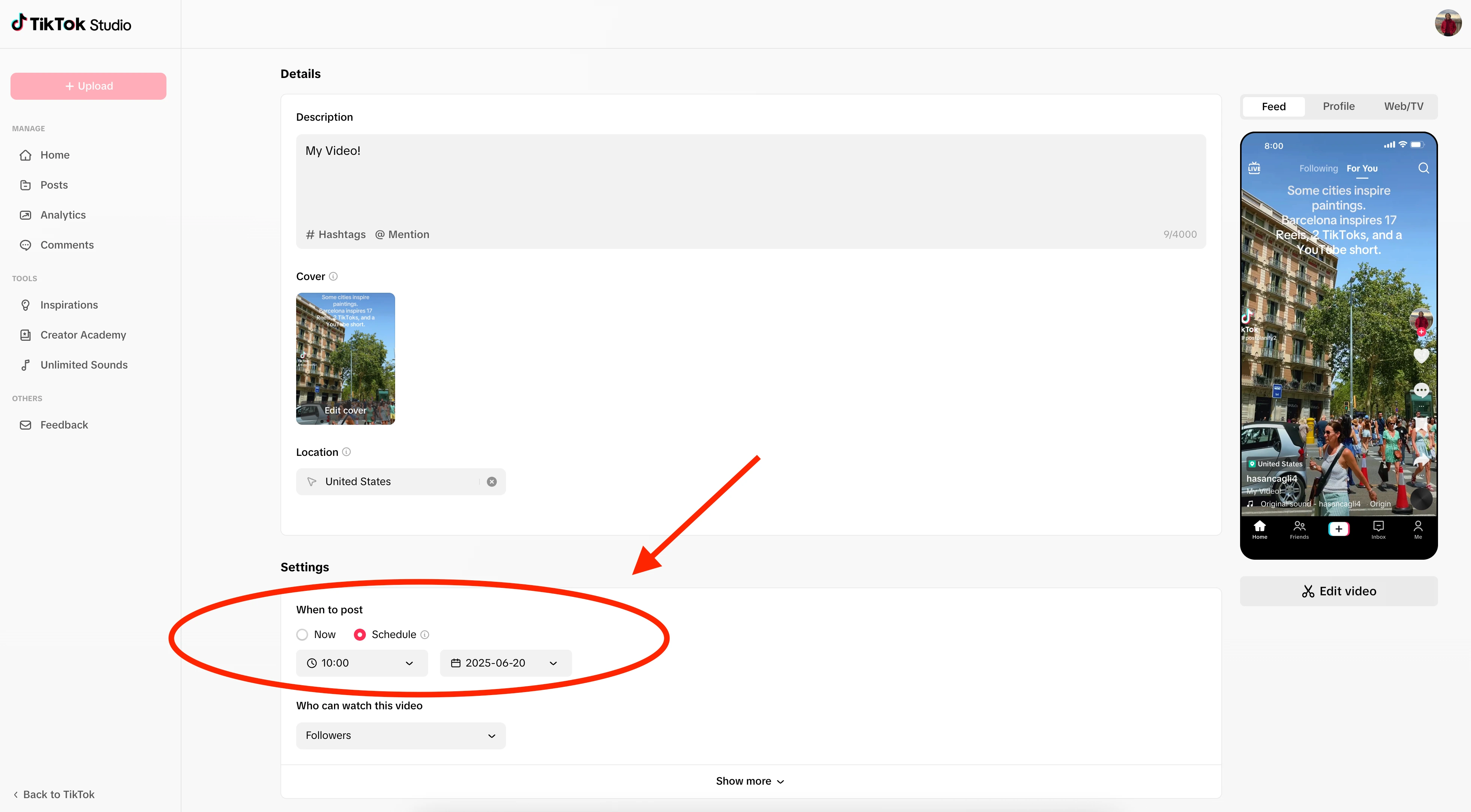
What it supports:
- Video posts
- Photo carousels (in-app, up to 35 images)
- Basic analytics
- Cover image selection
- Privacy and interaction settings
Scheduling capabilities:
- Schedule up to 10 days ahead
- Desktop-first workflow through TikTok Studio
- No push notification needed (true auto-publish)
- Available for Creator and Business accounts
Strengths:
- 100% free
- Most reliable option (native integration)
- Good for creators with low posting volume
- Simple, no learning curve
Limitations:
- 10-day scheduling cap, so you cannot plan a full month of content
- Desktop-only (mobile scheduling is inconsistent)
- No cross-posting to Instagram, YouTube, or other platforms
- No bulk upload or batch scheduling
- Editing scheduled posts often requires deleting and re-uploading
- No team workflows, approvals, or multi-account management
- No AI caption tools or Canva integration
Best For: Casual creators who post a few times per week and only need to schedule a few days ahead on TikTok alone.
👉 How to Schedule TikTok Posts: Full Guide
3. Later
Later is a visually focused scheduling tool built for creators and brands who want to plan content with a clean, drag-and-drop calendar. Later supports TikTok auto-publishing and includes tools for visual planning across multiple platforms.
For TikTok scheduling, Later auto-publishes videos from a clean, drag-and-drop content calendar, with built-in hashtag suggestions, best-time-to-post recommendations, and a polished mobile app for planning on the go. It's a natural fit for creators who run TikTok alongside Instagram and Pinterest, and it schedules photo carousels too (on desktop and iOS, not Android), though the monthly post caps on lower tiers can pinch high-volume accounts.

TikTok-Specific Features:
- Auto-publish TikTok videos
- Visual content calendar with drag-and-drop scheduling
- Hashtag suggestions built into the caption editor
- Best time to post recommendations
- Link-in-bio page for driving traffic
- Mobile app for scheduling on the go
Pricing (monthly billing; annual saves ~17%):
- Free trial: 14 days
- Starter: $25/mo, with 1 social set (8 profiles), 1 user, and 30 posts per profile
- Growth (Most Popular): $50/mo, with 2 social sets (16 profiles), 2 users, 180 posts per profile, social inbox
- Scale: $110/mo, with 6 social sets (48 profiles), 4 users, unlimited posts, custom analytics, and competitive benchmarking
Extra social sets cost $15/mo; extra users $5/mo (Growth and Scale only).
👉 Later pricing in detail · Later reviews · best Later alternatives
Strengths:
- Clean visual planner
- Easy learning curve
- Good mobile app for managing content on the go
Limitations:
- Monthly post caps on lower tiers
- AI caption credits are limited
- Costs rise quickly for multi-brand teams
- TikTok photo carousels schedule on desktop and iOS only (not Android)
Best For: Creators and brand marketers who prioritize visual planning and need a polished calendar for TikTok alongside Instagram and Pinterest.
4. Buffer
Buffer is known for its minimal interface and straightforward scheduling workflow. It supports TikTok auto-publishing and is a good fit for creators who want fast, no-fuss scheduling without a complex dashboard.
For TikTok scheduling, Buffer auto-publishes videos, drafts captions with its AI Assistant, and lets you rearrange the queue from a simple calendar, about as low-friction as TikTok scheduling gets. It schedules photo carousels as well as videos, making it ideal for solo creators or small teams running one to three TikTok accounts, though per-channel pricing climbs once you add more accounts.
TikTok-Specific Features:
- Auto-publish TikTok videos
- AI Assistant for generating and rewriting captions
- Hashtag manager for organizing and reusing tag sets
- Browser extension for saving content ideas
- Calendar and queue views for rearranging posts
Pricing:
- Free: 3 channels, 10 posts per channel
- Essentials: $6/channel/month (unlimited posts, advanced analytics)
- Team: $12/channel/month (approval workflows, unlimited users)
👉 Buffer pricing in detail · Buffer reviews · best Buffer alternatives
Strengths:
- Extremely easy to use
- Affordable entry point for a single TikTok account
- Good AI tools for caption writing
- Browser extension is useful for content curation
Limitations:
- Per-channel pricing adds up quickly for agencies
- No bulk CSV upload for batch scheduling
- Analytics are basic unless you upgrade
- No multi-brand workspaces or dedicated client separation
Best For: Solo creators or small teams managing 1-3 TikTok accounts who value speed and simplicity over advanced features. See how Buffer compares: Buffer vs Hootsuite, Buffer vs Later, and Buffer vs Metricool.
5. Hootsuite
Hootsuite is an enterprise-grade social media management platform with deep analytics, team workflows, compliance tools, and social listening. It supports TikTok auto-publishing and is built for organizations that need more than a content calendar.
For TikTok scheduling at scale, Hootsuite auto-publishes videos, queues up to 350 posts at once through its Bulk Composer, and layers on OwlyGPT captions, social listening for TikTok brand mentions, and multi-level approval workflows. That depth is built for enterprise teams, and per-user billing from $99/month is far more than a solo TikTok creator needs, and it doesn't schedule photo carousels.

TikTok-Specific Features:
- Auto-publish TikTok videos
- Bulk Composer: schedule up to 350 posts at once via CSV
- OwlyGPT AI for captions, hashtag suggestions, and strategy ideas
- Advanced analytics dashboards with custom reporting
- Social listening for brand and competitor mentions on TikTok
- Unified inbox for managing TikTok comments
- Approval workflows for multi-user teams
Pricing:
- Standard: $99/user/month (10 accounts)
- Professional: $199/user/month (unlimited accounts)
- Advanced: $399/user/month (unlimited accounts, approval workflows, bulk scheduling)
- Enterprise: custom pricing
👉 Hootsuite pricing in detail · Hootsuite reviews · best Hootsuite alternatives
Strengths:
- Best-in-class analytics and reporting tools
- Excellent for large teams with strict approval processes
- Social listening gives visibility into TikTok brand mentions
- Bulk scheduling saves hours for high-volume publishers
Limitations:
- Expensive at scale: three users on Standard is $297/month, and approvals only start on Advanced at $399/user
- Overkill for solo creators or small teams
- Steeper learning curve than simpler tools
- TikTok carousel scheduling isn't documented (video-focused)
Best For: Enterprise marketing teams and agencies with strict approval processes, compliance needs, and large-scale TikTok publishing workflows. See how Hootsuite compares: Hootsuite vs Buffer, Hootsuite vs Later, and Hootsuite vs Metricool.
6. SocialBee
SocialBee is a scheduling tool focused on category-based content organization. It auto-publishes to TikTok and makes it easy to rotate evergreen content across different themes without manually planning each post.
For TikTok scheduling, SocialBee auto-publishes videos and sorts them into content categories, so your TikTok queue keeps a balanced rotation of evergreen and fresh posts on autopilot. Category-based recycling plus CSV and RSS imports make it strong for creators with large content libraries, and it schedules TikTok photo carousels as well as videos, though the evergreen model fits steady content better than fast-moving trends.
TikTok-Specific Features:
- Auto-publish TikTok videos
- Category queues for balanced, organized posting schedules
- AI assistant for generating and rewriting captions
- Canva integration for importing designs
- Bulk upload via CSV and RSS feed imports
- Evergreen content recycling: repost proven content automatically
Pricing:
- Bootstrap: $29/mo (5 profiles, 1 user)
- Accelerate: $49/mo (10 profiles, 1 user)
- Pro: $99/mo (25 profiles, 3 users)
- All plans include a 14-day free trial
👉 SocialBee pricing in detail · SocialBee reviews · best SocialBee alternatives
Strengths:
- Excellent for evergreen content strategies on TikTok
- Category system keeps posting schedules balanced
- Strong bulk scheduling and import tools
- Good Canva integration
Limitations:
- Prices increase significantly when adding more profiles
- Category system can feel complex for users who prefer a simple calendar
- Evergreen recycling may not suit trend-driven TikTok strategies
Best For: Agencies and creators with large content libraries who want automated content rotation on TikTok instead of manually scheduling every post. See how SocialBee compares: SocialBee vs Buffer, SocialBee vs Later, and SocialBee vs Hootsuite.
7. Metricool
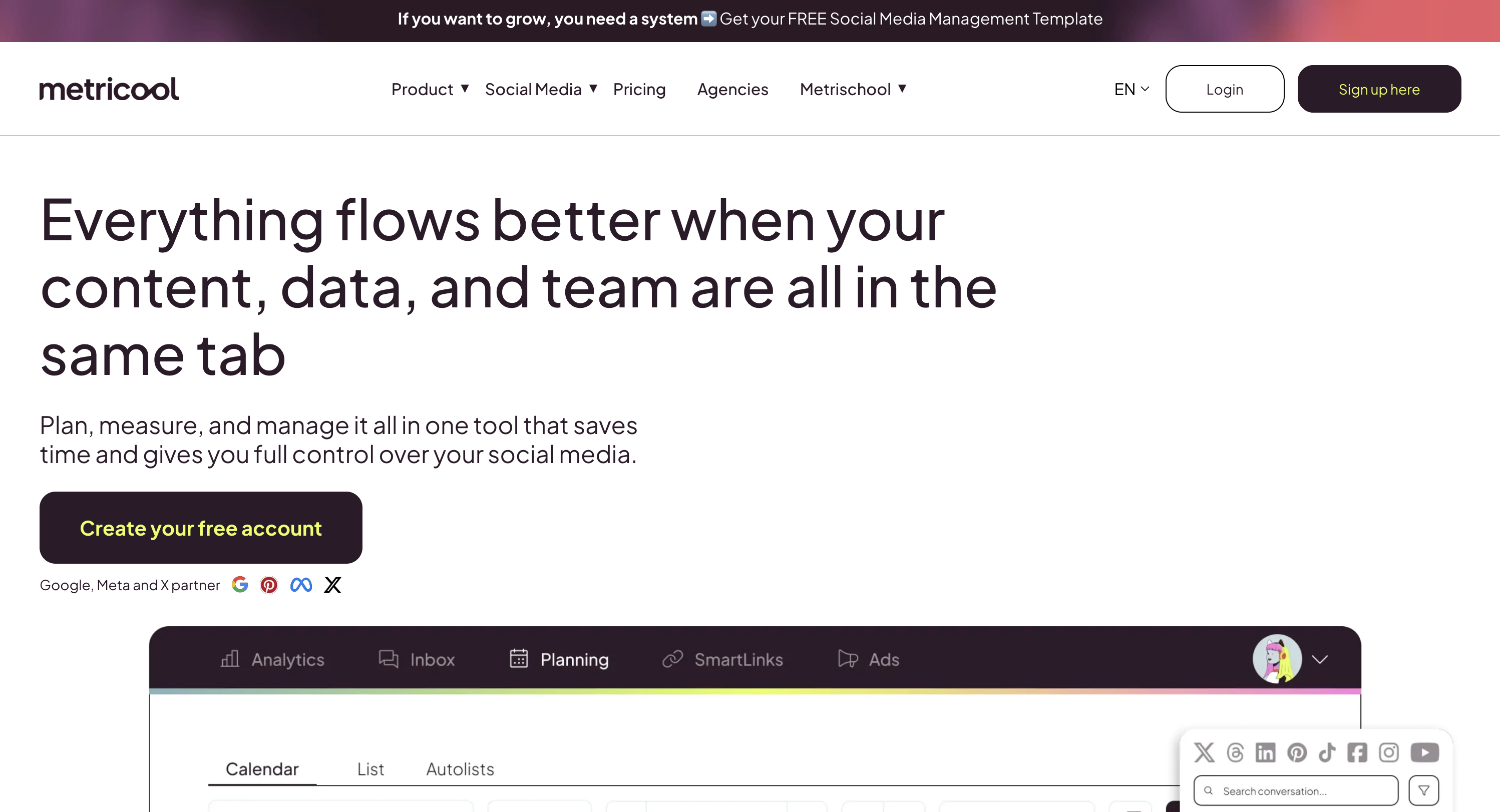
Metricool is an official TikTok marketing partner that combines scheduling with detailed analytics, competitor tracking, and performance reporting. Along with PostPlanify, it's one of the few tools that supports scheduling for TikTok personal accounts, not just Business and Creator accounts.
For TikTok scheduling, Metricool auto-publishes videos and pairs them with one of the strongest analytics dashboards here: views, likes, shares, engagement rate, competitor tracking, and a best-time heatmap that shows when your TikTok audience is online. As an official TikTok marketing partner it also supports personal accounts and schedules photo carousels (up to 35 images), and its free plan makes it easy to test, though the deepest reporting sits on paid tiers.
TikTok-Specific Features:
- Auto-publish TikTok videos
- Best-time heatmap showing peak audience activity times
- Bulk scheduling with CSV and ZIP imports
- Competitor analysis for TikTok profiles (paid tiers)
- TikTok-specific analytics: views, likes, shares, comments, engagement rate
- Exportable reports (PDF, PPT, Looker Studio integration)
Pricing:
- Free: 1 brand, 20 posts/month, 30 days of analytics history, no LinkedIn or X
- Starter: From $25/mo (up to 10 brands, unlimited scheduling)
- Advanced: From $67/mo (up to 50 brands, extended analytics)
- Higher tiers unlock more brands and detailed reporting
👉 Metricool pricing in detail · Metricool reviews · best Metricool alternatives
Strengths:
- One of the strongest analytics dashboards for TikTok in this list
- Official TikTok marketing partner
- Best-time heatmap helps optimize posting schedules
- Supports personal TikTok accounts (PostPlanify and Metricool are the main exceptions; most other tools require Business/Creator)
- Excellent bulk scheduling with CSV imports
Limitations:
- Free plan is very limited (20 posts/month, one brand, no LinkedIn or X)
- Interface can feel complex for first-time users
- Advanced reporting locked behind higher-priced tiers
- X/Twitter requires a paid add-on
Best For: Data-driven marketers who need deep TikTok analytics alongside scheduling, especially those managing competitor benchmarking and performance reports. For analytics specifically, see our best TikTok analytics tools comparison. See how Metricool compares: Metricool vs Buffer, Metricool vs Later, and Metricool vs Hootsuite.
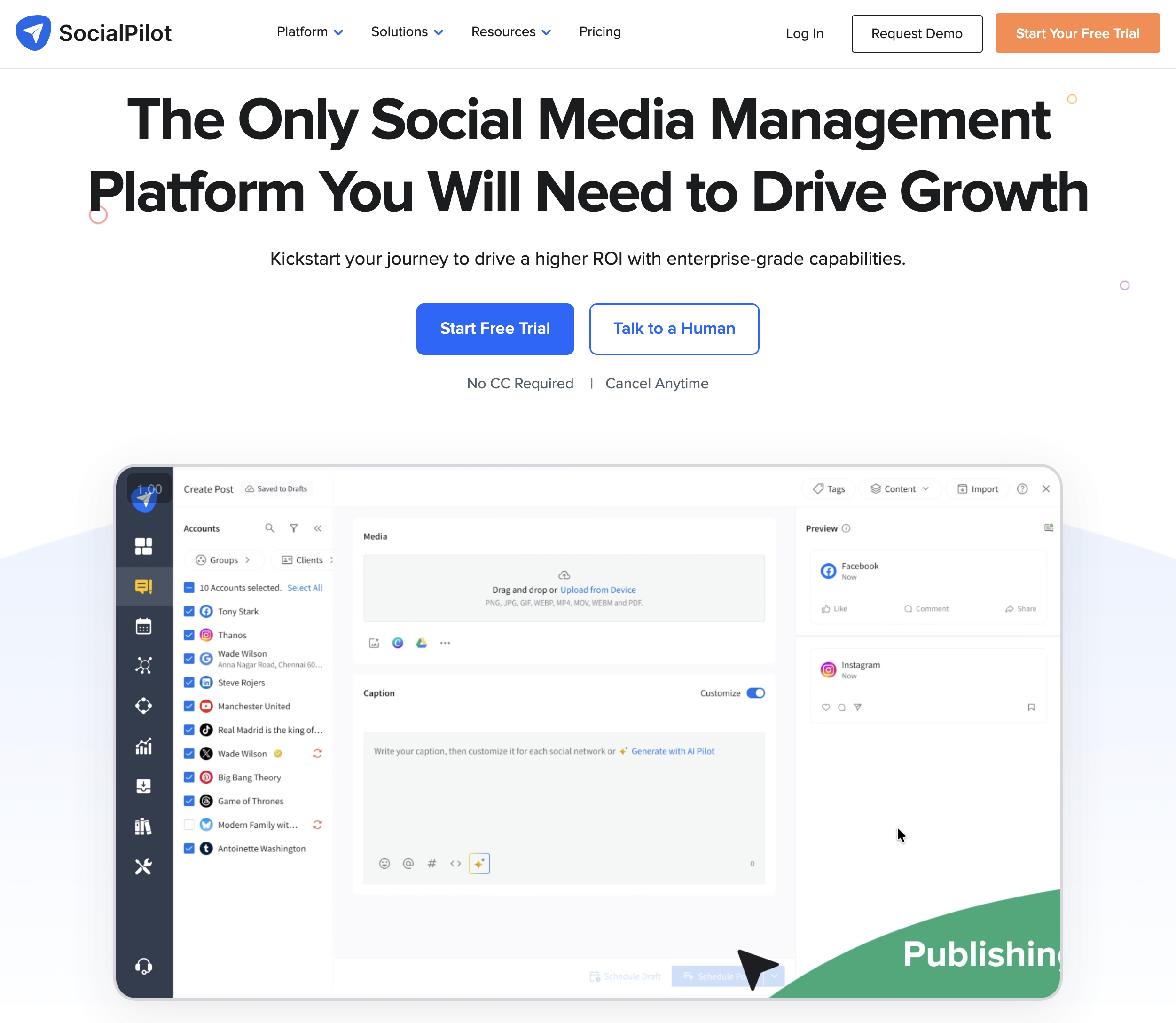
8. SocialPilot
SocialPilot is an agency-focused scheduling platform that supports TikTok auto-publishing with strong bulk scheduling, white-label reporting, and client management features.
For TikTok scheduling, SocialPilot auto-publishes videos and can bulk-upload up to 500 posts at once from a single CSV, one of the most capable bulk tools on this list. It also has a dedicated TikTok Carousel feature (up to 35 images), and client management, approval workflows, and white-label PDF reports make it a practical agency pick well below Hootsuite or Sprout Social, though the interface feels dated next to newer tools.
TikTok-Specific Features:
- Auto-publish TikTok videos
- Bulk scheduling: upload up to 500 posts via CSV
- Content calendar with drag-and-drop rearranging
- AI assistant for caption generation
- Client management and approval workflows
- White-label PDF reports (higher tiers)
Pricing:
- Essentials: $30/mo (7 social accounts, 1 user)
- Standard: $50/mo (15 accounts, 3 users)
- Premium: $100/mo (25 accounts, 6 users)
- Enterprise: custom pricing (50+ accounts)
- All plans include a 14-day free trial
👉 SocialPilot pricing in detail · SocialPilot reviews · best SocialPilot alternatives
Strengths:
- Strong agency features: client management, white-label reports
- Bulk CSV upload is one of the most capable (500 posts at once)
- Affordable compared to Hootsuite and Sprout Social for agency use
- Clean content calendar
Limitations:
- Interface feels dated compared to newer tools
- Analytics are less detailed than Metricool or Hootsuite
- Free trial only (no permanent free tier)
Best For: Agencies managing multiple client TikTok accounts who need bulk scheduling, client approvals, and white-label reporting at a lower price than enterprise tools.
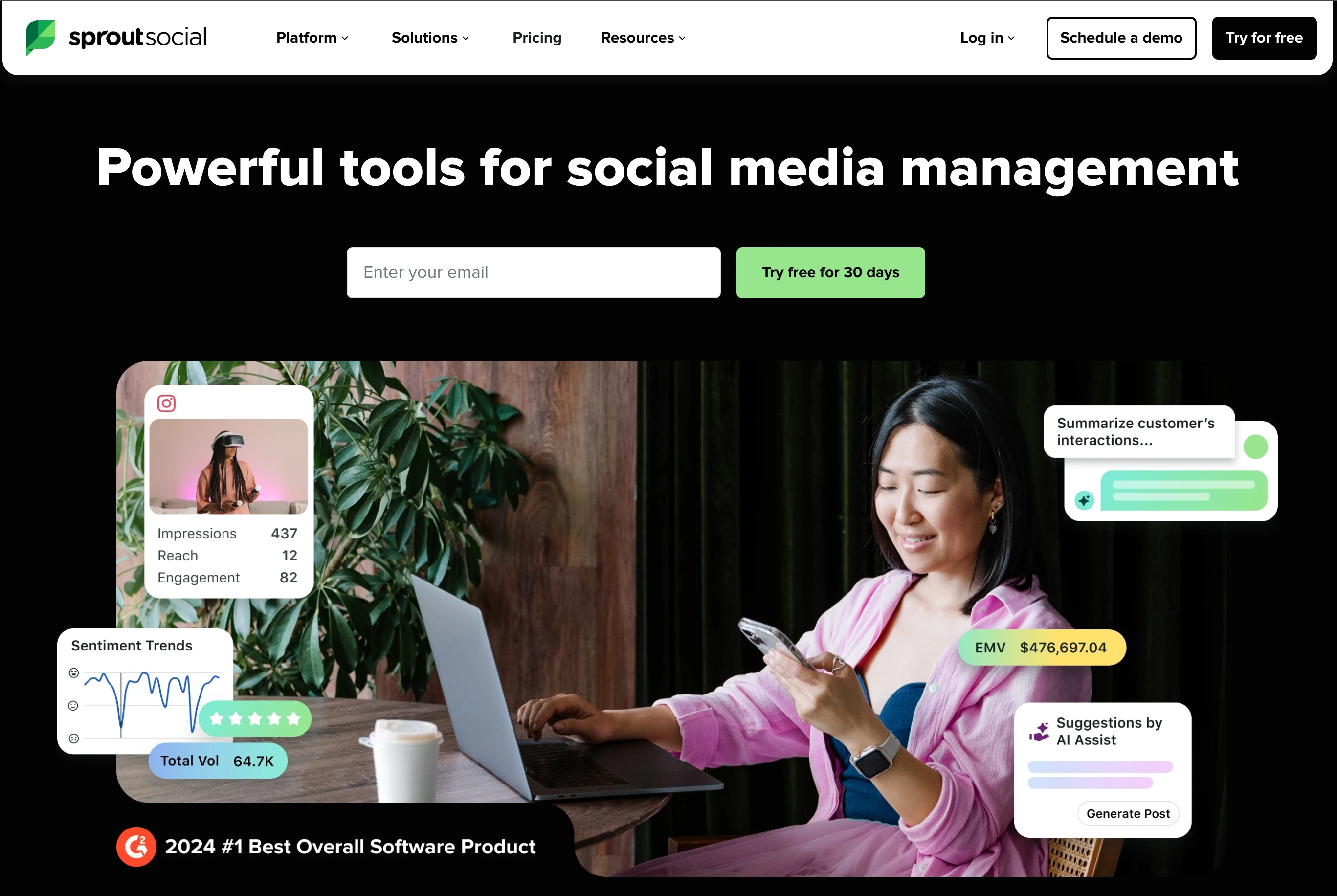
9. Sprout Social
Sprout Social is a premium enterprise social media management platform with advanced analytics, social listening, CRM features, and TikTok auto-publishing. It's designed for organizations where social media is a core business function.
For TikTok scheduling, Sprout Social auto-publishes videos and surrounds them with the deepest analytics and social listening here: custom date ranges, hashtag and trend tracking, CRM-style audience profiles, and executive-ready reporting. That power comes at a premium: per-seat pricing from $199/seat/month makes it far more than most creators or small businesses need, and it skips photo carousel scheduling.
TikTok-Specific Features:
- Auto-publish TikTok videos
- Advanced TikTok analytics with custom date ranges and benchmarking
- Social listening for TikTok trends, hashtags, and brand mentions
- CRM-style contact profiles for audience management
- Team collaboration with multi-level approval workflows
- Automated reporting with scheduled PDF/CSV exports
Pricing (annual billing):
- Essentials: $99/seat/month, or $79 billed annually (5 profiles)
- Standard: $199/seat/month (5 profiles)
- Professional: $299/seat/month (unlimited profiles, message tagging, competitor insights)
- Advanced: $399/seat/month (sentiment analysis, API access, helpdesk integrations)
- Enterprise: custom pricing
30-day free trial. Monthly billing is 15-25% higher than annual.
👉 Sprout Social pricing in detail · Sprout Social reviews · best Sprout Social alternatives
Strengths:
- Deepest analytics and social listening in this list
- CRM-style audience management
- Enterprise-grade security and compliance
- Excellent reporting for executive stakeholders
Limitations:
- Most expensive tool on this list by a significant margin
- Per-seat pricing makes teams very costly
- Far more than most creators or small businesses need
- No TikTok carousel scheduling
Best For: Enterprise organizations with dedicated social media teams that need advanced analytics, social listening, and CRM integration alongside TikTok scheduling.
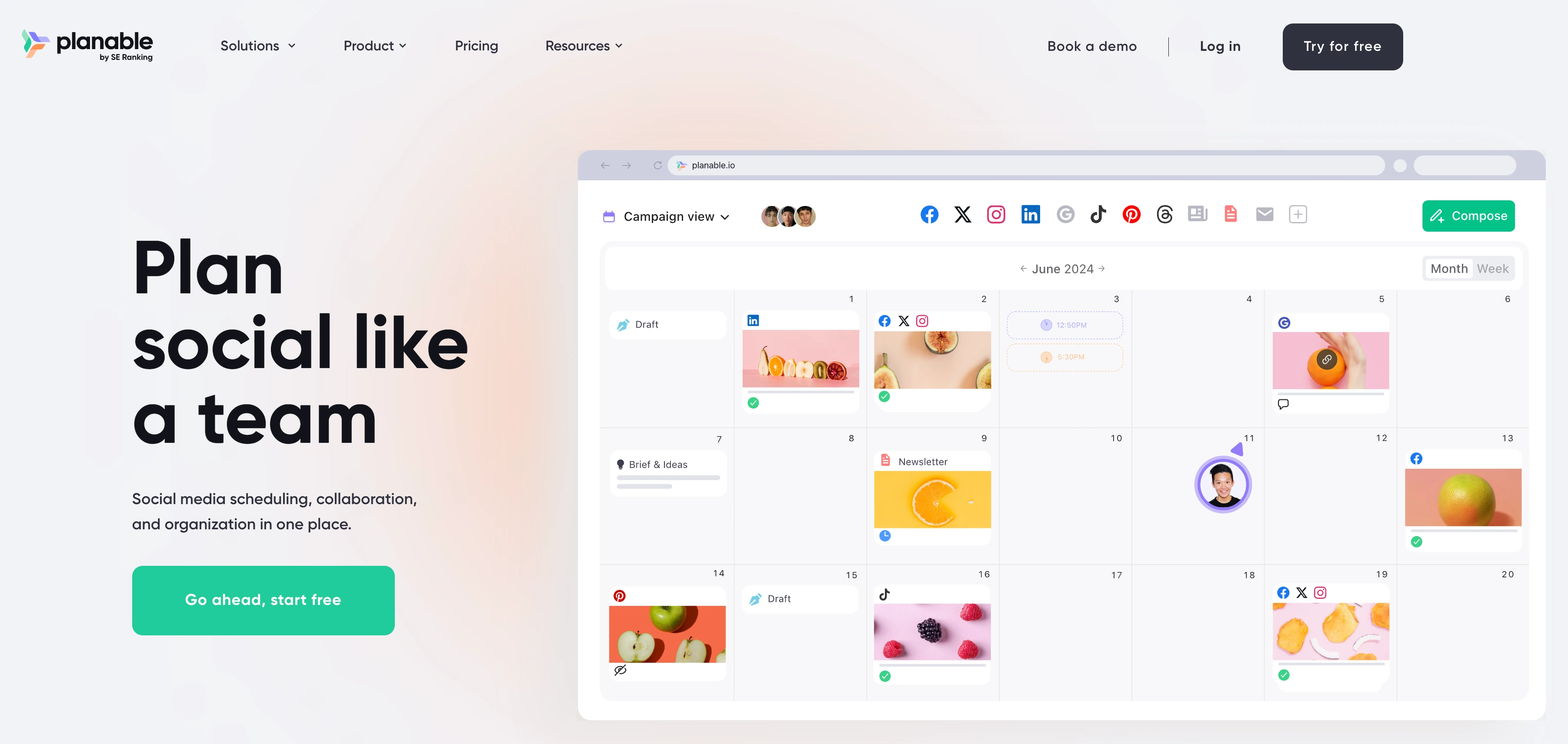
10. Planable
Planable is a collaboration-first scheduling tool built around content approval workflows. It supports TikTok auto-publishing and is designed for teams and agencies where multiple stakeholders review content before it goes live.
For TikTok scheduling, Planable auto-publishes videos, but its real strength is the approval layer in front of publishing: feed, grid, calendar, and list previews show exactly how each TikTok post will look while comments, annotations, and multi-level approvals keep clients and stakeholders aligned before anything goes live. The trade-offs are minimal analytics and per-workspace pricing that grows with the number of brands.
TikTok-Specific Features:
- Auto-publish TikTok videos
- Multi-level approval workflows (none, optional, required, multi-level)
- Visual content calendar with feed, grid, calendar, and list views
- Real-time collaboration with comments and annotations on posts
- Role-based permissions for internal teams and external clients
- Version history for tracking content changes
Pricing (per-workspace model, not per-user):
- No free plan, but your first 50 posts are free with no time limit and no card required
- Basic: $39/workspace/month (60 posts/mo, 4 social pages, 2 approval types, unlimited users)
- Pro (Most Popular): $59/workspace/month, with 150 posts/mo, 10 social pages, 3 approval types, unlimited users
- Enterprise: Custom (unlimited posts, multi-level approvals, SSO)
Important: Pricing is per workspace, not per user, and users are unlimited on every paid plan. Analytics is a $14/workspace/mo add-on, the social inbox is $9/workspace/mo, and social listening is $99/workspace/mo, so a Basic workspace with analytics and an inbox is $62 rather than $39. Five clients in separate Pro workspaces is $295/mo before add-ons.
👉 Planable pricing in detail · Planable reviews · best Planable alternatives
Strengths:
- Best approval workflow system in this list
- Real-time collaboration is excellent for agency-client relationships
- Clean, modern interface
- Multiple calendar views for different planning preferences
Limitations:
- Per-workspace pricing adds up if you run many separate brands
- Free plan is capped at 50 total posts (not monthly)
- Analytics are minimal, since Planable focuses on planning rather than reporting
- TikTok carousel scheduling isn't documented
- No AI caption tools on lower tiers
Best For: Agencies and teams where content approval is critical, and where multiple stakeholders need to review TikTok posts before they go live.
Also Worth Mentioning
A few tools support TikTok but didn't make the top 10, and they are worth knowing about if your workflow is specific:
Publer: 13-platform scheduler with TikTok support on Business plan. Strong budget option at $21/mo for 3 accounts (vs $30 for SocialPilot Essentials). AI captions (GPT-4) and AI image generation (DALL-E 3) on Business plan. Less polished UI but excellent price-to-feature ratio. See Publer pricing.
Vista Social: 15+ platforms including review sites. Supports TikTok auto-publish with DM automations and social listening. Strong for teams that post TikTok alongside less-common platforms (Google Business, Twitch, review sites). Plans start at $79/mo for 15 profiles and 3 users.
CapCut: not a scheduler, but worth mentioning, because CapCut (owned by ByteDance, TikTok's parent) is the dominant TikTok editing tool. Some creators pair CapCut for editing with TikTok Studio for scheduling to stay entirely within ByteDance's ecosystem.
TikTok Feature Compatibility Matrix
Which tools support which TikTok-specific features:
| Feature | PostPlanify | TikTok Studio | Later | Buffer | Hootsuite | SocialBee | Metricool | SocialPilot | Sprout Social | Planable |
|---|---|---|---|---|---|---|---|---|---|---|
| Video auto-publish | ✅ | ✅ | ✅ | ✅ | ✅ | ✅ | ✅ | ✅ | ✅ | ✅ |
| Photo carousel auto-publish | ✅ | ✅ (up to 35) | ✅ | ✅ | n/a | ✅ | ✅ (up to 35) | ✅ (up to 35) | ❌ | n/a |
| 3-minute video support | ✅ | ✅ | ✅ | ✅ | ✅ | ✅ | ✅ | ✅ | ✅ | ✅ |
| Personal account support | ✅ | ✅ | ✅ | ❌ | ❌ | ❌ | ✅ | ❌ | ❌ | ❌ |
| Cover image picker | ✅ | ✅ | ✅ | ✅ | ✅ | ✅ | ✅ | ✅ | ✅ | ✅ |
| AI caption writer | ✅ | ❌ | Limited | ✅ | ✅ | ✅ | Limited | ✅ | ✅ | ❌ |
| Bulk CSV upload | ✅ | ❌ | Limited | ❌ | ✅ (350) | ✅ | ✅ | ✅ (500) | ❌ | ❌ |
| Cross-posting to other platforms | ✅ | ❌ | ✅ | ✅ | ✅ | ✅ | ✅ | ✅ | ✅ | ✅ |
| Team approval workflows | ✅ (all plans) | ❌ | Paid plans | ✅ (Team) | ✅ (Advanced) | ❌ | Advanced | Premium+ | ✅ | ✅ |
| Scheduling horizon | Unlimited | 10 days | Unlimited | Unlimited | Unlimited | Unlimited | Unlimited | Unlimited | Unlimited | Unlimited |
| Analytics depth | Full | Native only | Basic | Basic | Advanced | Moderate | Full + heatmap | Advanced | Advanced | Add-on |
| Social inbox for TikTok | Limited | ❌ | ❌ | ❌ | ✅ | ❌ | ✅ | ✅ | ✅ | ❌ |
Key takeaways from the matrix:
- Photo carousels are now widely supported: PostPlanify, TikTok Studio, Later, Buffer, SocialBee, Metricool, and SocialPilot all schedule TikTok photo carousels (most up to 35 images, the same as native). Sprout Social is video-only; Hootsuite and Planable don't document carousel support (shown as "n/a").
- Personal accounts are the rarer capability: TikTok Studio, PostPlanify, Metricool, and Later let you schedule to a personal account; most other tools require a Business or Creator account.
- Auto-publish is universal now: but if a tool is vague about it, assume it's notification-based.
TikTok Scheduling Glossary
TikTok-specific terms that matter when choosing a tool:
| Term | What It Means |
|---|---|
| TikTok Business Account | Free account type required by most third-party schedulers. Adds analytics and ad features. Switch in Settings → Account → Switch to Business. |
| TikTok Creator Account | Alternative to Business account. Also works with most schedulers. Creator Rewards Program eligibility requires this. |
| TikTok Personal Account | Default account type. Most third-party tools cannot schedule to personal accounts, and PostPlanify and Metricool are the main exceptions that support personal alongside Business and Creator. |
| Content Posting API | TikTok's API for third-party tools to auto-publish posts. Opened broadly in 2023, matured in 2024-2025. Before this, all "TikTok schedulers" were notification-based. |
| Auto-publish | Tool publishes directly at the scheduled time. No manual step. |
| Notification-based | Tool sends you a reminder and you post manually. Nearly extinct in 2026. |
| Photo carousel | Multi-image swipeable post (TikTok's alternative to video). Up to 35 images, supported natively and now by most third-party schedulers. |
| 15-post rolling cap | TikTok's Direct Post cap, typically around 15 posts per creator account per 24 hours, shared across every third-party app connected to that account. The exact number varies by creator, and exceeding it triggers silent publishing failures. |
| TikTok Studio | TikTok's own native scheduling interface, available on desktop. Free, reliable, 10-day scheduling horizon. |
| Creator Rewards Program | TikTok's monetization program for Creator accounts with 10K+ followers. Earnings only visible in TikTok Studio, not in third-party tools. |
| Sound ID | TikTok's internal identifier for audio clips. Commercial/business accounts are limited to the Commercial Music Library, which impacts scheduling. |
| Cover image | The thumbnail displayed on your profile grid. Most schedulers let you pick this at scheduling time. |
Auto-Publish vs Notification-Based: Why It Matters
Before settling on a TikTok scheduler, understand the difference between auto-publish and notification-based tools. This distinction affects your entire workflow.
Auto-publish tools connect to TikTok's Content Posting API and post directly to your account at the scheduled time. No manual step. You schedule it, close your laptop, and the video goes live on its own.
Notification-based tools send you a push notification at the scheduled time with a reminder to open TikTok and post manually. Your content is prepped (caption, hashtags, cover image), but you still tap "Post" yourself.
In 2026, most major scheduling tools have migrated to auto-publish through TikTok's API. All ten tools in this guide support auto-publishing. However, some tools still fall back to notification-based posting for certain content types (like photo carousels or content with specific sounds), so it's worth checking the details for each tool.
Key API limitations to know:
- TikTok caps posting at roughly 15 posts per creator account per 24 hours, and per its Content Sharing Guidelines that cap "may vary among creators" and is shared across all API Clients using Direct Post, so running two schedulers does not double it
- Each tool also has its own 24-hour active creator cap, set when TikTok audits the app, which is why some tools throttle once you connect a lot of accounts
- Photo carousels support up to 35 images via the API, the same as posting natively in TikTok
- Content goes through asynchronous processing, so posts may go live a few seconds to minutes after the scheduled time
Real Cost Scenarios: What TikTok Creators and Agencies Actually Pay
Sticker prices don't tell the full story. Here's what three realistic TikTok setups would actually pay per year.
Scenario 1: Solo creator, TikTok + 1-2 other platforms
A solo creator posting 3-5 videos per week on TikTok + cross-posting to Instagram Reels.
| Tool | Plan | Monthly Cost | Annual Cost |
|---|---|---|---|
| TikTok Studio | Free | $0 | $0 |
| Buffer Free | Free (3 channels) | $0 | $0 |
| Metricool Free | Free (1 brand, 20 posts/mo) | $0 | $0 |
| Buffer Essentials | 2 channels | $12/mo | $144/yr |
| Metricool Starter | Up to 10 brands | $25/mo | $300/yr |
| Later Starter | 1 social set, 8 profiles | $25/mo | $300/yr |
| PostPlanify Growth | 1 workspace, 4 accounts, unlimited members | $39/mo | $372/yr |
Recommendation: Start with TikTok Studio if you post to TikTok only. Add Buffer Essentials (~$12/mo) or Later Starter ($25/mo) when you start cross-posting. Move to PostPlanify Growth when you want analytics, social inbox, AI, and cross-posting across 10 platforms in one tool.
Scenario 2: Growing creator or 2-person team, TikTok + 4-5 platforms
Creator + editor/VA posting across TikTok, Instagram Reels, YouTube Shorts, X, and LinkedIn.
| Tool | Plan | Monthly Cost | Annual Cost |
|---|---|---|---|
| Later Growth | 2 social sets (16 profiles), 2 users | $50/mo | $600/yr |
| Metricool Starter | Up to 10 brands | $25/mo | $300/yr |
| PostPlanify Growth | 1 workspace, 4 accounts, unlimited members | $39/mo | $372/yr |
| PostPlanify Premium | 1 workspace, 6 accounts, unlimited members | $49/mo | $468/yr |
| SocialBee Accelerate | 10 profiles, 1 user | $49/mo | $588/yr |
| Buffer Team | 5 channels | $60/mo | $720/yr |
| Hootsuite Standard | 2 users | $198/mo | $2,376/yr |
Recommendation: PostPlanify Growth or Later Growth depending on whether you want deep analytics + AI (PostPlanify) or a visual-first calendar (Later). Hootsuite at this stage is dramatically overpriced.
Scenario 3: Creator agency, 6 team members + 10 client TikTok accounts
Agency managing TikTok for 10 clients with 6 internal team members = 10 TikTok accounts + other platforms.
| Tool | Plan | Monthly Cost | Annual Cost |
|---|---|---|---|
| PostPlanify Growth | 10 client workspaces, 40 accounts, unlimited members | $250/mo | $2,376/yr |
| PostPlanify Scale | 10 client workspaces, 80 accounts, unlimited members, full white label | $450/mo | $4,296/yr |
| SocialPilot Premium | 25 accounts, 6 users, white-label reports | $100/mo | $1,200/yr |
| SocialPilot Ultimate | 50 accounts, unlimited users | $200/mo | $2,400/yr |
| Planable Pro (10 workspaces) | $59 × 10 | $590/mo | $7,080/yr |
| Hootsuite Standard | 6 users | $594/mo | $7,128/yr |
| Sprout Social Standard | 6 seats | $1,194/mo | $14,328/yr |
Recommendation: PostPlanify Scale is the strongest agency pick at this size: one workspace per client, 80 social accounts, full white labeling, and all 6 team members included. SocialPilot Ultimate is the cheapest unlimited-user option but weaker on analytics and cross-platform depth.
Making the Switch: One Tool for TikTok Plus Your Full Social Stack
If you're running TikTok alongside Instagram Reels, YouTube Shorts, X, LinkedIn, or Facebook, or managing TikTok for multiple clients, PostPlanify consolidates the full TikTok workflow into one subscription billed per client workspace:
- Auto-publish videos and photo carousels (up to 35 images) to TikTok from a visual content calendar
- Cross-posting to Instagram, YouTube, X, LinkedIn, Facebook, Threads, Pinterest, Bluesky, and Google Business: 9 other platforms from the same calendar
- Full TikTok analytics: views, likes, shares, engagement rate, follower growth, best-time-to-post suggestions
- Vision-powered AI assistant that reads your uploaded videos/images and generates TikTok-appropriate captions (not generic social copy)
- Approval workflows for content that needs creator, client, or team sign-off (Premium and above)
- Full white labeling on Scale: your logo on the client dashboard, emails, and TikTok reports
- Team collaboration: 3 / 6 / 12 members bundled into Growth / Premium / Scale. No per-seat fees.
Plans start at $39/mo per client workspace, with unlimited team members, a 7-day free trial, and a 14-day money-back guarantee.
Try PostPlanify free for 7 days → · Learn more about PostPlanify's TikTok Scheduler →
PostPlanifyAll your social media in one simple dashboard
Schedule posts, track analytics, and reply to comments/DMs without switching tabs.
Engagement
+18%
Views
52.8k
What Changed in TikTok Scheduling for 2026
TikTok's scheduling ecosystem has shifted significantly. Before choosing a tool, know what's different this year.
| Change | When | Impact |
|---|---|---|
| Content Posting API matured | 2025 | True auto-publish is now standard. Notification-based posting is nearly extinct among major tools. |
| Photo carousel API support | 2025 | Third-party tools can now schedule TikTok photo carousels at up to 35 images, the same as native. Most major tools have implemented it. |
| 3-minute video support | October 2024 | TikTok extended max video length from 60 seconds to 3 minutes for Shorts-style content. Most schedulers have updated. |
| Personal account scheduling | 2025-2026 | PostPlanify, Metricool, and a few others now support personal accounts, not just Business or Creator. Most tools still require Business or Creator. |
| 15-post daily API cap | Ongoing | TikTok's guidelines still put the Direct Post cap at roughly 15 posts per creator account per 24 hours, shared across all API clients. This hasn't changed, and it is per account rather than per tool. |
| TikTok Studio expanded | 2025-2026 | Native scheduling improved with better analytics, but the 10-day scheduling cap remains. Desktop-only. |
| Creator Rewards integration | 2026 | Creators earning through TikTok's Creator Rewards Program now see earnings data in TikTok Studio, but not in third-party tools. |
If you're evaluating tools, make sure yours supports the 3-minute video length and photo carousel scheduling if you use those formats.
TikTok Scheduling Best Practices
Having the right tool matters, but how you use it determines whether your scheduled content actually performs on TikTok's algorithm.
Posting Frequency
| Account Stage | Recommended Posts/Week | Why |
|---|---|---|
| New account (under 1K followers) | 5-7 per week (1/day) | Consistency trains the algorithm to distribute your content. Daily posting builds momentum faster. |
| Growing (1K-10K followers) | 5-10 per week | Higher frequency tests more content angles. The algorithm rewards accounts that provide fresh content regularly. |
| Established (10K+ followers) | 3-7 per week | Quality over quantity. Your audience expects a certain standard, so maintain it rather than diluting with filler. |
| Agency (per client) | 4-7 per week per account | Sustainable volume across multiple clients without sacrificing content quality. |
Content Mix for Maximum Reach
TikTok's algorithm rewards variety. Don't schedule 7 identical tutorial videos in a row:
- 50% trend-responsive content: sounds, formats, and topics that are currently trending. These have the highest FYP potential.
- 30% evergreen value content: tutorials, tips, how-tos that remain relevant for months. These accumulate views over time.
- 20% brand/personal content: behind-the-scenes, product showcases, story-driven posts that build connection.
Timing Strategy
- Post during your audience's peak hours. Check TikTok Analytics (Followers → Most Active Times) for your specific data. See our best time to post on TikTok guide for general benchmarks.
- Space posts at least 3-4 hours apart. Two posts within an hour compete for the same audience's attention.
- Don't schedule more than 2 posts per day unless you have data showing your audience engages with higher frequency. The 15-post API cap is rarely the constraint: audience fatigue is.
- Schedule trend content closer to real-time. Trends move fast on TikTok. Schedule evergreen content weeks ahead, but leave room for trend-responsive posts within 24-48 hours of the trend emerging.
Batch Creation Workflow
The most efficient TikTok workflow isn't posting daily, it's content batching:
- Film in batches. Record 5-10 videos in one session. Change outfits between takes if you want each to feel like a different day.
- Edit in batches. Use CapCut or your preferred editor to cut all videos in one sitting. Apply consistent branding and captions.
- Schedule the full week. Upload all videos to your scheduler, set times based on your analytics, and preview each post.
- Keep 2-3 slots open for trends. Don't fill every slot, and leave room to jump on trending sounds or formats within 24 hours.
- Engage after each post goes live. Reply to comments in the first 30-60 minutes. This is the one part you can't batch, but scheduling the publishing frees you to focus entirely on engagement.
How to Choose the Best TikTok Scheduler for Your Workflow
Choosing a TikTok scheduler depends on how you actually create and publish content, not just which tool has the most features. Here are the factors that matter most in 2026.
1. Confirm auto-publish support
Every tool in this guide supports TikTok auto-publishing, but verify that your specific content types are covered. Video auto-publishing is universal, and photo carousel auto-publishing (up to 35 images) is now widely supported too, though a few tools like Sprout Social remain video-only, so confirm it if you post carousels.
2. Match the tool to your content formats
If you post mostly videos, any tool on this list will work. If you publish TikTok photo carousels regularly, your options narrow to tools with explicit carousel support like PostPlanify. If you cross-post the same content to Instagram Reels and YouTube Shorts, prioritize tools with multi-platform workflows.
3. Check what TikTok scheduling actually costs
Many platforms use attractive starting prices but gate TikTok features behind higher tiers. Before signing up, confirm:
- Is TikTok included on the plan you're considering?
- Are there monthly post caps?
- How many TikTok accounts can you connect?
- Does per-user or per-channel pricing make the total cost different from what the headline suggests?
4. Consider how far ahead you need to schedule
TikTok Studio limits scheduling to 10 days ahead. If you batch content weekly, that might be enough. You can also learn how to schedule social media posts for a complete workflow guide. If you plan a full month (or more) of TikTok content in advance, you need a third-party scheduler with no time-horizon restrictions.
5. Evaluate team and approval needs
Solo creators can skip this. But if you manage TikTok accounts for clients, teams, or brands with approval gates, look for:
- Multi-level approval workflows
- Role-based permissions
- Separate workspaces per brand or client
- Comment and annotation tools for feedback
6. Decide how deep your analytics need to go
For basic performance tracking (views, likes, shares), most tools are adequate. For TikTok-specific insights like completion rate, FYP performance, competitor benchmarking, or exportable client reports, tools like Metricool, Hootsuite, and Sprout Social pull ahead.
Quick Decision Checklist
Use this checklist to narrow your options:
- Do I need auto-publish only, or also TikTok photo carousel scheduling?
- How many TikTok accounts do I manage?
- Do I cross-post to Instagram Reels, YouTube Shorts, or other platforms?
- Do I need approval workflows or team collaboration?
- How far ahead do I plan my content (days vs weeks vs months)?
- Do I need TikTok-specific analytics and reporting?
- Does the pricing still make sense once I add all my accounts and team members?
Test your top two choices for a week. Keep the one that publishes reliably, fits your workflow, and doesn't surprise you with hidden limits.
Frequently Asked Questions
Does scheduling hurt my TikTok reach?
No. There is no evidence that TikTok's algorithm penalizes scheduled posts. The algorithm evaluates content based on watch time, engagement, shares, and relevance, not whether the post was published manually or through a scheduler. Some creators feel that manually posted content performs better, but this is usually because they engage immediately after posting (replying to comments in the first minutes), which gives early engagement signals. You can replicate this by being available when your scheduled content goes live. If you want to test it yourself: schedule 5 posts and manually publish 5 similar posts over the same period. Most creators find no meaningful difference.
Can I schedule TikTok posts for free?
Yes. TikTok Studio is completely free and supports video scheduling up to 10 days ahead. Metricool offers a free tier with 20 posts/month for one brand, and Buffer's free plan includes 3 channels with 10 posts each. PostPlanify includes a 7-day free trial and 14-day money-back guarantee so you can test the full platform before committing.
Does TikTok support auto-publishing from third-party tools in 2026?
Yes. TikTok's Content Posting API now supports direct auto-publishing for Business and Creator accounts. All major scheduling tools in this guide use this API to publish without manual intervention.
Can I schedule TikTok photo carousels with a scheduler?
Yes, and it's now widely supported. PostPlanify, Later, Buffer, SocialBee, Metricool, and SocialPilot all schedule TikTok photo carousels (up to 35 images, the same as posting natively). Sprout Social is the main exception that remains video-only; Hootsuite and Planable don't document carousel support.
How many TikTok posts can I schedule per day?
TikTok's Content Sharing Guidelines put the Direct Post cap at "typically around 15 posts per day per creator account," note that the exact number varies by creator, and state that it is shared across all API Clients using Direct Post. So the cap follows your account, not the tool: connecting a second scheduler does not give you another 15 posts.
What happens if a scheduled TikTok post fails?
Common causes include: the sound became unavailable, account privacy settings changed, the video is still under review, or there was a timezone mismatch. Most schedulers place failed posts in a retry queue or notify you so you can troubleshoot. Check your scheduled posts queue and verify your account settings if a post doesn't go live. For a full troubleshooting walkthrough, see TikTok Scheduled Posts Not Working? Quick Fixes.
Can I schedule TikTok posts from my phone?
TikTok's native scheduler is desktop-only in most regions. Third-party tools like PostPlanify, Later, and Buffer offer mobile apps that let you schedule TikTok posts from your phone.
Can I cross-post scheduled TikToks to Instagram Reels and YouTube Shorts?
TikTok's native scheduler does not support cross-posting. To publish the same video to TikTok, Instagram Reels, and YouTube Shorts simultaneously, use a multi-platform scheduler. PostPlanify supports cross-posting to 10 platforms in a single workflow.
What's the best time to post on TikTok?
There is no universal best time, since it depends on your specific audience. General guidelines suggest weekdays between 6-9 AM, 12-3 PM, and 7-11 PM in your audience's timezone. Check TikTok Analytics (Followers → Most Active Times) for data specific to your account. Tools like Metricool and Buffer offer AI-powered best-time recommendations.
👉 Best Time to Post on TikTok: Full Guide
Can I bulk schedule multiple TikTok posts at once?
TikTok Studio does not support bulk scheduling. Third-party tools like PostPlanify, SocialPilot (up to 500 posts via CSV), Hootsuite (up to 350 posts), and SocialBee support bulk uploads for batch scheduling.
Does scheduling work with TikTok personal accounts?
Most third-party schedulers require a TikTok Business or Creator account. PostPlanify and Metricool are the main exceptions, since both support personal accounts alongside Business and Creator. If your scheduler doesn't support personal accounts, switching to a Creator account is free and takes 30 seconds in TikTok settings.
Key Takeaways
- All ten tools in this guide support TikTok auto-publishing, so the days of notification-based scheduling are mostly behind us.
- TikTok photo carousel scheduling is still limited. If you publish carousels regularly, verify support before choosing a tool.
- TikTok's native scheduler is free and reliable but capped at 10 days. For monthly planning, cross-posting, or team workflows, a third-party tool is necessary.
- Before uploading, make sure your content respects each platform's safe zones and format specifications so text and key visuals are never obscured by UI overlays. Use the free TikTok safe zone checker to verify your video layout before scheduling.
- Per-channel and per-user pricing can make affordable-looking tools expensive at scale. Calculate total cost for your actual number of accounts and team members.
- Scheduling does not hurt TikTok reach. The algorithm evaluates content quality, not publishing method. Use the TikTok engagement calculator to benchmark your performance.
- The right TikTok scheduler turns daily posting into a weekly batch session, giving you consistency without the daily scramble. Learn how to automate your social media posts end-to-end.
Looking for other platforms?
- Best Instagram Scheduling Tools (2026): 9 tools compared, including reel and carousel support
- Best Facebook Scheduling Tools (2026): Reels, carousels, and the full breakdown on the Groups API deprecation
- Best YouTube Scheduling Tools (2026): Shorts vs long-form, thumbnail uploads, and API quota limits
- How Much Does TikTok Pay for 1 Million Views?: TikTok Creator Rewards earnings breakdown
- Social Media Safe Zones: Complete Guide for 2026: exact dimensions and safe areas for every platform
- TikTok Safe Zone Checker: free tool to check your video layout against TikTok's UI overlays
Final Thoughts and Next Steps
The best TikTok scheduling tool in 2026 depends on how you work. A casual creator posting three times a week can use TikTok Studio for free. A team managing multiple accounts across TikTok, Instagram, and YouTube needs a tool built for volume, collaboration, and cross-platform workflows.
PostPlanify combines TikTok auto-publishing and photo carousel support with AI captions and scheduling across 10 platforms, from $39/mo for the first client workspace. Analytics, the social inbox, and approval workflows are included from the entry plan; client reports come with Premium (from $49/mo) and full white labeling with Scale (from $59/mo). It's built for agencies running TikTok for local-business clients that want reliable scheduling without enterprise complexity or per-seat fees.
The 7-day free trial and 14-day money-back guarantee let you:
- Schedule TikTok videos and photo carousels with auto-publishing
- Track performance with analytics across all connected platforms
- Collaborate with team members using approval workflows
- Generate captions with AI tailored to each brand's voice
- Cross-post to Instagram Reels, YouTube Shorts, X, LinkedIn, and more
- Build a full week or month of content in a single session
👉 Start your 7-day free trial on PostPlanify here.
Having scheduling issues? If your TikTok posts aren't publishing as expected, see our TikTok Scheduled Posts Not Working? 7 Proven Fixes troubleshooting guide.
PostPlanifyAll your social media in one simple dashboard
Schedule posts, track analytics, and reply to comments/DMs without switching tabs.
Engagement
+18%
Views
52.8k
About the Author

Hasan Cagli
Founder of PostPlanify, a content and social media scheduling platform. He focuses on building systems that help businesses, agencies, and teams plan, publish, and manage content and social media more efficiently across platforms.


