


If you’re juggling social media accounts for a brand, an agency, or even just yourself, you know the feeling all too well. One minute you're curating the perfect grid on Instagram, the next you're diving into professional chatter on LinkedIn, then you're chasing trending audio on TikTok, all while keeping an eye on the rapid-fire updates on X.
This constant context-switching isn’t just inefficient; it’s a direct path to costly mistakes and burnout. If the accounts belong to separate branches or franchise units rather than one brand, the multi-location and franchise tools comparison covers the workspace isolation you'll need.
To manage multiple social media accounts effectively, use a unified dashboard to centralize scheduling, content creation, and analytics. Batch-create platform-specific content, automate publishing at optimal times, and track cross-channel performance from a single tool to eliminate context-switching and reduce errors.
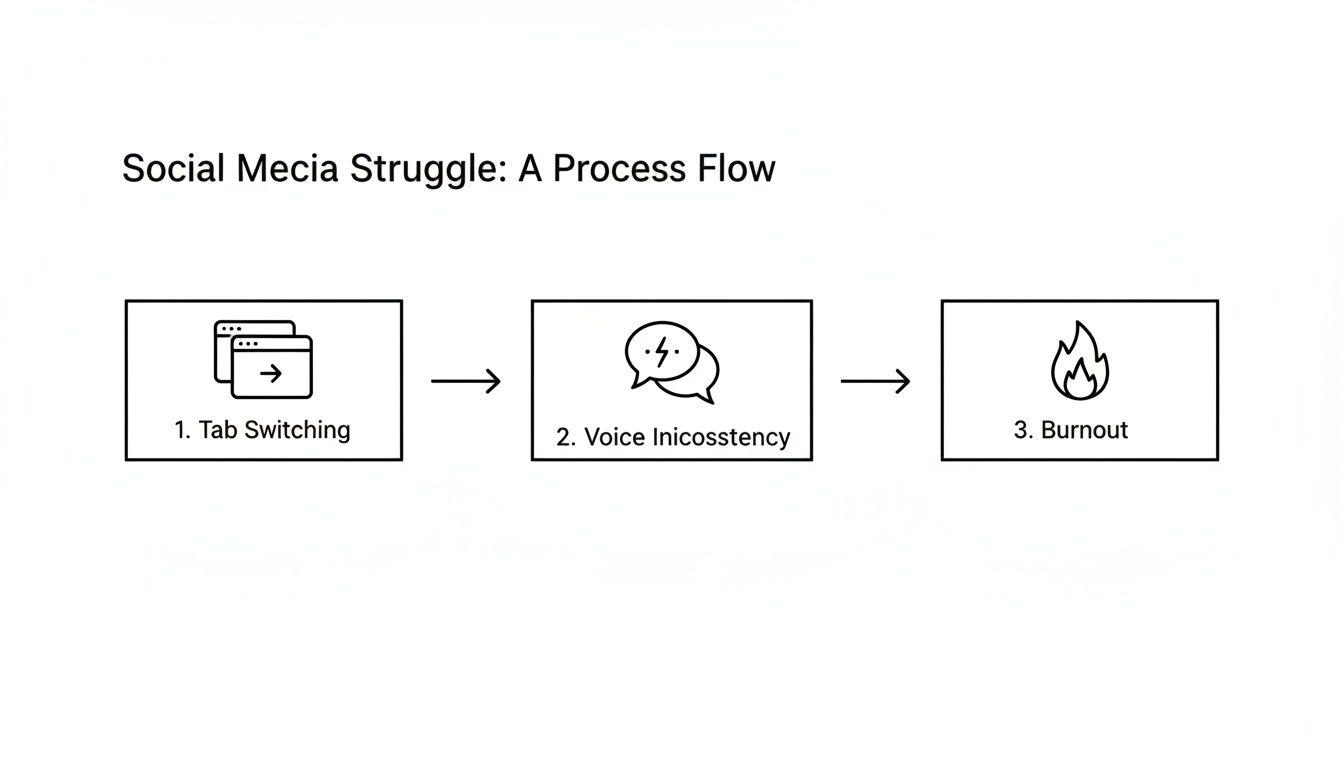
The Problem: Why Managing Multiple Accounts Manually Breaks Down
The core issue is a scattered workflow. When you manage each platform in its own separate tab, you create information silos. Your content plan lives in one spreadsheet, your assets are in another cloud folder, approvals happen over email, and scheduling is a manual, repetitive task. This lack of a central command center is the root cause of common, painful problems.
Common Scenarios and Causes:
- Accidental Cross-Posting: You post a casual, meme-heavy update meant for your Instagram Story directly to the corporate LinkedIn page.
- Cause: Simple human error from rapidly switching between browser tabs and different platform interfaces.
- Missed Customer Interactions: A critical customer complaint on Facebook goes unanswered for hours because you were busy scheduling content on TikTok.
- Cause: Notification overload and no single inbox to view all interactions. Important messages get buried.
- Inconsistent Branding: Your brand voice sounds professional and polished on LinkedIn but overly casual and disjointed on X.
- Cause: No central brand guide or system for adapting content. Different team members (or just you on different days) create content in a vacuum.
- Wasted Time on Repetitive Tasks: You spend 30 minutes every day manually uploading the same video five times, tweaking settings for each platform.
- Cause: Lack of a tool that allows you to upload an asset once and customize it for all channels in a single workflow.
When your process is chaotic, you're forced into a reactive mode, constantly putting out fires instead of strategically building a cohesive online presence. This isn't just an inconvenience; it's a significant drain on resources and a risk to your brand's reputation. For many, learning how to manage multiple projects and avoid burnout is a survival skill, because each social profile operates like its own demanding project.
Why a Unified System Is No Longer Optional
Projections show the average person will use 6.8 different social networks a month, with the global user base exceeding 5.4 billion people by 2025. In a world with such fractured attention, a haphazard approach to content is invisible at best and damaging at worst.
A unified strategy, managed from a central dashboard, is the only sustainable solution. It provides:
- A Single Source of Truth: Your content calendar, assets, and analytics are all in one place, eliminating confusion.
- Ironclad Brand Consistency: Your voice, tone, and visuals feel coherent everywhere your audience finds you.
- Streamlined Team Collaboration: Clear approval workflows and roles prevent bottlenecks and empower your team to work efficiently. For a detailed breakdown of how this works on Instagram, see our guide on how to collaborate on Instagram.
- Data-Driven Decisions: You can see what’s working (and what’s not) across all channels, allowing you to optimize your strategy based on performance, not guesswork.
Building a streamlined system is about trading chaos for control. Discovering key social media scheduling hacks for small businesses can be a game-changer, turning a frantic process into a manageable and masterful one.
Step 1: Build a Centralized Content Workflow
To effectively manage multiple social media accounts, you must build a repeatable system. A centralized content workflow is your single source of truth, moving content smoothly from idea to published post with clear steps and ownership. This isn't theory; it's a practical, five-stage process that turns random acts of posting into a well-oiled content machine.
Stage 1: The Ideation Hub
The Problem: Great ideas are lost in browser bookmarks, random notes, or Slack DMs. There's no single place to capture inspiration, leading to a last-minute scramble for content topics.
The Fix: Create a dedicated space for all potential content.
This hub is for capturing raw inspiration—trending topics, content pillars, user-generated content, competitor wins—before it's fully fleshed out. For structured approaches, see our guide on how to create a social media content calendar.
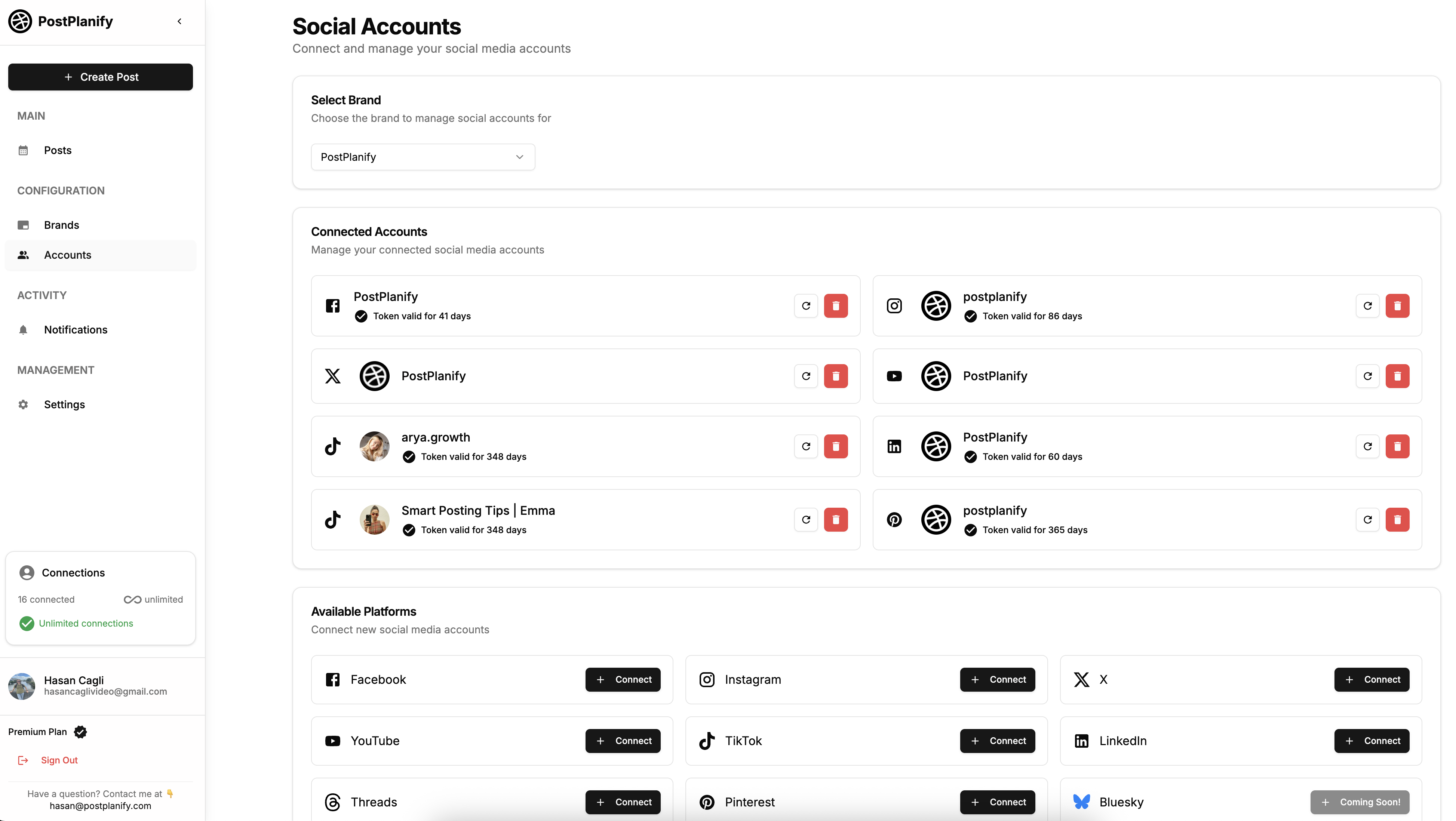
- Choose Your Hub: This could be a board in Trello, a dedicated channel in Slack, or a content library within a social media management tool like PostPlanify. The key is that it's easily accessible to everyone on your team.
- Organize by Pillars: Create columns or tags for your core content themes (e.g., "Educational," "Behind-the-Scenes," "Product Feature," "UGC").
- Establish an Intake Process: Make it a rule: if it's a content idea, it goes in the hub. This stops ideas from getting lost and creates a backlog of content to pull from.
 PostPlanify
All your social media in one simple dashboard
Schedule posts, track analytics, and reply to comments/DMs without switching tabs.

Engagement
+18%
Views
52.8k
Stage 2: Creation and Adaptation
The Problem: Creating one piece of content and blasting it across all platforms. This "copy-paste" approach ignores platform-specific nuances and signals a lazy strategy to your audience.
The Fix: Build the core asset once, then create platform-native variations.
- Create the Core Asset: Produce the main piece of content—the blog post, the video, the graphic.
- Adapt for Each Platform: In a single workflow, craft the variations.
- LinkedIn: A professional, text-heavy post focusing on data or insights from the core asset.
- Instagram: A visually-driven carousel or Reel with a caption that uses relevant hashtags and tags.
- X (formerly Twitter): A short, punchy version broken into a thread with a clear call-to-action.
- TikTok: A short-form video script inspired by the main concept, using trending audio.
- Use a Central Media Library: A tool with a shared media library is crucial here. You upload the primary asset once, then create the different captions and formats for each network in a single view, eliminating the need to re-upload files repeatedly.
Stage 3: The Approval Loop
The Problem: Content gets stuck in approval bottlenecks. Feedback is scattered across email chains and shared docs, causing confusion and delays.
The Fix: Centralize feedback and approvals directly on the draft post.
- Implement Draft Links: Use a tool that allows you to share a draft post via a unique link. Stakeholders can view the post exactly as it will appear and leave comments directly on it.
- Tag for Review: Tag specific team members or clients when a post is ready for their review. This sends them a direct notification.
- Track Changes: All comments, edits, and final sign-offs should be time-stamped and attached to the post itself. This creates a transparent record and ensures everyone is working from the latest version. Platforms built for teams, like PostPlanify, automate this process.
Social Media Role Delegation Checklist
To prevent confusion, clearly define who is responsible for each stage.
| Task | Role Responsible | Key Responsibilities | Success Metric |
|---|---|---|---|
| Ideation | Content Strategist | Researching trends, monitoring competitors, filling the Ideation Hub. | 20+ viable ideas in the hub per week. |
| Content Creation | Creator/Designer | Creating graphics, videos, and writing initial copy variations. | All assets completed 48 hours before review deadline. |
| Review & Approval | Client/Manager | Providing feedback, edits, and final sign-off directly on drafts. | 95% of posts approved within 24 hours of submission. |
| Scheduling | Social Media Manager | Loading approved content into the calendar and scheduling for optimal times. | 100% of approved content scheduled a week in advance. |
| Analysis | Analyst/Strategist | Compiling performance reports and feeding insights back to the team. | Monthly report delivered by the 5th of the following month. |
Stage 4: Scheduling and Publishing
The Problem: Manually logging into multiple platforms daily to post content is time-consuming and prone to error.
The Fix: Use a unified content calendar to bulk-schedule content in advance.
- Get a Bird's-Eye View: A visual content calendar shows you everything scheduled across all accounts. This helps you spot content gaps, avoid posting overlaps, and maintain a balanced content mix.
- Block Time for Scheduling: Instead of posting reactively, dedicate one block of time per week to schedule all approved content.
- Automate Posting: Once scheduled, the posts will go live automatically at their designated times, freeing you from being tied to your screen. This is non-negotiable to plan social media content effectively.
Stage 5: Analysis and Refinement
The Problem: Manually pulling analytics from each platform is tedious. It's difficult to see cross-channel trends or understand what's truly driving results.
The Fix: Use a centralized dashboard to track performance and close the feedback loop.
- Connect Your Accounts: Link all your social profiles to a single analytics dashboard.
- Track Key Metrics: Monitor performance across all channels to see which content pillars, formats, and platforms are most effective.
- Feed Insights Back to Ideation: Use this data to inform your next content cycle. If a certain topic performed exceptionally well on LinkedIn, add more related ideas to your Ideation Hub. This ensures your strategy evolves based on real-world data, not guesswork.
Step 2: Master Content Creation and Repurposing
Creating unique, high-quality content for five or six different platforms from scratch is unsustainable. The solution is not to create more content, but to get more value from the content you already have. This is where smart repurposing becomes your most powerful strategy.
Instead of staring at a blank screen, you can turn a single, well-researched piece of content into an entire week's worth of posts. This content repurposing approach saves time, reinforces your core message, and ensures a consistent presence across your digital footprint.

From One Core Asset to a Full Content Calendar: A Practical Example
Let's say you published a 1,500-word blog post: "5 Common Mistakes New E-commerce Brands Make." This single asset is a content goldmine.
The Problem: You share the link with a generic caption like "New blog post is live!" This generates minimal engagement and wastes the potential of the asset.
The Fix: Systematically break down the core asset into platform-native formats.
- LinkedIn Article:
- Action: Extract the main points and rewrite them as a 600-word native LinkedIn article.
- Headline: "Are You Making These 5 Costly E-commerce Mistakes?"
- CTA: End with a question to drive conversation in the comments.
- Instagram Carousel:
- Action: Create a 5-slide carousel where each slide details one mistake.
- Visuals: Use bold graphics and concise text.
- Caption: Summarize the points and direct users to the "link in bio" for the full solutions.
- X (Twitter) Thread:
- Action: Break the post into a multi-tweet thread.
- Hook (Tweet 1): "I see new e-commerce brands making the same 5 mistakes over and over. Here’s how to fix them 👇 a thread"
- Body (Tweets 2-6): Each tweet breaks down one mistake with a scannable tip.
- TikTok/Reels Script:
- Action: Turn the five mistakes into a script for a fast-paced, 15-second video.
- Execution: Use on-screen text overlays to list each mistake while pointing to them, set to a trending audio track.
- CTA: "Check the comments for Part 2 where I explain the fixes!"
This approach delivers value in the format people expect on each network, all while funneling traffic back to your main asset. This is the essence of effective content batching for social media.
Adapting Tone and Format: A Platform-Specific Guide
The biggest mistake in multi-platform management is using the exact same caption everywhere. It ignores the fact that users have different expectations on different platforms. Your brand voice should have different "dialects" for each network.
- LinkedIn: Professional, insightful, data-driven. Use formal language and focus on industry value.
- Instagram: Visual, aspirational, community-focused. Use a more casual tone, emojis, and storytelling.
- Facebook: Informative, friendly, conversational. Great for sharing links and sparking discussion in groups.
- TikTok: Entertaining, authentic, trend-aware. Keep it short, use humor, and leverage trending sounds.
- X (Twitter): Concise, timely, conversational. Perfect for real-time updates, quick tips, and joining trending conversations.
A platform like PostPlanify simplifies this. You can upload your visual once, then use its editor to write and preview custom captions for each network side-by-side. This makes adaptation, not just replication, a seamless part of your workflow.
Troubleshooting Common Technical Limitations
When managing multiple accounts, you will eventually encounter platform-specific technical issues. Knowing these in advance can save you major headaches.
- API Limitations: Platforms restrict what third-party tools can do.
- Instagram Stories: Some scheduling tools can't post interactive elements like polls or stickers directly; they may send a push notification to your phone for manual completion.
- Video Uploads: Instagram's API might have stricter limits on video length or file size for third-party tools compared to native uploads. Always check your tool's documentation for specific limits.
- Account Permissions:
- Facebook Pages vs. Profiles: Most tools can only post to Facebook Business Pages, not personal profiles.
- Instagram Creator vs. Business Accounts: Some features, like auto-posting, require an Instagram Business account.
- Tagging and Mentioning Bugs:
- The Problem: Sometimes, tagging another account (e.g., @username) via a third-party tool fails to register correctly due to API bugs or the tagged account's privacy settings.
- The Fix: Always double-check your live posts to ensure critical tags or mentions have gone through. If not, edit the post natively to add them.
- Link Behavior:
- Instagram: You cannot put clickable links in feed post captions. The standard practice is to direct users to your "link in bio." A dedicated link in bio tool lets you route that traffic to multiple destinations from one URL.
- Other Platforms: Facebook, LinkedIn, and X are excellent for driving direct traffic via in-post links.
A good management tool will provide accurate previews and warnings to help you catch these issues before you schedule.
Step 3: Implement Smart Scheduling and Publishing
Once your content is created and adapted, the next step is getting it published consistently and at the right times. Smart scheduling is the engine that turns your approved content into a reliable stream of posts that keeps your audience engaged without requiring you to be online 24/7.
The Problem: Manually posting in real-time is a recipe for burnout, missed posting times, and mistakes made in a rush.
The Fix: Use a scheduling tool to automate the publishing process, freeing you up to focus on strategy and engagement.
Action 1: Use a Unified Content Calendar

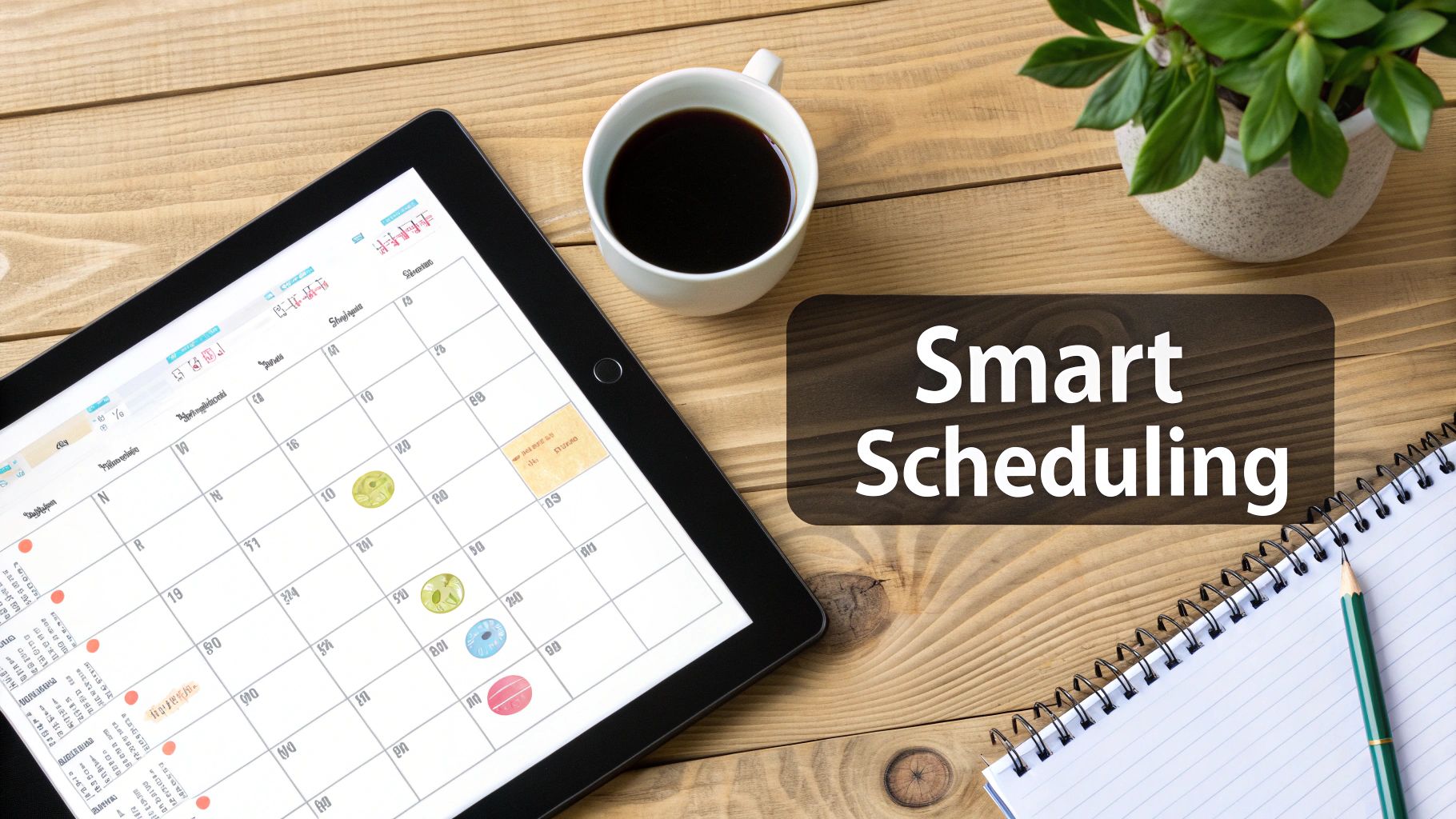
Your content calendar is your command center. A visual calendar within a scheduling tool is far superior to a spreadsheet because it shows you exactly what your audience will see, and when.
- Set Up Your Calendar: Connect all your social media accounts to a single calendar view.
- Color-Code Content: Use labels or colors to categorize posts by content pillar, campaign, or platform. This makes it easy to see if you have a balanced mix of content.
- Bulk Schedule: Dedicate a block of time each week to fill your calendar. Load up all your approved content, select the appropriate accounts, and schedule it for the coming weeks. A tool like PostPlanify is essential for any professional looking to manage multiple social media accounts efficiently.
Action 2: Find and Automate Your Optimal Posting Times
Posting great content when your audience is offline is a wasted effort. You need to publish when your followers are most active on each platform.
The Problem: Generic "best times to post" articles don't account for your unique audience.
The Fix: Use your own data to find your peak engagement windows.
- Analyze Your Performance: Dive into the native analytics for each social platform (e.g., Instagram Insights, Facebook Page Insights) or use a scheduling tool with built-in analytics. Look for the days and hours when your posts consistently receive the most engagement.
- Identify Platform Differences: Your optimal times will vary by network.
- LinkedIn: Often performs best during business hours (e.g., Tuesday-Thursday, 10 AM - 12 PM).
- Instagram & TikTok: Engagement frequently spikes during commutes, lunch breaks, and evenings (e.g., 7 PM - 9 PM).
- Facebook: Usage is more consistent, but peaks often occur mid-day and after work hours.
- Create Queues or Time Slots: A good scheduling tool lets you pre-set these optimal times for each account. When you add content to your queue, it will automatically be scheduled for the next available "best time" slot, removing the guesswork. For a detailed breakdown, see our guide on the best time to post on social media.
Action 3: Schedule Different Content Formats
A robust scheduling tool must handle the complexities of various content formats.
- Instagram Stories vs. Reels: Stories are often scheduled for timely updates, while Reels can be part of an evergreen content queue. Be aware of API limitations—some tools require a push notification to your phone to finalize Story posts with interactive stickers.
- X (Twitter) Threads: Write and schedule an entire multi-tweet thread at once to ensure it's delivered in the correct order.
- Carousels (Instagram & LinkedIn): Upload all your images or video slides, arrange them in the desired order, and schedule the entire package as a single post.
- Videos (TikTok, YouTube, Reels): Schedule high-resolution videos in advance. Always check your tool’s file size and length restrictions, as they can differ from native platform limits.
Data shows that while 93% of marketers plan to increase their social media efforts, 61% of managers cite lack of time as their biggest barrier. This is why learning to automate social media posts is no longer a luxury—it's a necessity for staying consistent and competitive.
Step 4: Measure Performance Across All Accounts
You can't improve what you don't measure. But when you manage multiple accounts, "measuring" can become a nightmare of exporting CSVs and wrestling with spreadsheets. The goal is to focus on the metrics that prove you’re hitting business objectives, not just vanity metrics that feel good but don’t impact the bottom line.
The Problem: Tracking likes and follower counts doesn't tell you if your social media efforts are generating real business value. Manually compiling reports from each platform is time-consuming and makes it hard to spot cross-channel trends. Centralizing your data through analytics and reporting tools is essential.
The Fix: Create a unified social media report that connects your activity to business outcomes.
Action 1: Move Beyond Vanity Metrics
Instead of just tracking likes, ask better questions that tie social media activity to tangible results.
- Instead of: "How many likes did this post get?"
- Ask: "How many people clicked the link in our bio this week?"
- Instead of: "How many new followers did we get?"
- Ask: "Which platform drove the most qualified traffic to our latest product page?"
- Instead of: "What was our reach?"
- Ask: "Did our LinkedIn content generate any demo requests this month?"
This shift in focus is the first step toward building a reporting system that provides actionable insights.
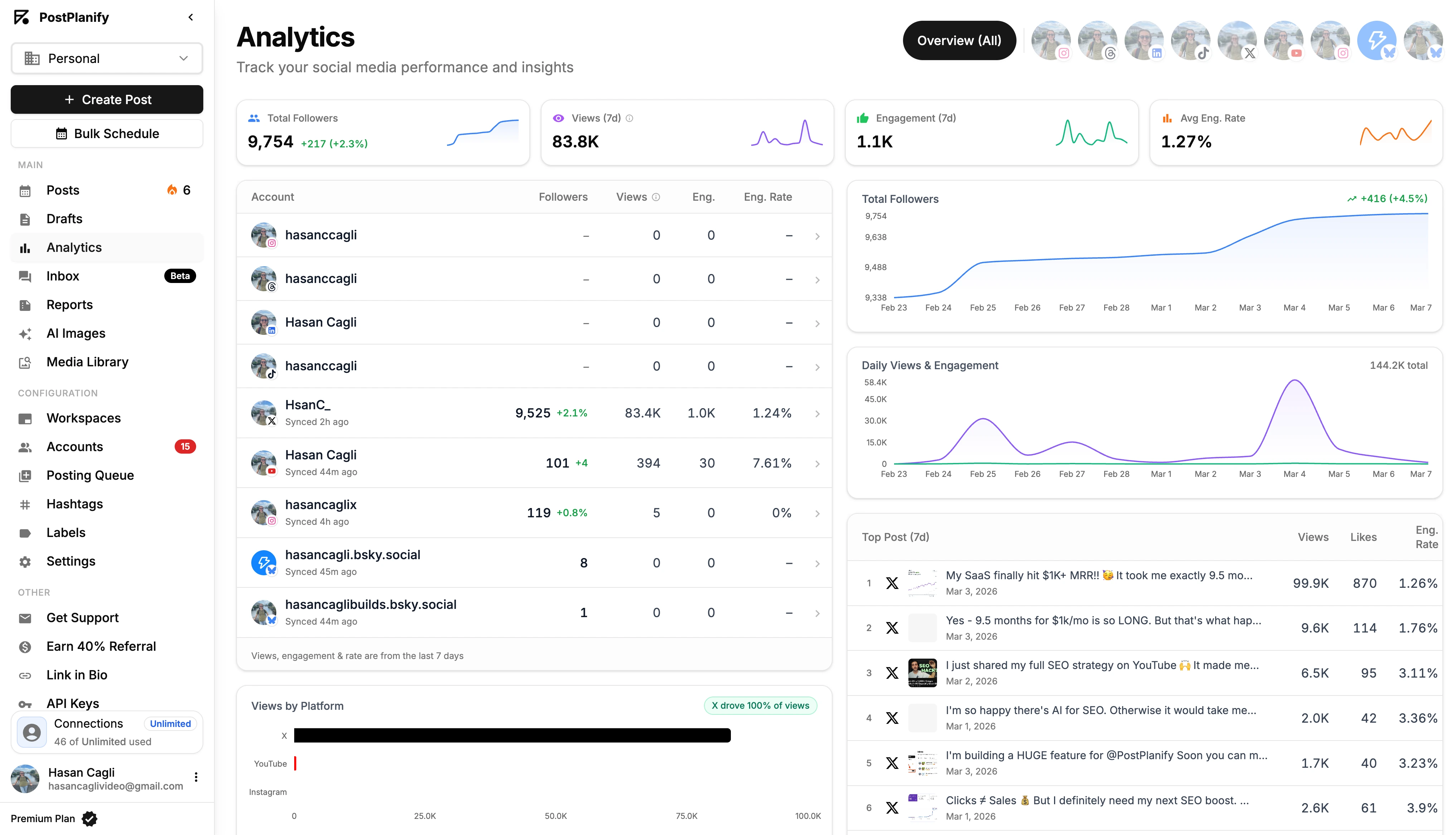
Action 2: Build a Unified Analytics Dashboard
A unified report tells a clear story about your overall social media health without the manual data-pulling.
Universal KPIs to Track Across All Accounts:
- Total Engagement: A combined count of all meaningful interactions (likes, comments, shares, saves). Track the overall trend.
- Engagement Rate: (Total Engagement / Total Followers) x 100. This normalizes for audience size and is a better measure of content quality than raw numbers.
- Website Clicks: The number of times users clicked links in your posts or bio. Use UTM parameters for precise tracking.
- Follower Growth Rate: The percentage increase or decrease in followers over a period.
A unified dashboard in a tool like PostPlanify pulls these numbers together automatically, saving you hours of work and allowing you to spend time on analysis, not data entry.
Action 3: Track Platform-Specific KPIs
Beyond the universal metrics, track the KPIs that matter most for each platform’s algorithm and user behavior. This tells you why content is performing well.
- Instagram: Use an Instagram engagement calculator to benchmark your performance.
- Saves & Shares: These are strong indicators of high-value content. A save means someone found it useful enough to revisit; a share means they found it valuable enough to endorse.
- LinkedIn:
- Comments & Shares: Thoughtful comments show you're sparking professional conversation. Shares on LinkedIn have significant organic reach within professional networks.
- TikTok: A TikTok engagement calculator can help you track your metrics.
- Average Watch Time & Shares: High watch time signals to the algorithm that your video is engaging. Shares are the primary driver of virality.
- X (formerly Twitter):
- Replies & Retweets: Replies indicate you're starting a conversation, while retweets amplify your message to new audiences.
- Facebook:
- Shares & Click-Through Rate (CTR): Shares remain a key driver of organic reach. CTR measures the effectiveness of your call-to-action for driving traffic.
Using a tool with built-in social media analytics and reporting provides these insights directly within your workflow. This data-driven approach allows you to continuously refine your strategy and optimize your efforts for the best possible results.
Troubleshooting and FAQ
Here are answers to the most common questions about managing multiple social media accounts.
What’s the best way to maintain a consistent brand voice across platforms?
- Create a 1-Page Voice Guide: Define your core tone (e.g., witty, professional, supportive) and list "we always say this" and "we never say that" examples. Keep it simple so your team will actually use it.
- Adapt, Don't Replicate: Your voice should have different "dialects." The LinkedIn version might be more data-driven, while Instagram is more casual and visual. They are related but distinct.
- Use Templates and Snippets: In your management tool, create pre-written snippets for common responses or captions that can be quickly customized. This ensures consistency in your core messaging.
How many social media accounts is too many for one person to manage?
The limit isn't the number of accounts, but the efficiency of your workflow.
- Without a tool: Managing more than 3 active accounts manually is a recipe for burnout and mistakes.
- With a unified platform: One person can effectively manage 10+ accounts because repetitive tasks like logging in, uploading assets, and scheduling are automated. The system, not the person, does the heavy lifting.
Can I just post the exact same content to all my social media accounts?
You can, but you shouldn't. It's a missed opportunity. Users expect content that feels native to the platform they are on. A text-heavy post from LinkedIn will fail on a visual-first platform like TikTok. The better approach is smart cross-posting — adapting one core piece of content to fit each platform's format, tone, and audience.
The Fix:
- Start with a Core Idea: Create one primary asset (a video, a graphic, a data point).
- Customize the Packaging: For each network, rewrite the caption, adjust the hashtags, and tailor the call-to-action.
- Use a Single-View Editor: A good social media tool lets you customize the post for each platform in a single screen before scheduling, making this process fast and efficient.
What tools are best for managing multiple social media accounts?
The best tools offer a unified dashboard with scheduling, analytics, and content creation in one place. PostPlanify excels for agencies and creators managing 10+ accounts, with bulk scheduling and cross-platform analytics. Buffer is ideal for simplicity, while Sprout Social suits enterprise teams. Evaluate based on your platform needs, team size, and budget. See our social media scheduling tools comparison.
How do I keep content fresh across multiple platforms?
Use a content repurposing strategy where you create one core asset and adapt it for each platform. A blog post becomes a LinkedIn article, an Instagram carousel, a TikTok video, and an X thread. Maintain a content idea backlog organized by content pillars so you always have material ready to adapt across channels.
Should I post at the same time on every platform?
No. Each platform has different peak engagement windows based on your specific audience. LinkedIn performs best during business hours, while Instagram and TikTok see spikes in the evenings. Use native analytics or a management tool with best time to post suggestions to find optimal windows for each account individually.
How do I prevent posting to the wrong account?
Use a management platform with clear account labels and color-coded calendars. Always preview posts before scheduling to confirm the correct account is selected. Establish a review workflow where content is approved before publishing. Most importantly, avoid switching between native platform apps directly, which is the most common cause of cross-posting errors.
How often should I audit my social media accounts?
Conduct a comprehensive social media audit quarterly to review profile accuracy, content performance, and audience growth across all accounts. Monthly, check for disconnected integrations and expired API tokens. Weekly, do a quick scan of published posts to ensure everything went live correctly. Regular audits prevent small issues from becoming costly mistakes.
Management Checklist Summary
- Build a Centralized Workflow: Establish a single source of truth for ideation, creation, approvals, scheduling, and analysis.
- Master Content Repurposing: Create one core asset and break it down into multiple platform-native formats.
- Use a Unified Content Calendar: Schedule all posts in advance from a single visual calendar to ensure consistency.
- Automate Optimal Posting Times: Use your own data to find your peak engagement windows and let your tool publish for you.
- Track Performance in One Dashboard: Monitor universal and platform-specific KPIs to make data-driven decisions.
PostPlanifyAll your social media in one simple dashboard
Schedule posts, track analytics, and reply to comments/DMs without switching tabs.
Engagement
+18%
Views
52.8k
About the Author

Hasan Cagli
Founder of PostPlanify, a content and social media scheduling platform. He focuses on building systems that help businesses, agencies, and teams plan, publish, and manage content and social media more efficiently across platforms.


