


You’re spending hours creating social media content, but the engagement isn’t there. You post what you think is a great product shot, but a competitor’s grainy, behind-the-scenes video goes viral. This isn’t a sign to work harder; it’s a sign that there’s a disconnect between your content and your audience.
The problem is almost always the same: your content serves your brand’s needs before your audience’s. People don't log onto Instagram to see ads; they're looking for solutions, entertainment, or a sense of community. When your posts don't deliver on that, you get ignored.
This guide provides a step-by-step framework to fix that disconnect. We’ll cover why your content is failing, how to diagnose the problem, and the exact steps to create posts that resonate and drive results.
Why Your Social Content Isn’t Connecting (and How to Fix It)
Creating social media content that actually gets a response means shifting away from generic, brand-first messaging. The fix comes down to three things: truly understanding why your audience follows you, building your content around their problems and interests, and speaking the native language of each platform.
This isn't just about tweaking your captions; it's a strategic pivot that closes the gap between the effort you put in and the connection you get out. It's how you go from just posting content to building a real community.

The Problem: Your Content Isn't Platform-Native
One of the biggest hurdles is understanding that what works on one platform can fall completely flat on another. Each social network has its own culture, its own algorithm, and its own audience expectations. You can't just copy and paste.
Recent data paints a pretty clear picture of this. A few years ago, you could post a decent photo on Instagram and get solid engagement. Not anymore.
Instagram's median engagement rate has plummeted from 2.94% to just 0.61%. That's a staggering 79% drop that has marketers scrambling to adapt. Meanwhile, LinkedIn has become the unlikely king of engagement, with a robust 6.50% rate, making it a goldmine for B2B brands and professionals sharing genuine insights.
This tells us one thing loud and clear: your content has to live where your audience is most receptive. That long, educational post might be a home run on LinkedIn, but it’ll probably get lost in the sea of visual-first content on Instagram. If monetization is part of your content strategy, it’s also worth knowing which social media platform pays the most so you can focus your best content where the financial return is highest.
Here’s a quick look at where things stand across the major platforms.
Platform Engagement Snapshot
This table offers a quick comparison of typical engagement rates and best-performing content types across major social media platforms, helping you prioritize where to focus your creative energy.
| Platform | Median Engagement Rate | Top Performing Format |
|---|---|---|
| 0.61% | Short-form video (Reels) | |
| 6.50% | Text-based posts, documents | |
| 0.15% | Short-form video (Reels), Images | |
| X (Twitter) | 0.035% | Text posts, Memes |
As you can see, simply showing up isn’t enough. You have to show up with the right kind of content tailored for that specific audience. On Instagram specifically, understanding when to use a Post, Story, or Reel can make a significant difference in how your content performs.
The Fix: Adopt an Audience-First Framework
The solution is to pivot away from self-promotion and move toward providing genuine value. Stop asking, "What can we post today?" and start asking, "What does our audience need from us today?"
It’s a simple mindset shift, but it changes everything and leads to better content by default.
- Solve, Don't Sell: Your content should focus on answering your audience’s questions, addressing their pain points, and making their lives a little bit easier.
- Entertain, Don't Interrupt: Aim to create content that feels native to the feed. Use humor, tell compelling stories, or share inspiring visuals that people actually want to see.
- Connect, Don't Broadcast: Use interactive formats like polls, Q&As, and live video. These aren't just gimmicks; they are powerful tools for fostering two-way conversations and building real relationships. Once you're driving those conversations, having a system to manage your comments on Facebook (and other platforms) keeps the momentum going.
When you adopt this audience-first framework, you stop using social media as a megaphone and start using it as a magnet.
If you’re looking for more ways to make that connection, you might find our guide on how to improve social media engagement really helpful.
Step 1: Get Inside Your Audience's Head Before You Post
The secret to content that performs well has nothing to do with the latest trending audio or a fancy new filter. The best content—the kind that gets saved, shared, and talked about—starts way before you hit "publish." It starts with deeply understanding who you're talking to.
If you’re just creating content based on what you think your audience wants, you’re creating for an imaginary, generic person. That's why it gets ignored. The goal is to move past surface-level demographics and figure out what really makes your audience tick. What are their frustrations? What are they trying to accomplish? What language do they use when they talk about it?
Actionable Fix: Use Platform Analytics to Find Behavioral Signals
Every platform you're on is sitting on a mountain of data that tells you exactly what your audience wants. Don't just glance at the follower count and move on. Look for the behavioral signals.
Here’s a step-by-step guide to finding actionable data on each platform:
-
On Instagram:
- Go to: Professional Dashboard > Account Insights > Total Followers.
- Look for: "Most Active Times." This shows you the days and hours your audience is most likely to be online. Schedule your posts for these peak times.
- Check: The "Content You Shared" section. Filter by Shares and Saves. These metrics are far more valuable than likes; they show what content was so useful that people wanted to keep it or show it to others.
-
On Facebook:
- Go to: Meta Business Suite > Insights > Content.
- Look for: Posts with the highest Reach and Engagement.
- Drill down: Sort by Shares. This tells you what content was valuable enough that people put their own reputation on the line to show it to their friends. That's a powerful signal.
-
On TikTok:
- Go to: Creator Tools > Analytics > Followers tab.
- Look for: "Follower activity." Similar to Instagram, this shows you peak activity hours.
- Check: The "Content" tab to identify videos with the highest views and comments. Look for patterns in the hooks, sounds, and formats.
These native tools are incredibly powerful if you know how to use them. For a deeper look at how to pull actionable insights from this data, check out our guide to social media analytics and reporting.
Actionable Fix: Master Social Listening
Analytics tell you what people are doing with your content. Social listening tells you what they're saying when they think you're not in the room. This is where you uncover the raw, unfiltered conversations and pain points.
How to do it (in 15 minutes a day):
- Identify 3-5 relevant hashtags in your niche.
- Identify 2-3 key competitors or larger accounts in your space.
- Spend 15 minutes daily scrolling through the comment sections of posts using those hashtags and on your competitors' profiles.
- Look for questions and complaints. What are people asking? What are they frustrated with? These are your next content ideas, written in your audience's exact language.
- Study competitor ads. Use the Meta Ads Library to see what ad creatives and messaging your competitors are running. This is a goldmine for understanding what resonates in your space.
Actionable Fix: Create a Quick Content Persona
Now you've got all this great intel. Consolidate it into a simple "Content Persona." This isn't a huge marketing document; it’s a one-page cheat sheet that keeps your content laser-focused.
Your persona should answer these four questions:
- Their Goal: What are they trying to achieve that relates to what you do? (e.g., "I want to learn how to bake sourdough bread for the first time.")
- Their Pains: What are their biggest frustrations or questions? (e.g., "My starter is flat," "I'm overwhelmed by all the different types of flour.")
- Their Language: What specific words or slang do they use? (e.g., "ear," "crumb," "hooch.")
- Their Hangouts: Which platforms are they really on, and when are they scrolling?
Once you have this persona, every single piece of content you create—from a Reel to a caption—will feel like it was made just for them. Because it was.
Step 2: Build Your Core Content Pillars and Frameworks
Trying to come up with a brilliant, new content idea every single day is a direct path to burnout. It’s not sustainable. The most successful creators build a repeatable system that guarantees their content is always consistent and relevant. That system starts with content pillars.
Think of content pillars as the 3-5 core topics your brand will own the conversation on. They’re the sweet spot where your expertise overlaps with what your audience is dying to know. Once you define these pillars, you can stop chasing fleeting trends and start building real authority.
This approach means every post reinforces your brand’s message. Your audience knows what to expect from you in terms of value, but you can keep the delivery fresh.
Actionable Fix: Define Your Content Pillars in Three Steps
Picking the right pillars is everything. They need to be broad enough to spark hundreds of post ideas but specific enough that you attract the right people.
For example, a financial advisor shouldn't just have a pillar called "money." That's too generic. A stronger set of pillars would look like this:
- Pillar 1: Investing Basics: Demystifying stocks, bonds, and retirement accounts for beginners.
- Pillar 2: Debt-Free Living: Actionable strategies for paying off student loans and credit cards.
- Pillar 3: Market News, Simplified: Breaking down complex financial headlines into simple, digestible insights.
How to find your pillars:
- List your expertise: What are you uniquely good at? What do you know more about than anyone else?
- Review your social listening notes: What questions does your audience ask over and over again? What are their biggest pain points?
- Find the overlap: The intersection of your expertise and your audience's needs—those are your content pillars.
 PostPlanify
All your social media in one simple dashboard
Schedule posts, track analytics, and reply to comments/DMs without switching tabs.

Engagement
+18%
Views
52.8k
Actionable Fix: Put Content Frameworks into Action
You have your pillars. Now you need frameworks to turn those broad topics into specific, compelling posts. Frameworks are like creative recipes. They give you a structure so you aren’t staring at a blank screen.
Here are two battle-tested frameworks you can use today:
-
Problem-Agitate-Solution (PAS):
- Problem: Call out a specific problem your audience is dealing with.
- Agitate: Dig into the frustration and pain it causes.
- Solution: Introduce your product, service, or advice as the clear solution.
-
Hook-Story-Offer (HSO):
- Hook: Start with a powerful hook to stop the scroll in the first three seconds.
- Story: Tell a relatable story that builds an emotional connection.
- Offer: Make a clear call to action.
How to Adapt Frameworks Across Platforms
The best part about these frameworks is how flexible they are. You can take one core idea and adapt it to fit the unique format of each platform.
Let’s say a personal trainer is using the PAS framework for their "Workout Motivation" pillar:
- On TikTok (15-second video):
- Problem: Text on screen: "Hate doing cardio?"
- Agitate: Quick-cut montage of someone looking bored on a treadmill.
- Solution: The trainer jumps in, showing a fun, high-energy 10-minute HIIT workout with upbeat music.
- On LinkedIn (Text-based post):
- Problem: "The biggest challenge for busy professionals isn't finding time to work out—it's overcoming mental fatigue after work."
- Agitate: Describe the painful cycle of promising yourself you'll hit the gym, only to end up exhausted on the couch.
- Solution: Share three simple mindset shifts to make fitness a non-negotiable part of the day.
This systematic approach—combining foundational pillars with repeatable frameworks—is what transforms content creation from a daily guessing game into a strategic, predictable process for growth.
Step 3: Craft Visuals That Stop the Scroll
In the endless feed, your visuals are your first and often only chance to make someone stop. A great visual doesn't just earn a pause; it earns the attention needed for your caption to actually land.
But creating thumb-stopping images and videos doesn't require a Hollywood budget. In fact, authentic, less-polished visuals frequently outperform overly produced content because they feel more human and relatable. They fit naturally into the feed, looking less like an ad and more like something a friend would share.

Why Static Images Are Making a Comeback
While video has dominated the social media conversation, we're seeing an interesting shift. In a sea of fast-moving Reels, high-quality static images are staging a comeback.
A deep dive into over 5 million posts found that static images on Instagram can pull in 6.2% engagement compared to just 3.5% for Reels. This flips the script on the "video-first" hype, proving that a simple, impactful visual can cut through the noise more effectively for many accounts.
Actionable Fix: Nail the Technical Specs for Maximum Impact
Before you get creative, you have to get the technical details right. Posting a beautiful image in the wrong format is like showing up to a party in the wrong dress code—it feels off, and the algorithm will penalize you for it.
Follow this checklist for every post:
-
Use the Right Aspect Ratio:
- Instagram & Facebook Feed: Use 4:5 (vertical) whenever possible. It takes up the most screen real estate. 1:1 (square) is the next best option.
- Instagram/Facebook/TikTok Stories & Reels: Always use 9:16 (full vertical). Anything else gets awkwardly cropped or ends up with ugly black bars.
- X & LinkedIn Feed: A 4:5 vertical image also works well here, giving you more visibility than a standard horizontal one.
-
Respect the Safe Zones:
- Be mindful of where the platform's user interface (UI) will cover your visual. On Reels and Stories, keep critical text and visuals away from the top and bottom edges where your username, caption, and buttons will appear. For the exact pixel measurements on every major platform, see the social media safe zones guide.
-
Choose Carousels Strategically:
- Use a single, powerful image for a strong statement.
- Use a carousel on Instagram or LinkedIn for a mini-tutorial, a before-and-after reveal, or breaking down a complex idea into bite-sized steps. For carousel-specific strategies, see our Instagram carousel guide.
Actionable Fix: A 4-Step Checklist for High-Quality Phone Visuals
You do not need a fancy DSLR camera. The smartphone in your pocket is powerful enough to create professional-looking content if you focus on the fundamentals.
Follow this simple checklist every time you shoot:
- Find Good Lighting: Natural light is your best friend. Position your subject facing a window, never with their back to it. If you’re shooting indoors, a simple ring light is a game-changer.
- Clean Your Lens: This sounds obvious, but it's the number one mistake. A quick wipe with a soft cloth can be the difference between a crisp shot and a blurry mess.
- Use the Grid for Composition: Go into your camera settings and turn on the grid overlay. Use the Rule of Thirds by placing your main subject along the lines or where they intersect—not dead center. It instantly makes your photo more balanced and interesting.
- Master the Video Hook: The first three seconds of any video are everything. Start with immediate motion, a bold text overlay asking a question, or a surprising visual. Never waste that precious time with a slow intro or logo animation.
Step 4: Write Captions and Hooks That Drive Action
A stunning visual might earn a pause, but a powerful caption turns that pause into real engagement. Your copy is where you build a connection, deliver value, and get someone to do something.
Your caption has one job in the first line: hook the reader. You have to give them a compelling reason to stop scrolling and tap "more."
Actionable Fix: Use Proven Hook Templates
Think of hooks as the opening scene of a movie. They need to create instant intrigue or feel immediately relatable.
Here are a few templates that work in almost any niche:
- The "Unpopular Opinion" Hook: "Unpopular opinion, but your morning coffee is killing your productivity." (Creates curiosity)
- The "How To" Hook: "How to get 5 hours of deep work done before noon." (Promises a clear solution to a pain point)
- The "Mistake" Hook: "The #1 mistake most people make when buying a new car." (Taps into the fear of missing out and positions your content as valuable)
- The "Here's Why" Hook: "Your Reels aren't getting views for one simple reason." (Opens a knowledge gap the reader wants to fill)
To really grab that initial attention, mastering how to create video hooks that stop scrolling in seconds is a game-changer. This applies just as much to the opening line of your text as it does to your video's first frame.
Actionable Fix: Structure Your Caption for Readability
Once you’ve got their attention, the body of your caption needs to deliver on the hook's promise.
- Keep paragraphs short. One or two sentences is perfect for mobile.
- Use emojis to add personality and break up text, but don’t go overboard.
- Provide genuine value. Don't just describe the photo; expand on it. Answer a question, tell a story, or teach something useful.
If you're hitting a wall, a quality AI caption generator for Instagram can be a fantastic starting point for drafting compelling copy. For a deeper dive into writing techniques that work across every platform, see our full social media copywriting guide. And when seasonal moments roll around, having a bank of ready-made holiday captions for Instagram can save you time while keeping your feed festive and on-brand.
Actionable Fix: Master the Platform-Specific Call to Action (CTA)
The final piece is the Call to Action (CTA). This is where many brands drop the ball with generic prompts like "Link in bio." You have to be specific, direct, and make it as easy as possible for them to act.
Your CTA should tell your audience exactly what to do next and why it benefits them.
Instead of vague requests, try these platform-specific examples:
- Instagram: "Save this post for your next project." (This is a low-effort action that also boosts your post's ranking).
- TikTok: "Comment your biggest challenge with X below." (Drives comments and builds community).
- LinkedIn: "What's one strategy you'd add to this list? Share your thoughts below." (Encourages professional dialogue).
- Facebook: "Tag a friend who needs to see this!" (Expands your reach through their networks).
Step 5: Build a Sustainable Content Workflow
Posting inconsistently is one of the fastest ways to kill your reach. Algorithms favor consistency. But the constant pressure to be "always on" is a recipe for creative burnout. The solution isn't working harder—it’s building a smarter, more sustainable content workflow.
This means creating a rock-solid system that gets you out of the last-minute scramble. At the core of any great workflow is content batching. It’s the practice of grouping similar tasks together and knocking them out in dedicated blocks of time.
The Problem: The Daily Content Grind Causes Burnout
Trying to brainstorm, film, write, edit, and post something new every single day is inefficient and exhausting. It leads to rushed, low-quality content and makes it impossible to think strategically.
Actionable Fix: Implement a Content Batching Schedule
Think of it like meal prepping for your social media. You set aside specific days for specific tasks, which creates focus and efficiency.
A simple batching schedule could look like this:
- Day 1: Filming and Photography. Shoot all video clips, B-roll, and photos for the next two weeks.
- Day 2: Writing and Editing. Write all captions, edit the visuals from Day 1, and pair them up.
- Day 3: Scheduling. Upload everything into your content calendar and schedule it to go live.
This approach flips the script from a daily, reactive scramble into a proactive, organized system. For a deeper dive, our full guide on how to plan social media content breaks down how to build your calendar from scratch.
Actionable Fix: Use a Reliable Scheduler and Avoid Common Pitfalls
Once your content is created, scheduling is the final piece that reclaims your time. Using a dedicated tool removes the daily pressure of having to hit "publish" manually. But scheduling isn't always as simple as "set it and forget it."
Common Causes of Scheduling Failures:
- API Limitations: Platforms like Instagram have strict rules about how often third-party tools can publish. If your scheduler isn’t built to handle these limits, your posts might get rejected.
- Authentication Errors: Sometimes, your social account's connection to the scheduling tool can expire, causing posts to fail until you re-authenticate.
- Incorrect File Formats: Uploading a video file that isn't supported by the platform (e.g., a
.MOVfile to a platform that prefers.MP4) can cause silent failures.
This is where a reliable platform like PostPlanify becomes essential. It’s designed to manage these technical details, alerting you to potential issues before they cause a problem. You can bulk schedule posts, preview exactly how they’ll look on each platform, and manage everything from a clean, visual calendar, preventing most common errors.
To truly master this process, understanding how to create effective workflows that drive results can give you a valuable strategic framework for your entire operation.
Troubleshooting & FAQs
Once you start putting these strategies into action, a few common questions always pop up. Let's walk through the most frequent hurdles.
How often should I post on social media?
Consistency always beats frequency. It's far better to post three amazing pieces of content a week than seven mediocre ones. Find a rhythm you can stick with without burning out.
A good starting point looks something like this:
- Instagram: 3-5 times per week, mixing in Reels, Stories, and static feed posts.
- Facebook: 3-5 times per week.
- TikTok: 4-7 times per week, especially if this is your main platform.
- X (Twitter): 1-3 times per day, since the feed moves so fast.
- LinkedIn: 2-3 times per week with high-value, professional content.
The algorithms favor regular activity, so the best schedule is one you can maintain long-term.
What if I run out of content ideas?
This happens to everyone. When you hit a creative wall, go right back to your content pillars and your audience persona.
Your best ideas aren't hiding in some brainstorming session; they're sitting in plain sight. Dive back into your saved posts, read the comments on your competitors' content, and look through old customer service emails. Your audience is already telling you exactly what they want to know. You just have to answer the questions they're asking.
When you feel stuck, lean on a simple, repeatable system. This workflow breaks it down into three core actions.
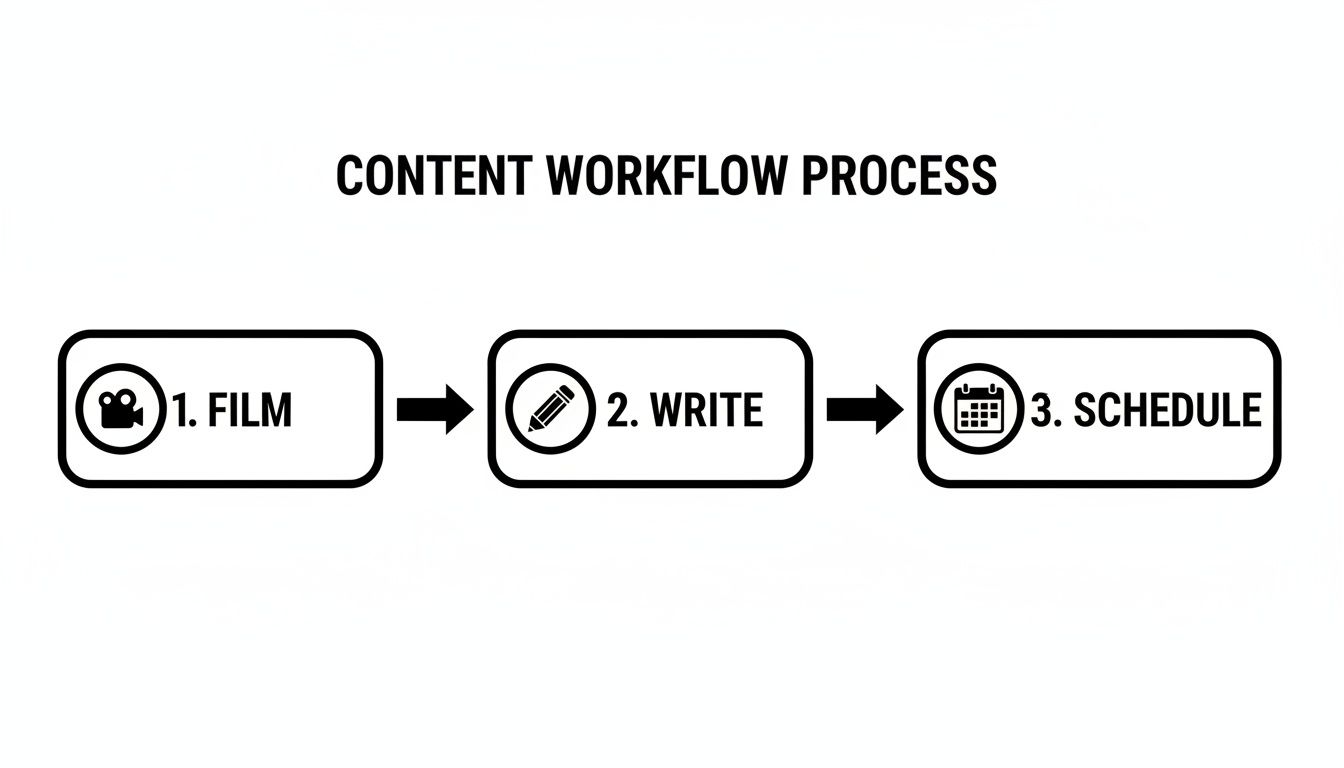
This reinforces the idea that a solid process—film, write, schedule—is your best defense against creative blocks. It keeps you moving forward and helps you stay consistent.
How long should my videos be?
The golden rule is to keep it short and punchy. On platforms like TikTok and Instagram Reels, you're fighting for every second of attention. Aim for videos between 7-15 seconds to hook viewers immediately.
For more in-depth educational content, like on LinkedIn or Facebook, you have a little more runway—up to 90 seconds can work well. But even then, the first three seconds are everything. You have to deliver a powerful hook right away to give people a reason to stick around.
Engaging Content Creation Checklist
- [ ] Audience Research: Have you checked your analytics and performed social listening this week?
- [ ] Content Pillars: Does this post align with one of your 3-5 core content pillars?
- [ ] Framework: Are you using a proven framework like PAS or HSO?
- [ ] Visuals: Is your image/video high-quality, correctly formatted (4:5 or 9:16), and well-lit?
- [ ] Hook: Does the first line of your caption or the first 3 seconds of your video stop the scroll?
- [ ] CTA: Is there a clear, specific, and platform-native call to action?
- [ ] Scheduling: Is your content batched and scheduled in a reliable tool?
Ready to turn this strategy into action without the stress? PostPlanify gives you a clean, unified calendar to schedule your content, preview posts, and stay consistent across all your channels. Start your free trial and save 8+ hours a week at https://postplanify.com.
PostPlanifyAll your social media in one simple dashboard
Schedule posts, track analytics, and reply to comments/DMs without switching tabs.
Engagement
+18%
Views
52.8k
About the Author

Hasan Cagli
Founder of PostPlanify, a content and social media scheduling platform. He focuses on building systems that help businesses, agencies, and teams plan, publish, and manage content and social media more efficiently across platforms.


