


You crafted the perfect Instagram post, polished the caption, and chose the right hashtags. You hit "Publish" and... nothing. A few likes trickle in, but the engagement is a fraction of what you expected. Why did it fail?
The best time to post on Instagram is weekday evenings: PostPlanify's analysis of 8,600+ posts found engagement peaks at 8 PM Eastern (49% above the daily average), with a strong secondary window late morning around 11 AM. Midweek — Tuesday through Thursday — outperforms the rest of the week, and the single highest-engagement slot in our data is Tuesday at 8 PM.
The Problem: Your content quality isn't the issue; your timing is. Posting when your audience is offline or distracted means your post never gets the initial momentum it needs. The Instagram algorithm heavily favors content that gains immediate traction (likes, comments, shares, saves) within the first hour. If you miss that critical window, your post's reach is permanently limited, no matter how good it is. It's like performing to an empty theater.
Common Causes:
- Following Generic Advice: Many guides offer "universal" best times that ignore your specific audience's timezone, industry, and daily habits.
- One-Size-Fits-All Scheduling: You're posting Reels, Stories, and static images at the same time, but the algorithm and user behavior are different for each format.
- Time Zone Mismatch: Your audience is global, but you're only posting during your business hours, missing key engagement periods for followers in other locations.
- Ignoring Daily Rhythms: You post at 2 PM on a Monday when your target audience is deep in work, instead of during their lunch break or evening downtime when they're actively scrolling.
This guide provides actionable, data-driven solutions. We will break down 7 specific, proven time slots and strategies tailored to different days, industries, and content types, helping you find the absolute best time to post on Instagram for your brand. For a cross-platform perspective, see our companion guide on the best time to post on social media. Timing is one lever — if you also want to improve hooks, captions, and community management, our full playbook on how to increase engagement on Instagram covers the other levers alongside posting times. You will learn not just when to post, but why these times work and how to test and refine your own schedule for maximum impact.
We Analyzed 8,600+ Instagram Posts: What the Data Says
Most "best time to post" advice recycles the same handful of studies. So we ran our own. PostPlanify analyzed 8,600+ Instagram posts — Feed and Reels — published through our platform over the past year, measuring each post's median engagement rate (interactions ÷ reach) by the exact day and hour it went live, in US Eastern time.
The clearest finding: on Instagram, evenings beat midday. Engagement peaks at 8 PM Eastern — 49% above the daily average — with a second, smaller peak late morning around 11 AM (+46%). The worst time to post is 7 AM, when engagement runs 58% below average.
Best times to post on Instagram, by hour
| Time (ET) | Median engagement vs. daily average |
|---|---|
| 8:00 PM | +49% (best) |
| 11:00 AM | +46% |
| 5:00 PM | +41% |
| 9:00 PM | +26% |
| 2:00 PM | +25% |
Worst windows: 7 AM (−58%), 4 AM (−34%), and the 1–2 AM and 10 PM slots (roughly −25%).
Best days to post on Instagram
Midweek wins — though the gap between days is far smaller than the gap between hours, which is why when you post in the day matters more than which day:
| Day | Engagement vs. weekly average |
|---|---|
| Wednesday | +7% (best) |
| Thursday | +6% |
| Tuesday | +2% |
| Saturday | −2% |
| Monday | −7% |
| Friday | −8% (worst) |
The 5 highest-engagement posting slots
Combine day and hour and the pattern sharpens — weekday and Sunday evenings, plus one midweek late-morning slot:
| Posting slot (ET) | Median engagement vs. average |
|---|---|
| Tuesday 8 PM | +75% |
| Thursday 11 AM | +66% |
| Friday 9 PM | +58% |
| Monday 8 PM | +55% |
| Sunday 8 PM | +55% |
The takeaway from our data: the most-cited advice points to the 11 AM–1 PM lunch window, and that late-morning bump is real — but in our dataset the 5–9 PM evening block, and 8 PM specifically, consistently outperforms it. If you only post once a day, post midweek in the evening, and save your strongest content for Tuesday at 8 PM Eastern. (And if you're wondering whether once a day is even the right cadence, see how often to post on social media — 3–5 feed posts a week is the Instagram sweet spot.)
Methodology: median engagement rate (interactions ÷ reach) across 8,600+ Instagram Feed and Reels posts published via PostPlanify over the trailing 12 months; all times normalized to US Eastern. We use the median rather than the average so a few viral posts don't skew the results. These are population-wide patterns — your audience's peak may differ, so always confirm against your own Instagram analytics under "Most Active Times."
Best Time to Post Instagram Reels (It's Different From Feed Posts)
When we split the data by format, a clear divide appeared: Reels and Feed posts don't peak at the same time — so posting both at one "universal" time leaves engagement on the table.
Reels peak midweek in the evening. Across 2,700+ Reels, engagement was highest at 11 AM (+57%) and again in the evening at 9 PM (+46%) and 8 PM (+40%). Wednesday is the strongest day, and the top individual slots are Tuesday 8–9 PM (up to +90% above average). The overnight 2–5 AM window is the dead zone (−45% or worse).
Feed posts peak on weekend afternoons. Static Feed posts told a different story — engagement was highest on Saturday (+13%) and Sunday (+9%), clustered around 3 PM, 2 PM, and 8 AM, with Monday and Friday the weakest days.
| Format | Best days | Best hours (ET) |
|---|---|---|
| Reels | Wednesday, Sunday | 11 AM, 8–9 PM |
| Feed posts | Saturday, Sunday | 3 PM, 2 PM, 8 AM |
What to do with this: schedule Reels for midweek evenings (Tuesday/Wednesday around 8 PM) and your best Feed posts for weekend afternoons. (Based on 1,500+ Feed and 2,700+ Reels posts with 100+ reach; median engagement rate; US Eastern.)
1. The Midday Break: Weekdays (Tuesday-Thursday, 11 AM - 1 PM)
One of the most reliable high-engagement windows is the weekday lunch break. Data consistently shows that user activity spikes between 11 AM and 1 PM from Tuesday through Thursday when using an Instagram scheduler to publish consistently. This is a predictable lull in the workday when people step away from their tasks and turn to social media for a mental break.
Why This Time Works
- Shared Behavior: This window captures a universal routine. Professionals are on their lunch break, students are between classes, and others are taking a pause from daily errands. Tracking these patterns through social media analytics reveals just how predictable this spike is.
- Reduced Distractions: Unlike the morning rush or afternoon slump, users during this period are focused on their phones, making them more likely to stop, watch, and engage with content.
- Predictable Traffic: This peak is consistent. Mondays are often busy with catch-up tasks, and Fridays see attention shift towards the weekend. The Tuesday-Thursday block is the sweet spot of routine and receptiveness.
Real-World Scenarios
- E-commerce: A fashion brand drops a new collection at 12 PM on Wednesday, catching shoppers who are actively browsing during their break.
- Fitness Coach: You post a 30-second Reel with a quick workout tip at 11:30 AM on a Tuesday, inspiring followers to hit the gym later that day.
- B2B SaaS Company: You share an insightful carousel about a new industry trend at 1 PM on Thursday, targeting professionals seeking valuable content before returning to their work.
Actionable Fixes
- Pinpoint Your Exact Time: The two-hour window is a starting point. Run a simple A/B test. For one week, post at 11:15 AM. The next week, post similar content at 12:30 PM. Compare which time slot generated more engagement in the first hour.
- Match Content to the Moment: This is prime time for high-impact content that can be consumed quickly. Reels, eye-catching carousels, and single-image posts perform well. Save long-form video for the evening. A content calendar helps you map the right formats to the right time slots.
- Automate for Consistency: Manually posting during a busy workday is unreliable. A scheduling tool like PostPlanify lets you prepare your posts in advance and ensures they go live at the precise optimal moment, even if you're in a meeting. This is especially critical if your audience is in a different time zone. For a complete walkthrough, see this guide to scheduling Instagram posts.
- Verify with Your Data: After two weeks, check your Instagram Insights (
Professional Dashboard > Total Followers > Most Active Times). Does your audience data confirm this midday peak? If so, you've found a reliable pillar for your schedule.
 PostPlanify
All your social media in one simple dashboard
Schedule posts, track analytics, and reply to comments/DMs without switching tabs.

Engagement
+18%
Views
52.8k
2. The Evening Wind-Down (7 PM - 10 PM)
After the workday ends and daily chores are done, a second major engagement peak occurs. The evening hours, specifically between 7 PM and 10 PM, capture a relaxed, attentive audience ready for deeper content consumption. If you are managing multiple social media accounts, this window is especially valuable because it overlaps with peak hours on other platforms too. This is the "lean-back" experience, where users spend more time on the platform.
Why This Time Works
- Undivided Attention: Users are no longer multitasking. They are settled on the couch, free from work distractions, and more likely to watch longer videos, read full captions, and leave thoughtful comments.
- Community Focus: This is a prime time for connection. Engagement is often more meaningful, leading to more direct messages, shares, and conversations in the comments.
- Entertainment Mindset: Users are actively seeking entertainment, storytelling, and inspiration. This makes it the perfect window for video content, tutorials, and behind-the-scenes glimpses.
Real-World Scenarios
- Food Blogger: You post a detailed recipe Reel at 7:30 PM as your followers are thinking about what to cook the next day, leading to a high number of saves.
- Wellness Creator: You share a carousel about mindfulness at 9 PM, resonating with an audience that is winding down and open to reflective content.
- Gaming Influencer: You go live or post a gameplay highlight at 8 PM, catching your community during peak gaming hours.
Actionable Fixes
- Prioritize Video and Storytelling: This is the ideal time for your best Reels, long-form videos, and detailed carousels that tell a story. Schedule your social media posts with your most engaging video content queued for the 7 PM to 8 PM slot.
- Test Your Evening Sweet Spot: Is your audience more active right after dinner (around 7:15 PM) or closer to bedtime (around 9:30 PM)? Test both times on different days with similar content to see which performs better.
- Engage After Posting: The work doesn't stop when the post goes live. Dedicate 30 minutes after posting to reply to comments and DMs. This real-time interaction signals to the algorithm that your post is valuable and boosts its visibility.
- Schedule for Your Freedom: Don't be chained to your phone every evening. Use a scheduler to queue your posts. PostPlanify’s mobile app allows you to manage comments and engagement on the go, so you can be responsive without sacrificing your personal time.
3. The Weekend Sweet Spot (Saturday 9 AM - 11 AM)
Weekends operate on a different frequency. While overall engagement can be less predictable, there is a distinct, high-value window on Saturday mornings between 9 AM and 11 AM. This period captures users in a relaxed, leisurely state of mind, making them highly receptive to inspirational, lifestyle, and e-commerce content.
Why This Time Works
- Discovery Mindset: Unlike weekday scrolling, which is often a distraction, weekend browsing is about discovery. Users are looking for things to do, places to go, and products to buy.
- Lower Competition: Many brands and social media managers for small businesses take the weekend off. Posting during this time can give your content more visibility in a less crowded feed.
- Positive Mood: People are generally happier and more open to new ideas on the weekend, which can lead to higher engagement rates for aspirational and feel-good content.
Real-World Scenarios
- Travel Agency: You post a stunning Reel of a weekend getaway at 10 AM on Saturday, inspiring users who are actively planning future trips.
- Home Decor Brand: You share a carousel of a cozy living room setup at 9:30 AM, catching homeowners as they think about weekend projects.
- DIY Creator: You post a tutorial for a simple weekend project at 9 AM, providing immediate value and encouraging saves.
Actionable Fixes
- Save Your Best Visuals: Use your most aesthetically pleasing photos and cinematic Reels for this window. High-quality visuals are crucial for capturing the attention of leisurely scrollers.
- Automate Your Weekend: Protect your personal time. A reliable scheduling tool is essential for a weekend strategy. Prepare and schedule your Saturday morning posts during the week with PostPlanify to ensure you hit the optimal time without working on your day off.
- Use Weekend-Specific Calls-to-Action (CTAs): Tailor your captions and CTAs. Instead of a generic "Learn More," try "Shop the Weekend Collection" or "Get Inspired for Your Next Adventure."
- Verify It Works for You: Weekend posting is not for every brand. B2B companies, for example, may see very low engagement. After a month, review your analytics. If Saturday mornings aren't delivering results, reallocate that content to a weekday slot.
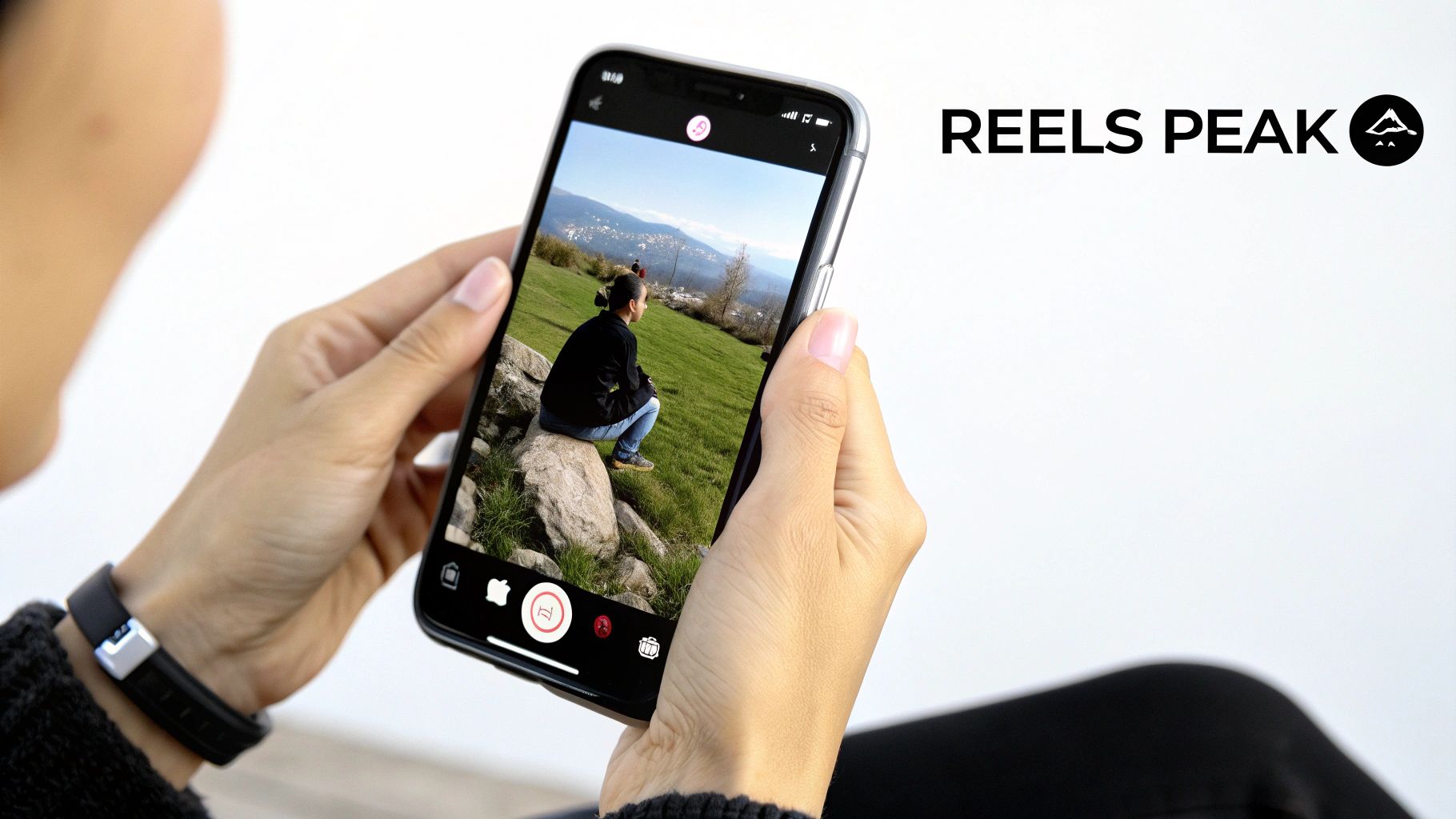
4. Format-Specific Timing: Reels (10 AM - 2 PM, Monday-Thursday)
Posting a Reel at the same time as a static photo is a strategic mistake. The algorithm for Reels is heavily geared towards discovery, meaning its primary audience is often non-followers. To maximize this, you need to post when the algorithm is most actively pushing new content. Data shows this peak discovery window is between 10 AM and 2 PM from Monday to Thursday.
Why This Time Works
- Algorithmic Boost: Instagram's system uses the first hour of a Reel's performance to decide if it's worth promoting widely — understanding how the Instagram Reels algorithm works is essential for timing your content effectively. Posting during this high-traffic period gives your Reel the best shot at getting the initial engagement needed to go viral.
- Discovery Behavior: This window aligns with when users are most likely to be scrolling the Reels tab and Explore page, actively looking for new and entertaining video content.
- Higher Reach Potential: A well-timed Reel can reach 40-60% more accounts than a static post because it's not limited to just your existing followers. For more on this, see these data-backed insights on the best time to post Instagram Reels.
Real-World Scenarios
- Educational Creator: You post a 60-second tutorial Reel at 11 AM on Tuesday. It gets a high number of saves in the first hour, signaling to the algorithm to push it to a wider audience.
- E-commerce Brand: A product demonstration Reel scheduled for 12 PM on Thursday can drive 3x more traffic to a product page compared to posting at off-peak times.
- Comedy Account: Releasing a new skit at 10:30 AM can rapidly hit the Explore page as users look for a morning laugh.
Actionable Fixes
- Create a Separate Reels Schedule: In your content calendar, treat Reels as a distinct category. Use PostPlanify to set up a dedicated posting schedule for Reels that targets this 10 AM to 2 PM window.
- Aim for the Early Slot: Post between 10 AM and 12 PM. This gives your Reel more time within the peak discovery window to gain momentum and be picked up by the algorithm.
- Use Trending Audio Strategically: Pair your Reel with trending audio, but don't wait. The lifespan of a trending sound can be short. Use a scheduler to get your Reel out quickly while the audio is still popular.
- Monitor First-Hour Metrics: After a Reel goes live, track its performance for the first 60 minutes. If engagement is low, your next Reel should be tested at a slightly different time within the window (e.g., move from 10 AM to 11:30 AM). Our guide on how to schedule Instagram Reels offers more advanced tips.
5. Audience-Specific Timing: Gen Z (9 PM - 11 PM)
If your target audience is Gen Z (roughly ages 13-27), their digital clock runs differently. For this demographic -- and especially for creators building a youth-focused brand -- the prime engagement window is the late evening, from 9 PM to 11 PM. This is when they are done with homework, work, and social plans, and are settled in for a night of scrolling and interacting.

Why This Time Works
- Lifestyle Alignment: This window perfectly matches the downtime of younger audiences. They use social media as their primary way to unwind before bed.
- Authenticity is Key: Gen Z values casual, unfiltered content. Polished corporate posts feel out of place this late at night. Behind-the-scenes content, memes, and interactive Stories thrive.
- Intimate Engagement: Content consumed in a personal setting (like their bedroom) feels more intimate. This often leads to more DMs, shares to close friends, and participation in polls and Q&As.
Real-World Scenarios
- Streetwear Brand: You drop a "fit check" Reel at 10 PM, tapping into late-night style inspiration and community conversation.
- Mental Health Advocate: You post a thoughtful carousel or start a Q&A via Stories at 9:30 PM, connecting with followers when they are most reflective.
- Musician: You premiere a new music video clip at 10:30 PM, reaching your core fanbase when they are most likely to be online and share it.
Actionable Fixes
- Segment Your Audience and Schedule: Do not use your general schedule for Gen Z content. Create a separate content stream in your scheduler specifically for this late-night window. PostPlanify allows you to manage multiple schedules to avoid overlap.
- Focus on Reels and Stories: This audience lives in vertical video. Prioritize casual, authentic Reels and interactive Stories for this time slot. Use stickers, polls, and Q&As to encourage participation.
- Be Present After Posting: This is not a "post and ghost" time slot. Plan to be online for at least 30-60 minutes after your content goes live to respond to comments and DMs. This fosters a sense of real-time community.
- Check Your Follower Demographics: In your Instagram Insights, confirm the age breakdown of your audience. If 13-27 is a significant segment, dedicating resources to this late-night strategy is a must. For more tips on this, read our guide on how to improve social media engagement.
6. Industry-Specific Timing: B2B Brands (8 AM - 9 AM Weekdays)
For business-to-business (B2B) companies, the rules are different. Your target audience isn't scrolling for entertainment during their lunch break. They are looking for industry insights and solutions. The best time to reach them is between 8 AM and 9 AM on weekdays, just before their workday officially starts.
Why This Time Works
- Pre-Work Ritual: Many professionals start their day by checking industry news, LinkedIn, and relevant Instagram accounts before diving into their emails.
- Professional Mindset: During this window, your audience is mentally primed for work-related content. They are receptive to data, expert advice, and thought leadership.
- High-Intent Audience: The engagement you get may be lower in volume than a B2C brand, but it's often higher in quality. A single like or comment could come from a key decision-maker.
Real-World Scenarios
- SaaS Company: You share a case study carousel at 8:15 AM on a Tuesday, catching a manager who is actively researching new software solutions.
- Marketing Agency: You post a short video with three industry predictions at 8:30 AM on Wednesday, positioning your firm as an authority.
- Business Coach: You post a productivity tip at 8:00 AM, providing immediate value and driving sign-ups for your newsletter.
Actionable Fixes
- Adopt a "LinkedIn" Content Style: Your content should be educational, valuable, and professional. Focus on data visualizations, quick tips, industry news, and long-form captions that provide real insight.
- Be Consistently Early: Post at the same time every weekday morning. This trains your audience to look for your content as part of their morning routine.
- Use a Scheduler for Reliability: Manually posting this early every day is difficult. Use PostPlanify to schedule a week's worth of B2B content in advance, ensuring you never miss this critical window.
- Track Business-Centric Metrics: Don't just look at likes. Monitor website clicks, lead magnet downloads, and DM inquiries. Use your social media analytics and reporting to confirm that this time slot is driving actual business results. The reporting features inside PostPlanify make it easy to compare performance across different posting windows.
- Use Professional CTAs: End your posts with clear, business-oriented calls-to-action, such as "Download our latest report" or "Book a free demo."
7. A Multi-Format Strategy for Stories (7-9 AM, 12-1 PM, & 6-7 PM)
Instagram Stories have a 24-hour lifespan and are consumed differently than feed posts. A successful Story strategy relies on frequency and timing. Pairing Stories with a content batching workflow lets you prepare an entire week of Story sequences in one sitting. The best times to post Stories fall into three distinct daily windows: the morning commute (7-9 AM), the lunch break (12-1 PM), and the evening wind-down (6-7 PM).
Why This Time Works
- Multiple Touchpoints: This approach ensures your brand stays at the front of your followers' Story queues throughout the day, maximizing visibility.
- Aligns with Daily Habits: These three windows capture users during their most common moments of "in-between" time—commuting, eating lunch, and relaxing after work.
- Builds a Narrative: Posting throughout the day allows you to tell a continuous story, share real-time updates, and keep your audience engaged from morning to night.
Real-World Scenarios
- E-commerce Brand: Post a "behind-the-scenes" Story at 8 AM, a "product of the day" poll at 12 PM, and a "customer feature" at 6 PM.
- Influencer: Share a "good morning" message at 7:30 AM, a Q&A session at 12:30 PM, and a recap of your day at 6:30 PM.
- Restaurant: Post a picture of your morning coffee prep at 9 AM, your lunch special at 12 PM, and a video of the evening ambiance at 7 PM.
Actionable Fixes
- Batch and Schedule Your Stories: Manually posting three times a day is unsustainable. Use a tool like PostPlanify to design, upload, and schedule your Stories for all three windows at the start of the week. For a step-by-step process, see our guide on how to schedule Instagram Stories.
- Use Interactive Stickers Strategically: In each posting window, include at least one interactive element like a poll, quiz, or question sticker. This turns passive viewers into active participants.
- Post in Short Sequences: Instead of one long Story, post a sequence of 3-5 shorter frames. This increases the chances of your Story being at the front of the queue and improves completion rates.
- Analyze Your Story Metrics: In your Instagram Insights, track which of the three time slots consistently gets the most views and interactions. If your morning slot always outperforms the evening one, you can focus more of your efforts there. Tracking these numbers alongside a regular social media audit ensures your Story strategy stays aligned with broader goals.
Best Instagram Posting Times by Industry
Different industries have different audience behaviors. A fitness audience scrolls at different hours than a B2B audience. Here's a consolidated reference based on engagement data across verticals:
| Industry | Best Days | Best Times | Why |
|---|---|---|---|
| E-commerce & Retail | Wed, Thu, Fri | 11 AM – 1 PM, 7 PM – 9 PM | Lunchtime browsing + evening shopping sessions |
| Fitness & Wellness | Tue, Wed, Thu | 6 AM – 8 AM, 5 PM – 7 PM | Pre-workout motivation + post-work gym crowd |
| Food & Restaurants | Mon – Fri | 11 AM – 1 PM, 5 PM – 7 PM | Lunch planning + dinner decision windows |
| Beauty & Fashion | Tue, Wed, Thu | 10 AM – 12 PM, 7 PM – 9 PM | Mid-morning inspiration + evening "get ready" content |
| B2B & SaaS | Tue, Wed, Thu | 8 AM – 9 AM, 12 PM – 1 PM | Pre-work industry check + lunchtime professional browsing |
| Travel & Hospitality | Wed, Sat, Sun | 9 AM – 11 AM, 7 PM – 9 PM | Weekend planning + evening dream-browsing |
| Education & Coaching | Tue, Wed, Thu | 10 AM – 12 PM, 8 PM – 10 PM | Study break scrolling + evening learning |
| Real Estate | Thu, Sat | 9 AM – 11 AM, 2 PM – 4 PM | Weekend house hunting + afternoon browsing |
| Entertainment & Media | Mon – Thu | 12 PM – 2 PM, 8 PM – 11 PM | Lunch entertainment + evening leisure |
| Health & Medical | Tue, Wed | 10 AM – 12 PM, 7 PM – 8 PM | Research hours + evening health-conscious browsing |
How to use this: Find your industry, use those times as your starting baseline for 2 weeks, then refine based on your Instagram Insights data. If your brand spans multiple industries (e.g., a fitness e-commerce brand), test the overlapping windows first (like 11 AM – 1 PM which works for both).
Two Advanced Timing Tactics
Once you know your peak windows, two small adjustments squeeze out extra reach:
- Post 30 minutes before a peak, not during it. If your audience surges at 8 PM, publish at 7:30 PM. This gives the algorithm time to index the post and seed it to a first wave of users, so it's already gaining momentum when the rush hits.
- Test the "shoulder hours." Everyone aims for the obvious 7 PM slot, so the feed is crowded. Posting slightly off-peak — say 5:30 PM instead of 6 PM — can win you a less competitive feed and an early-engagement edge.
Frequently Asked Questions
What is the single best time to post on Instagram in 2026?
The single best hour is 8 PM Eastern. Our analysis of 8,600+ posts found engagement peaks there — 49% above the daily average — and the strongest day-and-hour combination is Tuesday at 8 PM. Wednesday is the best day overall, but it's the evening, not midday, when engagement peaks. As always, your own Insights data should take priority.
Does the best posting time differ for Reels versus feed posts?
Yes. Reels perform best during the broader discovery window of 10 AM to 2 PM on weekdays, when users actively browse the Reels tab and Explore page. Static feed posts and carousels tend to peak during the tighter 11 AM to 1 PM lunch-break slot because followers consume them in their home feed.
How often should I post on Instagram for maximum engagement?
Most brands see the best results posting 3 to 5 times per week on the main feed, plus daily Stories. Consistency matters more than volume -- three high-quality posts per week at proven times outperform daily low-effort content every time.
Should I post at the same time every day on Instagram?
Not necessarily. Different days have different activity peaks, and different content formats thrive at different hours. Use your Instagram Insights to identify the top two or three time slots per week and rotate your content across them for broader reach.
How do I find my personal best time to post on Instagram?
Open Instagram Insights > Total Followers > Most Active Times to see when your audience is online. Test posting at those peaks for two weeks, then compare engagement metrics. This data-driven approach is far more reliable than following generic advice.
Does posting time matter for Instagram Stories?
Yes, though differently. Stories appear at the top of the feed and expire in 24 hours, so posting during the morning commute (7-9 AM), lunch (12-1 PM), and evening (6-7 PM) windows keeps your brand visible throughout the day. For a full breakdown of how Story views are counted and tips to increase them, see our guide on views on Instagram Stories.
What is the worst time to post on Instagram?
Posting between 2 AM and 5 AM in your audience's time zone consistently yields the lowest engagement. Late-night and very early morning hours see minimal activity, so content published then rarely gains the initial momentum the algorithm requires.
Does the Instagram algorithm favor certain posting times?
Not directly — the algorithm doesn't boost posts published at specific hours. But it heavily rewards early engagement velocity. When you post while your audience is online, you get more likes, comments, saves, and shares in the first 30-60 minutes. The algorithm interprets this as a strong quality signal and pushes the post to more feeds, Explore, and hashtag results. So timing doesn't affect the algorithm's rules, but it dramatically affects whether you trigger the algorithm's rewards.
What timezone should I use for Instagram posting times?
Always use your audience's timezone, not your own. Check Instagram Insights (Professional Dashboard > Total Followers > Most Active Times) to see when your followers are online — Instagram shows this in your local time, already adjusted. If your audience spans multiple timezones (e.g., US East Coast + West Coast), post at a time that catches both — typically 12 PM EST / 9 AM PST captures the overlap. For global audiences, consider posting twice per day at different windows to cover multiple regions.
Is it better to post in the morning or evening on Instagram?
It depends on your content type and audience. Morning posts (8-11 AM) work better for educational content, B2B, and professional audiences who browse during work breaks. Evening posts (7-10 PM) work better for entertainment, lifestyle, food, and Gen Z audiences who scroll during leisure time. Reels tend to perform slightly better when posted mid-morning (10 AM – 12 PM) because the algorithm has more daytime hours to test and distribute them. The safest bet if you can only post once: the evening, around 8 PM — our data shows it's the single strongest window — with late morning (11 AM) the best alternative if you post during the workday.
How do I know if my Instagram posting time is working?
Track these three metrics for each post over 2 weeks: (1) Reach in the first hour — are more people seeing your post initially? (2) Engagement rate — are likes, comments, saves, and shares higher at the new time? (3) Non-follower reach percentage — is Instagram pushing your content beyond your followers? Compare posts published at different times with similar content quality. If one time slot consistently outperforms, that's your winner. PostPlanify's analytics dashboard makes this comparison easy by showing performance metrics across all your posting times.
Does posting time affect Instagram Reels reach more than feed posts?
Yes — timing matters more for Reels than for static feed posts. Reels rely heavily on the first-hour performance to determine whether the algorithm pushes them to Explore, the Reels tab, and non-followers. A Reel that gets strong engagement immediately gets shown to progressively larger audiences. A feed post has a more gradual distribution curve. This is why the 10 AM – 2 PM Reels window (Section 4 above) is more time-sensitive than the general 11 AM – 1 PM feed post window. For more on how the algorithm evaluates Reels, see our Instagram Reels algorithm guide.
Is Monday a good day to post on Instagram?
Monday is a moderate day — not the strongest (that's Wednesday), but far from the worst. Mornings start slow as people catch up on work, then engagement climbs: the lunch window (11:30 AM – 12:30 PM) works across most niches, and the 5–6 PM evening commute is Monday's strongest slot. B2B brands can also do well at 6–7 AM. Reserve your very best content for midweek, and treat Monday as a reliable secondary day.
Your Checklist for Finding the Best Time to Post
Finding the perfect posting time is an ongoing process of testing and refinement. Use these data-backed time slots as your starting point, not your final answer.
Here is your step-by-step checklist to build a custom schedule that works for your account:
- Establish a Baseline: For the next two weeks, schedule your primary feed posts during the Weekday Peak Hours (Tue-Thu, 11 AM - 1 PM).
- Integrate Format-Specific Times: Schedule your Reels for the 10 AM - 2 PM weekday window and your Stories for the 7-9 AM, 12-1 PM, and 6-7 PM slots.
- Analyze Your Insights: After two weeks, go to your Instagram
Professional Dashboard > Account Insights > Total Followers. Scroll down to the "Most Active Times" chart. Does the data match your posting schedule, or does it reveal a different peak (e.g., 6 PM instead of 12 PM)? - Run an A/B Test: Identify the new peak time from your Insights. For the following two weeks, post half your content at your original baseline time and the other half at this new test time.
- Compare and Refine: At the end of the test, compare the engagement metrics for both time slots. The data will tell you which time is truly optimal for your audience.
- Automate for Consistency: Once you've identified your high-performing time slots, lock them in. Use a scheduling tool to ensure you never miss them, regardless of your schedule or time zone.
Mastering your posting schedule is one of the most effective ways to boost your Instagram growth. It ensures your content gets the immediate visibility it needs to succeed. Stop guessing and start testing.
Ready to turn these insights into a consistent, automated posting schedule? See our full guide on automating Instagram posts for the step-by-step setup. PostPlanify allows you to schedule your content for all your identified peak times, ensuring you never miss an opportunity to engage your audience. Start your 7-day free trial and build a precise, data-driven Instagram strategy that works for you 24/7.
Best Time to Post on Instagram by Day (Quick Reference)
People search for the best time to post on specific days. Here's the day-by-day breakdown based on aggregate engagement data across industries in 2026:
| Day | Best Time to Post | Engagement Level | Notes |
|---|---|---|---|
| Monday | 11 AM–1 PM, 5 PM | Moderate | Slow morning as people catch up on work; engagement climbs through the afternoon, and the 5–6 PM evening-commute slot is the strongest. B2B audiences do well at 6–7 AM. |
| Tuesday | 11 AM, 8 PM | High | Tuesday 8 PM is the single best slot in our data. Great for carousels, Reels, and educational content. |
| Wednesday | 11 AM, 8 PM | Highest | The single best day of the week. Post your strongest content here — engagement peaks in the evening. |
| Thursday | 11 AM – 1 PM, 7 PM | High | Strong midday + solid evening window. Good for Reels. |
| Friday | 11 AM | Moderate-Low | Engagement drops as people shift to weekend mode. Keep it light. |
| Saturday | 9 AM – 11 AM | Moderate | Morning discovery window. Great for lifestyle, travel, and e-commerce. |
| Sunday | 10 AM, 7 PM | Low-Moderate | Lower overall, but the 7 PM slot works for Sunday planning content. |
Important: These are general benchmarks. Your audience's peak times may differ — always verify with your Instagram Insights (Professional Dashboard > Total Followers > Most Active Times). The best time to post on Instagram for you is when your followers are online, which may not match the averages.
How to Use This Table
- Start with Wednesday and Thursday as your primary posting days
- Test Tuesday vs Thursday for your secondary slot
- Add Saturday morning if your audience includes weekend browsers
- Avoid Sunday-Monday for your most important content unless your data says otherwise
- Schedule everything — use PostPlanify to lock in your best times so you never miss them
Best Time to Post on Instagram on Monday
Monday is a moderate engagement day — people are easing back into the work week — so save your strongest content for Tuesday through Thursday. That said, Monday has reliable windows if you match the slot to your audience:
- 6–7 AM — B2B and professional audiences scrolling on their commute. Lead with value (industry tips, insights).
- 8–9 AM — aspirational and wellness content for the "new week, fresh start" mindset.
- 11:30 AM – 12:30 PM — the lunch-break peak; broad reach, ideal for e-commerce and lifestyle.
- 1–2 PM — a dependable secondary slot for mixed B2B/B2C audiences.
- 5–6 PM — the strongest single window, catching the broad consumer audience during the evening commute. Use your best Reels here.
- 7–8 PM — entertainment and lifestyle content as people unwind.
Avoid 2–5 AM (everyone's offline) and the 3–4 PM afternoon-work lull. As always, confirm against your own Instagram Insights — your Monday peak may differ.
Related: Best Instagram Marketing Tools | Instagram Post vs Story vs Reel | Instagram Reels Algorithm | How to Schedule Instagram Posts | How to Schedule Instagram Reels | How to Schedule Instagram Stories | Views on Instagram Stories | How to Grow Instagram Followers Organically | How to Improve Social Media Engagement | Best Time to Post on Social Media | Content Batching | 7 Best Instagram Analytics Tools
PostPlanifyAll your social media in one simple dashboard
Schedule posts, track analytics, and reply to comments/DMs without switching tabs.
Engagement
+18%
Views
52.8k
About the Author

Hasan Cagli
Founder of PostPlanify, a content and social media scheduling platform. He focuses on building systems that help businesses, agencies, and teams plan, publish, and manage content and social media more efficiently across platforms.


