


If you're looking for a quick, general answer, the best times to post on Instagram are often between 11 AM and 1 PM and again from 7 PM to 9 PM on weekdays. These are common lunch breaks and evening downtime hours, giving your content an immediate audience.
However, relying solely on generic advice is a common mistake that can limit your reach. Your perfect posting time is unique to your specific audience. This guide provides a step-by-step process to find it.
Your Quick Guide to Instagram's High-Engagement Windows
Let's cut right to the chase. The biggest reason most Instagram posts underperform isn't the content—it's the timing. Posting when your audience is offline means your content misses the critical, initial burst of engagement that Instagram's algorithm needs to see.
Why Timing Is Everything on Instagram
The problem is simple: if a post doesn't get likes, comments, and shares soon after it goes live, the algorithm assumes it's not valuable and stops showing it to more people.
- The Cause: Instagram's algorithm prioritizes fresh content that generates immediate interaction. This "engagement velocity" is a strong signal that the content is resonating.
- The Scenario: You share a brilliant Reel at 4 PM, but most of your audience doesn't start scrolling until their evening wind-down around 8 PM. By then, their feeds are flooded with newer content, and your post is buried.
- The Fix: You need to publish your content precisely when the largest segment of your audience is actively using the app. This maximizes its chances of getting that crucial initial traction.
Think of the general "best times" not as a magic bullet, but as a starting point for testing. They are reliable, data-backed launchpads that align with common daily habits.
General High-Engagement Times to Post on Instagram (All Times Local)
Use this table as your initial testing ground. These are globally recognized high-traffic windows based on broad user activity. Use them for your first week of posts, then use your own analytics (which we'll cover next) to find what works for your specific audience.
| Day of the Week | Morning Slot | Midday Slot | Evening Slot |
|---|---|---|---|
| Monday | 6 AM - 10 AM | 12 PM - 2 PM | 5 PM - 9 PM |
| Tuesday | 7 AM - 9 AM | 11 AM - 1 PM | 6 PM - 9 PM |
| Wednesday | 8 AM - 10 AM | 11 AM - 1 PM | 7 PM - 9 PM |
| Thursday | 7 AM - 9 AM | 12 PM - 2 PM | 7 PM - 10 PM |
| Friday | 8 AM - 10 AM | 1 PM - 3 PM | 6 PM - 8 PM |
| Saturday | 9 AM - 11 AM | — | 7 PM - 9 PM |
| Sunday | 10 AM - 1 PM | — | 8 PM - 10 PM |
These times are your first step toward a smarter posting strategy. Now, let's break down why these specific windows are so effective.
Why These Times Work
These windows are rooted in predictable human behavior.
- Morning (7 AM - 10 AM): Catches people during their morning commute or as they check their phones before the workday begins.
- Midday (11 AM - 2 PM): The classic lunch break window. It's prime time for scrolling social media to take a mental break.
- Evening (6 PM - 10 PM): Captures users as they unwind after work. This is when people have the most leisure time to engage deeply with content.
Remember, these are broad benchmarks. Your goal is to use them as a starting guide, then transition to a schedule that's perfectly tuned to your unique followers.
The Problem with Generic Posting Times
Relying on "best times to post" infographics is a common mistake that can seriously limit your reach. While the windows above are a decent starting point, they are just broad averages.
Your perfect posting schedule is completely unique. It’s shaped by your audience, your industry, and the type of content you share.
- The Cause: Global averages fail to account for the specific demographics, time zones, and daily routines of your followers.
- The Scenario: A B2B software company targeting tech leads in London posts at 8 PM, a peak time for many B2C brands. However, their audience was most active during their lunch break at 1 PM and has long since logged off for the day. The post gets minimal engagement.
- The Fix: You must analyze your own audience data to pinpoint their unique active hours.
The single biggest factor is when your followers are actually online and scrolling.
Several variables make your audience unique:
- Demographics: A younger, student-heavy audience might be most active late at night, while working professionals are more likely to be online during their commute or lunch break.
- Time Zones: If your followers are scattered globally, a single "best time" is a myth. Posting at 5 PM EST means it's only 2 PM PST, potentially missing a massive chunk of your West Coast audience.
- Industry Niche: B2B audiences often browse platforms like Instagram during business hours. B2C audiences in niches like fitness or gaming are often most engaged on evenings and weekends.
The goal isn't to find the world's best time to post; it's to find your audience's best time.
How Content Format Affects Timing
Different content formats have their own ideal windows based on user mindset.
- Inspiring Carousels or Quotes: These perform well during a midday slump (12 PM - 2 PM) when people need a quick shot of motivation.
- Entertaining Reels: These often perform best in the evening (7 PM - 10 PM) when people are relaxed and have more time to watch videos. To maximize your Reels' reach, it helps to understand how the Instagram Reels algorithm decides which content to surface.
Understanding these nuances is what separates good content from great content. To learn more about creating posts that connect, check out our guide on how to improve social media engagement. This ensures you’re not just posting at a good time, but at the right time for the right content.
How to Find Your Audience's Peak Active Hours (Step-by-Step)
It’s time to stop guessing and start using Instagram's own data to find your personal best time to post. To do this, you'll need an Instagram Business or Creator account. If you have one, you can access the data right now.
Step 1: Access Your Instagram Insights
- Go to your Instagram profile.
- Tap on the "Professional Dashboard" button below your bio. This is your command center for all performance metrics.
- In the dashboard, tap on "Account Insights."
Step 2: Analyze Your Follower Activity
- Inside Insights, navigate to the "Total Followers" section.
- Scroll down until you find the "Most Active Times" data. Here, Instagram provides two views: Hours and Days.
- Toggle between the views. Look for the days with the highest activity bars, then tap on those specific days to see an hour-by-hour breakdown.
- Identify the distinct peaks in the bar graph—these are your golden hours. The data might show that your followers surge online at 8 PM on Wednesdays or are consistently scrolling around noon during the week.
This screenshot highlights clear activity peaks in the evening, which tells us that posts published between 6 PM and 9 PM would have the best chance at immediate reach.
Step 3: Cross-Reference with Your Top-Performing Content
Your audience's active hours are only half the story. The next step is to confirm this data by analyzing your best-performing posts.
- Go back to your main Insights screen and look at "Content You Shared."
- Filter your posts by Reach or Engagement from the last three to six months.
- Make a note of the exact day and time you published your top 5-10 posts.
- Compare these times with the peak activity hours you found in Step 2.
Do you see a pattern? It's highly likely your most successful posts went live during or just before one of those activity spikes. This is the data-driven confirmation you need. For a deeper analysis, our guide on social media analytics and reporting can be helpful.
Step 4: Test and Confirm Your Findings
Now it's time to put your hypothesis to the test.
- Based on your findings, create a simple schedule to post during these newly identified peak windows for the next two weeks.
- Post consistently during these times. Don't get discouraged if a single post doesn't perform well; look for the overall trend across several posts.
- After two weeks, review your analytics again. Did the posts published at these new times outperform your previous ones? If so, you've found your new schedule.
This simple process of checking your audience data, analyzing top content, and testing is what separates professional creators from amateurs. To get even deeper insights, consider using dedicated Instagram analytics tools.
Building a Consistent and Effective Publishing Schedule
Having the right data is a great start, but turning those insights into a sustainable posting routine is where the real work begins. Manually posting at your precise peak times is unreliable and stressful.
 PostPlanify
Manage All Your Social Accounts Without the Chaos
Schedule posts, track performance, and collaborate with your team.


The Problem with Manual Posting
- The Cause: Life gets in the way. Meetings, appointments, or simply forgetting can cause you to miss your optimal posting window, wasting the potential of your content.
- The Scenario: You discover your absolute best time to post is 7:45 PM on Thursdays. But for two weeks in a row, you're busy with family commitments at that exact time and end up posting late, hurting your engagement.
- The Fix: Use a scheduling tool to automate the process. This ensures you hit your perfect time, every time, without fail.
Using a platform like PostPlanify lets you plug in those peak times and schedule your content weeks or even months in advance. This frees you up to focus on what actually matters: creating better content.
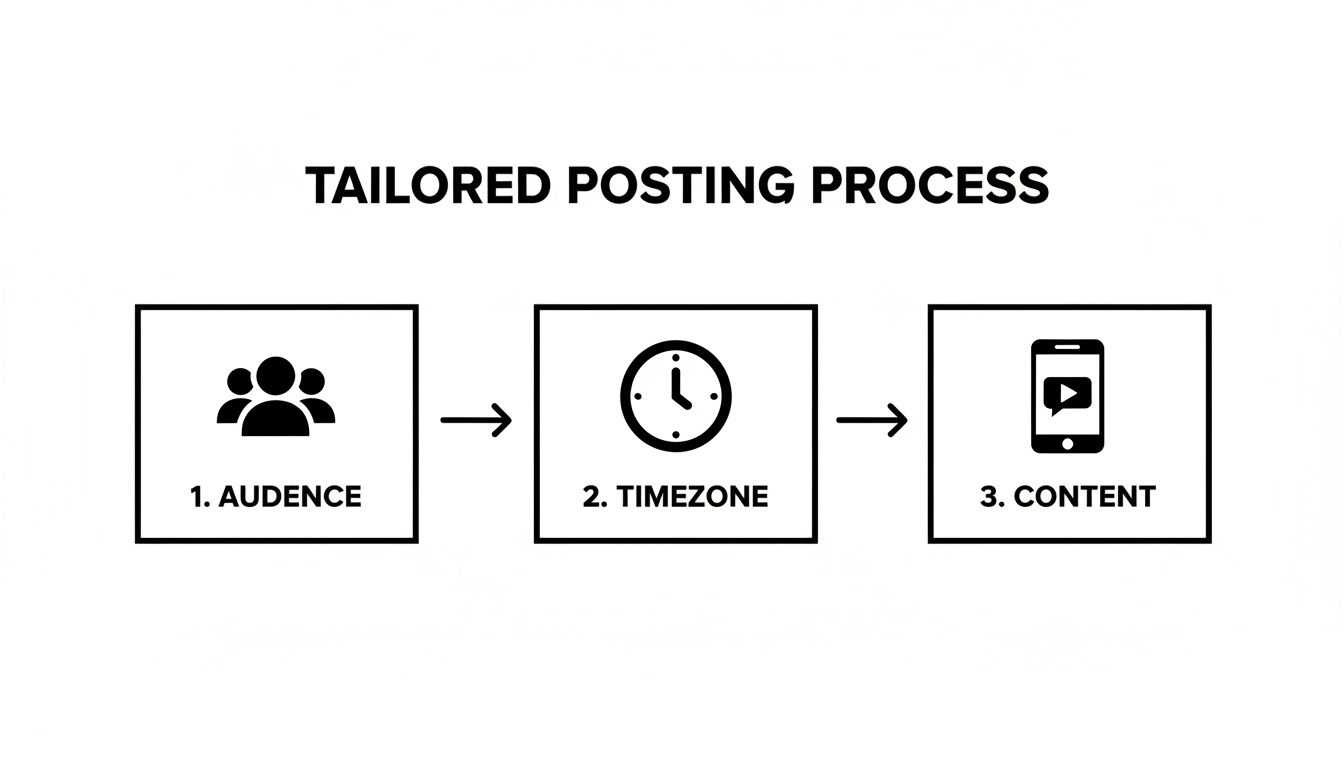
Let's say your insights show your audience is most active at 8 AM, 1 PM, and 7 PM. In a scheduler, you can create recurring time slots for those exact times. Your only job is to fill them with great content.
How Scheduling Solves More Than Just Timing
A smart scheduling workflow solves several common problems that hold creators back:
- Time Savings: Get hours back each week. Instead of scrambling to post daily, you can batch-create and schedule a week's worth of content in one session.
- Brand Consistency: A visual planner lets you see your feed before it goes live, which is crucial for maintaining a cohesive brand aesthetic.
- Reduced Burnout: The daily pressure to create and post is exhausting. Scheduling eliminates that stress, preventing creative burnout.
Strategic execution is just as important as the data itself. A perfect posting time is useless if you can't consistently hit it.
If you are starting from scratch and have no data yet, a massive analysis of over 9.6 million Instagram posts found that globally effective times are Thursday at 9 a.m., Wednesday at 12 p.m., and Wednesday at 6 p.m. Use these specific slots as your starting point.
Ultimately, building an effective schedule is about creating a reliable system. For a deeper dive, check our guide on how to schedule Instagram posts in 2025.
Advanced Timing Strategies to Outperform Competitors
Once you've found your audience's active hours, you can use more advanced tactics to get ahead of the competition. This moves beyond just posting during peak hours and into a more strategic approach.
1. Match Content Format to User Mindset
You don't scroll Instagram the same way during your lunch break as you do when you're relaxing at 9 PM. Match your content format to your audience's daily rhythm.
- Stories for Midday Check-ins: Post Stories during lunch breaks (12 PM - 2 PM) when people are tapping through casually.
- Reels for Evening Entertainment: Save Reels for prime time (7 PM - 10 PM) when users have more time to watch video content.
- Carousels for Morning Learning: Informative carousels can perform well in the morning (8 AM - 10 AM) when people are in a mindset to learn.
2. Post 30 Minutes Before a Peak
Here's a simple trick most brands overlook: post 30 minutes before a known activity spike. If your analytics show 8 PM is your golden hour, schedule your content to go live at 7:30 PM.
This gives the Instagram algorithm a crucial window to index your post and start showing it to a small group of users. By the time the 8 PM rush hits, your post is already "warmed up" and ready to be pushed to a wider audience.
3. Test the "Shoulder Hours"
Peak times are effective, but they're also crowded. Everyone is aiming for that 7 PM Wednesday slot. "Shoulder hours"—the times right before or after a major peak—can be a secret weapon.
Posting at a slightly less competitive time, like 5:30 PM instead of 6 PM, can help your content stand out in a less crowded feed. You capture an audience that logs on just before the main rush, giving you an early engagement boost.
To pull off these strategies consistently, you need a solid scheduling system that follows safe Instagram automated behaviour. While general data often highlights the midday window from 10 a.m. to 2 p.m., some of the most underrated slots are in the early morning. Recent industry analysis has shown that Tuesday mornings around 5 a.m. to 7 a.m. can be powerful for capturing commuters and international audiences before the day's noise begins.
4. Track Your First-Hour Velocity
The first 60 minutes after your post goes live are critical. This is your engagement velocity—how quickly you accumulate likes, comments, and shares. High velocity is a massive green light to the algorithm, telling it to show your post to more people.
Make this a core part of your testing. Did that 7:30 PM post get more comments in its first hour than your usual 8:00 PM post? This data creates a feedback loop, helping you dial in your timing with surgical precision. To quickly measure your performance, you can use our free Instagram engagement calculator.
Troubleshooting & FAQs
Even with a solid strategy, specific questions often come up. Here are actionable answers to common problems.
How often should I adjust my posting times?
You should review your Instagram Insights and post performance monthly. This provides enough data to spot real trends without overreacting to a single post's performance.
However, you should check your analytics immediately if you notice:
- A Sudden Engagement Drop: If likes and comments fall sharply for several posts in a row, investigate immediately.
- Rapid Follower Growth: A viral Reel or successful collaboration can bring in new followers from different time zones, shifting your audience's active hours.
- Seasonal Changes: Daily routines change with holidays, summer vacation, or back-to-school season. Your schedule should adapt accordingly.
Do Reels and feed posts have different best posting times?
Yes, they absolutely do. Treating them the same is a missed opportunity.
- Reels are entertainment. They perform best during leisure hours when people have more time to watch videos, typically evenings (7 PM - 10 PM) and weekends.
- Feed Posts (carousels, single images) are for quicker consumption. They do well during shorter breaks in the day, like the morning commute or the lunch break (12 PM - 2 PM).
Analyze the performance of each content type separately in your Insights to find their unique sweet spots.
How do I manage posting for a global audience with multiple time zones?
If your followers are spread across multiple time zones, a single "best time to post" doesn't exist.
- Identify Priority Zones: In your Instagram Insights, find your top three to five cities or countries. These are your key audience segments.
- Find Overlapping Times: Look for windows where you can hit multiple sweet spots at once. For example, late afternoon in Europe is morning in the US. That overlapping window is gold.
- Post Multiple Times a Day: The most effective solution is to post multiple times to hit the prime-time slot for each major audience segment.
Trying to do this manually is a fast track to burnout. A scheduling tool like PostPlanify becomes essential here, allowing you to set up recurring time slots for each key region. This ensures you’re consistently showing up for your most engaged followers, no matter where they are.
Final Checklist for Finding Your Best Posting Time
- [ ] Switch to a Business/Creator Account: This is required to access Instagram Insights.
- [ ] Identify Peak Days and Hours: Use your follower activity data in Insights to find when your audience is most active.
- [ ] Analyze Your Top Posts: Cross-reference your peak times with the publish times of your best-performing content.
- [ ] Create a Test Schedule: Post consistently during your identified peak windows for two weeks.
- [ ] Automate with a Scheduler: Use a tool to ensure you never miss a peak window.
- [ ] Review and Refine Monthly: Adapt your schedule based on performance data and audience changes.
Ready to stop guessing and start scheduling with precision? PostPlanify helps you identify your peak engagement windows and automate your posting schedule so you never miss an opportunity. Start your free 7-day trial and see the difference data-driven timing can make.
PostPlanifyManage All Your Social Accounts Without the Chaos
Schedule posts, track performance, and collaborate with your team.
About the Author

Hasan Cagli
Founder of PostPlanify, a content and social media scheduling platform. He focuses on building systems that help businesses, agencies, and teams plan, publish, and manage content and social media more efficiently across platforms.


