


80% of B2B leads from social media come through LinkedIn (LinkedIn, 2025). Yet most social media management tools are built for B2C brands posting food photos and outfit reels — not SaaS companies shipping product updates, building developer communities, and nurturing 6-month sales cycles.
SaaS social media is different. Your content mix includes feature announcements, thought leadership, customer case studies, changelog updates, and employee advocacy posts. Your audience is on LinkedIn and X, not Instagram and Pinterest. Your metrics are pipeline influence and demo requests, not likes and follower count.
I tested and compared 10 tools specifically through the lens of what SaaS companies need: LinkedIn-first scheduling, approval workflows for multi-team coordination, analytics tied to business outcomes, employee advocacy support, and the ability to manage product launch sequences across platforms.
Quick Picks: Best Social Media Tools for SaaS at a Glance
| Tool | Best For | Starting Price | Key SaaS Feature | Rating |
|---|---|---|---|---|
| PostPlanify | Overall SaaS social media | Starts at $99/mo | Analytics + 10-platform scheduling | 5/5 G2 |
| Buffer | Early-stage SaaS | Free | Simple scheduling + AI captions | 4.3/5 G2 |
| Hootsuite | Enterprise SaaS + employee advocacy | $249/user/mo | Amplify employee advocacy | 4.2/5 G2 |
| SchedPilot | Small & bootstrapped SaaS teams | $15/mo | AI content studio + Bluesky/Reddit/Mastodon | — |
| Sprout Social | Social listening + sentiment | $199/seat/mo | Sentiment analysis + CRM integrations | 4.4/5 G2 |
| Agorapulse | Social inbox + ROI tracking | $99/user/mo | Social CRM + ROI analysis | 4.5/5 G2 |
| Sendible | SaaS marketing agencies | $29/mo | White-label reports + Priority Inbox | 4.5/5 G2 |
| SocialBee | Content category scheduling | $29/mo | Category-based content rotation | 4.8/5 G2 |
| Loomly | Teams with approval workflows | $65/mo | Multi-step approval pipeline | 4.6/5 G2 |
| Planable | Content collaboration | Free | Feed-style previews + unlimited users | 4.6/5 G2 |
How I evaluated these social media management tools
To make this comparison useful for SaaS, I focused on what actually moves B2B pipeline — not B2C vanity features. For each tool, I looked at:
| Evaluation area | What I checked |
|---|---|
| LinkedIn-first scheduling | Whether the tool natively supports LinkedIn company pages and article scheduling — the #1 B2B channel — not just personal profiles as an afterthought. |
| Approval workflows | Whether content routes cleanly through product, marketing, legal, and exec sign-off before it goes live. |
| Analytics beyond vanity metrics | Whether you can see engagement by content type and what drives clicks, conversations, and pipeline — not just follower count. |
| Employee advocacy support | Whether the tool helps employees share brand content from their own profiles (personal posts far outperform brand pages on LinkedIn). |
| Product launch coordination | Whether you can schedule a coordinated teaser → announcement → follow-up sequence across LinkedIn, X, and YouTube. |
| Pricing model | Whether the price stays sane as the team grows — flat-rate vs. per-seat — since SaaS teams add reviewers fast. |
I also verified every price against each vendor's current pricing page and pulled ratings from G2 and Trustpilot rather than vendor marketing.
1. PostPlanify — Best Overall for SaaS Teams

PostPlanify is the best fit for most SaaS teams because it combines flat-rate pricing with the features that actually matter for B2B social: cross-platform analytics, AI-powered captions, a social inbox for managing responses, and team collaboration with approval workflows available from Premium — all without per-seat fees that punish growing teams.
For SaaS companies specifically, the AI assistant is valuable for generating variations of product announcements across platforms. Write your feature update once, and the AI adapts the tone and format for LinkedIn (professional), X (concise), and Facebook (conversational). The analytics dashboard tracks performance across all 10 supported platforms, so you can see which content types drive the most engagement on LinkedIn vs. X.
Key features for SaaS:
- Schedule to 10 platforms including LinkedIn, X, YouTube, TikTok, and Facebook
- Brand-aware AI assistant — generate captions and images from product screenshots and demo videos
- Cross-platform analytics with best-time-to-post suggestions
- Social inbox — manage comments, DMs, and mentions across platforms
- Content calendar with drag-and-drop scheduling
- Team collaboration with 3 users on Growth, 6 on Premium, 12 on Scale, and approval workflows from Premium
- Branded PDF reports for stakeholder updates, with white-label reports starting on Scale
- Media library for organizing product assets, screenshots, and brand materials
- Link in bio page for driving traffic to demos, docs, or pricing
Pricing:
| Plan | Monthly | Yearly | Social Accounts |
|---|---|---|---|
| Growth | $99/mo | $79/mo | 15 accounts |
| Premium | $199/mo | $159/mo | 30 accounts |
| Scale | $299/mo | $239/mo | 100 accounts |
| Enterprise | Custom | Custom | Custom |
Pros:
- Flat-rate pricing — no per-seat fees that scale with your team
- Analytics across all 10 platforms with best-time-to-post
- Brand-aware AI generates captions from product screenshots
- Social inbox catches support questions and feature requests across platforms
- Approval workflows for coordinating product, marketing, and exec teams
Cons:
- Newer platform — smaller community compared to legacy tools
- No free plan (7-day trial + 14-day money-back guarantee instead)
- No built-in employee advocacy feature
- No social listening or competitor monitoring
Best for: SaaS teams of 2–20 people who want analytics, AI, social inbox, and approval workflows at flat-rate pricing — without paying $199–$499 per seat for enterprise tools.
Try PostPlanify free for 7 days →
2. Buffer — Best for Early-Stage SaaS

Buffer is the simplest scheduling tool on this list, and for early-stage SaaS companies where the founder or a single marketer handles social media, simplicity is a feature. The free plan covers 3 channels — enough for LinkedIn, X, and one more. The interface is clean, the learning curve is flat, and you can go from sign-up to scheduled posts in minutes.
Buffer's AI Assistant generates caption variations and hashtag suggestions, which is useful when you're repurposing a blog post or product update across platforms. The community inbox on paid plans lets you manage comments and mentions without switching apps.
Key features for SaaS:
- Schedule to 11 platforms including LinkedIn, X, YouTube, Google Business, Threads, and Bluesky
- AI Assistant for caption generation and post ideas
- Community inbox on paid plans for managing engagement
- Start Page — simple link-in-bio for driving traffic to demos or docs
- Clean visual calendar with drag-and-drop
- Approval workflows on Team plan
- Browser extension for quick sharing of articles and product updates
Pricing:
| Plan | Price | Channels |
|---|---|---|
| Free | $0/mo | 3 channels |
| Essentials | $6/mo per channel | Unlimited |
| Team | $12/mo per channel | Unlimited |
Pros:
- Free plan covers 3 channels — perfect for bootstrapped SaaS
- Simplest interface on this list — no onboarding friction
- AI caption generation on paid plans
- Supports 11 platforms including Bluesky and Mastodon
- No per-user fees on paid plans
Cons:
- Per-channel pricing adds up fast (10 channels = $60–$120/mo)
- Community inbox is basic compared to dedicated engagement tools
- Analytics are surface-level — not suitable for executive reporting
- No social listening or competitor monitoring
- No content recycling for evergreen thought leadership
Best for: Pre-seed to Series A SaaS companies with 1–2 people handling social media who need simple, low-cost scheduling to build consistency before investing in a more comprehensive tool.
User ratings: 4.3/5 on G2 · 4.3/5 on Trustpilot
For more details: Buffer Pricing Breakdown · Buffer Reviews · Best Buffer Alternatives
 PostPlanify
All your social media in one simple dashboard
Schedule posts, track analytics, and reply to comments/DMs without switching tabs.

Engagement
+18%
Views
52.8k
3. Hootsuite — Best for Enterprise SaaS with Employee Advocacy

Hootsuite is the enterprise platform for SaaS companies that need social listening, competitor monitoring, and employee advocacy at scale. If you're a Series C+ company with a dedicated social team, compliance requirements, and a need to coordinate brand content with employee sharing, Hootsuite's depth is built for that level of operation.
The standout feature for SaaS is Amplify — Hootsuite's employee advocacy add-on. It lets you curate content that employees can share from their personal LinkedIn and X accounts. Employee posts consistently outperform brand page posts in reach and engagement, making this a genuine competitive advantage for SaaS companies with teams of 50+ people.
Key features for SaaS:
- Schedule to 8+ platforms including LinkedIn, X, YouTube, and Facebook
- Amplify employee advocacy — curate content for employees to share (Enterprise)
- Social listening with brand and competitor sentiment analysis
- Competitor benchmarking against 5–20 competitors (Advanced+)
- Unified inbox for managing engagement across accounts
- Bulk scheduling up to 350 posts via CSV (Advanced)
- Team approval workflows (Advanced+)
- Salesforce and enterprise integrations (Enterprise)
Pricing:
| Plan | Price | Social Accounts | Users |
|---|---|---|---|
| Standard | $249/user/mo | 10 accounts | 1 |
| Advanced | $499/user/mo | 50 accounts | 1 |
| Enterprise | Custom | Custom | Custom |
30-day free trial on all plans.
Pros:
- Amplify employee advocacy is unique — no other tool on this list has it built in
- Social listening with sentiment analysis and competitor tracking
- Competitor benchmarking with industry data
- Enterprise integrations (Salesforce, compliance platforms)
- Bulk scheduling handles large content libraries
Cons:
- Per-user pricing is extremely expensive ($249–$499/user/mo)
- Employee advocacy (Amplify) locked to Enterprise — not accessible to most teams
- Interface is heavy — steeper learning curve than modern tools
- Advanced features like bulk scheduling and approval workflows require the $499/mo plan
- 7–30 day listening lookback is shallow compared to dedicated tools
Best for: Enterprise SaaS companies (Series C+, 100+ employees) with dedicated social teams, compliance requirements, and a strategic investment in employee advocacy as a growth channel.
User ratings: 4.2/5 on G2 · 2.8/5 on Trustpilot
For more details: Hootsuite Pricing Breakdown · Hootsuite Reviews · Hootsuite vs PostPlanify · Best Hootsuite Alternatives
4. SchedPilot — Best Affordable AI-First Pick for Small SaaS Teams
SchedPilot is positioned for small agencies, indie creators, and small businesses — which makes it a natural fit for bootstrapped SaaS founders and small SaaS teams that need real scheduling and AI features without enterprise pricing. Plans start at $15/mo for the Gold tier, making it one of the lowest entry points on this list for a tool with a serious AI content engine.
For SaaS specifically, the standout is platform breadth at a low price: SchedPilot covers Bluesky, Reddit, and Mastodon alongside LinkedIn, X, and YouTube. For developer-led SaaS, open-source projects, and indie hackers building audiences on alternative networks, that coverage is hard to find at this tier. The Chrome extension with AI comment suggestions also helps solo founders engage on LinkedIn and X without context-switching, and API access starts on the Gold plan — useful if you want to wire scheduling into your existing automation stack.
Key features for SaaS:
- Schedule to 10+ platforms including LinkedIn, X, YouTube, Bluesky, Reddit, Threads, and Mastodon
- AI content studio — generates captions, hooks, carousels, and hashtags
- Chrome extension with AI comment suggestions for faster engagement on LinkedIn and X
- Unified inbox for managing replies and comments across platforms
- Approval workflows with role-based permissions
- Bulk upload via CSV for batch scheduling
- API access from the Gold plan — unusual at this price point
- Auto-crop and resize for platform specs (Reels, Shorts, carousels)
- 7-day free trial with no credit card required for agency trials
Pricing:
| Plan | Monthly | Yearly | Connected Accounts |
|---|---|---|---|
| Silver | $11/mo | $9/mo | 2 accounts |
| Gold | $15/mo | $13/mo | 5 accounts |
| Platinum | $39/mo | $31/mo | 10 accounts |
| Lifetime | $599 one-time | — | Lifetime access |
7-day free trial on all plans. Lifetime membership is capped at 100 spots.
Pros:
- One of the most affordable entry points on this list — $15/mo for Gold with AI features
- Lifetime deal option ($599 one-time) for founders who want to lock in costs forever
- Broad platform coverage including Bluesky, Reddit, and Mastodon — uncommon at this price
- AI content studio covers captions, hooks, carousels, and hashtags
- API access starts on the Gold plan ($15/mo) — useful for SaaS teams building automations
- Chrome extension with AI comment suggestions speeds up LinkedIn and X engagement
Cons:
- Newer platform — smaller community and no G2 reviews yet
- Account caps are tight on lower tiers (2 on Silver, 5 on Gold) compared to flat-rate competitors
- Analytics are functional but not deep — no sentiment analysis or competitor benchmarking
- No social listening or employee advocacy
- AI usage is metered per tier (300 credits on Gold, 5100 on Platinum)
Best for: Bootstrapped SaaS founders, indie hackers, and small SaaS teams (1–3 people) who need affordable multi-platform scheduling with strong AI features — especially developer-led or open-source SaaS that want presence on Bluesky, Reddit, or Mastodon alongside LinkedIn and X.
5. Sprout Social — Best for Social Listening and Sentiment

Sprout Social is the analytics powerhouse for SaaS companies that treat social media as a data source, not just a publishing channel. If your team cares about sentiment analysis, competitor intelligence, and presentation-ready reports for leadership — Sprout delivers the deepest analytics of any tool on this list.
For SaaS specifically, Sprout's social monitoring catches brand mentions, feature requests, competitor comparisons, and churn signals across platforms. The engagement inbox with message tagging lets support teams categorize and route customer conversations. The reporting suite generates executive-ready PDF reports that tie social activity to business outcomes.
Key features for SaaS:
- Schedule to 8+ platforms including LinkedIn, X, YouTube, and Google Business
- Sentiment analysis — track how people feel about your product and competitors (Advanced+)
- Social monitoring with keyword and location tracking
- Smart Inbox with message tagging and team assignment
- Competitor insights and benchmarking (Professional+)
- Optimal send time optimization
- Customer care reports and team productivity tracking (Advanced+)
- API and helpdesk integrations (Advanced+)
- Presentation-ready analytics reports
Pricing:
| Plan | Price | Social Profiles |
|---|---|---|
| Standard | $199/seat/mo | 5 profiles |
| Professional | $299/seat/mo | Unlimited |
| Advanced | $399/seat/mo | Unlimited |
| Enterprise | Custom | Unlimited |
30-day free trial, no credit card required.
Pros:
- Deepest analytics and reporting of any tool on this list
- Sentiment analysis tracks product perception over time
- Competitor benchmarking with industry data
- Smart Inbox with message tagging — useful for routing feature requests to product teams
- Presentation-ready reports for leadership and board updates
Cons:
- Per-seat pricing is the most expensive on this list ($199–$399/seat/mo)
- A 5-person team costs $995–$1,995/mo — enterprise budget required
- Sentiment analysis locked to Advanced plan ($399/seat)
- Social listening is an additional paid add-on
- Overkill for teams under 10 people
Best for: Series B+ SaaS companies with 5+ person marketing teams, dedicated social/community managers, and a need for executive-level reporting and sentiment tracking.
User ratings: 4.4/5 on G2 · 2.1/5 on Trustpilot
For more details: Sprout Social Pricing Breakdown · Sprout Social Reviews · Best Sprout Social Alternatives
PostPlanifyAll your social media in one simple dashboard
Schedule posts, track analytics, and reply to comments/DMs without switching tabs.
Engagement
+18%
Views
52.8k
6. Agorapulse — Best Social Inbox for SaaS Support
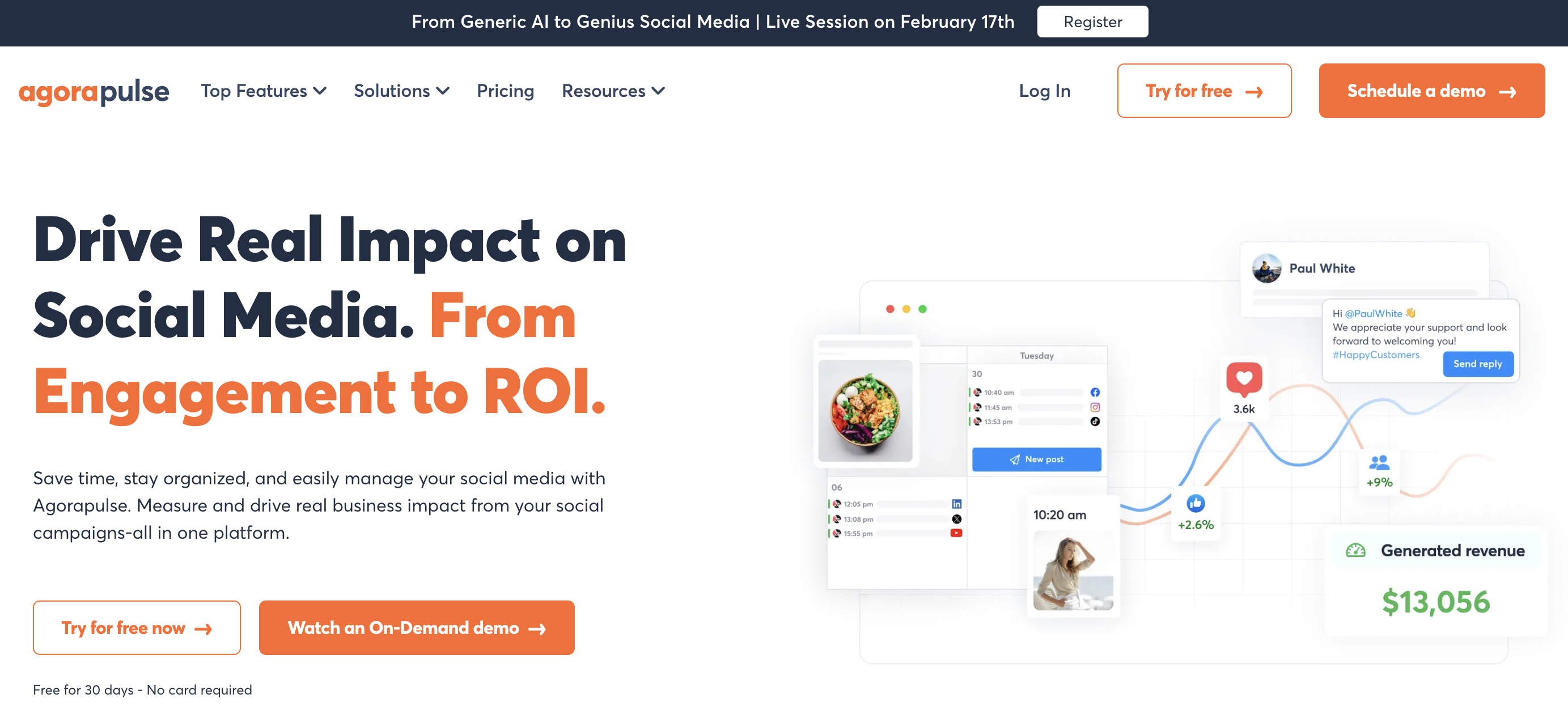
Agorapulse sits in a sweet spot between enterprise tools (Hootsuite, Sprout) and simpler schedulers (Buffer, SocialBee). For SaaS companies, its standout feature is the unified social inbox with a built-in CRM — so when a user asks a product question on X, you can see their full interaction history, tag the conversation, and route it to support or product.
The ROI analysis feature (Advanced plan) is particularly relevant for SaaS. It connects social activity to conversions, so you can track which LinkedIn posts actually drive demo requests or trial signups — not just engagement metrics.
Key features for SaaS:
- Schedule to 11 platforms including LinkedIn, X, YouTube, and Google Business
- Unified social inbox with automated moderation rules and message assignment
- Social CRM — track user interaction history across platforms
- AI Writing Assistant for caption generation
- ROI analysis connecting social to conversions (Advanced)
- Competitor benchmarking (Advanced)
- One-step approval workflows (Professional+)
- Ad comment monitoring and moderation (Professional+)
Pricing:
| Plan | Price | Social Profiles | Users |
|---|---|---|---|
| Standard | $99/user/mo | 10 profiles | 1 |
| Professional | $149/user/mo | 10 profiles | 1 |
| Advanced | $199/user/mo | 10 profiles | 1 |
30-day free trial, no credit card required.
Pros:
- Best social inbox of any mid-market tool — automated rules, labeling, message assignment
- Social CRM tracks customer interaction history
- ROI analysis ties social to conversions (Advanced)
- 30-day no-credit-card trial for testing (no permanent free plan)
- Supports 11 platforms — widest coverage on this list
Cons:
- Per-user pricing scales quickly (3-person team = $297–$597/mo)
- ROI analysis locked to Advanced plan ($199/user)
- Multi-step approval workflows only on Custom plan
- No employee advocacy features
- Analytics are good but not as deep as Sprout Social
Best for: SaaS companies where social doubles as a support and community channel — particularly those with active X/Twitter presence where product questions, bug reports, and feature requests come in regularly.
User ratings: 4.5/5 on G2 · 3.0/5 on Trustpilot
For more details: Agorapulse Pricing Breakdown · Agorapulse Reviews · Best Agorapulse Alternatives
7. Sendible — Best for SaaS Marketing Agencies

Sendible is the right choice if you're a marketing agency managing social media for SaaS clients, or a SaaS company that needs white-label reporting for stakeholders. The client dashboards, branded reports, and multi-user workflows are built for agency operations.
For SaaS specifically, Sendible's Priority Inbox with sentiment analysis helps you triage engagement across multiple accounts. The bulk import via CSV is useful for scheduling large content libraries — product updates, blog promotions, and event announcements — in one batch.
Key features for SaaS:
- Schedule to 10 platforms including LinkedIn, X, YouTube, and Google Business
- Priority Inbox with sentiment analysis
- White-label reporting (Advanced plan, $240/mo add-on)
- Client dashboards and multi-user workflows (Traction+)
- Approval workflows with team assignment (Traction+)
- Bulk import via CSV for large content libraries
- AI Assist for caption generation
- Canva and Google Drive integrations
Pricing:
| Plan | Price | Social Profiles | Users |
|---|---|---|---|
| Creator | $29/mo | 6 profiles | 1 |
| Traction | $89/mo | 24 profiles | 4 |
| Scale | $199/mo | 49 profiles | 7 |
| Advanced | $299/mo | 100 profiles | 20 |
14-day free trial, no credit card required.
Pros:
- Priority Inbox with sentiment analysis — useful for SaaS support triage
- White-label reports for board presentations and stakeholder updates
- Scales from solo marketer ($29/mo) to agency ($299/mo)
- Bulk CSV import handles large content libraries
- Good platform coverage including Google Business
Cons:
- White-label reporting costs an additional $240/mo — expensive add-on
- Interface feels dated compared to newer tools
- No social listening or competitor monitoring
- Analytics are adequate but not deep
- No advanced AI features — captions only, no AI image generation
Best for: Marketing agencies managing social media for SaaS clients, or SaaS companies that need branded, white-label reports for investors, boards, or enterprise clients.
User ratings: 4.5/5 on G2 · 3.8/5 on Trustpilot
For more details: Sendible Pricing Breakdown · Sendible Reviews · Best Sendible Alternatives
8. SocialBee — Best for Content Category Scheduling

SocialBee solves a problem that most SaaS content teams face: maintaining a balanced content mix. You create categories — "Product Updates," "Thought Leadership," "Customer Stories," "Industry News," "Team Culture" — and SocialBee rotates through them on a schedule you define.
This is genuinely useful for SaaS. Instead of defaulting to product announcements (the most common SaaS social media mistake), SocialBee forces you to maintain a healthy mix. Evergreen content like how-to posts, integration guides, and best practices automatically recycle so your best content keeps working without manual rescheduling.
Key features for SaaS:
- Category-based content scheduling — set up product, thought leadership, customer, and culture buckets
- Evergreen content recycling — repost best-performing content automatically
- Schedule to 10 platforms including LinkedIn, X, Google Business, and Bluesky
- AI Copilot for generating post variations
- Approval workflows for team review
- Content calendar with category color-coding
- Canva integration for creating product graphics
- Multi-workspace support for multi-product SaaS (Pro plan)
Pricing:
| Plan | Price | Social Profiles | Users |
|---|---|---|---|
| Bootstrap | $29/mo | 5 profiles | 1 |
| Accelerate | $49/mo | 10 profiles | 1 |
| Pro | $99/mo | 25 profiles | 3 |
14-day free trial, no credit card required.
Pros:
- Category-based scheduling solves the "too many product posts" problem
- Evergreen recycling keeps thought leadership and how-tos in rotation
- Highest G2 rating on this list (4.8/5)
- Predictable pricing without per-seat fees
- 10 platforms including Google Business and Bluesky
Cons:
- Only 1 user on Bootstrap and Accelerate — no team collaboration until $99/mo
- No social inbox — engagement management is limited
- AI tools are basic compared to PostPlanify or Sprout Social
- No social listening or competitor monitoring
- Analytics are decent but not deep
Best for: SaaS content teams that struggle to maintain a balanced content mix and want to keep evergreen content (tutorials, guides, case studies) in rotation automatically.
User ratings: 4.8/5 on G2 · 3.8/5 on Trustpilot
For more details: SocialBee Pricing Breakdown · SocialBee Reviews · Best SocialBee Alternatives
PostPlanifyAll your social media in one simple dashboard
Schedule posts, track analytics, and reply to comments/DMs without switching tabs.
Engagement
+18%
Views
52.8k
9. Loomly — Best for SaaS Teams with Approval Workflows

Loomly is built for teams where content needs sign-off before publishing. For SaaS companies, this matters more than most industries — a product announcement needs product team approval, a pricing change post needs exec review, and a customer quote needs legal clearance.
Every post moves through a clear pipeline: draft → pending review → approved → scheduled. Post mockups show exactly how content will appear on each platform. The team lead reviews, approves (or requests changes), and nothing goes live without sign-off. For SaaS companies with brand guidelines, compliance requirements, or multiple stakeholders, this workflow is essential.
Key features for SaaS:
- Multi-step approval workflows (draft → review → approve → schedule)
- Post mockups — preview exactly how posts will look on each platform
- Content inspiration based on trending topics, holidays, and RSS feeds
- Schedule to 10 platforms including LinkedIn, X, Google Business, and Threads
- Interactions inbox for managing comments and DMs
- Hashtag manager for organizing campaign hashtags
- Slack and Microsoft Teams integration (Beyond plan)
- Calendar view with status labels for each post
Pricing:
| Plan | Monthly | Annual | Accounts | Users |
|---|---|---|---|---|
| Starter | $65/mo | $49/mo | 12 | 3 |
| Beyond | $332/mo | $249/mo | 60 | Unlimited |
| Enterprise | Custom | Custom | 61+ | Unlimited |
Loomly no longer offers a free plan — paid plans start at $65/mo, with a 15-day free trial.
15-day free trial, no credit card required.
Pros:
- Best approval workflow for multi-stakeholder SaaS teams
- Post mockups eliminate surprises after publishing
- Slack and Teams integration keeps review flow in your existing tools (Beyond)
- Interactions inbox covers comments and DMs
- Content inspiration helps with ideation
Cons:
- Massive pricing gap between Starter ($65/mo) and Beyond ($332/mo)
- No free plan — entry is the $65/mo Starter (15-day trial only)
- Analytics are basic compared to Sprout Social or Hootsuite
- No content recycling or evergreen reposting
- No social listening
- AI features are limited to basic caption suggestions
Best for: SaaS companies where multiple teams (product, marketing, legal, exec) need to review and approve content before publishing — especially regulated SaaS or enterprise B2B where messaging precision matters.
User ratings: 4.6/5 on G2 · 3.7/5 on Trustpilot
For more details: Loomly Pricing Breakdown · Loomly Reviews · Best Loomly Alternatives
10. Planable — Best for Content Collaboration and Previews

Planable is purpose-built for content collaboration, and for SaaS teams that produce high volumes of content across product, marketing, and brand — Planable's feed-style previews and comment threads make the review process genuinely enjoyable.
The unlimited users on all paid plans is a big deal for SaaS companies. You can invite product managers, designers, execs, and external contractors to review content without worrying about per-seat costs. Each person sees exactly how the post will look when published, can leave inline comments, and the approval workflow tracks who signed off.
Key features for SaaS:
- Feed-style post previews — see exactly how content appears on each platform
- Unlimited users on all paid plans — invite anyone to review
- Comment threads on individual posts — inline feedback from stakeholders
- Internal notes — keep team discussions hidden from client views
- 2–3 types of approval workflows depending on plan
- Campaign views for organizing product launch content
- Workspace-based organization for multi-product SaaS
Pricing:
| Plan | Price | Posts/Month | Users |
|---|---|---|---|
| Free | $0/mo | 50 total | Unlimited |
| Basic | $39/workspace/mo | 60/workspace | Unlimited |
| Pro | $59/workspace/mo | 150/workspace | Unlimited |
| Enterprise | Custom | Unlimited | Unlimited |
Pros:
- Best visual collaboration and preview experience on this list
- Unlimited users on all paid plans — no per-seat costs
- Comment threads make stakeholder feedback seamless
- Internal notes keep team discussions separate from client views
- Clean, modern interface that non-marketers can navigate
Cons:
- Per-workspace pricing adds up with multiple products (5 workspaces on Pro = $295/mo)
- Post limits on Basic (60/mo) and Pro (150/mo) can be restrictive for SaaS
- Analytics and engagement are paid add-ons — not included by default
- No social inbox
- No AI caption generation
- No content recycling
- No social listening
Best for: SaaS companies with large cross-functional teams (product, design, marketing, exec) who need a visual, comment-driven review process — especially teams that already use Slack/Notion and want a similar collaborative feel for social content.
User ratings: 4.6/5 on G2 · 4.5/5 on Trustpilot
For more details: Planable Pricing Breakdown · Planable Reviews · Best Planable Alternatives
SaaS Content Mix Framework
The most common SaaS social media mistake is posting too many product announcements. Your audience follows you for value, not a changelog feed. Here's the content mix that works:
| Category | % of Posts | What to Post | Why It Works |
|---|---|---|---|
| Educational | 40% | How-tos, tutorials, best practices, industry insights | Builds authority and trust — positions you as the expert |
| Product | 20% | Feature updates, changelogs, demos, integrations | Shows momentum without overwhelming the feed |
| Thought Leadership | 15% | Founder takes, industry trends, contrarian opinions | Drives engagement and shares — personal posts outperform brand posts |
| Customer Stories | 15% | Case studies, testimonials, user-generated content | Social proof that drives consideration-stage buyers |
| Culture/Community | 10% | Team highlights, events, hiring, community shoutouts | Humanizes the brand — helps with recruiting and employer brand |
Key rule: Never post more than 2 product announcements in a row. Sandwich them between educational and thought leadership content.
SocialBee's category-based scheduling automates this balance. PostPlanify's content calendar lets you visualize the mix. Buffer and Loomly work well for manual balancing.
Product Launch Scheduling Workflow
SaaS companies ship features regularly. Here's how to schedule a coordinated launch sequence across platforms:
Step 1: Teaser (5–7 days before launch)
- LinkedIn: "Something big is coming..." post with a blurred screenshot or countdown
- X: Thread hinting at the problem you're solving
- Purpose: Build anticipation, gauge interest
Step 2: Behind-the-scenes (3–4 days before)
- LinkedIn: Engineering post about the technical challenge
- X: Quick demo GIF or short video
- YouTube: "Building [Feature] — behind the scenes" (if you produce video)
- Purpose: Show the work, build authenticity
Step 3: Launch day
- LinkedIn: Detailed announcement with product screenshot and link to blog post
- X: Concise announcement thread with key benefits
- YouTube: Full demo or walkthrough video
- Product Hunt: Launch post (if applicable)
- Purpose: Maximum visibility — schedule all posts to go live within a 2-hour window
Step 4: Social proof (1–2 days after)
- LinkedIn: Repost customer reactions and early feedback
- X: Quote tweets from early users
- Purpose: Momentum — show that people are using and loving it
Step 5: Deep dive (3–5 days after)
- LinkedIn: Tutorial or use case post — "Here's how [Customer] is using [Feature]"
- X: Tips and tricks thread
- YouTube: Detailed tutorial
- Purpose: Drive adoption — move from awareness to activation
Step 6: Recap (1 week after)
- LinkedIn: Results post — "1 week since launch: X users, Y feedback"
- X: Thank-you post with stats
- Purpose: Close the loop, show traction
Pro tip: Use PostPlanify's content calendar or Loomly's approval workflow to schedule the entire sequence in advance. This ensures nothing falls through the cracks on launch day, even if your team is busy handling support tickets and demo requests.
Which Platforms Matter Most for SaaS?
Not every platform deserves the same investment. Here's how to prioritize:
Essential (post 4–5x/week):
- LinkedIn — The #1 B2B social platform. 80% of B2B social leads come from LinkedIn. Company pages, founder personal profiles, and employee advocacy all matter. Long-form posts, carousels, and articles perform best.
- X (Twitter) — Real-time product updates, developer community engagement, industry conversations. Essential for developer tools, open-source SaaS, and tech-forward brands. Threads and quick takes outperform polished content.
Recommended (post 2–3x/week):
- YouTube — Product demos, tutorials, webinar recordings, and thought leadership interviews. Long shelf life — a good tutorial drives views for years. YouTube is the #2 search engine, and "how to [solve problem]" searches drive qualified traffic.
- Facebook — Still relevant for B2B community groups, event promotion, and retargeting. Lower priority than LinkedIn and X for most SaaS, but useful for B2C SaaS and community-led growth models.
Emerging (post 1–2x/week if relevant):
- TikTok — Growing for B2C SaaS, developer tools (coding tips), and brand awareness. Short product demos and "day in the life" content can go viral. Worth testing if your audience skews younger.
- Threads — Early-mover opportunity for text-based content. Cross-post from X with minimal effort.
- Bluesky — Developer-heavy early adopter community. Worth establishing presence for dev tools and open-source SaaS.
Skip (unless you have a specific reason):
- Pinterest — Not relevant for most SaaS
- Instagram — Only relevant for B2C SaaS with visual products (design tools, photo editors)
Best Tool by SaaS Stage
Pre-seed / Bootstrapped
- Best picks: Buffer Free (3 channels), SchedPilot Gold ($15/mo; 5 accounts), or PostPlanify Growth ($99/mo; 15 accounts)
- What you need: Simple scheduling, LinkedIn + X coverage, basic analytics
- If platform breadth matters: SchedPilot for Bluesky, Reddit, and Mastodon support at a low entry price
- Priority: Build consistency — post 3–5x/week on LinkedIn and X to establish presence
- Skip for now: Social listening, employee advocacy, white-label reports
Seed / Series A
- Best picks: PostPlanify Growth ($99/mo, 15 accounts) or SocialBee Accelerate ($49/mo, 10 profiles)
- What you need: Multi-platform scheduling, content calendar, AI captions, basic analytics
- If content mix is a challenge: SocialBee for category-based scheduling
- Priority: Develop a repeatable content workflow — batch-create and schedule a week of content in one session
Series B / Growth Stage
- Best picks: PostPlanify Premium ($199/mo, 30 accounts, 6 users) or Agorapulse Standard ($99/user, 10 profiles)
- What you need: Approval workflows, team collaboration, social inbox, analytics
- If support volume is high: Agorapulse for social inbox with CRM
- Priority: Coordinate across product, marketing, and exec teams — approval workflows become essential
Series C+ / Enterprise
- Best picks: Hootsuite ($249/user) or Sprout Social ($199/seat)
- What you need: Social listening, competitor monitoring, employee advocacy, enterprise integrations, compliance
- If employee advocacy matters: Hootsuite with Amplify
- If analytics depth matters: Sprout Social for sentiment analysis and executive reporting
- Priority: Measure ROI, scale employee advocacy, and integrate social into the broader marketing stack
Employee Advocacy: Why It Matters for SaaS
Employee posts get 8x more engagement than brand page posts on LinkedIn. For SaaS companies, this is one of the highest-leverage social media strategies available.
Why it works:
- LinkedIn's algorithm favors personal profiles over company pages
- People trust people more than logos — a founder's post about product philosophy outperforms a polished brand announcement
- Employees collectively have 10x more connections than your company page
- Developer advocates, sales reps, and customer success managers reach different audiences than marketing
How to implement it:
- Create a shareable content library — Write 3–5 post templates per week that employees can customize and share
- Make it easy — Don't ask employees to write from scratch; give them copy-paste posts with room for personal touches
- Focus on LinkedIn first — The ROI is highest on LinkedIn for B2B SaaS
- Track results — Hootsuite Amplify is the only tool on this list with built-in employee advocacy tracking
Tools that help:
- Hootsuite Amplify (Enterprise) — Built-in employee advocacy with content curation and sharing
- PostPlanify — Draft posts that team members can review and adapt for their personal profiles
- Buffer — Simple enough that employees can use it independently for their own scheduling
The reality: Most SaaS companies under 100 employees don't need a dedicated advocacy tool. Start by having 3–5 team members (founders, product leads, senior engineers) post regularly on LinkedIn. Use a shared Google Doc or Slack channel to coordinate messaging. Graduate to Hootsuite Amplify when you scale past 50+ participating employees.
Making the Switch to a SaaS-Focused Social Media Tool
If you're currently posting manually, using a B2C-focused tool, or cobbling together multiple free tools, here's a practical switching plan:
- Start with LinkedIn and X — These are your highest-ROI platforms. Get scheduling working on these two before expanding.
- Set up your content categories — Even if your tool doesn't have SocialBee-style categories, mentally bucket your content: educational (40%), product (20%), thought leadership (15%), customer stories (15%), culture (10%).
- Build a 2-week buffer — Batch-create and schedule 2 weeks of content. This gives you breathing room and ensures consistency even during busy launch weeks.
- Establish an approval workflow — Even if it's just "marketing drafts → founder reviews in Slack," formalize the review process before scaling.
- Track what works — After 30 days, look at which content types drive the most engagement on LinkedIn. Double down on those and reduce what's not working.
Related Reading
- Social Media Management for SaaS Companies
- Social Media Management for Startups
- Social Media Management for B2B Companies
- How to Measure Social Media ROI
- Social Media Analytics and Reporting Guide
- Best Social Media Management Platform
- Best Social Media Scheduling Tools
- 10 Best Social Media APIs for Developers: If you want to embed social publishing in your own product
- Best Social Media Management Tools for Agencies
- Best Social Media Management Tools for Creators
- Best Social Media Management Tools for Ecommerce
- Best Social Media Management Tools for Real Estate
- Best Social Media Management Tools for Restaurants
- Best AI Social Media Management Tools
- Best Social Media Tools with Approval Workflows
- Best Social Media Management Tools for Teams
- Best Free Social Media Management Tools
- 14 Best LinkedIn Scheduling Tools
- Best Social Media Platforms for Business
FAQ
What is the best social media management tool for SaaS companies?
PostPlanify is the best overall for SaaS teams that want analytics, AI captions, social inbox, and Premium+ approval workflows at flat-rate pricing. For enterprise SaaS needing employee advocacy, Hootsuite with Amplify is the specialist. For teams that prioritize social listening and sentiment analysis, Sprout Social delivers the deepest analytics.
Which social media platforms should SaaS companies focus on?
LinkedIn and X (Twitter) are essential for most B2B SaaS companies. LinkedIn drives 80% of B2B social leads and is the primary platform for thought leadership, product announcements, and customer stories. X is critical for real-time updates, developer community engagement, and industry conversations. YouTube is recommended for tutorials and product demos.
How often should a SaaS company post on social media?
Aim for 4–5 posts per week on LinkedIn, 5–7 on X, and 1–2 on YouTube. Consistency matters more than volume — posting 4 times per week every week is better than posting 10 times one week and disappearing the next. Batch-create a week of content in one session and use a scheduling tool to maintain the cadence.
What content works best for SaaS on social media?
Educational content (how-tos, tutorials, best practices) performs best — aim for 40% of your content mix. Product updates should be 20% or less. Thought leadership posts from founders and team members drive the highest engagement. Customer case studies provide social proof. Never post more than 2 product announcements in a row.
Do SaaS companies need employee advocacy tools?
Employee posts get 8x more engagement than brand posts on LinkedIn. For companies with 50+ employees, a dedicated tool like Hootsuite Amplify streamlines content curation and sharing. For smaller teams, start by having 3–5 key people (founders, product leads) post regularly using a simple shared content calendar — no special tool needed.
How much should a SaaS company spend on a social media tool?
Pre-seed and bootstrapped teams can start with Buffer's free plan or PostPlanify Growth ($99/mo). Series A companies typically need $99–$199/mo for proper analytics, scheduling, and approvals. Enterprise tools like Hootsuite ($249/user) or Sprout Social ($199/seat) are only justified for companies with dedicated social teams and 5+ person marketing departments.
Should SaaS companies use social listening tools?
Social listening is valuable for monitoring brand mentions, competitor activity, feature requests, and churn signals — but it's expensive. Hootsuite ($249–$499/user) and Sprout Social ($199–$399/seat) include listening features. Most SaaS companies under Series B can manually monitor mentions using platform-native notifications and save listening tools for when the volume justifies the cost.
What's the best free social media tool for SaaS startups?
Buffer's free plan (3 channels) is the best free option for SaaS startups, though most teams outgrow it quickly; see Buffer alternatives for what comes next. It covers LinkedIn, X, and one more platform with basic scheduling and AI captions. Metricool also offers a free plan with 1 brand and full analytics. However, you'll outgrow free plans quickly once you need analytics, approval workflows, or more than 3 channels. (Agorapulse no longer offers a free plan — it's trial-only.)
How do I measure social media ROI for SaaS?
Track metrics that tie to business outcomes: website clicks from social, demo requests attributed to social content, trial signups from social channels, and pipeline influence. Agorapulse (Advanced plan) offers built-in ROI analysis. For most teams, use UTM parameters on social links and track conversions in Google Analytics or your CRM.
Can I schedule LinkedIn company page posts with a social media tool?
Yes — all 10 tools on this list support LinkedIn company page scheduling. PostPlanify, Buffer, Hootsuite, SchedPilot, Sprout Social, Agorapulse, Sendible, SocialBee, Loomly, and Planable all support LinkedIn. Some also support LinkedIn personal profiles, though LinkedIn's API has more restrictions on personal profile publishing.
PostPlanifyAll your social media in one simple dashboard
Schedule posts, track analytics, and reply to comments/DMs without switching tabs.
Engagement
+18%
Views
52.8k
About the Author

Hasan Cagli
Founder of PostPlanify, a content and social media scheduling platform. He focuses on building systems that help businesses, agencies, and teams plan, publish, and manage content and social media more efficiently across platforms.


