


Running a restaurant is a full-time job. Between managing suppliers, coordinating staff shifts, prepping food, and handling service, social media often becomes the thing you'll "get to later." But later never comes, and when you stop posting, you disappear from local feeds.
Here's the reality: 62% of diners check a restaurant's social media before deciding where to eat, and 84% say food photos influence their dining decisions (Toast, 2024). Your social presence isn't optional anymore. It's how people decide whether to walk through your door.
The good news is that social media management tools can handle the heavy lifting. Of all the restaurant marketing tools you could pay for, this is the one that buys back the most time: the right tool lets you batch-create content, schedule posts for the week, and stay visible across Instagram, TikTok, and Facebook without pulling out your phone during service.
We tested and compared 10 tools through the lens of what restaurants actually need: visual content scheduling, AI-generated captions for menu items, multi-location support, team workflows, and analytics that show what's actually bringing people in. Here's what we found.
Quick Picks: Best Social Media Tools for Restaurants
| Tool | Best For | Starting Price | Key Restaurant Feature | Rating |
|---|---|---|---|---|
| PostPlanify | Best overall for restaurants | From $39/mo per location | Analytics + 10-platform scheduling | 5/5 G2 |
| Sprout Social | Multi-location restaurant groups | $99/seat/mo | Location-level reporting | 4.4/5 G2 |
| Vista Social | Restaurants that live on reviews | $99/mo | Google and Yelp review management | 4.8/5 G2 |
| Hootsuite | Enterprise restaurant chains | $99/user/mo | Bulk scheduling (350 posts) | 4.3/5 G2 |
| Later | Visual-first marketing | $25/mo | Instagram grid preview | 4.5/5 G2 |
| Buffer | Single-location getting started | Free | Simple 3-channel scheduling | 4.3/5 G2 |
| SocialBee | Recurring specials & promos | $29/mo | Category-based scheduling | 4.8/5 G2 |
| Loomly | Team approval workflows | $65/mo ($49 annual) | Built-in approval flow | 4.6/5 G2 |
| Sendible | Restaurant marketing agencies | $35/mo | Google Business Profile support | 4.5/5 G2 |
| Planoly | Instagram-focused restaurants | $16/mo | Visual feed planner | 4.3/5 G2 |
What to Look for in a Restaurant Social Media Tool
Not every social media tool is built for the way restaurants work. These are the features that matter most for food and hospitality businesses:
- Visual scheduling that handles food photography. Restaurants run on visuals, so the tool needs image-heavy workflows: carousels of menu items, Reels of plating, Stories for daily specials. If uploading and scheduling photos feels clunky, you'll stop using it within a week.
- Multi-platform posting, especially Instagram, TikTok, and Facebook. 35% of consumers now use social media first to find local restaurants (Sprout Social, 2025). YouTube and Pinterest add evergreen reach for recipe videos and menu boards, so look for at least those five.
- A content calendar built for recurring posts. Daily specials, happy hours, weekly events, seasonal menus: restaurants have repeating patterns. You want to plan them in advance and see the full week at a glance, not a list of scheduled posts.
- Team collaboration and approval workflows. The chef takes the photo, the manager writes the caption, the owner approves it. Without that workflow you get inconsistent posts, double-posting, and "who posted this?"
- Analytics that show what brings people in. Generic engagement numbers aren't enough. You need to see which content types perform (menu photos vs. behind-the-scenes clips vs. event promos) so you can do more of what works.
- AI caption generation for food content. Writing captions for every dish, special, and promo eats hours. AI that generates descriptions, CTAs, and hashtags in your restaurant's tone gives those hours back.
- Pricing that works on restaurant margins. A tool that costs $399 per user per month once you need approvals makes no sense for a single location. Look for pricing that tracks locations rather than staff.
1. PostPlanify: Best Overall for Restaurants

PostPlanify is a social media management platform built for the kind of workflow restaurants need: batch-create content in one sitting, schedule it across every platform, and let it publish while you focus on service.
Where other tools are built for marketers or enterprises, PostPlanify is designed for teams that need speed and simplicity. You write a caption, upload your dish photo, preview how it'll look on Instagram, Facebook, and TikTok, customize per platform, and schedule, all from one screen.
For restaurants specifically, PostPlanify stands out because it covers the full workflow: AI-powered captions that generate dish descriptions and promo copy, a visual content calendar for planning weekly specials and events, a social inbox for responding to reservation questions and comments, and analytics across all 10 supported platforms with best-time-to-post suggestions.
Key features for restaurants:
- Schedule to 10 platforms: Instagram, Facebook, TikTok, X (Twitter), YouTube, LinkedIn, Threads, Pinterest, Bluesky, and Google Business
- Visual content calendar to plan specials, events, and weekly content
- Social inbox to manage comments, DMs, and reservation questions from one place
- Team collaboration with unlimited users on every plan, and approval workflows included from the entry plan
- Media library with native Canva and Google Drive integration
- Link-in-bio builder for digital menus and reservation links
- Analytics across all platforms with best-time-to-post suggestions
- Bulk scheduling: plan an entire week of content in one session
- Multi-location support: manage multiple restaurant pages from one dashboard
- Client reports on Premium, with full white labeling on Scale for multi-location operators
- AI caption generator with vision: upload a dish photo and get captions instantly
Pricing:
| Plan | Starts at | Includes | Each extra workspace | Social accounts |
|---|---|---|---|---|
| Growth | $39/mo | 1 workspace | from $29, cheaper as you add more | 4 per workspace |
| Premium | $99/mo | 3 workspaces | from $39, cheaper as you add more | 6 per workspace |
| Scale | $199/mo | 5 workspaces | from $39, cheaper as you add more | 8 per workspace |
Unlimited team members on every plan, no per-seat fees. Yearly billing saves 20%. All plans include a 7-day free trial with a 14-day money-back guarantee.
Pros:
- Per-workspace pricing: no per-user or per-channel fees
- AI vision generates captions from dish photos
- 10 platforms covered, including TikTok and Google Business Profile
- Unlimited team members on every plan, at every size
- Content calendar designed for weekly planning (specials, events, promos)
- Social inbox keeps all customer messages in one place
Cons:
- Newer platform with a smaller user base
- No social listening feature
- No mobile app yet
Best for: Independent restaurants, small chains, and multi-location operators who need comprehensive social media management (scheduling, analytics, inbox, AI captions, and team collaboration) without paying enterprise prices.
How it compares for restaurants:
- One workspace ($39/mo, or $31/mo billed yearly): 4 social accounts, unlimited users, AI captions, content calendar, analytics, and approval workflows, enough for a single-location restaurant on Instagram, Facebook, and TikTok.
- Three to five workspaces ($97 to $155/mo): one per location, each with its own calendar, inbox, and 4 social accounts, built for restaurant groups.
- Scale (from $199/mo per location): 8 accounts per workspace plus full white labeling, for groups reporting to owners or franchisees.
- The trade-off: PostPlanify covers more all-in-one workflow depth than many lower-cost schedulers, but it's a newer platform. Restaurants that need enterprise-grade social listening or deep competitive benchmarking may want Sprout Social or Hootsuite instead.
For more details, see our PostPlanify pricing page and social media scheduler for restaurants page.
 PostPlanify
All your social media in one simple dashboard
Schedule posts, track analytics, and reply to comments/DMs without switching tabs.

Engagement
+18%
Views
52.8k
2. Sprout Social: Best for Multi-Location Restaurant Groups

Sprout Social is the enterprise-grade option on this list. It's built for large marketing teams and organizations that treat social media as a core business function. For restaurant groups managing 10+ locations with dedicated marketing staff, Sprout Social delivers the deepest analytics and reporting.
Key features for restaurants:
- Advanced analytics with custom reports broken down by location
- Unified smart inbox for managing comments and messages across all locations
- Social listening to track brand mentions and local sentiment
- CRM-style contact management: track interactions with regulars and influencers
- Sentiment analysis on incoming messages
- Competitor benchmarking
- Employee advocacy tools for multi-location teams
Pricing:
| Plan | Price |
|---|---|
| Essentials | $99/seat/mo, $79 billed annually (5 profiles) |
| Standard | $199/seat/mo (5 profiles) |
| Professional | $299/seat/mo (Unlimited profiles) |
| Advanced | $399/seat/mo (Unlimited profiles) |
| Enterprise | Custom |
30-day free trial available.
Pros:
- Best-in-class analytics and custom reporting
- Location-level performance breakdowns for restaurant groups
- Strong social listening for tracking local brand sentiment
- Polished, modern interface despite enterprise depth
- CRM-like engagement tracking
Cons:
- Per-seat pricing makes it very expensive: a 3-person team on Standard costs $597/mo
- Social listening is a paid add-on on most plans
- Overkill for independent restaurants or small chains
- No free plan
- Setup and onboarding take time
Best for: Multi-location restaurant groups and franchise operations with 10+ locations and a dedicated marketing team. Not a fit for single-location restaurants due to cost.
User ratings: Sprout Social holds a 4.4/5 on G2 (5,731 reviews) and a 2.2/5 on Trustpilot (75 reviews).
For more details, see our Sprout Social pricing breakdown, Sprout Social reviews, and best Sprout Social alternatives guide.
3. Vista Social: Best for Restaurants That Live on Reviews

Vista Social is the only tool here that treats review sites as first-class channels. Alongside scheduling and a unified inbox, it natively manages five review sites including Google and Yelp, so the reviews that decide where people eat sit in the same dashboard as the posts that attract them.
Key features for restaurants:
- Review management across five review sites including Google and Yelp: read and reply without switching tabs
- Unified social inbox for comments and DMs across connected platforms
- DM automations with keyword-triggered replies and comment-to-DM flows on Instagram, Facebook, and TikTok
- Social listening for local brand mentions and sentiment
- Multi-step approval workflows with external approval links, so an owner can sign off without a login
- Vista Page link in bio for menus, reservations, and online ordering
- 12 social platforms including Google Business Profile
Pricing:
| Plan | Monthly | Yearly | Profiles | Users |
|---|---|---|---|---|
| Professional | $99/mo | $79/mo | 15 | 2 |
| Advanced | $199/mo | $159/mo | 30 | 3 |
| Scale | $449/mo | $359/mo | 70 | 4 |
| Enterprise | Custom | Custom | Unlimited | Unlimited |
14-day free trial (no credit card required).
Pros:
- Native review management on the entry plan, which is rare at this price
- Highest-rated tool in this comparison on G2
- DM automations turn comments on a dish photo into reservation conversations
- Broad channel coverage including Google Business Profile
- Multi-step approvals with external links for owners who don't want another login
Cons:
- X (Twitter) is a paid add-on on every plan rather than included
- $99/mo entry is steep for a single location that only needs scheduling
- Professional covers just 2 users
- Learning curve is the most-cited complaint in its G2 reviews (79 mentions)
- No free plan
Best for: Restaurants and small groups where Google and Yelp reviews drive covers as much as posts do, and that would rather run reviews, scheduling, and inbox in one tool than three.
User ratings: Vista Social holds a 4.8/5 on G2 (1,071 reviews) and a 4.1/5 on Trustpilot (62 reviews).
For more details, see our Vista Social pricing breakdown, Vista Social reviews, and best Vista Social alternatives guide.
4. Hootsuite: Best for Enterprise Restaurant Chains

Hootsuite has been around since 2008 and is built for large organizations managing social media at scale. For national restaurant chains or franchise networks with dozens of locations, Hootsuite's bulk scheduling, team permissions, and compliance tools make sense. For everyone else, it's likely more tool (and more cost) than you need.
Key features for restaurants:
- Bulk schedule up to 350 posts at once: useful for planning monthly content across locations
- Brand and competitor monitoring with sentiment analysis
- DM assignment and team collaboration tools
- Custom analytics reports with benchmarking against competitors
- Canva templates and content library
- AI assistant with image and caption generator
- Best-time-to-post recommendations
Pricing:
| Plan | Price | Social Accounts |
|---|---|---|
| Standard | $99/user/mo | 10 |
| Professional | $199/user/mo | Unlimited |
| Advanced | $399/user/mo | Unlimited |
| Enterprise | Custom | Custom |
All rates are annual-billing; Hootsuite does not publish month-to-month pricing. 14-day free trial available.
Pros:
- Massive bulk scheduling capacity (350 posts)
- Strong team permissions and approval workflows
- Competitor benchmarking (up to 20 competitors on Advanced)
- Social listening and sentiment analysis on higher tiers
- Well-established platform with extensive integrations
Cons:
- Per-user pricing starts at $99/mo and every extra seat costs the same again, which is expensive for small restaurants
- Free plan was removed in 2023
- Enterprise-oriented interface has a learning curve
- Key features like approval workflows locked behind the $399/mo Advanced plan
- Many negative user reviews cite billing issues and difficult cancellation
Best for: National restaurant chains and franchise operations with 20+ locations, a large marketing team, and the budget to match. Not practical for independent restaurants.
User ratings: Hootsuite holds a 4.3/5 on G2 (6,615 reviews) and a 1.8/5 on Trustpilot (511 reviews).
For more details, see our Hootsuite pricing breakdown, Hootsuite reviews, and best Hootsuite alternatives guide.
5. Later: Best for Visual-First Restaurant Marketing

Later started as an Instagram scheduling tool and still excels at visual planning. For restaurants that live and die by their Instagram feed (brunch spots, bakeries, fine dining), Later's grid preview and Linkin.bio feature are genuine differentiators.
Key features for restaurants:
- Visual content calendar with drag-and-drop scheduling
- Instagram grid preview: plan how your feed looks before posting
- Linkin.bio: turn your Instagram feed into a clickable page (menus, reservations, ordering)
- UGC collection tools: curate customer food photos and videos
- AI caption writer
- Smart scheduling with optimal time suggestions (Growth+)
- Social inbox for managing comments (Growth+)
Pricing:
| Plan | Price | Social Sets | Posts/Profile |
|---|---|---|---|
| Starter | $25/mo | 1 (8 profiles) | 30 |
| Growth | $50/mo | 2 (16 profiles) | 180 |
| Scale | $110/mo | 6 (48 profiles) | Unlimited |
14-day free trial available.
Pros:
- Best Instagram grid preview on the market: essential for aesthetic-focused restaurants
- Linkin.bio is useful for linking to menus, reservations, and ordering
- Strong visual planning tools for food photography
- UGC collection for customer content
- Clean, intuitive interface
Cons:
- Starter plan limits you to 30 posts per profile: not enough for daily specials across several platforms
- Social inbox only available on Growth ($50/mo) and above
- Fewer supported platforms than competitors (8 vs 10)
- No Google Business Profile support
- Limited analytics compared to enterprise tools
Best for: Instagram-first restaurants (brunch spots, bakeries, fine dining) and any restaurant where visual feed aesthetics directly impact bookings. Less suited for restaurants that need strong multi-platform coverage.
User ratings: Later holds a 4.5/5 on G2 (347 reviews) and a 1.3/5 on Trustpilot (329 reviews). Many Trustpilot reviews cite billing and cancellation issues.
For more details, see our Later pricing breakdown, Later reviews, and best Later alternatives guide.
PostPlanifyAll your social media in one simple dashboard
Schedule posts, track analytics, and reply to comments/DMs without switching tabs.
Engagement
+18%
Views
52.8k
6. Buffer: Best for Single-Location Restaurants Getting Started

Buffer is one of the simplest scheduling tools available, which makes it a reasonable starting point for restaurant owners who are just getting into consistent posting. The free plan covers 3 channels, and the interface is straightforward enough that anyone on your team can learn it in minutes.
Key features for restaurants:
- Free plan with 3 channels and 10 scheduled posts per channel
- Clean, minimal interface: no learning curve
- AI assistant for caption ideas
- Supports 11 platforms including Google Business Profile
- Start Page (link-in-bio builder)
- Community inbox on paid plans
Pricing:
| Plan | Price | Details |
|---|---|---|
| Free | $0 | 3 channels, 10 posts each |
| Essentials | $6/channel/mo | Unlimited posts per channel |
| Team | $12/channel/mo | Unlimited users, approval workflows |
Pros:
- Free plan is genuinely usable for getting started
- Simplest interface on this list: no training needed
- Google Business Profile support (important for local restaurant SEO)
- Very low entry cost for 1-3 channels
- Nonprofits get 50% off
Cons:
- Per-channel pricing adds up fast: 5 channels on Team costs $60/mo
- No Canva integration in the composer
- Analytics are surface-level on lower plans
- No bulk scheduling
- Limited for restaurants managing multiple locations
Best for: Single-location restaurants that are new to social media scheduling and want to start with a simple, low-cost tool. Best as a starting point before upgrading to a more comprehensive platform.
User ratings: Buffer holds a 4.3/5 on G2 (1,023 reviews) and a 2.1/5 on Trustpilot (93 reviews).
For more details, see our Buffer pricing breakdown, Buffer reviews, and best Buffer alternatives guide.
7. SocialBee: Best for Recurring Specials and Content Recycling

SocialBee has a unique category-based scheduling system that makes it genuinely useful for restaurants. You create content categories ("Daily Specials," "Menu Highlights," "Behind-the-Scenes," "Events") and SocialBee automatically rotates through them on a schedule. For restaurants with recurring weekly specials or rotating seasonal menus, this saves real time.
Key features for restaurants:
- Category-based content scheduling: set up categories for specials, menu items, events, etc.
- Evergreen content recycling: repost your best-performing content automatically
- Schedule to 10 platforms including Google Business Profile, TikTok, YouTube, and Bluesky
- AI text assistant for captions
- Canva integration for menu graphics
- Content calendar with drag-and-drop
- Approval workflows for team review
- Multi-workspace support (Pro plan)
Pricing:
| Plan | Price | Profiles | Users |
|---|---|---|---|
| Bootstrap | $29/mo | 5 | 1 |
| Accelerate | $49/mo | 10 | 1 |
| Pro | $99/mo | 25 | 3 |
14-day free trial (no credit card required).
Pros:
- Category-based scheduling is perfect for restaurants with daily specials and recurring promos
- Evergreen recycling keeps your best content in rotation
- 14-day free trial with no credit card
- Highest G2 rating on this list (4.8/5)
- Simple, predictable pricing
Cons:
- Only 1 user on Bootstrap and Accelerate: no team collaboration until $99/mo
- No social inbox: engagement management is limited
- AI tools are basic compared to PostPlanify or Sprout Social
- Limited to 5 profiles on Bootstrap
Best for: Restaurants with strong recurring content patterns (daily specials, weekly events, rotating seasonal menus) that benefit from category-based automation and content recycling.
User ratings: SocialBee holds a 4.8/5 on G2 (472 reviews) and a 4.0/5 on Trustpilot (43 reviews).
For more details, see our SocialBee pricing breakdown, SocialBee reviews, and best SocialBee alternatives guide.
8. Loomly: Best for Restaurant Teams with Approval Workflows

Loomly is built around content collaboration and approval workflows. For restaurants where multiple people are involved in posting (the chef takes photos, the manager writes captions, the owner gives final approval), Loomly's workflow makes that process clean and trackable.
Key features for restaurants:
- Built-in approval workflows and custom roles on all paid plans
- Post mockups and previews before publishing
- Content inspiration and post ideas
- Direct publishing to 9 platforms including Google Business Profile
- Interactions inbox for managing comments and DMs
- Hashtag manager
- Recurring posts for daily specials
- Canva, Unsplash, and Giphy integrations
Pricing:
| Plan | Monthly | Annual | Accounts | Users |
|---|---|---|---|---|
| Starter | $65/mo | $49/mo | 12 | 3 |
| Beyond | $332/mo | $249/mo | 60 | Unlimited |
| Enterprise | Custom | Custom | 61+ | Unlimited |
15-day free trial (no credit card required).
Pros:
- Approval workflows on all paid plans: not locked behind expensive tiers
- Content inspiration helps with post ideas when you're stuck
- 9 platform support including Google Business Profile
- Clean visual calendar
- Recurring posts work well for daily specials
Cons:
- Massive pricing gap between Starter ($65/mo) and Beyond ($332/mo), with no mid-tier option
- No free plan, only a 15-day trial
- Interactions inbox covers comments and DMs but is less robust than dedicated tools
- AI features are limited to caption suggestions
- No Threads or Bluesky support
Best for: Restaurants with 2-3 team members who need a structured approval process. Best on the Starter plan ($49/mo annual), since the jump to Beyond is hard to justify for most restaurants.
User ratings: Loomly holds a 4.6/5 on G2 (1,793 reviews) and a 1.7/5 on Trustpilot (26 reviews).
For more details, see our Loomly pricing breakdown, Loomly reviews, and best Loomly alternatives guide.
9. Sendible: Best for Restaurant Marketing Agencies

Sendible is an agency-focused tool. If you're a marketing agency managing social media for multiple restaurant clients, Sendible's client dashboards, white-label reporting, and multi-brand management make it a strong fit. For an individual restaurant, however, most of its standout features are agency-specific and less relevant.
Key features for restaurants (and agencies managing restaurants):
- Google Business Profile support: schedule posts that appear in Google Search and Maps
- Smart Queues for automated content scheduling
- Client dashboards and white-label reporting
- Team collaboration with assignment and approval workflows (Plus and above)
- Priority inbox with sentiment analysis
- 10 platform support including Threads and Bluesky
- Content and hashtag library
- Canva, Google Drive, and Pexels integrations
Pricing:
| Plan | Price | Profiles | Workspaces |
|---|---|---|---|
| Core | $35/mo | 6 | 1 |
| Plus | $99/mo | 18 | 3 |
| Premium | $199/mo | 42 | 7 |
| Elite | $299/mo | 90 | 15 |
| Enterprise | $750/mo | 300 | 50 |
Users are unlimited on every plan since the 2026 repricing, so team size no longer moves the bill. 14-day free trial (no credit card required).
Pros:
- Strong Google Business Profile integration: critical for restaurant local SEO
- 10 platform support including Threads and Bluesky
- Client dashboards for agencies managing restaurant accounts
- Priority inbox with sentiment analysis
- 14-day free trial with no credit card
Cons:
- Core plan very limited: 6 profiles, one workspace, no approval workflows
- Daily sending limits on all plans (100-500/day)
- White labeling is a paid add-on only on Elite and up, at $349/mo on top of the $299/mo plan, so $648/mo minimum
- Approval workflows and separate client workspaces start at the $99/mo Plus plan
- AI capabilities are basic (captions only)
Best for: Marketing agencies managing multiple restaurant clients who need client dashboards, white-label reports, and multi-brand management. Less relevant for individual restaurants.
User ratings: Sendible holds a 4.5/5 on G2 (899 reviews) and a 2.3/5 on Trustpilot (8 reviews).
For more details, see our Sendible pricing breakdown, Sendible reviews, and best Sendible alternatives guide.
10. Planoly: Best for Instagram-Focused Restaurants
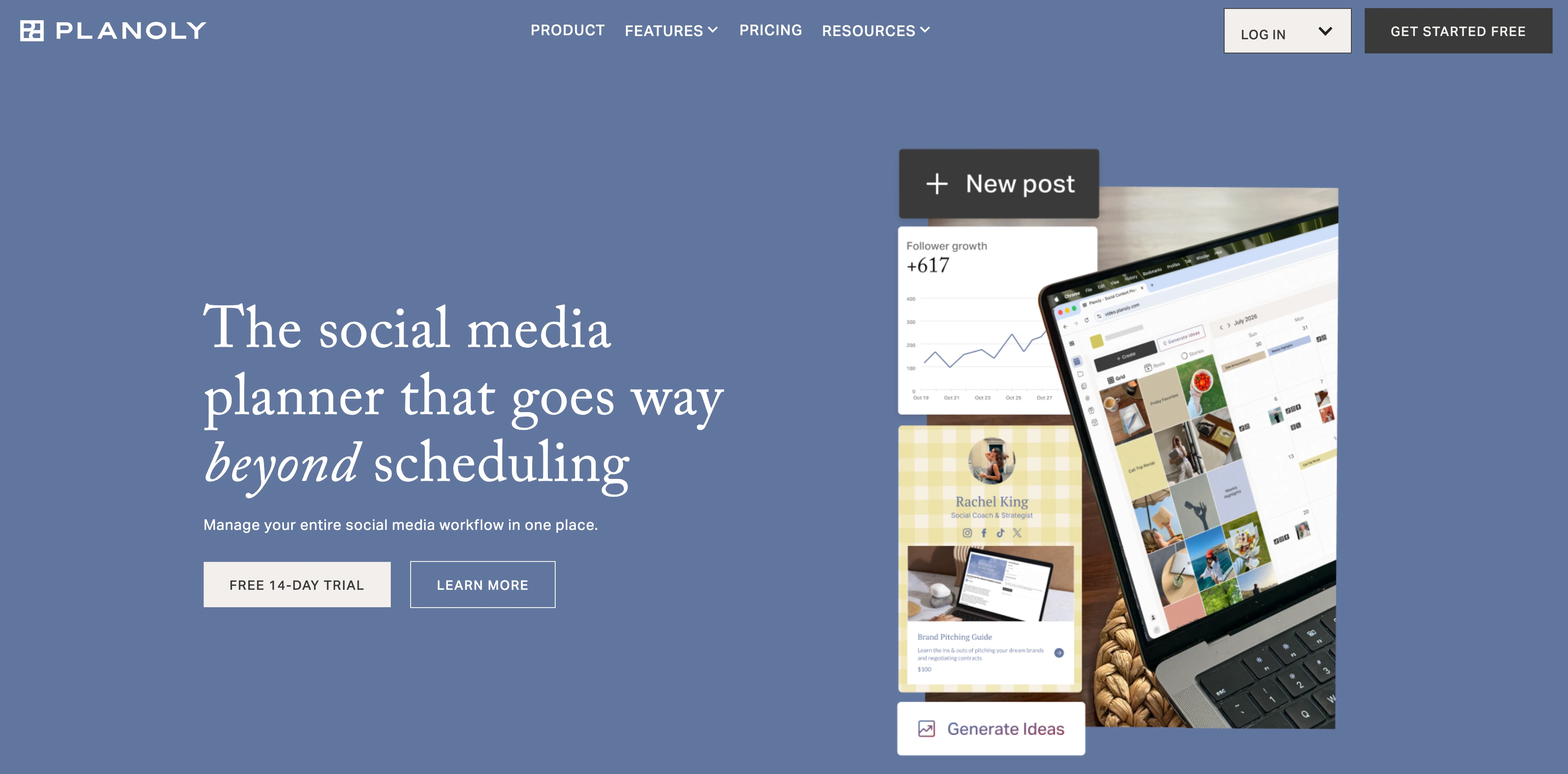
Planoly is an Instagram-specialist tool with a visual grid planner that lets you see exactly how your feed will look before posting. For restaurants where Instagram is the primary (or only) marketing channel, especially those with strong visual branding, Planoly offers a focused experience.
Key features for restaurants:
- Visual grid planner for Instagram feed aesthetics
- Instagram Stories scheduling
- Hashtag manager and suggestions
- Shoplink for linking to menus or ordering
- Basic analytics and engagement tracking
- Pinterest support for recipe and menu pins
Pricing:
| Plan | Price | Social Sets | Users |
|---|---|---|---|
| Starter | $16/mo | 1 | 1 |
| Growth | $28/mo | 2 | 2 |
| Pro | $55/mo | 6 | 6 |
Starter caps uploads at 60/month; Growth and Pro are unlimited.
Pros:
- Focused Instagram experience with visual grid planner
- Lower starting price than most competitors
- Pinterest support for food content
- Simple interface for Instagram-first restaurants
- Stories scheduling included
Cons:
- Instagram-first by design: no approval workflows, client reporting, or white labeling at any tier
- No social inbox or engagement management
- No AI caption generation
- Every tier ships the same features, so paying more only buys more social sets and users
- No Google Business Profile or Bluesky support, and X posts are reminder-only
Best for: Small restaurants that focus almost exclusively on Instagram and want to carefully curate their visual feed. Not suitable for restaurants that need multi-platform coverage.
User ratings: Planoly holds a 4.3/5 on G2 (67 reviews) and a 3.6/5 on Trustpilot (58 reviews).
For more details, see our Planoly pricing breakdown, Planoly reviews, and best Planoly alternatives guide.
PostPlanifyAll your social media in one simple dashboard
Schedule posts, track analytics, and reply to comments/DMs without switching tabs.
Engagement
+18%
Views
52.8k
Side-by-Side Comparison: All 10 Tools
| Feature | PostPlanify | Sprout Social | Vista Social | Hootsuite | Later | Buffer | SocialBee | Loomly | Sendible | Planoly |
|---|---|---|---|---|---|---|---|---|---|---|
| Starting price | $39/mo | $99/seat/mo | $99/mo | $99/user/mo | $25/mo | Free | $29/mo | $65/mo ($49 annual) | $35/mo | $16/mo |
| Free plan/trial | 7-day trial | 30-day trial | 14-day trial | 30-day trial | 14-day trial | Yes (3 channels) | 14-day trial | 15-day trial | 14-day trial | 14-day trial |
| Platforms | 10 | 11+ | 12 | 8+ | 8 | 11 | 10 | 9 | 10 | 7 |
| AI captions | Yes (vision) | Yes | Yes | Yes | Yes | Yes | Yes | Basic | Basic | No |
| Social inbox | Yes | Yes | Yes | Yes | Growth+ | Paid plans | No | No | Yes | No |
| Analytics | All platforms | Advanced | Advanced | Advanced | Basic-Mid | Basic | Basic | Basic | Mid | Basic |
| Best time to post | Yes | Yes | Yes | Yes | Growth+ | No | No | Yes | No | No |
| Team collaboration | Unlimited users | Per seat | 2-4 users | Per user | Limited | Team plan | Pro only ($99) | All paid plans | Unlimited users | Pro only ($55) |
| Approval workflows | Included | Yes | Multi-step | Advanced only | Growth+ | Team only | Pro only | All paid plans | Plus+ ($99) | No |
| Multi-location | Yes | Yes | Yes | Yes | Limited | No | Pro only | Beyond ($249) | Yes | No |
| Content calendar | Visual | Yes | Visual | Yes | Visual | Basic | Category-based | Visual | Yes | Grid-based |
| Link in bio | Yes | No | Yes | No | Yes | Yes | No | No | No | Yes |
| Google Business | Yes | Yes | Yes | Yes | No | Yes | Yes | Yes | Yes | No |
| Review management | Google Business | Yes | 5 review sites | Paid add-on | No | No | No | No | No | No |
How to Choose the Right Tool for Your Restaurant
By restaurant type
- Single-location independent restaurant: one PostPlanify workspace ($39/mo, or $31/mo billed yearly) covers Instagram, Facebook, and TikTok with AI captions and analytics included, or Buffer Free if you just want to test scheduling on 3 channels.
- Small chain (2-5 locations): PostPlanify at $68 to $155/mo gives each location its own workspace, calendar, and 4 accounts. Four to five locations run $126 to $155/mo ($100 to $123 billed yearly), approval workflows included.
- Large chain (10+ locations): PostPlanify at $250/mo for ten workspaces, Sprout Social (from $99/seat/mo) if you need social listening, or Hootsuite ($99/user/mo, $399/user/mo once you need approvals) for enterprise compliance and 350-post bulk scheduling.
- Food truck or pop-up: Buffer Free or PostPlanify ($39/mo). You need fast mobile scheduling, not multi-location management.
- Fine dining: Later ($50/mo Growth) for Instagram grid aesthetics alongside PostPlanify for broader platform coverage. Feed curation matters more here than for casual spots.
By budget
| Monthly Budget | Recommended Tool | What You Get |
|---|---|---|
| $0 | Buffer Free | 3 channels, 10 posts each, basic scheduling |
| Under $30 | Buffer Free or low-cost niche tools | Basic scheduling for very small restaurants |
| $50-100 | PostPlanify, 2-3 workspaces ($68 to $97/mo) | 8-12 accounts, AI captions, analytics, social inbox, calendar |
| $100-200 | PostPlanify, 4-6 workspaces ($126 to $174/mo) | one per location, approval workflows included |
| $200+ | PostPlanify, 8+ workspaces (from $212/mo) | 32+ accounts, with full white label on the Scale plan |
| $200+ | Sprout Social / Hootsuite | Enterprise analytics, social listening, compliance |
By priority
- "I need to schedule food content quickly" → PostPlanify, Buffer, or Later. PostPlanify and Later have the best visual calendars.
- "I care most about Instagram aesthetics" → Later or Planoly. Both have grid preview tools, and Later covers more platforms.
- "I need team approval workflows" → PostPlanify, Loomly, or Sprout Social. PostPlanify includes approvals in every workspace, Loomly has a clean approval UI, Sprout Social has the deepest enterprise workflows.
- "I want to recycle daily specials and promos" → SocialBee. Category-based scheduling is built for exactly this.
- "I manage multiple restaurant locations" → PostPlanify (one workspace per location), Sprout Social, or Hootsuite. All three give each location its own calendar.
- "I need to handle Google and Yelp reviews in the same place" → Vista Social covers five review sites, PostPlanify brings Google Business reviews into the social inbox, and Sprout Social includes review management on every tier.
- "I need the best analytics" → PostPlanify (best value), Sprout Social (deepest), or Hootsuite (most benchmarking). PostPlanify covers all 10 platforms with best-time-to-post suggestions at a fraction of the cost.
Restaurant Social Media Strategy: What to Post, Where, and When
Choosing the right tool is half the equation. You also need a content strategy that actually works for restaurants. Here's a practical framework.
Which platforms should restaurants focus on?
Not every platform deserves your time. Here's how to prioritize:
Essential (post 3-5x/week):
- Instagram: Food photography, Reels, Stories for daily specials. Your menu visuals and ambience sell best here.
- TikTok: Behind-the-scenes kitchen clips, "what I ordered" videos, and trending sounds drive local discovery fast.
- Facebook: Still the largest platform for local community engagement, events, and reaching older demographics. Great for specials and updates.
Recommended (post 1-3x/week):
- Google Business Profile: Posts appear directly in Google Search and Maps. Critical for local SEO: when someone searches "restaurants near me," your recent posts show up.
- YouTube: Shorts and longer videos (chef stories, menu launches, restaurant tours) have a long shelf life and keep bringing traffic over time.
- Pinterest: Recipe pins, brunch boards, and seasonal menu content. Great for "menu inspiration" style searches.
Optional (post when relevant):
- Threads: Easy cross-posting for quick updates and community interaction.
- LinkedIn: Hiring, partnerships, catering, corporate orders, and telling your "business story."
- X (Twitter): Quick updates, but typically lower ROI than visual platforms for restaurants.
- Bluesky: A growing platform worth claiming early for local community posting.
What should restaurants post? A 7-day content calendar
Here's a practical weekly framework you can schedule in one sitting using any of the tools on this list:
| Day | Content Theme | What to Post | Best Platforms |
|---|---|---|---|
| Monday | Menu Highlight | Feature one signature dish with a close-up photo and a "why it's loved" caption | Instagram, Facebook, Threads |
| Tuesday | Today's Special | Post your daily special or limited-time item with a clear CTA | Instagram, Facebook, X |
| Wednesday | Behind-the-Scenes | Show kitchen prep, plating, fresh ingredients, or a quick chef moment | TikTok, Instagram, YouTube |
| Thursday | Social Proof | Share a customer review, UGC video, or "most-ordered item this week" post | Instagram, Facebook, LinkedIn |
| Friday | Weekend Hook | Promote what's happening this weekend: brunch, live music, happy hour, new dessert | Instagram, Facebook, TikTok |
| Saturday | Ambience & Experience | Show the vibe: lighting, busy service, cocktails pouring, friends sharing food | Instagram, TikTok, YouTube |
| Sunday | Staff Spotlight | Introduce the chef, barista, or team. Human content builds repeat customers | Instagram, Facebook, LinkedIn |
Bonus recurring content:
- UGC Reposts (2-3x/week): Reshare customer photos and videos (with permission). User-generated content is free marketing that feels authentic.
- Monthly Specials Calendar (1x/month): Create a visual monthly calendar of events, specials, and seasonal items. Pin it and schedule reminders throughout the month.
How often should restaurants post?
| Platform | Recommended Frequency | Content Type |
|---|---|---|
| 4-5x/week (feed) + daily Stories | Photos, Reels, carousels, Stories | |
| TikTok | 5-7x/week | Short-form video (15-60 seconds) |
| 3-5x/week | Photos, events, updates, specials | |
| Google Business | 1-2x/week | Updates, offers, events |
| YouTube | 1-2x/week | Shorts + occasional longer videos |
| 2-3x/week | Recipe pins, menu boards, event inspiration |
How to handle negative reviews on social media
Every restaurant gets them. Here's how to respond:
- Respond quickly (within 24 hours), which shows you care and are attentive
- Acknowledge the issue: don't get defensive or argue publicly
- Take it offline: "We'd love to make this right. Please DM us or email [address]"
- Follow up: after resolving, a quick thank-you can turn a negative reviewer into a loyal customer
A social inbox tool helps here by centralizing all comments and messages so nothing slips through during a busy service, and fast replies lift engagement rather than just containing damage.
Which tool you pick decides how much of this lives in one place. PostPlanify pulls Google Business reviews and comments into the same inbox as your social replies, so a one-star review and an Instagram comment land in one queue. Vista Social goes furthest, covering five review sites including Google and Yelp. Sprout Social includes review management on every tier, and Hootsuite sells it as a paid add-on. Later, Buffer, SocialBee, Loomly, Sendible, and Planoly leave reviews to a separate tool, which for a restaurant means a second tab open during service.
Making the Switch to PostPlanify
If you're currently using another tool, or posting manually, switching to PostPlanify takes minutes, not days.
Connect your restaurant's Instagram, Facebook, TikTok, and other accounts directly from the dashboard. Most tools offer CSV export if you want to transfer existing scheduled content, and PostPlanify's media library lets you upload your food photography in bulk.
Invite your team members, since there's no per-seat charge, so your chef, manager, and anyone else involved in content can join immediately. Set up approval workflows so posts get reviewed before going live.
Use the AI assistant to generate captions for your dish photos. Upload an image, and the AI writes a description, suggests hashtags, and creates platform-specific variations. If you want to try that before signing up, our free Instagram caption generator and Instagram hashtag generator do the same job one post at a time. Plan your first week of content using the content calendar, and schedule it to publish across all your platforms automatically.
Ready to get started? Try PostPlanify free for 7 days, or see how PostPlanify works for restaurants first.
Frequently Asked Questions
What is the best social media platform for restaurants?
Instagram, TikTok, and Facebook are essential for most restaurants. Instagram is best for food photography and Stories. TikTok drives local discovery through short-form video. Facebook is still the largest platform for local communities, events, and reaching older demographics. Google Business Profile is also critical: posts appear directly in local search results and Google Maps.
How much should a restaurant spend on social media management tools?
Most single-location restaurants can manage social media effectively with free or low-cost schedulers at first, then move to PostPlanify at $39/mo (or $31/mo billed yearly) when they need broader platform coverage, analytics, and team access. Multi-location restaurants or chains may need $159-299/month depending on the number of accounts and team members. Enterprise tools like Sprout Social (from $79/seat/mo, $199 on Standard) or Hootsuite (from $99/user/mo) are only necessary for large chains with dedicated marketing teams.
Can I manage multiple restaurant locations with one tool?
Yes. PostPlanify, Sprout Social, Hootsuite, and Sendible all support multi-location management with separate workspaces or calendars per location. PostPlanify gives each location its own workspace, at $39 for the first and less for each one after, so a six-location group is $174/mo ($138/mo billed yearly) covering 24 accounts, which is among the most cost-effective options for restaurant groups.
What type of content works best for restaurant social media?
Food photography and short-form video consistently perform best. Specifically: close-up dish photos, behind-the-scenes kitchen clips, daily specials, customer testimonials/UGC, staff spotlights, and event promotions. 84% of diners say food photos influence their dining decisions (Toast, 2024), and short TikTok/Reels clips of plating or preparation tend to get the highest engagement.
How do I measure social media ROI for my restaurant?
Track these metrics: engagement rate on food posts vs. promo posts, follower growth during campaigns, website clicks (especially to menu or reservation pages), and DMs/comments about reservations or orders. Tools like PostPlanify and Sprout Social provide analytics dashboards that show which content types drive the most engagement, helping you double down on what works.
Is it worth hiring a social media manager for a restaurant?
It depends on your size and goals. For single-location restaurants, a social media scheduling tool with AI captions can handle most of the work, batch-creating content once a week. For multi-location restaurants or chains, a dedicated social media manager (or agency) combined with a management tool is more practical. The tool handles scheduling and analytics while the manager handles strategy and engagement.
What are the best hashtags for restaurants on Instagram?
Mix broad and local hashtags. Broad: #foodporn, #foodie, #instafood, #restaurantlife, #cheflife, #dailyspecials. Local: #[YourCity]eats, #[YourCity]food, #[YourCity]restaurants, #[YourNeighborhood]food. Specific: #[YourCuisine]food (e.g., #italianfood, #sushitime, #brunchspot). Aim for 5-15 hashtags per post, mixing popular and niche tags.
How often should a restaurant post on social media?
Aim for 4-5 posts per week on Instagram (feed + daily Stories), 3-4 on TikTok, 3-5 on Facebook, and 1-2 on Google Business Profile. Consistency matters more than volume: posting 3 times a week every week is better than posting 10 times one week and disappearing the next. A content calendar and scheduling tool make this sustainable.
Do restaurants need a social media scheduling tool?
Yes, if you want to post consistently without interrupting service. The alternative is pulling out your phone during prep or after a long shift, which is how most restaurants end up posting sporadically. A scheduling tool lets you plan a week of content in 30-60 minutes, then focus on running your restaurant.
How can restaurants use AI for social media?
AI tools built into social media management platforms can generate captions for dish photos, suggest hashtags, write promotional copy for events and specials, and recommend the best times to post based on your audience's activity. PostPlanify's AI assistant includes vision capabilities: upload a dish photo and it writes a caption automatically. This saves hours each week on content creation.
Related Reading
-
13 Best Google My Business Tools: Listings sync, local rank tracking, and review management for restaurant locations
-
Social Media Scheduler for Restaurants: our dedicated restaurant scheduling page
-
PostPlanify Pricing: full pricing breakdown for all plans
-
Hootsuite Pricing Breakdown | Hootsuite Reviews | Hootsuite Alternatives
-
Sprout Social Pricing | Sprout Social Reviews | Sprout Social Alternatives
-
SocialBee Pricing | SocialBee Reviews | SocialBee Alternatives
-
Vista Social Pricing | Vista Social Reviews | Vista Social Alternatives
-
Best Social Media Tools for Franchises and Multi-Location Brands
-
PostPlanify for Restaurants: the restaurant-specific product page
PostPlanifyAll your social media in one simple dashboard
Schedule posts, track analytics, and reply to comments/DMs without switching tabs.
Engagement
+18%
Views
52.8k
About the Author

Hasan Cagli
Founder of PostPlanify, a content and social media scheduling platform. He focuses on building systems that help businesses, agencies, and teams plan, publish, and manage content and social media more efficiently across platforms.


