


Tired of the daily 4 PM panic, staring at a blank social media calendar and scrambling for something to post? You’re not alone. The secret to breaking that cycle is learning how to schedule social media posts effectively. This guide isn’t about theory; it’s a practical, step-by-step walkthrough for shifting from a reactive, last-minute workflow to a planned, strategic one that actually drives growth.
To schedule social media posts, use a tool like PostPlanify, Buffer, or Hootsuite to batch-create content, set publish dates and times for each platform, and let the scheduler auto-publish at peak engagement windows — saving 6-8 hours per week compared to manual posting.
We’ll cover the common problems that lead to burnout, how to build a content creation system, and exactly how to use tools to get the job done right.
Why Your Manual Posting Workflow is Failing You
If your daily routine involves a frantic search for content, you know the chaos of manual social media management. It’s a common struggle, especially for agencies juggling multiple clients or founders who are already stretched thin. You end up missing the best times to post because you're in a meeting, or you sacrifice quality just to get something out the door.
This isn't just inefficient; it's unsustainable. The constant pressure is a direct path to creator burnout and a brand presence that feels disjointed. Your audience can feel it, and your growth eventually hits a wall.
The Real Cost of Reactive Posting
The problem is more widespread than you'd think. A recent report from Planable revealed that a whopping 38% of marketers only plan their social content a week ahead, while another 18% are scrambling just days in advance. That's a massive number of teams stuck in a reactive cycle, trying to stay relevant across platforms with a combined 5.4 billion users.
This last-minute rush always leads to the same problems:
- Inconsistent Brand Voice: When you're rushing, your tone, style, and messaging become erratic. One day your brand is professional, the next it's full of memes. This confuses your audience and weakens trust.
- Low-Quality Content: Hasty posts often lack the creative spark and strategic thought needed to perform well. Engagement plummets because the content doesn't provide real value.
- Missed Opportunities: Without a plan, you can't align your content with holidays, product launches, or important industry trends. You’re always playing catch-up.
- Team Burnout: That daily "what do I post right now?" anxiety is one of the biggest reasons social media managers burn out. Our guide on how to manage multiple social media accounts dives deeper into strategies to fix this.
The core issue isn't a lack of ideas; it's the absence of a system. Without a structured workflow, you're constantly in firefighting mode, which makes strategic growth impossible.
Adopting a Proactive Scheduling System

The first step is to reframe how you think about scheduling. It’s not just a time-saver; it’s a strategic tool that ensures brand consistency and transforms social media from a daily chore into a real growth engine.
A structured scheduling workflow is the only sustainable way forward. It empowers you to plan, create, get approvals, and publish content methodically, making sure every post serves a purpose. For a great example of a streamlined workflow, check out The 15-Minute Social Media Formula.
By adopting a system, you replace daily chaos with predictability and control. This is where a scheduling tool like PostPlanify becomes so valuable, giving you a central dashboard to manage your entire content pipeline from start to finish.
Step 1: Build a Content Creation Engine (Before You Schedule Anything)
Effective scheduling doesn’t start inside a tool. It starts with a system. If your content creation is a chaotic scramble every day, no scheduler on earth can fix the real problem—inconsistent, rushed posts that miss the mark.
The goal isn't just to schedule posts; it's to build a reliable engine that churns out high-quality content, making the scheduling part almost an afterthought. This is how you shift from being reactive (panicking about what to post today) to being proactive (knowing your content calendar is full and ready to go).
Actionable Fix: Master Content Batching
Content batching is a game-changer. It’s the practice of creating all your content for a specific period—say, a week or a month—in one dedicated session. Instead of trying to brainstorm, write, film, and design a post from scratch every day, you group similar tasks together to get into a state of deep focus.
Think of it like meal prepping for your social media. You wouldn't cook a single meal three times a day; you'd chop all your veggies at once. Batching applies that same logic to your content. For a deeper dive, check out our complete guide on how content batching can streamline your workflow.
 PostPlanify
All your social media in one simple dashboard
Schedule posts, track analytics, and reply to comments/DMs without switching tabs.

Engagement
+18%
Views
52.8k
Here’s a practical, step-by-step batching workflow:
- Video Day (Monday AM): Dedicate one morning to filming all your Reels or TikToks for the week. Your lighting is set up, the mic is on—you just keep rolling and maintain momentum.
- Writing Day (Monday PM): Block off a couple of hours to write all your captions and calls-to-action for the videos you just filmed. You can focus purely on copy without switching gears.
- Design Day (Tuesday AM): Use another block of time to create all your graphics, carousels, and thumbnails in a tool like Canva.
This approach doesn't just save time; it massively improves content quality because you're fully immersed in one creative mode at a time.
This infographic sums up the journey from a chaotic, reactive approach to a streamlined, growth-focused engine.
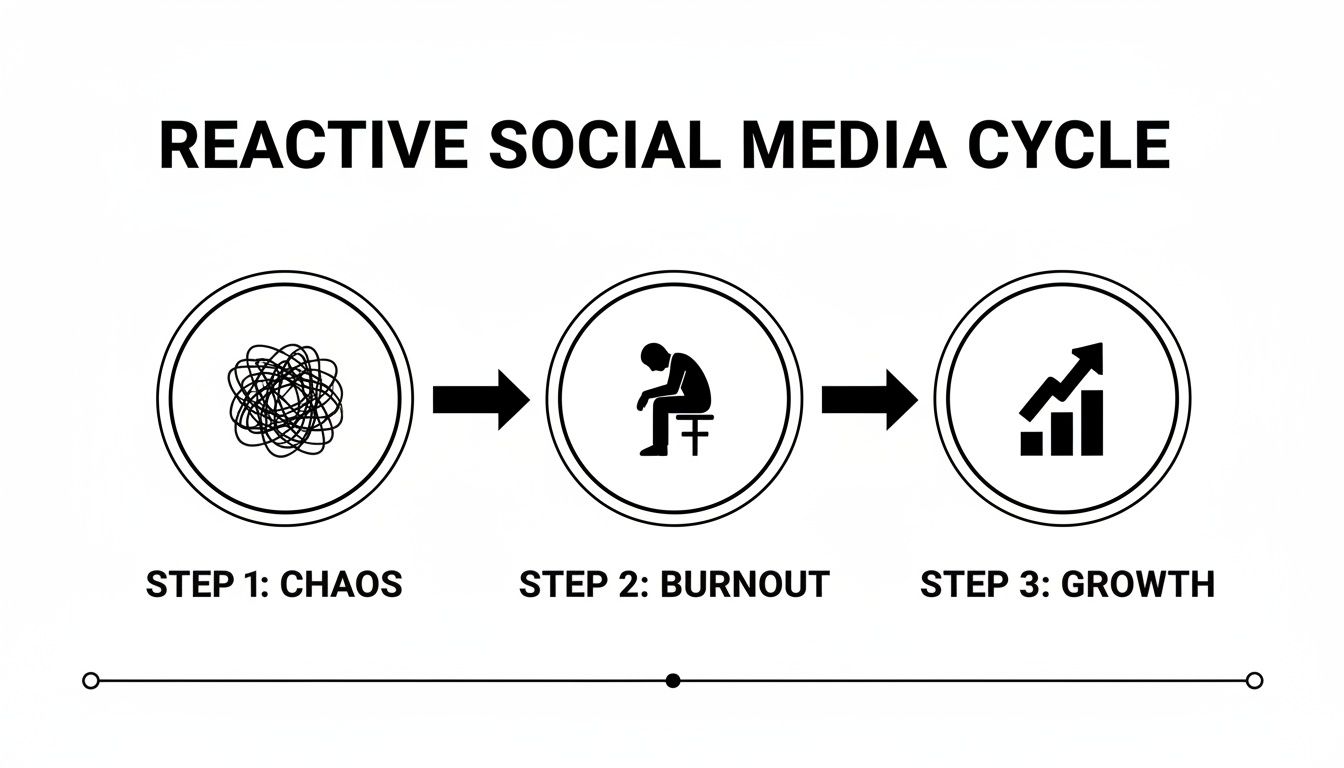
It highlights a critical truth: daily, last-minute posting leads straight to burnout. A structured system is the only sustainable way to achieve consistent growth.
Actionable Fix: Define Your Content Pillars
Before you can batch-create anything, you need to know what you’re talking about. Content pillars are the 3-5 core topics or themes your brand owns. They act as a strategic filter, making sure every post reinforces your expertise and speaks directly to your audience's interests.
For instance, a financial advisor's pillars might be:
- Investment Strategies (e.g., stock market tips, portfolio diversification)
- Retirement Planning (e.g., 401(k) advice, IRA guides)
- Personal Finance Habits (e.g., budgeting, debt management)
- Market News Explained (e.g., breaking down complex financial news)
Once you've defined these, you'll never stare at a blank screen again. Your weekly task becomes simpler: generate a few ideas for each pillar. It's infinitely easier than starting from scratch every time.
Actionable Fix: Create an Organized Asset Hub
A messy desktop is a workflow killer. To make batching work, you need a central, organized place for all your content assets. This is non-negotiable for efficiency.
A well-structured Google Drive or Dropbox folder works perfectly. Create a clear hierarchy that makes sense for how you work.
Pro Tip: Your asset hub should be more than a digital closet; it’s an active part of your content engine. A tool like PostPlanify shines here, integrating directly with Google Drive and Canva. You can import media with a single click, completely cutting out the tedious download-and-re-upload cycle.
A simple but effective folder structure:
- Main Folder: [Month] Social Content
- Subfolder: 01_Raw Media (all unedited photos and video clips)
- Subfolder: 02_Edited Media (final, ready-to-post visuals)
- Subfolder: 03_Captions & Hashtags (a document with all written copy)
- Subfolder: 04_Published (drag assets here after they go live for archiving)
This system ensures anyone on your team can find what they need in seconds, keeping the production line moving.
Actionable Fix: Develop Reusable Templates
Finally, look for repetitive tasks and templatize them. For most people, writing captions and researching hashtags are the two biggest time-sucks.
- Caption Templates: Create a document with caption frameworks for different post types—announcements, educational tips, questions, or behind-the-scenes stories. They aren't meant to be copied word-for-word, but they serve as a perfect starting point to slash your writing time.
- Hashtag Sets: Create pre-vetted hashtag sets for each of your content pillars. Group them by size (large, medium, niche) so you can quickly mix and match relevant hashtags for every post. This eliminates the daily research grind.
Step 2: Find Your Audience's Peak Engagement Times
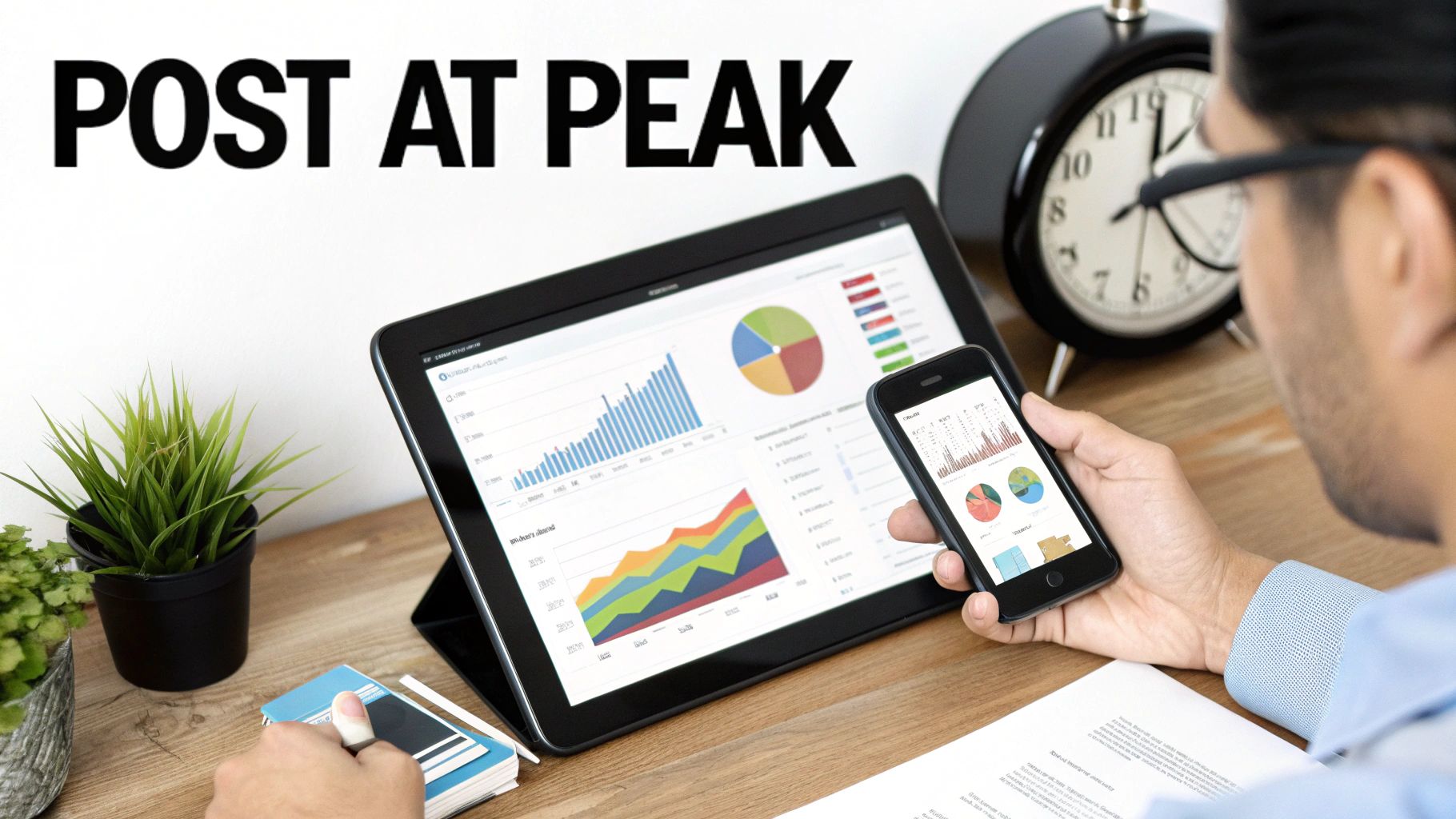
You can create the best content in the world, but if you post it when no one's online, it’s like throwing a party and forgetting to send invitations. The quality of your work doesn't matter if your audience isn’t there to see it. Mastering the when and how often is just as critical as the what.
Timing isn’t guesswork. It's based on real human behavior. People have predictable scrolling habits—the morning commute, the lunch break, that evening wind-down on the couch. Hitting these windows gives your content its best shot at getting seen, liked, and shared.
Why Generic "Best Times" Are a Trap
You’ve seen the articles: "Post on Instagram at 11 AM on Wednesdays." Sure, that's a decent starting point, but it's not a one-size-fits-all solution. A B2B audience on LinkedIn is most active during business hours, while a Gen Z audience on TikTok is probably scrolling late at night.
When you rely only on generic stats, you’re jumping into the most crowded time slot along with everyone else. The real magic happens when you dig into your own platform analytics to find when your followers are most active. If your current tool is strong on analytics but weak on scheduling, the best Metricool alternatives comparison covers that exact trade-off.
Key Takeaway: Generic posting times are a guide, not a rule. Your brand's "golden hour" is hidden in your own analytics, and finding it is a crucial step in learning how to schedule social media posts for maximum impact.
Scheduling tools are your secret weapon here. Once you identify your peak engagement windows, a scheduler ensures your content goes live at that perfect moment, every single time—even if you're in a meeting or asleep.
Actionable Fix: Find Your Unique Peak Posting Times
Your own data is the ultimate source of truth. Most platforms give you this data for free.
Here's exactly where to find it:
- Instagram Insights: Go to your Professional Dashboard > Total Followers, and scroll to the bottom. You'll see a clear chart showing "Most Active Times" by both day and hour. See our best time to post on Instagram guide for benchmarks.
- Facebook Page Insights: Inside Meta Business Suite, click the Insights tab > Audience. This section has detailed data on when your fans are online. Use a dedicated Facebook scheduler for optimal timing.
- TikTok Analytics: In your account settings, go to Creator Tools > Analytics. The Followers tab has an activity chart showing the exact days and hours your audience is most active. For data-backed timing, see best time to post on TikTok.
- LinkedIn Analytics: For company pages, the Analytics tab > Followers section shows follower activity, though it's less granular than other platforms. A LinkedIn scheduler can help you hit those peak windows consistently.
By checking these reports, you might discover your audience is unusually active on Sunday evenings or during early morning hours. Consistently posting in these personalized windows is how you get an edge. For a deeper dive, check out our in-depth guide on the best time to post on social media.
Actionable Fix: Determine Your Optimal Posting Frequency
Once you know when to post, the next question is how often. Many brands fall into the trap of posting constantly, thinking more content means more engagement. In reality, this strategy often leads to audience fatigue and burns out your team.
Three high-quality, perfectly-timed posts a week will almost always outperform seven random, rushed ones. Consistency builds trust and expectation.
Here's a quick reference for how often you should aim to post on each platform.
Platform Posting Frequency Guidelines
| Platform | Recommended Feed/Post Frequency | Recommended Story/Short-Form Video Frequency |
|---|---|---|
| 3-5 times per week | 3-7 times per week | |
| 3-5 times per week | 2-4 times per week | |
| X (Twitter) | 3-5 times per day | N/A |
| 3-5 times per week | N/A | |
| TikTok | 1-3 times per day | 3-5 times per week |
| 3-10 Pins per day | N/A |
These are just guidelines. The perfect frequency depends on your resources and your audience's appetite for content. Start here, and then adjust based on your analytics. A tool like PostPlanify helps you lock in this rhythm, automating your consistency so you can focus on creating better content. For YouTube-specific scheduling advice, check out our guide to the best YouTube scheduling tools.
Step 3: Choose and Master a Scheduling Tool
Once your content engine is running and you know when your audience is online, it's time to pick the tech that ties it all together. Scheduling tools are the bridge between a great strategy and consistent execution. They eliminate the repetitive work that leads to burnout, so you can focus on creativity and strategy.
Native Schedulers vs. Third-Party Platforms
Your first decision is whether to use the free tools built into social platforms or invest in a dedicated third-party app.
- Native Schedulers (e.g., Meta Business Suite): These are a good starting point. They’re free, reliable, and get the basic job done for Facebook and Instagram. However, they operate in silos. If you’re also managing multiple social media accounts across TikTok, LinkedIn, and X, you’ll find yourself juggling multiple browser tabs.
- Third-Party Platforms (e.g., PostPlanify): These tools bring your entire social media world into one unified dashboard. This is the only practical solution for anyone managing multiple platforms or client accounts. They become the single source of truth for your content calendar, unlock advanced features like bulk scheduling, and provide cross-platform analytics.
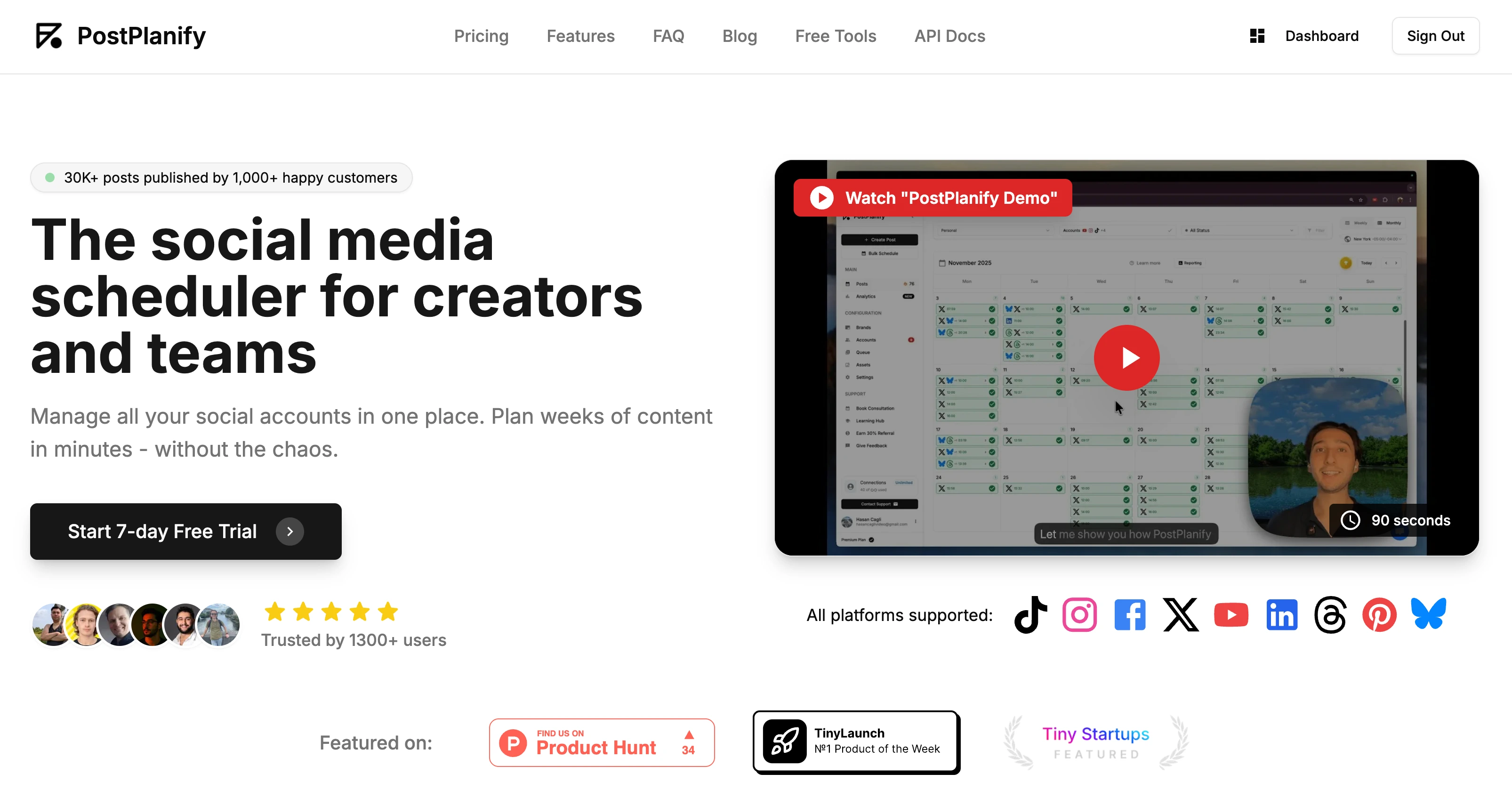
These platforms are built on official APIs, meaning the social networks have given them approved access to publish for you. Using an authorized tool will not hurt your reach. In fact, by helping you post consistently at the best times, they almost always improve it.
How to Schedule Different Content Formats (and Their Limitations)
Every content type has its quirks. Here’s what to expect:
- Single Images & Videos: Straightforward. Upload media, write caption, add hashtags, pick a time. Done.
- Carousels/Multi-Image Posts: Most tools let you upload all images at once and rearrange them with a simple drag-and-drop interface.
- Reels & TikToks: The key feature to look for is the ability to select a custom cover frame. The first frame of a video is rarely a compelling thumbnail.
- Instagram Stories: This is where you hit limitations. Due to Meta's API restrictions, scheduling Stories with interactive elements (polls, quizzes, question stickers) through a third-party tool is usually not possible.
- The Workaround: You can schedule the base image or video, and the tool will send a push notification to your phone when it's time to post. You then open the notification and manually add the sticker before publishing.
The Power of Bulk Scheduling
Bulk scheduling is the feature that will change your workflow. Instead of lining up posts one by one, it lets you plan and upload weeks or a full month of content in a single go.
Most scheduling tools offer two ways to do this:
- CSV Upload: You prepare everything in a spreadsheet. Each row is a post, with columns for the date/time, caption, and a link to your media (e.g., a URL from your Google Drive or Dropbox folder). Upload the CSV, and the platform populates your calendar in seconds.
- Content Library Integration: Platforms like PostPlanify are taking this further by connecting directly to your asset hubs like Google Drive or Canva. This lets you select multiple media files at once and create draft posts for all of them in a single click, skipping the download-then-re-upload cycle.
A solid bulk scheduler is a must-have for any agency or brand managing a high volume of content. For those exploring browser-based social media management, you might also look into tools like Chromesocial.
What to Look For in a Scheduling Tool
Not all schedulers are equal. When comparing options, focus on the features that solve your biggest problems. We've put together a full breakdown of the best social media scheduling tools, but here are the key features to look for:
- A Clean, Visual Calendar: A clear, drag-and-drop calendar is essential. You need to see your entire schedule across all platforms at a glance.
- Platform-Specific Previews: A great tool shows you exactly how your post will look on Facebook, Instagram, LinkedIn, etc., before it publishes. This prevents formatting errors.
- Robust Bulk Scheduling: As covered, this is a must-have for efficiency. Check for CSV upload support or direct media library integrations.
- AI-Powered Assistance: Modern tools are building in AI to help write captions, suggest hashtags, and brainstorm ideas. PostPlanify's AI, for example, can learn your brand voice to generate captions that sound authentic.
- Reliable Publishing: The tool has one core job: post on time, every time. Look for platforms with a reputation for reliability and responsive support.
Step 4: Review and Refine Your Scheduling Strategy
Scheduling is not a "set it and forget it" task. The real growth comes from closing the loop: publish, analyze, and refine. A monthly or bi-weekly check-in is your chance to stop guessing and start making data-backed adjustments that actually move the needle.
Actionable Fix: A Monthly Performance Review
Set aside one hour each month to analyze your performance. Don't get lost in vanity metrics. Focus on the numbers that answer the most important questions about your scheduling strategy.
The core questions your review should answer:
- Which posting times generated the highest engagement? Look for patterns. Did your 9 AM posts consistently outperform your 5 PM ones? Your analytics will reveal your audience’s true "prime time."
- Which content pillars drove the most shares and saves? This tells you what your audience finds most valuable and what you should create more of.
- Which formats (Reels, carousels, single images) delivered the most reach? This helps you decide where to invest your creative energy next month.
By comparing the performance of different post types at different times, you build a clear picture of what works for your audience. This is how you move from following generic advice to creating a personalized, high-performance schedule.
Turning Insights into Actionable Changes
The final step is translating your findings into concrete changes for your next content calendar. For a deeper dive, our guide on social media analytics and reporting offers a complete framework.
-
If you found: Educational carousels posted on Wednesdays at 10 AM consistently get the highest engagement.
-
Your action is: Schedule more educational carousels in that exact time slot. Double down on what's working.
-
If you found: Your Reels are getting great reach, but your static images are flatlining.
-
Your action is: Shift your content ratio for next month. Plan for more Reels and fewer static posts to maximize your reach potential.
Experimenting with frequency is also crucial. Finding Instagram's sweet spot often means landing on a mix of 3-5 feed posts per week, 2-4 Reels, and near-daily Stories. Learn exactly how to schedule Instagram posts for a step-by-step process, and see how to find your scheduled posts on Instagram, Facebook, TikTok, or LinkedIn to verify everything is queued correctly. This rhythm keeps your audience engaged without burnout. You can find more data on platform-specific cadences from sources like Hopper HQ.
This entire process is where a tool with integrated analytics, like PostPlanify, becomes a game-changer. You can see performance insights right inside your scheduling workflow, making it incredibly easy to spot a winning post and immediately schedule similar content in the same successful time slot.
Frequently Asked Questions
How do I schedule social media posts for free?
Use Meta Business Suite for free Facebook and Instagram scheduling, or Buffer's free plan for 3 channels with 10 posts each. TikTok Studio offers free native scheduling up to 10 days ahead. PostPlanify provides a 7-day free trial with unlimited posting across 10 platforms, giving you time to test a full workflow before committing.
What is the best tool to schedule social media posts?
The best tool depends on your needs. PostPlanify Growth ($99/month, or $79/month billed yearly) is ideal for multi-platform creators and teams needing AI captions, unlimited scheduling, analytics, social inbox, 15 social accounts, and 3 users in one plan. Buffer suits simple, single-platform needs. Hootsuite excels for enterprise teams. See our full social media scheduling tools comparison for a detailed breakdown of 12 options.
How far in advance should I schedule posts?
Most social media managers find scheduling 1-4 weeks ahead provides the best balance of preparation and flexibility. Content batching monthly works well for evergreen content, while leaving 20-30% of your calendar open for trending topics and timely posts keeps your feed relevant.
Does scheduling posts hurt my reach on social media?
No. Platforms like Instagram, TikTok, Facebook, and LinkedIn do not penalize scheduled content. Authorized tools use official APIs, and the algorithms evaluate content quality and engagement -- not the publishing method. Scheduling often improves reach by ensuring consistent posting at optimal times.
Can I schedule posts across multiple platforms at once?
Yes. Cross-platform scheduling tools like PostPlanify let you create one post and publish it to Instagram, TikTok, Facebook, LinkedIn, X, YouTube, Threads, Bluesky, and Pinterest simultaneously. This saves significant time compared to logging into each platform individually to post. For a full breakdown of how to adapt content per platform, see our social media cross-posting guide.
What types of content can I schedule on social media?
You can schedule single images, videos, carousels, Reels, and link posts on most platforms. Instagram Stories with interactive elements (polls, quizzes) are a notable exception -- Meta's API restricts third-party scheduling for those, requiring a manual step. Check each tool's format support before choosing.
How often should I post on social media?
Recommended frequency varies by platform: Instagram 3-5 feed posts per week, TikTok 1-3 posts per day, Facebook 3-5 per week, LinkedIn 3-5 per week, and X 3-5 per day. Quality always beats quantity -- three strategic posts outperform seven rushed ones. Use your analytics to find what works for your audience.
What is the best time to schedule social media posts?
Peak engagement windows vary by platform and audience. General guidelines suggest weekday mornings (9-11 AM) for LinkedIn, mid-morning for Instagram, and evenings for TikTok. However, your own analytics data is the most reliable source. Check our best time to post on social media guide for platform-specific data.
Your Go-To Social Media Scheduling Checklist
This checklist boils everything down into a simple, repeatable workflow.
Strategy and Planning
- Define 3-5 Content Pillars: Know your core topics to ensure every post is on-brand and relevant.
- Organize Your Asset Hub: Set up a clean folder system in Google Drive or Dropbox for all your media.
- Batch Create Your Content: Dedicate specific blocks of time to film, write, and design.
- Find Your Peak Posting Times: Check your native platform analytics (Instagram, Facebook, TikTok) to see when your audience is most active.
Execution and Optimization
- Schedule in Bulk: Use your scheduling tool to get at least one full week of content scheduled at a time.
- Preview Before Publishing: Use the preview feature to check for formatting or cropping errors on each platform.
- Conduct a Monthly Review: Set aside one hour each month to analyze what worked and what didn't.
- Refine Your Calendar: Use your insights to adjust your content pillars, formats, and timing for the next month.
Troubleshooting & FAQs
Even with the best plan, you'll run into questions. Here are quick answers to common scheduling problems.
Problem: I can't schedule my Instagram Story with a poll sticker.
- Why it happens: This is a common limitation set by Meta's API. For security and user experience reasons, they restrict third-party tools from publishing content with certain interactive elements like polls, quizzes, or question stickers.
- The Fix: Use the push notification workaround. Most scheduling tools will allow you to schedule the base image or video for your Story. At the scheduled time, the tool sends a notification to your phone. You tap it, the Instagram Story editor opens with your media, and you can then manually add the poll sticker before hitting publish. It’s a hybrid approach, but it works.
Problem: Is a third-party tool better than the free native schedulers?
- The Scenario: If you're a small business managing only a Facebook Page and an Instagram account, a native tool like Meta Business Suite is free and works just fine. It’s basic, but it handles the core job.
- The Tipping Point: The second you start managing multiple platforms (like TikTok, LinkedIn, or X) or handling more than one client, a third-party tool becomes a necessity. The real value is a unified workflow: one calendar for everything, powerful bulk scheduling, cross-channel analytics, and collaboration features. For a deeper dive, our guide on social media scheduling tools breaks down the options.
Problem: Will scheduling posts hurt my reach?
- The Myth: This is one of those myths that just won't die, but the answer is a hard no, provided you use an authorized tool.
- The Reality: The platforms themselves have confirmed that using an approved, official partner tool for scheduling does not penalize your content's reach. In fact, scheduling almost always helps your reach. It allows you to post with perfect consistency at your audience's peak active times. That strong initial engagement is a key signal to the algorithm to show your post to a wider audience.
Ready to ditch the daily scramble and start scheduling with confidence? PostPlanify gives you a clean, unified calendar to plan, create, and publish your content across all your channels. With AI-powered captions, direct media imports, and reliable publishing, you can save hours every week and build a consistent presence that drives real growth. Start your free 7-day trial of PostPlanify today.
PostPlanifyAll your social media in one simple dashboard
Schedule posts, track analytics, and reply to comments/DMs without switching tabs.
Engagement
+18%
Views
52.8k
About the Author

Hasan Cagli
Founder of PostPlanify, a content and social media scheduling platform. He focuses on building systems that help businesses, agencies, and teams plan, publish, and manage content and social media more efficiently across platforms.


