


Juggling multiple social media accounts means constantly logging in and out, re-uploading the same media, and copying captions. This isn't just inefficient; it's a bottleneck that stunts growth. Inconsistent posting hurts your reach because algorithms on Instagram, TikTok, and LinkedIn reward reliability, and consistent posters earn 450% more engagement per post than sporadic ones. The right social media scheduling tool automates these manual tasks, so you can focus on strategy instead of repetitive clicks.
The best social media scheduling tools in 2026 include PostPlanify, Hootsuite, Buffer, Sprout Social, Later, and Publer, each offering unique strengths in scheduling, analytics, AI content generation, and multi-platform management for creators, agencies, and marketing teams of all sizes.
This guide provides a practical comparison of the 14 best social media scheduling tools, focusing on real-world use cases for solo creators, busy agencies, and in-house marketing teams. Before you even start scheduling, planning your content with effective Instagram content calendar templates can greatly improve your overall strategy and consistency.
Inside, you'll find a clear breakdown of each platform:
- Core features and what they solve.
- Honest limitations and potential workflow dealbreakers.
- Clear pricing structures to match your budget.
- Ideal use cases to help you find the perfect fit.
This is not a generic feature list. It's an actionable guide with screenshots and direct insights into tools like PostPlanify, Sprout Social, and Buffer to help you solve your specific scheduling problems.
The 14 Best Social Media Scheduling Tools at a Glance
| Tool | Best for | Standout feature | Starting price |
|---|---|---|---|
| PostPlanify | Agencies serving local businesses | Cross-platform analytics + social inbox, no per-seat fees | From $39/mo per workspace |
| Hootsuite | Large teams & enterprises | Mature all-in-one with deep integrations | $99/user/mo |
| Buffer | Solo creators & small businesses | Simple, transparent per-channel pricing | Free; $6/channel/mo |
| Sprout Social | Mid-market & enterprise teams | Best-in-class analytics & reporting | $99/seat/mo |
| Later | Visual-first brands (Instagram/TikTok) | Drag-and-drop visual planner + Linkin.bio | $25/mo |
| Loomly | Agencies & content teams | Post ideas + structured approval workflows | $65/mo |
| Planable | Agencies & multi-brand teams | Workspace-per-brand + guest approval links | $39/workspace/mo |
| Agorapulse | Community & moderation teams | Unified inbox with ad-comment monitoring | $99/user/mo (30-day trial) |
| Sendible | Agencies managing many brands | White-label client reports & dashboards | $35/mo |
| SocialBee | Evergreen content automation | Category-based queues + post recycling | $29/mo |
| Zoho Social | Zoho-ecosystem SMBs | SmartQ timing + Zoho CRM integration | Free; $15/mo |
| CoSchedule | Calendar-first marketing teams | ReQueue evergreen automation | $39/mo ($29 annual) |
| Publer | Budget-conscious teams | À-la-carte pricing + broad platform support | Free; $12/mo |
| PostEverywhere | Creators, solopreneurs, small teams | Built-in AI content creation across 11 platforms | $29/mo |
How I Tested These Social Media Scheduling Tools
Here is exactly how I evaluated the 14 tools in this guide:
- Hands-on evaluation. I worked through each tool's real scheduling workflows (composing and queuing posts, bulk uploads, carousels and Reels, approval flows, and analytics dashboards) alongside each vendor's documentation and feature pages.
- Evaluation criteria. I scored every tool on six factors: platform coverage, publishing workflow speed, analytics depth, team and approval features, pricing transparency, and customer support. Pricing structure and feature depth carried the most weight in the final ranking.
- Review analysis. I cross-referenced my testing against thousands of verified user reviews on G2, Capterra, and Trustpilot to catch issues that only surface after months of daily use.
- Pricing verification. Every price in this guide was checked against each vendor's public pricing page in June 2026. Where billing periods differ, I use monthly pricing unless stated otherwise.
- Real-world fit. I weighed how each tool performs for agencies, marketing teams, and businesses managing real posting volume, not just how it looks on a feature checklist.
1. PostPlanify

PostPlanify is a social media scheduling tool built for agencies serving local businesses: restaurants, clinics, salons, trades, and the like. Each client gets its own workspace holding their calendar, inbox, approvals, and reports, and you are billed per workspace rather than per seat. It eliminates the friction between creating content and publishing it by combining planning, an AI writing assistant, and multi-platform scheduling in one dashboard.
The primary goal is to save time, up to eight hours per week according to the platform, by automating the repetitive tasks that slow down social media management.
Unlike complex enterprise systems, PostPlanify focuses on speed and usability. That matters most when one person is posting for eight or ten local clients across channels like TikTok, Instagram, Google Business, and X, without getting bogged down in complicated software.
Key Features & Use Cases
- Analytics across all 10 platforms: historical trend charts and best time to post suggestions, on every plan.
- Approval workflows, single and multi-step: client sign-off without an upgrade, from the entry plan.
- Social inbox: comments and interactions from every connected platform in one place.
- AI caption generator: learns your brand voice, with accurate previews per post format.
- Team collaboration: post assignments and shared calendars, with unlimited members and client approvers, so growing the team never changes the bill.
- Link in bio: a customizable landing page for each workspace.
- One-click imports from Canva and Google Drive.
- Client reports: scheduled delivery and team comments on Premium.
- Full white labeling: your branding on the client dashboard, emails, and reports on Scale.
Want to go further? See our guide on how to automate social media posts.
 PostPlanify
All your social media in one simple dashboard
Schedule posts, track analytics, and reply to comments/DMs without switching tabs.

Engagement
+18%
Views
52.8k
Pricing & Plan Tiers
| Workspaces | Growth | Premium | Scale |
|---|---|---|---|
| 1 workspace | $39/mo | $49/mo | $59/mo |
| 3 workspaces | $97/mo | $127/mo | $157/mo |
| 5 workspaces | $155/mo | $205/mo | $255/mo |
| 10 workspaces | $250/mo | $350/mo | $450/mo |
| Social accounts per workspace | 4 | 6 | 8 |
Unlimited team members on every plan, no per-seat fees. Yearly billing saves 20%. All plans include a 7-day free trial with a 14-day money-back guarantee.
- Growth (from $39/mo, 4 social accounts per workspace): unlimited posts, analytics across all platforms, social inbox, approval workflows, best time to post, bulk scheduling, AI assistant, content calendar, link in bio, and integrations.
- Premium (from $49/mo, 6 accounts per workspace): adds client reports, scheduled report delivery, team comments and mentions, AI brand voice, and API access.
- Scale (from $59/mo, 8 accounts per workspace): adds full white labeling for the dashboard, client emails, and reports, plus dedicated onboarding, migration help, and priority support.
Pros & Cons
| Pros | Cons |
|---|---|
| Full Analytics: Cross-platform analytics with historical trend charts and best time to post suggestions on every plan, client reports on Premium, and fully white-labeled reports on Scale. | No Mobile App: Currently web-based only; mobile app is in development. |
| Team Collaboration: Single and multi-step approval workflows, post assignments, and shared calendars, with unlimited team members and client approvers on every plan. | No Free Plan: There is a 7-day trial and a 14-day money-back guarantee, but solo creators who only need basic scheduling may prefer a free starter tool. |
| Social Inbox: Manage comments and interactions from all platforms in one unified dashboard. | AI Images Are Metered: Image generation is capped per plan rather than unlimited. |
| Smart AI & Previews: AI captions and platform-aware previews reduce manual rewrites and guesswork. | |
| Per-Workspace Pricing: You pay for client workspaces, not seats, so adding people to a team costs nothing. |
Who It's Best For
PostPlanify is the strongest choice for agencies and freelancers running social for local-business clients, where each client needs a separate calendar, its own approvals, and its own report, without the complexity or per-seat cost of enterprise platforms. In-house teams managing a single brand will use a fraction of it.
User Ratings: 5/5 on G2
2. Hootsuite
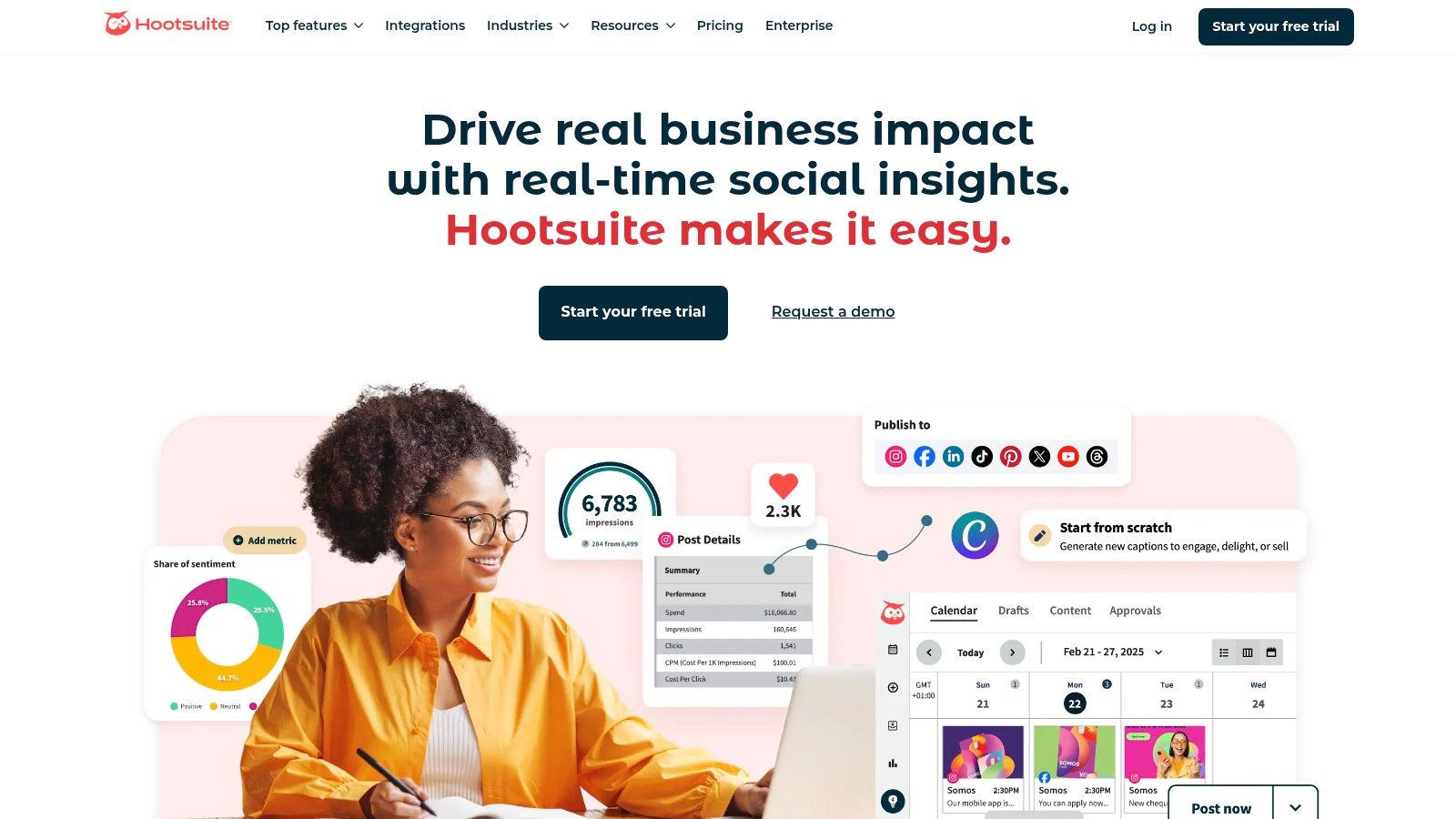
Hootsuite is one of the most established social media management platforms, making it a common choice for larger teams and enterprises that need an all-in-one solution. It goes beyond simple scheduling to offer a full suite for planning, engagement, and in-depth analytics. It's built to handle complex workflows with multiple users, brands, and approval processes.
Its mature ecosystem allows it to scale with your organization. You can schedule unlimited posts and use AI-powered suggestions for the best times to post on social media. Hootsuite's unified inbox simplifies engagement by pulling messages from all platforms into one stream, and its brand monitoring tools help track conversations about your brand and competitors.
Key Features & Ideal Use Case
Hootsuite is best for established marketing teams and agencies managing multiple clients that require granular control and comprehensive reporting.
-
Best For: Enterprise-level teams and agencies needing robust collaboration and approval workflows.
-
Standout Features: Unlimited post scheduling, a unified social inbox, powerful analytics with benchmarking, and extensive integrations with tools like Canva and Adobe Express. Hootsuite now sells these as named modules inside Hootsuite Social OS, where Perch covers content creation, planning, and publishing, Nest is the social inbox, Lumen is insights and listening, and Wisdom is the AI layer, so vendor comparisons increasingly refer to "Perch" when they mean Hootsuite's scheduler.
-
Pricing: Standard $99/user/month, Professional $199/user/month, Advanced $399/user/month, plus custom Enterprise pricing. A 14-day free trial is offered. Costs add up quickly for larger teams because every seat pays the full rate.
-
Pros: A mature, feature-rich platform with strong team collaboration tools and detailed reporting.
-
Cons: Per-user billing gets expensive fast (three users on Standard is $297/month), approval workflows only start on Advanced at $399/user, and social listening and ad management are separate paid add-ons on top.
-
User Ratings: 4.3/5 on G2 (6,615 reviews) · 1.8/5 on Trustpilot (511 reviews)
Dig deeper: Hootsuite pricing breakdown, Hootsuite reviews, and best Hootsuite alternatives.
See how Hootsuite compares head-to-head: Hootsuite vs Buffer, Hootsuite vs Sprout Social, Hootsuite vs Later, and Hootsuite vs Publer.
3. Buffer

Buffer is known for its clean, intuitive interface and straightforward approach to content planning. It provides a good balance of simplicity and power, making it accessible for beginners while offering enough depth for growing teams. The platform focuses on helping you plan, schedule, and analyze social media content without unnecessary complexity.
Its transparent, per-channel pricing is a key differentiator, allowing you to build a custom plan that scales with your needs. Buffer's suite includes publishing, analytics, and engagement tools. The AI Assistant helps with content creation, while features for scheduling first comments and managing hashtags are practical time-savers. For platforms like TikTok, having a reliable TikTok scheduler is critical; you can explore advanced strategies to learn how to schedule TikTok posts for maximum reach.
Key Features & Ideal Use Case
Buffer is ideal for small businesses, solo creators, and mid-sized marketing teams who value a user-friendly experience and flexible pricing.
-
Best For: Individuals and small to medium-sized businesses looking for an easy-to-use scheduler with transparent pricing.
-
Standout Features: Per-channel pricing, an integrated AI Assistant for content creation, first-comment scheduling, a hashtag manager, and a streamlined engagement inbox.
-
Pricing: Free for up to 3 channels with 10 scheduled posts each, then Essentials at $6/channel/month and Team at $12/channel/month, with a 14-day free trial on paid tiers. A 50% discount is offered to registered nonprofits.
-
Pros: Extremely intuitive interface, flexible and transparent pricing that scales easily, and a strong core feature set for scheduling and analytics.
-
Cons: Lacks the advanced governance, complex approval workflows, and deep reporting found in larger, more expensive suites.
-
User Ratings: 4.3/5 on G2 (1,023 reviews) · 2.1/5 on Trustpilot (93 reviews)
Dig deeper: Buffer pricing breakdown, Buffer reviews, and best Buffer alternatives.
See how Buffer compares head-to-head: Buffer vs Hootsuite, Buffer vs Later, Buffer vs Metricool, and Buffer vs Publer.
4. Sprout Social
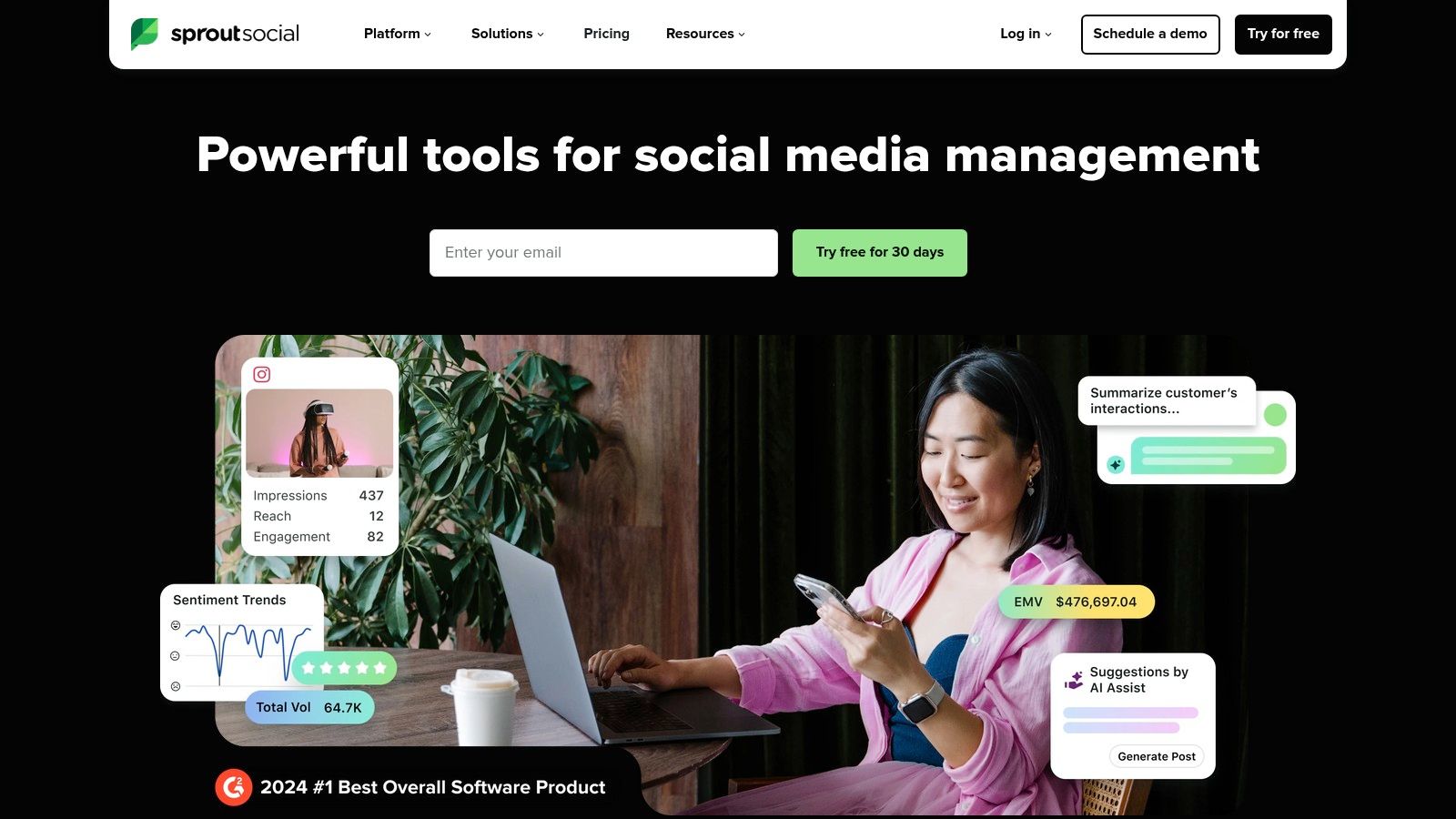
Sprout Social is a premium, analytics-focused platform for businesses that prioritize a data-driven social media strategy. It combines robust scheduling and publishing tools with excellent reporting and deep listening capabilities, making it a favorite among mid-market and enterprise teams. The platform offers a unified Smart Inbox to streamline engagement and sophisticated collaboration workflows for teams that need approval processes.
Its main strength is turning social data into actionable business intelligence. Sprout's analytics features help teams not only manage their presence but also understand performance, track competitors, and identify industry trends. By integrating advanced analytics into the scheduling process, it helps you optimize your entire content strategy. This comprehensive approach is essential for teams looking to master their content pipeline, and you can learn more about how to plan social media content to complement these powerful tools.
Key Features & Ideal Use Case
Sprout Social is ideal for established brands and agencies that need powerful analytics, comprehensive reporting, and a polished user experience to manage their social media operations at scale.
-
Best For: Mid-market to enterprise businesses and agencies that require deep analytics and stakeholder-ready reports.
-
Standout Features: Optimal send times suggestions, advanced content tagging for reporting, AI Assist for creating and refining posts, review management, and paid social reporting integrations.
-
Pricing: Essentials $99/seat/month ($79 billed annually), Standard $199, Professional $299, Advanced $399, plus custom Enterprise. A 30-day free trial is included. Per-seat billing makes it a significant investment for larger teams: three seats on Standard is $597/month.
-
Pros: Exceptionally strong analytics and reporting features, an intuitive user interface, and comprehensive team collaboration tools.
-
Cons: The per-seat pricing model makes it one of the more expensive options, and some key features like deep listening are available only as costly add-ons.
-
User Ratings: 4.4/5 on G2 (5,731 reviews) · 2.2/5 on Trustpilot (75 reviews)
Dig deeper: Sprout Social pricing breakdown, Sprout Social reviews, and best Sprout Social alternatives.
See how Sprout Social compares head-to-head: Sprout Social vs Buffer, Hootsuite vs Sprout Social, Sprout Social vs Later, and Sprout Social vs Publer.
5. Later
Later started as an Instagram-first scheduling tool and has become a powerful visual planner for brands and creators focused on aesthetics. Its drag-and-drop visual calendar is its defining feature, letting you preview your Instagram grid before publishing. This makes it a top choice for those who rely on visual storytelling across platforms like Instagram, TikTok, and Pinterest.
The platform offers a suite of tools for the creator economy, including a link-in-bio tool (Linkin.bio), creator collaboration features, and user-generated content management. Later’s approach is ideal for building a strong brand identity through curated visual content. If you want to dive deeper into platform-specific scheduling, you can learn more about how to schedule Instagram posts effectively. Its mobile app also simplifies on-the-go planning.

Key Features & Ideal Use Case
Later is best for visual-centric brands, content creators, influencers, and e-commerce businesses that prioritize their Instagram and TikTok presence.
-
Best For: Creators and brands focused on visual planning, particularly for Instagram and TikTok.
-
Standout Features: Drag-and-drop visual planner, Linkin.bio tool, user-generated content discovery, and an AI Caption Writer.
-
Pricing: Starter $25/month (1 social set, 8 profiles, 30 posts per profile), Growth $50 (2 sets, 2 users, 180 posts per profile), Scale $110 (6 sets, 4 users, unlimited posts). There is a heavily limited free plan and a 14-day trial on paid tiers.
-
Pros: Excellent visual-first workflow and a user-friendly interface. Strong focus on creator and e-commerce tools.
-
Cons: Lower-tier plans have strict monthly post limits per profile, and advanced features like team collaboration are reserved for higher-priced plans.
-
User Ratings: 4.5/5 on G2 (347 reviews) · 1.3/5 on Trustpilot (329 reviews)
Dig deeper: Later pricing breakdown, Later reviews, and best Later alternatives.
See how Later compares head-to-head: Buffer vs Later, Hootsuite vs Later, Later vs Metricool, and Later vs Publer.
6. Loomly
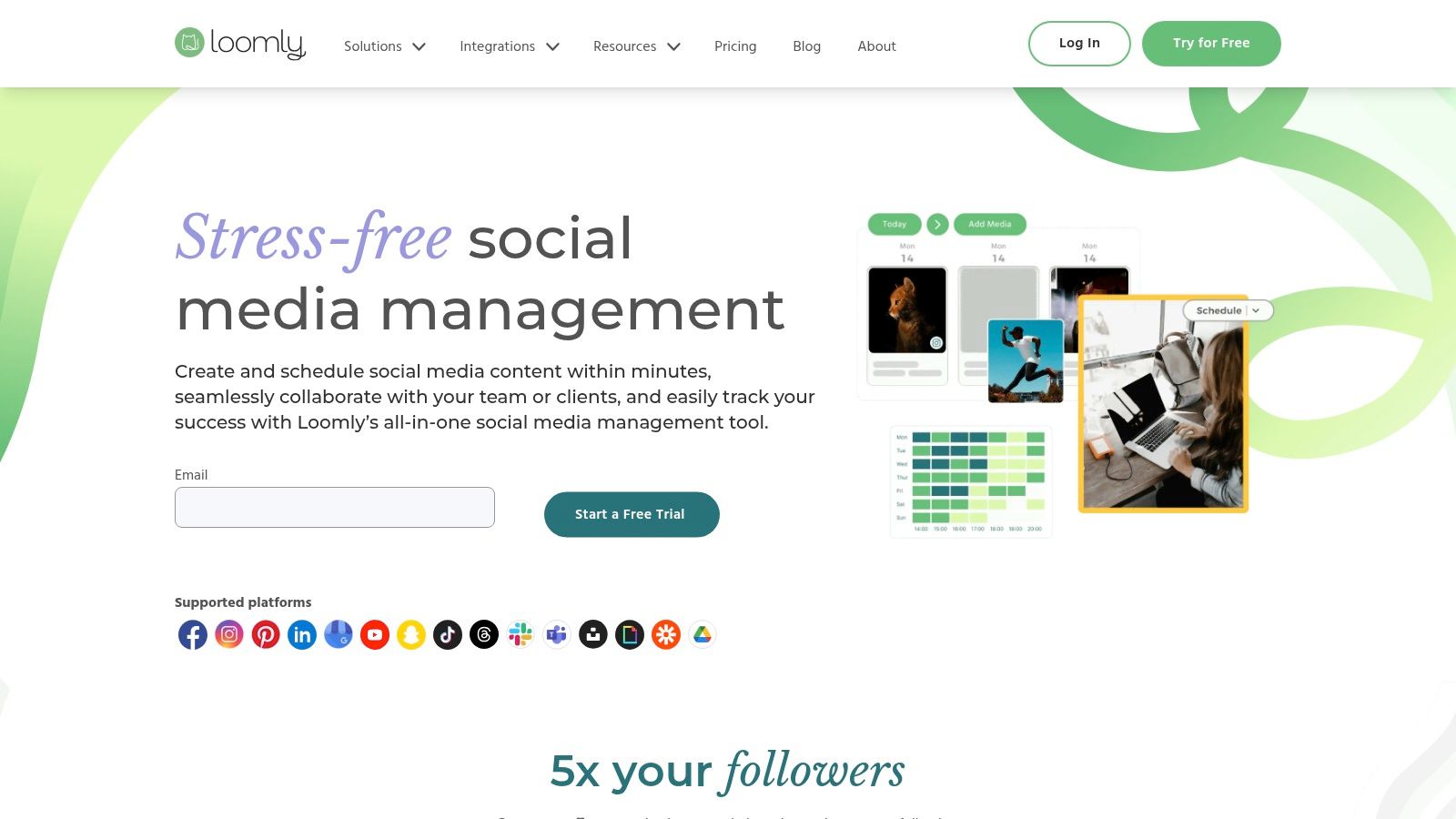
Loomly is a social media scheduling tool that prioritizes team collaboration and brand asset management, making it a good fit for agencies, franchises, and in-house teams. Its calendar-driven interface provides a clear view of your entire content strategy. The platform simplifies the content creation lifecycle, from the initial idea to client approval and final publication.
Loomly's core is its emphasis on teamwork and approval processes. It offers post ideas, a central asset library, and automated publishing across a wide range of platforms including Meta, TikTok, YouTube, and Google Business Profile. The ability to generate platform-specific post previews is a key feature, allowing teams to see exactly how content will appear on each network before it goes live, which helps maintain brand consistency.
Key Features & Ideal Use Case
Loomly is an excellent choice for teams that need a straightforward, visually-oriented tool with robust approval workflows without the complexity of enterprise-level platforms.
-
Best For: Agencies and marketing teams managing multiple brands that require streamlined client review and approval processes.
-
Standout Features: A comprehensive content calendar, team collaboration with custom roles, automated publishing, and platform-specific post previews.
-
Pricing: Starter $65/month ($49 billed annually, 12 accounts, 3 users) and Beyond $332/month ($249 annually, 60 accounts, unlimited users), plus custom Enterprise. There is no free plan, only a 15-day trial, and no mid-tier between the two paid plans.
-
Pros: An intuitive and client-friendly user interface, strong workflow and approval features, and a generous 50% lifetime discount for nonprofits.
-
Cons: The $267 gap between Starter and Beyond means one extra user or account can quadruple the bill, with nothing in between.
-
User Ratings: 4.6/5 on G2 (1,793 reviews) · 1.7/5 on Trustpilot (26 reviews)
Dig deeper: Loomly pricing breakdown, Loomly reviews, and best Loomly alternatives.
7. Planable
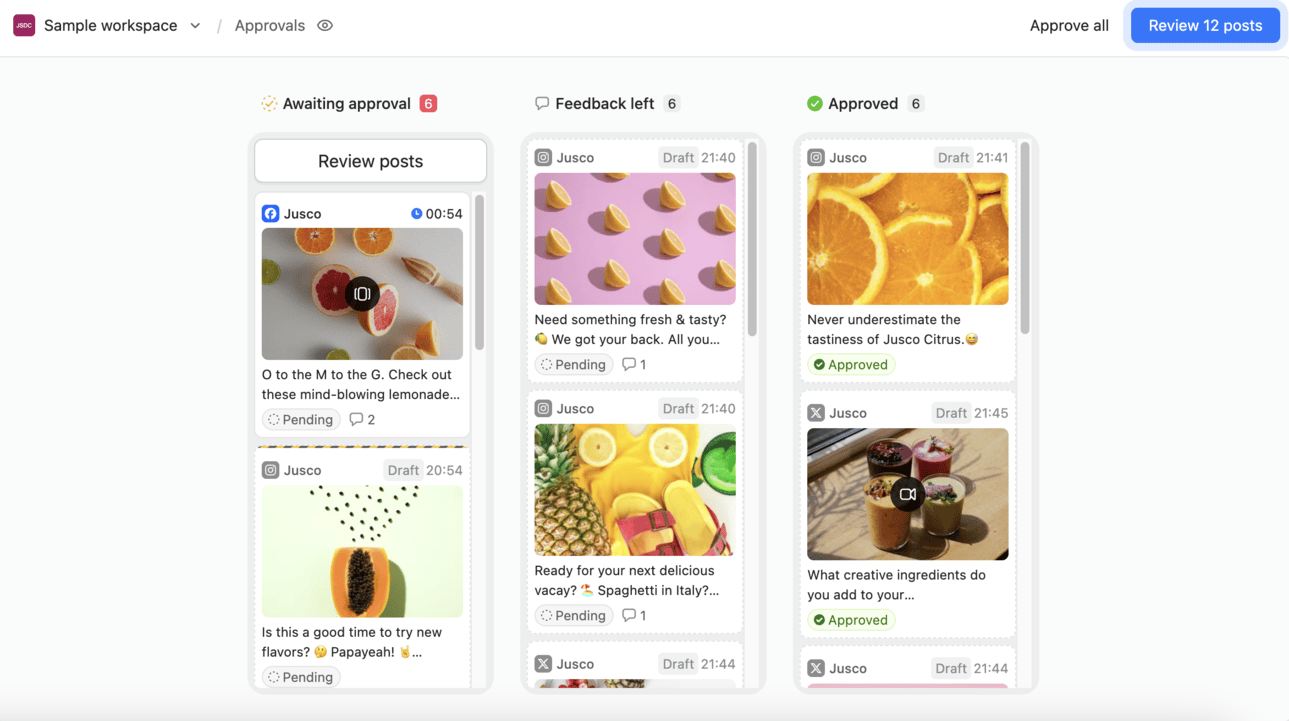
Planable is a social media management tool for agencies and marketing teams, built around collaborative content workflows. Its workspace-based model gives each client or brand a dedicated space with its own social pages, assets, approval flow, and team, keeping client work cleanly separated as your roster grows.
In practice, teams use Planable to take content from first draft to scheduled post without leaving the platform. Creatives write and design, strategists leave feedback through comments and annotations, and clients approve via a shareable link, with no account required. Posts stay internal until they're ready for the client view. Every change is logged in version history. Analytics and inbox management sit in the same platform, so reporting and community engagement don't need a separate tool.
Key Features & Ideal Use Case
Planable is best for agencies coordinating client approvals and in-house teams managing content across multiple brands or locations.
-
Best For: Agencies and marketing teams with structured content review, sign-off processes, and client reporting needs.
-
Standout Features: Custom approval workflows (none to multi-level), real-time commenting and annotations, cross-channel analytics with client-ready reports, and a unified social inbox with AI-assisted replies and sentiment filtering.
-
Pricing: Basic $39/month per workspace (60 posts, 4 pages) and Pro $59/month per workspace (150 posts, 10 pages), plus custom Enterprise. There is no free plan, but your first 50 posts are free with no time limit. Analytics, social inbox, and listening are paid add-ons on Basic and Pro.
-
Pros: Unlimited users on every plan with no per-seat fees; workspace structure keeps each client's content, collaborators, and workflows fully separated; real-time comments, text suggestions, and guest view links make client review fast.
-
Cons: Planable is built for collaborative teams, not solo creators or freelancers who don't need approval workflows. It also lacks integrations with CMS platforms for website publishing.
-
User Ratings: 4.6/5 on G2 (937 reviews) · 4.5/5 on Trustpilot (69 reviews)
Dig deeper: Planable pricing breakdown, Planable reviews, and best Planable alternatives.
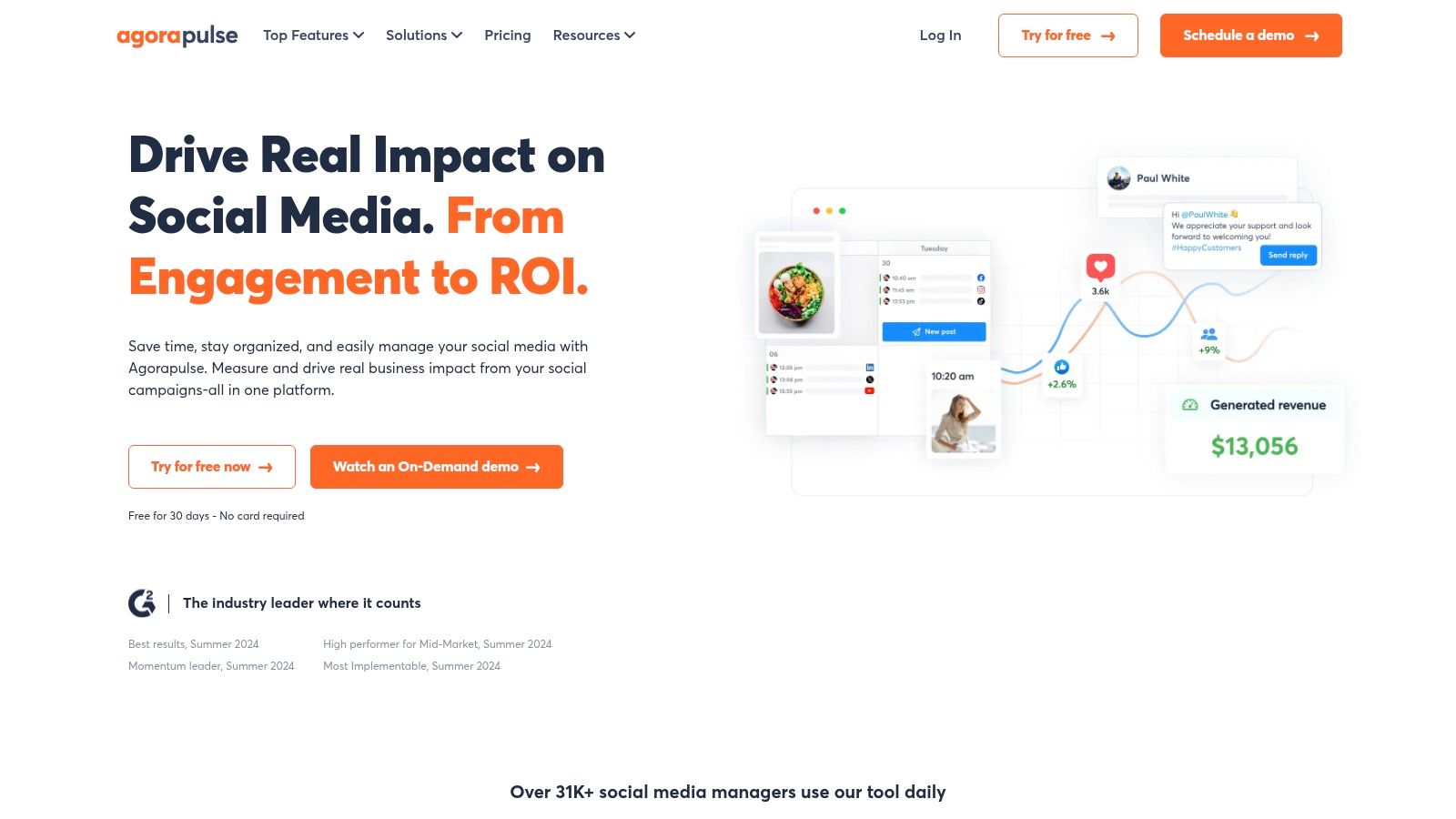
8. Agorapulse
Agorapulse is a comprehensive social media management suite that combines scheduling with powerful inbox management and reporting. It is well-suited for agencies and in-house teams who need to manage a high volume of community interaction and prove ROI. The platform provides a balanced set of tools for publishing, monitoring, and analyzing performance.
Its reputation is built on reliability and a user-centric approach, offering one of the most organized unified inboxes on the market for handling comments and messages. Agorapulse also includes useful features like ad comment monitoring to ensure no engagement is missed, even on paid posts. This focus on engagement and moderation makes it a highly practical tool for active brand management.
Key Features & Ideal Use Case
Agorapulse is best for marketing agencies and mid-sized businesses that prioritize community management and detailed reporting alongside their content scheduling.
-
Best For: Agencies and marketing teams focused on engagement, moderation, and reporting.
-
Standout Features: A unified social inbox with ad comment monitoring, unlimited scheduled posts with content queues, advanced team workflows with approvals, and white-label reporting options.
-
Pricing: Standard $99/user/month, Professional $149, Advanced $199, with annual billing at $79, $119, and $149 per user. Every tier includes the same 10 social profiles, and extra profiles run $10 to $15 each. There is a 30-day free trial, the free plan ended in July 2026, and nonprofit discounts are available.
-
Pros: Excellent customer support, a feature-rich platform that combines scheduling with deep engagement tools, and clear, straightforward pricing.
-
Cons: Some advanced capabilities for X (formerly Twitter), like specific listening and monitoring features, require a separate paid add-on.
-
User Ratings: 4.5/5 on G2 (967 reviews) · 4.0/5 on Trustpilot (57 reviews)
Dig deeper: Agorapulse pricing breakdown, Agorapulse reviews, and best Agorapulse alternatives.
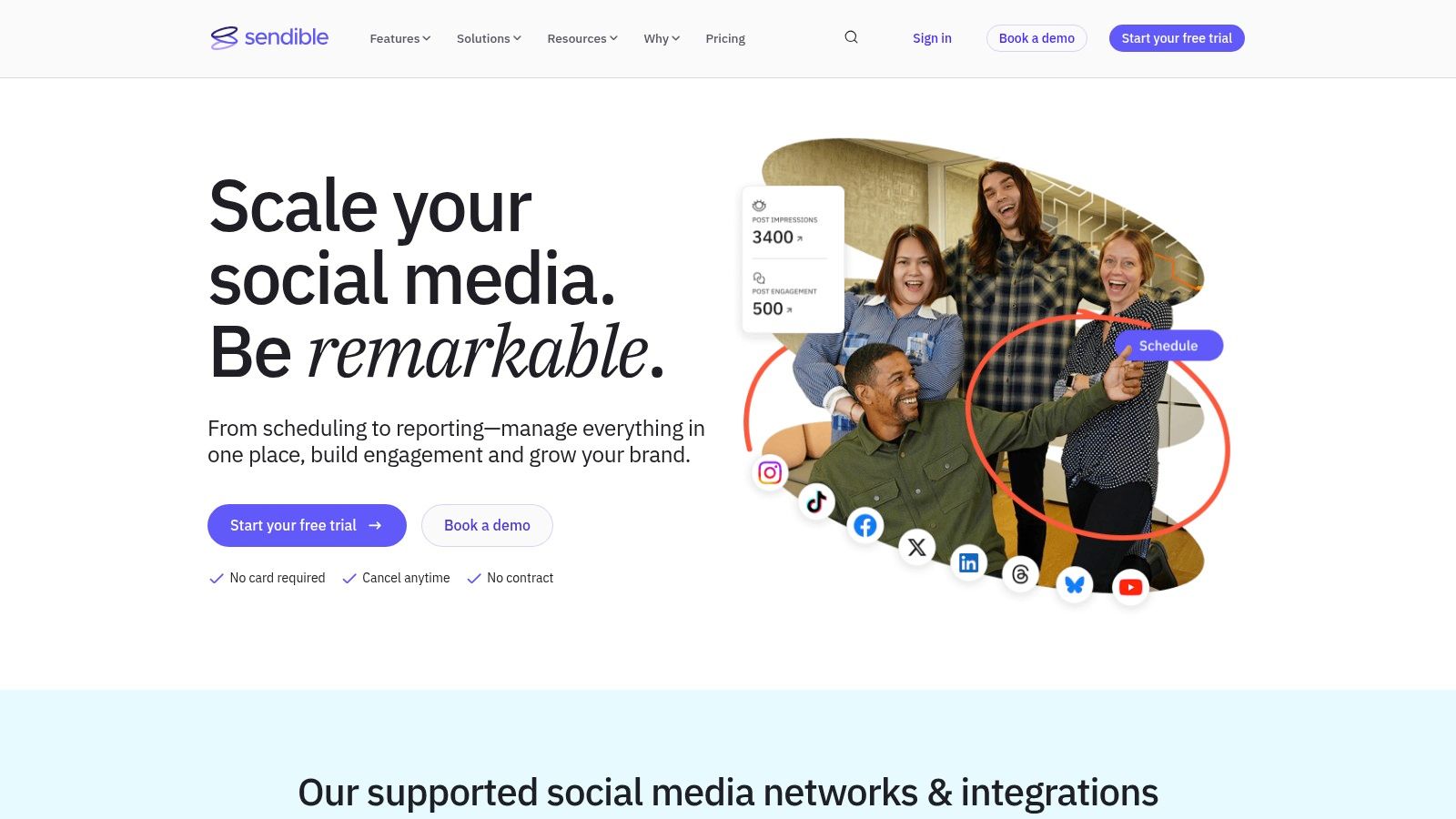
9. Sendible
Sendible is a social media scheduling tool built for marketing agencies and teams managing multiple brands. It offers a comprehensive suite of features that streamline everything from content scheduling and collaboration to client reporting and engagement. The platform's key strength is its ability to centralize brand management, allowing users to create distinct workspaces, set up approval workflows, and generate custom-branded reports for each client.
This agency-centric approach makes it an efficient tool for managing a large portfolio of social media profiles. Its unified "Priority Inbox" gathers all crucial interactions in one place, ensuring no important comment or message is missed. Features like content libraries and RSS feed automation further simplify the process of curating and sharing relevant content.
Key Features & Ideal Use Case
Sendible is the perfect fit for marketing agencies and social media managers who need an organized, scalable solution for handling numerous client accounts.
-
Best For: Marketing agencies and teams that require robust client management, collaboration, and white-label reporting features.
-
Standout Features: A unified social inbox, client dashboards, sophisticated approval workflows, and a white-label option available as a paid add-on.
-
Pricing: Core $35/month (6 profiles, 1 workspace), Plus $99 (18 profiles, 3 workspaces), Premium $199 (42 profiles, 7 workspaces), Elite $299 (90 profiles, 15 workspaces), Enterprise $750 (300 profiles, 50 workspaces). Users are unlimited on every tier, white label is a paid add-on on Elite and above, and there is a 14-day free trial.
-
Pros: The platform is designed for team scaling, offering clear user and profile limits per plan. Its interface is clean and user-friendly.
-
Cons: The white-label functionality requires a custom quote, and the highest-tier "Scale" plan is premium-priced.
-
User Ratings: 4.5/5 on G2 (899 reviews) · 2.3/5 on Trustpilot (8 reviews)
Dig deeper: Sendible pricing breakdown, Sendible reviews, and best Sendible alternatives.
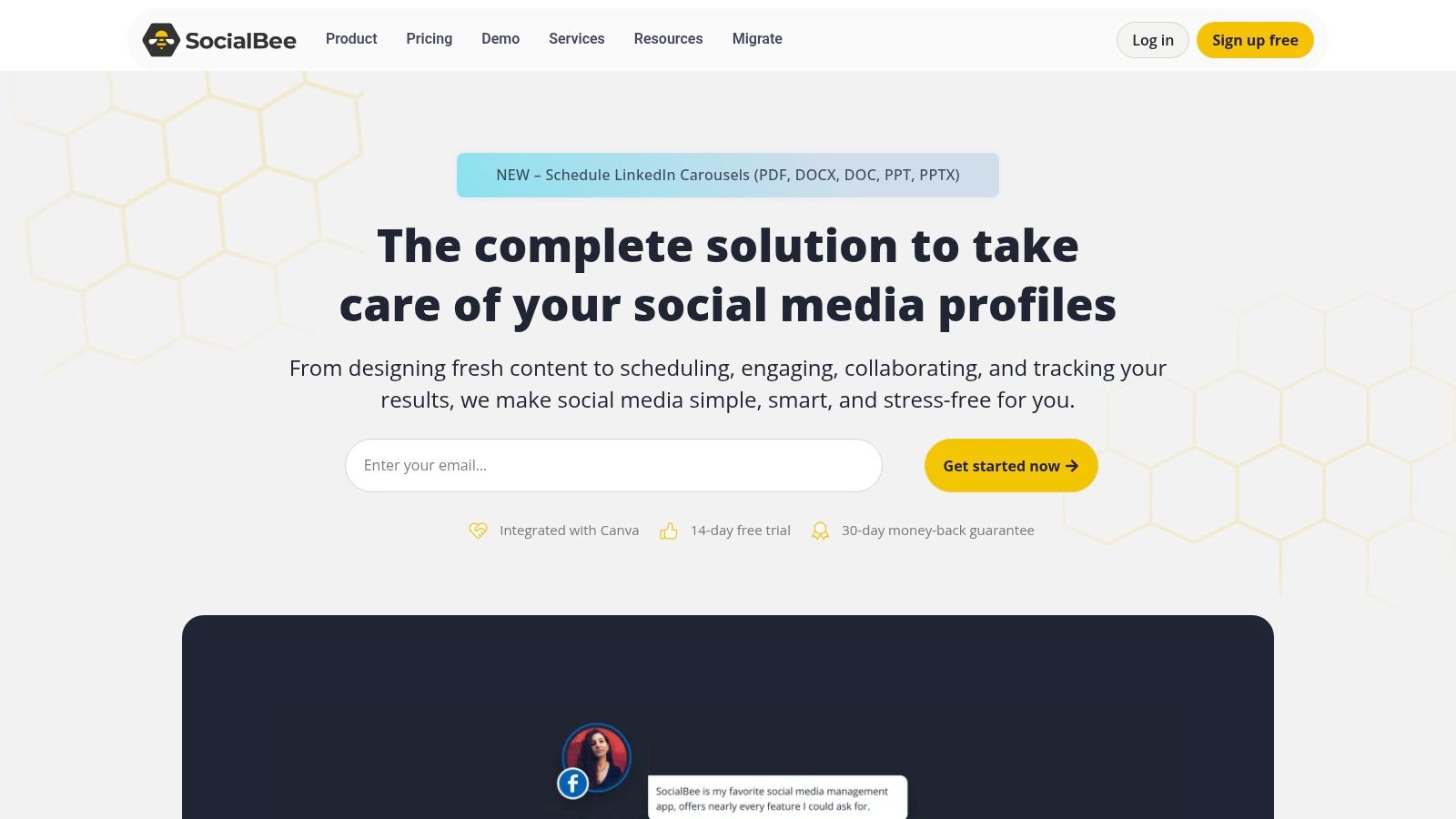
10. SocialBee
SocialBee specializes in content automation and evergreen recycling. It’s designed for users who want to maximize their content’s lifespan by creating category-based queues that automatically publish posts. This approach ensures a consistent content mix without constant manual intervention, making it a favorite among busy marketers who want to set their strategy and let the platform handle the rest.
The platform's standout feature is its ability to recycle posts, which is ideal for promoting evergreen blog content or recurring promotions. Beyond scheduling, SocialBee offers collaboration features, analytics, and integrations with tools like Canva and Zapier. It also provides optional concierge services for teams that need hands-on assistance, offering a blend of a SaaS tool and a managed service.
Key Features & Ideal Use Case
SocialBee is best for solopreneurs, small businesses, and agencies looking for an affordable solution to automate their content strategy with minimal effort.
-
Best For: Marketers and brands focused on evergreen content and automation.
-
Standout Features: Category-based content queues, post recycling and variations, broad network support (including Threads and Bluesky), and optional concierge services.
-
Pricing: Bootstrap $29/month (5 profiles, 1 user), Accelerate $49 (10 profiles), Pro $99 (25 profiles, 3 users), with agency tiers from $179 to $449. Annual billing saves about 16%, and there is a 14-day free trial plus a 30-day money-back guarantee.
-
Pros: Excellent value for money with powerful automation features. The content recycling system is a huge time-saver.
-
Cons: The user interface can feel a bit busy for new users, and some advanced features are reserved for higher-tier plans.
-
User Ratings: 4.8/5 on G2 (472 reviews) · 4.0/5 on Trustpilot (43 reviews)
Dig deeper: SocialBee pricing breakdown, SocialBee reviews, and best SocialBee alternatives.
11. Zoho Social
Zoho Social is a cost-effective scheduling tool, particularly for businesses already using other Zoho products like their CRM. It goes beyond basic publishing by integrating CRM and customer service functionalities, providing a more complete view of the customer journey. This makes it an excellent choice for small to medium-sized businesses that need more than just a scheduler.
The platform's standout features include SmartQ, which predicts optimal posting times, and a flexible content calendar with repeat posting and bulk scheduling options. For teams, the collaboration and monitoring dashboards allow users to track brand mentions, respond to messages, and manage workflows efficiently. It provides a solid foundation for managing a brand's entire social presence from a single hub.
Key Features & Ideal Use Case
Zoho Social is ideal for SMBs, especially those using Zoho CRM or Zoho Desk, and for agencies seeking an affordable, white-label solution for client management.
-
Best For: Businesses and agencies using the Zoho ecosystem and needing integrated social media and CRM capabilities.
-
Standout Features: SmartQ for optimized post timing, a comprehensive monitoring dashboard, and deep integration with Zoho CRM and Zoho Desk.
-
Pricing: Free for 1 brand and 6 channels, then Standard $15/month, Professional $40, and Premium $65 (3 team members, 14 channels). Annual billing saves 33%, and pricing can vary by region.
-
Pros: Excellent value for money, a generous free tier, and seamless integration with other Zoho products.
-
Cons: The user interface can feel less modern than some competitors, and accessing certain features or social channels may require higher-tier plans.
-
User Ratings: 4.6/5 on G2 (2,870 reviews) · 4.0/5 on Trustpilot (parent-company score)
Dig deeper: Zoho Social pricing breakdown, Zoho Social reviews, and best Zoho Social alternatives.
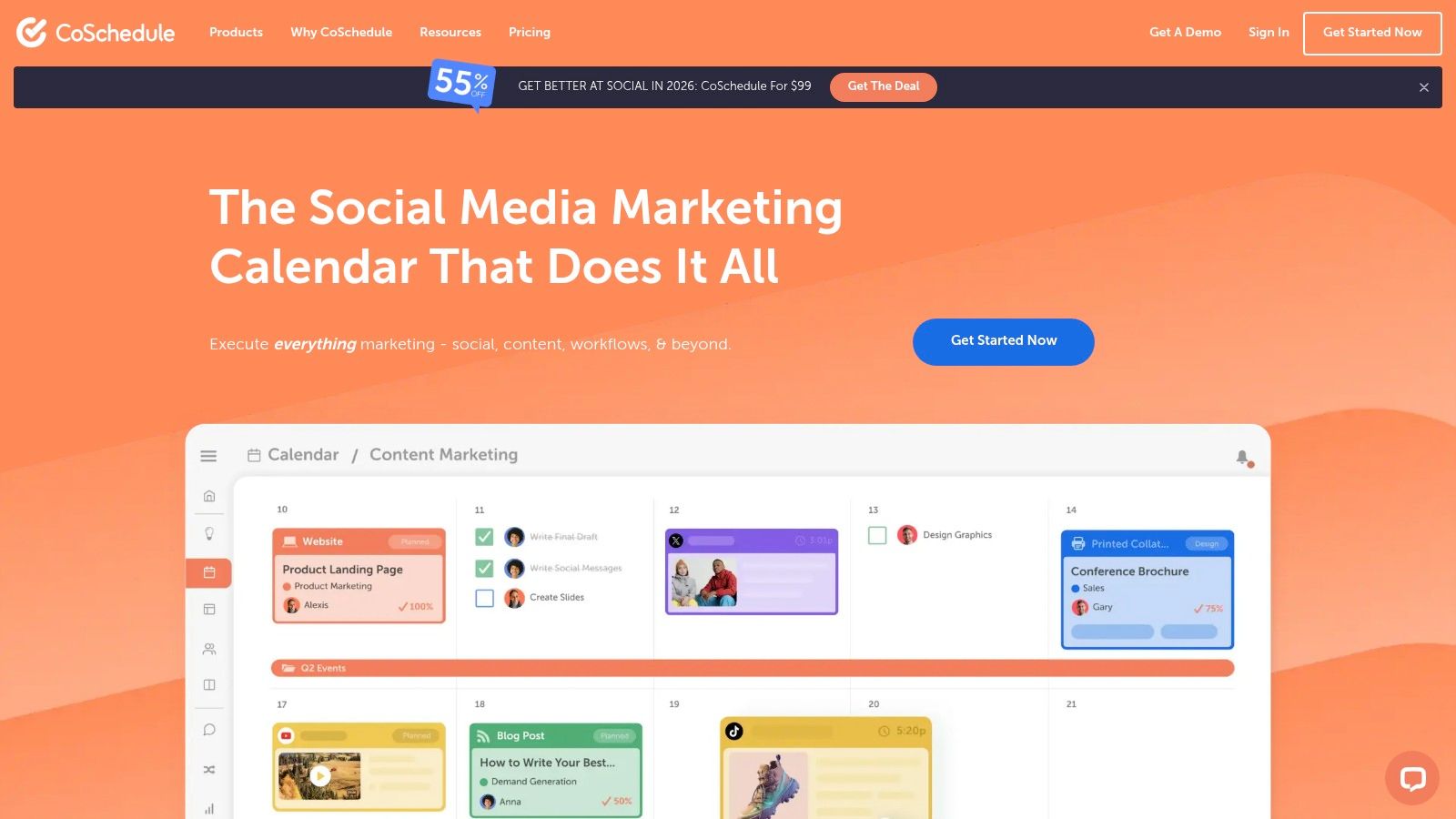
12. CoSchedule
CoSchedule is a marketing platform built around a central, unified calendar, making it a good choice for teams that want to visualize their entire content strategy, not just social media posts. Its social calendar product prioritizes a drag-and-drop interface, allowing users to see their entire schedule at a glance. The platform’s philosophy is to connect social scheduling with broader marketing efforts like blog posts and email campaigns.
Where CoSchedule stands out is with its ReQueue feature, a smart automation tool that recycles your best evergreen content (see also our roundup of 14 Best Social Media Automation Tools). You can build a library of high-performing posts, and ReQueue will intelligently fill gaps in your schedule, ensuring your profiles remain active. This makes it a powerful tool for content-heavy brands looking to optimize their posting frequency without constant manual effort.
Key Features & Ideal Use Case
CoSchedule is best for content marketing teams and solo creators who prefer a visual, calendar-first approach to planning and want to automate their evergreen content.
-
Best For: Content marketers, bloggers, and teams that want to integrate social media planning with their overall content calendar.
-
Standout Features: Visual drag-and-drop calendar, ReQueue automation for evergreen content, and bulk scheduling via CSV.
-
Pricing: Starter $39/month ($29 billed annually, 1 user) and Professional $59/month ($49 annually, 2 users, extra seats $29/month each), with Suite priced by sales. There is a 14-day trial rather than a free plan.
-
Pros: The free plan is a great starting point, and the ReQueue feature is a powerful time-saver. Its calendar-centric view is intuitive for planning.
-
Cons: Connecting X/Twitter profiles incurs an additional fee per profile, which can increase costs. Some advanced features are only in higher-tier plans.
-
User Ratings: 4.3/5 on G2 (152 reviews) · 2.8/5 on Trustpilot (3 reviews)
Dig deeper: CoSchedule pricing breakdown, CoSchedule reviews, and best CoSchedule alternatives.
13. Publer
Publer stands out by offering a uniquely flexible and affordable pricing model. Its à-la-carte approach allows users to pay only for the number of social accounts and team members they need, making it a scalable solution for freelancers, small businesses, and growing agencies. The platform provides robust automation features and supports a wide array of social networks, including emerging ones like Bluesky and Telegram.
This granular control over cost ensures you are not paying for unused capacity. Publer is built for efficiency, offering unlimited scheduled posts and drafts on its paid plans, along with tools like bulk scheduling, RSS feed automation, and the ability to schedule first comments and threads. This makes it a strong contender for users who need comprehensive features without an enterprise-level price tag.
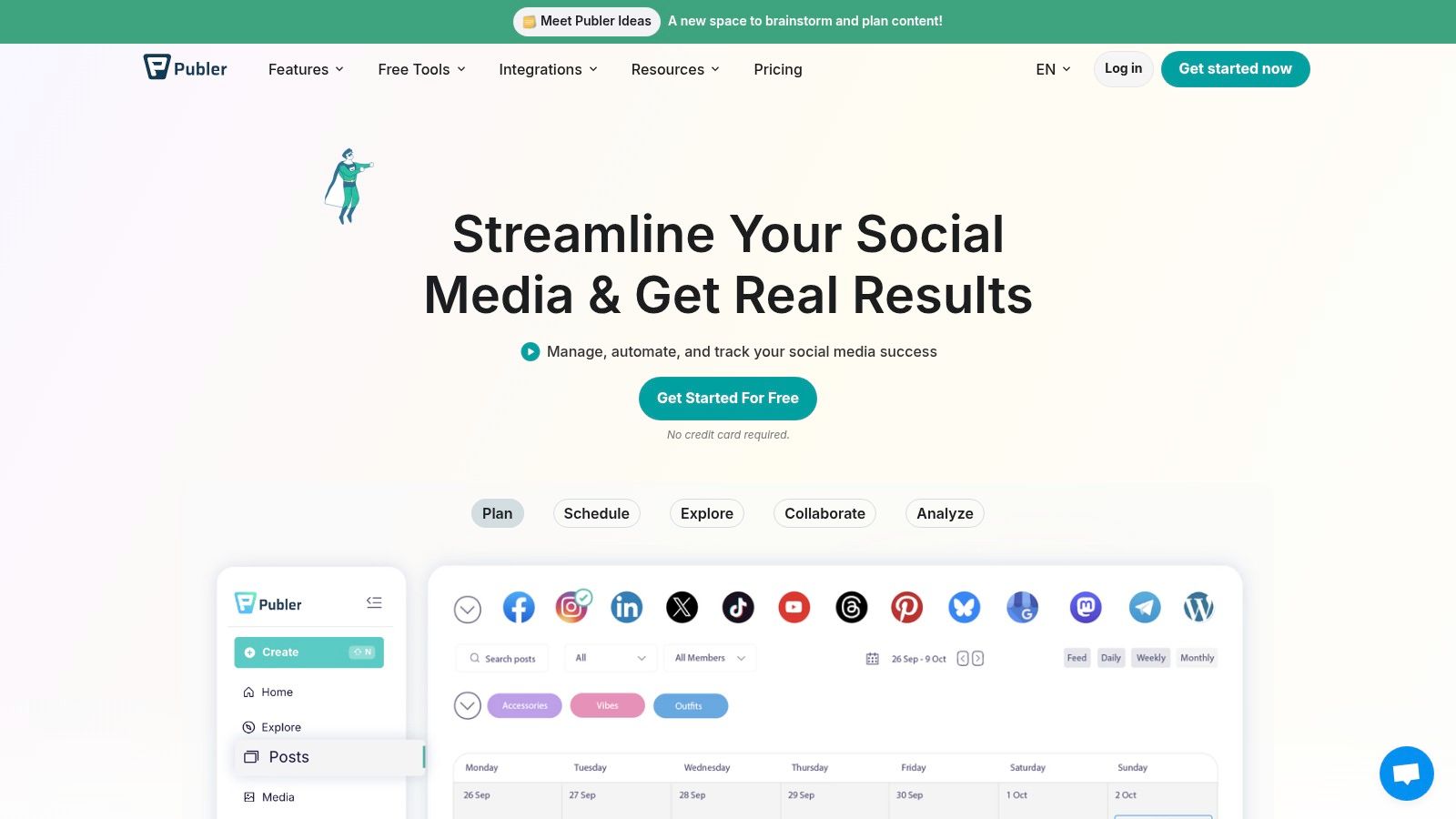
Key Features & Ideal Use Case
Publer is ideal for solopreneurs, content creators, and small to mid-sized agencies who need a cost-effective yet powerful scheduling tool that can grow with them. Its broad platform support is a major advantage for brands active on diverse channels.
-
Best For: Users seeking affordable, scalable pricing with extensive automation and broad platform support.
-
Standout Features: Flexible à-la-carte pricing, unlimited scheduling on paid tiers, broad support for platforms like YouTube Shorts and Bluesky, and first-comment scheduling.
-
Pricing: Free for 3 social accounts and 10 scheduled posts, then Professional from $12/month and Business from $21/month for 3 accounts, scaling with each account you add (10 accounts is $36 and $63 respectively). Extra members are $2/month each, and yearly billing gives 2 months free.
-
Pros: Highly affordable and scalable pricing model, generous automation features, and an impressive range of supported social media platforms.
-
Cons: The free plan excludes X/Twitter and has certain daily posting limits, which may be restrictive for some users.
-
User Ratings: 4.7/5 on G2 (486 reviews) · 4.8/5 on Trustpilot (863 reviews)
Dig deeper: Publer pricing breakdown, Publer reviews, and best Publer alternatives.
See how Publer compares head-to-head: Buffer vs Publer, Hootsuite vs Publer, Sprout Social vs Publer, and Metricool vs Publer. If Metricool is the tool you are moving off, start with the best Metricool alternatives.
14. PostEverywhere
PostEverywhere consolidates AI content creation and scheduling into a single tool. It fits creators, solopreneurs, and small teams who want AI caption generation, AI image generation, and scheduling in one place, without paying separately for ChatGPT, Midjourney, and a separate scheduler.
The combined AI credits offset the cost of running ChatGPT Plus ($20/month) and Midjourney ($10-30/month) separately, while it supports modern platforms like Threads and Bluesky that other schedulers have not yet added. Pricing is flat-rate with no per-user fees, and every plan includes a 7-day free trial.
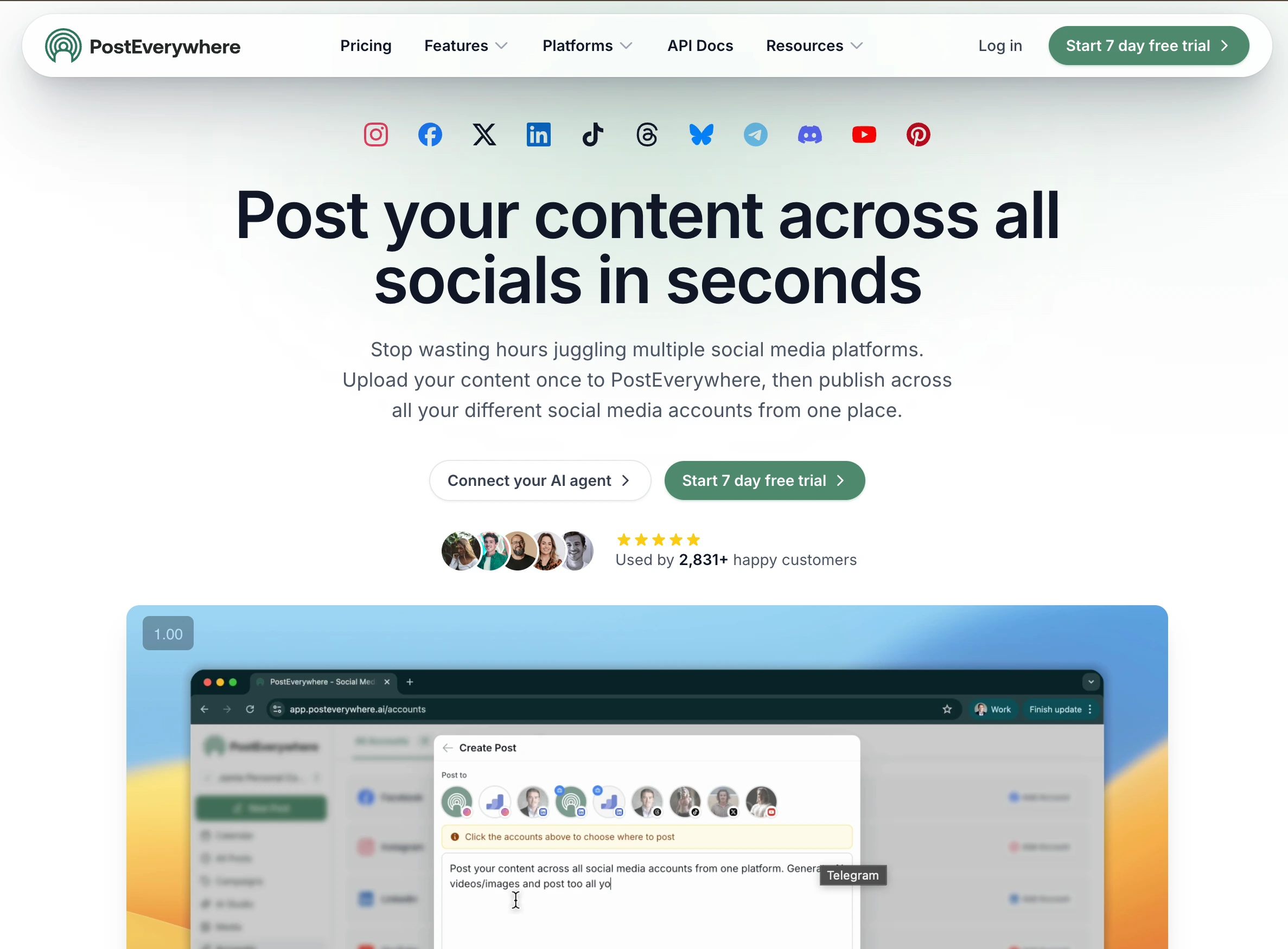
Key Features & Ideal Use Case
PostEverywhere is best for solopreneurs, content creators, and small marketing teams who need AI caption generation, AI image generation, and scheduling consolidated in one tool.
- Best For: Solopreneurs, content creators, and small marketing teams who need AI caption generation, AI image generation, and scheduling consolidated in one tool, without paying separately for ChatGPT, Midjourney, and a separate scheduler.
- Standout Features: Built-in AI caption generator (100 to 2,000 credits per month depending on plan), AI image generator, support for 11 platforms including Threads and Bluesky, and transparent flat-rate pricing with no per-user fees.
- Pricing: 7-day free trial on all plans. Flat-rate pricing from $29 per month with 20% off annual billing.
- Pros: AI caption and AI image generation built in (saves the cost of separate ChatGPT Plus and Midjourney subscriptions); supports 11 platforms including newer networks like Threads and Bluesky that legacy schedulers have not added yet; transparent flat-rate pricing without per-user fees or surprise charges.
- Cons: Newer entrant compared to Hootsuite or Buffer, with fewer years of public review history.
Dig deeper: best PostEverywhere alternatives.
Top 14 Social Media Scheduling Tools: Feature Comparison
| Product | Core features | ✨ Unique selling points | ★ UX / Quality | 👥 Target audience | 💰 Price/value |
|---|---|---|---|---|---|
| PostPlanify 🏆 | Cross-platform analytics, approval workflows, and a social inbox on every plan, AI captioning, Canva & Google Drive imports, bulk scheduling, visual calendar | ✨ Analytics with trend charts & best time to post, unlimited team members with no per-seat fees, social inbox, link in bio, full white labeling on Scale | ★★★★★ | 👥 Agencies serving local businesses | 💰 From $39/mo per workspace (Growth) · $49/mo (Premium) · $59/mo (Scale) · 7-day trial |
| Hootsuite | Scheduling, analytics, unified inbox, monitoring & listening | ✨ Enterprise integrations, best‑time suggestions, DM automation | ★★★★☆ | 👥 Large teams & enterprises | 💰 $99/user/mo (Standard) · $199/mo (Professional) · $399/mo (Advanced) · 14‑day trial |
| Buffer | Simple scheduling, AI assistant, analytics, first‑comment & hashtag manager | ✨ Transparent per‑channel pricing & easy scaling | ★★★★☆ | 👥 Solo creators, SMBs, growing agencies | 💰 Free (3 channels) · $6/channel (Essentials) · $12/channel (Team) |
| Sprout Social | Scheduling, advanced reporting, shared inbox, AI Assist | ✨ Best‑in‑class analytics & stakeholder‑ready reports | ★★★★★ | 👥 Mid‑market & enterprise teams | 💰 $99/seat (Essentials) · $199 (Standard) · $299 (Professional) · 30‑day trial |
| Later | Visual calendar, multi‑network scheduling, link‑in‑bio, content approvals | ✨ Strong Instagram/TikTok visual workflow & creator tools | ★★★★☆ | 👥 Creators, influencers, brand teams | 💰 $25/mo (Starter) · $50 (Growth) · $110 (Scale) · limited free plan |
| Loomly | Content calendar, asset library, approvals, post previews | ✨ Client‑friendly reviews & straightforward UI | ★★★★☆ | 👥 Agencies, brands, franchises | 💰 $65/mo (Starter, $49 annual) · $332 (Beyond, $249 annual) · no mid‑tier |
| Planable | Collaborative calendar, version history, multi‑level approvals, real‑time comments & annotations, social inbox, analytics | ✨ Workspace‑per‑brand isolation, guest approval links with no account required, unlimited users on every plan | ★★★★☆ | 👥 Agencies, marketing teams, multi‑brand teams | 💰 $39/mo per workspace (Basic) · $59 (Pro) · first 50 posts free |
| Agorapulse | Scheduling, unified inbox, reporting, Canva integration, ad comment monitoring | ✨ Strong moderation, reporting exports & white‑label options | ★★★★☆ | 👥 Agencies & moderation teams | 💰 $99/user (Standard) · $149 (Professional) · $199 (Advanced) · 30‑day trial |
| Sendible | Multi‑user calendars, monitoring, client dashboards, white‑label | ✨ White‑label + client dashboards for agencies | ★★★★☆ | 👥 Agencies managing many brands | 💰 $35/mo (Core) · $99 (Plus) · $199 (Premium) · $299 (Elite) · unlimited users |
| SocialBee | Category queues, content recycling, automation, analytics | ✨ Budget‑friendly automation + optional concierge service | ★★★☆☆ | 👥 Budget agencies, solopreneurs | 💰 $29/mo (Bootstrap) · $49 (Accelerate) · $99 (Pro) · 30‑day money‑back |
| Zoho Social | Publishing calendar, SmartQ timing, monitoring, Zoho CRM integrations | ✨ Tight integration with Zoho ecosystem | ★★★☆☆ | 👥 SMBs & agencies using Zoho tools | 💰 Free (1 brand) · $15/mo (Standard) · $40 (Professional) · $65 (Premium) |
| CoSchedule | Drag‑and‑drop calendar, ReQueue evergreen automation, bulk CSV scheduling | ✨ ReQueue for automated evergreen posting | ★★★☆☆ | 👥 Marketing teams wanting calendar‑first workflow | 💰 $39/mo (Starter, $29 annual) · $59 (Professional, $49 annual) · Suite by quote |
| Publer | Unlimited scheduled posts (paid), RSS automations, broad platform support | ✨ À‑la‑carte pricing by accounts + affordable automations | ★★★☆☆ | 👥 Small agencies, cost‑sensitive teams | 💰 Free (3 accounts) · from $12/mo (Professional) · from $21 (Business) |
| PostEverywhere | AI caption/image/video generation, scheduling, bulk CSV, analytics, REST API | ✨ Built‑in AI content creation + 11‑platform coverage at flat rates | ★★★☆☆ | 👥 Creators & small teams | 💰 Flat tiers from $29/mo · 7‑day trial · 20% off annual |
Native Schedulers vs. Third-Party Tools: Do You Even Need a Paid Tool?
Every major platform now offers some free native scheduling, so it's worth knowing where the built-in options stop and a dedicated tool starts paying for itself.
- Meta Business Suite (free) schedules Facebook and Instagram posts, Reels, and Stories from one dashboard, and we compare the paid options against it in best Facebook scheduling tools and best Instagram scheduling tools. It's genuinely useful if those are your only two networks, but it doesn't touch LinkedIn, TikTok, X, YouTube, or Threads, and its analytics are shallow.
- TikTok Scheduler (free) lets you queue videos up to 10 days out from desktop only, with no bulk scheduling and no analytics beyond the native app. See best TikTok scheduling tools for what third-party tools add.
- LinkedIn native scheduling (free) can queue one post at a time from the composer, but there's no calendar view, no bulk upload, and no approval workflow.
- Pinterest, YouTube, and X each offer basic native scheduling inside their own apps, isolated from one another. Our best YouTube scheduling tools guide covers Shorts and API quota limits in detail.
The catch is that native tools are single-platform silos. The moment you manage three or more networks, you're logging into multiple dashboards, re-uploading the same media, and stitching analytics together by hand, exactly the bottleneck a scheduler removes.
A third-party tool earns its cost once you need any of these:
- Cross-platform publishing from one composer to every network at once
- Unified analytics that compare performance across platforms in a single report
- One social inbox for comments and DMs across all your networks
- Team collaboration and approval workflows so posts get reviewed before they go live
- A real content calendar with bulk scheduling weeks in advance
For a solo user posting only to Facebook and Instagram, Meta Business Suite may be all you need. For anyone managing multiple platforms, a team, or client work, a dedicated tool like PostPlanify pays for itself in saved hours within the first week.
Frequently Asked Questions
What is a social media scheduling tool?
A social media scheduling tool lets you plan, create, and automatically publish posts across platforms like Instagram, TikTok, LinkedIn, and Facebook at pre-set times. These tools replace manual posting with a centralized dashboard, saving an average of 6-8 hours per week for active social media managers.
Are social media scheduling tools safe to use?
Yes. Reputable tools like PostPlanify, Buffer, and Hootsuite use official platform APIs authorized by networks like Meta, TikTok, and LinkedIn. Using an approved scheduling tool does not penalize your reach or violate any platform terms of service, so your content performs identically to manual posts.
Do scheduling tools hurt engagement or reach?
No. Social platforms do not distinguish between manually posted and scheduled content in their algorithms. In fact, scheduling tools often improve reach because they help you publish consistently at optimal posting times, which signals reliability to platform algorithms.
Can I schedule posts to multiple platforms at once?
Yes. Most third-party scheduling tools support cross-posting, allowing you to publish the same content to Instagram, TikTok, Facebook, LinkedIn, X, YouTube, and more simultaneously. PostPlanify supports cross-posting to 10 platforms in a single workflow, which dramatically reduces time spent on managing multiple accounts. For a dedicated breakdown of multi-platform publishing tools, check out our guide to the best apps to post to all social media at once. If YouTube is a priority, our best YouTube scheduling tools guide compares the top options for scheduling long-form videos and Shorts.
What is the best free social media scheduling tool?
Buffer offers one of the strongest free tiers with 3 channels and 10 posts per channel. Meta Business Suite is completely free for Facebook and Instagram. For a full-featured trial, PostPlanify provides a 7-day free trial with unlimited scheduling across all supported platforms, which is ideal for testing before committing.
How far in advance should I schedule social media posts?
Most social media managers schedule 1-4 weeks ahead. Content batching in weekly or monthly sessions is the most efficient approach. Tools like PostPlanify and Hootsuite support unlimited advance scheduling, while native schedulers like TikTok Studio cap scheduling at 10 days.
What features should I look for in a scheduling tool?
Prioritize a visual content calendar, cross-platform publishing, bulk scheduling, AI caption generation, platform-specific post previews, and analytics and reporting. For teams, approval workflows and role-based permissions are essential. Match features to your biggest workflow bottleneck rather than chasing the longest feature list.
What is the difference between a scheduling tool and a social media management platform?
A scheduling tool focuses on planning and auto-publishing posts on a calendar. A full social media management platform adds engagement (a social inbox for comments and DMs), analytics and reporting, team approval workflows, and sometimes social listening. PostPlanify, Hootsuite, and Sprout Social are full management platforms, while lighter tools like Publer or Buffer's free tier lean toward pure scheduling.
How much do social media scheduling tools cost?
Most paid plans run from about $6/channel/mo (Buffer) up to $399/user/mo (Hootsuite Advanced), and we compare the cheaper options in our roundup of the best Hootsuite alternatives. Per-workspace platforms like PostPlanify start at $39/mo per client workspace with unlimited users and no per-channel fees, while per-seat tools like Sprout Social ($199/seat/mo) and Agorapulse ($99/user/mo) scale with team size. Free plans exist on Buffer, Publer, and Zoho Social, but they cap accounts, posts, or features. Loomly and CoSchedule dropped theirs and now offer trials only.
What is the best social media scheduling tool for agencies?
Agencies usually need white-label reporting, client approval workflows, and multi-brand workspaces. PostPlanify (full white labeling on Scale, multi-step approvals on every plan), Sendible (white-label client dashboards), Agorapulse, and Planable (a separate workspace per client) are the strongest agency picks. Match the choice to your client volume and whether branded reporting is a deal-breaker. Our best social media management tools for agencies guide goes deeper.
Can I schedule Instagram Reels and Stories automatically?
Reels can be fully auto-published by most major tools, including PostPlanify, Buffer, Later, and Hootsuite, using Instagram's official API. Stories support varies: some tools auto-publish Stories while others send a mobile reminder to post manually. Confirm native auto-publishing for your exact post type before committing, since Story automation is the most inconsistent feature across tools.
Do I need a paid scheduling tool, or is Meta Business Suite enough?
Meta Business Suite is free and works well if you only post to Facebook and Instagram. The moment you add LinkedIn, TikTok, X, YouTube, or Threads, or need cross-platform analytics, a unified social inbox, or team approvals, a dedicated tool saves hours and centralizes everything in one dashboard. Most teams outgrow native schedulers once they manage more than two platforms.
Your Quick Checklist for Choosing the Right Tool
Choosing from the many social media scheduling tools available can be overwhelming. The goal isn't to find a "perfect" tool but the right tool that solves your most pressing workflow challenges efficiently.
The biggest mistake is getting distracted by a long list of features you'll never use. Instead, focus on the core functions that directly impact your daily productivity. This focused approach will save you time and ensure you adopt a platform your team actually uses.
The Deciding Factors: A Step-by-Step Evaluation
Use this checklist to evaluate your top contenders. This process helps you prioritize what truly matters for your specific situation.
1. Core Platform Support & Reliability
First, list your must-have social media channels. Don't just check if a tool supports "Instagram"; verify if it supports the post types you rely on, such as Stories, Reels, or multi-image carousels.
- Action Step: Create a simple checklist. List your top 2-3 tools and your essential platforms and post types (e.g., LinkedIn Documents, TikTok videos). Mark which tools offer robust, direct publishing for each. This quickly eliminates options that don't meet your basic needs.
2. Workflow and Collaboration Needs
A solo creator's workflow is different from an agency managing twenty clients. Be honest about your operational needs.
- For Solo Creators & Small Businesses: Prioritize speed and a simple user interface. Tools like Buffer or Publer often excel here.
- For Agencies: Key features are client approval workflows, team permissions, and white-label reporting. Look at Agorapulse, Sendible, and PostPlanify Scale for these functions.
- For In-house Teams: You'll likely need a blend of collaboration, analytics, and social listening. Sprout Social and Hootsuite are built for this, but check if their pricing fits your budget.
3. Feature Set vs. Biggest Pain Point
What is the single biggest bottleneck in your social media process? Is it writing copy, finding media, or getting posts approved?
- If you struggle with content creation: Look for AI caption generators and integrations with design platforms. To elevate your content, you may also want to explore essential social media content creation tools that complement your scheduler.
- If AI depth is the deciding factor rather than scheduling breadth: start with our best AI social media management tools comparison, which ranks tools on AI quality first.
- If you want AI agents to handle scheduling: Tools that ship an MCP server let Claude, ChatGPT, or Cursor manage your social media via chat: see our guide to the best MCP servers for social media management.
- If you struggle with organization: Prioritize a clear content calendar, asset management, and content tagging features.
- If you struggle with reporting: Dive into the analytics. Can you build custom reports that track the metrics that matter to your stakeholders?
4. Budget & Scalability
Your budget is a critical filter. Scrutinize pricing tiers for limitations on users, social profiles, and scheduled posts. A tool that seems cheap can become expensive as you grow, especially with per-seat pricing models. Choose a platform with a predictable pricing model that can scale with you.
5. The Hands-On Trial
Finally, always test a tool before committing. A free trial is your chance to experience the user interface and workflow firsthand.
- Action Step: During your trial, connect at least two of your main social accounts. Schedule a week's worth of real content. Test the mobile app. This real-world usage will reveal issues you'd never find on a features page. The best tool is the one that feels intuitive from day one.
By working through these five steps, you can turn an overwhelming decision into a structured evaluation and choose a social media scheduling tool that becomes a true asset.
PostPlanifyAll your social media in one simple dashboard
Schedule posts, track analytics, and reply to comments/DMs without switching tabs.
Engagement
+18%
Views
52.8k
About the Author

Hasan Cagli
Founder of PostPlanify, a content and social media scheduling platform. He focuses on building systems that help businesses, agencies, and teams plan, publish, and manage content and social media more efficiently across platforms.


