Before picking a social media scheduler, it's worth reading what real users say. In this article, I break down Post Planner reviews across G2 and Trustpilot to assess where it shines, where it falls short, and whether it still earns its spot in 2026.
If you're debating whether to commit to Post Planner or explore alternatives, this overview will help.
Post Planner Overview
Post Planner is a social media scheduler built around content discovery. The pitch is that you can save hours per week by recycling proven, high-performing posts curated from sources like Reddit, RSS feeds, YouTube, GIPHY, Unsplash, OpenAI, and Canva, then schedule them across 10 networks.
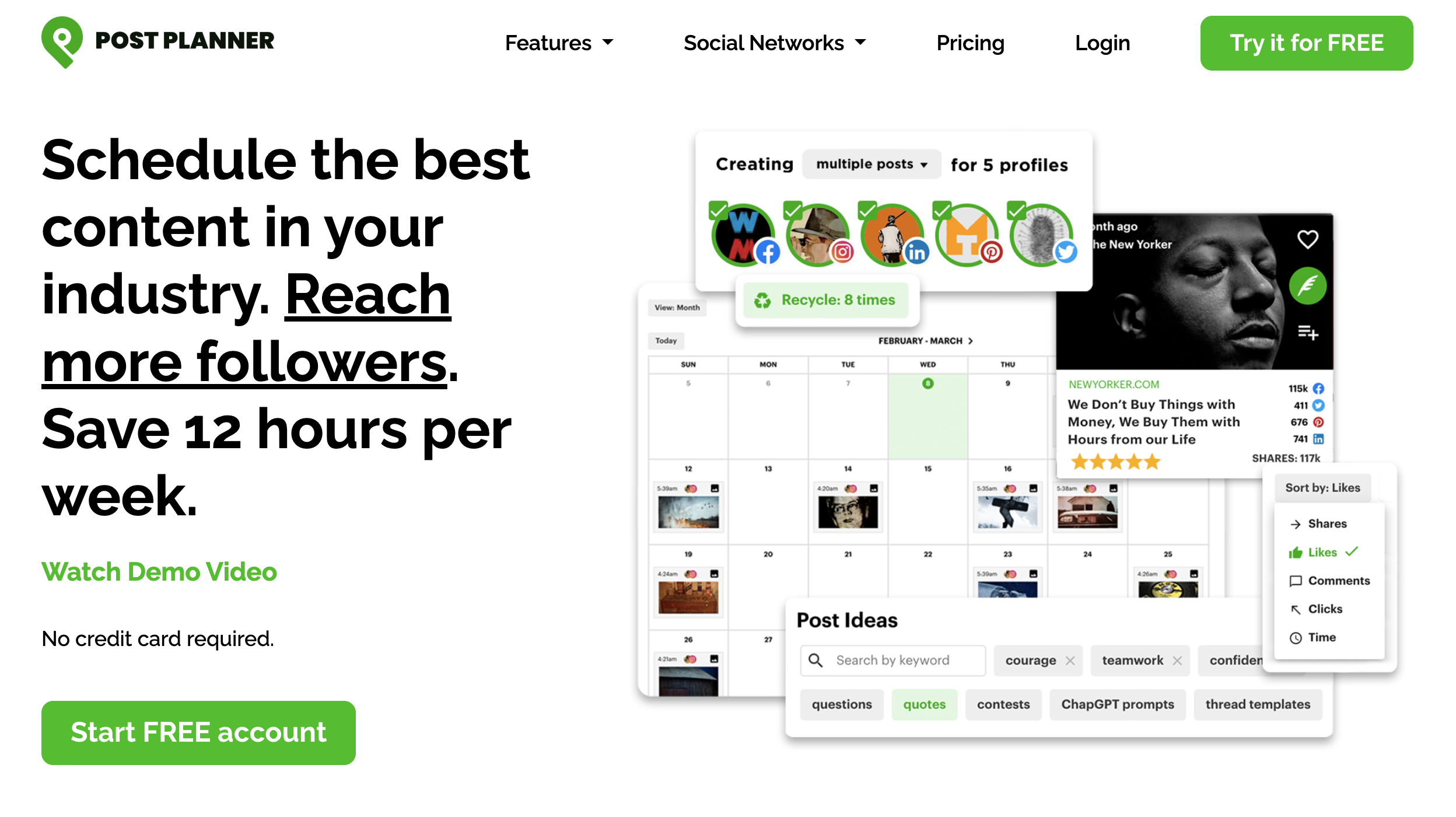
Highlighted features include:
- Content discovery streams with engagement-prediction scoring
- Post recycling, buckets/categories, and bulk upload
- Direct publishing to Facebook, Instagram, Threads, Google Business, LinkedIn, Pinterest, TikTok, X, YouTube, and Bluesky
- Drag-and-drop calendar and post previews
- Native iOS and Android apps
- AI-powered post composition with daily credit caps
Despite the breadth of supported networks, user reviews reveal real gaps in capabilities, pricing structure, and support response time that are worth understanding before you subscribe.
User Reviews and Ratings
On Trustpilot
Post Planner holds a solid 4.7 out of 5 rating on Trustpilot from 177 reviews. Most reviewers praise the curation engine and time savings, with some noting strong support responsiveness via chat.
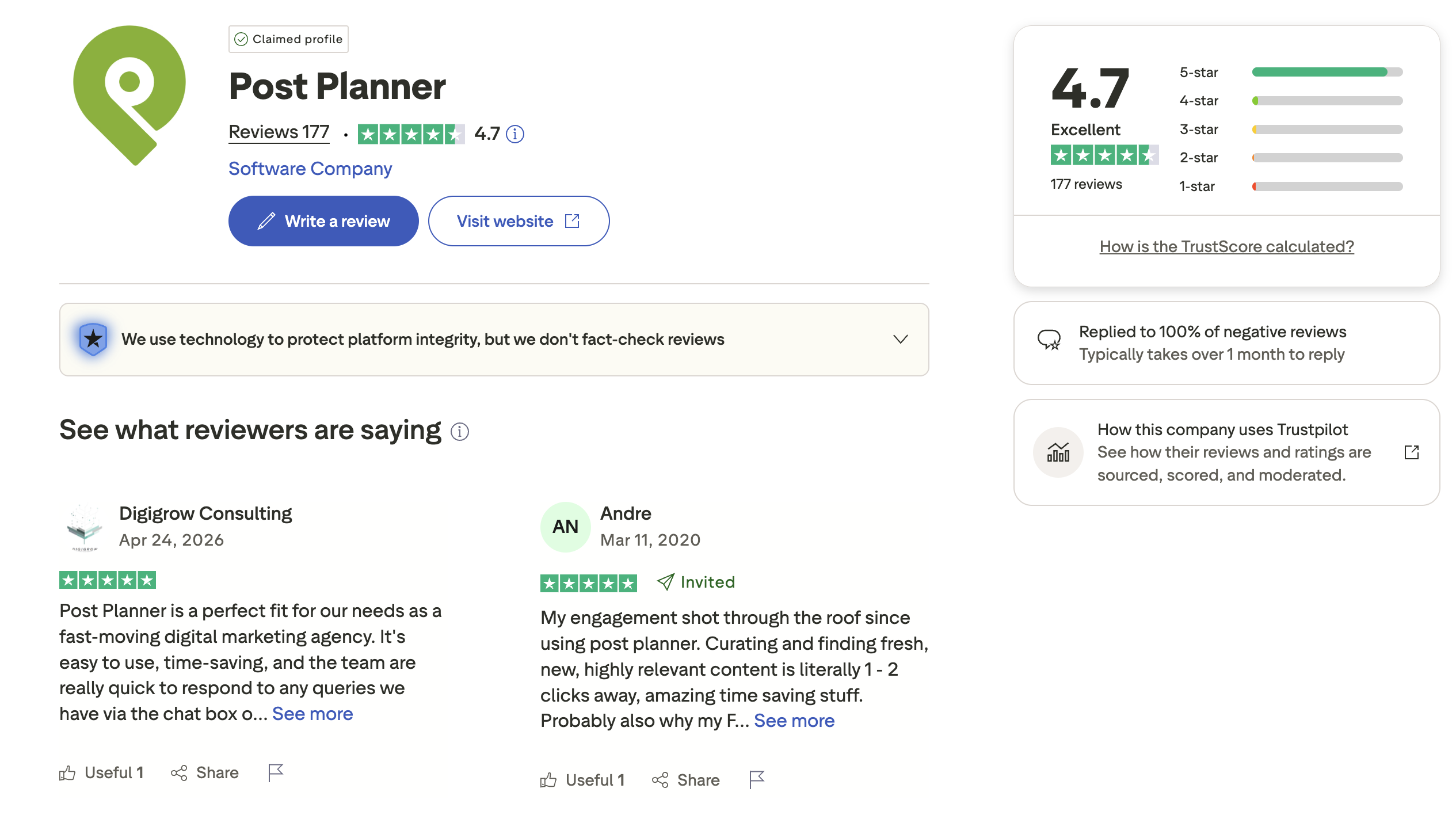
Rating: 4.7/5 (177 reviews)
Pros
- Content curation cuts down content-creation time
- Engagement-prediction scoring helps surface posts that perform
- Easy interface with low learning curve
- Quick chat support for many users
- Direct posting to Facebook groups and pages
Cons
- Average reply time to negative reviews exceeds one month
- Auto-renewal complaints, several users report being charged for another full year shortly before their plan expired with refunds refused
- Video uploads occasionally fail to publish
- Limited workflow features (no auto-replies, no RSS auto-post)
- Refund policy is reported as unclear by multiple users
On G2
On G2, Post Planner scores 3.9 out of 5 from 51 reviews, noticeably lower than its Trustpilot rating. The G2 distribution is bimodal: 33 reviews at 5 stars, but 8 reviews at 1 star (no 2-star reviews at all). Users either love it or have a difficult experience.
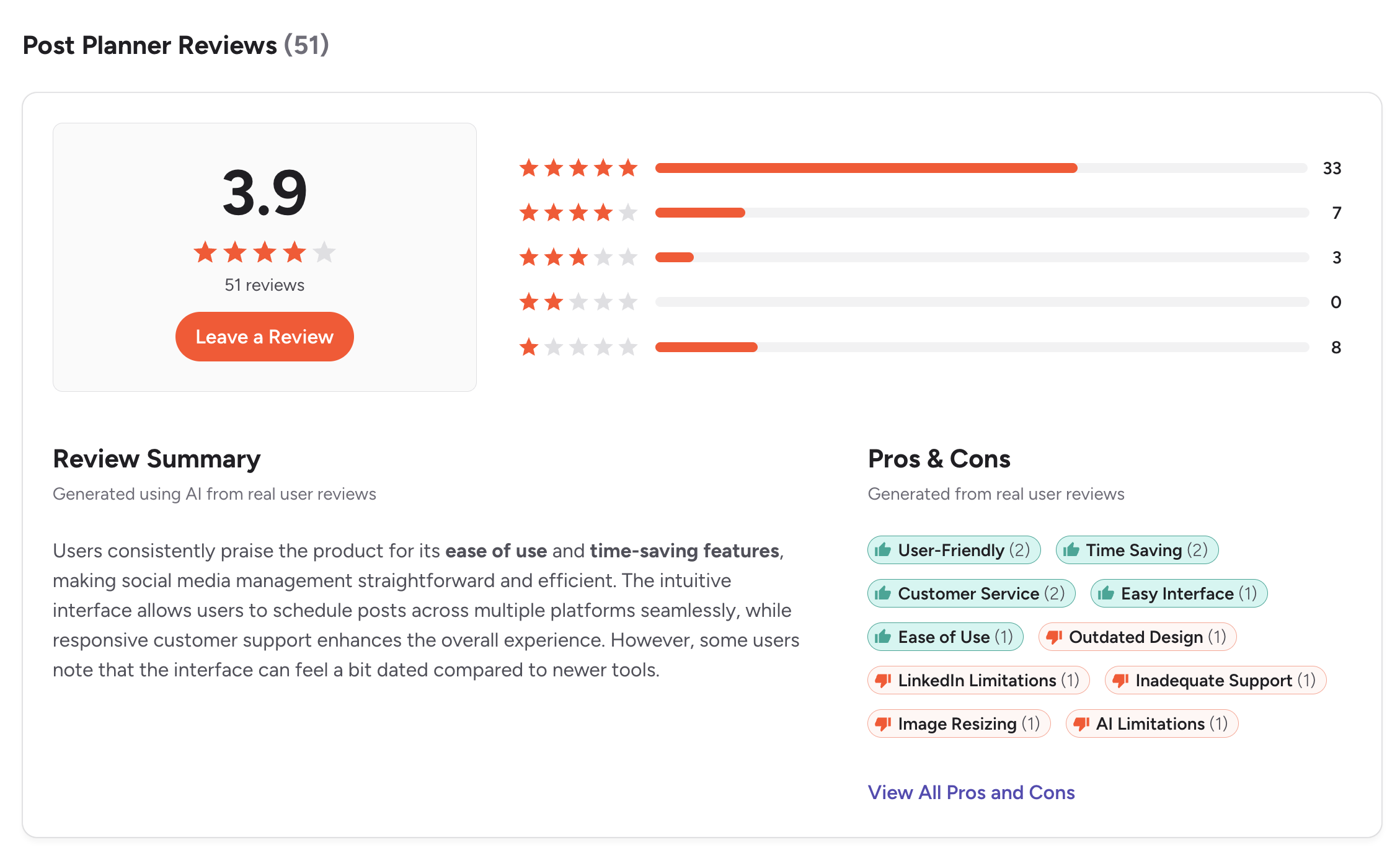
Rating: 3.9/5 (51 reviews)
Top pros mentioned by G2 reviewers:
- User-friendly
- Time-saving
- Ease of use
- Easy interface
- Positive support experiences (when responsive)
Top cons mentioned by G2 reviewers:
- Outdated design
- LinkedIn limitations
- Inadequate support (cited multiple times)
- Image resizing issues
- AI limitations (text only, no image generation)
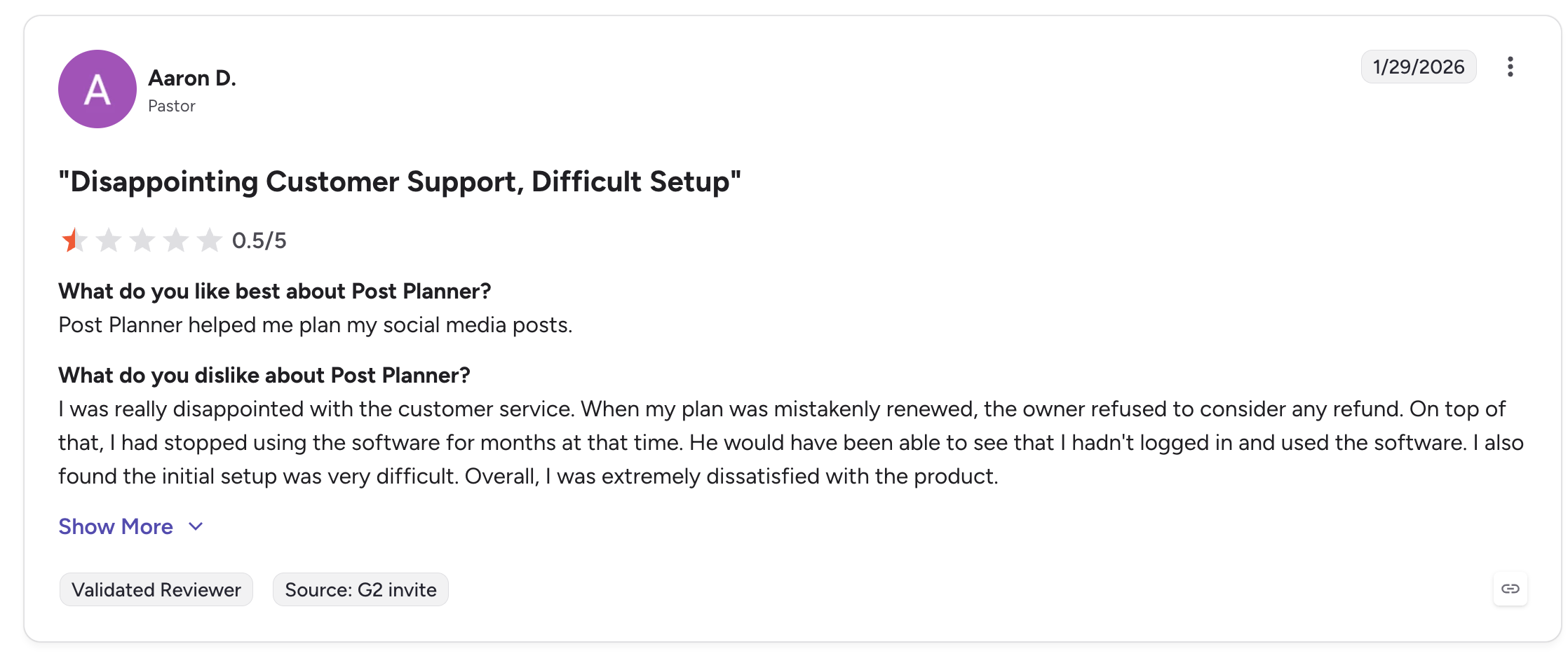
One 0.5-star review from a Pastor summarizes a recurring frustration: a plan auto-renewed despite months of non-use, and a refund was refused. The reviewer also noted that "initial setup was very difficult."
Key Strengths Users Highlight
After reading through both platforms, three strengths come up repeatedly.
Content curation is the standout feature. Users consistently mention that Post Planner's discovery streams genuinely save hours per week. Pulling in viral posts from Reddit, RSS, and other sources, then recycling them via buckets and categories, is what reviewers credit for engagement growth.
Pricing is accessible at the entry tier. $7, $12/mo on Starter is among the cheapest options in the category, especially for solopreneurs who don't need a full SMM toolkit.
Posting reliability for Facebook is strong. Multiple reviewers specifically praise Post Planner's ability to publish to Facebook pages and groups, a workflow that some larger schedulers handle poorly.
Key Weaknesses Users Highlight
The negative themes are consistent across G2 and Trustpilot.
Auto-renewal and refund issues. Several reviewers across both platforms report being charged for another year shortly before their existing plan expired, with refund requests denied. This pattern shows up enough that it's worth knowing before subscribing.
Support response is slow when issues are complex. Chat support is praised for quick questions, but multiple users describe support skipping harder questions or taking days to respond on billing matters. Trustpilot's own data shows Post Planner takes over a month on average to reply to negative reviews.
The product is missing features competitors include. No social inbox, no approval workflows, no white-label reports, and no at any plan tier. Analytics are surface-level (clicks, reach, engagement) with no competitor benchmarking or downloadable reports.
Daily post caps per account. Most reviewers don't notice this until they hit it, every plan limits posts per account per day (12 on Starter, 18 on Growth, 24 on Business). Heavy publishers, news brands, or Pinterest users often outgrow this fast.
LinkedIn limitations. Reviewers flag that LinkedIn posting features lag behind Post Planner's Facebook and Instagram support, including missing tagging and limited carousel options on some plans.
Post Planner Pricing Snapshot
For full plan-by-plan details, see the Post Planner pricing breakdown. Quick view:
| Plan | Monthly Price | Social Accounts | Users |
|---|---|---|---|
| Free | $0 | 1 | 1 |
| Starter | $12/mo (or $7/mo yearly) | 3 | 1 |
| Growth | $49/mo (or $37/mo yearly) | 12 | 2 |
| Business | $79/mo (or $57/mo yearly) | 25 | 5 |
| Enterprise | Custom | 100 | 15 |
Who Post Planner Is Best For
- Solopreneurs and small business owners who want curated content ideas plus basic scheduling at a low monthly cost.
- Facebook-focused publishers who post heavily to pages and groups and value direct posting reliability.
- Content recyclers who need buckets/categories and predictive scoring to refill queues from past winners.
Who Should Consider an Alternative
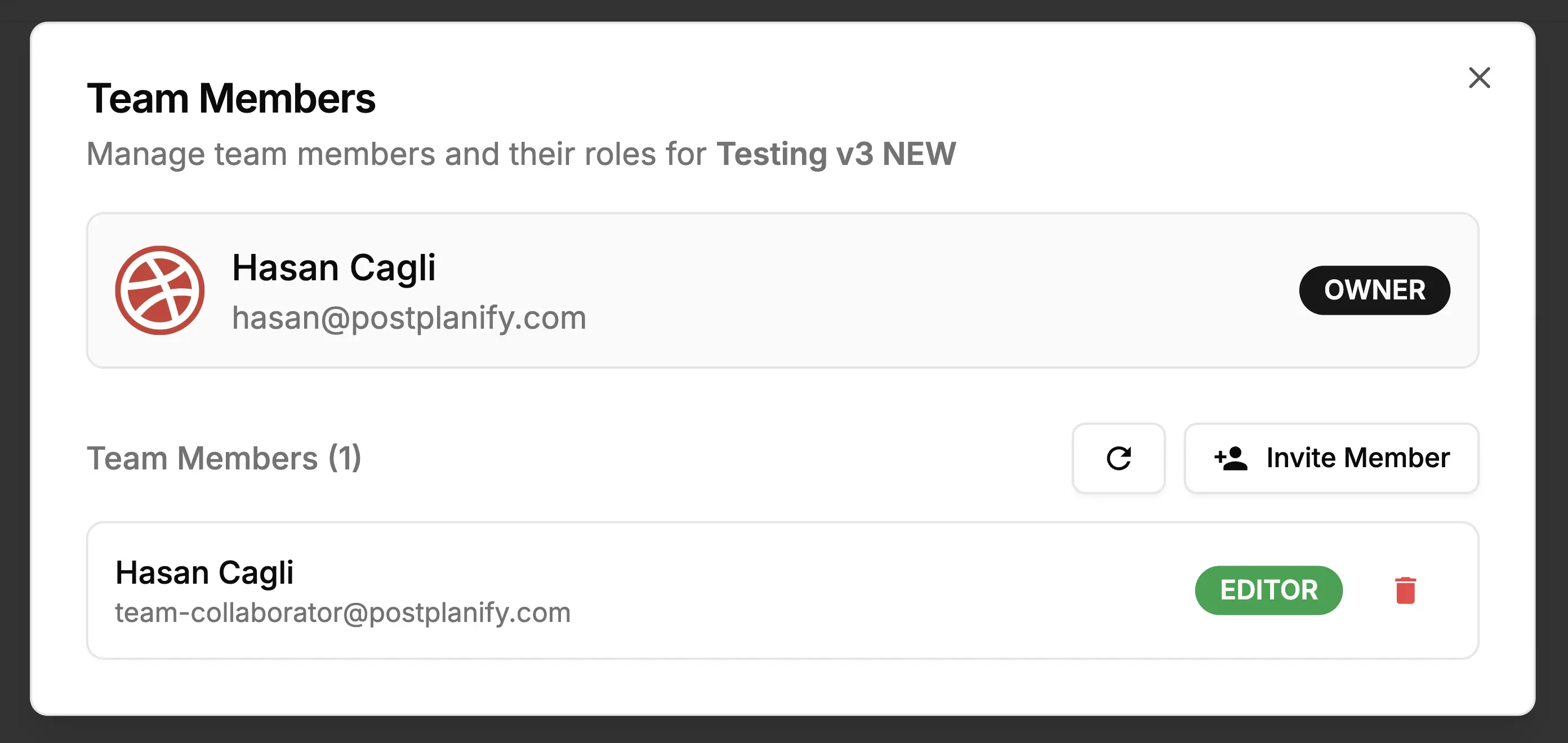
- Agencies and teams that need approval workflows, role-based permissions, white-label reports, or unlimited users.
- High-frequency publishers who post more than 18, 24 times per day per account on any given network.
- Creators who need, Post Planner's AI is text-only.
- Anyone who needs a unified social inbox for managing comments, DMs, and mentions across platforms.
How PostPlanify Compares to Post Planner
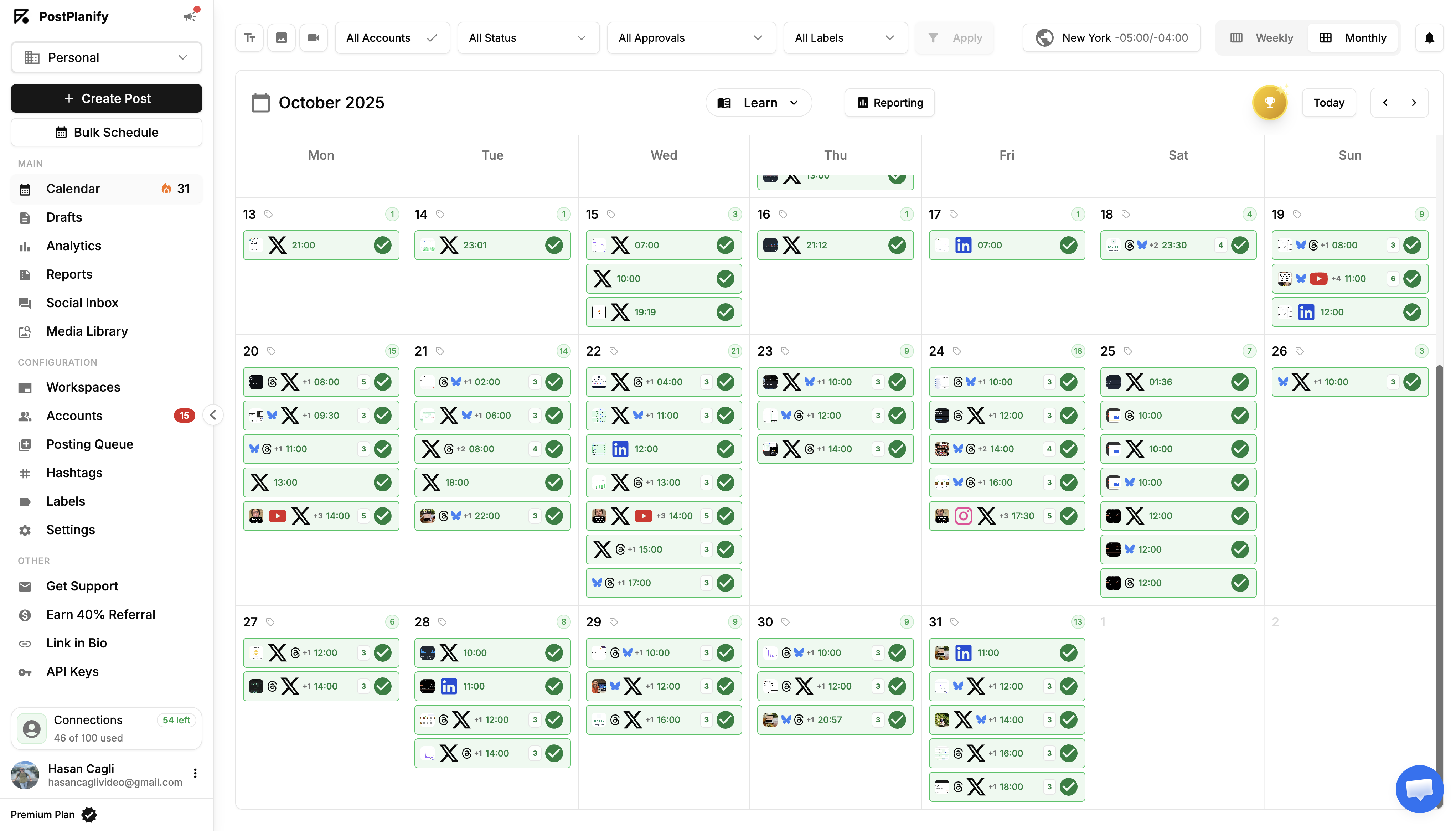
PostPlanify is built for agencies serving local businesses. Posts are never capped per day, seats are never billed, and each client gets their own workspace.
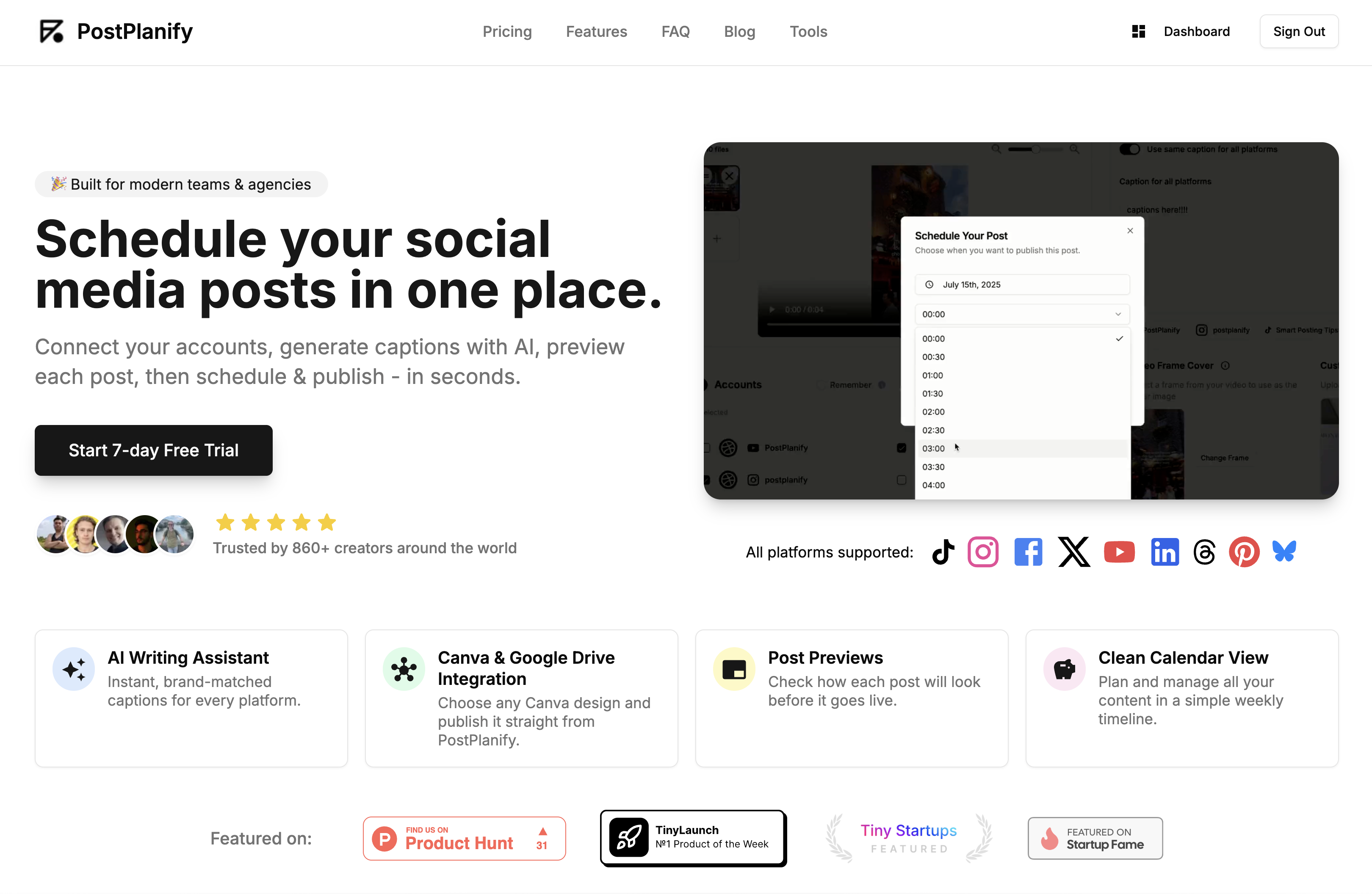
Pricing starts at $39/month for your first client workspace, or $31/month billed yearly:
| Client workspaces | Growth | Premium | Scale |
|---|---|---|---|
| 1 | $39/mo | $49/mo | $59/mo |
| 3 | $97/mo | $127/mo | $157/mo |
| 5 | $155/mo | $205/mo | $255/mo |
| 10 | $250/mo | $350/mo | $450/mo |
| Social accounts per workspace | 4 | 6 | 8 |
Each plan covers what Post Planner does not offer at any tier:
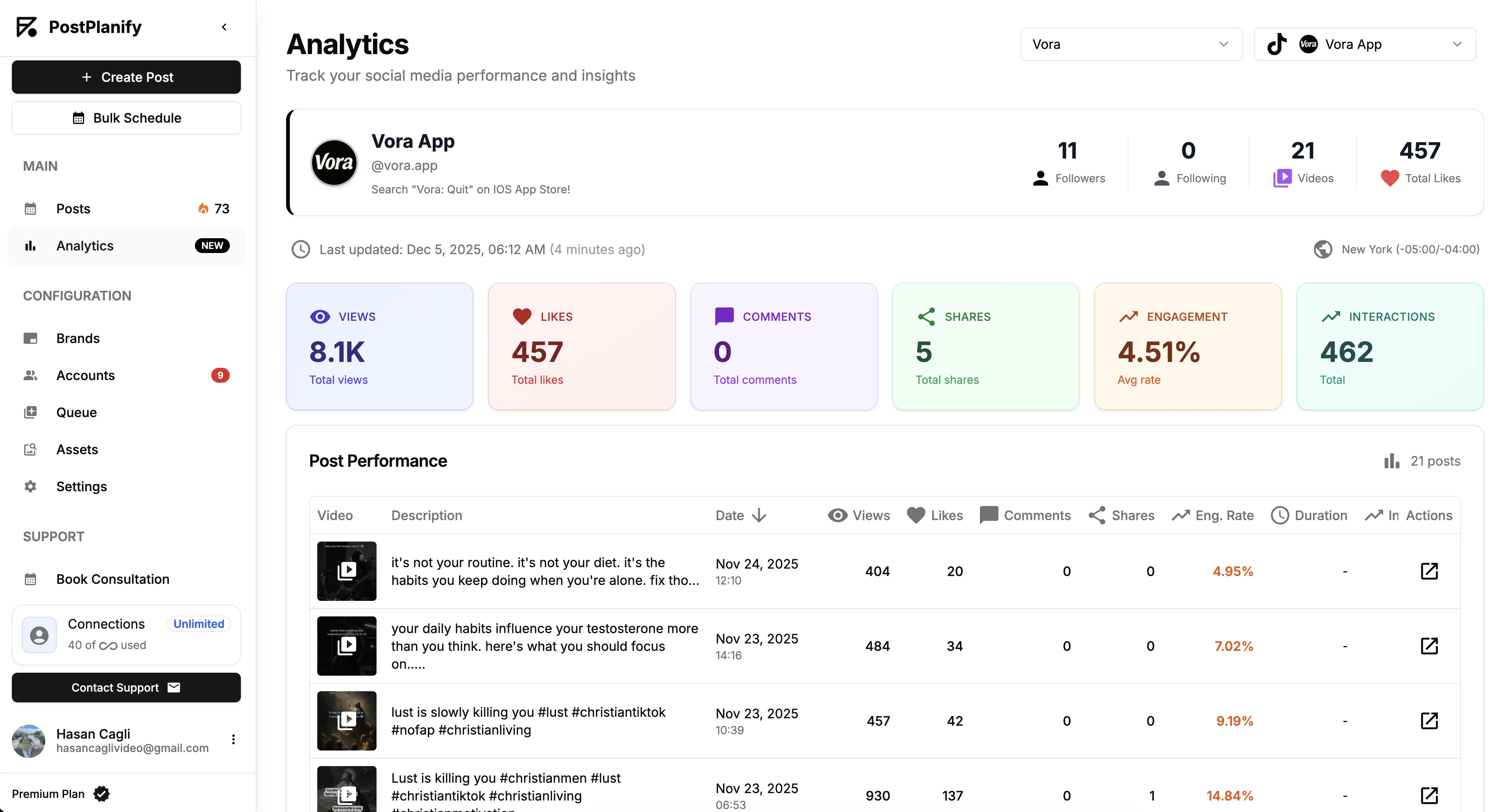
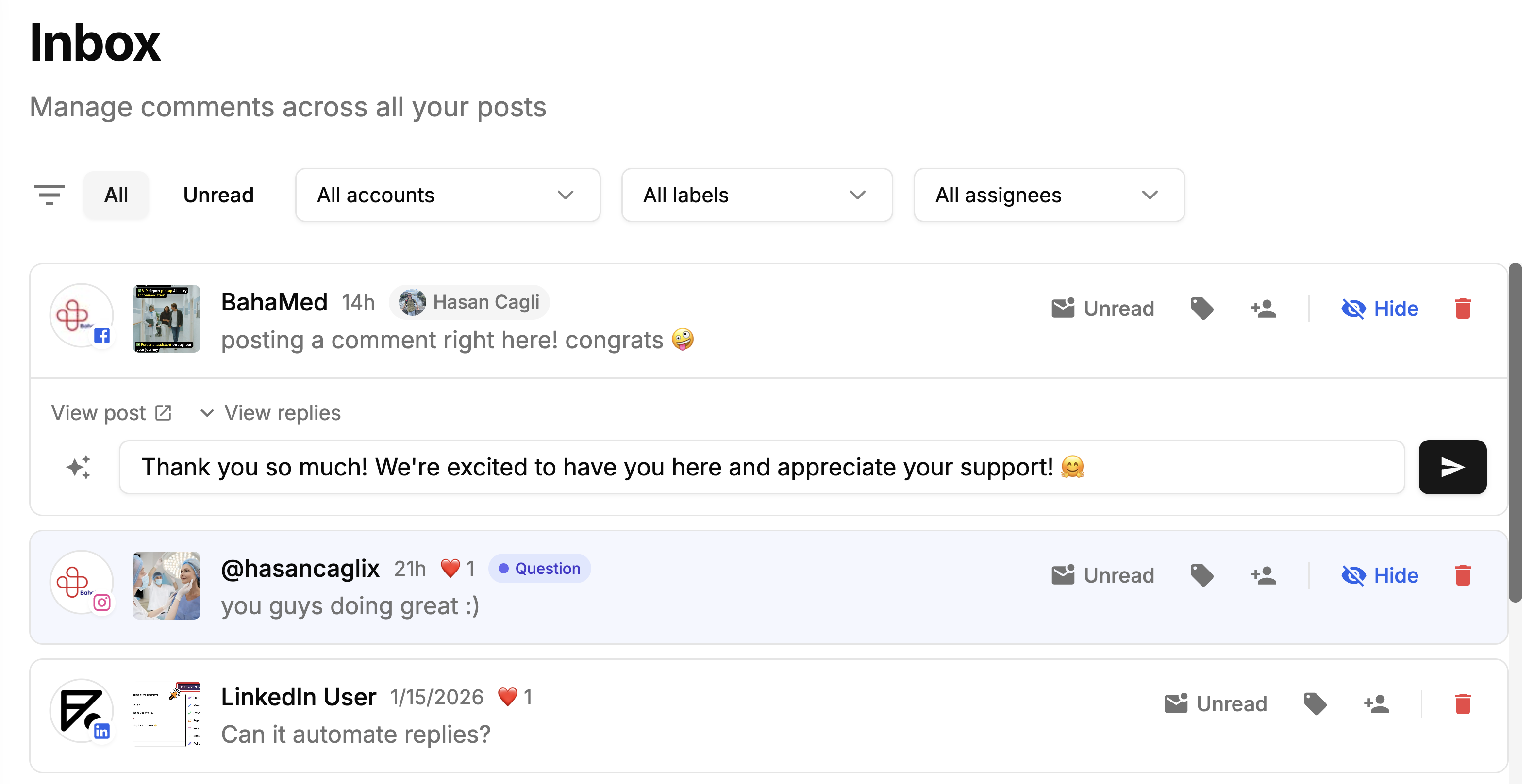
- Growth ($39/mo first workspace): approval workflows, a workspace per client, a social inbox, unlimited users and posts with no daily cap, full analytics on all 10 platforms, shared calendar, roles and permissions, bulk scheduling and a media library.
- Premium ($49/mo first workspace): advanced analytics, branded client reports, team comments and mentions, AI brand voice and knowledge base, plus full API and MCP access.
- Scale ($59/mo first workspace): a white-label dashboard, white-label client emails and reports, dedicated onboarding, migration help and priority human support.
Credit where it is due: Post Planner is one of the cheapest tools in the category and its curated content streams and recycling are a genuine strength. The free plan works for a single account, and for an individual posting to a few profiles it is good value.
The caps are what rule it out for client work. Posts are limited per account per day, users are capped per plan, and there are no approvals, client workspaces, social inbox or client reporting at any tier. Three local business clients here is $97/month with all of those and no posting ceiling.
Frequently Asked Questions
Is Post Planner a good tool in 2026?
Post Planner is well-rated on Trustpilot (4.7/5, 177 reviews) and rated 3.9/5 on G2 (51 reviews). It's strongest for content curation and basic scheduling on a small number of accounts. It's weaker for teams that need an inbox, approvals, white-label reports, or, none of which are included at any tier.
Why do Post Planner's G2 and Trustpilot ratings differ?
Post Planner's Trustpilot score (4.7/5) skews higher than its G2 score (3.9/5). The G2 distribution is bimodal, many 5-star reviews but also several 1-star reviews citing auto-renewal/refund issues, inadequate support on complex tickets, and missing features. Trustpilot reviewers more often focus on the curation experience.
Does Post Planner have a social inbox?
No. Post Planner does not include a unified social inbox for comments, DMs, or mentions at any plan tier. If inbox management is a priority, look at Agorapulse, Sendible, or PostPlanify, which includes a social inbox starting on Growth ($99/mo) covering Instagram, Facebook, LinkedIn, Google Business, YouTube, Threads, and Bluesky.
Does Post Planner have approval workflows?
No. Post Planner does not offer approval workflows or role-based permissions. Teams that need review-before-publish can use Planable, Loomly, or PostPlanify Premium ($199/mo).
Does Post Planner offer?
No. Post Planner's AI credits cover text generation only. Reviewers consistently flag this as a limitation in 2026.
Are Post Planner refunds easy to get?
Multiple users on both G2 and Trustpilot report that auto-renewal charges are difficult to reverse. If you don't plan to renew, set a calendar reminder to cancel well before the renewal date, since refund requests are reportedly denied in many cases.
Is Post Planner cheaper than PostPlanify?
Yes. Post Planner starts at $12/month and Growth is $49/month, against $39/month per client workspace here. What Post Planner does not offer at any price is approval workflows, client workspaces, a social inbox or client reporting, and every plan caps posts per account per day.
What is Post Planner's daily post limit?
Every plan caps posts per account per day: Free 3, Starter 12, Growth 18, Business 24, Enterprise 51+. This ceiling doesn't exist on most other paid schedulers.
Which is better, Post Planner or PostPlanify?
For content curation alone, Post Planner is genuinely good. For a complete SMM toolkit (inbox, approvals, analytics depth, white-label reports, no daily caps), PostPlanify covers what Post Planner doesn't. The right tool depends on what you actually need.
For More Details
- See the full Post Planner pricing breakdown
- Compare PostPlanify vs Post Planner feature by feature
- Browse all PostPlanify alternatives to popular schedulers