


The social media landscape is littered with quick "hacks" and fleeting trends that promise viral success but rarely deliver sustainable growth. You're probably tired of hearing generic advice like 'be authentic' or 'post consistently' without getting the crucial step-by-step instructions on how to actually do it. The problem is, this kind of vague guidance doesn't solve real-world issues like content bottlenecks, inconsistent messaging across platforms, or the inability to prove ROI. Chasing shortcuts often leads to burnout and unpredictable results because they ignore the foundational systems that high-performing teams use.
This guide moves beyond the fluff to deliver a comprehensive set of social media best practices used by top agencies and in-house teams. We'll bypass theories and focus entirely on actionable, step-by-step workflows you can implement immediately to solve specific problems. Forget surface-level tips. You'll get a detailed breakdown of the exact processes for building a functional content calendar, optimizing post timing for each network, writing compelling captions that convert, and accurately measuring what’s working and what isn’t.
We will cover twelve core pillars of a successful social media strategy, complete with platform-specific tactics for TikTok, Instagram, X (formerly Twitter), LinkedIn, and Facebook. Each section is designed to provide clear, practical instructions, helping you transition from guessing what works to executing a precise, repeatable plan. This is about building a social media presence that not only captures attention but also drives meaningful business results.
1. Develop a Consistent Content Calendar Strategy
A content calendar is the foundational blueprint for your social media presence. It’s a structured plan that maps out your posts, stories, Reels, and campaigns in advance.
The Problem It Solves: Without a calendar, you're stuck in a reactive cycle, scrambling daily for content ideas. This leads to inconsistent posting, off-brand messaging, and missed opportunities for timely campaigns. For agencies managing multiple clients or brands planning seasonal promotions, this chaos is unsustainable and leads to poor performance.
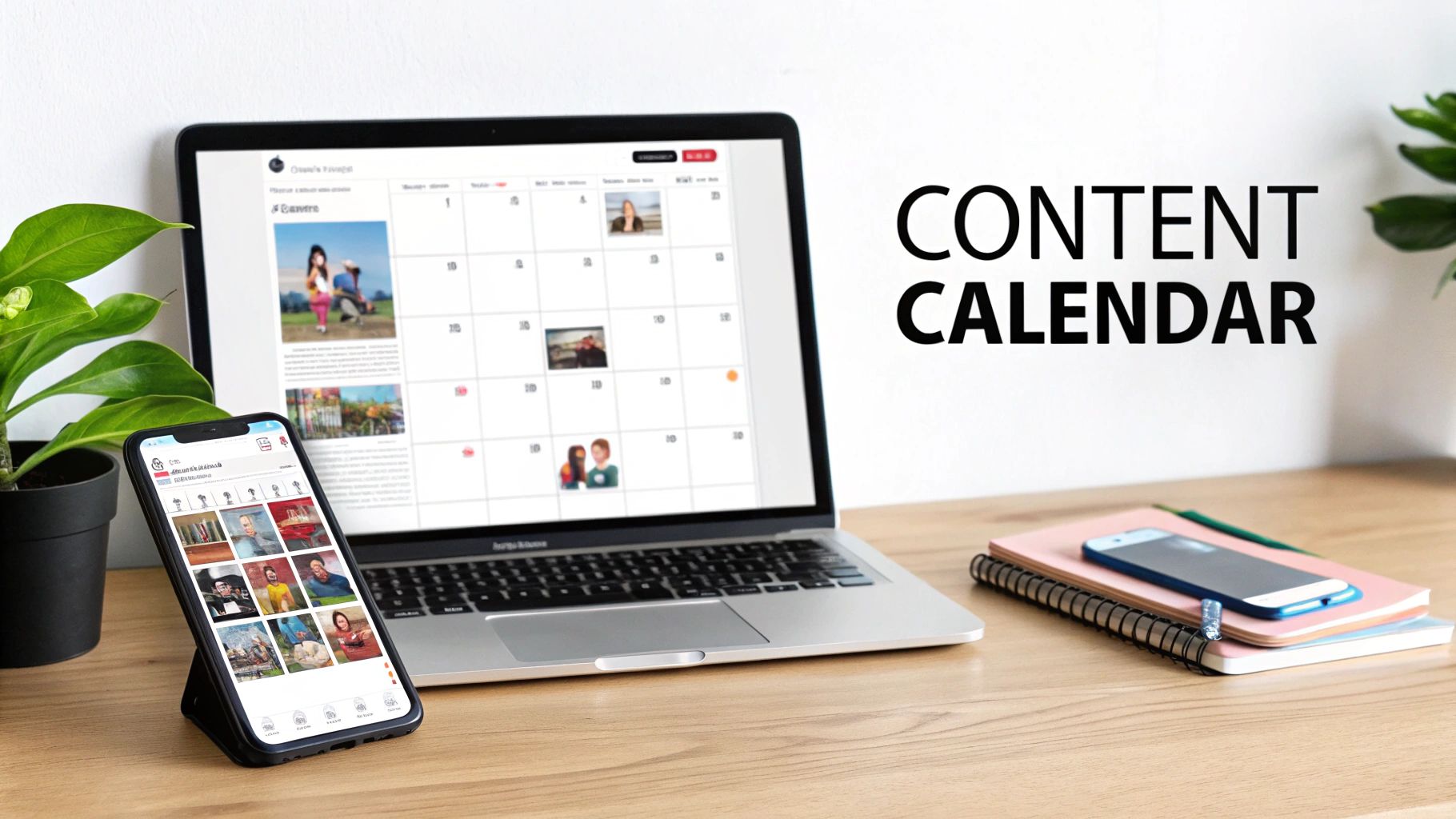
This proactive approach is one of the most vital social media best practices because it transforms random acts of posting into a strategic operation. Instead of scrambling, you can build cohesive brand narratives, balance your content mix (e.g., promotional vs. educational), and dedicate more time to high-value tasks like community engagement and performance analysis.
Actionable Fixes: How to Implement a Content Calendar
Start by planning your core content 2-4 weeks in advance. This provides a solid framework while allowing room for timely, trend-driven posts.
-
Color-Code Your Content Pillars: Open a spreadsheet or use a scheduling tool. Assign different colors to your key content types (e.g., green for educational tutorials, blue for promotional offers, yellow for user-generated content). This visual system immediately reveals if your content mix is unbalanced (e.g., too much selling) and helps you plan a more engaging feed.
-
Allocate Space for Reactive Content: Don't plan 100% of your calendar. Leave about 20-30% of your schedule open for reactive content. This could be a trending audio on TikTok, a viral meme on X, or an unexpected industry announcement on LinkedIn. This hybrid model keeps your feed relevant without sacrificing the stability of a planned schedule.
-
Use a Centralized Tool: For teams, managing calendars in spreadsheets can get messy. Platforms like PostPlanify offer a visual calendar feature that provides a single, unified view of all scheduled posts across multiple platforms (e.g., Instagram, Facebook, LinkedIn). This is critical for agencies managing several client accounts simultaneously to prevent errors and maintain clarity.
-
Review and Adjust Weekly: A content calendar is a living document. Every Monday, spend 15 minutes reviewing last week's analytics. Identify the top-performing posts. Did a specific content pillar or format resonate more than others? Use that data to inform the content you plan for the upcoming weeks. For a deeper dive into effective planning, explore these comprehensive social media content calendar examples.
2. Leverage AI-Powered Caption Writing in Your Brand Voice
Leveraging AI for caption writing moves beyond simple automation; it's about scaling your unique brand personality without diluting it.
The Problem It Solves: Writing high-quality, on-brand copy at scale is a major bottleneck. For agencies managing diverse client voices or e-commerce brands needing hundreds of unique product descriptions, the manual process is slow and prone to inconsistency. This often results in generic, uninspired captions that fail to engage the audience.
This method is one of today's most powerful social media best practices because it combines the efficiency of AI with the authenticity of a human touch. Instead of spending hours brainstorming or risking inconsistent messaging, you can produce platform-optimized captions that resonate with your audience, freeing up time for strategic engagement and community management.
Actionable Fixes: How to Implement AI Caption Writing in Your Brand Voice
The key is to treat the AI as a creative partner that generates a first draft, not as a replacement for a human editor.
-
Train the AI on Your Specific Voice: The most critical step. Feed the AI tool 10-15 of your best-performing posts—the ones that perfectly capture your brand’s tone, humor, and vocabulary. This training helps the AI understand your specific nuances, whether you use professional, technical language on LinkedIn or witty, slang-filled captions on Instagram.
-
Use AI as a Starting Point, Not a Final Product: Never just copy and paste the first caption an AI generates. Treat it as a solid first draft. Plan to review and customize 10-20% of the output to add a final human touch, check for accuracy, and ensure it aligns perfectly with the visual content.
-
Provide Specific Tone and Context in Your Prompts: Guide the AI with clear instructions. Don’t just say "write a caption." Instead, specify the tone (e.g., "Write in a witty, slightly sarcastic tone") and provide context about the post's goal (e.g., "The goal is to drive clicks to our new blog post about SEO"). This drastically improves the relevance and quality of the output.
-
Generate and Select Variations: Ask the AI to generate 3-5 different caption options for a single post. This allows you to cherry-pick the strongest hook from one version, a compelling call-to-action from another, and combine them into one powerful caption. For a closer look at how this works, explore the capabilities of an AI caption generator for Instagram.
3. Optimize Post Timing and Frequency for Maximum Reach
Timing is everything in social media. Strategically planning when and how often you post directly influences organic reach, engagement rates, and overall content visibility.
The Problem It Solves: Posting at random times means your content often gets published when most of your audience is offline. It then gets buried in the feed by the time they log on. This is why even high-quality content can underperform, leading to wasted effort and frustration. A B2B company posting on LinkedIn at 9 PM on a Saturday is a classic example of misaligned timing.
Mastering your posting cadence is one of the most impactful social media best practices because it maximizes the potential of every piece of content. It’s a data-driven approach that moves you from guessing to knowing, allowing you to align your content delivery with your audience's specific behavior for optimal impact.
Actionable Fixes: How to Implement Optimal Timing and Frequency
Start by analyzing your existing platform analytics to establish a data-backed baseline. Then, test and refine your schedule. To truly optimize, you must also understand how to master the Instagram Story length for peak engagement to capture attention effectively.
-
Audit Your Native Platform Analytics: Go to Instagram Insights > Total Followers > Most Active Times. Or check your TikTok Analytics under the "Followers" tab. These native tools show you the exact days and hours your specific followers are most active. This is your primary source of truth—ignore generic "best time to post" articles.
-
Test and Measure Different Cadences: Don't assume one schedule fits all. For a two-week period, test posting at different times (e.g., 9 AM, 1 PM, 8 PM) on different days. Use a simple spreadsheet to track metrics like reach and engagement for each time slot. This will help you identify clear patterns and winning times for your audience.
-
Align Frequency with Platform Norms: Different platforms have different content consumption speeds.
- Instagram/TikTok: Aim for 1-2 high-quality posts daily to stay relevant in fast-moving feeds.
- X (formerly Twitter): The feed moves quickly, so 3-5 daily posts may be necessary to maintain visibility.
- LinkedIn/Facebook: Quality trumps quantity. 3-5 high-value posts per week is often more effective than daily posting.
-
Use Scheduling Tools for Global Audiences: If you manage a global brand, manually posting for each timezone is impossible and prone to error. Use a scheduler like PostPlanify to queue up content to go live at 9 AM in New York, 9 AM in London, and 9 AM in Tokyo, ensuring every audience segment sees your content at their peak time. For a deeper dive, explore this guide on the best times to post on social media.
4. Create Platform-Specific Content Rather Than One-Size-Fits-All Posts
Posting the exact same content across all social media channels is a common but ineffective shortcut.
The Problem It Solves: A one-size-fits-all strategy ignores that each platform has a unique culture, audience expectation, and technical format. A professional, text-heavy LinkedIn post will fail on visual-first Instagram. A viral TikTok dance trend will feel jarring and out of place on a corporate Facebook page. This approach signals a lack of understanding of the platform, leading to low engagement and diluted brand messaging.
Adopting a platform-specific strategy is one of the most impactful social media best practices because it meets your audience where they are, speaking their language in the format they prefer. A tech company might use LinkedIn for in-depth articles, Instagram for humanizing its brand with behind-the-scenes Stories, and TikTok for quick, educational tech tips—all stemming from a single core brand message but tailored for each context.
Actionable Fixes: How to Implement a Platform-Specific Strategy
The goal is to intelligently adapt a core message, not reinvent the wheel for every post. Start with one central idea and create 3-4 distinct variations for each network. Before each post goes live, use a scheduler with platform-specific previews — seeing the Instagram grid layout or feed exactly as it will appear is your last line of defense against awkward crops and broken link previews.
-
Adapt Your Tone and Angle: Match your tone to the platform’s native environment. A fashion brand might post a polished, high-fashion carousel on Instagram. It can then use the same outfit in a raw, unfiltered "Get Ready With Me" video on TikTok. The core asset (the outfit) is the same, but the tone shifts from aspirational (Instagram) to relatable and authentic (TikTok).
-
Optimize for Technical Formats and Specs: Respect the native format of each platform to avoid awkward cropping or low-quality uploads.
- Instagram Reels/TikTok/YouTube Shorts: Use vertical 9:16 video.
- LinkedIn/Facebook Feeds: Square (1:1) or vertical (4:5) images and videos generally perform best.
- X Feed: Landscape (16:9) images work well in-feed, especially for link previews. For insights into tailoring your visual content, exploring proven social media video strategy examples can guide you in creating platform-specific content that truly resonates.
-
Create Content Variations, Not Copies: Take one core idea and brainstorm different angles. For instance, a financial advisor's "5 Tips for Saving for Retirement" could be:
- LinkedIn: A detailed article or text post.
- Instagram: An educational carousel with one tip per slide.
- TikTok: A 30-second video with quick-cut visuals for each tip.
- X: A thread breaking down each tip in a separate tweet.
-
Leverage Platform-Native Features: Go beyond the feed. Use features unique to each platform to boost engagement. Create interactive polls in Instagram Stories, start a discussion with a LinkedIn poll, publish a detailed analysis in a LinkedIn article, or use TikTok's duet feature to engage with other creators. Mastering the right dimensions is also key; you can find a complete guide to the latest Instagram image size specifications to ensure your content always looks its best.
5. Implement Consistent Analytics Review, Data-Driven Adjustments, and KPI/ROI Measurement
Posting content without analyzing its performance is like navigating without a map. It's a common mistake that leads to repeating ineffective strategies.
The Problem It Solves: Without data, you're just guessing what your audience wants. This results in wasted time and resources creating content that doesn't resonate or drive business goals. It also makes it impossible to justify your social media marketing spend to stakeholders or clients because you can't connect your activities (posts, campaigns) to tangible outcomes (website traffic, leads, sales).
Adopting an analytical mindset is one of the most impactful social media best practices because it connects your content directly to business goals. Instead of just chasing likes, you can identify what truly drives website traffic, generates leads, and increases sales. An e-commerce brand might discover that user-generated content in Instagram stories generates a higher click-through rate to product pages than polished studio photos, prompting a strategic shift that directly boosts revenue.
Actionable Fixes: How to Implement a Data-Driven Strategy
Establish a consistent review cadence, such as a weekly 15-minute check-in and a more in-depth monthly review, to spot trends and make nimble adjustments.
-
Define Your Core KPIs (Key Performance Indicators): Don't get lost in vanity metrics like follower count. Align your tracking with business objectives by focusing on 3-5 core indicators.
- For Brand Awareness: Track Reach and Impressions.
- For Engagement: Track Engagement Rate (Total interactions ÷ followers x 100) and Comments.
- For Website Traffic: Track Click-Through Rate (CTR).
- For Sales/Leads: Track Conversions and Return on Ad Spend (ROAS).
-
Use UTM Parameters for Accurate Tracking: Add UTM parameters (unique tracking codes) to every link you share on social media. You can build these for free with Google's Campaign URL Builder. This allows you to see in Google Analytics exactly which platforms, campaigns, and even specific posts are driving traffic and conversions, connecting your social activity directly to revenue.
-
Set Up a Simple Tracking System: You don't need a complex dashboard. Create a simple spreadsheet to log your core KPIs weekly. After 4-8 weeks, you'll start to see powerful patterns. For example, you might discover your LinkedIn audience responds best to video posts published on Tuesdays at 10 AM, while your Instagram audience converts most from Stories on Friday evenings.
-
Translate Data into Actionable Next Steps: The goal of analysis is to inform your strategy.
- If video content consistently gets 10x more engagement than static images, reallocate your creative resources to produce more videos.
- If posts about a certain topic get high shares but low clicks, it means the topic is interesting but your call-to-action isn't compelling enough.
- If your CTR is low, experiment with different calls-to-action in your captions. To learn more about connecting these efforts to your bottom line, explore this guide on how to measure social media ROI.
6. Build Authentic Engagement and Community Interaction
Social media is a two-way street, not a broadcast channel. Building authentic engagement means actively participating in the conversation.
The Problem It Solves: Many brands "post and ghost"—they publish content and then disappear, ignoring comments and DMs. This treats social media like a billboard and signals to the audience that the brand isn't interested in a real connection. This lack of interaction leads to low engagement, which tells platform algorithms your content isn't valuable, further suppressing your reach.
Treating engagement as a priority is one of the most impactful social media best practices because it directly feeds the algorithm and builds human connection. When platforms like Instagram or LinkedIn see meaningful back-and-forth conversations in your comments, they interpret your content as valuable and show it to more people. This simple act of responding turns passive followers into loyal brand advocates.
Actionable Fixes: How to Implement Authentic Engagement
Dedicate specific, scheduled time blocks each day for community management rather than trying to respond sporadically. This ensures no comment or message gets missed.
-
Prioritize Responding in the First Hour: The first 60 minutes after you post are crucial. Platforms give algorithmic preference to content that sparks immediate conversation. Make it a rule to be online and active during this window, responding to every new comment. This can significantly boost your post's overall reach.
-
Ask Open-Ended Questions in Your Captions: Instead of generic calls-to-action like "Like this post," end your captions with genuine questions that invite detailed responses. A travel agency could ask, "What's the one local food you have to try in Italy? Tell us below!" This encourages more than just a one-word answer and starts real conversations.
-
Actively Feature User-Generated Content (UGC): Don't just wait for people to tag you. Actively search for mentions and hashtags related to your brand and share content created by your followers (with their permission). Tagging the original creator not only provides you with authentic content but also makes that community member feel recognized, encouraging others to post about your brand.
-
Use Comments for Public Customer Service: When a user asks a question or raises a minor issue in the comments, respond helpfully and publicly. This transparency builds trust with your entire audience, as it shows you are responsive and care about customer satisfaction. For more sensitive issues, politely guide them to your DMs to resolve the issue privately. On Facebook specifically, knowing when to hide vs. delete a comment matters — see our comments on Facebook guide. For more tactics, read how to improve social media engagement.
7. Maintain Visual Consistency and Brand Identity Across All Posts
Visual consistency is the silent ambassador of your brand on social media. It involves using a cohesive set of colors, fonts, filters, and design elements across all your posts.
The Problem It Solves: A feed that lacks visual consistency looks chaotic and unprofessional. It fails to build brand recognition, making it hard for users to identify your content in a crowded feed. This can subconsciously communicate a lack of attention to detail, potentially eroding trust before a user even reads your caption.
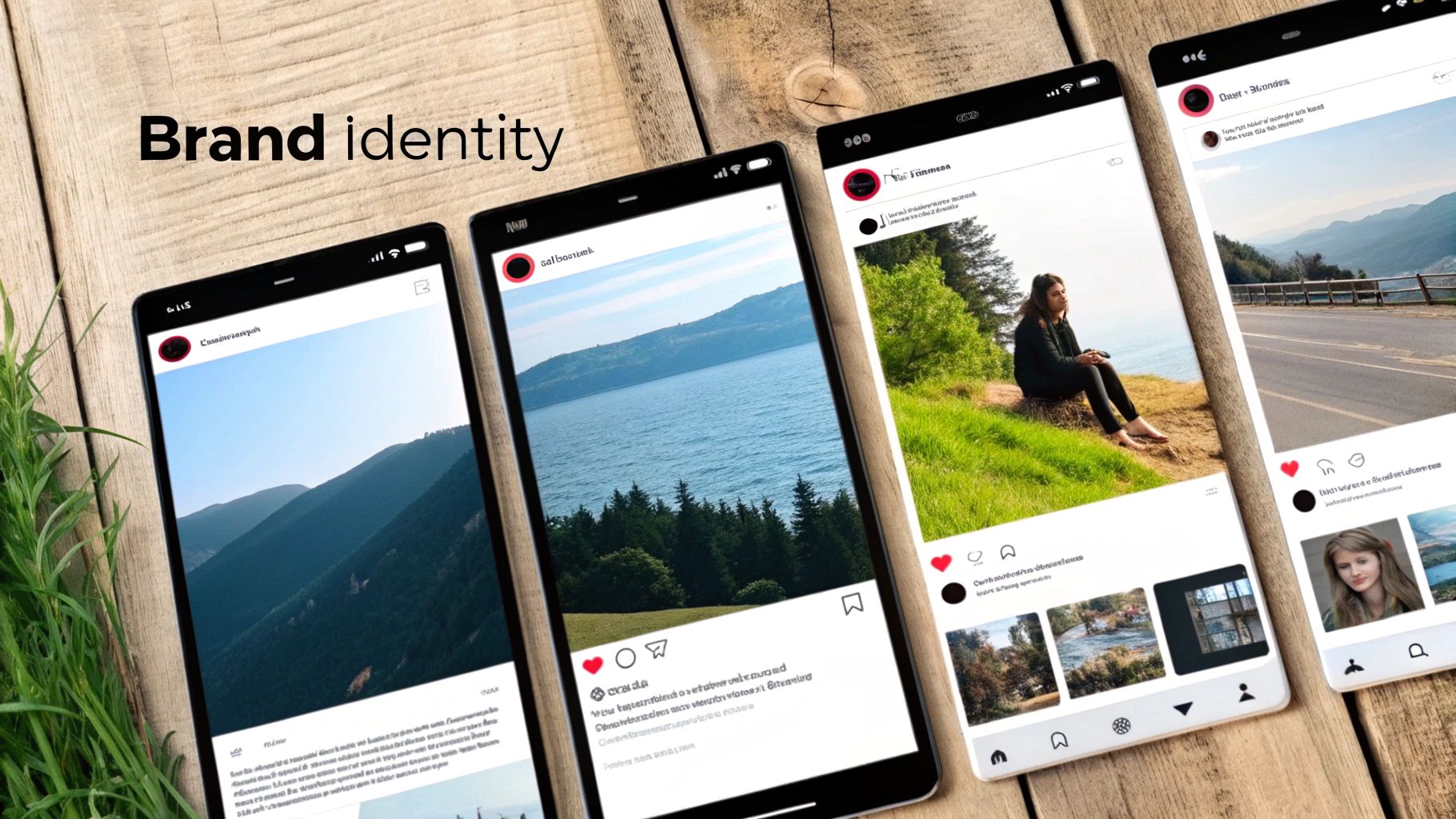
This discipline transforms your social media profiles from a random collection of images into a curated, digital storefront. Implementing this is one of the most impactful social media best practices because it establishes a strong brand presence that communicates quality and reliability. It tells your audience you are intentional and professional.
Actionable Fixes: How to Implement Visual Consistency
The goal is to create a system that enables creativity within a defined framework, making it easy for anyone on your team to create on-brand content.
-
Create a Simple 1-Page Brand Guide: This doesn't need to be a 50-page document. Open a Google Doc and define:
- Primary Colors (3-4): Include their hex codes.
- Secondary Colors (2-3): For accents.
- Fonts (2): One for headers, one for body text.
- Photography Style: A few words to describe it (e.g., "bright and airy," "moody and contrasted," "candid and unfiltered"). This guide becomes the single source of truth for all visual content.
-
Design and Reuse Standardized Templates: Create 5-10 reusable templates in a tool like Canva for your most common post types: quotes, testimonials, announcements, and educational tips. Lock in your brand fonts and colors so that even non-designers can create on-brand graphics quickly and efficiently.
-
Apply a Consistent Photo Filter or Preset: For photography-heavy accounts on platforms like Instagram, using the same editing preset (from an app like Lightroom or VSCO) on all your photos is the fastest way to achieve a cohesive look and feel. This simple step creates an instantly recognizable aesthetic.
-
Conduct Monthly Visual Audits: Once a month, take 10 minutes to scroll through your feed and check if all recent posts adhere to the visual guidelines. This helps catch any deviations and keeps your brand presentation tight. Avoid making major changes to your visual identity more than once or twice a year to prevent confusing your audience.
8. Batch Create Content and Maintain a Content Buffer System
Content batching is the practice of dedicating focused blocks of time to create a large volume of social media assets in advance.
The Problem It Solves: Creating content daily is inefficient and stressful. It forces you to constantly switch between creative, strategic, and administrative tasks, leading to context-switching fatigue. This reactive approach often results in lower-quality content created under pressure, and if you have a busy day or an unexpected emergency, you simply don't post, breaking your consistency.
This approach is one of the most impactful social media best practices because it builds a crucial content buffer. Having two to four weeks of approved, scheduled content ready to go eliminates the stress of last-minute posting and protects your publishing schedule from creative blocks, sick days, or other unforeseen delays. It frees up your daily mental space for high-impact activities like engagement and analysis.
Actionable Fixes: How to Implement Content Batching
Start by dedicating a specific, recurring time block in your schedule solely for content creation, such as a four-hour session every Monday or one full day per month.
-
Systemize Your Workflow by Phase: Break down the batching process into distinct phases and tackle one phase at a time for all your content. For example:
- Hour 1 (Ideation): Brainstorm all ideas for the next two weeks.
- Hour 2 (Scripting/Copywriting): Write all the captions and video scripts.
- Hour 3 (Filming/Design): Film all videos or design all graphics.
- Hour 4 (Editing/Scheduling): Edit everything and schedule it in your tool. This "assembly line" approach prevents context switching and boosts efficiency.
-
Create Versatile "B-Roll" Footage: During filming sessions, capture generic video clips of your product in use, your team working, or your office environment without any specific audio. This B-roll can be stored and repurposed later by adding different trending audio, text overlays, or voiceovers, allowing you to create dozens of unique posts from a single shoot.
-
Leverage Templates for Speed: Use design tools like Canva and establish a brand kit with your fonts, colors, and logos. Having a set of pre-made, reusable templates for different content pillars (e.g., quotes, tips, promotions) dramatically speeds up the design phase of your batching sessions.
-
Maintain a 2-4 Week Content Buffer: Always aim to have at least two weeks of content fully created, approved, and scheduled in your content calendar or scheduling tool. This buffer is your safety net, ensuring your social media presence remains active and consistent even during busy periods or unforeseen circumstances.
9. Diversify Content Formats to Keep Audiences Engaged
Relying on a single content format is like serving the same meal every day; eventually, your audience will lose interest.
The Problem It Solves: If you only post static images, you're missing out on the audience segment that prefers video. If you only post videos, you're ignoring those who like to read in-depth carousels. This leads to content fatigue, where your audience starts to tune out your posts because they become too predictable. It also limits your reach, as platform algorithms are designed to promote a variety of formats.
Varying your content is one of the most effective social media best practices because it acknowledges that different people engage with content differently. Some users prefer to watch quick-hit Reels, while others will swipe through a detailed educational carousel. A varied strategy ensures you have something for everyone, which keeps your feed dynamic, your engagement rates healthy, and your reach broad.
Actionable Fixes: How to Implement a Diverse Content Format Strategy
Start by defining your primary content pillars (e.g., education, entertainment, promotion) and then consciously assign different formats to each. This ensures a balanced and intentional mix.
-
Establish a Target Content Mix Ratio: Create a simple ratio to guide your content calendar. For example, a B2B brand on LinkedIn might aim for:
- 40% Educational carousels
- 30% Insightful text-based posts
- 20% Short-form videos (e.g., employee interviews)
- 10% Promotional content This prevents you from defaulting to a single format.
-
Rotate Formats Within the Same Pillar: An educational topic can be delivered in multiple ways. For example, "5 Tips for Better Sleep" could be:
- A short-form video tutorial.
- A detailed carousel breakdown with one tip per slide.
- A quick-tip static image graphic. Rotating formats for similar topics keeps the information fresh and engaging.
-
Align Formats with Platform Strengths: Prioritize the formats that excel on each specific platform.
- Instagram/Facebook: Focus on high-engagement Reels and interactive Stories.
- LinkedIn/X: Leverage text-based posts, carousels (LinkedIn), and threads (X) for educational deep dives.
- TikTok: Prioritize authentic, trend-driven short-form video.
-
Analyze Format Performance in Your Analytics: Use your platform's native analytics to track which formats generate the most engagement, reach, and conversions for your audience. If carousels consistently get more saves and shares than static images, adjust your content ratio to lean more heavily into what’s working, then test again.
10. Stay Agile and Responsive to Trending Topics and Culture
While a content calendar provides essential structure, the digital world moves at lightning speed.
The Problem It Solves: Brands that are too rigid with their content calendar appear slow, out of touch, and disconnected from the real world. By ignoring trending conversations, memes, or cultural moments, they miss huge opportunities to connect with their audience in a timely and relevant way. This can make a brand seem robotic or overly corporate.
This proactive and reactive approach is one of the most powerful social media best practices because it allows your brand to tap into massive waves of existing attention. Authentically joining a trending conversation, like Wendy's legendary real-time commentary on X, can generate more reach and engagement in a single day than a month's worth of planned content. The key is participating authentically—not forcing your brand into conversations where it doesn't belong.
Actionable Fixes: How to Implement Real-Time Responsiveness
The goal is to be quick and relevant without sacrificing brand alignment. This requires a streamlined process for identifying opportunities and acting on them swiftly.
-
Dedicate Daily Monitoring Time: Set aside 15-30 minutes each morning specifically for trend-spotting. Scroll through the "For You" page on TikTok, check trending topics on X, and monitor relevant industry news. This active listening is non-negotiable for staying ahead of the curve.
-
Maintain Calendar Flexibility: As mentioned in practice #1, intentionally leave 20-30% of your content calendar open for reactive content. This creates dedicated, pre-approved space for jumping on viral sounds, memes, or cultural events without derailing your entire planned strategy.
-
Create Rapid-Response Templates: Don't start from scratch every time an opportunity arises. Have pre-approved, easy-to-edit templates ready to go. This could be a branded meme format or a specific video style for reacting to news. This allows you to create high-quality, on-brand content in under an hour.
-
Establish a Quick Approval Process: Time is critical for reactive content. A 24-hour approval process won't work. Create an expedited workflow, perhaps through a dedicated Slack channel with key stakeholders, that allows for a 15-20 minute turnaround. This agility is crucial for capitalizing on trends before they fade.
11. Repurpose Your Best Content Across Platforms
Creating brand-new content from scratch for every platform, every day, is the fastest route to burnout — and it leaves the value of your best work on the table.
The Problem It Solves: You spend hours producing a single high-quality asset (a blog post, webinar, or video), but it gets one shot on one platform and then disappears. The constant pressure to feed every channel something original is unsustainable and pulls focus away from quality.
Repurposing is one of the highest-ROI social media best practices because it follows a "create once, distribute many" principle. A single pillar asset can fuel a week or more of posts across every network, extending the reach and lifespan of your best ideas without tripling your workload.
Actionable Fixes: How to Implement Content Repurposing
- Start with a "Pillar" Asset: Identify a high-value piece of content — a detailed blog post, a webinar recording, or a case study. This is your source material.
- Break It Down into "Micro" Content: From one blog post you can create a 5-7 tweet X thread, a 5-slide Instagram carousel, a 30-second Reel walking through your top tip, and a text-only LinkedIn post sharing a key statistic.
- Systemize the Process: Build a simple repurposing checklist for every pillar asset (e.g., "5 quote graphics, 1 video script, 3 poll questions") so adaptation becomes a repeatable workflow, not a creative scramble.
- Schedule All Variations at Once: Use bulk scheduling to roll the repurposed pieces out over several days or weeks, driving traffic back to the original. For a deeper system, see our guide to content repurposing strategies.
12. Streamline Team Collaboration with Approval Workflows
As soon as more than one person touches your social media, an informal "anyone can post anything" process becomes a liability.
The Problem It Solves: Without a review step, content goes out with typos, off-brand messaging, or at the wrong time — and for regulated industries, that can mean compliance issues. Approvals tracked over Slack and email get lost, and no one is clearly the final sign-off.
Building a structured workflow is one of the most overlooked social media best practices for teams and agencies. Clear roles and an approval step add a layer of quality control that protects your brand while still letting content move quickly.
Actionable Fixes: How to Implement Collaborative Workflows
- Define Clear Roles and Permissions: Assign a Creator (drafts and schedules, but can't publish live), an Approver/Editor (reviews and signs off), and an Admin (manages permissions and the workspace). This protects accounts and clarifies ownership.
- Create Tiered Approval Flows: Not everything needs the same scrutiny. A reply to a comment may need none, while a major campaign announcement may require brand, legal, and executive sign-off. Match the workflow to the stakes.
- Use Automatic Reminders: A good tool notifies the approver the moment a post is ready, so content doesn't stall in a "draft" bottleneck. If you run many profiles, a single dashboard to manage multiple social media accounts keeps approvals, calendars, and analytics in one place instead of scattered across native apps.
- Centralize Your Guidelines: Keep a single document with brand voice, visual standards, and legal disclaimers so approvers give consistent, objective feedback. For a platform-specific walkthrough, see how to collaborate on Instagram.
12-Point Social Media Best Practices Comparison
| Strategy | 🔄 Implementation Complexity | ⚡ Resource Requirements | ⭐ Expected Effectiveness | 📊 Expected Outcomes | 💡 Ideal Use Cases |
|---|---|---|---|---|---|
| Develop a Consistent Content Calendar Strategy | 🔄 Medium — upfront planning, approval workflows | ⚡ Moderate — calendar tools, team time | ⭐⭐⭐ — strong for consistency & algorithm favor | 📊 Consistent posting, aligned campaigns, less last-minute work | 💡 Agencies, teams, e‑commerce seasonal planning |
| Leverage AI-Powered Caption Writing in Your Brand Voice | 🔄 Low–Medium — initial voice training required | ⚡ Low — AI tools + human review | ⭐⭐⭐ — scales messaging while retaining voice (with edits) | 📊 Faster caption production; consistent tone across posts | 💡 High-volume posting, multi-client agencies, creators |
| Optimize Post Timing and Frequency for Maximum Reach | 🔄 Medium — analytics, A/B testing, timezone planning | ⚡ Low–Moderate — scheduling + analytics tools | ⭐⭐⭐ — improves reach and engagement predictably | 📊 Higher visibility, better engagement rates, time-zone alignment | 💡 Global audiences, time-sensitive niches, B2B scheduling |
| Create Platform-Specific Content Rather Than One-Size-Fits-All Posts | 🔄 High — format tailoring and platform knowledge | ⚡ High — production resources and creative time | ⭐⭐⭐⭐ — significantly boosts engagement & authenticity | 📊 Higher engagement, improved conversions, native algorithm favor | 💡 Brands/influencers on multiple platforms, campaigns needing nuance |
| Implement Consistent Analytics Review & KPI/ROI Measurement | 🔄 Medium–High — tracking setup and regular reviews | ⚡ Moderate — analytics dashboards, reporting time | ⭐⭐⭐⭐ — enables data-driven strategy and budget justification | 📊 Measurable ROI, informed optimizations, trend identification | 💡 Performance-driven teams, agencies, e‑commerce/SaaS |
| Build Authentic Engagement and Community Interaction | 🔄 Medium — workflows and tone guidelines | ⚡ High — community managers, time for responses | ⭐⭐⭐⭐ — builds loyalty, advocacy, and social proof | 📊 Improved retention, UGC, customer insights, higher algorithmic priority | 💡 Consumer brands, creators, service businesses needing loyalty |
| Maintain Visual Consistency and Brand Identity Across All Posts | 🔄 Medium — create & enforce brand guidelines | ⚡ Moderate — design tools, templates, occasional designers | ⭐⭐⭐ — increases recognition and perceived professionalism | 📊 Stronger brand recall, cohesive feed, faster content creation with templates | 💡 Lifestyle brands, luxury, teams needing a unified look |
| Batch Create Content and Maintain a Content Buffer System | 🔄 Low–Medium — scheduling discipline and planning | ⚡ Moderate — focused time blocks, storage, bulk tools | ⭐⭐⭐ — improves quality and reduces daily stress | 📊 Steady output, emergency buffer, improved efficiency | 💡 Solo creators, agencies, seasonal/product launch workflows |
| Diversify Content Formats to Keep Audiences Engaged | 🔄 Medium — learn multiple formats and workflows | ⚡ High — varied tools, skills, and production time | ⭐⭐⭐ — prevents fatigue and broadens reach | 📊 Increased discovery, varied engagement, better audience fit | 💡 Brands testing formats, accounts seeking broader reach |
| Stay Agile and Responsive to Trending Topics and Culture | 🔄 Medium–High — monitoring, rapid approval processes | ⚡ High — real‑time monitoring and rapid creation capacity | ⭐⭐⭐⭐ — can generate large reach quickly if authentic | 📊 Spikes in visibility, cultural relevance, potential viral moments | 💡 Social-first brands, teams that can move fast and accept risk |
| Repurpose Your Best Content Across Platforms | 🔄 Medium — templates and a repurposing checklist | ⚡ Low–Moderate — large ROI from existing assets | ⭐⭐⭐⭐ — maximizes reach per asset, less new production | 📊 Broader presence, extended content lifespan | 💡 Content-rich creators and small teams scaling output |
| Streamline Team Collaboration with Approval Workflows | 🔄 Medium–High — roles, tiered flows, audits | ⚡ Moderate — may slow publishing but prevents errors | ⭐⭐⭐⭐ — prevents brand mistakes, ensures compliance | 📊 Accountability, consistency, fewer costly errors | 💡 Agencies, regulated industries, multi-member teams |
Your Social Media Best Practices Checklist
Navigating social media can feel overwhelming, but achieving consistent growth doesn't require mastering everything overnight. This guide unpacked the ten pillars of a powerful, problem-solving strategy. The core lesson is that sustainable success is built on reliable systems, not just sporadic creative bursts. Implementing these social media best practices methodically is the key to transforming your online presence from a source of stress into a predictable, scalable engine for growth.
Instead of trying to implement all ten strategies at once, focus on building a strong foundation. The most effective approach is incremental. By integrating these practices into your workflow step-by-step, you create a resilient system that supports creativity, saves time, and consistently delivers measurable results. This checklist serves as your roadmap, turning theory into tangible actions.
Key Takeaways and Your Action Plan
Let's distill the most critical insights into actionable steps. Think of this as a starting point for refining your approach.
1. Systematize Your Foundation (Practices 1, 8, & 7): Your immediate priority is to create order from chaos. This is where you build the operational backbone of your social media efforts.
- Action Step 1: Develop Your Content Calendar. Start with a simple spreadsheet or a dedicated tool. Map out your core content pillars and plan at least two weeks of content in advance. This single action alleviates the daily pressure of deciding what to post.
- Action Step 2: Implement Batch Creation. Dedicate one specific block of time per week (e.g., Monday afternoon) solely to content creation. Film all your videos, write all your captions, and design all your graphics in one focused session. This efficiency hack is a game-changer for consistency.
- Action Step 3: Define Your Visual Identity. Create a one-page brand guide. Define your 3-5 primary colors, 2-3 fonts, and the overall mood of your imagery. This ensures every post, regardless of who creates it, feels cohesive and professional.
2. Optimize for Engagement and Reach (Practices 3, 6, & 9): Once your system is in place, you can focus on maximizing the impact of every piece of content you publish.
- Action Step 1: Audit Your Post Timing. Spend 30 minutes this week reviewing your Instagram, TikTok, and Facebook analytics. Identify the days and hours your audience is most active and adjust your posting schedule accordingly. Use your own data, not generic advice.
- Action Step 2: Dedicate Community Management Time. Schedule 15-30 minutes twice a day to respond to comments and DMs. Authentic, timely interaction is a powerful algorithm signal and builds lasting community loyalty.
- Action Step 3: Diversify Your Formats. If you only post static images, challenge yourself to create one Reel or TikTok video this week. If you only produce videos, create a high-value carousel post. This prevents audience fatigue and helps you discover new growth avenues.
3. Refine and Scale with Data (Practices 2, 4, 5, & 10): With a consistent and engaging strategy running, the final step is to use data and advanced tactics to scale your results and stay ahead of the curve.
- Action Step 1: Conduct a Monthly Analytics Review. At the end of each month, pull a report on your key KPIs. What worked? What didn't? Use these insights to inform the next month’s content calendar. This is the essence of data-driven social media management.
- Action Step 2: Adapt, Don't Just Copy. Pay attention to trends, but always ask: "How can we adapt this to our brand's unique voice and message?" A relevant, on-brand take on a trend will always outperform a generic copy.
- Action Step 3: Create Platform-Specific Variations. The next time you create a piece of pillar content, spend an extra 20 minutes creating tailored versions. Turn a video into a text-heavy LinkedIn post, a quote-card carousel for Instagram, and a quick, punchy clip for TikTok. This small time investment drastically increases the ROI of your creative efforts.
Mastering these social media best practices is an ongoing journey of implementation, analysis, and adaptation. The goal isn't perfection; it's progress. By building a strategic, repeatable workflow, you free up your most valuable resource: the creative energy needed to connect with your audience and drive real business impact.
Ready to turn these best practices into an efficient, automated workflow? PostPlanify is an all-in-one social media management tool designed to help you schedule content, analyze performance, and collaborate with your team seamlessly. Stop juggling spreadsheets and manual posting, and start building a powerful, scalable social media system today with PostPlanify.
 PostPlanify
Manage All Your Social Accounts Without the Chaos
Schedule posts, track performance, and collaborate with your team.


About the Author

Hasan Cagli
Founder of PostPlanify, a content and social media scheduling platform. He focuses on building systems that help businesses, agencies, and teams plan, publish, and manage content and social media more efficiently across platforms.


