


Going viral on Instagram is not random. Every post that explodes in reach follows a pattern: it triggers the right algorithm signals at the right time with content that people genuinely want to share. In 2026, Instagram's recommendation systems are more sophisticated than ever, and understanding exactly how they evaluate your content is the difference between 200 views and 2 million.
This guide breaks down everything that actually matters. Not recycled advice from 2023, but current strategies backed by data, platform updates from Adam Mosseri, and patterns from creators who consistently hit the Explore page. Whether you post Reels, carousels, or a mix of both, you will walk away with a clear system for maximizing your reach.
If you are new to Instagram content strategy, start with our guide on how to create engaging social media content for the fundamentals before diving into virality tactics. For a step-by-step approach to building consistent view growth (not just one-off spikes), see our guide on how to get Instagram views.
How the Instagram Algorithm Works in 2026
Instagram does not run on a single algorithm. As Instagram head Adam Mosseri has explained, the platform operates multiple AI-powered recommendation systems, each tailored to a different surface: Feed, Explore, Reels, and Stories. But every system shares the same objective — show each user the content they are most likely to engage with deeply.
When you post a Reel or carousel, Instagram initially shows it to a small slice of your followers. Based on how that test group responds in the first 30-90 minutes, the algorithm decides whether to push your content further — to Explore, to the Reels tab, to non-followers who share similar interests.
This is why understanding ranking signals is not optional. It is the foundation everything else rests on. For a deep technical breakdown specifically on short-form video, see our full guide on the Instagram Reels algorithm.
The 7 Ranking Signals That Determine Virality
The algorithm weighs dozens of data points, but these seven carry the most weight in 2026:
| Ranking Signal | What the Algorithm Measures | Why It Matters for Virality |
|---|---|---|
| Watch time & completion rate | How much of your video viewers watch. Replays count double. | The single strongest signal. A 15-second Reel watched to completion beats a 60-second Reel abandoned at 10 seconds. |
| Engagement velocity | How quickly likes, comments, shares, and saves arrive after posting. | 500 likes in the first hour signals trending content. 1,000 likes spread over 3 days does not. |
| Shares (sends) | How many people tap "Send" to share via DM or Stories. | Adam Mosseri confirmed "shares per reach" is one of the strongest virality predictors. Instagram tracks DM sends closely. |
| Saves | How many people bookmark your post for later. | Saves signal lasting value. They are weighted more heavily than likes because they indicate content worth revisiting. |
| Comments (meaningful) | Real conversations, not emoji spam. | The algorithm distinguishes between thoughtful replies and bot-like one-word comments. Genuine dialogue gets rewarded. |
| Profile visits | How many viewers click through to your profile after seeing the post. | Profile visits signal "I want more from this creator," which tells Instagram your content creates real interest. |
| Account history | Your posting consistency, past performance, and guideline compliance. | Accounts that post regularly and avoid violations build algorithmic trust. New posts get a higher baseline reach. |
Key takeaway: Virality is not about gaming one metric. It is about stacking multiple strong signals simultaneously. A Reel with high watch time, fast engagement, and strong shares will almost always reach Explore.
How the Algorithm Tests and Distributes Content
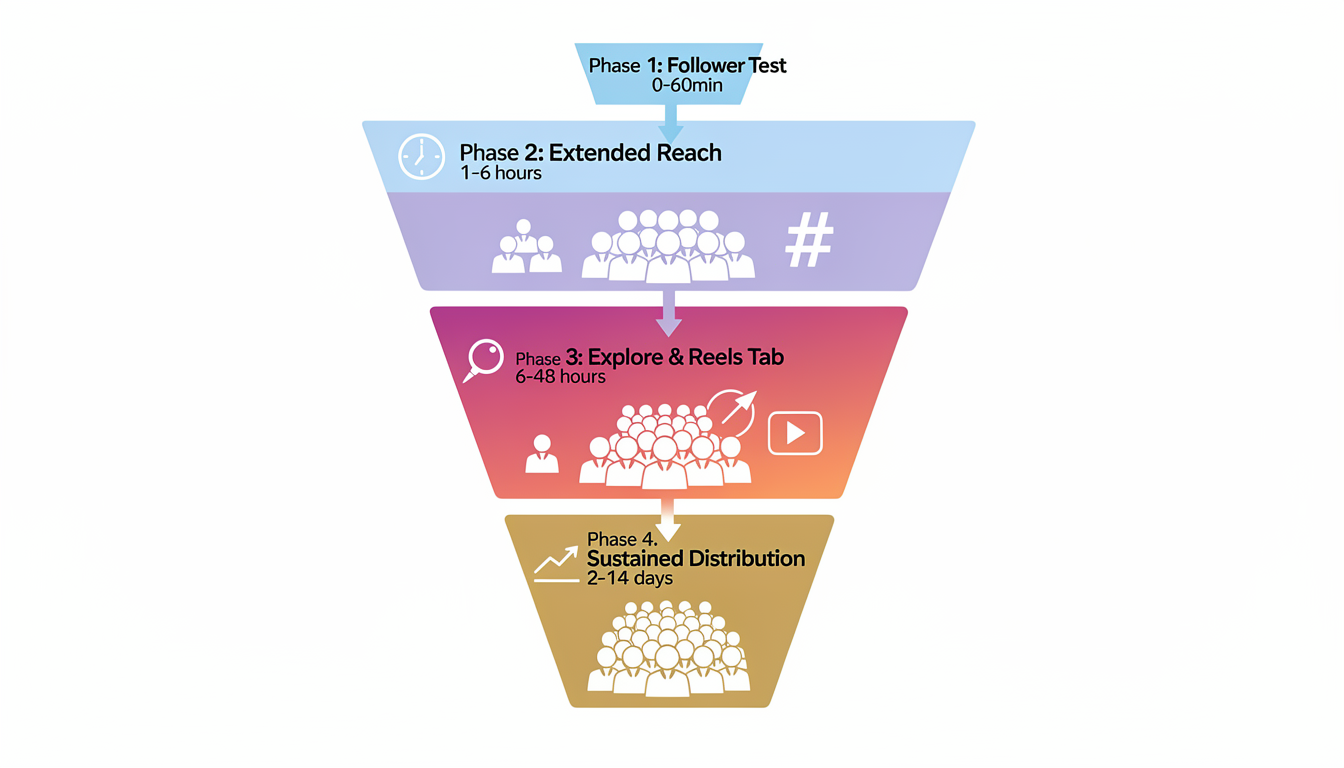
Understanding the distribution funnel helps you know exactly where your content needs to perform:
Phase 1 — Follower test (0-60 minutes): Instagram shows your post to 10-20% of your followers. If engagement is strong relative to your baseline, it moves to Phase 2.
Phase 2 — Extended reach (1-6 hours): Your content gets shown to more followers and begins appearing on hashtag pages. Strong signals here trigger Phase 3.
Phase 3 — Explore and Reels tab (6-48 hours): Your post enters non-follower feeds. This is where viral growth happens. If performance holds, Instagram keeps pushing.
Phase 4 — Sustained distribution (2-14 days): Top-performing content can continue getting reach for days or even weeks. Evergreen carousels often see this extended tail.
The critical window is Phase 1. Everything you do — timing, hooks, CTAs — should be optimized to win that first hour.
What Type of Content Goes Viral on Instagram?
Not all formats have equal viral potential. In 2026, two formats dominate discovery: Reels and carousels. Each serves a different purpose in your strategy, and the best creators use both.
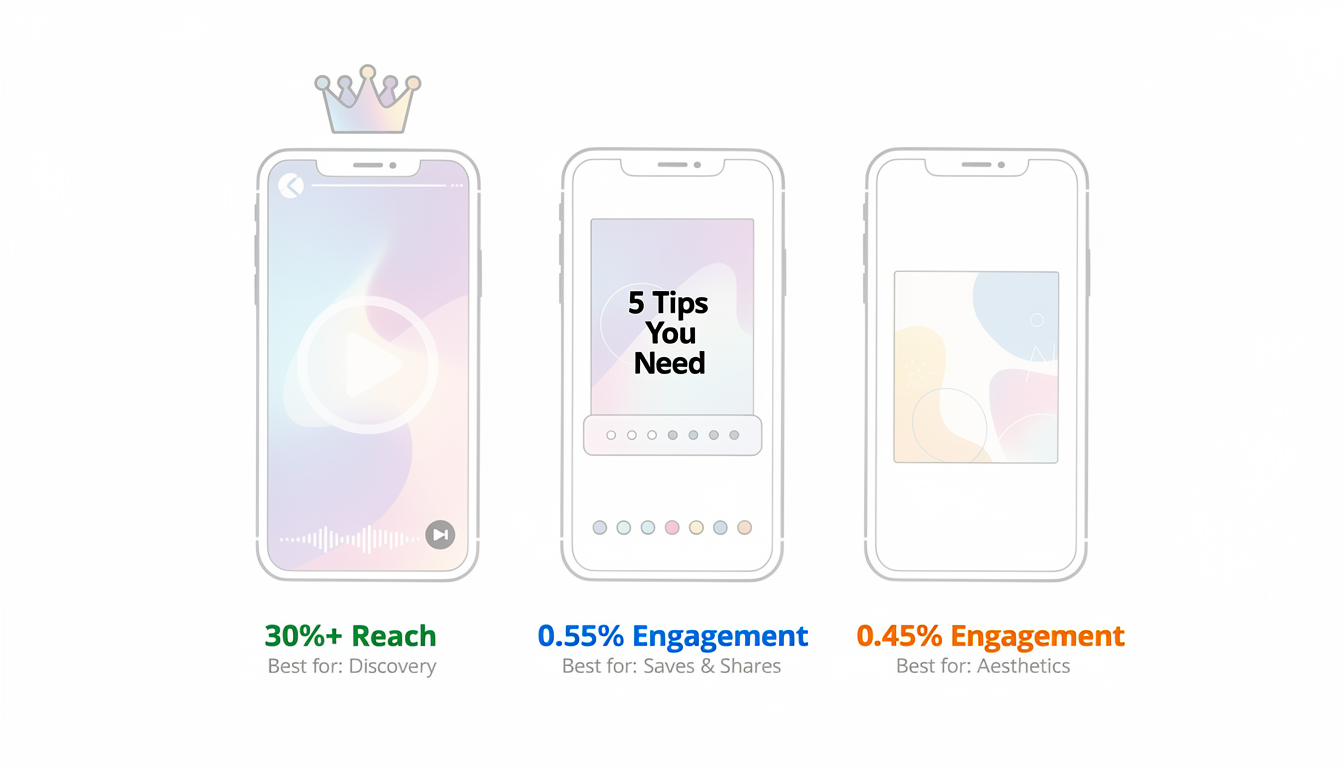
Instagram Content Format Comparison
This table breaks down how each content format performs across the metrics that matter most for going viral:
| Format | Average Reach | Engagement Rate | Best For | Viral Potential |
|---|---|---|---|---|
| Reels | 30%+ of followers, pushed to non-followers | ~0.50% | Discovery, reaching new audiences | Highest |
| Carousels | Lower organic reach | ~0.55% (highest of all formats) | Saves, shares, deep engagement | High |
| Single images | Limited, rarely pushed to Explore | ~0.45% | Visual moments, brand aesthetics | Low |
| Stories | Followers only | Varies | Retention, community building (learn how Story views work) | Minimal (no discovery) |
For a deeper dive on when to use each format, check out our comparison of Instagram Post vs Story vs Reel.
Reels: Your Discovery Engine
Reels are Instagram's primary tool for reaching people who do not follow you. Nearly 38.5% of all Instagram content views happen on Reels, and the platform actively pushes high-performing short-form video to the Reels tab and Explore page.
Why Reels go viral more often:
- They reach 30%+ of your followers on average (higher than any other format)
- Instagram aggressively surfaces Reels to non-followers
- Completion rate and replay metrics create compound signals
- Trending audio gives your content a built-in discovery boost
Optimal Reel specs for virality:
| Element | Recommendation | Why |
|---|---|---|
| Length | 15-30 seconds (max 90 seconds) | Shorter Reels get watched to completion more often, boosting your completion rate signal. For longer content, see how to post a long video on Instagram |
| Audio | Trending sounds relevant to your niche | The algorithm favors content using popular audio tracks |
| Aspect ratio | 9:16 vertical, 1080x1920px | Full-screen format gets more attention. See our Instagram image size guide for exact specs and the social media safe zones guide for where to place text and visuals |
| Watermarks | None — remove all TikTok/CapCut logos | Instagram explicitly downranks content with competitor watermarks |
| Looping | Seamless ending that flows into the start | Viewers unknowingly rewatch, doubling your watch time metric |
| Captions | Always add on-screen text | ~50% of users watch on mute. Text overlays ensure your hook lands regardless |
Carousels: Your Engagement and Save Machine
While Reels dominate discovery, carousels generate the highest engagement rate of any Instagram format at approximately 0.55%. They are also the format most likely to earn saves, which the algorithm weights heavily.
Why carousels work for virality:
- Each swipe counts as engagement, keeping users on your post longer
- They lead all formats in saves (people bookmark useful carousels as reference material)
- Educational and resource-based carousels get shared heavily in DMs
- The multi-slide format lets you deliver more value per post
Carousel structure that maximizes engagement:
- Slide 1 — The hook: Bold headline, intriguing question, or surprising stat. This is your scroll-stopper. Make it impossible to ignore.
- Slides 2-8 — The value: One clear idea per slide. Use a mix of text, visuals, and data. Keep text concise and scannable.
- Slide 9 — The share trigger: Include your most surprising or relatable insight here. This is the slide people screenshot and send to friends.
- Slide 10 — The CTA: "Save this for later" or "Share with someone who needs this." Be specific about why they should act.
For a complete guide on creating high-performing carousels, see our Instagram carousel guide. If you want to schedule them in advance, here is how to schedule carousel posts on Instagram.
 PostPlanify
All your social media in one simple dashboard
Schedule posts, track analytics, and reply to comments/DMs without switching tabs.

Engagement
+18%
Views
52.8k
How to Hook Viewers in the First 3 Seconds
You have roughly 1.7-3 seconds before someone scrolls past your content. Adam Mosseri has confirmed this repeatedly: the opening moments of a Reel determine everything. If you lose the viewer here, the algorithm never gets a chance to see what happens next.
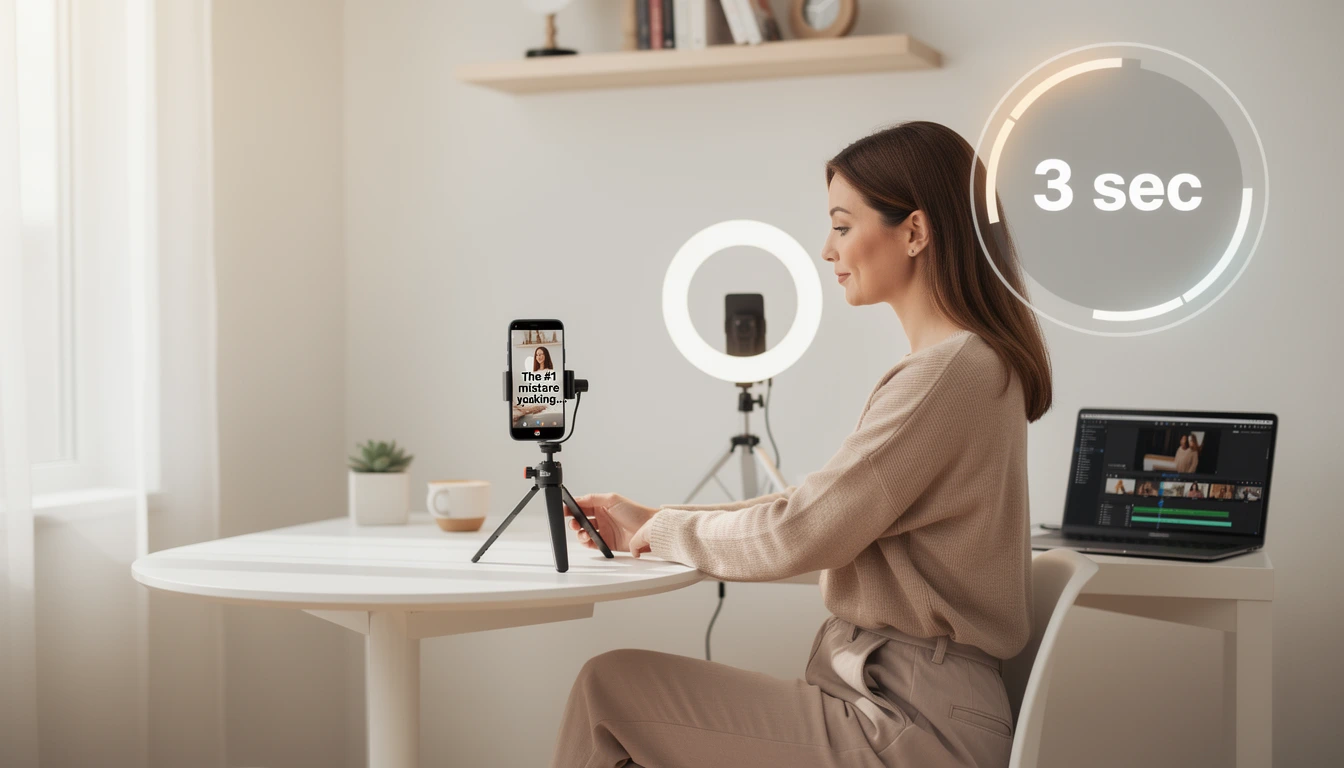
The same principle applies to carousels (your first slide is the hook) and even static images (the visual itself must arrest attention).
12 Proven Hook Formulas That Stop the Scroll
These hook templates are used by creators who consistently go viral. Adapt them to your niche:
| Hook Type | Example | Why It Works |
|---|---|---|
| Mistake reveal | "The biggest mistake you're making with [topic]..." | Triggers fear of doing something wrong |
| Surprising stat | "90% of creators don't know this about the algorithm..." | Curiosity gap — viewers need to find out if they are in the 90% |
| Contrarian take | "Stop posting Reels every day. Here's why." | Challenges conventional wisdom, demands attention |
| Before/after tease | Show the dramatic result in the first frame | Visual proof creates curiosity about the process |
| Direct address | "If you're a [specific audience], watch this." | Feels personally relevant, like you are speaking directly to them |
| POV format | "POV: You finally understand how the algorithm works" | Relatable scenarios create instant emotional connection |
| List promise | "5 free tools that changed my Instagram growth" | Specific number + clear value = high watch motivation |
| Question hook | "Why do some Reels go viral while yours don't?" | Directly addresses the viewer's pain point |
| Tutorial preview | "Here's exactly how I got 100K views on my last Reel" | Promise of a replicable system |
| Myth busting | "Everything you've been told about hashtags is wrong" | Challenges existing beliefs |
| Time pressure | "Instagram just changed this — here's what you need to know" | Urgency + relevance to current events |
| Social proof | "This strategy helped me go from 500 to 50K followers" | Real results build instant credibility |
Why Text Overlays Are Non-Negotiable
Around 50% of Instagram users watch videos with sound off. If your hook relies entirely on audio, you are losing half your potential audience before you even start. Bold, readable text overlays in the first frame ensure your message lands regardless of sound settings.
Text overlay best practices:
- Use large, high-contrast fonts (white text with dark shadow works on any background)
- Keep it to one line or a short phrase — not a paragraph
- Position text in the center third of the frame (avoid edges where UI elements overlap)
- Match the text to your spoken hook so it reinforces the message for sound-on viewers
Emotional Triggers That Drive Viral Engagement
Viral content almost always triggers a strong emotional response. The specific emotion determines what action the viewer takes:
| Emotion | Viewer Action | Content Example |
|---|---|---|
| Surprise/shock | Share via DM ("you need to see this") | Unexpected stat, dramatic transformation |
| Recognition ("that's me") | Share + comment | Relatable workplace or lifestyle scenario |
| Inspiration | Save for later | Step-by-step tutorial, motivational story |
| Humor | Share widely | Funny skit, meme format, trending audio parody |
| FOMO | Follow + save | "Things I wish I knew sooner" or limited-time tips |
| Curiosity | Watch to completion | Open loops, cliffhangers, "wait for it" setups |
The strongest viral content combines two or more emotions. A funny tutorial (humor + inspiration) or a shocking stat paired with an actionable fix (surprise + utility) will outperform content that only hits one emotional note.
How to Create Content That Gets Shared and Saved
Shares and saves are weighted more heavily than likes in 2026. These two signals tell the algorithm that your content has real value beyond a quick double-tap. Designing specifically for shares and saves is one of the highest-leverage things you can do.
The Share vs Save Framework
Understanding why people share versus why they save helps you create content that earns both:
| Action | What Motivates It | Content That Earns It | Algorithm Weight |
|---|---|---|---|
| Share (DM send) | "My friend needs to see this" | Relatable humor, shocking facts, useful tips for a specific group | Very high — Instagram treats shares as strongest endorsement |
| Save (bookmark) | "I want to reference this later" | Tutorials, checklists, resource lists, templates, step-by-step guides | Very high — signals lasting, evergreen value |
| Like | "I enjoyed this" | Anything pleasant, funny, or attractive | Moderate |
| Comment | "I have something to say" | Controversial takes, direct questions, debate-worthy topics | Moderate-high (especially meaningful comments) |
7 Content Types That Earn the Most Shares and Saves
-
Resource carousels — "10 Free Tools Every [Audience] Should Know." People save these as reference libraries and share them with colleagues.
-
Step-by-step tutorials — Show a process from start to finish. The more specific and actionable, the more saves you earn.
-
Relatable skits/memes — Universal experiences ("every Monday morning" or "when your boss asks if you can stay late") get forwarded in group chats.
-
Before/after transformations — Visual proof of a process working. Fitness, design, editing, cooking — any niche with visible results.
-
Data-driven insights — Original data or surprising statistics presented visually. People share these to look knowledgeable.
-
Checklists and templates — Downloadable or screenshot-able resources. "Your Instagram content calendar template" or "Pre-posting checklist."
-
Hot takes with substance — Contrarian opinions backed by evidence. These spark conversation (comments) and get shared because people want others' reactions.
Writing CTAs That Actually Drive Action
Generic CTAs like "share this post" do not work. Specific, contextual CTAs dramatically outperform them:
-
Instead of: "Share this post" Try: "Tag a friend who needs to hear tip #3"
-
Instead of: "Save for later" Try: "Save this checklist for your next content planning session"
-
Instead of: "Like if you agree" Try: "Double-tap if you've made mistake #2 (be honest)"
The specificity gives people a concrete reason to act rather than a vague suggestion they can ignore.
How to Drive Engagement That Triggers the Algorithm
Beyond shares and saves, the volume and speed of overall engagement determine whether Instagram pushes your content further. Engagement velocity — how quickly interactions arrive — is particularly critical in that first 60-90 minute window.
Strategies to Maximize Early Engagement
1. Post when your audience is actually online. Check Instagram Insights to find when your followers are most active. Common peak windows are 11 AM-1 PM and 7-9 PM in your audience's primary timezone. Posting at 3 AM when nobody is online means your content flatlines before the algorithm even evaluates it.
For platform-specific timing data, see our guide on the best time to post on Instagram, broken down by day, format, and industry.
2. Reply to every comment within the first hour. Each reply doubles the comment count (their comment + your response). More importantly, genuine back-and-forth dialogue signals to Instagram that real conversation is happening. Block 30-60 minutes after posting to engage with early commenters.
3. Ask specific questions in your captions. "What's your biggest struggle with [topic]?" generates more responses than "Thoughts?" Give people something concrete to respond to and make it easy to answer.
4. Use Stories to drive traffic to your new post. When you publish a new Reel or carousel, immediately share it to your Story with a sticker or comment prompt. Your most loyal followers will see the Story first and give you that critical early engagement boost.
5. Engage with your community before and after posting. Spend 15-20 minutes engaging with other accounts in your niche before you post. Leave thoughtful comments on their content. When you then publish your own post, those creators (and their followers who noticed your comment) are more likely to engage back.
For a complete system on building engagement across all platforms, read our guide on how to improve social media engagement.
The Engagement Velocity Timeline
Here is what should happen in the first few hours after posting to give your content the best chance of going viral:
| Timeframe | Action | Goal |
|---|---|---|
| -20 min to 0 | Engage with 10-15 accounts in your niche | Warm up your presence so your post enters an active ecosystem |
| 0 min (publish) | Post your content at your peak audience time | Maximum initial eyeballs |
| 0-5 min | Share to Stories with engagement prompt | Drive immediate traffic from loyal followers |
| 5-30 min | Reply to every comment as it arrives | Build dialogue, double comment count |
| 30-60 min | Continue replying, engage with related hashtag posts | Sustain engagement momentum |
| 1-2 hours | Check initial metrics (reach, saves, shares) | Assess whether the post is trending — if strong, share to Stories again |
| 2-6 hours | Monitor and reply to new comments periodically | Maintain engagement signals |
How to Use Hashtags in 2026 (Without Killing Your Reach)
Hashtags are not as powerful as they were in 2020, but they still serve a purpose when used correctly. The key shift: Instagram now relies more on AI content understanding than hashtag categorization. Hashtags supplement the algorithm's understanding of your content — they do not replace it.
The Modern Hashtag Strategy
| Approach | Number of Hashtags | What to Use | What to Avoid |
|---|---|---|---|
| Recommended | 3-5 per post | Mix of niche-specific (under 500K posts) and topic-relevant hashtags | Using 30 hashtags, all broad and generic |
| Acceptable | 5-10 per post | All directly relevant to your content | Banned or flagged hashtags (check before using) |
| Harmful | 20-30 per post | Irrelevant trending tags stuffed for reach | Exact same set of hashtags on every post (looks automated) |
For an in-depth guide on hashtag optimization, see our post on how many hashtags to use on Instagram.
How to Find the Right Hashtags
- Search your niche keyword on Instagram's Explore page and note which hashtags appear on top-performing posts
- Check hashtag volume — aim for hashtags with 10K-500K posts (large enough for discovery, small enough to compete)
- Study your competitors — what hashtags are accounts similar to yours using on their highest-performing content?
- Use 1-2 broad hashtags (#InstagramTips) mixed with 2-3 niche hashtags (#ReelsStrategyForCreators)
- Rotate your hashtags — using the exact same set on every post looks spammy to the algorithm
PostPlanifyAll your social media in one simple dashboard
Schedule posts, track analytics, and reply to comments/DMs without switching tabs.
Engagement
+18%
Views
52.8k
How to Ride Trends Without Losing Your Brand
Trends are viral accelerators. Trending audio, formats, challenges, and cultural moments give your content built-in momentum because Instagram's algorithm actively surfaces trending content to more users. But blindly copying trends is a waste of time. The creators who go viral add their own twist.
The Trend Adaptation Framework
The goal is not to copy a trend — it is to translate it into your niche:
| Trend Type | How to Adapt It | Example |
|---|---|---|
| Trending audio | Keep the sound, replace the visual with your niche context | A trending comedy sound applied to "when your scheduled post goes live at 3 AM" |
| Format/template | Follow the structure, change the content entirely | "Things in my [profession] that just make sense" using a popular video template |
| Challenge | Participate but add your expertise | A dance trend incorporated into a workspace or product demo |
| Cultural moment | Create timely content around shared experiences | Holiday-themed content, New Year planning posts, seasonal shifts |
When to Jump on a Trend
Early is everything. If you spot a trend while it is still rising, you catch the wave with minimal competition. By the time a trend is everywhere, the algorithm has already distributed millions of similar posts.
How to spot trends early:
- Check the Instagram Reels tab daily for emerging audio and formats
- Watch TikTok (trends often migrate to Instagram 1-2 weeks later)
- Follow trend-tracking accounts in your niche
- Pay attention to the trending audio arrow icon when browsing Reels
When to skip a trend:
- It does not align with your niche or brand at all
- You cannot add a unique angle — your version would be identical to hundreds of others
- The trend involves anything that violates Instagram's community guidelines
- It has already peaked and the feed is saturated
For ideas on how to repurpose trending content across platforms, check out our guide on content repurposing strategies.
How Instagram Collabs Multiply Your Reach
Collaboration is one of the most underused growth tactics on Instagram. When you co-create content with another account, you tap into their audience while they tap into yours. Instagram's native Collab feature makes this seamless.
How the Instagram Collab Feature Works
When you invite a collaborator on a feed post or Reel, the content appears on both profiles simultaneously and pools all engagement (likes, comments, shares, views). This means:
- A 5K-follower account collaborating with a 50K-follower account gets their content shown to both audiences
- Pooled engagement means higher initial activity, which the algorithm loves
- Both accounts benefit from each other's follower trust
Finding the Right Collaboration Partners
The best collabs are audience-aligned but skill-complementary:
| What to Look For | Why It Matters | Example |
|---|---|---|
| Similar audience demographics | Their followers will actually care about your content | A fitness trainer + a nutritionist |
| Complementary expertise | The collab creates something neither could alone | A photographer + a travel blogger |
| Similar or larger following | Collaborating upward maximizes your reach | Partner with accounts at your level or above |
| Genuine content alignment | Forced collabs feel inauthentic and underperform | Only partner when the content idea genuinely excites both parties |
Beyond the Collab tag: Instagram Lives together, Story takeovers, and genuine shoutouts all create cross-pollination between audiences. The key is mutual value — both parties should gain followers and engagement from the partnership.
What to Do After You Go Viral (The 48-Hour Window)
Going viral is not the finish line. What you do in the 24-48 hours after a viral post determines whether you convert that attention into lasting growth or watch it evaporate.
The Post-Viral Action Plan
Adam Mosseri himself has advised creators to post again "in the next day or two" after a viral moment. Here is why and what to do:
| Action | Timing | Why It Works |
|---|---|---|
| Post follow-up content | Within 24 hours | Instagram's system sees your account as "hot" and gives your next posts higher baseline reach |
| Make it related to what went viral | Same topic or format | New followers came for that specific content. Give them more of what they want. |
| Engage your new audience | Immediately and continuously | Reply to comments, post a welcome Story. Convert one-time viewers into long-term followers. |
| Create a reply Reel | Within 24-48 hours | Reply to a top comment with a new Reel. It appears linked to the original, capturing residual traffic. |
| Analyze what worked | After 48-72 hours | Identify the specific elements (topic, hook, format, timing) that drove performance. Replicate those in future content. |
| Pin top-performing posts | After the initial wave settles | New profile visitors will see your best content first, increasing follow-through rates. |
Common Post-Viral Mistakes
- Disappearing for a week — the algorithm's boost fades fast if you go silent
- Pivoting to completely different content — you confuse new followers who came for a specific topic
- Chasing the same result obsessively — not every post will go viral. Extract lessons and move on.
- Ignoring your new followers — they need nurturing. If they never see or engage with your content again, they become dead followers who drag down your engagement rate.
For strategies on maintaining growth momentum, see our guide on how to grow Instagram followers organically.
10 Mistakes That Kill Your Viral Potential
Knowing what to avoid is as important as knowing what to do. These mistakes actively suppress your reach or get your content penalized:
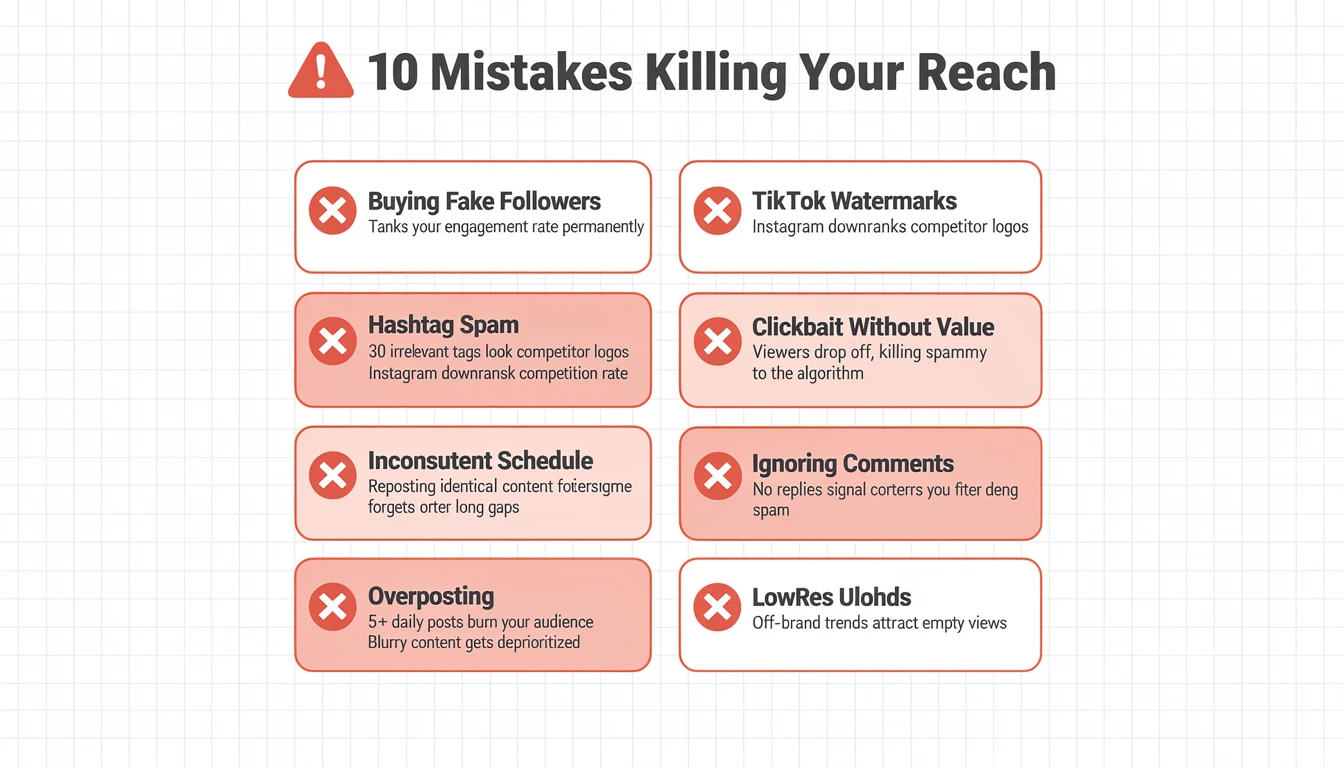
Mistake Severity Guide
| Mistake | Severity | What Happens | The Fix |
|---|---|---|---|
| Buying followers or engagement | Critical | Tanks your engagement rate. Fake followers never interact, so Instagram shows your content to fewer real people. | Focus on organic growth. 1,000 real followers outperform 50,000 bots. |
| Posting with TikTok/CapCut watermarks | Critical | Instagram explicitly downranks watermarked content from competitor platforms. | Always upload the original raw file or remove watermarks before posting. |
| Using banned or irrelevant hashtags | High | Can suppress your post's reach entirely. Instagram may flag your account as spammy. | Research hashtags before using them. Keep them relevant and limit to 3-5. |
| Clickbait without delivering value | High | Viewers drop off early, killing your completion rate. Repeat offenders lose algorithmic trust. | Back up every hook with genuine substance. |
| Posting the same content repeatedly | High | Borders on spam behavior. The algorithm notices duplicate content. | Each post should offer something new, even if the topic is similar. |
| Inconsistent posting schedule | Medium | You fall off the algorithm's radar. Re-entry after a long gap starts from a lower baseline. | Find a sustainable rhythm (3-5x/week) and stick to it. |
| Ignoring comments and DMs | Medium | Signals to the algorithm that no real conversation is happening. Discourages future engagement. | Reply to comments within the first hour. Treat DMs as relationship builders. |
| Overposting (5+ times daily) | Medium | Burns out your audience. Engagement per post drops, which the algorithm interprets as declining quality. | Quality over quantity. 4 great posts per week beat 14 mediocre ones. |
| Low-resolution or poorly edited content | Medium | Gets deprioritized as low-quality content. Viewers scroll past blurry or amateur-looking posts. | Shoot in 1080p minimum. Use good lighting and clean edits. |
| Forcing trends that don't fit your brand | Low | Confuses your audience and attracts empty views rather than meaningful followers. | Only participate in trends you can authentically adapt to your niche. |
PostPlanifyAll your social media in one simple dashboard
Schedule posts, track analytics, and reply to comments/DMs without switching tabs.
Engagement
+18%
Views
52.8k
Consistency and Scheduling: The Foundation of Virality
Virality is partly a numbers game. The more quality content you publish consistently, the more chances you have for something to break out. But "consistently" does not mean randomly posting whenever you remember. It means showing up on a predictable schedule that the algorithm and your audience can rely on.
Why Consistency Matters for the Algorithm
- Instagram favors accounts that post regularly because it has more data to work with
- Consistent posting builds algorithmic trust, giving your new content a higher starting reach
- Your followers develop expectations. When they know you post Tuesdays and Thursdays, they look for your content.
- Inconsistent accounts that disappear for weeks see reduced initial reach when they return
How to Build a Sustainable Posting Schedule
| Weekly Volume | Who It Is For | What to Post |
|---|---|---|
| 3x per week | Solo creators, small businesses | 2 Reels + 1 Carousel (or vice versa) |
| 5x per week | Growing accounts, agencies | 3 Reels + 2 Carousels, daily Stories |
| 7x per week | Full-time creators, media brands | Daily mix of Reels and Carousels, daily Stories, weekly Live |
The best way to maintain consistency without burnout is content batching — creating multiple pieces of content in a single session and scheduling them across the week. For planning your content pipeline, check our guide on how to plan social media content.
How Scheduling Tools Help You Go Viral
Manually posting at peak times every day is unsustainable, especially if you are managing content across multiple platforms. A scheduling tool like PostPlanify lets you:
- Batch-create content in focused sessions and schedule it for optimal times
- Hit peak engagement windows automatically, even when you are asleep or busy
- Maintain consistency without being glued to your phone
- Cross-post to multiple platforms (Instagram, TikTok, YouTube, LinkedIn, and more) from one dashboard
- Schedule Reels, carousels, and Stories in advance so you never miss a posting window

For a detailed walkthrough, see our guide on how to schedule Instagram posts and specifically how to schedule Instagram Reels.
The Complete Instagram Virality Checklist
Use this checklist before publishing any piece of content:
Pre-Publish Checklist
- Hook is strong — First 1-3 seconds (or first carousel slide) will stop the scroll
- Text overlay added — Key message readable without sound
- Content delivers value — Teaches, entertains, or emotionally resonates
- No watermarks — TikTok/CapCut logos removed
- Optimal length — Reels under 60 seconds (ideally 15-30), carousels 5-10 slides
- CTA is specific — Tells the viewer exactly what to do and why
- Hashtags are relevant — 3-5 niche-appropriate hashtags, no banned tags
- Posting at peak time — Scheduled for when your audience is most active
- Caption prompts engagement — Includes a question or conversation starter
- Image/video quality — 1080p minimum, good lighting, clean composition
Post-Publish Checklist
- Shared to Stories — With engagement sticker or comment prompt
- Replying to comments — Within first 30-60 minutes
- Engaging with niche accounts — 15-20 minutes of community engagement
- Monitoring early metrics — Watching reach, saves, shares in first 2 hours
- Follow-up content planned — Ready to capitalize if the post takes off
Frequently Asked Questions
How many followers do you need to go viral on Instagram?
Zero. You do not need a large following to go viral. Instagram's algorithm evaluates content quality independently of follower count. Reels from accounts with under 1,000 followers regularly hit Explore if the content triggers the right signals (high watch time, strong shares, fast engagement). Your content's performance with its initial test audience matters far more than your total follower count.
How long does it take for an Instagram post to go viral?
Most viral posts show strong signals within the first 1-2 hours. If your content is going to break out, you will typically see above-average engagement velocity in the first 60 minutes. However, the full viral push can take 24-72 hours to play out as Instagram progressively distributes your content to wider audiences. Some evergreen carousels experience delayed virality weeks after posting.
Do hashtags still matter for going viral on Instagram in 2026?
They help, but they are not the primary driver. Instagram's AI now analyzes your actual content (video frames, audio, text) to understand what it is about. Hashtags supplement this understanding and can help categorize your content for specific interest groups. Use 3-5 relevant hashtags rather than stuffing 30 generic ones, which can actually hurt your reach. For more detail, see our guide on how many hashtags to use on Instagram.
Can you go viral on Instagram with photos instead of Reels?
It is possible but significantly harder. Single-image posts receive limited algorithmic push compared to Reels and carousels. If your photo is visually exceptional, timely, or culturally relevant, it can still perform well. But for consistent viral potential, Reels and carousels are far more reliable formats. The data shows static images average a 0.45% engagement rate versus 0.50% for Reels and 0.55% for carousels.
What is the best time to post on Instagram to go viral?
There is no universal best time. It depends entirely on when your specific audience is most active. Check Instagram Insights for your followers' activity patterns. Common peak windows are mid-morning (10-11 AM), lunch (12-1 PM), and evening (7-9 PM) in your audience's timezone. The critical factor is posting when enough people are online to generate fast early engagement. For detailed timing data, check our guide on the best time to post on Instagram.
Does Instagram shadowban accounts?
Instagram has stated that shadowbanning is not a real thing in the way most people describe it. However, content that violates community guidelines or triggers spam detection will see reduced distribution. If your reach suddenly drops, audit your recent activity: check for banned hashtags, guideline violations, or a pattern of underperforming content. The fix is usually adjusting your strategy rather than assuming a ban. For more context, read about suspended Instagram accounts. If you're facing the same issue on TikTok, our TikTok shadowban guide covers the full recovery process.
How often should you post to maximize viral chances?
Quality beats frequency every time. Posting 3-5 times per week with strong, strategic content will outperform posting daily with mediocre content. Each post should be your best effort. The algorithm evaluates individual post quality, not your posting volume. Find a sustainable rhythm and stick to it — consistency matters more than quantity.
Should you delete posts that don't go viral?
No. Deleting underperforming posts does not help your account and may actually hurt it. Some posts experience delayed discovery weeks after publishing. If a post truly clashes with your brand, archive it instead of deleting — this preserves all engagement data and lets you restore it later. Instead, analyze why a post underperformed, extract lessons, and apply them to your next piece of content. Keep your grid as a body of work that shows consistency and quality.
Your Next Steps
Going viral on Instagram in 2026 is not about luck. It is about systematically creating content that sends the right signals to the algorithm while genuinely resonating with real people. The creators who go viral consistently are not doing anything magic. They understand the system, they execute with discipline, and they treat every post as a learning opportunity.
Here is the simplest version of everything in this guide:
- Understand the algorithm — optimize for watch time, shares, saves, and engagement velocity
- Use the right formats — Reels for discovery, carousels for engagement
- Nail the hook — the first 3 seconds decide everything
- Create shareable content — if nobody would send it to a friend, rework it
- Engage genuinely — the first hour after posting is critical
- Stay consistent — show up on schedule so the algorithm trusts your account
- Capitalize on momentum — when something hits, double down immediately
If you are ready to build a consistent posting system without being chained to your phone, start your free 7-day trial of PostPlanify and start scheduling your Instagram content across all 10 platforms from one dashboard.
Related Reading
- Instagram Reels Algorithm: How It Works in 2026
- Best Time to Post on Instagram
- How to Schedule Instagram Posts in 2025
- How to Schedule Instagram Reels
- Instagram Post vs Story vs Reel
- How Many Hashtags on Instagram
- How to Grow Instagram Followers Organically
- Instagram Carousel Guide
- How to Archive Posts on Instagram
- Instagram Image Size Guide
- Views on Instagram Stories
- Automating Instagram Posts Safely
- Social Media Post Ideas
- How to Improve Social Media Engagement
- How to Increase Engagement on Instagram
PostPlanifyAll your social media in one simple dashboard
Schedule posts, track analytics, and reply to comments/DMs without switching tabs.
Engagement
+18%
Views
52.8k
About the Author

Hasan Cagli
Founder of PostPlanify, a content and social media scheduling platform. He focuses on building systems that help businesses, agencies, and teams plan, publish, and manage content and social media more efficiently across platforms.


