
Choosing between Publer and CoSchedule comes down to what you actually need: a budget-friendly social scheduler or a full content marketing calendar. Both tools handle social media publishing, but they take very different approaches to pricing, features, and target audience.
A budget-friendly social scheduler versus a full marketing calendar — same job, wildly different tools. We compare what each one actually delivers at your price point, which features matter for social teams, and what users say about the experience. See the full lineup at social media scheduling alternatives.
Publer vs CoSchedule at a Glance
Here's a quick side-by-side overview before we dive deeper:
| Category | Publer | CoSchedule |
|---|---|---|
| Starting Price | $12/mo (3 accounts) | $19/mo per user |
| Free Plan | Yes (3 accounts, no X/Twitter) | Yes (1 profile, 15 messages) |
| Platforms Supported | 13+ | 11 |
| Unlimited Scheduling | Yes (paid plans) | Yes (paid plans) |
| AI Tools | GPT-4 captions + DALL-E 3 images (Business) | Hire Mia AI assistant + 1,600 templates |
| AI Image Generation | Yes (Business plan) | No |
| Bulk Scheduling | Up to 500 posts (CSV) | Yes (Social Calendar+) |
| Team Collaboration | Add members at $2/mo each | Per-user pricing ($19-$59/user) |
| Approval Workflows | No | Yes (Agency Calendar+) |
| WordPress Integration | Yes (publish to WordPress) | Yes (deep editorial integration) |
| Analytics | Business plan only | Social Calendar+ |
| G2 Rating | 4.7/5 (486 reviews) | 4.3/5 (152 reviews) |
| Trustpilot Rating | 4.8/5 (863 reviews) | 2.8/5 (3 reviews) |
| Best For | Budget-conscious creators, small teams | Content marketers, editorial teams |
Publer Overview

Publer is a social media scheduling platform built for creators and agencies who want affordable, no-frills scheduling across a wide range of platforms. It uses a per-account pricing model that starts low and scales based on how many social accounts you connect.
Publer supports 13+ platforms: Facebook, Instagram, TikTok, X/Twitter, LinkedIn, Pinterest, YouTube, Google Business, WordPress, Threads, Bluesky, Mastodon, and Telegram.
Key features:
- Post scheduling with bulk upload (up to 500 posts via CSV)
- AI-powered captions (GPT-4) and AI image generation (DALL-E 3) on Business plan
- Content recycling with Spintax variation
- RSS feed automations
- Link in Bio for Instagram
- Watermarks and signatures
Publer is popular among budget-conscious creators and small agencies who need wide platform coverage without enterprise pricing. For a deeper look, see what users say about Publer on G2 and Trustpilot.
CoSchedule Overview
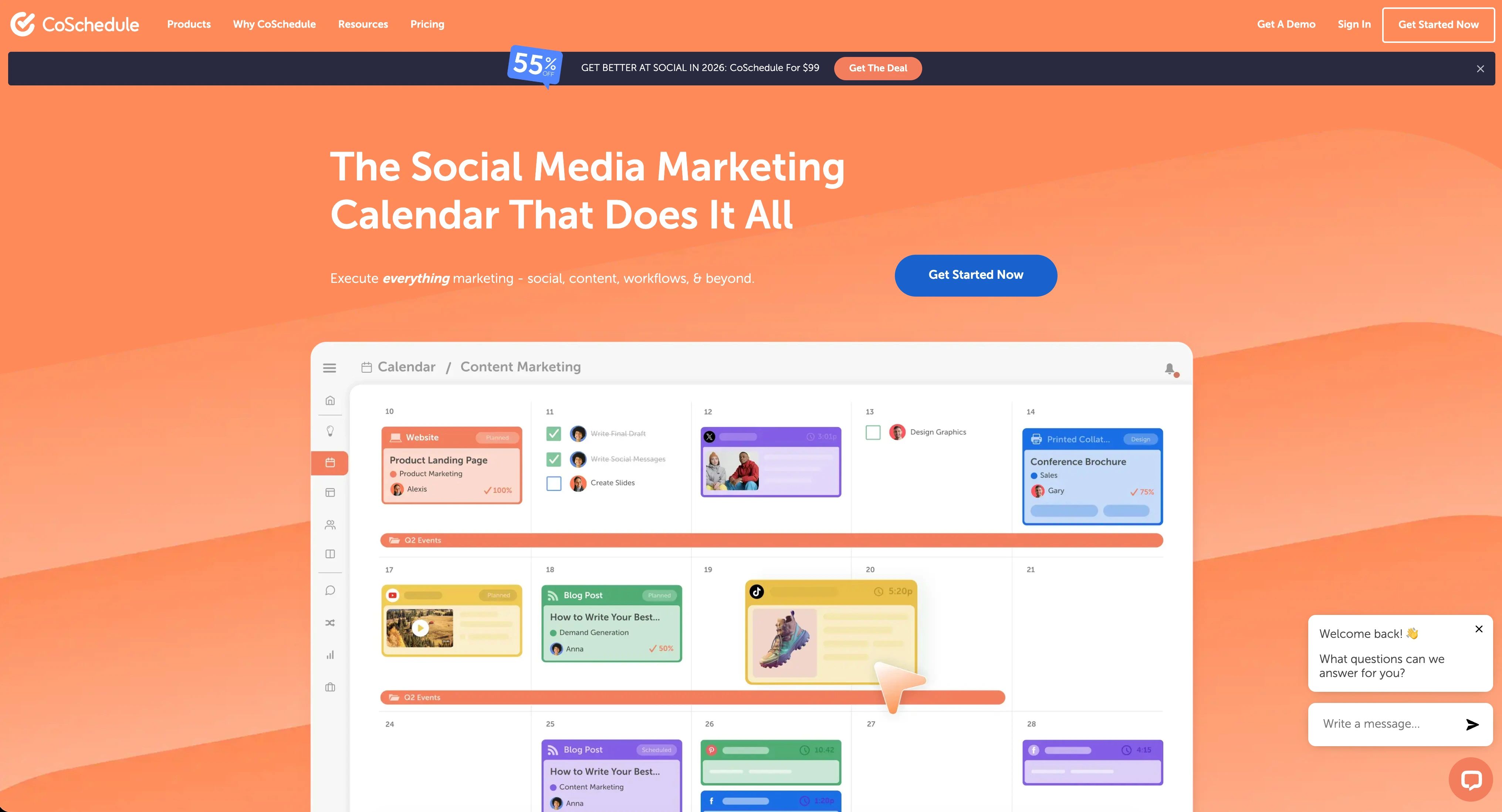
CoSchedule is a marketing suite that combines social media scheduling with editorial calendars, project management, and campaign planning. It positions itself as a content marketing hub rather than a pure social media scheduler.
CoSchedule supports 11 platforms across its plans, though X/Twitter is only available on Agency Calendar and higher.
Key features:
- Marketing calendar with drag-and-drop scheduling
- ReQueue for automatic content recycling
- Hire Mia AI assistant with 1,600+ project templates
- WordPress integration for blog-to-social workflows
- White label features and client calendars (Agency)
- Approval workflows and team management (Agency+)
- Campaign planning and project management (Marketing Suite)
CoSchedule is built for marketing teams and content-heavy organizations that need editorial planning alongside social publishing. Read real user reviews of CoSchedule from G2 and Trustpilot.
Pricing Comparison
Pricing is where Publer and CoSchedule take fundamentally different approaches. Publer charges per social account, while CoSchedule charges per user.
Publer Pricing
Publer uses per-account pricing. The base price includes 3 social accounts, and each additional account adds to the monthly cost. We break this down further in our Publer pricing guide.
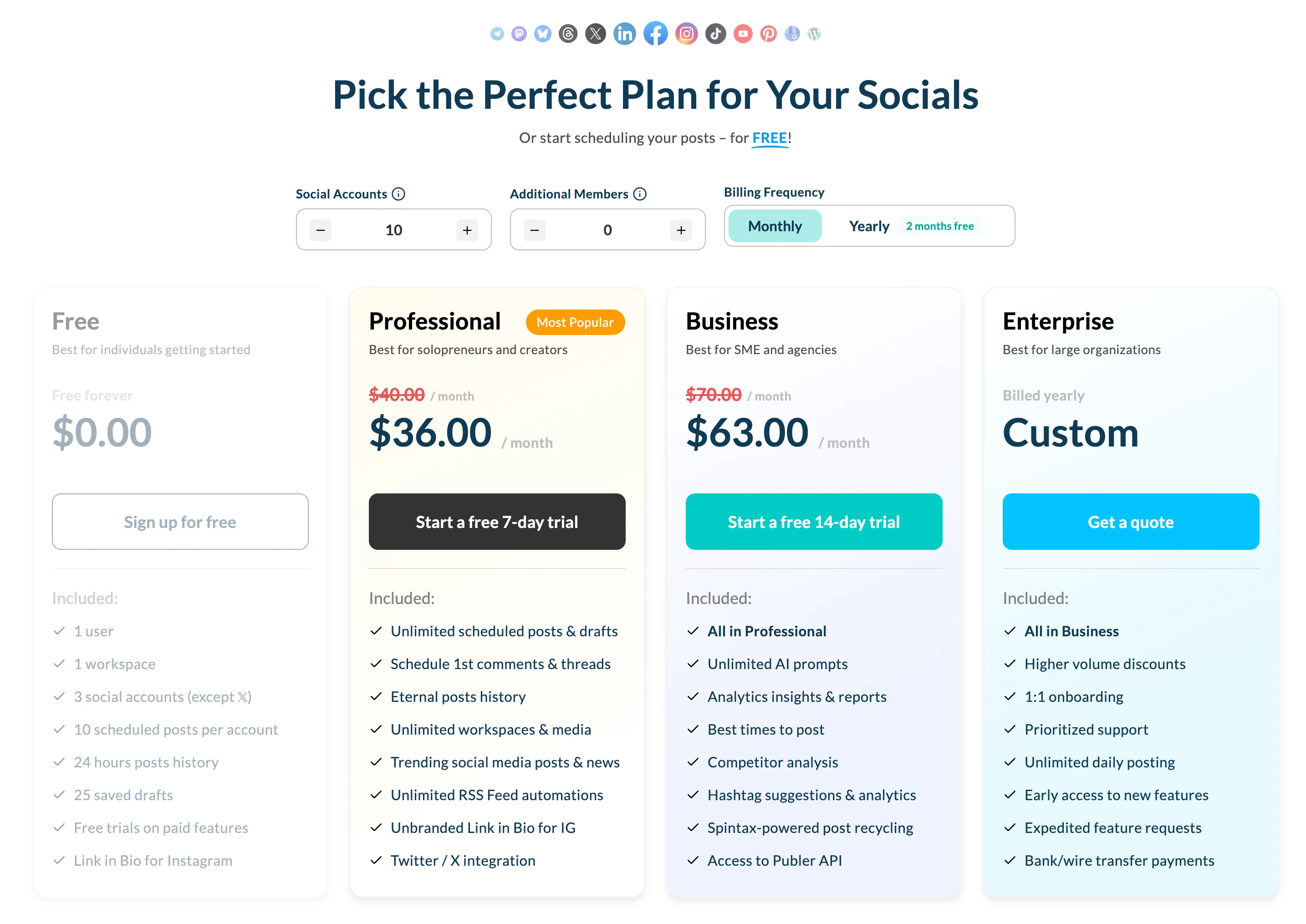
| Plan | Price (3 accounts) | 10 Accounts | Key Features |
|---|---|---|---|
| Free | $0/mo | N/A (3 max) | 10 posts/account, no X/Twitter |
| Professional | $12/mo | $36/mo | Unlimited posts, RSS, bulk scheduling |
| Business | $21/mo | $63/mo | AI captions (GPT-4), AI images, analytics |
| Enterprise | Custom (annual) | Custom | Volume discounts, priority support |
Example costs:
- 5 accounts on Professional = $20/month
- 10 accounts on Business = $63/month
- 25 accounts on Business = $161/month
CoSchedule Pricing
CoSchedule uses per-user pricing with profile limits on each plan. See the full CoSchedule pricing breakdown for details.
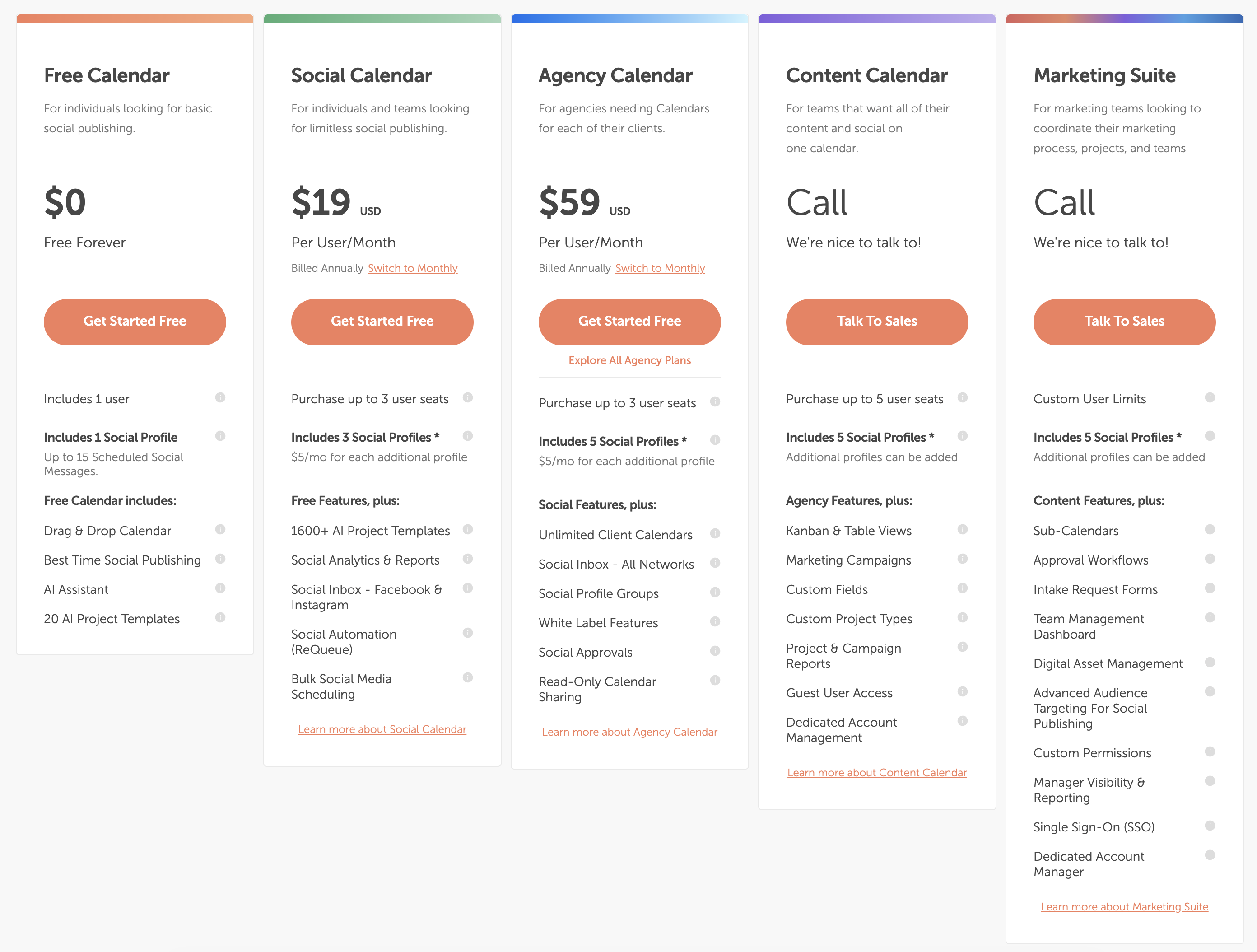
| Plan | Price | Profiles | Key Features |
|---|---|---|---|
| Free Calendar | $0/mo | 1 profile (15 messages) | Basic calendar, AI assistant |
| Social Calendar | $19/user/mo | 3 profiles (+$5/mo each extra) | ReQueue, analytics, bulk scheduling |
| Agency Calendar | $59/user/mo | 5 profiles (+$5/mo each extra) | White label, approvals, X/Twitter |
| Marketing Suite | Custom | Unlimited | Full marketing coordination, SSO |
Example costs:
- 1 user on Social Calendar (3 profiles) = $19/month
- 3 users on Social Calendar (5 profiles) = $67/month ($57 users + $10 profiles)
- 3 users on Agency Calendar (10 profiles) = $202/month ($177 users + $25 profiles)
Price Verdict
Publer is cheaper for most social scheduling use cases. A solo creator pays $12/month on Publer Professional vs $19/month on CoSchedule Social Calendar — and gets more platforms, unlimited posts, and more social profiles included.
However, CoSchedule's pricing model includes editorial calendar features, project management, and campaign tools that Publer does not offer. If you need a marketing calendar with blog integration, CoSchedule bundles that value into its per-user price. If you only need social scheduling, Publer delivers more for less.
 PostPlanify
Manage All Your Social Accounts Without the Chaos
Schedule posts, track performance, and collaborate with your team.


Feature Comparison
Scheduling & Publishing
Both tools handle social media scheduling, but their publishing approaches differ significantly:
| Feature | Publer | CoSchedule |
|---|---|---|
| Unlimited scheduling | Yes (paid plans) | Yes (paid plans) |
| Bulk scheduling | Up to 500 posts (CSV) | Yes (Social Calendar+) |
| Best time to post | Yes (Business plan) | Yes (all plans) |
| First comment scheduling | Yes (Professional+) | No |
| Content calendar | Yes | Yes (editorial-grade) |
| Post queue management | Yes | Yes |
| ReQueue / auto-recycling | Spintax recycling (Business) | ReQueue (Social Calendar+) |
| WordPress publishing | Yes (direct publish) | Yes (deep integration) |
| RSS auto-posting | Yes (Professional+) | No |
Winner: Depends on your workflow. Publer wins for volume scheduling (500-post CSV import, RSS feeds, first comments). CoSchedule wins for editorial planning with its drag-and-drop marketing calendar and deep WordPress integration.
AI Tools
| Feature | Publer | CoSchedule |
|---|---|---|
| AI caption generation | Yes (GPT-4, Business plan) | Yes (Hire Mia AI) |
| AI image generation | Yes (DALL-E 3, Business plan) | No |
| AI project templates | No | Yes (1,600+ templates) |
| AI content rewriting | Yes (Business plan) | Yes |
Winner: Publer for social content creation — GPT-4 captions plus DALL-E 3 image generation is a strong combination. CoSchedule wins for marketing project planning with 1,600+ AI templates, but lacks AI image generation entirely.
Analytics & Reporting
| Feature | Publer | CoSchedule |
|---|---|---|
| Basic analytics | Business plan only | Social Calendar+ |
| Social reports | Business plan only | Social Calendar+ |
| Competitor analysis | Business plan only | No |
| Hashtag analytics | Business plan only | No |
| Campaign reports | No | Content Calendar+ |
| Project reports | No | Content Calendar+ |
Winner: Tie. Publer offers stronger social-specific analytics (competitor analysis, hashtag analytics) on the Business plan. CoSchedule offers campaign and project reporting for content marketing teams on higher plans. Neither includes analytics on their lowest-priced plans.
Team Collaboration
| Feature | Publer | CoSchedule |
|---|---|---|
| Multiple users | $2/mo per added member | Per-user pricing ($19-$59/user) |
| Approval workflows | No | Yes (Agency Calendar+) |
| Client calendars | No | Yes (Agency Calendar — unlimited) |
| White label | No | Yes (Agency Calendar+) |
| Read-only calendar sharing | No | Yes (Agency Calendar+) |
| User permissions | Basic | Advanced (Marketing Suite) |
Winner: CoSchedule. This is CoSchedule's biggest advantage. Approval workflows, white label client calendars, and structured team permissions make CoSchedule far better for agencies and teams with formal content review processes. Publer does not offer approval workflows on any plan.
Social Inbox & Engagement
| Feature | Publer | CoSchedule |
|---|---|---|
| Social inbox | No | Yes (Facebook & Instagram on Social Calendar) |
| Full network inbox | No | Yes (Agency Calendar+) |
| Social listening | No | No |
| Sentiment analysis | No | No |
| Auto-responses | No | No |
Winner: CoSchedule — it includes a social inbox for Facebook and Instagram on the Social Calendar, expanding to all networks on Agency Calendar. Publer does not offer any inbox or engagement management features. Neither tool offers social listening.
Platform Support
| Platform | Publer | CoSchedule |
|---|---|---|
| Yes | Yes | |
| Yes | Yes | |
| X/Twitter | Yes (paid plans) | Agency Calendar+ only |
| Yes | Yes | |
| TikTok | Yes | Yes |
| YouTube | Yes | Yes |
| Yes | Yes | |
| Threads | Yes | Yes |
| Bluesky | Yes | No |
| Mastodon | Yes | No |
| Google Business | Yes | Yes |
| WordPress | Yes | Yes |
| Telegram | Yes | No |
Winner: Publer — supports 13+ platforms vs CoSchedule's 11. Publer includes Bluesky, Mastodon, and Telegram, which CoSchedule does not. Critically, Publer includes X/Twitter on all paid plans, while CoSchedule restricts X/Twitter to Agency Calendar ($59/user/mo) and above.
What Real Users Say
Publer Reviews
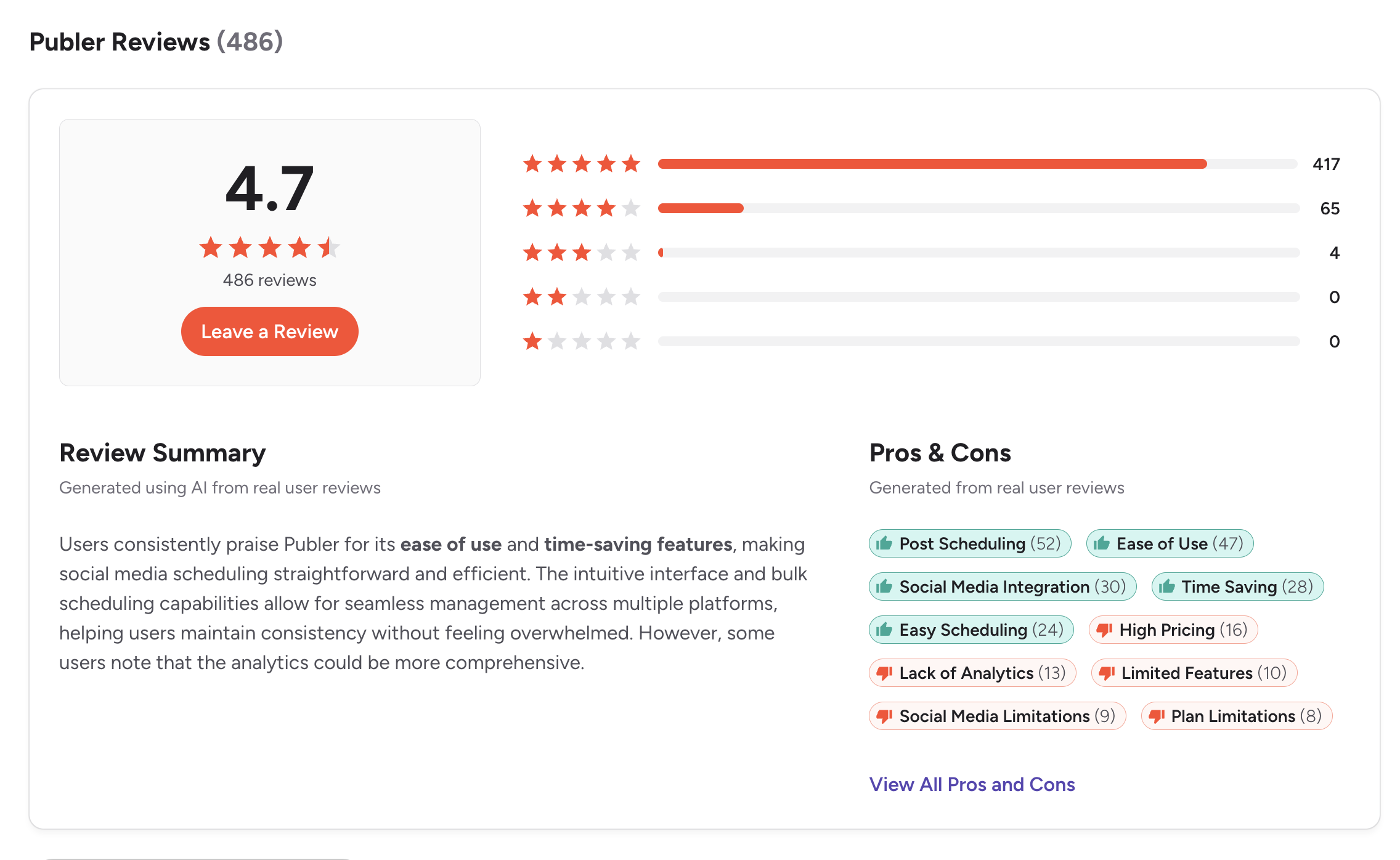
G2: 4.7/5 (486 reviews) — Users consistently praise Publer for ease of use, time-saving scheduling, and wide platform integration. Common complaints include analytics being limited to the Business plan, per-account pricing scaling at higher volumes, and the tool lacking advanced features for complex team needs.
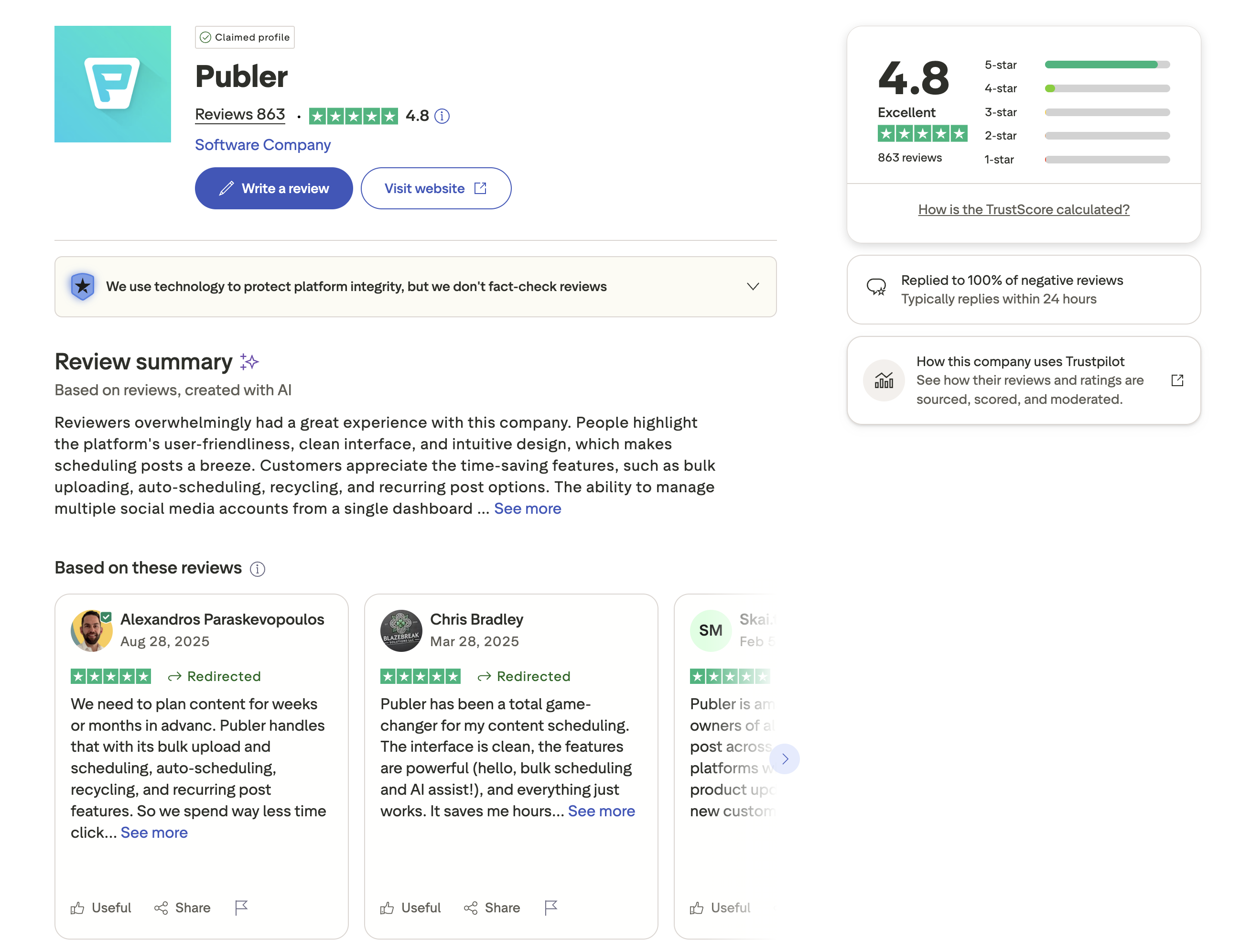
Trustpilot: 4.8/5 (863 reviews) — Overwhelmingly positive, with users highlighting the clean interface, bulk scheduling, auto-scheduling, and content recycling features. Publer replies to 100% of negative reviews, typically within 24 hours.
CoSchedule Reviews
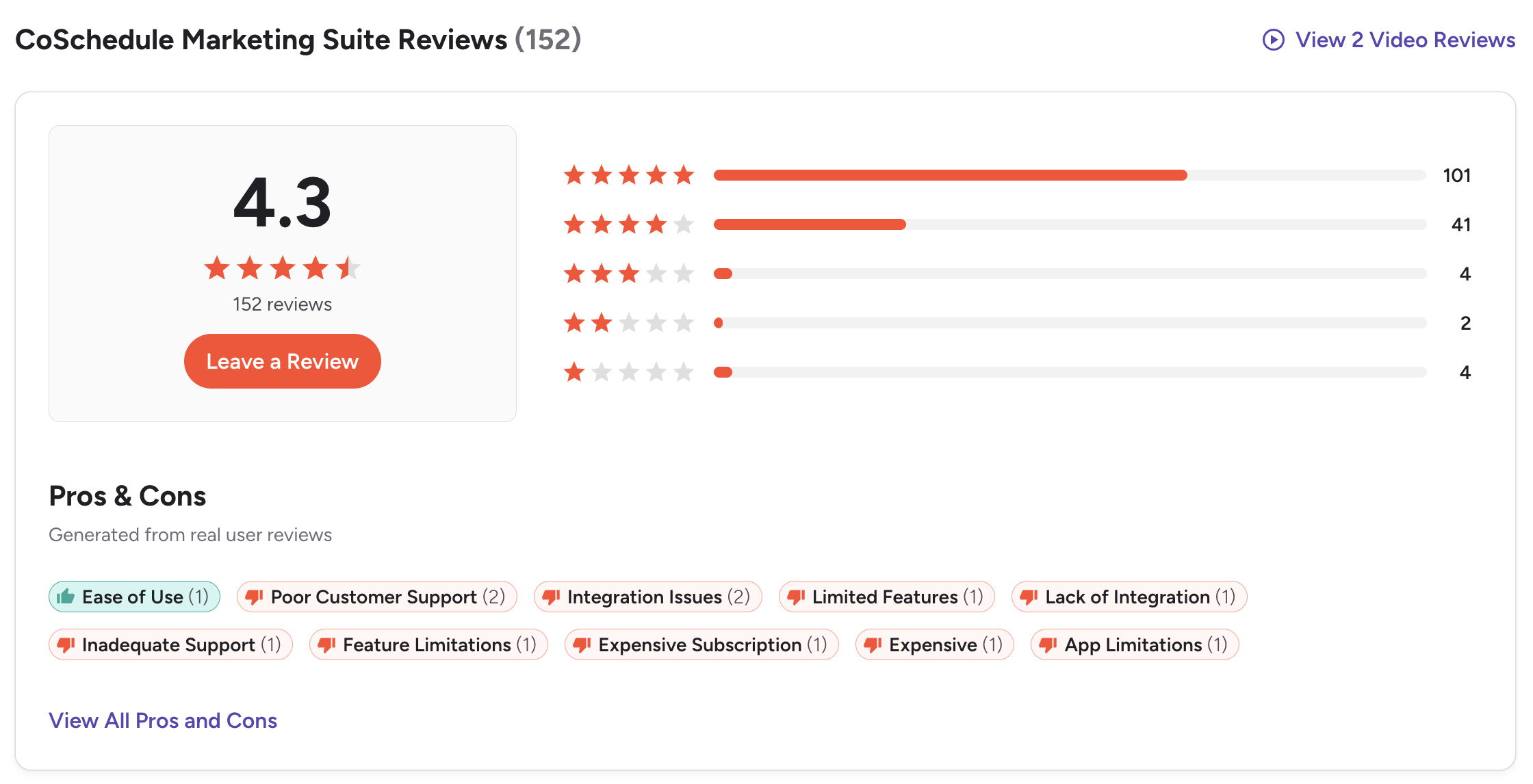
G2: 4.3/5 (152 reviews) — Users value the marketing calendar and content planning organization. Common complaints include terrible customer support, subscription cancellation difficulties, outdated interface, limited social media features, and expensive pricing for what is offered.
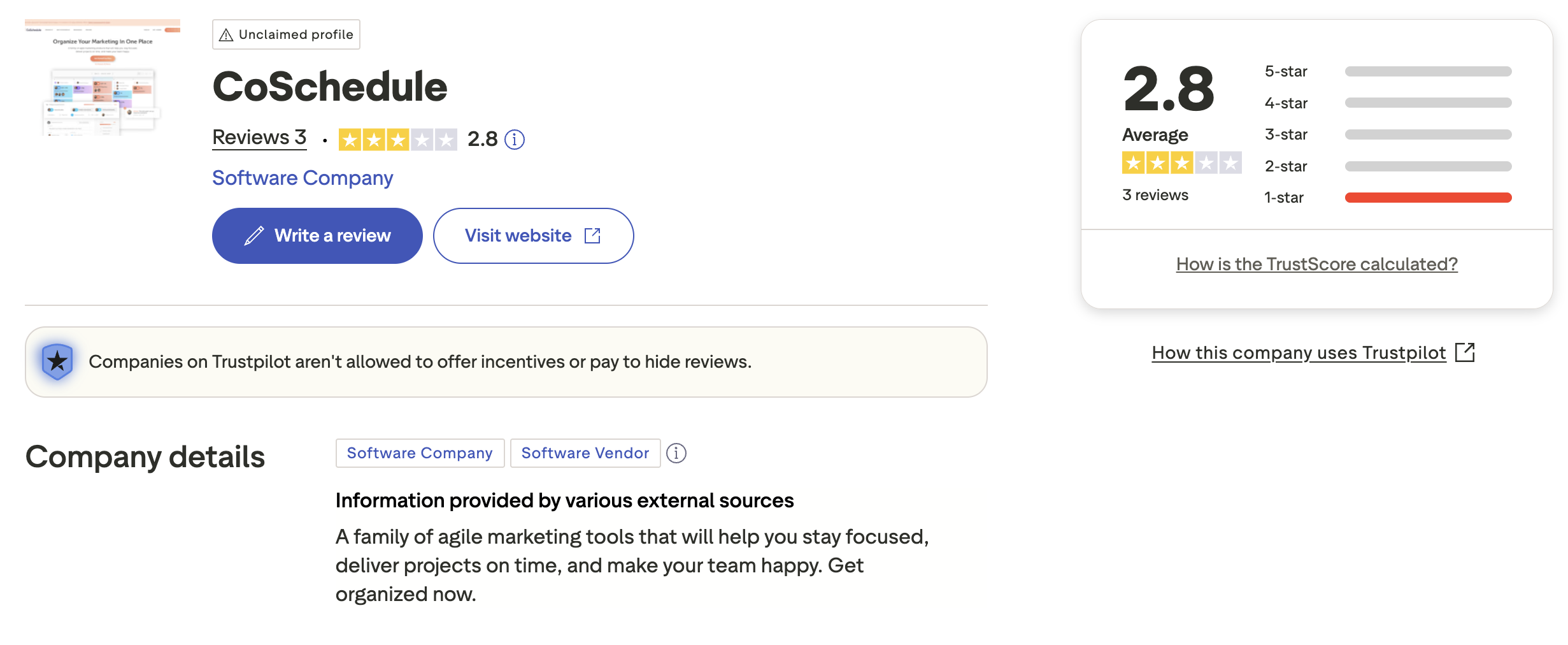
Trustpilot: 2.8/5 (3 reviews) — Very limited review base with an unclaimed profile. The low sample size makes it difficult to draw conclusions, but the unclaimed Trustpilot presence suggests CoSchedule may not actively monitor all feedback channels.
Review Verdict
Publer has significantly stronger user ratings across both platforms — 4.7/5 on G2 (486 reviews) and 4.8/5 on Trustpilot (863 reviews) vs CoSchedule's 4.3/5 on G2 (152 reviews) and 2.8/5 on Trustpilot (3 reviews). Publer also has far more reviews, giving its ratings more statistical weight. CoSchedule's notable customer support complaints and cancellation issues are a concern, while Publer's responsive support is frequently praised.
PostPlanifyManage All Your Social Accounts Without the Chaos
Schedule posts, track performance, and collaborate with your team.
Who Should Use Publer?
If Publer sounds right for you but you want to explore other options first, check out our best alternatives to Publer. You can also see how Publer stacks up against Buffer, Hootsuite, Later, and SocialBee.
Publer is the better choice if you:
- Are a solo creator or small team looking for affordable scheduling
- Need wide platform coverage across 13+ networks including Bluesky, Mastodon, and Telegram
- Want AI content generation with GPT-4 captions and DALL-E 3 images
- Need bulk scheduling for up to 500 posts via CSV
- Prefer per-account pricing that starts at just $12/month
- Want content recycling with Spintax variation and RSS auto-posting
- Do not need approval workflows, editorial calendars, or blog integration
Who Should Use CoSchedule?
If CoSchedule is on your shortlist, you may also want to see our top alternatives to CoSchedule before committing. Also compare CoSchedule with Buffer, Hootsuite, SocialBee, and Agorapulse.
CoSchedule is the better choice if you:
- Are a content marketing team that needs editorial calendar and campaign planning
- Require WordPress integration for blog-to-social publishing workflows
- Need approval workflows and structured content review processes
- Want white label client calendars for agency work
- Need ReQueue automation for evergreen content recycling
- Have a marketing-heavy workflow that goes beyond social media scheduling
- Can justify $19-$59+/user/month for bundled marketing suite features
Scale Your Social Presence, Not Your Bill
Publer's per-account pricing climbs as you add profiles. CoSchedule's per-user pricing climbs as you add team members. Both models penalize growth. PostPlanify takes a flat-rate approach: $99/month for 25 accounts, 5 team members, AI tools, and approval workflows. Your bill stays the same whether you manage 5 accounts or 50.

| Feature | Publer | CoSchedule | PostPlanify |
|---|---|---|---|
| Starting Price | $12/mo (3 accounts) | $19/mo per user | $29/mo flat |
| Unlimited Accounts | Scales per account | Custom (Marketing Suite) | $99/mo (Premium, 25 accounts) |
| AI Caption Generation | Business plan ($21+/mo) | Yes (Hire Mia) | Yes |
| AI Image Generation | Business plan ($21+/mo) | No | Yes |
| Canva Integration | No | No | Yes |
| Google Drive Import | No | No | Yes |
| Approval Workflows | No | Agency Calendar ($59/user) | $99/mo (Premium) |
| X/Twitter Support | Paid plans only | Agency Calendar+ only | All plans |
| Platforms Supported | 13+ | 11 | 10 |
| Unlimited Scheduling | Paid plans | Paid plans | All paid plans |
PostPlanify starts at $29/month for 5 accounts with unlimited scheduling and AI tools included — matching Publer's AI features without requiring the Business plan, and including X/Twitter on all plans unlike CoSchedule. Analytics are included from the Growth plan ($49/month). The Premium plan at $99/month adds 25 accounts, 5 team members, approval workflows, and white-label reports — features that cost $161+/month on Publer (25 accounts) or $177+/month on CoSchedule (3-user Agency). See all plans on the PostPlanify pricing page.
Scale smarter — try PostPlanify free

Related Guides
- How to Measure Social Media ROI
- Content Batching Guide
- How to Create a Social Media Content Calendar
- Best Publer Alternatives
- Best CoSchedule Alternatives
FAQ
Is Publer cheaper than CoSchedule?
Yes, for social media scheduling. Publer starts at $12/month for 3 accounts on the Professional plan vs CoSchedule's $19/month per user on the Social Calendar. Publer also includes X/Twitter on all paid plans, while CoSchedule requires the $59/user Agency Calendar for X/Twitter access.
Does CoSchedule have a free plan?
Yes. CoSchedule offers a Free Calendar with 1 social profile and up to 15 scheduled messages. Publer also has a free plan with 3 accounts (no X/Twitter) and 10 posts per account. Both free plans are very limited.
Which has better AI features — Publer or CoSchedule?
Publer offers stronger AI for social content creation, with GPT-4 caption generation and DALL-E 3 image generation on the Business plan. CoSchedule's Hire Mia AI focuses on marketing project templates (1,600+) and caption assistance but does not include AI image generation.
Does Publer have approval workflows?
No. Publer does not include approval workflows on any plan. CoSchedule offers approval workflows starting on the Agency Calendar plan at $59/user/month. If approval workflows are essential, CoSchedule or PostPlanify are better options.
Which supports more social media platforms?
Publer supports 13+ platforms including Bluesky, Mastodon, and Telegram. CoSchedule supports 11 platforms but restricts X/Twitter to Agency Calendar ($59/user/mo) and above. Publer has wider platform coverage and more accessible X/Twitter support.
Is CoSchedule good for content marketing?
Yes. CoSchedule is specifically designed for content marketing teams with editorial calendars, campaign planning, project management, and WordPress integration. If your workflow revolves around blog content and marketing campaigns, CoSchedule's approach is more suitable than Publer's pure social scheduling focus.
Can I use Publer for WordPress?
Yes. Publer supports publishing directly to WordPress as one of its 13+ supported platforms. However, CoSchedule offers deeper WordPress integration with its editorial calendar, making it better for teams that plan blog content alongside social media posts.
Which has better user reviews — Publer or CoSchedule?
Publer has significantly better reviews: 4.7/5 on G2 (486 reviews) and 4.8/5 on Trustpilot (863 reviews). CoSchedule has 4.3/5 on G2 (152 reviews) and 2.8/5 on Trustpilot (3 reviews). Publer is also praised for responsive customer support, while CoSchedule faces recurring complaints about support quality and difficult subscription cancellations.







