


Are you choosing between social media analytics tools before you have defined the job the tool needs to do?
That mistake drives a lot of bad software decisions. Teams compare Sprout Social, Rival IQ, Brandwatch, and Talkwalker side by side, even though they solve different problems. The result is predictable. They either pay for features tied to workflows they do not run, or they buy a lighter tool and hit reporting limits a few months later.
A better way to evaluate the market is to sort tools into three categories first:
- All-in-one platforms handle publishing, scheduling, inbox management, and reporting in one workspace.
- Specialized analytics tools go deeper on benchmarking, post-level analysis, competitor tracking, or channel-specific performance.
- Enterprise listening platforms focus on brand mentions, sentiment, trend detection, and large-scale monitoring across social, news, forums, and the wider web.
That framing matters because the best product depends less on feature volume and more on the reporting pressure your team deals with every week.
I tested 13 tools across the three categories, cross-referenced user reviews on G2, Capterra, and Trustpilot, and verified every pricing claim against vendor pricing pages in September 2026. Below are the best social media analytics tools, grouped by what they're best at, with direct trade-offs on where each one fits and where it does not.
Quick Answer: What Is the Best Social Media Analytics Tool in 2026?
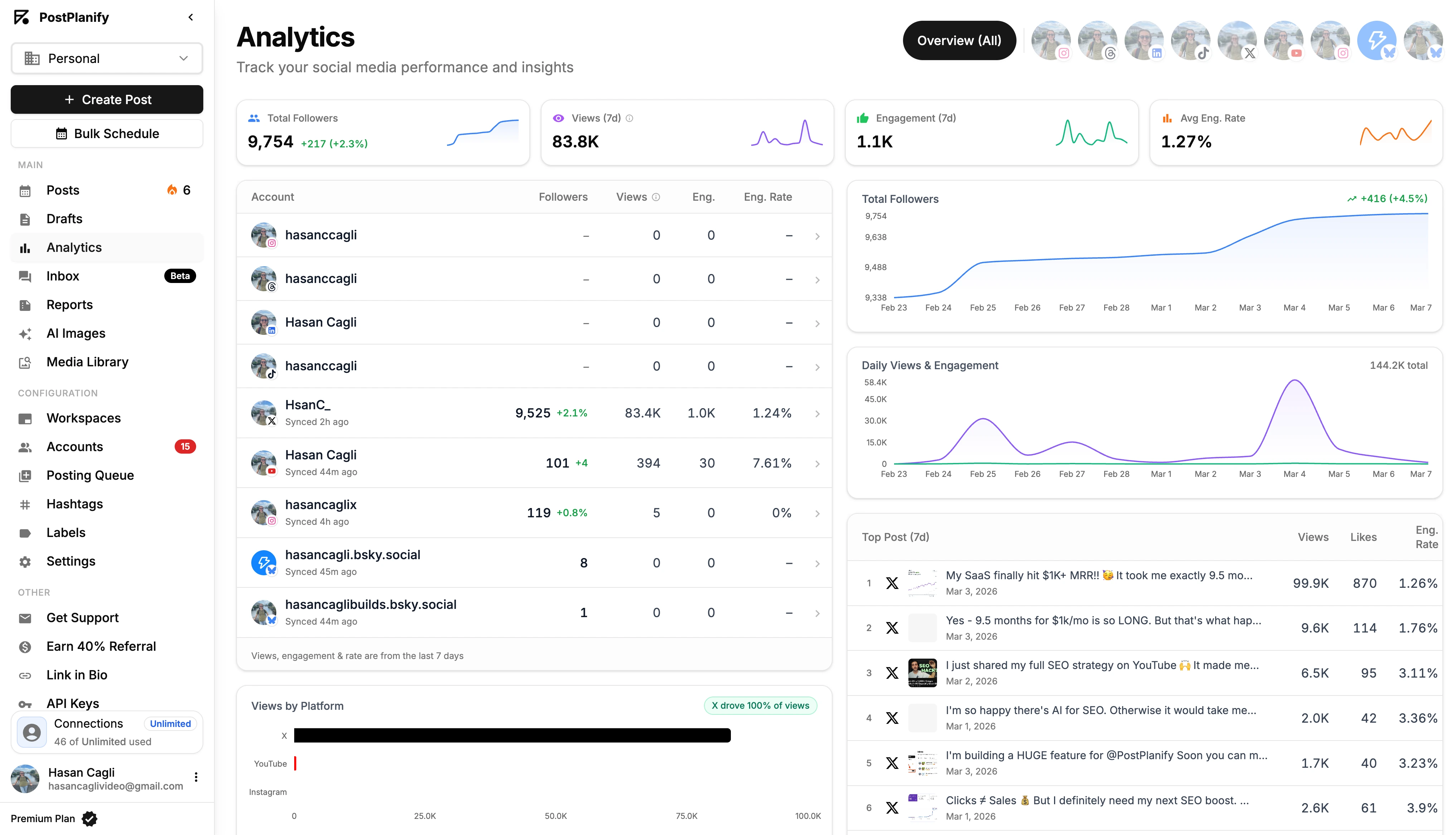
For most teams, the best social media analytics tool is PostPlanify, priced per client workspace from $39/mo with unlimited team members, unified analytics across 10 platforms, best-time-to-post suggestions, a vision-powered AI assistant, a built-in social inbox, approval workflows, and white-label PDF reports. No per-seat fees.
If you need enterprise analytics and social listening, Sprout Social ($199/seat/mo) delivers the deepest reporting in the category. Hootsuite ($249/user/mo) is the veteran alternative with broad platform coverage and OwlyGPT for AI-assisted insights.
For competitive benchmarking, Rival IQ wins on share-of-voice and competitor tracking. For visual-first brands, Iconosquare leads on Instagram, TikTok, and Facebook analytics. For consumer intelligence and brand reputation, Brandwatch and Talkwalker are the enterprise-listening standards.
For solopreneurs on a budget, Buffer starts at $6/channel/mo and covers the essentials. For multi-brand CX + social, Emplifi and Meltwater are the suite-level picks.
How I Evaluated These Social Media Analytics Tools
I looked at all 13 tools against the things that decide reporting work, matched to the job each one is built for rather than feature-count marketing:
| What I checked | What I was looking for |
|---|---|
| Analytics depth | Post, profile and audience-level reporting, custom ranges, comparisons and segmentation across every connected network |
| Reporting and exports | Branded PDFs, shareable links, scheduled reports, and clean export into Looker Studio, Tableau or Power BI |
| AI features | Natural-language querying, predictive posting times, visual recognition and auto-generated summaries, not just caption writing |
| Cost at real team sizes | Whether the bill grows with clients, seats or channels, and what sits behind an add-on |
| Team workflows | Roles, permissions, approval flows and shared reporting for more than one person |
| Integrations | BI connectors, REST API, and CRM or helpdesk hooks |
Pricing comes directly from each vendor's public pricing page (verified September 2026, monthly rates unless stated), and ratings are aggregated from G2, Capterra and Trustpilot, weighted toward analytics-specific praise and complaints such as reporting depth, export quality and data freshness.
At a Glance: Best Social Media Analytics Tools Compared
| Tool | Best For | Starting Price | Category | Free Trial |
|---|---|---|---|---|
| PostPlanify | All-in-one analytics + publishing | From $39/mo | All-in-one | 7 days |
| Sprout Social | Enterprise analytics & reporting | $199/seat/mo | All-in-one | 30 days |
| Hootsuite | Cross-platform enterprise workflows | $249/user/mo | All-in-one | 30 days |
| Buffer | Solopreneurs on a budget | $6/channel/mo | All-in-one | Free plan |
| Dash Social | AI-powered visual analytics | $999/mo | All-in-one | 14 days |
| Agorapulse | Community + inbox reporting | $99/user/mo | All-in-one | 30-day trial |
| Sotrender | All-in-one analytics + benchmarking | $80/mo | Specialized | 7 days |
| Rival IQ | Competitor benchmarking | $239/mo | Specialized | 14 days |
| Iconosquare | Instagram / TikTok analytics | $39/mo | Specialized | 14 days |
| Brandwatch | Consumer intelligence | Quote-based | Enterprise listening | Demo |
| Talkwalker | High-volume listening | Quote-based | Enterprise listening | Demo |
| Emplifi | Social + CX + commerce | Quote-based | Enterprise suite | Demo |
| Meltwater | Media monitoring + social | Quote-based | Enterprise suite | Demo |
What Is a Social Media Analytics Tool?
A social media analytics tool is a software platform that tracks, measures, and reports on performance across social media accounts, including reach, engagement, follower growth, post-level performance, audience demographics, and competitor benchmarks. It consolidates data from multiple platforms (Instagram, TikTok, Facebook, X, LinkedIn, YouTube, and others) into a single dashboard, normalizes metrics that each platform defines differently, and exports reports for internal teams, stakeholders, or clients.
Why Native Platform Analytics Aren't Enough
Every major network offers some form of native analytics, Meta Business Suite, TikTok Analytics, LinkedIn Page Analytics, X Analytics, YouTube Studio. They're free, they're close to the source, and they're the first thing most teams reach for.
So why do tools on this list exist?
- Native data expires. Instagram Insights only keeps a rolling 90-day window of account data, and TikTok's native analytics stops at 60 days. LinkedIn caps company pages at 12 months and gives personal profiles even less, and Meta Business Suite holds detailed Facebook post metrics to ~90-day windows (our Facebook analytics tools guide covers the workarounds). Our platform-specific guides to Instagram analytics tools, TikTok analytics tools, and LinkedIn analytics tools cover the options for getting around it (YouTube is the exception: Studio keeps lifetime data, and our YouTube analytics tools guide covers what it still can't do).
- Metric definitions don't match across networks. Reach on Instagram isn't calculated the same way as reach on TikTok. Engagement rate on LinkedIn uses a different denominator than engagement rate on X. A third-party tool normalizes these so a monthly report doesn't spend half its time explaining footnotes.
- Native dashboards are single-platform. If you manage 4 networks, you log into 4 dashboards, export 4 reports, and paste 4 screenshots into a client deck. That's ~15 hours a month for a single-client agency. Analytics tools collapse that to one workspace.
- Historical trends are limited. Most native dashboards cap history at 60–90 days. A proper analytics tool stores snapshots so you can pull 6-month or 12-month trends without losing data.
- Competitor visibility is zero. Native dashboards show your own profile. They say nothing about whether a competitor's Reels outperformed yours, or how your share-of-voice shifted last quarter.
- Exports and client-ready reports are basic. Native platforms give you a CSV. Clients want a branded PDF with commentary. The gap is where the category lives.
For a deeper breakdown of how analytics should connect to business outcomes, see our guide on social media analytics for business teams.
1. PostPlanify: Best for Agencies Serving Local Business Clients

PostPlanify is an all-in-one social media management platform that combines analytics, publishing, approvals, and inbox management in one workspace per client, without per-seat pricing. It's built for agencies, in-house marketing teams, and businesses who want reporting connected directly to the workflow that produced the content.
Where most tools in this list separate publishing from analytics, PostPlanify treats them as one job. That matters because most reporting issues start upstream. Posts get tagged inconsistently. Approvals happen in scattered tools. Comments go unmanaged. Then analytics looks messy later.
At a glance: PostPlanify
- Pricing: Per client workspace, from $39/mo for the first with the rate falling as you add more ($97/mo for 3, $155/mo for 5). Unlimited team members on every account; custom Enterprise (demo)
- Platforms: 10 including Instagram, TikTok, Facebook, X, LinkedIn, YouTube, Threads, Pinterest, Bluesky, and Google Business
- Free trial: 7 days
- User ratings: 5/5 on G2
- Best for: Agencies running social for local business clients who want unified analytics, a vision-powered AI assistant, approval workflows, and a bill that tracks client count rather than headcount
Key features:
- Advanced analytics across all 10 platforms: post-level, profile-level, and audience-level reporting, with historical daily snapshots for 12-month trend analysis
- Best-time-to-post suggestions based on your audience's actual engagement patterns
- White-label PDF reports: branded exports with your logo, accent color, and custom footer, or share a live link
- Social inbox for Instagram, Facebook, LinkedIn, Google Business, YouTube, Threads, and Bluesky, reply, assign, label, and track response times
- AI assistant (vision-powered): understands images and brand context when generating captions and suggestions
- Approval workflows: multi-approver flows, role-based permissions, client access without seat fees
- Content calendar with drag-and-drop rescheduling and shared team view
- Bulk scheduling: queue up to 20 posts in one batch
- Media library with Canva, Google Drive, Dropbox imports
- Link-in-bio builder with click analytics
- REST API and MCP support for custom BI and automation workflows, so Claude or ChatGPT can query your analytics directly
Pricing:
| Plan | Starts at | Includes | Each extra workspace | Social accounts |
|---|---|---|---|---|
| Growth | $39/mo | 1 workspace | from $29, cheaper as you add more | 4 per workspace |
| Premium | $99/mo | 3 workspaces | from $39, cheaper as you add more | 6 per workspace |
| Scale | $199/mo | 5 workspaces | from $39, cheaper as you add more | 8 per workspace |
Unlimited team members on every plan, no per-seat fees. Yearly billing saves 20%. All plans include a 7-day free trial with a 14-day money-back guarantee.
There is one plan and you scale it by workspace, so there is no tier to upgrade into when you win a client. Every workspace includes 4 social accounts, unlimited team members and analytics across every connected platform. White label is included in the Scale plan, and Enterprise is custom-priced for larger rosters. Every account includes a 7-day free trial and a 14-day money-back guarantee.
Pros:
- Priced per client workspace at a falling rate, with no per-user or per-channel fees
- Nothing tier-gated: analytics, social inbox, approval flows and client reports are on every account
- Analytics across all 10 connected platforms, with best-time-to-post suggestions and historical trends
- White-label PDF reports, fully branded, download or share a link
- REST API and MCP support for custom reporting pipelines
- Transparent, published pricing with no "contact sales" below Enterprise
Cons:
- No dedicated social listening engine, so not built for market-wide mention tracking
- No competitor benchmarking, which Rival IQ and Iconosquare do properly
- Analytics history starts when you connect an account rather than backfilling years of data
- No mobile app yet, so the workflow is web-first
- Newer platform than Sprout or Hootsuite with a smaller public customer base
- Analytics depth is strong on owned channels but not a replacement for Brandwatch-level consumer intelligence
How it compares to native analytics and per-seat suites:
A three-person agency managing 8 client brands is a useful reference.
- Native platform analytics (free): Free, but requires 8 separate logins, manual exports, and no historical snapshots beyond 60–90 days. Zero team workflows.
- Sprout Social Standard ($199/seat/mo = $597/mo for 3 seats): Deep analytics, but per-seat pricing means every extra stakeholder costs another $199/mo.
- PostPlanify (8 workspaces, $212/mo): one isolated workspace per client, 32 connected accounts, unlimited team members, client reports, approval workflows, and analytics across all 10 platforms.
- The trade-off: Sprout has deeper enterprise listening and sentiment tooling. PostPlanify costs about half as much here, and the gap widens rather than closes: Sprout's bill grows with every stakeholder and client reviewer you add, while PostPlanify's only moves when you win another client.
Used by 2,600+ users across 30+ countries. You can explore the platform directly at PostPlanify or see the full feature set on the analytics page.
 PostPlanify
All your social media in one simple dashboard
Schedule posts, track analytics, and reply to comments/DMs without switching tabs.

Engagement
+18%
Views
52.8k
2. Sprout Social: Best for Enterprise Analytics

Sprout Social is the clearest example of an all-in-one platform that leans heavily into analytics depth. It supports 10+ platforms including Instagram, Facebook, X, TikTok, LinkedIn, Bluesky, Pinterest, Threads, and YouTube, and its premium analytics adds more than 150 additional reports, according to Socialinsider's roundup of social media analytics tools.
At a glance: Sprout Social
- Pricing: Standard $199/seat/mo → Professional $299/seat/mo → Advanced $399/seat/mo; custom Enterprise
- Platforms: 10+ including Reddit and WhatsApp
- Free trial: 30 days
- User ratings: 4.4/5 on G2 (5,731), 2.2/5 on Trustpilot (75)
- Best for: Mid-to-large enterprise teams needing the deepest analytics, social listening, and presentation-ready reporting in the category
Key features:
- 150+ pre-built reports on Premium tiers
- Trellis AI for content performance and pattern detection
- Customizable dashboards by team, campaign, or KPI
- Social listening (paid add-on) with sentiment analysis
- Tag-based campaign reporting
- Competitive analysis with benchmarking
- Employee advocacy tools
- Multi-step approval workflows with audit trails
Pricing:
| Plan | Price (per seat/mo) | Social Profiles |
|---|---|---|
| Standard | $199 | 5 |
| Professional | $299 | Unlimited |
| Advanced | $399 | Unlimited |
| Enterprise | Custom | Unlimited |
All prices billed annually. Social listening is a separate add-on.
Pros:
- Deepest pre-built report library in the category
- Clean, modern UI despite enterprise depth
- Trellis AI for pattern recognition and content insights
- Strong customer-care workflows
- Presentation-ready reports that pass executive review
Cons:
- Per-seat pricing scales fast: 5 seats = $995/mo minimum
- Social listening and advanced analytics are add-ons, not included
- No per-client option, so every extra stakeholder or approver is another seat
- Overkill for SMB teams
- Long contracts and reported difficulty canceling
For the closest head to head, see Hootsuite vs Sprout Social.
3. Hootsuite: Best for Cross-Platform Enterprise Workflows

Hootsuite is the classic broad-platform choice. It launched in 2008 and tracks hundreds of unique performance metrics across Facebook, Instagram, TikTok, X, LinkedIn, Pinterest, YouTube, and Threads, according to Hootsuite Analytics.
At a glance: Hootsuite
- Pricing: Standard $249/user/mo → Advanced $499/user/mo; custom Enterprise
- Platforms: 10+ including Google Business Profile
- Free trial: 30 days (no free plan)
- User ratings: 4.3/5 on G2 (6,615), 1.8/5 on Trustpilot (511)
- Best for: Enterprise teams needing broad platform support, ad management alongside organic, and mature governance
Key features:
- OwlyGPT AI assistant for captions and insights
- Organic + paid views in one dashboard
- 10+ platforms including Google Business Profile
- Competitor benchmarking
- Social listening via Talkwalker integration
- Employee advocacy (Amplify)
- Multi-user approval workflows and role permissions
- Ad management for paid social
Pricing:
| Plan | Price | Social Accounts |
|---|---|---|
| Standard | $249/user/mo | 10 |
| Advanced | $499/user/mo | 50 |
| Enterprise | Custom | Custom |
Pros:
- Broadest platform maturity: 18 years of product iteration
- Organic + paid views in one system
- OwlyGPT handles quick caption and summary generation
- Competitor benchmarking included on Standard+
- Strong integration ecosystem
Cons:
- Per-user pricing is brutal at scale: 3 users on Advanced = $1,497/mo
- Complex dashboard that feels heavy for SMB teams
- Free plan was removed in 2023
- Listening requires Talkwalker add-on
- Trustpilot rating (1.8/5) reflects long-standing complaints about billing and support
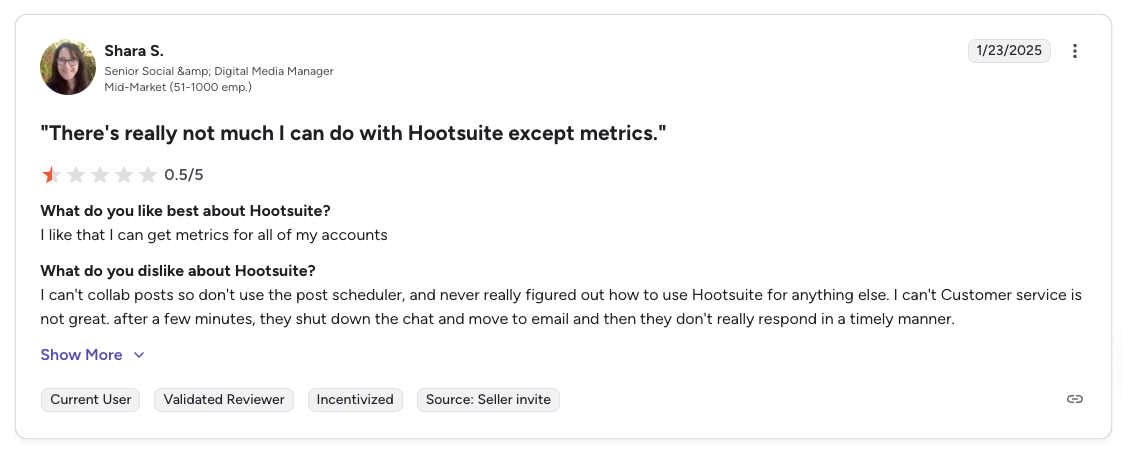
"There's really not much I can do with Hootsuite except metrics. Customer service is not great.", Shara S., Senior Social & Digital Media Manager (Mid-Market), 0.5/5 on G2, Jan 2025
4. Buffer: Best for Solopreneurs on a Budget

Buffer is the veteran budget pick. Its per-channel pricing looks cheap at the entry level, and the free plan covers 3 channels with basic analytics. For solopreneurs tracking one or two platforms, it's often the fastest way to get a baseline report.
At a glance: Buffer
- Pricing: Free plan (3 channels) → Essentials $6/channel/mo → Team $12/channel/mo
- Platforms: 11 including Google Business Profile, Mastodon, and Bluesky
- Free trial: Free plan available
- User ratings: 4.3/5 on G2 (1,023), 2.1/5 on Trustpilot (93)
- Best for: Solopreneurs and freelancers tracking 1–5 channels who want lightweight analytics without per-seat complexity
Key features:
- Per-channel pricing starting at $6/channel/mo
- Basic post-level analytics across 11 platforms
- Buffer AI Assistant for caption suggestions
- Start Page (link-in-bio)
- Community inbox (paid plans)
- Approval workflows on Team plan
- CSV export for raw data
Pricing:
| Plan | Price | Details |
|---|---|---|
| Free | $0 | 3 channels, 10 posts each |
| Essentials | $6/channel/mo | Per-channel analytics |
| Team | $12/channel/mo | Unlimited users, approvals |
Pros:
- Free plan with 3 channels
- Clean, minimal interface
- 11 platforms including Bluesky, Mastodon, Google Business
- Unlimited users on Team plan
- Nonprofit discounts (50% off)
Cons:
- Per-channel pricing multiplies fast: 10 channels = $60–$120/mo
- Analytics stay surface-level even on paid plans
- No historical trend data beyond recent windows
- No named AI analytics assistant (caption-focused only)
- Limited competitor benchmarking
"What I love most about Buffer is how simple it makes everything. The primary downside is its simplicity, it lacks advanced analytics and listening.", Shishu Raj P., Assistant Vice President, 3.5/5 on G2, Sep 2025
For more details, see our Buffer alternative page, Buffer pricing breakdown, and Buffer reviews. Weighing it against the enterprise option? See Buffer vs Hootsuite.
5. Dash Social: Best for AI-Powered Visual Analytics
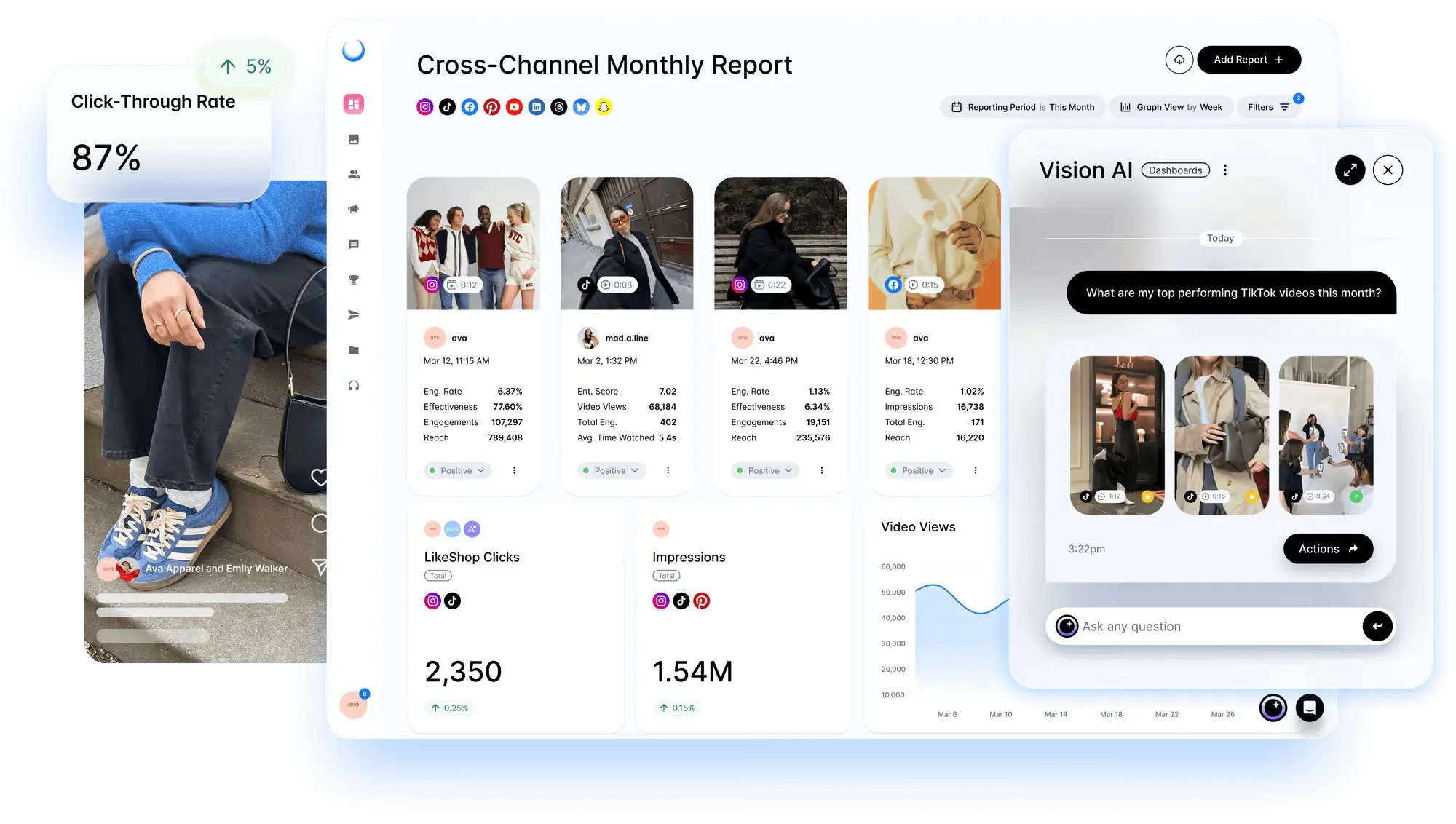
Dash Social covers the core owned-channel reporting teams expect, but its stronger advantage is creative intelligence. Its AI layer combines visual performance prediction with generative AI, using brand guidelines, past performance data, and audience signals to help teams produce campaign-ready assets faster.
At a glance: Dash Social
- Pricing: Engage $999/mo (unlimited users), Advance $1,999/mo (unlimited users); custom Enterprise. All plans include unlimited users and premium capabilities can be added depending on team needs.
- Platforms: Instagram, TikTok, Facebook, Pinterest, YouTube, LinkedIn, Threads, Snapchat, and more
- Free trial: 14-day free trial, and demo available
- User ratings: 4.7/5 on G2 (410)
- Best for: Visual-first brands, retailers, publishers, beauty, fashion, CPG, and enterprise social teams using AI to scale creative production and performance analysis
Key features:
- Multi-channel social analytics and monitoring
- Vision AI for visual performance prediction
- Constellation Pro generative AI for campaign-ready creative
- Brand-trained creative generation using brand guidelines, visual identity, historical performance, and audience signals
- Custom reporting dashboards for teams and stakeholders
- Content benchmarks by creative type, campaign, and KPI
- Campaign measurement across owned, earned, and paid content
- Creator and influencer performance tracking
- Scheduling, publishing, and content calendar workflows
Pricing:
| Plan | Price | Details |
|---|---|---|
| Engage | $999/mo | Growing social teams that need planning, publishing, analytics, community management, and unlimited users. |
| Advance | $1,999/mo | Teams that want everything in Engage plus AI-powered insights, advanced reporting, competitive benchmarking, integrations, and expanded content workflows. |
| Enterprise | Custom | Large organizations that need enterprise governance, regional reporting, market benchmarks, premium support, and custom solution |
Pros:
- Strongest fit for teams that want AI to support both creative production and analytics
- Generates on-brand creative instead of relying on generic AI outputs
- Predictive visual analytics help reduce guesswork before content goes live
- Useful for scaling asset variations across channels and campaigns
- Connects creative testing, campaign reporting, creator performance, and commerce
- Good fit for high-volume social teams with many campaigns, formats, and stakeholders
Cons:
- Starts at $999/mo, so it is not built for small teams on a tight budget
- Custom Enterprise pricing makes quick price comparison harder
- Advanced analytics, creator management, and listening may require add-ons
Most analytics tools explain what happened after a campaign runs. Dash Social goes further by helping teams generate brand-aligned creative, predict visual performance, adapt assets for different channels, and measure which creative decisions actually worked.
6. Agorapulse: Best for Community-Led Reporting
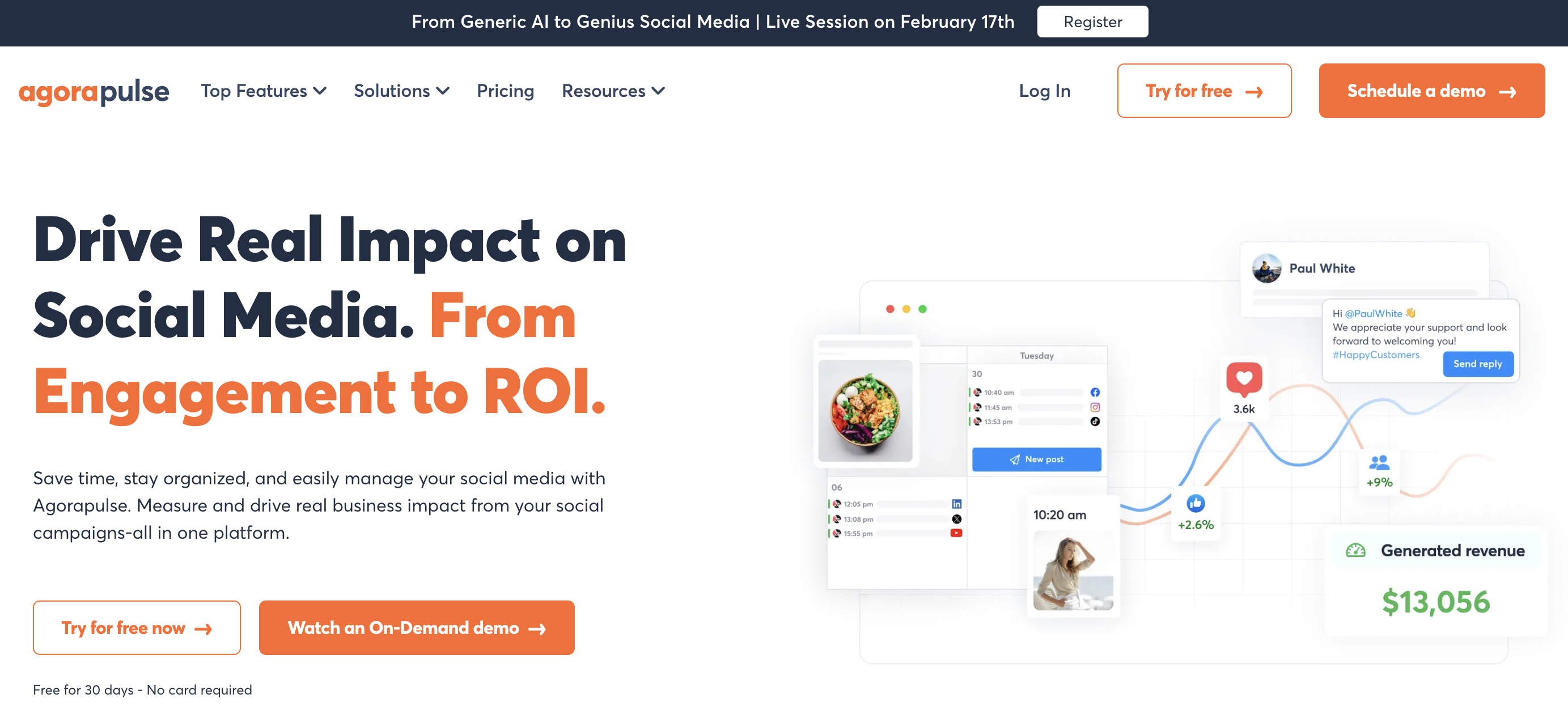
Agorapulse is the tool people pick when they're tired of overbuilt dashboards. It stays close to the day-to-day work of running social accounts. Reporting is approachable, exports are client-friendly, and the platform makes sense quickly to teams that don't want a long onboarding period.
At a glance: Agorapulse
- Pricing: Standard $99/user/mo ($79 annual) → Professional $149/user/mo → Advanced $199/user/mo; custom Enterprise. No free plan, 30-day trial only
- Platforms: 11 including Reddit, Bluesky, Google Business
- Free trial: 30 days, no credit card
- User ratings: 4.5/5 on G2 (967), 4.0/5 on Trustpilot (57)
- Best for: Community managers and small agencies focused on inbox + engagement analytics
Key features:
- Unified social inbox with automated moderation rules
- ROI reporting: tie social activity to revenue via UTM tracking
- Team performance analytics (inbox response time, resolution rate)
- Competitor analysis
- Scheduled report emails
- Content queue and bulk publishing
- Approval workflows
Pros:
- Strong social inbox analytics (response times, SLA tracking)
- Clear client-friendly reports
- ROI tracking tied to business outcomes
- Clean UI and approachable onboarding
- 30-day free trial with no credit card
Cons:
- Per-user pricing scales with team size
- Lighter on listening vs Brandwatch or Talkwalker
- Limited competitive benchmarking depth
- Advanced analytics locked to higher tiers
If your clients care about engagement quality as much as volume, align reports to actual client engagement metrics rather than surface numbers. On visual-first analytics specifically, see Agorapulse vs Iconosquare.
7. Sotrender: Best for Social Media Analytics and Reporting
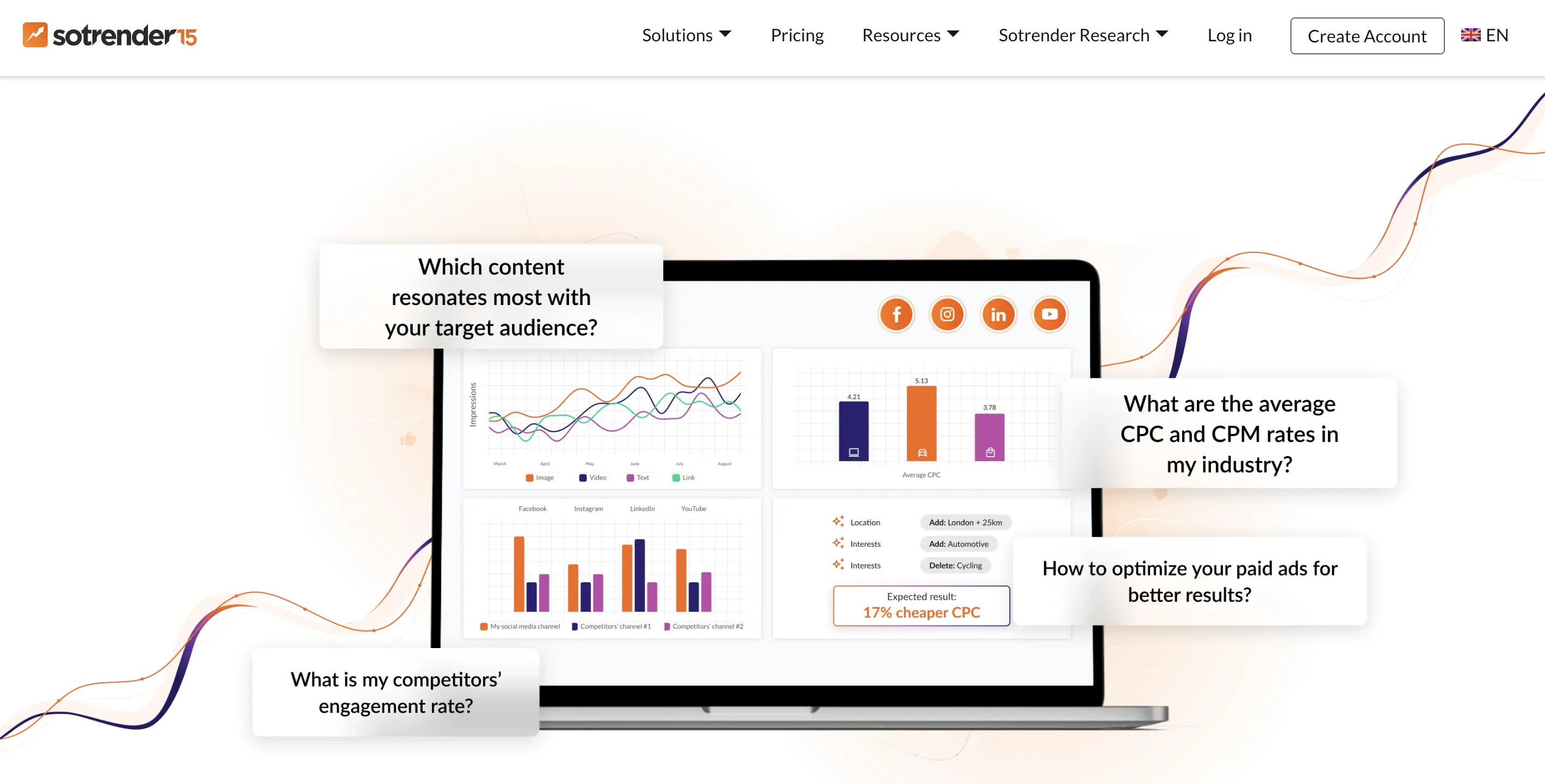
Sotrender is a social media analytics and benchmarking platform built for brands, agencies, and marketing teams that want actionable insights without enterprise-level complexity or pricing. The platform helps users monitor performance across Facebook, Instagram, LinkedIn, TikTok, and YouTube, compare results with competitors, and generate professional reports in minutes. Its customizable reporting and Content Strategy tools make it especially useful for agencies and teams managing multiple brands.
At a glance: Sotrender
- Pricing: Essential $80/mo → Plus $200/mo → Expert $355/mo → Custom
- Platforms: Facebook, Instagram, LinkedIn, TikTok, YouTube
- Free trial: 7 days
- User ratings: 4.8/5 on G2 (116 reviews)
- Best for: Brands and agencies looking for affordable social media analytics, competitor benchmarking, and automated reporting
Key features:
- Cross-platform analytics in one dashboard
- Competitor benchmarking across major social media platforms
- Historical performance tracking and trend analysis
- Automated and scheduled reports with customizable templates
- Content Strategy feature for tagging posts and measuring campaign or communication performance
- Top content analysis across profiles and competitors
- Multi-profile management from a single workspace
Pricing
| Plan | Price | Includes |
|---|---|---|
| Essential | $80/month | 3 users, 5 social profiles, PDF reports |
| Plus | $200/month | Unlimited users, 15 profiles, benchmarking, comparison reports |
| Expert | $355/month | One year of historical data, scheduled reports, Content Strategy feature |
| Custom | Custom | Unlimited historical data, API access, custom reports |
Pros:
- Excellent value compared to enterprise competitors
- Strong competitor benchmarking and historical analytics
- Automated, customizable, and white-label reports
- Content Strategy feature for evaluating communication themes
- Intuitive interface that's easy for marketing teams to adopt
Cons:
- No built-in publishing or content scheduling
- Large profiles may require more time for initial data processing
- Some advanced capabilities are available only on higher-tier plans
8. Rival IQ: Best for Competitive Benchmarking
What do you buy when your team already has publishing covered, but strategy meetings keep stalling on one question: are we outperforming anyone that matters?
Rival IQ is a specialized analytics tool built for that exact question. It's not all-in-one. It's a competitive benchmarking engine.
At a glance: Rival IQ
- Pricing: Drive $239/mo → Engage $399/mo → Engage Pro $559/mo; custom Enterprise
- Platforms: 8 including Instagram, TikTok, Facebook, X, YouTube, LinkedIn, Pinterest, and Threads
- Free trial: 14 days
- User ratings: 4.5/5 on G2 (49 reviews)
- Best for: Agencies and in-house teams in crowded categories that need share-of-voice and competitor tracking
Key features:
- Track up to 500+ competitor profiles per plan
- Share-of-voice and share-of-engagement metrics
- Content alerts when competitors spike or shift direction
- Hashtag, emoji, and topic tracking
- Instagram and TikTok post-level benchmarking
- Looker Studio connector for BI integration
- Branded PDF exports
Pros:
- Best-in-class competitor benchmarking
- Alerts on competitor content spikes and strategy shifts
- Looker Studio integration for custom BI dashboards
- Cleanly exported reports that agencies can white-label
Cons:
- No publishing, scheduling, or inbox: pair with a scheduler
- Pricing jumps quickly past the entry tier
- Limited social listening vs dedicated enterprise tools
- Data refresh is daily, not real-time
Rival IQ becomes more valuable once reporting matures past surface metrics. Teams often need to fix basic measurement confusion first, especially when comparing reach, views, and impressions across networks. Our guide on the difference between views and impressions helps make benchmark reviews more consistent.
9. Iconosquare: Best for Visual & Creator-First Analytics

Iconosquare is a specialized analytics tool with a clear bias toward visual and creator-heavy platforms. If your content strategy lives mostly on Instagram, TikTok, Facebook, LinkedIn, YouTube, and X, it's a sensible middle ground between SMB schedulers and enterprise suites.
At a glance: Iconosquare
- Pricing: Free → Launch $39/mo (5 profiles, 1 user) → Scale $83/mo (5 profiles, 3 users) → Excel $139/mo (5 profiles, 6 users); custom Enterprise
- Platforms: 6 (Instagram, TikTok, Facebook, LinkedIn, YouTube, X)
- Free trial: 14 days (2-profile free plan available)
- User ratings: 4.3/5 on G2
- Best for: Creators and visual brands prioritizing Instagram and TikTok performance depth
Key features:
- Deep Instagram, TikTok, Facebook analytics with historical trends
- Hashtag performance and auto-suggestion
- Best-time-to-post recommendations by platform
- Competitor and industry benchmarking
- Scheduled reports via email or Slack
- White-label branded reports
- Approval workflows on higher plans
Pros:
- Strongest Instagram + TikTok post-level analytics
- Clean, visually-oriented dashboards
- White-label exports
- Nonprofit discount available
Cons:
- No social inbox or customer-care workflow
- Narrower platform coverage than all-in-one tools (6 networks)
- Listening is limited
- Agency tier required for multi-brand management
10. Brandwatch: Best for Consumer Intelligence

Brandwatch belongs in the enterprise listening category. If all-in-one tools answer "how did our owned content perform?", Brandwatch answers "what are people saying about us, our competitors, and our category at scale?" That's a different job entirely.
At a glance: Brandwatch
- Pricing: Quote-based (enterprise)
- Platforms: Social + news + forums + blogs + review sites
- Free trial: Demo only
- User ratings: 4.4/5 on G2 (709 reviews)
- Best for: Multi-brand organizations, regulated industries, and PR/comms teams needing consumer intelligence at scale
Key features:
- Iris AI for automated insights and summary generation
- Billions of data sources indexed
- Image recognition (logo detection, visual analysis)
- Consumer segmentation and demographic analysis
- Custom dashboards with multi-market rollup
- Crisis detection and alerting
- Query-builder for precise topic tracking
Pros:
- Deepest consumer intelligence in the category
- Image and logo recognition (not just text mentions)
- Multi-brand governance and rollup
- Strong for regulated industries needing audit trails
- Iris AI auto-generates narrative summaries
Cons:
- Enterprise pricing: not a shortlist pick for SMBs
- Steep learning curve
- Procurement cycle is long (4–8 weeks)
- Overkill if your real problem is owned-channel reporting
11. Talkwalker: Best for High-Volume Listening
Talkwalker is another enterprise listening tool, but it deserves separate attention because it's especially strong for high-volume monitoring and trend detection. According to Dash Social's social media analytics tools overview, Talkwalker processes 1B+ daily mentions with 95% sentiment accuracy.
At a glance: Talkwalker
- Pricing: Quote-based (enterprise)
- Platforms: Social + news + forums + images + video
- Free trial: Demo only
- User ratings: 4.3/5 on G2 (133 reviews)
- Best for: Brand monitoring, crisis detection, earned-media measurement, and trend forecasting at scale
Key features:
- Blue Silk AI and Yeti intelligence engines for trend forecasting
- 1B+ daily mentions processed
- Logo and visual recognition
- Predictive trend detection
- Earned-media measurement
- Influencer tracking
- AI-generated executive summaries
- Multi-language sentiment analysis (187 languages)
Pros:
- Highest-volume mention processing in the category
- Blue Silk AI surfaces trends before they're obvious
- Visual + logo recognition
- Predictive forecasting (not just reactive monitoring)
- Strong for agencies reporting on earned media
Cons:
- Quote-based pricing only: no public tiers
- Enterprise procurement required
- Steep learning curve for query-builder
- Lighter on owned-channel publishing workflows
Don't judge enterprise listening tools by publishing features. Judge them by how quickly they surface risk, trend shifts, and useful context from noisy data.
PostPlanifyAll your social media in one simple dashboard
Schedule posts, track analytics, and reply to comments/DMs without switching tabs.
Engagement
+18%
Views
52.8k
12. Emplifi: Best for Social + CX Suites

Emplifi (formerly Socialbakers) is useful when social analytics needs to connect to broader customer experience workflows. It's not just a publishing tool and not just a listening tool. It sits in the middle as a suite for larger organizations that want social, care, commerce, and analytics tied together.
At a glance: Emplifi
- Pricing: Quote-based (enterprise)
- Platforms: 10+ including live commerce integrations
- Free trial: Demo only
- User ratings: 4.4/5 on G2 (367 reviews)
- Best for: Multi-brand retail, e-commerce, and CX-led teams wanting social + care + commerce in one suite
Key features:
- Organic + paid analytics in one view
- AI-powered benchmarking and industry comparisons
- Live commerce analytics
- Customer care performance metrics
- Multi-brand rollup
- BI integrations via API
Pros:
- Combined social + CX + commerce visibility
- Strong multi-brand governance
- Integrates with broader customer experience stacks
- Enterprise-grade API access
Cons:
- Enterprise pricing only
- Long evaluation cycle
- Overkill for single-brand teams
- Less focused than pure analytics tools
13. Meltwater: Best for Media Monitoring + Social

Meltwater makes the most sense when social analytics is only one part of the reporting problem. If your organization also needs media monitoring, PR visibility, influencer tracking, and enterprise reporting, Meltwater can be more practical than running separate tools for social and media intelligence.
At a glance: Meltwater
- Pricing: Quote-based (enterprise)
- Platforms: Social + news + broadcast + podcasts + print
- Free trial: Demo only
- User ratings: 4.1/5 on G2 (2,976 reviews)
- Best for: PR, comms, and public affairs teams combining earned, owned, and paid reporting
Key features:
- Media monitoring across news, broadcast, and print
- Influencer discovery and tracking
- AI-powered media impact scoring
- Consumer insights and sentiment analysis
- Multi-market, multi-language coverage
- BI/API exports
Pros:
- Combined earned + owned reporting in one tool
- Strong influencer analytics
- Wide media coverage (news, broadcast, podcasts)
- Good for corporate comms teams
Cons:
- Enterprise pricing and procurement
- Narrower on pure social publishing workflows
- Best used alongside a scheduler, not as a replacement
Honorable Mentions: Tools Worth Knowing About
Not every tool earned a spot in the top 13, either because they focus on a narrow slice, or because they pair best with another tool. Still worth knowing:
- Keyhole: hashtag and campaign tracking for marketers running heavy campaign activity. Good at influencer campaign measurement.
- Socialinsider: specialized benchmarking for agencies focused on competitor intelligence across Instagram, TikTok, and Facebook.
- Google Analytics 4 (GA4): essential for tracking social-to-site traffic and conversions. Not a substitute for post-level analytics, but most stacks should include it.
- DashThis: pure reporting/dashboard tool that pulls in data from other sources. Pair with a scheduler + analytics tool.
- Whatagraph: similar to DashThis, stronger on agency-oriented white-label dashboards.
- Looker Studio: free, flexible BI dashboards. Most tools on this list have Looker Studio connectors.
- Native platform analytics: Meta Business Suite, TikTok Analytics, LinkedIn Analytics, YouTube Studio, X Analytics. Free baseline. Always the source of truth.
AI in Social Media Analytics: What Changed in 2026
AI assistants are no longer a differentiator, they're table stakes. Every major tool on this list now ships a named AI layer. What's changed in 2026 is the kind of AI work these assistants actually do.
Named AI assistants by tool:
| Tool | AI Assistant | What It Does |
|---|---|---|
| Sprout Social | Trellis + AI Insights | Pattern detection, content scoring, post suggestions |
| Hootsuite | OwlyGPT | Caption generation, summary briefs |
| Brandwatch | Iris AI | Narrative summaries, trend explanations |
| Talkwalker | Blue Silk + Yeti | Predictive trends, multilingual sentiment |
| Sprinklr | Copilot (AI+) | Unified insights across CX surfaces |
| PostPlanify | AI Assistant (vision) | Caption writing, image-aware content suggestions |
| Buffer | Buffer AI Assistant | Caption suggestions |
Four AI capabilities to actually look for:
- Natural-language querying. Ask "which campaign drove the most saves last quarter?" instead of building a filter.
- Predictive posting times. Not just historical best-time: forward-looking predictions based on audience behavior shifts.
- Visual and image recognition. Find mentions of your brand where your logo appears but your handle isn't tagged.
- Auto-generated executive summaries. One-click narratives explaining what changed this month and what to do about it.
If a tool's AI page only mentions caption writing, it's a 2023-era assistant. Expect more from a 2026 purchase.
When You Do Not Need a Dedicated Analytics Tool
Most articles in this category assume you should buy something. Often you should not. Native analytics are free and genuinely good enough in these cases:
- You run one or two accounts and post a few times a week. Instagram Insights and LinkedIn Analytics cover this comfortably. A paid tool adds a login, not an answer.
- Nobody else reads your reports. The main thing a paid tool buys is a report someone else can consume: a client, a director, a board. If you are the only reader, you are paying for export formatting.
- What you actually need is revenue attribution. Social analytics tools measure what happened on the platform. If the real question is which posts produced sales, you need UTM tracking and your analytics stack, not a deeper social dashboard.
- You are not going to change anything based on the data. If last month's report would not alter next month's calendar, a better report is not the missing piece.
The honest trigger for buying is operational, not analytical. You need one when you are logging into five or more dashboards, exporting screenshots by hand, comparing platforms that count things differently, or sending reports to someone who is paying you. If none of that is true yet, native analytics plus a spreadsheet is a legitimate answer.
Where These Tools Fall Short
Every tool in this list shares limits that come from the platforms themselves, not from the software:
- Data is not real time. Platform APIs typically lag 24 to 48 hours, so today's numbers are not today's numbers. Do not troubleshoot a post the morning after it publishes.
- Numbers will not match the native dashboard exactly. Platforms define reach, impressions and video views differently from each other and revise them retroactively. A gap of a few percent between a tool and the native app is normal, not a bug. Pick one source of truth per metric and report from it consistently.
- Historical data starts when you connect. Most tools cannot backfill much beyond what the API exposes, so the value compounds from the day you connect rather than the day you buy. Connect accounts before you need the history.
- Competitor data is public data only. Benchmarking tools see what anyone can see. They cannot see a competitor's reach, click-through or spend, so treat competitive numbers as directional.
- APIs change without much warning. Platforms deprecate endpoints and tighten access regularly, and metrics occasionally disappear from a tool because the platform stopped providing them.
None of this is a reason to avoid a tool. It is a reason to set expectations with whoever reads the report, before the first number gets questioned.
How to Choose the Right Analytics Tool for Your Team
A few selection rules narrow things quickly:
- Choose all-in-one (PostPlanify, Sprout Social, Hootsuite, Agorapulse, Buffer) if you need scheduling, approvals, reporting, and inbox together.
- Choose specialized analytics (Rival IQ, Iconosquare) if you already publish smoothly but need better benchmarking or platform-specific depth.
- Choose enterprise listening (Brandwatch, Talkwalker, Emplifi, Meltwater) if public conversation monitoring matters as much as owned-post performance.
- Check platform coverage carefully before you commit. "Supports a platform" ≠ equal analytics depth on that platform.
- Ask about limits early. API access, permissions, reporting exports, seat pricing, account caps, and listening add-ons change the true cost.
- Test a real reporting workflow before buying. Pull one client or stakeholder report inside the trial.
Most guides miss the needs of agencies handling many client accounts at once. Fragmented multi-client reporting remains a top pain point, and many under-serve agencies needing white-label reporting, API integrations, and collaborative workflows, according to Buffer's overview of best social media analytics tools. The issue usually isn't a missing metric, it's an operational mismatch.
FAQ: Social Media Analytics Tools
What is the best social media analytics tool in 2026?
For most teams, PostPlanify is the best overall pick because it combines analytics across all 10 platforms with publishing, inbox, approvals, and white-label reports in one workspace, without per-seat fees, because the bill moves with client count rather than headcount. Sprout Social ($199/seat/mo) is the best pure-analytics pick for enterprise teams, while Hootsuite ($249/user/mo) suits organizations that need organic and paid in one system.
What's the difference between social media analytics and social listening?
Analytics tracks your own performance, reach, engagement, audience growth, and conversions on profiles you control. Listening tracks public conversations about your brand, competitors, or topics across the entire web, including mentions on sites you don't own. Most teams need analytics first; listening becomes critical only when reputation risk or earned media drive budget.
Can I use Google Analytics 4 for social media tracking?
Yes, but only for part of the job. GA4 tracks traffic and conversions from social to your site, it sees what happens after the click. It doesn't track reach, engagement, follower growth, or post-level performance on the social platforms themselves. Use GA4 alongside a dedicated social analytics tool, not as a replacement.
Are free social media analytics tools worth it?
For small accounts and solo creators, yes. Buffer's free plan and each platform's native analytics (Meta Business Suite, TikTok Analytics, LinkedIn Page Analytics) cover the basics. Paid tools become worth it when you need multi-platform reports, historical trends beyond 60–90 days, competitor benchmarking, or client-ready exports.
How often should I review my social media analytics?
Weekly for content and engagement metrics, you want enough data to spot patterns but not so much that normal variance looks like a trend. Monthly for audience growth and campaign reporting. Quarterly for strategic review, competitor benchmarking, and ROI. Daily checks are usually a waste unless you're actively running a campaign or managing a crisis.
Do I need an analytics tool if platforms already offer native insights?
For a single platform, maybe not. For two or more, yes. Native dashboards force you to log into each platform, export separately, and reconcile metrics that aren't defined the same way. A dedicated tool normalizes metrics, stores historical trend data, and produces client-ready reports. Most teams underestimate how much time that saves until they try it.
Which social media analytics tool is best for agencies?
PostPlanify is strongest for agencies because it prices per client workspace with no per-user fees, plus white-label PDF reports, approval workflows, and analytics across all 10 platforms. Sprout Social and Sendible are established alternatives, though both use per-seat or per-user pricing that scales with team size. Rival IQ pairs well for competitor-heavy client work.
What metrics should I track for social media ROI?
Lagging indicators: conversions, revenue attributed to social, customer acquisition cost, and retention impact. Leading indicators: engagement rate, saves, shares, profile visits, website clicks, and follower growth. Vanity metrics like raw impressions matter for reach context, not for ROI. For a deeper framework, see our guide on ROI on social media.
Can social media analytics tools track competitor performance?
Yes. All-in-one tools like Hootsuite and Sprout Social include basic competitor profile tracking. Specialized tools like Rival IQ and Socialinsider go deeper with share-of-voice, content-mix analysis, and campaign-level competitor alerts. Enterprise listening tools (Brandwatch, Talkwalker) extend this to mentions on sites and platforms where your competitors don't have profiles.
Do social media analytics tools support AI and predictive analytics?
In 2026, every major tool ships a named AI assistant, Trellis (Sprout), OwlyGPT (Hootsuite), Iris (Brandwatch), Blue Silk and Yeti (Talkwalker), Copilot (Sprinklr). The meaningful capabilities to look for are natural-language querying, predictive posting times, visual/logo recognition, and auto-generated executive summaries. Caption-only AI is a 2023-era feature.
Which tool has the deepest Instagram and TikTok analytics?
Iconosquare leads on Instagram and TikTok depth among specialized tools, followed by Rival IQ for benchmarking. Among all-in-one tools, Sprout Social and PostPlanify both offer full post-level and profile-level analytics across both platforms, with PostPlanify including best-time-to-post suggestions by default.
How much should I budget for a social media analytics tool?
Solopreneur tier: $0 to $50/mo (Buffer free, Buffer Essentials, PostPlanify at $39/mo for one workspace). Small agency or in-house team: $80 to $250/mo (PostPlanify at $155/mo for 5 clients, Sprout Social Standard $199/seat/mo). Enterprise: $500/mo+ (Hootsuite Advanced $499/user/mo, Sprout Professional $299/seat/mo, or quote-based enterprise tools). Add ~20–30% for listening add-ons if you need them.
What's the best free social media analytics tool?
Native platform analytics (Meta Business Suite, TikTok Analytics, LinkedIn Analytics, YouTube Studio, X Analytics) are free and authoritative for each platform. Google Analytics 4 is free for site-side tracking. Buffer's free plan covers 3 channels with basic post-level analytics. For cross-platform reporting without paying, you can pair these with Looker Studio dashboards.
Key Takeaways
- Pick the tool category before the product. All-in-one platforms solve daily workflow problems. Specialized analytics tools answer sharper strategic questions. Enterprise listening tools monitor public conversations at scale. Most expensive mistakes come from choosing the wrong category.
- Native analytics aren't a substitute. They cover the basics per platform but lack cross-platform normalization, historical trends beyond 60–90 days, competitor data, and client-ready exports.
- AI features are table stakes in 2026. Every major tool ships a named AI assistant. What matters now is natural-language querying, predictive posting times, visual recognition, and auto-summaries, not just caption generation.
- Per-seat pricing looks cheap on page one. Run the math for your real team size before buying. Flat-rate tools almost always win at scale.
- Test a real reporting workflow in the trial. Build one client or stakeholder report before you commit. That's the fastest way to expose friction.
- For most teams, an all-in-one platform like PostPlanify delivers the best cost-to-value. It combines analytics, publishing, approvals, inbox, and white-label reporting in one workspace at a price that only moves when you add a client, which is where fragmented tool stacks usually break down.
PostPlanifyAll your social media in one simple dashboard
Schedule posts, track analytics, and reply to comments/DMs without switching tabs.
Engagement
+18%
Views
52.8k
If you want a tool that handles planning, publishing, inbox management, collaboration, and analytics from one dashboard without per-seat pricing, PostPlanify is worth a serious look. Especially well-suited to agencies, in-house teams, and businesses who need cross-platform reporting and smoother team workflows without moving into enterprise software territory too early.
Related Reading
-
10 Best Social Media Management Tools for Nonprofits: Analytics for board reports and foundation grant reporting
-
Best Social Media Management Tools for Marketing Teams: Executive-grade reporting for in-house marketing departments
PostPlanifyAll your social media in one simple dashboard
Schedule posts, track analytics, and reply to comments/DMs without switching tabs.
Engagement
+18%
Views
52.8k
About the Author

Hasan Cagli
Founder of PostPlanify, a content and social media scheduling platform. He focuses on building systems that help businesses, agencies, and teams plan, publish, and manage content and social media more efficiently across platforms.


