


Sprout Social is one of the most powerful social media management platforms on the market. Its analytics, social listening, and reporting capabilities are genuinely best-in-class. It is also one of the most expensive. Sprout now opens at $79 per seat per month on Essentials ($99 billed monthly), but that tier caps you at 5 social profiles and leaves out approvals, listening and the reporting most teams switch for. The plan people actually need, Standard, is $199 per seat.
For solo creators, small teams, and even mid-sized agencies, that per-seat pricing creates a real problem. A three-person marketing team on Sprout Social's Standard plan pays $597 per month (nearly $7,200 per year) for 5 social profiles. Even on Essentials, the cheapest tier, three seats is $237 per month for those same 5 profiles and no approval workflow. Upgrade to Professional for unlimited profiles and the team costs $897 per month.
Whether you are looking for similar features at a lower price, a simpler tool that matches your actual needs, or just want to stop paying enterprise rates for non-enterprise usage, there are strong social media management tools worth considering.
I compared 10 Sprout Social alternatives across pricing, analytics depth, team features, platform support, and publishing workflow. Here is a quick summary before I dive into each tool.
Quick Answer: What Is the Best Sprout Social Alternative in 2026?
For most teams, the best Sprout Social alternative is PostPlanify: priced per client workspace from $39/month with unlimited team members, plus unified analytics across every platform, a vision-powered AI assistant, a built-in social inbox, team collaboration with approval workflows on Premium+, and white-label PDF reports on Scale+, all at a fraction of Sprout Social's per-seat cost for a 3-person team.
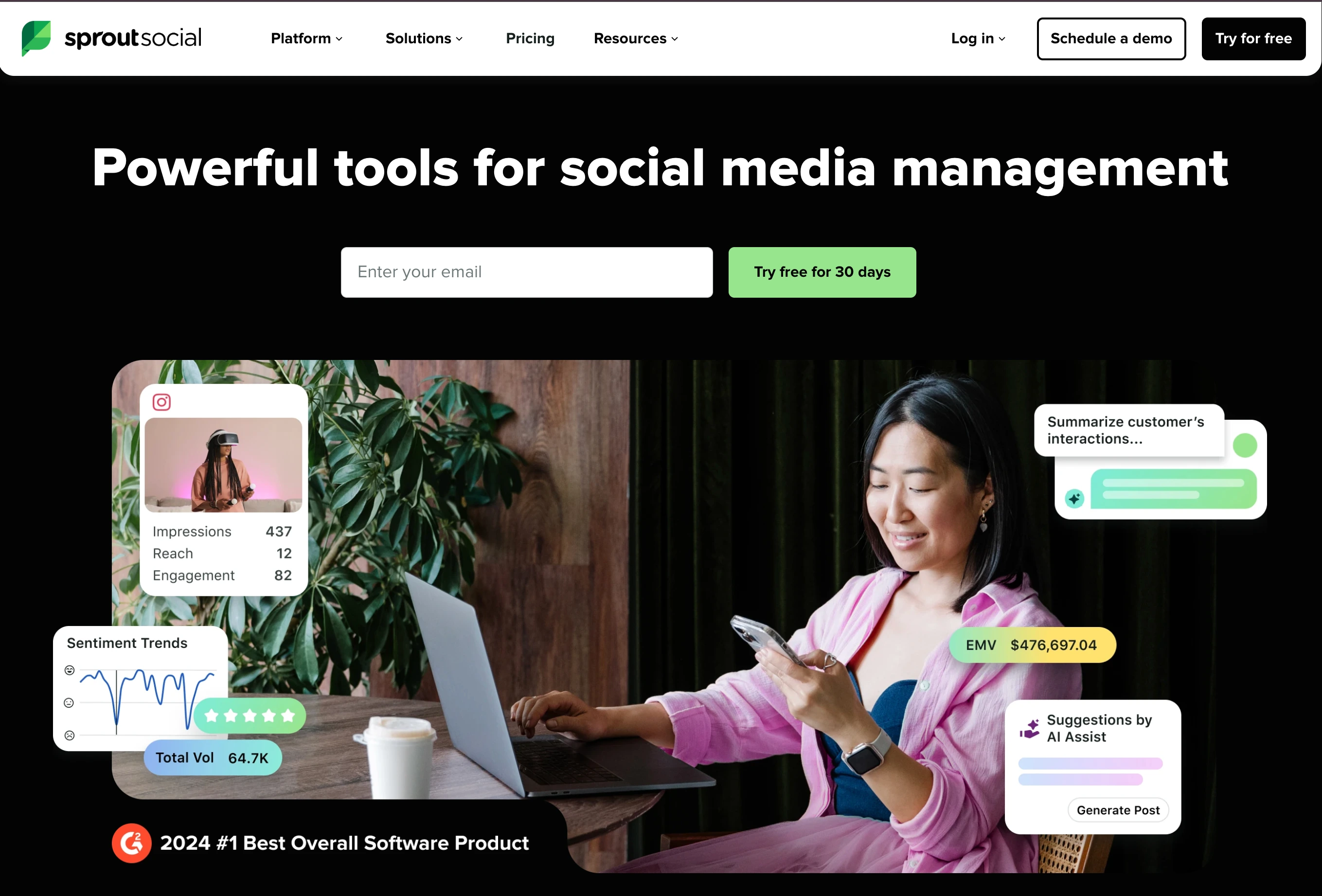
For the closest feature match at lower cost, Agorapulse ($99/user/mo) delivers roughly 80% of Sprout Social's functionality with the strongest unified inbox on the market.
For analytics depth specifically, Metricool (from $25/mo) matches Sprout on competitor tracking and adds Google/Meta/TikTok ad management, while Iconosquare (from $39/mo) offers 100+ metrics with industry benchmarks and white-label PDF reports.
For agencies, Sendible ($35/mo Core, $199/mo Premium for 42 profiles with unlimited users) delivers dramatically better per-user value than Sprout Social. For a modern all-in-one upgrade path with DM automation and review management, Vista Social ($99/mo) covers 12+ platforms.
How I Evaluated These Sprout Social Alternatives
I evaluate each tool across 6 categories: pricing transparency, platform coverage, publishing workflow speed, analytics depth, team collaboration features, and customer support quality.
-
Scoring methodology. Each tool is scored on a 1–5 scale per category. Final rankings weight pricing 25%, features 25%, workflow speed 20%, analytics 15%, team capabilities 10%, and support 5%. Sprout Social-specific pain points (per-seat pricing from $79 to $399 per user, key features locked behind Professional+Advanced tiers, social listening as a paid add-on, enterprise complexity, the 2.2/5 Trustpilot billing/cancellation reputation) were used as comparison anchors.
-
Review analysis. I cross-reference my evaluation against verified user reviews across G2, Capterra, and Trustpilot to surface the most common praise and complaints for each tool.
-
Pricing sources. Every pricing claim in this article is sourced directly from each vendor's public pricing page and verified in September 2026. Where pricing varies by billing period, I use monthly prices unless stated otherwise.
Quick Picks: Best Sprout Social Alternatives at a Glance
| Tool | Best For | Starting Price | Free Plan |
|---|---|---|---|
| PostPlanify | Agencies with local-business clients | From $39/mo per workspace | 7-day free trial |
| Agorapulse | Feature match at lower cost | $99/user/mo | 30-day trial |
| Hootsuite | Enterprise social management | $249/user/mo | 30-day trial |
| Sendible | Agencies and white-label | $29/mo | 14-day trial |
| Buffer | Simplicity and budget | $6/channel/mo | Yes (3 channels) |
| Loomly | Approval workflows | $65/mo | 15-day trial |
| SocialPilot | Agency bulk scheduling | $30/mo | 14-day trial |
| Metricool | Analytics on a budget | $25/mo | Yes (1 brand) |
| Vista Social | Modern full-featured tool | $79/mo | 14-day trial |
| Iconosquare | Deep analytics & benchmarking | $39/mo | Yes (2 profiles) |
1. PostPlanify: Best for Agencies Serving Local Businesses
PostPlanify is a social media management platform built for agencies serving local businesses: restaurants, clinics, salons, trades and multi-location brands. It is the closest Sprout Social alternative on price for client work, because each client gets their own workspace holding their content calendar, social inbox, approval workflows and client reports, and you are billed per client workspace rather than per seat.
That difference bites hardest on headcount. Sprout charges $199 to $399 per seat per month, so the account manager, the strategist and the client who only signs off on posts each cost the same as the person doing the work. PostPlanify includes unlimited team members and client reviewers on every plan, with unified analytics, a vision-powered AI assistant, a social inbox and approval workflows in the first workspace, and full white label on Scale.
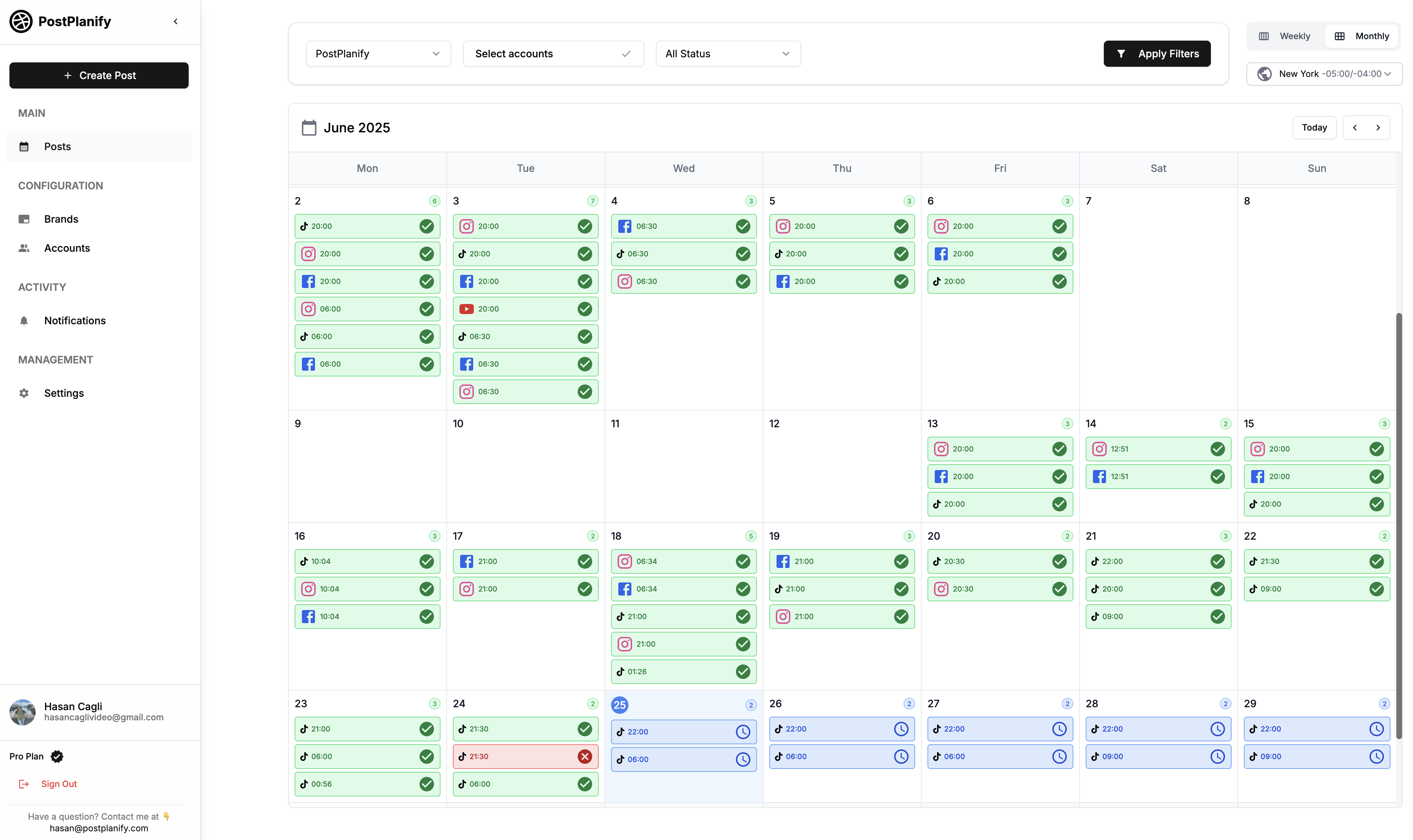
At a glance: PostPlanify
- Platforms: 10 including Bluesky, Threads, and Google Business
- Free trial: 7 days
- Best for: Agencies serving local businesses that want a workspace per client and unlimited seats, instead of paying Sprout per person
Key features:
- Schedule to 10 platforms: Instagram, Facebook, TikTok, X (Twitter), YouTube, LinkedIn, Threads, Pinterest, Bluesky, and Google Business
- AI-powered caption generator with brand voice awareness
- AI image generation
- Native Canva and Google Drive integration inside the media library
- Platform-specific post previews (carousels, reels, shorts, feed posts)
- Bulk scheduling up to 20 posts at once via the content calendar
- First comment scheduling
- Approval workflows with team collaboration in every workspace
- Unlimited team members and client reviewers on every plan, with Enterprise for larger rosters
- Link-in-bio builder
- Social inbox for comments, DMs and Google reviews, included on every plan
- Analytics across all connected platforms on every plan, with branded client reports from Premium
- White label across the dashboard, client emails and reports on Scale
Pricing:
| Plan | Starts at | Includes | Each extra workspace | Social accounts |
|---|---|---|---|---|
| Growth | $39/mo | 1 workspace | from $29, cheaper as you add more | 4 per workspace |
| Premium | $99/mo | 3 workspaces | from $39, cheaper as you add more | 6 per workspace |
| Scale | $199/mo | 5 workspaces | from $39, cheaper as you add more | 8 per workspace |
Unlimited team members on every plan, no per-seat fees. Yearly billing saves 20%. All plans include a 7-day free trial with a 14-day money-back guarantee.
Pros:
- Unlimited team members and client reviewers on every plan, where Sprout charges $199 to $399 for each one
- Billed per client workspace, so the price tracks your roster rather than your headcount
- Multi-approver workflows in every workspace, where Sprout gates approvals behind the $299 Professional tier
- Vision-powered AI assistant with image generation, which Sprout has no equivalent for
- White label on Scale, where Sprout charges separately for reporting depth
Cons:
- No social listening feature
- Analytics depth does not match Sprout Social's custom enterprise reports
- No mobile app yet
- Newer platform with a smaller user base than Sprout Social
- No CRM-like contact management
How it compares to Sprout Social:
- Sprout Social Standard ($199/mo per seat): 5 social profiles per plan, charged per user.
- PostPlanify Growth (from $39/mo per client workspace): 4 accounts per workspace and unlimited users, with no per-seat fees at any headcount.
- A three-person team saves roughly $6,348 a year. Two client workspaces (8 accounts) cost $68/mo, or $648/year, against $597/mo for three Sprout seats, which is $7,164/year. Hire a fourth person and Sprout adds $199/mo; PostPlanify does not move.
- The trade-off: PostPlanify does not offer social listening, sentiment analysis, or the enterprise reporting depth that Sprout Social provides.
For a detailed breakdown, visit our Sprout Social alternative page. You can also check our Sprout Social pricing breakdown and Sprout Social reviews for more details.
 PostPlanify
All your social media in one simple dashboard
Schedule posts, track analytics, and reply to comments/DMs without switching tabs.

Engagement
+18%
Views
52.8k
2. Agorapulse: Best Feature Match at Lower Cost
Agorapulse is the closest Sprout Social competitor on feature coverage, offering a unified social inbox, social listening, ROI tracking, and team collaboration, but at roughly half the per-user cost. If you want most of what Sprout Social offers without the premium price tag, Agorapulse is the first tool to evaluate.

At a glance: Agorapulse
- Platforms: 11 (incl. Reddit, Bluesky, Google Business)
- Free trial: 30 days
- Best for: Community managers, engagement-heavy teams, and agencies needing the strongest unified inbox, social CRM, and ROI tracking at roughly half Sprout Social's per-user cost
Key features:
- Unified social inbox with automated moderation rules and message assignment
- ROI reporting: tie social media activity to website conversions and revenue
- Content queues with category-based scheduling
- Competitor analysis and benchmarking
- Team collaboration with approval workflows
- Social CRM on all plans
Pricing:
| Plan | Monthly | Annual |
|---|---|---|
| Standard | $99/user/mo | $79/user/mo |
| Professional | $149/user/mo | $119/user/mo |
| Advanced | $199/user/mo | $149/user/mo |
30-day free trial.
Pros:
- Best social inbox on this list: automated rules, labeling, and message assignment
- ROI tracking helps prove social media value to stakeholders
- 11 platforms supported including Bluesky and Reddit
- Approval workflows available on Professional plan ($149 vs Sprout's $299)
- Content library and bulk scheduling included
Cons:
- Per-user pricing (same model as Sprout Social, just cheaper)
- Social listening is less comprehensive than Sprout Social
- Analytics depth does not match Sprout's custom reports
- Higher-tier features (Power Reports, multi-step approval) require expensive plans
- Canva integration only on Professional+ ($149/user/mo)
How it compares to Sprout Social:
Agorapulse delivers roughly 80% of Sprout Social's functionality at about half the price.
- Agorapulse Standard ($297/mo for 3 users): 10 social profiles per plan.
- Sprout Social Standard ($597/mo for 3 seats): 5 social profiles per plan.
- The trade-off: Sprout Social's custom reports, competitive benchmarking, and Salesforce integration remain superior in analytics depth.
User ratings: Agorapulse holds a 4.5/5 on G2 (967 reviews) and a 4.0/5 on Trustpilot (57 reviews).
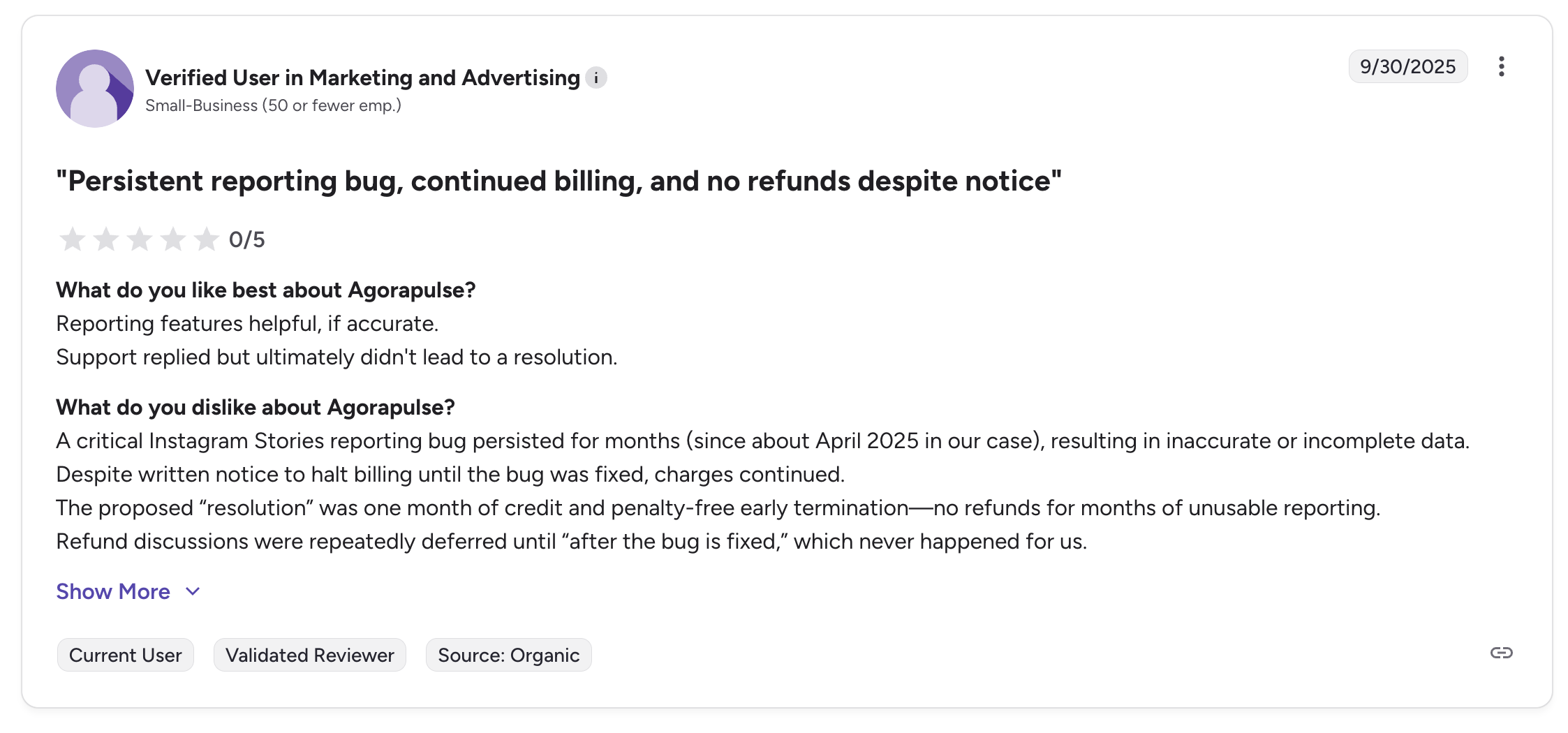
"A critical Instagram Stories reporting bug persisted for months (since about April 2025 in our case), resulting in inaccurate or incomplete data. Despite written notice to halt billing until the bug was fixed, charges continued." says Verified user in Marketing and Advertising (Small-Business), 0/5 on G2, Sep 2025
For more details, see our Best Agorapulse Alternatives, Agorapulse pricing breakdown, Agorapulse reviews, and Sprout Social vs Agorapulse comparison.
3. Hootsuite: Best Enterprise-Grade Alternative
Hootsuite is the largest social media management platform by market share. It competes with Sprout Social at the enterprise level but takes a different approach, focusing on breadth of integrations, employee advocacy, and social advertising rather than analytics depth.

At a glance: Hootsuite
- Platforms: 10+ including Google Business Profile
- Free trial: 30 days on Standard and Advanced
- Best for: Large enterprises needing broad platform coverage, employee advocacy, bulk scheduling (350 posts), social advertising, and deep third-party integrations
Key features:
- Social listening and brand monitoring (Talkwalker integration)
- Advanced analytics with competitor benchmarking
- Employee advocacy tools
- Ad management for paid social campaigns
- Bulk scheduling (up to 350 posts)
- Team workflows with approval chains and user roles
Pricing:
| Plan | Price | Social Accounts |
|---|---|---|
| Standard | $249/user/mo | 10 |
| Advanced | $499/user/mo | Unlimited |
| Enterprise | Custom | Custom |
30-day free trial on Standard and Advanced plans.
Pros:
- Broadest platform support among enterprise tools
- Employee advocacy tools (Sprout Social charges extra for this)
- Bulk scheduling of up to 350 posts (Sprout has no bulk upload)
- Extensive third-party integrations
- Large user community and established brand
Cons:
- Per-user pricing that scales quickly for teams
- Interface feels dated and cluttered compared to Sprout Social
- Social listening requires higher-tier plans
- Customer support is a common complaint
- Free plan was removed in 2023
How it compares to Sprout Social:
Both are enterprise-grade, but they excel in different areas.
- Sprout Social (from $199/mo per seat): Wins on analytics depth, sentiment analysis, and reporting polish.
- Hootsuite (from $249/mo per user): Wins on bulk scheduling (350 posts vs none), employee advocacy (built-in vs add-on), and a broader integration ecosystem.
- The trade-off: Neither is a budget option. The choice comes down to analytics depth (Sprout Social) vs bulk scheduling and employee advocacy (Hootsuite).
User ratings: Hootsuite holds a 4.3/5 on G2 (6,615 reviews) and a 1.8/5 on Trustpilot (511 reviews).
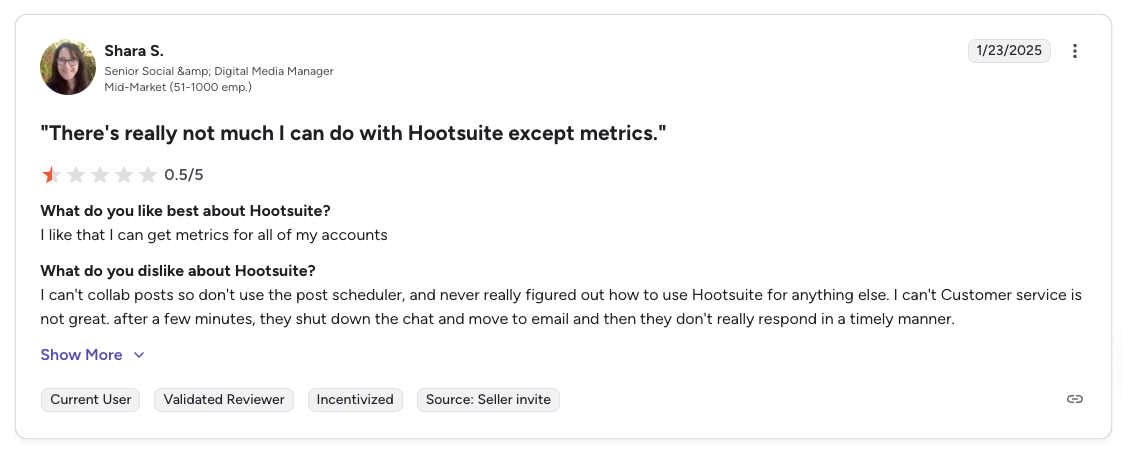
"There's really not much I can do with Hootsuite except metrics. I can't collab posts so don't use the post scheduler... Customer service is not great." says Shara S., Senior Social & Digital Media Manager (Mid-Market), 0.5/5 on G2, Jan 2025
For more details, see our Best Hootsuite Alternatives, Hootsuite pricing breakdown, Hootsuite reviews, and Hootsuite vs Sprout Social comparison.
4. Sendible: Best for Agencies
Sendible is purpose-built for agencies managing multiple client accounts. Its standout comparison to Sprout Social is value: Sendible's Scale plan at $199 per month includes 7 users and 49 social profiles. Sprout Social's Standard plan at the same $199 per month gives you 1 user and 5 profiles.

At a glance: Sendible
- Platforms: 10 including WordPress and Bluesky
- Free trial: 14 days, no contracts
- Best for: Digital marketing agencies managing multiple clients who need white-label dashboards, Client Connect approval links, and per-user value that scales, at a fraction of Sprout Social's per-seat cost
Key features:
- White-label reports and dashboards (paid add-on)
- Client connect: let clients approve content without logging in
- Priority inbox with sentiment analysis
- Canva, Google Drive, and Pexels integrations
- Custom and automated reports (Scale+)
Pricing:
| Plan | Price | Profiles | Users |
|---|---|---|---|
| Core | $35/mo | 6 | Unlimited |
| Plus | $99/mo | 18 | Unlimited |
| Premium | $199/mo | 42 | Unlimited |
| Elite | $299/mo | 90 | Unlimited |
| Enterprise | $750/mo | 300 | Unlimited |
14-day free trial. Annual billing saves 15%.
Pros:
- Dramatically better value per user than Sprout Social
- White-label dashboards let agencies present their own branding
- Client approval workflows without requiring full platform access
- No contracts: cancel anytime
Cons:
- Less brand recognition than Sprout Social
- Social listening is not as powerful
- Interface is functional but not the most modern
- White-label is a paid add-on ($240/mo on Advanced+)
- Community/inbox features are less developed
How it compares to Sprout Social:
The value gap is striking.
- Sendible Scale ($199/mo): 7 users and 49 profiles.
- Sprout Social Standard ($199/mo): 1 user and 5 profiles.
- For a 7-person agency team, Sendible Premium costs $199/month total, with unlimited users, against $1,393/month on Sprout Social Standard.
- The trade-off: Sprout Social wins on analytics depth, social listening, and CRM integration.
User ratings: Sendible holds a 4.5/5 on G2 (899 reviews) and a 2.3/5 on Trustpilot (8 reviews).
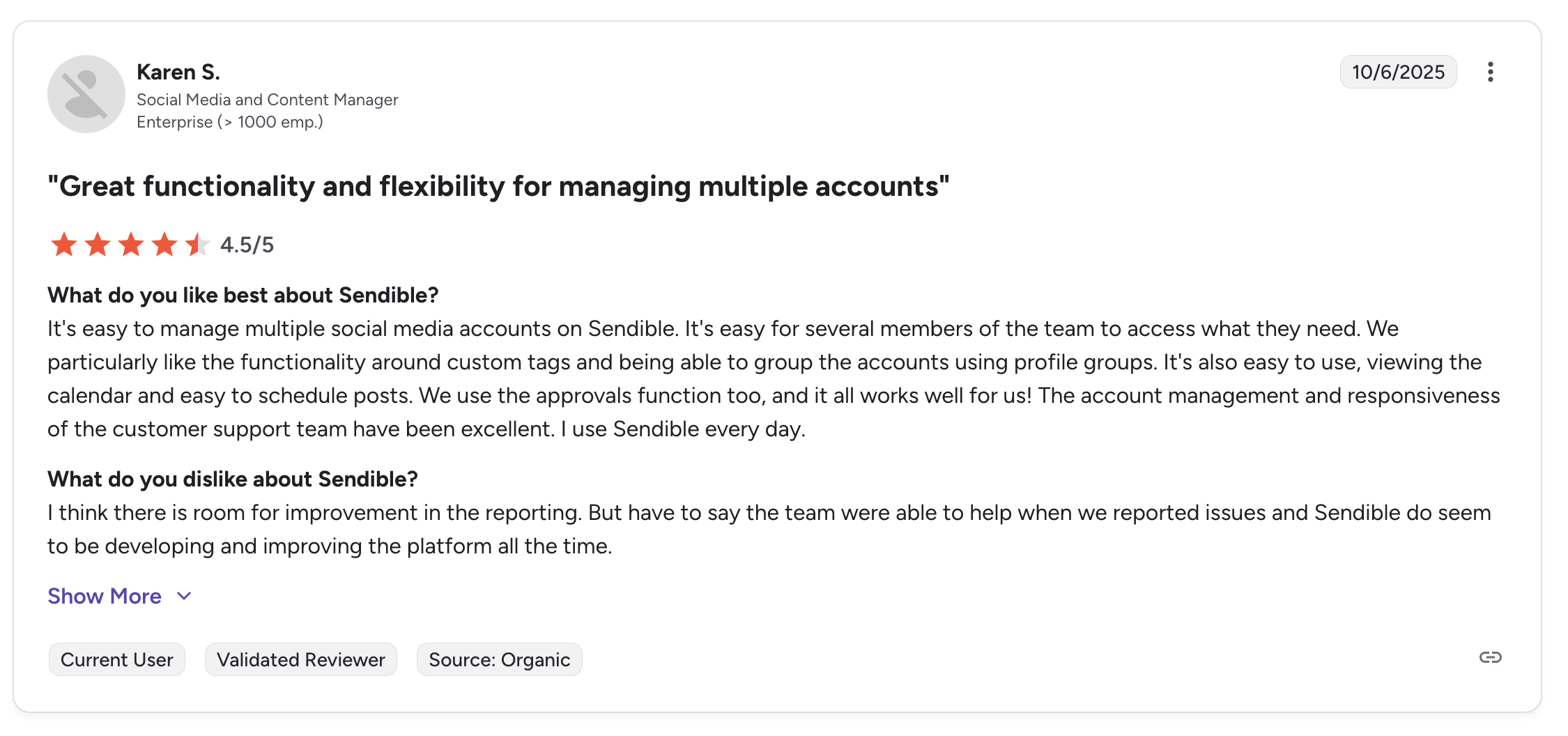
"It's easy to manage multiple social media accounts on Sendible. It's easy for several members of the team to access what they need... The account management and responsiveness of the customer support team have been excellent." says Karen S., Social Media and Content Manager (Enterprise), 4.5/5 on G2, Oct 2025
For more details, see our Best Sendible Alternatives, Sendible pricing breakdown, Sendible reviews, and Sprout Social vs Sendible comparison.
5. Buffer: Best for Simplicity
Buffer is the simplest social media scheduling tool on this list and the opposite end of the spectrum from Sprout Social. Where Sprout goes deep with enterprise features, Buffer keeps everything simple, and for many teams, that simplicity is exactly what they need.
At a glance: Buffer
- Platforms: 11 including Google Business Profile, Mastodon, and Bluesky
- Free trial: 14 days
- Best for: Solo creators and freelancers who primarily need simple scheduling across a few profiles and do not require Sprout Social's advanced analytics, listening, or team features
Key features:
- Schedule to 11 platforms including Google Business Profile, Mastodon, and Bluesky
- Free plan with 3 channels and 10 scheduled posts per channel
- AI Assistant for caption suggestions
- Start Page (link-in-bio builder)
- Community inbox on all plans (including Free)
- Engagement tools and basic analytics
Pricing:
| Plan | Price | Details |
|---|---|---|
| Free | $0 | 3 channels, 10 posts each |
| Essentials | $6/channel/mo | Per-channel pricing |
| Team | $12/channel/mo | Unlimited users, advanced features |
14-day free trial.
Pros:
- Free plan for getting started (Sprout Social has none)
- Incredibly simple interface with minimal learning curve
- Broad platform support (11 networks)
- Very affordable for 1-3 channels
- Nonprofits get 50% off
- Mature iOS and Android apps
Cons:
- Per-channel pricing gets expensive at scale (10 channels = $60-120/mo)
- No Canva integration in the composer
- Basic post previews
- Analytics are surface-level compared to Sprout Social
- No social listening, no bulk scheduling (CSV only)
How it compares to Sprout Social:
Buffer is not trying to replace Sprout Social: it is solving a different problem.
- If you moved to Sprout Social for the analytics and social listening but find yourself only using the scheduler, Buffer gives you that core functionality for a fraction of the cost.
- Buffer Free plan: Covers what many solopreneurs actually need.
- The trade-off: You lose almost everything that makes Sprout Social enterprise-grade.
User ratings: Buffer holds a 4.3/5 on G2 (1,023 reviews) and a 2.1/5 on Trustpilot (93 reviews).
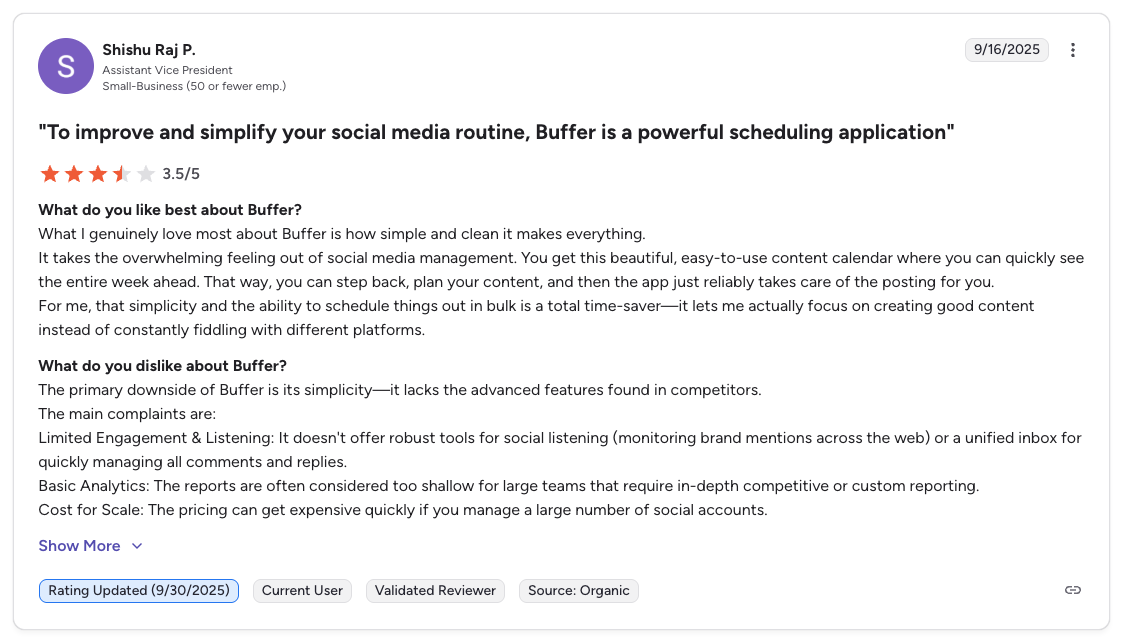
"What I genuinely love most about Buffer is how simple and clean it makes everything... The primary downside of Buffer is its simplicity: it lacks the advanced features found in competitors. Limited Engagement & Listening... Basic Analytics... Cost for Scale." says Shishu Raj P., Assistant Vice President (Small Business), 3.5/5 on G2, Sep 2025
For more details, see our Best Buffer Alternatives, Buffer pricing breakdown, Buffer reviews, and Sprout Social vs Buffer comparison.
PostPlanifyAll your social media in one simple dashboard
Schedule posts, track analytics, and reply to comments/DMs without switching tabs.
Engagement
+18%
Views
52.8k
Looking for Buffer or Hootsuite alternatives too? Check out our companion guides: 15 Best Buffer Alternatives in 2026 and 16 Best Hootsuite Alternatives in 2026.
6. Loomly: Best for Approval Workflows
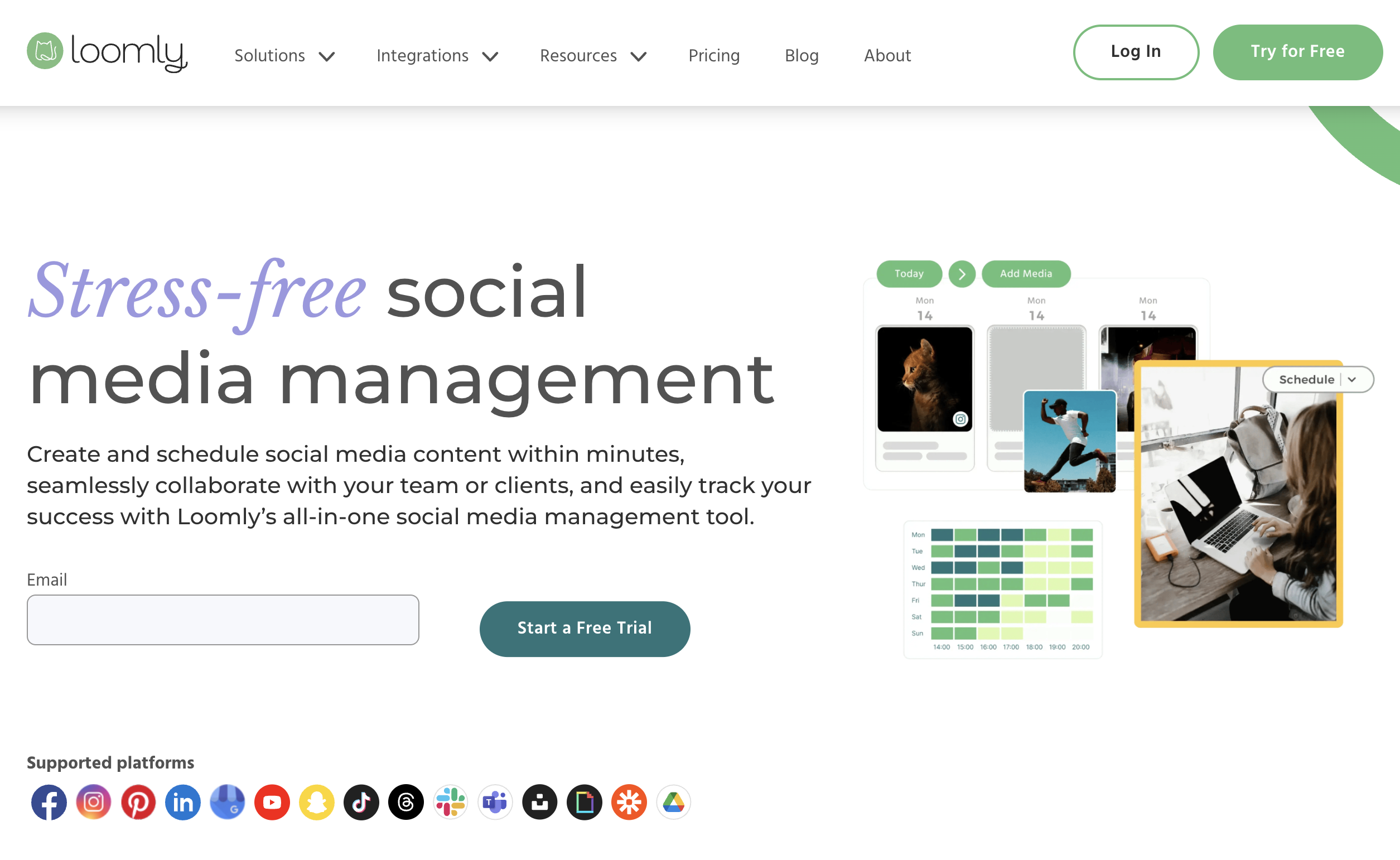
Loomly is a content calendar and approval workflow tool, focused on the creation and sign-off process rather than analytics. It provides post ideas, optimization tips, and built-in approval workflows, the kind of features that teams switching from Sprout Social typically rely on. The key difference: Loomly offers approval workflows starting at $65 per month, while Sprout Social locks them behind the $299 per seat Professional plan.
At a glance: Loomly
- Platforms: 9 including Snapchat, Pinterest, and Google Business
- Free trial: 15 days
- Best for: Small-to-medium marketing teams that need structured multi-step approval workflows and built-in content inspiration, at a fraction of Sprout Social's Professional tier
Key features:
- Multi-step approval workflows: define review stages and assign approvers
- Post ideas and content inspiration based on trending topics and holidays
- Interaction management: reply to comments and messages from one inbox
- Content library for storing and organizing brand assets
- Canva, Google Drive, Unsplash, and Giphy integrations
- Advanced scheduling with calendar and list views
Pricing:
| Plan | Monthly | Annual |
|---|---|---|
| Starter | $65/mo | $49/mo (12 accounts, 3 users) |
| Beyond | $332/mo | $249/mo (60 accounts, unlimited users) |
15-day free trial.
Pros:
- Approval workflows at $65/mo vs $299/seat on Sprout Social
- Content inspiration helps overcome blank calendar syndrome
- Canva and Google Drive integrations in the composer
- 9 platforms supported
- Clean, intuitive interface
Cons:
- Large pricing gap between Starter ($65) and Beyond ($332)
- No AI content generation
- Analytics are basic compared to Sprout Social
- No social listening
- Trustpilot reviews cite chatbot-only support with no human agents
How it compares to Sprout Social:
If approval workflows are your primary reason for using Sprout Social, Loomly delivers that specific capability at a fraction of the cost.
- Loomly Starter ($65/mo for 3 users): Provides approval workflows included in the base plan.
- Sprout Social Professional ($299/seat: $897/mo for 3 seats): Required tier to get comparable approval workflows.
- The trade-off: Loomly's analytics, social listening, and engagement tools are significantly less powerful.
User ratings: Loomly holds a 4.6/5 on G2 (1,793 reviews) and a 1.7/5 on Trustpilot (26 reviews).
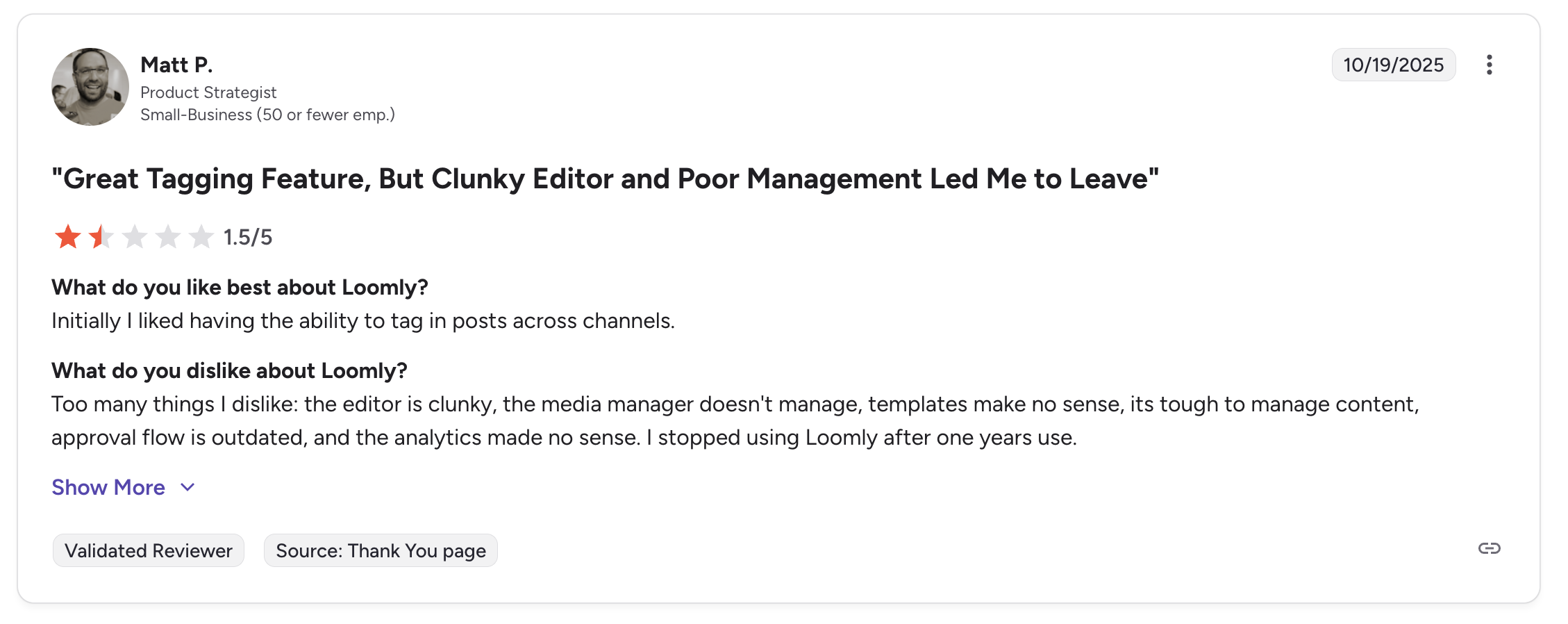
"Initially I liked having the ability to tag in posts across channels... Too many things I dislike: the editor is clunky, the media manager doesn't manage, templates make no sense, its tough to manage content, approval flow is outdated, and the analytics made no sense. I stopped using Loomly after one years use." says Matt P., Product Strategist (Small Business), 1.5/5 on G2, Oct 2025
For more details, see our Best Loomly Alternatives, Loomly pricing breakdown, Loomly reviews, and Sprout Social vs Loomly comparison.
7. SocialPilot: Best for Agency Bulk Scheduling
SocialPilot is built for agencies that manage many client accounts and need to publish content at scale. Its CSV bulk upload can handle up to 500 posts at once, white-label reports come standard, and the pricing makes Sprout Social look like a luxury purchase: a 6-person agency team costs roughly 12 times less on SocialPilot.

At a glance: SocialPilot
- Platforms: 10 including Threads, Bluesky, and Google Business
- Free trial: 14 days
- Best for: Small to mid-size agencies managing 7–50 client accounts who need CSV bulk publishing and white-label reports at roughly 8% of Sprout Social's per-seat cost
Key features:
- CSV bulk upload for mass scheduling (up to 500 posts)
- White-label PDF reports for client deliverables
- Manager approval on Standard+, client approval on Premium+
- Content curation and RSS feeds
- AI credits for caption generation
- Team collaboration with roles and permissions
Pricing:
| Plan | Price | Accounts | Users |
|---|---|---|---|
| Essentials | $30/mo | 7 | 1 |
| Standard | $50/mo | 15 | 3 |
| Premium | $100/mo | 25 | 6 |
| Ultimate | $200/mo | 50 | Unlimited |
14-day free trial. Extra accounts at $4/mo each, extra users at $5/mo each.
Pros:
- Bulk scheduling of 500 posts via CSV (Sprout Social has no bulk upload)
- White-label reports included on higher plans
- Manager approval on Standard+, client approval on Premium+
- 6-person team costs $100/mo vs $1,194/mo on Sprout Social Standard
- 10 platforms supported including Threads and Bluesky
- Extra accounts are just $4/mo each
Cons:
- Analytics are basic compared to Sprout Social
- Interface is functional but not visually modern
- Social listening is limited
- No unified inbox comparable to Sprout Social's Smart Inbox
- Smaller customer support team
How it compares to Sprout Social:
The price difference is the most dramatic on this list.
- SocialPilot Premium ($100/mo for 6 users): 25 accounts, bulk scheduling (500 posts via CSV), and white-label reports.
- Sprout Social Standard ($1,194/mo for 6 seats): 5 profiles, no bulk scheduling, no white-label reports at any price.
- The trade-off: Sprout Social wins on analytics depth, social listening, and the Smart Inbox.
User ratings: SocialPilot holds a 4.5/5 on G2 (841 reviews) and a 2.4/5 on Trustpilot (33 reviews).

"SocialPilot is robust in saving time when managing multiple social sites, where they are all consolidated in one dashboard... facilitates the role assigning aspects, and ensures that the approval process is speedily executed." says Graziana C., IT Manager (Financial Services, Small Business), 4.5/5 on G2, Dec 2024
For more details, see our Best SocialPilot Alternatives, SocialPilot pricing breakdown, SocialPilot reviews, and Sprout Social vs SocialPilot comparison.
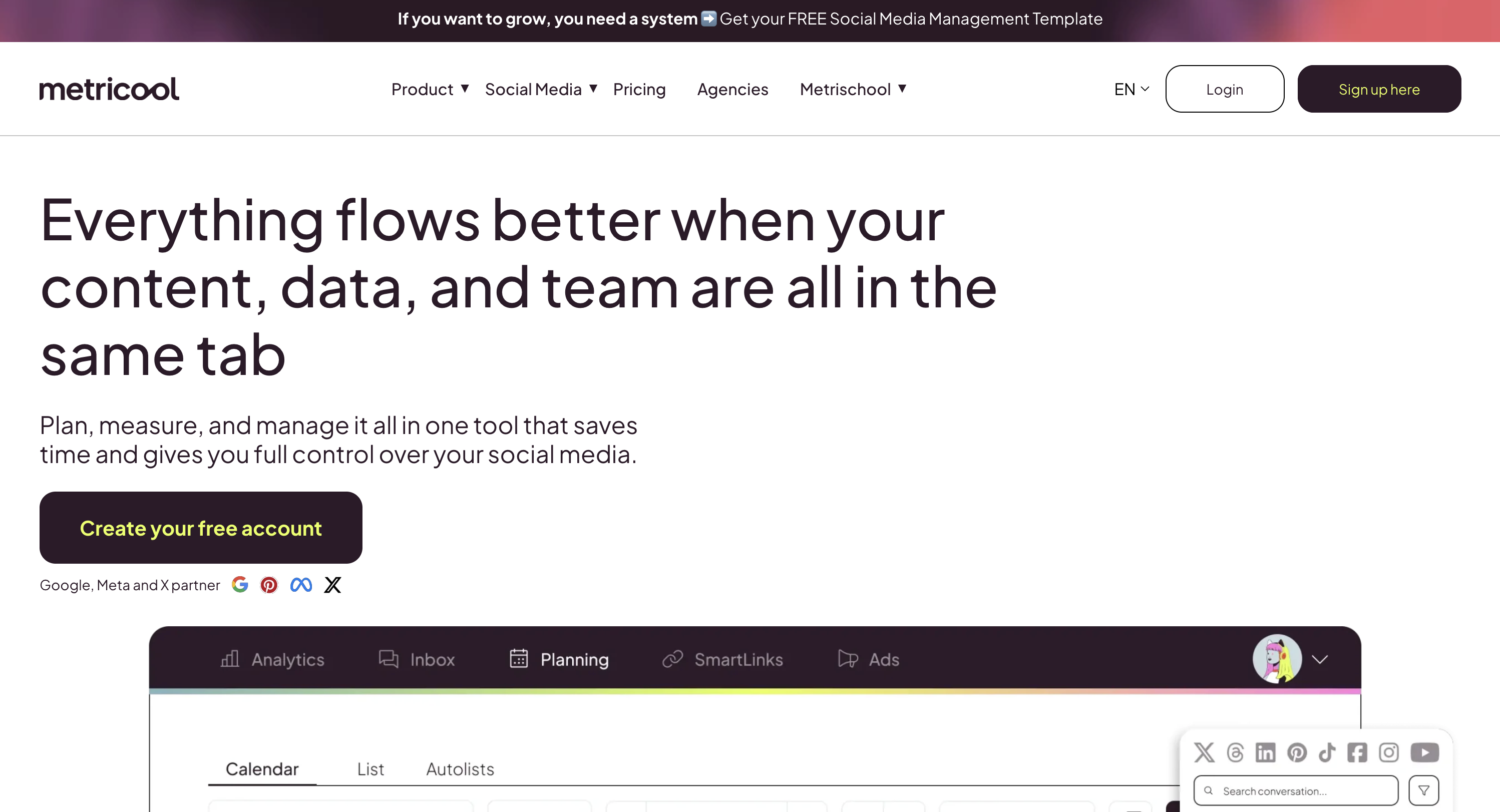
8. Metricool: Best Analytics on a Budget
Metricool is an analytics-first social media management tool and the cheapest Sprout Social alternative here with reporting depth. If you are switching from Sprout Social primarily because of the price but still need solid analytics, Metricool offers surprising depth, including competitor analysis, ad management, and Looker Studio integration, at a fraction of the cost.
At a glance: Metricool
- Platforms: 11 (9 on the free plan) including Twitch and Google Business
- Free plan: Permanent, no time limit
- Best for: Data-driven marketers needing competitor tracking (100 profiles), Google/Meta/TikTok ad management, and Looker Studio integration at 5–10% of Sprout Social's cost
Key features:
- Unified analytics across organic and paid social
- Google Ads and Facebook Ads management from one dashboard
- Competitor analysis: monitor up to 100 competitor profiles
- Unlimited analytics history on paid plans
- Looker Studio integration for custom dashboards
- PDF and PPT report exports
- Canva and Google Drive integrations
- Free plan with no expiration
Pricing:
| Plan | Price | Brands |
|---|---|---|
| Free | $0 | 1 brand (20 posts/mo) |
| Starter | From $25/mo | Up to 10 brands |
| Advanced | From $54/mo | Up to 50 brands |
| Custom | Quote-based | 50+ brands |
No traditional free trial: the free plan is permanent. X/Twitter requires an add-on on Starter plans.
Pros:
- Analytics depth rivals tools costing 5-10x more
- Competitor analysis with up to 100 profiles (Sprout charges extra for this)
- Google Ads and Facebook Ads management in one place
- Looker Studio connector for custom dashboards
- Free plan with actual functionality
- Highest Trustpilot rating among tools on this list (4.2/5)
Cons:
- Publishing tools are less refined than dedicated schedulers
- Team collaboration features are limited (gated behind Advanced plan)
- Basic social inbox: covers 7 platforms but lacks sentiment analysis, automated moderation, and DM automations
- No social listening
- X/Twitter is a paid add-on on lower plans
- Smaller brand recognition in the US market
How it compares to Sprout Social:
Metricool is not a feature-for-feature Sprout Social replacement: it lacks Sprout's Smart Inbox sentiment analysis, social listening, and enterprise-grade team collaboration. But for analytics specifically, Metricool punches well above its price.
- Metricool ($25-$54/mo): Competitor analysis (up to 100 profiles), unlimited analytics history, Looker Studio integration, and ad management.
- Sprout Social ($199+/mo per seat): Broader feature set but at 10-20x the cost for analytics-focused users.
- If analytics was your main reason for using Sprout Social, Metricool delivers comparable depth at 5-10% of the cost.
- The trade-off: Metricool does include a basic Inbox Manager covering 7 platforms, but you lose Sprout's Smart Inbox sentiment analysis, social listening, and enterprise team collaboration workflows.
User ratings: Metricool holds a 4.5/5 on G2 (83 reviews) and a 4.2/5 on Trustpilot (519 reviews).
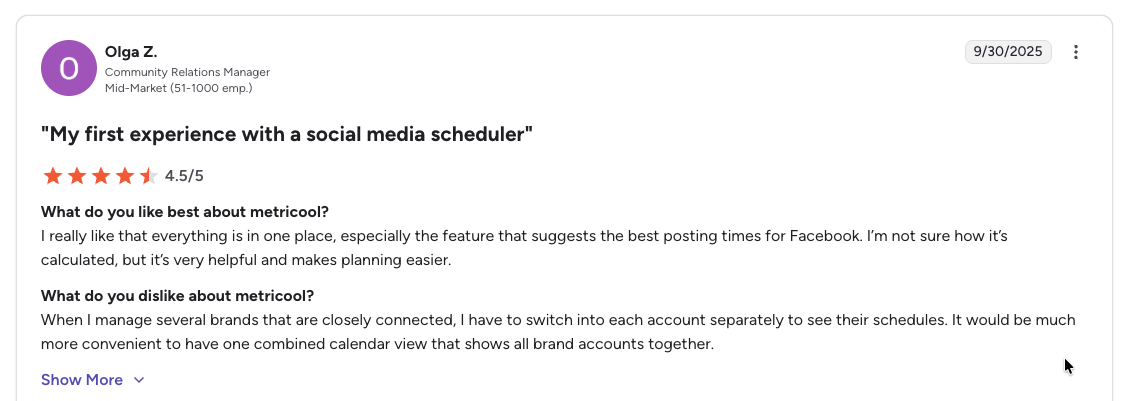
"I really like that everything is in one place, especially the feature that suggests the best posting times for Facebook... When I manage several brands that are closely connected, I have to switch into each account separately to see their schedules." says Olga Z., Community Relations Manager (Mid-Market), 4.5/5 on G2, Sep 2025
For more details, see our Best Metricool Alternatives, Metricool pricing breakdown, Metricool reviews, and Sprout Social vs Metricool comparison.
9. Vista Social: Best Modern Full-Featured Alternative
Vista Social is one of the newest tools on this list but has quickly built a feature set that directly competes with Sprout Social: publishing, engagement, analytics, listening, review management, and employee advocacy, all at significantly lower price points. It is the closest thing to a modern Sprout Social replacement.

At a glance: Vista Social
- Platforms: 12+ social platforms + 5 review sites
- Free trial: 14 days
- Best for: Growing teams wanting the closest feature match to Sprout Social (publishing, engagement, listening, review management) at 40–60% of the cost
Key features:
- Full publishing, engagement, analytics, and listening suite
- Review management for Google Business and Yelp
- DM automations for streamlined engagement
- Employee advocacy tools
- AI assistant for content creation
- Approval workflows on all plans
- Social listening available as add-on ($75/mo)
Pricing:
| Plan | Price | Profiles | Users |
|---|---|---|---|
| Professional | $99/mo | 15 | 2 |
| Advanced | $199/mo | 30 | 3 |
| Scale | $449/mo | 70 | 4 |
| Enterprise | Custom | Unlimited | Unlimited |
14-day free trial. Annual billing saves 20%. Note: X/Twitter is a paid add-on on all plans.
Pros:
- Most comprehensive feature set on this list outside of enterprise tools
- 12+ platforms plus review site management (Sprout does not cover Yelp or TripAdvisor)
- Employee advocacy included (Sprout charges extra for this)
- Higher G2 score than Sprout Social (4.8 vs 4.4)
- DM automations streamline engagement management
- Significantly cheaper per user than Sprout Social
Cons:
- Newer company: less proven track record than Sprout Social
- X/Twitter requires a paid add-on (not included in any plan)
- Social listening is an add-on at $75/mo (vs built-in on Sprout Professional)
- Smaller user community and fewer third-party integrations
- Employee advocacy add-on costs $199/mo for 25 employees
How it compares to Sprout Social:
Vista Social covers much of the same ground as Sprout Social but at 40-60% of the cost.
- Vista Social Advanced ($199/mo for 3 users): Includes review management and DM automations that Sprout Social does not offer.
- Sprout Social Standard ($1,194/mo for 6 seats): Superior analytics depth, Salesforce integration, and more mature social listening.
- One important caveat: Vista Social does not include X/Twitter in any plan: it requires a paid add-on.
- The trade-off: Sprout Social wins on analytics depth, Salesforce integration, and the maturity of its social listening. Vista Social wins on price, review management, and DM automations.
User ratings: Vista Social holds a 4.8/5 on G2 (1,071 reviews) and a 4.1/5 on Trustpilot (62 reviews).
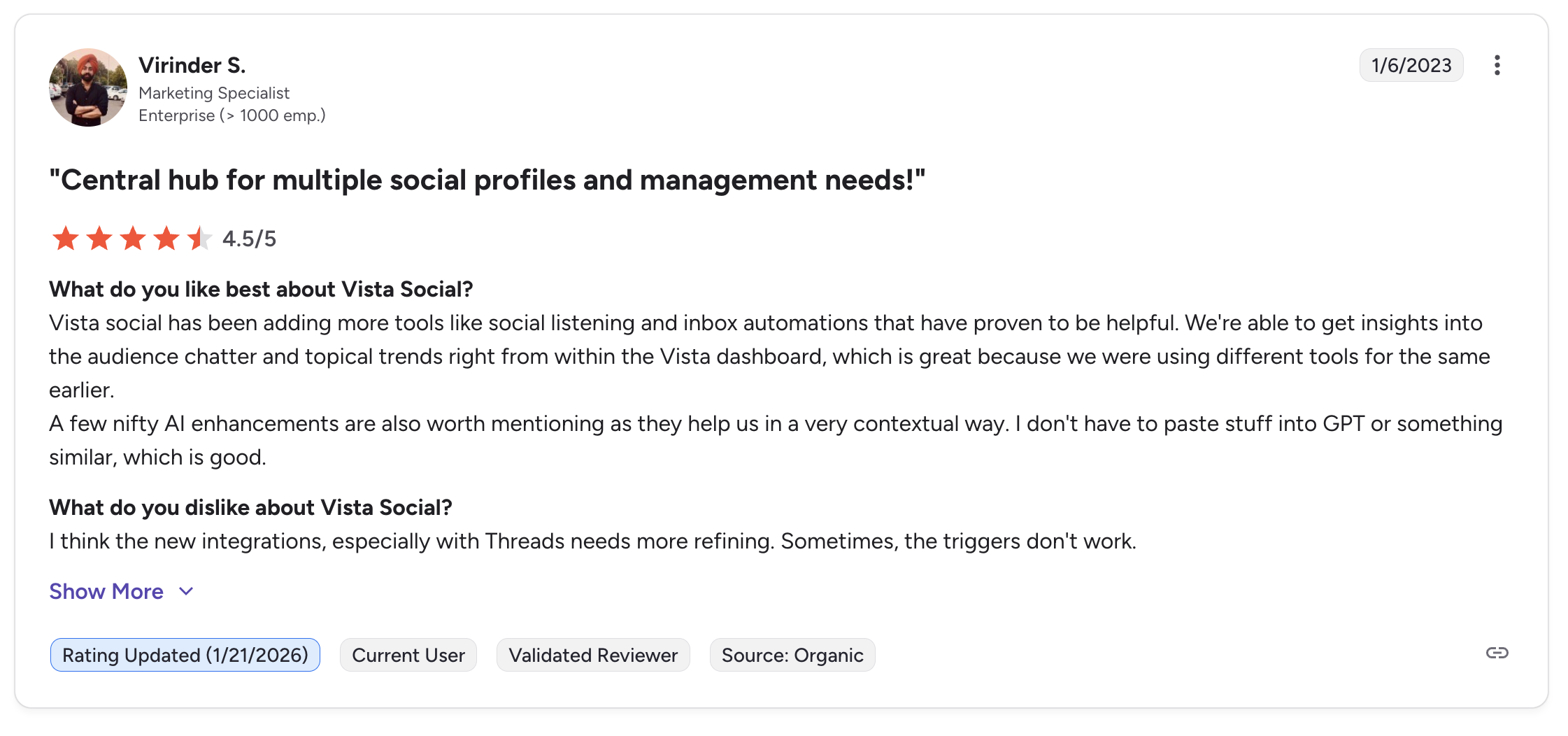
"Vista Social has been adding more tools like social listening and inbox automations that have proven to be helpful. We're able to get insights into the audience chatter and topical trends right from within the Vista dashboard... A few nifty AI enhancements are also worth mentioning." says Virinder S., Marketing Specialist (Enterprise), 4.5/5 on G2, updated Jan 2026
For more details, see our Best Vista Social Alternatives, Vista Social pricing breakdown, Vista Social reviews, and Sprout Social vs Vista Social comparison.
10. Iconosquare: Best for Deep Analytics & Competitor Benchmarking
Iconosquare is the most direct analytics-for-analytics downshift from Sprout Social. If you chose Sprout Social primarily for its reporting depth but the $199-per-seat pricing is no longer justifiable, Iconosquare delivers 100+ metrics, industry benchmarks, competitor tracking, 40+ YouTube-specific metrics, and automated white-label client reports at roughly 20% of Sprout Social's starting price.
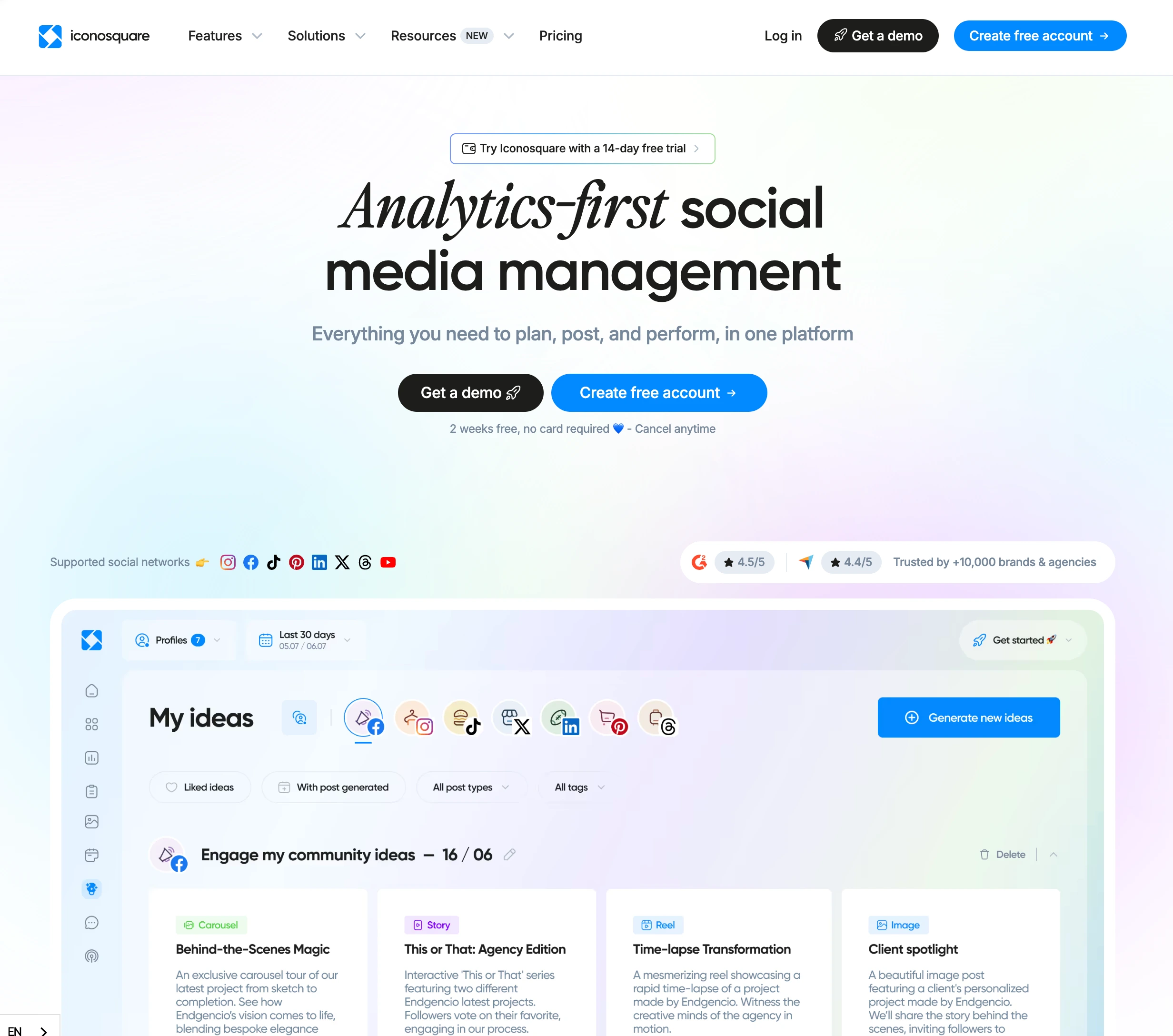
At a glance: Iconosquare
- Platforms: 8 (Instagram, Facebook, TikTok, LinkedIn, X, Pinterest, YouTube, Threads)
- Free trial: 14 days, ~22% off annual
- Best for: Analytics-focused brands and agencies downshifting from Sprout Social who want deep metrics, competitor benchmarking, and white-label reports at a fraction of per-seat enterprise pricing
Key features:
- 100+ analytics metrics with custom dashboards
- Industry benchmark comparisons: compare your performance against your sector
- Competitor tracking: up to 10 competitors per profile
- 40+ YouTube-specific metrics (rare at this price point)
- Instagram grid preview for feed planning
- Automated client PDF reports (white-label on Excel plan)
- External collaborator links for client approvals without an Iconosquare account
- Approval workflows on Scale plan and above
- AI caption generation and hashtag suggestions
Pricing:
| Plan | Monthly | Users | Posts/Month |
|---|---|---|---|
| Free | $0 | 1 | 10/profile |
| Launch | $39/mo | 1 | 100 |
| Scale | $83/mo | 3 | Unlimited |
| Excel | $139/mo | 6 | Unlimited |
| Custom | Contact sales | Unlimited | Unlimited |
All paid plans default to 5 social profiles with a pricing slider. Extra users cost $16/mo each. Annual billing saves ~22%.
Pros:
- Roughly 20% of Sprout Social Standard's price ($39/mo vs $199/seat)
- Industry benchmarks included (Sprout Social reserves these for higher tiers)
- White-label PDF reports on Excel plan ($139/mo)
- External collaborator links for client approvals without account access
- Strong YouTube analytics (40+ metrics): deeper than Sprout Social here
- Free plan available (Sprout Social has none)
- Instagram grid preview for feed planning
Cons:
- 100 posts/month cap on the Launch plan ($39/mo) pushes active teams to Scale ($83/mo)
- No AI image generation
- Social listening limited to hashtag & mention tracking (no web-wide monitoring)
- No social inbox (Sprout Social's Smart Inbox is superior)
- Per-user pricing scales costs for teams ($16/mo per extra user)
- 8 platforms vs Sprout Social's 10+: no Reddit or WhatsApp coverage equal
- No Salesforce integration or CRM-like contact management
How it compares to Sprout Social:
Iconosquare targets the analytics buyer specifically, delivering comparable depth for a much narrower scope.
- Iconosquare Scale ($83/mo): 5 profiles, 3 users, unlimited posts, 100+ metrics, competitor tracking, industry benchmarks, and approval workflows.
- Sprout Social Standard ($199/seat/mo): 5 profiles for one user with comparable analytics plus Smart Inbox, social listening (paid add-on), and CRM-like contact management.
- The trade-off: Iconosquare is roughly 42% of Sprout Social's price for a single user and adds industry benchmarks + white-label reports. Sprout Social wins on Smart Inbox sentiment, social listening, Salesforce integration, and the depth of enterprise reporting workflows.
User ratings: Iconosquare holds a 4.5/5 on G2 (135 reviews), with praise for analytics depth and dashboard clarity. Common complaints focus on content-creation limitations, linking issues with some platforms, and the per-user pricing.
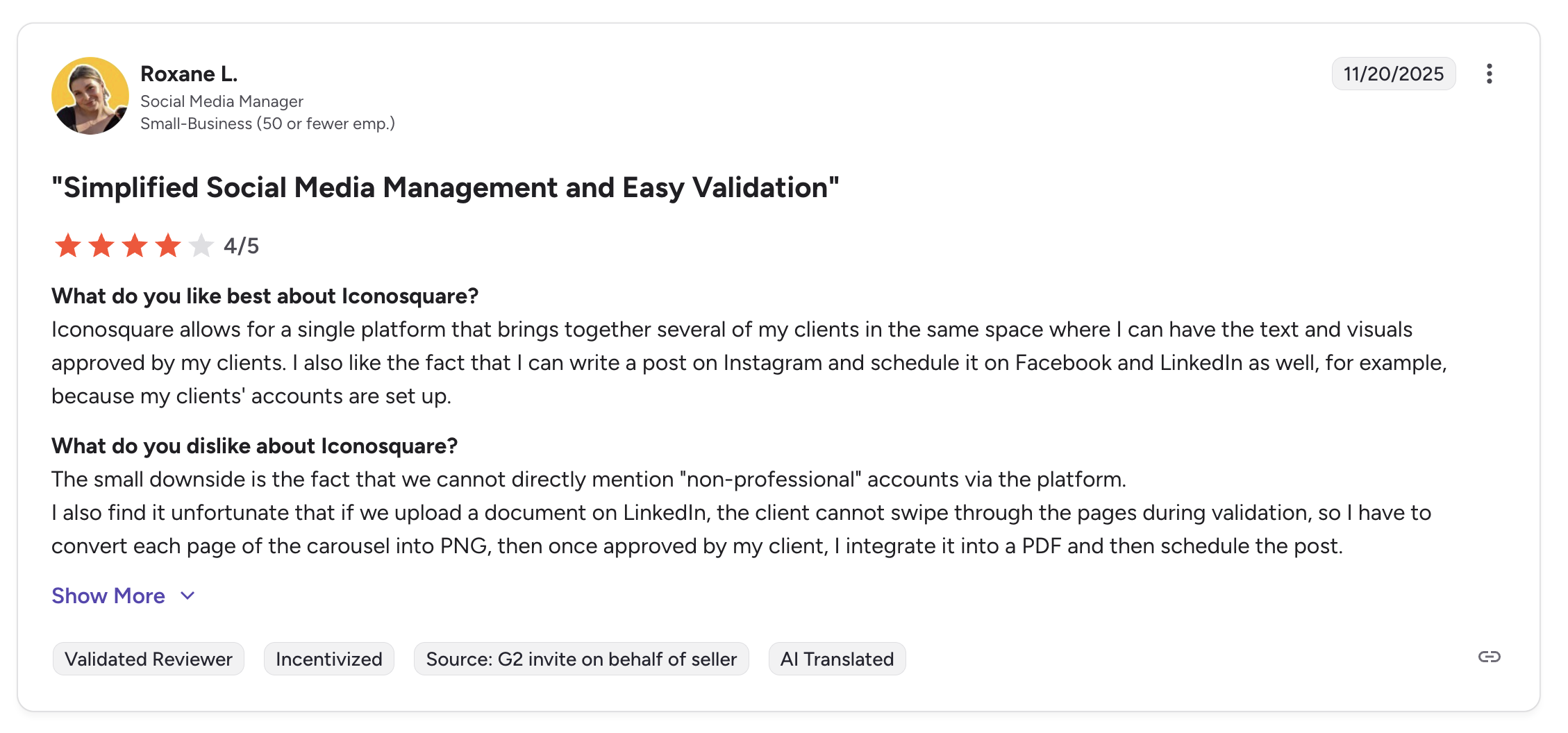
"Iconosquare allows for a single platform that brings together several of my clients in the same space where I can have the text and visuals approved by my clients. I also like the fact that I can write a post on Instagram and schedule it on Facebook and LinkedIn as well." says Roxane L., Social Media Manager (Small Business), 4/5 on G2, Nov 2025
For more details, see our Best Iconosquare Alternatives, Iconosquare pricing breakdown, Iconosquare reviews, and Sprout Social vs Iconosquare comparison.
PostPlanifyAll your social media in one simple dashboard
Schedule posts, track analytics, and reply to comments/DMs without switching tabs.
Engagement
+18%
Views
52.8k
Sprout Social Alternatives Comparison Table
This matrix covers all 10 Sprout Social competitors across the features that matter most when switching: pricing model, platform count, social inbox, social listening, analytics depth, approval workflow and white-label reports. Tools are listed as rows for readability.
| Tool | Starting Price | Pricing Model | Platforms | Social Inbox | Social Listening | Analytics Depth | Approval Workflow | White-Label Reports |
|---|---|---|---|---|---|---|---|---|
| Sprout Social (baseline) | $79/seat (Essentials), $199 (Standard) | Per seat | 10+ | Smart Inbox + sentiment | Paid add-on | Deepest | Yes (audit trails) | Yes |
| PostPlanify | From $39/mo | Per client workspace | 10 | Every plan | No | Good (every plan) | Every plan | Scale |
| Agorapulse | $99/user | Per user | 11 | Yes (strongest, automated rules) | Built-in + advanced | Good | Pro+ | Higher plans |
| Hootsuite | $249/user/mo | Per user | 10+ | Yes (full) | Talkwalker add-on | Deep | Yes | Yes |
| Sendible | $35/mo | Flat tiers, unlimited users | 10 | Priority Inbox + sentiment | No | Good | Plus+ | Elite+ (add-on) |
| Buffer | Free / $6/channel | Per channel | 11 | All plans (community) | No | Basic | Team only | No |
| Loomly | $65/mo | Flat tiers | 9 | Interactions inbox | No | Basic | Yes (all paid) | Beyond+ |
| SocialPilot | $30/mo | Flat tiers | 10 | Standard+ | Limited | Basic | Standard+ (client Premium+) | Premium+ |
| Metricool | Free / $25/mo | Per brand | 11 | Yes (basic, 7 platforms) | No | Deep | Advanced+ | Custom plan |
| Vista Social | $79/mo | Flat tiers | 12+ | Yes (sentiment + DM automation) | Addon ($75/mo) | Good | Yes (multi-step) | Scale+ |
| Iconosquare | Free / $39/mo | Per slider | 8 | No | Basic (hashtag & mention) | Deep (100+ metrics, industry benchmarks) | Scale+ | Excel+ |
PostPlanify: unlimited users on every plan, with Enterprise available for larger rosters.
Full Pricing Comparison: All 10 Sprout Social Alternatives
Here is a side-by-side pricing comparison to help you find the right tool for your budget. All prices shown are monthly billing rates.
| Tool | Solo User | 3-Person Team | 10 Social Accounts |
|---|---|---|---|
| Sprout Social | $199/mo (5 profiles) | $597/mo | $199/mo (Standard) |
| PostPlanify | $39/mo (4 accounts) | $39/mo (unlimited users) | $97/mo (12 accounts) |
| Agorapulse | $99/mo (10 profiles) | $297/mo | $99/mo (Standard) |
| Hootsuite | $249/mo (10 accounts) | $747/mo | $249/mo (Standard) |
| Sendible | $35/mo (6 profiles) | $35/mo (unlimited users) | $99/mo (Plus, 18 profiles) |
| Buffer | Free (3 channels) | ~$36/mo (3 ch × $12) | ~$60/mo ($6/ch) |
| Loomly | $65/mo (Starter) | $65/mo (Starter) | $65/mo (Starter, 12 accounts) |
| SocialPilot | $30/mo (7 accounts) | $50/mo (Standard) | $50/mo (Standard, 15 accounts) |
| Metricool | Free (1 brand) | $25/mo (Starter) | $38/mo (Starter, 10 brands) |
| Vista Social | $79/mo (15 profiles) | $79/mo (Professional) | $79/mo (Professional) |
| Iconosquare | $39/mo (Launch, 5 profiles) | $83/mo (Scale, 3 users) | $83/mo (Scale, 5 profiles via slider) |
Key takeaway: For teams of any size, tools that do not bill per seat, like PostPlanify (from $39/mo per client workspace, unlimited users), Sendible ($99/mo Plus, unlimited users), and SocialPilot ($50/mo for 3 users) offer dramatically better value compared to Sprout Social's per-seat pricing. Even per-user tools like Agorapulse cost roughly half what Sprout Social charges. For analytics-for-analytics replacements, Iconosquare ($39/mo) and Metricool (from $25/mo) are the closest direct matches at 10–20% of Sprout Social's price.
What You Actually Pay Per Seat
Sprout Social's pricing is per seat, and the seats are among the most expensive in the category: $199/seat on Standard (5 profiles), $299/seat on Professional (unlimited profiles), $399/seat on Advanced. Every person you add (manager, contractor, client lead) multiplies the bill. Here is the real math:
| Team size | Standard ($199/seat) | Professional ($299/seat) | PostPlanify (2 client workspaces) |
|---|---|---|---|
| 1 seat | $199/mo | $299/mo | $68/mo |
| 3 seats | $597/mo | $897/mo | $68/mo |
| 5 seats | $995/mo | $1,495/mo | $68/mo |
| 12 seats | $2,388/mo | $3,588/mo | $68/mo |
PostPlanify's column does not move, because seats are not what it bills for. The number changes only when you add a client: $39/mo for one workspace, $155/mo for five, $250/mo for ten, at any team size.
The alternatives here bundle users into the plan instead of charging per seat: PostPlanify includes unlimited users on every plan with approvals built in and white label on Scale, and Sendible ($199/mo Premium, unlimited users, 42 profiles) and Agorapulse also scale more affordably for teams. The honest trade-off: Sprout Social's social listening, sentiment analysis, and enterprise reporting depth are genuinely best-in-class, and if those are core to your operation, you're paying the premium for real capability. For everything else, the per-seat math is hard to justify.
Why People Are Switching from Sprout Social in 2026
Before I get into the alternatives, it helps to understand the specific pain points driving users away from Sprout Social. These are the most common reasons I see:
- Per-seat pricing among the most expensive in the industry. The ladder runs Essentials $79/seat (5 profiles, no approvals), Standard $199/seat (5 profiles), Professional $299/seat (unlimited profiles), and Advanced $399/seat for sentiment analysis, chatbot automation and premium analytics. Every rung is charged per person, so a three-person team runs $237 to $1,197/mo, and the client who only signs off on posts costs the same as the person doing the work.
- Social listening is an add-on Sprout will not price publicly. Listening and Premium Analytics are sold separately on Standard and above, and the pricing page does not list either cost: it routes you to a demo or a phone number. Third-party trackers put listening near $999/mo on top of your per-seat bill. Whatever the real figure, you cannot budget for it without a sales call, which is the practical problem.
- Enterprise complexity for non-enterprise teams. The interface is built for large orgs with dedicated social departments; for small businesses and growing agencies it feels heavier than necessary when you mainly want to schedule and track performance.
- Billing reputation vs product reputation. Sprout holds a 4.4/5 on G2 (5,731 reviews) for its analytics and workflow, but only 2.2/5 on Trustpilot (75 reviews), with recurring complaints about price increases, aggressive sales tactics, misleading trials, hard cancellations, and slow support. The product is well-regarded; the billing/contract experience is the pain point.
- Limited value if you don't need enterprise features. If you mainly need scheduling, basic analytics, and collaboration, Standard at $199/seat delivers what many tools here include for $30–$100/mo total (not per user). The premium only pays off if you actively use the advanced analytics, listening, and enterprise reporting.
See our full Sprout Social pricing breakdown and Sprout Social reviews analysis for the deeper picture.
How to Choose the Right Sprout Social Alternative
The best alternative depends on what you actually use Sprout Social for. Here is a quick decision framework:
Choose PostPlanify if you want unified analytics, a vision-powered AI assistant, social inbox and approvals in every workspace, priced per client rather than per seat. Best for agencies, teams, and businesses managing multiple accounts.
Choose Agorapulse if you need the closest feature match (social inbox with automated rules, social CRM, ROI tracking) at roughly half of Sprout Social's per-seat price. Best for community managers and engagement-heavy teams.
Choose Hootsuite if you need enterprise-grade breadth: social listening, ad management, employee advocacy, and deep integrations. Best for large marketing departments with budget for premium tools.
Choose Sendible if you run an agency and need white-label dashboards, Client Connect approval links, and a pricing model that scales per-user value rather than per-seat cost. Best for digital marketing agencies.
Choose Buffer if you primarily need simple scheduling and do not use Sprout Social's advanced features. Best for solopreneurs and freelancers.
Choose Loomly if approval workflows are your primary reason for using an enterprise tool. Best for teams that need structured content review processes.
Choose SocialPilot if you need bulk scheduling, white-label reports, and multi-account management at the lowest possible price. Best for agencies managing many clients.
Choose Metricool if analytics, competitor tracking, and ad management across Google/Meta/TikTok are your priorities. Best for data-driven performance marketers.
Choose Vista Social if you want the closest feature match to Sprout Social at a lower price: publishing, engagement, analytics, listening, and review management in one platform. Best for growing teams ready for a modern alternative.
Choose Iconosquare if analytics depth is your primary Sprout Social use case and you want 100+ metrics, industry benchmarks, and white-label reports at roughly 20% of Sprout Social's starting price. Best for analytics-focused brands and agencies.
Frequently Asked Questions
What is the best free alternative to Sprout Social?
Metricool and Buffer offer the most usable free plans. Metricool includes 1 brand with full analytics and no time limit. Buffer gives you 3 channels with 10 posts each. Iconosquare includes 2 profiles with 10 posts per profile. (Agorapulse and Loomly no longer offer free plans, both being trial-only.) For free analytics, Metricool wins; for free scheduling, Buffer is simplest.
Is Sprout Social worth the price in 2026?
It depends on your actual usage. Sprout Social still leads on analytics depth, Smart Inbox sentiment, social listening, and Salesforce integration. If your team actively uses those capabilities and needs custom reports and competitive benchmarking at scale, the price may be justified. If you primarily use Sprout Social for scheduling, basic analytics, and team collaboration, most tools on this list deliver those features for $30–$100/month total, not per user.
Which Sprout Social alternative has the best analytics?
Metricool and Iconosquare are the two closest analytics matches. Metricool (from $25/mo) offers competitor analysis (100 profiles), ad management for Google/Meta/TikTok, Looker Studio integration, and unlimited history. Iconosquare (from $39/mo) delivers 100+ metrics with industry benchmarks and white-label PDF reports. Neither matches Sprout's full enterprise suite, but both cover 80% of the core analytics use cases at 10–20% of the price.
Which Sprout Social alternative is best for agencies?
For agencies and teams, PostPlanify is the best overall fit: a workspace per client with unlimited users, white label on Scale, approval workflows in every workspace, a social inbox, and analytics across all 10 platforms, so your bill doesn't climb with every seat (a 3-person team on two client workspaces is $68/mo against $597/mo on Sprout Standard). From there it depends on your priority: Sendible Premium ($199/mo, 42 profiles, unlimited users) for client dashboards, SocialPilot ($100/mo for 6 users, 25 accounts) for CSV bulk scheduling, and Vista Social ($99/mo) for DM automation and review management.
Can I switch from Sprout Social without losing my data?
Yes: your social profiles, followers, and published content live on the networks themselves, not inside Sprout Social. When you switch tools, you reconnect accounts via OAuth and start fresh. Export your Sprout Social analytics reports, CRM contact history, and saved audience segments before canceling, since you will lose access to Sprout-specific historical data once your subscription ends. Watch contract renewal dates to avoid unexpected charges.
Does any Sprout Social alternative offer social listening?
Hootsuite (Talkwalker integration), Vista Social ($75/mo addon), and Agorapulse (built-in on higher plans) offer the closest social listening matches. For dedicated enterprise-grade listening comparable to Sprout Social's depth, no tool on this list fully matches, but most teams find that Agorapulse's built-in monitoring or Vista Social's add-on covers their actual needs at a fraction of Sprout Social's price.
What is the cheapest Sprout Social alternative?
Metricool (free) and Buffer (free for 3 channels) are the cheapest starts. Paid: Buffer at $6/channel, SocialPilot at $30/mo (7 accounts), SocialBee at $29/mo, Iconosquare at $39/mo (Launch), Vista Social at $99/mo (15 profiles, 2 users), and PostPlanify from $39/mo per client workspace with unlimited users. Any of these options costs a fraction of Sprout Social's $199 per-seat minimum.
Is there a Sprout Social alternative with a social inbox?
Yes: Agorapulse and Vista Social have the strongest unified inboxes. Agorapulse's inbox includes automated moderation rules, social CRM, sentiment analysis, and message assignment. Vista Social adds DM automations for Instagram/Facebook/TikTok. Hootsuite includes a robust unified inbox. Sendible's Priority Inbox adds sentiment analysis. PostPlanify includes a social inbox on every plan for Instagram/Facebook/LinkedIn. Buffer offers a basic community inbox on paid plans.
Is PostPlanify a good Sprout Social alternative?
Yes: PostPlanify directly addresses Sprout Social's biggest cost problem. It bills per client workspace from $39/mo with unlimited users, against Sprout's $199/seat/mo, and includes unified analytics across 10 platforms, a vision-powered AI assistant with image generation, a social inbox and approval workflows in every workspace, with white label on Scale. A three-person team on two client workspaces pays $68/mo against $597/mo for three Sprout seats, saving roughly $6,348/year. Sprout Social still wins on Smart Inbox sentiment, social listening, and Salesforce integration.
Is Iconosquare a good Sprout Social alternative?
Yes, for analytics-focused teams downshifting from enterprise pricing. Iconosquare's Scale plan ($83/mo) delivers 100+ metrics, competitor tracking, industry benchmarks, and approval workflows at roughly 42% of Sprout Social Standard's single-seat cost. The Excel plan ($139/mo) adds white-label PDF reports. Main limitations: 8 platforms vs Sprout's 11+, no social listening, no social inbox, no Smart Inbox sentiment analysis, and no Salesforce integration. Best for analytics buyers who don't need Sprout's engagement stack.
Making the Switch
Migrating from Sprout Social to any of these tools is straightforward. Your social media accounts, followers, and published content are tied to the platforms (Instagram, TikTok, X, etc.), not to Sprout Social. When you connect your accounts to a new tool, everything is already there.
Here is a simple migration process:
- Export your data from Sprout Social: Download your analytics reports, scheduled posts, and any content from the asset library. Sprout Social allows report exports from the analytics section.
- Sign up for your chosen alternative: Most tools offer free trials ranging from 7 to 30 days. Take advantage of the trial to test the workflow before committing.
- Connect your social accounts: Use OAuth to link your profiles. This takes seconds per platform.
- Recreate your posting schedule: Set up your content calendar, time slots, and posting cadence in the new tool. If you chose a tool with bulk scheduling, you can upload content to get back up and running quickly. Our guide on how to schedule social media posts covers this step in detail.
- Invite your team: Add team members, set permissions, and configure approval workflows if applicable.
- Cancel Sprout Social: Once you have verified everything works in the new tool, cancel your Sprout Social subscription. Pay attention to contract terms and renewal dates to avoid unexpected charges.
If PostPlanify is the right fit for your workflow, you can see the pricing or start your free trial.
Related Reading
- 15 Best Buffer Alternatives in 2026: If you are comparing Buffer alongside Sprout Social
- 16 Best Hootsuite Alternatives in 2026: If you are comparing Hootsuite alongside Sprout Social
- 11 Best Agorapulse Alternatives in 2026: If you are comparing Agorapulse alongside Sprout Social
- 13 Best Later Alternatives in 2026: If you are evaluating Later as well
- 11 Best Sendible Alternatives in 2026: If you are comparing Sendible alongside Sprout Social
- 11 Best SocialPilot Alternatives in 2026: If you are comparing SocialPilot alongside Sprout Social
- 11 Best Metricool Alternatives in 2026: If you are comparing Metricool alongside Sprout Social
- 12 Best Loomly Alternatives in 2026: If you are comparing Loomly alongside Sprout Social
- 12 Best SocialBee Alternatives in 2026: If you are comparing SocialBee alongside Sprout Social
- 12 Best Vista Social Alternatives in 2026: If you are comparing Vista Social alongside Sprout Social
- 12 Best Publer Alternatives in 2026: If you are comparing Publer alongside Sprout Social
- 12 Best Planable Alternatives in 2026: If you are comparing Planable alongside Sprout Social
- 12 Best Tailwind Alternatives in 2026: If you are comparing Tailwind alongside Sprout Social
- 12 Best CoSchedule Alternatives in 2026: If you are comparing CoSchedule alongside Sprout Social
- 12 Best Iconosquare Alternatives in 2026: If you are comparing Iconosquare alongside Sprout Social
- 12 Best Zoho Social Alternatives in 2026: If you are comparing Zoho Social alongside Sprout Social
- 12 Best Pallyy Alternatives in 2026: If you are comparing Pallyy alongside Sprout Social
- 10 Best Postiz Alternatives in 2026: If you are weighing an open-source, self-hostable scheduler alongside Sprout Social
- Sprout Social Pricing Breakdown: Full plan and cost analysis
- Sprout Social Reviews: What real users say about Sprout Social
- Best Social Media Management Platform: Broader comparison across all categories
- Social Media Scheduling Tools Guide: Everything you need to know about scheduling
- 12 Best Social Media Collaboration Tools: If per-seat collaboration pricing is what pushed you off Sprout
- 14 Best Social Media Automation Tools
- All Alternatives: Browse all social media management alternatives
- Best Social Media Management Tools for Teams
- Best Social Media Tools with White-Label Reports
PostPlanifyAll your social media in one simple dashboard
Schedule posts, track analytics, and reply to comments/DMs without switching tabs.
Engagement
+18%
Views
52.8k
About the Author

Hasan Cagli
Founder of PostPlanify, a content and social media scheduling platform. He focuses on building systems that help businesses, agencies, and teams plan, publish, and manage content and social media more efficiently across platforms.


