


Buffer has been a go-to social media scheduler since 2010, and for good reason. It is simple, reliable, and has a free plan that works for individuals managing a few profiles. But as your social media presence grows, Buffer's per-channel pricing model, limited integrations, and multi-step posting workflow can become real bottlenecks.
Whether you are hitting Buffer's scheduling caps, tired of paying per social account, or need features like bulk scheduling, Canva integration, or deeper analytics, there are strong alternatives worth considering.
I tested and compared 15 Buffer alternatives across pricing, platform support, workflow speed, team features, and analytics. Here is a quick summary before I dive into each tool.
Quick Answer: What Is the Best Buffer Alternative in 2026?
For most teams, the best Buffer alternative is PostPlanify: priced per client workspace from $39/month, with unlimited team members, unified analytics across every connected platform, a vision-powered AI assistant, a built-in social inbox, and approval workflows on every plan. Client reports arrive on Premium and full white label on Scale.
For solopreneurs on a strict budget, Publer ($12/mo) is the cheapest viable option.
For enterprises that need social listening, ad management, and multi-level governance, Hootsuite ($249/user/mo) and Sprout Social ($199/seat/mo) remain the category leaders.
For Instagram-first creators, Later wins on visual grid planning. For teams whose workflow centers on multi-stakeholder content approvals, Planable is the best fit.
How I Tested These Buffer Alternatives
Here is exactly how I evaluated each tool:
- Hands-on testing. Put 15 social media schedulers through real scheduled posts, bulk uploads, approval workflows, and analytics dashboards.
- Evaluation criteria. Six categories: pricing transparency, features, workflow speed, analytics, team capabilities, and customer support. Pricing and feature depth carried the most weight in my final rankings.
- Review analysis. Cross-referenced my testing against 15,000+ verified user reviews across G2, Capterra, and Trustpilot.
- Pricing sources. Every pricing claim is sourced from each vendor's public pricing page and verified in September 2026. Where pricing varies by billing period, I use monthly prices unless stated otherwise.
Quick Comparison: Best Buffer Alternatives at a Glance
| Tool | Starting Price | Best For | Platforms | Free Plan |
|---|---|---|---|---|
| PostPlanify | From $39/mo per workspace | Agencies with local-business clients | 10 | 7-day trial |
| Hootsuite | $249/user/mo | Enterprise teams | 10+ | No |
| Sprout Social | $199/seat/mo | Enterprise analytics & social listening | 10+ | Free trial |
| SocialBee | $29/mo | Evergreen content recycling | 10 | 14-day trial |
| Later | $25/mo | Visual-first Instagram creators | 8 | Limited free plan |
| Pallyy | $15/mo | Instagram-first solo creators | 9 | Yes (15 posts/mo) |
| SocialPilot | $30/mo | Agencies on a budget | 9 | 14-day trial |
| Publer | $12/mo | Budget-conscious solopreneurs | 12+ | Yes |
| Metricool | $22/mo | Analytics + free plan users | 9 | Yes |
| Iconosquare | $39/mo | Deep analytics & competitor tracking | 8 | Yes (2 profiles) |
| Loomly | Free ($65 paid) | Teams needing approval workflows | 9 | Yes |
| Sendible | $29/mo | Agency white-labeling | 10 | 14-day trial |
| Vista Social | $99/mo | DM automation & review management | 12+ | 14-day trial |
| Planable | $39/workspace/mo | Content approval & collaboration | 8 | Free (50 posts) |
| Agorapulse | $99/user/mo | Social inbox & community management | 11 | 30-day trial |
Why People Switch From Buffer
Before exploring alternatives, it helps to understand the common reasons users look beyond Buffer. These are the pain points I hear most often from creators, marketers, and agencies:

- Per-channel pricing adds up fast, and stops being quotable past 10. Buffer charges $6/channel/month on Essentials and $12/channel/month on Team, so 10 accounts is $60 to $120/mo. Buffer now applies a volume discount above 10 channels, but it does not publish the discounted rate, so anyone budgeting for 20 or 40 accounts cannot work out the cost from the pricing page. Most alternatives here price per plan or per workspace, which means you can quote a client before you sign them. See our full Buffer pricing breakdown.
- The multi-step composer slows things down. Buffer makes you select a channel, compose, preview, and confirm across separate steps. Publishing the same content across 5–6 platforms means the extra clicks compound, and several alternatives bundle caption writing, platform-specific previews, AI assistance, and scheduling into a tighter flow.
- Limited native integrations. No built-in Canva integration or native Google Drive connection inside the composer. You design in Canva, download, then re-upload to Buffer. PostPlanify and others wire these directly into the posting flow.
- No true bulk scheduling. Buffer supports CSV import but not in-app bulk creation where you build and schedule multiple posts at once. For agencies and content-heavy workflows, this is a real ceiling.
- Basic post previews. Buffer's previews do not always reflect how your content will actually render on each platform. Platform-specific previews before publishing are something several alternatives handle better.
These are consistent themes across user feedback. Buffer holds a 4.3/5 on G2 (1,023 reviews) but only 2.1/5 on Trustpilot (93 reviews), with common complaints about per-channel costs, limited analytics, and scheduling glitches. Read our full Buffer reviews analysis for a deeper look at what real users are saying.
For a deeper side-by-side breakdown of Buffer's features and limitations, see our Buffer vs PostPlanify comparison.
1. PostPlanify: Best for Agencies Serving Local Businesses

At a glance: PostPlanify
- Platforms: 10 including Bluesky and Threads
- Free trial: 7 days
- Best for: Agencies running social for local-business clients that want a workspace per client instead of Buffer's per-channel bill
PostPlanify is built for agencies running social for local-business clients: restaurants, clinics, salons, trades. Each client gets their own workspace holding their calendar, inbox, approvals and reports, and you are billed per workspace rather than per channel or per seat.
That shape is the difference from Buffer. On Buffer every channel you add has a price, and client work means separate channels for every client. Here a client is one workspace, their accounts sit inside it, and team members are unlimited on every plan, so the bill tracks how many clients you run rather than how many channels or how many people are logged in.
It also adopts newer networks earlier than most legacy tools, with native publishing to Threads, Bluesky, and Google Business alongside the core platforms. For agencies that have outgrown Buffer's free plan but don't want a $200 to $500 per-seat enterprise suite, PostPlanify occupies the practical middle: enough depth for real client work without the enterprise price tag or the learning curve that comes with it.
PostPlanify Pricing
| Plan | Starts at | Includes | Each extra workspace | Social accounts |
|---|---|---|---|---|
| Growth | $39/mo | 1 workspace | from $29, cheaper as you add more | 4 per workspace |
| Premium | $99/mo | 3 workspaces | from $39, cheaper as you add more | 6 per workspace |
| Scale | $199/mo | 5 workspaces | from $39, cheaper as you add more | 8 per workspace |
Unlimited team members on every plan, no per-seat fees. Yearly billing saves 20%. All plans include a 7-day free trial with a 14-day money-back guarantee.
Every plan includes a content calendar, AI assistant, social inbox, approval workflows and Link in Bio.
Key Features
- Content calendar: Plan, edit, and reschedule all your posts from one clean calendar. Know exactly what is going live, where, and when.
- 10 platforms supported: TikTok, Instagram, Facebook, LinkedIn, X (Twitter), YouTube, Threads, Pinterest, Bluesky, Google Business
- Analytics on every plan: performance, engagement and growth across all your platforms, with deeper breakdowns and period comparisons from Premium

- Social inbox on every plan: comments, DMs and Google reviews across platforms in one place
- Bulk scheduling: queue up to 20 posts across platforms at once, perfect for batching a month of client content
- Team collaboration: unlimited team members and client reviewers on every plan, with roles, approval workflows from the entry plan, and a shared calendar
- Media library: Store, organize, and reuse your brand assets in one place. Import from Canva or Google Drive when needed.
- AI assistant: Generate captions, create images, and improve your content with built-in AI
- Platform-specific previews: See exactly how your post will look on each platform before publishing
- Link-in-bio builder: One page, all your links, styled to match your brand
- Client reports (Premium): branded PDF reports for clients or stakeholders, with full white label across the dashboard, emails and reports on Scale
What PostPlanify Does Better Than Buffer
- Built for volume: Buffer is designed around one brand posting to its own channels. At 8 clients and 40 accounts, that shape starts working against you
- A workspace per client: client accounts, calendar, inbox and approvals stay separated, where Buffer gives you one flat list of channels
- Approval workflows on every plan: nothing publishes to a client's audience until they sign off. Buffer has no client approval step at any tier
- Unified content calendar: one dashboard for all platforms, all posts
- Bulk scheduling: create up to 20 posts at once (Buffer only supports CSV import)
- Analytics and a social inbox on every plan: Buffer charges per channel for publishing and keeps engagement thin, with comments only and no DMs
Where Buffer Is Still Stronger
- Mobile app: Buffer has mature iOS and Android apps. PostPlanify is web-only (mobile app coming soon).
- More platforms: Buffer supports 11 networks including Google Business Profile and Mastodon
- Free plan: Buffer offers a free plan with 3 channels and 10 posts each. PostPlanify offers a 7-day trial.
- Longer track record: Buffer has been around since 2010 with a larger user base and community
Verdict: The strongest workflow upgrade over Buffer for client work, because a workspace per client is a shape Buffer simply does not have. On price, be precise about which Buffer plan you are comparing: PostPlanify undercuts Buffer Team ($12/channel) from the very first workspace, while Buffer Essentials ($6/channel, one user) stays cheaper up to roughly 48 connected accounts at the standard rate. Buffer discounts channels above 10 without publishing the rate, so treat 48 as the ceiling rather than an exact crossover. If you are a solo operator on Essentials with a handful of channels and no clients, Buffer is still the cheaper tool and you are paying us for the inbox, approvals and client separation rather than for scheduling. Skip if 1 to 3 channels is your ceiling or you need a mature mobile app today.
For a detailed feature comparison see the Buffer alternative page, or the full pricing breakdown.
 PostPlanify
All your social media in one simple dashboard
Schedule posts, track analytics, and reply to comments/DMs without switching tabs.

Engagement
+18%
Views
52.8k
2. Hootsuite: Best for Enterprise Teams

At a glance: Hootsuite
- Platforms: 10+ including Google Business Profile
- Free trial: No free plan; 30-day trial on Standard and Advanced
- User ratings: 4.3/5 on G2 (6,615), 1.8/5 on Trustpilot (511)
- Best for: Enterprise marketing teams needing social listening, ad management, competitor benchmarking, and multi-level approval governance
Hootsuite is the largest social media management platform by market share (16.6%). It is built for enterprise teams that need advanced analytics, social listening, and team governance features.
Founded in 2008, Hootsuite is one of the oldest names in social media management, and much of its staying power comes from being deeply embedded inside large organizations. Security reviews, compliance certifications, and a vast app directory make it hard to rip out once a company has standardized on it, and that institutional lock-in, more than any single feature, is why enterprises keep renewing.
The flip side is that Hootsuite has steadily moved upmarket. After it retired its free plan and lower-cost tiers, many small businesses and solo marketers who started on it years ago found themselves priced out, a big reason "Hootsuite alternatives" is such a heavily searched term. If you are a small team that mainly needs to schedule and check analytics, you are paying for governance and listening infrastructure you will never fully use.
Hootsuite Pricing
| Plan | Price | Social Accounts |
|---|---|---|
| Standard | $249/user/month | 10 |
| Advanced | $499/user/month | 50 |
| Business | Custom pricing | Custom |
Pricing is per user per month. Enterprise features require higher tiers.
Key Features
- 10+ platforms including Google Business Profile
- Social listening and brand monitoring (Talkwalker add-on)
- Advanced analytics with competitor benchmarking
- Team workflows with approval chains and user roles
- Ad management for paid social campaigns
- Employee advocacy tools
How It Compares to Buffer
Hootsuite is built for a completely different use case than Buffer. Where Buffer keeps things simple, Hootsuite goes deep: social listening, ad management, competitor benchmarking, and multi-level team governance are all built in.
- Hootsuite Standard ($249/user/mo): 10 social accounts, social listening, competitor benchmarking, ad management, and team workflows, for one user.
- Buffer Essentials ($6/channel/mo): Basic scheduling and analytics per channel, no social listening or ad management. 10 channels would cost ~$60/mo.
- The trade-off: Hootsuite gives you enterprise features Buffer simply does not offer, but the price is steep and there is no free plan. It only makes sense if you genuinely need social listening, ad management, or multi-department governance.
What users say: 4.3/5 on G2 (6,615 reviews) but only 1.8/5 on Trustpilot (511 reviews). Common complaints include billing issues, customer support delays, and a cluttered interface. The G2 audience tends to be enterprise users who value the feature depth.
Verdict: Worth $249/user/mo only if you genuinely need social listening or paid ad management inside your scheduler. For pure scheduling, almost anything else on this list is better value.
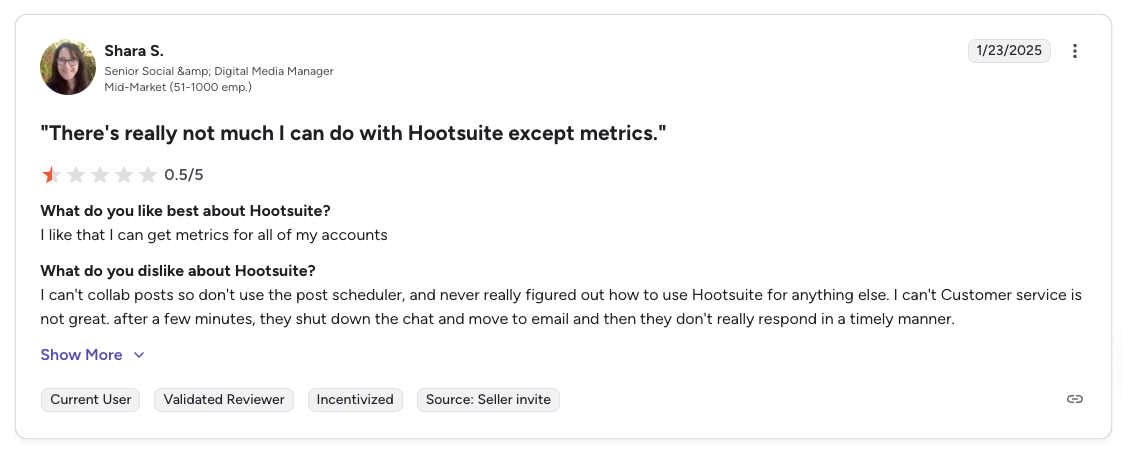
"There's really not much I can do with Hootsuite except metrics. I can't collab posts so don't use the post scheduler... Customer service is not great." says Shara S., Senior Social & Digital Media Manager (Mid-Market), 0.5/5 on G2, Jan 2025
For more details, see our Hootsuite alternative page, Hootsuite pricing breakdown, Hootsuite reviews, and Buffer vs Hootsuite comparison.
3. Sprout Social: Best for Enterprise Analytics & Social Listening

At a glance: Sprout Social
- Platforms: 10+ including Reddit and WhatsApp
- Free trial: 30 days (no free plan)
- User ratings: 4.4/5 on G2 (5,731), 2.2/5 on Trustpilot (75)
- Best for: Mid-to-large enterprises needing the deepest analytics, social listening, and presentation-ready reporting in the category
Sprout Social is the premium option in this space. It is an enterprise-grade platform with the deepest analytics, social listening, and reporting capabilities available.
Where Hootsuite competes on breadth, Sprout Social competes on polish. It built its reputation on presentation-ready reporting and an interface clean enough that executives and clients can read the dashboards without training, which is exactly why marketing leaders reach for it when social performance has to be defended in a boardroom.
That focus shapes who it fits. Sprout targets mid-market and enterprise teams with the budget to treat social as a measured business channel, not solo creators or lean startups. It is typically sold on annual contracts, and its premium social listening lives in the higher tiers, so the real cost of a full deployment usually lands well above the per-seat sticker price, a trade-off that only makes sense when analytics and listening are central to the role.
Sprout Social Pricing
| Plan | Price (per seat/mo) | Social Profiles |
|---|---|---|
| Standard | $199 | 5 |
| Professional | $299 | Unlimited |
| Advanced | $399 | Unlimited |
| Enterprise | Custom | Unlimited |
All prices are per seat, billed annually.
Key Features
- Deep analytics with customizable, presentation-ready reports
- Social listening powered by AI for brand sentiment and trend analysis
- Smart inbox that unifies messages from all platforms
- Competitor analysis with benchmarking
- Employee advocacy tools
- Multi-step approval workflows with audit trails
How It Compares to Buffer
Sprout Social is not really competing with Buffer: it is in a different category entirely. The analytics, social listening, and reporting are the deepest you will find in any social media tool.
- Sprout Social Standard ($199/seat/mo): 5 social profiles, deep analytics, smart inbox, competitor analysis, and multi-step approval workflows, per seat.
- Buffer Essentials ($6/channel/mo): Basic scheduling and analytics per channel. 5 channels would cost ~$30/mo but with far less analytics depth.
- The trade-off: Sprout Social offers enterprise-grade reporting and social listening that Buffer cannot match, but a single seat costs more than most teams spend on Buffer for everything. One surprising limitation: Sprout cannot publish the same post to multiple networks simultaneously.
What users say: 4.4/5 on G2 (5,731 reviews) but only 2.2/5 on Trustpilot (75 reviews). Enterprise users praise the analytics and reporting. Complaints focus on unexpected price increases, long contracts, and difficulty canceling.
Verdict: Pick this only when board-level reporting and social listening are non-negotiable: the per-seat price and annual contract scare off everyone else for good reason.
For more details, see our Sprout Social alternative page, Sprout Social pricing breakdown, Sprout Social reviews, and Sprout Social vs Buffer comparison.
4. SocialBee: Best for Evergreen Content Recycling

At a glance: SocialBee
- Platforms: 10 including Google Business and Pinterest
- Free trial: 14 days
- User ratings: 4.8/5 on G2 (472), 4.0/5 on Trustpilot (43)
- Best for: Content marketers and small businesses with a library of evergreen content they want to recycle on a category-based schedule
SocialBee stands out from Buffer with its category-based content system. Instead of a linear queue, you organize posts into categories (like "tips," "promotions," "blog posts") and SocialBee automatically rotates through them on a schedule.
SocialBee is built around a belief that consistency beats volume. Rather than scrambling for something new every day, you define a handful of content buckets (educational, promotional, curated, behind-the-scenes) and the tool keeps a balanced mix flowing automatically. For solopreneurs, coaches, and small businesses working from a finite library of evergreen material, that quietly solves the "what do I post today?" problem.
The company also positions itself as more than software. SocialBee offers optional done-for-you concierge services where its team helps build out your categories and even produces content, placing it somewhere between a pure SaaS scheduler and a lightweight agency. That hybrid appeals to time-strapped business owners who want the automation but don't have the hours to architect a posting system from scratch.
SocialBee Pricing
| Plan | Monthly | Social Profiles |
|---|---|---|
| Bootstrap | $29/mo | 5 |
| Accelerate | $49/mo | 10 |
| Pro | $99/mo | 25 |
Key Features
- Category-based scheduling: organize content into buckets and set posting cadence per category
- Evergreen recycling: automatically re-queue top-performing posts
- AI content generation with Copilot AI assistant
- Canva integration inside the composer
- RSS feed auto-posting for curated content
- Workspaces for managing multiple brands
How It Compares to Buffer
The biggest difference is content recycling. Buffer treats every post as a one-time publish. SocialBee lets you organize posts into categories and automatically re-queue your best content on a rotating schedule.
- SocialBee Bootstrap ($29/mo): 5 social profiles, category-based scheduling, evergreen recycling, Canva integration, and AI content generation.
- Buffer Essentials ($6/channel/mo): 5 channels would cost ~$30/mo with basic scheduling and no content recycling or category system.
- The trade-off: SocialBee gives you significantly more automation at a comparable price, but the learning curve is steeper and the analytics are less intuitive than Buffer's.
What users say: 4.8/5 on G2 (472 reviews) and 4.0/5 on Trustpilot (43 reviews), one of the highest-rated tools on this list. Users consistently praise customer service and ease of initial setup.
Verdict: A clear win if you have a library of evergreen posts you want recycled on autopilot. Skip if you publish original content every day and never re-share.
For more details, see our SocialBee alternative page, SocialBee pricing breakdown, SocialBee reviews, and Buffer vs SocialBee comparison.
5. Later: Best for Visual-First Instagram Creators

At a glance: Later
- Platforms: 8 (no Google Business Profile)
- Free trial: Limited free plan
- User ratings: 4.5/5 on G2 (347), 1.3/5 on Trustpilot (329)
- Best for: Instagram creators, visual brands, and influencers relying on drag-and-drop grid planning and link-in-bio pages
Later was originally built as an Instagram-first scheduler and it still excels at visual content planning. Its drag-and-drop grid preview is the best in the industry for planning an aesthetic Instagram feed.
Later launched in 2014 as "Latergramme," one of the first tools built specifically around Instagram, and that visual DNA still defines it. Everything is organized around how content looks before it goes live, which is why photographers, fashion and beauty brands, and lifestyle creators gravitate to it over text-first schedulers.
In recent years Later has leaned hard into the creator economy, expanding into influencer marketing and user-generated content alongside scheduling. That makes it less a pure publishing tool and more a visual-content hub for brands that collaborate with creators. The trade-off is focus: Later has deprioritized text-and-link networks (it dropped X entirely) so teams whose strategy spans LinkedIn, X, and Google Business will feel the gaps quickly.
Later Pricing
| Plan | Monthly | Social Sets |
|---|---|---|
| Starter | $25/mo | 1 social set (8 profiles) |
| Growth | $50/mo | 3 social sets |
| Scale | $110/mo | 6 social sets |
Later uses "social sets" (one profile per platform) rather than individual accounts. Post limits apply per plan.
Key Features
- Visual content calendar with drag-and-drop Instagram grid preview
- Linkin.bio link-in-bio landing pages
- Best time to post suggestions based on audience activity
- Hashtag suggestions and saved hashtag groups
- User-generated content discovery and reposting
- Instagram Stories scheduling
- AI content tools with monthly AI credits
How It Compares to Buffer
If Instagram is your main platform, Later wins this comparison easily. The drag-and-drop grid preview alone is worth the switch: you can visually plan your entire Instagram feed before anything goes live.
- Later Starter ($25/mo): 1 social set (8 profiles), visual grid preview, Linkin.bio, hashtag suggestions, and best time to post, for 1 user.
- Buffer Essentials ($6/channel/mo): Per-channel pricing with basic scheduling. 8 channels would cost ~$48/mo with no grid preview or Linkin.bio.
- The trade-off: Later dominates for Instagram-focused visual planning, but its features for LinkedIn, X, and other text-heavy platforms feel more basic. The "social set" pricing model can also be confusing compared to Buffer's straightforward per-channel approach.
What users say: 4.5/5 on G2 (347 reviews) with consistent praise for ease of use and visual planning. The main complaints are limited analytics on lower-tier plans and occasional publishing glitches.
Verdict: The right pick if Instagram is 70%+ of your output and you live in the grid preview. Pass if LinkedIn, X, or YouTube carry equal weight in your strategy.
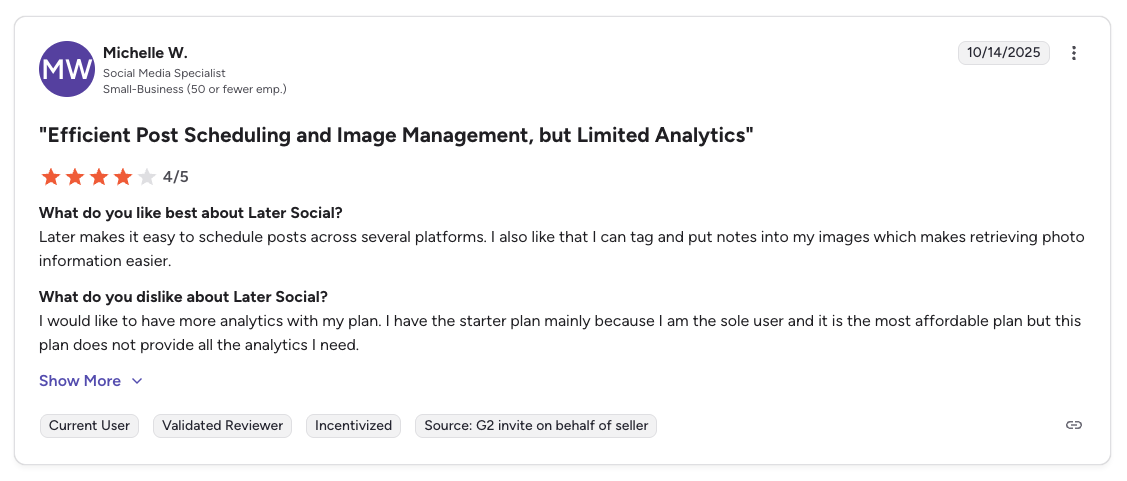
"Later makes it easy to schedule posts across several platforms. I also like that I can tag and put notes into my images which makes retrieving photo information easier. I would like to have more analytics with my plan." says Michelle W., Social Media Specialist (Small Business), 4/5 on G2, Oct 2025
For more details, see our Later alternative page, Later pricing breakdown, Later reviews, and Buffer vs Later comparison.
PostPlanifyAll your social media in one simple dashboard
Schedule posts, track analytics, and reply to comments/DMs without switching tabs.
Engagement
+18%
Views
52.8k
6. Pallyy: Best Budget Instagram Scheduler

At a glance: Pallyy
- Platforms: 9 (no Bluesky)
- User ratings: 4.7/5 on Capterra (68), no G2 reviews
- Best for: Instagram-focused solo creators and freelancers who value a clean interface and grid-based visual planning
Pallyy is an indie social media scheduler founded in 2019 by solo developer Tim Bennetto. It has grown to over 100,000 users and positions itself as a clean, beginner-friendly scheduler with strong Instagram-specific features like grid planning, feed preview, and first-comment scheduling.
Pallyy's indie, bootstrapped nature is its defining trait, and a genuine double-edged sword. Because it is run by a tiny team rather than a venture-backed company, users frequently report unusually fast, personal support and a steady stream of small improvements. The flip side is concentration risk: there is no large company behind it, limited third-party verification, and a roadmap tied to a small crew.
Its other calling card is design. Pallyy is one of the better-looking schedulers in this price range, with a calm, minimal interface that appeals to designers and visual creators who find tools like Hootsuite cluttered. For a solo brand or boutique studio that lives on Instagram and wants something clean and inexpensive, it punches above its weight, but it is deliberately narrow, not a full agency platform once you need deep analytics or many clients.
Pallyy Pricing
| Plan | Monthly | Social Sets | Posts |
|---|---|---|---|
| Free | $0 | 1 set (1 account/platform) | 15/month |
| Starter | $15/mo | 1 set (max 2 accounts) | 20/month |
| Pro | $25/mo | 1 set (max 10 accounts) | Unlimited |
| Agency | $99/mo | 10 sets | Unlimited |
| Scale | $199/mo | 30 sets | Unlimited |
Extra social sets cost $10/month each. Annual billing saves up to 25%.
Key Features
- Instagram grid planner: one of the best drag-and-drop feed previews on the market
- Social inbox (Pro+): manage Instagram, Facebook, Google Business, and TikTok DMs and comments
- Bio link builder (Smily.Bio) with analytics
- Approval workflows and shared calendar on Pro+
- AI caption generator (basic)
- 9 platforms supported including Instagram, Facebook, TikTok, LinkedIn, X, YouTube, Pinterest, Threads, and Google Business
How It Compares to Buffer
Pallyy's Pro plan at $25/month for unlimited posts is one of the cheapest entries on this list, and its Instagram-specific features outperform Buffer on visual planning.
- Pallyy Pro ($25/mo): 1 brand with up to 10 accounts, unlimited posts, Instagram grid planner, social inbox, approval workflows, and AI captions.
- Buffer Essentials ($6/channel/mo): 5 channels would cost ~$30/mo with no grid planner, no approvals, and basic inbox only.
- The trade-off: Pallyy wins on Instagram-specific UX and price for 1 brand. But analytics only cover 3 platforms (Instagram, Facebook, LinkedIn), there is no dedicated mobile app, and extra social sets at $10/mo each make multi-brand management expensive quickly: 5 brands on Pro is $65/mo, not $25/mo.
What users say: 4.7/5 on Capterra (68 reviews) with praise for the founder's personal responsiveness and clean interface. Notably, Pallyy has 0 reviews on G2, which is unusual for a tool with 100,000+ users and limits independent verification.
Verdict: Strong for 1 brand at $25/mo, weaker past that: extra social sets at $10/mo each push the budget advantage past most flat-rate tools by the time you hit 5 clients ($65/mo on Pro).
For more details, see our Pallyy alternative page, Pallyy pricing breakdown, and Pallyy reviews.
7. SocialPilot: Best for Agencies on a Budget

At a glance: SocialPilot
- Platforms: 11 including Google Business Profile, Bluesky, and VK
- Free trial: 14 days
- User ratings: 4.5/5 on G2 (841), 2.4/5 on Trustpilot (33)
- Best for: Small to mid-size agencies needing bulk scheduling, white-label PDF reports, and client management at a price point well below Hootsuite or Sprout Social
SocialPilot is one of the most cost-effective social media management tools for agencies. It supports bulk scheduling, client management, and white-label reports at a fraction of what Hootsuite or Sprout Social charge.
SocialPilot has spent a decade positioning itself as the agency tool that refuses to charge agency prices. Founded in 2014, it deliberately targets the small-to-mid agencies and freelancers who manage a lot of accounts but can't justify Sprout or Hootsuite seat costs, and it competes almost entirely on cost-per-account.
That value focus shows in how it is built for throughput: bulk CSV uploads of hundreds of posts, client onboarding flows, and reseller-friendly white-label reporting are all designed for someone publishing across dozens of profiles a week. The compromise is refinement: the interface surfaces a lot at once and can feel dense, and the analytics are tuned for client-ready summaries rather than deep investigation. For agencies optimizing dollars-per-client, that's usually an acceptable trade.
SocialPilot Pricing
| Plan | Monthly | Users | Social Accounts |
|---|---|---|---|
| Essentials | $30/mo | 1 | 7 |
| Standard | $50/mo | 3 | 15 |
| Premium | $100/mo | 6 | 25 |
| Ultimate | $200/mo | Unlimited | 50 |
| Enterprise | Custom | Custom | Custom |
Annual billing saves 15%. White-label reports start on the Premium tier. Extra accounts cost $4/mo each beyond the included limit.
Key Features
- Bulk scheduling: upload hundreds of posts via CSV
- Client management: dedicated workflows for agency-client collaboration
- White-label reports: branded PDF reports for clients
- Content curation: discover and share relevant content from RSS feeds
- Social inbox: manage comments and messages from one place
- AI assistant for caption generation
How It Compares to Buffer
For agencies, SocialPilot is a clear step up from Buffer. You get more social accounts at a lower price, plus white-label reporting that Buffer does not offer at all.
- SocialPilot Standard ($50/mo): 15 social accounts, 3 users, bulk scheduling, and client management (white-label reports require the $100/mo Premium tier).
- Buffer Team ($12/channel/mo): 15 channels would cost ~$180/mo with no white-label reports or bulk scheduling.
- The trade-off: SocialPilot gives agencies dramatically more value per dollar, but the interface is functional rather than polished, and analytics do not match Sprout Social or Hootsuite for depth.
What users say: SocialPilot holds a 2.4/5 on Trustpilot (33 reviews), with some users reporting customer support issues. The low review count means individual experiences can skew the score, so evaluate with a trial before committing.
Verdict: Solid agency pick: $50/mo Standard covers 15 accounts and bulk scheduling, but plan to step up to $100/mo Premium if you need white-label reports for clients. Either tier is still a fraction of Hootsuite's per-user cost.

"SocialPilot is robust in saving time when managing multiple social sites, where they are all consolidated in one dashboard... facilitates the role assigning aspects, and ensures that the approval process is speedily executed." says Graziana C., IT Manager (Financial Services, Small Business), 4.5/5 on G2, Dec 2025
For more details, see our SocialPilot alternative page, SocialPilot pricing breakdown, SocialPilot reviews, and Buffer vs SocialPilot comparison.
8. Publer: Best Budget-Friendly Alternative
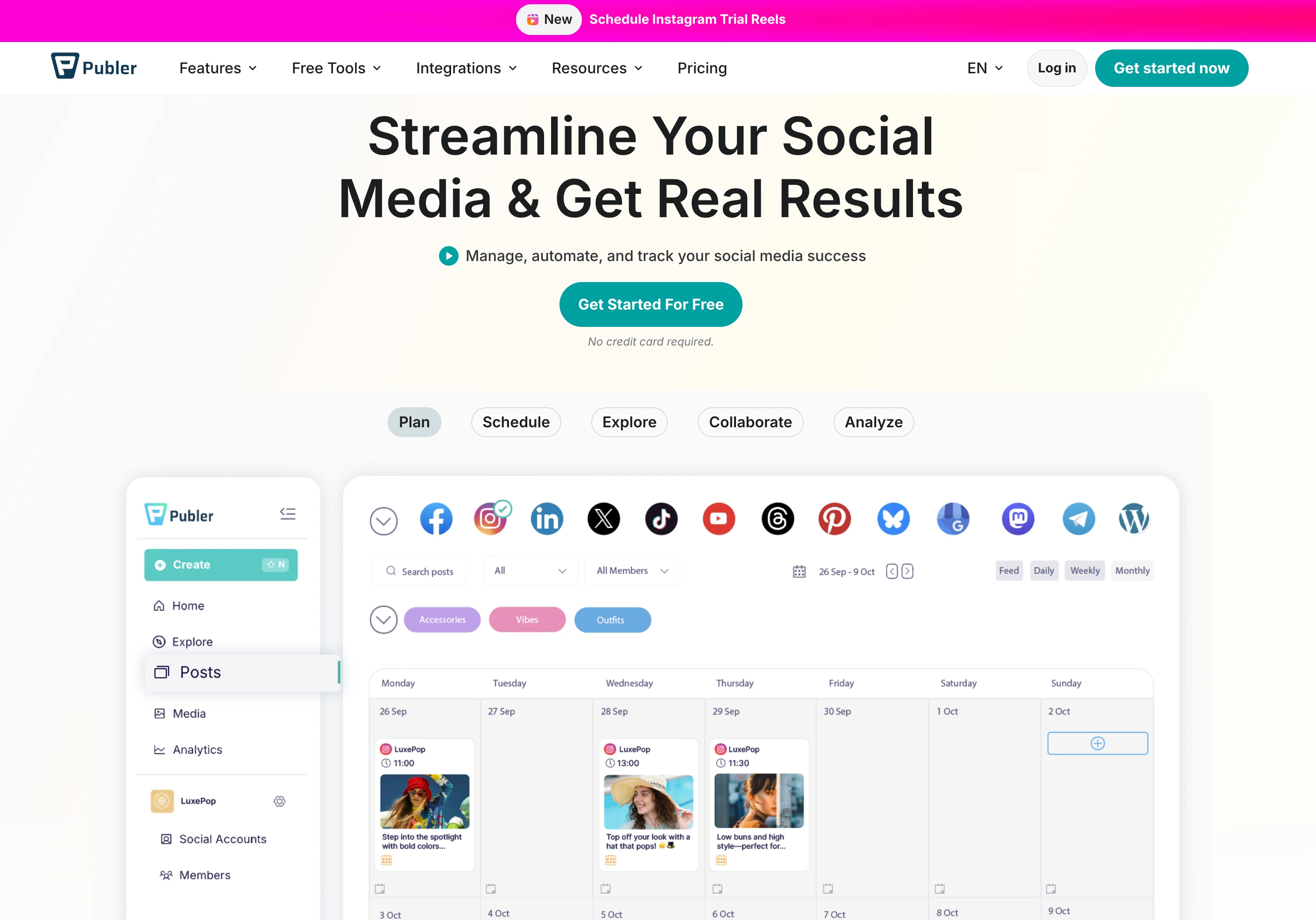
At a glance: Publer
- Platforms: 12+ including Google Business
- User ratings: 4.7/5 on G2 (486), 4.8/5 on Trustpilot (863)
- Best for: Solopreneurs, freelancers, and small businesses on a tight budget who want AI image generation and bulk scheduling at the lowest price on this list
Publer is the most affordable option on this list. It offers a functional free plan and paid plans starting at just $12/month, making it a natural first step for solopreneurs moving beyond Buffer's free tier.
Publer's reputation is built on packing a surprising amount into a low price. Where most budget tools strip features to hit a price point, Publer does the opposite: auto-scheduling, content recycling, watermarking, a built-in media editor, and signature automation all show up on its inexpensive plans, which is why it scores so highly with cost-conscious users on Trustpilot.
It also supports an unusually wide spread of destinations, including WordPress, Telegram, and Mastodon alongside the mainstream networks, making it a fit for creators and small businesses who publish in places other schedulers ignore. The model is à-la-carte: you pay by the number of connected accounts, so a solopreneur with a handful of profiles stays cheap while a larger operation adding many accounts will watch the per-account math climb.
Publer Pricing
| Plan | Base Price (3 accounts) | 10 Accounts | Users |
|---|---|---|---|
| Free | $0/mo | N/A (3 max) | 1 |
| Professional | $12/mo | $36/mo | Add members at $2/mo each |
| Business | $21/mo | $63/mo | Add members at $2/mo each |
Pricing scales based on number of social accounts. Every 10th account is free. Yearly billing gives 2 months free.
Key Features
- 12+ platforms supported including all major networks
- AI-powered captions (GPT-4) and AI image generation (DALL-E 3)
- Bulk scheduling: upload up to 500 posts via CSV
- Content recycling with Spintax for text variations
- Auto-scheduling: set time slots and Publer fills them automatically
- RSS feed automations for curated content
- Link-in-bio pages
- Watermark: automatically add watermarks to images
- Browser extension for quick sharing
How It Compares to Buffer
Publer is roughly half the cost of Buffer's paid equivalent and includes features Buffer does not offer at any price.
- Publer Professional ($12/mo): 3 social accounts, AI image generation (DALL-E 3), bulk scheduling (up to 500 posts), auto-scheduling, watermarking, and content recycling.
- Buffer Essentials ($6/channel/mo): 3 channels would cost ~$18/mo with basic scheduling, no AI image generation, no bulk creation, and no auto-scheduling.
- The trade-off: Publer wins on price and feature breadth at the low end, but its analytics and reporting are basic. If you need detailed performance data, you will want to pair it with a separate analytics tool.
What users say: 4.8/5 on Trustpilot (863 reviews): one of the highest Trustpilot scores in this space. Users consistently praise the clean interface and ease of use.
Verdict: The cheapest serious scheduler on this list: pick it if budget is the single constraint. Pair with a separate analytics tool once you outgrow its shallow reporting.
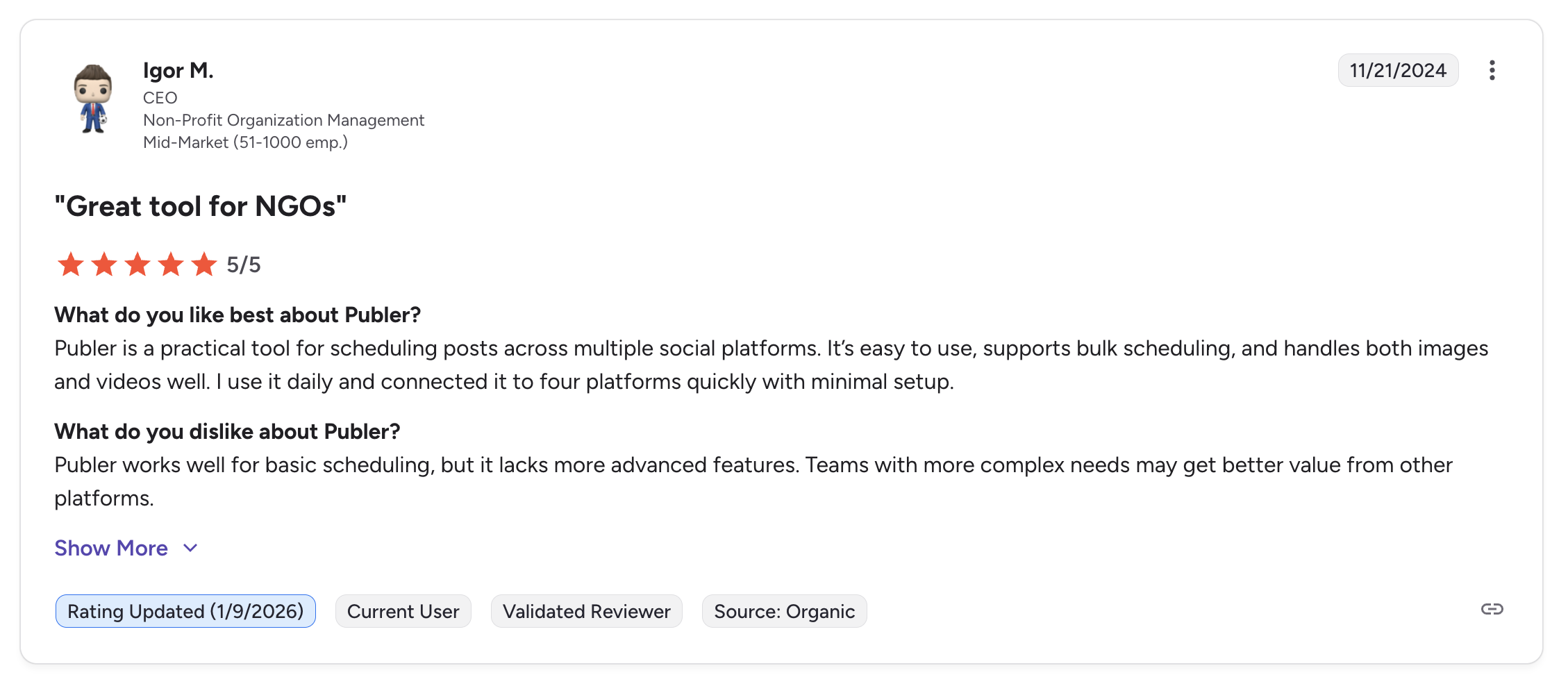
"Publer is a practical tool for scheduling posts across multiple social platforms. It's easy to use, supports bulk scheduling, and handles both images and videos well. I use it daily and connected it to four platforms quickly with minimal setup." says Igor M., CEO (Non-Profit, Mid-Market), 5/5 on G2, Nov 2024
For more details, see our Publer alternative page, Publer pricing breakdown, Publer reviews, and Buffer vs Publer comparison.
9. Metricool: Best Free Plan With Analytics
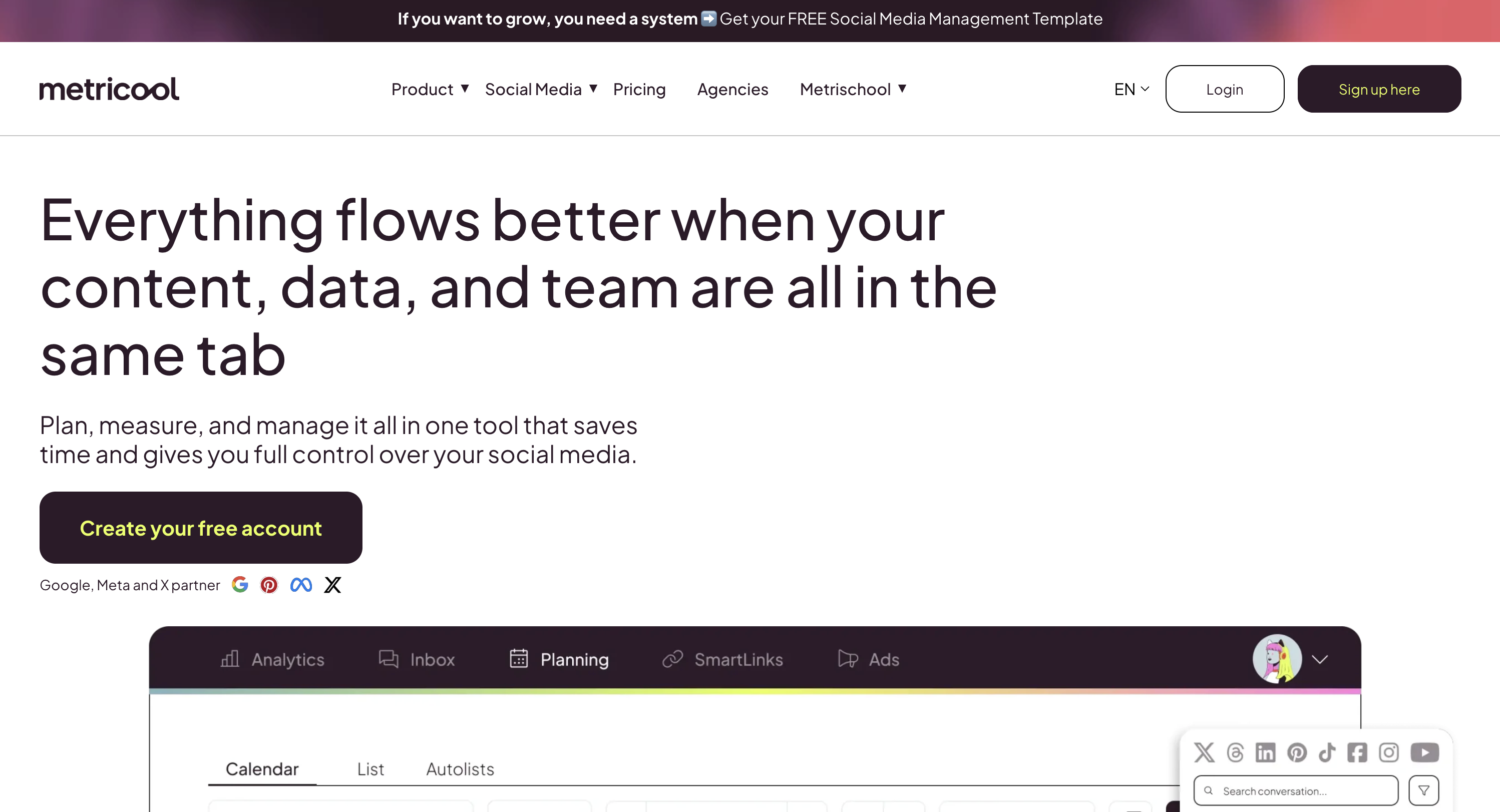
At a glance: Metricool
- Platforms: 9 including Google Business and Twitch
- User ratings: 4.5/5 on G2 (83), 4.2/5 on Trustpilot (519)
- Best for: Data-driven freelancers and small businesses wanting analytics, competitor tracking, and ad management included free
Metricool offers one of the most generous free plans in the social media management space, and unlike Buffer's free plan, Metricool includes analytics from day one.
Metricool comes at social media from an analytics-first angle, which sets it apart from schedulers that treat reporting as an afterthought. A Spanish company that has grown largely by word of mouth among freelancers and small agencies, it bundles together things that usually live in separate tools: organic scheduling, cross-channel analytics, competitor tracking, and (unusually) paid ad management for Meta, Google, and TikTok in the same dashboard.
That combination makes it a natural fit for data-driven solo marketers and consultants who run both organic and paid campaigns for clients and want one screen to measure everything. Its platform coverage also stretches into places rivals skip, like Twitch and your own website or blog. The cost of that breadth is a busier interface (there is simply a lot on screen) which is the most common adjustment new users mention.
Metricool Pricing
| Plan | Monthly | Brands |
|---|---|---|
| Free | $0 | 1 |
| Starter | From $22/mo | Up to 10 |
| Advanced | From $54/mo | Up to 15 |
| Enterprise | Custom | Unlimited |
X/Twitter requires an add-on on some plans.
Key Features
- Free plan with analytics: track performance across all platforms at no cost
- Competitor analysis: monitor competitors' social media performance
- Ad management: manage Google Ads and social media ads from one dashboard
- Hashtag tracker: monitor hashtag performance over time
- SmartLinks: customizable link-in-bio pages
- Google Drive & Canva integration
- Reporting with exportable PDF/PPT reports
How It Compares to Buffer
Metricool starts free with analytics that Buffer gates behind paid plans. For a solo marketer who cares about data, this is a meaningful difference.
- Metricool Free ($0/mo): 1 brand, full analytics across all platforms, competitor analysis, ad management for Google and social ads, and scheduling, all at no cost.
- Buffer Free ($0/mo): 3 channels, 10 posts per channel, no analytics, no ad management, and no competitor tracking.
- The trade-off: Metricool wins on analytics depth and ad management at every price point. Buffer wins on publishing workflow speed and team collaboration, which Metricool limits on lower plans.
What users say: 4.5/5 on G2 (83 reviews) and 4.2/5 on Trustpilot (519 reviews). Users praise the customer support and analytics depth. The main complaint is the learning curve for the ad management features.
Verdict: The best free plan in the category if you want real analytics on day one. The learning curve and ad-manager complexity are the trade-offs.
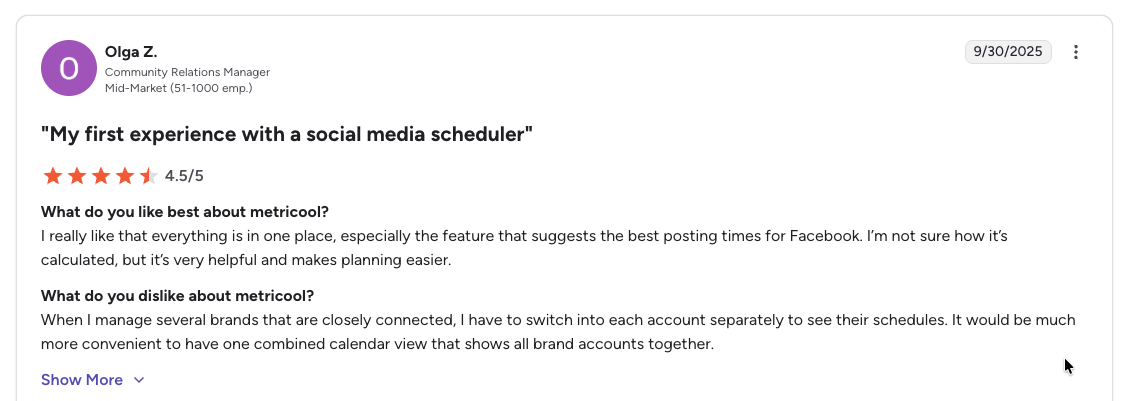
"I really like that everything is in one place, especially the feature that suggests the best posting times for Facebook... When I manage several brands that are closely connected, I have to switch into each account separately to see their schedules." says Olga Z., Community Relations Manager (Mid-Market), 4.5/5 on G2, Sep 2025
For more details, see our Metricool alternative page, Metricool pricing breakdown, Metricool reviews, and Buffer vs Metricool comparison.
10. Iconosquare: Best for Deep Analytics & Competitor Benchmarking
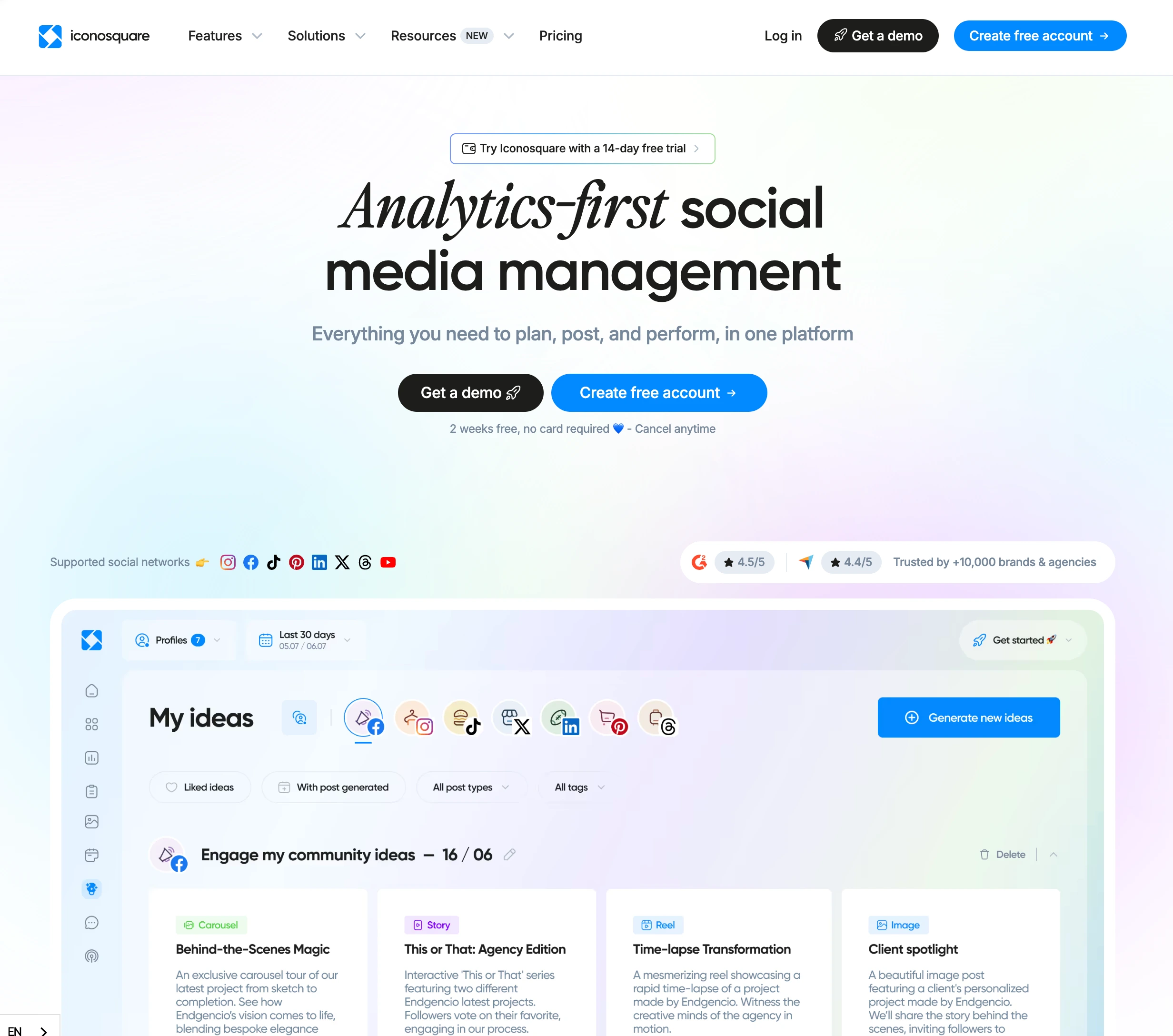
At a glance: Iconosquare
- Platforms: 8 (Instagram, Facebook, TikTok, LinkedIn, X, Pinterest, YouTube, Threads)
- User ratings: 4.5/5 on G2 (135)
- Best for: Analytics-first brands and agencies needing 100+ metrics, competitor tracking, and industry benchmarks
Iconosquare is an analytics-first social media management platform used by over 10,000 brands and agencies. It offers the deepest analytics and competitor benchmarking of any scheduler in this price range, with 100+ metrics, up to 10 tracked competitors per profile, and 40+ YouTube-specific metrics.
Iconosquare's roots are in pure analytics: it launched over a decade ago as an Instagram statistics tool and only later added scheduling, and that heritage explains its personality. It is a measurement platform first and a publishing tool second, the reverse of almost everything else on this list.
That makes it a fit for a specific buyer: analysts, reporting-heavy agencies, and brand teams whose main job is understanding performance, spotting trends, and benchmarking against competitors and industry averages. Teams that choose Iconosquare usually pair it with a publishing workflow they already have rather than expecting it to replace a full content-creation suite. If your week is built around dashboards and client reporting, it earns its place; if it is built around churning out posts, it will feel thin.
Iconosquare Pricing
| Plan | Monthly | Users | Posts/Month |
|---|---|---|---|
| Free | $0 | 1 | 10/profile |
| Launch | $39/mo | 1 | 100 |
| Scale | $83/mo | 3 | Unlimited |
| Excel | $139/mo | 6 | Unlimited |
| Custom | Contact sales | Unlimited | Unlimited |
All paid plans default to 5 social profiles with a pricing slider. Extra users cost $16/mo each. Annual billing saves ~22%.
Key Features
- 100+ analytics metrics with custom dashboards
- Competitor tracking: up to 10 competitors per profile
- Industry benchmark comparisons: rare at this price point
- 40+ YouTube metrics: more detailed than most competitors
- AI caption generation and hashtag suggestions
- Best time to post recommendations
- White-label PDF reports (Excel plan)
- External collaborator links for client approvals without an Iconosquare account
- Approval workflows (Scale+)
How It Compares to Buffer
Iconosquare is in a different lane than Buffer: it is built around analytics, not publishing.
- Iconosquare Scale ($83/mo): 5 profiles, 3 users, unlimited posts, 100+ metrics, competitor tracking, industry benchmarks, and approval workflows.
- Buffer Essentials ($6/channel/mo): 5 channels would cost ~$30/mo with shallow post-level analytics and no competitor tracking or industry benchmarks.
- The trade-off: Iconosquare gives you analytics depth Buffer simply cannot match, but there is no AI image generation, no Link in Bio builder, post previews are limited to Instagram grid only, and the 100 posts/mo cap on the Launch plan pushes active teams to the $83/mo Scale plan quickly.
What users say: 4.5/5 on G2 (135 reviews), with praise for the analytics depth and dashboard clarity. Common complaints focus on content-creation limitations, linking issues with some platforms, and the per-user pricing ($16/mo per extra user).
Verdict: Buy it if analytics is the job. Don't buy it if you need bulk scheduling, AI image generation, or a Link-in-Bio builder, because Iconosquare is a measurement tool, not a content-creation suite.
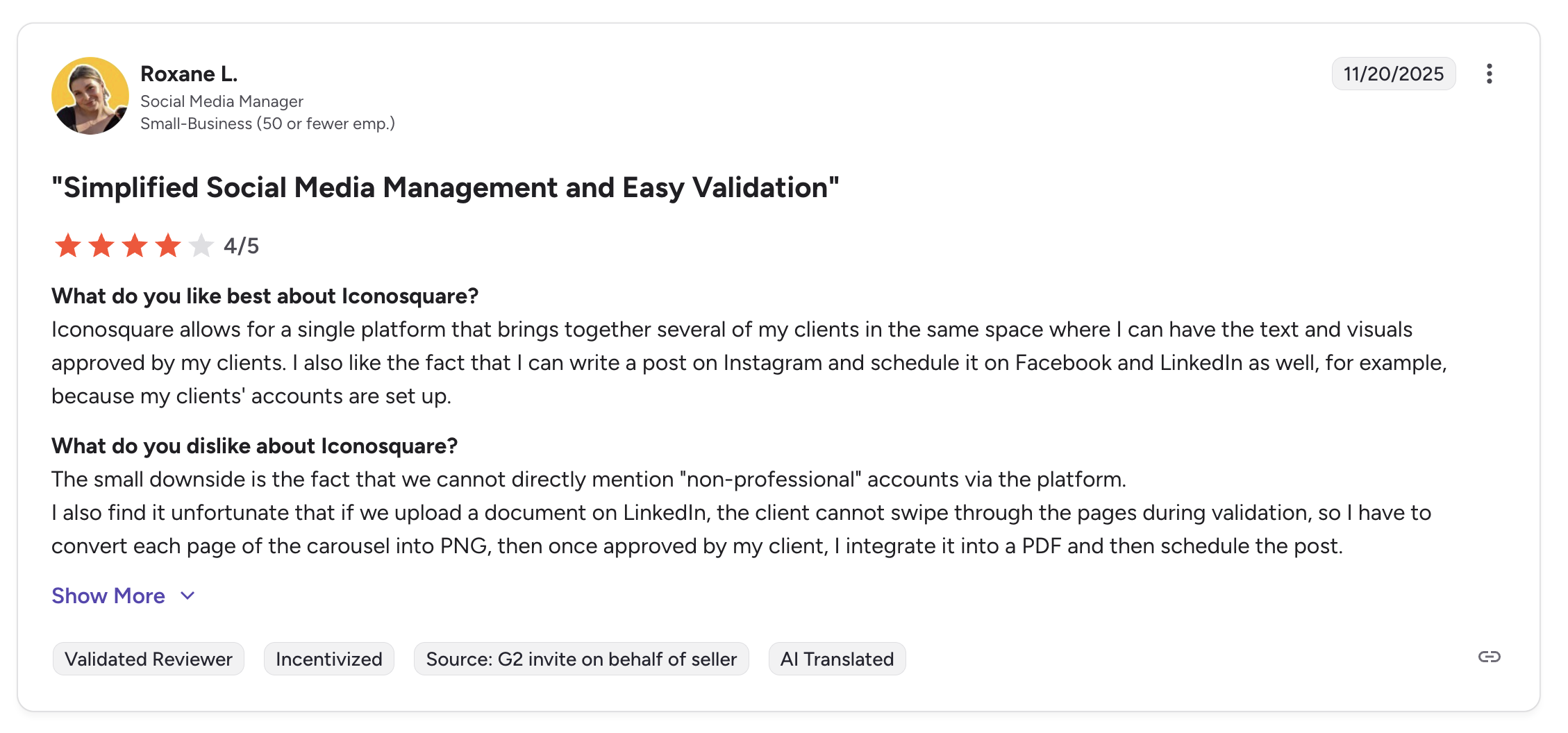
"Iconosquare allows for a single platform that brings together several of my clients in the same space where I can have the text and visuals approved by my clients. I also like the fact that I can write a post on Instagram and schedule it on Facebook and LinkedIn as well." says Roxane L., Social Media Manager (Small Business), 4/5 on G2, Nov 2025
For more details, see our Iconosquare alternative page, Iconosquare pricing breakdown, and Iconosquare reviews.
11. Loomly: Best for Teams Needing Approval Workflows

At a glance: Loomly
- Platforms: 9
- User ratings: 4.6/5 on G2 (1,793), 1.7/5 on Trustpilot (26)
- Best for: Marketing teams of 3+ people needing structured multi-step content approval workflows and content-idea inspiration
Loomly is designed specifically for marketing teams that need structured content approval workflows. Every post goes through a clear review and approval process before it gets published.
Loomly markets itself as a "brand success platform," and its distinctive trait is hand-holding. Beyond scheduling and approvals, it actively suggests what to post, surfacing content ideas based on trending topics, holidays, and social media best practices, then offering optimization tips as you write. For teams without a seasoned social strategist, that built-in guidance is the real draw.
That orientation makes Loomly a fit for structured marketing teams, smaller agencies, and organizations where several non-specialists touch the content before it ships. The same step-by-step flow those teams rely on is what fast-moving solo creators tend to find restrictive, because Loomly rewards process over speed, so it suits planners far better than improvisers.
Loomly Pricing
| Plan | Monthly | Users | Social Accounts |
|---|---|---|---|
| Starter | $65/mo | 3 | 12 |
| Beyond | $332/mo | Unlimited | 60 |
| Enterprise | Custom | Unlimited | 61+ |
Prices shown are for monthly billing. Annual billing offers approximately 25% discount.
Key Features
- Multi-step approval workflows: define review stages and assign approvers
- Post ideas and inspiration: Loomly suggests content ideas based on trending topics, holidays, and social media best practices
- Interaction management: reply to comments and messages from one inbox
- Content library: store and organize brand assets
- Canva, Unsplash, and Giphy integrations
- Advanced scheduling: calendar and list views with drag-and-drop
- iOS and Android mobile apps
How It Compares to Buffer
If your team needs formal "draft, review, approve, publish" workflows, Loomly handles this much better than Buffer. It also suggests content ideas based on trending topics, holidays, and best practices.
- Loomly Starter ($65/mo): 12 social accounts, 3 users, multi-step approval workflows, content ideas, Canva integration, and interaction management.
- Buffer Team ($12/channel/mo): 12 channels would cost ~$144/mo with basic approval on higher plans but no content ideas or multi-step review process.
- The trade-off: Loomly offers far more mature approval workflows and content inspiration, and is cheaper than Buffer at scale. But the free plan is limited (1 user, 3 accounts), and Trustpilot reviews flag declining quality and chatbot-only support.
What users say: 4.6/5 on G2 (1,793 reviews) but only 1.7/5 on Trustpilot (26 reviews). G2 users praise the approval workflows and content inspiration. Trustpilot complaints focus on declining quality over time and customer support being chatbot-only with no human agents.
Verdict: A good fit for teams that thrive on formal "draft → review → approve" gates and a content-idea calendar. Look elsewhere if you publish fast and dislike multi-step workflows.
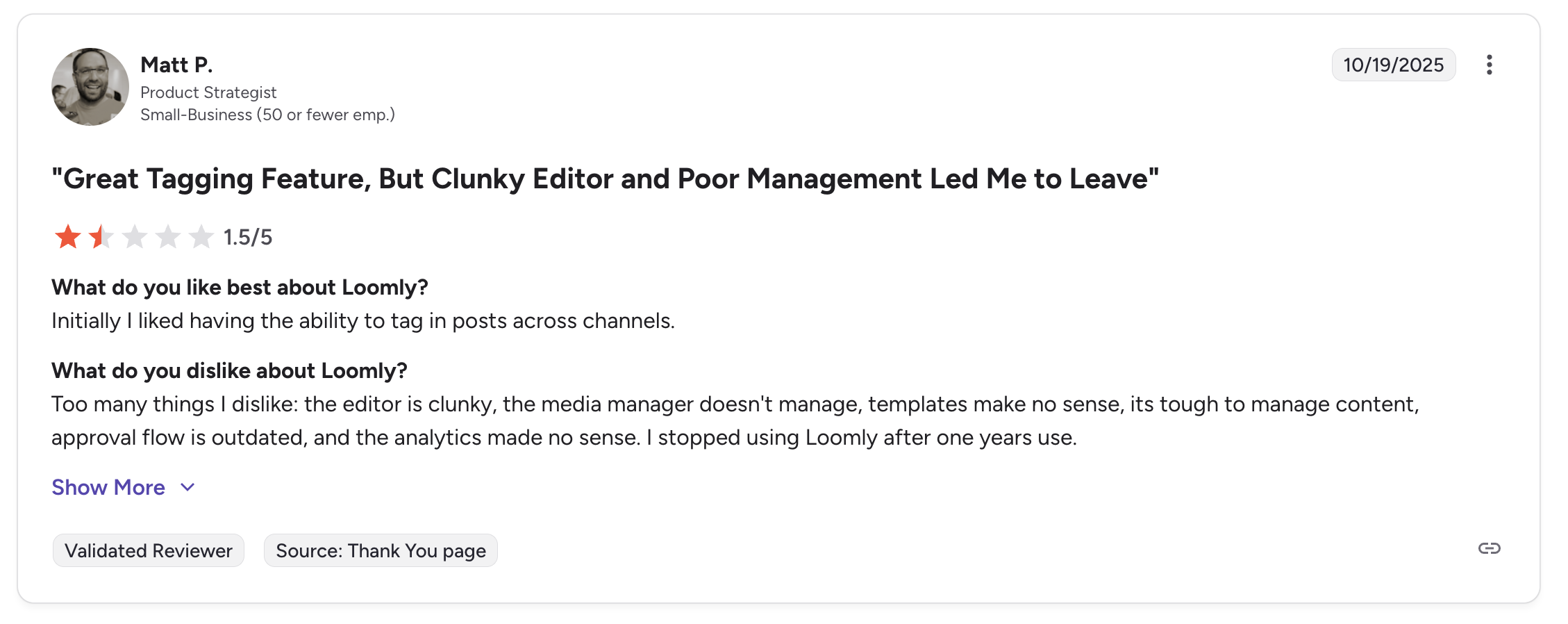
"Initially I liked having the ability to tag in posts across channels... Too many things I dislike: the editor is clunky, the media manager doesn't manage, templates make no sense, its tough to manage content, approval flow is outdated, and the analytics made no sense. I stopped using Loomly after one years use." says Matt P., Product Strategist (Small Business), 1.5/5 on G2, Oct 2025
For more details, see our Loomly alternative page, Loomly pricing breakdown, Loomly reviews, and Buffer vs Loomly comparison.
12. Sendible: Best for Agency White-Labeling

At a glance: Sendible
- Platforms: 10 including Google Business
- Free trial: 14 days
- User ratings: 4.5/5 on G2 (899), 2.3/5 on Trustpilot (8)
- Best for: Digital agencies needing white-label dashboards, client-facing approval links, and branded PDF reporting for multi-client management
Sendible is purpose-built for agencies that need white-label dashboards, client-specific reporting, and multi-brand management from a single platform.
Sendible has been building for agencies since 2008, and that long focus shows in how the product is organized, around clients and brands rather than just a posting queue. Client-specific dashboards, a Google Analytics integration, and a content-suggestion engine exist because agency account managers, not solo creators, are the people it was designed for.
The result is a tool that scales by clients rather than seats, which keeps it economical as an agency's roster grows, and its breadth of integrations lets a small shop run most of its social workflow without bolting on extra software. The honest caveat is that its interface and reporting feel a step behind newer, flashier tools: you are buying agency-grade plumbing and client management, not the most modern UI.
Sendible Pricing
| Plan | Monthly | Users | Social Profiles |
|---|---|---|---|
| Core | $35/mo | Unlimited | 6 |
| Plus | $99/mo | Unlimited | 18 |
| Premium | $199/mo | Unlimited | 42 |
| Elite | $299/mo | Unlimited | 90 |
| Enterprise | $750/mo | Unlimited | 300 |
Annual billing saves 15%. 14-day free trial on all plans.
Key Features
- White-label dashboard: present Sendible as your own branded tool to clients (paid add-on)
- Client connect: let clients approve content without logging into the platform
- Priority inbox: unified inbox with sentiment analysis
- AI Assist for caption generation
- Custom reporting: build branded reports with your agency's logo
- Canva, Google Drive, and Pexels integrations
- iOS and Android mobile apps
How It Compares to Buffer
Sendible is one of the few platforms that lets agencies present a fully branded, white-label dashboard to clients. Buffer does not offer anything like it.
- Sendible Plus ($99/mo): 18 social profiles, unlimited users, white-label dashboard (add-on on Elite+), client connect for external approvals, priority inbox, and custom branded reports.
- Buffer Team ($12/channel/mo): 24 channels would cost ~$288/mo with no white-labeling, no client-facing approval, and no branded reporting.
- The trade-off: Sendible gives agencies far more value with white-labeling and client approval workflows at a fraction of Buffer's per-channel cost. The main limitation is that reporting depth could be stronger for the price.
What users say: 4.5/5 on G2 (899 reviews), with consistent praise for ease of use and scheduling reliability. The main criticism is that reporting could be deeper for the price.
Verdict: The agency white-label pick if you need to present a branded dashboard to clients. Reporting depth is weaker than the price suggests, so verify the report templates fit your clients before committing.
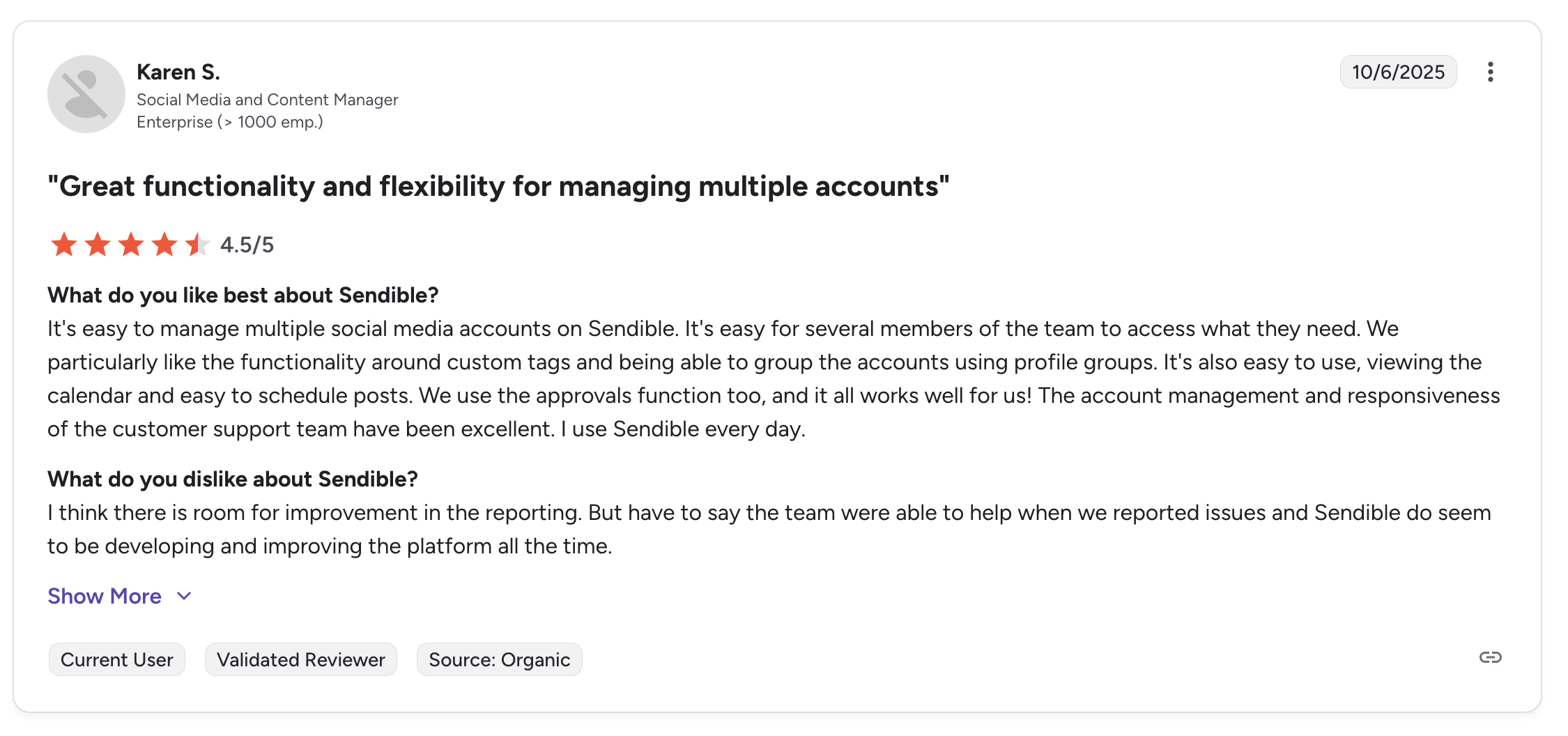
"It's easy to manage multiple social media accounts on Sendible. It's easy for several members of the team to access what they need... The account management and responsiveness of the customer support team have been excellent." says Karen S., Social Media and Content Manager (Enterprise), 4.5/5 on G2, Oct 2025
For more details, see our Sendible alternative page, Sendible pricing breakdown, Sendible reviews, and Buffer vs Sendible comparison.
13. Vista Social: Best for DM Automation & Review Management

At a glance: Vista Social
- Platforms: 12+ social platforms + 5 review sites
- Free trial: 14 days
- User ratings: 4.8/5 on G2 (1,071), 4.9/5 on Capterra (342), 4.1/5 on Trustpilot (62), #1 Easiest to Use on G2 in 2026
- Best for: Agencies and mid-market teams needing DM automations, review management across 6 review sites, and a unified inbox in one platform
Vista Social is an all-in-one social media management platform purpose-built for agencies and brands that need scheduling, DM automation, review management, and social listening in a single dashboard. It is one of the newer entries in this space (founded 2022) but has grown rapidly on the back of strong reviews and a broader feature set than most competitors at its price point.
Vista Social is the youngest tool on this list, and it has used that to its advantage. Launching in 2022, it skipped the legacy baggage and built around how social actually works now: engagement automation, conversational DMs, and reputation management sitting right next to scheduling. In just a few years it has racked up some of the highest review scores in the category.
It aims squarely at agencies and mid-market teams that want Hootsuite-class capability without Hootsuite pricing, and its review management across sites like Google and Yelp pulls in local and multi-location brands that most pure social schedulers ignore. The thing to watch is the modular pricing: several headline capabilities (X publishing, advanced listening, employee advocacy) are paid add-ons, so the lean entry price can creep upward once you switch them on.
Vista Social Pricing
| Plan | Monthly | Social Profiles | Users | AI Credits |
|---|---|---|---|---|
| Professional | $99/mo | 15 | 2 | 500 |
| Advanced | $199/mo | 30 | 3 | 1,000 |
| Scale | $449/mo | 70 | 4 | Unlimited |
| Enterprise | Custom | Unlimited | Unlimited | Unlimited |
Annual billing saves 20%. X (Twitter) is a paid addon on all plans. Social listening is $75/mo addon, employee advocacy is $199/mo addon.
Key Features
- AI-powered DM automations for Instagram, Facebook, and TikTok: keyword triggers, comment-to-DM flows, lead capture
- Review management across Google, Facebook, Yelp, TripAdvisor, Trustpilot, and OpenTable
- Unified social inbox with sentiment analysis
- 12+ social platforms including Reddit, Snapchat, and Tumblr
- Vista Page: link-in-bio builder included on all plans
- Multi-step approval workflows with named workflow stages and external approval links
- Social listening (basic mention monitoring included; advanced keyword listening is a $75/mo addon)
- AI content generation with credit-based usage (500–1,000 on lower plans, unlimited on Scale)
How It Compares to Buffer
Vista Social operates in a wider category than Buffer: it is closer to Hootsuite or Sprout Social in feature depth, but at roughly a third of the price.
- Vista Social Professional ($99/mo): 15 profiles, 2 users, DM automations, review management, social inbox, approval workflows, and Vista Page.
- Buffer Team ($12/channel/mo): 15 channels would cost ~$180/mo with no DM automations, no review management, and basic community inbox only.
- The trade-off: Vista Social is a clear upgrade for agencies needing engagement automation and review tracking. The catch: X (Twitter) is not included in any plan and requires a paid addon, AI credits are capped on the Professional and Advanced tiers, and the feature density creates a steeper learning curve than Buffer.
What users say: 4.8/5 on G2 (1,071 reviews), 4.9/5 on Capterra (342 reviews), and 4.1/5 on Trustpilot (62 reviews). Users consistently praise the unified inbox and real-time automations. Main complaints focus on the X/Twitter addon fee, AI credit limits on lower plans, and a mobile app that lags behind the desktop experience.
Verdict: A strong all-in-one upgrade if DM automation and review tracking are core to your work. Less compelling once you add up the X (Twitter) addon and capped AI credits.
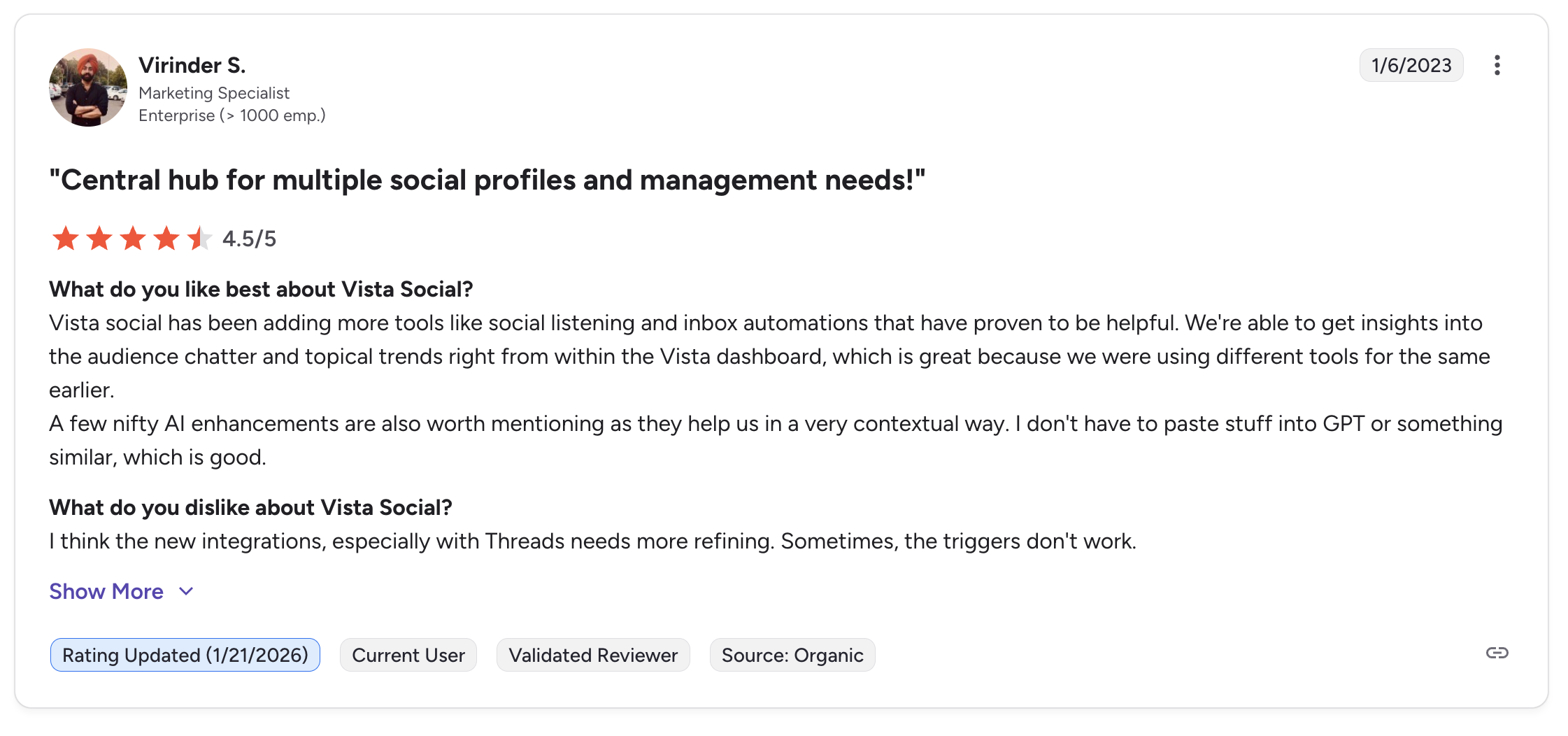
"Vista Social has been adding more tools like social listening and inbox automations that have proven to be helpful. We're able to get insights into the audience chatter and topical trends right from within the Vista dashboard... A few nifty AI enhancements are also worth mentioning." says Virinder S., Marketing Specialist (Enterprise), 4.5/5 on G2, updated Jan 2026
For more details, see our Vista Social alternative page, Vista Social pricing breakdown, and Vista Social reviews.
14. Planable: Best for Content Collaboration & Visual Approval

At a glance: Planable
- Platforms: 8
- User ratings: 4.6/5 on G2 (937), 4.5/5 on Trustpilot (69)
- Best for: Marketing teams and agencies whose workflow centers on visual content review, multi-stakeholder collaboration, and client approval before publishing
Planable focuses on one thing and does it exceptionally well: making content collaboration and approval visual, fast, and painless.
Planable approaches the problem from the editorial side rather than the publishing side. It is essentially a shared workspace where content gets drafted, discussed, and signed off the way a document gets reviewed in Google Docs: comments, suggestions, and version history attached to each post, before it ever reaches a scheduler. That makes it less a Buffer replacement and more the review layer many teams were missing.
Because every plan includes unlimited collaborators, it fits agencies and brands where lots of people (strategists, designers, clients, legal) need to weigh in without paying per seat. Its workspace-per-brand structure keeps each client's content cleanly separated, which is why agencies often run Planable for approvals alongside a separate tool for analytics and engagement. It is a specialist, and it is honest about that.
Planable Pricing
| Plan | Monthly | Posts/Month | Users |
|---|---|---|---|
| Free | $0 | 50 total posts | Unlimited |
| Basic | $39/workspace/mo | 60 | Unlimited |
| Pro | $59/workspace/mo | 150 | Unlimited |
| Enterprise | Custom | Unlimited | Unlimited |
Pricing is per workspace per month. All plans include unlimited collaborators.
Key Features
- Visual content preview: see posts exactly as they will appear on each platform
- Real-time collaboration: comment directly on posts, tag team members, leave feedback
- Multiple calendar views: feed, calendar, grid, and list views
- Approval workflows: none, optional, required, or multi-level approval
- Version history: track changes and revert to previous versions
- External collaboration: invite clients and stakeholders without giving full platform access
How It Compares to Buffer
Planable is the best tool on this list for content collaboration. If your workflow involves multiple people reviewing and approving posts before they go live, Planable makes that process visual and fast.
- Planable Basic ($39/workspace/mo): 60 posts/month, unlimited users, visual content preview, real-time collaboration, multi-level approval workflows, and version history.
- Buffer Team ($12/channel/mo): Per-channel pricing with limited team seats, basic approval, and no real-time collaboration or visual preview.
- The trade-off: Planable wins on collaboration with unlimited users on every plan, but its analytics are minimal, and it does not offer bulk scheduling, AI captions, or content recycling. Post limits (60 on Basic, 150 on Pro) can be restrictive for high-volume publishers.
What users say: 4.6/5 on G2 (937 reviews) with strong praise for ease of use and the collaboration experience. Users love how intuitive the visual approval workflow is.
Verdict: The clear winner if approval workflows are the bottleneck in your team. Skip it if you need bulk scheduling, deep analytics, or high-volume publishing, the post caps will frustrate you.
For more details, see our Planable alternative page, Planable pricing breakdown, Planable reviews, and Buffer vs Planable comparison.
15. Agorapulse: Best for Social Inbox & Community Management

At a glance: Agorapulse
- Platforms: 11 including Google Business, Reddit, and Bluesky
- User ratings: 4.5/5 on G2 (967), 4.0/5 on Trustpilot (57)
- Best for: Brands and agencies handling a high volume of comments, DMs, and mentions who need a powerful unified inbox with automated rules, social listening, and ROI tracking
Agorapulse is a social media management platform that stands out with its unified social inbox, making it the strongest choice for teams that prioritize community engagement and respond to a high volume of comments and messages.
Agorapulse built its identity around the part of social media most schedulers treat as secondary: what happens after you post. Founded in France around 2011, it frames itself as a tool for turning engagement into measurable business outcomes, which is why its marketing leans so heavily on social ROI and why customer-care and community teams (not just publishers) are its core users.
That makes it a strong fit for brands and agencies fielding a high volume of comments, messages, and reviews who need to assign, track, and report on that work. The constraint is structural: its per-user pricing means value scales with how many people genuinely need inbox access, so it rewards teams where engagement is a shared, daily job and gets expensive fast for organizations that mostly just want to schedule and occasionally reply.
Agorapulse Pricing
| Plan | Monthly Price | Annual Price | Social Profiles |
|---|---|---|---|
| Standard | $99/user/mo | $79/user/mo | 10 |
| Professional | $149/user/mo | $119/user/mo | 10 |
| Advanced | $199/user/mo | $149/user/mo | 10 |
| Custom | Contact sales | Contact sales | Unlimited |
All paid plans are per user. Additional social profiles available as add-ons.
Key Features
- Unified social inbox: manage all comments, messages, and mentions from every platform in one place
- 11 platforms supported including Google Business Profile, Reddit, and Bluesky
- Inbox assistant: automated rules to label, assign, and prioritize incoming messages
- Social listening: track brand mentions, keywords, and hashtags
- ROI tracking: connect social media activity to website conversions and revenue
- Content queuing with category-based scheduling
- Competitor analysis: benchmark your performance against competitors
- Team collaboration with approval workflows
How It Compares to Buffer
If you spend significant time responding to comments and messages across platforms, Agorapulse's social inbox is the single biggest upgrade over Buffer.
- Agorapulse Standard ($99/user/mo): 10 social profiles, unified social inbox with automated rules, social listening, ROI tracking, competitor analysis, and content queuing, per user.
- Buffer Essentials ($6/channel/mo): Per-channel pricing with a basic community inbox, no social listening, no ROI tracking, and no automated message rules.
- The trade-off: Agorapulse is the strongest option for community management and social listening, but the per-user pricing adds up fast: a 3-person team costs $297/month on Standard. Buffer is far cheaper if you do not need the inbox and listening features.
What users say: 4.0/5 on Trustpilot (57 reviews) with polarized feedback. Agencies love the inbox and listening features. Some users report unreliable social profile connections and occasional sync issues.
Verdict: The strongest unified inbox in this list at the cost of per-user pricing: a 3-person team hits $297/mo fast. Worth it if community management is the job; overkill if you mostly just schedule.
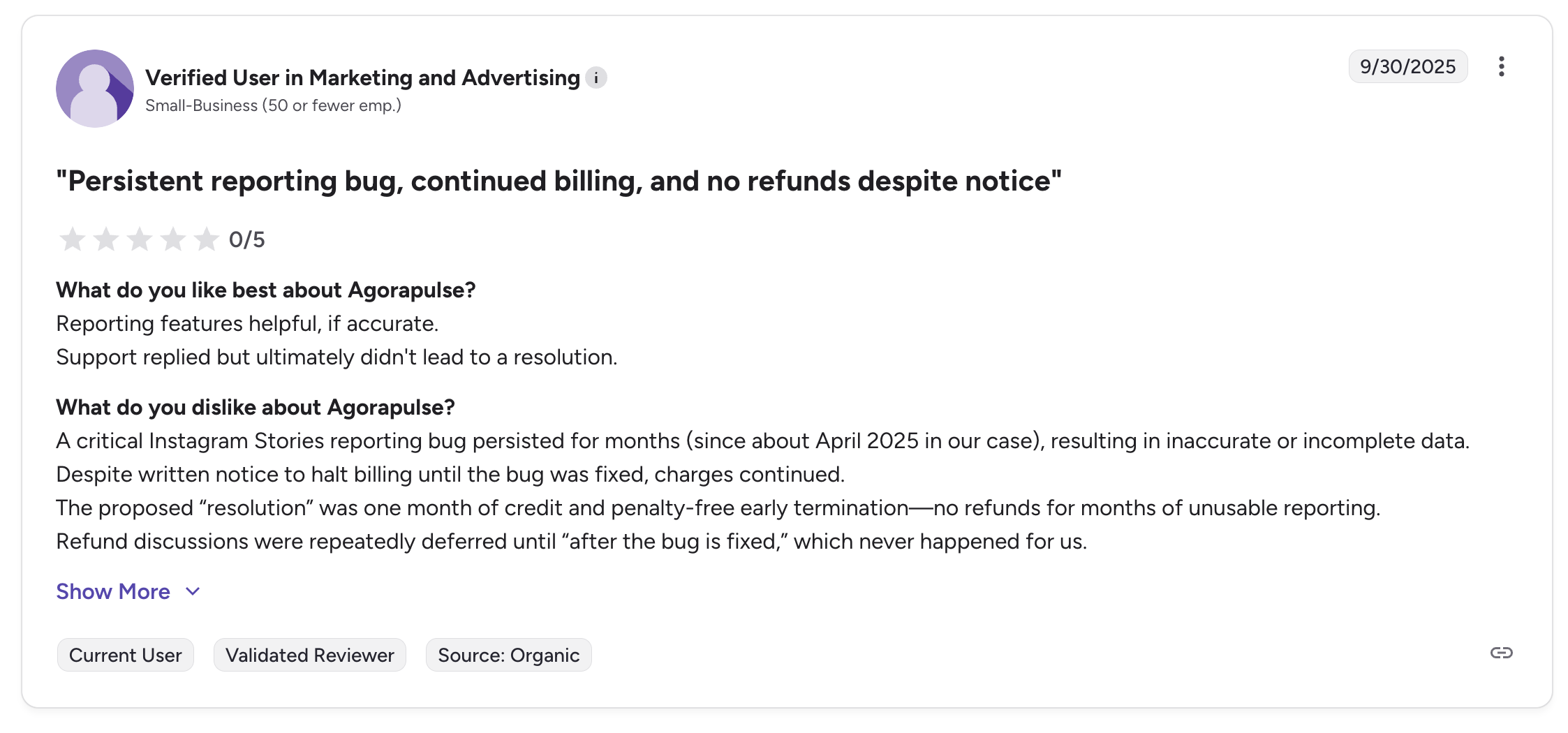
"A critical Instagram Stories reporting bug persisted for months (since about April 2025 in our case), resulting in inaccurate or incomplete data. Despite written notice to halt billing until the bug was fixed, charges continued." says Verified user in Marketing and Advertising (Small-Business), 0/5 on G2, Sep 2025
For more details, see our Agorapulse alternative page, Agorapulse pricing breakdown, Agorapulse reviews, and Buffer vs Agorapulse comparison.
Full Pricing Comparison: All 15 Buffer Alternatives
Here is a side-by-side pricing comparison to help you find the right tool for your budget.
| Tool | Starting Price | 10 Accounts | Free Plan |
|---|---|---|---|
| Buffer | Free (3 ch) / $6/ch/mo | ~$60/mo | Yes (3 channels, 10 posts each) |
| PostPlanify | From $39/mo | $155/mo (20 accounts, 5 clients) | 7-day trial |
| Hootsuite | $249/user/mo | $249/user/mo (10 incl.) | No |
| Sprout Social | $199/seat/mo | $199/seat/mo (5 incl.) | Trial only |
| SocialBee | $29/mo | $49/mo | 14-day trial |
| Later | $25/mo | $50/mo (3 social sets) | Limited |
| Pallyy | Free / $15/mo | $25/mo (1 brand, 10 accts) | Yes (15 posts/mo) |
| SocialPilot | $30/mo (7 accts) | $50/mo (15 accts) | 14-day trial |
| Publer | Free / $12/mo | ~$36/mo | Yes |
| Metricool | Free / $22/mo | $22/mo (up to 10 brands) | Yes |
| Iconosquare | Free / $39/mo | $39–$83/mo (5 profiles) | Yes (2 profiles) |
| Loomly | $65/mo | $65/mo (12 accts) | 15-day trial |
| Sendible | $35/mo (6 profiles) | $99/mo (18 profiles) | 14-day trial |
| Vista Social | $99/mo (15 profiles) | $99/mo (15 incl., 2 users) | 14-day trial |
| Planable | Free / $39/workspace | $39/workspace | Yes (50 posts) |
| Agorapulse | $99/user/mo | $99/user/mo (10 incl.) | 30-day trial |
Key takeaway: If you manage 10+ social accounts, tools that don't bill per channel, like PostPlanify ($155/mo for 5 client workspaces), SocialPilot ($50/mo for 15 accounts), and SocialBee ($49/mo for 10 profiles), give you a number you can quote. Buffer discounts past 10 channels but does not publish the rate, which is the practical problem with Buffer's per-channel pricing.
PostPlanifyAll your social media in one simple dashboard
Schedule posts, track analytics, and reply to comments/DMs without switching tabs.
Engagement
+18%
Views
52.8k
How Buffer Alternatives Compare by Use Case
Buffer's per-channel pricing is fine for 1–3 profiles, but every alternative below beats it for a different workload. Here is the fastest way to match a tool to your priority:
- Best replacement for client work: PostPlanify: from $39/mo per client workspace with unified analytics, a vision-powered AI assistant, a built-in social inbox, and unlimited team members.
- Cheapest viable option: Publer ($12/mo): includes AI image generation and bulk scheduling.
- For enterprises: Hootsuite ($249/user/mo) for governance and listening, Sprout Social ($199/seat/mo) for the deepest analytics and reporting.
- For Instagram creators: Later ($25/mo) for the best visual grid planner, Pallyy ($25/mo Pro) for the cheapest dedicated IG scheduler.
- For community management: Agorapulse ($99/user/mo): strongest unified social inbox.
- For content approval workflows: Planable ($39/workspace/mo) for the best multi-stakeholder approval UX, Loomly (from $65/mo) for structured multi-step workflows.
- For evergreen content recycling: SocialBee ($29/mo): category-based scheduling with automated rotation.
- For agencies: SocialPilot ($30/mo) for CSV bulk scheduling, Sendible ($99/mo Plus, white label as a $349/mo add-on on Elite) for client dashboards, Vista Social ($99/mo) for DM automations and review management.
- For analytics depth: Iconosquare (from $39/mo) for 100+ metrics and competitor benchmarks, Metricool (free or $22/mo) for the best free-plan analytics.
Which Buffer Alternative Should You Pick by Role?
The best tool also depends on your role, not just your budget. Here is how I would pick by job title, after testing all 15:
If you are a solo creator or freelancer (1–3 social accounts). Start with Publer ($12/mo) for the cheapest serious setup, or Metricool (free) if analytics matter to you on day one. Pallyy ($25/mo Pro) wins if Instagram is 70%+ of your output. Skip enterprise tools entirely, because you will pay for features you never touch.
If you are a social media manager running the calendar day-to-day. PostPlanify is the cleanest fit from $39/mo: single-screen composer, bulk scheduling, unified analytics, and a built-in inbox so you are not toggling between tabs. Later is the runner-up if your role is Instagram-heavy. Avoid Hootsuite and Sprout Social at this seat level unless your CMO is paying.
If you are a marketing director or CMO at a 10–50 person company. Look at PostPlanify Premium (from $99/mo per workspace) for branded client reports and deeper analytics, with full white label on Scale, Vista Social ($99/mo) for DM automation and review tracking, or Sprout Social ($199/seat/mo) when board-level reporting and social listening are non-negotiable. Match the tool to the stakeholder you have to brief: analytics for finance, listening for PR, governance for legal.
If you are an agency owner managing client work. Sendible ($99/mo Plus, with white label as a $349/mo add-on on Elite) for true white-label dashboards, SocialPilot ($50/mo Standard) for bulk scheduling on a tighter budget, or PostPlanify Scale (from $199/mo per client workspace) when you want the platform under your own brand, with unlimited team members and client reviewers on every plan. Planable is the right add-on if multi-stakeholder approval is where you lose hours each week.
If you are a founder of a 5–20 person startup. PostPlanify Growth (from $39/mo per client workspace) keeps the cost tied to clients rather than channels. Buffer itself is still defensible at 1–3 channels if you genuinely use nothing else; the moment you hit 5+ channels or need approvals, switch.
How to Switch From Buffer to a New Tool
Switching social media schedulers does not have to be disruptive. Here is the general process:
-
Export your data from Buffer. Download your scheduled and published post history from Buffer's analytics section. Save this as a record of your content calendar and past performance.
-
Sign up for your chosen alternative. Most tools on this list offer free trials ranging from 7 to 15 days. Take advantage of the trial to test the workflow before committing.
-
Connect your social media accounts. Link your Instagram, Facebook, TikTok, X, YouTube, LinkedIn, Pinterest, Threads, and Bluesky accounts. All tools on this list use secure OAuth authentication.
-
Recreate your posting schedule. Set up your content calendar, time slots, and posting cadence in the new tool. If you chose a tool with bulk scheduling, you can re-upload your exported content to get back up and running quickly. Our guide on how to schedule social media posts covers this step in detail.
-
Invite your team. Add team members, set permissions, and configure approval workflows if applicable.
-
Cancel Buffer. Once you have verified everything works in the new tool, cancel your Buffer subscription from your Buffer dashboard.
Frequently Asked Questions
What is the best free alternative to Buffer?
Metricool and Publer offer the strongest free plans. Metricool's free plan includes full analytics for 1 brand. Publer's free plan supports 3 social accounts with basic scheduling. Planable offers 50 free posts with unlimited users, Loomly has 3 accounts and 1 user free, and Pallyy's free plan includes 15 scheduled posts per month.
Is PostPlanify better than Buffer?
It depends on your needs. PostPlanify bills per client workspace instead of Buffer's per-channel model, and offers unified analytics across all platforms, a vision-powered AI assistant, a built-in social inbox, team collaboration with approval workflows, white-label PDF reports, and bulk scheduling. Buffer has a more mature mobile app, supports more platforms (11 vs 10), and has a longer track record. See our Buffer vs PostPlanify comparison for more.
Which Buffer alternative is best for agencies?
PostPlanify, because it is the only one here priced around clients rather than channels or seats. Each client gets their own workspace holding their calendar, inbox, approvals and reports, from $39/mo, and team members and client reviewers are unlimited on every plan, so adding a reviewer or a second strategist never changes the bill. White label arrives on Scale from $199/mo per workspace. The alternatives are worth knowing: SocialPilot ($30/mo) for CSV bulk scheduling on a tight budget, Sendible ($99/mo Plus) for client dashboards with white label as a $349/mo add-on on Elite, and Vista Social ($99/mo) for DM automation and review management, though it caps you at 2 users on the entry plan.
Which Buffer alternative is cheapest?
Publer is the cheapest viable option: paid plans start at $12/month for 3 social accounts. Pallyy's Starter plan is $15/month (but limited to 20 posts and 2 accounts). Metricool starts at $22/month for up to 10 brands with analytics included, making it the best value if you need data on day one.
Can I schedule posts to all the same platforms as Buffer?
Most alternatives cover Instagram, Facebook, TikTok, X, LinkedIn, YouTube, Pinterest, and Threads. Buffer uniquely supports Mastodon. PostPlanify supports Bluesky and Google Business natively across all 10 platforms. Agorapulse supports 11 platforms including Google Business, Reddit, and Bluesky. Vista Social supports 12+ including Reddit, Snapchat, and Tumblr. Always confirm your specific networks are covered.
Do any Buffer alternatives offer a social inbox?
Yes: Agorapulse and Vista Social have the most powerful unified inboxes with automated rules, sentiment analysis, and message assignment. Hootsuite and Sprout Social also include robust inbox features. SocialPilot, Sendible, Loomly, and Pallyy (Pro+) offer basic inbox functionality. Buffer itself includes a community inbox on paid plans.
Which Buffer alternative has the best AI features?
PostPlanify and Publer lead on built-in AI. PostPlanify offers brand-aware AI caption generation and vision-powered AI image generation inside the composer. Publer includes GPT-4 captions and DALL-E 3 image generation. SocialBee has Copilot AI, Hootsuite has OwlyWriter AI, and Vista Social offers credit-based AI (500–unlimited depending on plan).
Which Buffer alternative has the deepest analytics?
Iconosquare and Sprout Social offer the deepest analytics. Iconosquare tracks 100+ metrics from $39/month with competitor benchmarking and industry averages across 8 platforms. Sprout Social provides enterprise-grade reporting from $199/seat/month. Metricool is the best free option with analytics included. PostPlanify's Growth plan (from $39/mo per client workspace) covers all connected platforms with best-time-to-post insights.
Is Pallyy a good Buffer alternative?
Yes, for Instagram-focused solo creators. Pallyy's Pro plan ($25/mo) offers unlimited posts, a best-in-class Instagram grid planner, a social inbox, and approval workflows. Limitations: analytics only cover 3 platforms (Instagram, Facebook, LinkedIn), there is no mobile app, and extra social sets cost $10/mo, so 5 brands on Pro is $65/mo, not $25/mo.
Is Vista Social a good Buffer alternative?
Yes, for agencies and mid-market teams needing more than scheduling. Vista Social ($99/mo Professional, 2 users) includes DM automations, review management across 6 review sites, a unified inbox, social listening, and 12+ supported platforms. The main caveats: X (Twitter) requires a paid addon on every plan, and AI credits are capped at 500–1,000 on the lower plans.
Final Thoughts
Buffer is a solid tool, especially for individuals managing 1-3 social accounts on its free plan. But once you start scaling (more accounts, more platforms, more team members) the per-channel pricing and workflow limitations become real friction points. Buffer's volume discount above 10 channels softens the cost curve, though the rate is unpublished, so the ceiling you actually hit first is usually the workflow one: no in-app bulk creation, no client approval step, and no way to keep one client's accounts separate from another's. If you want to see what actual users think, our Buffer reviews breakdown covers the most common praise and complaints.
The best alternative depends on what matters most to you: simplicity and speed (PostPlanify), enterprise features (Hootsuite or Sprout Social), content recycling (SocialBee), visual planning (Later or Pallyy), agency tools (SocialPilot, Sendible, or Vista Social), budget (Publer, Pallyy, or Metricool), deep analytics (Iconosquare or Sprout Social), collaboration (Planable or Loomly), or community management (Agorapulse or Vista Social).
Most tools on this list offer free trials, so the best way to decide is to test 2-3 options with your actual workflow before committing. For more social media strategy resources, check out our best social media management platform guide, social media best practices, and best times to post on social media.
Related Reading
- 16 Best Hootsuite Alternatives in 2026: If you are comparing Hootsuite alongside Buffer
- 10 Best Sprout Social Alternatives in 2026: If you are comparing Sprout Social alongside Buffer
- 13 Best Later Alternatives in 2026: If you are comparing Later alongside Buffer
- 11 Best Agorapulse Alternatives in 2026: If you are comparing Agorapulse alongside Buffer
- 11 Best Sendible Alternatives in 2026: If you are comparing Sendible alongside Buffer
- 11 Best SocialPilot Alternatives in 2026: If you are comparing SocialPilot alongside Buffer
- 11 Best Metricool Alternatives in 2026: If you are comparing Metricool alongside Buffer
- 12 Best Loomly Alternatives in 2026: If you are comparing Loomly alongside Buffer
- 12 Best SocialBee Alternatives in 2026: If you are comparing SocialBee alongside Buffer
- 12 Best Vista Social Alternatives in 2026: If you are comparing Vista Social alongside Buffer
- 12 Best Publer Alternatives in 2026: If you are comparing Publer alongside Buffer
- 12 Best Planable Alternatives in 2026: If you are comparing Planable alongside Buffer
- 12 Best Tailwind Alternatives in 2026: If you are comparing Tailwind alongside Buffer
- 12 Best CoSchedule Alternatives in 2026: If you are comparing CoSchedule alongside Buffer
- 12 Best Iconosquare Alternatives in 2026: If you are comparing Iconosquare alongside Buffer
- 12 Best Zoho Social Alternatives in 2026: If you are comparing Zoho Social alongside Buffer
- 12 Best Pallyy Alternatives in 2026: If you are comparing Pallyy alongside Buffer
- Buffer Pricing Breakdown: Full plan and cost analysis
- Buffer Reviews: What real users say about Buffer
- Best Social Media Management Platform: Broader comparison across all categories
- Social Media Scheduling Tools Guide: Everything you need to know about scheduling
- 10 Best Postiz Alternatives in 2026: If you are weighing an open-source, self-hostable scheduler alongside Buffer
- Best MCP Servers for Social Media Management: AI-native alternatives using Claude and ChatGPT
- 14 Best Social Media Automation Tools
- All Alternatives: Browse all social media management alternatives
- Best Social Media Management Tools for Teams
- Best Social Media Management Tools for Marketing Teams: The in-house marketing view, where per-channel pricing stops being the cheap option
PostPlanifyAll your social media in one simple dashboard
Schedule posts, track analytics, and reply to comments/DMs without switching tabs.
Engagement
+18%
Views
52.8k
About the Author

Hasan Cagli
Founder of PostPlanify, a content and social media scheduling platform. He focuses on building systems that help businesses, agencies, and teams plan, publish, and manage content and social media more efficiently across platforms.


