
Loomly and Tailwind are both social media scheduling tools, but they were built for very different audiences. Loomly is a team collaboration platform with approval workflows, a social inbox, and support for 11 platforms. Tailwind is a visual content tool built primarily for Pinterest and Instagram marketers, with e-commerce integrations and design templates.
Loomly gives marketing teams structured approval workflows, analytics, and broad platform coverage. Tailwind gives Pinterest-focused creators SmartSchedule, design tools, and e-commerce integrations. One is a full-spectrum team scheduler; the other is a niche powerhouse for visual platforms. We compare pricing, features, and reviews to help you decide. Comparing the full market? Browse all social media scheduling alternatives.
Loomly vs Tailwind at a Glance
Here's a quick side-by-side overview before we dive deeper:
| Category | Loomly | Tailwind |
|---|---|---|
| Starting Price | $0/mo (Free) / $79/mo (Standard) | $0/mo (Free) / $29.99/mo (Pro) |
| Free Plan | Yes (3 accounts, 1 user, 5 posts/mo) | Yes (3 accounts, 1 user, 5 posts/mo) |
| Platforms Supported | 11 | 3 (Pinterest, Instagram, Facebook) |
| Unlimited Scheduling | Yes (paid plans) | Max plan only ($99.99/mo) |
| AI Tools | AI caption suggestions | Ghostwriter AI, Tailwind Create |
| AI Image Generation | No | No |
| Bulk Scheduling | Yes | Yes (bulk uploads) |
| Team Collaboration | Standard ($79/mo, 6 users) | Max ($99.99/mo, 5 users) |
| Approval Workflows | All paid plans | No |
| Social Inbox | Yes (Standard+) | No |
| Analytics | Yes (Standard+) | Basic (all plans) |
| Content Integrations | Canva, Unsplash, Giphy | Canva (paid plans), Tailwind Create |
| G2 Rating | 4.6/5 (1,793 reviews) | 4.3/5 (141 reviews) |
| Trustpilot Rating | 1.7/5 (26 reviews) | 3.5/5 (302 reviews) |
| Best For | Marketing teams wanting approval workflows | Pinterest-focused creators, e-commerce sellers |
Loomly Overview

Loomly is a social media management platform centered around a visual content calendar and team approval workflows. It helps marketing teams plan, create, approve, and publish content with built-in collaboration tools, post preview, and content inspiration features.
Loomly supports 11 platforms: Facebook, Instagram, X/Twitter, LinkedIn, Pinterest, Google Business, YouTube, TikTok, Snapchat, Threads, and Bluesky.
Key features:
- Visual content calendar with drag-and-drop scheduling
- Approval workflows on all paid plans
- AI caption suggestions
- Interaction tracking for engagement monitoring
- Canva, Unsplash, and Giphy integrations
- Post preview across platforms
- Analytics and reporting
- Hashtag manager and post ideas
Loomly is popular among small-to-mid size marketing teams that need structured approval processes and a visual way to plan content. Read real user reviews of Loomly from G2 and Trustpilot.
Tailwind Overview
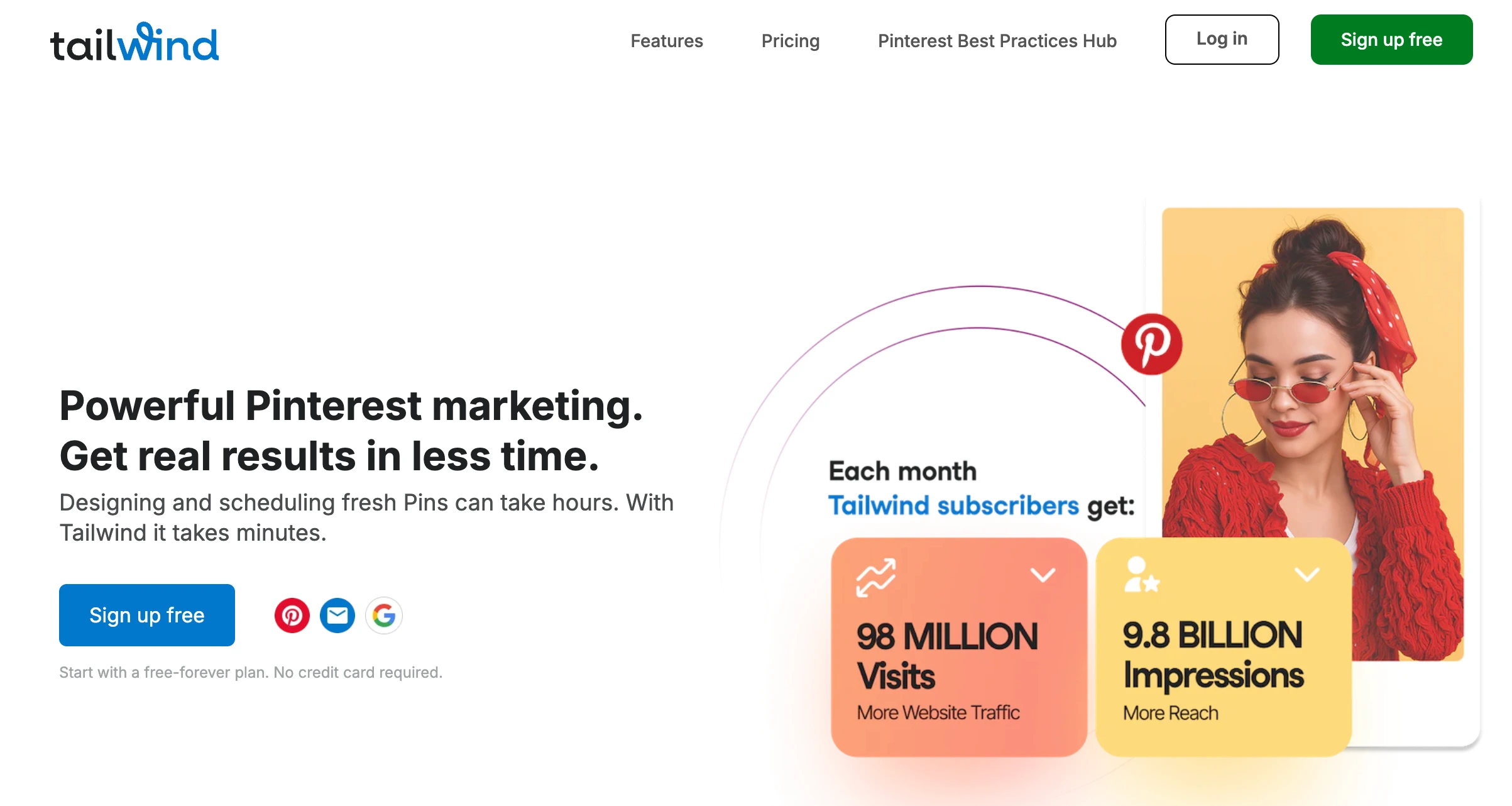
Tailwind is a social media scheduling and design tool built primarily for Pinterest and Instagram marketers. It combines SmartSchedule for optimal posting times, Ghostwriter AI for caption generation, and Tailwind Create for designing visual content with templates.
Tailwind supports 3 platforms: Pinterest, Instagram, and Facebook. It does not support X/Twitter, LinkedIn, TikTok, YouTube, Threads, Bluesky, or Google Business.
Key features:
- SmartSchedule for optimal posting times
- Ghostwriter AI for captions and descriptions
- Tailwind Create design tool with templates
- Tailwind Communities for collaborative content sharing
- Smart.bio link-in-bio tool
- SmartLoop for evergreen content resharing
- E-commerce integrations (Shopify, WooCommerce, Squarespace, WordPress)
- Browser extensions and mobile app
Tailwind is designed for Pinterest-focused creators, e-commerce sellers, and visual content marketers who prioritize Pinterest and Instagram growth. Read real user reviews of Tailwind from G2 and Trustpilot.
Pricing Comparison
Loomly uses tiered pricing with user and account caps. Tailwind uses tiered pricing with post limits and account caps. Both offer free plans with 5 posts per month but scale very differently.
Loomly Pricing
Loomly uses tiered pricing that bundles accounts and users together. See the full Loomly pricing breakdown for details.
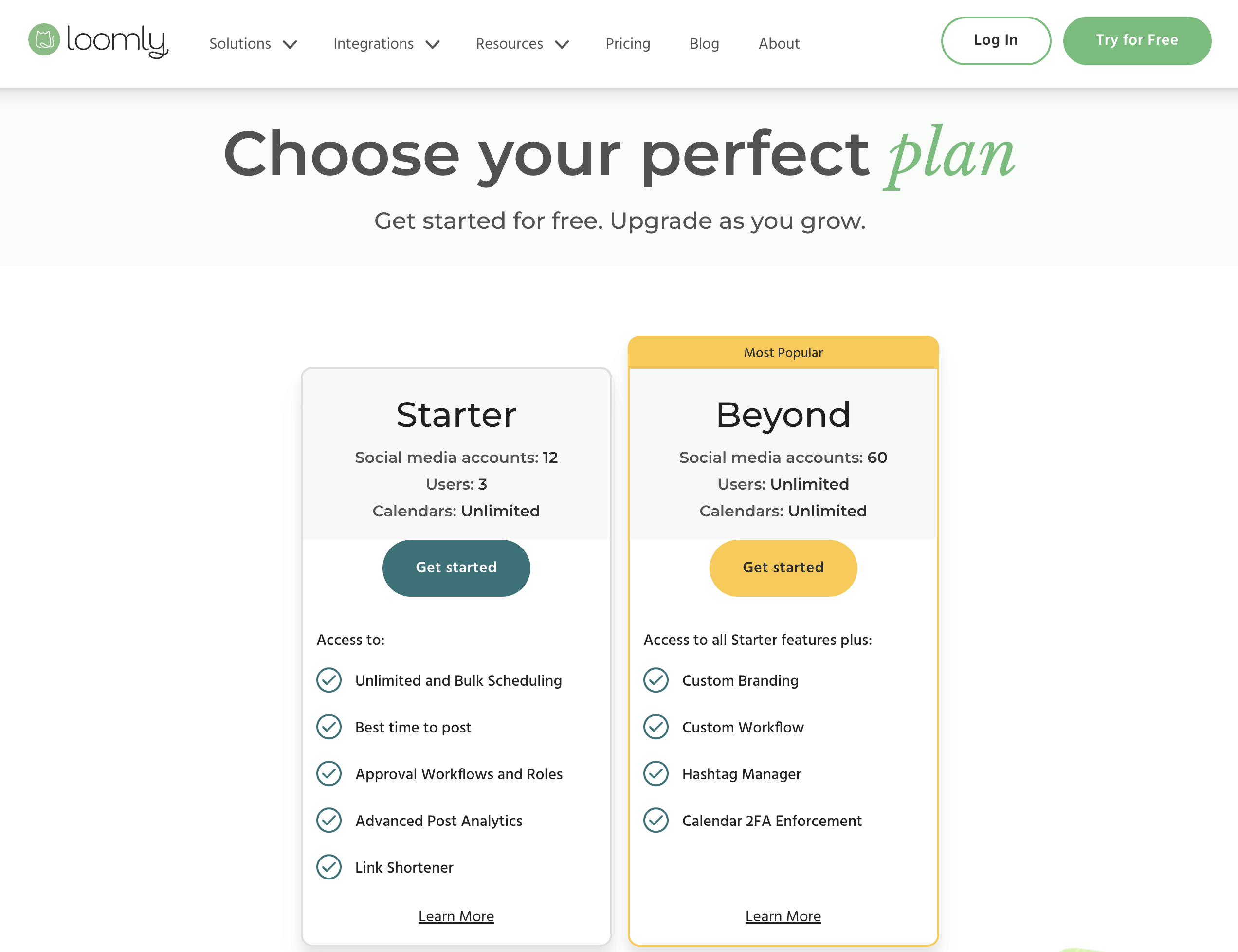
| Plan | Price | Accounts | Users | Key Features |
|---|---|---|---|---|
| Free | $0/mo | 3 | 1 | 5 posts/month, basic calendar |
| Standard | $79/mo | 20 | 6 | Unlimited posts, approvals, interaction tracking, analytics |
| Advanced | $172/mo | 35 | 14 | Advanced features, custom roles |
| Premium | $369/mo | 50 | 30 | All features, priority support |
Example costs:
- Solo user on free plan = $0/month
- Small team (6 users, 20 accounts) = $79/month
- Mid-size team (14 users, 35 accounts) = $172/month
- Large team (30 users, 50 accounts) = $369/month
Tailwind Pricing
Tailwind uses tiered pricing with post limits and account caps. Intro pricing is available for the first billing cycle, with renewal prices listed below. See the full Tailwind pricing breakdown for details.
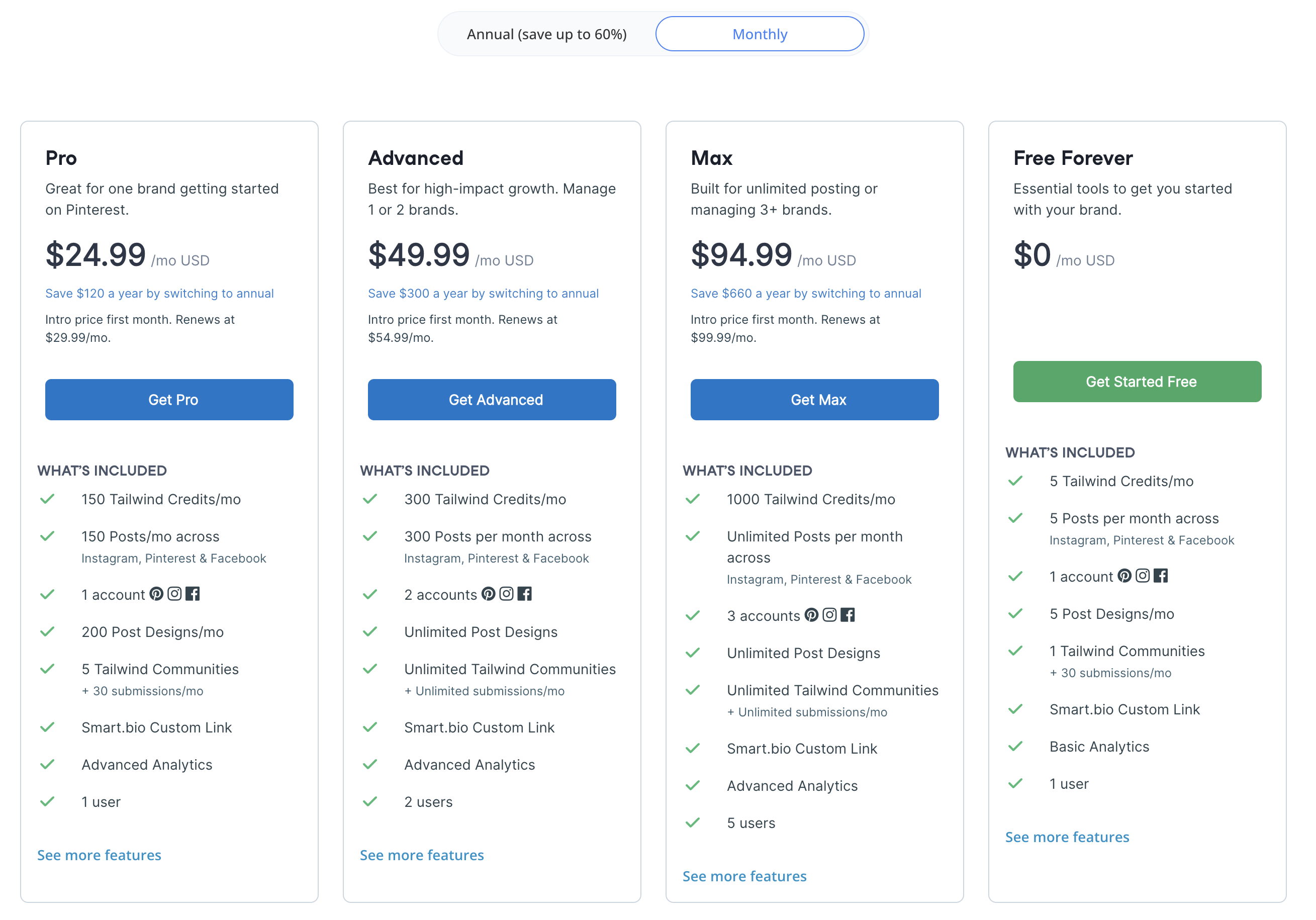
| Plan | Price | Posts | Accounts | Users | Key Features |
|---|---|---|---|---|---|
| Free | $0/mo | 5/mo | 3 (1 per platform) | 1 | 5 AI credits, 5 designs, basic analytics |
| Pro | $29.99/mo | 150/mo | 3 | 1 | Ghostwriter AI, Tailwind Create, Canva integration |
| Advanced | $54.99/mo | 300/mo | 6 | 2 | More posts and accounts |
| Max | $99.99/mo | Unlimited | 9 | 5 | Unlimited posts, all features |
Intro pricing available: Pro $24.99, Advanced $49.99, Max $94.99 for the first billing cycle.
Example costs:
- Solo Pinterest creator on Pro = $29.99/month
- Small team (2 users, 6 accounts) = $54.99/month
- Larger team (5 users, 9 accounts) = $99.99/month
Price Verdict
Loomly is the better value for teams needing broad platform support. Loomly Standard at $79/month includes 20 accounts, 6 users, unlimited posts, approval workflows, analytics, and a social inbox across 11 platforms. Tailwind Max at $99.99/month gives you only 9 accounts, 5 users, and unlimited posts across just 3 platforms. If your focus is exclusively Pinterest and Instagram, Tailwind Pro at $29.99/month is cheaper than any Loomly paid plan — but you sacrifice 8 platforms, approval workflows, and a social inbox.
 PostPlanify
Manage All Your Social Accounts Without the Chaos
Schedule posts, track performance, and collaborate with your team.


Feature Comparison
Scheduling & Publishing
| Feature | Loomly | Tailwind |
|---|---|---|
| Unlimited scheduling | Yes (paid plans) | Max only ($99.99/mo) |
| Post limits | Unlimited (paid) | 5-300/mo (Free-Advanced) |
| Content calendar | Yes (visual, drag-and-drop) | Yes |
| Bulk scheduling | Yes | Yes (bulk uploads) |
| SmartSchedule/Best time | Yes (best time to post) | Yes (SmartSchedule) |
| Evergreen resharing | No | Yes (SmartLoop) |
| Post preview | Yes | Yes |
Winner: Loomly for scheduling volume and platform breadth. Unlimited posts on all paid plans across 11 platforms vs Tailwind's 150-300 post caps on 3 platforms. Tailwind wins for Pinterest-specific features like SmartLoop for evergreen content resharing.
AI Tools
| Feature | Loomly | Tailwind |
|---|---|---|
| AI caption generation | Yes (suggestions) | Yes (Ghostwriter AI) |
| AI design tools | No | Yes (Tailwind Create) |
| AI image generation | No | No |
| Post idea inspiration | Yes | No |
| AI credits | Unlimited | 5 (Free), unlimited (paid) |
Winner: Tailwind for AI-powered content creation. Ghostwriter AI for captions plus Tailwind Create for visual design templates give Tailwind a creative edge. Loomly offers AI caption suggestions and post ideas but no design tool.
Analytics & Reporting
| Feature | Loomly | Tailwind |
|---|---|---|
| Built-in analytics | Standard+ (included) | Basic (all plans) |
| Interaction tracking | Yes (Standard+) | No |
| Social inbox | Yes (Standard+) | No |
| Export reports | Yes | No |
| Social listening | No | No |
Winner: Loomly. Loomly includes analytics with interaction tracking, a social inbox, and report exports on Standard and above. Tailwind offers only basic analytics with no social inbox, no interaction tracking, and no report exports.
Team Collaboration
| Feature | Loomly | Tailwind |
|---|---|---|
| Max users | 30 (Premium) | 5 (Max) |
| Approval workflows | All paid plans | No |
| Custom roles | Advanced+ ($172/mo) | No |
| Social inbox | Yes (Standard+) | No |
| User caps | 1-30 by plan | 1-5 by plan |
Winner: Loomly. Approval workflows on all paid plans, up to 30 users, custom roles, and a social inbox make Loomly far stronger for team collaboration. Tailwind has no approval workflows, no custom roles, and caps at 5 users on its most expensive plan.
Platform Support
| Platform | Loomly | Tailwind |
|---|---|---|
| Yes | Yes | |
| Yes | Yes | |
| Yes | Yes | |
| X/Twitter | Yes | No |
| Yes | No | |
| TikTok | Yes | No |
| YouTube | Yes | No |
| Google Business | Yes | No |
| Threads | Yes | No |
| Bluesky | Yes | No |
| Snapchat | Yes | No |
Winner: Loomly. With 11 platforms vs Tailwind's 3, this is the largest platform gap in any comparison. Tailwind only supports Pinterest, Instagram, and Facebook — it does not cover X/Twitter, LinkedIn, TikTok, YouTube, or any other platform.
What Real Users Say
Loomly Reviews
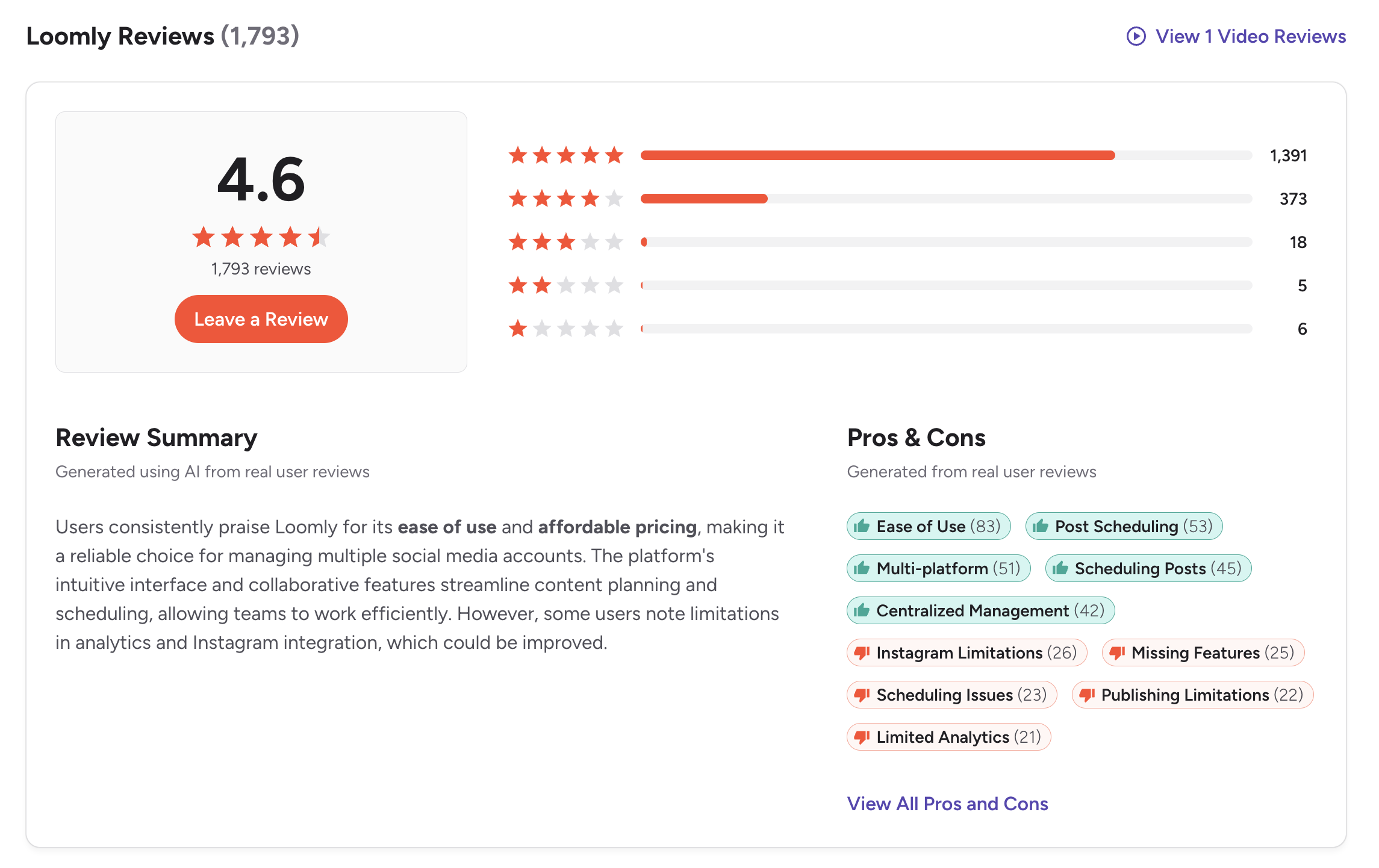
G2: 4.6/5 (1,793 reviews) — A strong rating with a very large review base. Users praise the visual calendar, approval workflows, ease of use, and content organization. Common complaints include the pricing gap between plans and basic analytics.
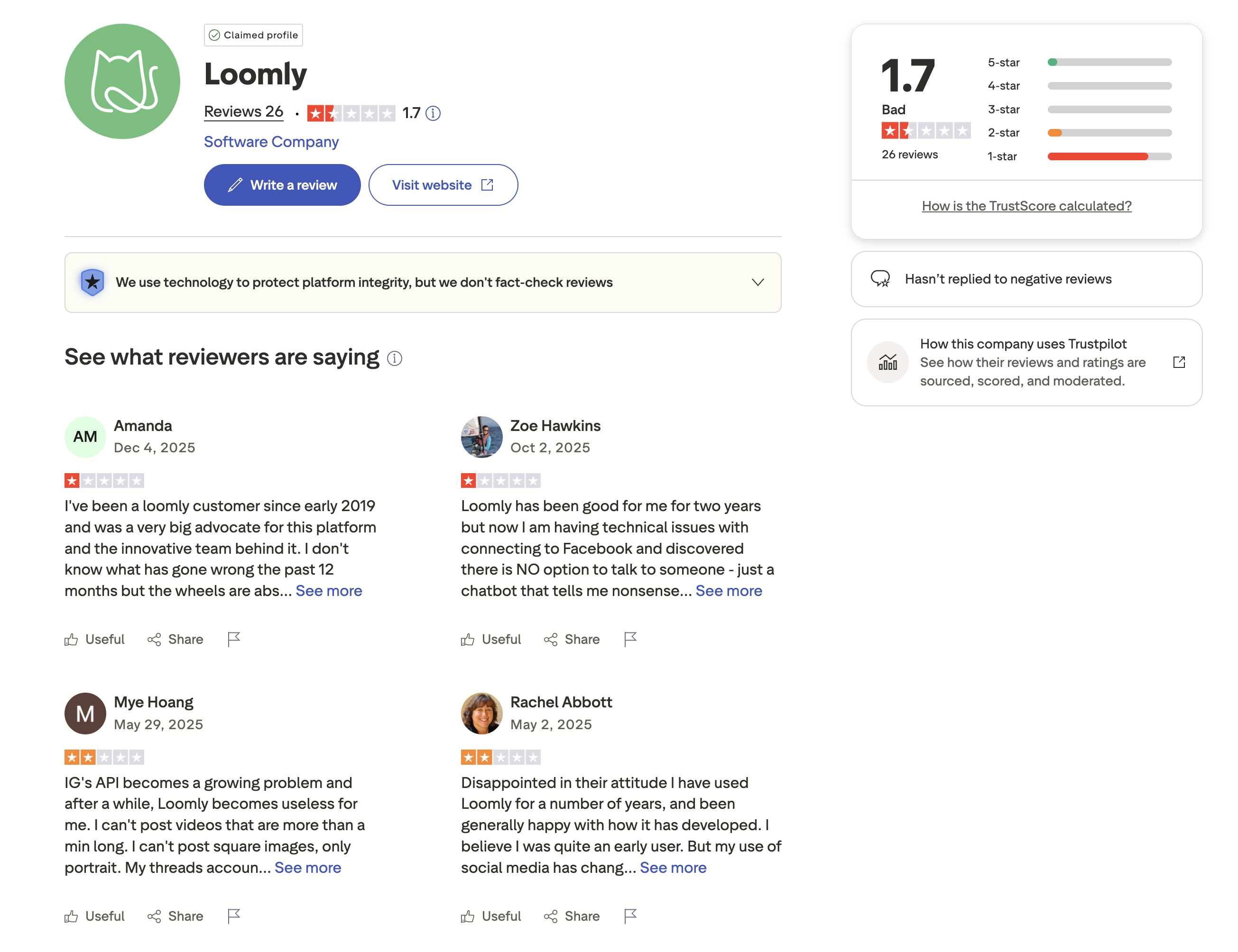
Trustpilot: 1.7/5 (26 reviews) — A concerning Trustpilot score. Negative reviewers report billing issues, difficult cancellation processes, and unresponsive customer support.
Tailwind Reviews
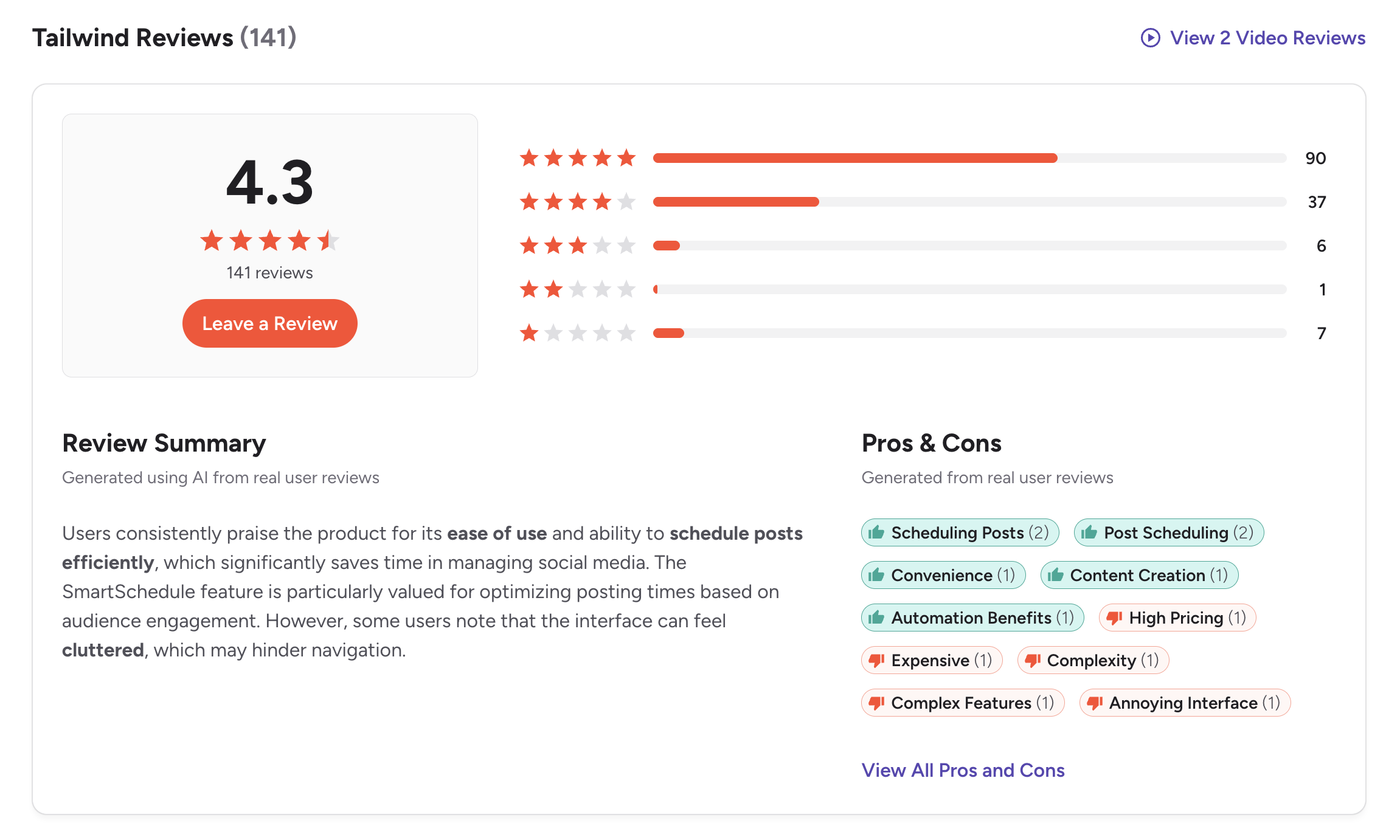
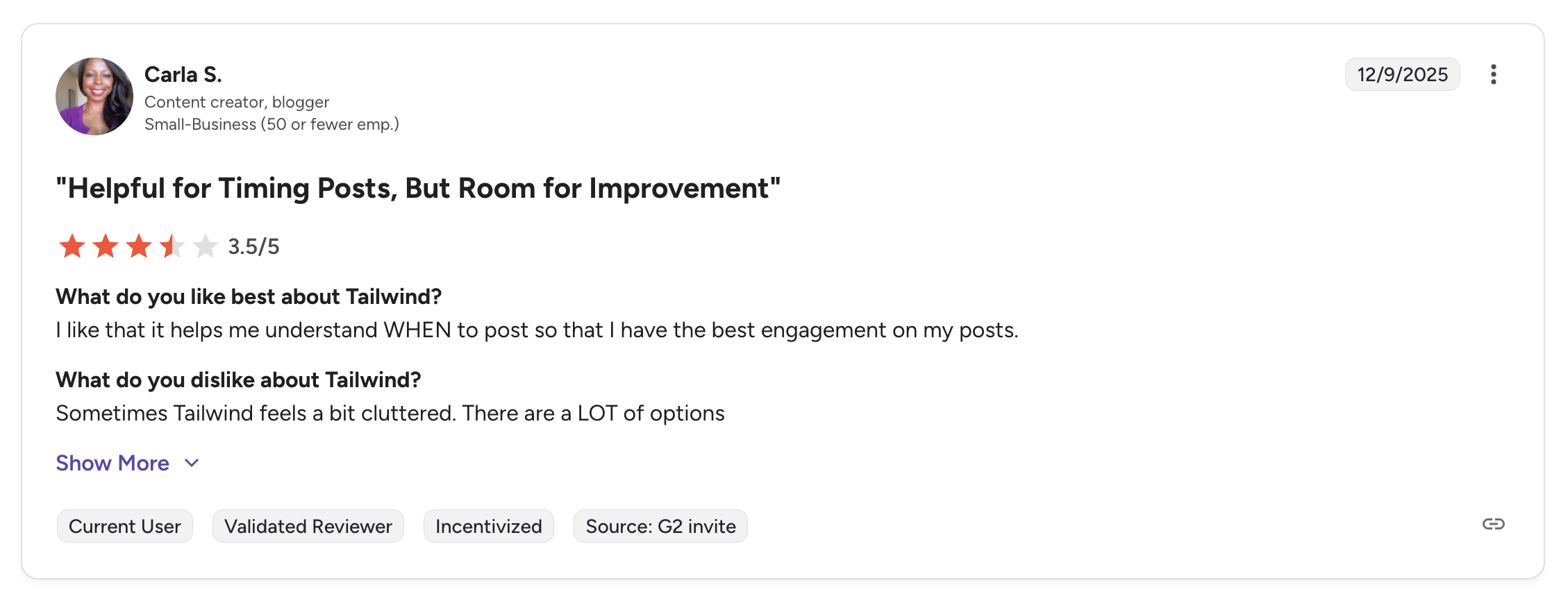
G2: 4.3/5 (141 reviews) — Users praise SmartSchedule, Pinterest-specific features, and the design tools. Common complaints include the limited platform support, post caps on lower plans, and pricing for what you get.
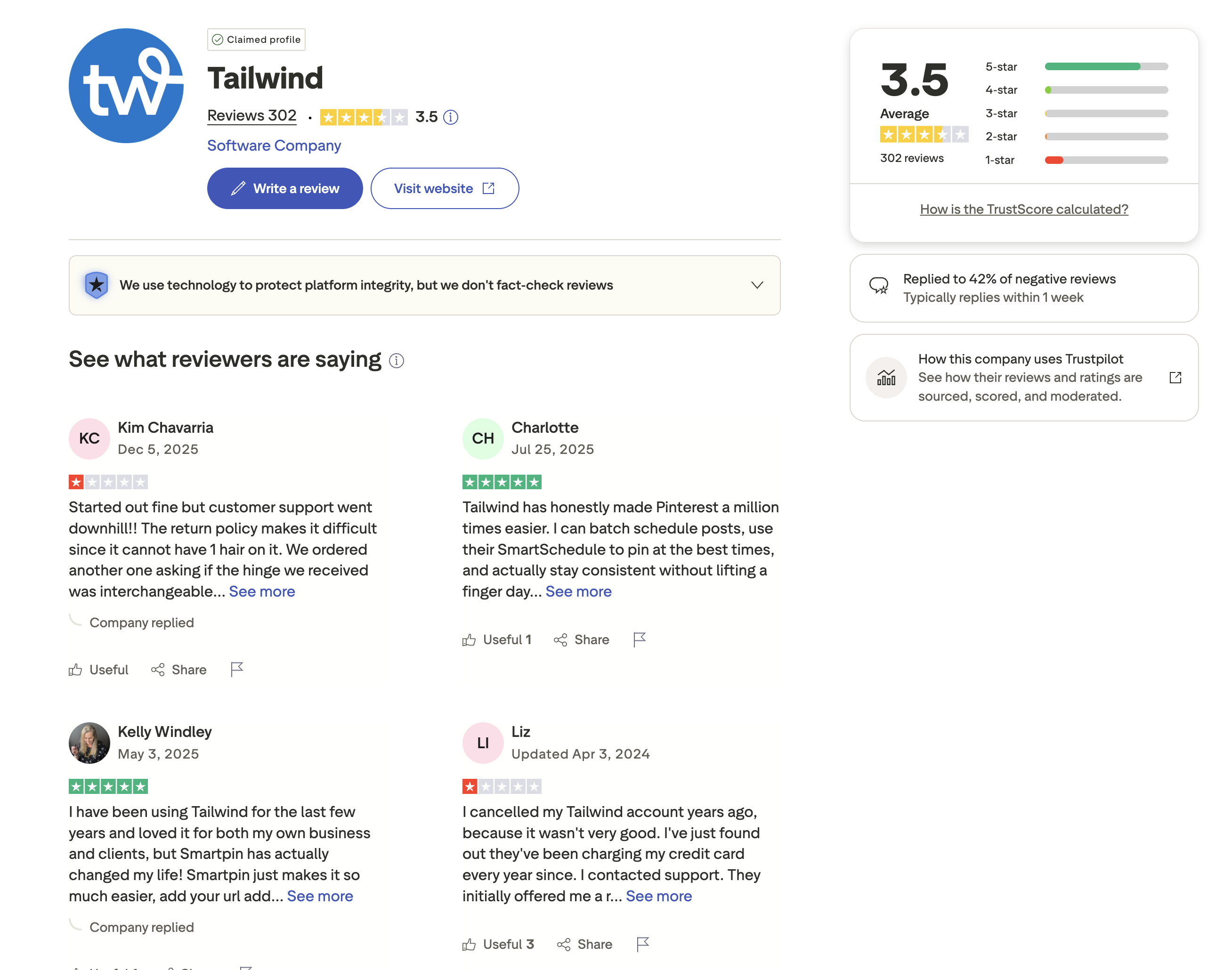
Trustpilot: 3.5/5 (302 reviews) — A mixed score. Positive reviewers praise the Pinterest scheduling features. Negative reviewers cite auto-renewal frustrations, limited platform support, and declining feature quality.
Review Verdict
Loomly leads on G2 with 4.6/5 (1,793 reviews) vs Tailwind's 4.3/5 (141 reviews) — both a higher rating and far more reviews. On Trustpilot, Tailwind scores 3.5/5 (302 reviews) vs Loomly's 1.7/5 (26 reviews), though Loomly's sample is very small. Loomly has a stronger G2 profile, while Tailwind has a larger and better Trustpilot presence. Overall, Loomly's G2 advantage with 12x the review volume carries more weight.
PostPlanifyManage All Your Social Accounts Without the Chaos
Schedule posts, track performance, and collaborate with your team.
Who Should Use Loomly?
If Loomly is on your shortlist, you may also want to see our top alternatives to Loomly before committing. Also compare Loomly with Buffer, Hootsuite, SocialBee, and Agorapulse.
Loomly is the better choice if you:
- Need 11-platform support including X/Twitter, LinkedIn, TikTok, YouTube, and more
- Require approval workflows for team content review before publishing
- Want unlimited scheduling on paid plans without monthly post caps
- Need a social inbox for unified engagement management
- Want analytics and interaction tracking included without add-on fees
- Have a team larger than 5 that needs structured collaboration tools
Who Should Use Tailwind?
If Tailwind is on your shortlist, you may also want to see our top alternatives to Tailwind before committing. Also compare Tailwind with Buffer, Hootsuite, Later, and SocialBee.
Tailwind is the better choice if you:
- Are a Pinterest-focused creator or run a Pinterest-heavy content strategy
- Sell products on Shopify, WooCommerce, or Squarespace and need e-commerce integrations
- Want SmartSchedule for automatic optimal posting time selection
- Need Tailwind Create for designing visual content with templates
- Use SmartLoop for evergreen content resharing on Pinterest
- Prefer a lower entry price ($29.99/mo) and only need Pinterest, Instagram, and Facebook
Full Platform Coverage Meets AI-Powered Scheduling
Loomly charges $79/month for team features across 11 platforms. Tailwind covers only 3 platforms with no approval workflows. PostPlanify supports 10 platforms with unlimited scheduling, AI caption and image generation, and Canva integration starting at $29/month — giving you broader reach than Tailwind and a lower entry point than Loomly.

| Feature | Loomly | Tailwind | PostPlanify |
|---|---|---|---|
| Starting Price | $79/mo (Standard) | $29.99/mo (Pro) | $29/mo flat |
| Platforms Supported | 11 | 3 | 10 |
| Unlimited Scheduling | Yes (paid plans) | Max only ($99.99/mo) | All paid plans |
| AI Caption Generation | Yes | Yes (Ghostwriter AI) | Yes (unlimited) |
| AI Image Generation | No | No | Yes |
| Canva Integration | Yes | Yes (paid plans) | Yes |
| Google Drive Import | Yes | No | Yes |
| Approval Workflows | All paid plans | No | $99/mo (Premium) |
| Analytics | Included (Standard+) | Basic only | $49/mo (Growth) |
| Social Inbox | Yes | No | Yes |
| Unlimited Users | $369/mo (30 users) | $99.99/mo (5 users) | $99/mo (Premium) |
PostPlanify starts at $29/month for 5 accounts with unlimited scheduling and AI tools included. Analytics are included from the Growth plan ($49/month). The Premium plan at $99/month adds 25 accounts, 5 team members, and approval workflows — features that cost $79-$369/month on Loomly or are entirely unavailable on Tailwind. See all plans on the PostPlanify pricing page.
Try PostPlanify free for 7 days

Related Guides
- Manage Multiple Social Media Accounts
- Content Batching Guide
- How to Create a Social Media Content Calendar
- Best Loomly Alternatives
- Best Tailwind Alternatives
FAQ
Is Tailwind cheaper than Loomly?
For solo users on Pinterest and Instagram, yes. Tailwind Pro costs $29.99/month vs Loomly's first paid plan at $79/month. However, Tailwind only supports 3 platforms while Loomly supports 11. If you need X/Twitter, LinkedIn, TikTok, or YouTube, Tailwind is not an option at any price.
Does Tailwind support X/Twitter or LinkedIn?
No. Tailwind only supports Pinterest, Instagram, and Facebook. It does not support X/Twitter, LinkedIn, TikTok, YouTube, Threads, Bluesky, or Google Business. If you post to any of these platforms, you need a different tool.
Which has better AI tools?
Tailwind has a stronger AI creative suite with Ghostwriter AI for captions and Tailwind Create for visual design with templates. Loomly offers AI caption suggestions and post idea inspiration but has no design tool. Neither offers AI image generation.
Does Tailwind have approval workflows?
No. Tailwind does not offer approval workflows at any plan level. If your team needs content review and approval before publishing, Loomly includes approval workflows on all paid plans starting at $79/month.
Which is better for Pinterest?
Tailwind is the clear winner for Pinterest. It was built specifically for Pinterest with SmartSchedule, SmartLoop for evergreen resharing, Tailwind Communities for content sharing, and SmartPin. Loomly supports Pinterest but does not offer Pinterest-specific optimization features.
Can I use Tailwind for a full social media strategy?
Not effectively. Tailwind only covers Pinterest, Instagram, and Facebook — 3 out of the major social platforms. For a comprehensive social media strategy that includes X/Twitter, LinkedIn, TikTok, or YouTube, you would need Loomly, PostPlanify, or another multi-platform tool.
Which has better user reviews?
Loomly leads on G2 with 4.6/5 (1,793 reviews) vs Tailwind's 4.3/5 (141 reviews). On Trustpilot, Tailwind scores 3.5/5 (302 reviews) vs Loomly's 1.7/5 (26 reviews), though Loomly's small sample limits that comparison. Loomly's much larger G2 review base makes it the more reliable indicator.
Can I switch from Tailwind to Loomly?
Yes. Reconnect your Pinterest, Instagram, and Facebook accounts in Loomly and add the platforms Tailwind does not cover. You will gain approval workflows, a social inbox, analytics, and support for 8 additional platforms. You will lose SmartSchedule, SmartLoop, Tailwind Create, Tailwind Communities, and e-commerce integrations.







