


Every developer who's tried to ship social media features has learned the same lesson: building directly on Meta's Graph API, X's paid API, LinkedIn's restricted endpoints, and TikTok's evolving permission model is a six-month project before you post your first tweet. A multi-platform social media API collapses that work into a single integration: one authentication, one schema, one SDK, across ten or more networks.
But unified APIs are not all created equal. Some cost $149/mo for 13 platforms with zero self-serve dashboard. Others charge $6 per connected channel. A handful are open-source and self-hostable. Rate limits vary from 30 requests per hour to 100 per minute, and the native platform APIs use formulas rather than fixed caps. And in the last 18 months, X's paid tier, Meta's Graph API changes, and the new wave of MCP-capable APIs have reshuffled which tools are actually usable in production.
We evaluated every production social media API for developers that supports multi-platform posting, scheduling, or analytics in September 2026, comparing platform coverage, authentication models, rate limits, pricing, SDK support, and webhook availability. Here are the 10 best, plus honest guidance on when to skip unified APIs and go native.
Quick Comparison
| API | Best For | Platforms | Auth | MCP server | Open source | Starting Price |
|---|---|---|---|---|---|---|
| PostPlanify | Teams that want API + MCP + UI | 10 | Bearer (sk_live_*) | ✅ 22 tools (Premium+) | ❌ | From $99/mo (Premium) |
| Ayrshare | Companies building on top | 13+ | Bearer + Profile-Key | ✅ 75+ tools | ❌ | $149/mo |
| Zernio | Budget-conscious devs | 15 | Bearer | ✅ 480+ tools | ❌ | 2 accounts free, then $6/account |
| Buffer | Existing Buffer customers | 11 | API key or OAuth | ✅ 18 tools, free on all plans | ❌ | Free / $6/channel/mo |
| Postiz | Self-hosters | 30+ | Bearer / OAuth2 | ✅ all plans | ✅ AGPL-3.0 | Free (self-host) |
| Publer | Bulk scheduling workflows | 11 | API key (Business+) | ❌ | ❌ | From $21/mo Business |
| Blotato | AI content pipelines | 10+ | API key | ✅ 14 tools | ❌ | $29/mo |
| Hootsuite | Enterprise integrations | 8+ | OAuth 2.0 | ✅ | ❌ | From $249/user/mo |
| Sendible | Agency white-label | 10 | API key | ❌ | ❌ | From $35/mo |
| Vista Social | Analytics-heavy reporting | 15+ | API add-on | ✅ ~60 tools | ❌ | From $99/mo + add-on |
Only one of the ten is open source, and three of the ten still ship no MCP server (what an MCP server actually changes). Tool counts are the vendor's own published figures and are a rough proxy for surface area, not quality: Zernio's 480+ includes its ads and tooling endpoints, while a focused 18 covers most publishing workflows.
What Is a Social Media API, and Why Use a Unified Wrapper?
A social media API is an HTTP interface that lets your code create posts, read analytics, and manage comments on behalf of a user. Every major network (Meta, X, LinkedIn, TikTok, YouTube, Pinterest, Reddit, Bluesky) ships its own native API with different auth flows, rate limits, request schemas, and deprecation cycles. In practice you are usually shopping for one of three overlapping things: a social media posting api to publish, a social media scheduling api to queue for later, or a full social media management api that also reads analytics and comments.
A unified social media API, the category this article ranks, wraps those native APIs behind a single consistent interface. It is also what people mean by a social media automation api: one integration that handles publishing, retries and token refresh without you scripting each network. Instead of maintaining ten SDKs, you authenticate once, call one endpoint like POST /posts, and the wrapper handles routing, rate limits, token refresh, and media upload per platform.
Unified APIs exist on a spectrum:
- Developer-first APIs (Ayrshare, Zernio): pure API products with no end-user dashboard. Built for companies embedding social features into their own product.
- SaaS APIs (PostPlanify, Buffer, Publer, Hootsuite): a REST/GraphQL layer on top of an end-user dashboard. Useful when you want to offer customers both a UI and programmatic access.
- Open-source APIs (Postiz): self-hostable; you own the infrastructure and the bill.
- Analytics-first APIs (Vista Social): optimized for reading performance data, with publishing as a secondary concern.
What to Look For in a Social Media API
Platform coverage
The single biggest dimension. Count the platforms your product actually needs, then multiply by 1.5 to future-proof. A team building "just for Instagram and TikTok" in 2024 spent 2025 scrambling to add LinkedIn and Threads as those became critical for B2B and creator workflows.
Authentication model
Three models dominate:
- Single API key (simplest): one token, full account access. Fine for single-brand tooling.
- API key + Profile-Key (Ayrshare's model): parent key routes requests to user-specific profiles. Built for multi-tenant SaaS.
- OAuth 2.0: user-facing consent flow, token refresh, per-user scopes. The right model if your end users bring their own social accounts.
Rate limits
Underrated filter. Postiz's 30 requests/hour Public API is fine for nightly jobs, catastrophic for an interactive dashboard. Ayrshare's limits scale with your plan. Native Meta Graph is generous but complex (rolling 24-hour call count tied to user impressions). Always check before committing.
Webhooks and events
If your product reacts to "post published", "post failed", or "new comment" events, you need webhooks, not polling. Not every API ships them, and the ones that do vary in event types and retry policies.
SDKs and developer ergonomics
Official SDKs in your language (Node.js, Python, Go, Ruby) save weeks. OpenAPI specs make it trivial to auto-generate clients. Check for: typed SDK, interactive API explorer, clear changelog, status page.
Pricing model
Per-call, per-profile, per-seat, flat-rate, or free-to-self-host. Pricing model should match your product shape: per-profile pricing punishes agencies; per-call punishes high-volume apps.
Platform Coverage Matrix
| API | IG | FB | X | LI | TikTok | YT | Threads | Bluesky | GBP | Others | |
|---|---|---|---|---|---|---|---|---|---|---|---|
| PostPlanify | ✅ | ✅ | ✅ | ✅ | ✅ | ✅ | ✅ | ✅ | ✅ | ✅ | None |
| Ayrshare | ✅ | ✅ | ✅ | ✅ | ✅ | ✅ | ✅ | ✅ | ✅ | ✅ | Reddit, Snapchat, Telegram |
| Zernio | ✅ | ✅ | ✅ | ✅ | ✅ | ✅ | ✅ | ✅ | ✅ | ✅ | Reddit, Snapchat, Telegram, Discord, WhatsApp |
| Buffer | ✅ | ✅ | ✅ | ✅ | ✅ | ✅ | ✅ | ✅ | ✅ | ✅ | Mastodon |
| Postiz | ✅ | ✅ | ✅ | ✅ | ✅ | ✅ | ✅ | ✅ | ✅ | ✅ | Dev.to, Hashnode, Slack, Discord, Mastodon, others |
| Publer | ✅ | ✅ | ✅ | ✅ | ✅ | ✅ | ✅ | ✅ | ✅ | ✅ | Mastodon |
| Blotato | ✅ | ✅ | ✅ | ✅ | ✅ | ✅ | ✅ | ✅ | ✅ | ❌ | None |
| Hootsuite | ✅ | ✅ | ✅ | ✅ | ✅ | ✅ | ❌ | ✅ | ❌ | ✅ | None |
| Sendible | ✅ | ✅ | ✅ | ✅ | ✅ | ✅ | ✅ | ✅ | ❌ | ✅ | None |
| Vista Social | ✅ | ✅ | ✅* | ✅ | ✅ | ✅ | ✅ | ✅ | ✅ | ✅ | Reddit, review sites |
*Vista Social X access is a paid add-on.
Build vs. Buy: When to Use Native APIs Directly
Before you pick a unified API, ask yourself the honest question: do you actually need one? The answer is "no" more often than vendor marketing suggests.
When native APIs win
- You're only targeting 1–2 platforms. Building directly on the Meta Graph API or X's API is faster than integrating a wrapper if your scope is narrow. A single instagram posting api or facebook posting api integration is a week of work, not a quarter.
- You need obscure features. Meta's Ads API, Instagram's DM automation with 24-hour messaging windows, TikTok's research API: these features are either partial or missing in most unified wrappers.
- Your volume is huge. At 1M+ posts/month, per-call pricing on a wrapper crushes economics. Native is free (Meta) or cheaper at scale.
- You need maximum reliability. Every abstraction layer is one more thing that can break. When Meta pushes a Graph API change, a unified wrapper has to catch up; your direct integration can patch in an afternoon.
When unified APIs win
- You need 3+ platforms. Maintaining parallel Meta, X, LinkedIn, TikTok, YouTube integrations is a 6-month project. A unified API is 2 days.
- You need multi-tenant isolation. Agencies and SaaS products managing "a user's social accounts" get OAuth, token refresh, and per-profile routing for free.
- Your team isn't 100% backend. A unified API is easy enough for a PM or growth engineer to integrate. Direct Meta Graph is not.
- You'd otherwise rebuild what already exists. Rate limit handling, token refresh, media resize per platform, thread splitting: all solved in mature APIs.
Native API cost reality check (September 2026)
| API | Cost | Reality |
|---|---|---|
| Meta Graph API (FB, IG, Threads) | Free (with app review) | Free in dollars, expensive in time. App review takes weeks. |
| X API (the x twitter posting api) | Pay-per-use: $0.01/post created, $0.005/post read | New developers default to pay-per-use since Feb 2026. Legacy Basic ($200/mo) closed to new signups. |
| LinkedIn API | Free with approval | Very restricted. Most posting features require Marketing Developer Platform partnership. |
| TikTok API | Free | Requires verified developer account + app review. |
| YouTube Data API | Free (with quota) | 10,000 units/day default quota; upload = 1,600 units/request. Generous for most. |
| Pinterest API | Free (v5) | Straightforward, well-documented. |
Bottom line: native APIs are "free" in sticker price but expensive in time. Unified APIs are "paid" in sticker price but save weeks of integration work. If your runway is short, buy; if your product is the API itself, build.
1. PostPlanify: Best All-Round API Plus MCP and Dashboard
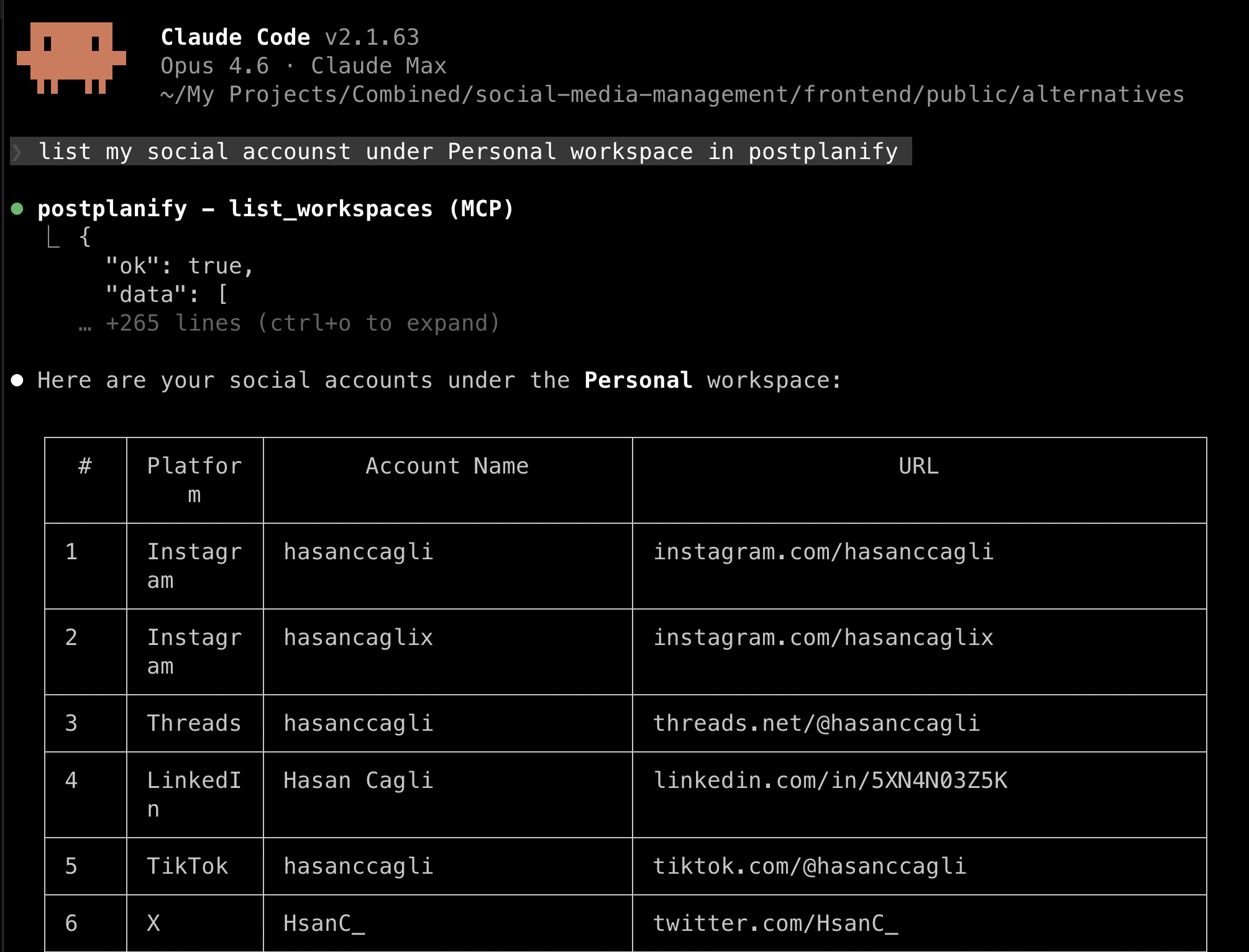
PostPlanify is a social media management platform with a full REST API, an MCP server for AI agents, and a production dashboard your team or your clients can actually use. What shapes the API is the workspace model: billing is per client workspace, so every brand you manage gets isolated API keys alongside its own calendar, inbox, approvals and reporting. The API models the approval state rather than treating every call as an immediate publish, and reports can be generated programmatically under your own branding. That combination is what makes it fit developers building tooling for an agency or a multi-brand roster rather than for a single account.
The REST API covers posts (create, list, get, edit, cancel, delete), media upload (URL or base64), social accounts, analytics (account-level, trends, brand overview), and is fully documented via an OpenAPI 3.0 spec. The same auth layer powers the MCP server, so any API key works for both interfaces, with no separate developer onboarding.
Ten platforms are supported at full fidelity: Instagram, Facebook, X, LinkedIn, TikTok, YouTube, Threads, Pinterest, Bluesky, and Google Business Profile. Analytics coverage spans all 10, including follower trends and per-post engagement, exposed as structured endpoints rather than scraped HTML.
Authentication & rate limits:
- Bearer tokens with
sk_live_*prefix, generated at/dashboard/api-keys - 100 requests/minute per API key (generous for most workloads)
- 6 posts/hour and 100 posts/day per connected social account (matches platform-level safe posting limits)
- Per-workspace scoping: separate brands or clients can have isolated keys
Example: create a post (cURL):
curl -X POST https://api.postplanify.com/api/v1/posts \
  -H "Authorization: Bearer sk_live_your_key" \
  -H "Content-Type: application/json" \
  -d '{
    "socialAccountIds": ["acct_123", "acct_456"],
    "caption": "Just shipped our Q2 feature: link in bio.",
    "mediaUrls": ["https://cdn.example.com/image.jpg"],
    "scheduledAt": "2026-04-16T09:00:00Z"
  }'
Key features:
- Full REST API + MCP server + dashboard from one subscription, with MCP clients for Claude, ChatGPT, Gemini and Copilot
- OpenAPI 3.0 spec for auto-generated clients in any language
- Analytics endpoints covering all 10 platforms, including best time to post
- Social inbox endpoints for Instagram, Facebook, LinkedIn (list comments, reply)
- Per-workspace isolation: multi-brand or agency teams get isolated keys per client
- Team collaboration and approval workflows respected by the API (approver flags, audit trails)
- White-label PDF reports generated programmatically
PostPlanify bills per client workspace rather than per seat or per API call. One workspace holds one brand or client: its social accounts, calendar, inbox, approvals and reports. The rate per workspace drops as you add more.
| Plan | From | Social accounts per workspace | REST API + MCP |
|---|---|---|---|
| Growth | $39/mo | 4 | No |
| Premium | $99/mo | 6 | Yes |
| Scale | $199/mo | 8 | Yes, plus white label |
The API and the MCP server start on Premium, so $99/mo for one workspace is the real entry point for developers. Graduated bands mean five client workspaces on Premium is $177/mo rather than five times the first-workspace rate, and team members are unlimited on every plan, so seats never change the bill.
Pros:
- Per-client workspace isolation: no tenancy layer to build yourself
- No per-call, per-seat or per-channel fees
- API, MCP server and dashboard from one subscription
- Approval state modelled in the API, not just the dashboard
- Google Business Profile included, rare in this category
Cons:
- Requires a PostPlanify account; not a standalone developer platform like Ayrshare
- API and MCP access start on Premium, so the entry Growth plan is dashboard-only
- No white-label version of the API itself (dashboard yes, API endpoints no)
- No managed multi-user profile system on the Business tier yet (on roadmap)
Best for: Teams that want a real API, a real MCP server, and a human-usable dashboard, without gluing three vendors together.
 PostPlanify
All your social media in one simple dashboard
Schedule posts, track analytics, and reply to comments/DMs without switching tabs.

Engagement
+18%
Views
52.8k
2. Ayrshare: Most Comprehensive Developer API
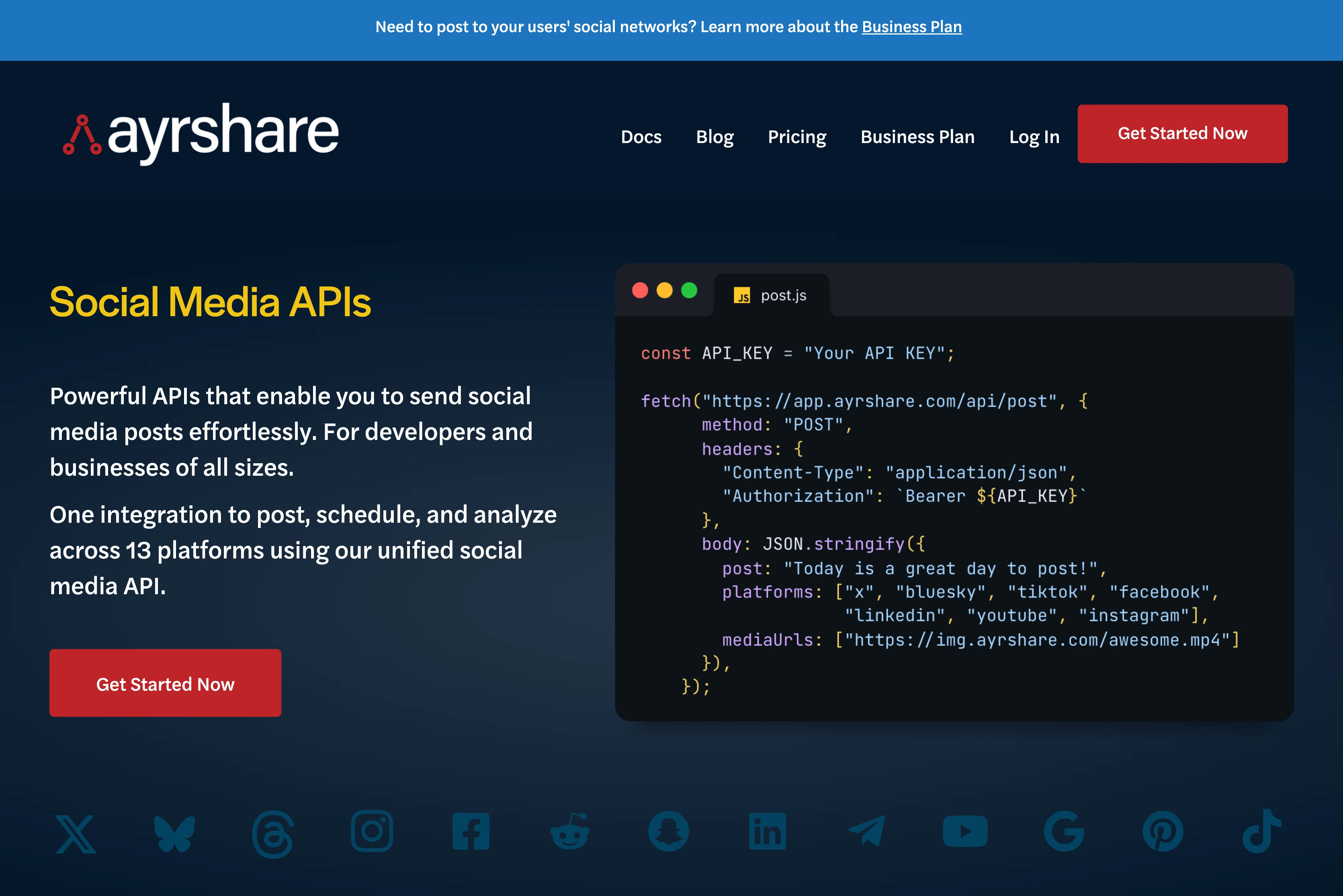
Ayrshare is the heavyweight of the category. 13 supported platforms (Bluesky, Facebook, Google Business Profile, Instagram, LinkedIn, Pinterest, Reddit, Snapchat, Telegram, Threads, TikTok, X, YouTube), endpoints for posting, analytics, comments, messages (FB/IG/X unified inbox), and ads (Facebook ad creation from existing posts). If you're building a product on top of a social media API, Ayrshare is the default pick.
The trade-off: Ayrshare is a pure API product. There is no end-user dashboard your marketing team can log into to plan a content calendar. The product is the API. That makes it unmatched for embedding social into your own SaaS, and overkill for teams that also need a human-usable UI.
Authentication & rate limits:
- Bearer tokens in the
Authorizationheader - Business/Enterprise plans add a
Profile-Keyheader for multi-user routing - From March 31, 2026, X operations require additional OAuth 1.0a credentials via
X-Twitter-OAuth1-Api-KeyandX-Twitter-OAuth1-Api-Secretheaders (unique gotcha to watch for) - Rate limits scale with plan tier: not publicly disclosed at per-endpoint granularity
Example: create a post (Node.js):
const res = await fetch('https://api.ayrshare.com/api/post', {
  method: 'POST',
  headers: {
    'Authorization': `Bearer ${AYRSHARE_API_KEY}`,
    'Content-Type': 'application/json'
  },
  body: JSON.stringify({
    post: 'Shipping our new analytics dashboard today.',
    platforms: ['twitter', 'linkedin', 'facebook'],
    mediaUrls: ['https://cdn.example.com/hero.jpg']
  })
});
Key features:
- 13+ platforms: widest coverage of any unified API
- Dedicated Ads API: create FB ads from existing posts
- Unified Messages API: DMs across FB, IG, X in a single schema
- Multi-user Profile-Key system: designed for SaaS resellers
- Webhook support across major events
| Plan | Price | Profiles | Notes |
|---|---|---|---|
| Premium | $149/mo | 1 | Single brand, unlimited engineers |
| Launch | $299/mo | 10 | Multi-user, white label, 28-day free trial |
| Business | $599/mo | 30 (scale to 5,000) | White-label, unlimited team |
| Enterprise | Custom | Thousands | Dedicated AM |
Pros:
- Deepest platform and endpoint coverage
- Purpose-built for developers: excellent docs, clear auth model
- Business plan's white-label multi-user system is unmatched
- Dedicated Ads API is rare
Cons:
- No dashboard: marketing teams have no UI
- No free tier; entry price is $149/mo
- X/Twitter credentials complexity adds friction from March 2026
- Pricing climbs sharply for multi-profile use cases
Best for: SaaS companies embedding social features into their own product, or agencies wanting to build a white-label social tool.
3. Zernio (formerly getlate.dev): Best Developer-First Challenger
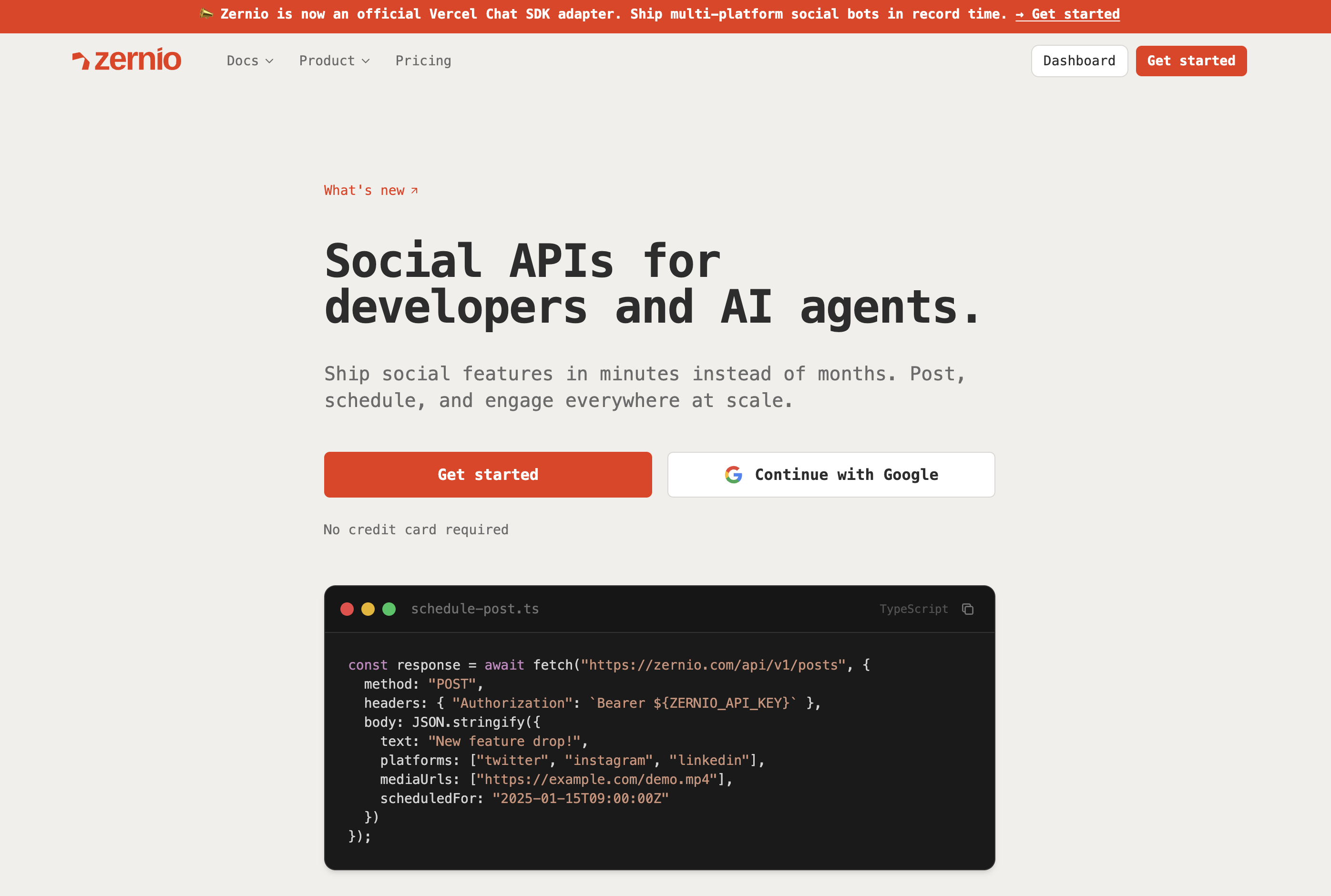
The Zernio API is the rising challenger in the developer-first space. Zernio renamed from getlate.dev and rebuilt its pricing around usage rather than plans. The rename happened in early 2026 and the old domain now 301 redirects. Zernio covers 15 platforms (Twitter/X, Instagram, TikTok, LinkedIn, Facebook, YouTube, Threads, Reddit, Pinterest, Bluesky, Telegram, Snapchat, Google Business, Discord, and WhatsApp), which is wider than Ayrshare if you count Discord and WhatsApp.
The pitch is aggressive pricing. Zernio dropped named plans in favour of usage-based billing per connected account, and your first two accounts are free with unlimited posts and full API access, which undercuts Ayrshare's $149/mo entry by an order of magnitude. For indie developers and early-stage startups, it is the cheapest way to get a real multi-platform API into production.
Authentication & rate limits:
- Bearer token API key auth: simple, no OAuth setup required from developers
- No per-post quota: posts are unlimited on every account, including the two free ones, so cost scales with connected accounts rather than call volume
Endpoints:
- Posting API: schedule across all platforms
- Comments API: read and reply to comments
- Messaging API: DMs (send/receive)
- Analytics API: engagement metrics
- Ads API: Meta, Google, TikTok, LinkedIn, Pinterest, X ad management (rare at this price point)
- Tools API: video downloaders, transcripts, captions
| Connected accounts | Price per account |
|---|---|
| 1 to 2 | Free |
| 3 to 10 | $6/mo each |
| 11 to 100 | $3/mo each |
| 101+ | $1/mo each |
Unlimited posts, full analytics, inbox and complete API access are included at every level, along with 10,000 inbox messages a month. Beyond that, messaging is $1 per 10,000. Ads, phone numbers, calls and SMS are metered separately, so read the add-on list before budgeting if you need them.
Pros:
- Best free tier in the category: two accounts with unlimited posts and the full API, no credit card
- 15 platforms including Discord and WhatsApp
- Dedicated Ads API at a fraction of Ayrshare's cost
- Simple Bearer-token auth
Cons:
- Smaller, newer company: longer-roadmap risk
- Metered add-ons (messaging above 10,000, ads, SMS, calls) make the total harder to forecast than a flat plan
- Usage-based billing means a large roster adds up: 50 accounts is $6 x 8 plus $3 x 40, or $168/mo
- Recent rename signals the brand is still stabilizing
Best for: Indie developers, early-stage startups, and teams evaluating Ayrshare alternatives on cost.
4. Buffer API: Best GraphQL Option

Buffer operates an official GraphQL API (public beta since February 2026, with REST support being migrated away from) and, since May 2026, an official MCP server at mcp.buffer.com/mcp. For teams already running on Buffer, the API is a natural extension: same account, same channels, same limits. 11 platforms supported including Mastodon, Bluesky, and YouTube Shorts.
GraphQL is the differentiator. If your backend is already GraphQL-native (Apollo, urql, Relay), Buffer's API fits in naturally: request exactly the fields you need, subscribe to updates, batch queries. If you're a REST-first team, the learning curve is modest but real.
Authentication:
- API key from
publish.buffer.com/settings/api - Single-user scoping: Buffer's API represents one Buffer account at a time
Endpoints (GraphQL types):
- Accounts, Organizations, Channels, Posts, Ideas, Assets
- Mutations for creating drafts, scheduled posts, ideas
Example: create a post (GraphQL):
mutation CreatePost {
  createPost(input: {
    channelIds: ["channel_abc"],
    text: "Shipping our new analytics dashboard today.",
    scheduledAt: "2026-04-16T09:00:00Z"
  }) {
    post { id status scheduledAt }
  }
}
| Plan | Price | Notes |
|---|---|---|
| Free | $0 | 3 channels, 10 scheduled posts each |
| Essentials | $6/channel/mo ($5 billed annually) | Unlimited posts, single user |
| Team | $12/channel/mo ($10 billed annually) | Approval workflows, unlimited users |
API and MCP access are included on all plans, including Free, which makes Buffer the cheapest way to get an AI agent publishing to real accounts. The MCP server exposes create, schedule, queue management, saved ideas and connected-channel lookups, authenticates by personal API key or OAuth, and lands everything in the Buffer queue as a draft or scheduled item rather than publishing instantly.
Pros:
- Official, well-maintained, GraphQL-first
- Free tier actually includes both API and MCP access, with no paid gate on either
- Official MCP server supporting Claude, ChatGPT, Cursor, Raycast and Perplexity, among the best documented in the category
- GraphQL explorer is excellent for learning the schema
- Strong Zapier/Make/n8n ecosystem if you want no-code alongside the API
Cons:
- GraphQL adds a learning curve if your team is REST-only
- Per-channel pricing compounds fast: see tools with no per-seat fees for alternatives that don't bill per channel or per seat
- Analytics surface is thinner than Ayrshare or PostPlanify
- Single-account scoping; not designed for multi-tenant SaaS
- MCP writes land in the queue for review rather than publishing directly, which is a safeguard but not full automation
- No approval-state or client-reporting primitives in the API, so agency workflow has to live in your own code
Best for: Teams already on Buffer, GraphQL-native backends that want idiomatic integration, and anyone who wants a free, well-documented MCP server for AI-agent publishing.
More on cost in our Buffer pricing breakdown, plus the wider field in Buffer alternatives.
5. Postiz API: Best Open-Source and Self-Hosted
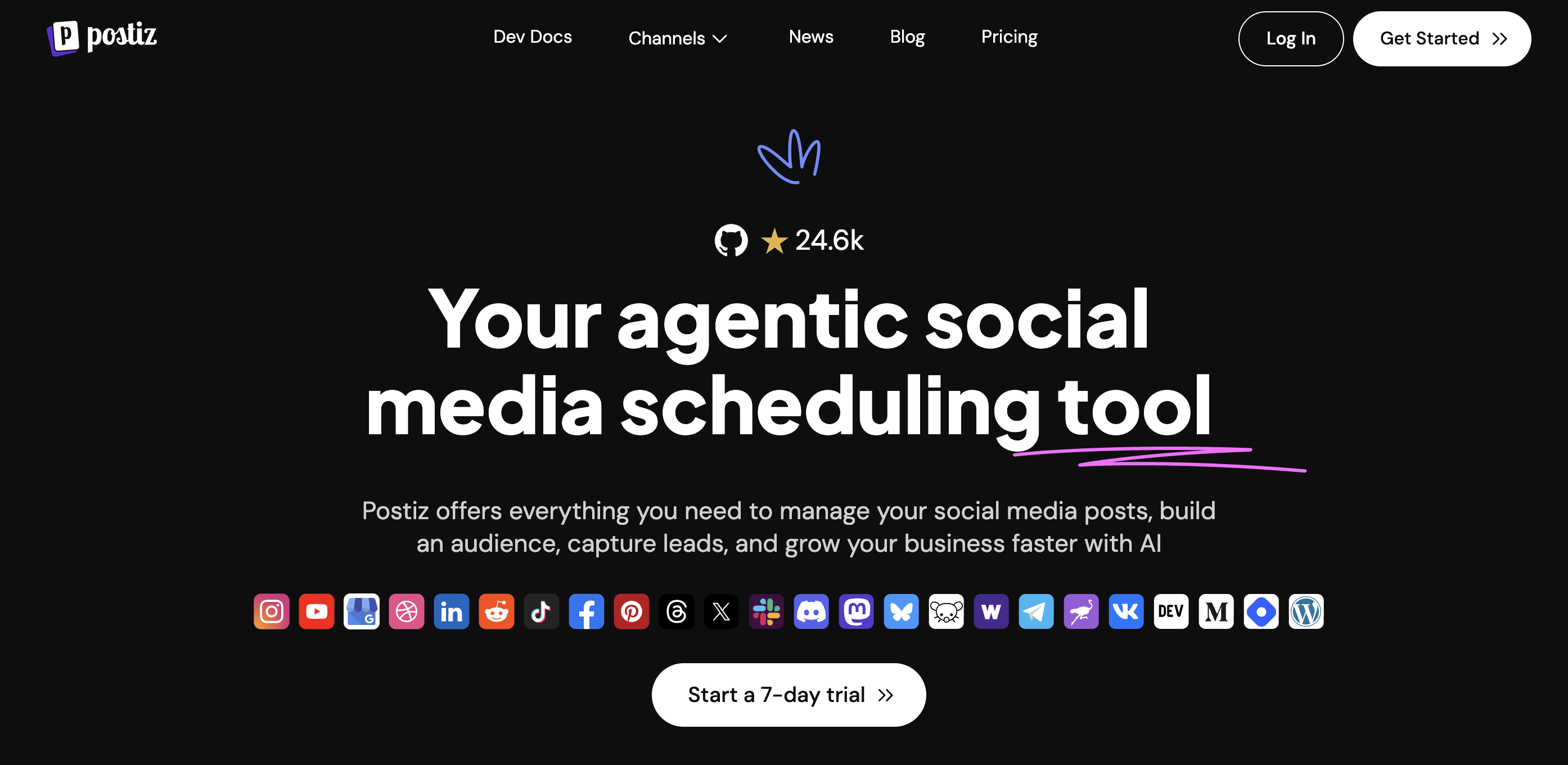
Postiz is the open-source default. Its Public REST API (base URL https://api.postiz.com/public/v1) exposes Posts and Integrations endpoints with API-key Bearer auth or OAuth 2.0 (tokens prefixed pos_). A Node.js SDK is in beta. Self-hostable via Docker, Railway, or Kubernetes, and free forever if you run your own infra.
The caveat: the Postiz cloud Public API is rate-limited to 30 requests per hour. That's documented and intentional; the team recommends batching multiple scheduled posts in a single request. Fine for nightly jobs or cron-driven publishing. Catastrophic for interactive dashboards or real-time automations. Self-hosted instances lift this limit, but you own the infra bill.
Authentication:
- Bearer API key (simple) or OAuth 2.0 (tokens prefixed
pos_) for building apps that act on behalf of other Postiz users
Endpoints:
POST /v1/posts: schedule posts (batched for throughput)DELETE /v1/posts/:id: cancel scheduled postsGET /v1/integrations: list connected accounts
Example: schedule a batch of posts (Python):
import requests

r = requests.post(
    "https://api.postiz.com/public/v1/posts",
    headers={"Authorization": f"Bearer {POSTIZ_KEY}"},
    json={
        "type": "schedule",
        "posts": [
            {"integration": "channel_a", "content": "Post 1", "date": "2026-04-16T09:00:00Z"},
            {"integration": "channel_b", "content": "Post 2", "date": "2026-04-16T10:00:00Z"},
        ],
    },
)
| Plan | Price | Notes |
|---|---|---|
| Self-hosted | Free | 30+ platforms, full feature set |
| Standard (Cloud) | $29/mo | 5 channels, 400 posts/mo |
| Team | $39/mo | 10 channels, unlimited posts |
| Pro | $49/mo | 30 channels |
| Ultimate | $99/mo | 100 channels |
Pros:
- Fully open-source (audit the code, fork if needed)
- 30+ platforms including Dev.to, Hashnode, Slack, Discord
- Self-hosted is free forever: no API call metering
- OAuth 2.0 support for building multi-tenant apps
Cons:
- Cloud Public API rate limit of 30 req/hour is very restrictive
- Node.js SDK still in beta; other languages require manual HTTP
- Public API surface is narrower than Ayrshare or PostPlanify
- Self-hosting is real infrastructure work
Best for: Developers who want to own their infrastructure, or agencies needing obscure platform support (Dev.to, Hashnode, Mastodon).
More on cost in our Postiz pricing breakdown, plus the wider field in Postiz alternatives.
PostPlanifyAll your social media in one simple dashboard
Schedule posts, track analytics, and reply to comments/DMs without switching tabs.
Engagement
+18%
Views
52.8k
6. Publer API: Best for Bulk Scheduling
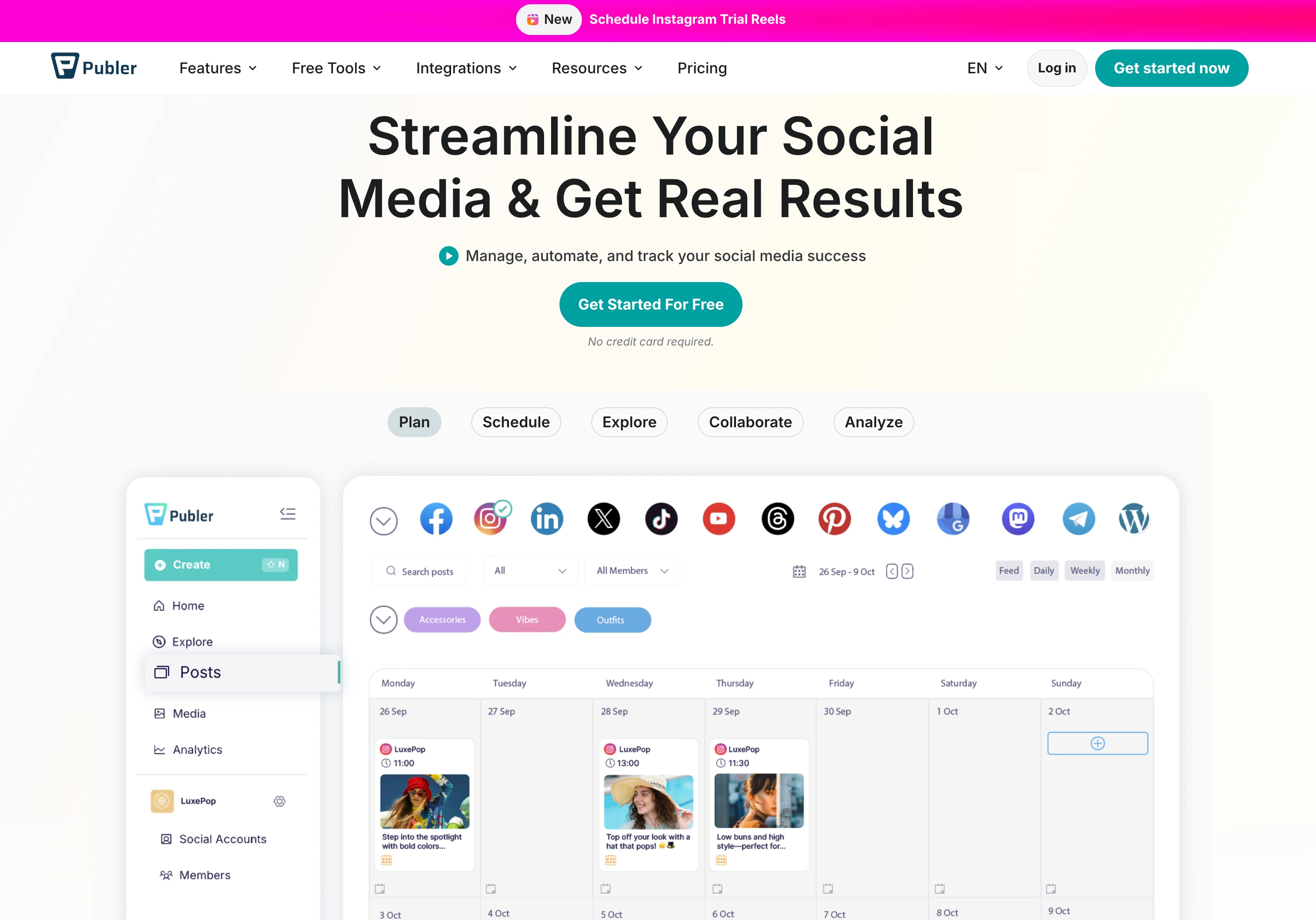
Publer's API is available to Business and Enterprise customers only (Business starts at $21/mo for 3 accounts, with extra accounts at $7 each). The headline feature: bulk schedule up to 500 posts in a single request, the most generous batch limit in the category, ideal for agencies loading a quarter of content in one go or dev tools migrating schedules from another platform.
Endpoints cover creating, drafting, scheduling, auto-scheduling, and instantly publishing posts across multiple accounts, with one-time, recurring, and recycled schedule types. An Analytics API exposes audience engagement data and peak times.
Authentication:
- API key (Business+ customers only)
Key features:
- Bulk scheduling up to 500 posts/request: rare at this price
- Recurring and recycled post types: native support for evergreen content loops
- Analytics API: engagement, peak times, audience data
- 11 platforms via the underlying Publer product
Pricing: API access requires at least a Business plan, from $21/mo for 3 accounts and $7 per extra account. Enterprise pricing is custom.
Pros:
- Best-in-class bulk scheduling (500/request)
- Native recycled/evergreen post support
- Low cost of entry for a paid API ($21/mo Business)
Cons:
- API gated to Business+ customers (not available on free/lower plans)
- Smaller ecosystem and SDK support vs. Ayrshare/Buffer
- Documentation less polished than category leaders
Best for: Agencies and evergreen-content publishers who need high-volume bulk operations.
More on cost in our Publer pricing breakdown, plus the wider field in Publer alternatives.
7. Blotato API: Best for AI Media Workflows
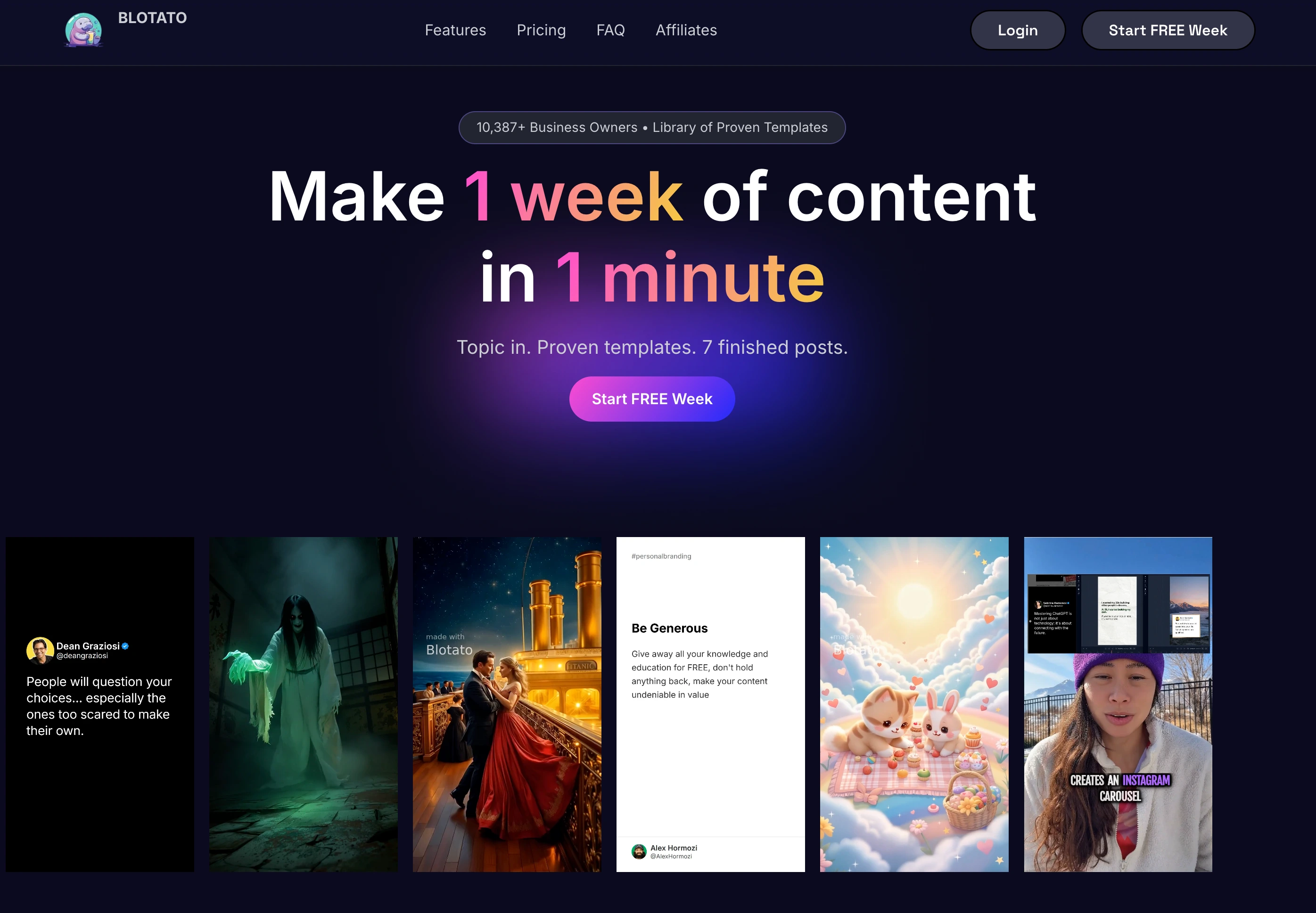
Blotato exposes a REST API optimized for AI content pipelines: creating images, videos, carousels, and infographics programmatically alongside publishing. Native n8n and Make.com nodes, plus REST support for Zapier, Airtable, and custom webhooks, make it the default for teams wiring AI-generated content into automated publishing flows.
The API covers media creation (images, videos, carousels, infographics), presigned uploads, and cross-platform publishing to 10+ networks. The LLM-optimized API spec is published at help.blotato.com/api/start in a format designed to be pasted into Claude or ChatGPT as context, a nice touch for AI-native workflows.
Authentication:
- API key: generated from Settings → API inside Blotato
- Only available on paid plans (free trial excludes API)
Key features:
- AI media endpoints: generate images/videos via API as part of the same flow that publishes them
- Presigned upload endpoint: upload local files directly without needing a public URL
- Native n8n + Make.com nodes: no-code ready
- LLM-optimized docs: paste the spec into ChatGPT/Claude for instant tooling
| Plan | Price | AI Credits | Accounts |
|---|---|---|---|
| Starter | $29/mo | 1,250 | 20 |
| Creator | $97/mo | 5,000 | 40 |
| Agency | $499/mo | 28,000 | Unlimited |
Pros:
- AI media generation + publishing in the same API
- Great no-code ecosystem (n8n, Make, Zapier, Airtable)
- LLM-ready API docs
Cons:
- API excluded from free trial
- AI credits are the real constraint: video-heavy workflows burn through Starter fast
- No analytics or inbox endpoints in the API
- Smaller than category leaders
Best for: Teams wiring AI-generated content into automated publishing pipelines, especially via n8n or Make.com.
8. Hootsuite Platform API: Best for Enterprise

The Hootsuite API (officially the Hootsuite Platform API) is a REST 1.0 API available to approved developers at no additional cost beyond a Hootsuite plan subscription (Standard is $249/user/mo, or $199 billed annually). The API is designed primarily for building integrations: connecting Hootsuite to internal systems like Salesforce, Marketo, MailChimp, or custom dashboards.
Hootsuite's strength isn't raw API power; it's enterprise ecosystem fit. If your organization already runs on Hootsuite and needs to programmatically push content from a CMS or pull analytics into a BI tool, the Platform API is the natural fit. For greenfield projects, lighter/cheaper options apply.
Authentication:
- OAuth 2.0: user-facing consent flow
- REST API keys auto-generated upon approved app registration
Key features:
- Enterprise integrations: Salesforce, Marketo, MailChimp, Microsoft, and hundreds of partners
- Approval workflow support in the API
- Proven enterprise reliability: very high uptime
| Plan | Price |
|---|---|
| Standard | $249/user/mo ($199 billed annually) |
| Advanced | $499/user/mo ($399 billed annually) |
| Enterprise | Custom |
Pros:
- Enterprise-grade reliability and support
- Deep integration with major B2B stacks
- Free API access (included in plan)
Cons:
- Minimum $249/user/mo entry price, and every extra seat costs the same again
- Per-user pricing scales poorly for dev teams
- API surface is integration-focused, not raw posting power
- REST 1.0 feels dated vs. modern GraphQL/OpenAPI options
Best for: Enterprises already on Hootsuite integrating internal systems.
More on cost in our Hootsuite pricing breakdown, plus the wider field in Hootsuite alternatives.
9. Sendible API: Best for Agency White-Label

Sendible's API is available on its paid plans and supports 10 platforms. Historically popular with agencies, Sendible's API access underpins agency dashboards and white-label reporting workflows, though the public documentation is less polished than Ayrshare's or Buffer's.
Authentication:
- API key (paid plan required)
Key features:
- Agency white-label emphasis: API often used to build custom client-facing dashboards
- Priority Inbox endpoints for agency comment management
- Historical analytics: solid reporting surface
| Plan | Price | Notes |
|---|---|---|
| Core | $35/mo | 6 profiles, 1 workspace, unlimited users |
| Plus | $99/mo | 18 profiles, 3 workspaces, approval workflows |
| Premium | $199/mo | 42 profiles, 7 workspaces |
| Elite | $299/mo | 90 profiles, 15 workspaces, white label available |
White labeling is a paid add-on on top of Elite or Enterprise, so branded client access starts at $299/mo before the add-on.
Pros:
- Native white-label path for agencies
- Long-established, stable company
- Agency-focused feature set (Priority Inbox, reporting)
Cons:
- Documentation less polished than category leaders
- No standout developer ergonomics (no OpenAPI spec prominently published)
- Smaller ecosystem of official SDKs
Best for: Agencies needing a white-label API for client-facing dashboards.
More on cost in our Sendible pricing breakdown, plus the wider field in Sendible alternatives.
10. Vista Social API: Best for Owned Profile Analytics

Vista Social's API is a paid add-on (contact Customer Success Manager to enable) that exposes owned-profile data for analytics-heavy reporting workflows. Endpoints cover profile performance, post performance, comment data, and scheduling, with particular depth on the analytics side.
Supported across 15+ platforms including review sites (a unique angle, since Vista Social is one of the few tools where reviews and social are unified). The API is read-heavy: its strongest use case is pulling analytics into internal dashboards or custom client reports.
Authentication:
- API key (add-on required; contact CSM)
Key features:
- Deepest analytics API for owned profile data
- Review site coverage (Google, Yelp, Trustpilot): unique
- Post + comment + schedule write operations
| Plan | Price |
|---|---|
| Professional | $99/mo ($79 billed annually) + API add-on |
| Advanced | $199/mo ($159 billed annually) + API add-on |
| Scale | $449/mo ($359 billed annually) + API add-on |
| Enterprise | Custom |
API add-on pricing not publicly disclosed; contact sales.
Pros:
- Strong analytics surface
- Review-site coverage is unique
- Broad platform support (15+)
Cons:
- API is a paid add-on on top of the plan: total cost opaque
- Requires sales conversation (no self-serve)
- Publishing surface is secondary to analytics
Best for: Teams building custom client-reporting dashboards that need both social and review-site data.
More on cost in our Vista Social pricing breakdown, plus the wider field in Vista Social alternatives.
Rate Limits Compared
| API | Rate Limit | Notes |
|---|---|---|
| PostPlanify | 100 req/min per key; 6 posts/hr + 100 posts/day per account | Generous; matches safe per-platform posting limits |
| Ayrshare | Scales with plan tier | Not publicly disclosed per endpoint |
| Zernio | No per-post quota; usage billed per connected account | 10,000 inbox messages/mo included |
| Buffer | Documented but not disclosed here | API and MCP included on all plans, including Free |
| Postiz (cloud) | 30 requests/hour | Very restrictive; batch for throughput |
| Postiz (self-hosted) | Your infra's limit | No artificial cap |
| Publer | Business+ plan limits | 500 posts per batch request |
| Blotato | Plan-based (AI credits are the real constraint) | Starter 1,250 credits/mo |
| Hootsuite | Not publicly disclosed | Included with plan |
| Sendible | Not publicly disclosed | Paid plan required |
| Vista Social | Add-on required | Contact CSM |
| Meta Graph API (native) | Rolling 24-hour call count tied to user impressions: 4800 × impressions | Generous for most apps |
| X API (native, pay-per-use) | $0.01 per post created, $0.005 per read; 2M reads/mo cap | New default since Feb 2026 |
Authentication Models Explained
If you're comparing APIs at the integration level, auth is where you'll spend the most time. Three models dominate:
1. Single API key (Bearer token)
Used by: PostPlanify, Zernio, Buffer, Postiz (simple mode), Blotato, Publer, Sendible
One token, account-scoped. Fine for single-tenant products or internal tooling.
Authorization: Bearer sk_live_your_key_here
2. Master API key + Profile-Key (multi-tenant routing)
Used by: Ayrshare (Business tier)
Parent key authenticates the app; Profile-Key header routes the request to a specific end-user's connected accounts. This is what you want when you're building a SaaS where your customers bring their own social accounts.
Authorization: Bearer YOUR_APP_KEY
Profile-Key: customer_abc_profile_key
3. OAuth 2.0
Used by: Postiz (pos_ tokens), Hootsuite, most native APIs (Meta, X, LinkedIn, TikTok, YouTube)
User-facing consent flow with token refresh. Required when end users bring their own social accounts and you need clean per-user scopes with revocability. More setup; more correct model for user-generated content platforms.
API vs. MCP Server: What's the Difference?
Both let software post on your behalf, and most vendors now ship both, so the question is not which is better but which one you are actually building for.
A REST or GraphQL API is driven by your code. You decide when to call it, you handle the response, and the behaviour is deterministic: the same request produces the same result every time. That is what you want for a nightly cron that pushes CMS entries to social, a dashboard your customers click buttons in, or anything where you need to log exactly what happened and retry it on failure.
An MCP server is driven by an AI assistant. You connect Claude, ChatGPT, Cursor or a similar client to the vendor's MCP endpoint, and the model decides which tool to call from a natural-language instruction like "draft a LinkedIn post from this blog URL and queue it for Tuesday morning." You are not writing the integration; you are granting an agent scoped access to one.
The practical differences that decide it:
- Who initiates. Your code calls an API. A person talking to an assistant triggers MCP.
- Determinism. APIs are predictable and testable. An agent may choose a different tool or phrasing on each run, which is a feature for drafting and a liability for billing-critical automation.
- What you ship. An API becomes part of your product. An MCP server is a workflow for your own team, and there is nothing for your users to see.
- Auth scope. API keys usually carry full account access, so an MCP connection handed to an assistant deserves a scoped key and a review step before anything publishes. Several vendors queue MCP writes as drafts for exactly this reason.
They are complementary, not competing. The common pattern is an API integration for the scheduled, programmatic work and an MCP connection for ad-hoc drafting. If MCP is the part you care about most, we compare the servers themselves in detail in our guide to the best MCP servers for social media management, including tool counts, capability matrices and which vendors have shipped one.
How to Choose the Right Social Media API
- Count platforms first. If you need only 1–2, consider skipping unified APIs entirely and going native.
- Check rate limits against your workload. A dashboard that hits the API on every user action needs minutes-scale limits, not hourly. Rule out Postiz cloud if your app is interactive.
- Pick an auth model that matches your product shape. Single-tenant internal tool → API key. Multi-tenant SaaS with user-connected accounts → Ayrshare Profile-Key or OAuth 2.0.
- Budget for the right dimension. Per-call APIs punish interactive apps. Per-channel APIs punish multi-platform. Subscription APIs that meter neither calls nor seats (PostPlanify, Ayrshare Premium) are the most predictable once volume grows.
- Test with real platform constraints. Don't just test scheduling to one account. Test to the full mix of platforms you'll support: Instagram's video size limits, X's new pay-per-use, LinkedIn's image ratios. This is where cheap APIs fail silently.
- Check the SDK in your language. Official Node.js, Python, Go, or Ruby SDK cuts integration time in half. If none exists, at least demand an OpenAPI spec you can codegen from.
Making the Switch to a Unified Social Media API
- Map your current integrations. List every social network your product touches, what you do on it (post / read / comment), and what volumes. This is the shopping list you'll evaluate APIs against.
- Pilot with the free tier. Zernio's two free accounts, PostPlanify's 7-day trial on Premium (the plan the API sits on), Buffer's free plan, Postiz self-hosted: all let you prove the integration works before paying.
- Run both systems in parallel for a week. Keep your existing native integrations running while you shadow-mirror writes to the new API. Compare deliverability and error rates.
- Migrate writes first, reads later. Schedule posts via the new API; keep reading analytics from your existing system until you're confident.
- Add webhook subscriptions. Move from polling to event-driven. This is where the efficiency gains really show up.
- Decommission legacy. Only after a full month of parallel runs with no delta. Keep the old credentials around for another 30 days in case you need to rollback.
For broader context on how to automate social media posts or save time on social media management, see our supporting guides.
Security & Auth: Keeping Social Media API Keys Safe
- Scope keys narrowly. Read-only keys for analytics pipelines; write-capable keys only where you publish.
- Rotate regularly. Every 90 days minimum. Every tool in this list supports instant revocation from the dashboard.
- Never commit keys. Use environment variables, a secret manager (AWS Secrets Manager, 1Password), or
.envfiles excluded from git. - Watch audit logs. Most SaaS APIs expose per-key call logs. Review after any incident or unusual traffic.
- Use webhook signature verification. If the API signs webhook payloads (most do), validate the signature server-side. Don't trust inbound webhook data unconditionally.
- Limit per-account scope on multi-tenant SaaS. In Ayrshare's Profile-Key model, a compromised parent key exposes every customer. Use separate projects per environment.
For the AI-agent security equivalent, handing Claude or ChatGPT write access via MCP, see the Security section of our MCP servers article.
FAQ
What is a social media API?
A social media API is an HTTP interface that lets your code create posts, read analytics, manage comments, and interact with users on social networks. Every major platform (Meta, X, LinkedIn, TikTok, YouTube, Pinterest) ships its own native API, but maintaining ten parallel integrations is expensive. Unified social media APIs (like PostPlanify, Ayrshare, or Zernio) wrap native APIs behind a single consistent interface.
What's the best free social media API?
Zernio offers the most usable free tier: two connected accounts with unlimited posts and the full API surface, no credit card. Buffer's free plan (3 channels, 10 scheduled posts per channel) includes API access. Postiz is free forever if you self-host. PostPlanify's 7-day free trial covers the full API and MCP surface, provided you start it on Premium or above, since those are the plans the API sits on.
Can I post to Instagram and TikTok from my own app?
Yes, either via a unified API (PostPlanify, Ayrshare, Zernio, Buffer all support both platforms) or by integrating directly with the Meta Graph API (for Instagram) and TikTok Content Posting API. Both paths require app review before production. Instagram also requires a Business or Creator account linked to a Facebook Page.
How much does the X (Twitter) API cost in 2026?
Since February 2026, X defaults new developers to pay-per-use: $0.01 per post created, $0.005 per post read, with a 2M reads/month cap before Enterprise is required. Legacy Basic ($200/mo) and Pro ($5,000/mo) tiers are closed to new signups. Most unified APIs in this list handle X for you at lower effective cost, though Ayrshare now requires separate OAuth 1.0a credentials for X operations since March 2026.
Is the Meta Graph API free?
Yes, there's no usage fee for the Meta Graph API itself. But you need a Business or Creator account linked to a Facebook Page for Instagram, plus approved app permissions for publishing. The "free" price hides significant engineering time spent on app review, token refresh, and handling Meta's periodic Graph API changes. Most unified APIs abstract this away.
Which social media API has the best rate limits?
PostPlanify (100 req/min per key) and native Meta Graph (4,800 × impressions per 24h) are the most generous. Postiz's cloud Public API is the most restrictive at 30 requests/hour. Use self-hosted Postiz if you need higher throughput without paying. X's pay-per-use model has no hard rate limit, just per-call pricing.
What's the difference between REST, GraphQL, and MCP for social media APIs?
REST is the dominant model: most APIs in this list expose REST endpoints. GraphQL (used by Buffer) lets you request exactly the fields you need in a single round trip; useful for complex frontends. MCP (Model Context Protocol) is a newer standard for exposing API functions to AI assistants like Claude and ChatGPT. You'd use REST or GraphQL for traditional programmatic access; MCP when you want an AI agent to drive the API. The trade-offs are broken down in API vs. MCP server above, and we compare the servers themselves in our guide to the best MCP servers for social media management.
Should I build on Meta Graph / X API directly or use a unified API?
Build native if you target 1–2 platforms, need obscure features, or operate at 1M+ posts/month scale where per-call pricing on wrappers hurts. Use a unified API if you target 3+ platforms, need multi-tenant isolation, or your team's priority is shipping the product rather than maintaining integrations.
Can I white-label a social media API?
Yes. Ayrshare includes white-label custom branding from its Launch plan ($299/mo), with the multi-user Profile-Key system for SaaS resellers on Business ($599/mo). Sendible sells white labeling as a paid add-on available from its Elite plan ($299/mo) upward, aimed at agencies. Postiz self-hosted can be white-labeled under its open-source license. PostPlanify includes white labeling on its Scale plan, covering the dashboard, client emails and reports, though not the API endpoints themselves.
Do I need OAuth for a social media API?
If your end users bring their own social accounts (you're building a SaaS product), yes, OAuth 2.0 is the right model. If you're building internal tooling or a single-brand product, a single API key is simpler and sufficient. Ayrshare's Profile-Key model is a middle ground: your app has one parent key; user-specific routing happens via a header.
Glossary: Social Media API Terms
- REST API: HTTP-based API using standard verbs (GET, POST, PUT, DELETE) and JSON payloads. Most social media APIs follow this model.
- GraphQL API: Query-language-based API (used by Buffer). You request exactly the fields you need in a single round trip.
- MCP (Model Context Protocol): Open standard for exposing API functions to AI assistants. See our MCP servers guide.
- OAuth 2.0: User-facing consent flow producing per-user tokens with refresh capability. Standard for multi-tenant SaaS.
- API key / Bearer token: Single static credential, simplest auth model. Fine for single-tenant products.
- Rate limit: Per-key cap on API calls per minute/hour/day. Critical filter, so check before committing.
- Webhook: Outbound HTTP callback from the API when an event occurs (e.g., post published, post failed). Replace polling with webhooks when possible.
- OpenAPI / Swagger spec: Machine-readable API description. Enables auto-generated SDKs and interactive docs.
- Profile-Key: Ayrshare-specific header for multi-tenant routing under a single parent API key.
- Native API: Platform's own first-party API (Meta Graph, X API, LinkedIn API). Free in dollars, expensive in integration time.
- Unified API: Wrapper exposing a consistent interface across multiple native APIs. Paid in dollars, free in integration time.
PostPlanifyAll your social media in one simple dashboard
Schedule posts, track analytics, and reply to comments/DMs without switching tabs.
Engagement
+18%
Views
52.8k
Checklist: Picking Your Social Media API
- Step 1: Platform list. Enumerate every network you need. If 3+, a unified API is almost always worth it
- Step 2: Auth model. Single-tenant → API key. Multi-tenant SaaS → OAuth 2.0 or Profile-Key
- Step 3: Rate limits. Match to your workload. Interactive apps need minutes-scale limits; batch jobs can tolerate hourly
- Step 4: Pricing model. Per-call punishes volume; per-channel punishes multi-platform; flat-rate is most predictable
- Step 5: SDKs and docs. Demand OpenAPI spec or official SDK in your language
- Step 6: Free tier / trial. Prove the integration works before paying
Ready to ship? PostPlanify gives you a full REST API, an MCP server, and a production dashboard, all from one subscription. API and MCP access start on the Premium plan, from $99/mo per client workspace with unlimited team members. OpenAPI spec published. API keys generate in seconds.
Key Takeaways
- Unified social media APIs collapse 10+ native integrations into a single HTTP interface, saving months of engineering work
- PostPlanify pairs a REST API and MCP server with per-client workspace isolation and an API that respects approval state, which suits agency and multi-brand tooling rather than single-account publishing
- Ayrshare offers the deepest API with 13+ platforms and unmatched multi-tenant features, but no dashboard: best for SaaS embedding
- Zernio (formerly getlate.dev) is the rising challenger with 15 platforms, a genuinely usable free tier, and prices an order of magnitude below Ayrshare
- Postiz is the open-source default; self-hosting is free forever, but the cloud Public API is rate-limited to 30 requests/hour
- Buffer gives away both its GraphQL API and its MCP server on every plan including Free, making it the cheapest route to AI-agent publishing, though it stays scoped to a single account
- Native APIs (Meta Graph, X, LinkedIn) are "free" in sticker price but expensive in time; unified APIs flip the equation
- Authentication model matters: single API keys for single-tenant, OAuth 2.0 for multi-tenant SaaS
- Rate limits vary by orders of magnitude: check before committing (Postiz cloud 30/hour vs. PostPlanify 100/minute)
Related Reading
- PostPlanify MCP Integration
- Best MCP Servers for Social Media Management
- PostPlanify Pricing
- Best Social Media Management Platform
- Best AI Social Media Management Tools
- Best Social Media Scheduling Tools
- Automate Social Media Posting
- Best Apps to Post to All Social Media at Once
- Best Social Media Tools with Approval Workflows
- Best Social Media Management Tools for Agencies
- Best Social Media Management Tools for Teams
- Best Social Media Management Tools for SaaS
- Save Time on Social Media Management
- Social Media Cross-Posting
- How to Automatically Post Tweets
- Automating Instagram Posts
- Social Media Tools with No Per-Seat Fees
- White-Label Social Media Management
- Best Buffer Alternatives
- Best Hootsuite Alternatives
- Best Later Alternatives
PostPlanifyAll your social media in one simple dashboard
Schedule posts, track analytics, and reply to comments/DMs without switching tabs.
Engagement
+18%
Views
52.8k
About the Author

Hasan Cagli
Founder of PostPlanify, a content and social media scheduling platform. He focuses on building systems that help businesses, agencies, and teams plan, publish, and manage content and social media more efficiently across platforms.


