


MCP (Model Context Protocol) is Anthropic's open standard for connecting AI assistants to external tools, and in the last six months, it has quietly become the fastest way to automate social media. Instead of logging into a dashboard, you can ask Claude, ChatGPT, or Cursor to draft a LinkedIn post, schedule it for next Tuesday, pull last week's Instagram engagement numbers, and reply to a comment thread, all from a single chat.
The catch: not every social media tool has shipped an MCP server yet, and the ones that have vary wildly in tool count, platform coverage, and whether they're built for end users or developers. A server with 12 Twitter-only tools is a very different proposition from a 75-tool multi-platform API, and picking the wrong one means rebuilding your automation every time your workflow grows.
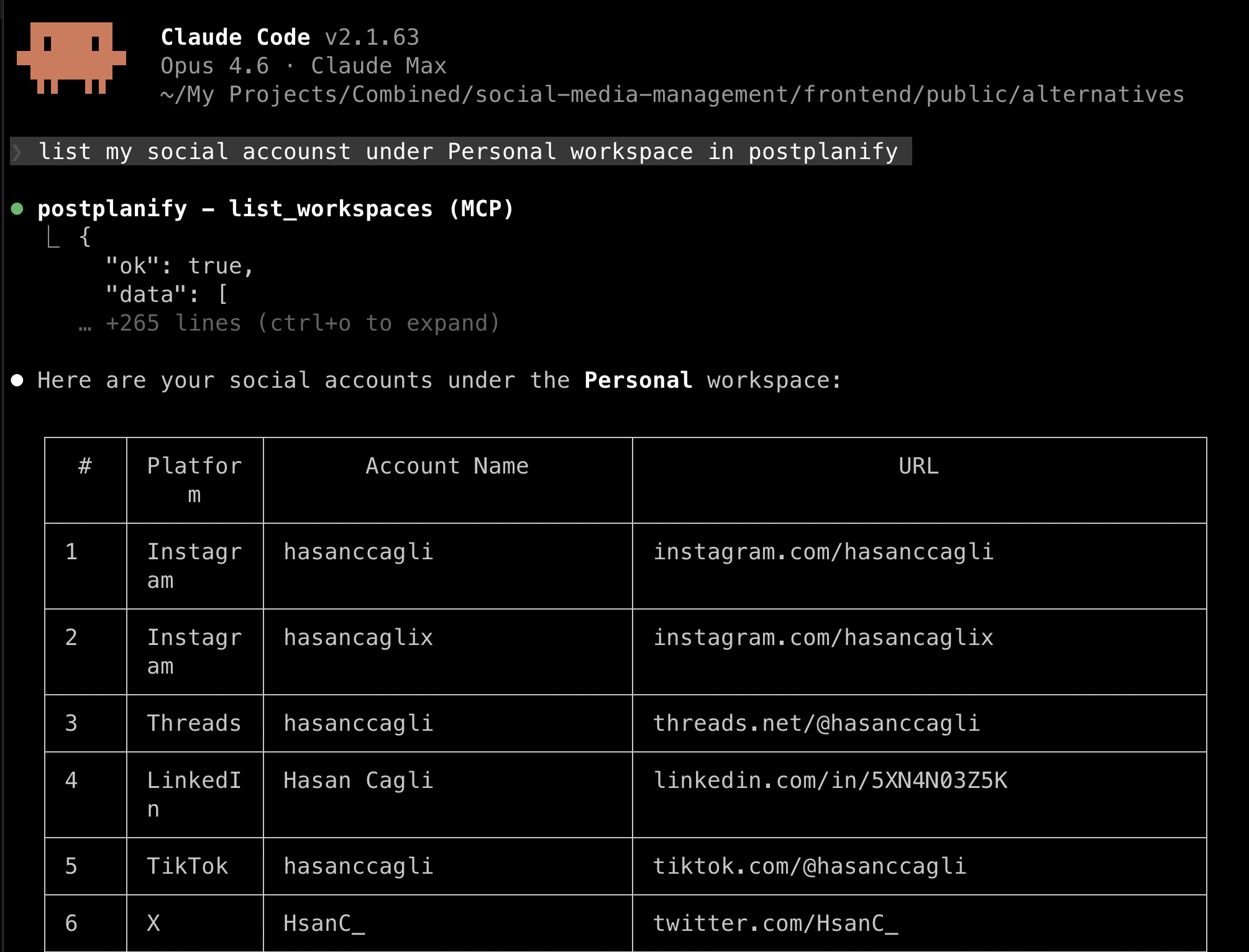
We evaluated every production MCP server in the social media category, comparing tool counts, supported platforms, AI client compatibility, auth models, pricing, and whether analytics and comment management are included. Here are the 13 best.
TL;DR
- Best overall for agencies: PostPlanify, 22 tools across 10 platforms with analytics, comment inbox and approvals, priced per client workspace from $39/mo.
- Most tools: Zernio (480+) and Ayrshare (75+), both developer-first rather than dashboard-first.
- Widest mainstream SaaS surface: Vista Social, roughly 60 tools, gated to its Advanced plan.
- Free and self-hosted: Postiz.
- If approvals matter most: Fast.io stages everything for human review, and PostPlanify routes posts to named approvers.
- Newly shipped: Hootsuite, Vista Social, Metricool and Agorapulse all launched official MCP servers since this guide first published. Later, Sendible, SocialBee, Loomly and CoSchedule still have none.
- Watch write access, not tool count. Some servers publish autonomously; others deliberately stop at a draft.
Quick Comparison
| Tool | Best For | Platforms | MCP Tools | Starting Price |
|---|---|---|---|---|
| PostPlanify | Agencies serving local business clients | 10 | 22 | $39/mo |
| Ayrshare | Developers building on top of APIs | 13+ | 75+ | $149/mo |
| Postiz | Self-hosted / open-source fans | 30+ | MCP-native | Free (self-host) / $29/mo |
| Zernio | Developers & AI agents | 15 | 480+ | Free (first 2 accounts), then $6/account |
| Buffer | Existing Buffer customers | 11 | 18 | Free / $5/channel/mo |
| Publora | Budget multi-platform posting | 10–12 | 18 | $5.40/mo |
| Oktopost | B2B marketing teams | B2B stack | Full API | From $8,000/yr |
| Simplified | AI content + design workflow | 9 | Not disclosed | Free / $24/mo |
| Blotato | AI-native solo creators | 10+ | 14 | $29/mo |
| OpenTweet | Twitter/X power users | X only | 12 | $11.99/mo |
| Vista Social | Widest tool surface | 20+ | ~60 | $149/mo (Advanced) |
| Hootsuite | Enterprise governance & listening | 20+ | Full suite | $249/user/mo |
| Fast.io | AI drafts with human approval | 8 | 251+ (workspace-wide) | Free / $16/user/mo |
What Is an MCP Server for Social Media?
An MCP server is a bridge between an AI assistant (like Claude or ChatGPT) and a software platform. It exposes a defined set of "tools", functions the AI can call on your behalf, such as create_post, list_social_accounts, or get_analytics_trends. When you ask your AI to schedule a post, the AI picks the right tool, fills in the parameters from your request, and the MCP server executes it against the real API.
The net effect: social media management moves from clicking through a dashboard to describing what you want in plain language. For solo creators this saves minutes per post. For agencies managing 50+ client accounts, it collapses hours of mechanical work into a single conversation.
Read more: Model Context Protocol, the open standard on modelcontextprotocol.io →
What to Look For in a Social Media MCP Server
Five things separate a server you can actually run an account from and one that just posts:
-
Tool count and coverage depth. Tool count is a rough proxy for how much you can do from your AI. A server with 15+ tools covers the full lifecycle: account management, media upload, post creation, scheduling, analytics, and comment replies. Fewer than 10 usually means publish-only, with no analytics and no inbox.
-
Platform coverage. If you manage Instagram, LinkedIn and TikTok, a server that only supports X is useless no matter how many tools it has. Multi-platform servers (PostPlanify, Ayrshare, Postiz) are the default for most teams. Platform-specific servers (OpenTweet) make sense only if you are deep in one network.
-
AI client compatibility. The open MCP spec is consistent, but transport type matters. Older servers use stdio, which is local only and needs a desktop client. Newer ones use Streamable HTTP, which works with Claude Desktop, Claude Code, ChatGPT, Gemini, Cursor, Windsurf and any remote-capable client.
-
Analytics and inbox coverage. Most MCP servers can publish. Fewer can pull analytics trends. Fewer still can read and reply to comments. If you want your AI running operations rather than just drafting, look for
get_analytics_*,list_commentsandreply_to_commentstyle tools. -
Pricing model and auth. Developer-first tools (Ayrshare) charge for API usage; SaaS tools (PostPlanify, Buffer, Publora) bundle MCP into the subscription. Most use API key auth (
sk_live_*tokens), some offer OAuth, and PostPlanify installs into ChatGPT with no key at all. Self-hosted options (Postiz) are free to run but you supply the infrastructure.
MCP vs. Zapier vs. Direct API vs. Webhooks: Which Should You Use?
A lot of the decision around "should I use an MCP server?" really means "is MCP better than the automation I already have?" The short answer: MCP is a different primitive than Zapier or webhooks, not a straight replacement.
| Integration | Best for | Who drives it | Latency | Example |
|---|---|---|---|---|
| MCP server | Conversational, AI-driven workflows | The AI (real-time decisions) | Instant | "Draft a LinkedIn post from this blog URL and schedule it for 9am Tuesday" |
| Direct REST API | Programmatic, deterministic workflows | Your code | Instant | Nightly cron that pushes CMS posts to social |
| Zapier / Make / n8n | No-code, event-driven triggers | Pre-built triggers | Seconds | "When a new Notion doc is tagged 'publish', post to X" |
| Webhooks | Platform → your system notifications | The platform | Instant | Post publishes successfully → notify Slack |
When MCP wins: when the workflow is dynamic and hard to pre-define, drafting captions, triaging inbox, pulling ad-hoc analytics, making judgment calls. "Look at my last 10 LinkedIn posts, find the underperformers, suggest reworks." No Zap can do that.
When Zapier wins: when the trigger is deterministic and repeatable. "New YouTube video → auto-post to X." No AI reasoning required. For the no-code angle, see how to automate social media posts.
When direct API wins: when you're building production software with a fixed schema and need guaranteed, testable behavior. MCP adds an LLM-shaped layer of variability you don't want in a paying product flow. For the full API landscape, see our guide to the best social media APIs for developers.
Most serious teams end up running all four, MCP for ad-hoc AI work, Zapier for no-code triggers, direct API for product features, and webhooks for notifications. Tools like PostPlanify expose all four so you don't have to stitch integrations across vendors.
 PostPlanify
All your social media in one simple dashboard
Schedule posts, track analytics, and reply to comments/DMs without switching tabs.

Engagement
+18%
Views
52.8k
At-a-Glance: MCP Server Capability Matrix
| Tool | Transport | Write access | Approvals | Analytics | Comment Inbox | Self-Hostable |
|---|---|---|---|---|---|---|
| PostPlanify | Streamable HTTP | Publishes and schedules | Yes | Yes | Yes | No |
| Ayrshare | stdio / HTTP | Publishes and schedules | No | Yes | Yes | Yes (community) |
| Postiz | stdio / HTTP | Publishes and schedules | No | Limited | Limited | Yes |
| Zernio | Streamable HTTP | Publishes, schedules and runs ads | No | Yes | Yes | No |
| Buffer | HTTP | Publishes and schedules | No | Limited | No | No |
| Publora | HTTP | Publishes and schedules | No | LinkedIn only | No | No |
| Oktopost | HTTP | Publishes and schedules | Yes (enterprise) | Yes | Yes | No |
| Simplified | HTTP | Publishes and schedules | No | No | No | No |
| Blotato | HTTP | Publishes and schedules | No | No | No | No |
| OpenTweet | HTTP | Publishes (X only) | No | Yes (X only) | Yes (X only) | No |
| Fast.io | HTTP | Drafts only, staged for review | Yes, approval is the product | No | No | No |
| Vista Social | HTTP | Publishes and schedules | Yes (in app) | Yes | Yes | No |
| Metricool | HTTP | Publishes and schedules | No | Yes (strongest area) | Limited | No |
| Agorapulse | HTTP | Drafts only, publishing stays in app | Yes (in app) | Yes | Yes | No |
| Hootsuite | HTTP | Publishes and schedules | Yes (enterprise) | Yes | Yes | No |
Media upload is supported by every server in this list, so it is not a differentiator. Write access is: some servers let an agent publish on its own, others deliberately stop at a draft. If an AI is touching client accounts, that column matters more than tool count.
1. PostPlanify: Best MCP Server for Agencies Serving Local Business Clients
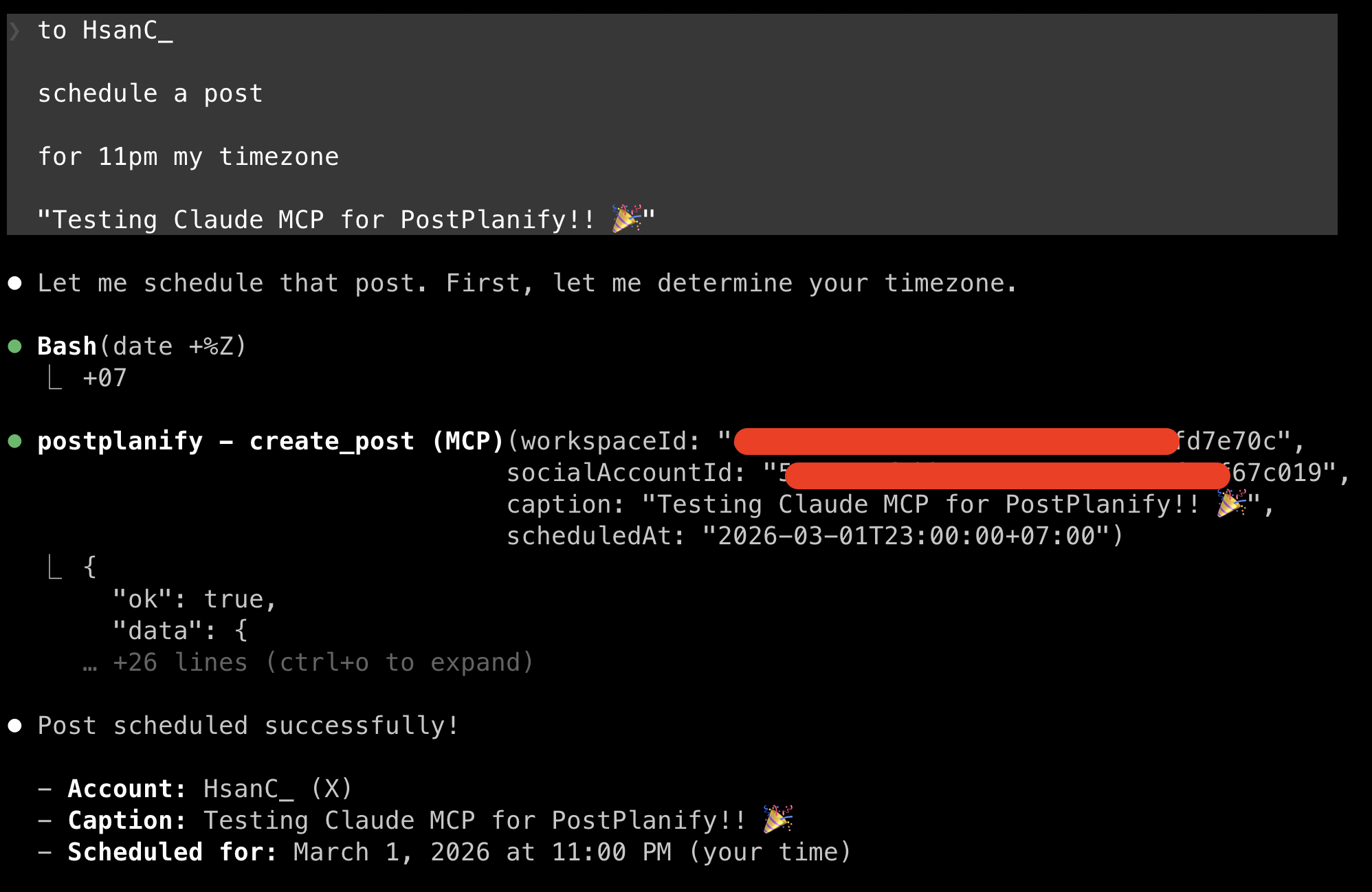
PostPlanify's MCP server exposes 22 tools across 10 social platforms: Instagram, Facebook, X, LinkedIn, TikTok, YouTube, Threads, Pinterest, Bluesky, and Google Business Profile, through the modern Streamable HTTP transport. It's the only mid-market SaaS in this list that ships both a complete MCP server and a full-featured social media management dashboard, so you can hand off to AI when it's convenient and fall back to the UI when it isn't.
The tool coverage is deliberately wide: account listing (list_social_accounts, list_pinterest_boards), media (upload_media_from_url, upload_media_from_base64, list_media, delete_media), posts (create_post, list_posts, get_post, edit_post, cancel_post, delete_post), analytics (get_account_analytics, get_analytics_trends, get_brand_overview), and comments (list_comments, list_comment_replies, reply_to_comment). That last group matters, most MCP servers in this category can publish but can't read the social inbox or reply to engagement.
PostPlanify's MCP server works with Claude, ChatGPT, Gemini, Grok, Perplexity, Cursor, Windsurf, and any MCP-compatible client. ChatGPT connects through its plugin directory with no key at all; the other clients authenticate with sk_live_* API keys generated from the dashboard at /dashboard/api-keys, with per-key rate limiting. The full REST API is also publicly documented with an OpenAPI 3.0 spec, so teams that need programmatic access without an AI layer get the same capabilities.
Setup (Claude Desktop):
{
  "mcpServers": {
    "postplanify": {
      "url": "https://api.postplanify.com/api/mcp",
      "headers": { "Authorization": "Bearer sk_live_your_key" }
    }
  }
}
Key features:
- 22 tools, 10 platforms: the broadest non-developer-first coverage on this list
- Analytics tools inside the MCP: pull follower trends, post performance, and brand-wide summaries from chat
- Comment management via MCP: list unread comments and reply on Instagram, Facebook, LinkedIn, and Google Business
- Vision-powered AI assistant inside the product for caption refinement when you want dashboard polish
- Team collaboration with approval workflows: MCP respects the same permission layer as the UI
- White-label PDF reports for agencies handing analytics back to clients
- Content calendar, media library, link in bio as first-class dashboard features
- Streamable HTTP transport: no local runtime required, works with remote AI clients
| Plan | Starts at | Includes | Each extra workspace | Social accounts |
|---|---|---|---|---|
| Growth | $39/mo | 1 workspace | from $29, cheaper as you add more | 4 per workspace |
| Premium | $99/mo | 3 workspaces | from $39, cheaper as you add more | 6 per workspace |
| Scale | $199/mo | 5 workspaces | from $39, cheaper as you add more | 8 per workspace |
Unlimited team members on every plan, no per-seat fees. Yearly billing saves 20%. All plans include a 7-day free trial with a 14-day money-back guarantee.
API and MCP access is included on every account, not gated behind a higher tier, and Enterprise is custom-priced for larger rosters.
Pros:
- Only SaaS in this list combining a 22-tool MCP server with a production social media dashboard
- Analytics and comment-reply tools in MCP: most competitors skip both
- 10 platforms including Google Business Profile (rare in the MCP category)
- Priced per client workspace with unlimited team members: no per-seat fees, no per-API-call metering
Cons:
- Requires a PostPlanify account: not a standalone developer API like Ayrshare
- No self-hosted option
- AI image generation is in the dashboard, not exposed via MCP (yet)
Best for: Agencies running social for local business clients who want their AI to handle the full lifecycle, scheduling, analytics and engagement, across every client workspace from day one.
Connect PostPlanify to your AI →
2. Ayrshare: Most Tools, Developer-First
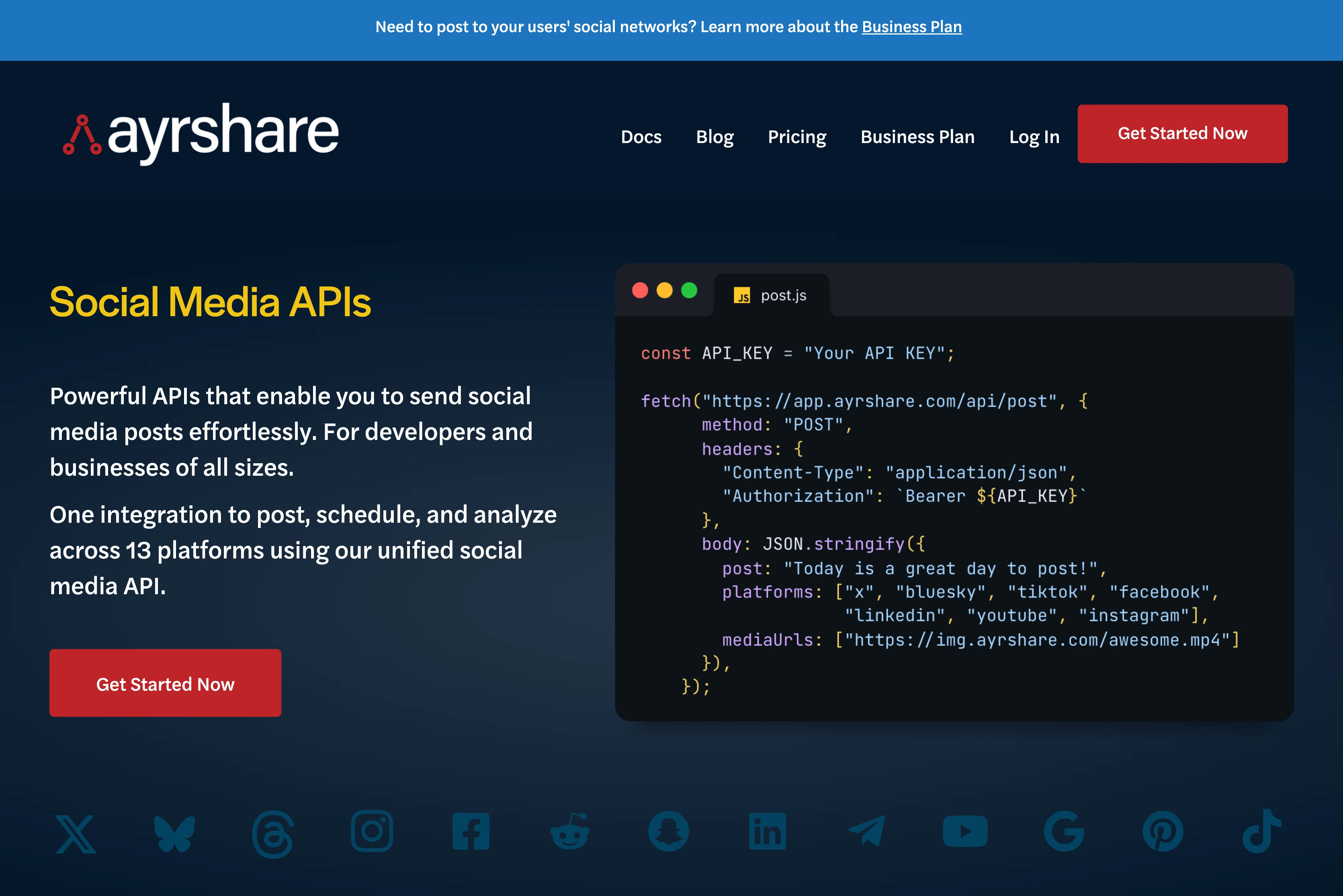
Ayrshare's MCP server is the heavyweight of the category: 75+ tools across 15 API categories, covering 13+ platforms including every major network plus Snapchat, Telegram, and Reddit. If you're building a product on top of a social media API and want the deepest programmatic surface, Ayrshare is the default choice.
The catch is that Ayrshare is a developer platform, not an end-user SaaS. There's no dashboard your marketing team can log into and plan a content calendar, the product is the API. That makes Ayrshare extraordinary for agencies or SaaS companies building social features into their own products, and overkill for a 5-person team that just wants Claude to schedule a LinkedIn post.
Key features:
- 75+ MCP tools across posting, analytics, media, comments, hashtags, and validation
- 13+ platforms including Snapchat, Telegram, Reddit, and all majors
- Multi-user SaaS management built in: designed for companies reselling social media posting as part of a larger product
- Natural-language post history search with filtering by date, platform, and status
- Automatic hashtag generation (1–10 tags) and auto-reposting for evergreen content
| Plan | Price | Notes |
|---|---|---|
| Premium | $149/mo ($1,548/yr) | 1 brand, unlimited scheduled posts, 13+ platforms, unlimited engineers |
| Launch | $299/mo | 10 profiles, multi-user, advanced analytics, 14-day trial |
| Business | $599/mo ($5,988/yr) | 30 profiles included (scale to 5,000), unlimited team members |
| Enterprise | Custom | Thousands of profiles, dedicated account manager |
Pros:
- The most comprehensive MCP tool coverage in social media, period
- Unlimited engineers on all plans: attractive for developer teams
- Excellent documentation aimed at developers
Cons:
- No dashboard: marketing teams will hate this
- No free tier; starts at $149/mo
- Business plan pricing adds up fast once you scale past 30 profiles
- X (Twitter) API access often requires separate Twitter API tier costs
Best for: Developer teams and SaaS builders who need the deepest MCP tool surface and don't need a dashboard.
3. Postiz: Best Open-Source / Self-Hosted
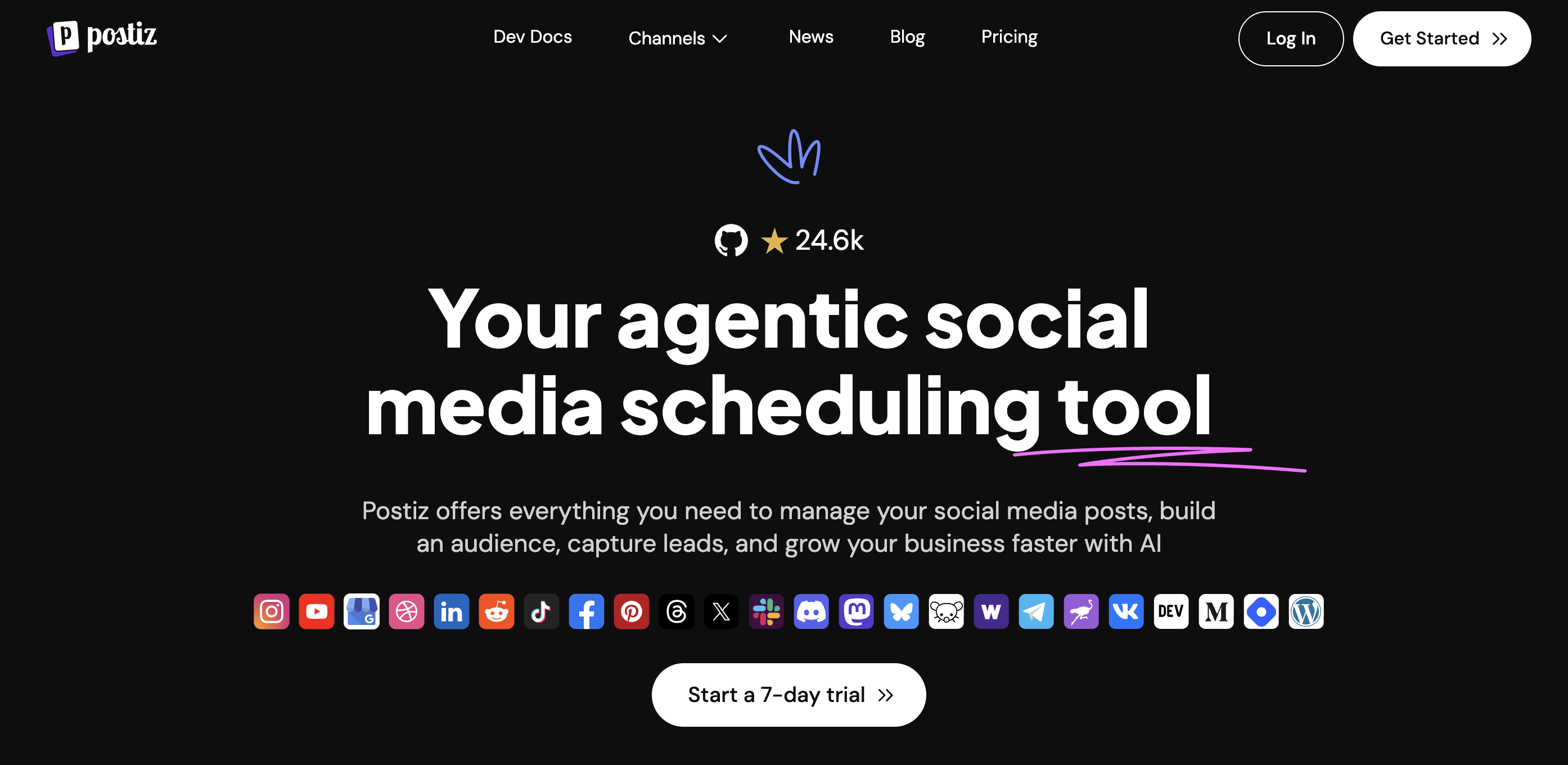
Postiz is the darling of the open-source social media world, 19,700+ GitHub stars and full MCP-native support as of 2026. You can self-host it for free, or pay for managed cloud from $29/month. It covers 30+ platforms including developer communities like Dev.to, Hashnode, Slack, and Discord alongside the usual social networks.
The MCP integration is tight. Postiz was one of the first open-source schedulers to treat MCP as a first-class citizen rather than an afterthought, and the community has built install guides for Claude Desktop, Cursor, and Windsurf. If you care about owning your infrastructure, need social media cross-posting across unusual networks, or your compliance team won't let data leave your VPC, Postiz is the only realistic choice in this list.
Key features:
- 30+ platforms, the broadest coverage in the category
- MCP-native design: tools map cleanly to Postiz's internal API
- Self-hostable via Docker, Railway, or any Kubernetes cluster
- Advanced content templates that adjust tone and format per platform
- Cloud-hosted option available if you don't want to run servers
| Plan | Price | Notes |
|---|---|---|
| Self-hosted | Free | Full feature set; requires infra |
| Standard | $29/mo | 5 channels, 400 posts/mo, 3 AI videos |
| Team | $39/mo | 10 channels, unlimited posts & team, 10 AI videos |
| Pro | $49/mo | 30 channels, unlimited team, 300 AI images |
| Ultimate | $99/mo | 100 channels, 500 AI images, 60 AI videos |
Pros:
- Fully open-source: audit the code yourself
- Largest platform coverage in the category (30+)
- Strong community and active GitHub (19,700+ stars)
Cons:
- Self-hosting is work: you own updates, backups, and security
- Analytics and inbox features are thinner than SaaS competitors
- Post caps on Standard plan (400/mo) feel tight for agencies
Best for: Teams with infra chops who want to self-host, or creators who need obscure platforms (Dev.to, Hashnode, Mastodon, Slack).
4. Zernio: Widest Tool Surface, Ads MCP Included
Zernio's MCP server is the widest of the bunch, with 480+ tools across 15 platforms, and it's the only one here that also runs social ads through MCP.
It's designed for developers and AI agents rather than marketers. So if you're building a SaaS product or AI agents that need to post to socials, track performance, send messages, or manage ad campaigns, this is built for exactly that. The ads part is what sets it apart, since no other tool on this list can boost a post or run a campaign. You can ask your AI to publish a post, track its performance, then boost it with ad budget, all in the same conversation.
Key features:
- 480+ tools across 15 platforms: the widest coverage in this list
- Ads MCP: boost posts and run campaigns on 6 ad networks (Meta, Google, TikTok, LinkedIn, Pinterest, and X)
- Extra platforms like WhatsApp for agents, Telegram, and Discord
- Works with Claude, Cursor, Windsurf, and other AI clients out of the box
| Price per account/mo | Account range |
|---|---|
| Free | First 2 accounts |
| $6 | Accounts 3–10 |
| $3 | Accounts 11–100 |
| $1 | Accounts 101–2,000 |
Zernio pricing is pay-per-account with volume discounts. There are no plans, and every feature is included with no add-ons.
Pros:
- Broadest social-specific MCP tool surface in this list (480+)
- Only server here with an ads surface, so agents can run ads (read & write)
- Full WhatsApp and Telegram support on top of social media platforms
- Predictable pricing at scale for high-volume accounts
Cons:
- Developer- and agent-first, with less focus on social media management via dashboard
- X (Twitter) usage is billed at the platform's own rates, with no markup from Zernio
- Large tool count can be more than a solo creator needs
Best for: Developers and AI-agent builders who want an agent to handle the full social lifecycle, including ads, across 15 platforms from one MCP server.
5. Buffer: Best for Existing Buffer Users

Buffer shipped an official MCP server in late 2025 with 18 operations wrapping its GraphQL API. If your team already runs on Buffer, the MCP server is a straightforward add-on that plugs your existing account and channels into Claude or ChatGPT without migration.
The 18 operations cover posting, scheduling, channel listing, and basic analytics, which is fine, but noticeably thinner than PostPlanify's 22 tools or Ayrshare's 75+. There's no comment-reply capability, and analytics coverage is shallow compared to dedicated analytics-focused servers.
Key features:
- Official Buffer integration: maintained by the Buffer team, not a community port
- 18 MCP operations covering the core posting and scheduling flow
- 11 platforms including Mastodon and Bluesky
- Free tier (3 channels, 10 scheduled posts per channel)
| Plan | Price | Notes |
|---|---|---|
| Free | $0 | 3 channels, 10 scheduled posts per channel, 1 user |
| Essentials | $5/channel/mo | Unlimited posts, single user, 14-day trial |
| Team | $10/channel/mo | Approval workflows, unlimited users |
Pros:
- Official and well-documented
- Free tier works for small personal accounts
- Strong brand recognition and reliability
- 20% discount on annual billing
Cons:
- Per-channel pricing adds up fast for multi-platform users: see tools with no per-seat fees for flat-rate alternatives
- No comment inbox tools in MCP
- Thin analytics surface relative to category leaders
Best for: Teams already on Buffer who want to bolt on AI control without switching tools.
PostPlanifyAll your social media in one simple dashboard
Schedule posts, track analytics, and reply to comments/DMs without switching tabs.
Engagement
+18%
Views
52.8k
6. Publora: Best Budget Multi-Platform MCP
Publora is an MCP-native social media tool targeting price-sensitive users with plans starting at just $5.40/month. It supports 10–12 platforms (LinkedIn, X, Instagram, Threads, TikTok, YouTube, Facebook, Bluesky, Mastodon, Telegram) with a clean MCP tool surface around posts, platform connections, LinkedIn analytics, and workspace management.
The trade-off is depth. Publora's analytics are limited to LinkedIn, there's no comment inbox, and the tool surface is narrower than PostPlanify's or Ayrshare's. For solo operators who just need scheduling-by-AI on a tight budget, it's a strong fit; for teams that need analytics or inbox management, it's not enough.
Key features:
- 10–12 platforms covered
- MCP-native with 18 tools for posts, connections, analytics, and workspaces
- LinkedIn analytics tools included (others not yet)
- Aggressive pricing: paid plans from $5.40/mo
| Plan | Price | Notes |
|---|---|---|
| Starter | $5.40/mo | Entry-level scheduling |
| Pro | $9/mo | Standard scheduling |
| Premium | $15/mo | Advanced features |
All plans include a 14-day free trial; annual billing saves up to 40%.
Pros:
- Cheapest paid MCP plan in the category
- MCP-native design (not bolted-on)
- Unified multi-platform HTTPS endpoint
Cons:
- Analytics only for LinkedIn today
- No comment/inbox tools
- Smaller company: longer roadmap risk
Best for: Solo creators and indie founders who want MCP-powered scheduling at the lowest possible price.
7. Oktopost: Best MCP for B2B Enterprise
Oktopost launched its MCP server in early 2026 exclusively for B2B marketing teams. The server wraps Oktopost's full REST API, campaigns, messages, posts, media assets, social profiles, calendars, workflows, employee advocacy boards, and user data, with the enterprise security and audit controls B2B teams require.
Oktopost's MCP is not for startups. Annual contracts start at $8,000/year for the Professional plan and $12,000/year for Advanced, with custom enterprise pricing above that. The product is tuned for large B2B orgs coordinating social across sales, marketing, and employee advocacy programs, for smaller teams, see our guide to social media tools for agencies or tools with white-label reporting.
Key features:
- Full REST API surface exposed as MCP tools
- Employee advocacy program management via MCP: unique in this list
- Enterprise auth, audit logs, SSO
- Lead attribution tying social engagement to B2B pipeline
| Plan | Price | Notes |
|---|---|---|
| Professional | From $8,000/year | 1 marketing user, social calendar, BI, inbox, AI Assist, approvals |
| Advanced | From $12,000/year | Professional + SAML SSO, SCIM, multi-workflow, Oktopost API, add-ons |
| Custom | Contact sales | Tailored to profile count and module selection |
Pros:
- The only MCP server in the list built specifically for B2B
- Deep employee advocacy tooling
- Enterprise-grade security and compliance (SSO, SCIM)
Cons:
- High minimum annual contract ($8K+/year)
- Overkill for most SMB or agency teams
- No free trial; requires sales call
Best for: B2B enterprises already using Oktopost or evaluating enterprise social with AI automation.
8. Simplified: Best for AI Content + Design
Simplified bundles an MCP server into its broader AI content and design suite. You get roughly 15 MCP tools across 9 social platforms plus access to Simplified's AI writing and design primitives, useful if you want your AI agent to draft a LinkedIn post and generate the cover image in one flow.
Tool coverage is solid for publishing but light for analytics and inbox. Simplified's real pitch is the content-plus-design bundle; the MCP server is the delivery layer for everything else the product already does.
Key features:
- MCP tools covering publishing and basic scheduling (Simplified does not publicly disclose a tool count)
- Bundled AI content + design (writing, image generation, video editing)
- Up to 20 social channels on Enterprise plan
- Generous free tier with 3 social accounts
| Plan | Price | Notes |
|---|---|---|
| Free | $0 | 1 seat, 3 social accounts, 10 posts in queue |
| Simplified One | $24/mo (annual) / $29.99/mo | 1 seat, 7 social accounts, 200 posts in queue |
| Enterprise | $399/mo (annual) | 10 seats, 20 accounts, unlimited AI, SSO |
Pros:
- Integrates scheduling with AI content generation in one tool
- Genuinely generous free tier
- Wide product surface beyond social
Cons:
- MCP tool surface is thinner than category leaders
- Enterprise pricing jumps sharply from the One plan
- Less focus on analytics depth
Best for: Content creators who want AI design + AI scheduling from one MCP-connected tool.
9. Blotato: Best for AI-Native Creators
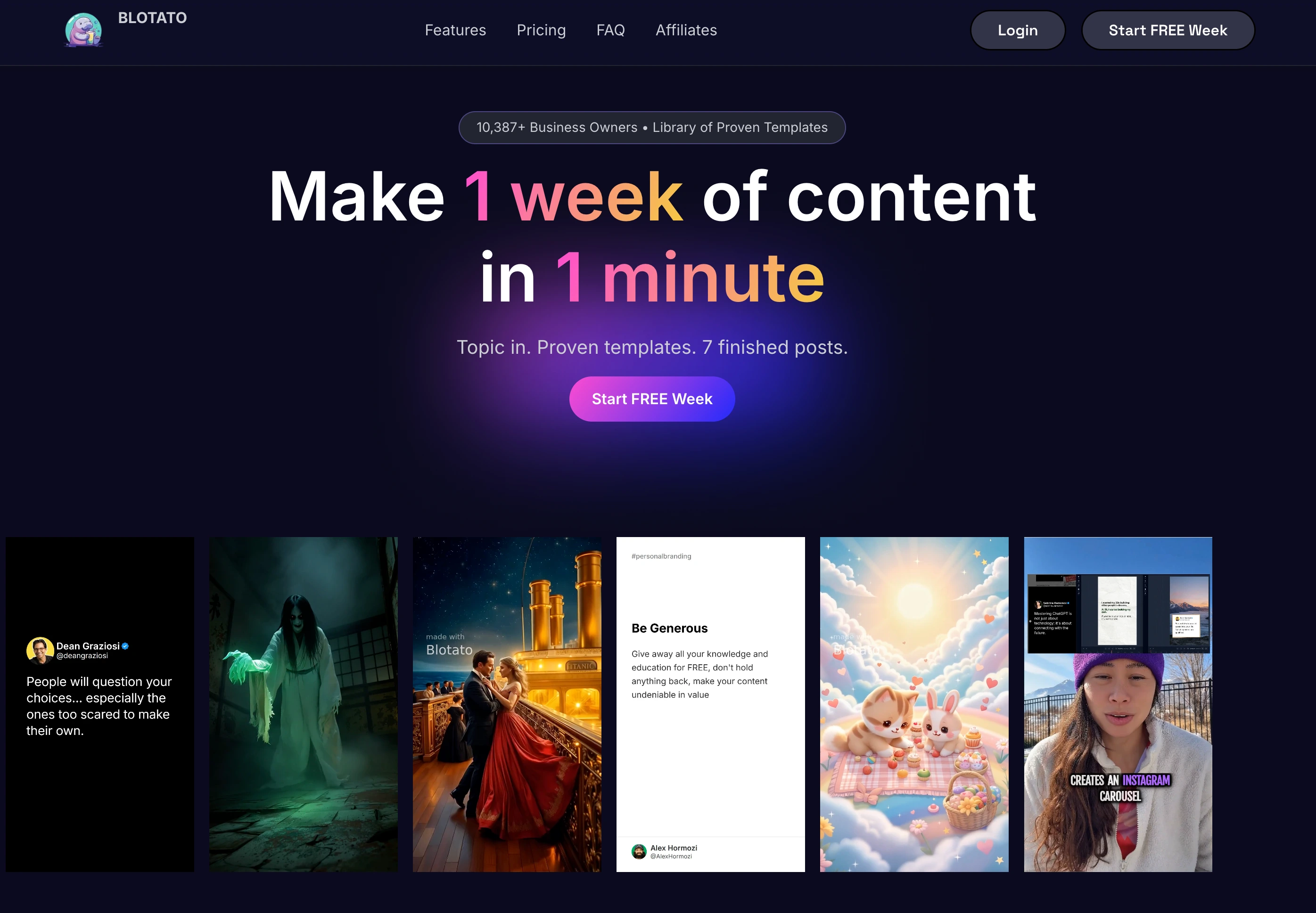
Blotato exposes 14 MCP tools built specifically for creators who draft everything in AI and want the shortest path from prompt to published post. Tools cover listing connected accounts, creating and publishing or scheduling posts across 10+ platforms, and managing media uploads.
Blotato's hook is the tight integration with Claude Code, there are published tutorials walking you through using Blotato's MCP server inside Claude Code to run content cycles end-to-end. For AI-first solo creators, that workflow is genuinely faster than a traditional dashboard, especially if you're already automating Instagram posts as part of your workflow.
Key features:
- 14 MCP tools focused on publishing
- Claude Code tutorials and playbooks available
- 10+ platforms with single-command posting
- AI-creator positioning: built for people already living in an AI editor
| Plan | Price | Notes |
|---|---|---|
| Free trial | $0 | 7 days, all features except API |
| Starter | $29/mo | 20 social accounts, 1,250 AI credits, 900 TikTok posts/mo |
| Creator | $97/mo | 40 accounts, 5,000 AI credits, faster video processing |
| Agency | $499/mo | 28,000 AI credits, dedicated support, dedicated processing |
Pros:
- Built specifically for AI-native workflows
- Good Claude Code integration documentation
- Clean, focused tool surface
- Heavy AI credit allowance at higher tiers
Cons:
- No analytics or inbox tools in MCP
- Smaller platform than PostPlanify or Buffer
- Starter plan's AI credits run out quickly for heavy video workflows
Best for: Solo creators and indie founders who live in Claude Code and want publishing on rails.
10. OpenTweet: Best Twitter/X-Only MCP
OpenTweet is a Twitter/X-only MCP server with 12 tools covering the full tweet lifecycle, drafting, threading, scheduling, publishing, analytics, and engagement. If you're a power user or small agency running primarily on X, a purpose-built server usually beats a generalist because every tool is tuned for Twitter's quirks.
The downside is obvious: it's Twitter only. If you manage more than one platform, you'll end up pairing OpenTweet with a multi-platform server anyway. For the broader X automation picture (threads, scheduling, replies), see our guide on how to automatically post tweets.
Key features:
- 12 Twitter/X-specific tools
- Thread drafting and scheduling as a first-class feature
- X-native analytics (impressions, engagement, viral tracking)
- Claude Desktop Extension and Chrome extension included on all plans
| Plan | Price | Notes |
|---|---|---|
| Pro | $11.99/mo | 20 posts/day, 1 X account, 10 AI generations/day, 3 API keys |
| Advanced | $19.99/mo | 100 posts/day, up to 3 X accounts, 50 AI gens/day, 10 API keys |
| Agency | $29.99/mo | 300 posts/day, up to 10 X accounts, 150 AI gens/day, 25 API keys |
All plans include a 7-day free trial; annual billing saves ~17% (pay for 10 months, get 12).
Pros:
- Deep Twitter-specific functionality
- Clean X API handling (rate limits, threading, media)
- Transparent, affordable pricing for an X-focused operator
Cons:
- Twitter only
- X API tier costs may apply on top
- Daily post caps may feel tight for heavy users
Best for: X-focused creators, journalists, and small agencies running Twitter-first strategies.
11. Fast.io: Best for Human-in-the-Loop Approvals
Fast.io takes a contrarian angle: AI should draft, but humans should approve. Its MCP server lets Claude or ChatGPT push content into a staging queue where a human reviews and clicks publish. For regulated industries, enterprise marketing, or agencies with client approval workflows, this is the safest way to deploy AI social automation.
Fast.io's MCP server exposes 251+ tools spanning the entire workspace, auth, storage, workflow tasks, AI chat, comments, ownership transfer, and more, of which a subset are social-media-related. Analytics on the social side are minimal; the product is deliberately tuned around one workflow (AI drafts → human approves → publishes), not full social ops.
Key features:
- AI-to-human staging queue as the core primitive
- Approval, Task, and Worklog MCP tools: staged sign-off with full audit trail
- Usage-based pricing rather than per-seat: cost-effective when layering in AI agents
- Generous free tier: 50 GB storage, 10,000 monthly credits, 3 workspaces, 5 seats
| Plan | Price | Notes |
|---|---|---|
| Free | $0 | 50 GB storage, 10K credits, 3 workspaces, 5 seats |
| Team member | $16/user/mo | Per active team member; 2 TB base storage |
| Professional | Contact | 25 seats included, extra users $1/user/mo |
| Business | Contact | 100 seats included, extra users $1/user/mo |
Pros:
- Unique staged approval model: ideal for compliance-heavy teams
- Strong free tier that genuinely works for small teams
- Usage-based pricing scales cleanly with AI agent workloads
Cons:
- Primarily a content workspace; social media is one of several use cases, not the core product
- Analytics depth is limited for social-specific metrics
- Smaller platform coverage than dedicated social tools
Best for: Regulated industries, compliance-heavy brands, and agencies that need AI drafts reviewed before anything goes live.
12. Vista Social: Widest Tool Surface of Any Mainstream Scheduler

Vista Social shipped its official MCP server after this guide first published, and it arrived with the widest tool surface of any mainstream SaaS scheduler here: roughly 60 tools spanning publishing and scheduling, reports and analytics, inbox and community management, tasks and workflows, accounts and teams, Vista Pages, trends and listening, shared calendars, and utilities.
It is still in beta, and it is gated to the Advanced plan and above, so the entry price to use it at all is higher than most of this list. The connection is scoped to your account and your role, and the token can be revoked from Settings, which is the right security model.
Key features:
- Roughly 60 MCP tools, nearly triple PostPlanify's 22 and far beyond Buffer's 18
- Review management and social listening exposed through MCP, which almost nothing else here does
- Token revocation from Settings kills every connected AI client at once
- Works with Claude and ChatGPT and other MCP-compatible clients
| Plan | Price | Profiles | Users |
|---|---|---|---|
| Professional | $79/month | 15 | 3 |
| Advanced | $149/month | 30 | 6 |
| Scale | $379/month | 70 | 10 |
Pros:
- The most complete MCP tool surface of any mainstream scheduler
- Covers review management and listening, not just publishing
- Clear token scoping and instant revocation
Cons:
- Still in beta at the time of writing
- Locked to Advanced ($149/mo) and above, so MCP is not available on the entry plan
- Tool count is high partly because the surface is granular, so the practical gap to a 22-tool server is smaller than it looks
Best for: Teams already on Vista Social's Advanced plan or above who want the broadest possible agent surface and can live with beta.
13. Hootsuite: Best MCP for Enterprise Governance

Hootsuite now ships an official MCP server spanning four products: Perch for content creation and publishing, Nest for social inbox and customer care, Lumen for insights and listening, and Parliament for employee advocacy. It connects to ChatGPT, Claude, Microsoft Copilot and Google Gemini.
The catch is the same one Hootsuite always carries. MCP needs a Hootsuite account, and Hootsuite is per-seat at $249/user/month, so the agent is cheap and the licence is not. For an enterprise already paying that, the MCP server is a genuine upgrade. For a three-person agency, the maths does not work.
Key features:
- Official and first-party, spanning Perch, Nest, Lumen and Parliament
- Listening and employee advocacy through MCP, which nothing else on this list offers
- Four AI clients supported: ChatGPT, Claude, Copilot, Gemini
- Enterprise governance and approvals carried over from the main product
| Plan | Price | Social accounts |
|---|---|---|
| Standard | $249/user/month | 10 accounts |
| Advanced | $499/user/month | 50 accounts |
Pros:
- The only MCP server here with social listening and employee advocacy
- Backed by enterprise governance and audit trails
- Works with all four major AI assistants
Cons:
- Per-seat pricing at $249/user/month makes it the most expensive way to reach MCP
- No free plan since 2023
- Overkill unless you already need Hootsuite's enterprise surface
Best for: Enterprises already on Hootsuite that want agent access to listening and advocacy, not just publishing.
Social Media Tools Without an Official MCP Server
This list moves fast, and it has moved a lot since this guide first published. Four tools that had nothing when we first ran this comparison now ship official MCP servers, so check the vendor's own docs before ruling any tool out.
Now shipping official MCP:
- Hootsuite and Vista Social both shipped since this guide first published, and are now ranked above at #13 and #12.
- Metricool: official MCP server at
ai.metricool.com/mcp, working with Claude Desktop, Claude Code, Cursor, ChatGPT, Mistral Le Chat, Make and n8n. Strong on analytics retrieval, thinner on inbox actions. - Agorapulse: official MCP connector for Claude, ChatGPT and Copilot. It drafts rather than publishes, so scheduling and final publishing stay inside Agorapulse.
Still nothing official:
- Later: focused on visual calendar features and AI captions inside the app.
- Sendible: API access exists, but no MCP wrapper.
- SocialBee: content-category engine remains dashboard-first.
- Loomly: approval workflows remain dashboard-driven.
- CoSchedule: nothing announced.
- Sprout Social: no clearly first-party server. Third-party wrappers exist on PyPI and GitHub, and official access appears tied to the Advanced plan, so confirm with Sprout before relying on it.
If you are evaluating a scheduling tool partly for AI automation, this list matters. Tools that still have not shipped MCP are a cycle behind, and migrating later costs more than picking correctly now.
When Each Tool Launched MCP (Timeline)
| Date | Milestone |
|---|---|
| Nov 2024 | Anthropic publishes the Model Context Protocol spec |
| Late 2024 | First community social MCP servers appear (Twitter, LinkedIn) |
| 2025 | Ayrshare launches official MCP server (75+ tools) |
| 2025 | Postiz ships MCP-native support |
| Late 2025 | Buffer launches official MCP server (18 operations) |
| 2026 | Oktopost launches MCP server (B2B-first) |
| 2026 | PostPlanify ships MCP with 22 tools and Streamable HTTP |
| 2026 | Publora, Blotato, Simplified, Fast.io, OpenTweet, and Zernio all ship MCP support |
| 2026 | Hootsuite launches official MCP across Perch, Nest, Lumen and Parliament |
| 2026 | Vista Social ships official MCP in beta (~60 tools), Metricool and Agorapulse follow |
How to Set Up a Social Media MCP Server
Every tool in this list installs the same way, you generate an API key from the tool's dashboard, then drop a JSON snippet into your AI client's MCP config. Setup takes under a minute. Here's the exact config for PostPlanify across the four most common AI clients. Once you are connected, our hands-on guide to managing social media with Claude and ChatGPT has 20 copy-paste prompts and 3 complete workflows to run through it.
Claude Desktop
Edit ~/Library/Application Support/Claude/claude_desktop_config.json (macOS) or %APPDATA%\Claude\claude_desktop_config.json (Windows):
{
  "mcpServers": {
    "postplanify": {
      "url": "https://api.postplanify.com/api/mcp",
      "headers": { "Authorization": "Bearer sk_live_your_key" }
    }
  }
}
Restart Claude Desktop. Type "list my social accounts" to confirm the connection.
Claude Code (CLI)
claude mcp add postplanify \
  --url https://api.postplanify.com/api/mcp \
  --header "Authorization: Bearer sk_live_your_key"
Run claude mcp list to verify.
Cursor
Add to ~/.cursor/mcp.json:
{
  "mcpServers": {
    "postplanify": {
      "url": "https://api.postplanify.com/api/mcp",
      "headers": { "Authorization": "Bearer sk_live_your_key" }
    }
  }
}
Restart Cursor and enable the server under Settings → MCP.
ChatGPT
ChatGPT is now the quickest of the lot, because there is nothing to configure and no key to paste. PostPlanify is listed in ChatGPT's plugin directory: go to chatgpt.com/plugins, search for PostPlanify, click install, and authorize the connection when it redirects you. For which other social tools are listed there, and which are not, see our guide to the best ChatGPT plugins for social media. You land back in ChatGPT connected, and you can revoke access any time from Connected apps in your dashboard.
For MCP servers that are not listed in the directory, you still add them yourself as a remote server in ChatGPT's connector settings, pointing at the server URL with a Bearer token.
Gemini, Grok, Perplexity, Windsurf
All support the same Streamable HTTP format. See the PostPlanify MCP setup docs for per-client snippets.
Pro tip: start with a read-only API key (list posts, list accounts, get analytics) before granting write scope. Once you're confident in the tool behavior, rotate to a key with create/edit/delete permissions.
Example AI Prompts You Can Run on Any Social Media MCP
These prompts work verbatim with PostPlanify's MCP server, and the same patterns work on Ayrshare, Postiz, and Buffer's MCP servers with minor adjustments. Copy any of them into Claude, ChatGPT, or Cursor once your MCP server is connected.
Publishing & scheduling:
- "Schedule a post to my LinkedIn and X accounts for Tuesday at 9am that announces our new pricing page at /pricing. Draft two versions and pick the one with the stronger hook."
- "Create a 5-post Instagram carousel for our spring campaign using the images in my media library with filenames starting 'ss26-'. Schedule them across the next 2 weeks, one every 3 days at 11am."
- "Cross-post today's YouTube video to Threads, X, and LinkedIn with a tailored caption for each platform."
Analytics & reporting:
- "Pull the last 30 days of engagement across all my social accounts. Identify the top 3 posts by engagement rate and tell me what they have in common."
- "Compare this week's LinkedIn follower growth to last week. Was the increase driven by any specific post?"
- "Give me a brand overview for the past 90 days: followers, total engagement, best-performing platform."
Inbox & engagement:
- "List unread Instagram comments from the last 48 hours. Reply with a short thank-you to the positive ones; flag the questions and complaints for me to handle."
- "Show me all comments on my LinkedIn post about the product launch and draft responses in my voice, skip any that are spam."
Workflow & bulk:
- "Edit every scheduled X post from the next 14 days to add the UTM tag
?utm_source=x&utm_campaign=spring." - "Cancel any scheduled posts that reference 'Black Friday': we're moving that campaign to next month."
Audit & cleanup:
- "Find posts scheduled for the next week that don't have media attached and list them, I'll want to add images."
- "Run a quick social media audit against my Instagram and flag any posts where engagement is below 50% of my account average."
If you can describe the outcome, the AI can usually wire up the tool calls. The only real constraint is what the MCP server exposes, which is why the tool count and coverage matrix at the top of this article matters.
Security & Auth: Is an MCP Server Safe for My Social Accounts?
Handing an AI agent write access to your social accounts is not risk-free. Here's what actually matters and how to stay safe.
The real risks
- Prompt injection. If your AI processes untrusted content (an incoming DM, a comment thread, a URL you asked it to summarize), a malicious payload can trick it into calling tools you didn't intend. This is the #1 MCP risk.
- Over-scoped API keys. A key with full write access across every platform is a bigger blast radius than one scoped to a single brand or read-only tools.
- Audit gaps. If you can't tell which AI session did what, you can't roll back a bad automation cleanly.
Best practices
- Scope API keys to the minimum. Create a read-only key for analytics work and a separate write-capable key for publishing. Don't reuse.
- Start in dry-run mode. Ask the AI to describe what it would do before asking it to execute. Most tools (PostPlanify included) have
list_*andget_*read tools that let you preview. - Limit which accounts are exposed. If a single client's account is on fire, you don't want the AI to touch other workspaces. Use per-workspace keys.
- Revoke and rotate on suspicion. Every tool in this list lets you revoke a key from the dashboard instantly. Treat keys like passwords.
- Review audit logs. PostPlanify, Ayrshare, and Oktopost all log tool calls with timestamps. Review after major automation sessions.
- Never paste untrusted content into the prompt without a system-level guard. Recent MCP clients (Claude Desktop 4.5+, ChatGPT Agent mode) ask for confirmation on destructive tool calls, leave that on.
What to look for in a secure MCP server
- Granular tool permissions (read vs. write, per platform, per workspace)
- Per-key rate limits
- Audit trail / tool call logs
- Key rotation and immediate revocation
- Streamable HTTP with HTTPS enforced (not plain HTTP)
For a deeper dive on general social media security and automation best practices, start with the fundamentals and layer MCP on top.
Common Mistakes With Social Media MCP Servers
Most MCP problems are not the server's fault. They come from wiring it up as though an AI agent were a person:
- Granting write scope on day one. Start with a read-only key and let the agent pull analytics and list posts for a week. You learn what it gets wrong before it can publish anything a client sees.
- Judging a server by tool count. A 480-tool server that cannot read comments is worse for an agency than a 22-tool one that can. Count the tools you will actually call, not the ones in the docs.
- Skipping approvals because the AI is "good enough". The failure mode is not a bad caption, it is a good caption on the wrong client's account. Route agent-created posts through the same sign-off a junior's posts would get.
- Connecting every client workspace to one agent session. Scope the key to one workspace where the tool allows it. Cross-client mistakes are the hardest kind to explain.
- Assuming stdio works everywhere. stdio servers are local-only and will not connect from ChatGPT or a remote Claude session. Check for Streamable HTTP before you commit.
- Forgetting the key exists. Rotate it on a schedule and revoke it when someone leaves. An MCP key is a live credential to every account you have connected.
Best MCP Server by Use Case
Best for multi-platform teams and agencies
PostPlanify: 22 tools across 10 platforms, analytics trends, comment inbox, and approval workflows in a single MCP server, priced per client workspace.
Best for developers building on top of an API
Ayrshare: 75+ tools, 13+ platforms, designed to be embedded in other products.
Best for full social automation including ads
Zernio, 480+ tools across 15 platforms, the only server here that exposes ads through MCP, alongside comments, DMs, and analytics.
Best for self-hosting or obscure platforms
Postiz: open-source, 30+ platforms including Dev.to, Hashnode, Slack, and Discord.
Best for B2B enterprise
Oktopost: full employee advocacy and lead attribution surface via MCP.
Best for budget multi-platform posting
Publora: $5.40/mo Starter with MCP-native design.
Best for AI-native solo creators
Blotato: 14 tools purpose-built for Claude Code workflows.
Best for regulated or approval-heavy teams
Fast.io: staging queue with human approval gate.
Best for X/Twitter-only operators
OpenTweet: 12 Twitter-specific tools with thread support.
How to Choose the Right Social Media MCP Server
- Inventory your platforms first. Count the networks you actually publish to. If it's more than three, cross off the single-platform tools immediately
- Decide if you need analytics or inbox in MCP. If yes, the shortlist collapses to PostPlanify, Ayrshare, Oktopost, and OpenTweet (for X)
- Check transport compatibility. Streamable HTTP works with all modern AI clients; stdio-only servers cannot be used from ChatGPT at all, and are harder to run with remote Claude
- Match pricing to usage shape. Per-channel (Buffer) compounds fast; per-workspace (PostPlanify) moves only with your client count, and flat-rate (Publora) stays predictable; per-API-call (Ayrshare) works best when you control the volume
- Test the free tier before committing. Every SaaS in this list has either a free tier or free trial. Spend 30 minutes inside Claude Code with your real accounts connected before you pay
Making the Switch to an MCP-Based Social Media Workflow
- Pick one primary MCP server. Don't stack three: each adds configuration complexity and confuses the AI about which tool to call
- Generate an API key and install the config. Every tool in this list publishes a JSON snippet you paste into Claude Desktop, Cursor, or Windsurf settings. Under 60 seconds
- Start with low-risk tasks. Ask your AI to list accounts and posts before asking it to create anything. Get a feel for the tool surface
- Move to drafting, then scheduling. Have the AI draft a post to a single test account. Review. Then let it schedule. Confidence grows in steps
- Layer in analytics and inbox. Once scheduling feels reliable, start asking for weekly analytics pulls and comment summaries. This is where MCP saves the most time
- Document prompts your team reuses. "Pull last 7 days of LinkedIn engagement and highlight the top 3 posts" is worth saving as a team playbook prompt, see how teams save time on social media management for the broader efficiency picture
FAQ
What is an MCP server for social media?
An MCP (Model Context Protocol) server is a bridge that exposes a social media tool's functions to an AI assistant like Claude or ChatGPT. Instead of clicking through a dashboard, you describe what you want in chat ("schedule a LinkedIn post for Tuesday at 9am") and the AI calls the right tool on the MCP server to do it. MCP is an open standard originally introduced by Anthropic and now supported by ChatGPT, Gemini, Cursor, Windsurf, and most AI clients.
Which social media tools have official MCP servers in 2026?
Tools with production MCP servers include PostPlanify, Ayrshare, Postiz, Zernio, Buffer, Publora, Oktopost, Simplified, Blotato, OpenTweet, and Fast.io. Hootsuite, Later, Sprout Social, Sendible, SocialBee, Metricool, Loomly, Agorapulse, CoSchedule, and Vista Social do not yet have official MCP servers.
Can I use Claude to post to Instagram?
Yes, with an MCP server. PostPlanify's MCP server exposes a create_post tool that works across Instagram, Facebook, X, LinkedIn, TikTok, YouTube, Threads, Pinterest, Bluesky, and Google Business. You add one JSON config to Claude Desktop, authenticate with an API key, and from that point you can ask Claude to draft and schedule Instagram posts in plain English. The same flow works with ChatGPT, Gemini, Cursor, and Windsurf.
Does Buffer have an MCP server?
Yes. Buffer launched an official MCP server in late 2025 exposing 18 operations from its GraphQL API. It's free to start (3 channels, 10 scheduled posts each) and paid plans begin at $5/channel/month on the Essentials plan. The Buffer MCP server handles posting and scheduling but has thinner analytics and no comment inbox tools compared to category leaders.
Does Hootsuite have an MCP server?
Yes. Hootsuite now offers an official MCP server across Perch, Nest, Lumen and Parliament, working with ChatGPT, Claude, Copilot and Gemini. It needs a Hootsuite account, so the per-seat pricing applies. Community bridges through Zapier-style platforms also exist, but the first-party. If MCP support is a requirement, Hootsuite is not currently a match.
Does Later have an MCP server?
No. Later has not released an MCP server. The product remains dashboard-first with AI features built into the UI rather than exposed to external AI agents.
What's the difference between an MCP server and a REST API?
A REST API is a general-purpose HTTP interface any program can call. An MCP server is a specialized wrapper on top of that API designed specifically for AI assistants, it exposes typed, documented "tools" with schemas the AI can understand and call automatically. In practice, most MCP servers are built on top of an existing REST API. The MCP server handles the AI-specific concerns (tool discovery, parameter validation, auth); the underlying API does the actual work.
Can I build my own social media MCP server?
Yes. If you have a social media tool with an API, you can wrap it with the official MCP SDK in TypeScript, Python, or Go. The spec is open. A basic scheduling MCP server takes a few hundred lines of code. However, for most teams it's cheaper and faster to use an existing one (like PostPlanify's or Ayrshare's) than to maintain your own.
Is MCP secure for production social media accounts?
MCP security depends on the server. The transport layer is standard HTTPS for Streamable HTTP; auth uses API keys or OAuth tokens generated per user. The risk to watch for is prompt injection, if your AI agent can be tricked by untrusted content (like a comment reply), it might execute an unintended tool call. Best practices: scope API keys narrowly, use servers with granular tool permissions, start with read-only tools before granting write access, and audit tool call logs. PostPlanify, Ayrshare, and Oktopost all offer per-key rate limiting and audit trails.
What's the best MCP server for agencies managing multiple clients?
PostPlanify's MCP server supports multi-workspace architecture, each brand or client is a separate workspace, and the list_workspaces and get_workspace tools let your AI switch context between clients. Combined with approval workflows and white-label PDF reports, it's the strongest agency fit in the list. Ayrshare's Business plan ($599/mo) is the alternative for agencies that also want to resell the API itself.
Glossary: MCP Terms Explained
- MCP (Model Context Protocol): Anthropic's open standard for letting AI assistants call external tools. Published November 2024; now supported by Claude, ChatGPT, Gemini, Cursor, Windsurf, and most major AI clients.
- Tool: A single callable function exposed by an MCP server (e.g.,
create_post,list_comments). Each tool has a typed schema the AI uses to fill parameters. - Transport: How the AI client and MCP server talk. The two options are stdio (local, desktop only) and Streamable HTTP (works remotely, with any modern client).
- Server: The process that exposes the tools. Could be a remote HTTP endpoint (PostPlanify, Buffer) or a local binary (older community servers).
- Client: The AI application that calls the server (Claude Desktop, Claude Code, Cursor, ChatGPT, Gemini).
- Schema: A typed definition of what a tool accepts and returns. Lets the AI call tools correctly without trial-and-error.
- Prompt injection: A security risk where untrusted text in a tool's input tricks the AI into calling tools maliciously. Biggest MCP risk in practice.
- API key / OAuth: The two common auth models. API keys (like
sk_live_*) are simple and revocable; OAuth is more granular and user-friendly but more complex to set up. - Rate limit: Per-key cap on how many tool calls per minute/hour, protecting the underlying API from runaway AI loops.
- Tool call log / audit trail: A record of every tool the AI invoked, with timestamp and parameters. Essential for debugging and security review.
PostPlanifyAll your social media in one simple dashboard
Schedule posts, track analytics, and reply to comments/DMs without switching tabs.
Engagement
+18%
Views
52.8k
Checklist: Picking Your Social Media MCP Server
- Step 1: Count your platforms. If 3+, skip platform-specific tools
- Step 2: List the tools you need. Scheduling only? Or scheduling + analytics + inbox?
- Step 3: Check AI client compatibility. Streamable HTTP works everywhere; stdio is desktop-only
- Step 4: Confirm auth and rate limits. Per-key scoping matters for agencies
- Step 5: Start on a free tier or free trial. Spend 30 minutes in Claude with real data connected before paying
- Step 6: Document repeatable prompts. The value compounds when your team shares prompt playbooks
Ready to connect your AI to your social media workflow? PostPlanify ships 22 MCP tools across 10 platforms with analytics, comment inbox, and team collaboration, all priced per client workspace from $39/month.
Try PostPlanify free for 7 days →
Key Takeaways
- MCP servers let AI assistants like Claude, ChatGPT, and Cursor manage your social media directly, no dashboard switching required
- PostPlanify leads the multi-platform SaaS category with 22 tools across 10 platforms including analytics and comment management via MCP
- Ayrshare is the developer-first choice with 75+ tools but no dashboard; Postiz is the open-source leader; Buffer ships an official 18-tool MCP server
- Hootsuite, Vista Social, Metricool and Agorapulse have all shipped official MCP servers since this guide first published. Later, Sendible, SocialBee, Loomly and CoSchedule still have none, and Sprout Social has no clearly first-party server, so check the vendor's docs before ruling one out
- Analytics and comment inbox tools separate production-grade MCP servers from publish-only ones, only PostPlanify, Ayrshare, Oktopost, and OpenTweet (X-only) offer both
- Streamable HTTP transport is the modern default: works with Claude Desktop, Claude Code, ChatGPT, Gemini, Cursor, and Windsurf without local runtime setup
- Start with one MCP server, not three: stacking servers confuses the AI about which tool to call
Related Reading
- PostPlanify MCP Integration
- Best ChatGPT Plugins for Social Media
- Best Social Media APIs for Developers
- PostPlanify Pricing
- Best Social Media Management Platform
- Best AI Social Media Management Tools
- Best Social Media Scheduling Tools
- Automate Social Media Posting
- Best Apps to Post to All Social Media at Once
- Best Social Media Tools with Approval Workflows
- Best Social Media Management Tools for Agencies
- Best Social Media Management Tools for Teams
- Best Social Media Management Tools for SaaS
- Save Time on Social Media Management
- Social Media Management Dashboard Guide
- Manage Multiple Social Media Accounts
- Social Media Cross-Posting
- How to Automatically Post Tweets
- Automating Instagram Posts
- Social Media Tools with No Per-Seat Fees
- White-Label Social Media Management
- Best Buffer Alternatives
- Best Hootsuite Alternatives
- Best Later Alternatives
- 14 Best LinkedIn Scheduling Tools
PostPlanifyAll your social media in one simple dashboard
Schedule posts, track analytics, and reply to comments/DMs without switching tabs.
Engagement
+18%
Views
52.8k
About the Author

Hasan Cagli
Founder of PostPlanify, a content and social media scheduling platform. He focuses on building systems that help businesses, agencies, and teams plan, publish, and manage content and social media more efficiently across platforms.


