


Running social media for one brand is manageable. Running it for 15 clients across 60+ accounts, each with their own voice, approval process, and reporting expectations, is a completely different operation.
Multi-account management is what makes it hard. Four social accounts per client across 15 clients is 60 accounts, and posting three times a week to each is 180 posts before anyone has approved anything. Add client sign-off, engagement management, and monthly reporting, and the team spends its week on logistics instead of strategy.
I compared the 10 best social media management tools for agencies on what actually decides the bill: multi-client workspaces, client approval workflows, white-label reporting, social inbox management across dozens of accounts, and what happens to the price when you add one more person. That last one is where most agencies get caught. On a per-seat tool, a client who logs in twice a month to approve posts costs exactly as much as a full-time strategist.
Quick answer: For most agencies, PostPlanify is the best social media management tool. It's the only option here that combines per-workspace pricing with no per-seat fees, multi-client workspaces, approval workflows, a social inbox, analytics, and branded reports in one platform. The table below breaks down where each alternative fits.
How I tested: I evaluated each tool against the agency workflow specifically: multi-client workspaces, approval routing, branded reporting, inbox management across accounts, and total cost as a team grows, and cross-checked every price against each vendor's current pricing page before publishing.
Quick Picks: Best Social Media Tools for Agencies
| Tool | Best For | Starting Price | Key Agency Feature | Does a Client Approver Cost a Seat? | Rating |
|---|---|---|---|---|---|
| PostPlanify | Agencies serving local businesses | From $39/mo | Per-workspace pricing, unlimited team members | No, seats are unlimited on every plan | 5/5 G2 |
| Sendible | White-label client reporting | $35/mo | White-label reports + client dashboards | No, users are unlimited on every plan | 4.5/5 G2 |
| SocialPilot | Best value for growing agencies | $30/mo | 25 accounts + white-label at $100/mo | Yes, until the $200 Ultimate plan | 4.5/5 G2 |
| Agorapulse | Social inbox for client management | $99/user/mo | Best inbox + CRM + team assignments | Yes, a full paid seat from $99/mo | 4.5/5 G2 |
| Sprout Social | Enterprise agency analytics | $99/seat/mo | Deepest analytics + social listening | Yes, a full paid seat from $99/mo | 4.4/5 G2 |
| Hootsuite | Large-scale operations | $99/user/mo | Bulk scheduling + monitoring streams | Yes, a full paid seat from $99/mo | 4.3/5 G2 |
| Loomly | Client approval workflows | $65/mo | Multi-step approval pipeline | Yes, uses 1 of 3 seats until the $332 plan | 4.6/5 G2 |
| Planable | Content collaboration | $39/workspace/mo | Unlimited users + visual approvals | No, seats are unlimited on every plan | 4.6/5 G2 |
| Iconosquare | Analytics-focused agencies | $39/mo | Deep platform analytics + benchmarks | Yes, the $39 plan is single user | 4.5/5 G2 |
| Buffer | Small/boutique agencies | Free | Simple scheduling, fast onboarding | No, Buffer bills per channel, not per user | 4.3/5 G2 |
What to Look for in an Agency Social Media Tool
Managing client accounts is fundamentally different from managing your own brand. Here are the features that separate agency-grade tools from basic schedulers:
- Multi-client workspace management: each client needs its own workspace with separate calendars, content libraries, and analytics. Mixing client content in one dashboard leads to posting the wrong thing to the wrong account, the kind of mistake that loses clients overnight.
- White-label reporting: clients expect branded reports that look like they came from your agency, not a screenshot from someone else's dashboard. Look for custom logos, layouts, and PDF or live-link reports without manual formatting. (See our guide to sending white-label social media reports to clients.)
- Client approval workflows: content should move through a clear pipeline: draft → internal review → client approval → scheduled. About a third of B2B marketers (33%) cite workflow and content-approval issues as a top production challenge (CMI, 2025), so your tool needs multi-step approvals with clear status labels, nothing goes live without sign-off.
- Scalable pricing that protects margins: per-seat pricing at $99–$399/seat kills agency margins (a 5-person team on Sprout Social runs $495–$1,995/month before you've charged a client). Look for flat-rate pricing, or tools where adding accounts doesn't scale costs linearly.
- Social inbox at scale: managing engagement across 30+ accounts needs one unified inbox, not 30 browser tabs. It should let you assign conversations to team members, filter by client, and ensure no comment or DM falls through the cracks.
- Team roles and permissions: account managers need full access, junior staff restricted posting, clients view-and-approve only. Role-based permissions give each person exactly what they need, nothing more.
- Bulk scheduling for campaign launches: launching across 8 client accounts at once requires bulk scheduling. CSV uploads, content duplication across accounts, and campaign-level scheduling save hours versus posting one account at a time.
1. PostPlanify: Best for Agencies Serving Local Businesses
PostPlanify is a social media management platform for agencies that gives every client its own workspace, prices per workspace rather than per seat, and includes unlimited team members on every plan. It solves the biggest pain point agencies face: pricing that scales with your client roster without destroying your margins.
Most agency tools charge per user, per seat, or per account, so every new client or team member increases your software cost. PostPlanify prices by workspace, not by seat. Each workspace covers one brand or client with 4 social accounts and starts at $39/mo, and every plan includes unlimited team members. Hiring never increases your software bill.
For agencies specifically, PostPlanify covers the full client management workflow: separate workspaces for each client, a visual content calendar for planning campaigns, approval workflows so clients sign off before anything goes live, a social inbox to manage engagement across every client account, and analytics with branded PDF reports. Every feature is included at every size, with white-label branding as an optional add-on.

Key features for agencies:
- Schedule to 10 platforms: Instagram, Facebook, TikTok, X (Twitter), YouTube, LinkedIn, Threads, Pinterest, Bluesky, and Google Business Profile
- Multi-workspace management: separate dashboards for each client
- Team collaboration with unlimited team members on every plan, and approval workflows so clients sign off before anything publishes
- Social inbox to manage comments and DMs across every client account
- Visual content calendar for planning client campaigns and content mixes
- Analytics across all platforms with best-time-to-post suggestions
- White-label PDF reports branded with your agency's identity
- Media library with native Canva and Google Drive integration
- Link-in-bio builder for client landing pages
- Bulk scheduling: plan an entire week of client content in one session
- Multi-brand support: manage every client from one dashboard
- Brand-aware AI assistant, generate on-brand captions and images tuned to each client's voice
Pricing:
| Plan | Starts at | Includes | Each extra workspace | Social accounts |
|---|---|---|---|---|
| Growth | $39/mo | 1 workspace | from $29, cheaper as you add more | 4 per workspace |
| Premium | $99/mo | 3 workspaces | from $39, cheaper as you add more | 6 per workspace |
| Scale | $199/mo | 5 workspaces | from $39, cheaper as you add more | 8 per workspace |
Unlimited team members on every plan, no per-seat fees. Yearly billing saves 20%. All plans include a 7-day free trial with a 14-day money-back guarantee.
Pros:
- Per-workspace pricing: you pay per client workspace, with no per-user or per-account fees that eat into agency margins
- Unlimited team members on every plan, so growing the team never costs more
- 10 platforms including TikTok, Pinterest, and Threads
- Branded PDF reports for client deliverables, with white-label branding available as an add-on
- Social inbox centralizes engagement across all client accounts
- Content calendar built for planning multi-client campaigns
Cons:
- Newer platform: smaller community compared to legacy agency tools
- No free plan (7-day trial + 14-day money-back guarantee instead)
Best for: Agencies serving local businesses, where every client needs its own workspace and branded reporting, without per-seat costs destroying margins.
 PostPlanify
All your social media in one simple dashboard
Schedule posts, track analytics, and reply to comments/DMs without switching tabs.

Engagement
+18%
Views
52.8k
2. Sendible: Best for White-Label Client Reporting
Sendible is a social media management platform built for agencies, combining white-label reporting, client-facing dashboards, and a priority inbox that surfaces urgent messages across every managed account. It was built for agency work from day one, and it shows. While most tools bolt on agency features as an afterthought, Sendible's entire architecture is designed around managing multiple clients with branded deliverables.
The white-label reporting (available as an add-on) lets you fully rebrand the platform with your agency's logo, colors, and domain. Client dashboards give each client a dedicated view where they can review and approve content without seeing your other clients' accounts. The Priority Inbox surfaces urgent client messages across all accounts.

Key features for agencies:
- Schedule to Instagram, TikTok, Facebook, LinkedIn, X, Pinterest, YouTube, and Google Business
- White-label reporting with custom agency branding (add-on)
- Client dashboards for content review and approval
- Priority Inbox with sentiment analysis across all client accounts
- Smart Compose Box for quick multi-platform posting
- Content library with brand-specific templates and hashtag groups per client
- Team roles and user management
- Canva integration for in-app design
- Bulk import via CSV
Pricing:
| Plan | Price | Social Profiles | Users |
|---|---|---|---|
| Core | $35/mo | 6 profiles | Unlimited |
| Plus | $99/mo | 18 profiles | Unlimited |
| Premium | $199/mo | 42 profiles | Unlimited |
| Elite | $299/mo | 90 profiles | Unlimited |
| Enterprise | $750/mo | 300 profiles | Unlimited |
Profiles come in workspaces of 6, and extra workspaces cost $15 to $35/mo each depending on tier. White-label add-on: $349/mo on Elite, $800/mo on Enterprise. Annual billing: 15% discount.
Pros:
- Most agency-purpose-built tool on this list
- White-label reporting is genuinely comprehensive (logo, colors, domain)
- Client dashboards keep each client's view separate and clean
- Priority Inbox handles engagement across dozens of accounts
- Unlimited users on every plan, so client approvers never cost a seat
- Google Business support: important for local business clients
Cons:
- White-label is an expensive add-on ($349/mo on top of the $299/mo Elite plan)
- Interface feels dated compared to newer tools
- Per-profile pricing scales quickly for multi-platform clients, and extra workspaces bill on top
- Analytics are adequate but not as deep as Sprout Social or Iconosquare
- No AI caption generation
- No content recycling
Best for: Agencies that need white-label reporting and client-facing dashboards as a core part of their deliverable, especially those managing local businesses with Google Business profiles.
User ratings: 4.5/5 on G2 · 3.8/5 on Trustpilot
For more details: Sendible Pricing Breakdown · Sendible Reviews · PostPlanify vs Sendible · 11 Best Sendible Alternatives · SocialPilot vs Sendible
PostPlanifyAll your social media in one simple dashboard
Schedule posts, track analytics, and reply to comments/DMs without switching tabs.
Engagement
+18%
Views
52.8k
3. SocialPilot: Best Value for Growing Agencies
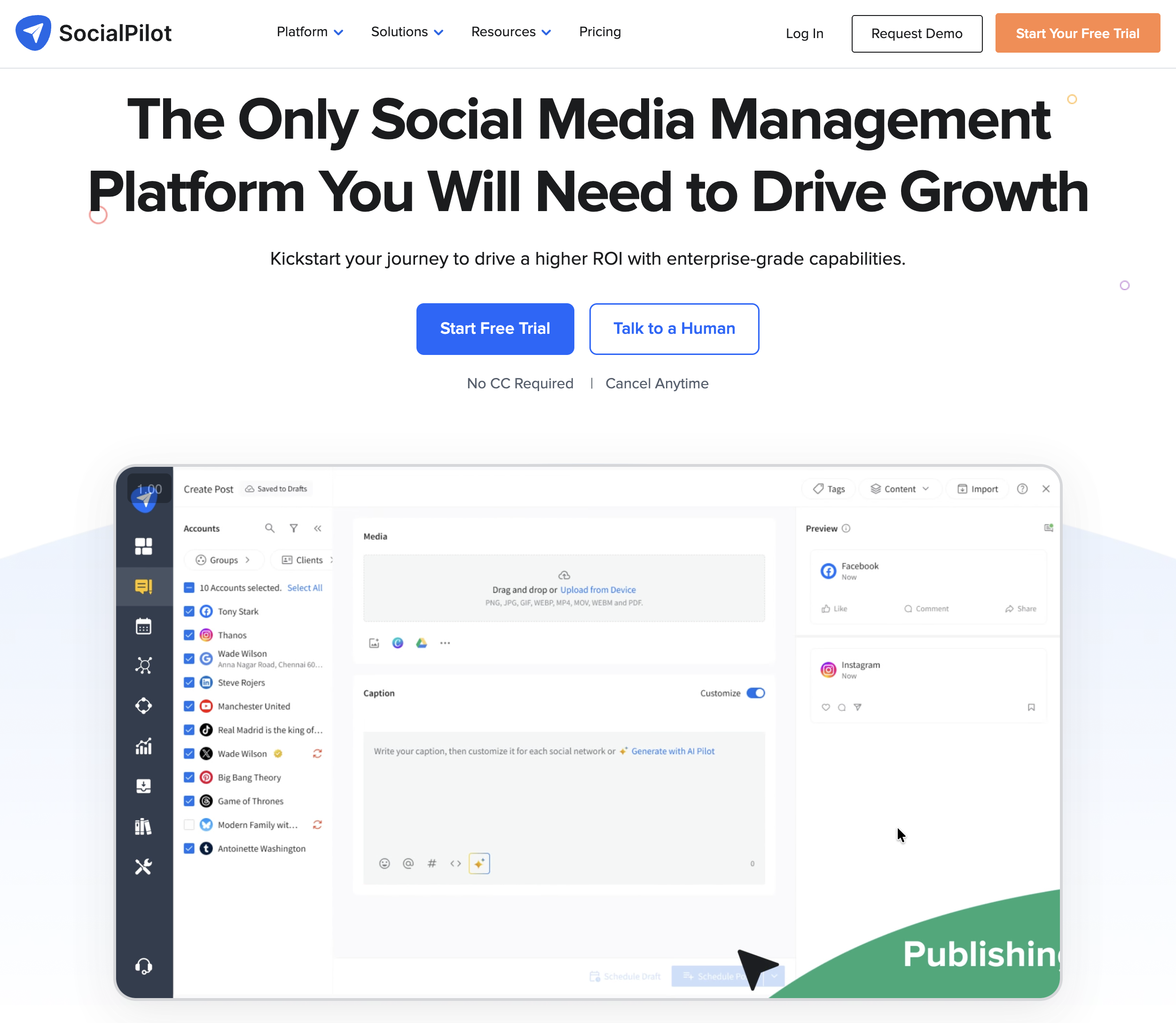
SocialPilot is a social media management platform that charges a fixed fee per plan tier rather than per user, and includes white-label reporting from its $100/month Premium plan. It hits the sweet spot for agencies that need serious account capacity without enterprise pricing. The Premium plan ($100/mo) gives you 25 social accounts, 6 users, and white-label reports included, no add-on fee. That's a price point most growing agencies can justify from their first few clients.
The platform covers the agency essentials well: client approval workflows, bulk scheduling, a content library, and team collaboration. It's not the flashiest tool, but it's reliable and delivers strong value for the price, which is exactly what an agency trying to maintain healthy margins needs.
Key features for agencies:
- Schedule to Instagram, Facebook, TikTok, LinkedIn, X, Pinterest, YouTube, and Google Business
- White-label reports included on Premium and Ultimate plans
- Client approval workflows (Standard plan and above)
- Bulk scheduling via CSV and queue management
- Content library with reusable templates
- Team collaboration with manager approval
- AI caption credits included
- Analytics and reporting per client
- Extra accounts available at $4/mo each
Pricing:
| Plan | Price | Social Accounts | Users |
|---|---|---|---|
| Essentials | $30/mo | 7 | 1 |
| Standard | $50/mo | 15 | 3 |
| Premium | $100/mo | 25 | 6 |
| Ultimate | $200/mo | 50 | Unlimited |
| Enterprise | Custom | Custom | Custom |
Extra users: $5/mo each (Standard/Premium). Extra accounts: $4/mo each.
Pros:
- Best accounts-per-dollar ratio for agencies
- White-label included at $100/mo: no expensive add-on
- Client approval workflows on Standard ($50/mo) and above
- Unlimited users on Ultimate ($200/mo): good for larger teams
- Google Business support for local business clients
- Flexible scaling with per-account add-ons ($4/mo each)
Cons:
- Interface is functional but not modern
- Social inbox is limited compared to Agorapulse or PostPlanify
- Analytics are basic: not presentation-grade for enterprise clients
- AI features are credit-based, not unlimited
- No content recycling or evergreen posting
- Limited post preview compared to Loomly or Planable
Best for: Growing agencies (5–25 clients) who need strong account capacity and white-label reporting without enterprise pricing.
User ratings: 4.5/5 on G2 · 2.4/5 on Trustpilot
For more details: SocialPilot Pricing Breakdown · SocialPilot Reviews · Best SocialPilot Alternatives · Agorapulse vs SocialPilot
4. Agorapulse: Best Social Inbox for Client Management
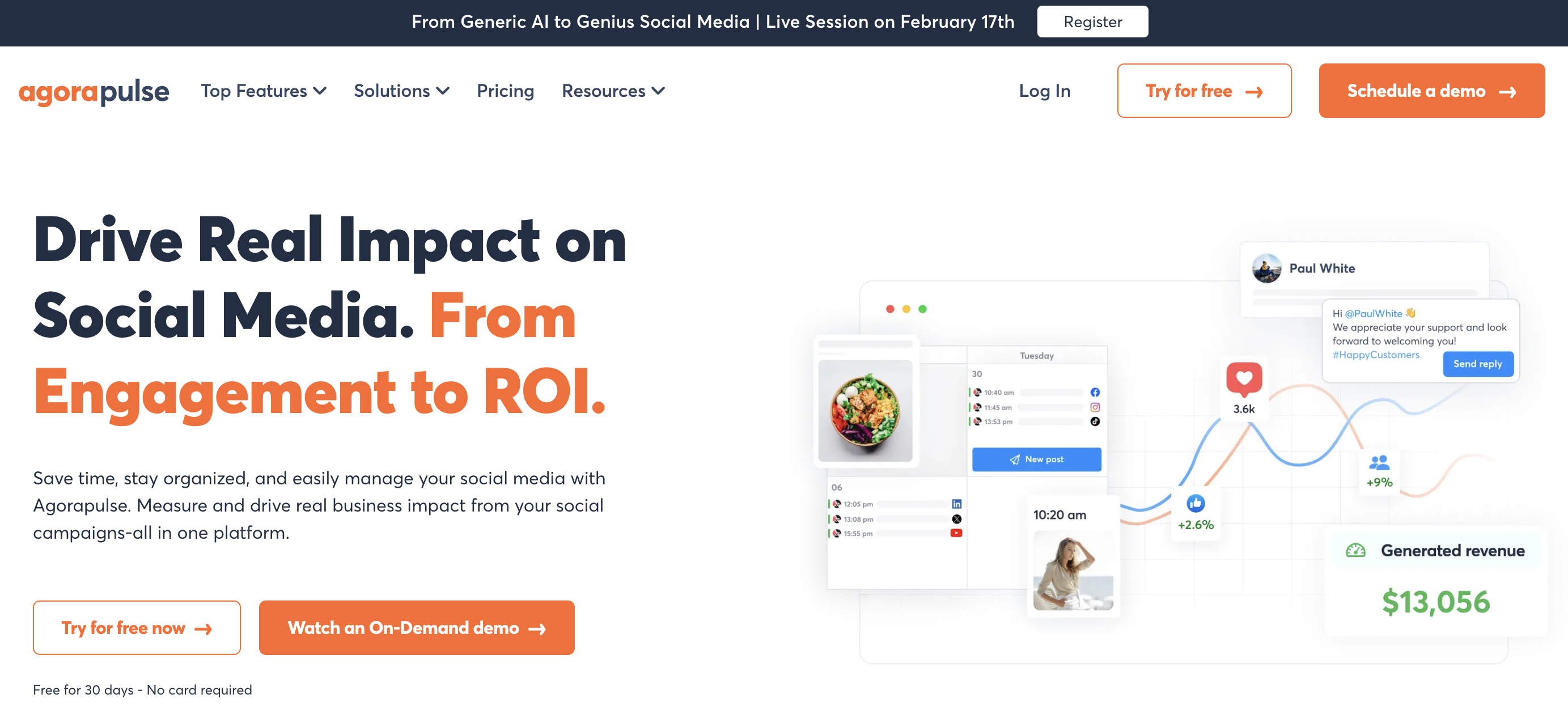
Agorapulse is a social media management platform built around engagement, combining a unified social inbox, a built-in social CRM, and team assignment across every connected account. It has the best social inbox of any tool on this list, and for agencies, inbox management can make or break client relationships.
Every comment, DM, and mention across all client accounts flows into one unified inbox. You can assign conversations to specific team members, label them by client or topic, and use saved replies for common questions. The built-in CRM logs every interaction per user, so when a client's customer reaches out again, your team has full context.
For agencies where engagement management is a core deliverable (not just scheduling), Agorapulse is purpose-built for that workflow.
Key features for agencies:
- Unified social inbox with message assignment and labeling
- Built-in CRM: track every interaction per social media user
- Schedule to Instagram, Facebook, TikTok, LinkedIn, X, YouTube, Google Business, and more
- Saved replies for common client responses
- Content approval workflows
- Team performance reports: see who's responding, how quickly, and how much
- Competitor benchmarking (Advanced plan)
- Content library and publishing calendar
- Listening and monitoring tools
Pricing:
| Plan | Price | Social Profiles | Users |
|---|---|---|---|
| Standard | $99/user/mo | 10 profiles | Per-user |
| Professional | $149/user/mo | 10 profiles | Per-user |
| Advanced | $199/user/mo | 10 profiles | Per-user |
| Custom | Contact sales | Unlimited | Custom |
Annual billing: up to 20% discount.
Pros:
- Best social inbox of any tool on this list
- Built-in CRM tracks every interaction per user across platforms
- Team performance reports show response times and workload distribution
- Saved replies speed up client engagement management
- 30-day no-credit-card trial for testing (no permanent free plan)
- Competitor benchmarking on Advanced plan
Cons:
- Per-user pricing is expensive: 5-person team on Professional = $745/mo
- 10-profile limit per plan (need Custom plan for more)
- Multi-step approval workflows only on Custom plan
- No white-label reporting as a standard feature
- No Pinterest scheduling
- Profile limits don't scale with price: only user count does
Best for: Agencies where engagement management and community management are core deliverables, not just content scheduling.
User ratings: 4.5/5 on G2 · 4.0/5 on Trustpilot
For more details: Agorapulse Pricing Breakdown · Agorapulse Reviews · Best Agorapulse Alternatives · Sprout Social vs Agorapulse
5. Sprout Social: Best for Enterprise Agency Analytics
Sprout Social is an enterprise social media management platform covering publishing, analytics, social listening, and inbox management, priced per seat. It is the analytics and reporting standard for enterprise agencies: if your clients are large brands that expect executive-level reporting, social listening insights, and competitive benchmarking, Sprout delivers at a level no other tool matches.
The reporting suite produces presentation-ready PDFs and custom dashboards. Social listening tracks brand mentions, industry sentiment, and competitor activity. The Smart Inbox handles high-volume engagement with automated routing and tagging. For agencies working with enterprise clients who demand this level of data, Sprout Social is often a requirement rather than a choice.

Key features for agencies:
- Cross-platform analytics with custom, presentation-ready reports
- Smart Inbox: unified comments, DMs, and mentions with automated routing
- Social listening: brand mentions, keyword tracking, and sentiment analysis
- Schedule to Instagram, TikTok, Facebook, LinkedIn, X, Pinterest, YouTube, and Threads
- ViralPost: AI-optimized publishing times
- Competitor benchmarking and industry reports
- Task assignment and team workflows
- CRM integrations (Salesforce, HubSpot, Zendesk)
- Message spike alerts for crisis management
Pricing:
| Plan | Price | Profiles |
|---|---|---|
| Essentials | $99/seat/mo ($79 billed annually) | 5 profiles |
| Standard | $199/seat/mo | 5 profiles |
| Professional | $299/seat/mo | Unlimited |
| Advanced | $399/seat/mo | Unlimited |
| Enterprise | Custom | Unlimited |
Pros:
- Deepest analytics and reporting of any tool on this list
- Social listening is genuinely powerful for brand monitoring
- Smart Inbox handles enterprise-level engagement volume
- CRM integrations (Salesforce, HubSpot) for enterprise workflows
- ViralPost optimizes publishing times automatically
- Competitor benchmarking with industry data
Cons:
- Entry is $99/seat on Essentials, but listening, competitor reporting, and message tagging start at $299/seat
- 3-person team on Professional = $897/mo: prohibitive for smaller agencies
- Standard plan limited to 5 profiles: insufficient for multi-client agencies
- Social listening and advanced features require higher tiers
- White-label reporting only on Enterprise (custom pricing)
- Complex interface with a steep learning curve
Best for: Enterprise agencies managing large brand clients who require presentation-ready analytics, social listening, and CRM integrations.
User ratings: 4.4/5 on G2 · 2.2/5 on Trustpilot
For more details: Sprout Social Pricing Breakdown · Sprout Social Reviews · Best Sprout Social Alternatives · Hootsuite vs Sprout Social
6. Hootsuite: Best for Large-Scale Agency Operations
Hootsuite is one of the longest-running social media management platforms, launched in 2008, covering scheduling, bulk publishing, monitoring streams, and analytics across high account volumes. It has been the default choice for large agencies and enterprises since then, and while it's no longer the most modern tool, its scale and integrations remain unmatched.
The Streams feature lets you monitor multiple feeds, hashtags, and keyword mentions across all client accounts from one dashboard. Bulk scheduling handles up to 350 posts via CSV. The app marketplace integrates with nearly every marketing tool your agency already uses. For agencies already embedded in enterprise ecosystems (Salesforce, Proofpoint, compliance tools), Hootsuite's integrations often make it the path of least resistance.

Key features for agencies:
- Schedule to Instagram, TikTok, Facebook, LinkedIn, X, Pinterest, YouTube, and Threads
- Streams: real-time monitoring of feeds, hashtags, mentions, and keywords
- Bulk scheduling via CSV (up to 350 posts)
- OwlyWriter AI for caption generation
- Social inbox with DM assignment and auto-routing
- Advanced analytics with custom date ranges and exportable reports
- Employee advocacy (Amplify add-on)
- Social listening powered by Talkwalker (add-on)
- 150+ app integrations
Pricing:
| Plan | Price | Accounts |
|---|---|---|
| Standard | $99/user/mo | 10 |
| Professional | $199/user/mo | Unlimited |
| Advanced | $399/user/mo | Unlimited |
| Enterprise | Custom | Unlimited |
Pros:
- Most established platform with the largest integration ecosystem
- Streams provide real-time monitoring across all client accounts
- Bulk scheduling (350 posts) for high-volume agency operations
- Enterprise-grade compliance and security features
- Deep app marketplace (150+ integrations)
Cons:
- Billed per user: a 5-person team is $495/mo on Standard, and $995/mo on Professional once you pass 10 accounts
- Interface feels dated and cluttered
- Many core features (listening, advanced analytics, advocacy) are paid add-ons
- Steep learning curve for new team members
- Per-user pricing makes scaling expensive
- Trustpilot rating (2.8/5) suggests customer experience issues
Best for: Large agencies already embedded in enterprise ecosystems who need integrations, compliance tools, and the ability to monitor at scale.
User ratings: 4.3/5 on G2 · 2.8/5 on Trustpilot
For more details: Hootsuite Pricing Breakdown · Hootsuite Reviews · Best Hootsuite Alternatives · Buffer vs Hootsuite
PostPlanifyAll your social media in one simple dashboard
Schedule posts, track analytics, and reply to comments/DMs without switching tabs.
Engagement
+18%
Views
52.8k
7. Loomly: Best for Client Approval Workflows
Loomly is a social media management platform built around a structured content approval pipeline, with post ideas, calendar planning, and publishing handled in one workflow. It has the most structured approval workflow of any tool on this list. Every post moves through a clear pipeline: draft → pending review → requires changes → approved → scheduled, with email and Slack notifications at each stage.
For agencies where the approval bottleneck is the main source of delays, Loomly solves it with post mockups that show clients exactly what their content will look like on each platform before they approve. No more "I didn't realize it would look like that" after publishing.

Key features for agencies:
- Multi-step approval workflows with customizable stages
- Post mockups: preview exactly how content appears on each platform
- Content inspiration based on trending topics, holidays, and RSS feeds
- Schedule to Instagram, Facebook, LinkedIn, X, Pinterest, TikTok, YouTube, and Snapchat
- Interaction tracking for comments and engagement
- Calendar view with status labels (draft, pending, approved, scheduled)
- Asset library with version history
- Automated publishing and scheduling
Pricing:
| Plan | Price | Social Accounts | Users |
|---|---|---|---|
| Starter | $65/mo | 12 | 3 |
| Beyond | $332/mo | 60 | Unlimited |
| Enterprise | Custom | Custom | Unlimited |
Loomly no longer offers a free plan. Paid plans start at $65/mo, with a 15-day free trial.
Pros:
- Best approval workflow for agency-client collaboration
- Post mockups eliminate "I didn't know it would look like that" surprises
- Content inspiration helps with ideation for client calendars
- Clean, modern interface that clients can navigate easily
- Strong proofing and approval pipeline out of the box
Cons:
- Interactions inbox covers comments and DMs but is less robust than dedicated tools
- No white-label reporting
- Analytics are basic compared to Sprout Social or Iconosquare
- No content recycling or evergreen reposting
- Per-user pricing limits scaling for larger teams
- No AI caption generation on lower plans
Best for: Agencies where client approval delays are the main bottleneck. Loomly's structured workflow and post mockups eliminate friction in the review process.
User ratings: 4.6/5 on G2 · 3.7/5 on Trustpilot
For more details: Loomly Pricing Breakdown · Loomly Reviews · Best Loomly Alternatives · Loomly vs Planable
8. Planable: Best for Content Collaboration and Approvals
Planable is a social media collaboration and publishing platform organized around visual content review, where clients and teammates comment on posts laid out as they will appear once published. It takes a different approach to agency collaboration: unlimited users on every paid plan. While most tools charge per user (which penalizes agencies for having large teams), Planable charges per workspace, so you can invite your entire team plus clients without worrying about seat costs.
The collaboration interface is built for visual content review. You see posts in a feed-style preview that matches how they'll appear on each platform. Team members and clients can leave comments directly on posts, approve or request changes, and everything is tracked in a clear timeline. It's like Google Docs collaboration, but for social media content.

Key features for agencies:
- Unlimited users on all paid plans: invite entire teams and clients
- Feed-style post previews for visual approval
- Multi-level approval workflows (Enterprise plan)
- Comment threads on individual posts
- Schedule to Instagram, Facebook, LinkedIn, X, TikTok, YouTube, Pinterest, and Google Business
- Workspace-based organization (one per client)
- Grid, calendar, feed, and list views
- Internal notes for team-only comments (hidden from clients)
Pricing:
| Plan | Price (per workspace) | Posts | Users |
|---|---|---|---|
| Free | $0 | 50 total | Unlimited |
| Basic | $39/workspace/mo | 60/month | Unlimited |
| Pro | $59/workspace/mo | 150/month | Unlimited |
| Enterprise | Custom | Unlimited | Unlimited |
Engagement add-on: $5/workspace/mo. Analytics add-on: $9/workspace/mo.
Pros:
- Unlimited users on all paid plans: best team pricing model for agencies
- Feed-style previews show exactly how content will appear
- Comment threads make client collaboration seamless
- Internal notes keep team discussions hidden from clients
- Clean, modern interface that clients actually enjoy using
Cons:
- Per-workspace pricing adds up with many clients (10 workspaces on Pro = $590/mo)
- Post limits on Basic (60/mo) and Pro (150/mo) can be restrictive
- Analytics and engagement (comment management/inbox) are paid add-ons ($9 and $5/workspace/mo), not included by default
- No white-label reporting
- No AI caption generation
- No content recycling
Best for: Agencies that prioritize real-time content collaboration with clients and want unlimited team access without per-user fees.
User ratings: 4.6/5 on G2 · 4.5/5 on Trustpilot
For more details: Planable Pricing Breakdown · Planable Reviews · Best Planable Alternatives · SocialPilot vs Planable
9. Iconosquare: Best for Analytics-Focused Agencies
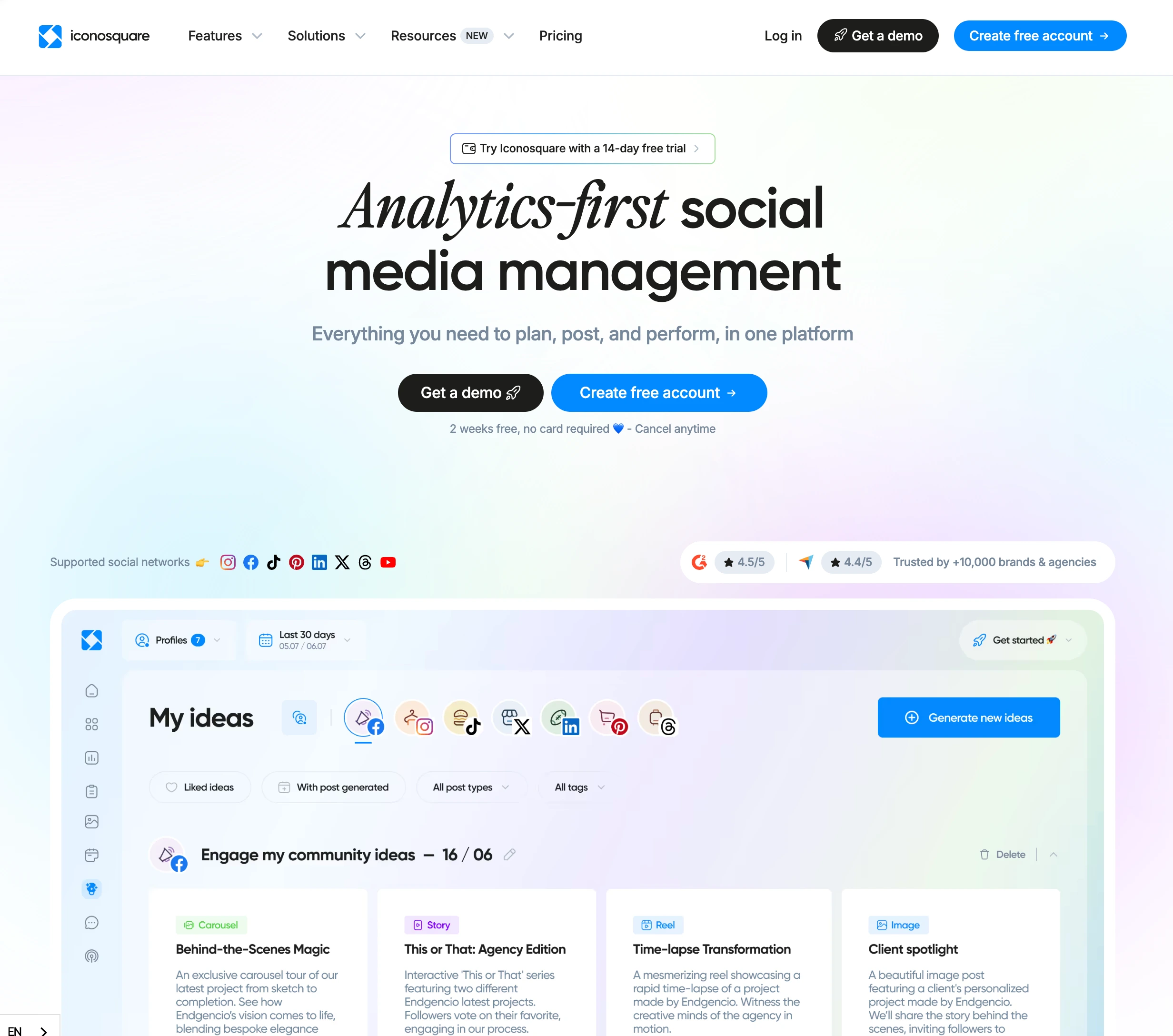
Iconosquare is an analytics-first social media platform that reports on Instagram, TikTok, Facebook, and LinkedIn performance in more depth than most general-purpose schedulers. For agencies whose clients expect detailed performance data: engagement rate breakdowns, follower demographics, competitor benchmarking, and industry standards, Iconosquare's analytics depth justifies its place in the stack.
The platform tracks 100+ metrics per platform and generates professional PDF reports (white-label on Excel plan). Competitor tracking lets you benchmark client performance against specific competitors, useful for client pitches and quarterly reviews.
Key features for agencies:
- 100+ analytics metrics across Instagram, TikTok, Facebook, LinkedIn, and X
- Competitor tracking and industry benchmarking
- White-label PDF reports (Excel plan)
- External collaborator links for client approvals
- Schedule to Instagram, Facebook, TikTok, LinkedIn, X, and Pinterest
- Best-time-to-post recommendations
- Hashtag tracking and performance analysis
- Content calendar with approval workflows (Scale plan and above)
- Customizable dashboards per client
Pricing:
| Plan | Price | Profiles | Users |
|---|---|---|---|
| Free | $0/mo | 2 | 1 |
| Launch | $39/mo | 5 | 1 |
| Scale | $83/mo | 5 | 3 |
| Excel | $139/mo | 5 | 6 |
| Custom | Contact sales | 20+ | Unlimited |
Additional users: $16/mo each. Profile count adjustable via slider pricing.
Pros:
- Deepest platform-specific analytics (100+ metrics)
- Competitor benchmarking with industry standards
- White-label PDF reports included on Excel plan
- External collaborator links simplify client approvals
- Free plan available for testing (2 profiles)
Cons:
- Only 5 profiles per plan (Custom plan needed for more), limiting for agencies
- Limited platform coverage: no YouTube scheduling, no Threads, no Bluesky
- Per-user pricing ($16/mo per additional user)
- No social inbox
- No bulk scheduling or CSV import
- Scheduling feels secondary to analytics
- Small user base (135 G2 reviews vs 900+ for competitors)
Best for: Agencies that deliver analytics and reporting as a core service, especially for Instagram and TikTok-heavy client portfolios.
User ratings: 4.5/5 on G2
For more details: Iconosquare Pricing Breakdown · Iconosquare Reviews · Best Iconosquare Alternatives · Buffer vs Iconosquare
10. Buffer: Best for Small Boutique Agencies
Buffer is a social media scheduling tool that bills per connected channel rather than per user or per client, with a free plan covering three channels. It is the simplest tool on this list, and for small or boutique agencies just starting out, that simplicity is the feature. You can be up and running in minutes, scheduling content for your first few clients without a learning curve.
The free plan covers 3 channels. The Team plan ($12/channel) adds collaboration features. For a 2-person agency managing 3 clients with 2 channels each (6 channels total), that's $72/month, manageable while you're building your client base.

Key features for agencies:
- Schedule to Instagram, TikTok, Facebook, LinkedIn, X, Pinterest, YouTube, Threads, Bluesky, Google Business, and Mastodon
- AI Assistant for caption generation and hashtag suggestions
- Clean visual calendar with drag-and-drop
- Start Page: simple link-in-bio for clients
- Basic analytics on engagement and reach
- Team collaboration on Team plan ($12/channel)
- Browser extension for quick sharing
- Approval workflows on Team plan
Pricing:
| Plan | Price | Channels |
|---|---|---|
| Free | $0/mo | 3 channels |
| Essentials | $6/mo per channel | Unlimited |
| Team | $12/mo per channel | Unlimited |
Pros:
- Easiest tool to learn: minimal onboarding time for new team members
- Free plan covers 3 channels for testing
- Supports 11 platforms including Google Business, widest platform coverage on this list
- AI caption generation included on paid plans
- No per-user fees on paid plans
Cons:
- Per-channel pricing scales quickly (20 channels = $120–$240/mo)
- Community inbox is basic: not robust enough for agency-level engagement management
- Analytics are very basic: not suitable for client reporting
- No white-label reporting
- Limited media library
- No content recycling
- Not built for multi-client agency workflows
Best for: Solo social media managers or 2–3 person boutique agencies managing a handful of clients who need simple, low-cost scheduling.
User ratings: 4.3/5 on G2 · 4.3/5 on Trustpilot
For more details: Buffer Pricing Breakdown · Buffer Reviews · Best Buffer Alternatives · Sprout Social vs Buffer
PostPlanifyAll your social media in one simple dashboard
Schedule posts, track analytics, and reply to comments/DMs without switching tabs.
Engagement
+18%
Views
52.8k
Agency Pricing Comparison: What It Actually Costs
Pricing pages show per-user or per-account rates. Here's what it actually costs for a 5-person team managing 20 social accounts: a typical mid-size agency scenario.
| Tool | Plan Needed | Monthly Cost | Users Included | Accounts Included |
|---|---|---|---|---|
| SocialPilot | Premium | $100/mo | 6 | 25 |
| PostPlanify | 4 workspaces | $126/mo | Unlimited | 16 |
| Sendible | Premium | $199/mo | Unlimited | 42 |
| Iconosquare | Custom | $200+/mo | Custom | 20+ |
| Buffer | Team (20 channels) | $240/mo | Unlimited | 20 |
| Planable | Pro (5 workspaces) | $295/mo | Unlimited | 5 workspaces |
| Loomly | Beyond | $332/mo | Unlimited | 60 |
| Agorapulse | Standard (5 users) | $495/mo | 5 | 10 |
| Hootsuite | Professional (5 users) | $995/mo | 5 | Unlimited |
| Sprout Social | Professional (5 seats) | $1,495/mo | 5 | Unlimited |
Key takeaway: For a 5-person team managing 20 accounts, tools that don't bill per seat, like SocialPilot ($100) and PostPlanify ($126), stay under $250/month. Per-seat tools (Agorapulse, Hootsuite, Sprout Social) cost $495–$1,495/month, 5 to 15x more for the same team size.
Hidden Costs Agencies Miss When Comparing Tools
The sticker price on a pricing page is rarely what an agency ends up paying. The gap opens up in six predictable places, and it is worth checking every one of them before you commit to a platform.
| Hidden cost | Where it shows up | What it does to your bill |
|---|---|---|
| Per-seat pricing | Agorapulse, Sprout Social, Hootsuite | Every person who touches the tool is a full seat. Hootsuite Standard is $99/mo for one user and $495/mo for five, for the same 10 accounts. |
| Client approvers billed as users | Any per-seat tool | A client who logs in twice a month to approve posts is priced identically to a full-time strategist. |
| Seat caps that force a tier jump | SocialPilot, Loomly, Iconosquare | Hiring one person can push you a whole tier. SocialPilot goes from 3 users at $50/mo to 6 users at $100/mo. |
| White-label as a paid add-on | SocialPilot, most agency tools | White-label reporting is usually gated well above the entry plan. SocialPilot unlocks it at $100/mo, not at the advertised $30. |
| Per-account or per-channel multipliers | Buffer, Hopper HQ, Sendible | Buffer's Team plan is $12/mo per channel. Twenty client channels is $240/mo, not $12. Sendible sells profiles in workspaces of 6, with each extra workspace $15 to $35/mo on top of the plan. See Buffer alternatives. |
| Collaboration features gated by tier | Agorapulse | Approval workflows and Canva integration sit on the $149/user Professional plan, so the feature that makes the tool usable for client work is not on the plan you priced. |
The pattern behind all six is the same: most tools in this category price the thing that grows fastest for an agency. You add clients, you add accounts, you add approvers, and every one of those is a billable unit somewhere.
How to price a tool honestly before you buy: take the number of clients you expect in twelve months, not today. Multiply out the accounts, add one seat per client for approvals, add every person on your team who needs login access, then check whether white-label reporting is included at that tier. That number is your real cost. It is routinely two to five times the headline price on the pricing page.
This is the specific problem PostPlanify's per-workspace pricing is built around: you pay per client workspace, seats are unlimited, and approvers never cost anything, so the bill tracks the number of clients you serve rather than the number of people who log in. You can run your own client count through the pricing calculator to see the exact figure.
Agency Workflow: From Client Onboarding to Monthly Reporting
Here's a practical workflow for managing clients with your social media management tool:
Step 1: Client onboarding Create a dedicated workspace for each new client. Connect their social accounts, set up brand guidelines (voice, hashtags, visual style), and invite them as an approver.
Step 2: Content planning Use the content calendar to plan 2–4 weeks ahead. Batch-create content by client: schedule a content creation day per client, then upload and schedule everything in one session.
Step 3: Internal review Route all content through your internal review process. Senior team members check for brand voice, accuracy, and quality before sending to the client.
Step 4: Client approval Send content to the client for approval. The client reviews post previews, leaves comments or change requests, and approves. Nothing gets scheduled until approved.
Step 5: Automated publishing Approved content publishes automatically on schedule. Your team monitors engagement via the social inbox and responds to comments and DMs on the client's behalf.
Step 6: Monthly reporting Generate white-label reports with your agency's branding. Include key metrics (engagement, reach, follower growth, top-performing content), strategic insights, and next-month recommendations.
Best Tool by Agency Size
Solo freelancer / social media manager (1 person, 3–5 clients)
- Best picks: Buffer (free for 3 channels) or PostPlanify (3 workspaces, $97/mo, 12 accounts)
- What you need: Simple scheduling and basic analytics
- What you don't need yet: Approval workflows, white-label reports, social inbox
- Priority: Keep costs low, schedule reliably, show clients results
Boutique agency (2–5 people, 5–10 clients)
- Best picks: PostPlanify (6 workspaces, $174/mo, 24 accounts, unlimited users) or SocialPilot Standard ($50/mo, 15 accounts, 3 users)
- What you need: Multi-client management, basic team access, analytics per client
- If approvals are already a bottleneck: Add Loomly Starter ($65/mo, 3 users, 12 accounts) for structured content review
- Priority: Organize clients into separate workspaces and stop mixing content
Mid-size agency (5–15 people, 10–25 clients)
- Best picks: PostPlanify (10 workspaces, $250/mo, 40 accounts, or 18 workspaces at $370/mo for 72 accounts on a larger roster, both with unlimited users), or SocialPilot Premium ($100/mo, 25 accounts, 6 users, white-label included)
- What you need: Approval workflows, branded reporting, social inbox, team roles
- If engagement is a core deliverable: Add Agorapulse for its superior inbox and CRM
- Priority: Systemize your workflow, onboarding, approvals, reporting, so it scales without adding hours
Large agency (15+ people, 25+ clients)
- Best picks: PostPlanify (25 workspaces, $475/mo, 100 accounts, unlimited users) or Sendible Elite ($299/mo, 90 profiles, unlimited users)
- If clients are enterprise brands: Sprout Social ($299/seat) for social listening, executive analytics, and CRM integrations
- If you need enterprise integrations: Hootsuite ($199/user on Professional) for Salesforce, Proofpoint, and compliance tooling
- Priority: Protect margins, per-seat pricing at this scale can cost $15,000–$25,000/year in tool costs alone
Common Mistakes Agencies Make Choosing a Tool
1. Defaulting to "industry standard" per-seat pricing when you plan to hire
The best-known names (Hootsuite, Sprout Social, Agorapulse) bill per seat, and the math gets brutal as you grow. A 3-person agency paying $149/user/mo for Agorapulse spends $447/mo; hire two more people and it jumps to $745/mo, a 67% increase for the same number of clients. As the pricing comparison above shows, a flat-rate tool covers the same workflow for a fraction of the cost. If you plan to grow your team, choose flat-rate pricing with no per-seat fees from day one.
2. Skipping approval workflows
"My VA posted the wrong thing to a client's account" is a crisis that happens exactly once before you invest in approval workflows. If clients review content before it goes live, everyone sleeps better. This isn't a nice-to-have. It's insurance against losing a client.
3. Using separate tools for scheduling, analytics, and inbox
Three tools means:
- Three logins and three billing cycles
- Three sets of data that don't talk to each other
- Three onboarding processes for every new hire
One platform that covers all three saves money, reduces context-switching, and makes your workflow trainable.
4. Not testing with a real client before migrating
Every tool looks good in a demo. Before committing your entire roster:
- Set up one actual client: connect their accounts
- Schedule a week of real content
- Run it through approval with the client
- Generate a report and send it
Free trials exist for exactly this reason. Don't migrate 15 clients based on a marketing page.
Making the Switch to an Agency-Grade Tool
If you're currently using a basic scheduler or juggling multiple tools across clients, here's how to migrate:
- Audit your current stack: list every tool you're using, what it costs, and what it does. Most agencies discover they're paying for 3–4 overlapping tools.
- Start with your largest client: migrate one client completely to test the workflow before moving everyone.
- Set up approval workflows first: this is where most agencies see the biggest time savings. Get client approval flowing before optimizing everything else.
- Train your team on the inbox: a unified social inbox eliminates the "who's responding to this?" confusion. Set assignment rules and response time expectations.
- Schedule your first monthly report: white-label reports replace manual screenshot-based reporting. Set a template once and reuse it monthly.
Most tools offer free trials: PostPlanify (7 days), Loomly (15 days), Sendible (14 days), SocialPilot (14 days). Test your workflow before committing.
Related Reading
- 10 Best Social Media Management Tools for Nonprofits
- How to Start a Social Media Marketing Agency
- Social Media Agency Proposal Template
- Social Media Agency Contract Template
- How to Find Social Media Marketing Agency Clients
- Best Social Media Tools with White-Label Reports
- How to Collaborate on Instagram
- How Social Media Agencies Use AI in 2026: 15 Workflows
- 40 Social Media Agency Statistics to Know in 2026
- Social Media Management for Agencies
- Social Media Management for Digital Marketing Agencies
- Social Media Scheduler for Marketing Agencies
- Social Media Scheduler for PR Agencies
- Social Media Scheduler for Web Design Agencies
- Social Media Scheduler for Staffing Agencies
- Social Media Management for Brand Managers
- Social Media Management for Content Teams
- Social Media Management for Social Media Managers
- Social Media Management for Remote Teams
- Social Media Management for Multi-Brand Businesses
- Social Media Management for Franchises
- Social Media Management for Enterprises
- Best Social Media Management Tools for Creators
- Best Social Media Management Tools for Ecommerce
- Best Social Media Management Tools for Restaurants
- Best Social Media Management Tools for Real Estate
- Best Social Media Management Tools for SaaS
- Best Social Media Management Platform
- Best Social Media Scheduling Tools
- Best AI Social Media Management Tools
- Best Social Media Tools with Approval Workflows
- Best Social Media Management Tools for Teams
- Best Free Social Media Management Tools
- 16 Best Hootsuite Alternatives: if per-user pricing is what pushed you off Hootsuite
- Best Marketing Collaboration Software
- Best Marketing Planning Software
- Best Marketing Agency Project Management Software: for the time tracking, billing and retainer layer
- Best Social Media Tools for Franchises and Multi-Location Brands
- 11 Best Kontentino Alternatives in 2026
- 12 Best Sprinklr Alternatives in 2026
FAQ
What is the best social media management tool for agencies?
PostPlanify is the best overall for agencies because it combines per-workspace pricing with unlimited seats, multi-workspace client management, approval workflows, social inbox, analytics, and branded reports, all in one platform, at every size. For agencies that prioritize full-platform white-label branding, Sendible is the specialist. For deep analytics, Sprout Social leads.
How much should an agency spend on a social media management tool?
Most mid-size agencies (5–8 people, 15–30 accounts) can get full functionality for $100–$155/month with tools that don't charge per seat, like PostPlanify or SocialPilot. Per-seat tools like Sprout Social ($199/seat on Standard) or Hootsuite ($99/user on Standard) cost $495–$1,600/month for the same team size. Choose pricing that scales with clients rather than headcount to protect your margins.
What's the best free social media tool for agencies?
Buffer's free plan (3 channels) and Planable's free plan (50 posts, unlimited users) are the most useful for testing. However, no free plan is realistically sufficient for agency work. You'll need paid features (approval workflows, white-label reports, multi-user access) almost immediately.
Do agencies need white-label reporting?
For most agencies, yes. Clients expect branded reports that look professional, not screenshots from a third-party dashboard. PostPlanify offers branded PDF reports, while SocialPilot (Premium+), Sendible (add-on), and Iconosquare (Excel plan) also offer white-label reporting.
What's the difference between flat-rate and per-seat pricing for agencies?
Per-seat pricing (Sprout Social, Hootsuite, Agorapulse) charges for every person who needs access, so your bill grows with headcount. Flat-rate pricing charges a fixed fee per plan tier no matter how many people use it, which is how SocialPilot bills. PostPlanify uses a third model, per-workspace pricing, where you pay for each client workspace and team members are unlimited. Both alternatives share the property that matters to an agency: hiring someone does not increase the bill. For a 5-person team, tools that don't bill per seat cost $100–$155/month while per-seat tools cost $495–$1,495/month. Pricing that scales with clients rather than headcount protects your margins as the team grows.
Can I manage client approvals through a social media tool?
Yes. PostPlanify, Loomly, Planable, Sendible, SocialPilot, and Agorapulse all offer approval workflows where clients can review, comment on, and approve content before it goes live. Loomly and Planable have the most visual approval experiences with post mockups and feed previews.
How many social accounts can agency tools manage?
It varies significantly. PostPlanify scales to 100 workspaces, 4 accounts each. SocialPilot Ultimate covers 50. Sendible Enterprise covers 300. Most tools offer 10–50 accounts on mid-tier plans. Match your plan to your current client count plus room for growth.
Should an agency use one tool or multiple tools?
One tool is almost always better. Using separate tools for scheduling, analytics, inbox, and reporting creates fragmented workflows, increases costs, and makes onboarding new team members harder. Choose a tool that covers scheduling, analytics, inbox, and reporting in one platform.
PostPlanifyAll your social media in one simple dashboard
Schedule posts, track analytics, and reply to comments/DMs without switching tabs.
Engagement
+18%
Views
52.8k
About the Author

Hasan Cagli
Founder of PostPlanify, a content and social media scheduling platform. He focuses on building systems that help businesses, agencies, and teams plan, publish, and manage content and social media more efficiently across platforms.


