


AI is reshaping how teams manage social media. Instead of spending hours writing captions, designing images, and figuring out the best time to post, AI-powered tools now handle these tasks in seconds, and the gap between teams using AI and those that aren't is widening fast.
But not all AI features are created equal. Some tools offer basic caption suggestions, while others include vision-powered content generation, AI image creation, and intelligent reply drafting. The difference between a tool with a simple text generator and one with a full AI suite can save your team hours every week.
We evaluated 11 social media management platforms based on the depth and usefulness of their AI capabilities, from AI-powered caption generation and image creation to smart scheduling and automated replies.
Quick Comparison
| Tool | Best For | Starting Price | AI Highlight | Rating |
|---|---|---|---|---|
| PostPlanify | Best AI suite overall | $39/workspace/mo | Vision-powered captions + 7 AI image models | 5/5 G2 |
| AdaptlyPost | Teams running AI agents | $19/mo | MCP server + AI Image Studio | N/A |
| Sprout Social | Enterprise AI | $199/seat/mo | AI Assist for posts, replies, and sentiment | 4.4/5 G2 |
| Hootsuite | AI-powered scheduling | $99/user/mo | OwlyGPT: brand voice + image generation | 4.3/5 G2 |
| Publer | AI image generation | $0 (free plan) | GPT-4 captions + DALL-E 3 images | 4.7/5 G2 |
| Buffer | Free AI assistant | $0 (free plan) | AI post ideas + rewriting | 4.3/5 G2 |
| Tailwind | AI for Pinterest | $14.99/mo | Ghostwriter AI + SmartSchedule | 4.3/5 G2 |
| Agorapulse | AI for social inbox | $99/user/mo (30-day trial) | AI Writing Assistant + Alt Text Generator | 4.5/5 G2 |
| Sendible | Unlimited AI captions | $29/mo | AI Assist on all plans, no credit limits | 4.5/5 G2 |
| Later | AI for visual content | $25/mo | AI content tools with credit system | 4.5/5 G2 |
| Vista Social | AI for DM automations | $99/mo | AI-powered keyword-triggered DM replies | 4.8/5 G2 |
What to Look For in an AI Social Media Tool
- AI caption generation. The core feature. Look for tools that go beyond generic text: the best ones analyze your images, understand your brand voice, and generate platform-specific captions that actually match your content.
- AI image generation. Original visuals without a designer. Some tools integrate DALL-E, Flux, or other models directly into the post creation flow so you can generate images alongside your captions.
- Smart scheduling and best time to post. Covered in depth in our social media scheduling tools comparison. AI that analyzes your audience engagement patterns and recommends optimal posting times, which removes guesswork and can meaningfully improve reach.
- AI-powered replies and inbox management. Tools that draft responses to comments and DMs, helping teams respond faster without sacrificing quality. Especially valuable for high-volume accounts.
- Credit systems vs. unlimited usage. Some tools offer unlimited AI generation on all plans, while others meter it with credits. This is the distinction that decides your real monthly cost.
AI Feature Comparison Matrix
| Tool | AI Captions | AI Image Generation | AI Replies | Brand Voice Training | Smart Scheduling | Credit Limit |
|---|---|---|---|---|---|---|
| PostPlanify | Vision-powered | 7 models (Flux, Imagen 4, Ideogram) | Yes | Brand voice + knowledge base (Premium) | Best time to post | 200–800/mo by plan |
| AdaptlyPost | Caption Copilot (tone + hashtags per network) | AI Image Studio (multiple art styles) | No | No (tone adjustment only) | AI best-time suggestions | 150–1,000/mo by plan |
| Sprout Social | AI Assist (unlimited) | No | Enhance Reply | No (Trellis agent instead) | Optimal send times | Unlimited |
| Hootsuite | OwlyWriter + OwlyGPT | Yes (beta) | No | OwlyGPT learns your style guide | Best time to post | Not specified |
| Publer | GPT-4 (Business only) | DALL-E 3 (Business only) | No | No | Best times (Business only) | Unlimited (Business) |
| Buffer | AI Assistant | No | No | No | Best time to post | Unlimited |
| Tailwind | Ghostwriter | No | No | No | SmartSchedule | 50–400/mo by product |
| Agorapulse | AI Writing Assistant | No | No | Organization Context AI | No | Unlimited |
| Sendible | AI Assist (unlimited) | No | No | No | No | Unlimited |
| Later | Credit-based | No | No | No | Smart Scheduling (Growth+) | 5–100/mo by plan |
| Vista Social | Credit-based | No (Canva integration) | AI DM automations | AI Training (Advanced+) | No | 500–Unlimited by plan |
1. PostPlanify: Best AI Suite Overall

PostPlanify has the most comprehensive AI suite in this category, and the differentiator is vision. Its AI assistant analyzes your uploaded images and videos before writing anything, so captions describe what is actually in the content rather than producing generic text from a prompt. For videos it extracts frames and transcribes audio to understand context.
Key AI features:
- Vision-powered captions: the AI reads up to 10 images or videos, not just a text prompt, and tunes the output per platform
- AI brand voice and knowledge base (Premium): teach it how each client sounds, upload their guidelines and past campaigns, or auto-fill a brand profile from a URL
- 7 AI image models including Flux, Google Imagen 4 and Ideogram, inside the post composer
- 6 writing tones and 7 refinement tools: grammar, concise, expand, rephrase, simplify, polish
- Bulk AI captions for a batch of posts at once
- AI inbox replies across comments on Instagram, Facebook, LinkedIn, Google Business Profile, YouTube, Threads and Bluesky, with sentiment tagging on every comment
- REST API and MCP server (Premium): drive posting, analytics and the inbox from your own tools, or hand them to ChatGPT or Claude
Beyond AI, PostPlanify covers analytics across all 10 platforms with best time to post, a content calendar, media library, link in bio, team collaboration with approval workflows, and white-label PDF reports.
Pricing is per workspace and graduated, so each workspace you add is billed in a cheaper band, and team members are unlimited on every plan.
| Plan | Starts at | Includes | Each extra workspace | Social accounts |
|---|---|---|---|---|
| Growth | $39/mo | 1 workspace | from $29, cheaper as you add more | 4 per workspace |
| Premium | $99/mo | 3 workspaces | from $39, cheaper as you add more | 6 per workspace |
| Scale | $199/mo | 5 workspaces | from $39, cheaper as you add more | 8 per workspace |
Unlimited team members on every plan, no per-seat fees. Yearly billing saves 20%. All plans include a 7-day free trial with a 14-day money-back guarantee.
AI caption generation and the text refinement tools are unlimited on all three plans. Only AI image generation is metered: 200 credits/month on Growth, 400 on Premium, 800 on Scale.
Pros:
- Vision-powered AI: captions match your actual visual content, not generic suggestions
- AI image generation with 7 models built into the post creation flow
- Priced per workspace with unlimited team members, so AI access never costs another seat
- AI caption generation and text refinement included on all plans
- Bulk AI generation saves hours for teams managing multiple accounts
Cons:
- Newer platform: smaller community compared to established tools
- AI image credits are limited by plan tier
- No free plan available
- AI works best in English; other languages may produce less reliable results
Best for: Teams that want the deepest AI integration (vision-powered captions, AI image generation, and AI inbox replies) without paying per-seat enterprise pricing.
 PostPlanify
All your social media in one simple dashboard
Schedule posts, track analytics, and reply to comments/DMs without switching tabs.

Engagement
+18%
Views
52.8k
2. AdaptlyPost: Best for Teams Running AI Agents
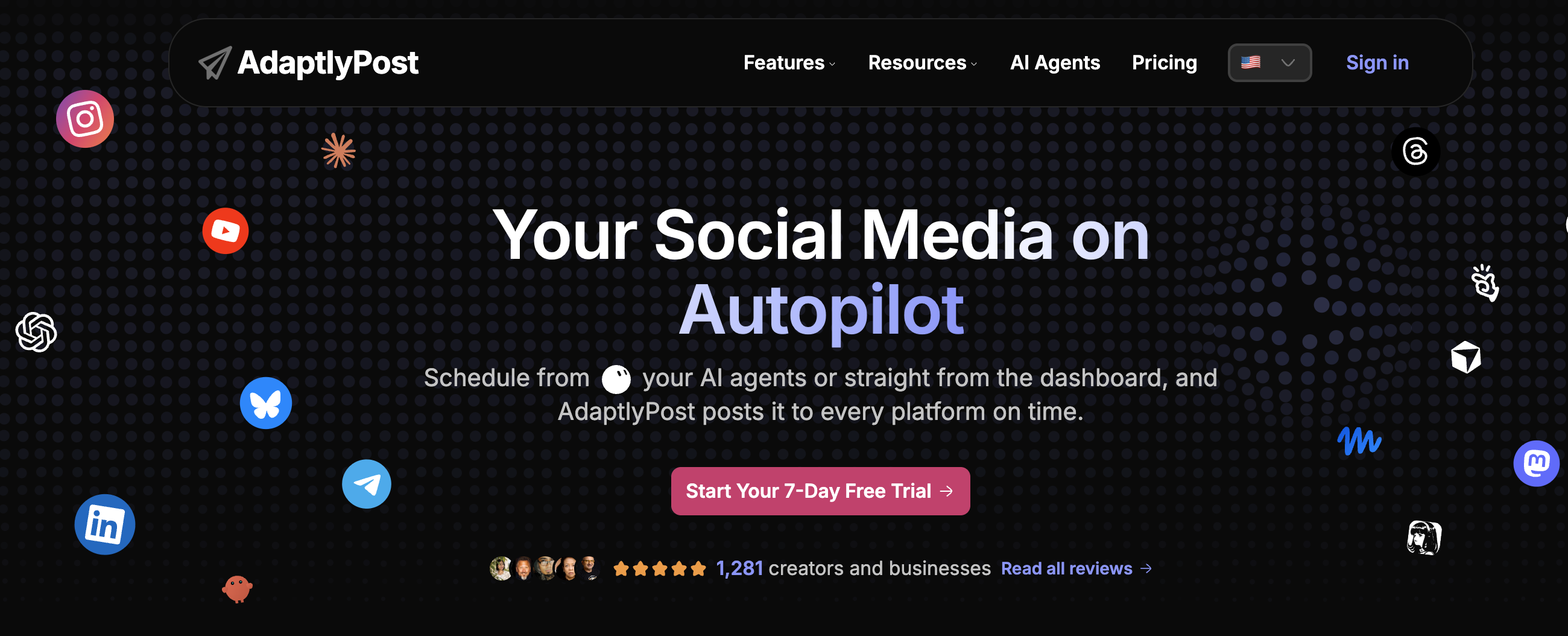
AdaptlyPost is a social media scheduler built so an AI agent can run it. Captions and images are generated in the composer, and the same actions are exposed over MCP, so Claude or ChatGPT can draft a post, queue it and read back the analytics without anyone opening the dashboard. Everything else is a normal scheduler: one calendar, every major network, unlimited scheduled posts.
Key AI features:
- MCP server, so Claude, ChatGPT and n8n can create, schedule and publish posts directly
- AI captions written per platform from one brief
- AI Image Studio for post visuals inside the composer
- AI credits included on every plan, 150 to 1,000 per month by tier
- REST API and CLI for custom automations
- Bulk scheduling from CSV for image and video batches
| Plan | Monthly | Social accounts | Team members | Workspaces | AI credits |
|---|---|---|---|---|---|
| Creator | $19 | 30 | 1 | 3 | 150/mo |
| Pro | $39 | 60 | 5 | 15 | 400/mo |
| Enterprise | $89 | 100 | 20 | 50 | 1,000/mo |
Unlimited scheduled posts on every plan. 7-day free trial, no card required. Annual billing is discounted.
Pros:
- MCP access means an agent can post without a human in the dashboard
- Unlimited scheduled posts, no monthly caps
- 30 social accounts on the $19 plan
- AI captions and image generation included rather than metered add-ons
Cons:
- No social listening
- No ad management
- One team member on the entry plan
Best for: Teams that want an AI agent to handle drafting and queueing, and solo operators who need many accounts on a low plan.
3. Sprout Social: Best for Enterprise AI

Sprout Social takes an enterprise approach to AI with its AI Assist suite built across publishing, engagement, and analytics. The platform offers unlimited AI-generated text on all plans, which removes the credit-limit friction found in many competitors.
AI Assist enhances both posts and replies: Enhance Post by AI Assist refines your draft captions, while Enhance Reply by AI Assist helps support teams craft faster responses in the unified inbox. Combined with sentiment analysis on Advanced plans, teams can prioritize which conversations need human attention and which can benefit from AI-assisted responses.
Optimal send times analyze your audience activity to recommend when to publish for maximum reach. Sprout also ships Trellis, a 2026 AI agent aimed at strategic insights and automated workflows rather than caption drafting, which is the clearest example of the agent direction enterprise tools are moving in.
Key AI features:
- Unlimited AI-generated text on all plans: no credit limits
- Enhance Post by AI Assist: refine and improve draft captions
- Enhance Reply by AI Assist: craft faster inbox responses with AI
- Sentiment analysis: understand audience sentiment (Advanced plan)
- Optimal send times: data-driven posting recommendations
- Trellis AI agent: strategic insights and automated workflows, beyond content generation
| Plan | Price | Social Profiles | Users |
|---|---|---|---|
| Essentials | $79/seat/mo | 5 | Per seat |
| Standard | $199/seat/mo | 5 | Per seat |
| Professional | $299/seat/mo | Unlimited | Per seat |
| Advanced | $399/seat/mo | Unlimited | Per seat |
| Enterprise | Custom | Unlimited | Custom |
Pros:
- Unlimited AI text generation: no credits to track or run out of
- AI Assist works across both publishing and inbox replies
- Sentiment analysis adds intelligence to engagement prioritization
- 30-day free trial with no credit card required
Cons:
- Most expensive tool on this list: $199/seat/mo minimum
- Per-seat pricing scales rapidly for teams ($597/mo for 3 users on Standard)
- No AI image generation
- Trustpilot rating is low at 2.2/5 with complaints about price increases
Best for: Enterprise teams with budget for per-seat pricing who want unlimited AI text generation integrated into a full-suite platform with listening, analytics, and team reporting.
User ratings: 4.4/5 on G2 (5,731 reviews) · 2.2/5 on Trustpilot (75 reviews)
For more details: Sprout Social Pricing Breakdown · Sprout Social Reviews · Best Sprout Social Alternatives
4. Hootsuite: Best for AI-Powered Scheduling

Hootsuite integrates AI into its scheduling workflow through OwlyWriter AI, now powered by the OwlyGPT layer. OwlyGPT analyzes your past posts and brand style guide to match your tone, generates and edits images, and pulls real-time context from Talkwalker's social listening data rather than a static training set. It is available on all plans from Standard.
Best time to post recommendations analyze your audience engagement patterns to suggest optimal publishing windows. Combined with the ability to bulk schedule up to 350 posts (on Advanced plans), teams can plan and generate AI content at scale.
The platform supports 10 social accounts on Standard and up to 50 on Advanced, with sentiment analysis and competitor benchmarking built into the analytics suite.
Key AI features:
- OwlyWriter AI + OwlyGPT: generates captions and images in one workflow
- Brand voice learning: OwlyGPT analyzes past posts and your style guide to match tone
- Real-time context: pulls live social conversations via Talkwalker, not a static training set
- Best time to post: data-driven scheduling recommendations
- Sentiment analysis: understand audience tone (Standard+)
| Plan | Price | Social Accounts | Users |
|---|---|---|---|
| Standard | $99/user/mo | 10 | Per user |
| Professional | $199/user/mo | Unlimited | Per user |
| Advanced | $399/user/mo | Unlimited | Per user |
| Enterprise | Custom | Unlimited | Custom |
Pros:
- AI generates both captions and images in one assistant
- Best time to post backed by engagement data
- 14-day free trial to test AI features
- Large ecosystem with enterprise add-ons (employee advocacy, social selling)
Cons:
- Per-seat from $99/user/mo with no free plan since 2023
- Per-user pricing multiplies costs for teams
- Approval workflows only available on Advanced ($399/user/mo)
- Trustpilot rating is 1.8/5 with billing and cancellation complaints
Best for: Mid-to-large teams already using Hootsuite who want AI-assisted content creation and scheduling without switching platforms.
User ratings: 4.3/5 on G2 (6,615 reviews) · 1.8/5 on Trustpilot (511 reviews)
For more details: Hootsuite Pricing Breakdown · Hootsuite Reviews · Best Hootsuite Alternatives
5. Publer: Best for AI Image Generation
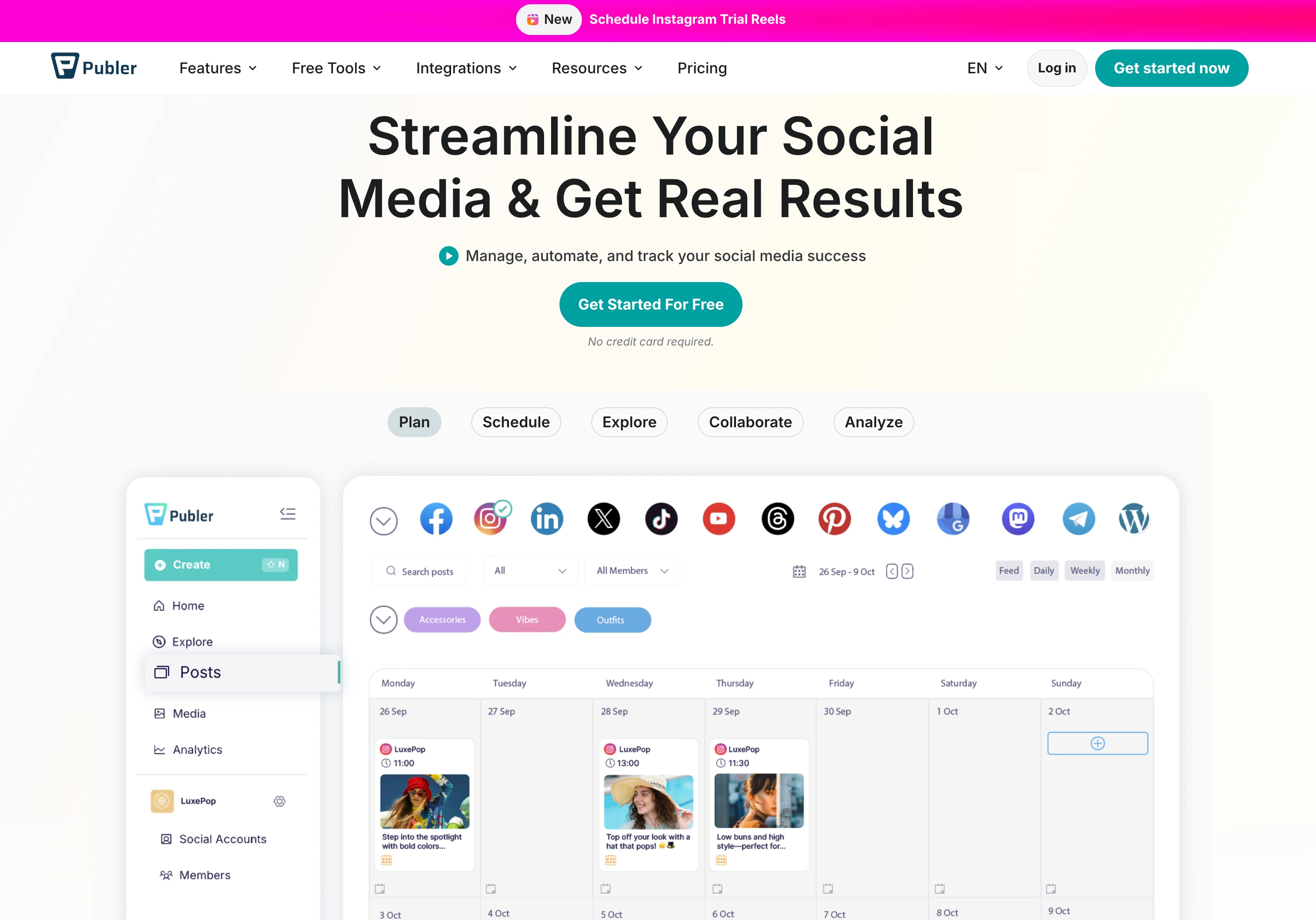
Publer offers the strongest AI image generation among budget-friendly tools, combining GPT-4-powered captions with DALL-E 3 image generation on its Business plan. This combination lets you generate both the visual and the copy for a post without leaving the platform.
The platform supports 12+ platforms including Facebook, Instagram, TikTok, X, LinkedIn, Pinterest, YouTube, Google Business, WordPress, Threads, Bluesky, Mastodon, and Telegram, one of the widest platform selections available. Bulk scheduling handles up to 500 posts via CSV on Professional plans and above.
The catch: AI features are exclusively available on the Business plan, which starts at $10/mo for one social account and scales per account from there. The Free and Professional plans have no AI capabilities at all.
Key AI features:
- GPT-4-powered captions: unlimited AI prompts on Business plan
- DALL-E 3 image generation: create original images from text prompts
- Best times to post: analytics-driven recommendations (Business plan)
- Hashtag suggestions and analytics: AI-assisted hashtag optimization (Business plan)
| Plan | Price | Social Accounts | AI Features |
|---|---|---|---|
| Free | $0/mo | 3 (no X/Twitter) | None |
| Professional | from $5/mo | per social account | None |
| Business | from $10/mo | per social account | GPT-4 + DALL-E 3 |
| Enterprise | Custom | Custom | Full AI suite |
Pros:
- GPT-4 captions and DALL-E 3 images in one platform: strong AI combo
- Highly rated: 4.8/5 on Trustpilot (863 reviews)
- 12+ platforms including Mastodon, Telegram, and Bluesky
- Bulk scheduling up to 500 posts via CSV
Cons:
- AI features only on Business plan: Free and Professional have zero AI
- Per-account pricing compounds: every social account you add increases the bill
- No approval workflows on any plan
- Analytics and reporting only on Business plan
Best for: Small teams and creators who want both AI captions and AI image generation at a lower price point than enterprise tools, and don't need approval workflows.
User ratings: 4.7/5 on G2 (486 reviews) · 4.8/5 on Trustpilot (863 reviews)
For more details: Publer Pricing Breakdown · Publer Reviews · Best Publer Alternatives
PostPlanifyAll your social media in one simple dashboard
Schedule posts, track analytics, and reply to comments/DMs without switching tabs.
Engagement
+18%
Views
52.8k
6. Buffer: Best Free AI Assistant

Buffer makes AI accessible on every plan, including its free tier. The AI Assistant generates post ideas and rewrites captions, with unlimited AI ideas available on Essentials plans and above. For teams exploring AI without a large budget, Buffer is the easiest entry point.
The platform covers major platforms with a clean, simple interface focused on scheduling and publishing. Community inbox is available on all plans for basic engagement, and approval workflows are included on the Team plan ($12/channel/mo).
Buffer's AI is focused on text, with no AI image generation. But for teams that primarily need help with caption writing and content ideation, it delivers well at a competitive price.
Key AI features:
- AI Assistant: generates post ideas and rewrites captions
- Unlimited AI ideas: available on Essentials plan ($6/channel/mo) and above
- Best time to post: engagement-based recommendations on all plans
- AI available on free plan: basic AI access at no cost
| Plan | Price | Channels | Users |
|---|---|---|---|
| Free | $0/mo | 3 | 1 |
| Essentials | $6/channel/mo | Unlimited | 1 |
| Team | $12/channel/mo | Unlimited | Unlimited |
Pros:
- AI Assistant available on the free plan: lowest barrier to entry
- Simple, clean interface: minimal learning curve
- Per-channel pricing is accessible for small accounts
- 14-day free trial on paid plans
Cons:
- No AI image generation
- Community inbox is basic compared to dedicated inbox tools
- Per-channel pricing adds up quickly (10 channels = $60–$120/mo)
- Trustpilot rating is 2.1/5 with complaints about scheduling glitches
Best for: Solo creators and small teams who want free or low-cost AI caption assistance without the complexity of enterprise platforms.
User ratings: 4.3/5 on G2 (1,023 reviews) · 2.1/5 on Trustpilot (93 reviews)
For more details: Buffer Pricing Breakdown · Buffer Reviews · Best Buffer Alternatives
7. Tailwind: Best AI for Pinterest
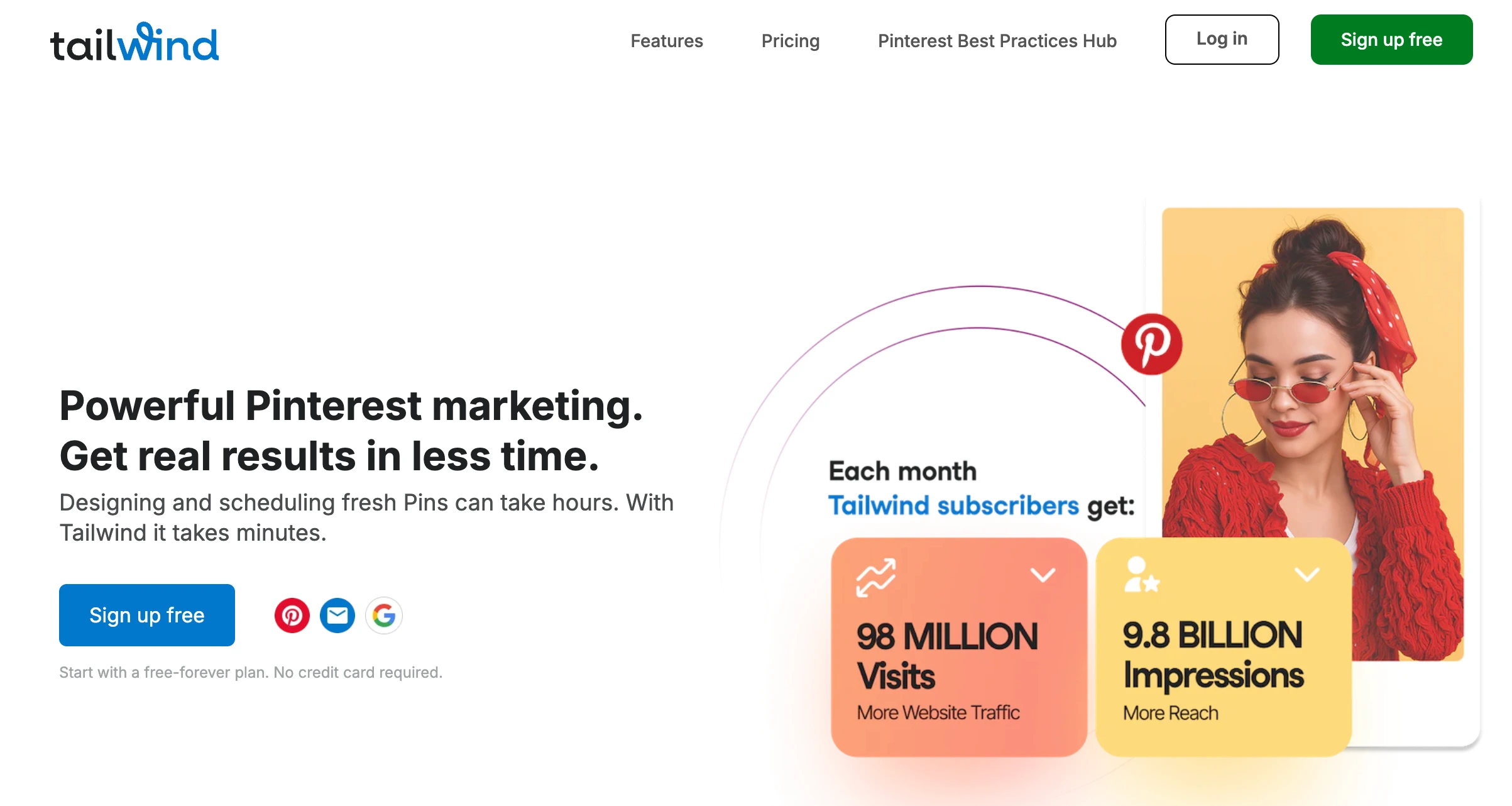
Tailwind restructured in 2026 into three Pinterest products, each sold per Pinterest account and metered in Tailwind credits. Tailwind Create generates design templates with AI assistance, SmartPin optimizes pin content based on engagement data, and SmartSchedule uses data to determine optimal posting times.
The major limitation is scope. The purchasable plans are Pinterest-priced and Pinterest-scoped, so if you need TikTok, X, LinkedIn or YouTube, Tailwind won't cover them.
Key AI features:
- Ghostwriter AI: copywriting assistant for captions
- SmartSchedule: data-driven optimal posting times
- SmartPin: AI-optimized pin content
- Tailwind Create: AI-assisted design templates
- Tailwind credits: 300/mo on Pin Scheduling, 50/mo on each Pinterest add-on, 400/mo on the bundle
| Product | Monthly | Annual | Tailwind Credits |
|---|---|---|---|
| Pin Scheduling & Creation | $29.99/mo | $17.99/mo | 300/mo |
| Pinterest SEO | $14.99/mo | $11.99/mo | 50/mo |
| Pinterest Engagement | $14.99/mo | $11.99/mo | 50/mo |
| Bundle (all three) | $41.97/mo | $29.98/mo | 400/mo |
All plans are priced per Pinterest account.
Pros:
- SmartSchedule optimizes posting times using real engagement data
- Tailwind Create generates design templates, helpful for visual content
- Cheapest entry of any tool here at $14.99/mo for a single Pinterest product
- Strong for Pinterest specifically: SmartPin is unique to Tailwind
Cons:
- Plans are Pinterest-scoped and priced per Pinterest account, so it is not a multi-platform scheduler
- Credit-metered: 50/mo on the individual add-ons runs out quickly
- Buying all three products costs $41.97/mo before any volume
- No social inbox, no approval workflows
Best for: Pinterest-led creators and brands who want AI-optimized pin scheduling, SEO and engagement tools, and don't need multi-platform coverage.
User ratings: 4.3/5 on G2 (141 reviews) · 3.5/5 on Trustpilot (302 reviews)
For more details: Tailwind Pricing Breakdown · Tailwind Reviews · Best Tailwind Alternatives
8. Agorapulse: Best AI for Social Inbox
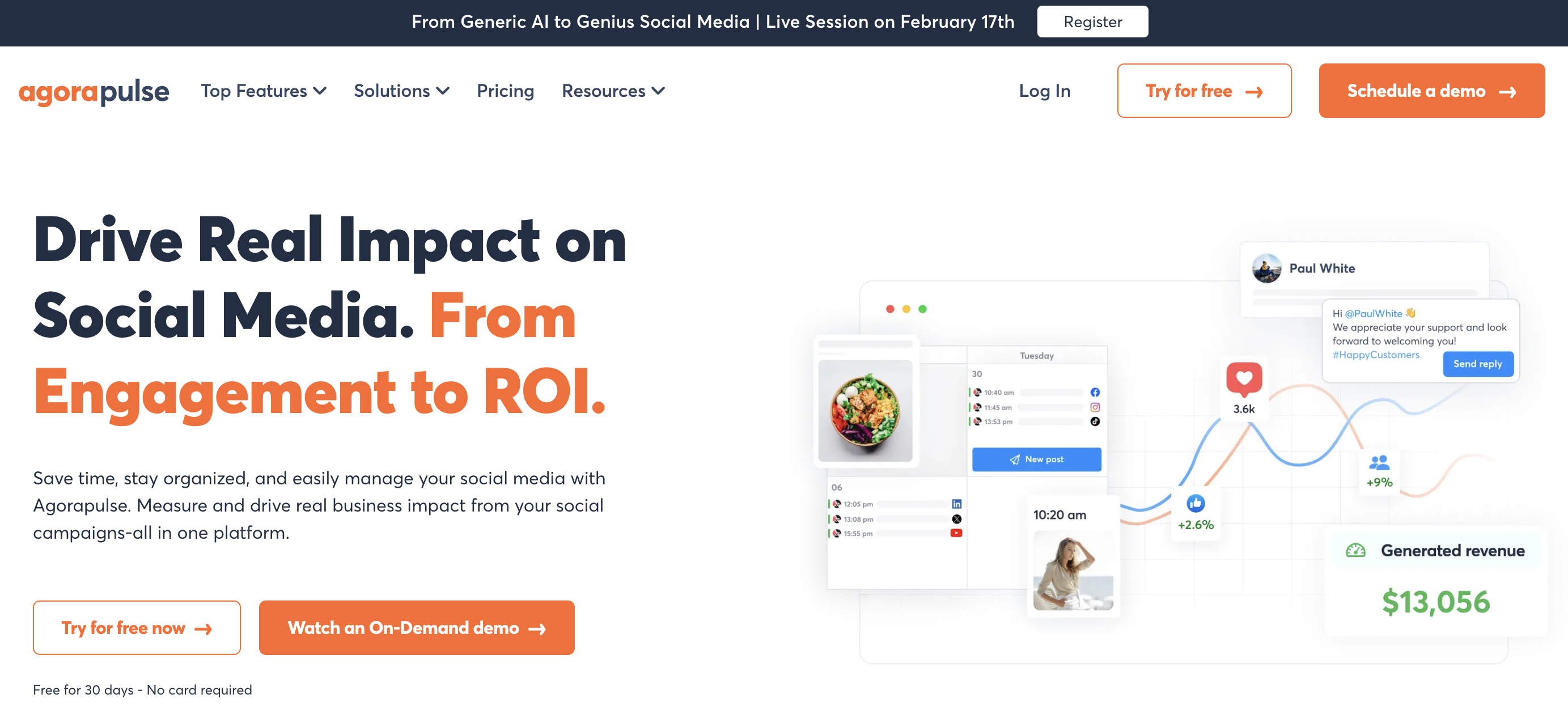
Agorapulse builds AI into its inbox-centric workflow with three AI tools available on all paid plans: AI Writing Assistant for caption generation, AI Alt Text Generator for accessibility, and Organization Context AI that understands your brand context when generating content.
The platform supports 11 platforms including Facebook, Instagram, X, LinkedIn, YouTube, Pinterest, TikTok, Google Business, Threads, Bluesky, and Reddit. Its unified social inbox is one of the strongest in the market, with AI enhancing the response workflow.
AI-powered reply suggestions are available on the Custom plan for teams that need automated assistance with high-volume inbox management.
Key AI features:
- AI Writing Assistant: caption generation on all paid plans
- AI Alt Text Generator: accessibility-focused AI for image descriptions
- Organization Context AI: brand-aware content generation
- AI-powered reply suggestions: automated inbox assistance (Custom plan only)
| Plan | Price | Social Profiles | Users |
|---|---|---|---|
| Standard | $99/user/mo | 10 | Per user |
| Professional | $149/user/mo | 10 | Per user |
| Advanced | $199/user/mo | 10 | Per user |
| Custom | Contact sales | Unlimited | Custom |
Pros:
- AI tools available on all paid plans: no credit limits
- AI Alt Text Generator is unique: improves accessibility automatically
- Organization Context AI adapts to your brand voice
- 30-day free trial with no credit card required
Cons:
- No AI image generation
- Per-user pricing adds up for teams ($297/mo for 3 users on Standard)
- AI reply suggestions only on Custom (enterprise) plan
- 10 social profiles cap on Standard through Advanced plans
Best for: Teams that handle high-volume social inboxes and want AI assistance for both content creation and accessibility, with strong platform coverage across 11 networks.
User ratings: 4.5/5 on G2 (967 reviews) · 4.0/5 on Trustpilot (57 reviews)
For more details: Agorapulse Pricing Breakdown · Agorapulse Reviews · Best Agorapulse Alternatives
9. Sendible: Best Unlimited AI Captions

Sendible keeps AI simple: AI Assist for caption generation is available on all plans with no credit limits. Every user on every plan gets unlimited AI-generated captions, making it one of the most straightforward AI offerings on this list.
The platform supports 10 platforms (Facebook, Instagram, TikTok, X, LinkedIn, Google Business, YouTube, WordPress, Threads, Bluesky) and is built with agencies in mind. Approval workflows start on the Plus plan, and white-label reporting is a paid add-on from Elite.
Sendible's AI is focused exclusively on text captions, with no AI image generation. But the unlimited nature of the feature means teams never have to worry about running out of AI credits.
Key AI features:
- AI Assist: caption generation on all plans, unlimited usage
- No credit system: generate as many AI captions as you need
- Priority Inbox with sentiment analysis: AI-enhanced engagement management
| Plan | Price | Social Profiles | Users |
|---|---|---|---|
| Core | $29/mo | 6 | Unlimited |
| Plus | $99/mo | 18 | Unlimited |
| Premium | $199/mo | 42 | Unlimited |
| Elite | $399/mo | 90 | Unlimited |
| Enterprise | from $1,200/mo | 300+ | Unlimited |
Pros:
- Unlimited AI caption generation on every plan: no credits to manage
- Unlimited users on every plan, so AI access never costs another seat
- 10 platforms including Google Business and WordPress
- 14-day free trial with no credit card required
Cons:
- No AI image generation
- AI is limited to caption generation: no AI replies or AI scheduling
- Approval workflows require the Plus plan ($99/mo)
- Very few Trustpilot reviews (8 total) make the 2.3/5 rating unreliable
Best for: Agencies and teams that generate high volumes of captions and want unlimited AI text generation without tracking credits, combined with strong multi-profile management.
User ratings: 4.5/5 on G2 (899 reviews) · 2.3/5 on Trustpilot (8 reviews)
For more details: Sendible Pricing Breakdown · Sendible Reviews · Best Sendible Alternatives
PostPlanifyAll your social media in one simple dashboard
Schedule posts, track analytics, and reply to comments/DMs without switching tabs.
Engagement
+18%
Views
52.8k
10. Later: Best AI for Visual Content Planning

Later combines AI content tools with a visual-first content calendar designed around drag-and-drop media planning. AI features use a credit system: Starter gets 5 AI credits per month, Growth gets 50, and Scale gets 100. Additional credits can be purchased at $5/month for 100 credits.
The platform organizes profiles into "social sets", which are bundles of profiles across multiple platforms, with Smart Scheduling recommending optimal posting times based on future trends (Growth plan and above). The visual content calendar makes it particularly strong for Instagram-centric teams.
Social inbox and approval workflows are available on Growth plans and above, adding team collaboration to the AI content workflow.
Key AI features:
- AI content tools: credit-based caption generation
- Smart Scheduling with Future Trends: AI-driven posting time recommendations (Growth+)
- AI credits by plan: 5 (Starter), 50 (Growth), 100 (Scale) per month
- Extra AI credits: $5/month for 100 additional credits
| Plan | Price | Social Sets (Profiles) | AI Credits |
|---|---|---|---|
| Starter | $25/mo | 1 set (8 profiles) | 5/mo |
| Growth | $50/mo | 2 sets (16 profiles) | 50/mo |
| Scale | $110/mo | 6 sets (48 profiles) | 100/mo |
Pros:
- Visual-first calendar ideal for Instagram and visual content planning
- Social sets bundle profiles efficiently across platforms
- Smart Scheduling uses trend data for recommendations
- 14-day free trial on paid plans
Cons:
- Very limited AI credits: 5 on Starter is barely usable
- No AI image generation
- Social inbox and approval workflows require Growth plan ($50/mo)
- Trustpilot rating is 1.3/5 (329 reviews): lowest on this list
Best for: Visual-first brands and Instagram-focused teams who want AI-assisted content planning with a drag-and-drop calendar, and can work within a credit system.
User ratings: 4.5/5 on G2 (347 reviews) · 1.3/5 on Trustpilot (329 reviews)
For more details: Later Pricing Breakdown · Later Reviews · Best Later Alternatives
11. Vista Social: Best AI for DM Automations

Vista Social brings a unique AI angle: AI-powered DM automations with keyword-triggered replies, comment-to-DM flows, and lead collection. This makes it the strongest tool for teams that want to automate direct message workflows alongside standard AI content generation.
The platform supports 15+ platforms (including review sites like Google Reviews, Trustpilot, Capterra, G2, and Yelp) with AI caption generation using a credit system: 500 credits on Professional, 1,000 on Advanced, and unlimited on Scale. AI Training and Knowledge features on Advanced plans let the AI learn your brand's specific voice and context.
Multi-step approval workflows are available on all plans, and Vista Social holds the highest G2 rating on this list at 4.8/5 from 1,071 reviews.
Key AI features:
- AI-powered DM automations: keyword-triggered replies and comment-to-DM flows
- AI caption generation: credit-based (500–unlimited by plan)
- AI Training and Knowledge: teach AI your brand context (Advanced+)
- Lead collection: automated lead capture through DM flows
| Plan | Price | Social Profiles | AI Credits | Users |
|---|---|---|---|---|
| Professional | $99/mo | 15 | 500 | 2 |
| Advanced | $199/mo | 30 | 1,000 | 3 |
| Scale | $449/mo | 70 | Unlimited | 4 |
| Enterprise | Custom | Unlimited | Unlimited | Unlimited |
Pros:
- AI DM automations are unique: no other tool on this list offers this depth
- Highest G2 rating at 4.8/5 from 1,071 reviews
- 15+ platforms including review management sites
- Multi-step approval workflows on all plans
Cons:
- No native AI image generation (relies on Canva integration)
- X (Twitter) requires a separate paid add-on: not included in any plan
- Starting price of $99/mo is higher than several competitors, and paid tiers cap users at 2, 3 and 4
- AI credits limited on Professional and Advanced plans
Best for: Teams that want to automate DM conversations and lead collection through AI, combined with broad platform coverage and review management.
User ratings: 4.8/5 on G2 (1,071 reviews) · 4.1/5 on Trustpilot (62 reviews)
For more details: Vista Social Pricing Breakdown · Vista Social Reviews · Best Vista Social Alternatives
Credit-Based vs. Unlimited AI: What You Need to Know
One of the biggest differences between AI social media tools is how they meter AI usage, and it directly affects both your workflow and your budget.
- Unlimited AI: Sprout Social, Buffer, Sendible and Agorapulse give unlimited AI caption generation on their paid plans, so you never run out mid-month. Ideal for teams producing high volumes or iterating repeatedly on a caption.
- Credit-based AI: Tailwind, Later and Vista Social meter with monthly credits that reset each month and vary by tier. Later is the most restrictive at 5 credits on Starter.
- Split model: PostPlanify keeps AI caption generation unlimited on every plan and meters only image generation, at 200 to 800 credits/month by tier.
- AI gated to higher plans: Publer keeps every AI feature on its Business plan. Tailwind meters everything in credits, from 50/mo on a single Pinterest product. Hootsuite is the opposite case worth knowing: OwlyGPT is available from the entry Standard plan rather than reserved for Enterprise.
Best AI Tool by Use Case
- AI caption generation: PostPlanify, for vision-powered captions that analyze your actual images and videos, with 6 tones and 7 refinement tools. Generic AI text generators can't see what's in your content. For Instagram specifically, see our AI caption generator for Instagram guide.
- AI image generation: PostPlanify for model variety (7 models including Flux, Imagen 4, Ideogram), or Publer for teams that specifically want DALL-E 3 at a lower price point.
- AI-powered engagement: Vista Social for DM automations and lead collection, or Sprout Social for AI-enhanced inbox replies with sentiment analysis.
- Budget-conscious teams: Buffer, for a free AI assistant with no credit limits. The best free social media management tools roundup covers the rest of the no-cost tier. Publer Free works if you don't need AI, with Business from $10/mo per social account when you do.
- Enterprise: Sprout Social for unlimited AI across all features, a 30-day trial, and deep analytics and listening, or Hootsuite for teams already in that ecosystem.
- Agencies: Sendible for unlimited AI captions on every plan with 300+ profiles on Enterprise, or PostPlanify (from $39/mo per workspace) for agencies that also need AI image generation and vision-powered captions.
How to Choose the Right AI Social Media Tool
- Identify your primary AI need. Caption generation? Image creation? DM automation? Smart scheduling? Each tool excels in different areas, and the wider AI tools for social media marketing guide covers categories beyond scheduling
- Check the credit system. If you generate 50+ posts per week, unlimited AI tools save you from constant credit monitoring
- Match platform coverage. Tailwind's plans are Pinterest-scoped, Buffer covers 5, PostPlanify covers 10, Vista Social covers 15+. Choose based on where your audience is
- Consider the AI depth. Generic text generators vs. vision-powered analysis vs. brand-trained AI are very different capabilities. If you already work in ChatGPT or Claude, compare that against managing social media with Claude or ChatGPT and the MCP servers route
- Factor in total cost. Per-seat pricing (Sprout Social, Hootsuite, Agorapulse) multiplies with team size. Tools that don't bill per head (PostPlanify, Sendible, Later) keep costs predictable
Making the Switch to an AI-Powered Social Media Tool
- Start with AI captions. Use your new tool's AI to generate captions for a week of content. Compare quality against your manual process, since most teams see 50%+ time savings immediately
- Test AI image generation. If your tool supports it, generate images for 5–10 posts. Evaluate whether the quality meets your brand standards or still needs designer polish
- Set up your brand context. Tools like PostPlanify and Vista Social let you define your brand voice, target audience, and tone. Spend 10 minutes configuring this, because it dramatically improves AI output quality
- Automate what you can. Enable AI inbox replies, DM automations, or smart scheduling. Start with low-stakes conversations and scale up as you gain confidence in the AI quality
- Track the time savings. Measure how long content creation takes before and after AI adoption. Most teams report saving 5–10 hours per week on caption writing alone
If you want to go beyond using AI tools and start building your own, courses like Jin Grey's AI Vibe Coding Masterclass teach non-technical marketers to build working tools with prompts.
FAQ
Which AI social media tool is best overall?
PostPlanify offers the most comprehensive AI suite with vision-powered caption generation (analyzes your actual images and videos), 7 AI image generation models, 6 writing tones, 7 text refinement tools, bulk AI captions, and AI inbox replies, all starting at $39/month per workspace with unlimited team members.
Is AI-generated social media content as good as human-written content?
AI-generated captions work best as a starting point. The best approach is to use AI to generate a draft, then refine it with your brand voice and specific context. Vision-powered tools like PostPlanify produce higher-quality first drafts because they analyze your actual media content rather than generating generic text.
What's the difference between AI captions and AI image generation?
AI captions generate text content (post copy, hashtags, calls to action) from prompts or image analysis. AI image generation creates original visuals from text descriptions. Some tools offer both (PostPlanify, Publer), while most focus on captions only.
Are credit-based AI systems worth it?
It depends on your volume. If you create fewer than 50 posts per month, credit-based systems like Later (5–100 credits) or Tailwind (5–1,000 credits) can work. For higher volume, unlimited AI tools like Buffer, Sendible, or Sprout Social remove the constraint entirely. PostPlanify offers unlimited AI captions with credits only for image generation.
Can AI tools replace a social media manager?
No. AI handles repetitive tasks like caption drafting, image generation, and scheduling optimization. But strategy, community building, crisis management, and brand voice development still require human judgment. Agencies putting this into practice can see how it works end to end in how social media agencies use AI workflows. AI tools make social media managers more efficient, not obsolete.
Which free tool has the best AI features?
Buffer offers the best free AI experience with its AI Assistant available on the free plan for 3 channels. Publer's free plan has no AI features, and Tailwind no longer offers a free plan under its Pinterest product lineup. Agorapulse's AI Writing Assistant requires a paid plan (it no longer offers a free plan, only a 30-day trial).
How much can AI save on content creation time?
Most teams report saving 5–10 hours per week on caption writing when using AI-powered tools. Vision-powered AI (like PostPlanify's) saves additional time because captions match your visual content without manual description. AI image generation can save $500–$2,000/month in design costs for teams that currently outsource graphics.
Do AI social media tools support multiple languages?
Most AI tools generate content primarily in English with the best results. PostPlanify and other tools can generate in other languages but with less reliable output quality. If multilingual content is critical, test the specific tool's AI in your target languages before committing.
What platforms do AI social media tools typically support?
Platform coverage varies significantly. Tailwind supports only 3 (Pinterest, Instagram, Facebook). Buffer covers major platforms. PostPlanify supports 10 platforms. Vista Social supports 15+ including review sites. Always verify that your priority platforms are covered before choosing a tool.
Related Reading
- PostPlanify Pricing
- Best ChatGPT Plugins for Social Media
- Best Social Media Management Platform
- Best Social Media Scheduling Tools
- AI Caption Generator for Instagram
- Social Media Caption Generator Guide
- Best Social Media Management Tools for Restaurants
- Best Social Media Management Tools for E-commerce
- Best Social Media Management Tools for Creators
- Best Social Media Management Tools for Agencies
- Best Social Media Management Tools for Real Estate
- Best Social Media Management Tools for SaaS
- Best Social Media Tools with Approval Workflows
- Best Social Media Management Tools for Teams
- Best Free Social Media Management Tools
- Best MCP Servers for Social Media Management: AI-agent driven workflows via Model Context Protocol
- 10 Best Social Media APIs for Developers: REST and MCP options for building your own integration
PostPlanifyAll your social media in one simple dashboard
Schedule posts, track analytics, and reply to comments/DMs without switching tabs.
Engagement
+18%
Views
52.8k
About the Author

Hasan Cagli
Founder of PostPlanify, a content and social media scheduling platform. He focuses on building systems that help businesses, agencies, and teams plan, publish, and manage content and social media more efficiently across platforms.


