


About Nexposure Media
Nexposure Media is a social media marketing agency in Orange County, California. Founder David Diaz and his team help local businesses grow through short-form video: they shoot it, edit it, write the captions and post it to each client's accounts. About 90% of the client work is organic content, and the rest is paid ads on Meta.
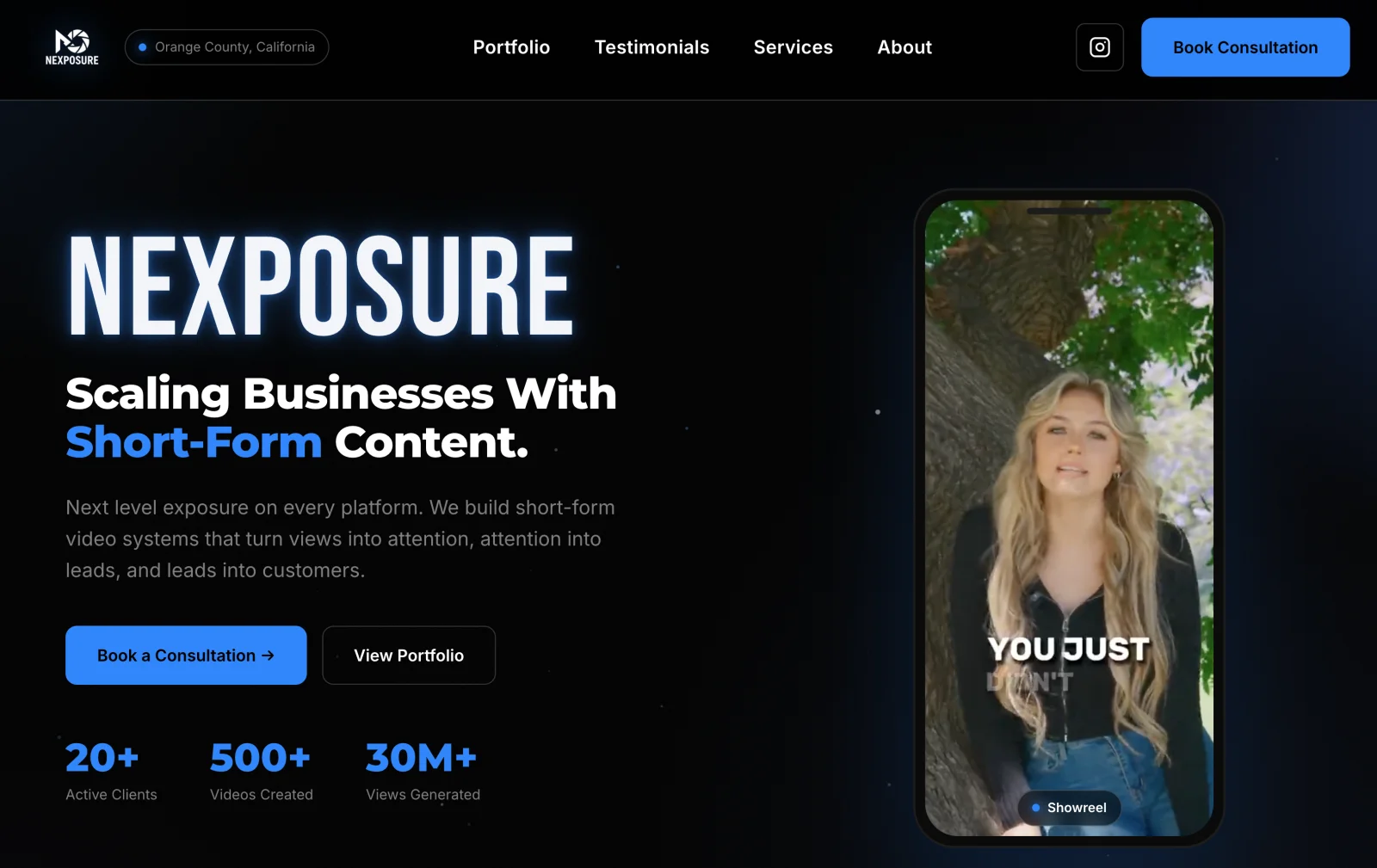
Their pitch is simple: short-form video systems that turn views into attention, attention into leads and leads into customers. So far that adds up to more than 500 videos and over 30 million views for their clients.
The team is around 10 people: a videographer, video editors, a social media manager who also writes scripts, a brand representative and a small sales team. Maya, the social media manager, runs about 90% of the posting in PostPlanify. David steps in when something needs fixing, and Gabriel, who shoots and edits, uses it for analytics.
The Challenge: 10 Meta Logins on Every Device
Short-form video only works if every detail is right. For each post, the team has to get the location, caption, thumbnail and hashtags correct for that client and that platform.
Before PostPlanify, all of that happened inside each client's own account. David was logging into around 10 Meta accounts at a time, on every device he used, just to get posts out. Each new client added more logins, more switching and more chances to post something to the wrong page.
Why He Chose PostPlanify Over Hootsuite
David did his homework. He watched countless YouTube reviews comparing scheduling tools, and he already knew Hootsuite from a previous agency job, where people swore by it.
He even thought about building something. A friend of his wanted to create a tool where an agency could manage its content library, schedule posts and publish from one place. But after looking into file sizes, API keys and everything else involved, David decided it wasn't worth it.
“I wanted something that I didn't have to worry about or build.”
Hootsuite didn't fit either.
“It just seemed really outdated. And I'm huge on UIs and stuff like that.”
He liked how easy PostPlanify's interface was by comparison. When he found out his cousin's school teaches Hootsuite in its social media class, his reaction said it all: "Hop on a Zoom call with Hasan and you'll learn. It's really not that difficult." (Hasan is PostPlanify's founder.)
He also remembered Hootsuite as the premium option that "costs an arm and a leg." Hootsuite charges per user, which adds up fast for an agency where editors, managers and salespeople all need access. That per-seat bill is the main reason so many agencies end up shopping for Hootsuite alternatives in the first place. PostPlanify includes unlimited users on every plan. (See how the two compare.)
Then he came across a YouTuber comparing PostPlanify with the bigger names, who turned out to be Hasan himself.
“If everything he's saying is true, this seems too good to be true.”
People kept pointing him to the big, established tools. He went against that advice, booked a call, and three things tipped the decision:
- Upload quality. He had read reviews about file size problems with other tools. With PostPlanify, he says he hasn't seen upload quality be bad at all.
- Price. He found the pricing "super reasonable."
- Talking to the founder. When he asked for a way to give his social media manager access without sharing his own login, a custom role was ready to try within about a day.
“I've only really used PostPlanify as an agency, and I have no reason to swap away from it.”
Looking back, he calls the switch "a no-brainer," especially after that first call.
How the Team Runs 20+ Clients From One Place
Six months in, the setup is simple. Every client gets its own workspace with its logo and connected accounts, so the team can see at a glance whose Instagram, Facebook or TikTok they're working on. That's the core of how PostPlanify works as social media management for agencies: one login for the team, one workspace per client.
A typical week looks like this:
- Plan two days ahead. The team aims to have posts scheduled at least two days in advance in the content calendar.
- Draft first. Maya builds posts as drafts, then schedules them once they're ready.
- Match every post to its platform. Location tags and captions are set per platform before anything goes out.
- Give access without sharing logins. With custom roles in team collaboration, Maya gets the access she needs to run client accounts without David handing over his own login.
- Catch problems early. If a client's account needs to be reconnected, PostPlanify emails him, so a broken connection doesn't quietly stop a client's posts.
“I can keep it all here, I can schedule it out on my calendar. We try to get two days in advance. It works perfectly.”
From time to time, the team also uses the social inbox to see comments, messages and insights in the same place as their posts.
Using Analytics to Show Clients ROI
For an agency, posting is only half the job. The other half is showing clients that the content is working.
When one client was thinking about leaving, David opened that client's analytics and walked through the results platform by platform, instead of relying on a general "things are going well."
“His analytics, I was able to tell him with every single platform how well he was doing.”
That client still left, over a delay on the agency's side while they waited on an approval. But David came away with a clear lesson: per-platform data is what gives an agency something concrete to point to when a client starts asking questions. The team also uses client reports to put those numbers in front of clients without building them by hand. (If you're deciding which numbers to show, see our guide to KPIs agencies should report to clients.)
The Results
- At least an hour or two saved a day per 10 clients. Not logging in and posting by hand saves David around 10 to 20 minutes per client. Now it's all scheduled from one calendar.
- No more juggling Meta logins. The team posts for every client from one account instead of logging into each one on each device.
- Posts ready two days ahead. Scheduling in advance means late-day surprises don't cost a client their post.
- Room to grow. The team added three new clients in a single week, each in its own workspace, so onboarding a new client means setting up one workspace, not juggling another set of logins.
“It saves me way more time. For sure.”
The team is now building its own app to manage client workflow, but posting stays in PostPlanify.
“I'm not going to be getting rid of PostPlanify at all.”
And on security, he has nothing to report.
“In terms of security risk, I've had none.”
What's Next for Nexposure
During the interview, David found features his team hadn't started using yet, and he's planning to bring them into the workflow as Nexposure takes on new hires:
- Captions written inside the post. Today, a caption means downloading the video, dropping it into ChatGPT, asking for a caption and copying it back over. Each client's details also live in separate ChatGPT folders that Maya has to share with David by hand. Saving each client's description and target audience in its workspace keeps that context with the client, and the AI assistant uses it to write captions right in the post. "I bet it could save me even more," he says.
- AI reply suggestions in the inbox. Using each workspace's brand voice, the inbox suggests replies to comments and DMs that the team can send with one click. "I did not know about that feature," he said.
- Running PostPlanify from Claude. David's team already builds its own tools with Claude. When he heard that Claude and ChatGPT can create posts, schedule them and pull analytics through the PostPlanify MCP, his reaction was: "Wait, I can connect my Claude to run PostPlanify for me?"
- Client approvals. The client Nexposure lost came down to a post stuck waiting on approval. That's exactly what approval workflows are for: clients sign off on videos inside PostPlanify before they go live, and the team can see what's still waiting. "In a perfect world, using the approval feature would be the most ideal," David says.
Key Takeaways for Agencies
- Stop logging into client accounts. One workspace per client, all in one tool, removes most of the daily friction of agency posting.
- Don't pay per seat. Agencies have editors, managers and sales staff who all need access. A tool with unlimited users keeps costs tied to clients, not headcount. PostPlanify's pricing works that way: you pay per workspace, and every plan includes unlimited users.
- Schedule ahead. A two-day buffer keeps clients posting even when something goes wrong late in the day.
- Report per platform. When a client starts asking questions, per-platform numbers give you something concrete to show.
If you're comparing tools, see our roundup of the best social media management tools for agencies. To see Nexposure's work, follow them on Instagram or visit nexposuremedia.com.
 PostPlanify
Run every brand from one calendar
Create posts for each brand, schedule them across every platform, and keep each client in its own workspace.

Engagement
+18%
Views
52.8k

