


What usually slows your social workflow down — ideas, design, or getting posts approved and published on time?
That question matters more than another generic top-10 list. The best AI tools for social media marketing do very different jobs, and lumping them together hides the real trade-offs. A scheduler will not fix weak copy. A writing tool will not solve review bottlenecks. A design app will not clean up a messy publishing process.
I evaluate AI social media tools by the job they do first. All-in-one platforms handle planning, approvals, scheduling, inbox management, and reporting. Specialist writers help with hooks, rewrites, and caption drafts. Repurposing tools turn one idea into multiple formats faster. That is the lens for this guide because it reflects how social teams work day to day.
This article is organized by primary job, not by hype. You will see which tools work best as all-in-one AI social media management platforms, which ones are better as writing specialists, and which ones help repurpose content at scale — so you can build a stack that fits your workflow instead of paying for overlapping features you will barely use.
If you need a broader starting point for AI social media content creation, this list focuses on the tools that hold up under real work — daily use, real approvals, real deadlines.
Quick Comparison: Best AI Tools for Social Media Marketing
| # | Tool | Best For | Starting Price | AI Highlight |
|---|---|---|---|---|
| 1 | PostPlanify | Best AI suite for teams + agencies | Starts at $79/mo billed yearly | Vision-powered captions, AI image gen, AI inbox replies |
| 2 | Sprout Social | Best for analytics + listening | Per-seat enterprise | Sprout AI + Trellis insights |
| 3 | Hootsuite | Best for governed multi-network teams | $249/user/mo | OwlyWriter AI |
| 4 | Buffer | Best for fast publishing | Channel-based | AI Assistant (rewrites + ideas) |
| 5 | Later | Best for visual brands | Mid-priced | AI Ideas + Caption Writer |
| 6 | Jasper | Best for brand-voice writing | Seat-based | Brand-trained AI copy |
| 7 | Ocoya | Best for fast design + copy | Mid-priced | AI text + image + templates |
| 8 | Lately AI | Best for repurposing long-form | Sales-led | Brand-trained repurposing |
| 9 | Predis.ai | Best for e-commerce production | Mid-priced | AI carousels + ad creatives |
| 10 | Flick | Best Instagram-first AI tool | Mid-priced | Iris AI + hashtag intelligence |
| 11 | Magic Hour | Best for AI visual content creation | Free + $10/mo paid | Text-to-video, AI face swap, 100+ tools |
How We Picked These AI Social Media Tools
I picked these tools using five criteria, then mapped each to the job it does best:
- Real workflow value, not hype — Does the AI save time on a job that actually slows teams down (writing, design, repurposing, approvals, listening)?
- Output usable with light editing — Generic AI captions are a tax, not a saving. The AI has to produce drafts most teams will keep with minor tweaks.
- Works inside a real publishing process — Approvals, calendar handoffs, multi-channel publishing, and reporting can't be afterthoughts.
- Clear pricing model that scales — Per-seat tools punish growth. Channel-based and flat-rate models tend to age better for agencies and multi-brand teams.
- Coverage of the channels teams actually use — Instagram, TikTok, LinkedIn, X, YouTube, Facebook, and (increasingly) Threads, Bluesky, and Google Business.
If your team is debating between a scheduling tool, an AI caption generator, or a content repurposing tool, this guide will help you decide which job to tackle first.
 PostPlanify
All your social media in one simple dashboard
Schedule posts, track analytics, and reply to comments/DMs without switching tabs.

Engagement
+18%
Views
52.8k
AI Tool Comparison Matrix
| Tool | AI Captions | AI Images | AI Inbox | Approvals | Analytics Depth | Pricing Model |
|---|---|---|---|---|---|---|
| PostPlanify | Vision-powered | 7 models (Flux, Imagen 4, Ideogram) | Yes | Yes (Premium+) | All 10 platforms + best time | Flat-rate |
| Sprout Social | AI Assist | No | Yes | Yes | Deep listening + Trellis | Per seat |
| Hootsuite | OwlyWriter | Yes | Yes | Yes | Strong reporting | Per seat |
| Buffer | AI Assistant | No | Limited | Team plan | Lighter | Channel-based |
| Later | Credit-based | No | Growth+ | Advanced+ | Visual + lighter | Tiered |
| Jasper | Brand-trained | No | No | No | N/A (writer only) | Seat-based |
| Ocoya | Yes | Yes | No | Limited | Lighter | Tiered |
| Lately AI | Brand-trained repurposing | No | No | Yes (workflow) | Repurposing-focused | Sales-led |
| Predis.ai | Yes | Yes (carousels, ads) | No | No | Lighter | Tiered |
| Flick | Iris AI captions | No | No | No | Hashtag analytics | Tiered |
| Magic Hour | No | Yes (video + image gen) | No | No | N/A | Free + tiered |
1. PostPlanify — Best AI Suite for Teams and Agencies

PostPlanify is where I'd start for agencies, in-house marketing teams, and creators who want a real publishing workflow with AI built in — not bolted on.
At a glance:
- Best for: Teams that need analytics, social inbox, AI, approvals, and reporting in one place
- Starting price: $79/mo billed yearly or $99/mo monthly (Growth)
- Standout AI features: Vision-powered AI assistant, 7 AI image generation models, AI-assisted social inbox
- Platforms: 10 networks — Instagram, X, Facebook, TikTok, YouTube, LinkedIn, Threads, Pinterest, Bluesky, Google Business
Where it fits
Most "AI social media tool" articles oversell caption generators and undersell the operational layer. Content rarely fails at ideation. It fails in review, handoff, scheduling, and reporting. PostPlanify is built around that reality.
The analytics cover all supported platforms with best-time-to-post recommendations, the social inbox consolidates Instagram, Facebook, and LinkedIn comments and DMs, and the AI assistant uses vision to analyze your actual images and videos before generating captions — a meaningful step up from text-only AI writers.
What works
- Vision-powered AI captions — The AI looks at your uploaded image or video before drafting copy, so captions describe what's actually in the content. Six tones, seven refinement tools, and bulk caption generation across multiple posts.
- AI image generation with 7 models — Flux Schnell, Flux Pro, Google Imagen 4, Ideogram, and more — built directly into the post composer in 5 aspect ratios.
- AI-assisted social inbox — One-click AI replies to comments and DMs across Instagram, Facebook, and LinkedIn, useful for triage and faster response handling.
- Approval workflows + team collaboration — Multi-approver workflows on Premium, role-based permissions, and unlimited team members on Enterprise.
- White-label PDF reports — Available on Scale for agencies that need fully branded client reporting.
- REST API + MCP support — More flexible than most tools in this price band for custom workflows and automations. See how to run your scheduler from Claude or ChatGPT.
- Bulk scheduling + content calendar — Drag-and-drop calendar, media library, and bulk uploads via CSV.
Practical rule: If your team is still copying captions from docs into native apps, your bottleneck isn't "content strategy." It's workflow.
What to watch
- AI image credits scale by plan — 200/mo on Growth, 400/mo on Premium, 800/mo on Scale. Heavy AI-image users should size the plan accordingly.
- Team members are tiered, not unlimited everywhere — Growth includes 3 users, Premium 6, Scale 12, and Enterprise is unlimited.
- Newer brand vs. legacy enterprise names — Some procurement teams will recognize Hootsuite or Sprout faster.
Pricing
- Growth: $99/mo monthly or $79/mo billed yearly · 15 social accounts · 5 workspaces · 3 users · 200 AI images
- Premium: $199/mo monthly or $159/mo billed yearly · 30 social accounts · 15 workspaces · 6 users · 400 AI images
- Scale: $299/mo monthly or $239/mo billed yearly · 100 social accounts · 50 workspaces · 12 users · 800 AI images
- Enterprise: Custom · custom accounts · custom onboarding · unlimited team members
Includes a 7-day free trial and a 14-day money-back guarantee.
Best for: Agencies, in-house marketing teams, and serious creators who want AI captions, AI images, AI-assisted inbox, approvals, analytics, and room to grow without per-seat pricing punishing team growth. White-label PDF reports kick in on Scale.
Try PostPlanify free for 7 days →
2. Sprout Social — Best for Analytics, Listening, and Reporting

Need stronger reporting than your scheduler can give you?
Sprout Social sits in the analytics and listening bucket. It fits teams that already publish consistently and now need to understand performance, track brand conversations, and report results to leadership without stitching exports together from three different tools.
At a glance:
- Best for: Enterprise teams that need deep analytics, listening, and cross-functional reporting
- Starting price: Per-seat enterprise pricing (high)
- Standout AI features: AI Assist for posts and replies; Trellis for pattern spotting and recommendations
Why it earns its spot
Sprout's AI features are useful because they sit inside day-to-day work. AI Assist supports copy, accessibility, and sentiment work. Trellis focuses on summarizing what is happening across your social data — pattern detection, recommendations, performance synthesis. That matters more than another caption writer if your team is already producing content and the bigger problem is analysis.
The listening side is the primary reason to choose it. Plenty of tools schedule posts. Fewer can help you track conversation trends, competitor activity, and sentiment at the level required for monthly reporting. If reporting is one of your bottlenecks, this social media analytics and reporting guide is a useful companion when comparing platforms.
Trade-offs
Sprout is expensive, especially once you add multiple seats. For a lean team that mainly needs publishing, approvals, and light reporting, the cost is hard to justify. For a larger brand where insights, care workflows, and executive visibility matter every week, the math improves because the platform replaces a lot of manual reporting work.
I would not use Sprout as the center of a lightweight content engine — for that, a setup like PostPlanify or another all-in-one scheduler is faster. I would use Sprout when the question shifts from "How do we publish more efficiently?" to "What are we learning, and who needs to act on it?"
Best for: Enterprise teams and data-heavy brands where listening and reporting matter as much as publishing.
For deeper comparisons, see Best Sprout Social Alternatives.
3. Hootsuite — Best for Governed Multi-Network Teams

Hootsuite is still relevant because it solves an old but real problem: managing multiple networks, teams, and approval layers in one place.
At a glance:
- Best for: Multi-network teams that need governance, compliance, and structured workflows
- Starting price: Standard $249/user/mo, Advanced $499/user/mo, Enterprise custom (USD)
- Standout AI features: OwlyWriter AI for captions, repurposing, and content ideation
Where Hootsuite works best
Hootsuite makes sense for multi-network teams that care about governance — permissions, approval chains, shared calendars, and a platform the organization can standardize around. It's also a practical option for industries with compliance requirements where posts can't be drafted and shipped casually.
That's a category-wide gap I keep seeing. Plenty of AI tools focus on generation but say much less about approval workflows, role-based permissions, and brand safety for teams handling multiple clients or regulated brands.
OwlyWriter AI is useful for generating social copy, repurposing existing content, and getting unstuck when the calendar is empty. I wouldn't pick Hootsuite just for the AI writing — I'd pick it if you already need a broad social management suite and want AI built into that environment.
Trade-offs
Hootsuite gets expensive fast as your team grows, and it's not the easiest platform for casual users. People who use social every day get comfortable with it. People who just need to schedule a few posts a week often find it heavier than they want.
Best for: Structured teams in compliance-sensitive industries that need broad social management plus AI assistance.
For deeper comparisons, see Best Hootsuite Alternatives and Hootsuite vs PostPlanify.
4. Buffer — Best for Fast Publishing With Light AI
Need a scheduler your team can learn in one afternoon and keep using without complaints? Buffer is still one of the safest picks for that job.
At a glance:
- Best for: Solo marketers, small brands, and lean client teams
- Starting price: Channel-based pricing (affordable at small scale)
- Standout AI features: AI Assistant for rewrites, headline variants, and first drafts
Where Buffer fits
Buffer is quick to set up, the composer is clean, and the AI Assistant handles the small writing tasks that eat time every week — rewriting a caption for LinkedIn after it was drafted for Instagram, generating headline options without leaving the post editor, or producing variations for A/B testing.
That simplicity has a real downside: as you add profiles, the channel-based pricing gets harder to ignore, and the platform feels less economical than at the start. I see this happen with agencies that begin with a few accounts and stack on extra brands, locations, and test profiles over time.
It also helps to be clear about what Buffer is not trying to do. It's a publishing tool first. The AI features support that workflow, but they aren't the reason to buy.
What Buffer does well
- Gets teams publishing fast — Low setup friction and a clear scheduling flow.
- Handles everyday caption work — Useful for rewrites, shorter variations, and first drafts inside the composer.
- Keeps the content engine simple — Draft in ChatGPT, polish the visual in Canva, then load posts into Buffer for scheduling.
For Instagram-heavy teams, this AI caption generator for Instagram workflow is close to how I'd structure the drafting step before scheduling.
Where it falls short
Buffer is lighter on analytics, listening, and multi-step collaboration. Reporting is good enough for regular publishing reviews but not for client-facing reports with more depth. Once your workflow includes approvals, internal handoffs, inbox management, and complex reporting, Buffer starts to feel narrow.
Best for: Small teams that want simple publishing with light AI help, not a full social suite.
For more detail, see Best Buffer Alternatives and Buffer vs PostPlanify.
5. Later — Best for Visual Brands and Instagram-First Teams

Later is one of the better picks for visually driven brands, especially if Instagram and TikTok do most of the heavy lifting in your strategy.
At a glance:
- Best for: Instagram and TikTok-first brands and creators
- Starting price: Mid-priced tiered plans
- Standout AI features: AI Ideas, Caption Writer (credit-based)
Best use case for Later
The visual planner is the main reason people stick with Later. You can see how posts line up on your Instagram grid, manage link-in-bio, and keep campaign assets organized in a way that feels more natural for brand and creator workflows than broader scheduling tools.
The AI Ideas and Caption Writer features are useful, but I see them as support features, not the core reason to buy. If your content process starts with visual assets, UGC, Reels, and collaborations, Later makes sense. If your process starts with data, approvals, and inbox management, it's not my first pick.
Where it starts to feel limited
Later's AI tools use a credit model. That isn't necessarily bad — it can help control spend. But if your team drafts a lot of variations, tests multiple caption angles, or uses AI heavily during planning, lower tiers feel restrictive. Social inbox and approvals require Growth and above, and I wouldn't choose Later for advanced listening or deep cross-platform analytics.
A visual planner is only valuable if your team actually plans visually. For B2B teams publishing mostly text-led LinkedIn content, that advantage fades fast.
Best for: Visual-first brands and Instagram-focused teams that want AI-assisted content planning with a drag-and-drop calendar.
See also: Best Later Alternatives and Best Time to Post on Instagram.
PostPlanifyAll your social media in one simple dashboard
Schedule posts, track analytics, and reply to comments/DMs without switching tabs.
Engagement
+18%
Views
52.8k
6. Jasper — Best for Brand-Voice Writing

Need better social copy but already have scheduling handled elsewhere?
Jasper fits that problem well. It's a writing tool first, which makes it different from the all-in-one platforms in this list. I use tools like this when the bottleneck is messaging quality, campaign variation, or brand voice consistency across several contributors.
At a glance:
- Best for: Marketing teams and agencies producing high volumes of campaign copy
- Starting price: Seat-based, premium for high-volume writers
- Standout AI features: Brand voice training, campaign templates, collaboration
Where Jasper earns its keep
Jasper works best for teams publishing across paid and organic channels at the same time — social captions, ad variants, promo hooks, landing page blurbs, email support copy. If one strategist sets direction and multiple people draft assets, Jasper cuts down the usual cleanup. You still need an editor, but the first draft is often closer to usable.
That makes Jasper a good specialist inside a broader content engine. A practical setup is Jasper for copy development, Canva for creative, and a scheduler like PostPlanify to queue, approve, and publish posts. That stack is faster than forcing one platform to do everything badly.
If your team is still tightening its messaging process, these practical social media copywriting workflows are a better way to judge Jasper than generic feature lists.
The trade-off
Jasper does not handle publishing, approvals across networks, inbox management, or reporting. You're adding a specialist writer to your stack, not replacing your social media platform.
Best for: Brands that care about voice consistency and campaign-heavy marketing environments — not solo creators who just need quick captions.
7. Ocoya — Best for Fast Idea-to-Post Production

Ocoya is built for speed. That's the main reason to consider it.
At a glance:
- Best for: Small teams and agencies that need fast idea-to-post production
- Starting price: Mid-priced tiered plans (AI credit limits apply)
- Standout AI features: AI copy + AI image gen + design templates + scheduling in one flow
Who gets the most from Ocoya
If your workflow is "we need a decent-looking post and we need it live today," Ocoya does that better than a lot of more specialized tools. It combines AI copy, templates, AI image support, and scheduling in one place — useful for teams with lighter design support that don't need a separate designer for every routine social asset.
Fast all-in-one tools often give you convenience at the expense of depth, though.
What to be careful about
Ocoya is not where I'd go for serious listening, detailed reporting, or advanced collaboration setups. It's much better at output than insight. If your real bottleneck is production, that's fine. If your bigger issue is understanding what content is working and why, it's not enough.
Best for: Small agencies and SMBs blocked by design requests, missing asset files, or slow creative cycles.
8. Lately AI — Best for Repurposing Long-Form Content

Lately AI is the tool I'd look at if your team already creates good long-form content but struggles to turn it into enough social posts.
At a glance:
- Best for: B2B and content-heavy teams sitting on long-form material
- Starting price: Often sales-led / custom pricing
- Standout AI features: Brand-trained repurposing of webinars, podcasts, blogs, and newsletters into social variants
Why repurposing tools matter
That's a common problem. Teams publish webinars, podcasts, blog posts, interviews, and newsletters, then still feel like they have "nothing to post" on social. The issue usually isn't a lack of source material — it's repurposing.
Lately's strength is converting long-form assets into multiple social variants while keeping the output closer to your brand voice than generic AI drafting usually does. That's useful for B2B teams, content-heavy brands, and internal marketing groups sitting on a lot of existing material.
For teams trying to get more mileage out of what they already publish, these content repurposing strategies are the right way to think about Lately.
The real-world fit
Lately is strongest when:
- You already have a content library
- You need many social variants from one source
- Voice consistency matters across distributed contributors
It's weaker when:
- You need a full social suite (publishing, inbox, reporting)
- You want simple self-serve pricing
- Your team mostly creates native-first social content anyway
One thing to watch is pricing transparency. Lately often sits in the sales-led part of the market, which slows down evaluation if you're just trying to compare tools quickly.
Best for: Content teams and enterprises that need to scale repurposing — especially when employee advocacy is part of the distribution plan.
9. Predis.ai — Best for E-Commerce and Product Posts

Need one tool to draft the post, build the creative, and queue it up without bouncing between three tabs? Predis.ai is built for that.
At a glance:
- Best for: E-commerce, product-led brands, solo marketers, and small agencies
- Starting price: SMB/e-commerce tiered plans (usage caps)
- Standout AI features: AI text + graphics/video, carousels, competitor analysis, scheduler
Where Predis earns its place
Predis can take a prompt, theme, or product URL and turn it into captions, creatives, carousels, and short promotional variations in one workflow. For small teams, that saves real production time — you're not handing copy to one tool, then rebuilding the asset somewhere else.
It also fits the kind of content engine many teams run: generate the first concept in ChatGPT, tighten the visual in Predis or Canva, then publish through a scheduler like PostPlanify for a cleaner posting calendar across channels. Predis can cover more of that chain itself, but the trade-off is choosing speed over best-in-class scheduling or reporting in each step.
The trade-off
Predis is good at making content packages. It's less convincing as the system you rely on for analytics, approvals, listening, or heavier team workflows.
If your team already has a strong designer and a mature review process, Predis can feel template-driven. If your team has no designer and needs five decent product posts before lunch, that same template structure is exactly why it works.
Best for: E-commerce and product-led brands that need copy and creative together. Less ideal for teams with layered approvals or heavy reporting needs.
10. Flick — Best Instagram-First AI Tool
Flick is still easiest to understand as an Instagram-first tool, even though it has expanded beyond that.
At a glance:
- Best for: Instagram growth teams, creators, and lifestyle brands
- Starting price: Mid-priced, IG-focused tiers
- Standout AI features: Iris AI for prompts and captions, hashtag research, visual planner
Best fit for Instagram-heavy teams
If Instagram is your primary growth channel, Flick's heritage in hashtag research and analytics gives it a sharper angle than more general tools. Iris AI adds help with strategy prompts, captions, and planning, but the hashtag and Instagram workflow layer is what makes the platform stand out.
That makes it a solid fit for creators, coaches, lifestyle brands, and product businesses still seeing strong value from Instagram discovery. It's also helpful for teams that want more prompt-based guidance rather than full-blown social suite complexity.
I like that tools in this category often feel more actionable. Instead of drowning you in reports, they point back to concrete publishing decisions.
Limits you should know upfront
Flick's deepest value is still most obvious on Instagram. If your team's center of gravity is LinkedIn, YouTube, or multi-platform customer care, look elsewhere first. That doesn't make it weak — it makes it specialized.
Best for: Instagram growth teams that want AI-guided ideation paired with hashtag intelligence.
11. Magic Hour — Best for AI Visual Content Creation
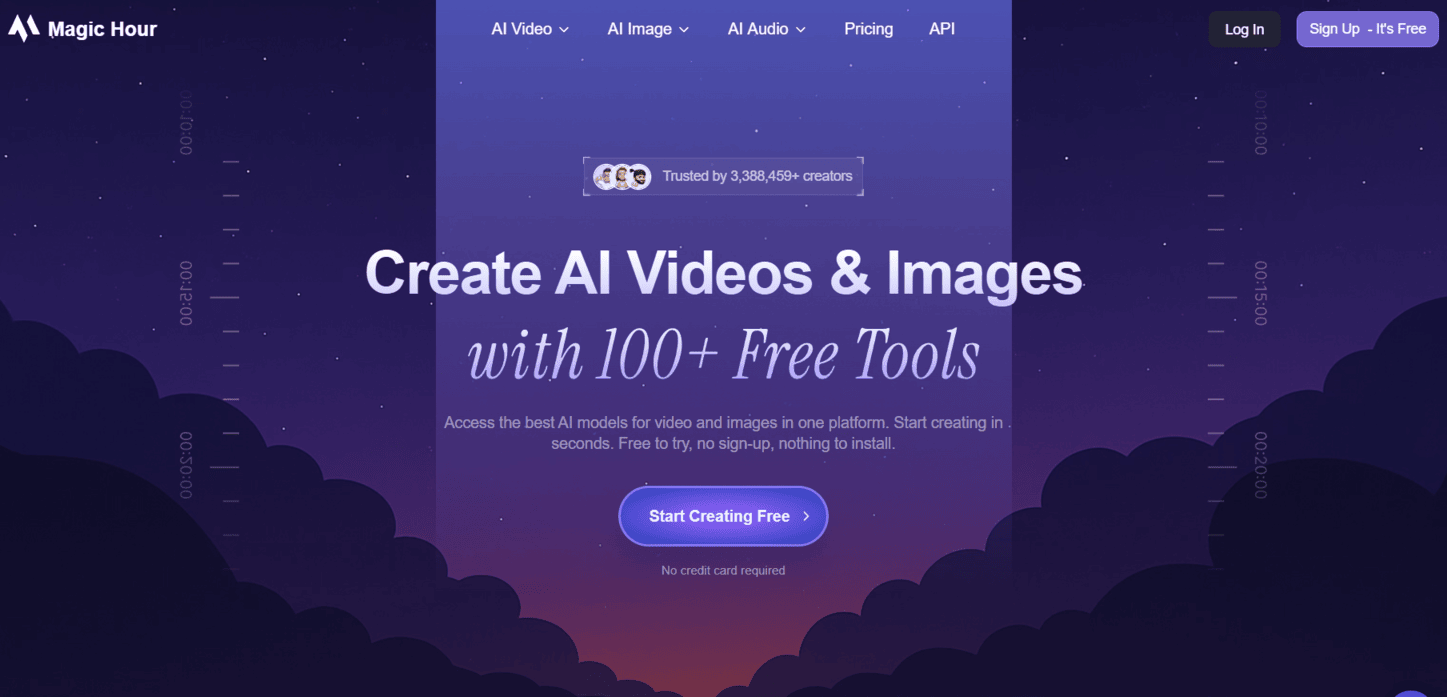
Magic Hour is an AI image and video generator built for creators and marketers who need professional-quality visuals without filming, editing software, or design skills.
At a glance:
- Best for: Content teams and solo creators who need fast visual assets for social, especially short-form video and branded imagery
- Starting price: Free tier with daily credits; paid plans from $10/mo
- Standout AI features: Text-to-video, image-to-video, AI face swap, lip sync, AI headshots, image upscaling, with 100+ tools in one browser-based platform
- Platforms: Exports optimized for TikTok, Instagram Reels, YouTube Shorts, and ads (16:9, 9:16, 1:1)
Where Magic Hour fits
Most tools on this list handle scheduling, copy, or analytics. Magic Hour solves the asset production problem, the step that slows a lot of social teams down before a post ever reaches a scheduler.
The platform combines over 100 AI tools in one place: type a prompt to generate a video from scratch, upload a photo to animate it, swap faces, add lip sync, or produce an AI headshot. Everything runs in the browser with no install required, and most clips render in under a minute. For teams without a dedicated video editor, that removes a genuine bottleneck.
The free tier gives you daily credits across most tools, which is enough for regular social content at smaller volume. Creator and team plans unlock higher resolution, longer clips, and premium models including Kling, Veo, and Sora.
What to be careful about
Magic Hour is a production tool, not a publishing or strategy tool. It does not handle scheduling, approvals, analytics, or inbox management, so it's a specialist to pair with a scheduler like PostPlanify, not a replacement for one. Teams that need a tightly integrated content calendar will still want a dedicated social platform; Magic Hour fits best as the visual production layer inside that stack.
Best for: Creators, marketers, and small teams who need a fast, browser-based tool for AI-generated video and image assets without paying for a full creative suite.
Compare in One Paragraph
If you want one tool that does the whole job, PostPlanify has the deepest AI suite alongside analytics, social inbox, approvals, and white-label reporting on Scale. Sprout Social wins on listening and reporting but expects an enterprise budget. Hootsuite is the safer pick for compliance-heavy organizations. Buffer is the fastest scheduler to learn but lighter on team workflows. Later is the visual-first choice for Instagram and TikTok brands. Jasper and Lately AI are specialists — Jasper for brand-voice copy, Lately for repurposing long-form content. Ocoya and Predis.ai focus on fast design plus copy plus scheduling, with Predis better suited to e-commerce. Flick stays in the Instagram lane with strong hashtag intelligence. Magic Hour is the visual specialist for AI-generated video and image assets when production, not publishing, is the bottleneck. Pick by the job to be done, not by feature count.
Top 11 AI Tools for Social Media Marketing — Feature Comparison
| Platform | Core features | UX & Quality | Value / Pricing | Target audience | Unique selling points |
|---|---|---|---|---|---|
| 🏆 PostPlanify | Drag-and-drop calendar, unified inbox, analytics, AI captions/images, shared media, REST API | ★★★★★ | 💰 Starts at $79/mo billed yearly ($99/mo monthly); 7-day trial; flat-rate, not per-seat | 👥 Agencies, teams, creators | ✨ Vision-powered AI; white-label reports on Scale; approval workflows on Premium; API for automation |
| Sprout Social (Sprout AI, Trellis) | Deep analytics, social listening, AI Assist, workflows | ★★★★★ | 💰 Per-user enterprise pricing; add-ons | 👥 Enterprises & large brands | ✨ Agentic AI insights; strong governance |
| Hootsuite (OwlyWriter AI) | Scheduling, engagement, compliance, OwlyWriter AI | ★★★★ | 💰 Standard $249/user/mo; Advanced $499/user/mo | 👥 Multi-network teams, enterprises | ✨ Large app ecosystem; compliance & workflow controls |
| Buffer (with AI Assistant) | Composer + AI captions, queues, calendar, analytics | ★★★★ | 💰 Channel-based plans | 👥 SMBs, creators, small teams | ✨ Simple UX; quick setup; transparent pricing |
| Later (AI Ideas + Caption Writer) | Visual planner, AI captions (credit model), link-in-bio, influencer tools | ★★★★ | 💰 Credit-based AI; tiered plans | 👥 Visual brands, IG/TikTok creators | ✨ Visual-first planning; influencer/UGC workflows |
| Jasper (Marketing-focused AI) | Brand voice, templates, campaign editor, API | ★★★★ | 💰 Seat-based, premium for high-volume writers | 👥 Marketing teams, agencies | ✨ Brand-trained copy; campaign templates |
| Ocoya (AI content + design + scheduling) | AI copy & image gen, templates, calendar, multi-network scheduling | ★★★★ | 💰 Tiered; AI credit limits | 👥 Small teams, agencies | ✨ Fast idea→design→schedule pipeline |
| Lately AI (repurposing) | Repurposes long-form into many social posts; brand training | ★★★ | 💰 Often sales-led / custom pricing | 👥 Content teams, enterprises repurposing | ✨ Scales repurposing; employee advocacy support |
| Predis.ai (AI content + design + scheduling) | AI text + graphics/video, carousels, competitor analysis, scheduler | ★★★★ | 💰 SMB/e-commerce plans; usage caps | 👥 SMBs, e-commerce teams | ✨ Auto-design from prompts; carousel & meme support |
| Flick (with Iris AI) | AI prompts, caption writing, hashtag research, visual planner | ★★★★ | 💰 Mid-priced, IG-focused tiers | 👥 Instagram growth teams, influencers | ✨ Industry-leading hashtag intelligence; IG growth focus |
| Magic Hour (AI video + image generator) | Text-to-video, image-to-video, AI face swap, lip sync, AI headshots, image upscaling, 100+ AI tools | ★★★★ | 💰 Free tier with daily credits; paid plans from $10/mo | 👥 Creators, marketers, content teams | ✨ Browser-based; premium models (Kling, Veo, Sora) on paid tiers |
Checklist: Choosing Your First AI Social Media Tool
What's slowing your team down right now?
That is the first question to answer before you buy anything. Teams usually choose the wrong AI tool because they shop by feature list instead of by workflow problem. "AI captions" sounds useful. It does not matter much if your real issue is approvals, missed publish windows, or a design process that drags every post out by two extra days.
Use this checklist before you commit:
-
Identify the bottleneck before the tool category. Match the tool to the job. If writing is slow, start with a specialist writer like ChatGPT or Jasper. If creative production is the blocker, test Canva or Predis.ai. If content gets stuck between drafts, approvals, publishing, and reporting, start with an all-in-one platform such as PostPlanify, Buffer, or Sprout Social.
-
Test one real workflow from start to finish. Don't judge a tool from the homepage or a demo alone. Run a week of actual work through it. Draft posts, schedule them, send them for approval, make revisions, publish, and pull a report. Friction shows up fast when the tool hits your real process.
-
Judge output by edit time. AI output doesn't need to be perfect. It needs to be usable with light cleanup. If every caption needs a full rewrite, every image needs manual fixing, or every suggestion sounds generic, the tool is adding a review step instead of saving time.
-
Check how well it fits the stack you already use. Good tools reduce handoffs. Bad ones create extra exporting, copying, and reformatting. If your team already works in Canva, Google Drive, Dropbox, ChatGPT, or CapCut, choose a tool that fits around those habits instead of forcing a brand-new process.
-
Watch how pricing scales. A tool can look fine for one brand and one user, then get expensive fast once you add channels, teammates, clients, or approval layers. Flat pricing is often easier to manage for agencies and multi-account teams. Seat-based pricing can still work for smaller in-house teams with a tight user count.
-
Treat approvals and brand safety as workflow features. Fast generation is useful. Controlled publishing keeps mistakes out of production. If you handle client accounts, regulated industries, or multiple approvers, permissions and approval paths matter as much as caption quality.
-
Build a small content engine instead of a bloated stack. The setups that hold up in real work are usually simple. A common combination is ChatGPT for hooks and first drafts, Canva for graphics, and a scheduler with built-in AI for approvals and publishing. Add CapCut if short-form video is a big part of your mix.
GWI's overview of AI tools for social media marketing notes that teams are using AI for operational jobs like social listening and faster content production. That matches what I see in practice when a team picks the right category first, then adds tools only where the workflow still breaks. HubSpot's marketing AI report found that marketers using AI report saving meaningful time on routine content tasks — most of that in the drafting and repurposing stages.
Start with one problem. Fix it. Then decide if you need a second tool.
If you want to see another AI product in this space, you can also explore the lunabloomai app.
PostPlanifyAll your social media in one simple dashboard
Schedule posts, track analytics, and reply to comments/DMs without switching tabs.
Engagement
+18%
Views
52.8k
Making the Switch to an AI-Powered Workflow
- Audit your current bottleneck. Watch one full publishing cycle and time each stage — ideation, copy, design, approval, scheduling, reporting. The slowest stage is your tool category.
- Pick one tool, not three. Adding multiple AI tools at once creates handoff drag that often cancels the time savings. Start with the one that maps to your bottleneck.
- Configure brand context first. Tools like PostPlanify, Jasper, and Lately let you define brand voice, target audience, and tone. Spend 10–15 minutes on this before generating anything — it dramatically improves AI output quality.
- Run a 1-week parallel test. Keep your current process and run AI-generated content alongside it. Measure edit time per post and final engagement, not just generation speed.
- Roll out approvals once trust is built. Don't enable AI inbox replies or auto-publishing on day one. Start with drafts that humans review, then expand automation as confidence grows.
- Track the time saved. Most teams report 5–10 hours per week saved on caption writing alone after switching to vision-powered AI. If your numbers don't match that, the tool isn't the right fit — switch before the contract renews.
Best AI Tools for Social Media Marketing — FAQ
What are the best AI tools for social media marketing in 2026?
The best AI tools for social media marketing depend on the job you need done. PostPlanify is the best AI suite overall for teams and agencies (vision-powered captions, AI image gen, AI inbox replies, approvals, and white-label reports on Scale). Sprout Social wins on listening and reporting. Jasper is the strongest brand-voice writer. Lately AI leads on repurposing. Predis.ai is the best fit for e-commerce. Pick by the bottleneck in your current workflow, not by feature count.
Which AI social media tool is best for small teams and agencies?
For small teams and agencies, look for flat-rate pricing and built-in collaboration. PostPlanify starts at $79/mo billed yearly ($99/mo monthly) on Growth and scales to Premium at $159/mo billed yearly ($199/mo monthly) for 6 users or Scale at $239/mo billed yearly ($299/mo monthly) for 12 users. That covers analytics, social inbox, AI captions, AI image generation, and approval workflows without per-seat fees. Per-seat tools like Sprout Social and Hootsuite get expensive quickly as the team grows.
Can AI replace a social media manager?
No. AI handles repetitive tasks — caption drafting, image generation, scheduling, basic inbox triage. But strategy, community building, crisis response, and brand voice development still require human judgment. The best AI tools for social media marketing make managers more efficient, not obsolete.
Are AI-generated captions as good as human-written ones?
AI-generated captions work best as a starting point. Vision-powered tools like PostPlanify produce higher-quality first drafts because they analyze the actual image or video before writing copy — text-only AI writers tend to produce generic output. Plan to lightly edit every AI caption before publishing.
What's the difference between AI captions and AI image generation?
AI captions generate post copy, hashtags, and calls to action from prompts or media analysis. AI image generation creates original visuals from text descriptions using models like Flux, DALL-E, or Imagen. PostPlanify and Predis.ai offer both. Most other AI social media tools focus on captions only.
Are credit-based AI systems worth it?
Depends on your volume. For under 50 posts a month, credit systems like Later (5–100 credits) work fine. For higher volume, look for tools with unlimited AI captions — PostPlanify offers unlimited AI caption generation across all plans, with credits only on AI image generation (200/mo on Growth, 400/mo on Premium, 800/mo on Scale).
Which AI tool has the best free trial?
PostPlanify offers a 7-day free trial plus a 14-day money-back guarantee. Buffer has a forever-free plan with limited channels and AI Assistant access. Sprout Social offers a 30-day free trial. Most other tools sit between 7 and 14 days.
Do AI social media tools support video content like Reels and TikToks?
Yes. Modern AI tools support video scheduling and AI captions for video content. PostPlanify analyzes uploaded videos by extracting frames and transcribing audio before generating captions, which produces more relevant copy than tools that ignore video content. Predis.ai and Ocoya can also generate short-form video creatives.
How much can AI save on social media content creation time?
Most teams report saving 5–10 hours per week on caption writing when they switch to AI-powered tools, and another 3–5 hours per week on design when AI image generation is included. Vision-powered AI saves more time than text-only AI because captions match visual content without manual description. AI inbox replies typically cut response time by 40–60% on high-volume accounts.
Which platforms do the best AI tools for social media marketing support?
Coverage varies. Flick is Instagram-first. Buffer covers around 5 major platforms. Later covers 8. PostPlanify supports 10 networks: Instagram, X, Facebook, TikTok, YouTube, LinkedIn, Threads, Pinterest, Bluesky, and Google Business. Hootsuite and Sprout Social cover the broadest enterprise platform sets. Always verify your priority platforms are supported before committing.
Key Takeaways
- The best AI tools for social media marketing vary by the job they do best — pick by bottleneck (writing, design, repurposing, approvals, listening), not by hype.
- PostPlanify is the strongest all-in-one AI suite for teams and agencies — vision-powered captions, AI image generation, AI-assisted social inbox, approval workflows, white-label PDF reports on Scale, and analytics across all 10 supported platforms.
- Sprout Social wins on listening and reporting; Hootsuite wins on governance; Buffer wins on simplicity — but each comes with cost or feature trade-offs.
- Jasper and Lately AI are specialists — buy them only if writing or repurposing is your specific bottleneck and you already have publishing handled.
- Per-seat pricing punishes growing teams — flat-rate tools like PostPlanify keep cost predictable as headcount and client count expand.
- Vision-powered AI beats text-only AI for caption quality because captions describe what's actually in your media instead of generating generic copy.
- Build a small, focused content engine — one tool per job is faster than five overlapping subscriptions.
Related Reading
- Best AI Social Media Management Tools
- Best ChatGPT Plugins for Social Media
- PostPlanify Pricing
- Best Social Media Management Platform
- Best Social Media Scheduling Tools
- AI Caption Generator for Instagram
- Content Repurposing Strategies
- Social Media Copywriting Workflows
- Social Media Analytics and Reporting Guide
- How to Schedule Social Media Posts
- Best Time to Post on Social Media
- Best Social Media Tools with Approval Workflows
- Best Social Media Management Tools for Agencies
- Best Social Media Management Tools for Creators
- Best Social Media Management Tools for Teams
- Best Free Social Media Management Tools
- Best Buffer Alternatives
- Best Hootsuite Alternatives
- Best Later Alternatives
- Best Sprout Social Alternatives
- White-Label Social Media Reports for Clients
PostPlanifyAll your social media in one simple dashboard
Schedule posts, track analytics, and reply to comments/DMs without switching tabs.
Engagement
+18%
Views
52.8k
About the Author

Hasan Cagli
Founder of PostPlanify, a content and social media scheduling platform. He focuses on building systems that help businesses, agencies, and teams plan, publish, and manage content and social media more efficiently across platforms.


