


Managing multiple platforms is one of the biggest time drains creators face. And it makes sense: you film a YouTube video, then need to cut clips for TikTok, post a Reel, write a tweet, create a LinkedIn post, and update your Stories. That's six tasks from one piece of content, repeated multiple times per week.
Meanwhile, most full-time creators now post on three or more platforms, and the ones growing fastest are on even more. The algorithm rewards consistency, but consistency across five platforms without a system is a full-time job on its own.
That's where creator social media tools come in. The right social media scheduler for creators lets you batch-schedule a week of content in one sitting, repurpose one video into posts for every platform, and stay consistent without logging into five apps every day.
I tested and compared 12 content creator scheduling tools through the lens of what creators actually need: multi-platform scheduling (especially TikTok, Instagram, and YouTube), content repurposing workflows, AI caption generation, analytics to see what performs, and pricing that doesn't eat into your creator income.
Quick Picks: Best Social Media Tools for Creators
| Tool | Best For | Starting Price | Key Creator Feature | Rating |
|---|---|---|---|---|
| PostPlanify | Best overall for creators | From $39/mo | Analytics + 10-platform batch scheduling | 5/5 G2 |
| Buffer | Simplicity & getting started | Free | Clean 3-channel scheduling | 4.3/5 G2 |
| Publer | Multi-platform bulk scheduling | Free | Bulk scheduling + 12 platforms | 4.7/5 G2 |
| Later | Visual content planning | $25/mo | Visual planner + Linkin.bio | 4.5/5 G2 |
| Metricool | Free analytics for creators | Free | Analytics-first with 20 posts/mo free | 4.5/5 G2 |
| SocialBee | Content recycling & evergreen posts | $29/mo | Category-based content rotation | 4.8/5 G2 |
| Loomly | Collaborative creator teams | $65/mo | Built-in approval workflows | 4.6/5 G2 |
| Hootsuite | Enterprise-level creators | $99/user/mo | Bulk scheduling (350 posts) | 4.3/5 G2 |
| Sprout Social | Data-driven creator brands | $99/seat/mo | Advanced cross-platform analytics | 4.4/5 G2 |
| Sendible | Managing client accounts | $35/mo | White-label reporting + client dashboards | 4.5/5 G2 |
| Tailwind | Pinterest & visual discovery | Free | SmartSchedule + Pinterest optimization | 4.3/5 G2 |
| ContentStudio | AI captions on a budget | $29/mo | Unlimited posting + content discovery | 4.6/5 G2 |
How I evaluated these social media management tools
To make this comparison genuinely useful for creators, I focused on the workflow that matches how creators actually operate (create in batches, schedule once, and get back to creating) rather than enterprise marketing features.
For each tool, I looked at:
| Evaluation area | What I checked |
|---|---|
| Multi-platform scheduling | Whether the tool publishes directly to the platforms creators live on, especially TikTok, Instagram, and YouTube, plus newer networks like Threads and Bluesky. |
| Content repurposing | Whether you can upload one video once and schedule it across every channel with platform-specific captions, instead of re-uploading per app. |
| Batch scheduling | Whether you can load a full week (or month) of content in a single session and set it to publish on autopilot. |
| AI caption generation | Whether the tool writes platform-specific captions that keep your voice consistent, casual for TikTok, polished for LinkedIn, hashtag-rich for Instagram. |
| Analytics | Whether you get actionable data on which formats, topics, and platforms drive engagement and growth, not just vanity metrics. |
| Engagement (social inbox) | Whether comments, DMs, and mentions from every platform land in one place instead of five separate apps. |
| Pricing for creators | Whether the price stays realistic for a solo creator or small team: flat tiers, per-workspace billing, or a generous free plan, versus per-seat and per-channel models that punish growth. |
I also verified every price against each vendor's current pricing page and pulled ratings from G2 and Trustpilot rather than vendor marketing.
1. PostPlanify: Best Overall for Creators

PostPlanify is built for how creators actually work: batch-create a week of content, upload everything in one session, schedule it across every platform, and get back to creating.
Where most tools are designed for marketing teams or agencies, PostPlanify's workflow matches the creator rhythm. You film a batch of videos, upload them all at once, use AI to generate platform-specific captions (casual for TikTok, polished for LinkedIn, hashtag-rich for Instagram), preview how posts look on each platform, and schedule, all from one screen.
For content creators specifically, PostPlanify covers the full workflow: a visual content calendar to plan your content mix across the week, a social inbox to manage comments and DMs without opening five apps, analytics across all 10 platforms with best-time-to-post suggestions, and team collaboration for editors, managers, or VAs, with unlimited team members on every plan.
Key features for creators:
- Schedule to 10 platforms: Instagram, TikTok, YouTube, X (Twitter), LinkedIn, Facebook, Threads, Pinterest, Bluesky, and Google Business
- Batch scheduling: upload a full week of content in one session
- Visual content calendar to balance educational, personal, trending, and promotional content
- Media library with native Canva and Google Drive integration
- Social inbox to manage comments and DMs across every platform
- Link-in-bio builder for driving traffic to your latest content, products, or links (see our full best link in bio tools comparison)
- Analytics across all platforms with engagement trends and best-time-to-post
- Team collaboration: add your editor, VA, or manager at no extra cost, since team members are unlimited on every plan (see our Instagram collaboration guide for setup steps)
- Approval workflows from the entry plan, useful once an editor or manager reviews posts before they publish
- Client reports on Premium and fully white-labeled reports on Scale, for creators who also manage client accounts
- Brand-aware AI assistant: upload a thumbnail or video frame and get platform-tuned captions and images
Pricing:
| Plan | Starts at | Includes | Each extra workspace | Social accounts |
|---|---|---|---|---|
| Growth | $39/mo | 1 workspace | from $29, cheaper as you add more | 4 per workspace |
| Premium | $99/mo | 3 workspaces | from $39, cheaper as you add more | 6 per workspace |
| Scale | $199/mo | 5 workspaces | from $39, cheaper as you add more | 8 per workspace |
Unlimited team members on every plan, no per-seat fees. Yearly billing saves 20%. All plans include a 7-day free trial with a 14-day money-back guarantee.
Pros:
- No per-user or per-channel fees: you pay per workspace, and team members are unlimited
- Brand-aware AI generates captions from images and video frames
- 10 platforms including TikTok, YouTube, and Threads
- Analytics, social inbox, and approvals on every plan, including the entry tier
- Social inbox keeps all your DMs and comments in one place
- Content calendar built for planning weekly content mixes
Cons:
- Newer platform: smaller community compared to legacy tools
- No free plan (7-day trial + 14-day money-back guarantee instead)
Best for: Creators who post across 3+ platforms and want one tool to batch-schedule, repurpose content, manage engagement, and track what performs, without paying per seat or per channel.
 PostPlanify
All your social media in one simple dashboard
Schedule posts, track analytics, and reply to comments/DMs without switching tabs.

Engagement
+18%
Views
52.8k
2. Buffer: Best for Simplicity and Getting Started

Buffer is the most straightforward scheduling tool on this list. If you're a creator who just wants to schedule posts without learning a complex platform, Buffer gets you posting in minutes.
The interface is intentionally minimal: pick your channels, write your post, select a time, and publish. There's no feature overload, no complicated menus, and no learning curve. For creators just starting to take social media seriously, that simplicity is the feature.
Key features for creators:
- Schedule to Instagram, TikTok, Facebook, LinkedIn, X, Pinterest, YouTube, Threads, Bluesky, and Mastodon
- AI Assistant generates captions, repurposes text, and suggests hashtags
- Clean visual calendar with drag-and-drop rescheduling
- Start Page: a simple link-in-bio landing page
- Basic analytics on engagement, reach, and best posting times
- Browser extension for quick sharing
Pricing:
| Plan | Price | Channels |
|---|---|---|
| Free | $0/mo | 3 channels |
| Essentials | $6/mo per channel | Unlimited |
| Team | $12/mo per channel | Unlimited |
Pros:
- Free plan covers 3 channels: enough for most starting creators
- Easiest interface of any tool on this list
- AI caption generation included on paid plans
- Supports 11 platforms including Threads, Bluesky, and Google Business Profile
Cons:
- Per-channel pricing adds up fast (5 channels = $30-$60/mo)
- Community inbox is basic compared to dedicated engagement tools
- Analytics are basic compared to dedicated analytics tools
- Approval workflows only available on Team plan ($12/channel/mo)
- Limited media library
Best for: Solo creators who post on 1-3 platforms and want the simplest possible scheduling experience.
User ratings: 4.3/5 on G2 · 4.3/5 on Trustpilot
For more details: Buffer Pricing Breakdown · Buffer Reviews · Best Buffer Alternatives
PostPlanifyAll your social media in one simple dashboard
Schedule posts, track analytics, and reply to comments/DMs without switching tabs.
Engagement
+18%
Views
52.8k
3. Publer: Best for Multi-Platform Bulk Scheduling
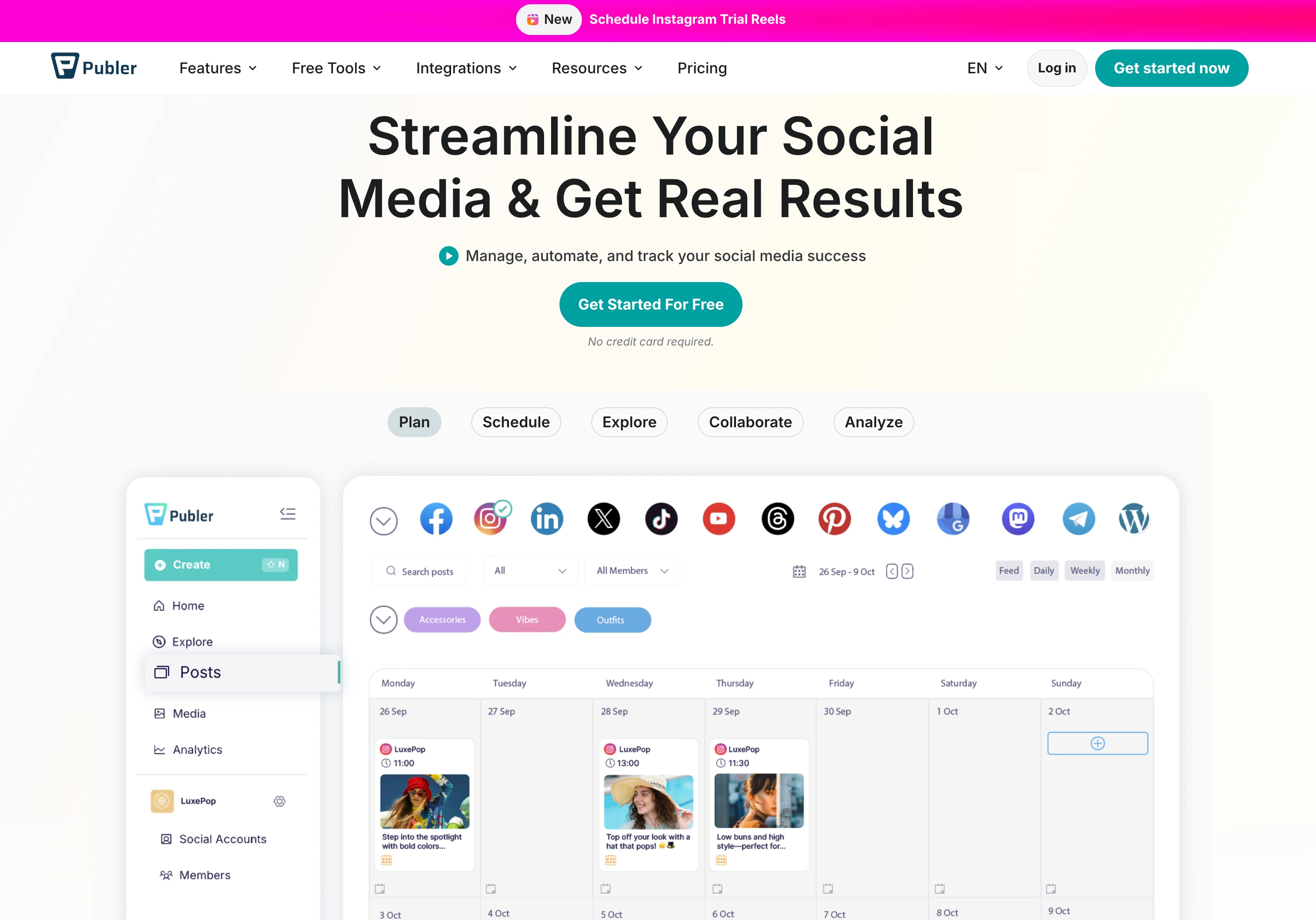
Publer supports more platforms than almost any other tool on this list: 12+ including TikTok, YouTube, Pinterest, Google Business, Telegram, and WordPress. For creators who want to push content to every platform they're on, Publer's breadth is hard to beat.
The standout feature is bulk scheduling. You can upload a CSV, bulk-create dozens of posts, and schedule them in one batch. Combined with RSS automations and a built-in link-in-bio page, Publer is a solid workhorse for creators who prioritize volume and reach.
Key features for creators:
- Schedule to 12+ platforms including TikTok, YouTube, Pinterest, Telegram, and WordPress
- Bulk scheduling via CSV upload or manual batch creation
- AI captions powered by GPT-4 and AI images via DALL-E 3 (Business plan)
- RSS automations: auto-share new YouTube videos, blog posts, or podcast episodes
- Built-in link-in-bio page
- Content recycling for evergreen posts
- Watermark and signature tool for branded content
Pricing:
| Plan | Base Price (3 accounts) | 10 Accounts |
|---|---|---|
| Free | $0/mo | N/A (3 max) |
| Professional | $12/mo | $36/mo |
| Business | $21/mo | $63/mo |
Pros:
- Generous free plan for up to 3 accounts
- 12+ platforms: widest coverage for multi-platform creators
- Bulk scheduling saves hours for high-volume posting
- RSS automations for auto-sharing new content
- Low entry price on Professional ($12/mo)
Cons:
- Per-account pricing escalates quickly (25 accounts = $92-$161/mo)
- AI features locked to Business plan ($21+/mo)
- Free plan excludes X/Twitter and limits to 10 posts/account
- No social inbox
- No approval workflows
- Analytics only on Business plan
Best for: Creators who post on many platforms (especially niche ones like Telegram or WordPress) and want bulk scheduling with a low entry price.
User ratings: 4.7/5 on G2 · 4.8/5 on Trustpilot
For more details: Publer Pricing Breakdown · Publer Reviews · Best Publer Alternatives
4. Later: Best for Visual Content Planning

Later started as an Instagram scheduling tool and still excels at visual content planning. If you're a creator whose brand depends on how your feed looks (photographers, lifestyle creators, fashion influencers), Later's visual-first approach makes planning your grid intuitive.
The drag-and-drop visual planner lets you see exactly how your Instagram grid will look before you post. Linkin.bio turns your Instagram feed into a clickable landing page, driving traffic to your content, products, or affiliate links.
Key features for creators:
- Visual Instagram grid planner with drag-and-drop
- Linkin.bio: clickable landing page from your Instagram feed
- Schedule to Instagram, TikTok, Facebook, LinkedIn, X, Pinterest, and YouTube
- AI caption generation and hashtag suggestions
- Best-time-to-post recommendations
- User-generated content collection and reposting tools
- Media library with labels and notes
Pricing:
| Plan | Price | Social Sets | Users |
|---|---|---|---|
| Starter | $25/mo | 1 set (8 profiles) | 1 |
| Growth | $50/mo | 2 sets (16 profiles) | 2 |
| Scale | $110/mo | 6 sets (48 profiles) | 4 |
Pros:
- Best visual grid planner for Instagram-focused creators
- Linkin.bio is genuinely useful for driving traffic
- Strong UGC collection tools for reposting fan content
- Clean, intuitive interface
Cons:
- Pricing starts at $25/mo with only 1 social set
- Limited analytics compared to dedicated tools
- Weaker on non-visual platforms (X, LinkedIn, Threads)
- Social inbox only available on Growth plan and above
- TikTok and YouTube features feel secondary to Instagram
Best for: Instagram-focused creators, visual brands, photographers, and lifestyle creators who want their feed to look cohesive.
User ratings: 4.5/5 on G2 · 4.4/5 on Trustpilot
For more details: Later Pricing Breakdown · Later Reviews · Best Later Alternatives
5. Metricool: Best Free Analytics for Creators
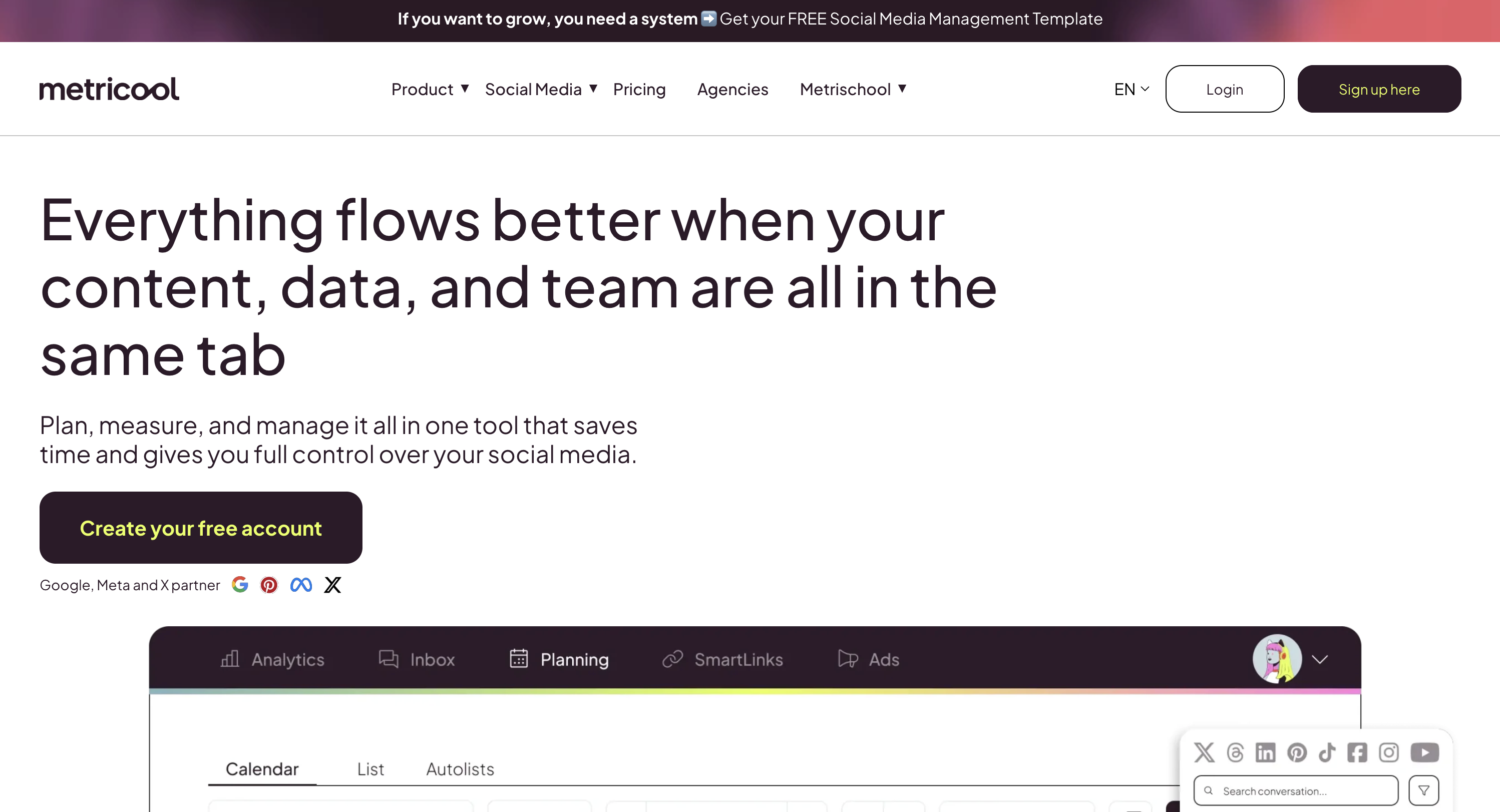
Metricool is an analytics-first platform that also does scheduling. For creators who want to understand their numbers (which platforms drive growth, what content formats perform, and when their audience is active), Metricool's free plan offers more analytics depth than most paid tools.
The free tier includes analytics for 1 brand across all connected platforms, 50 scheduled posts per month, competitor tracking for up to 5 profiles, and 3 months of historical data. That's a remarkable amount for $0.
Key features for creators:
- Detailed analytics across Instagram, TikTok, YouTube, Facebook, X, LinkedIn, Pinterest, and Twitch
- Competitor tracking: monitor up to 5 competitor profiles for free
- Best-time-to-post recommendations based on your audience data
- Content scheduling with 20 posts/month on the free plan
- Hashtag tracker and performance analysis
- Canva and Google Drive integration on paid plans
- PDF and PowerPoint report exports (paid plans)
Pricing:
| Plan | Price | Brands |
|---|---|---|
| Free | $0/mo | 1 brand |
| Starter | From $25/mo | Up to 10 brands |
| Advanced | From $67/mo | Up to 50 brands |
| Enterprise | Custom | Unlimited |
Pros:
- Best free analytics of any tool on this list
- Competitor tracking included on the free plan
- Covers Twitch: rare among scheduling tools (valuable for streaming creators)
- Solid best-time-to-post recommendations
- Low entry price for multi-brand creators
Cons:
- Scheduling feels secondary to analytics: less polished than dedicated schedulers
- Only 20 posts/month on the free plan, with no LinkedIn or X access
- Inbox management is basic compared to dedicated tools
- Team features locked to Advanced plan ($54+/mo)
- No AI caption generation
- Interface can feel complex for simple scheduling tasks
- No bulk scheduling or CSV import
Best for: Analytics-focused creators who want deep performance data on a budget, especially those on Twitch or who want competitor tracking.
User ratings: 4.5/5 on G2 · 4.2/5 on Trustpilot
For more details: Metricool Pricing Breakdown · Metricool Reviews · Best Metricool Alternatives
6. SocialBee: Best for Content Recycling and Evergreen Posts

SocialBee is built around a concept most creator tools ignore: content categories. You organize posts into categories ("educational tips," "personal stories," "promotional," "behind-the-scenes") and SocialBee rotates through them on a schedule you define.
For creators who have a library of evergreen content (tips, tutorials, quotes, product recommendations), this means your best content keeps working for you long after you first posted it. Instead of constantly creating new posts, you build a content library that recycles automatically.
Key features for creators:
- Category-based content organization and scheduling
- Evergreen content recycling: posts re-queue automatically
- AI caption generator (Copilot) for generating post variations
- Schedule to 10 platforms including Instagram, TikTok, Facebook, LinkedIn, X, Pinterest, YouTube, Google Business, Threads, and Bluesky
- Content calendar with category color-coding
- RSS feed auto-posting
- Canva integration for creating visuals in-app
Pricing:
| Plan | Price | Social Profiles |
|---|---|---|
| Bootstrap | $29/mo | 5 profiles |
| Accelerate | $49/mo | 10 profiles |
| Pro | $99/mo | 25 profiles |
14-day free trial on all plans.
Pros:
- Best content recycling system for evergreen posts
- Category-based scheduling keeps your content mix balanced automatically
- AI Copilot generates post variations to keep recycled content fresh
- Highest-rated tool on G2 (4.8/5) among all tools on this list
- Strong value for 5 profiles at $29/mo
Cons:
- No social inbox: engagement management is limited
- Category system has a learning curve if you're used to simple schedulers
- Analytics are decent but not as deep as dedicated analytics tools
- No visual grid planner
- Bulk scheduling options are limited
Best for: Creators who have a library of evergreen content (tips, tutorials, how-tos) and want it to automatically recycle across platforms without manual rescheduling.
User ratings: 4.8/5 on G2 · 3.8/5 on Trustpilot
For more details: SocialBee Pricing Breakdown · SocialBee Reviews · Best SocialBee Alternatives
PostPlanifyAll your social media in one simple dashboard
Schedule posts, track analytics, and reply to comments/DMs without switching tabs.
Engagement
+18%
Views
52.8k
7. Loomly: Best for Collaborative Creator Teams

Loomly is built for teams, and for creators who work with editors, managers, VAs, or brand partners, Loomly's approval workflow is one of the best in the category.
Every post goes through a clear pipeline: draft → pending approval → approved → scheduled. Your editor submits content, you review and approve (or request changes), and nothing goes live without your sign-off. For creators who've been burned by a VA posting something off-brand, this workflow is essential.
Key features for creators:
- Multi-step approval workflows (draft → review → approve → schedule)
- Post mockups: preview exactly how posts will look on each platform before publishing
- Content inspiration ideas based on trending topics, holidays, and RSS feeds
- Schedule to Instagram, Facebook, LinkedIn, X, Pinterest, TikTok, YouTube, Google Business, Snapchat, and Threads
- Interactions inbox for managing comments and DMs across platforms
- Calendar view with status labels for each post
- Asset library with version history
Pricing:
| Plan | Price | Social Accounts | Users |
|---|---|---|---|
| Starter | $65/mo | 12 | 3 |
| Beyond | $332/mo | 60 | Unlimited |
| Enterprise | Custom | Custom | Unlimited |
Loomly no longer offers a free plan. Paid plans start at $65/mo, with a 15-day free trial.
Pros:
- Best approval workflow for creator teams
- Post mockups show exactly what the published post will look like
- Content inspiration feature helps with ideation
- Clean, modern interface
- Good interaction tracking
Cons:
- No free plan and starts at $65/mo: expensive for solo creators
- Steep jump from Starter ($65/mo) to Beyond ($332/mo) with no mid-tier
- Interactions inbox covers comments and DMs but is less robust than dedicated tools
- Analytics are basic
- No content recycling or evergreen reposting
- No AI caption generation on lower plans
Best for: Creators who work with a team (editor, VA, manager) and need a clear approval workflow to ensure nothing goes live without review.
User ratings: 4.6/5 on G2 · 3.7/5 on Trustpilot
For more details: Loomly Pricing Breakdown · Loomly Reviews · Best Loomly Alternatives
8. Hootsuite: Best for Enterprise-Level Creators

Hootsuite is the industry veteran, the tool that's been around since 2008 and is used by the largest brands and media companies in the world. For creators who've grown into media companies (think: creators with multiple channels, a team, brand partnerships, and enterprise sponsors), Hootsuite's scale is unmatched.
The Streams feature lets you monitor multiple feeds, hashtags, and keyword mentions from one dashboard. Bulk scheduling handles up to 350 posts via CSV. And the analytics suite offers cross-platform reporting that enterprise brand partners often require.
Key features for creators:
- Schedule to Instagram, TikTok, Facebook, LinkedIn, X, Pinterest, YouTube, and Threads
- Streams: monitor feeds, hashtags, mentions, and keywords in real-time
- Bulk scheduling via CSV (up to 350 posts at once)
- OwlyWriter AI for caption generation
- Inbox for managing comments and DMs across platforms
- Advanced analytics with custom date ranges and exportable reports
- Employee advocacy tools for team-driven content amplification
Pricing:
| Plan | Price |
|---|---|
| Standard | $99/user/mo |
| Professional | $199/user/mo |
| Advanced | $399/user/mo |
| Enterprise | Custom |
Pros:
- Most established platform: integrates with nearly everything
- Streams provide real-time monitoring of hashtags, mentions, and keywords
- Bulk scheduling for high-volume content operations
- Full social inbox for managing engagement
- Deep analytics with exportable reports
- Extensive app integrations
Cons:
- Per-user billing adds up fast, and approvals only start on Advanced at $399/user
- Interface feels dated and cluttered compared to newer tools
- Feature overload: many features are designed for enterprise marketing, not creators
- Per-user pricing means teams pay significantly more
- Steep learning curve
Best for: Large-scale creators or creator-led media companies who need enterprise monitoring, bulk scheduling, and analytics that satisfy brand partners.
User ratings: 4.3/5 on G2 · 2.8/5 on Trustpilot
For more details: Hootsuite Pricing Breakdown · Hootsuite Reviews · Best Hootsuite Alternatives
9. Sprout Social: Best for Data-Driven Creator Brands

Sprout Social is the analytics powerhouse. If you're a creator who's building a brand and needs to prove ROI to sponsors, track audience growth trends, and make content decisions based on data, Sprout's reporting depth is in a class of its own.
The cross-platform analytics dashboard breaks down performance by network, content type, and time period. Reports are presentation-ready. You can send them directly to brand partners or sponsors. The Smart Inbox unifies all messages, comments, and mentions into one queue.
Key features for creators:
- Cross-platform analytics with presentation-ready reports
- Smart Inbox: unified comments, DMs, and mentions across all platforms
- Schedule to Instagram, TikTok, Facebook, LinkedIn, X, Pinterest, YouTube, and Threads
- Social listening: track brand mentions, keywords, and sentiment
- Optimal send time suggestions based on audience behavior
- ViralPost technology for automated publishing timing
- Competitor benchmarking reports
Pricing:
| Plan | Price |
|---|---|
| Essentials | $99/seat/mo ($79 annual) |
| Standard | $199/seat/mo |
| Professional | $299/seat/mo |
| Advanced | $399/seat/mo |
| Enterprise | Custom |
Pros:
- Best analytics and reporting of any tool on this list
- Smart Inbox is excellent for managing engagement at scale
- Social listening for tracking brand mentions and industry trends
- Reports are professional enough for sponsor presentations
- ViralPost optimizes publishing times automatically
Cons:
- $199/seat/mo is prohibitive for most individual creators
- Per-seat pricing means teams pay significantly more
- Advanced features (listening, competitor reports) require higher tiers
- Overkill for creators who just need scheduling and basic analytics
- Complex interface designed for marketing teams
Best for: Creator brands and personal brands with sponsor relationships who need presentation-ready analytics and social listening to prove ROI.
User ratings: 4.4/5 on G2 · 2.2/5 on Trustpilot
For more details: Sprout Social Pricing Breakdown · Sprout Social Reviews · Best Sprout Social Alternatives
10. Sendible: Best for Creators Managing Client Accounts

Sendible is designed for people who manage social media for others. If you're a creator who also runs social media for brands, clients, or other creators as a side business, Sendible's client management features make it a natural fit.
White-label reporting lets you send branded performance reports. Client dashboards give partners limited access to approve content. And the content library stores brand-specific assets, templates, and hashtag groups for each client.
Key features for creators:
- Schedule to Instagram, TikTok, Facebook, LinkedIn, X, Pinterest, YouTube, and Google Business
- White-label reporting with custom branding
- Client dashboards for content approval
- Content library with brand-specific templates and hashtag groups
- Priority Inbox for managing engagement across accounts
- Smart Compose Box for quick multi-platform posting
- Canva integration for in-app design
Pricing:
| Plan | Price | Social Profiles |
|---|---|---|
| Core | $35/mo | 6 profiles |
| Plus | $99/mo | 18 profiles |
| Premium | $199/mo | 42 profiles |
| Elite | $299/mo | 90 profiles |
| Enterprise | $750/mo | 300 profiles |
14-day free trial on all plans.
Pros:
- Best white-label reporting for creators who manage client accounts
- Client approval dashboards
- Priority Inbox for managing engagement across multiple brands
- Solid platform coverage including Google Business
- Content library with hashtag groups saves time
Cons:
- Interface feels dated compared to newer tools
- Per-profile pricing scales quickly for multi-platform creators
- Analytics are adequate but not deep
- No AI caption generation
- No content recycling or evergreen posting
- Limited bulk scheduling options
Best for: Creators who also manage social media for clients or brands and need white-label reporting and client-facing dashboards.
User ratings: 4.5/5 on G2 · 3.8/5 on Trustpilot
For more details: Sendible Pricing Breakdown · Sendible Reviews · Best Sendible Alternatives
PostPlanifyAll your social media in one simple dashboard
Schedule posts, track analytics, and reply to comments/DMs without switching tabs.
Engagement
+18%
Views
52.8k
11. Tailwind: Best for Pinterest and Visual Discovery
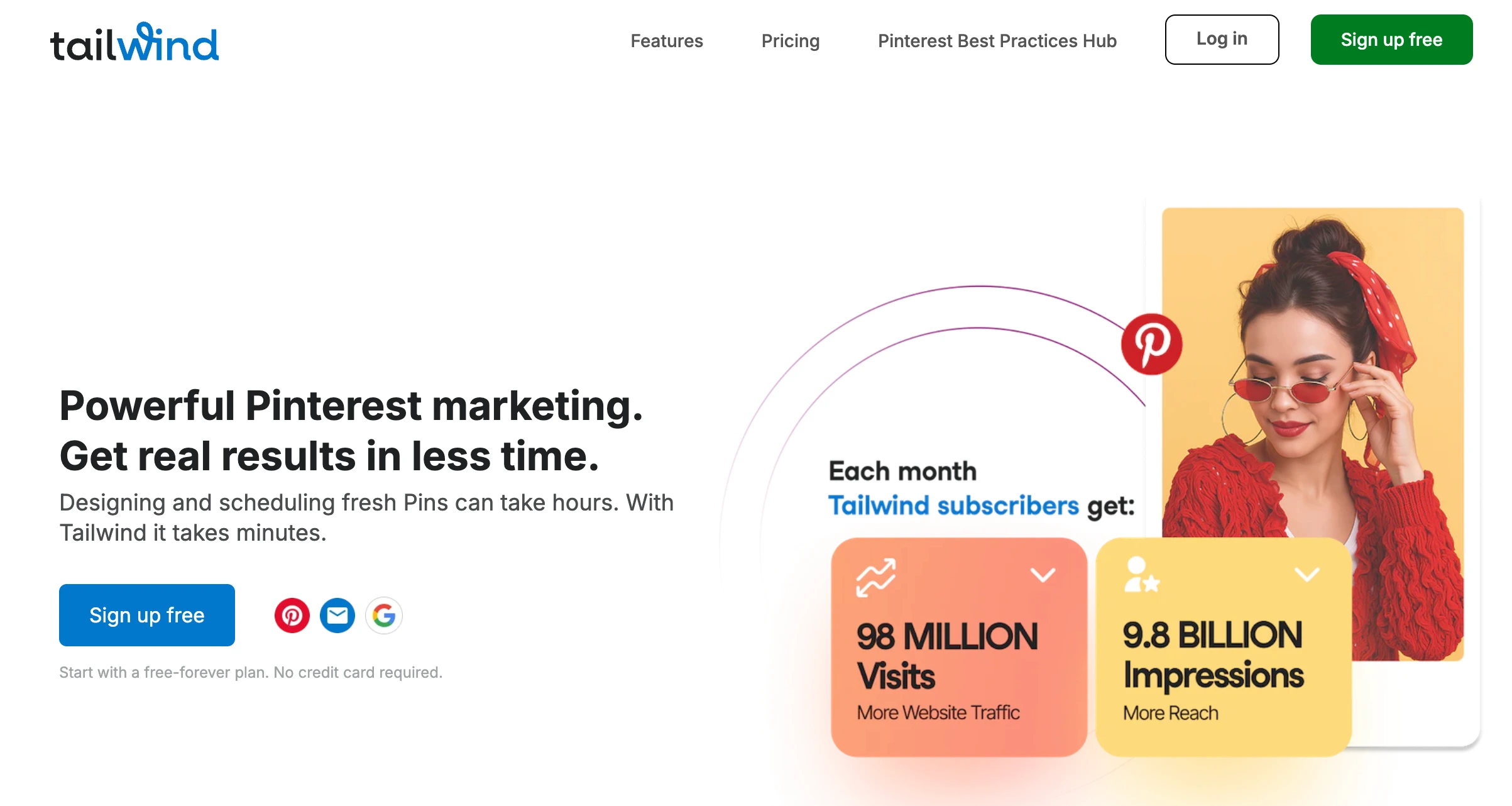
Tailwind started as a Pinterest and Instagram scheduling tool and has since narrowed to Pinterest only, sold as three separate products rather than one plan. If Pinterest drives significant traffic to your blog, YouTube, or products, its SmartSchedule and content optimization features are still purpose-built for that workflow.
SmartSchedule analyzes your audience's activity patterns and automatically picks optimal posting times. The Pin Designer creates on-brand Pinterest graphics from templates. And Tailwind Communities (formerly Tribes) let you share content with other creators in your niche for cross-promotion.
Key features for creators:
- SmartSchedule picks optimal Pinterest posting times automatically
- Tailwind Create designs multiple Pins at once, and SmartPin turns any URL into a weekly Pin
- Automatic Pin spacing rules for Pins from the same URL
- Pinterest keyword research and tracking (sold as a separate product)
- Turbo Pins and engagement boosting (sold as a separate product)
- Browser extension for bulk Pin creation from your own site
Pricing:
| Product | Monthly | Annual | Includes |
|---|---|---|---|
| Pin Scheduling & Creation | $29.99/mo | $17.99/mo | 300 Tailwind credits/mo |
| Pinterest SEO | $14.99/mo | $11.99/mo | 50 credits/mo |
| Pinterest Engagement | $14.99/mo | $11.99/mo | 50 credits/mo |
| All three bundled | $41.97/mo | $29.98/mo | Saves $180/year |
Every plan is priced per Pinterest account, and there is a free tier to start. Extra credits are bought in blocks on top.
Pros:
- Best Pinterest scheduling and optimization tool available
- SmartSchedule automatically picks optimal posting times
- Tailwind Create generates multiple on-brand Pins at once
- Pinterest's longest-standing developer partner, since 2012
- Free tier available for testing
Cons:
- Pinterest only now: no Instagram, TikTok, YouTube, X, or LinkedIn
- Only useful if Pinterest is a core platform for you
- Priced per Pinterest account, and the three products are billed separately unless you bundle
- Credit-metered, so heavy Pin creation means buying more credits
- Not a social media management tool in the usual sense
Best for: Creators who rely on Pinterest for traffic (bloggers, DIY creators, recipe creators, craft creators) and want purpose-built scheduling and optimization. Pair it with a multi-platform tool for everything that isn't Pinterest.
User ratings: 4.3/5 on G2 · 3.5/5 on Trustpilot
For more details: Tailwind Pricing Breakdown · Tailwind Reviews · Best Tailwind Alternatives
12. ContentStudio: Best for AI Captions on a Creator Budget
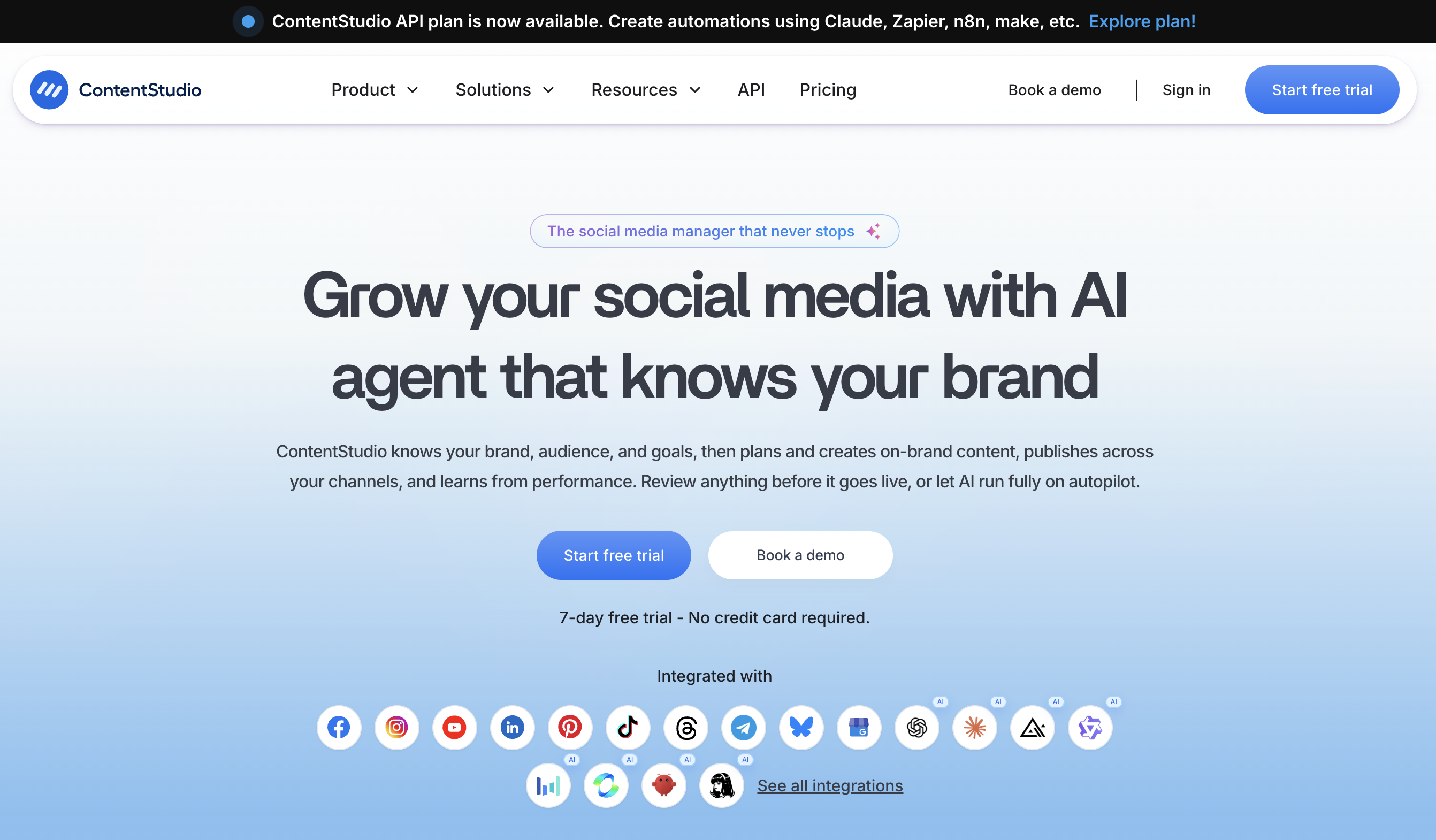
ContentStudio sits between the cheap single-purpose schedulers and the agency platforms: unlimited posting on every plan, a content calendar, AI caption generation, and content discovery for finding trending topics in your niche, at a price a working creator can carry.
The discovery angle is what sets it apart for creators. Instead of staring at an empty calendar, you search topics and see what is performing in your niche right now, then schedule your own take on it. Automation recipes recycle evergreen posts and pull from RSS feeds, which keeps the queue full between filming sessions.
Key features for creators:
- Unlimited social posting on every paid plan
- AI captions and an AI image generator
- Content discovery for trending topics and articles in your niche
- Automation recipes for evergreen recycling and RSS-driven posting
- Content calendar with approval workflows on higher tiers
- Browser extension for sharing content as you find it
Pricing:
| Plan | Monthly | Annual | Social Accounts |
|---|---|---|---|
| Standard | $29/mo | $19/mo | 5 |
| Advanced | $69/mo | $49/mo | 10 (2 workspaces, 2 users) |
| Agency Unlimited | $139/mo | $99/mo | Unlimited workspaces and users |
| Enterprise | Custom | Custom | Custom, with SSO and full API access |
A 7-day free trial, no credit card required, plus a 30-day money-back guarantee for first-time subscribers.
Pros:
- Unlimited posting even on the entry plan
- Content discovery helps solve the "what do I post" problem
- AI captions and images included rather than sold as credits
- Cheapest route to approval workflows if you work with an editor
- 30-day money-back guarantee on top of the trial
Cons:
- Entry plan covers 5 accounts, so multi-platform creators move up quickly
- Analytics are solid but thinner than Metricool's
- No link-in-bio builder
- Interface carries a lot of features you may never use as a solo creator
Best for: Creators who want AI captions, unlimited posting, and topic discovery in one tool without agency pricing.
Free Social Media Tools for Creators: What You Actually Get
If you're just starting out or working with a tight budget, several tools offer free plans. Here's what you actually get before paying anything.
| Tool | Free Plan | Limitations |
|---|---|---|
| Buffer | 3 channels, basic scheduling | No AI, no analytics, no community inbox |
| Publer | 3 accounts, 10 posts/account | No X/Twitter, no AI, no analytics |
| Metricool | 1 brand, 20 posts/month | 30 days of history, no LinkedIn or X |
| Tailwind | 1 Pinterest + 1 Instagram | Basic scheduling only |
Bottom line: Metricool's free plan offers the most analytics value. Buffer's free plan offers the simplest scheduling. Publer's covers the most platforms. But all free plans have meaningful limitations: if you're posting on 3+ platforms regularly, you'll likely outgrow them within a month or two.
Creator Content Repurposing Workflow
The most efficient creators don't create unique content for every platform, they repurpose one piece of content into many. Here's how to turn one YouTube video into a full week of content using your scheduling tool:
Step 1: Film your main video One long-form YouTube video (10-20 minutes) is your anchor content for the week.
Step 2: Cut clips for short-form Extract 3-5 short clips (30-90 seconds each) for TikTok, Instagram Reels, and YouTube Shorts.
Step 3: Create supporting content Pull a quote for a text post (X, Threads, LinkedIn). Create a carousel with key takeaways (Instagram, LinkedIn). Screenshot a comment for a community engagement post.
Step 4: Batch-schedule everything Upload all clips and content to your scheduling tool. Write platform-specific captions (or use AI to generate them). Schedule the clips across the week so each platform gets consistent content.
Step 5: Engage with what performs Use your tool's analytics to see which clips got the most engagement. Reply to comments via social inbox. Note which formats and topics to double down on next week.
Result: One filming session → 15-20 scheduled posts across 5 platforms → a week of consistent content without daily posting.
Content Calendar Template for Creators
Based on what top creators use to stay consistent:
| Day | Content Type | Platforms | Goal |
|---|---|---|---|
| Monday | Educational tip or tutorial | Instagram, TikTok, YouTube | Build authority |
| Tuesday | Behind-the-scenes | TikTok, Instagram Stories | Build connection |
| Wednesday | Repurposed long-form clip | TikTok, Reels, Shorts, X | Maximize reach |
| Thursday | Community Q&A or engagement | Instagram, Threads, X | Boost algorithm |
| Friday | Trending or collab content | TikTok, Instagram | Ride algorithm waves |
| Saturday | Personal story or opinion | Instagram, Threads, LinkedIn | Build loyalty |
| Sunday | Week teaser + batch-schedule | Instagram Stories, X | Plan ahead |
The key is consistency, not perfection. Pick 3 platforms to start with, use your scheduling tool to plan the week in one batch session, and adjust based on what performs.
Which Platforms Matter Most for Creators?
Not every platform deserves equal time. Here's how to prioritize:
Essential (post 3-5x/week):
- TikTok: Top discovery platform for new audiences. Algorithm-driven reach means even small creators can go viral. Consistent posting also builds toward TikTok Creator Rewards eligibility and higher payouts.
- Instagram: Core community-building platform. Reels for discovery, Stories for connection, carousels for saves.
- YouTube: Best for long-term authority and monetization. Long-form builds deep audiences, Shorts extend reach. See our comparison of which social media platform pays the most for a detailed earnings breakdown, and learn how to monetize social media across all these channels.
Recommended (post 2-3x/week):
- X (Twitter): Real-time engagement, thought leadership, driving traffic to long-form content.
- LinkedIn: High organic reach for business, education, and professional creators.
- Threads: Growing text-based platform tied to Instagram. Good for casual engagement.
Optional (post 1-2x/week if relevant):
- Pinterest: Strong for evergreen content (tutorials, infographics). Traffic compounds over months.
- Facebook: Still relevant for Groups and reaching broader demographics.
- Bluesky: Early-stage platform. Worth establishing presence for first-mover advantage.
Making the Switch to a Creator-Focused Tool
If you're currently juggling manual posting across platforms, or using a tool that wasn't built for how creators work, here's a practical switching plan:
- Export your content calendar from your current tool (most support CSV export)
- Start with your top 3 platforms: don't try to set up everything at once
- Batch-schedule your first week to test the workflow before committing
- Set up your AI captions and content categories to speed up future scheduling
- Connect your analytics and benchmark your current engagement so you can measure improvement
Most tools offer free trials (PostPlanify: 7 days, SocialBee: 14 days, Loomly: 15 days, Sendible: 14 days), so you can test the workflow before committing.
FAQ
What is the best social media management tool for creators?
PostPlanify is the best overall for creators who post on 3+ platforms. It combines batch scheduling, AI caption generation, a social inbox, and analytics across 10 platforms, priced per workspace with unlimited team members. For creators who just want simple scheduling, Buffer is the easiest to start with. For analytics on a budget, Metricool's free plan is hard to beat.
What is the best free social media tool for creators?
Metricool offers the most value on its free plan: analytics for 1 brand, 20 posts/month, competitor tracking, and best-time-to-post recommendations, though it excludes LinkedIn and X. Buffer's free plan is the simplest for scheduling 3 channels. Publer's free plan covers the most platforms but limits posting volume.
How many platforms should a creator post on?
Start with 3 essential platforms (TikTok, Instagram, and YouTube). Once you have a consistent workflow, expand to X, LinkedIn, or Threads. Posting on too many platforms without a system leads to burnout. A scheduling tool makes 5+ platforms manageable by letting you batch-schedule and repurpose content.
Can I schedule TikToks, Reels, and YouTube Shorts from one tool?
Yes. PostPlanify, Buffer, Publer, Later, SocialBee, Hootsuite, Sprout Social, and Sendible all support scheduling short-form video across TikTok, Instagram Reels, and YouTube Shorts. Upload once, add platform-specific captions, and schedule.
How much should a creator spend on a social media tool?
Most solo creators can get basic scheduling for $0-$49/month, but full management platforms with inbox, analytics, AI, and team access cost more. PostPlanify starts at $39/mo on Growth, while tools like SocialBee start at $29/mo for scheduling and content recycling. Be careful with per-seat tools like Hootsuite (from $99/user) or Sprout Social (from $99/seat) unless you have a team or sponsor budget, since the price multiplies with every person you add. Free plans from Buffer, Publer, or Metricool work for testing but have meaningful limitations.
What's the difference between a scheduling tool and a social media management tool?
A scheduling tool lets you plan and auto-publish posts. A social media management tool adds analytics, a social inbox for comments/DMs, team collaboration, reporting, and AI features. For creators who just post, a scheduler works. For creators building a brand, a full management tool saves significantly more time.
How do creators stay consistent on social media?
Batch-creating and batch-scheduling. The most consistent creators film in batches (multiple videos in one session), then schedule a full week of content in one sitting using a management tool. This separates creation from distribution and prevents the daily scramble of "what should I post today?"
Do I need a social inbox as a creator?
If you're active on 3+ platforms, yes. Without a social inbox, you're checking comments and DMs across 5 different apps multiple times per day. A social inbox consolidates everything into one queue: respond to comments, DMs, and mentions without switching apps.
Related Reading
-
8 Best Pinterest Scheduling Tools: The Pinterest-first view, including Tailwind and Planoly
-
12 Best Planoly Alternatives in 2026: If you are on Planoly and outgrowing its single social set
PostPlanifyAll your social media in one simple dashboard
Schedule posts, track analytics, and reply to comments/DMs without switching tabs.
Engagement
+18%
Views
52.8k
About the Author

Hasan Cagli
Founder of PostPlanify, a content and social media scheduling platform. He focuses on building systems that help businesses, agencies, and teams plan, publish, and manage content and social media more efficiently across platforms.


