


Most people searching for Sendible alternatives are not unhappy with the product. Sendible is a well-established social media management platform for agencies, and its client dashboards, approval workflows, and Priority Inbox are genuinely good. The friction is what it costs to reach them: approvals start on Plus at $99/month, custom reports on Premium at $199, and white-label dashboards are a $349/month add-on sold only from Elite, so branded reporting runs $648/month minimum.
Add no Pinterest, no AI image generation, and daily send caps of 100 to 500 posts, and the gaps add up for agencies publishing at volume.
I compared 11 Sendible alternatives across pricing, agency features, white-label capabilities, platform support, and team collaboration. Here is a quick summary before we dive into each tool.
Quick Answer: What Is the Best Sendible Alternative in 2026?
For most teams, the best Sendible alternative is PostPlanify, priced per client workspace from $39/mo on Growth, with unlimited team members and client approvers on every plan, unified analytics, a vision-powered AI assistant with image generation, a built-in social inbox, approval workflows from the entry plan, Pinterest support, and full white labeling inside the Scale plan rather than a $349/mo add-on.
For white-label reporting specifically at the lowest price, SocialPilot ($100/mo Premium, 6 users, 25 accounts) delivers it for roughly 15% of Sendible's $648/mo minimum: saving agencies over $6,500 per year.
For agencies where engagement management matters more than reporting, Agorapulse ($99/user/mo) has the strongest unified inbox with social CRM and ROI tracking. For a modern all-in-one upgrade, Vista Social ($99/mo, 15 profiles, 2 users) adds DM automation and review management.
For upmarket agencies that have outgrown Sendible, Hootsuite (from $99/user/mo) offers enterprise breadth with Talkwalker-powered listening, and Sprout Social (from $99/seat/mo) delivers Smart Inbox sentiment and enterprise reporting.
How I Evaluated These Sendible Alternatives
I scored each of the 11 tools on the dimensions that matter most when you're leaving Sendible, not feature-count marketing. Sendible's specific pain points (workspace and profile ceilings at each tier, the $648/mo white-label minimum, no Pinterest, no AI image generation, daily send caps of 100–500 posts) were the comparison anchors. For each tool, I looked at:
| Evaluation area | What I checked |
|---|---|
| Pricing (25%) | White-label cost, tier-jumping, and how the bill behaves as you add users, accounts, and clients. |
| Features (25%) | Pinterest support, AI captions and image generation, content recycling, and what's gated behind add-ons. |
| Workflow speed (20%) | Composer steps, platform-specific previews, bulk scheduling, and daily send limits. |
| Analytics (15%) | Cross-platform reporting, competitor tracking, and client-ready/white-label exports. |
| Team capabilities (10%) | Approval workflows, roles, client dashboards, and a social inbox. |
| Support (5%) | Responsiveness and documented billing/cancellation experience. |
Pricing comes directly from each vendor's public pricing page (verified September 2026, monthly rates unless stated), and ratings are aggregated from G2, Capterra, and Trustpilot, weighted toward what matters most to Sendible switchers (white-label cost, Pinterest, send caps).
Quick Picks: Best Sendible Alternatives at a Glance
| Tool | Best For | Starting Price | Free Plan |
|---|---|---|---|
| PostPlanify | Best overall alternative | From $39/mo | 7-day free trial |
| SocialPilot | White-label at lower cost | $30/mo | 14-day trial |
| Agorapulse | Social inbox and CRM | $99/user/mo | No (30-day trial) |
| Buffer | Simplicity and budget | $6/channel/mo | Yes (3 channels) |
| Vista Social | Modern full-featured tool | $99/mo | 14-day trial |
| SocialBee | Content recycling | $29/mo | 14-day trial |
| Metricool | Analytics on a budget | $25/mo | Yes (1 brand) |
| Publer | Budget-friendly scheduling | $12/mo | Yes (3 accounts) |
| Planable | Team collaboration | $39/workspace/mo | Yes (50 posts) |
| Hootsuite | Enterprise-grade breadth | $99/user/mo | 14-day trial |
| Sprout Social | Enterprise analytics & listening | $99/seat/mo | 30-day trial |
Why People Are Switching from Sendible in 2026
Before we get into the alternatives, it helps to understand the specific pain points driving users away from Sendible. These are the most common reasons I see:
- Steep jumps between plans. The tiers read reasonably at $35, $99, $199, $299 and $750, but each one gates a feature and multiplies the workspace allowance. Core ($35/mo) is one workspace of 6 profiles with no approvals or client dashboards; those need Plus ($99/mo), custom reports need Premium ($199/mo), and white label needs Elite ($299/mo) plus an add-on. Run out of profiles at 18 and the next step is a $100/mo increase, or $30 a month per extra workspace.
- White-label costs are prohibitive. White-label dashboards, a main reason agencies pick Sendible, are a paid add-on available only on Elite ($299/mo) and Enterprise ($750/mo). The add-on runs $349/mo on Elite and $800/mo on Enterprise, so on Elite it costs more than the plan underneath it. That's a $648/mo minimum for branded reporting, versus SocialPilot's $100/mo Premium with no add-on. (See how to send white-label social media reports to clients.)
- No Pinterest support. Sendible covers 10 platforms (Facebook, Instagram, X, LinkedIn, TikTok, YouTube, Google Business, WordPress, Threads, Bluesky) but not Pinterest: a real gap for e-commerce, lifestyle, and visual brands. Nearly every competitor here supports it.
- Limited AI capabilities. AI Assist handles captions, but there's no AI image generation, so you still need Canva, DALL-E, or Midjourney. Several 2026 competitors build image generation right into the composer.
- Daily sending limits restrict high-volume publishing. Sends are capped per day: 100 on Core, 200 on Plus, 300 on Premium, 500 on Elite, which becomes a real bottleneck for agencies running many clients with multiple daily posts.
See our full Sendible pricing breakdown for a detailed look at what each plan includes.

Sendible holds a 4.5/5 on G2 (899 reviews), where users praise scheduling ease and agency features. On Trustpilot it sits at 2.3/5 from only 8 reviews, too small to be statistically reliable, but worth noting. Common G2 complaints include scheduling issues, publishing limitations, and Instagram connectivity problems. Read our full Sendible reviews analysis for a deeper look.
1. PostPlanify: Best Overall Sendible Alternative

At a glance: PostPlanify
- Platforms: 10 including Pinterest, Bluesky, Threads, and Google Business
- Free trial: 7 days
- Pricing: Per workspace and graduated: Growth from $39/mo, Premium from $99/mo, Scale from $199/mo
- Team members: Unlimited on every plan, client approvers included
- User ratings: 5/5 on G2
- Best for: Agencies leaving Sendible over the $648/mo white-label minimum, per-workspace add-on fees, and daily send caps
PostPlanify is a social media management platform built for agencies, teams, and businesses that want unified analytics, approvals, and AI tools without Sendible's profile ceilings or its white-label add-on.
Where Sendible gates approvals and client dashboards behind Plus at $99/mo, custom reports behind Premium at $199/mo, and white label behind a $349/mo add-on that only sells on Elite at $299/mo, PostPlanify includes approvals from the entry plan, analytics across every connected platform, a vision-powered AI assistant with image generation, and a built-in social inbox. White label ships inside the Scale plan rather than as an add-on, covering the branded client dashboard, notifications, approval pages, and PDF reports. Pinterest is included on every plan, and Sendible does not support it at any tier.
Key features:
- Schedule to 10 platforms: Instagram, Facebook, TikTok, X (Twitter), YouTube, LinkedIn, Threads, Pinterest, Bluesky, and Google Business
- AI-powered caption generator with brand voice awareness, plus AI image generation
- Native Canva and Google Drive integration inside the media library
- Platform-specific post previews (carousels, reels, shorts, feed posts)
- Bulk scheduling up to 20 posts at once via the content calendar, with no daily send cap
- Approval workflows, single and multi-step, with team collaboration from the entry plan
- Unlimited team members and client approvers on every plan
- Analytics across all connected platforms with reporting
- Client reports on Premium, fully white-labeled on Scale
- Social inbox for comments and DMs, plus a link-in-bio builder
Pricing:
| Plan | Starts at | Includes | Each extra workspace | Social accounts |
|---|---|---|---|---|
| Growth | $39/mo | 1 workspace | from $29, cheaper as you add more | 4 per workspace |
| Premium | $99/mo | 3 workspaces | from $39, cheaper as you add more | 6 per workspace |
| Scale | $199/mo | 5 workspaces | from $39, cheaper as you add more | 8 per workspace |
Unlimited team members on every plan, no per-seat fees. Yearly billing saves 20%. All plans include a 7-day free trial with a 14-day money-back guarantee.
Pros:
- White label is part of the Scale plan, where Sendible charges a $349/mo add-on on top of a $299/mo Elite plan
- Unlimited team members and client approvers, so adding reviewers never changes the bill
- Approvals, analytics, and the social inbox are in the entry plan, not gated three tiers up
- Vision-powered AI assistant with image generation (Sendible's AI Assist writes captions only)
- Pinterest on all plans (Sendible does not support Pinterest at any tier)
- No daily sending limits (Sendible caps at 100 to 500 sends per day)
Cons:
- No social listening feature
- No mobile app yet
- No RSS auto-posting or Smart Queues
- No WordPress publishing
- Client approvers review inside the workspace rather than through a no-login link
- Newer platform with a smaller user base than Sendible
How it compares to Sendible:
- PostPlanify Scale (from $199/mo per workspace): 8 accounts per workspace, unlimited users, and full white labeling included.
- PostPlanify Growth (from $39/mo per workspace): 4 accounts per workspace, unlimited users, approvals and the social inbox included.
- Sendible Elite ($299/mo) plus the white-label add-on ($349/mo): 90 profiles across 15 workspaces and unlimited users, at $648/mo before you publish a post.
- The trade-off: Sendible still wins on RSS auto-posting, Smart Queues, WordPress publishing, and Client Connect approval links that clients open without an account.
For a detailed breakdown, visit our Sendible alternative page. You can also check our Sendible pricing breakdown and Sendible reviews for more details.
 PostPlanify
All your social media in one simple dashboard
Schedule posts, track analytics, and reply to comments/DMs without switching tabs.

Engagement
+18%
Views
52.8k
2. SocialPilot: Best for White-Label on a Budget
SocialPilot is the most direct alternative for agencies that need white-label reporting. Where Sendible charges a minimum of $648 per month for white label (Elite plan plus add-on), SocialPilot includes white-label reports on its Premium plan at $100 per month, saving agencies over $6,500 per year.
SocialPilot is built for volume. It supports CSV bulk scheduling for up to 500 posts at once, includes client approval workflows, and offers 11 platforms including Pinterest, which Sendible lacks.

At a glance: SocialPilot
- Pricing: $30/mo Essentials (1 user, 7 accounts) → $50/mo Standard (3 users, 15 accounts) → $100/mo Premium (6 users, 25 accounts, white-label) → $200/mo Ultimate (unlimited users, 50 accounts); $4/mo per extra account
- Platforms: 11 including Pinterest, Google Business, Bluesky, and Reddit
- Free trial: 14 days
- User ratings: 4.5/5 on G2 (841), 2.4/5 on Trustpilot (33)
- Best for: Agencies needing white-label reporting at $100/mo (vs Sendible's $648/mo minimum) plus CSV bulk scheduling for 500 posts: the best-value agency tool on this list
Key features:
- White-label reports on Premium and above ($100/mo vs Sendible's $648/mo)
- CSV bulk scheduling (up to 500 posts at once)
- Client approval workflows
- AI-powered caption assistant (limited by plan credits)
- Content library with reusable assets
- RSS feed auto-posting
- Supports 11 platforms: Instagram, Facebook, X, LinkedIn, TikTok, YouTube, Pinterest, Google Business, Threads, Bluesky, Reddit
Pros:
- White-label reports at $100/mo vs Sendible's $648/mo minimum
- Bulk scheduling for up to 500 posts via CSV
- 11 platforms including Pinterest (Sendible lacks Pinterest)
- Premium covers 25 accounts at $100/mo, where 25 profiles on Sendible means Premium at $199/mo
- Client approval workflows included from Standard plan
- Extra accounts available at $4/month each
Cons:
- No free plan
- No social inbox or engagement management
- No social listening or CRM
- AI credits are limited by plan
- No AI image generation
- Trustpilot rating is low at 2.4/5 (33 reviews)
- Interface feels less polished than Sendible
- No Priority Inbox or sentiment analysis
How it compares to Sendible:
SocialPilot's white-label pricing advantage is dramatic: $100 per month vs $648 per month for the same core capability.
- SocialPilot: Supports Pinterest, offers bulk scheduling for 500 posts, and includes white-label at $100/mo.
- Sendible: Daily sending caps, no Pinterest, white label requires a $648/mo minimum.
- Where Sendible wins: The Priority Inbox with sentiment analysis, client dashboards (Client Connect), and the overall polish of the reporting interface.
- The trade-off: SocialPilot's reports are functional but less refined than Sendible's. Sendible offers a more polished agency experience, but at a significantly higher price for white-label capabilities.
User ratings: SocialPilot holds a 4.5/5 on G2 (841 reviews) and a 2.4/5 on Trustpilot (33 reviews).

"SocialPilot is robust in saving time when managing multiple social sites, where they are all consolidated in one dashboard... facilitates the role assigning aspects, and ensures that the approval process is speedily executed." Graziana C., IT Manager (Financial Services, Small Business), 4.5/5 on G2, Dec 2025
For more details, see our SocialPilot alternatives guide, SocialPilot pricing breakdown, SocialPilot reviews, and SocialPilot vs Sendible comparison.
3. Agorapulse: Best for Social Inbox and CRM
Agorapulse fills the biggest feature gap that agencies face when leaving Sendible: engagement management. While Sendible's Priority Inbox handles messages and comments, Agorapulse takes it further with a unified social inbox, automated moderation rules, social CRM, and ROI tracking.
For agencies where community management and audience engagement are core services rather than just scheduling and reporting, Agorapulse provides the most complete engagement toolkit on this list.
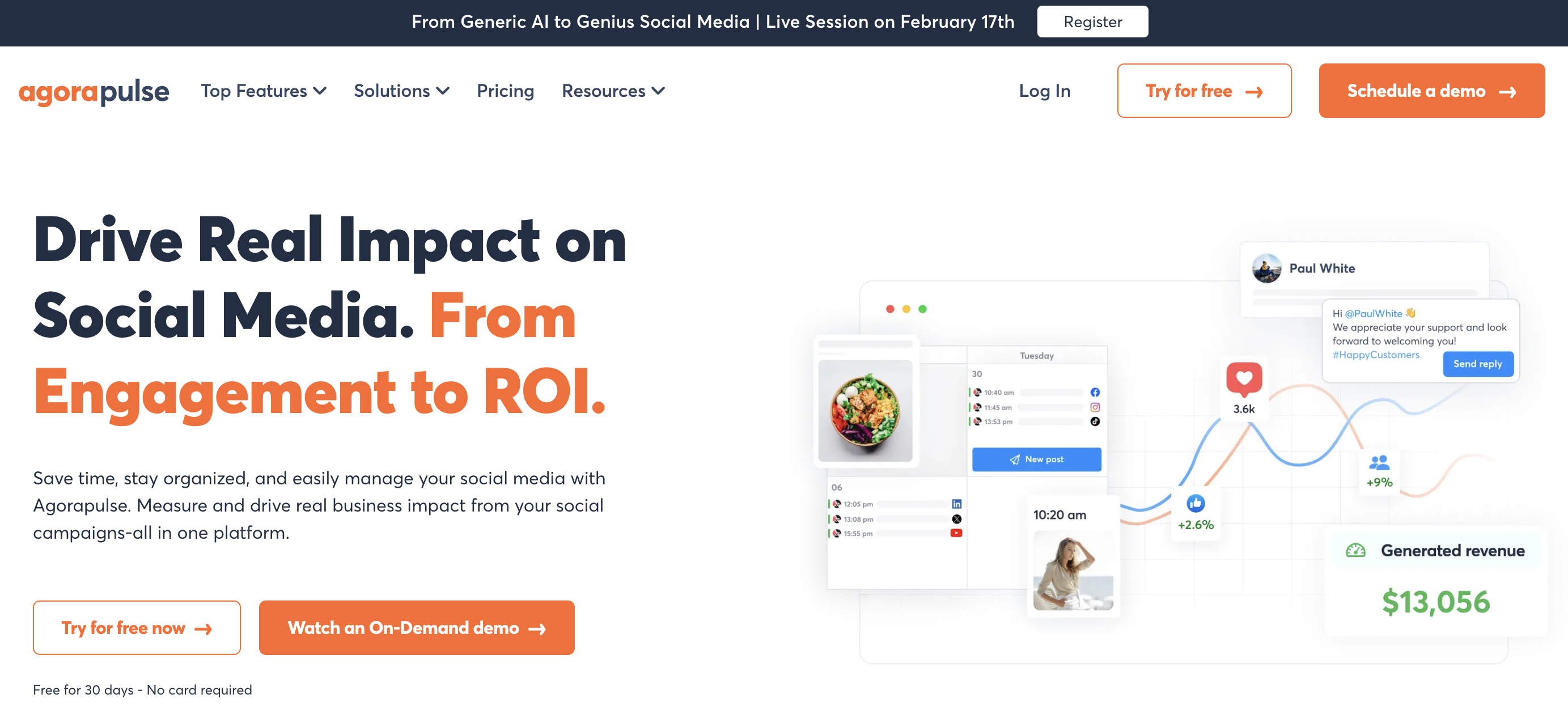
At a glance: Agorapulse
- Pricing: $99/user/mo Standard ($79 annual) → $149/user/mo Professional ($119 annual) → $199/user/mo Advanced ($149 annual); custom Enterprise. No free plan: 30-day trial
- Platforms: 11 including Pinterest, Bluesky, and Reddit
- Free trial: 30 days, no credit card
- User ratings: 4.5/5 on G2 (967), 4.0/5 on Trustpilot (57)
- Best for: Agencies and community managers where engagement is a core service and Sendible's Priority Inbox isn't enough: Agorapulse adds automated moderation rules, social CRM, and ROI tracking
Key features:
- Unified social inbox with automated moderation rules and message assignment
- Social CRM with contact history and labeling
- ROI tracking: tie social activity to website conversions
- Content queues with category-based scheduling
- Competitor analysis and benchmarking (Advanced plan)
- Approval workflows (Professional plan)
- Supports 11 platforms including Google Business, Reddit, and Bluesky
Pros:
- Best social inbox on this list: automated rules, labeling, and message assignment
- Social CRM for tracking audience interactions (Sendible does not offer this)
- ROI tracking helps prove social value to clients
- 11 platforms including Pinterest, Bluesky, and Reddit
- 30-day free trial vs Sendible's 14-day trial
Cons:
- Per-user pricing ($99-$199/user): Sendible includes unlimited users on every plan, so Agorapulse costs more from the second seat
- No white-label reporting (Sendible's key strength)
- Canva integration locked behind Professional plan ($149/user)
- Bulk publishing locked behind Advanced plan ($199/user)
- No AI image generation
- No client dashboards comparable to Sendible's Client Connect
How it compares to Sendible:
Agorapulse's social inbox, CRM, and ROI tracking are significantly more powerful than Sendible's Priority Inbox.
- Agorapulse Standard ($297/mo for 3 users): Per-user pricing, powerful social inbox, CRM, and ROI tracking. No white-label reporting or client dashboards.
- Sendible Plus ($99/mo, 18 profiles, unlimited users): Client dashboards and approval workflows for the whole team at one price, but a less powerful inbox.
- The trade-off: Choose Agorapulse if engagement management is your priority; choose Sendible if reporting and white-label are more important.
User ratings: Agorapulse holds a 4.5/5 on G2 (967 reviews) and a 4.0/5 on Trustpilot (57 reviews).
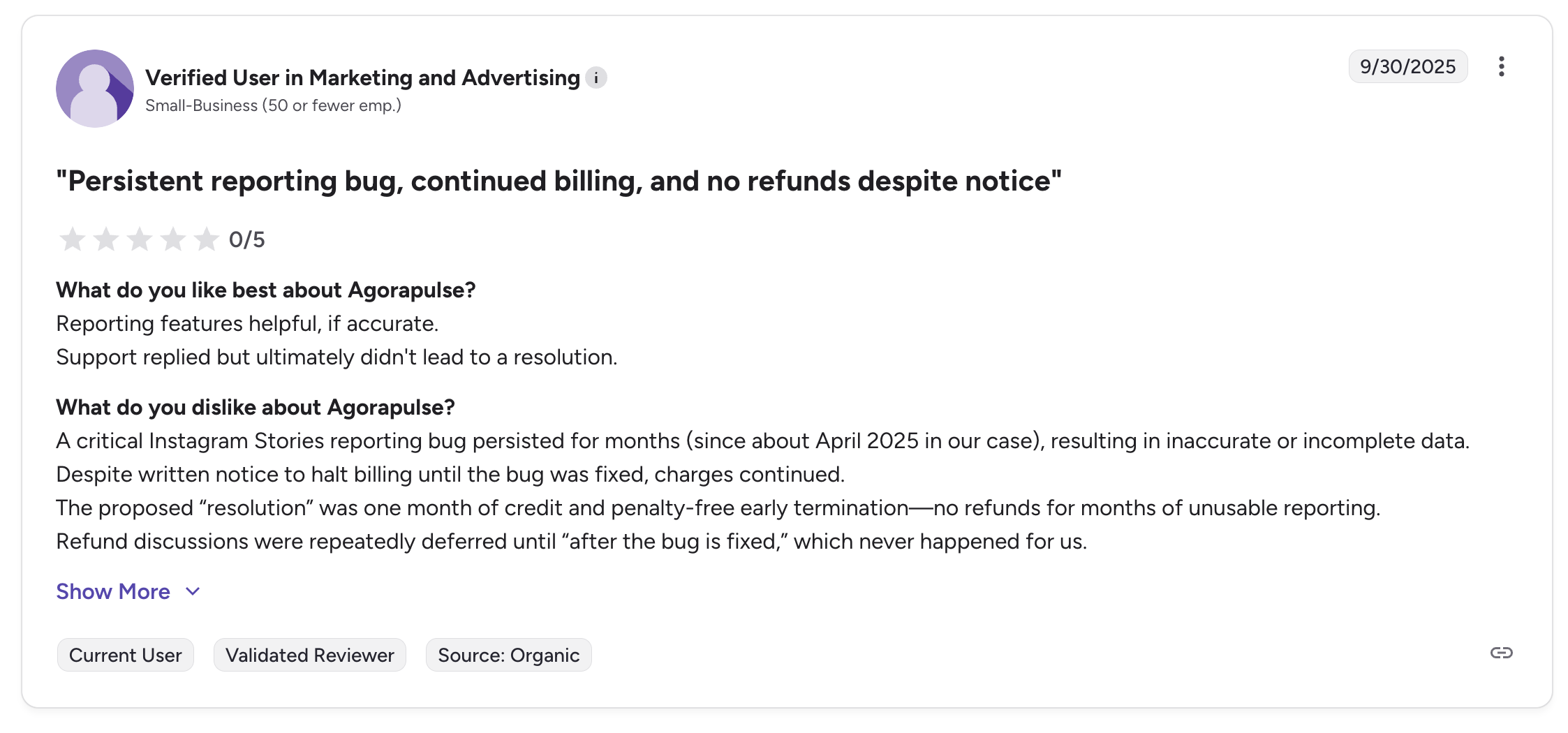
"A critical Instagram Stories reporting bug persisted for months (since about April 2025 in our case), resulting in inaccurate or incomplete data. Despite written notice to halt billing until the bug was fixed, charges continued." Verified user in Marketing and Advertising (Small-Business), 0/5 on G2, Sep 2025
For more details, see our Agorapulse alternatives guide, Agorapulse pricing breakdown, Agorapulse reviews, and Agorapulse vs Sendible comparison.
4. Buffer: Best for Simplicity
Buffer is the simplest tool on this list, and for many agencies that is exactly the point. If your team uses Sendible primarily for scheduling and does not rely heavily on the Priority Inbox, client dashboards, or reporting, Buffer provides a cleaner, faster experience at a fraction of the cost.
Buffer's free plan supports 3 channels, and paid plans start at just $6 per channel per month. The interface is minimal by design: scheduling a post takes seconds, not minutes.

At a glance: Buffer
- Pricing: Free plan (3 channels, 10 posts each) or $6/channel/mo Essentials → $12/channel/mo Team
- Platforms: 11 including Pinterest, Google Business Profile, Mastodon, and Bluesky
- Free trial: 14 days
- User ratings: 4.3/5 on G2 (1,023), 2.1/5 on Trustpilot (93)
- Best for: Freelancers, solopreneurs, and small teams who primarily need simple scheduling and do not rely on Sendible's agency features
Key features:
- Simple, intuitive scheduling interface
- AI-powered caption assistant
- Community inbox for managing comments and messages
- Landing page builder (Start Page)
- Instagram first comment scheduling
- Supports 11 platforms: Instagram, Facebook, X, LinkedIn, TikTok, YouTube, Pinterest, Google Business, Threads, Bluesky, Mastodon
Pros:
- Free plan available with 3 channels
- Per-channel pricing is cheaper for small setups
- Extremely simple interface: minimal learning curve
- 11 platforms including Pinterest (Sendible lacks Pinterest)
- Threads, Bluesky, and Mastodon support
- Landing page builder included
Cons:
- Per-channel pricing scales quickly (24 channels on Team = $288/mo: more than Sendible Premium at $199/mo for 42 profiles)
- No white-label reporting
- No client dashboards or client-specific features
- Limited analytics compared to Sendible
- No bulk scheduling
- No AI image generation
- No RSS auto-posting
- Trustpilot rating is 2.1/5 (93 reviews)
How it compares to Sendible:
Buffer is significantly simpler and cheaper for small setups.
- Buffer Essentials ($36/mo for 6 channels): Simple scheduling, clean interface, designed for publishing simplicity.
- Sendible Core ($35/mo, 6 profiles, unlimited users): Scheduling, Priority Inbox, and reporting, though approvals and client dashboards only start on Plus at $99/mo.
- The trade-off: Buffer is designed for publishing simplicity: not agency operations. For agency use, Sendible wins from Plus upward with client dashboards, approval workflows, and robust reporting that Buffer does not offer.
User ratings: Buffer holds a 4.3/5 on G2 (1,023 reviews) and a 2.1/5 on Trustpilot (93 reviews).
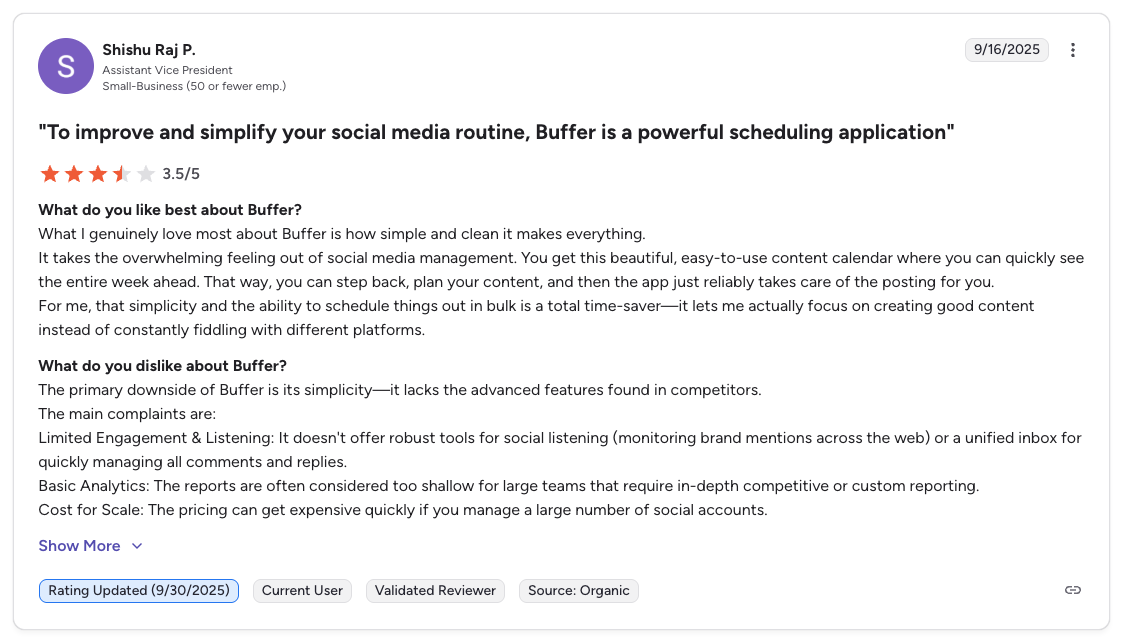
"What I genuinely love most about Buffer is how simple and clean it makes everything... The primary downside of Buffer is its simplicity: it lacks the advanced features found in competitors. Limited Engagement & Listening... Basic Analytics... Cost for Scale." Shishu Raj P., Assistant Vice President (Small Business), 3.5/5 on G2, Sep 2025
For more details, see our Buffer alternatives guide, Buffer pricing breakdown, Buffer reviews, and Buffer vs Sendible comparison.
PostPlanifyAll your social media in one simple dashboard
Schedule posts, track analytics, and reply to comments/DMs without switching tabs.
Engagement
+18%
Views
52.8k
5. Vista Social: Best Modern Full-Featured Alternative
Vista Social is the most feature-complete alternative to Sendible on this list. It covers publishing, a unified inbox, analytics, review management, DM automations, and social listening (as an add-on), all with flat-tier pricing that includes multiple users per plan.
Where Sendible focuses on agency reporting and white label, Vista Social takes a broader approach with features like review management (Google, Yelp, TripAdvisor) and DM automations that Sendible does not offer. The Professional plan at $99 per month covers 15 profiles but caps you at 2 users, where Sendible Plus at $99 per month covers 18 profiles with unlimited users.

At a glance: Vista Social
- Pricing: $99/mo Professional (15 profiles, 2 users, 1,000 AI credits) → $199/mo Advanced (30 profiles, 3 users, 2,000 AI credits) → $449/mo Scale (70 profiles, 4 users, 3,500 AI credits); custom Enterprise. X/Twitter is a $29/mo add-on
- Platforms: 12+ social platforms + 5 review sites (Google, Yelp, TripAdvisor, etc.)
- Free trial: 14 days
- User ratings: 4.8/5 on G2 (1,071), 4.9/5 on Capterra (342), 4.1/5 on Trustpilot (62): #1 Easiest to Use on G2 in 2026
- Best for: Growing teams and agencies wanting broader functionality than Sendible: DM automation, review management, 12+ platforms including Pinterest, at flat-tier pricing
Key features:
- Unified social inbox with DM automations
- Social listening add-on ($75/mo)
- Review management (Google, Yelp, TripAdvisor)
- AI-powered caption generation (1,000 to 3,500 credits by plan)
- Content scheduling with calendar and approval workflows
- Analytics and reporting with customizable dashboards
- Employee advocacy add-on ($199/mo)
- Supports 12+ platforms: Instagram, Facebook, LinkedIn, TikTok, YouTube, Pinterest, Google Business, Threads, Bluesky, Reddit, Yelp, TripAdvisor
Pros:
- DM automations and review management (not available on Sendible)
- 12+ platforms including Pinterest, Bluesky, and Reddit
- Flat-tier pricing that does not bill per seat
- AI caption generation included on all plans, metered by credits
- Strong G2 rating of 4.8/5 from 1,071 reviews
- Modern, clean interface
Cons:
- No free plan
- X/Twitter requires a $29/mo add-on (not included in any plan)
- Social listening is $75/mo add-on
- No white-label reporting
- No AI image generation
- No RSS auto-posting or Smart Queues
- No client dashboards comparable to Sendible's Client Connect
How it compares to Sendible:
Vista Social covers more functional ground than Sendible, adding review management, DM automations, and 12+ platforms (including Pinterest).
- Vista Social Professional ($99/mo, 2 users, 15 profiles): Review management, DM automations, 12+ platforms including Pinterest. Does not include X/Twitter in any plan: it requires a $29/mo add-on.
- Sendible Plus ($99/mo, 18 profiles, unlimited users): Client dashboards, approval workflows, RSS auto-posting, and established agency workflow.
- The trade-off: Vista Social is stronger on features; Sendible is stronger on agency-specific tooling and does not cap your team at 2 to 4 users. Choose Vista Social for broader functionality and a cleaner interface; choose Sendible for white label and client management.
User ratings: Vista Social holds a 4.8/5 on G2 (1,071 reviews) and a 4.1/5 on Trustpilot (62 reviews).
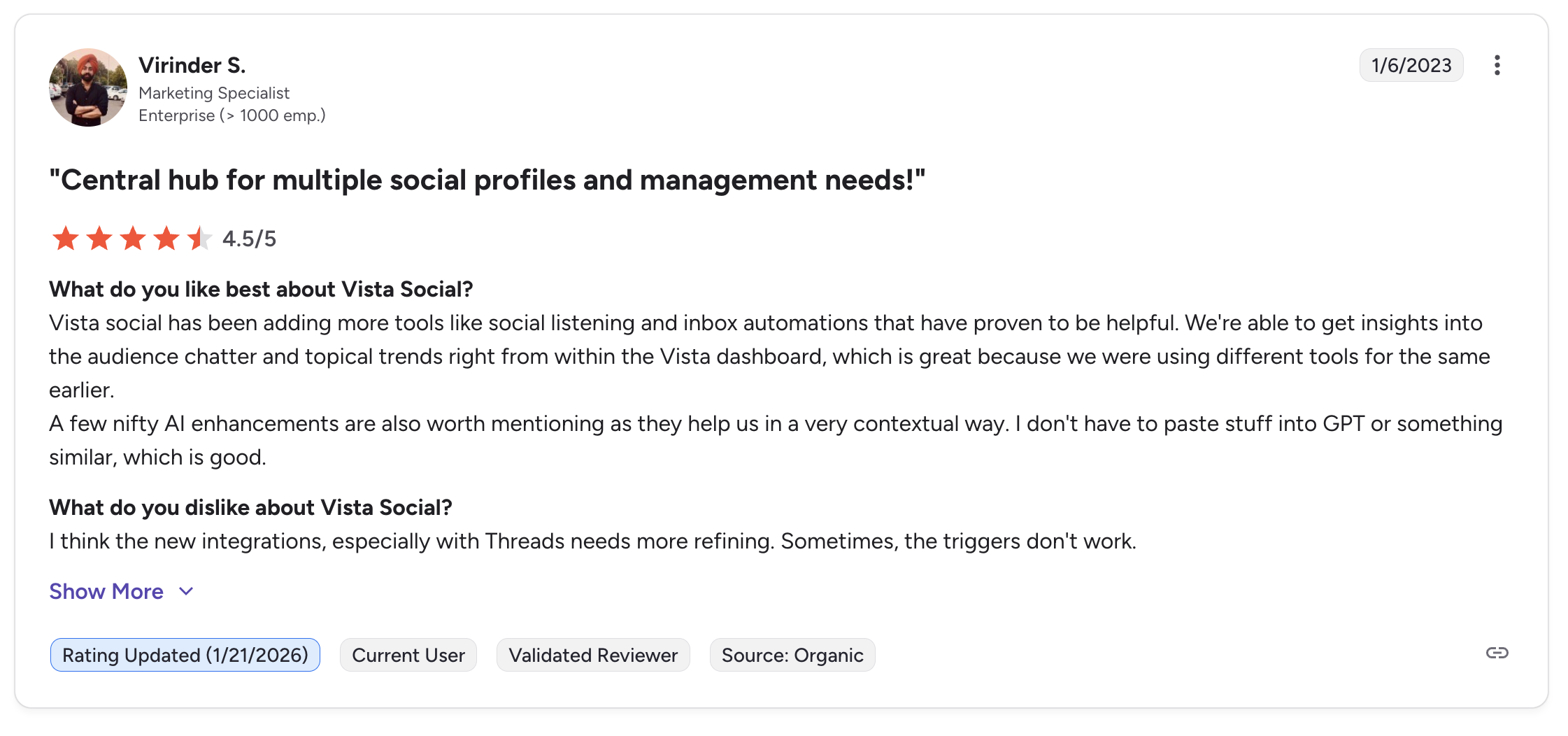
"Vista Social has been adding more tools like social listening and inbox automations that have proven to be helpful. We're able to get insights into the audience chatter and topical trends right from within the Vista dashboard... A few nifty AI enhancements are also worth mentioning." Virinder S., Marketing Specialist (Enterprise), 4.5/5 on G2, updated Jan 2026
For more details, see our Vista Social alternatives guide, Vista Social pricing breakdown, and Vista Social reviews.
6. SocialBee: Best for Content Recycling
SocialBee takes a fundamentally different approach to content management than Sendible. Instead of organizing posts by date on a calendar, SocialBee organizes by content categories, allowing you to create evergreen content queues that automatically recycle and reshare your best-performing posts.
For agencies and businesses that create a library of reusable content (tips, testimonials, product highlights, blog promotions), SocialBee's category-based system keeps clients' channels active without constant manual scheduling. Sendible's Smart Queues offer similar functionality, but SocialBee's category system is more flexible and built as the core workflow.

At a glance: SocialBee
- Pricing: $29/mo Bootstrap (5 profiles, 1 user) → $49/mo Accelerate (10 profiles, 1 user) → $99/mo Pro (25 profiles, 3 users). Unlimited scheduling on all plans
- Platforms: 10 including Pinterest, Bluesky, Google Business, and Threads
- Free trial: 14 days
- User ratings: 4.8/5 on G2 (472), 4.0/5 on Trustpilot (43): highest G2 rating on this list
- Best for: Content marketers, small businesses, and agencies with evergreen content libraries they want to auto-recycle: a category-based workflow more flexible than Sendible's Smart Queues
Key features:
- Category-based content scheduling with evergreen recycling
- AI-powered caption generator (Copilot)
- Content variations to avoid repetitive posts
- RSS feed auto-posting
- Canva integration inside the editor
- Approval workflows on Pro plan
- Supports 10 platforms: Instagram, Facebook, X, LinkedIn, TikTok, YouTube, Pinterest, Google Business, Threads, Bluesky
Pros:
- Content recycling keeps channels active with minimal effort
- Category-based scheduling is more flexible than Sendible's Smart Queues
- Content variations prevent repetitive posts
- Canva integration included on all plans
- Pinterest support (Sendible lacks Pinterest)
- Strong customer support consistently praised in reviews
- Highest G2 rating on this list at 4.8/5
Cons:
- No social inbox or engagement management
- No Priority Inbox or sentiment analysis
- No white-label reporting or client dashboards
- Multi-user access only on Pro plan ($99/mo for 3 users)
- No AI image generation
- Analytics limited to 3 months on Bootstrap plan
- 10 platforms (no Reddit or WordPress)
- No bulk scheduling via CSV
How it compares to Sendible:
SocialBee's category-based scheduling with content recycling is more powerful than Sendible's Smart Queues.
- SocialBee Pro ($99/mo, 3 users, 25 profiles): Category-based scheduling, content recycling, content-first approach.
- Sendible Plus ($99/mo, 18 profiles, unlimited users): Client dashboards, approval workflows, Priority Inbox, and established agency workflow.
- The trade-off: SocialBee is a content-first tool; Sendible is an agency-first tool. Similar value at comparable price points, but with different strengths.
User ratings: SocialBee holds a 4.8/5 on G2 (472 reviews) and a 4.0/5 on Trustpilot (43 reviews).
For more details, see our SocialBee alternatives guide, SocialBee pricing breakdown, SocialBee reviews, and SocialBee vs Sendible comparison.
7. Metricool: Best Analytics on a Budget
Metricool is the analytics-first alternative on this list. While Sendible locks custom reports behind the $199 per month Premium plan, Metricool makes analytics its core offering, available from the free plan onward. Its competitor tracking can monitor up to 100 profiles, and the Looker Studio integration opens up custom visualization options that Sendible does not offer.
For agencies and marketers who chose Sendible primarily for reporting, Metricool delivers deeper analytics and competitor insights at a fraction of the cost. Whichever tool you land on, our walkthrough on how to create a social media report covers what clients actually want to see.
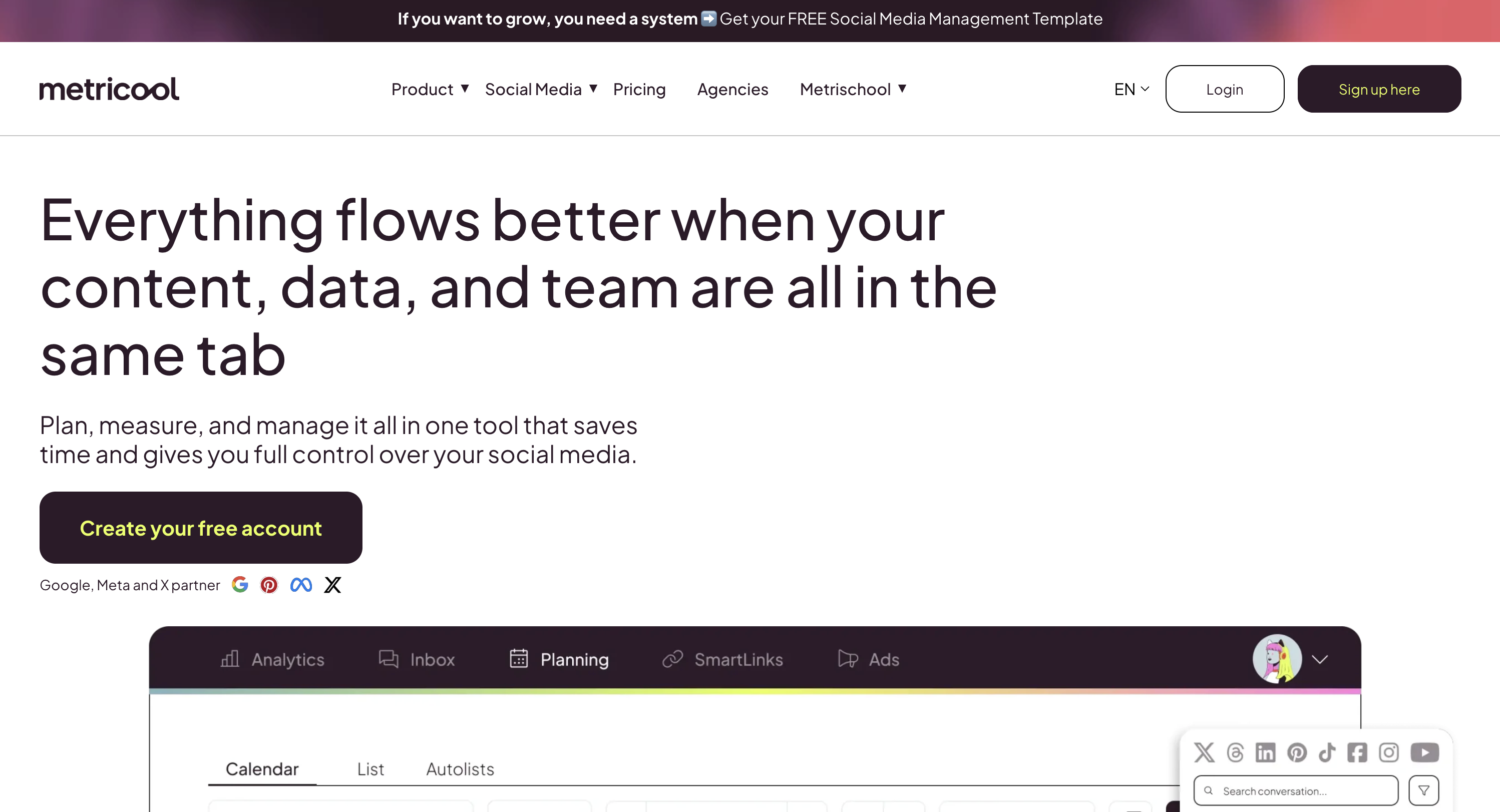
At a glance: Metricool
- Pricing: Free plan (1 brand, 50 posts/mo, full analytics) or $25/mo Starter 5 → $38/mo Starter 10 → $67/mo Advanced 15 → $88/mo Advanced 25
- Platforms: 11 including Pinterest, Google Business, Bluesky, and Twitch
- User ratings: 4.5/5 on G2 (83), 4.2/5 on Trustpilot (519): highest Trustpilot rating on this list
- Best for: Data-driven agencies and performance marketers needing competitor tracking (100 profiles), Google/Meta/TikTok ad management, and Looker Studio integration at a fraction of Sendible's Premium plan cost
Key features:
- Deep analytics with competitor tracking (up to 100 profiles)
- Ad management for Google Ads, Meta Ads, and TikTok Ads
- Looker Studio integration for custom reporting
- Hashtag tracker and best time to post suggestions
- Content scheduling and calendar
- Link-in-bio tool (SmartLinks)
- Canva integration
- Supports 11 platforms: Instagram, Facebook, X, LinkedIn, TikTok, YouTube, Pinterest, Google Business, Threads, Bluesky, Twitch
Pros:
- Free plan includes analytics from day one
- Competitor tracking up to 100 profiles (Sendible does not offer competitor tracking)
- Ad management included (Meta, Google, TikTok): Sendible does not manage ads
- Looker Studio integration for advanced custom reports
- Per-brand pricing is cost-effective for agencies managing many brands
- Pinterest support (Sendible lacks Pinterest)
- Canva integration included
- Highest Trustpilot rating on this list at 4.2/5
Cons:
- No social inbox or engagement management
- No Priority Inbox or sentiment analysis
- No white-label reporting or client dashboards
- Limited team collaboration features
- X/Twitter requires an add-on on Starter plans
- No AI image generation
- No approval workflows
- No RSS auto-posting
How it compares to Sendible:
Metricool offers deeper analytics at dramatically lower prices.
- Metricool Starter ($38/mo): 10 brands, competitor tracking, ad management, deep analytics.
- Sendible Premium ($199/mo): Custom and automated reports, but no competitor tracking or ad management.
- The trade-off: Metricool's Inbox Manager is more basic than Sendible's Priority Inbox (no sentiment analysis), and it lacks client dashboards, white-label reporting, and Client Connect approval links entirely. Team collaboration is also gated behind the Advanced plan. Metricool is an analytics and scheduling tool, not a full agency platform.
User ratings: Metricool holds a 4.5/5 on G2 (83 reviews) and a 4.2/5 on Trustpilot (519 reviews).
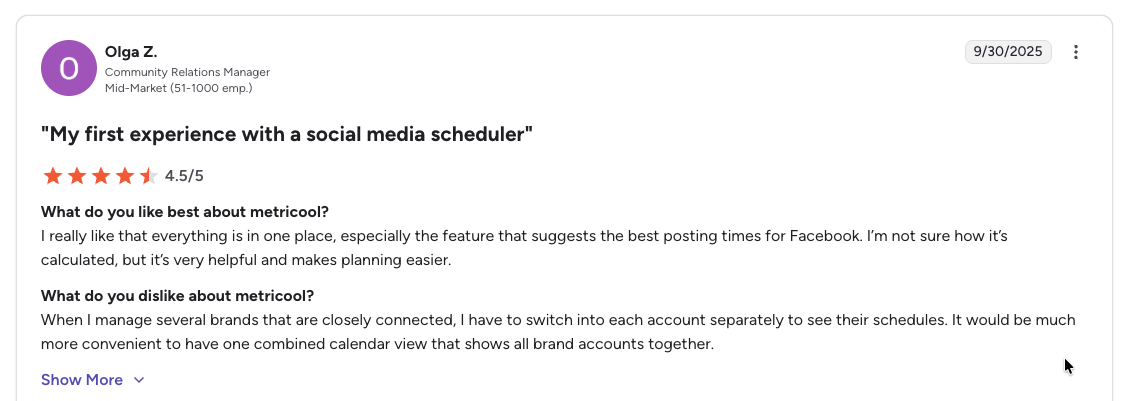
"I really like that everything is in one place, especially the feature that suggests the best posting times for Facebook... When I manage several brands that are closely connected, I have to switch into each account separately to see their schedules." Olga Z., Community Relations Manager (Mid-Market), 4.5/5 on G2, Sep 2025
For more details, see our Metricool alternatives guide, Metricool pricing breakdown, Metricool reviews, and Metricool vs Sendible comparison.
PostPlanifyAll your social media in one simple dashboard
Schedule posts, track analytics, and reply to comments/DMs without switching tabs.
Engagement
+18%
Views
52.8k
8. Publer: Best Budget-Friendly Option
Publer is the most affordable tool on this list. While Sendible's cheapest plan starts at $35 per month for 6 profiles, Publer starts at $12 per month for 3 accounts and scales at just $4 per additional account. Team members cost only $2 per month each.
Publer also packs features that Sendible does not offer at any price: AI image generation via DALL-E 3 and bulk scheduling for up to 500 posts. For agencies that need solid scheduling without the premium agency markup, Publer delivers surprising value.
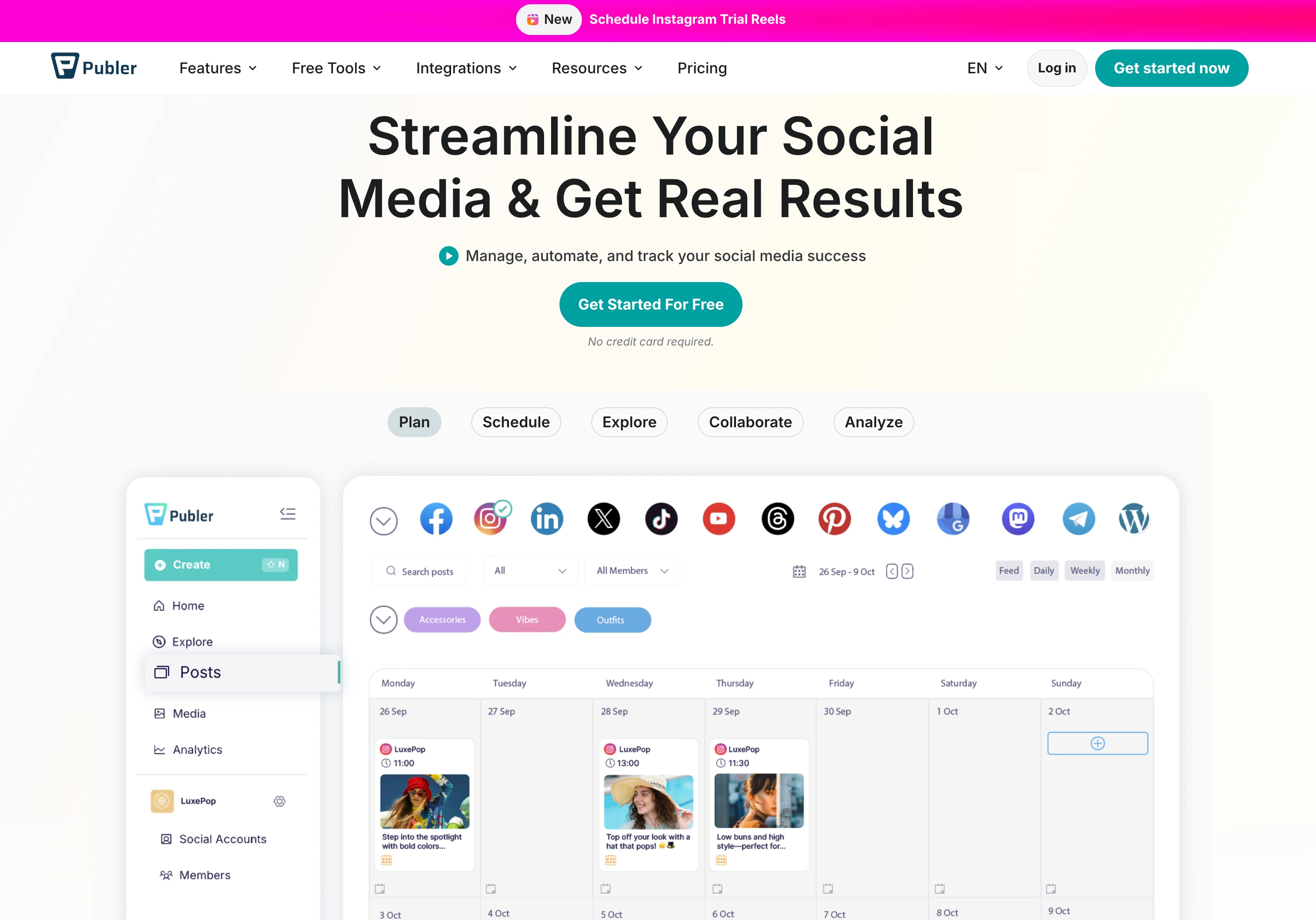
At a glance: Publer
- Pricing: Free plan (3 accounts, X excluded) or $12/mo Professional → $21/mo Business per social set; extra accounts $4–$7/mo, team members $2/mo each, every 10th free
- Platforms: 13 including Google Business, WordPress, Telegram, Mastodon, and Bluesky
- User ratings: 4.7/5 on G2 (486), 4.8/5 on Trustpilot (863): best Trustpilot rating on this list
- Best for: Budget-conscious freelancers and small teams who want AI image generation (DALL-E 3), bulk scheduling (500 posts), and $2/mo team members instead of Sendible's profile ceilings
Key features:
- Bulk scheduling (up to 500 posts)
- AI captions powered by GPT-4 (Business plan)
- AI image generation via DALL-E 3 (Business plan)
- Competitor analysis (Business plan)
- Recurring posts and content recycling
- Workspace collaboration with team members at $2/mo each
- Supports 13 platforms: Instagram, Facebook, X, LinkedIn, TikTok, YouTube, Pinterest, Google Business, Threads, WordPress, Telegram, Mastodon, Bluesky
Pros:
- Extremely affordable ($12/mo vs Sendible's $35/mo minimum)
- AI image generation via DALL-E 3 (Sendible does not offer AI images)
- Bulk scheduling for up to 500 posts (no daily caps like Sendible)
- Team members cost only $2/mo each
- Pinterest and WordPress support (Sendible has WordPress but lacks Pinterest)
- Best Trustpilot rating on this list at 4.8/5 from 863 reviews
- Every 10th account and team member is free
Cons:
- Free plan excludes X/Twitter
- AI features and analytics locked behind Business plan ($21/mo)
- Per-account pricing can add up for large setups
- No social inbox or Priority Inbox
- No white-label reporting or client dashboards
- No approval workflows
- No Canva integration in the composer
- No client-specific features for agencies
How it compares to Sendible:
Publer's pricing is in a completely different category.
- Publer Business (~$174/mo for 24 accounts, 4 members): $21 base for 3 accounts + $147 for 21 extra accounts at $7 + $6 for 3 extra members. Includes AI image generation and 500-post bulk scheduling.
- Sendible Premium ($199/mo for 42 profiles, unlimited users): The cheapest Sendible tier that reaches 24 profiles, and it has no AI image generation and no 500-post bulk scheduling.
- The trade-off: Publer wins on price at almost every account count, and it includes AI image generation and bulk uploads that Sendible lacks. Sendible wins on agency tooling: client dashboards, approvals, and the Priority Inbox, none of which Publer offers.
User ratings: Publer holds a 4.7/5 on G2 (486 reviews) and a 4.8/5 on Trustpilot (863 reviews).
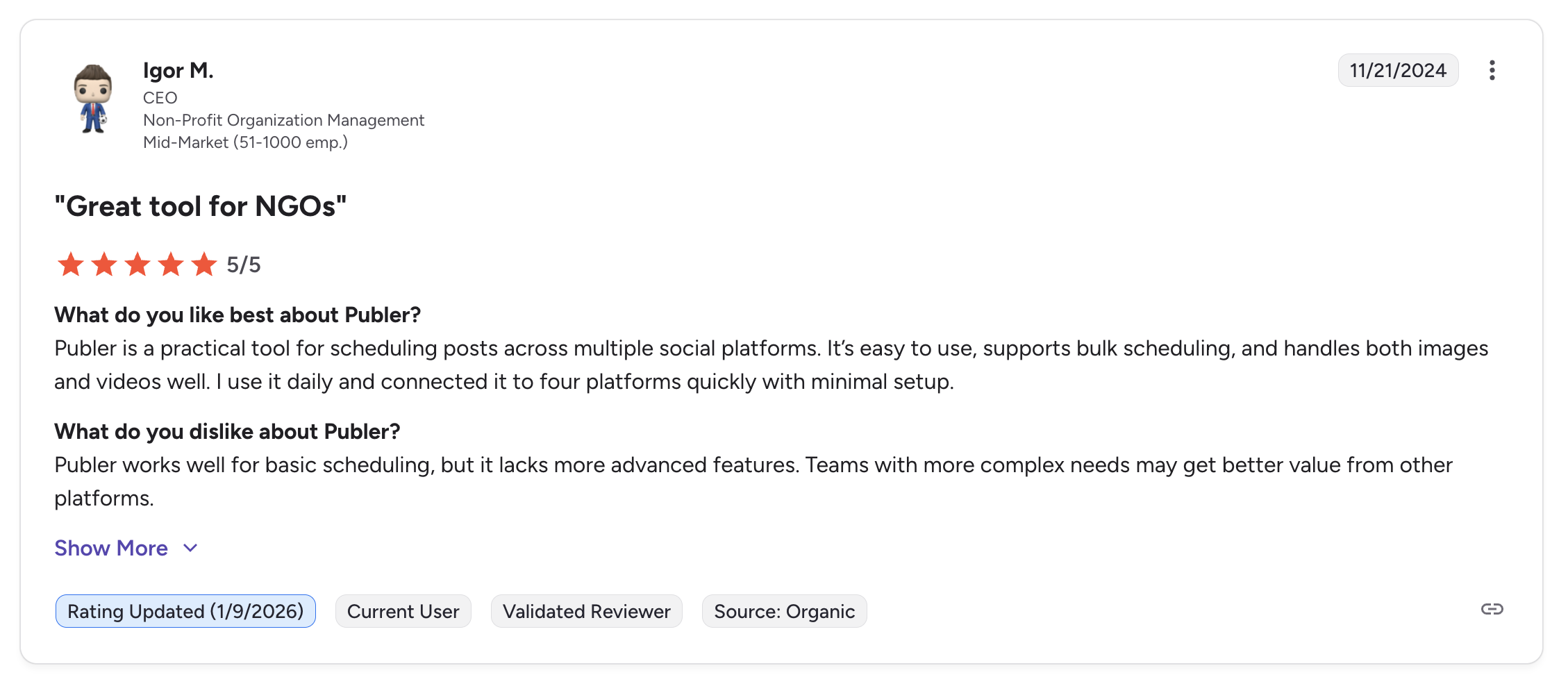
"Publer is a practical tool for scheduling posts across multiple social platforms. It's easy to use, supports bulk scheduling, and handles both images and videos well. I use it daily and connected it to four platforms quickly with minimal setup." Igor M., CEO (Non-Profit, Mid-Market), 5/5 on G2, Nov 2024
For more details, see our Publer alternatives guide, Publer pricing breakdown, Publer reviews, and Publer vs Sendible comparison.
9. Planable: Best for Team Collaboration
Planable is built around one core idea: making content collaboration seamless. Where Sendible adds approval workflows as a feature within an agency platform, Planable makes collaboration the entire product: visual content review, multi-level approvals, comment threads, and real-time editing are the foundation of every plan.
For agencies where the content review and approval process involves multiple stakeholders (clients, managers, legal teams), Planable provides the most intuitive collaboration experience on this list. We rank the wider category in our guide to social media tools with approval workflows. Unlimited team members are included on all plans.

At a glance: Planable
- Pricing: Free plan (50 posts/mo, unlimited users) or $39/workspace/mo Basic (60 posts) → $59/workspace/mo Pro (150 posts); custom Enterprise
- Platforms: 8 including Pinterest
- User ratings: 4.6/5 on G2 (937), 4.5/5 on Trustpilot (69)
- Best for: Agencies and marketing teams where multi-stakeholder content review is the most important workflow: unlimited users on every plan, best-in-class approval UX
Key features:
- Multi-level approval workflows on all paid plans
- Visual content review with comment threads directly on posts
- Unlimited team members on all plans (no per-user fees)
- Real-time collaboration and editing
- Content calendar with drag-and-drop scheduling
- Post mock-ups showing exactly how content will appear
- Custom approval flows (none, optional, required, multi-level)
- Supports 8 platforms: Instagram, Facebook, X, LinkedIn, TikTok, YouTube, Pinterest, Google Business
Pros:
- Unlimited team members on all plans: including the free plan
- Multi-level approval workflows from Basic plan ($39 vs Sendible's $99 Plus for simple approvals)
- Visual content review with inline comments is best-in-class
- Pinterest support (Sendible lacks Pinterest)
- Free plan includes 50 posts per month with full collaboration features
- Strong ratings: G2 4.6/5, Trustpilot 4.5/5
Cons:
- Per-workspace pricing can add up for agencies with many clients
- Monthly post limits on Basic (60) and Pro (150) plans
- No social inbox or engagement management
- No analytics or reporting
- No white-label reporting or client dashboards
- No AI image generation
- No RSS auto-posting
- Only 8 platforms (no Bluesky, Reddit, or WordPress)
- No content recycling or queue features
How it compares to Sendible:
Planable's collaboration features are more intuitive and flexible than Sendible's approval workflows.
- Planable: Multi-level approvals, inline comments, real-time editing, and unlimited team members on all plans. No per-user friction.
- Sendible: Client dashboards, inbox, analytics, reporting, and white-label capabilities: a full agency toolkit.
- The trade-off: Planable is strictly a content collaboration and scheduling tool: it has no inbox, no analytics, no reporting, no white-label capabilities, and no client dashboards. If you need the full agency toolkit, Sendible covers more ground. If approvals and collaboration are your priority, Planable is the clear winner.
User ratings: Planable holds a 4.6/5 on G2 (937 reviews) and a 4.5/5 on Trustpilot (69 reviews).
For more details, see our Planable alternatives guide, Planable pricing breakdown, Planable reviews, and Sendible vs Planable comparison.
10. Hootsuite: Best Enterprise-Grade Breadth
Hootsuite is the upmarket alternative for agencies that have outgrown Sendible's mid-market feature set. Following its 2024 acquisition of Talkwalker, Hootsuite delivers enterprise-grade social listening, employee advocacy, and bulk scheduling across 350 posts, features Sendible either lacks or gates behind higher-tier add-ons. This is a step UP, not a cost-cutting move.

At a glance: Hootsuite
- Pricing: $99/user/mo Standard (10 accounts) → $199/user/mo Professional (unlimited accounts) → $399/user/mo Advanced (approvals start here); custom Enterprise
- Platforms: 10+ including Google Business Profile
- Free trial: 14 days on all plans, no card required; no free plan since 2023
- User ratings: 4.3/5 on G2 (6,615), 1.8/5 on Trustpilot (511)
- Best for: Large agencies and enterprises that have outgrown Sendible and need Talkwalker-powered social listening, employee advocacy, bulk scheduling (350 posts), and deep third-party integrations
Key features:
- 10+ platforms including Google Business Profile
- Talkwalker-powered social listening (paid add-on)
- Employee advocacy tools built in
- Bulk scheduling of up to 350 posts
- Ad management for paid social campaigns
- Team workflows with approval chains and user roles
- Extensive third-party integrations
- Established user community and ecosystem
Pros:
- Talkwalker-powered social listening is significantly deeper than anything Sendible offers
- Employee advocacy tools built in (Sendible doesn't offer this)
- Bulk scheduling of 350 posts (Sendible caps at 100–500 posts per day and has no true bulk upload)
- Broadest enterprise platform coverage for large agency workflows
- Largest user community and ecosystem
- Google Business Profile support
Cons:
- Bills per user at $99 to $399 a seat, where every Sendible tier includes unlimited users at one flat price
- Scales aggressively with headcount: a 5-person team costs $495/mo minimum, and $1,995/mo on Advanced
- No free plan since 2023
- No AI image generation
- No white-label reporting at the Standard tier (Sendible offers white-label via add-on)
- Customer support is a common Trustpilot complaint
- Approval workflows start on Advanced at $399/user, so a 3-person team pays $1,197/mo to route a post for client review
How it compares to Sendible:
Hootsuite is the premium enterprise platform: broader, with deeper listening, but at a dramatically higher price tier than Sendible.
- Hootsuite Standard ($99/user/mo): 10 accounts per user, Talkwalker listening, employee advocacy, bulk scheduling (350 posts), but no approvals until Advanced.
- Sendible Plus ($99/mo, 18 profiles, unlimited users): Approval workflows, Client Connect approval links, Priority Inbox with sentiment.
- The trade-off: Hootsuite wins on listening, employee advocacy, and platform breadth. Sendible wins on price for any team above one seat (a four-person team is $99/mo on Plus against $396/mo on Hootsuite Standard) and on agency-specific features like Client Connect that Hootsuite doesn't natively offer at the same depth.
User ratings: Hootsuite holds a 4.3/5 on G2 (6,615 reviews) and a 1.8/5 on Trustpilot (511 reviews).
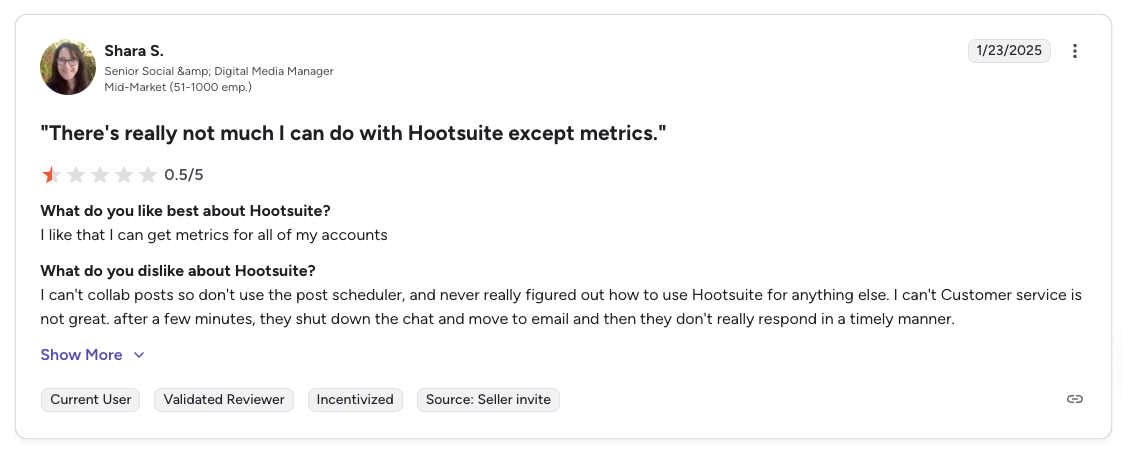
"There's really not much I can do with Hootsuite except metrics. I can't collab posts so don't use the post scheduler... Customer service is not great." Shara S., Senior Social & Digital Media Manager (Mid-Market), 0.5/5 on G2, Jan 2025
For more details, see our Hootsuite alternatives guide, Hootsuite pricing breakdown, Hootsuite reviews, and Hootsuite vs Sendible comparison.
11. Sprout Social: Best for Enterprise Analytics
Sprout Social is the other premium upgrade path from Sendible, the choice for agencies where enterprise-grade client reporting, Smart Inbox sentiment analysis, and Salesforce integration matter more than white-label cost savings. It costs significantly more than Sendible but delivers deeper analytics and AI-powered inbox triage that Sendible can't match at any tier.

At a glance: Sprout Social
- Pricing: $99/seat/mo Essentials (5 profiles) → $199/seat/mo Standard (5 profiles) → $299/seat/mo Professional (unlimited profiles) → $399/seat/mo Advanced; custom Enterprise
- Platforms: 11+ including Reddit and WhatsApp
- Free trial: 30 days
- User ratings: 4.4/5 on G2 (5,731), 2.2/5 on Trustpilot (75)
- Best for: Mid-to-large agencies that have outgrown Sendible and need enterprise-grade Smart Inbox sentiment, social listening depth, and Salesforce integration for client-facing reporting
Key features:
- Smart Inbox with AI-powered sentiment analysis and triage
- Social listening (paid add-on): deeper than anything Sendible offers
- Advanced analytics with custom reports and competitive benchmarking
- Employee advocacy tools
- Multi-step approval workflows with audit trails
- Salesforce, HubSpot, and CRM integrations
- Supports 11+ platforms including Reddit and WhatsApp
Pros:
- Smart Inbox sentiment analysis (Advanced tier) goes well beyond Sendible's Priority Inbox
- Social listening is more mature than anything in Sendible's price tier
- Deepest enterprise analytics and reporting in this category
- Salesforce integration (Sendible doesn't offer this)
- Multi-step approval workflows with audit trails
- Unlimited profiles starting on Professional plan
Cons:
- Per-seat pricing gets expensive fast: Standard is $199/seat, and sentiment analysis and API access need Advanced at $399/seat
- A 4-person agency team costs $796/mo on Standard vs $99/mo on Sendible Plus, which includes unlimited users
- Social listening is a paid add-on
- No free plan
- No AI image generation
- Trustpilot reviews flag aggressive billing and difficulty canceling
- No white-label dashboards at Sendible's depth
- 5-profile cap on Standard plan is restrictive for agencies
How it compares to Sendible:
Sprout Social is the step-up: dramatically more expensive, but with enterprise-grade capabilities that Sendible doesn't match.
- Sprout Social Standard ($199/seat/mo): 5 profiles, Smart Inbox, social listening (add-on), Salesforce integration. Sentiment analysis needs Advanced at $399/seat.
- Sendible Plus ($99/mo, 18 profiles, unlimited users): One price for the whole team, Priority Inbox with sentiment, Client Connect, and approval workflows.
- The trade-off: Sprout Social wins on analytics depth, Smart Inbox AI, listening, and CRM integration. Sendible is 8x cheaper for a 4-user team and offers white-label dashboards, via a $349/mo add-on on Elite, that Sprout Social doesn't match natively.
User ratings: Sprout Social holds a 4.4/5 on G2 (5,731 reviews) and a 2.2/5 on Trustpilot (75 reviews).
For more details, see our Sprout Social alternatives guide, Sprout Social pricing breakdown, Sprout Social reviews, and Sprout Social vs Sendible comparison.
Sendible Alternatives Comparison Table
This matrix scores all 11 Sendible competitors against Sendible itself across the features that matter most when switching. Tools are listed as rows for readability.
| Tool | Starting Price | Pricing Model | Platforms | Social Inbox | White-Label Reports | Approval Workflow | Daily Send Caps | |
|---|---|---|---|---|---|---|---|---|
| Sendible (baseline) | $35/mo | Flat tiers | 10 (no Pinterest) | ❌ | Priority Inbox + sentiment | $648/mo minimum (add-on) | Plus+ | 100–500/day |
| PostPlanify | From $39/mo | Per workspace | 10 | ✅ | Growth+ | Scale (in-plan) | All plans | None |
| SocialPilot | $30/mo | Flat tiers | 11 | ✅ | Standard+ | Premium+ ($100/mo) | All plans | None |
| Agorapulse | $99/user/mo | Per user | 11 | ✅ | Yes (strongest, automated rules) | No | Pro+ | None |
| Buffer | Free / $6/channel | Per channel | 11 | ✅ | Paid plans | No | Team only | None |
| Vista Social | $99/mo | Flat tiers | 12+ | ✅ | Yes (sentiment + DM automation) | Scale+ | Yes (multi-step) | None |
| SocialBee | $29/mo | Flat tiers | 10 | ✅ | No | No | Pro only | None |
| Metricool | Free / $25/mo | Per brand | 11 | ✅ | Basic (7 platforms) | Custom plan | Advanced+ | None |
| Publer | Free / $12/mo | Per account | 13 | ✅ | No | No | No | None |
| Planable | Free / $39/workspace | Per workspace | 8 | ✅ | No | No | Yes (all paid) | None |
| Hootsuite | $99/user/mo | Per user | 10+ | ✅ | Yes (full) | Yes | Advanced only | None |
| Sprout Social | $99/seat/mo | Per seat | 11+ | ✅ | Yes (Smart Inbox + sentiment) | Yes | Yes (audit trails) | None |
PostPlanify: team members and client approvers are unlimited on every plan, and each workspace holds 4 accounts on Growth, 6 on Premium, and 8 on Scale. Sendible is the only tool on this list that does not support Pinterest or offer unrestricted daily sending.
Full Pricing Comparison: All 11 Sendible Alternatives
Here is a side-by-side pricing comparison to help you find the right tool for your budget. All prices shown are monthly billing rates.
| Tool | Solo User | 4-Person Agency Team | 24 Social Profiles |
|---|---|---|---|
| Sendible | $35/mo (Core, 6 profiles) | $35/mo (Core, unlimited users) | $199/mo (Premium, 42 profiles) |
| PostPlanify | $39/mo (Growth, 1 workspace) | $39/mo (unlimited users) | $174/mo (Growth, 6 workspaces) |
| SocialPilot | $30/mo (7 accounts) | $50/mo (Standard, 3 users) | $100/mo (Premium, 25 accounts) |
| Agorapulse | $99/mo (10 profiles) | $396/mo (Standard) | $99/mo (Standard, 10 profiles) |
| Buffer | Free (3 channels) | ~$48/mo (4 ch × $12) | ~$144/mo ($6/ch) |
| Vista Social | $99/mo (Professional, 15 profiles) | $449/mo (Scale, 4 users) | $199/mo (Advanced, 30 profiles) |
| SocialBee | $29/mo (5 profiles) | $99/mo (Pro, 3 users) | $99/mo (Pro, 25 profiles) |
| Metricool | Free (1 brand) | $25/mo (Starter) | $67/mo (Advanced 15) |
| Publer | Free (3 accounts) | ~$76/mo (Business, 10 accts + 3 members) | ~$168/mo (Business, 24 accts) |
| Planable | Free (50 posts) | $39/mo (Basic, unlimited users) | $59/mo (Pro, 10 pages/workspace) |
| Hootsuite | $99/user/mo (10 accounts) | $396/mo (4 users) | $199/user/mo (Professional, unlimited) |
| Sprout Social | $99/seat/mo (Essentials, 5 profiles) | $396/mo (4 seats, Essentials) | $299/seat/mo (Professional, unlimited) |
Key takeaway: Sendible's unlimited-users policy makes it genuinely competitive on headcount, and Plus at $99/mo for 18 profiles is fair for a small agency team. The pain is profiles and white label: 24 profiles pushes you to Premium at $199/mo, and branded reporting costs $648/mo minimum, far more than SocialPilot's $100/mo (a $6,576/yr saving) or PostPlanify Scale from $199/mo per workspace. For teams that don't need agency-specific features, PostPlanify (from $39/mo), SocialBee ($99/mo for 25 profiles), and Publer (~$168/mo for 24 accounts) all offer strong value. For agencies moving upmarket to enterprise listening and Smart Inbox sentiment, Hootsuite ($99–$399/user) and Sprout Social ($99–$399/seat) bill per person, so a four-person team costs $396/mo where Sendible charges $99. If headcount is what keeps inflating your bill, we rounded up the tools with no per-seat fees separately.
What Changed in Sendible's 2026 Pricing
Sendible retired the Creator, Traction, Scale, and Advanced plans and replaced them with five tiers, and it dropped per-seat pricing entirely. Every plan now includes unlimited users, so the bill follows social profiles and workspaces rather than headcount.
| Plan | Monthly | Billed yearly | Workspaces | Social profiles | Users |
|---|---|---|---|---|---|
| Core | $35/mo | $29.75/mo | 1 | 6 | Unlimited |
| Plus | $99/mo | $84.15/mo | 3 | 18 | Unlimited |
| Premium | $199/mo | $169.15/mo | 7 | 42 | Unlimited |
| Elite | $299/mo | $254.15/mo | 15 | 90 | Unlimited |
| Enterprise | $750/mo | $637.50/mo | 50 | 300 | Unlimited |
Profiles are sold in workspaces of six, and workspaces beyond the included count bill on top: $35/mo each on Core, $30 on Plus, $25 on Premium, $20 on Elite, and $15 on Enterprise. White label is still a paid add-on rather than a plan feature, at $349/mo on Elite and $800/mo on Enterprise, which is what puts branded reporting at $648/mo minimum.
If a comparison you are reading quotes a $29 Creator plan, an $89 Traction plan, a four-user cap on Traction, or a $539/mo white-label minimum, it is describing the retired structure. Every figure above was checked against Sendible's own pricing page in September 2026.
How Sendible Alternatives Compare by Use Case
Sendible wins on Priority Inbox with sentiment, Smart Queues, Client Connect approval links, unlimited users, and a mature agency workflow. But the $648/mo white-label minimum, no Pinterest support, daily send caps, and per-workspace fees at every tier create real friction. Every alternative below solves a specific Sendible pain point. Here is the fastest way to match a tool to your priority:
- Best overall replacement: PostPlanify: from $39/mo per workspace, unlimited team members, unified analytics, AI image generation, social inbox, approvals from the entry plan, and white label inside the Scale plan (vs Sendible's $648/mo minimum).
- For white-label reporting at the lowest price: SocialPilot ($100/mo Premium): delivers white-label reports for 15% of Sendible's minimum cost: saves agencies $6,576/yr.
- For deeper engagement management: Agorapulse ($99/user/mo): unified inbox with automated moderation rules, social CRM, and ROI tracking beyond Sendible's Priority Inbox.
- For broader feature coverage: Vista Social ($99/mo, 15 profiles, 2 users): DM automation, review management across 6 sites, 12+ platforms including Pinterest.
- For approval-heavy workflows: Planable ($39/workspace/mo): best multi-stakeholder approval UX with unlimited users on every plan.
- For content recycling: SocialBee ($29/mo): category-based scheduling with automatic evergreen re-queuing.
- For deep analytics: Metricool (free or $25/mo): competitor tracking (100 profiles) + Google/Meta/TikTok ad management at a fraction of Sendible's Premium plan cost.
- For simplicity: Buffer (free or $6/channel): cleanest scheduling experience if Sendible's agency features are overkill.
- For the lowest price with AI images: Publer ($12/mo Professional): DALL-E 3 image generation, bulk scheduling, $2/mo team members.
- For upmarket enterprise agencies: Hootsuite (from $99/user/mo) for Talkwalker-powered listening and employee advocacy; Sprout Social (from $99/seat/mo) for Smart Inbox sentiment and Salesforce integration.
How to Choose the Right Sendible Alternative
The best alternative depends on what you actually use Sendible for. Here is a quick decision framework:
Choose PostPlanify if you want per-workspace pricing, unlimited team members, AI image generation, Pinterest support, and white label inside the Scale plan rather than as an add-on. Best for creators, teams, and agencies who want the bill to follow client count instead of profile ceilings.
Choose SocialPilot if you need white-label reporting without paying Sendible's premium. SocialPilot delivers white label at $100/mo vs Sendible's $648/mo. Best for agencies focused on client reporting.
Choose Agorapulse if engagement management is your priority. Agorapulse's unified inbox, social CRM, and ROI tracking go far beyond Sendible's Priority Inbox. Best for community managers and engagement-heavy teams.
Choose Buffer if you primarily need simple scheduling and do not use Sendible's agency features. Best for solopreneurs and freelancers.
Choose Vista Social if you want the broadest feature set (inbox, review management, DM automations, analytics) with flat-tier pricing. Best for growing teams ready for a modern, full-featured alternative.
Choose SocialBee if you create evergreen content and want automatic recycling to keep channels active. Best for content marketers and businesses with reusable content libraries.
Choose Metricool if analytics, competitor tracking, and ad management are your priorities. Best for data-driven performance marketers.
Choose Publer if you want the lowest price with AI image generation and bulk scheduling. Best for budget-conscious creators and freelancers.
Choose Planable if content approval workflows and team collaboration are your most important features. Best for agencies with multi-stakeholder review processes.
Choose Hootsuite if you need enterprise-grade breadth: Talkwalker-powered listening, employee advocacy, bulk scheduling (350 posts), and deep third-party integrations. Best for large agencies that have outgrown Sendible and can absorb per-user billing.
Choose Sprout Social if you need Smart Inbox sentiment, enterprise-grade analytics, and Salesforce integration. Best for mid-to-large agencies where client reporting depth justifies $199 to $399 per seat.
Frequently Asked Questions
What is the best Sendible alternative?
For most teams and agencies, PostPlanify is the best overall Sendible alternative, priced per client workspace from $39/mo with Pinterest support, unified analytics, a vision-powered AI assistant with image generation, a social inbox, multi-approver workflows from the entry plan, unlimited team members, and full white labeling inside the Scale plan (no $349/mo add-on). For white label at the lowest price, SocialPilot ($100/mo) is the standout; for engagement, Agorapulse; and for the broadest feature set, Vista Social. The right pick depends on your workflow, but PostPlanify is the one most Sendible switchers settle on.
What is the best free alternative to Sendible?
Metricool and Planable offer the most usable free plans. Sendible has no free plan, only a 14-day trial with no card required. Metricool's free plan includes 1 brand with full analytics, 50 posts/mo, and competitor tracking. Planable gives you 50 posts/mo with unlimited team members and approval workflows. Buffer includes 3 channels with 10 posts each. Publer offers 3 accounts (X excluded). Note that Agorapulse no longer offers a free plan; it's trial-only (30 days).
Is Sendible worth the price in 2026?
It depends on what you need. Sendible's Plus plan at $99/mo for 18 profiles and unlimited users offers genuine agency value: Client Connect, Priority Inbox, approval workflows, solid reporting. If those are central to your workflow, it's competitive, and unlimited seats is a real advantage over per-user tools. But the jumps to Premium ($199) and Elite ($299) plus the $349/mo white-label add-on feel disproportionate. SocialPilot provides white label at $100/mo; several alternatives offer scheduling and team collaboration for $39–$99/mo.
Which Sendible alternative has the best white-label reporting?
SocialPilot wins on white-label price at $100/mo: vs Sendible's $648/mo minimum ($299 Elite + $349 add-on). That's a $6,576/yr saving. PostPlanify includes the branded dashboard, client notifications, approval pages, and white-label PDF reports inside Scale, from $199/mo per workspace. Hootsuite and Sprout Social offer white-label capabilities at enterprise tiers. For pure white-label savings, SocialPilot is the clear winner. Our white label social media management tools comparison breaks down which surfaces each tool actually brands, including custom domains.
Which Sendible alternative is best for agencies?
PostPlanify is the strongest all-round agency pick, with SocialPilot and Agorapulse close behind for specific needs. For a wider field than Sendible switchers alone, see our roundup of social media management tools for agencies. PostPlanify prices per client workspace (Premium from $99/mo, Scale from $199/mo, and $199/mo for five clients on Scale) and gives agencies separate client workspaces, a Client role, approval workflows, unlimited team members, and white-label reports with no per-seat or add-on fees. SocialPilot ($100/mo Premium) is best when white-label reporting at the lowest cost plus bulk scheduling is the priority. Agorapulse ($99/user) leads on engagement management, and Planable ($39/workspace) on multi-stakeholder approvals. For enterprise agencies, Hootsuite adds Talkwalker listening and Sprout Social adds Smart Inbox sentiment.
Can I switch from Sendible without losing my data?
Yes, your social profiles, followers, and published content live on the networks themselves, not inside Sendible. When you switch tools, you reconnect via OAuth and start fresh. Export your Sendible analytics reports, Smart Queue configurations, and client dashboard setups before canceling, since you lose access to Sendible-specific historical data once your subscription ends. Sendible doesn't lock you into annual contracts on most plans, so cancellation is straightforward.
Does any Sendible alternative support Pinterest?
Yes, every tool on this list supports Pinterest. Sendible is the notable exception, as it does not support Pinterest on any plan. If Pinterest is the main reason you are leaving, our roundup of Pinterest scheduling tools goes deeper on pin-specific features like board selection and idea pins. If Pinterest is important to your client work, especially for e-commerce, lifestyle, or visual brands, this is one of the clearest reasons to switch. PostPlanify, SocialPilot, Buffer, Agorapulse, Vista Social, SocialBee, Metricool, Publer, Planable, Hootsuite, and Sprout Social all include Pinterest scheduling.
What is the cheapest Sendible alternative for a small agency?
For a 4-person agency, PostPlanify at $39/mo is the cheapest option that still includes approvals, analytics, and a social inbox, with unlimited team members and client approvers. Other budget picks: Planable at $39/mo (Basic, unlimited users, 60 posts), SocialPilot at $50/mo (Standard, 3 users, 15 accounts), and Publer from $12/mo for 3 accounts plus $2 per team member. Sendible itself stays competitive at this size because users are unlimited, so Core at $35/mo works if 6 profiles is enough. The pain comes at larger profile counts and at white label, where the minimum jumps to $648/mo.
Does any Sendible alternative offer a social inbox?
Agorapulse, Vista Social, and Sprout Social lead on inbox capability. Agorapulse has the most powerful social inbox with automated moderation rules, social CRM, and message assignment. We compare engagement depth across the category in our guide to social media inbox tools. Vista Social includes DM automations and sentiment analysis. Sprout Social's Smart Inbox uses AI-powered sentiment triage. Sendible's Priority Inbox with sentiment is solid; Sprout Social's goes deeper but sentiment sits on Advanced at $399/seat, where Sendible Plus is $99/mo for the whole team.
Is PostPlanify a good Sendible alternative?
Yes, especially for agencies needing white-label reports without the $648/mo markup. PostPlanify prices per client workspace from $39/mo, with 4 accounts per workspace on Growth, Pinterest support, unified analytics across 10 platforms, a vision-powered AI assistant with image generation, a built-in social inbox, and multi-approver workflows from the entry plan. Team members and client approvers are unlimited on every plan, and white label ships inside Scale from $199/mo rather than as Sendible's $349/mo add-on. Sendible still wins on Client Connect approval links, RSS auto-posting, Smart Queues, and mature agency workflows.
Is Hootsuite a good Sendible alternative?
Yes, for large agencies that have outgrown Sendible and need enterprise-grade breadth. Hootsuite Standard ($99/user/mo) delivers Talkwalker-powered social listening, employee advocacy, bulk scheduling (350 posts), and deep third-party integrations, features Sendible either lacks or gates behind higher tiers. Trade-off: it bills per user where Sendible includes unlimited seats, so a four-person team is $396/mo against $99/mo on Sendible Plus, approvals do not arrive until Advanced at $399/user, there is no free plan, and customer support is a common Trustpilot complaint.
Making the Switch
Migrating from Sendible to any of these tools is straightforward. Your social media accounts, followers, and published content are tied to the platforms (Instagram, TikTok, X, etc.), not to Sendible. When you connect your accounts to a new tool, everything is already there.
Here is a simple migration process:
- Export your data from Sendible: Download your analytics reports, scheduled posts, and any content from the content library. Export your Smart Queue configurations if you plan to recreate them in a new tool. Save any client dashboard templates or report configurations you want to reference.
- Sign up for your chosen alternative: Most tools offer free trials ranging from 7 to 30 days. Take advantage of the trial to test the workflow before committing.
- Connect your social accounts: Use OAuth to link your profiles. This takes seconds per platform.
- Recreate your posting schedule: Set up your content calendar, time slots, and posting cadence in the new tool. If you chose a tool with bulk scheduling, you can upload content to get back up and running quickly. Our guide on how to schedule social media posts covers this step in detail.
- Set up client workflows: If you are switching to a tool with approval workflows, configure your client review process. Invite clients or stakeholders and test the approval flow before going live.
- Cancel Sendible: Once you have verified everything works in the new tool, cancel your Sendible subscription. Sendible does not lock you into annual contracts on most plans, so cancellation is straightforward.
If PostPlanify is the right fit for your workflow, you can start your free trial here.
Related Reading
- 15 Best Buffer Alternatives in 2026: If you are comparing Buffer alongside Sendible
- 16 Best Hootsuite Alternatives in 2026: If you are comparing Hootsuite alongside Sendible
- 10 Best Sprout Social Alternatives in 2026: If you are comparing Sprout Social alongside Sendible
- 11 Best Agorapulse Alternatives in 2026: If you are comparing Agorapulse alongside Sendible
- 13 Best Later Alternatives in 2026: If you are evaluating Later as well
- 11 Best SocialPilot Alternatives in 2026: If you are comparing SocialPilot alongside Sendible
- 11 Best Metricool Alternatives in 2026: If you are comparing Metricool alongside Sendible
- 12 Best Loomly Alternatives in 2026: If you are comparing Loomly alongside Sendible
- 12 Best SocialBee Alternatives in 2026: If you are comparing SocialBee alongside Sendible
- 12 Best Vista Social Alternatives in 2026: If you are comparing Vista Social alongside Sendible
- 12 Best Publer Alternatives in 2026: If you are comparing Publer alongside Sendible
- 12 Best Planable Alternatives in 2026: If you are comparing Planable alongside Sendible
- 12 Best Tailwind Alternatives in 2026: If you are comparing Tailwind alongside Sendible
- 12 Best CoSchedule Alternatives in 2026: If you are comparing CoSchedule alongside Sendible
- 12 Best Iconosquare Alternatives in 2026: If you are comparing Iconosquare alongside Sendible
- 12 Best Zoho Social Alternatives in 2026: If you are comparing Zoho Social alongside Sendible
- 12 Best Pallyy Alternatives in 2026: If you are comparing Pallyy alongside Sendible
- Sendible Pricing Breakdown: Full plan and cost analysis
- Sendible Reviews: What real users say about Sendible
- Best Social Media Management Platform: Broader comparison across all categories
- Social Media Scheduling Tools Guide: Everything you need to know about scheduling
- 14 Best Social Media Automation Tools
- All Alternatives: Browse all social media management alternatives
- Best Social Media Management Tools for Teams
- Best Social Media Tools with White-Label Reports
PostPlanifyAll your social media in one simple dashboard
Schedule posts, track analytics, and reply to comments/DMs without switching tabs.
Engagement
+18%
Views
52.8k
About the Author

Hasan Cagli
Founder of PostPlanify, a content and social media scheduling platform. He focuses on building systems that help businesses, agencies, and teams plan, publish, and manage content and social media more efficiently across platforms.


