


SocialPilot is one of the most popular social media management tools for agencies. Its bulk scheduling, white-label reports, client approval workflows, and support for 11 platforms make it a solid choice for teams managing many accounts at scale. And the pricing is genuinely competitive, starting at $30 per month for 7 accounts.
But as agencies grow, the cracks start to show. Account limits force you into higher tiers faster than expected. AI credits run out mid-month. The dashboard feels cluttered for teams that just need to schedule and publish. And the Trustpilot rating of 2.4/5 from 33 reviews raises questions about reliability and support that the strong G2 score of 4.5/5 does not fully answer.
Whether you need a pricing model that doesn't jump a tier every few accounts, a cleaner interface, deeper analytics, or a tool that matches your actual workflow better, there are strong alternatives worth considering.
I compared 12 SocialPilot alternatives across pricing, bulk scheduling, white-label capabilities, platform support, team features, and AI tools. Here is a quick summary before I dive into each tool.
Quick Answer: What Is the Best SocialPilot Alternative in 2026?
For most agencies, the best SocialPilot alternative is PostPlanify, priced per client workspace from $39/mo with unlimited team members and no AI credit caps.
Then it depends on what SocialPilot is costing you:
- Client management: Sendible ($35-$750/mo), client workspaces plus a Priority Inbox with sentiment analysis, unlimited users on every plan
- Engagement: Agorapulse ($99/user/mo), the strongest unified inbox, with social CRM and ROI tracking
- Broadest feature set: Vista Social ($99/mo, 15 profiles, 2 users), DM automation and review management
- Enterprise listening: Hootsuite (from $99/user/mo), Talkwalker-powered, or Sprout Social (from $79/seat/mo) for Smart Inbox sentiment and Salesforce
How I Tested These SocialPilot Alternatives
I evaluate each tool across 6 categories: pricing transparency (especially account-tier jumps and AI credit caps), platform coverage, publishing workflow speed, analytics depth, team collaboration, and customer support quality.
-
Scoring methodology. Each tool is scored on a 1-5 scale per category. Final rankings weight pricing 25%, features 25%, workflow speed 20%, analytics 15%, team capabilities 10%, and support 5%. SocialPilot-specific pain points (account limits per tier, AI credit caps 500-5,000/mo, cluttered agency dashboard, Trustpilot 2.4/5 support complaints) were used as comparison anchors.
-
Review analysis. I cross-reference my evaluation against verified user reviews across G2, Capterra, and Trustpilot to surface the most common praise and complaints for each tool.
-
Pricing sources. Every pricing claim in this article is sourced directly from each vendor's public pricing page and verified in October 2026. Five moved since the last check, Sendible and Hootsuite most of all. Where pricing varies by billing period, I use monthly prices unless stated otherwise.
Quick Picks: Best SocialPilot Alternatives at a Glance
| Tool | Best For | Starting Price | Free Plan |
|---|---|---|---|
| PostPlanify | Best overall alternative | $39/mo per workspace | 7-day free trial |
| Sendible | Client workspaces and reporting | $35/mo | 14-day trial |
| Agorapulse | Social inbox and CRM | $99/user/mo | 30-day trial |
| Buffer | Simplicity and budget | $6/channel/mo | Yes (3 channels) |
| Vista Social | Modern full-featured tool | $99/mo | 14-day trial |
| SocialBee | Content recycling | $29/mo | 14-day trial |
| Metricool | Analytics on a budget | $25/mo | Yes (20 posts/mo) |
| Publer | Budget-friendly scheduling | $5/account/mo | Yes (3 accounts) |
| Loomly | Approval workflows | $65/mo | Yes (3 accounts) |
| Planable | Client approval depth | $39/workspace/mo | Yes (50 posts) |
| Hootsuite | Enterprise-grade breadth | $99/user/mo | 30-day trial |
| Sprout Social | Enterprise analytics & listening | $79/seat/mo | 30-day trial |
1. PostPlanify: Best Overall SocialPilot Alternative

PostPlanify is a modern social media management platform built for agencies, teams, and businesses who want unified analytics, team collaboration, and AI tools without SocialPilot's account-tier jumps or AI credit caps.
Where SocialPilot gates accounts behind tiers ($30 for 7 → $50 for 15 → $100 for 25 → $200 for 50) and meters AI captions at 500-5,000 credits a month, PostPlanify charges per client workspace: you buy a workspace per client, each holds 4 social accounts on Growth, and the per-workspace rate drops as you add clients. There is no seat charge and no AI caption credit limit. Platform-specific previews are a clear upgrade over SocialPilot's basic preview system, and the unified social inbox, Premium approval workflows, and Scale white-label reports cover the gaps SocialPilot leaves.
At a glance: PostPlanify
- Platforms: 10 including Bluesky, Threads, and Google Business
- Pricing: From $39/mo per client workspace (4 social accounts), unlimited team members
- Free trial: 7 days + 14-day money-back guarantee
- Best for: Agencies, teams, and businesses wanting unified analytics, a vision-powered AI assistant with no credit limits, and per-client pricing instead of SocialPilot's account-tier jumps
Key features:
- 10 platforms: Instagram, Facebook, TikTok, X, YouTube, LinkedIn, Threads, Pinterest, Bluesky, Google Business
- Unlimited team members on every plan, with roles and permissions
- AI assistant: captions with no credit limits, plus 200/400/800 image credits a month by plan
- Analytics and a social inbox on every plan, with advanced breakdowns and client reports on Premium
- Approvals, single or multi-step (Premium), with team comments
- White-label dashboard, client emails and reports (Scale)
- Also included: platform-specific previews, bulk scheduling up to 20 posts, first comment, best time to post, link-in-bio, and Canva and Google Drive in the media library
- REST API and MCP access for Claude, ChatGPT, Gemini and Copilot (Premium)
Pricing:
| Plan | Starts at | Includes | Each extra workspace | Social accounts |
|---|---|---|---|---|
| Growth | $39/mo | 1 workspace | from $29, cheaper as you add more | 4 per workspace |
| Premium | $99/mo | 3 workspaces | from $39, cheaper as you add more | 6 per workspace |
| Scale | $199/mo | 5 workspaces | from $39, cheaper as you add more | 8 per workspace |
Unlimited team members on every plan, no per-seat fees. Yearly billing saves 20%. All plans include a 7-day free trial with a 14-day money-back guarantee.
Premium needs a minimum of 3 workspaces and Scale a minimum of 5, up to 100 self-serve. Against SocialPilot's tiers: 7 accounts is 2 Growth workspaces at $68/mo, 15 is 4 at $126/mo, 25 is 7 at $193/mo, and 50 is 13 at $295/mo.
Pros:
- Unlimited team members on every plan, where SocialPilot gives you 1 seat on Essentials and only goes unlimited on $200/mo Ultimate
- No AI caption credits to exhaust, where SocialPilot meters 500-5,000 a month
- Add one client workspace at a time instead of jumping an account tier
- Platform-specific previews, which SocialPilot's basic preview doesn't match
- White-label covers the dashboard and client emails, not just reports
Cons:
- No CSV bulk scheduling (SocialPilot supports 500 posts via CSV)
- No mobile app yet
- No RSS auto-posting
- 10 platforms vs SocialPilot's 11 (no Reddit)
- Newer platform with a smaller user base
How it compares to SocialPilot:
- PostPlanify Growth ($193/mo at 7 workspaces): 28 social accounts, unlimited users, analytics, social inbox and AI with no credit caps.
- PostPlanify Scale ($394/mo at 10 workspaces): 80 accounts, white-label dashboard, client emails and reports, plus 1:1 onboarding and migration help.
- SocialPilot Ultimate ($200/mo): Caps at 50 social accounts, no AI image generation, no platform-specific previews.
- The trade-off: SocialPilot offers CSV bulk scheduling for 500 posts, RSS automation, and 11 platforms, features PostPlanify does not yet match.
For a detailed breakdown, visit our SocialPilot alternative page. You can also check our SocialPilot pricing breakdown and SocialPilot reviews for more details.
 PostPlanify
All your social media in one simple dashboard
Schedule posts, track analytics, and reply to comments/DMs without switching tabs.

Engagement
+18%
Views
52.8k
2. Sendible: Best for Client Management

Sendible is the strongest alternative for agencies that prioritize client-facing features. Where SocialPilot focuses on volume and efficiency, Sendible focuses on the client relationship, with dedicated client dashboards (Client Connect), a Priority Inbox with sentiment analysis, and 250+ report modules.
If your agency's main frustration with SocialPilot is the basic reporting and lack of client-specific tools, Sendible fills that gap directly.
At a glance: Sendible
- Platforms: 10 including WordPress and Bluesky (no Pinterest)
- Free trial: 14 days, no contracts
- Best for: Agencies needing Client Connect dashboards, Priority Inbox with sentiment, and 250+ report modules that SocialPilot's basic reporting can't match
Key features:
- Priority Inbox with sentiment analysis
- Client dashboards (Client Connect) for external stakeholder access
- 250+ report modules with custom dashboard builder
- White-label dashboards and reports (Advanced plan add-on)
- Client approval workflows from Traction plan
- Smart Queues for content recycling
- Canva, Google Drive, and Dropbox integrations
- RSS auto-posting from blogs and content feeds
Pricing:
| Plan | Monthly | Annual (per month) | Workspaces | Social Profiles |
|---|---|---|---|---|
| Core | $35/mo | $31/mo | 1 | 6 |
| Plus | $99/mo | $86/mo | 3 | 18 |
| Premium | $199/mo | $170/mo | 7 | 42 |
| Elite | $299/mo | $255/mo | 15 | 90 |
| Enterprise | $750/mo | $638/mo | 50 | 300 |
Sendible replaced its old Creator/Traction/Scale/Advanced lineup with this workspace model. Users are now unlimited on every plan, each workspace includes 6 social profiles, and annual billing saves 15%. White label is an add-on on Elite and Enterprise.
14-day free trial.
Pros:
- Priority Inbox with sentiment analysis (SocialPilot's inbox has no sentiment analysis)
- Client dashboards for external stakeholder access (SocialPilot does not offer this)
- 250+ report modules with deeper customization than SocialPilot
- WordPress support for direct blog publishing
- Smart Queues for content recycling
- Canva integration built into the composer
Cons:
- More expensive at scale (Premium $199/mo for 42 profiles vs SocialPilot's $100/mo for 25 accounts)
- White label is an add-on and only on Elite ($299/mo) or Enterprise ($750/mo), where SocialPilot includes it from $100/mo
- No Pinterest support (SocialPilot supports Pinterest)
- No AI image generation
- Daily sending limits (100-500/day) vs SocialPilot's unlimited scheduling
- No free plan
- Trustpilot rating is 2.3/5 (8 reviews)
How it compares to SocialPilot:
Sendible's client dashboards, Priority Inbox with sentiment analysis, and 250+ report modules are significantly stronger than SocialPilot's reporting tools.
- Sendible white label (Elite, from $299/mo plus the add-on): Several times the cost of SocialPilot's white-label ($100/mo). Also lacks Pinterest support, has daily sending limits, and costs more per profile at every tier.
- SocialPilot white-label ($100/mo): Far cheaper white-label option with Pinterest support and no daily sending limits.
- The trade-off: Choose Sendible if client management is your priority; choose SocialPilot if white-label cost matters most.
User ratings: Sendible holds a 4.5/5 on G2 (899 reviews) and a 2.3/5 on Trustpilot (8 reviews).
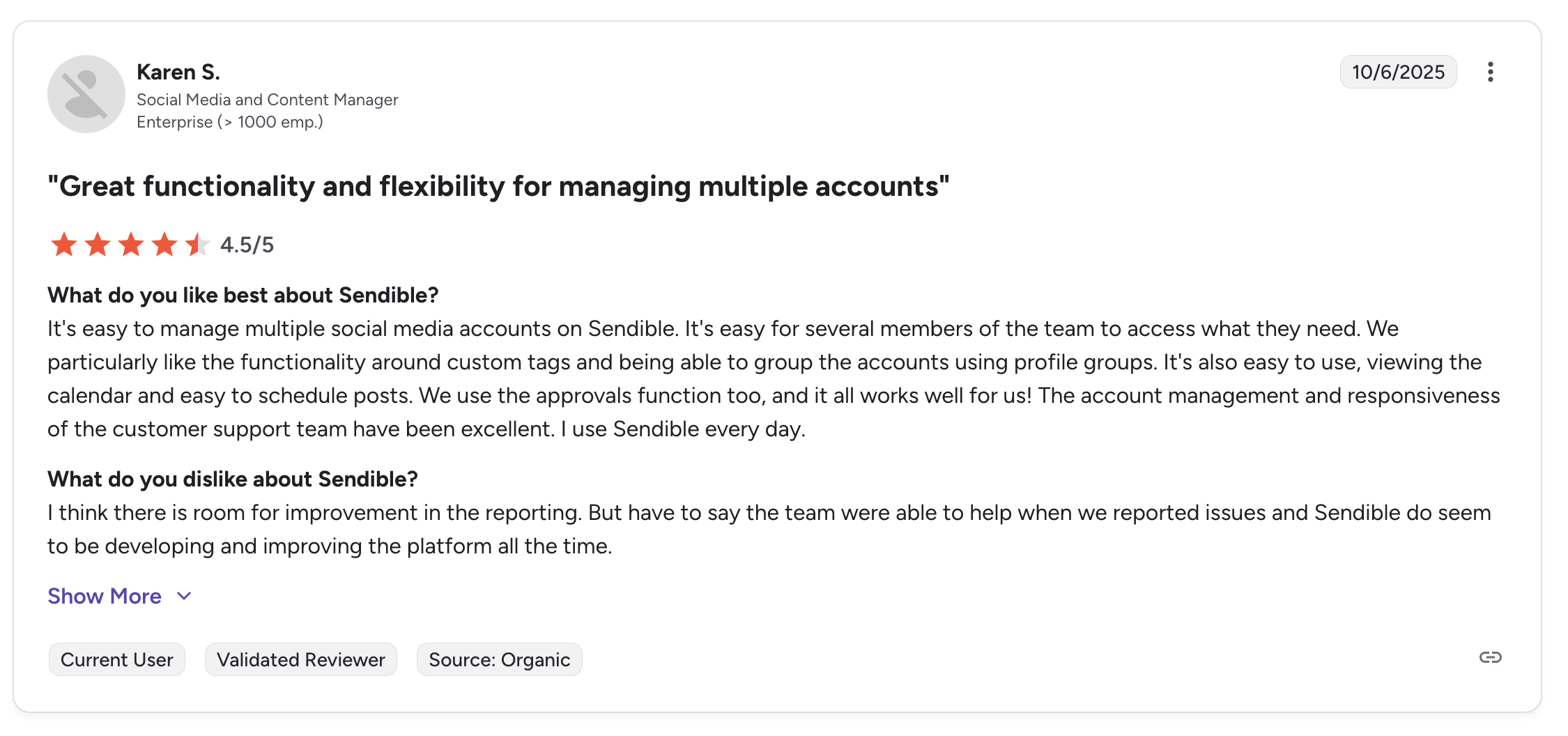
"It's easy to manage multiple social media accounts on Sendible. It's easy for several members of the team to access what they need... The account management and responsiveness of the customer support team have been excellent.", Karen S., Social Media and Content Manager (Enterprise), 4.5/5 on G2, Oct 2025
For more details, see our best Sendible alternatives guide, Sendible pricing breakdown, Sendible reviews, and SocialPilot vs Sendible comparison.
3. Agorapulse: Best for Social Inbox and CRM

Agorapulse fills SocialPilot's biggest feature gap: engagement management. SocialPilot's social inbox on Standard+ handles basic messages and comments, but Agorapulse takes it to another level with automated moderation rules, social CRM with contact history, ROI tracking, and the most powerful unified inbox in the social media management space.
For agencies where community management is a core service and not just scheduling, Agorapulse provides the engagement toolkit that SocialPilot simply does not have. For a wider view, see our social media engagement tools roundup.
At a glance: Agorapulse
- Platforms: 11 including Google Business, Reddit, and Bluesky
- Free trial: 30 days
- Best for: Agencies and community managers where engagement is a core service. Agorapulse adds automated moderation rules, social CRM, and ROI tracking that SocialPilot's basic inbox doesn't match
Key features:
- Unified social inbox with automated moderation rules and message assignment
- Social CRM with contact history, notes, and labeling
- ROI tracking, tie social activity to website conversions
- Content queues with category-based scheduling
- Competitor analysis and benchmarking (Advanced plan)
- Approval workflows (Professional plan)
- Free plan with 3 social profiles
Pricing:
| Plan | Monthly | Annual |
|---|---|---|
| Standard | $99/user/mo | $79/user/mo |
| Professional | $149/user/mo | $119/user/mo |
| Advanced | $199/user/mo | $149/user/mo |
| Custom | Custom | Custom |
Every tier below Custom caps you at 10 social profiles, regardless of how many seats you buy.
30-day free trial.
Pros:
- Best social inbox on this list, automated rules, labeling, and CRM
- Social CRM tracks conversation history per contact (SocialPilot has no CRM)
- ROI tracking helps prove social value to clients
- Free plan available (SocialPilot has no free plan)
- 30-day free trial vs SocialPilot's 14-day trial
- 11 platforms matching SocialPilot's coverage
Cons:
- Per-user pricing ($99-$199/user), dramatically more expensive for teams
- A 3-person team on Standard costs $297/mo vs SocialPilot Premium at $100/mo
- No white-label reporting
- No CSV bulk scheduling (SocialPilot supports 500 posts)
- Canva integration locked behind Professional ($149/user)
- Bulk publishing locked behind Advanced ($199/user)
- No AI image generation
How it compares to SocialPilot:
Agorapulse's social inbox, CRM, and ROI tracking are in a different league than SocialPilot's basic inbox.
- Agorapulse Standard (6 users, $594/mo): Superior social inbox, CRM, and ROI tracking, but capped at 10 social profiles below the Custom tier, with no CSV bulk scheduling and no white-label reports.
- SocialPilot Premium (6 users, $100/mo): CSV bulk scheduling, white-label reports, and dramatically lower pricing for the same team size.
- The trade-off: Choose Agorapulse if engagement management justifies the premium; choose SocialPilot if scheduling volume and white-label matter more.
User ratings: Agorapulse holds a 4.5/5 on G2 (967 reviews) and a 4.0/5 on Trustpilot (57 reviews).
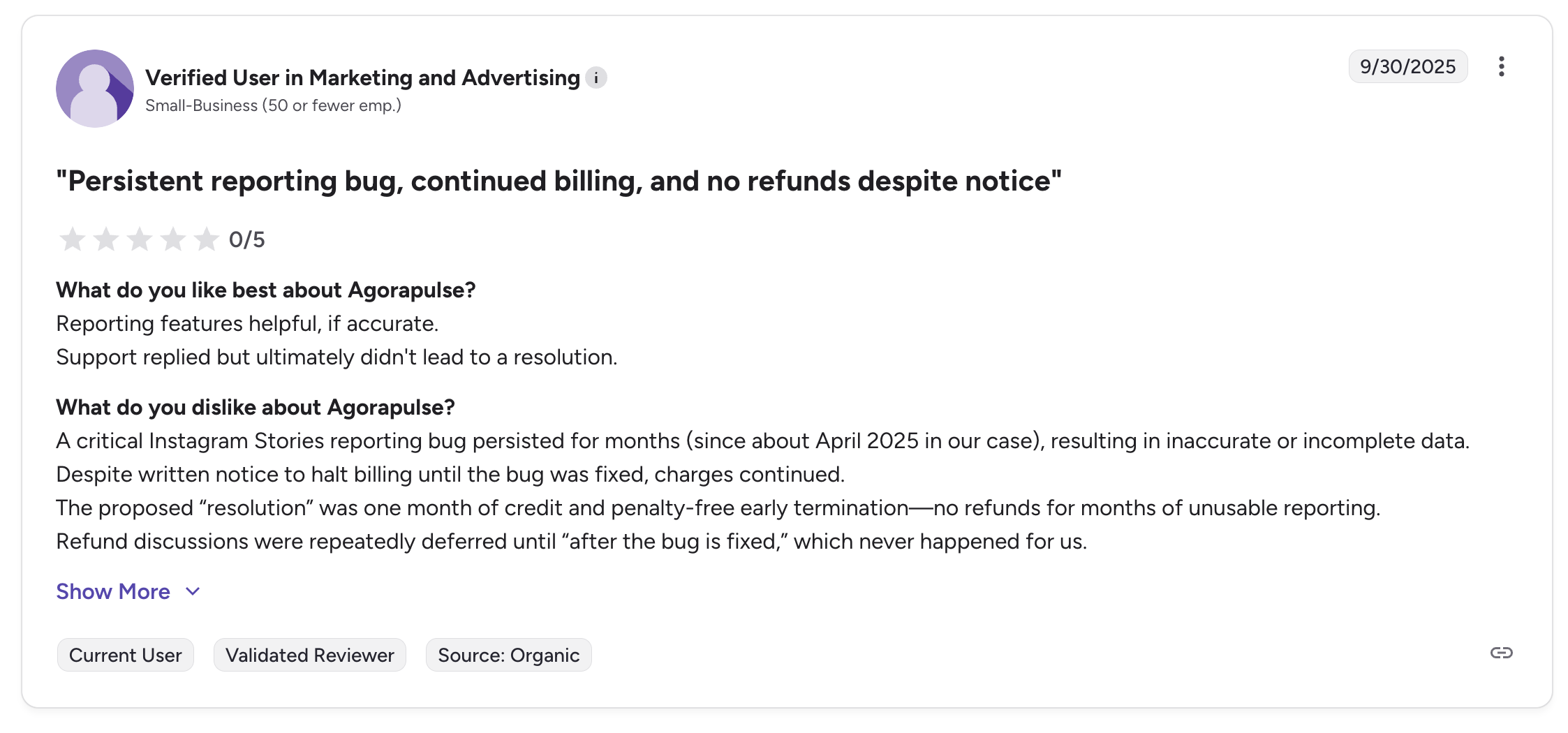
"A critical Instagram Stories reporting bug persisted for months (since about April 2025 in our case), resulting in inaccurate or incomplete data. Despite written notice to halt billing until the bug was fixed, charges continued.", Verified user in Marketing and Advertising (Small-Business), 0/5 on G2, Sep 2025
For more details, see our best Agorapulse alternatives guide, Agorapulse pricing breakdown, Agorapulse reviews, and Agorapulse vs SocialPilot comparison.
PostPlanifyAll your social media in one simple dashboard
Schedule posts, track analytics, and reply to comments/DMs without switching tabs.
Engagement
+18%
Views
52.8k
4. Buffer: Best for Simplicity

Buffer is the opposite of SocialPilot in terms of design philosophy. Where SocialPilot builds for agency complexity (bulk CSV imports, client approvals, white-label reports), Buffer strips everything down to the essentials. Scheduling a post takes seconds, the interface is minimal, and the learning curve is nearly flat.
If your team uses SocialPilot primarily for scheduling and finds the dashboard overwhelming, Buffer provides a dramatically cleaner experience.
At a glance: Buffer
- Platforms: 11 including Google Business Profile, Mastodon, and Bluesky
- Free trial: 14 days
- Best for: Solopreneurs, freelancers, and small teams who primarily need simple scheduling and find SocialPilot's agency dashboard overwhelming
Key features:
- Simple, intuitive scheduling interface
- AI-powered caption assistant with unlimited usage
- Community inbox for managing comments and messages
- Landing page builder (Start Page)
- Instagram first comment scheduling
Pricing:
| Plan | Monthly | Users | Channels |
|---|---|---|---|
| Free | $0/mo | 1 | 3 |
| Essentials | $6/channel/mo | 1 | Unlimited |
| Team | $12/channel/mo | Unlimited | Unlimited |
Free plan available.
Pros:
- Free plan available with 3 channels (SocialPilot has no free plan)
- Extremely simple interface, minimal learning curve
- Unlimited AI usage without credit tracking
- 11 platforms matching SocialPilot's coverage
- Landing page builder (Start Page) included
- Per-channel pricing is cheaper for small setups (5 channels = $30/mo, or $25/mo billed yearly)
Cons:
- Per-channel pricing scales quickly (15 channels on Team = $180/mo vs SocialPilot Standard at $50/mo for 15 accounts)
- No CSV bulk scheduling
- No white-label reporting
- No client dashboards or client approval workflows (Team plan only for basic approvals)
- Limited analytics compared to SocialPilot
- No RSS auto-posting or content library
- No AI image generation
- Trustpilot rating is 2.1/5 (93 reviews)
How it compares to SocialPilot:
Buffer is radically simpler and offers a free plan that SocialPilot lacks.
- Buffer Essentials (solo, 5 channels, $30/mo): Matches SocialPilot Essentials at $30/mo, which covers 7 accounts rather than 5.
- Buffer for agencies (15 channels on Team, $180/mo): Falls apart at scale vs SocialPilot Standard at $50/mo for 15 accounts and 3 users.
- The trade-off: Buffer lacks CSV bulk scheduling, white-label reports, client approvals, and the agency workflow that SocialPilot provides. Buffer is for simplicity; SocialPilot is for agency scale.
User ratings: Buffer holds a 4.3/5 on G2 (1,023 reviews) and a 2.1/5 on Trustpilot (93 reviews).
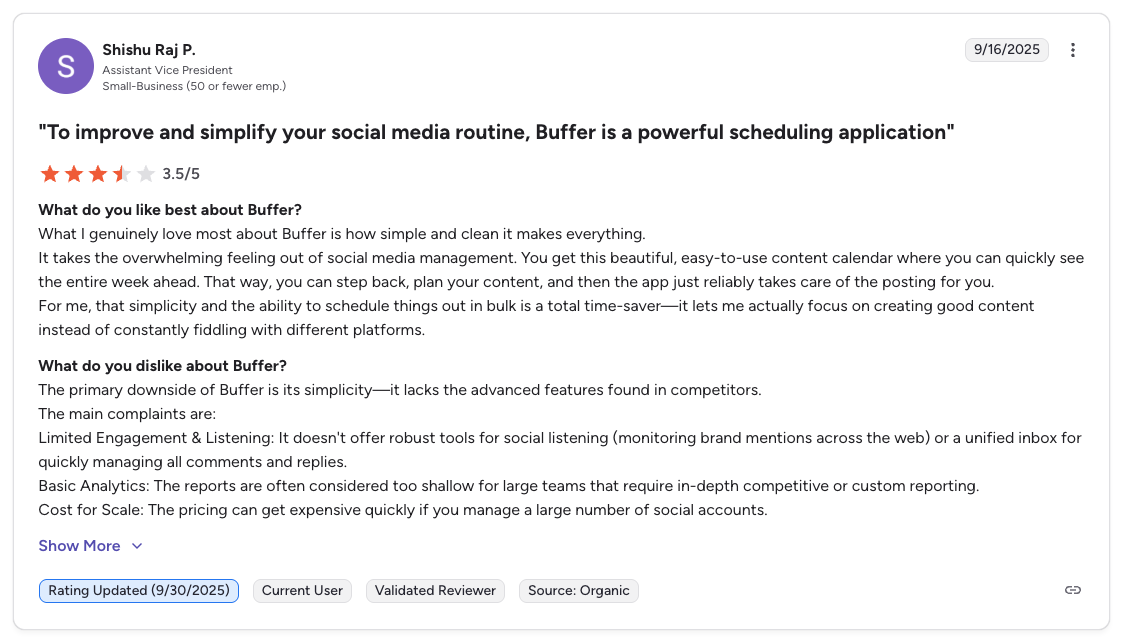
"What I genuinely love most about Buffer is how simple and clean it makes everything... The primary downside of Buffer is its simplicity: it lacks the advanced features found in competitors. Limited Engagement & Listening... Basic Analytics... Cost for Scale.", Shishu Raj P., Assistant Vice President (Small Business), 3.5/5 on G2, Sep 2025
For more details, see our best Buffer alternatives guide, Buffer pricing breakdown, Buffer reviews, and Buffer vs SocialPilot comparison.
5. Vista Social: Best Modern Full-Featured Alternative

Vista Social is the most feature-complete alternative to SocialPilot on this list. It covers publishing, a unified inbox, analytics, review management, DM automations, and social listening (as an add-on): all with flat-tier pricing that includes multiple users per plan.
Where SocialPilot focuses on scheduling volume and white-label, Vista Social takes a broader approach. Its review management (Google, Yelp, TripAdvisor) and DM automations are features that SocialPilot does not offer at any tier.
At a glance: Vista Social
- Platforms: 12+ social platforms + 5 review sites (Google, Yelp, TripAdvisor, etc.)
- Free trial: 14 days
- Best for: Growing agencies wanting broader functionality than SocialPilot. DM automation, review management and a social listening add-on in one modern platform
Key features:
- Unified social inbox with DM automations
- Social listening add-on ($75/mo)
- Review management (Google, Yelp, TripAdvisor)
- AI-powered caption generation (500+ credits on all plans)
- Content scheduling with calendar and approval workflows
- Analytics and reporting with customizable dashboards
- Employee advocacy add-on ($199/mo)
Pricing:
| Plan | Monthly | Yearly | Users | Social Profiles |
|---|---|---|---|---|
| Professional | $99/mo | $950/yr | 2 | 15 |
| Advanced | $199/mo | $1,910/yr | 3 | 30 |
| Enterprise tier 3 | $449/mo | $4,310/yr | 4 | 70 |
| Enterprise | Custom | Custom | Custom | Customizable |
Vista Social raised every tier and cut the included seats: Professional went from $79 to $99 and from 3 users to 2. Social listening beyond your own profiles is a $75/mo add-on.
14-day free trial.
Pros:
- DM automations and review management (SocialPilot does not offer these)
- Flat-tier pricing with multiple users included
- Modern, clean interface, easier to navigate than SocialPilot
- Strongest G2 rating on this list at 4.8/5 from 1,071 reviews
- Social listening available as an add-on
Cons:
- More expensive per profile (Professional $99/mo for 15 profiles vs SocialPilot Standard $50/mo for 15 accounts) and only 2 users included
- X/Twitter requires a paid add-on (not included in any plan)
- No CSV bulk scheduling (SocialPilot supports 500 posts)
- No white-label reporting
- No RSS auto-posting
- Social listening is $75/mo add-on
- No AI image generation
How it compares to SocialPilot:
Vista Social covers more functional ground: adding review management, DM automations, and social listening (add-on) that SocialPilot lacks.
- Vista Social Professional ($99/mo): 2 users, 15 profiles, includes review management and DM automations. Does not include X/Twitter in any plan without a paid add-on.
- SocialPilot Standard ($50/mo): 3 users, 15 accounts, with CSV bulk scheduling for 500 posts, white-label reports from $100/mo, RSS automation, and lower per-profile costs.
- The trade-off: Vista Social offers broader functionality with review management and DM automations; SocialPilot wins on bulk scheduling, white-label pricing, and cost per profile.
User ratings: Vista Social holds a 4.8/5 on G2 (1,071 reviews) and a 4.1/5 on Trustpilot (62 reviews).
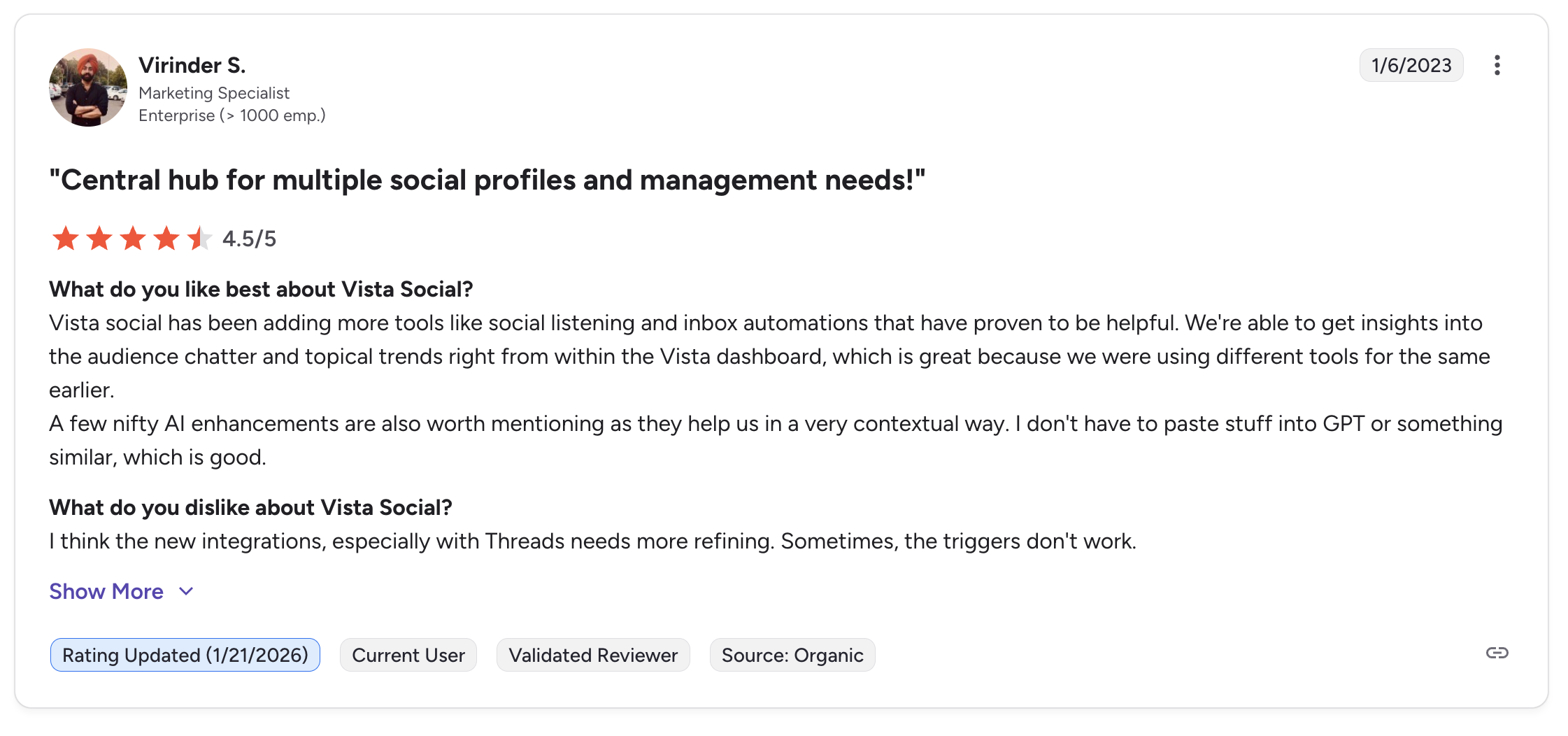
"Vista Social has been adding more tools like social listening and inbox automations that have proven to be helpful. We're able to get insights into the audience chatter and topical trends right from within the Vista dashboard... A few nifty AI enhancements are also worth mentioning.", Virinder S., Marketing Specialist (Enterprise), 4.5/5 on G2, updated Jan 2026
For more details, see our best Vista Social alternatives guide, Vista Social pricing breakdown, and Vista Social reviews.
6. SocialBee: Best for Content Recycling

SocialBee takes a fundamentally different approach to content management. Instead of organizing posts by date like SocialPilot, SocialBee organizes by content categories: allowing you to create evergreen content queues that automatically recycle and reshare your best-performing posts.
SocialPilot does not offer content recycling. For businesses that create a library of reusable content, whether that is tips, testimonials, product highlights or blog promotions, SocialBee's category-based system keeps channels active without constant manual scheduling or CSV uploads.
At a glance: SocialBee
- Platforms: 10 including Pinterest, Bluesky, Google Business, and Threads
- Free trial: 14 days
- Best for: Content marketers and small businesses with evergreen content libraries they want to auto-recycle, a category-based workflow SocialPilot doesn't offer at any tier
Key features:
- Category-based content scheduling with evergreen recycling
- AI-powered caption generator (Copilot) with no credit limits
- Content variations to avoid repetitive posts
- RSS feed auto-posting
- Canva integration inside the editor
- Approval workflows on Pro plan
Pricing:
| Plan | Monthly | Users | Social Profiles |
|---|---|---|---|
| Bootstrap | $29/mo | 1 | 5 |
| Accelerate | $49/mo | 1 | 10 |
| Pro | $99/mo | 3 | 25 |
14-day free trial.
Pros:
- Content recycling keeps channels active with minimal effort (SocialPilot lacks this)
- Category-based scheduling is unique and powerful for evergreen content
- Content variations prevent repetitive posts
- AI captions without credit limits (SocialPilot caps at 500-5,000)
- Canva integration included on all plans
- Highest G2 rating on this list at 4.8/5
- Strong customer support consistently praised
Cons:
- No CSV bulk scheduling (SocialPilot supports 500 posts)
- No social inbox
- No white-label reporting
- Multi-user access only on Pro plan ($99/mo for 3 users)
- No AI image generation
- Analytics limited to 3 months on Bootstrap plan
- 9 platforms vs SocialPilot's 11 (no Bluesky or Reddit)
- No client dashboards
How it compares to SocialPilot:
SocialBee's category-based scheduling with content recycling solves a problem SocialPilot does not address at all.
- SocialBee Pro ($99/mo): 3 users, 25 profiles, with category-based scheduling and content recycling.
- SocialPilot Premium ($100/mo): 6 users, 25 accounts, so more users at nearly the same price, plus CSV bulk scheduling, white-label reports, social inbox, and broader platform support.
- The trade-off: SocialBee is a content-first tool; SocialPilot is a volume-first tool. Choose based on whether content recycling or bulk scheduling matters more.
User ratings: SocialBee holds a 4.8/5 on G2 (472 reviews) and a 4.0/5 on Trustpilot (43 reviews).
For more details, see our best SocialBee alternatives guide, SocialBee pricing breakdown, SocialBee reviews, and SocialBee vs SocialPilot comparison.
PostPlanifyAll your social media in one simple dashboard
Schedule posts, track analytics, and reply to comments/DMs without switching tabs.
Engagement
+18%
Views
52.8k
7. Metricool: Best Analytics on a Budget
Metricool is the analytics-first alternative on this list. While SocialPilot includes analytics from the Standard plan, Metricool goes significantly deeper: competitor tracking for up to 100 profiles, ad management for Google/Meta/TikTok, Looker Studio integration, and unlimited analytics history on paid plans.
For data-driven agencies and marketers who chose SocialPilot but found the analytics insufficient, Metricool delivers the reporting depth that SocialPilot lacks.
At a glance: Metricool
- Platforms: 9 including Google Business and Twitch
- Best for: Data-driven agencies and performance marketers needing competitor tracking (100 profiles), Google/Meta/TikTok ad management, and Looker Studio integration, features SocialPilot doesn't offer
Key features:
- Deep analytics with competitor tracking (up to 100 profiles)
- Ad management for Google Ads, Meta Ads, and TikTok Ads
- Looker Studio integration for custom reporting
- Hashtag tracker and best time to post suggestions
- Content scheduling and calendar
- Link-in-bio tool (SmartLinks)
- Canva integration
Pricing:
| Plan | Monthly | Annual (per month) | Brands |
|---|---|---|---|
| Free | $0/mo | n/a | All brands, 20 posts/mo, no LinkedIn or X |
| Starter 5 | $25/mo | $20/mo | 5 brands |
| Starter 10 | $45/mo | $36/mo | 10 brands |
| Advanced 15 | $67/mo | $53/mo | 15 brands |
| Advanced 25 | $107/mo | $85/mo | 25 brands |
| Advanced 50 | $210/mo | $159/mo | 50 brands |
Annual billing saves up to 24%.
Free plan available with no time limit.
Pros:
- Free plan includes analytics from day one (SocialPilot has no free plan)
- Competitor tracking up to 100 profiles (SocialPilot does not offer competitor tracking)
- Ad management for Google, Meta, and TikTok (SocialPilot does not manage ads)
- Looker Studio integration for advanced custom reports
- Per-brand pricing is cost-effective for agencies
- Unlimited analytics history on paid plans
- Canva integration included
- Highest Trustpilot rating on this list at 4.2/5
Cons:
- No CSV bulk scheduling (SocialPilot supports 500 posts)
- No social inbox
- No white-label reporting
- Limited team collaboration features
- X/Twitter requires an add-on on Starter plans
- No AI image generation
- No approval workflows
- No RSS auto-posting or content library
How it compares to SocialPilot:
Metricool offers significantly deeper analytics: competitor tracking, ad management, Looker Studio integration, and unlimited history. SocialPilot does not offer competitor tracking or ad management at any tier.
- Metricool (15 brands, $67/mo, or $53/mo billed yearly): Competitor tracking, ad management, Looker Studio integration, and unlimited history.
- SocialPilot (15 accounts, $50/mo Standard): CSV bulk scheduling, white-label reports from Premium, approval workflows, social inbox, and team collaboration, so similar pricing with very different strengths.
- The trade-off: Metricool is an analytics tool; SocialPilot is an agency workflow tool. Choose based on whether deep analytics or agency workflows matter more.
User ratings: Metricool holds a 4.5/5 on G2 (83 reviews) and a 4.2/5 on Trustpilot (519 reviews).
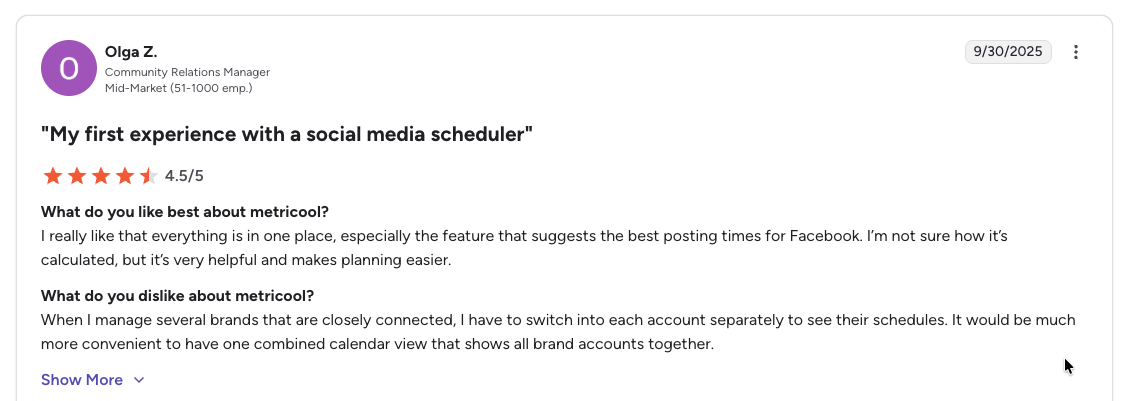
"I really like that everything is in one place, especially the feature that suggests the best posting times for Facebook... When I manage several brands that are closely connected, I have to switch into each account separately to see their schedules.", Olga Z., Community Relations Manager (Mid-Market), 4.5/5 on G2, Sep 2025
For more details, see our best Metricool alternatives guide, Metricool pricing breakdown, Metricool reviews, and Metricool vs SocialPilot comparison.
8. Publer: Best Budget-Friendly Option

Publer offers many of the same features as SocialPilot, including bulk scheduling, multi-account management and content recycling, but at lower entry-level prices and with AI image generation that SocialPilot lacks.
For solo creators and small teams who do not need SocialPilot's agency features (white-label, client approvals, social inbox), Publer delivers solid scheduling with AI tools at a lower starting price.
At a glance: Publer
- Platforms: 13 including Google Business, WordPress, Telegram, Mastodon, and Bluesky
- Best for: Budget-conscious creators and small teams who want bulk scheduling (500 posts, matches SocialPilot), AI image generation, and the ability to pay per social account rather than per tier
Key features:
- Bulk scheduling (up to 500 posts)
- Unlimited AI prompts for captions and image generation (Business plan)
- Analytics, competitor analysis, and API plus MCP access (Business plan)
- Competitor analysis (Business plan)
- Recurring posts and content recycling
- Workspace collaboration with team members at $2/mo each
Pricing:
| Plan | Monthly | Annual (per month) | Billed |
|---|---|---|---|
| Free | $0/mo | n/a | 3 accounts (no X/Twitter) |
| Professional | $5/account/mo | $4/account/mo | Per social account |
| Business | $10/account/mo | $8/account/mo | Per social account |
| Enterprise | Custom | Custom | Per social account |
Publer moved from fixed bundles to per-social-account pricing, so 10 accounts on Business is $100/mo monthly or $80/mo billed yearly. Every 10th account is free, and extra team members are priced the same way.
Free plan available. Additional team members at $2/month each.
Pros:
- Free plan available (SocialPilot has none)
- AI image generation included on Business, with no prompt limits
- Bulk scheduling matching SocialPilot's 500-post capability
- Team members cost only $2/mo each (vs SocialPilot's $5/mo)
- Content recycling and recurring posts included
- Best Trustpilot rating on this list at 4.8/5 from 863 reviews
- Every 10th account and team member is free
Cons:
- Free plan excludes X/Twitter
- Per-account pricing can exceed SocialPilot for large setups (15 accounts on Business = $150/mo vs SocialPilot Standard $50/mo for 15)
- No white-label reporting
- No social inbox
- No client approval workflows
- No client dashboards
- No Canva integration in the composer
- AI features locked behind Business plan
How it compares to SocialPilot:
For small setups (3-7 accounts), Publer is cheaper.
- Publer Professional ($5/account/mo): 3 accounts for $15/mo, beating SocialPilot Essentials at $30/mo for 7 accounts on price at small scale. Includes AI image generation.
- Publer Business (15 accounts, $150/mo): Per-account pricing scales less favorably vs SocialPilot Standard at $50/mo for 15 accounts and 3 users.
- The trade-off: Publer lacks white-label, client approvals, and social inbox. For agency scale, SocialPilot is more cost-effective; for small setups, Publer offers better value.
User ratings: Publer holds a 4.7/5 on G2 (486 reviews) and a 4.8/5 on Trustpilot (863 reviews).
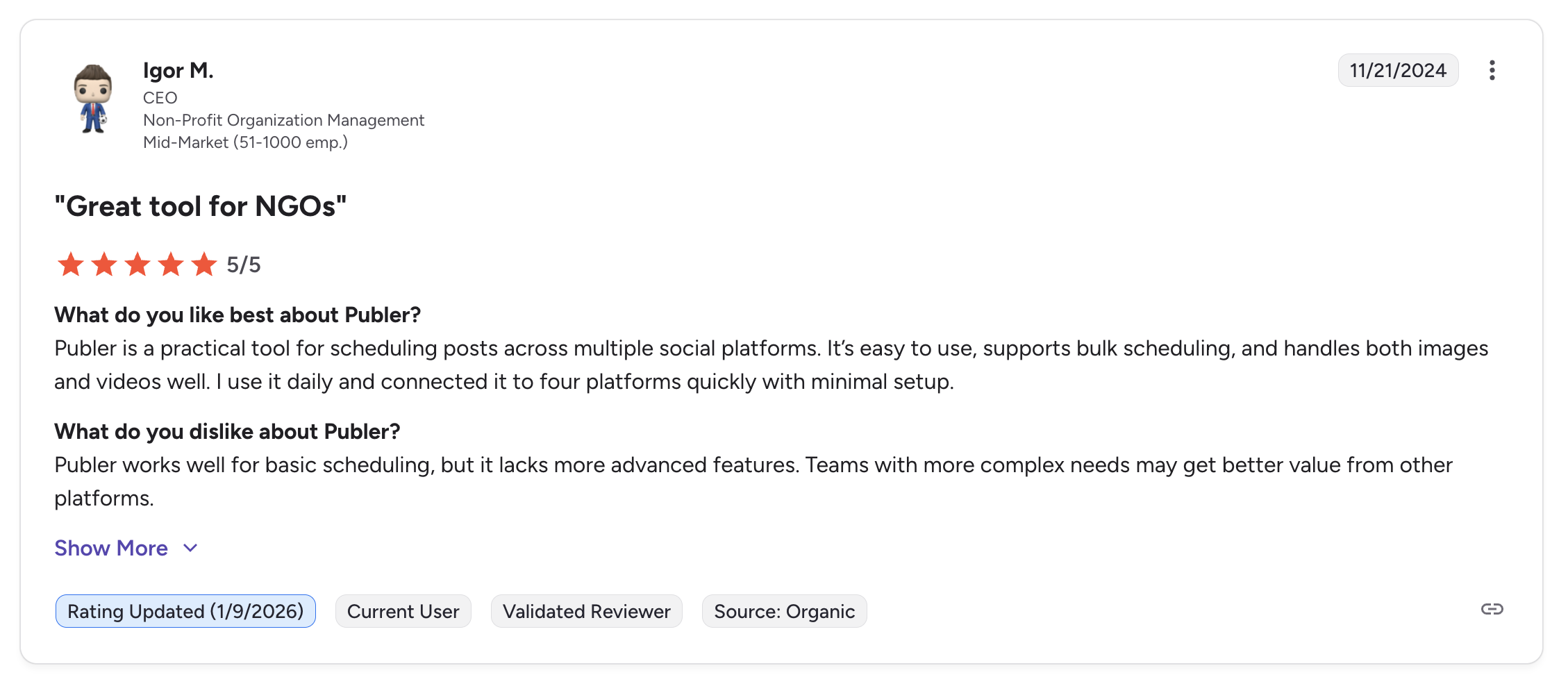
"Publer is a practical tool for scheduling posts across multiple social platforms. It's easy to use, supports bulk scheduling, and handles both images and videos well. I use it daily and connected it to four platforms quickly with minimal setup.", Igor M., CEO (Non-Profit, Mid-Market), 5/5 on G2, Nov 2024
For more details, see our best Publer alternatives guide, Publer pricing breakdown, Publer reviews, and Publer vs SocialPilot comparison.
9. Loomly: Best for Approval Workflows

Loomly is built around content approval and team collaboration. While SocialPilot includes approval workflows on all plans, Loomly makes the review process more visual and intuitive: with comment threads directly on posts, post idea suggestions, and a drag-and-drop calendar that makes content planning seamless.
For teams where content review involves multiple stakeholders and feedback loops, Loomly provides a more structured collaboration experience than SocialPilot's basic approval system.
At a glance: Loomly
- Platforms: 9 including Snapchat, Threads, and Google Business
- Free trial: 15 days
- Best for: Marketing teams needing structured multi-step approval workflows with comment threads on posts and content inspiration, a more collaborative process than SocialPilot's basic approvals
Key features:
- Built-in approval workflows with comment threads on each post
- Content calendar with drag-and-drop scheduling
- Post ideas and content inspiration suggestions
- Audience targeting and hashtag suggestions
- Post mock-ups with live preview
- Google Drive and Unsplash integrations
Pricing:
| Plan | Monthly | Users | Social Accounts |
|---|---|---|---|
| Free | $0/mo | 1 | 3 |
| Starter | $65/mo | 3 | 12 |
| Beyond | $332/mo | Unlimited | 60 |
Free plan available (3 accounts, 5 posts/month).
Pros:
- Comment threads on each post make collaboration more intuitive than SocialPilot
- Post idea suggestions help with creative blocks
- Free plan available (SocialPilot has none)
- Visual calendar with drag-and-drop is cleaner than SocialPilot's interface
- Snapchat and Reddit support (SocialPilot has Reddit but not Snapchat)
- Highest G2 review volume on this list (1,793 reviews)
Cons:
- Massive $267 gap between Starter ($65) and Beyond ($332), no mid-tier
- Free plan limited to 5 posts per month
- No CSV bulk scheduling (SocialPilot supports 500 posts)
- No white-label reporting
- No social inbox
- No AI image generation
- No RSS auto-posting or content library
- No Canva integration
- Trustpilot rating is 1.7/5 (26 reviews)
How it compares to SocialPilot:
Loomly's approval workflows with comment threads are more intuitive than SocialPilot's approval system.
- Loomly Starter ($65/mo, or $49/mo billed yearly): 3 users, 12 accounts, so more expensive than SocialPilot Standard at $50/mo for 3 users and 15 accounts, and the jump to Beyond is $332/mo.
- Loomly Beyond ($332/mo): Unlimited users, 60 accounts. The gap widens at scale vs SocialPilot Ultimate at $200/mo for unlimited users and 50 accounts.
- The trade-off: SocialPilot wins on CSV bulk scheduling, white-label reports, lower pricing at every tier, and more accounts per dollar. Loomly wins on approval workflow intuitiveness with comment threads.
User ratings: Loomly holds a 4.6/5 on G2 (1,793 reviews) and a 1.7/5 on Trustpilot (26 reviews).
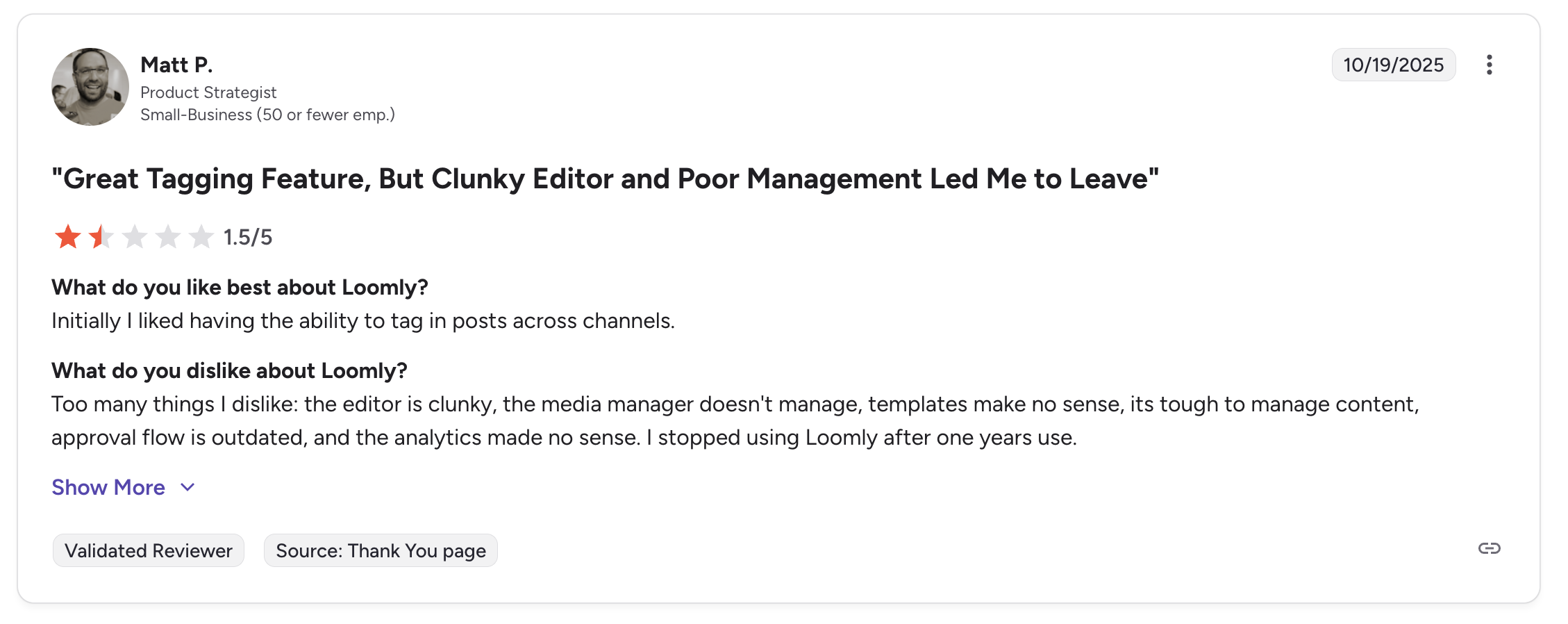
"Initially I liked having the ability to tag in posts across channels... Too many things I dislike: the editor is clunky, the media manager doesn't manage, templates make no sense, its tough to manage content, approval flow is outdated, and the analytics made no sense. I stopped using Loomly after one years use.", Matt P., Product Strategist (Small Business), 1.5/5 on G2, Oct 2025
For more details, see our best Loomly alternatives guide, Loomly pricing breakdown, Loomly reviews, and Loomly vs SocialPilot comparison.
10. Planable: Best for Client Approval Depth

Planable is the closest thing to Google Docs for social media. Where SocialPilot gates client approval behind its $100/mo Premium plan, Planable builds the entire product around review: four approval modes (none, optional, required, and multi-level) with sequenced sign-off, and clients commenting directly on a post preview.
For agencies whose clients want to approve their own content, this is the one structural gap in SocialPilot's lineup that Planable closes outright.
At a glance: Planable
- Platforms: 9 including Pinterest, Google Business, and Threads (no Bluesky)
- Pricing: Free for your first 50 posts, then $39/workspace/mo
- Free trial: Free plan (50 posts total, no monthly reset, no card)
- Best for: Agencies and content teams where multi-stakeholder approval is the core workflow and clients need to sign off without paying for a seat
Key features:
- Four approval modes: none, optional, required, and multi-level sequenced sign-off
- Unlimited users on every paid plan, with free client reviewers
- Feed, calendar, grid and list views of the same content
- Comments and annotations directly on the post preview
- Content labels and campaigns for organising by client
- MCP Connector and a public API on both paid plans
- Universal Content for blogs, newsletters and ads alongside social
Pricing:
| Plan | Monthly | Annual (per month) | Pages/workspace | Posts/workspace/mo |
|---|---|---|---|---|
| Free | $0 | n/a | 4 | 50 total, no reset |
| Basic | $39/workspace/mo | $33/workspace/mo | 4 | 60 |
| Pro | $59/workspace/mo | $49/workspace/mo | 10 | 150 |
| Enterprise | Custom | Custom | 50 | Unlimited |
Analytics ($14), Social Inbox ($9) and Social Listening ($99) are per-workspace add-ons, included on Enterprise.
Pros:
- Client approval included from the entry plan, where SocialPilot needs Premium at $100/mo
- Unlimited users on every paid plan, and client reviewers are never billed as seats
- Multi-level sequenced approvals that SocialPilot has no equivalent for
- Free plan for your first 50 posts (SocialPilot has none)
- Prices by client workspace, so adding a client is a known cost
Cons:
- Post caps on every paid plan (60 on Basic, 150 on Pro) where SocialPilot is unlimited
- Social inbox and analytics are paid add-ons, not included features
- No CSV bulk scheduling (SocialPilot supports 500 posts)
- No AI image generation
- No Bluesky support
- Scheduling and analytics depth lag behind SocialPilot's
How it compares to SocialPilot:
Planable wins the approval comparison outright and loses most of the rest.
- Planable Basic ($39/workspace/mo): Client approval, unlimited users and 4 social pages per workspace. Three clients is $117/mo.
- SocialPilot Premium ($100/mo): 25 accounts, 6 users and client approval, with CSV bulk scheduling, white-label reports and unlimited posting that Planable can't match.
- The trade-off: if client sign-off is the only reason you would pay for Premium, Planable gets you there cheaper at one or two clients. Past a handful of clients, SocialPilot's flat $100 covers far more accounts and has no post caps.
User ratings: Planable holds a 4.6/5 on G2 (937 reviews) and a 4.5/5 on Trustpilot (69 reviews), consistently praised for the approval experience and unlimited users.
For more details, see our best Planable alternatives guide, Planable pricing breakdown, and Planable reviews.
11. Hootsuite: Best Enterprise-Grade Breadth

Hootsuite is the upmarket alternative for agencies that have outgrown SocialPilot's mid-market feature set. Following its 2024 acquisition of Talkwalker, Hootsuite delivers enterprise-grade social listening, employee advocacy, and bulk scheduling (up to 350 posts): features SocialPilot either lacks or limits. This is a step UP, not a cost-cutting move.
At a glance: Hootsuite
- Platforms: 10+ including Google Business Profile
- Free trial: 30 days on Standard and Advanced; no free plan since 2023
- Best for: Large agencies and enterprises that have outgrown SocialPilot and need Talkwalker-powered social listening, employee advocacy, bulk scheduling (350 posts), and deep third-party integrations
Key features:
- Talkwalker-powered social listening (paid add-on)
- Employee advocacy tools built in
- Bulk scheduling up to 350 posts
- Ad management for paid social campaigns
- Team workflows with approval chains and user roles
- Extensive third-party integrations
- Largest user community and ecosystem
Pricing:
| Plan | Price (per user/mo, annual billing) | Social Accounts |
|---|---|---|
| Standard | $99 | 10 |
| Professional | $199 | Unlimited |
| Advanced | $399 | Unlimited |
| Enterprise | Custom | Unlimited |
Hootsuite replaced its old two-tier lineup with these four per-seat plans, dropping the entry price from $249 to $99 per user per month on annual billing. Every plan now includes its Wisdom AI assistant.
30-day free trial on Standard and Advanced. No free plan since March 2023.
Pros:
- Talkwalker-powered social listening (significantly deeper than anything SocialPilot offers)
- Employee advocacy tools built in (SocialPilot doesn't offer this)
- Bulk scheduling of 350 posts (SocialPilot's 500 via CSV still wins here, but Hootsuite's is more polished)
- Broadest enterprise platform coverage for large agency governance
- Largest user community and integration ecosystem
Cons:
- Still far more expensive than SocialPilot for a team ($99/user/mo vs $30-$200 flat tiers)
- Per-user pricing scales aggressively, a 6-person team costs $594/mo minimum vs SocialPilot Ultimate at $200/mo with unlimited seats
- No free plan since 2023
- No AI image generation
- Interface feels dated and cluttered compared to SocialPilot
- Customer support is a common Trustpilot complaint (1.8/5)
How it compares to SocialPilot:
Hootsuite is the enterprise step-up: dramatically more expensive but with meaningfully deeper listening and enterprise governance features.
- Hootsuite Standard ($99/user/mo): 10 accounts per user, Talkwalker listening, employee advocacy, bulk scheduling. Unlimited accounts starts on Professional at $199/user/mo.
- SocialPilot Premium ($100/mo for 6 users, 25 accounts): About 6x cheaper for the same team size, with CSV bulk scheduling for 500 posts (more than Hootsuite's 350) and white-label reports.
- The trade-off: Hootsuite wins on listening, employee advocacy, and enterprise integrations. SocialPilot wins dramatically on price, bulk scheduling capacity, and white-label cost.
User ratings: Hootsuite holds a 4.3/5 on G2 (6,615 reviews) and a 1.8/5 on Trustpilot (511 reviews).
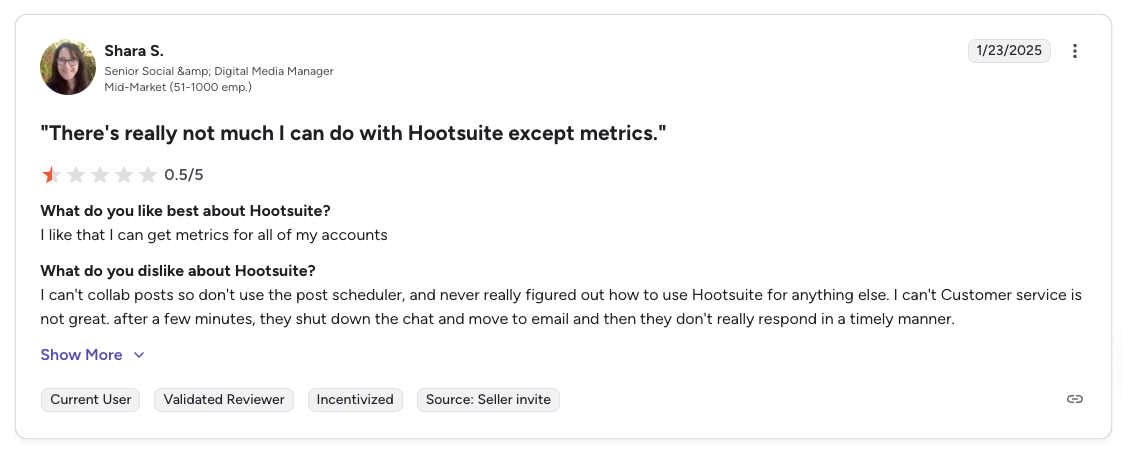
"There's really not much I can do with Hootsuite except metrics. I can't collab posts so don't use the post scheduler... Customer service is not great.", Shara S., Senior Social & Digital Media Manager (Mid-Market), 0.5/5 on G2, Jan 2025
For more details, see our best Hootsuite alternatives guide, Hootsuite pricing breakdown, Hootsuite reviews, and Hootsuite vs SocialPilot comparison.
12. Sprout Social: Best for Enterprise Analytics

Sprout Social is the other premium upgrade path from SocialPilot: for agencies where Smart Inbox sentiment analysis, enterprise-grade analytics, and Salesforce integration justify the per-seat cost. It's significantly more expensive than SocialPilot but delivers AI-powered inbox triage and reporting depth that SocialPilot can't match at any tier.
At a glance: Sprout Social
- Platforms: 11+ including Reddit and WhatsApp
- Free trial: 30 days
- Best for: Mid-to-large agencies where client reporting depth, Smart Inbox sentiment, and Salesforce integration justify the $199+/seat cost
Key features:
- Smart Inbox with AI-powered sentiment analysis and triage
- Social listening (paid add-on), deeper than anything in SocialPilot's price tier
- Advanced analytics with custom reports and competitive benchmarking
- Employee advocacy tools
- Multi-step approval workflows with audit trails
- Salesforce, HubSpot, and CRM integrations
Pricing:
| Plan | Price (per seat/mo, annual billing) | Social Profiles |
|---|---|---|
| Essentials | $79 ($99 billed monthly) | 5 |
| Standard | $199 | 5 |
| Professional | $299 | Unlimited |
| Advanced | $399 | Unlimited |
| Enterprise | Custom | Unlimited |
30-day free trial.
Pros:
- Smart Inbox sentiment analysis goes well beyond anything SocialPilot offers
- Social listening is more mature than anything in SocialPilot's tier
- Deepest enterprise analytics and reporting in this category
- Salesforce integration (SocialPilot doesn't offer this)
- Multi-step approval workflows with audit trails
- Unlimited profiles starting on Professional plan
Cons:
- Per-seat pricing is the most expensive on this list at entry tier ($199/seat)
- A 6-person agency team costs $1,194/mo vs SocialPilot Premium at $100/mo, 12x more expensive
- Social listening is a paid add-on
- No free plan
- No AI image generation
- 5-profile cap on Standard is restrictive for agencies
- Trustpilot reviews flag aggressive billing and difficulty canceling
- No CSV bulk scheduling (SocialPilot supports 500 posts)
How it compares to SocialPilot:
Sprout Social is the step-up: dramatically more expensive, with enterprise-grade capabilities SocialPilot doesn't match.
- Sprout Social Standard ($199/seat/mo): 5 profiles per seat, Smart Inbox sentiment, social listening (add-on), Salesforce integration.
- SocialPilot Premium ($100/mo, 6 users, 25 accounts): 12x cheaper for a 6-person team, with CSV bulk scheduling for 500 posts and white-label reports.
- The trade-off: Sprout Social wins on analytics depth, Smart Inbox AI, listening, and CRM integration. SocialPilot wins on price, bulk scheduling, white-label, and accounts-per-dollar.
User ratings: Sprout Social holds a 4.4/5 on G2 (5,731 reviews) and a 2.2/5 on Trustpilot (75 reviews).
For more details, see our best Sprout Social alternatives guide, Sprout Social pricing breakdown, Sprout Social reviews, and Sprout Social vs SocialPilot comparison.
SocialPilot Alternatives Comparison Table
This matrix covers all 12 alternatives against SocialPilot across the features that matter most when switching. Tools are listed as rows for readability.
| Tool | Starting Price | Pricing Model | Platforms | Bulk CSV | Social Inbox | White-Label Reports | AI Limits |
|---|---|---|---|---|---|---|---|
| SocialPilot (baseline) | $30/mo | Flat tiers (7/15/25/50 accounts) | 11 | 500 posts | Standard+ | Premium+ ($100/mo) | 500-5,000 credits/mo |
| PostPlanify | $39/mo per workspace | Per client workspace | 10 | No | Every plan | Scale | Unlimited captions, 200-800 image credits |
| Sendible | $35/mo | Per workspace (6 profiles each) | 10 | No | Priority Inbox + sentiment | Elite+ (add-on) | Unlimited |
| Agorapulse | $99/user | Per user | 11 | Advanced tier | Yes (strongest) | No | Included |
| Buffer | Free / $6/channel | Per channel | 11 | Basic CSV | Paid plans | No | Unlimited |
| Vista Social | $99/mo | Flat tiers | 12+ | No | Yes (sentiment + DM automation) | Higher tiers | 500-unlimited credits |
| SocialBee | $29/mo | Flat tiers | 10 | No | No | No | Unlimited |
| Metricool | Free / $25/mo | Per brand | 11 | No | Custom plan | No | AI assistant on paid plans |
| Publer | Free / $5 per account/mo | Per social account | 13 | 500 posts | No | No | Unlimited on Business |
| Loomly | Free / $65/mo | Flat tiers | 9 | No | Interactions inbox | No | No AI |
| Planable | $39/workspace/mo | Per client workspace | 9 | No | $9/workspace add-on | Enterprise | No AI images |
| Hootsuite | $99/user/mo | Per user | 10+ | 350 posts | Yes (full) | Yes | Unlimited |
| Sprout Social | $79/seat/mo | Per seat | 11+ | No | Smart Inbox + sentiment | Yes | Unlimited |
SocialPilot's approvals split by tier: content and manager approval from Standard, client approval and client logins only from Premium ($100/mo). PostPlanify includes unlimited team members on every plan. Social accounts scale with workspaces: 4 per workspace on Growth, 6 on Premium, 8 on Scale.
Full Pricing Comparison: All 12 SocialPilot Alternatives
Here is a side-by-side pricing comparison to help you find the right tool for your budget. Prices are monthly billing rates except for Hootsuite and Sprout Social, which publish per-seat rates on annual billing only.
| Tool | Solo User (7 accounts) | 3-Person Team (15 accounts) | 6-Person Team (25 accounts) |
|---|---|---|---|
| SocialPilot | $30/mo (Essentials, 7 accounts) | $50/mo (Standard, 15 accounts) | $100/mo (Premium, 25 accounts) |
| PostPlanify | $68/mo (Growth, 2 workspaces) | $126/mo (Growth, 4 workspaces) | $193/mo (Growth, 7 workspaces) |
| Sendible | $99/mo (Plus, 3 workspaces) | $99/mo (Plus, unlimited users) | $199/mo (Premium, 7 workspaces) |
| Agorapulse | $99/mo (Standard) | $297/mo (Standard) | $594/mo (Standard) |
| Buffer | $42/mo (Essentials, 7 channels) | $180/mo (Team, 15 channels) | $300/mo (Team, 25 channels) |
| Vista Social | $99/mo (Professional, 2 users) | $199/mo (Advanced, 3 users) | $449/mo (4 users, 70 profiles) |
| SocialBee | $49/mo (Accelerate, 10 profiles) | $99/mo (Pro, 3 users) | $99/mo (Pro, 3 users max) |
| Metricool | $45/mo (Starter 10) | $67/mo (Advanced 15) | $107/mo (Advanced 25) |
| Publer | $70/mo (Business, 7 accounts) | $150/mo (Business, 15 accounts) | $250/mo (Business, 25 accounts) |
| Loomly | $65/mo (Starter, 12 accounts) | $332/mo (Beyond, 60 accounts) | $332/mo (Beyond, unlimited users) |
| Planable | $78/mo (Basic, 2 workspaces) | $156/mo (Basic, 4 workspaces) | $273/mo (Basic, 7 workspaces) |
| Hootsuite | $99/mo (Standard, 1 user) | $297/mo (Standard, 3 users) | $594/mo (Standard, 6 users) |
| Sprout Social | $299/mo (Professional, 1 seat) | $897/mo (3 Professional seats) | $1,794/mo (6 Professional seats) |
Key takeaway: SocialPilot offers one of the best value propositions for agencies managing many accounts. Its $50/mo Standard plan for 3 users and 15 accounts is hard to beat on raw value, and the $100/mo Premium with white-label is the cheapest white-label in the category. The main reasons to switch are feature depth (analytics, CRM, content recycling), interface quality (cleaner tools like PostPlanify or Buffer), or getting out of per-seat and per-tier gating entirely (PostPlanify charges per client workspace with unlimited team members). For upmarket agencies moving beyond mid-market SocialPilot tooling, Hootsuite (from $99/user) and Sprout Social (from $79/seat) have both cut their entry prices sharply, though a 6-seat team still lands at $594/mo and $1,794/mo respectively for enterprise-grade listening, Smart Inbox sentiment, and CRM integration SocialPilot doesn't match.
How SocialPilot Alternatives Compare by Use Case
SocialPilot wins on white-label reports at $100/mo, CSV bulk scheduling (500 posts), 11 platforms, unlimited seats on Ultimate, and overall value for mid-market agencies. The catch is that client approval and client logins both start on Premium at $100/mo, so a small agency whose clients want sign-off pays Premium prices for it. But the account-tier jumps, AI credit caps, and cluttered interface create friction. Every alternative below solves a specific SocialPilot pain point. Here's the fastest way to match a tool to your priority:
- Best overall replacement: PostPlanify: from $39/mo per client workspace with unlimited team members, unified analytics, AI assistant with image generation and no credit limits, social inbox, approvals on Premium, and white-label reports on Scale.
- For client management: Sendible ($35-$750/mo, unlimited users): client workspaces, Priority Inbox with sentiment, 250+ report modules.
- For engagement management: Agorapulse ($99/user/mo): strongest unified inbox with automated moderation, social CRM, and ROI tracking.
- For broader functionality: Vista Social ($99/mo, 15 profiles, 2 users): DM automation, review management, 12+ platforms + 5 review sites.
- For content recycling: SocialBee ($29/mo): category-based scheduling SocialPilot doesn't offer at any tier.
- For deep analytics: Metricool (free or $25/mo): competitor tracking (100 profiles), Google/Meta/TikTok ad management, Looker Studio integration.
- For approval workflows with comment threads: Loomly ($49/mo annual Starter): more collaborative than SocialPilot's basic approval system.
- For simplicity: Buffer (free or $6/channel): cleanest scheduling experience if SocialPilot feels cluttered.
- For the lowest price with AI images: Publer ($5 per social account/mo Professional): AI image generation, 500-post bulk scheduling matching SocialPilot.
- For client approval depth: Planable ($39/workspace/mo): four approval modes including multi-level sign-off, with client reviewers free.
- For upmarket enterprise needs: Hootsuite (from $99/user/mo) for Talkwalker-powered listening and employee advocacy; Sprout Social (from $79/seat/mo) for Smart Inbox sentiment and Salesforce integration.
How SocialPilot's Pricing Scales as You Add Accounts
SocialPilot's entry price is genuinely low, but the two ceilings that push agencies to switch are its account caps per tier and its AI credit limits. Seats are the third squeeze: Essentials is a single user, and unlimited seats only arrive on Ultimate, the pattern our no per-seat fees comparison digs into. Here is the ladder:
| SocialPilot plan | Monthly | Annual (per month) | Accounts | User seats |
|---|---|---|---|---|
| Essentials | $30/mo | $25/mo | 7 | 1 |
| Standard | $50/mo | $42/mo | 15 | 3 |
| Premium | $100/mo | $85/mo | 25 | 6 |
| Ultimate | $200/mo | $170/mo | 50 | Unlimited |
| Extra accounts | +$4/account/mo | beyond your tier | ||
| Extra users | +$5/user/mo | Standard and Premium |
Annual billing saves 15% on every tier.
Two things bite as you grow. Every account milestone forces a tier jump: 8 accounts pushes you from $30 to $50, and 16 from $50 to $100, so budgeting is lumpy and unpredictable. Seats jump with it, since Essentials is a single user. And AI captions run on credits (500 on Essentials, 1,000 on Standard, up to 5,000 on Premium), which agencies generating captions across dozens of accounts routinely exhaust mid-month.
Per-client pricing removes both ceilings. PostPlanify charges per client workspace from $39/mo, each holding 4 accounts on Growth, with the per-workspace rate falling as you add clients and no AI caption credits to exhaust. You add one client at a time instead of jumping a tier, so the cost curve is smooth rather than lumpy. The honest trade-off: at a handful of accounts, SocialPilot's $30-$50 entry undercuts almost everything here; the math flips once you push past its account tiers, need more than one seat, or lean heavily on AI.
Why People Are Switching from SocialPilot in 2026
Before I get into how the SocialPilot competitors compare, it helps to understand the specific pain points driving users away. These are the most common reasons I see:
Account limits push you into expensive tiers
SocialPilot's pricing looks great on paper, $30 per month for 7 accounts, $50 for 15, $100 for 25, $200 for 50. But agencies outgrow these limits faster than expected. An agency managing 8 clients with 2 accounts each needs 16 accounts, forcing them from the $40 Standard plan to the $100 Premium plan. A growing agency with 26 accounts jumps to the $200 Ultimate plan. If you are juggling a lot of brands specifically, our guide to managing multiple brands compares how each tool separates client work.
The $4 per month per extra account add-on helps, but it adds up quickly and makes budgeting unpredictable. Alternatives that charge per account, per channel or per client workspace let you add capacity one unit at a time instead of jumping a tier.
See our full SocialPilot pricing breakdown for a detailed look at what each plan includes.

AI credits run out mid-month
SocialPilot's AI Pilot is useful for caption generation, but it runs on a credit system: 500 credits on Essentials, 1,000 on Standard, and 5,000 on Premium. For agencies generating captions across dozens of accounts, these limits are restrictive. Running out mid-month means either paying for more credits or writing captions manually: defeating the purpose of having AI assistance.
Several competitors include unlimited AI usage on their plans without credit tracking.
Dashboard complexity for simpler workflows
SocialPilot's dashboard is designed for agency teams managing many clients. For solo creators, small teams, or businesses that primarily need straightforward scheduling, the interface feels cluttered. Navigation requires more clicks than necessary, and the learning curve is steeper than simpler tools like Buffer or PostPlanify.
G2 reviewers consistently cite "missing features" (14 mentions), "social media limitations" (11 mentions), and "linking issues" (11 mentions) as common complaints.
Low Trustpilot score raises support concerns
SocialPilot holds a 4.5/5 on G2 (841 reviews), where users praise scheduling and collaboration features. But on Trustpilot, it drops to 2.4/5 (33 reviews), with recurring complaints about poor customer support, software bugs, video preview issues, and billing concerns. The company does not respond to negative reviews on Trustpilot.
Read our full SocialPilot reviews analysis for a deeper look at what real users are saying.
Basic post previews
SocialPilot shows basic post previews, but they do not accurately represent how content will look on each specific platform. For teams that need to see exact carousel layouts, reel thumbnails, or story previews before publishing, the preview experience falls short compared to tools with platform-specific mock-ups.
What to Look for in a SocialPilot Alternative
Not every tool will be the right fit for your workflow. Here are the criteria that matter most when switching from SocialPilot:
-
Account limits and pricing structure: Does the tool gate accounts behind tiers like SocialPilot, or let you add capacity one account, channel or client at a time? And are team members included or charged per seat? Our roundup of tools with no per-seat fees covers the ones that don't bill by headcount.
-
Bulk scheduling: SocialPilot supports 500 posts via CSV. If bulk scheduling is central to your workflow, check which alternatives match or exceed this capability.
-
White-label capabilities: SocialPilot includes white-label reports on the $100 Premium plan. If branded reporting matters, compare white-label pricing across alternatives in our white-label social media tools guide.
-
Team collaboration: Can you invite team members, assign roles, and set up approval workflows? Watch the distinction on SocialPilot: content and manager approval start on Standard ($50/mo), but client approval starts on Premium ($100/mo), and plans below it include zero client seats. Our approval workflow tools roundup compares how deep each tool's review process goes.
-
Platform coverage: SocialPilot supports 11 platforms. Make sure your alternative covers the networks your clients need.
-
AI and content tools: Does it offer AI-powered caption generation without credit limits? Does it include image creation? Are these features included or gated?
-
Analytics and reporting: Look for tools that offer analytics and reporting at accessible price points. SocialPilot includes analytics from the Standard plan.
-
Publishing workflow: How many steps does it take to create and schedule a post? Can you preview how it will look on each platform? Many alternatives bundle captions, platform-specific previews, AI assistance, and scheduling into a tighter flow than SocialPilot's agency dashboard.
How to Choose the Right SocialPilot Alternative
The best alternative depends on what you actually use SocialPilot for. Here is a quick decision framework:
Choose PostPlanify if you want unlimited team members, AI without credit limits, and platform-specific previews, priced per client rather than per tier. Best for agencies that outgrew SocialPilot's account limits and want a simpler, faster workflow.
Choose Sendible if you need client dashboards, a Priority Inbox with sentiment analysis, and deep custom reporting. Best for agencies where client management and reporting are the priority.
Choose Agorapulse if engagement management, social CRM, and ROI tracking are essential. Best for community managers and agencies offering engagement services.
Choose Buffer if you primarily need simple scheduling and find SocialPilot's dashboard overwhelming. Best for solopreneurs and freelancers.
Choose Vista Social if you want the broadest feature set, covering inbox, review management, DM automations and analytics, under flat-tier pricing. Best for growing teams ready for a modern, comprehensive platform.
Choose SocialBee if you create evergreen content and want automatic recycling to keep channels active. Best for content marketers and businesses with reusable content libraries.
Choose Metricool if analytics, competitor tracking, and ad management are your priorities. Best for data-driven performance marketers.
Choose Publer if you need bulk scheduling and AI image generation at the lowest possible starting price. Best for budget-conscious creators.
Choose Loomly if content approval workflows and visual collaboration are your most important features. Best for teams with multi-stakeholder review processes.
Choose Planable if your clients insist on approving their own posts and you don't want to pay SocialPilot Premium prices for it. Best for approval-led agencies that can live with post caps.
Choose Hootsuite if you need enterprise-grade breadth: Talkwalker-powered social listening, employee advocacy, and deep third-party integrations. Best for large agencies that have outgrown SocialPilot.
Choose Sprout Social if you need Smart Inbox sentiment, enterprise-grade analytics, and Salesforce integration. Best for mid-to-large agencies where client reporting depth justifies $199+/seat cost.
Frequently Asked Questions
What is the best free alternative to SocialPilot?
Metricool and Buffer offer the most usable free plans. SocialPilot has no free plan, only a 14-day trial. Metricool includes 1 brand with analytics, 50 posts/mo, and competitor tracking. Buffer gives you 3 channels with 10 posts each. Publer offers 3 accounts (X excluded). (Agorapulse and Loomly no longer offer free plans: both are trial-only.)
Is SocialPilot worth the price in 2026?
Yes, for mid-market agencies focused on raw value. The Standard plan at $50/mo for 3 users and 15 accounts is competitive, and the white-label reports on Premium ($100/mo) are the cheapest in the category. However, account tier jumps, AI credit caps (500-5,000/mo), a cluttered dashboard, and the 2.4/5 Trustpilot score are legitimate concerns. If your team has outgrown account limits or needs a cleaner interface, PostPlanify and Vista Social provide better experiences.
Which SocialPilot alternative has the best bulk scheduling?
Publer matches SocialPilot's 500-post CSV bulk scheduling. Hootsuite supports 350 posts. PostPlanify supports bulk scheduling for up to 20 posts at once through its content calendar. Buffer supports basic CSV import. No other tool on this list matches SocialPilot's 500-post capability. If bulk scheduling is your primary workflow, SocialPilot and Publer lead in this category.
Which SocialPilot alternative is best for agencies?
It depends on your priority. Sendible excels at Client Connect dashboards and Priority Inbox. PostPlanify offers unlimited team members on every plan and prices per client workspace. Agorapulse provides the strongest engagement management. Metricool offers the deepest analytics. For upmarket agencies, Hootsuite adds Talkwalker listening and Sprout Social adds Smart Inbox sentiment. For pure white-label cost, SocialPilot itself at $100/mo remains one of the best in the category.
Can I switch from SocialPilot without losing my data?
Yes. Your social profiles, followers, and published content live on the networks themselves, not inside SocialPilot. When you switch tools, you reconnect via OAuth and start fresh. Export your SocialPilot analytics reports, content library assets, and RSS feed configurations before canceling, since you lose access to SocialPilot-specific historical data once your subscription ends. SocialPilot doesn't require annual commitments on most plans.
Does any SocialPilot alternative offer white-label reports?
Yes, but SocialPilot's $100/mo is already the cheapest white-label in the category. Sendible offers white label as an add-on, and only on Elite ($299/mo) or Enterprise ($750/mo). PostPlanify includes white-label PDF reports on Scale ($299/mo). Hootsuite and Sprout Social offer white-label at enterprise tiers ($249+/user). If white-label cost matters most, SocialPilot is the lowest-cost option here.
What is the cheapest SocialPilot alternative for a small team?
Metricool at $67/mo (Advanced 15), or $53/mo billed yearly, is the cheapest for a 3-person team with 15 accounts. Other picks: Loomly at $65/mo (Starter, 12 accounts), Vista Social at $99/mo (Professional, 15 profiles), Sendible at $89/mo (Traction, 24 profiles), and PostPlanify at $99/mo (Growth, 15 accounts, 3 users). SocialPilot itself at $50/mo remains the cheapest for this exact configuration.
Does any SocialPilot alternative have better AI features?
PostPlanify, Publer, and SocialBee all remove SocialPilot's AI credit caps. PostPlanify offers AI captions with no credit limits, plus 200/400/800 AI image credits a month on Growth/Premium/Scale. Publer includes unlimited AI prompts for captions and image generation on its Business plan. SocialBee has AI Copilot without credit limits. Buffer provides unlimited AI captions. Most alternatives on this list offer unlimited AI, while SocialPilot's credit-based system (500-5,000/mo) increasingly feels outdated.
Is PostPlanify a good SocialPilot alternative?
Yes. PostPlanify fixes the two things agencies complain about most: it charges per client workspace from $39/mo instead of jumping account tiers, and it has no AI caption credits to run out. You get unified analytics across 10 platforms, a vision-powered AI assistant, a social inbox and unlimited team members on every plan, approvals on Premium, and white-label on Scale. SocialPilot still wins on CSV bulk scheduling (500 posts), white-label price, and raw account-per-dollar value at mid-tier.
Is Hootsuite a good SocialPilot alternative?
Yes, for large agencies that have outgrown SocialPilot. Hootsuite Standard ($99/user/mo on annual billing, down from $249) delivers Talkwalker-powered social listening, employee advocacy, bulk scheduling (350 posts), and deep third-party integrations: features SocialPilot either lacks or can't match at its price tier. Trade-off: 15x more expensive per user than SocialPilot, no free plan, and customer support is a common Trustpilot complaint. Only makes sense for enterprise-tier agencies.
Making the Switch
Migrating from SocialPilot to any of these tools is straightforward. Your social media accounts, followers, and published content are tied to the platforms (Instagram, TikTok, X, etc.), not to SocialPilot. When you connect your accounts to a new tool, everything is already there.
Here is a simple migration process:
- Export your data from SocialPilot: Download your analytics reports, content library assets, and any scheduled posts. Save your RSS feed configurations and Smart Queue setups if you plan to recreate them.
- Sign up for your chosen alternative: Most tools offer free trials ranging from 7 to 30 days. Take advantage of the trial to test the workflow before committing.
- Connect your social accounts: Use OAuth to link your profiles. This takes seconds per platform.
- Recreate your posting schedule: Set up your content calendar, time slots, and posting cadence in the new tool. If you chose a tool with bulk scheduling, you can upload content to get back up and running quickly. Our guide on how to schedule social media posts covers this step in detail.
- Invite your team: Add team members, set permissions, and configure approval workflows if applicable.
- Cancel SocialPilot: Once you have verified everything works in the new tool, cancel your SocialPilot subscription. SocialPilot does not require annual commitments on most plans, so cancellation is straightforward.
If PostPlanify is the right fit for your workflow, you can start your free trial here.
Related Reading
- 15 Best Buffer Alternatives in 2026
- 16 Best Hootsuite Alternatives in 2026
- 10 Best Sprout Social Alternatives in 2026
- 11 Best Agorapulse Alternatives in 2026
- 13 Best Later Alternatives in 2026
- 11 Best Sendible Alternatives in 2026
- 11 Best Metricool Alternatives in 2026
- 12 Best Loomly Alternatives in 2026
- 12 Best SocialBee Alternatives in 2026
- 12 Best Vista Social Alternatives in 2026
- 12 Best Publer Alternatives in 2026
- 12 Best Planable Alternatives in 2026
- 12 Best Tailwind Alternatives in 2026
- 12 Best CoSchedule Alternatives in 2026
- 12 Best Iconosquare Alternatives in 2026
- 12 Best Zoho Social Alternatives in 2026
- 12 Best Pallyy Alternatives in 2026
- SocialPilot Pricing Breakdown, Full plan and cost analysis
- SocialPilot Reviews, What real users say about SocialPilot
- Best Social Media Management Platform, Broader comparison across all categories
- Social Media Scheduling Tools Guide, Everything you need to know about scheduling
- 14 Best Social Media Automation Tools
- All Alternatives, Browse all social media management alternatives
- Best Social Media Management Tools for Teams
- Best Social Media Tools with White-Label Reports: Where SocialPilot's $100 white label actually sits against the field
- Social Media Tools with No Per-Seat Fees: If seat counts are what keep pushing you up a tier
- Best Social Media Tools with Approval Workflows: Deeper client review than SocialPilot's basic approvals
- Best Social Media Tools for Managing Multiple Brands: How each tool separates client work
PostPlanifyAll your social media in one simple dashboard
Schedule posts, track analytics, and reply to comments/DMs without switching tabs.
Engagement
+18%
Views
52.8k
About the Author

Hasan Cagli
Founder of PostPlanify, a content and social media scheduling platform. He focuses on building systems that help businesses, agencies, and teams plan, publish, and manage content and social media more efficiently across platforms.


