
Before choosing a social media scheduler, it's important to look at genuine user feedback. In this article, we break down Pallyy reviews to assess usability, features, and whether Pallyy is the right scheduling tool for your needs in 2026.
If you're debating whether to commit to Pallyy or explore alternatives, this overview will help.
Pallyy Overview
Pallyy is an indie social media scheduling tool founded in 2019 by Tim Bennetto, a self-taught developer. It positions itself as a clean, beginner-friendly scheduler with strong Instagram-specific features like grid planning and feed preview.
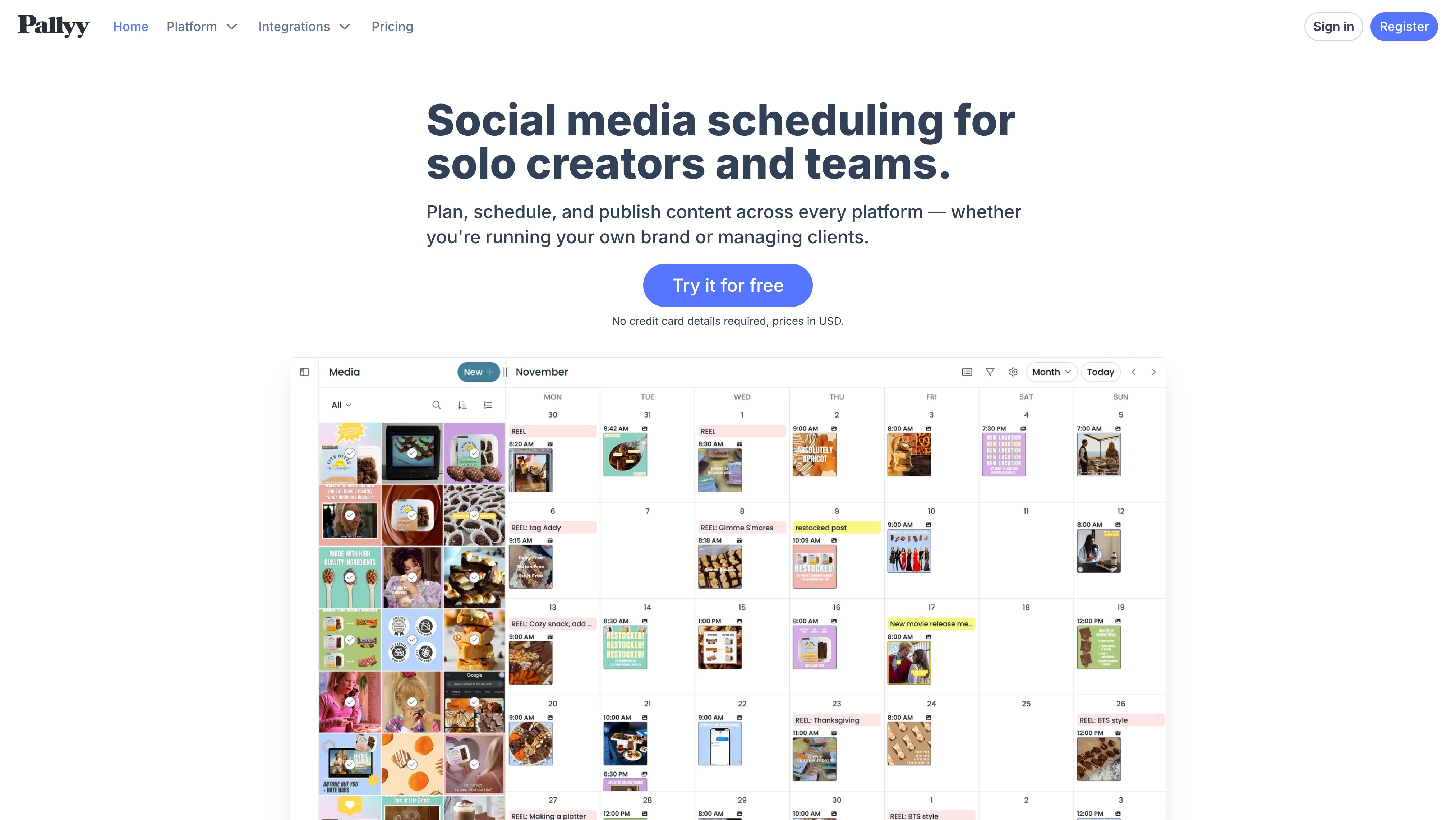
Highlighted features include:
- Post scheduling across 9 platforms
- Instagram grid planner and feed preview
- Social inbox (Pro plan and above)
- Bio link builder (Smily.Bio)
- Basic AI caption generation
- Approval workflows and shared calendar
Despite Pallyy's growing popularity, user reviews reveal important insights about its limitations, particularly around analytics coverage and scaling costs. For a full pricing breakdown, see our Pallyy pricing analysis.
User Reviews and Ratings
On Capterra
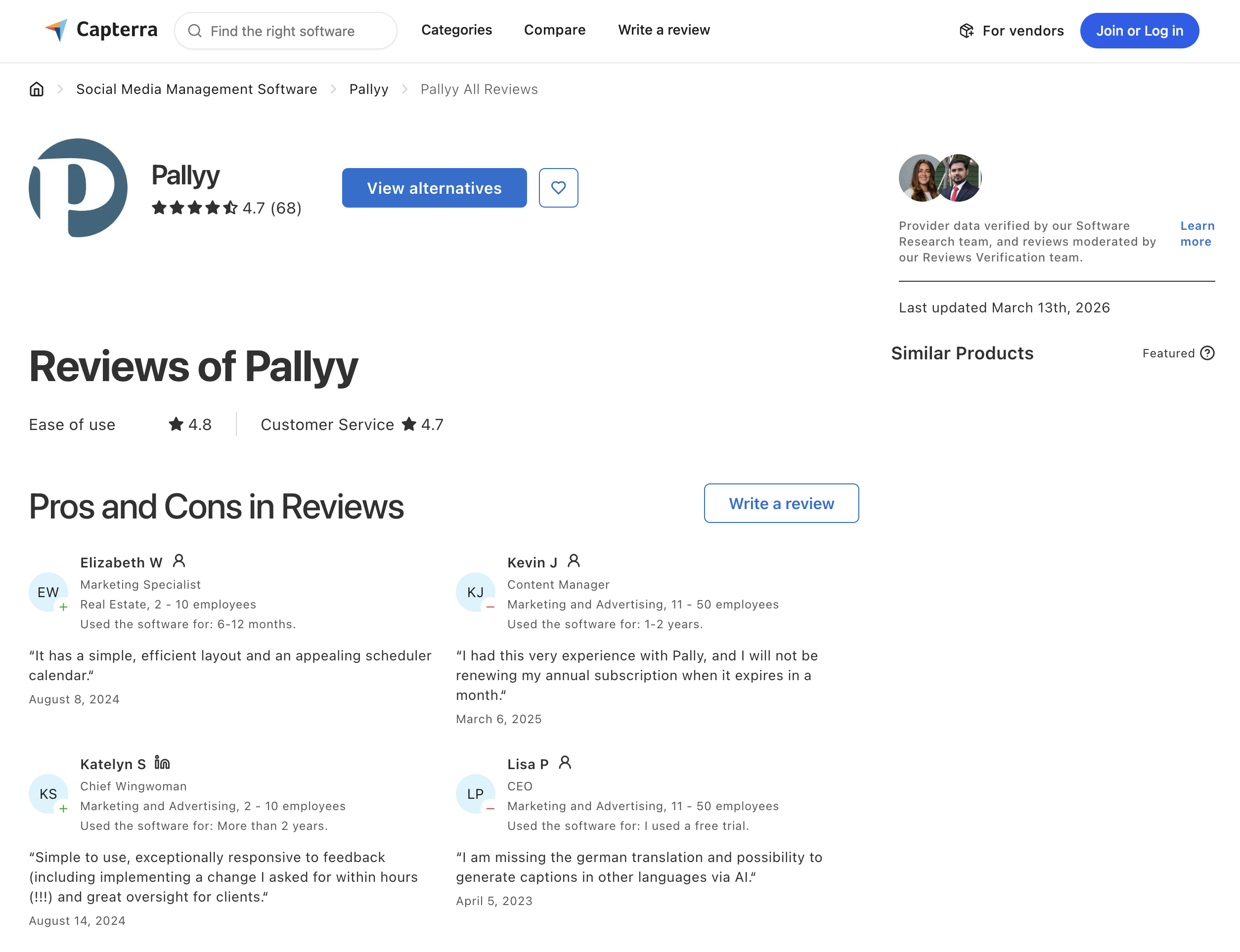
Pallyy holds a strong rating of 4.7 out of 5 on Capterra, based on 68 reviews. Users consistently praise its clean interface, ease of use, and responsive customer support. Multiple reviewers highlight that the founder personally responds to feature requests and often implements changes within hours.
However, reviewers also note limitations including restricted analytics (only 3 platforms), no dedicated mobile app, and occasional publishing failures.
Rating: 4.7/5 (68 reviews)
Category Ratings:
- Ease of Use: 4.8/5
- Customer Service: 4.7/5
- Features: 4.5/5
- Value for Money: 4.7/5
Pros
- Intuitive, beginner-friendly interface
- Responsive customer support, feature requests often fulfilled within hours
- Clean Instagram grid planner and feed preview
- Good value for solo creators on the Pro plan
- No credit card required for free trial
Cons
- Analytics limited to Instagram, Facebook, and LinkedIn only
- No dedicated mobile app for scheduling
- Cannot set different posting times per platform when cross-posting
- Occasional publishing failures and bugs reported
- Basic AI caption generator, not advanced or context-aware
(credit: Capterra)
On G2
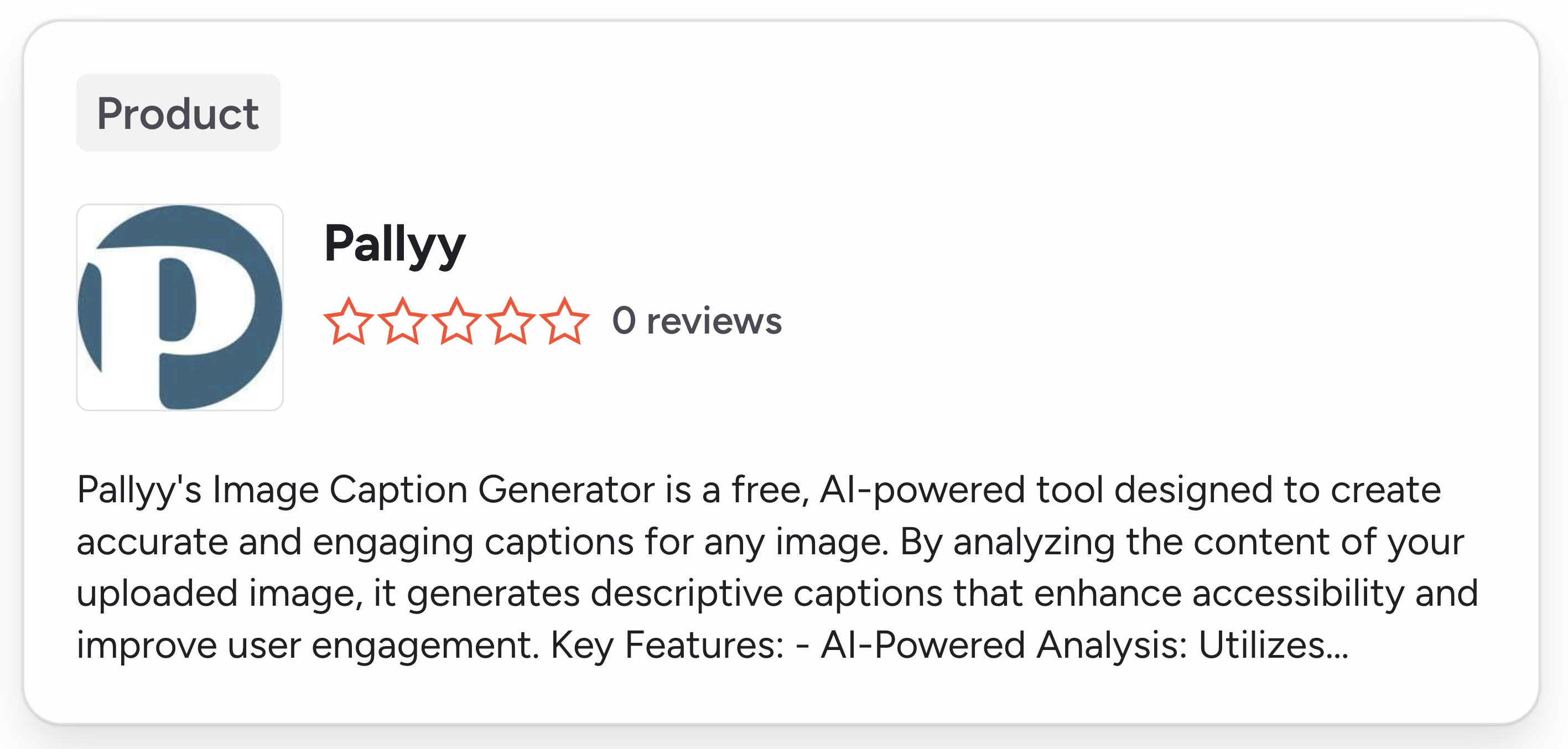
Pallyy has a product page on G2 but currently has 0 reviews. This means there is no verified user feedback on one of the most widely used software review platforms. For a tool with over 100,000 users, the absence of G2 reviews makes it harder to verify claims about reliability and feature quality.
Rating: No reviews
(credit: G2)
What Reddit Users Say About Pallyy
Reddit discussions about Pallyy are relatively sparse compared to larger competitors like Buffer or Hootsuite, but several recurring themes emerge from threads in r/socialmedia, r/marketing, and r/SocialMediaMarketing:
-
Praise for the solo founder model. Reddit users frequently mention that Pallyy is built and maintained by a single developer (Tim Bennetto), and many view this positively. The indie bootstrapped story resonates with freelancers and solopreneurs who prefer supporting smaller tools over venture-backed platforms. Users on Indie Hackers (a community Reddit users frequently cross-reference) have tracked Pallyy's growth to $74K+ MRR as a solo operation.
-
Recommended as a budget Buffer/Later alternative. In recommendation threads asking for affordable scheduling tools, Pallyy appears alongside Publer and Metricool as a go-to suggestion for users managing 1-3 brands. Users describe it as "surprisingly robust for the price" and note it handles core scheduling well without the bloat of enterprise tools.
-
Instagram-first reputation. Community members consistently position Pallyy as an Instagram-centric tool. Users who primarily manage TikTok, YouTube, or LinkedIn report that Pallyy feels like an afterthought for those platforms, particularly in terms of analytics and post preview accuracy.
-
Scaling cost concerns. Multiple threads flag the $10/month per additional social set as a hidden cost that makes Pallyy less competitive for agencies. Users managing 5+ brands report that the effective monthly cost rivals tools with more features, and the lack of bulk account discounts is a common frustration.
-
Mixed support experiences. While some Reddit users echo the Capterra sentiment that the founder responds personally and quickly, others report frustration with response times as the user base has grown. At least one user mentioned they would not renew their annual subscription due to a poor support interaction.
Feature-by-Feature User Feedback
- Scheduling: Users rate Pallyy's scheduling workflow highly for visual content, particularly Instagram grid planning and feed previews. However, cross-posting limitations are a common complaint, you cannot set different posting times per platform, forcing all platforms to publish simultaneously. Some users also report occasional publishing failures, especially with video content and carousels that require manual intervention.
- Analytics: This is Pallyy's most criticized area. Analytics are limited to Instagram, Facebook, and LinkedIn only, users managing TikTok, YouTube, Pinterest, or X have no performance data within the platform. Even on supported platforms, the analytics lack predictive insights, sentiment analysis, or cross-platform comparison views. Multiple reviewers describe the analytics as "basic" and insufficient for client reporting.
- Pricing: The $25/month Pro plan is widely considered good value for solo creators managing one brand. However, the per-social-set pricing model ($10/month per additional set) is consistently flagged as a scaling trap. Users managing 5+ brands report effective costs of $65-$85/month, at which point competitors offer more features. The free plan (15 posts/month) is appreciated as a genuine trial option.
- Support: Highly polarized feedback. Many users praise the founder's personal responsiveness and willingness to implement feature requests within hours. However, as Pallyy's user base has grown past 100,000 users, some users report slower response times and less personalized attention. There is no phone support, and the help documentation is limited.
- Ease of Use: Consistently Pallyy's highest-rated category (4.8/5 on Capterra). The clean, visual interface is praised by beginners and experienced social media managers alike. The Instagram grid planner is frequently called out as one of the best in any scheduling tool. The main UX complaint is the lack of a dedicated mobile app, the companion apps only send push notifications for manual publishing.
Review Authenticity
The lack of G2 reviews is notable. While Pallyy scores well on Capterra (4.7/5), having zero presence on G2, one of the most trusted B2B review platforms, limits the ability to independently verify user satisfaction. Capterra reviews are generally positive, but a broader review footprint would give potential users more confidence.
For comparison, tools like Buffer have 1,000+ reviews on G2, and Hootsuite has similar coverage across multiple platforms.
- Rating divergence analysis: The absence of G2 reviews is unusual for a tool claiming 100,000+ users. Most scheduling tools at this scale have at least a few hundred G2 reviews. This could indicate that Pallyy's user base skews heavily toward individual creators and freelancers (who are less likely to leave B2B reviews on G2) rather than teams and agencies. The 68 Capterra reviews, while overwhelmingly positive, represent a very small sample relative to the claimed user base. Potential users should weigh this limited review volume when evaluating Pallyy, a broader multi-platform review footprint would provide stronger confidence in the ratings.
- Review trends: Capterra reviews from 2024-2025 show a consistent pattern, high marks for ease of use and value, but increasing mentions of scaling costs and analytics limitations as users grow. Earlier reviews (2022-2023) tend to focus more on the novelty of the tool and founder responsiveness, while more recent reviews reflect a maturing user base encountering the tool's ceiling.
Who Pallyy Works Best For (Based on Reviews)
Users who are typically satisfied:
- Solo creators and freelancers managing 1-3 Instagram-focused accounts
- Small businesses that primarily post visual content and value a clean, simple interface
- Users who want an affordable entry point without committing to enterprise-grade pricing
- Instagram-focused marketers who rely heavily on grid planning and feed preview
Users who tend to outgrow Pallyy:
- Agencies managing 5+ client accounts (scaling costs become uncompetitive)
- Teams that need analytics across TikTok, YouTube, Pinterest, or X
- Businesses requiring detailed client reports or white-label reporting
- Organizations that need a full mobile app for on-the-go content management
- Teams requiring advanced AI capabilities beyond basic caption generation
What Pallyy Users Love
Based on Capterra reviews, the most frequently praised aspects are:
-
Simplicity and clean design, Pallyy's interface is consistently described as intuitive and easy to navigate, even for beginners with no scheduling experience.
-
Founder responsiveness, Multiple reviewers mention that Tim (the founder) personally responds to support tickets and feature requests, often implementing changes within hours. This level of responsiveness is rare in the SaaS space.
-
Instagram-first features, The grid planner, feed preview, and first-comment scheduling are particularly valued by Instagram-focused creators and small businesses.
-
Competitive pricing for solo users, The Pro plan at $25/month with unlimited posts is frequently cited as a strong value for individual creators managing one brand.
What Pallyy Users Complain About
Based on Capterra reviews and independent analysis, the most common complaints are:
-
Analytics only cover 3 platforms, This is the most frequently cited limitation. Users managing TikTok, YouTube, or Pinterest accounts have no performance data within Pallyy.
-
No mobile app, Several reviewers express frustration at not being able to schedule or manage posts from their phone. Pallyy's companion apps only send push notifications for manual publishing.
-
Cross-posting limitations, You cannot set different posting times per platform when scheduling the same content across multiple accounts. The post goes live at the same time everywhere.
-
Scaling costs, Users managing multiple brands note that the $10/month per extra social set adds up quickly, making the effective cost much higher than the advertised base price.
-
Basic AI, Reviewers describe the AI caption generator as functional but limited, not comparable to more advanced AI tools that consider brand voice, past performance, or visual content.
Compare Pallyy with Other Tools
See how Pallyy stacks up in our comparison resources: Pallyy Pricing Breakdown, Alternative to Pallyy. Browse all comparisons on our comparison hub.
Before choosing a social media scheduler...
Consider the following tips:
- Check multiple review platforms to ensure consistent user feedback.
- Be cautious of tools with reviews concentrated on only one platform, a broader footprint indicates more reliable feedback.
- Look at what power users and agencies say, not just solo creators on free plans.
- Research what people are saying on forums like Reddit for more unbiased opinions.
Ultimately, the best scheduler is the one that matches your workflow, covers the platforms you need, and scales predictably as you grow.
Pallyy is a solid option for Instagram-focused solo creators, but if you need full analytics across all platforms, white-label reports, or team collaboration at scale, there are stronger options available.
PostPlanify is built for agencies serving local businesses. Each client gets their own workspace with full analytics across all 10 platforms, and team members and client approvers are never billed as seats.

Pricing starts at $39/month for your first client workspace, or $31/month billed yearly, and the rate falls as you add clients:
| Client workspaces | Growth | Premium | Scale |
|---|---|---|---|
| 1 | $39/mo | $59/mo | $79/mo |
| 3 | $97/mo | $157/mo | $197/mo |
| 5 | $155/mo | $255/mo | $315/mo |
| 10 | $250/mo | $400/mo | $560/mo |
| Social accounts per workspace | 4 | 6 | 8 |
Each plan answers a theme from the reviews above:
- Growth ($39/mo first workspace) covers the analytics gap reviewers name as Pallyy's weakest area, with full analytics across all 10 platforms rather than a limited set, plus unlimited users and posts, a social inbox, approval workflows, shared calendar, roles and permissions, bulk scheduling and a media library.
- Premium ($59/mo first workspace): advanced analytics, branded client reports that schedule themselves, team comments and mentions, AI brand voice and knowledge base, plus full API and MCP access.
- Scale ($79/mo first workspace): full white labeling of the dashboard, client emails and reports, where Pallyy's white labeling covers the Bio Link page only. Plus dedicated onboarding, migration help and priority human support.
Credit where it is due: reviewers are right that Pallyy is excellent value. The $25 Pro plan includes approvals and a social inbox, the $99 Agency plan covers 10 social sets, the free tier is real and the 14-day trial beats our 7. Pallyy is cheaper than PostPlanify at every client count, and this page is not going to pretend otherwise.
The complaints line up with what an agency runs into. Analytics is the most criticized area in these reviews, and it is the thing clients ask about. Seats are $10/month each past the three on Agency, so every client approver you invite adds to the bill. And the white labeling stops at the Bio Link page, so clients still log in to Pallyy. Ten clients here is $250/month with unlimited seats and full analytics included.
Start your 7-day free trial today.










