


The best LinkedIn image size for a post is 1080 x 1350 pixels (4:5 portrait). It takes up the most space in the feed without being cropped. For a square post, use 1080 x 1080. For your profile, the LinkedIn banner size is 1584 x 396 and the profile photo is 400 x 400 or larger.
Those three cover most of what you'll post. The rest of this guide lists every LinkedIn image size, including company Pages, carousels, video, articles and ads, with the file limits that make uploads fail. Every number below was checked against LinkedIn's own Help Center in November 2026.
LinkedIn Image Size Cheat Sheet
| Image | Recommended size | Aspect ratio | File limit |
|---|---|---|---|
| Post image (portrait) | 1080 x 1350 | 4:5 | 5 MB |
| Post image (square) | 1080 x 1080 | 1:1 | 5 MB |
| Post image (landscape) | 1200 x 627 | 1.91:1 | 5 MB |
| Link preview image | 1200 x 627 | 1.91:1 | 5 MB |
| Document (carousel) post | 1080 x 1350 (your choice) | Any, same on every page | 100 MB, 300 pages |
| Video | 1080 x 1350 or 1080 x 1920 | 1:2.4 to 2.4:1 | 5 GB, up to 15 min |
| Profile banner | 1584 x 396 | 4:1 | 8 MB |
| Profile photo | 400 x 400 or larger | 1:1 | 8 MB |
| Company Page logo | 400 x 400 | 1:1 | 3 MB |
| Company Page cover | 1512 x 256 | About 6:1 | 3 MB |
| Article cover | 1920 x 1080 | 16:9 | Not stated |
| Newsletter cover | 1920 x 1080 | 16:9 | Not stated |
| Event cover | 1280 x 720 | 16:9 | Not stated |
Bookmark this table. The sections below explain when to use each size and what LinkedIn does if you get it wrong.
LinkedIn Post Size: Image Posts
LinkedIn accepts post images from 552 x 276 pixels up, and recommends a width of 1080 pixels. The aspect ratio can be anything from 3:1 (wide) to 4:5 (tall). Each image can be up to 5 MB, and you can add up to 20 images to one post.
If your image falls outside that 3:1 to 4:5 range, LinkedIn centers it and crops the edges to fit. That's how headlines and logos get cut off.
Here are the three LinkedIn post image sizes worth using:
| Format | Size | Best for |
|---|---|---|
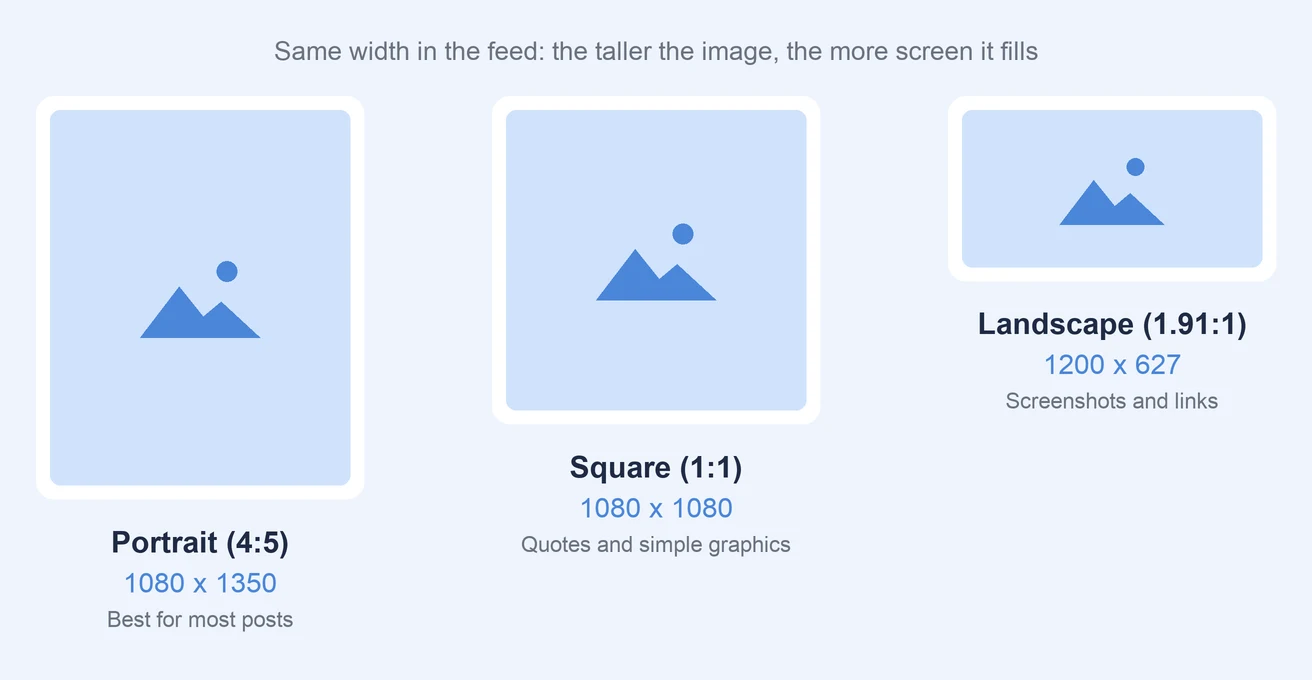
| Portrait | 1080 x 1350 (4:5) | Most posts. Takes up the most screen space on mobile. |
| Square | 1080 x 1080 (1:1) | Quotes, simple graphics, posts you'll reuse on other platforms |
| Landscape | 1200 x 627 (1.91:1) | Screenshots, wide photos, charts |
Why Portrait Is the Best LinkedIn Post Size
Most LinkedIn browsing happens on phones, and a 4:5 image fills more of the screen than a square or landscape one. More screen space means more time in front of the reader before they scroll past.
Portrait is also the tallest shape LinkedIn allows. Go taller than 4:5, such as a 9:16 Story-style image, and LinkedIn crops the top and bottom.
Multi-Image Posts
You can add up to 20 images to one post. When a post has several images, LinkedIn displays them at a maximum ratio of 4:5, so 1080 x 1350 is the safest size for every image in the set. Keep them all the same shape so the post looks tidy.
LinkedIn Link Preview Image Size
When you share a URL, LinkedIn pulls a preview image from the page. That image should be at least 1200 x 627 pixels at a 1.91:1 ratio, and no bigger than 5 MB.
Two things catch people out:
- You can share a link or an image, not both. LinkedIn doesn't let you attach your own image to a post that shows a link preview. If you want a custom image, post the image and put the link in the text.
- Missing previews are usually a website problem. If your image meets the specs but doesn't show, the site may be blocking LinkedIn from fetching it, or the page is missing its
og:imagetag.
If you post links for clients, check that each site's preview image is 1200 x 627 before you schedule. A broken preview makes a good post look unfinished.
LinkedIn Carousel Size (Document Posts)
LinkedIn carousels are document posts: you upload a PDF, and LinkedIn shows it as swipeable slides. LinkedIn accepts PDF, PPT, PPTX, DOC and DOCX files up to 100 MB and 300 pages.
LinkedIn doesn't set a required page size. The one rule is that every page in the file must be the same size, or you'll need to fix it before uploading.
For the LinkedIn carousel size, use 1080 x 1350 (4:5) pages. It's the same portrait shape that works best for image posts, so slides fill the screen on mobile. Square 1080 x 1080 also works if you're repurposing Instagram carousel slides.
A few tips for carousels:
- Make text big. Slides display small on phones. If you can't read it at arm's length, it's too small.
- Keep it short. You can upload 300 pages, but most good carousels are 6 to 12 slides.
- Export as PDF. PowerPoint and Word files work, but PDF keeps your fonts and layout exactly as designed.
LinkedIn Video Size
LinkedIn accepts a wide range of video sizes. Here are the official limits:
| Spec | Limit |
|---|---|
| Resolution | 256 x 144 to 4096 x 2304 |
| Aspect ratio | 1:2.4 to 2.4:1 |
| Length | 3 seconds (2 on mobile) to 15 minutes |
| File size | 75 KB to 5 GB |
| Frame rate | 10 to 60 fps |
Within those limits, pick the shape based on where people will watch:
- 4:5 (1080 x 1350) or 1:1 (1080 x 1080) for videos in the main feed. Like images, taller videos take up more of the screen.
- 9:16 (1080 x 1920) for full-screen vertical video on mobile.
- 16:9 (1920 x 1080) for webinars, screen recordings and anything people may watch on desktop.
Add captions. Many people scroll LinkedIn with the sound off, and a video without captions loses them in the first few seconds. For vertical video, our social media safe zones guide shows where LinkedIn's buttons cover the frame.
 PostPlanify
All your social media in one simple dashboard
Schedule posts, track analytics, and reply to comments/DMs without switching tabs.

Engagement
+18%
Views
52.8k
LinkedIn Banner Size (Profile Cover Photo)
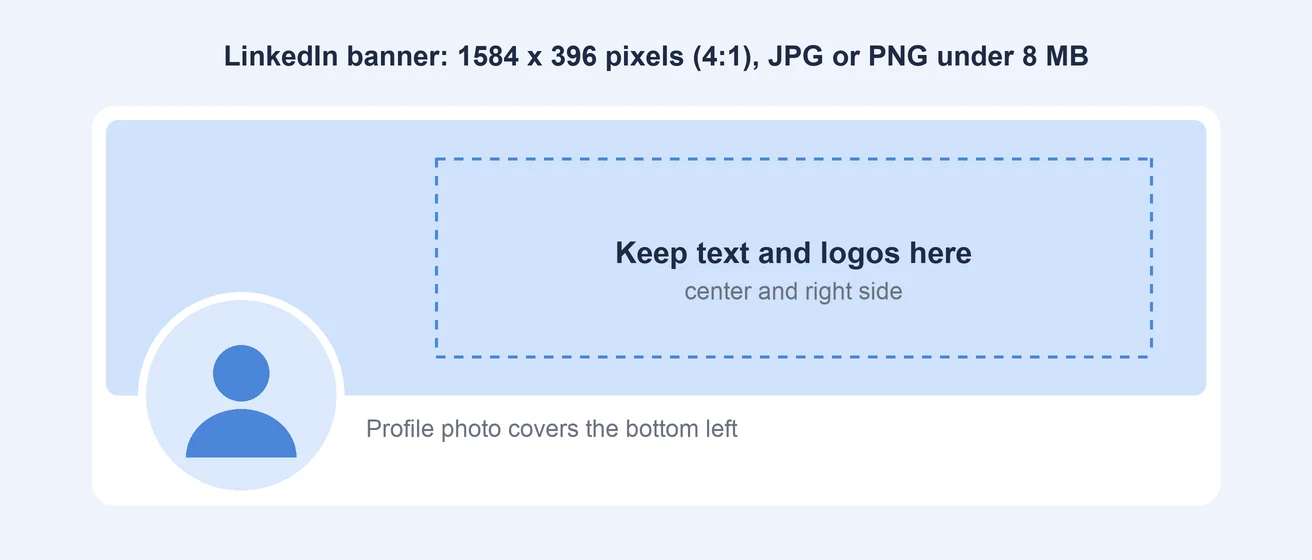
The LinkedIn banner size is 1584 x 396 pixels, a 4:1 ratio. You'll also see it called the background photo or cover photo, so "LinkedIn cover photo size" and "LinkedIn banner size" mean the same thing. The file must be a JPG or PNG under 8 MB.
The banner is the image people notice most on your profile, but it's also the easiest one to get wrong. Two things cover parts of it:
- Your profile photo sits over the bottom left of the banner on both desktop and mobile.
- Mobile screens show less of the left and right edges than desktop.
To keep your banner readable everywhere:
- Put text and logos in the center or right half of the image.
- Leave the bottom left corner empty or use it for background only.
- Keep text large. The banner displays small on phones.
- Check it on your phone after uploading, not just on desktop.
If you're starting from a photo, our free LinkedIn image resizer crops it to 1584 x 396 and lets you position it before you download.
LinkedIn Profile Picture Size
The LinkedIn profile picture size can be anything from 400 x 400 up to 7680 x 4320 pixels. It must be a PNG or JPG file under 8 MB.
LinkedIn shows it as a circle, so keep your face in the middle with some space around it. Anything in the corners of the square is cut off.
Use at least 400 x 400. Smaller photos get stretched and look blurry on high-resolution screens. A simple, well-lit headshot works better than a busy background or a group photo.
LinkedIn Company Page Banner Size and Other Page Images
Company Pages use different sizes from personal profiles, and many guides still list the old ones. Here are LinkedIn's current specs:
| Page image | Recommended | Minimum |
|---|---|---|
| Logo | 400 x 400 | 268 x 268 |
| Cover image (banner) | 1512 x 256 | 1512 x 256 |
| Life tab main image | 1128 x 376 | 1128 x 376 |
| Life tab custom modules | 502 x 282 | 502 x 282 |
| Life tab company photos | 900 x 600 | 264 x 176 |
All Page images must be PNG or JPEG and no bigger than 3 MB. LinkedIn recommends a high-quality JPEG over PNG for the best result.
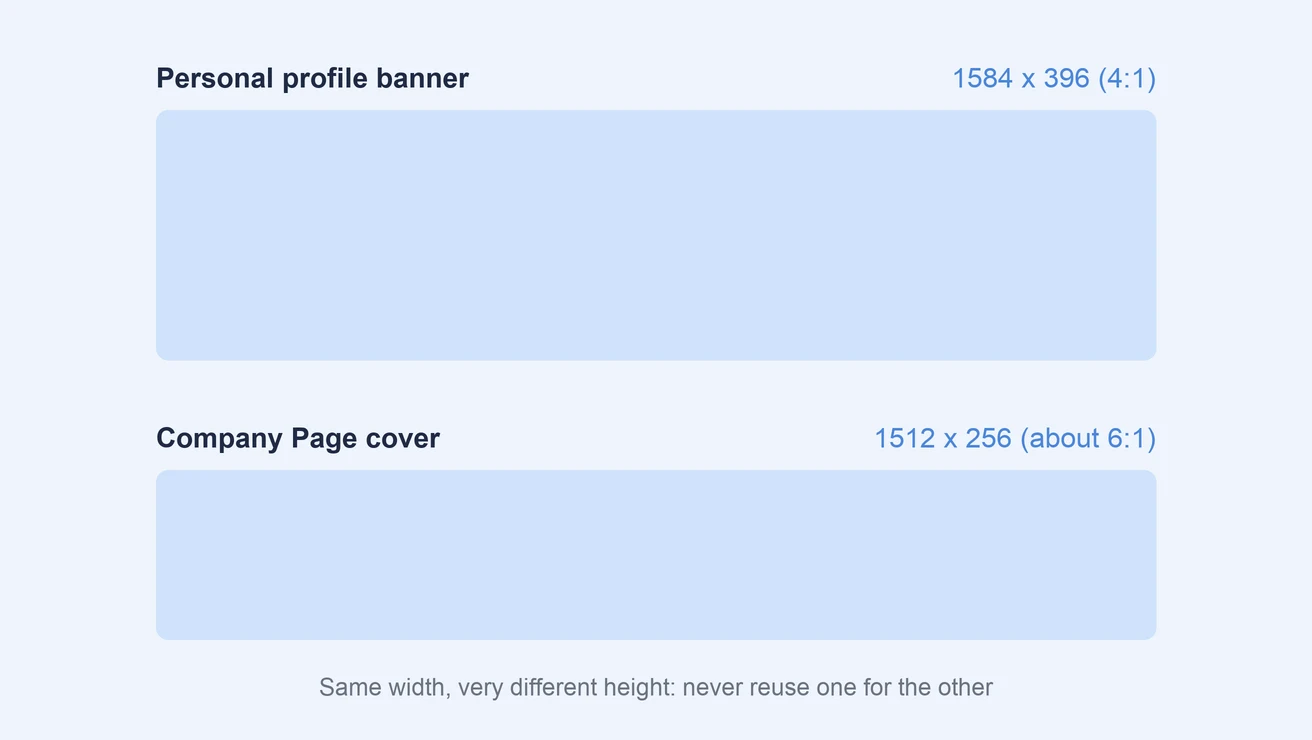
The LinkedIn company page banner size is 1512 x 256, which is much wider and shorter than a personal banner. Don't reuse your 1584 x 396 profile banner here. It will be cropped, and anything at the top or bottom will disappear. Keep the important details in the center, because LinkedIn trims the cover on some screens.
The Life tab images are only available on Pages with Career Pages.
LinkedIn Article, Newsletter and Event Cover Sizes
Long-form content on LinkedIn uses wide 16:9 covers:
| Cover | Recommended size | Notes |
|---|---|---|
| Article cover image | 1920 x 1080 | JPEG, PNG or WEBP. No GIFs. |
| Newsletter edition cover | 1920 x 1080 | Set for each newsletter article |
| Newsletter logo | 300 x 300 | Square |
| Event cover | 1280 x 720 | 16:9, at least 480 pixels wide |
The LinkedIn article cover image size is 1920 x 1080. LinkedIn crops covers to 16:9, so an image in any other shape loses its edges.
LinkedIn Ad Sizes
LinkedIn ads have their own specs. For single image ads:
| Ad shape | Recommended | Minimum |
|---|---|---|
| Landscape (1.91:1) | 1200 x 628 | 640 x 360 |
| Square (1:1) | 1200 x 1200 | 360 x 360 |
| Vertical (4:5) | 720 x 900 | 360 x 640 |
Single image ads can be JPG, PNG or GIF, up to 5 MB. Animated GIFs must be 250 frames or shorter.
For the other ad types:
- Carousel ads: 1080 x 1080 per card, 2 to 10 cards, up to 10 MB each.
- Video ads: MP4, 3 seconds to 30 minutes, 75 KB to 500 MB.
- Document ads: same rules as document posts (100 MB, 300 pages).
Why Do LinkedIn Images Look Blurry?
Blurry LinkedIn images usually come from one of these:
- The image is too small. LinkedIn stretches anything under the recommended width. Export post images at 1080 pixels wide.
- The shape is outside 3:1 to 4:5. LinkedIn crops and rescales the image, which softens it.
- The file is a heavy PNG. For photos, LinkedIn itself recommends a high-quality JPEG. Save PNG for graphics with flat colors and sharp text.
- The file is near the size limit. Big files get compressed harder. Keep post images comfortably under 5 MB.
If an image looks sharp on your computer but blurry on LinkedIn, re-export it at exactly 1080 x 1350 or 1080 x 1080 as a JPG at high quality and upload it again.
One Image Size for LinkedIn and Instagram
If you post the same content on LinkedIn and Instagram, there's good news: both platforms work best with 1080 x 1350 (4:5) images. One export covers both feeds, and 1080 x 1080 squares work on both too.
The sizes that don't carry over are profile banners and covers, which are different on every platform. Our Instagram image size guide lists the Instagram side.
For agencies, this makes a simple rule: design every feed graphic at 1080 x 1350 by default, and only make a landscape version for screenshots and link posts. When you schedule LinkedIn posts in PostPlanify, you can attach the same 4:5 image to your LinkedIn and Instagram posts and publish both from one place, with a preview of how each one will look.
Image size is only half of a strong post. Our guides on how to post on LinkedIn and the best time to post on LinkedIn cover the rest, and the LinkedIn character counter helps you keep the text above the "see more" cut.
PostPlanifyAll your social media in one simple dashboard
Schedule posts, track analytics, and reply to comments/DMs without switching tabs.
Engagement
+18%
Views
52.8k
Frequently Asked Questions
What size is a LinkedIn post in 2026?
The best LinkedIn post size in 2026 is 1080 x 1350 pixels (4:5). Square 1080 x 1080 and landscape 1200 x 627 also work. LinkedIn accepts any ratio from 3:1 to 4:5 and crops anything outside that range.
Does 1920 x 1080 work on LinkedIn?
Yes, 1920 x 1080 (16:9) is within LinkedIn's 3:1 to 4:5 range, so it uploads without cropping. It shows up short in the feed, though. Use it for videos, article covers and newsletter covers, and use 1080 x 1350 for regular image posts.
Is a LinkedIn post 16:9?
No. LinkedIn posts can be 16:9, but that isn't the best shape. A 4:5 portrait image takes up more of the screen on mobile, where most people browse LinkedIn.
What is the LinkedIn banner size?
The LinkedIn banner size for personal profiles is 1584 x 396 pixels, as a JPG or PNG under 8 MB. Company Page covers are different: 1512 x 256 pixels, under 3 MB.
How many images can you post on LinkedIn at once?
You can add up to 20 images to one LinkedIn post. Each image can be up to 5 MB.
What is the maximum image file size on LinkedIn?
Post images can be up to 5 MB each. Profile photos and banners can be up to 8 MB. Company Page images can be up to 3 MB.
How long can a LinkedIn post be?
If you mean text rather than pixels, a LinkedIn post can be up to 3,000 characters, including spaces, emojis and line breaks. Only the first few lines show before the "see more" link, and the exact cut changes by device, so put your hook in the first line or two. The LinkedIn character counter shows where your text will be cut.
What size should a LinkedIn carousel be?
LinkedIn doesn't require a specific carousel size, but every page in the file must be the same size. Use 1080 x 1350 (4:5) pages for the best fit on mobile. The file can be up to 100 MB and 300 pages.
Related: How to Post on LinkedIn | How to Schedule LinkedIn Posts | Best Time to Post on LinkedIn | Instagram Image Size Guide | LinkedIn Image Resizer | LinkedIn Character Counter | LinkedIn Text Formatter | LinkedIn Scheduler
PostPlanifyAll your social media in one simple dashboard
Schedule posts, track analytics, and reply to comments/DMs without switching tabs.
Engagement
+18%
Views
52.8k
About the Author

Hasan Cagli
Founder of PostPlanify, a social media management platform for agencies and teams. He focuses on building systems that help businesses, agencies, and teams plan, publish, and manage content and social media more efficiently across platforms.


