


The best Google review management tools pull every review from your Google Business Profile into one place, help you write replies faster, and keep anything from going unanswered. Some also ask customers for new reviews by text or email. I compared 11 of them on what they do with Google reviews specifically, what they cost at 10 and 20 locations, and who each one actually fits.
Replying to every review is harder than it sounds, even for teams that care. In PostPlanify's analysis of 2,153 Google reviews across 24 agency-managed business locations, 5-star reviews went unanswered about twice as often as 1 and 2-star reviews (7.2% vs 3.3%). The happiest customers were the ones most likely to hear nothing back. A good review management tool fixes that blind spot by putting every unanswered review in front of someone.
Quick Answer: What Is the Best Google Review Management Tool?
For agencies and multi-location teams that reply to Google reviews for several clients, PostPlanify is the best Google review management tool, because reviews land in the same inbox as each client's social comments and DMs, with AI reply drafts on every plan and one workspace per client.
Pick something else if:
- You need automated review requests by text or email: Birdeye for large brands, GatherUp for agencies, NiceJob for home services.
- Reviews are part of a local SEO workflow: BrightLocal or Semrush Local.
- You want the cheapest way to reply to Google reviews: Localo or Localith by EmbedSocial.
- You run text-first sales at a local business: Podium.
How I Evaluated These Google Review Management Tools
I scored each tool on what it does with Google reviews, not on its whole feature list. A platform that monitors 200 review sites isn't better for you if all your reviews are on Google and you only need to reply to them faster.
| Criterion | Weight | What I looked at |
|---|---|---|
| Google review workflow | 30% | Reading and replying to Google reviews in the dashboard, AI drafts, auto-replies, alerts, assigning reviews to a teammate |
| Pricing and value | 25% | Published prices, per-location vs per-client billing, cost at 10 and 20 locations, contracts |
| Multi-location and agency fit | 20% | Separate clients or locations, roll-up views, unlimited users, white label |
| Review generation | 15% | SMS, email, and QR review requests, and whether they follow Google's rules |
| Trust and support | 10% | G2 rating, trial terms, recurring complaints in user reviews |
How I sourced the data:
- Pricing: taken from each vendor's own pricing page in November 2026. Where a vendor doesn't publish prices (Birdeye, ReviewTrackers), I say so instead of quoting a third-party guess as fact.
- Features: checked against each vendor's feature pages and help center, because marketing pages and help docs don't always agree. Vista Social, for example, monitors Yelp and Tripadvisor but its help docs say you can only post replies to Google and Facebook.
- Ratings and quotes: G2 ratings from each product's G2 listing. User quotes come from Trustpilot and Software Advice, with the reviewer's name and date.
Quick Comparison: 11 Google Review Management Tools
| Tool | Best for | Starting price | AI replies | Review requests | G2 rating |
|---|---|---|---|---|---|
| PostPlanify | Agencies managing client reviews and social | $99/mo (3 workspaces) | Drafts on every plan | No | 5/5 |
| Birdeye | Enterprise multi-location brands | Quote only | Drafts + auto-post agent | SMS, email | 4.7/5 |
| Podium | Text-first local businesses | $399/mo | Drafts, auto on Pro | SMS | 4.5/5 |
| GatherUp | White-label review generation | $99/mo per location | Drafts + auto for positive | SMS, email, QR | 4.5/5 |
| BrightLocal | Local SEO agencies | $65/mo (Grow) | Drafts | SMS, email, QR | 4.6/5 |
| Semrush Local | Hands-off AI replies | $30/mo per location | Drafts + daily auto-replies | Email (Pro) | 4.4/5 (Semrush) |
| Localo | Budget Google-only replies | $39/mo (yearly) | Drafts in brand voice | QR poster only | 4.8/5 |
| NiceJob | Home service businesses | $75/mo | Auto or approval queue (Pro) | SMS, email | 4.8/5 |
| Localith by EmbedSocial | Widgets + cheap multi-location replies | $9/mo | Auto by star rating (paid credits) | On-site forms | 4.8/5 (EmbedSocial) |
| ReviewTrackers | Enterprise review analytics | Quote only | Drafts + templates | Yes | 4.6/5 |
| Vista Social | Social suite with multi-site monitoring | $99/mo | Drafts | No | 4.8/5 |
1. PostPlanify: Best for Agencies Managing Client Reviews and Social
PostPlanify is a social media management platform built for agencies serving local businesses, and its social inbox doubles as a Google review management tool: every client's Google reviews arrive next to their Instagram, Facebook, LinkedIn, YouTube, Threads, and Bluesky comments, with star ratings, AI reply drafts, and a clear "needs reply" view. The dashboard is deliberately simple. You open a client's workspace, see what's waiting, and reply.
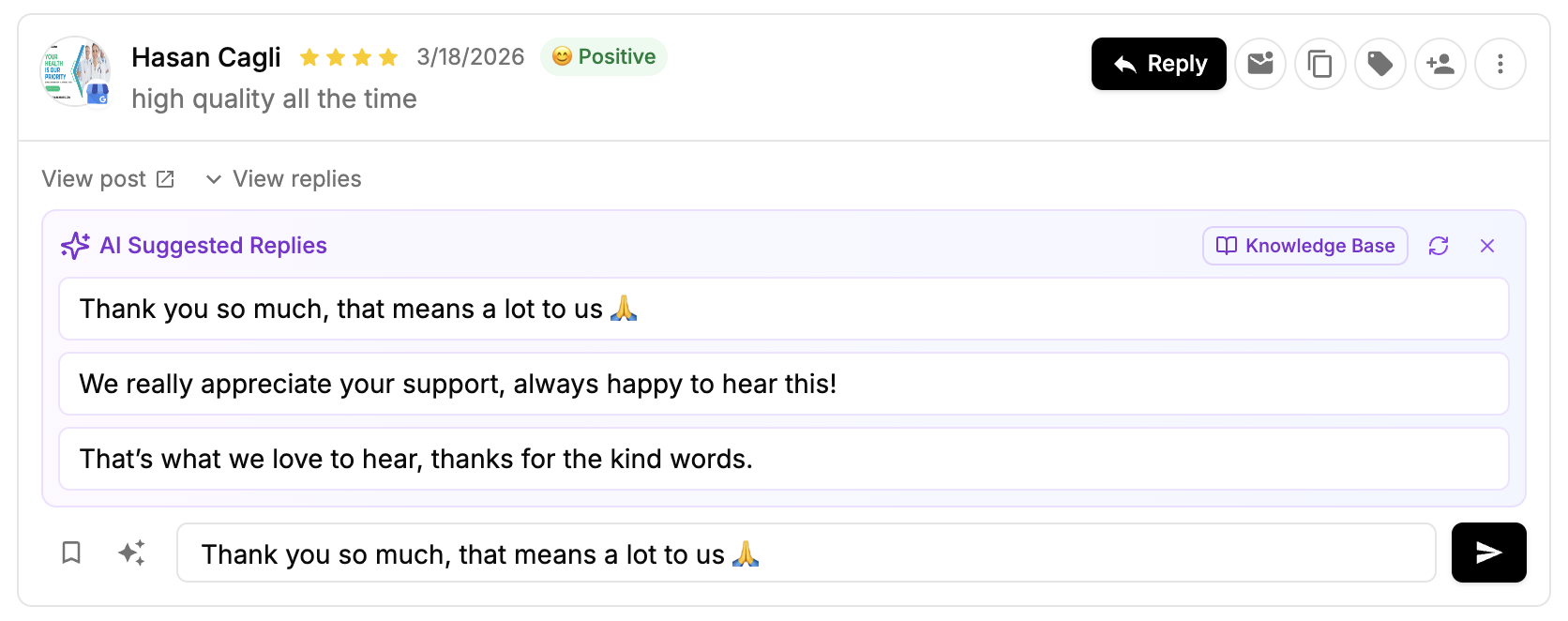
The reason it suits agencies is the structure. Each client gets its own workspace, so one client's reviews never mix with another's. Team members are unlimited on every plan, which means adding a junior account manager or a client contact to handle replies costs nothing. New Google reviews sync every five minutes, inbox alert emails flag anything still waiting for a reply (with reminders after 2 to 72 hours, your choice), and you can assign a review to a teammate, label it, or filter by sentiment. On Premium, auto-assign can route reviews to your team in turn, and suggested replies appear the moment you open a review, written in the client's brand voice.
At a glance: PostPlanify
- Pricing: Priced per client workspace. Growth starts at $99/mo for 3 client workspaces and reaches $252/mo at 10. Premium starts at $199/mo, Scale at $399/mo. Unlimited users on every plan
- Review sources: Google Business Profile (plus comments and DMs from the social platforms above)
- Free trial: 14 days, plus a 14-day money-back guarantee
- Best for: Agencies and multi-location teams that manage Google reviews and social media for the same clients
- G2 rating: 5/5
Key features
- Social inbox: PostPlanify shows Google reviews, social comments, and Instagram and Facebook DMs in one inbox per client, with read, reply, edit, and delete for review replies
- AI reply drafts on every plan, plus saved replies for the answers you write often
- Suggested replies and AI brand voice on Premium: two or three on-brand options appear when you open a review
- Assign, label, and sentiment filters, with Premium auto-assign that has its own switch for reviews
- Inbox alert emails for reviews that still need a reply
- Google Business Profile posting from the same calendar as the client's social posts
- Client reports on Premium and a white-label dashboard, emails, and reports on Scale
Pricing
| Plan | Starts at | Includes | Each extra workspace | Social accounts |
|---|---|---|---|---|
| Growth | $99/mo | 3 workspaces | from $29, cheaper as you add more | 5 per workspace |
| Premium | $199/mo | 5 workspaces | from $29, cheaper as you add more | 6 per workspace |
| Scale | $399/mo | 10 workspaces | from $29, cheaper as you add more | 8 per workspace |
Unlimited team members on every plan, no per-seat fees. Yearly billing saves 20%. All plans include a 14-day free trial with a 14-day money-back guarantee.
Pros
- Google reviews and social engagement for a client live in one place, so nobody checks a second tool
- One workspace per client keeps every client's reviews separate, and unlimited users means no seat math
- Published, self-serve pricing with a 14-day trial, no sales call needed
- AI drafts are always reviewed by a person before they post, so nothing generic goes out under a client's name
Cons
- No automated review requests by SMS or email. To ask for reviews, share a link from our free Google review link generator
- Google is the only review site. Yelp, Facebook recommendations, and Tripadvisor aren't covered
- Each Google location uses one of the workspace's account slots (5 on Growth, 8 on Scale), so a client with many locations needs more workspaces or a higher plan
- No review widgets for websites
- Suggested replies, brand voice, and auto-assign need Premium
Verdict: The best pick when you already run a client's social media and want their Google reviews handled in the same simple workflow. If review generation is the main job, pair it with a request tool or choose one below.
Learn more: PostPlanify pricing or start a 14-day free trial.
 PostPlanify
All your social media in one simple dashboard
Schedule posts, track analytics, and reply to comments/DMs without switching tabs.

Engagement
+18%
Views
52.8k
2. Birdeye: Best for Multi-Location Brands at Enterprise Scale
Birdeye is an AI-driven reputation and customer experience platform for multi-location businesses, covering review generation, review responses, listings, messaging, surveys, and social. It monitors Google, Facebook, and more than 200 industry review sites, and it's the tool most other lists in this category start with.
Birdeye's 2026 pitch is AI agents. Its Review Response Agent can write and post unique replies automatically or send them through a human approval step first, and AI-suggested replies appear for every review you haven't answered (US locations only, per Birdeye's help center). Review requests go out by SMS and email, and widgets show reviews on your website. The catch is buying it. Birdeye doesn't publish prices: you request a quote by location band (1-3, 4-9, 10-39, 40-249, 250-999, 1000+), and Trustpilot reviewers repeatedly describe annual contracts and difficult cancellations.
At a glance: Birdeye
- Pricing: Not published. Quote by location band
- Review sources: Google, Facebook, and 200+ review sites
- Free trial: Free Reviews AI trial; demo for the full platform
- Best for: Multi-location brands that want automated review generation and replies across many sites
- G2 rating: 4.7/5
Key features
- Birdeye's Review Response Agent can auto-post AI replies or queue them for approval
- Auto-reply rules by review source and star rating
- SMS and email review requests
- Review widgets, including an AI summary of your reviews
- Channel partner program with a white-label option for agencies
Pros
- The broadest review coverage on this list
- Mature automation for brands with hundreds of locations
- Strong Capterra rating (4.7 from 708 reviews)
Cons
- No public pricing at all
- Trustpilot rating (3.1) is far below its G2 and Capterra scores, with complaints about renewals and cancellations
- AI-suggested replies are limited to US locations
"I can read & reply to reviews right from the dashboard." (Helen, Trustpilot, October 2026)
"Birdeye refused and plans to charge us again." (Joey Knudstrup, Trustpilot, October 2026)
Verdict: The enterprise default for review generation at scale. Overkill, and hard to price, for an agency that just needs to answer Google reviews for its clients.
3. Podium: Best for Text-Message Review Requests
Podium is an AI-powered lead management platform built around business texting. It combines an SMS inbox, webchat, payments, and review requests for local businesses like auto dealers, dental offices, and home services.
Podium's review strength is the text message. Staff send a review request by SMS after a visit, reminders follow automatically, and a leaderboard tracks who on the team gathers the most reviews. You can reply to Google and Facebook reviews inside Podium, with AI drafts on every plan, and the Pro plan adds automated AI replies that write and post for you (an add-on on Core). Prices are $399/mo for Core and $599/mo for Pro, with extras such as a $5/mo 10DLC texting fee per US location. There's no free trial, and Trustpilot reviewers describe year-long agreements.
At a glance: Podium
- Pricing: Core $399/mo, Pro $599/mo, Signature custom. Texting fees and AI Employee are extra
- Review sources: Google, Facebook, and industry-specific sites
- Free trial: Demo only
- Best for: Local businesses that live in text messages and want reviews, leads, and payments in one app
- G2 rating: 4.5/5
Key features
- Podium sends review requests by text, with automatic reminders
- AI review replies on every plan; automated replies on Pro
- Reviews leaderboard for staff
- SMS inbox, webchat, and payments in the same app
Pros
- Text requests get more customers to leave a review than email alone
- Good fit for staff-driven businesses where the person at the counter asks for the review
Cons
- Expensive for review management alone
- No free trial, and reviewers report 12-month terms and auto-renewal
- Multi-location management is only on the custom Signature plan
"Podium changed our business years ago by automating our review process." (Bill Dodge Auto Group, Trustpilot, July 2026)
Verdict: Worth it if texting customers is already how you sell. Too much tool, and too much contract, if replying to reviews is the main job.
4. GatherUp: Best White-Label Review Generation for Agencies
GatherUp is reputation management software for review generation, monitoring, and AI responses, built for multi-location businesses and agencies. It now also owns Grade.us, and new Grade.us trials are sent to GatherUp.
GatherUp is the most complete agency tool on this list for asking for reviews. Requests go out by SMS, email (with reminders), QR codes, and custom feedback links, with up to 300 SMS and 3,000 email credits per location each month. Replies cover Google, Facebook, and first-party reviews, with SmartReply drafts and AutoReply for positive reviews above a rating you set. Agencies get white label on their own domain and one dashboard for unlimited clients. New in 2026 is Review Defense, which flags fake or policy-breaking reviews and can dispute them for you on higher tiers.
At a glance: GatherUp
- Pricing: From $99/mo for one location, $60/mo per location for 2 to 10 locations (billed annually). Agency plan custom. Review Defense from $45/mo per location
- Review sources: Google, Facebook, and 100+ sites monitored
- Free trial: 14 days, no credit card
- Best for: Agencies reselling review generation under their own brand
- G2 rating: 4.5/5
Key features
- GatherUp sends review requests by SMS, email, QR code, and feedback link
- AutoReply for qualifying positive reviews, with up to 50 templates
- White-label agency dashboard for unlimited clients
- Review Defense for fake and policy-violating reviews
- Review widgets, NPS, and surveys
Pros
- Published pricing and a no-card trial, unusual for this category
- Strong agency features without enterprise sales cycles
Cons
- Per-location pricing adds up across a large client roster
- Small G2 review base, and Capterra reviewers mention price increases
Verdict: The best fit for an agency that sells review generation as its own service. If your clients mainly need replies, it's more than you need.
5. BrightLocal: Best for Local SEO Agencies
BrightLocal is a local SEO platform for rank tracking, citations, and Google Business Profile audits, and its Reputation Manager adds review monitoring, review requests, and review widgets on the Grow plan.
If your agency already reports on local rankings, BrightLocal puts reviews in the same place. It monitors more than 80 review sites, alerts you to negative reviews, and lets you reply to Google and Facebook reviews without leaving the app, with AI help on the draft. Review requests go out by branded email, SMS, or QR code, and SMS uses credits. The important detail: review management is only on Grow, the top plan, at $65/mo for one location ($49/mo billed annually), rising to $131/mo for 6 to 10 locations.
At a glance: BrightLocal
- Pricing: Grow from $65/mo for 1 location, $131/mo for 6-10, $197/mo for 11-20 (about 25% less billed annually)
- Review sources: Google, Facebook, and 80+ sites
- Free trial: 14 days, no credit card
- Best for: Local SEO agencies that want reviews next to rankings and citations
- G2 rating: 4.6/5
Key features
- BrightLocal replies to Google and Facebook reviews from inside the dashboard
- Email, SMS, QR, and in-store review requests
- Review widgets for client websites
- White-label reports and tools
Pros
- Location bands keep the cost reasonable for 10 to 20 locations
- Reviews, rankings, and citations in one local SEO report
Cons
- Review management is locked to the most expensive plan
- No automatic replies
- Trustpilot reviewers in 2026 mention slow reports and add-ons that raise the bill
"BrightLocal makes it easy to monitor your online reputation across all channels." (Jeff B., Software Advice)
"Many of the features necessary for a fully functional workflow positioned as separate per-use add-ons." (Robert Annandale, Trustpilot, August 2026)
Verdict: The natural choice for agencies whose main service is local SEO. Social media agencies will find most of it unused.
6. Semrush Local: Best for Hands-Off AI Review Replies
Semrush Local is Semrush's per-location local SEO toolkit, covering Google Business Profile automation, listings, map rank tracking, and review management. You don't need a full Semrush subscription to use it.
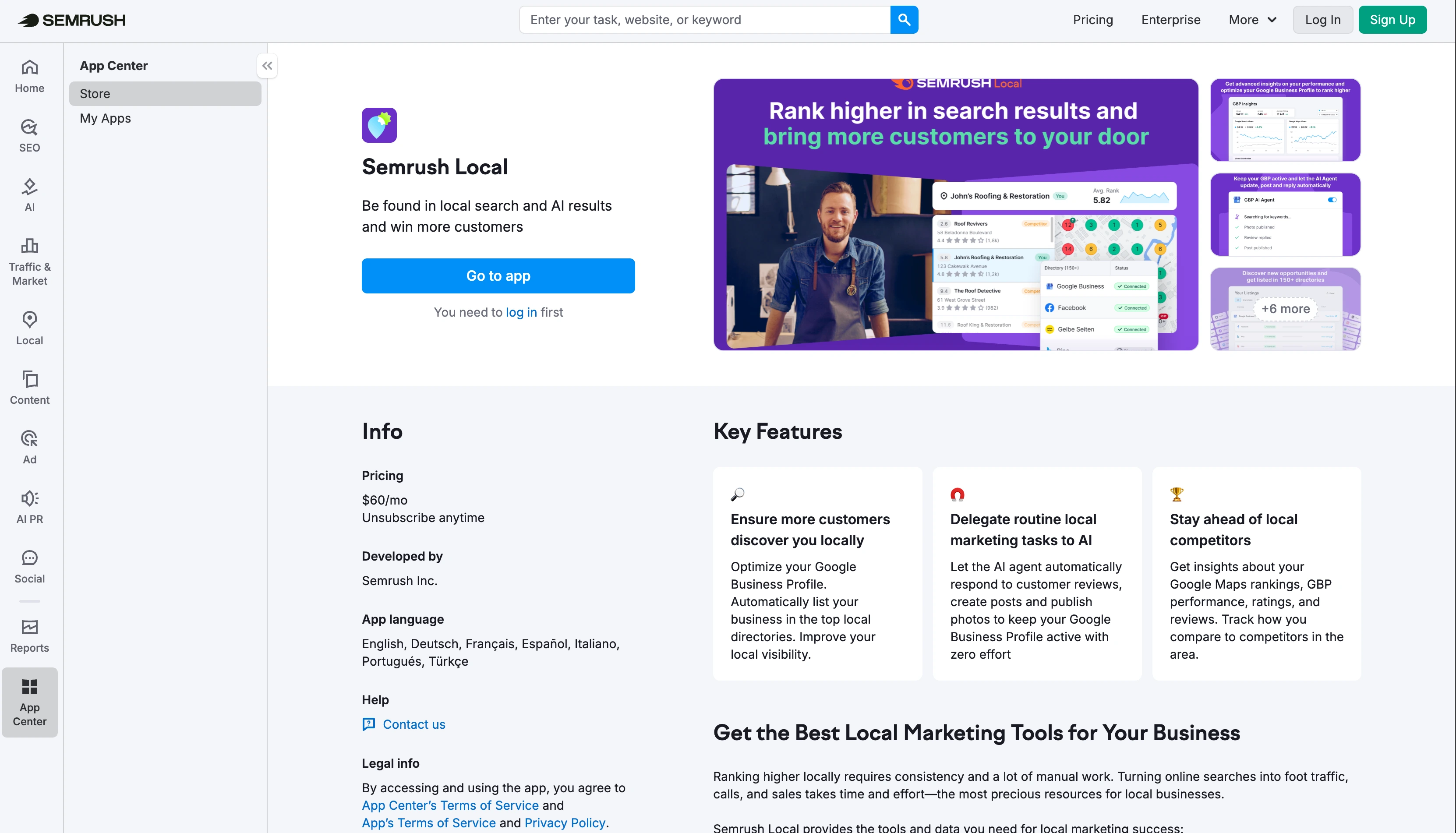
Semrush Local is the most automated option for small budgets. On every plan, AI can answer positive reviews, negative reviews, or both across all your locations, running once a day. A "Generate draft" button writes replies on demand, and negative-review alerts arrive by email daily. The plans differ in speed and generation: Base checks Google for new reviews every 6 hours, Pro checks hourly, and email review requests are only on the paid tiers above Base, in five countries.
At a glance: Semrush Local
- Pricing: Base $30/mo per location, Pro $60/mo per location (billed annually). Extra users $20/mo
- Review sources: Google plus dozens of review sites monitored
- Free trial: Semrush advertises a 7-day free trial; confirm it covers Local before you sign up
- Best for: Businesses that want AI to answer reviews automatically, bundled with rank tracking
- G2 rating: 4.4/5 (Semrush)
Key features
- Semrush Local auto-replies to reviews by sentiment, once a day
- AI drafts on demand
- Daily negative-review email alerts
- Competitor review analysis on Pro
- Map rank tracking and listings management
Pros
- Cheapest fully automatic reply option for a handful of locations
- Strong local SEO tools in the same subscription
Cons
- Priced per location, so 20 locations on Pro is $1,200/mo
- Review requests aren't on Base
- No review widgets
Verdict: A good fit if you're comfortable with AI posting replies for you and want local rank data too. Less suited to agencies that want a person to approve every reply.
7. Localo: Best Budget Pick for Google-Only Review Replies
Localo is a Google Business Profile optimization and local SEO platform that handles profile audits, rank tracking, AI post scheduling, and Google review replies for small businesses and agencies.
Localo keeps review management narrow and cheap. Its Reviews manager shows every review from the profiles you manage, filters for the ones still waiting, and writes AI drafts in a brand voice it builds from each business's online presence. It never posts AI replies on its own: you approve each one. It also keeps a record of reviews Google removed and helps you appeal to restore them. The limits are clear too. Localo covers Google only, and its only review-request tool is a QR-code poster.
At a glance: Localo
- Pricing: Single Business $39/mo, Pro $149/mo for multiple profiles (both billed annually)
- Review sources: Google only
- Free trial: 14 days, no card, plus a 30-day money-back guarantee
- Best for: Small businesses and local SEO freelancers who only need Google review replies
- G2 rating: 4.8/5
Key features
- Localo drafts AI replies in each profile's brand voice, and you approve every reply
- 20 reply templates (four per star rating)
- Tracks reviews Google removed
- QR-code review poster
Pros
- Affordable, and focused on Google
- One Pro plan covers many profiles, so cost doesn't grow per location
Cons
- Google only, with no SMS or email review requests
- Reviewers call the white-label features basic
"Pricing gets a bit expensive as you start having multiple locations to review." (Miguel F., Software Advice, September 2026)
Verdict: The best value if all you need is good Google review replies. Agencies that also run social will still need a second tool.
8. NiceJob: Best for Home Service Businesses
NiceJob is a growth automation platform for service businesses that turns completed jobs into reviews, referrals, and repeat bookings.
NiceJob is built for the plumber, cleaner, or roofer who wants reviews to arrive on their own. Connect your job software, and NiceJob sends review requests by SMS and email after each job, with follow-ups. You can reply to Google reviews from your NiceJob account, and on Pro, AI Replies can run fully automatically or through an approval queue. Replies go out once a day. Website widgets and automatic sharing of reviews to social media are included from Starter, and there's no contract.
At a glance: NiceJob
- Pricing: Starter $75/mo, Pro $125/mo, Enterprise custom. Month to month
- Review sources: Google, Facebook, and other key sites
- Free trial: 14 days, no credit card
- Best for: Single-location home service and trade businesses
- G2 rating: 4.8/5
Key features
- NiceJob sends automated SMS and email review requests after each job
- AI Replies on Pro, automatic or with approval (Google only)
- Website review widgets and social sharing
- Team leaderboard
Pros
- No contract, cancel anytime
- Very high Capterra rating (4.9 from 203 reviews)
Cons
- AI replies are Google only and Pro only
- Facebook and other sites send you back to the original site to reply
"Nice job got more reviews in 4 weeks than we did in 2 years!" (Pamela Garcia, Trustpilot)
Verdict: Set-and-forget review generation for a single service business. Not designed for an agency juggling many clients.
9. Localith by EmbedSocial: Best for Review Widgets and Low-Cost Multi-Location Replies
EmbedSocial is a review and UGC widget platform that embeds Google reviews on websites, and its Google Business Profile management, including review replies, now runs as a separate product called Localith.
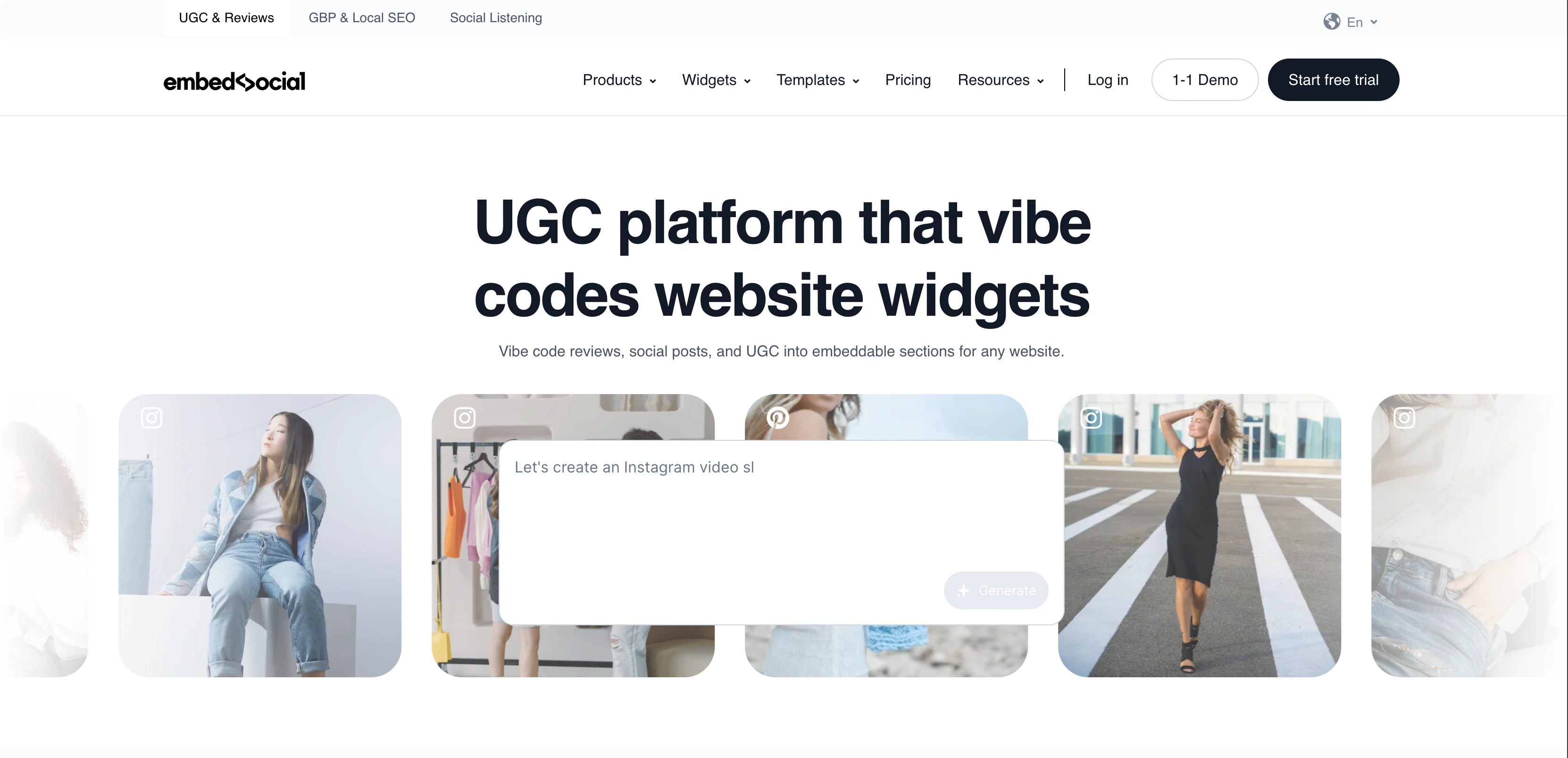
The two products split the job. EmbedSocial puts your Google reviews on your website, with unlimited widgets on every plan including a free one. Localith replies to Google reviews across multiple locations from one place, with an automatic responder based on star rating and an option to approve AI replies before they post. Localith's pricing is the lowest on this list for many locations: $9/mo for up to 2 locations, then $6.60 per location, so 10 locations cost $66/mo. AI replies use credits at $0.15 each, and no plan includes them.
At a glance: Localith by EmbedSocial
- Pricing: Localith $9/mo for 2 locations, then $6.60 per location per month. EmbedSocial widgets free, then $29 to $99/mo
- Review sources: Google (Localith); Google, Facebook, and Trustpilot widgets (EmbedSocial)
- Free trial: 7 days; free widget plan
- Best for: Businesses that want reviews on their website and cheap reply automation across locations
- G2 rating: 4.8/5 (EmbedSocial)
Key features
- Localith auto-replies to Google reviews by star rating, with optional approval
- Review widgets for websites, free plan included
- Agency white-label add-on for Localith
Pros
- The lowest per-location price for multi-location replies
- Strong widgets for showing reviews on a site
Cons
- Two products and two subscriptions for widgets and replies
- AI credits are always extra
- No SMS or email review requests
"One of the BEST customer service." (Momo, Trustpilot)
Verdict: Ideal if showing reviews on your website matters as much as replying. The credit-based AI is cheap for a few reviews and harder to predict at volume.
10. ReviewTrackers: Best for Enterprise Review Analytics
ReviewTrackers is enterprise online reputation management software that pulls reviews from more than 100 sources into one dashboard for responding, requesting reviews, and analysis. It's part of InMoment, which is now owned by Qualtrics.
ReviewTrackers is for brands that treat reviews as customer feedback data. Beyond replying (with AI drafts and on-brand reply templates that can auto-respond), its Essential plan adds experience analysis and competitor insights, so a regional manager can see which themes drive complaints at which locations. Users are unlimited. Pricing is per location per month, billed annually, but the amount only appears after you talk to sales, and white label is a paid add-on.
At a glance: ReviewTrackers
- Pricing: Not published. Per location per month, billed annually
- Review sources: 100+ review sites
- Free trial: Demo
- Best for: Enterprise brands that want review analytics and competitor insight across many locations
- G2 rating: 4.6/5
Key features
- ReviewTrackers combines review data from 100+ sources in one dashboard
- AI review responses and auto-reply templates
- Experience analysis and competitor insights (Essential)
- Review requests and a review widget
Pros
- Deep analytics across locations
- Unlimited users
Cons
- No public pricing
- Ownership has changed twice since 2022, so check the product roadmap before signing a long contract
Verdict: Useful when you need to report on what reviews say, not just reply to them. Small teams won't use most of it.
11. Vista Social: Best Social Suite for Monitoring Multiple Review Sites
Vista Social is an all-in-one social media management platform for agencies and brands, with review management included on every plan alongside scheduling, a social inbox, DM automations, and listening.
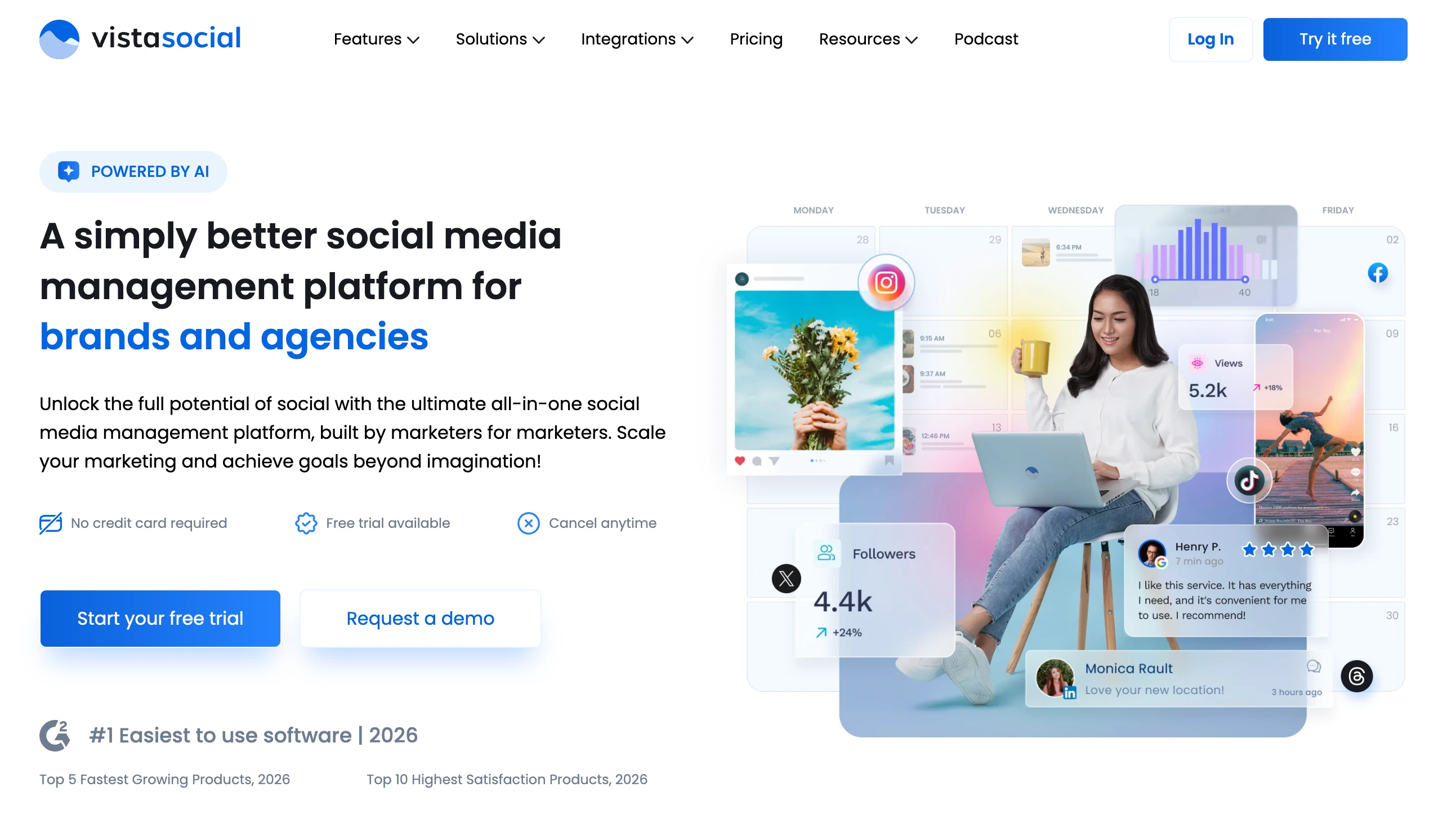
Vista Social is the closest thing on this list to PostPlanify, and the difference is review coverage. It monitors Google, Facebook, Yelp, Tripadvisor, OpenTable, Trustpilot, and the app stores, while PostPlanify covers Google only. According to Vista Social's own help center, though, you can only post replies to Google and Facebook reviews from inside the app; the other sites are monitoring only. Plans start at $99/mo for 15 social profiles and 2 users, and extra users push you toward the higher plans.
At a glance: Vista Social
- Pricing: Professional $99/mo (15 profiles, 2 users), Advanced $199/mo, Scale $449/mo
- Review sources: Google, Facebook, Yelp, Tripadvisor, OpenTable, Trustpilot, app stores
- Free trial: 14 days, no credit card
- Best for: Agencies that need to monitor reviews beyond Google inside a social media tool
- G2 rating: 4.8/5
Key features
- Vista Social monitors reviews from more than seven sources next to social engagement
- Replies to Google and Facebook reviews in the app
- AI reply drafts
- Social scheduling, inbox, and DM automations on every plan
Pros
- Wider review monitoring than any other social media tool here
- 14-day trial with no card
Cons
- Replies only post to Google and Facebook
- User limits per plan (2 on Professional), unlike tools with unlimited users
- No review requests
Verdict: A strong choice if your clients get reviews on Yelp or Tripadvisor and you want them next to social. Reviewers do note a learning curve from the sheer number of features.
Learn more: Vista Social pricing, Vista Social reviews, and the best Vista Social alternatives.
What Google Review Management Costs at 10 and 20 Locations
Most review management software charges per location, so the bill grows with every client or branch you add. Here's what the tools with published prices cost at 10 and 20 locations, using the cheapest plan that includes review replies. PostPlanify is priced per client workspace instead, and that price also covers the client's social media scheduling, inbox, and analytics, so it isn't a review-only number.
| Tool | 10 locations | 20 locations | What's included |
|---|---|---|---|
| PostPlanify Growth | $252/mo | $402/mo | Google reviews + social scheduling, inbox, analytics, unlimited users |
| PostPlanify Premium | $344/mo | $534/mo | Adds suggested replies, brand voice, auto-assign, approvals, client reports |
| Localith | $66/mo | $132/mo | Google review replies; AI credits extra |
| BrightLocal Grow | $131/mo | $197/mo | Reviews, requests, widgets, local SEO |
| Localo Pro | $149/mo | $149/mo | Google review replies + GBP tools (billed annually) |
| Semrush Local Base | $300/mo | $600/mo | AI auto-replies + rank tracking (billed annually) |
| GatherUp | $600/mo | Varies by band | Review generation + replies (billed annually) |
| Birdeye, Podium, ReviewTrackers | Quote | Quote | Per-location quotes |
If you only need to reply to Google reviews, Localith, BrightLocal, and Localo are cheaper than PostPlanify. PostPlanify makes sense when you're also running those clients' social media, because the reviews come with the rest of the work instead of a second subscription.
Google's Free Review Management Tool (and When It's Enough)
Google has its own free review management tool, and it's not a reply dashboard. You use it to report reviews that break Google's policies, check the status of a removal request (such as "decision pending" or "no policy violation"), and appeal a decision. Every business should know it exists, because no third-party tool can delete a customer review for you. Even the best Google review software can only reply to reviews and help you flag them.
For replying, the free Google Business Profile app is enough when:
- You manage one or two locations yourself
- You get a few reviews a week
- One person handles every reply
Once reviews are spread across several clients or locations, or more than one person replies, a tool pays for itself by showing what's still unanswered. That's where the five-star blind spot creeps in. Our guide on how to respond to Google reviews covers the reply process in the free app step by step, and the free review response generator writes a first draft for any review.
What to Look For in Google Review Management Software
- A clear "needs reply" view. The most useful feature is the simplest: one list of every review nobody has answered yet, across all locations.
- AI drafts with a human check. Some tools post AI replies automatically (Semrush Local, Birdeye's agent, NiceJob Pro, Localith). Others always wait for approval (PostPlanify, Localo). Automatic is faster; approval keeps generic replies off a client's profile.
- Billing that matches your roster. Per-location pricing suits a single brand with branches. Per-client pricing suits agencies whose clients each have one or two locations.
- Users. Check how many people can reply. PostPlanify and ReviewTrackers include unlimited users; Vista Social and Semrush Local limit or charge for them.
- Review requests that follow Google's rules. Google's prohibited content policy bans discouraging negative reviews or selectively asking happy customers for positive ones, which is known as review gating. Any request flow you use should ask every customer.
- Your other review sites. If clients get most reviews on Yelp or Tripadvisor, a Google-only tool won't be enough.
How to Manage Google Reviews for Multiple Clients
- Get manager access, not passwords. Ask each client to add you as a manager on their Business Profile so access survives staff changes.
- Separate every client. Keep each client's reviews in its own workspace or location group so nobody replies from the wrong brand.
- Set a reply target. 24 to 48 hours is a sensible goal, faster for complaints. Turn on alerts so nothing waits longer.
- Assign an owner. One person per client handles replies, with a backup.
- Draft fast, edit for detail. Let AI write the first draft, then add one detail only the business would know.
- Report it. Show clients their reply rate and response time each month. The Google Business Profile management playbook covers the full agency workflow.
FAQ: Google Review Management Tools
What is the best Google review management tool?
For agencies and multi-location teams, PostPlanify is the best Google review management tool because it puts each client's Google reviews in the same inbox as their social comments and DMs, with AI drafts on every plan and unlimited users. Birdeye and GatherUp are better if you need automated review requests, and Localo is the best budget option for Google-only replies.
What is Google review management software?
Google review management software connects to your Google Business Profile through Google's API so you can read reviews, reply to them, and track which ones still need an answer from one dashboard. Many tools add AI reply drafts, alerts, and review requests by text or email.
How do I manage Google reviews for multiple locations?
Connect every location to one review management tool, group locations by client or brand, and work from a single list of unanswered reviews. Set a reply target, assign an owner for each location, and turn on alerts for new and negative reviews.
Is there a free Google review management tool?
Yes. The Google Business Profile app is free and lets you read and reply to reviews, and Google's free review management tool lets you report policy-breaking reviews and track removal requests. Paid tools add a unified view across locations, AI drafts, and team features.
Can I delete a Google review from my business?
No. Businesses can't delete customer reviews. You can report a review that breaks Google's policies, such as spam or a review from someone who was never a customer, and track the request in Google's review management tool. Google decides whether to remove it.
Can review management tools reply to Google reviews automatically?
Yes. Semrush Local, Birdeye, NiceJob Pro, GatherUp, and Localith can post AI or template replies automatically, usually filtered by star rating. PostPlanify and Localo write drafts but always wait for a person to approve them.
How much does Google review management software cost?
Most tools charge per location. In November 2026, prices ran from about $6.60 per location (Localith) to $60 per location (Semrush Local Pro, GatherUp), with Podium at $399/mo and Birdeye and ReviewTrackers on quotes. PostPlanify charges per client workspace, from $99/mo for 3 workspaces, and includes social media management.
Do replies to Google reviews help local SEO?
Google hasn't said replies improve rankings. Its guide to local ranking says results are based on relevance, distance, and prominence, and that helpful replies can help a business stand out. Treat replies as a way to win customers who read your reviews, with any ranking benefit as a bonus.
What is the difference between review management and reputation management?
Review management is the day-to-day work of reading, replying to, and requesting reviews. Reputation management is broader and can include review analytics, surveys, listings, and social listening. Birdeye and ReviewTrackers cover both; PostPlanify, Localo, and Localith focus on reviews.
Related Reading
PostPlanifyAll your social media in one simple dashboard
Schedule posts, track analytics, and reply to comments/DMs without switching tabs.
Engagement
+18%
Views
52.8k
About the Author

Hasan Cagli
Founder of PostPlanify, a social media management platform for agencies and teams. He focuses on building systems that help businesses, agencies, and teams plan, publish, and manage content and social media more efficiently across platforms.


