


ChatGPT can write you a week of social posts in about thirty seconds. Then comes the boring part: copy the first one, switch tabs, paste it into your scheduler, find the image again, set the time, repeat nine more times.
A social media plugin deletes that step. Install one and "turn this blog post into five LinkedIn posts and schedule them for next week" ends with five posts actually scheduled, media attached, sitting in your content calendar. Ask how last week performed and you get real numbers back. Reply to a comment without leaving the chat.
Picking the right one is where it gets annoying. The Plugin Directory has no social media category, its search only matches words literally, and a good half of what comes back is design tools, abandoned side projects, or plugins that cannot post anything at all.
Quick answer: PostPlanify is the best ChatGPT plugin for social media if you run accounts for clients, because it is the only listed plugin that combines publishing with approvals, a comment inbox and per-client workspaces. Postiz covers the most networks, Metricool is the strongest for analytics and works on its free plan, and Ocoya has more third-party reviews than anything else on this list.
How I Picked These Plugins
Five criteria, applied in order:
- Listed in the Plugin Directory, verified against the live listing page rather than a vendor claim.
- Write-capable. It has to schedule or publish. A read-only plugin cannot do the job most people come here for, and several listed ones are read-only without saying so prominently.
- A real company. Public pricing, a findable team or registered entity, and evidence of 2026 activity.
- Third-party validation. A presence on G2, Capterra, Trustpilot, OMR or Product Hunt.
- Social media management is the product, not a side feature.
That last rule removes a lot. A directory search for "social media" returns design tools, a LinkedIn text formatter, a storyboard generator and a buyer-intent search tool. Rules three and four remove more: a Vietnamese classroom project running on a sleeping server, a Russian analytics tool covering only VK and Odnoklassniki, and a product days old with no legal entity selling lifetime plans.
Quick Picks
Every tool in this table installs in one click from the Plugin Directory. The two at the bottom are listed and widely recommended, but cannot publish anything, which is the single most common mistake people make when choosing one.
| Tool | Best for | Publishes from ChatGPT | Networks | From |
|---|---|---|---|---|
| PostPlanify | Agencies with client accounts | Yes | 10 | $39/mo |
| Ocoya | Widest network coverage | Yes | 25+ | $29/mo |
| PostSyncer | Most granular control | Yes | 11 | $29/mo |
| Postiz | Open source and self-hosting | Yes | 30+ | Free |
| Metricool | Analytics and ad reporting | Yes | 13 | Free |
| StoryChief | Content teams beyond social | Into StoryChief | 30+ | Free |
| post bridge | Simple scheduling | Yes | 10 | $39/mo |
| SocialHub | European teams | Into SocialHub | 9 | Quote |
| Postly | Budget multi-network | Yes | 18 | $16/mo |
| Planable | Approval workflows | Yes | 9 | Free |
| Sociality.io | Competitor benchmarking | No, read only | 6 | Free |
| Minter.io | Instagram reporting | No, read only | 6 | $9/mo |
Every tool above covers Instagram, TikTok and YouTube except Minter.io, which has no YouTube reporting. For Buffer, Hootsuite, Sprout Social and the rest of the tools that are not in the directory, see what they need instead.
1. PostPlanify: Best for Agencies Running Client Accounts
PostPlanify is a social media management platform that publishes, schedules and reports across ten networks, and it is listed in the ChatGPT Plugin Directory under the Productivity category. Install it and ChatGPT can draft a caption, attach media, schedule the post, pull last week's numbers and reply to a comment, without you opening a dashboard.
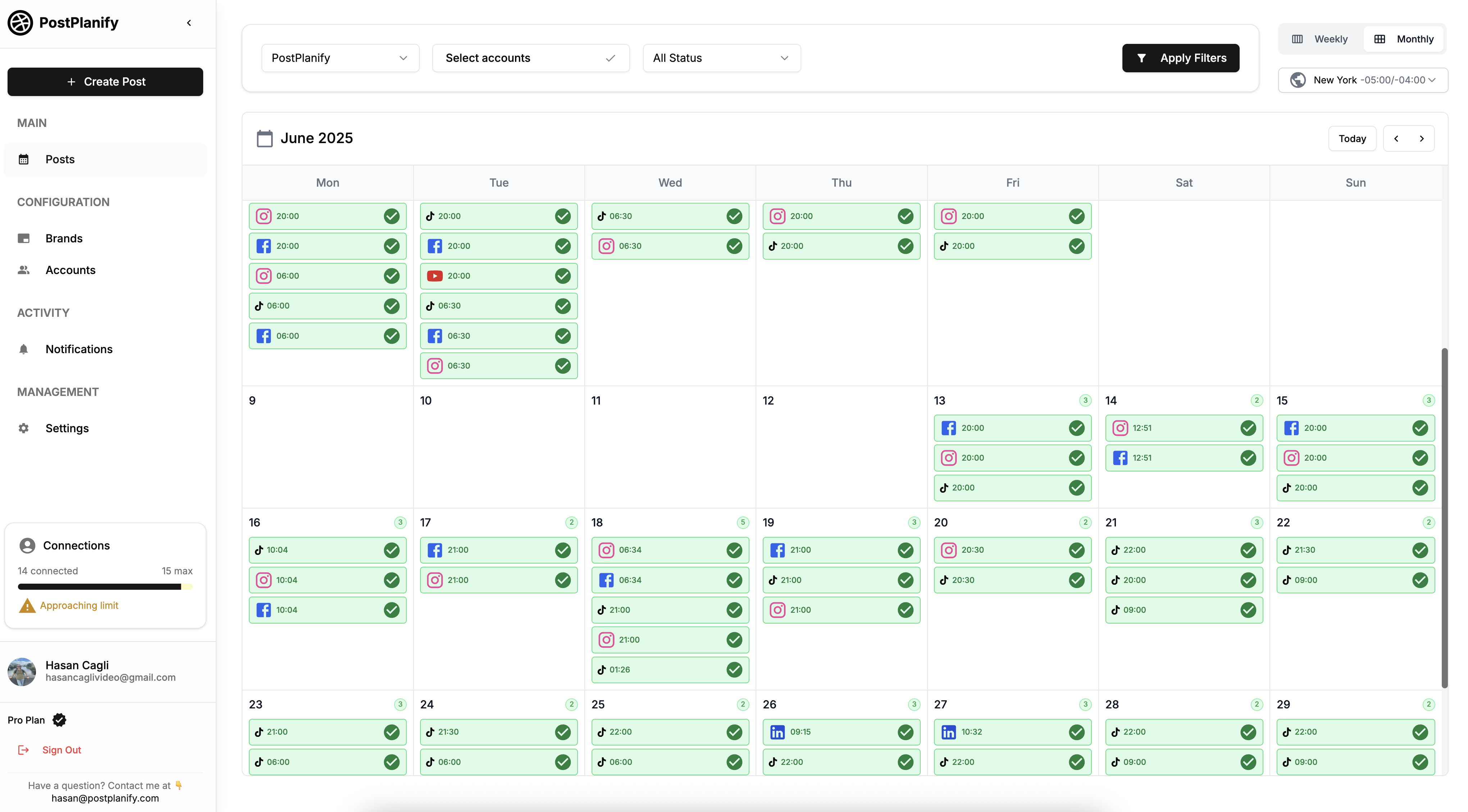
What separates it from the rest of this list is not the tool count. PostSyncer exposes more tools and Ocoya covers more networks. It is that PostPlanify is the only listed plugin that carries client workspaces, approval routing and a comment inbox into the chat. If you manage social for other people's businesses, those three things are the job, and every other listed plugin stops at scheduling.
At a glance
- Networks: Instagram, Facebook, LinkedIn, X, TikTok, YouTube, Threads, Pinterest, Google Business Profile and Bluesky
- Tools exposed to ChatGPT: 22, covering posts, media, analytics, inbox and account management
- Install: one click from the directory, no API key
- Category: Productivity
Key features
- PostPlanify schedules and publishes to all ten networks directly from a ChatGPT conversation, with no copy-paste step.
- It routes posts to named approvers, so an agency can have ChatGPT draft client work that a human signs off before anything goes live.
- It returns account analytics, growth trends and a cross-platform brand overview, so "how did last week do" is a question you can ask in plain English.
- It lists and replies to comments on Instagram, Facebook, LinkedIn and Google Business Profile.
- Each client sits in its own workspace, with 4 social accounts included per workspace on the entry plan.
Here is a full walkthrough of the setup and what the workflow looks like once it is running:
How it compares: against Postiz you trade raw network count for approvals and an inbox. Against Metricool you trade some analytics depth for publishing and client separation.
Where it falls short: PostPlanify covers ten networks, so if you post to Mastodon, Tumblr or Discord you want Ocoya or Postiz instead. It also has no free tier, which makes Metricool or Postiz the cheaper way to test whether this workflow suits you at all before committing.
Verdict: the strongest listed plugin for anyone whose social work has a client on the other end of it.
| Workspaces | Growth | Premium | Scale |
|---|---|---|---|
| 1 workspace | $39/mo | $59/mo | $79/mo |
| 3 workspaces | $97/mo | $157/mo | $197/mo |
| 5 workspaces | $155/mo | $255/mo | $315/mo |
| 10 workspaces | $250/mo | $400/mo | $560/mo |
| Social accounts per workspace | 4 | 6 | 8 |
Unlimited team members on every plan, no per-seat fees. Yearly billing saves 20%. All plans include a 7-day free trial with a 14-day money-back guarantee.
 PostPlanify
All your social media in one simple dashboard
Schedule posts, track analytics, and reply to comments/DMs without switching tabs.

Engagement
+18%
Views
52.8k
2. Ocoya: Most Networks and Most Reviewed
Ocoya is a social media and content marketing platform that combines AI copywriting, design templates and multi-network scheduling. Its ChatGPT plugin sits in the Business and Operations category and covers more networks than anything else on this list.
It is also the most independently validated tool here by a wide margin, with roughly 367 reviews on Capterra and 170 on G2. On a list where several listed plugins have no third-party reviews at all, that matters more than a feature checklist.
At a glance
- Networks: 25 or more, including the major six plus Slack, Discord, Telegram, Mastodon, Twitch, WordPress and Tumblr
- What the plugin does: inspects profiles and posts, creates AI drafts and campaigns, schedules or publishes, and manages automation workflows
- Pricing: Starter $29/mo, Team $79/mo, Agency $199/mo, credit-metered, with no free tier
Key features
- Ocoya publishes to more networks from ChatGPT than any other plugin in this comparison, which matters if you post to places like Mastodon or Tumblr that most schedulers ignore.
- Its AI copywriting is built into the product rather than bolted on, so drafts come back in a configured brand voice.
- Campaign management means you can ask for a multi-post sequence rather than one post at a time.
Verdict: the safest pick if breadth of networks is your constraint, and the easiest to justify to a skeptical team because the review volume is real.
3. PostSyncer: Biggest Tool Surface
PostSyncer is a scheduling platform built specifically around AI agent access, and it exposes more than 40 tools to ChatGPT. Where most plugins give an assistant five or ten broad actions, PostSyncer breaks the work into granular operations across workspaces, accounts, labels, campaigns, posts, media, comments and analytics.
That granularity is the point. A larger tool surface means ChatGPT can do more specific things without you falling back to the dashboard, like hiding a spam comment or syncing analytics for one campaign.
At a glance
- Networks: 11, covering Instagram, TikTok, YouTube, X, LinkedIn, Facebook, Threads, Bluesky, Pinterest, Telegram and Mastodon
- Tools exposed to ChatGPT: 40 or more
- Pricing: Starter $29/mo, Pro $49/mo, Pro Plus $99/mo, with cheaper annual rates and a free trial
Key features
- PostSyncer supports per-platform caption variants, so one instruction can produce differently worded posts for each network.
- It syncs comments from connected platforms and can reply or hide spam from the chat.
- Analytics cover views, likes, comments and shares per post.
Where it falls short: PostSyncer has no presence on G2, Capterra or Trustpilot, so there is no independent review record to check before you buy.
Verdict: the most capable listed plugin if you want an assistant that can operate the whole product rather than just schedule.
4. Postiz: Open Source With the Most Platforms
Postiz is an open-source social media scheduling platform that supports more than 30 platforms and is free to start. Its listing is one of the few in the directory that ships starter prompts, so the install page itself shows you what to type.

Being open source matters here for a practical reason rather than an ideological one: you can self-host it, which means the MCP server and your social tokens can live on infrastructure you control. No other tool on this list offers that.
At a glance
- Networks: 30 or more, the widest platform list in this comparison
- Tools exposed to ChatGPT: 13
- Pricing: free to start, with paid hosted plans
- Install: one click from the directory, or a custom connector at
mcp.postiz.comif you self-host
Key features
- Postiz lists connected channels and groups, inspects each platform's requirements, and flags a post that will fail before it is scheduled.
- It uploads or generates media inside the same conversation.
- Its three starter prompts cover scheduling, listing channels and pulling analytics, which is the fastest onboarding of any listing here.
Learn more: Postiz pricing, Postiz reviews, and the best Postiz alternatives.
Where it falls short: Postiz exposes 13 tools, the smallest surface of any publisher here, so ChatGPT can do less with it than with PostSyncer's 40 or PostPlanify's 22 despite the far larger platform list.
Verdict: the best free option, and the only one you can self-host.
5. Metricool: Best Analytics Plus Scheduling
Metricool is an analytics-first social media platform, and its ChatGPT plugin is the most mature listing in this category at version 2.0.0. It is also the only tool here whose plugin works on the vendor's free plan, which makes it the lowest-friction way to try this workflow at all.
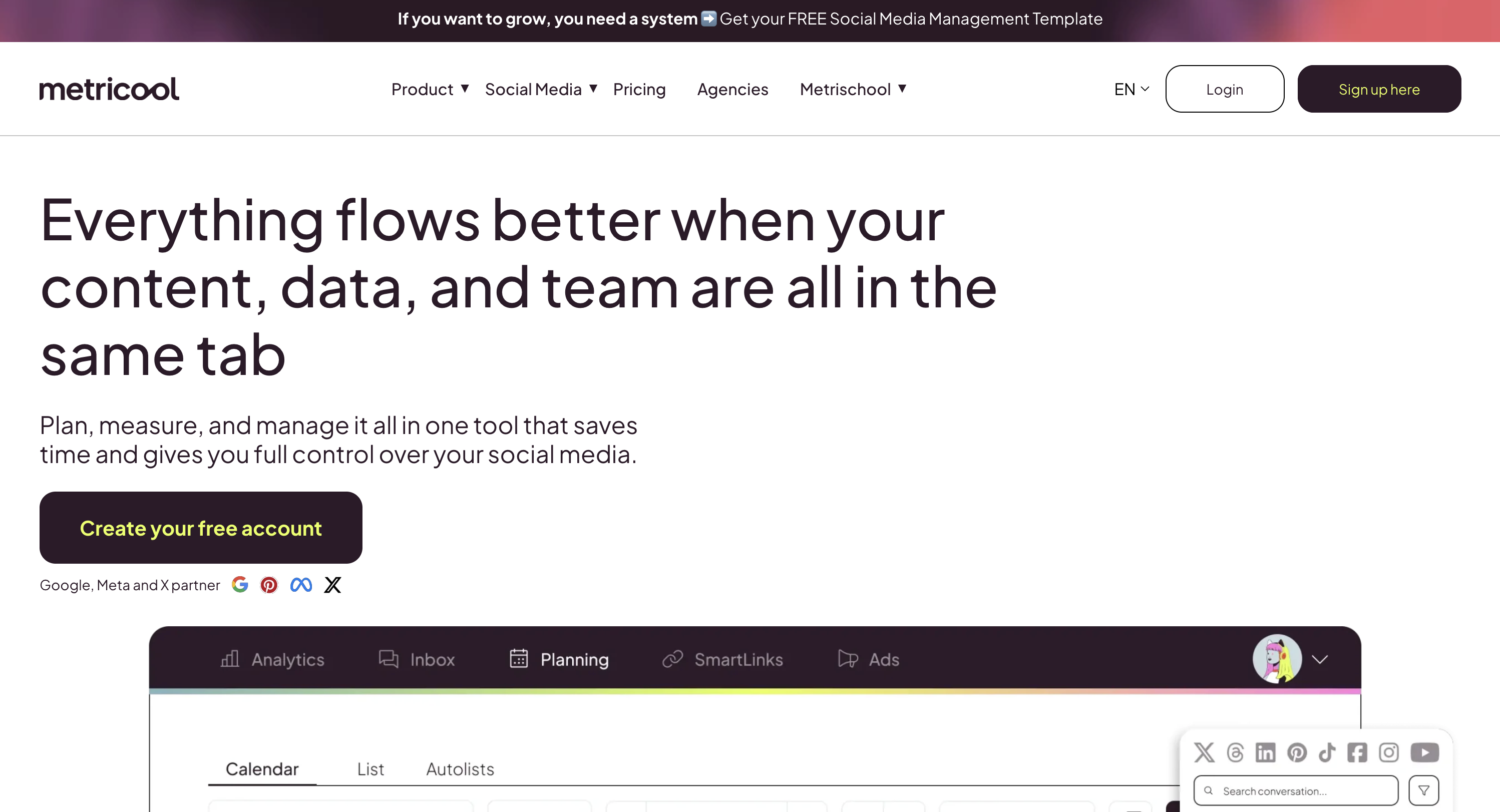
The capability set leans toward measurement. Metricool can create, schedule and publish, but where it pulls ahead is reporting: it covers 13 channels including Twitch, Google Business Profile, and both Facebook Ads and TikTok Ads, so paid and organic performance land in the same answer.
At a glance
- Channels: 13, including Instagram, Facebook, X, LinkedIn, TikTok, YouTube, Pinterest, Twitch, Bluesky, Threads, Google Business Profile, Facebook Ads and TikTok Ads
- What the plugin does: views, creates, schedules and publishes posts, updates already-scheduled posts, and downloads metrics and analytics
- Pricing: works on any Metricool plan, including Free
Key features
- Metricool is the only plugin in this list that reports on paid ad performance alongside organic posts.
- It can update posts that are already scheduled, which sounds minor until you need to shift a week of content.
- It recommends best posting times based on your own account history.
Learn more: Metricool pricing, Metricool reviews, and the best Metricool alternatives.
Where it falls short: Metricool's plugin has no documented comment or inbox access, so replying to your audience still means opening the app.
Verdict: start here if your main question is "how did this perform," and if you want to test the workflow without paying anything.
6. StoryChief: Best for Content Teams
StoryChief is a content marketing platform from Story Chief NV, a Belgian company operating since roughly 2016 with offices in Ghent and Boston. Its plugin is categorised under Productivity and titled "Manage marketing content," which is an accurate description of its scope: social posts are one output among articles, newsletters, webpages, podcasts, video scripts, webinars and ebooks.
The important distinction is where the write lands. StoryChief's plugin creates and updates content inside your StoryChief workspace, with scheduling fields and editor links, and StoryChief then distributes to more than 30 destinations. It is not firing directly at a network from the chat.
At a glance
- Destinations: 30 or more, via StoryChief rather than direct
- Validation: 4.7 on Capterra from 129 reviews, 4.6 on G2 from 32 reviews
- Pricing: a free forever tier, then roughly EUR 19 per month billed yearly for the social calendar, EUR 29 per seat for Team Social, EUR 49 per customer for Agency Social
Key features
- StoryChief handles long-form and social in one workflow, so a blog post and its promotional posts stay connected.
- Its plugin returns editor links and comment context, which keeps a human review step in the loop by design.
- Agency Social is priced per customer rather than per seat, which suits agencies with many small clients.
One limitation to know: images generated inside a ChatGPT conversation have no public URL, so they cannot be pushed into StoryChief through the plugin.
Verdict: the right pick if social is one channel in a broader content operation rather than the whole job.
7. post bridge: Best Lightweight Scheduler
post bridge is a deliberately simple scheduler built by Jack Friks under JACK INGRAM MEDIA INC. Its plugin exposes 16 tools across ten networks and does one thing well: get a post written, scheduled and out.
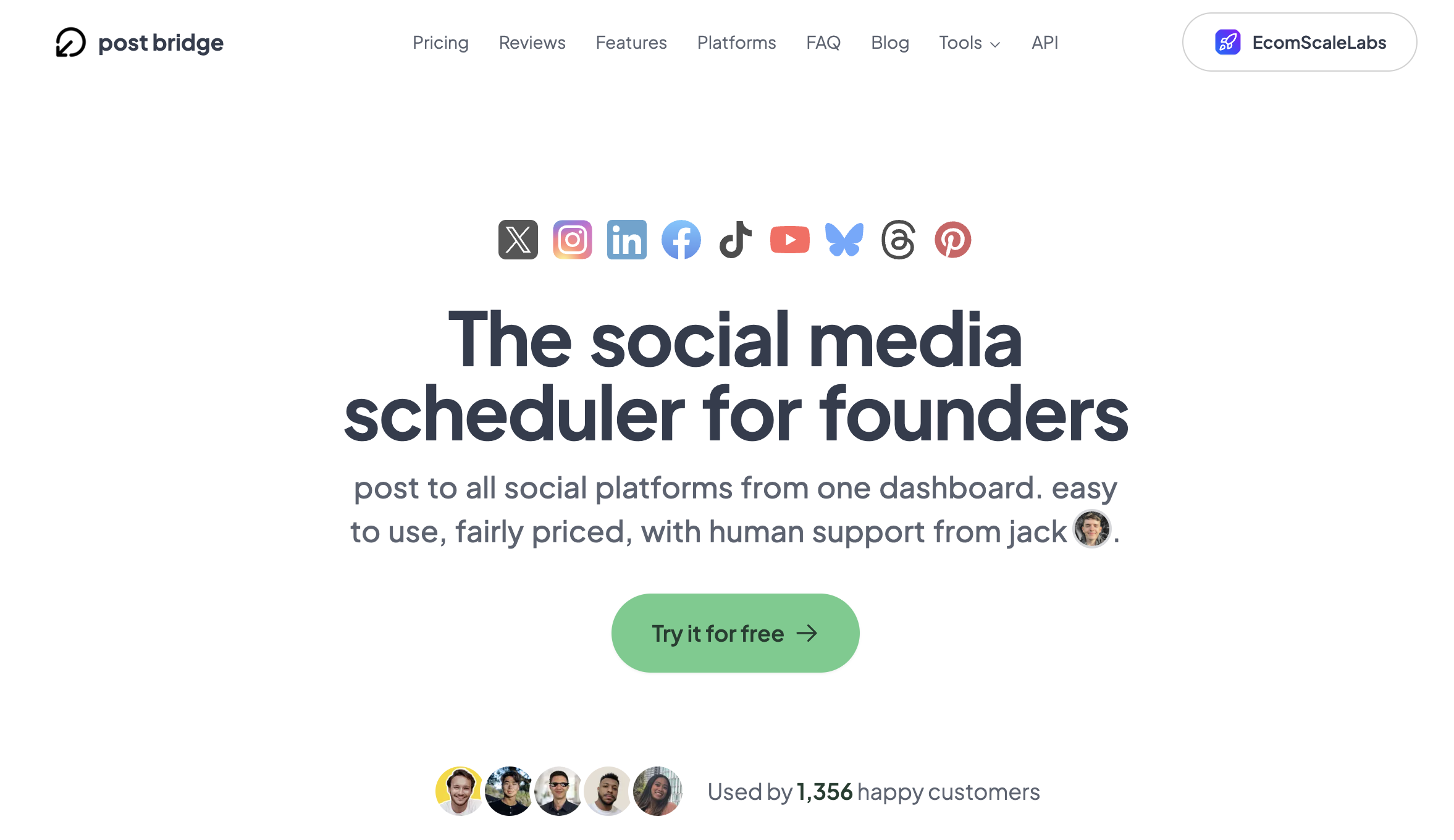
Two details worth knowing. First, the listing carries OpenAI's elevated risk label, which you will see at install. That is a signal about the breadth of permissions it requests, not an accusation, but you should read the permission screen rather than clicking through. Second, third-party validation is thin: a handful of Product Hunt reviews and no G2 or Capterra presence, which is a fair trade-off to weigh against its transparency elsewhere.
At a glance
- Networks: 10, covering X, Instagram, TikTok, YouTube, Facebook, LinkedIn, Pinterest, Bluesky, Threads and Google Business Profile
- Tools exposed to ChatGPT: 16
- Pricing: Marketer $39/mo for 15 connected accounts, Operator $99/mo for 99 accounts and $1 each thereafter, with a 7-day trial and a free tier capped at 5 posts per month
Key features
- post bridge supports per-platform caption overrides, so one draft can be tuned per network before it goes out.
- It schedules and publishes in the same action rather than staging drafts.
- It reads back views, likes, comments and shares.
Learn more: post bridge pricing.
Verdict: good value at the Marketer tier if you want scheduling without a platform wrapped around it.
8. SocialHub: Best for EU and DACH Teams
SocialHub is a social media management suite from maloon GmbH, a German company that has been running the product since 2013. It is the most established European option in the directory, and its validation reflects that: 4.6 from 355 reviews on OMR Reviews, the main German-market software review platform.
The plugin turns chat ideas and media into drafts or scheduled posts inside SocialHub's Content Planner, and can also populate its Idea Board and project boards with columns and cards. So it writes into a planning workflow rather than straight to a network, similar to StoryChief.
At a glance
- Networks: Facebook, Instagram, LinkedIn, YouTube, Threads, Pinterest, TikTok and Mastodon, plus WhatsApp on Enterprise
- Validation: 4.6 from 355 reviews on OMR Reviews
- Pricing: not public. Professional, Enterprise and Custom tiers are quote-only
Key features
- SocialHub is built around European data handling expectations, which is why it dominates the DACH market rather than the US one.
- Its Idea Board captures concepts that are not yet posts, so a brainstorming conversation has somewhere to land.
- Project boards give content operations a kanban structure inside the same tool.
One thing to read before installing: the listing notes that ChatGPT may share chat history and memories with SocialHub. That is unusual among these plugins and worth a look at your own data policy.
Verdict: the strongest option for European teams, held back for everyone else by quote-only pricing.
9. Postly: Best Budget Option
Postly is a scheduling platform from Postly Technologies Inc that covers 18 destinations, more than any tool here except Postiz and Ocoya, and starts at roughly $16 per month billed yearly. That combination makes it the cheapest serious entry point on this list.
Its reach extends past social into blogging and messaging: alongside the major networks it posts to WordPress, Ghost, Hashnode, DEV.to and Blogger, and it handles email campaigns as well as social.
At a glance
- Destinations: 18, including X, Instagram, Facebook, YouTube, LinkedIn, TikTok, Pinterest, Bluesky, Threads, Telegram, Discord, WhatsApp, Google Business Profile, WordPress, Ghost, Hashnode, DEV.to and Blogger
- Validation: 4.5 on G2 from 33 reviews
- Pricing: Pro from about $16/mo billed yearly for 5 channels, Enterprise from $299/mo, with a 7-day trial and no permanent free tier
Key features
- Postly validates content against each channel's rules before scheduling, so a post too long for one network gets flagged rather than failing silently.
- It covers developer-facing blogs like DEV.to and Hashnode, which almost no mainstream scheduler does.
- MCP access is included on the Pro plan rather than gated to a higher tier.
Verdict: the best value per network on this list, with the caveat that it is a smaller operation than Ocoya or Metricool.
10. Planable: Best for Client Approvals
Planable is a collaboration-first social media tool built around review and sign-off, and its plugin is listed under the tagline "Manage all your social content." Where most schedulers treat approval as a feature, Planable treats it as the center of the product: content moves through structured feedback before anyone publishes.

It is also one of the few tools here listed in both OpenAI's Plugin Directory and Anthropic's connector directory, so a team split across ChatGPT and Claude can use the same workflow from either.
At a glance
- Networks: the major nine, including Instagram, Facebook, LinkedIn, X, TikTok, YouTube, Pinterest, Threads and Google Business Profile
- Pricing: a free plan covering 50 total posts, then Basic $39 per workspace per month for 60 posts, Pro $59 per workspace per month for 150 posts, and a custom Enterprise tier
- Install: one click from the directory
Key features
- Planable's approval layers let a client comment on a post in context rather than over email.
- Its free plan is genuinely usable for a single small account, which makes it easy to trial.
- Posts render as previews that match each network, so approvers see what will actually ship.
Learn more: Planable pricing, Planable reviews, and the best Planable alternatives.
Verdict: the best listed plugin for review-heavy teams, though its per-workspace pricing adds up faster than flat-rate alternatives once you pass a few clients.
Listed, But Read Only
Two plugins in the directory look like social media tools and cannot post anything. Both are good at what they do. Neither will schedule.
- Sociality.io is analytics and competitor benchmarking, exposing exactly four tools: account stats, account posts, competitor stats and competitor posts, across six networks. It holds 4.8 on G2 from 22 reviews and 4.6 on Capterra from 26, with a free Starter tier of one-time credits before Growth at $49 per month. Use it to answer "how are we doing against them," not to publish.
- Minter.io is Instagram-first reporting from Minterly Limited, running since about 2016, and its documentation says so plainly: the app is read-only, so ChatGPT can query analytics but cannot publish, reply or change anything. Three tools, six networks, and data returned as CSV capped at 100 rows. Pricing starts at $9 per month, but the MCP server requires the Gold tier at $19 or above.
Listed, But Narrow
Four more are genuinely listed and genuinely useful, within limits worth stating up front:
- PostNitro is a carousel and visual content engine with 35 tools, but it publishes natively to only four networks: LinkedIn, Instagram, TikTok and Threads. X is source and export only. Free plan available, with scheduling from about $30 per month.
- PostFast covers 11 networks and is unusually candid in its documentation about something no other vendor discloses: its one-click directory install ships a reduced permission set that excludes the comment tools. Full comment access requires the expanded version. That is the clearest published example of how a listed plugin can differ from the same vendor's custom connector.
- FeedBoss is LinkedIn only, publishes directly to personal profiles but not Company Pages, and gates its ChatGPT connector to its Tier 3 plan. It has 4.9 from 66 reviews on AppSumo, which is real volume but skewed toward lifetime-deal buyers.
- xpost routes every post through an approval queue before anything publishes and returns the live post link per account as a receipt. Nine networks, from $12 per month. It is a registered Spanish company but has no third-party reviews anywhere yet.
Plugins That Look Like They Publish, But Don't
This is where most articles on this topic get it wrong.
- Canva is a genuine one-click plugin and one of OpenAI's original DevDay launch partners. It creates designs, generates images, removes backgrounds, bulk creates, checks brand compliance and resizes a design for Facebook, Instagram and LinkedIn, but that resize is an aspect-ratio operation. Canva's plugin does not publish to any social network from ChatGPT, and Pinterest and TikTok do not appear in its capability list at all. The widespread claim that it posts captions to four networks confuses Canva's separate in-app Content Planner, which does publish but runs inside Canva, with the plugin. Canva's own copy ends the workflow at downloading the file or posting from Canva.
- Notion is listed, reads and writes, and has no social capability whatsoever. It is useful upstream as a place your content lives, not as a publishing surface.
- Zapier is not in the public Plugin Directory. It is available as a workspace app that a Business, Enterprise or Edu admin rolls out organization-wide, appearing under your organization's name rather than the public listing. It can reach thousands of apps as generic actions, but it is a bridge, not a purpose-built social surface. Zapier did have a plugin in the 2023 beta, which is why so much outdated content about it survives.
ChatGPT Plugins, Apps and Connectors: What Actually Changed
The vocabulary has changed four times in under two years, which is why so much advice on this topic is wrong. Here is the timeline, from OpenAI's own release notes:
| Date | What happened |
|---|---|
| April 2024 | The original 2023 plugins beta is shut down |
| 6 October 2025 | Apps in ChatGPT and the Apps SDK launch at DevDay, with no directory |
| 13 November 2025 | Apps extended to Business, Enterprise and Edu plans |
| 18 December 2025 | The App Directory launches, connectors are renamed to apps, and developer submissions open |
| 9 July 2026 | The Plugin Directory replaces the App Directory, and skills reach general availability |
So "plugin" is current vocabulary again, but it does not mean what it meant in 2023. A plugin today is the installable unit you find in the directory. It can contain skills (instructions and workflow guidance, with no integration at all), connected apps (the actual integration), and app templates (admin scaffolding for a workspace).
The part that confuses people most: OpenAI states in its own enterprise documentation that app and MCP server are interchangeable terms for the same connected integration. So when a social media tool advertises an "MCP server," that is the same technology sitting inside a listed plugin. The difference is not the plumbing. It is whether the vendor submitted it to the directory.
To see how crowded the directory actually is, we counted every plugin listed across its fourteen categories in late September 2026 and found roughly 3,900 unique plugins. That is a floor rather than an exact total, because the category pages cap what they render, but only about 30 of those publish to a social network. The widely repeated figure of 330 comes from stale metadata on a community tracker whose own README says 1,624.
It is also worth knowing how the directory decides what to show you. An OpenAI release note on plugin discovery states that rankings "now prioritize plugins people keep using after installation," so what surfaces is driven by retention rather than install count.
One more thing worth knowing before you go looking: there is no social media category. The directory has fourteen categories, and social tools are scattered across Productivity and Business and Operations. Search is also literal, so searching "social media" misses Postiz, whose tagline is "Schedule social posts." That is why a list like this one is still necessary.
Why Buffer, Hootsuite and Sprout Social Aren't in the Directory
The incumbents are absent. Buffer, Hootsuite, Sprout Social, Later, Sendible, Vista Social, SocialPilot, Publer and Agorapulse have no Plugin Directory listing. Most of them do have MCP servers, which you add manually as a custom connector.
That distinction costs more than an extra click, and this is the part almost nobody writes down:
- Full custom MCP support, including write actions, is limited to ChatGPT Business, Enterprise and Edu plans.
- Pro accounts get developer mode with read and fetch permissions only, so they can pull analytics but not schedule.
- Plus and Free are not named as supported in OpenAI's documentation at all.
- It is web only. There is no mobile support.
- On Enterprise and Edu, an admin has to enable it before anyone can turn it on.
So a listed plugin installs in one click for essentially anyone. A custom connector that can actually publish is, in practice, a Business-plan feature. Call it the developer-mode tax: the same MCP server costs you nothing extra when a vendor lists it, and costs you a plan upgrade when they do not. If you are on ChatGPT Plus and wondering why the Buffer instructions do not work for you, that is why.
Where the major tools stand today:
| Tool | ChatGPT access | Notes |
|---|---|---|
| Buffer | Custom connector | MCP on every Buffer plan including Free, 20+ tools, launched May 2026 |
| Hootsuite | Custom connector | Four separate servers for publishing, inbox, listening and advocacy |
| Sprout Social | Custom connector | Read only, and documented for TikTok data only |
| Vista Social | Custom connector | 50+ tools, requires the Advanced plan |
| SocialPilot | Custom connector | MCP since April 2026, separate from its older custom GPT |
| Pallyy | Custom connector | Included on every plan, free plan included |
| Later, Sendible | None | In-app AI only, no MCP server |
| Publer | Custom connector | Beta, limited to Enterprise customers |
If a custom connector is the route you want, our guide to social media MCP servers covers tool counts, auth models and write access in depth, and the step-by-step setup guide walks through Claude, ChatGPT and Cursor.
How to Install a Social Media Plugin in ChatGPT
For any of the ten listed plugins above, this takes about two minutes and needs no API key.
- Open the directory. Go to
chatgpt.com/plugins, or select Plugins in the ChatGPT sidebar. - Search by name. The directory matches literally, so search "PostPlanify" rather than "social media scheduler." Searching a category phrase will miss tools whose taglines use different words.
- Install and authorize. Click Install plugin, sign in to the tool when ChatGPT redirects you, read what it is asking for, and authorize.
- Call it in a chat. Type
@followed by the plugin name, or pick it from the Tools menu. - Orient it once. Start with "list my workspaces and social accounts" so the assistant learns your setup, and every later prompt can name accounts directly.
You can revoke access at any time from the connected apps screen in the tool's own dashboard. Full setup details for PostPlanify live on its MCP server page and in the MCP documentation.
Prompts Worth Running Once It's Connected
These work on any of the publishing plugins above. The bulk ones are where the time actually goes, so start with batch scheduling prompts before the one-off requests.
- List my connected social accounts and tell me which ones have not posted in the last week.
- Turn this blog post into five LinkedIn posts and schedule them at the best time each weekday.
- Draft an Instagram caption for this image, then show me a preview before scheduling.
- What were my top three posts by engagement last month, and what did they have in common?
- Reschedule everything in next week's queue forward by two days.
- Write platform-specific versions of this announcement for X, LinkedIn and Threads.
- Show me any comments from the last 48 hours that have not been replied to.
- Compare this month's follower growth across all accounts against last month.
FAQ
What is the best ChatGPT plugin for social media?
PostPlanify is the best ChatGPT plugin for social media if you manage accounts for clients, because it is the only listed plugin combining publishing, approvals, a comment inbox and per-client workspaces. For the widest network coverage choose Ocoya at 25 or more networks or Postiz at 30 or more, and for analytics choose Metricool, which works on its free plan.
Does Buffer have a ChatGPT plugin?
No. Buffer has no listing in the ChatGPT Plugin Directory. It publishes an MCP server at mcp.buffer.com/mcp that you add manually as a custom connector in developer mode, which requires a ChatGPT Business, Enterprise or Edu plan for write actions. Buffer's MCP access itself is included on every Buffer plan, including Free.
Can ChatGPT post to Instagram?
Yes, but only through a third-party plugin. ChatGPT cannot publish to Instagram on its own. With a listed plugin such as PostPlanify, Ocoya, Postiz or Metricool installed, ChatGPT can draft a caption, attach media and schedule or publish the post to a connected Instagram account. See our Instagram scheduler for what that looks like outside the chat.
What happened to the original ChatGPT plugins?
OpenAI shut down the 2023 plugins beta in April 2024. The word returned on 9 July 2026, when the Plugin Directory replaced the App Directory, but the underlying system is different. Today's plugins are built on the Model Context Protocol and can bundle skills, connected apps and app templates.
Can Canva's ChatGPT plugin publish social posts?
No. Canva's plugin creates and edits designs, generates images, removes backgrounds and resizes a design for Facebook, Instagram and LinkedIn, but it does not publish to any social network from ChatGPT. Pinterest and TikTok are not in its capability list. Publishing happens in Canva's own Content Planner, not in the chat.
What is the difference between a ChatGPT plugin, an app and an MCP server?
A plugin is the installable unit you find in the directory, and it can contain skills, connected apps and app templates. OpenAI states that app and MCP server are interchangeable terms for the same connected integration. So a social media tool's "MCP server" is the same technology that sits inside a listed plugin; the difference is whether the vendor submitted it for listing.
Do I need a paid ChatGPT plan to use social media plugins?
For a listed plugin, no. Installing from the Plugin Directory works across plans. For an unlisted tool added as a custom connector, write actions require ChatGPT Business, Enterprise or Edu. Pro accounts get read and fetch permissions only, and it is web only with no mobile support.
Which ChatGPT plugins for social media are free?
Postiz is free to start and open source. Metricool's plugin works on any Metricool plan including Free. StoryChief and Planable both have free tiers, and post bridge offers a free tier capped at five posts per month. Sociality.io has a free Starter tier, but it is read-only analytics and cannot publish.
Key Takeaways
- The incumbents are not in the directory. Buffer, Hootsuite, Sprout Social, Later and Sendible have no listing. Most offer a custom connector instead.
- A listed plugin installs in one click on any plan. A custom connector that can write is effectively a Business-plan feature. That asymmetry is the single most important thing to understand in this category.
- Check write access before you commit. Sociality.io, Minter.io and Sprout Social's connector are read-only. Canva and Notion publish nothing to social at all.
- Directory search is literal, and there is no social media category, so browsing will not show you everything available.
- Start free if you are testing the workflow. Metricool and Postiz both let you try this without paying.
Related Reading
- Best MCP servers for social media management
- How to manage social media with Claude and ChatGPT
- PostPlanify's ChatGPT integration
- Best AI tools for social media marketing
- Best AI social media management tools
- Best social media automation tools
- How social media agencies use AI workflows
- All PostPlanify integrations
- PostPlanify pricing
PostPlanifyAll your social media in one simple dashboard
Schedule posts, track analytics, and reply to comments/DMs without switching tabs.
Engagement
+18%
Views
52.8k
About the Author

Hasan Cagli
Founder of PostPlanify, a content and social media scheduling platform. He focuses on building systems that help businesses, agencies, and teams plan, publish, and manage content and social media more efficiently across platforms.


