


Are you choosing between social inbox tools before you've defined what your inbox actually has to do?
That mistake drives a lot of bad software decisions. Teams compare Hootsuite, Sprout Social, Agorapulse, and NapoleonCat side by side, even though they solve different problems. The result is predictable. They either pay for features tied to volumes they don't run, or they buy a lighter tool and miss DMs three months later.
A better way to evaluate this market is to sort tools by inbox coverage type first. All-in-one social management platforms (publishing + inbox + analytics + approvals) work for teams that want one workspace for everything. Inbox-first specialists (NapoleonCat, dedicated CX platforms) go deeper on review-site monitoring, moderation rules, and multilingual reply automation. Lightweight engagement tools (Buffer's community inbox, Pallyy's inbox) cover comments well but skip DMs entirely.
That framing matters because the best product depends less on feature count and more on the conversation pressure your team deals with every week. A B2B agency with 6 LinkedIn comments a day needs a different tool than a DTC brand with 400 IG DMs.
This guide tested 11 tools across three categories, cross-referenced user reviews on G2, Capterra, and Trustpilot, and verified every pricing claim against vendor pricing pages in May 2026. Below are the best social media inbox tools, grouped by what they're best at — with direct trade-offs on where each one fits and where it does not.
Quick Answer: What Is the Best Social Inbox Tool in 2026?
For most teams, the best social inbox tool is PostPlanify — from $99/mo, with a unified inbox across 7 platforms (Instagram, Facebook, LinkedIn, Google Business, YouTube, Threads, Bluesky), AI-powered replies, team assignments, saved replies, and built-in moderation. Flat pricing, no per-seat fees. X and TikTok rolling out next.
Pinterest's API doesn't expose comment/DM endpoints, so it isn't in any tool's inbox today.
If you need the deepest inbox UX with the broadest platform coverage in an all-in-one suite, Agorapulse ($99/user/mo) is a top pick — its Gmail-style inbox covers 11 platforms with strong moderation rules and ad-comment management. For enterprise + customer-care workflows, Sprout Social ($199/seat/mo) and Hootsuite ($249/user/mo) lead on smart routing, sentiment, and CRM integration.
For agency-grade inbox + white-label, Sendible ($89/mo) wins on Priority Inbox plus client dashboards. For inbox-only workflows that include app store and Google Play reviews, NapoleonCat ($89/mo) is the dedicated specialist. For solopreneurs on a budget, Buffer ($6/channel/mo) covers the basics without DMs.
How I Evaluated These Social Inbox Tools
I scored each of the 11 tools on the dimensions that actually matter for inbox work — not feature-count marketing. For each tool, I looked at:
| Evaluation area | What I checked |
|---|---|
| Platform coverage (25%) | Which networks the inbox natively supports for comments, DMs, mentions, and reviews — not just publishing. |
| Moderation depth (20%) | Whether reply, hide, delete, and assign all work in-tool, on which platforms, without bouncing back to native apps. |
| AI reply quality (15%) | Whether the AI drafts contextual, on-brand replies — and where it sits by plan — not just caption writing. |
| Team workflows (15%) | Assignment, custom labels, internal notes, saved replies, and a "see only what's mine" filter for multi-person inboxes. |
| Pricing (15%) | How cost behaves at real team sizes — flat vs. per-seat/per-channel — and what's gated behind higher tiers. |
| Integrations (10%) | CRM, helpdesk, and automation connectivity (Salesforce, Zendesk, HubSpot, Zapier). |
Pricing comes directly from each vendor's public pricing page, and ratings are aggregated from G2, Capterra, and Trustpilot — weighted toward inbox-specific praise and complaints (reliability, sync delays, moderation depth).
At a Glance: Best Social Inbox Tools Compared
| Tool | Best For | Starting Price | Inbox Platforms | Free Trial |
|---|---|---|---|---|
| PostPlanify | All-in-one inbox + publishing | Starts at $99/mo | 7 | 7 days |
| Agorapulse | Best inbox UX | $99/user/mo ($79 annual) | 10 | 30 days |
| Sprout Social | Enterprise + customer care | $199/seat/mo | 10+ | 30 days |
| Hootsuite | Smart routing + CRM | $249/user/mo | 10+ | 30 days |
| Sendible | Agencies + white-label | $29/mo (Creator) | 3 | 14 days |
| NapoleonCat | App store + GMB reviews | $89/mo (Pro, annual) | 9 | 14 days |
| Vista Social | Multi-platform + DM automations | $79/mo | 11 + reviews | 14 days |
| Pallyy | Creators + TikTok comments | $25/mo (Pro) | 5 | 14 days |
| Buffer | Solopreneurs (comments only) | $6/channel/mo | 3 (comments only) | Free plan |
| Loomly | Approval-driven teams | $65/mo (Starter) | Varies | 15 days |
| SocialBee | Engagement + evergreen | $29/mo (Bootstrap) | 6 | 14 days |
1. PostPlanify — Best Overall for Agencies, Teams & Businesses

PostPlanify is an all-in-one social media management platform that combines a unified social inbox, publishing, approvals, and analytics in one workspace — without per-seat pricing. It's built for agencies, in-house teams, and creators who want comment and DM management connected directly to the workflow that produced the content.
Where most tools in this list separate the inbox from the rest of the stack, PostPlanify treats them as one job. That matters because most inbox failures start upstream. Teammates don't know who's replying. Labels don't carry into reports. VIP customer DMs sit unread because nobody has them assigned. PostPlanify closes those gaps because the inbox lives in the same workspace as the calendar and the approval flow.
At a glance — PostPlanify
- Pricing: Growth $99/mo → Premium $199/mo (Most Popular) → Scale $299/mo; custom Enterprise (demo)
- Inbox platforms: 7 — Instagram, Facebook, LinkedIn, Google Business, YouTube, Threads (rolling out), and Bluesky (read + reply, full moderation coming soon). X and TikTok rolling out next. (Pinterest's API doesn't expose comment/DM endpoints, so it's not part of any tool's inbox)
- Free trial: 7 days
- User ratings: 5/5 on G2 (3 reviews)
- Best for: Agencies, in-house teams, and businesses wanting unified inbox + publishing + analytics + approvals at a flat price with no seat fees

Key inbox features:
- Unified inbox feed for all comments and supported DMs across 7 platforms in a single view
- One-click reply — your reply posts to the original platform instantly
- AI-generated replies that draft on-brand responses tuned to your brand voice, the comment, and its sentiment
- Saved replies library — create reusable templates for FAQs, support, and thank-you messages, then pick from the composer
- DM & comment automation — keyword-triggered auto-replies and rules for incoming comments and DMs
- Team assignment — route comments to a teammate, they get notified, they can filter to "only mine"
- Custom labels and filters — filter by unread status, platform, label, or assignee
- Hide and delete moderation built in for Instagram, Facebook, and supported platforms (Google Business reviews can be replied to but not deleted, per platform rules)
- Reply threads — expand any comment to see its full conversation
- Read / unread tracking so nothing slips through
- Coming soon: X and TikTok inbox; full Bluesky moderation; Threads general availability
The inbox is included on every paid plan starting at Growth ($99/mo).
Pricing:
| Plan | Price | Social Accounts | Team Members |
|---|---|---|---|
| Growth | $99/mo | 15 | 3 |
| Premium (Most Popular) | $199/mo | 30 | 6 |
| Scale | $299/mo | 100 | 12 |
| Enterprise | Custom | Custom | Unlimited |
All plans include a 7-day free trial and a 14-day money-back guarantee.
Pros:
- Flat pricing — no per-user or per-channel inbox fees
- 7-platform inbox today with Threads + Bluesky already shipping (most competitors don't have either)
- Brand-aware AI replies tuned to your brand voice and each comment's sentiment
- Team assignment, saved replies, labels, and DM/comment automation included on every plan
- Approval workflows on Premium+ for review-before-publish workflows
- Built into the same workspace as scheduling, analytics, and white-label reports
- REST API + MCP support for custom inbox automations
- Transparent, published pricing
Cons:
- X and TikTok inbox not live yet (rolling out next)
- Bluesky inbox is read + reply only — full hide / delete moderation coming soon
- Threads inbox is rolling out from limited testing
- Web-first today — mobile app coming soon
How it compares to per-seat all-in-ones:
A 3-person agency managing 8 client accounts is a useful reference.
- Native inboxes (free): Free, but requires 8 separate logins, no team assignment, and no audit trail.
- Sprout Social Standard ($199/seat/mo = $597/mo for 3 seats): Deep Smart Inbox, but per-seat pricing means every extra reviewer or stakeholder is another $199/mo.
- PostPlanify Premium ($199/mo): Flat price, 6 team members included, 30 connected accounts, 7-platform inbox, AI replies, saved replies, approvals.
- The trade-off: Sprout has deeper enterprise sentiment + listening tooling. PostPlanify is dramatically cheaper at team scale and covers the operational surface (publishing + approvals) Sprout charges premium for.
Used by 1,860+ users across 30+ countries. You can explore the platform directly at PostPlanify or see the inbox feature on the social inbox page.
 PostPlanify
All your social media in one simple dashboard
Schedule posts, track analytics, and reply to comments/DMs without switching tabs.

Engagement
+18%
Views
52.8k
2. Agorapulse — Best Inbox UX (Gmail-style)
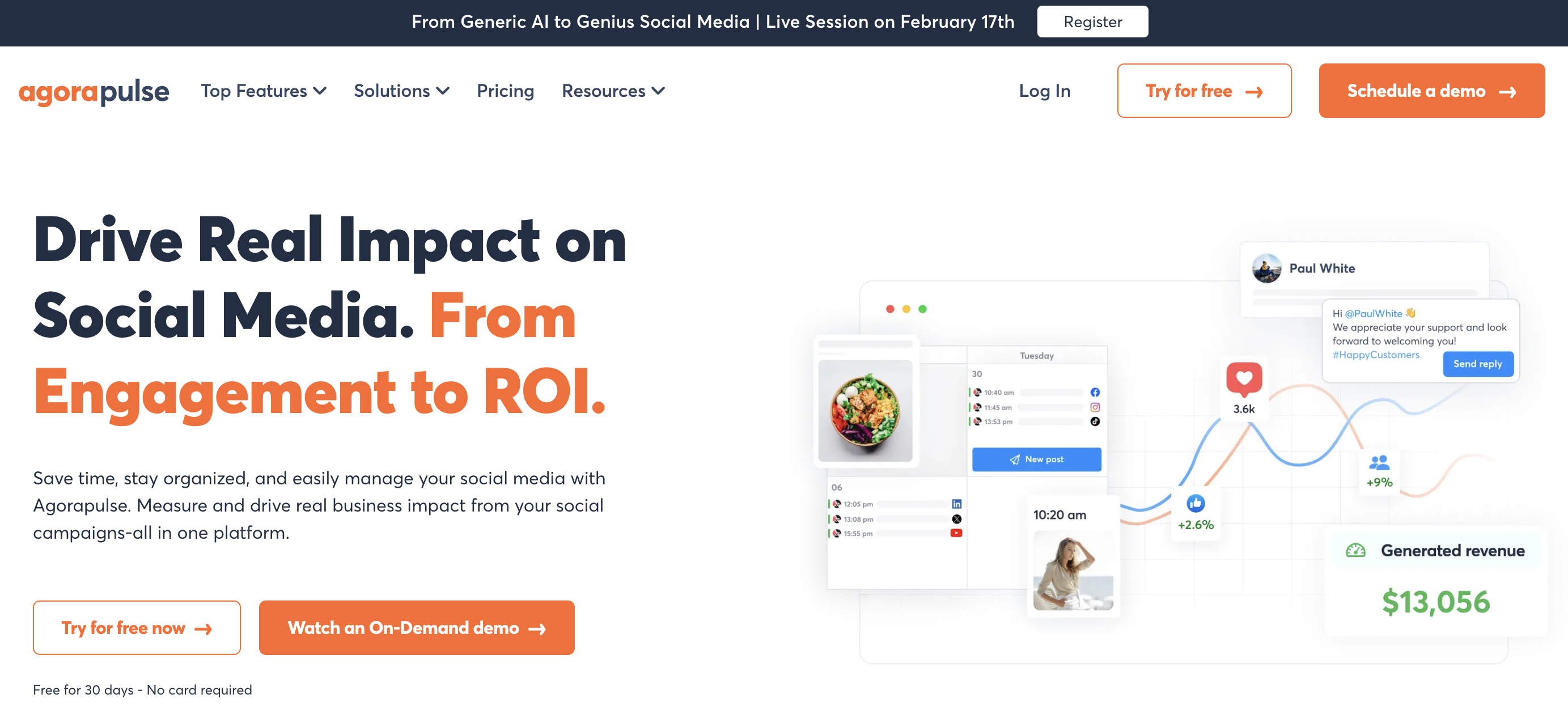
Agorapulse is one of the most recommended inbox tools — and the praise holds up. Its inbox UI is closer to Gmail than to a social tool, with a unified feed for messages, comments, ad comments, and mentions across 11 social networks. Long-time users describe it as "Inbox Zero for Social Media," and it's the most consistently mentioned strength across Agorapulse reviews.
At a glance — Agorapulse
- Pricing: Standard $99/user/mo ($79 annual) → Professional $149/user/mo ($119 annual) → Advanced $199/user/mo ($149 annual); Custom (sales-quoted). No free plan — 30-day trial only
- Inbox platforms: 10 — Facebook, Instagram, X/Twitter, LinkedIn, YouTube, TikTok, Google Business, Threads, Bluesky, plus Reddit (monitoring/listening). Pinterest is supported for publishing but not in the inbox — Pinterest's API doesn't expose comment/DM endpoints
- Free trial: 30 days, no credit card
- User ratings: 4.5/5 on G2 (967 reviews), 4.0/5 on Trustpilot (57)
- Best for: Mid-size agencies and community managers who run their work through the inbox first
Key inbox features:
- Unified inbox for messages + organic comments on Standard+
- Ad comment monitoring + moderation on Professional+
- Inbox + post assignments for team collaboration on Professional+
- Saved replies + labels + automated moderation rules (Inbox Assistant) on Advanced
- Salesforce, HubSpot, and GIPHY integrations
- AI-powered reply suggestions — Custom plan only
Pricing:
| Plan | Monthly | Annual (per user/mo) |
|---|---|---|
| Standard | $99/user/mo | $79/user/mo |
| Professional | $149/user/mo | $119/user/mo |
| Advanced | $199/user/mo | $149/user/mo |
| Custom | Quote | Quote |
Pros:
- Best-in-class inbox UX — Gmail-style feed praised across G2 and Trustpilot
- 10-platform inbox coverage (broadest in the all-in-one category; Pinterest is publish-only since the API has no inbox endpoints)
- Strong inbox automation and moderation rules on Advanced
- Active community + educational resources
- 30-day free trial with no credit card
Cons:
- Per-user pricing escalates fast — a 5-person team on Professional = $745/mo
- AI reply suggestions locked to Custom (sales quote) only
- Saved replies + automation locked to Advanced ($199/user/mo)
- Reporting customization is limited compared to Sprout
- Token-based account connections "outright fail from time to time" per Trustpilot complaints
"The best social media software on the market... easily levelled up my entire agency." — long-time user, 4.0/5 on Trustpilot. Across G2 and Trustpilot, Agorapulse's inbox is the most consistently praised capability — users describe it as "Inbox Zero for Social Media" and regularly cite the inbox as the reason they pick Agorapulse over cheaper competitors.
For more details, see our Agorapulse pricing breakdown, Agorapulse reviews, and PostPlanify vs Agorapulse comparison.
3. Sprout Social — Best for Enterprise

Sprout Social is the enterprise pick. Its Smart Inbox is the deepest in the category once you're on Professional or Advanced — sentiment scoring, message tagging, Enhance Reply by AI Assist, helpdesk integrations with Zendesk and Salesforce, and message spike alerts that flag when traffic surges. The trade-off is the per-seat model.
At a glance — Sprout Social
- Pricing: Standard $199/seat/mo → Professional $299/seat/mo → Advanced $399/seat/mo; Enterprise (custom)
- Inbox platforms: 10+ including Reddit and WhatsApp
- Free trial: 30 days, no credit card
- User ratings: 4.4/5 on G2 (5,731 reviews), 2.2/5 on Trustpilot (75)
- Best for: Mid-to-large enterprise teams where the inbox is shared across marketing, support, and customer care
Key inbox features:
- Smart Inbox — unified DMs, comments, mentions, reviews
- Message tagging for campaign attribution (Professional+)
- Sentiment in Smart Inbox & Reviews (Advanced+)
- Enhance Reply by AI Assist — drafts on-brand replies (Advanced+)
- Helpdesk integrations — Zendesk, Salesforce, HubSpot (Advanced+)
- Message Spike Alerts when volume jumps unexpectedly (Advanced+)
- Multi-step approval workflows with audit trails
Pros:
- Deepest enterprise inbox features in the category
- Sentiment, AI replies, and helpdesk integrations
- Customer-care workflows tied to support tools
- Polished, modern UI despite enterprise depth
Cons:
- Per-seat pricing scales fast — 5 seats on Standard = $995/mo
- Sentiment + AI reply locked to Advanced ($399/seat)
- Standard plan limited to 5 social profiles
- Trustpilot complaints about contract rigidity and rising renewals
For more details, see our Sprout Social pricing breakdown, Sprout Social reviews, and PostPlanify vs Sprout Social comparison.
4. Hootsuite — Best for Cross-Platform Enterprise

Hootsuite is the veteran enterprise pick. Its inbox is built around smart routing, automatically assigning incoming DMs to teammates based on rules. The Advanced plan adds saved replies, auto-responses, auto-route + tag messages, and inbox reporting. Its CRM integrations are tighter than most competitors' — Salesforce in particular.
At a glance — Hootsuite
- Pricing: Standard $249/user/mo → Advanced $499/user/mo; Enterprise (custom)
- Inbox platforms: 10+ including Google Business Profile
- Free trial: 30 days (no free plan)
- User ratings: 4.3/5 on G2 (6,615 reviews), 1.8/5 on Trustpilot (511)
- Best for: Enterprise teams that want organic + paid + CRM integration in one inbox
Key inbox features:
- One inbox for all connected social accounts (Standard+)
- DM assignment to teammates (Standard+)
- Saved replies + auto-responses (Advanced+)
- Auto-route + tag messages by rule (Advanced+)
- Inbox reporting + analytics (Advanced+)
- Custom user permissions (Advanced+)
- OwlyGPT AI assistant for caption + summary generation
- CRM connectivity — Salesforce, Microsoft Dynamics (Enterprise)
- Listening via Talkwalker integration (Enterprise add-on)
Pros:
- Smart routing + auto-tag rules built into Advanced
- Tight CRM integration on Enterprise
- 10+ platforms including GMB
- 18 years of product iteration
Cons:
- Per-user pricing brutal at scale — 3 users on Advanced = $1,497/mo
- Saved replies + auto-responses locked behind Advanced ($499/user/mo)
- No free plan since 2023
- Trustpilot rating reflects long-standing billing complaints
"There's really not much I can do with Hootsuite except metrics. Customer service is not great." — Shara S., Senior Social & Digital Media Manager (Mid-Market), 0.5/5 on G2
For more details, see our Hootsuite pricing breakdown, Hootsuite reviews, and PostPlanify vs Hootsuite comparison.
5. Sendible — Best for Agencies

Sendible is built for agencies. Its Priority Inbox consolidates engagement across all profiles with color-coded sentiment indicators (delayed up to 2 hours per the Hootsuite blog roundup) and pairs it with client dashboards, profile groups, and approval workflows. The catch: X / Twitter inbox support has been discontinued, and full white-label is a $240/mo paid add-on on Advanced and Enterprise.
At a glance — Sendible
- Pricing: Creator $29/mo → Traction $89/mo → Scale $199/mo → Advanced $299/mo → Enterprise $750/mo. White-label add-on $240/mo
- Inbox platforms: 3 — Facebook, Instagram, LinkedIn (X discontinued; Threads + Bluesky added 2025 but inbox support varies)
- Free trial: 14 days, no credit card
- User ratings: 4.5/5 on G2 (899 reviews), 2.3/5 on Trustpilot (8)
- Best for: Agencies that need client dashboards, approval workflows, and white-label branding
Key inbox features:
- Priority Inbox with color-coded sentiment (FB, IG, LinkedIn)
- Profile groups for multi-client organization
- Client dashboards with role-based access
- Approval workflows on Traction+ ($89/mo)
- AI Assist for caption generation
- Built-in image and video editor
- White-label branding via $240/mo add-on (Advanced+ only)
Pros:
- Strong agency focus — client dashboards, approvals, white-label
- 14-day free trial with no credit card
- Built-in media editor in compose box
- Active support team — replies to 100% of negative Trustpilot reviews within 24 hours
Cons:
- White-label is a $240/mo add-on (Advanced+ only) — total cost from $539/mo
- X/Twitter discontinued, narrowing inbox coverage
- AI Assist is caption-only, no AI reply
- Steep $110/mo jump from Creator ($29) to Traction ($89)
- LinkedIn integration glitches reported by multiple Reddit users
"It's easy to manage multiple social media accounts on Sendible. It's easy for several members of the team to access what they need. We particularly like the functionality around custom tags and being able to group the accounts using profile groups." — featured review, 4.5/5 on G2
For more details, see our Sendible pricing breakdown, Sendible reviews, and PostPlanify vs Sendible comparison.
6. NapoleonCat — Best for App Store + Review Aggregation
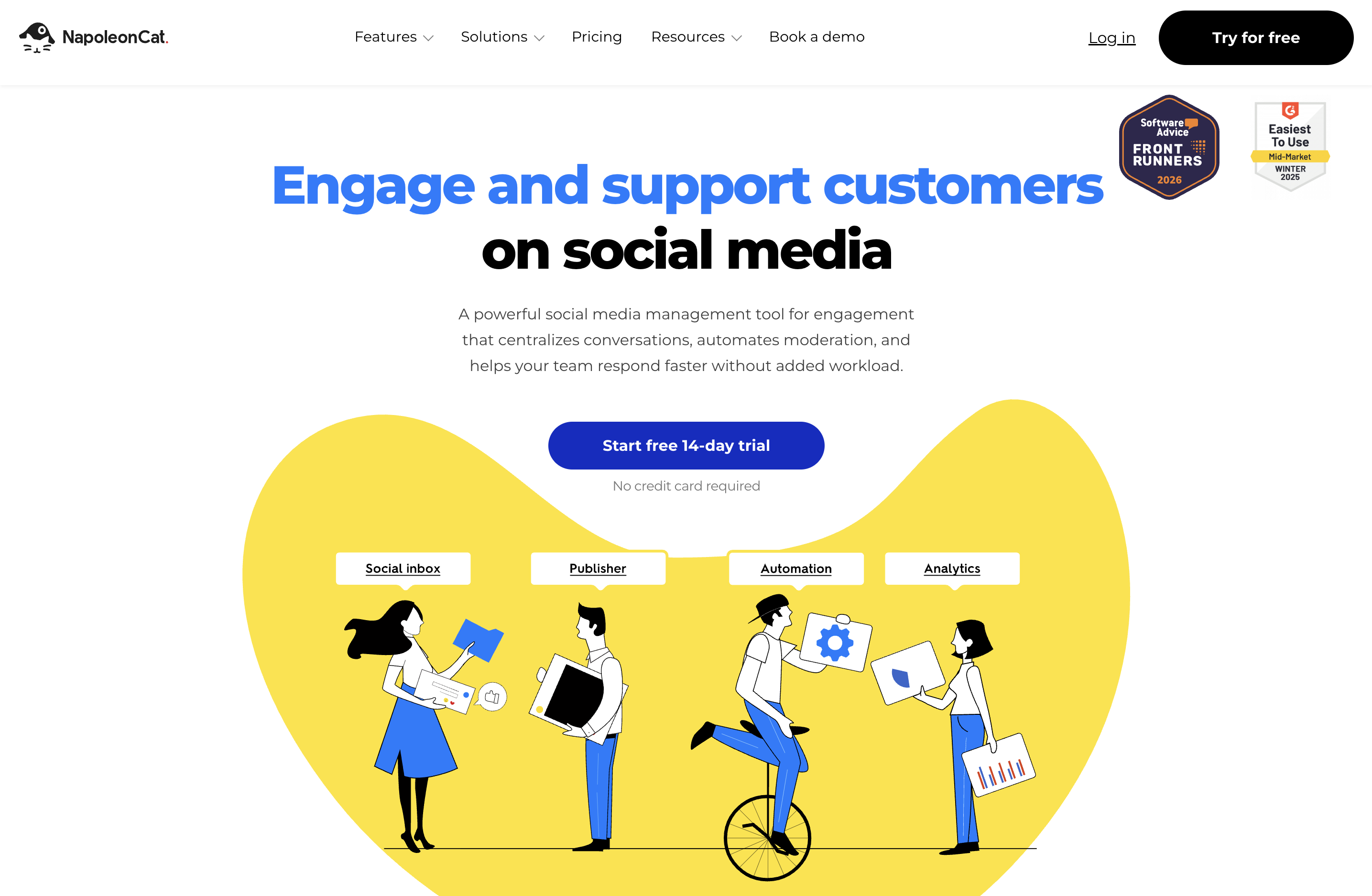
NapoleonCat is the dedicated inbox specialist on this list — not a publishing-first tool, an inbox-first one. Its key differentiator: it pulls in Apple App Store reviews, Google Play reviews, and Google Business reviews alongside social DMs and comments. For app developers, multi-location brands, or marketplaces, this is unmatched in the all-in-one category.
At a glance — NapoleonCat
- Pricing: Standard $79/mo (annual, no inbox) → Pro $89/mo (annual, includes Social Inbox) → Expert $119/mo → Enterprise $465/mo+. Monthly billing 15–25% higher.
- Inbox platforms: 9 — Facebook, Instagram, LinkedIn, TikTok, YouTube, Messenger, Google Business, Apple App Store, Google Play
- Free trial: 14 days, no credit card
- Best for: App developers, multi-location brands, and review-heavy categories where reputation lives across stores and review sites
Key inbox features:
- Unified inbox spanning social + app stores + GMB reviews
- AI auto-moderation — auto-remove spam, hate speech, offensive comments
- Smart filtering and prioritization by importance
- Sentiment analysis (AI auto-classifies emotion)
- Team collaboration — assignment, conversation history, internal notes
- Performance tracking — team response times, sentiment trends
- Saved replies + mobile app
Pros:
- Only major all-in-one with native App Store + Google Play review aggregation
- Aggressive AI auto-moderation
- 9-platform inbox
- 14-day free trial with no credit card
Cons:
- Inbox not included on Standard plan (Pro+ required)
- No native publishing depth comparable to Sprout / Hootsuite
- Limited public review presence on G2 / Trustpilot (smaller sample size)
- Higher tiers required for unlimited users
- No flat pricing — scales with profiles + users
For more details, see our NapoleonCat pricing breakdown, NapoleonCat reviews, and PostPlanify vs NapoleonCat comparison.
7. Vista Social — Best for Multi-Platform Coverage

Vista Social covers more channels than anyone on this list — 12+ social platforms plus 5 review sites. Its inbox is included on every plan, paired with DM Automations (keyword-triggered replies and comment-to-DM flows on Instagram, Facebook, and TikTok) and AI-generated personalized responses. The catch: X/Twitter is a paid add-on with undisclosed pricing.
At a glance — Vista Social
- Pricing: Professional $79/mo → Advanced $149/mo → Scale $379/mo; Enterprise (custom). X/Twitter paid add-on (undisclosed)
- Inbox platforms: 11 — Facebook, Instagram, X (paid add-on), TikTok, LinkedIn, YouTube, Google Business, Bluesky, Threads, Reddit, Snapchat, plus 5 review sites (Yelp, TripAdvisor, OpenTable, TrustPilot, App Store, Google Play). Pinterest is supported for publishing but its API has no inbox endpoints
- Free trial: 14 days, no credit card
- User ratings: 4.8/5 on G2 (1,071 reviews), 4.1/5 on Trustpilot (62)
- Best for: Brands and agencies managing many platforms including review sites + Reddit + Snapchat
Key inbox features:
- Unified social inbox on all plans
- DM Automations — keyword-triggered replies, comment-to-DM flows, lead capture (Instagram, Facebook, TikTok)
- AI Assistant drafts personalized responses (500–unlimited credits depending on plan)
- Sentiment detection (Enterprise only)
- Multi-step approval workflows with named steps and external approver links
- Review management across 5 review platforms
- G2 #1 Easiest to Use software 2026
Pros:
- Broadest inbox coverage in this list (11 channels + 5 review sites; Pinterest is publish-only)
- Native DM automation builder (keyword triggers + comment-to-DM)
- Unified inbox on all plans (including base $79/mo)
- 4.8/5 G2 rating with 1,071 reviews
Cons:
- X/Twitter is a paid add-on, price not publicly disclosed
- Sentiment detection locked to Enterprise
- AI credits limited (500–1,000 unless on Scale at $379/mo)
- Mobile app lags behind desktop per community feedback
- Steep learning curve due to feature density
"Vista Social has been adding tools like social listening and inbox automations, and the AI enhancements help in a contextual way without needing to use external tools like GPT." — Marketing Specialist (Enterprise), featured review on 4.8/5 G2
For more details, see our Vista Social pricing breakdown, Vista Social reviews, and PostPlanify vs Vista Social comparison.
PostPlanifyAll your social media in one simple dashboard
Schedule posts, track analytics, and reply to comments/DMs without switching tabs.
Engagement
+18%
Views
52.8k
8. Pallyy — Best for Creators (TikTok Inbox)
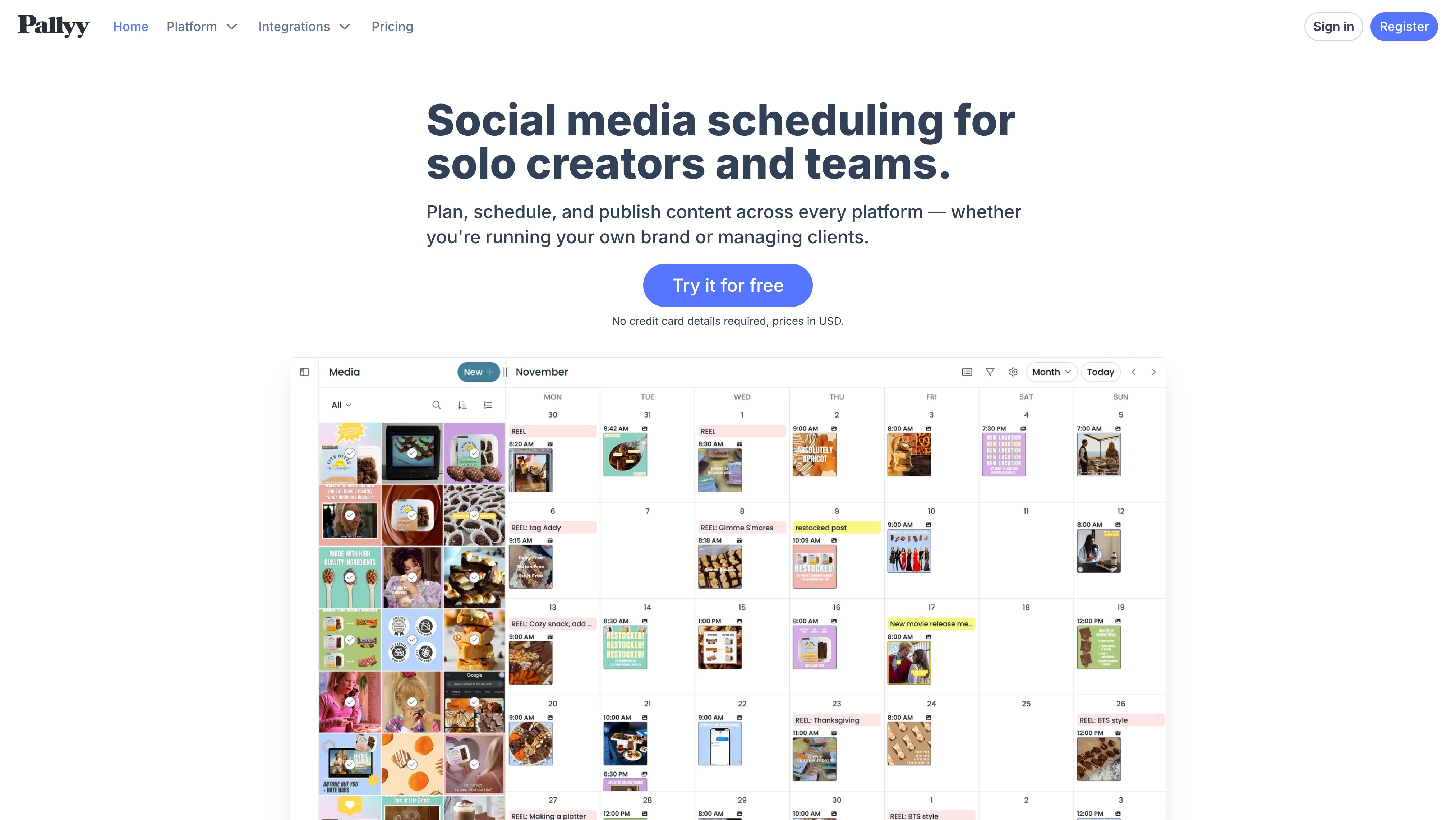
Pallyy is the indie favorite — built and maintained by a single developer (Tim Bennetto) and grown to 100,000+ users. Its inbox launches at the Pro plan ($25/mo) and covers an unusual mix: Instagram, Facebook, LinkedIn, Google Business, and TikTok. The TikTok comment inbox in particular is rare in this category.
At a glance — Pallyy
- Pricing: Free → Starter $15/mo → Pro $25/mo (inbox starts here) → Agency $99/mo → Scale $199/mo. Extra social sets +$10/mo each, extra users +$10/mo each
- Inbox platforms: 5 — Instagram, Facebook, LinkedIn, Google Business, TikTok
- Free trial: 14 days, no credit card
- User ratings: 4.7/5 on Capterra (68 reviews), 0 reviews on G2
- Best for: Solo creators and small studios who post heavily on Instagram and TikTok
Key inbox features:
- Unified inbox for IG, FB, LinkedIn, GMB, and TikTok comments + DMs
- Conversation labeling + filter by type, network, status
- Team assignment (Agency+ for multi-user)
- Manual automation rules with color-coded labels
- Bulk inbox actions (archive, mark read, tag)
- Smily.Bio link-in-bio builder
- Bulk inbox automations
Pros:
- TikTok comment inbox + GMB review inbox — rare combo
- Indie pricing — Pro at $25/mo with unlimited posts
- Founder ships features in hours per Capterra reviews
- Clean, beginner-friendly UX
Cons:
- 0 G2 reviews despite 100,000+ users — limits independent verification
- Analytics limited to 3 platforms (IG, FB, LinkedIn) on every plan
- Per-set + per-user add-ons compound — 5 brands on Pro = $65/mo
- No dedicated mobile app — only push-notification companions
- Basic AI captions, no AI reply
For more details, see our Pallyy pricing breakdown, Pallyy reviews, and PostPlanify vs Pallyy comparison.
9. Buffer — Best for Solopreneurs

Buffer is the veteran budget pick. Its Community Inbox is the most lightweight on this list — it covers public comments on Instagram, Facebook, and LinkedIn, but does not handle direct messages. For solopreneurs replying to public engagement only, that limitation is fine. For brands handling DMs as a primary channel, it's a hard pass.
At a glance — Buffer
- Pricing: Free (3 channels, 10 posts each) → Essentials $6/channel/mo → Team $12/channel/mo
- Inbox platforms: 3 (comments only) — Instagram, Facebook, LinkedIn. No DM support
- Free trial: Free plan available
- User ratings: 4.3/5 on G2 (1,023 reviews), 2.1/5 on Trustpilot (93)
- Best for: Solopreneurs and freelancers replying to public comments only
Key inbox features:
- Community inbox for public comments on IG, FB, LinkedIn
- Keyboard hotkeys for faster replies
- Buffer AI Assistant for caption help (not inbox-specific)
- Hashtag manager + first comment scheduling
- Approval workflows on Team plan ($12/channel/mo)
Pros:
- Free plan with 3 channels covers solo creators
- 11 platforms including Bluesky, Mastodon, GMB
- Unlimited users on Team plan
- Cleanest, simplest UX in the category
- Nonprofit discounts (50% off)
Cons:
- No DM support in the inbox — comments only
- Per-channel pricing scales fast (10 channels on Team = $120/mo)
- No social inbox for X/Twitter or TikTok
- Analytics stay surface-level
- Limited team workflow features below Team plan
"What I love most about Buffer is how simple it makes everything. The primary downside is its simplicity — it lacks advanced analytics and listening." — Shishu Raj P., Assistant Vice President, 3.5/5 on G2
For more details, see our Buffer pricing breakdown, Buffer reviews, and PostPlanify vs Buffer comparison.
10. Loomly — Best for Approval-Driven Teams

Loomly is the approval-first pick. Its Interactions module bundles inbox engagement (replying, saved replies, conversation assignment) with the platform's content calendar and approval workflows. The strength: approvals are included on every paid plan starting at $65/mo. The weakness: there's a $267/mo gap between Starter ($65) and Beyond ($332) with no middle option.
At a glance — Loomly
- Pricing: Starter $65/mo (12 accounts, 3 users) → Beyond $332/mo (60 accounts, unlimited users) → Enterprise (custom). No free plan — 15-day trial only
- Inbox platforms: Coverage varies by channel; the Interactions module supports replying, liking, hiding, deleting, saved replies, and conversation assignment on Loomly's supported networks (no unified DM-and-comments feed across all platforms in one view)
- Free trial: 15 days, no credit card
- User ratings: 4.6/5 on G2 (1,793 reviews), 1.7/5 on Trustpilot (26)
- Best for: Small-to-mid agencies that center their workflow on approval flows + content calendar
Key inbox features:
- Interactions — reply, like, hide, delete actions
- Saved replies for fast templated responses
- Conversation assignment to teammates
- Approval workflows on every paid plan starting at $65/mo
- Custom workflows + custom roles on Beyond
- Slack + Microsoft Teams integration on Beyond
- AI caption suggestions (basic)
Pros:
- Approval workflows on all paid plans (rare in this category)
- 9-platform publishing (FB, IG, X, LinkedIn, Pinterest, TikTok, YouTube, Snapchat, GMB)
- Content calendar widely praised for visual planning
- 1,793 G2 reviews — strong sample size
Cons:
- $267/mo pricing gap between Starter and Beyond
- No free plan — entry is the $65/mo Starter (15-day trial only)
- No Threads or Bluesky support
- Recurring Instagram publishing failures per Reddit + G2 cons
- Customer support is chatbot-only, no human agents per Trustpilot
- Inbox depth is shallower than Agorapulse / Sprout / NapoleonCat
"There is NO option to talk to someone — just a chatbot that tells me nonsense." — long-time customer, 1.7/5 on Trustpilot. Loomly's chatbot-only support is one of the most cited frustrations in 2025–2026 reviews following the platform's pricing restructure.
For more details, see our Loomly pricing breakdown, Loomly reviews, and PostPlanify vs Loomly comparison.
11. SocialBee — Best for Engagement + Evergreen Content

SocialBee is the evergreen-content scheduler that recently shipped a unified inbox — the Engage Module. Per SocialBee's own help docs, the Engage Module covers comments, mentions, and DMs across LinkedIn, Facebook, Instagram, X (Twitter), YouTube, and Threads — six platforms, including Threads, which most competitors don't yet handle natively.
At a glance — SocialBee
- Pricing: Bootstrap $29/mo → Accelerate $49/mo → Pro $99/mo → Pro50 $179/mo → Pro100 $329/mo → Pro150 $449/mo (annual saves ~16%)
- Inbox platforms: 6 — LinkedIn, Facebook, Instagram, X (Twitter), YouTube, Threads
- Free trial: 14 days, no credit card. 30-day money-back guarantee
- User ratings: 4.8/5 on G2 (472 reviews), 4.0/5 on Trustpilot (43)
- Best for: Solopreneurs and small teams whose strategy revolves around evergreen content + engagement on Threads or X
Key inbox features:
- Engage Module — unified inbox for comments, mentions, DMs across 6 platforms
- Threads inbox support (rare in this category)
- Category-based content recycling (signature feature)
- Approval workflows on Pro+ ($99/mo)
- AI caption generation
- Canva integration + RSS feed imports
- Note: Instagram Business profiles must be linked to a Facebook Page to receive Engage interactions; Threads has API limitations (mentions / comments from private profiles aren't visible)
Pros:
- Threads inbox support (most competitors don't have it)
- Category-based scheduling (best in the category for evergreen content)
- 4.8/5 G2 with 472 reviews
- 30-day money-back guarantee
- 50% education discount
Cons:
- Engage Module is newer — feature depth still maturing
- No platform-specific post previews
- Mobile app is widely criticized
- Workspaces and user limits restrict growing teams
- Collaboration locked behind $99/mo Pro plan
For more details, see our SocialBee pricing breakdown, SocialBee reviews, and PostPlanify vs SocialBee comparison.
Full Comparison Matrix: All 11 Social Inbox Tools
The table below compares every tool on the dimensions that matter most when picking a social inbox — platform coverage, comment vs DM vs review support, AI replies, team workflow features, moderation depth, sentiment, pricing structure, and starting price.
| Tool | Inbox platforms | DMs | Comments | Reviews / app stores | AI replies | Team assign | Saved replies | Hide / delete | Sentiment | Pricing model | Starting price |
|---|---|---|---|---|---|---|---|---|---|---|---|
| PostPlanify | 7 | ✅ | ✅ | GMB | ✅ brand-aware | ✅ | ✅ | ✅ (full on supported) | ❌ | Flat | $99/mo |
| Agorapulse | 10 | ✅ | ✅ + ad comments | ✅ | Custom plan only | ✅ Pro+ | ✅ Advanced+ | ✅ | ❌ native | Per user | $99/user/mo |
| Sprout Social | 10+ | ✅ | ✅ | ✅ Enhance Reply (Adv+) | ✅ | ✅ Professional+ | ✅ | ✅ Advanced+ | Per seat | $199/seat/mo | |
| Hootsuite | 10+ | ✅ | ✅ | ✅ GMB | ✅ OwlyGPT (drafts) | ✅ | ✅ Advanced+ | ✅ | Talkwalker add-on | Per user | $249/user/mo |
| Sendible | 3 (X discontinued) | ✅ FB/IG/LinkedIn | ✅ | ❌ (GMB not in Priority Inbox) | ❌ (caption-only AI) | ✅ | ❌ native | ✅ | ✅ Priority Inbox | Flat | $29/mo (Creator) |
| NapoleonCat | 9 | ✅ | ✅ | ✅ App Store + Google Play + GMB | ✅ auto-moderation | ✅ | ✅ | ✅ | ✅ AI auto-classify | Flat | $89/mo (Pro, annual) |
| Vista Social | 11 + reviews | ✅ | ✅ | ✅ 5 review sites | ✅ Vista AI | ✅ | ✅ | ✅ | ✅ Enterprise only | Flat (X add-on) | $79/mo |
| Pallyy | 5 | ✅ | ✅ | GMB | ❌ (basic AI captions) | ✅ Agency+ | ✅ | ✅ | ❌ | Per social set | $25/mo (Pro) |
| Buffer | 3 | ❌ comments only | ✅ | ❌ | ❌ (caption-only AI) | ✅ Team plan | ✅ all plans (1/5/unlimited by tier) | Limited | ❌ | Per channel | $6/channel/mo |
| Loomly | Varies | ✅ | ✅ | ❌ | ❌ | ✅ | ✅ | ✅ | ❌ | Flat | $65/mo (Starter) |
| SocialBee | 6 | ✅ | ✅ + mentions | ❌ | ❌ (caption-only AI) | ✅ Pro+ | ❌ native | YouTube reject only (reply on others) | ❌ | Flat | $29/mo (Bootstrap) |
How to read this table: "Inbox platforms" counts only platforms where the tool natively supports comment + DM + mention management — not just publishing support. "Reviews / app stores" flags tools that aggregate Google Business, Apple App Store, Google Play, or third-party review sites. "Sentiment" means automatic emotion classification on incoming messages. "Pricing model" matters more than starting price at team scale: per-seat and per-user tools look cheap on page one and expensive in month three.
Quick decision rules from the matrix:
- Need DMs, not just comments? Skip Buffer. Every other tool handles DMs on supported platforms.
- Need app store + Google Play review aggregation? NapoleonCat is the only tool here that natively aggregates them.
- Need flat pricing + AI replies? PostPlanify, Vista Social, and NapoleonCat are the three. Sprout, Hootsuite, and Agorapulse charge per seat / user.
- Need sentiment scoring on incoming messages? Sprout (Advanced+), Sendible, NapoleonCat, and Vista Social (Enterprise). Most others don't.
- Smallest budget + DM support? Pallyy Pro ($25/mo) covers IG, FB, LinkedIn, GMB, and TikTok DMs.
Honorable Mentions: Tools Worth Knowing About
Not every tool earned a spot in the top 11 — either because they focus on a narrow slice, sit higher in the enterprise tier, or pair best with another tool. Still worth knowing:
- SocialPilot — Inbox covers LinkedIn, Facebook, and Instagram only (3 platforms). Strong AI-powered response refinement and account grouping for agencies. See our SocialPilot pricing and SocialPilot reviews for the full breakdown.
- Sprinklr Service — Enterprise-only social customer care platform with AI auto-categorization, smart triage, and identification of "engageable vs unengageable" mentions. Quote-based pricing.
- eClincher — Mid-market all-in-one with auto-assign and auto-tag automation rules. Supports 20+ channels.
- Sked Social — Visual-first scheduler with a centralized inbox for comments, DMs, and tagged posts. Stronger as a scheduler than a pure inbox.
- ContentStudio — Inbox shows real-time team activity (who's currently viewing or replying to a message). No X support.
- Front — Mature multichannel shared-inbox platform spanning email, SMS, social, and live chat. Best when social is one of many channels, not the primary one.
- Trengo — Trengo's social inbox aggregates social with email and live chat — useful for teams that already run multichannel customer support.
AI Reply Assistants in 2026: What Changed
AI reply drafting is no longer a differentiator — it's table stakes. Every major tool on this list now ships a named AI layer that drafts replies based on the original message's context. What's changed in 2026 is the kind of AI work these assistants do.
Named AI assistants by tool:
| Tool | AI Assistant | What It Does |
|---|---|---|
| Sprout Social | Trellis + AI Assist | Sentiment scoring, Enhance Reply by AI, content scoring |
| Hootsuite | OwlyGPT | Caption generation, summary briefs, image generation |
| Agorapulse | AI Reply Suggestions (Custom plan only) | Drafted replies + AI Writing Assistant |
| Sprinklr | Copilot (AI+) | Unified insights across CX surfaces |
| NapoleonCat | AI auto-moderation | Auto-remove spam, hate speech, sentiment classification |
| Vista Social | Vista AI Assistant | Personalized replies + DM Automations |
| PostPlanify | AI Assistant | On-brand reply drafting + DM/comment automation (keyword-triggered) |
| Buffer | Buffer AI Assistant | Caption suggestions |
Four AI inbox capabilities to actually look for:
- Vision-aware replies. Does the AI read the image attached to the comment, or just the text? Vision-aware assistants draft better replies on visual platforms (Instagram, TikTok).
- Sentiment scoring. Auto-classify each message as positive, neutral, or negative so you can triage angry customers first.
- Auto-categorization and routing. Rules that send "complaint" messages to support and "DM about partnership" to BD without manual sorting.
- Saved-reply suggestions. AI suggests which saved reply fits the incoming message — turning a 30-second reply into a 3-second one.
If a tool's AI page only mentions caption writing, it's a 2023-era assistant. Expect more from a 2026 purchase.

Why Native Platform Inboxes Aren't Enough
Every major platform offers a native inbox — Meta Business Suite (FB + IG), LinkedIn Notifications, TikTok Inbox, X Notifications, YouTube Studio Comments. They're free, they're authoritative, and they're the first thing most teams reach for. So why do the tools above exist?
- The stakes are higher than they look. Per Sprout Social's 2025 Index, 73% of social users say they'll buy from a competitor if a brand doesn't respond on social — and most expect a reply within hours, not days. HubSpot has reported a similar gap: consumers increasingly expect a same-day response, yet many businesses don't meet it. A missed inbox is lost revenue, measurable.
- Context-switching costs more than people realize. Manage 4 networks and you log into 4 dashboards every morning — each with a different UI, notifications, and reply syntax. Across a 5-person team managing 8 client brands, the lost time compounds into hours per day.
- No team workflow inside native apps. You can't assign an Instagram comment to a teammate from Meta Business Suite, add an internal note to a YouTube reply, or filter "unread DMs from VIP customers across all platforms." Native dashboards were built for one user managing one account, not teams managing many.
- Audit trails don't exist. Native apps don't show who replied, when, with what label, or how long it took — a measurement black hole for agencies billing by retainer or tracking response-time SLAs.
- Reviews live in too many places. Google Business, Apple App Store, Google Play, and Facebook page reviews each have their own dashboard — four places to monitor, or one tool that aggregates them.
- Moderation rules are absent. Native tools don't auto-hide spam, auto-tag VIP customers, or auto-route comments by keyword. Manual moderation doesn't scale past one or two profiles.
For a deeper breakdown of how to operationalize comment management as a team, see our guide on social media community management.

How to Choose the Right Social Inbox Tool
A few selection rules narrow things quickly:
- Choose all-in-one (PostPlanify, Sprout, Hootsuite, Agorapulse, Vista Social) if you need scheduling + inbox + analytics + approvals together.
- Choose inbox specialists (NapoleonCat, Sprinklr Service) if you already publish smoothly but need deeper review-site coverage or enterprise-grade moderation.
- Choose lightweight tools (Buffer, Pallyy) if your inbox traffic is comments-only and your platform mix is small.
- Verify platform coverage carefully before you commit. "Has a social inbox" doesn't mean every platform you use is supported with both comments and DMs.
- Ask about sync latency. New comments should appear in minutes, not hours.
- Test team workflow — assign 3 conversations to a teammate inside the trial and pull a response-time report.
Existing best-tool roundups often skip the moderation depth question entirely. Per Hootsuite's roundup of social inbox tools, inbox tools that lack auto-routing and assignment force teams to share logins and reply twice — a pattern that breaks the moment your inbox volume hits 50+ messages a day.
FAQ: Social Inbox Tools
What is the best social inbox tool in 2026?
For most teams, PostPlanify is the best overall pick because it combines a 7-platform inbox (Instagram, Facebook, LinkedIn, Google Business, YouTube, Threads, and Bluesky) with publishing, approvals, and analytics in one workspace — without per-seat fees. Agorapulse is the favorite for Gmail-style inbox UX, while Sprout Social ($199/seat/mo) is the enterprise pick for sentiment + helpdesk integration.
What is a social inbox tool?
A social inbox tool consolidates comments, DMs, mentions, and reviews from multiple social networks into a single unified feed. It lets one or more teammates reply, label, assign, hide, or delete conversations across accounts without logging into each native app. Tools fall into three types: all-in-one platforms (publishing + inbox + analytics + approvals), inbox-first specialists (like NapoleonCat, with deep moderation and review-site coverage), and lightweight engagement tools (community inboxes that handle comments but skip DMs).
What's the difference between a social inbox tool and a social listening tool?
A social inbox handles your owned conversations — DMs, comments, mentions, and reviews on profiles you control. A social listening tool tracks public conversations about your brand, competitors, or topics across the entire web — including mentions on sites and platforms you don't own. Most teams need an inbox first; listening becomes critical only when reputation risk or earned media drive budget.
Do all social inbox tools handle DMs?
No. Buffer's Community Inbox covers public comments only — no DM support. Pallyy supports DMs on a smaller subset of platforms. Sprout, Agorapulse, NapoleonCat, Hootsuite, Vista Social, and PostPlanify all handle DMs on supported platforms. Always verify DM support before buying.
Can I use a social inbox tool to manage Google Business reviews?
Yes, on most tools. PostPlanify, NapoleonCat, Pallyy, Vista Social, and SocialPilot all support Google Business Profile review management. NapoleonCat goes further and adds Apple App Store + Google Play review aggregation. You can reply to GMB reviews from these tools, but per Google's policies, you cannot delete customer reviews — only respond to them.
Are social inbox tools worth it for small businesses?
Yes if you reply to more than ~20 comments / DMs a day. Below that volume, native apps may be enough. Above that volume, the time saved on context-switching, the team assignment, and the audit trail justify the cost — especially for businesses where response time directly affects sales (DTC, restaurants, service providers).
Which social inbox tool has the most platforms?
Vista Social leads with 12+ social platforms plus 5 review sites. NapoleonCat is the only tool here covering Apple App Store + Google Play reviews. Agorapulse covers 11 social platforms in its inbox. PostPlanify currently covers 7 (with X, TikTok, and Pinterest rolling out next).
How much should I budget for a social inbox tool?
Solopreneur tier: $0–$30/mo (Buffer free, Pallyy Pro at $25/mo). Small agency or in-house team: $99–$200/mo (PostPlanify Premium $199/mo, Agorapulse Standard $99/user/mo). Enterprise: $500/mo+ (Hootsuite Advanced $499/user/mo, Sprout Professional $299/seat/mo, NapoleonCat Enterprise $465+/mo). Add ~20–30% for AI add-ons or sentiment if you need them.
What's the best free social inbox tool?
Buffer's Free plan covers 3 channels with a comment-only inbox (no DMs) — the only genuine free inbox tier on this list. Agorapulse no longer offers a free plan (it has a 30-day no-credit-card trial instead). Native platform inboxes (Meta Business Suite, LinkedIn Notifications) are free but can't unify across networks. For a real team workflow, paid tools are usually worth it.
Can social inbox tools auto-reply to messages?
Most tools support saved replies (templated responses you pick from a library) but require manual selection. PostPlanify, Vista Social, and Hootsuite go further with keyword-triggered automation that can auto-reply to incoming DMs and comments. NapoleonCat has aggressive AI auto-moderation rules that auto-hide spam. PostPlanify also offers brand-aware AI reply drafting you review before sending, for replies that need a human touch.
Which tool has the best AI reply quality?
Sprout Social's Enhance Reply by AI Assist (Advanced plan) is widely cited as the deepest in the enterprise category. PostPlanify's AI reply drafts on-brand responses tuned to your brand voice and each comment's sentiment, which you review before sending. Agorapulse's AI reply suggestions are limited to the Custom (sales-quoted) plan only.
How do I choose between an all-in-one tool and an inbox specialist?
Pick all-in-one if you publish, schedule, and reply on the same platforms. The unified workspace saves time and keeps labels + assignments consistent across functions. Pick an inbox specialist if your reputation lives on review sites (Apple App Store, Google Play, Yelp, TrustPilot) or if you have a dedicated customer-care team that doesn't publish content.
What about response-time SLAs?
Tools like Agorapulse, Sprout, Hootsuite Advanced, and Sendible all track response times by team member and surface them in reports. PostPlanify tracks read / unread status per conversation. If response-time SLAs are a contractual obligation (agencies often see this in MSAs), pick a tool with explicit SLA reporting.
Is there a tool that handles all 10+ platforms in one inbox?
Vista Social and Agorapulse get closest, with 11–12 platform inboxes. NapoleonCat covers 9 social + app store + GMB. No tool covers every platform on every plan with full DM + comment + review support — verify your top 3 platforms work before committing.

Key Takeaways
- Pick the tool category before the product. All-in-one platforms solve daily inbox + publishing workflows. Inbox specialists go deeper on review sites + moderation. Lightweight tools cover comments only. Most expensive mistakes come from choosing the wrong category.
- Native inboxes aren't a substitute. They cover the basics per platform but lack cross-platform unification, team assignment, audit trails, and review-site coverage.
- AI is table stakes in 2026. Every major tool ships a named AI layer. What matters now is vision-aware replies, sentiment scoring, auto-categorization, and saved-reply suggestions — not just caption generation.
- Per-seat pricing looks cheap on page one. Run the math for your real team size before buying. A 5-person team on Sprout Social Standard is $995/mo. Flat-rate tools almost always win at scale.
- Verify DM support, review-site coverage, and platform mix. A "social inbox" that's actually a comment-only feed (Buffer) saves you nothing if DMs are your primary channel.
- Test a real reply workflow in the trial. Reply to 20 comments, assign 3 to a teammate, and pull a response-time report inside the trial. That's the fastest way to expose friction.
- For most teams, an all-in-one platform like PostPlanify delivers the best cost-to-value. It combines a 7-platform inbox, AI replies, publishing, approvals, and analytics in one workspace at a flat price — which is where fragmented tool stacks usually break down.
PostPlanifyAll your social media in one simple dashboard
Schedule posts, track analytics, and reply to comments/DMs without switching tabs.
Engagement
+18%
Views
52.8k
If you want a tool that handles inbox management, planning, publishing, approvals, and analytics from one dashboard without per-seat pricing, PostPlanify is worth a serious look. Especially well-suited to agencies, in-house teams, and creators who need cross-platform inbox coverage and smoother team workflows without moving into enterprise software territory too early.
Related Reading
- Social Inbox Feature Page
- Social Media Community Management
- How to Improve Social Media Engagement
- Best Social Media Management Platform
- Best Social Media Management Tools for Agencies
- Best Social Media Management Tools for Teams
- Best Social Media Tools with Approval Workflows
- Best Social Media Analytics Tools
- Best Buffer Alternatives
- Best Hootsuite Alternatives
- Best Sprout Social Alternatives
- Best Sendible Alternatives
- Best Agorapulse Alternatives
- Best Pallyy Alternatives
- Best Loomly Alternatives
- Best SocialBee Alternatives
- Best Vista Social Alternatives
- Client Engagement Metrics That Matter
- How to Create a Social Media Report
- Manage Multiple Social Media Accounts
PostPlanifyAll your social media in one simple dashboard
Schedule posts, track analytics, and reply to comments/DMs without switching tabs.
Engagement
+18%
Views
52.8k
About the Author

Hasan Cagli
Founder of PostPlanify, a content and social media scheduling platform. He focuses on building systems that help businesses, agencies, and teams plan, publish, and manage content and social media more efficiently across platforms.


