


The best Cloud Campaign alternatives give agencies the same client-by-client setup with less to learn, a different price at 10 to 20 clients, or features Cloud Campaign doesn't have. I compared 10 Cloud Campaign competitors on ease of use, real cost per client, client approvals, white labeling and the social inbox, using each tool's published pricing.
Cloud Campaign is a white-label social media management platform for marketing agencies, priced from $49 to $299 a month. It's a good product: it holds a 4.9/5 rating on G2 from 166 reviews, includes client approvals on every plan, and its Agency plan adds a custom domain. But agencies leave for a few recurring reasons: the platform takes time to learn, the $49 plan covers only one client, and some accounts need reconnecting every few months.
Quick answer: The best Cloud Campaign alternative for most agencies is PostPlanify, a social media management platform built for agencies serving local businesses, with a simple, clean dashboard and pricing per client from $39/month. Choose Sendible if you need white labeling with a custom domain on a broad platform, Planable if client approvals are your main job, and Buffer if you want the simplest, cheapest option.
Jump to: How I evaluated · Comparison table · Why agencies switch · The 10 tools · Cost for 10 and 20 clients · How to choose · FAQ
How I Evaluated These Cloud Campaign Alternatives
Cloud Campaign is bought by agencies that manage social media for several clients, so I scored each tool on what matters to that kind of team. Pricing and features come from each vendor's published plans, checked in October 2026, and ratings come from G2.
| Criterion | Weight | What I looked for |
|---|---|---|
| Ease of use | 25% | How quickly a new teammate or client can find their way around, based on reviews and the product itself |
| Price at 10 and 20 clients | 25% | The real monthly cost for an agency, not the headline price |
| Client approvals and collaboration | 15% | Which plan includes client sign-off, and whether clients cost extra |
| White labeling | 15% | What gets branded (reports, dashboard, domain) and on which plan |
| Social inbox | 10% | Comments, DMs and reviews in one place, and which plan includes it |
| Platforms | 10% | Which networks each tool can publish to |
I left out tools I couldn't verify against a published pricing page.
Cloud Campaign Alternatives at a Glance
| Tool | Best for | Starting price | 10 clients (approx.) | Client approvals | White labeling | G2 rating |
|---|---|---|---|---|---|---|
| PostPlanify | Simple dashboard, agencies serving local businesses | $39/mo | $322/mo (Premium) | Premium | Scale | 5/5 |
| Sendible | White label on a broad platform | $35/mo | $274/mo | Plus ($99) | Add-on, from $648/mo total | 4.5 (899) |
| Vista Social | Review management and DM automations | $99/mo | $449/mo | Advanced workflows on Advanced ($199) | Scale ($449) | 4.8 (1,071) |
| Planable | Client approvals | $39/workspace | $390/mo | Every plan | Enterprise | 4.6 (937) |
| SocialPilot | Budget white-label reports | $30/mo | $160/mo | Premium ($100) | Reports from Premium | 4.5 (841) |
| HeyOrca | No-login client approvals | Free plan, then $59/calendar | $354/mo (with discount) | Basic ($59) | Enterprise | 4.8 (284) |
| Agorapulse | Inbox-heavy client work | $99/user | $549/mo (1 user) | Professional ($149/user) | Branded report exports | 4.5 (967) |
| Buffer | Simple, low-cost scheduling | Free plan | $400/mo | Team plan | No | 4.3 (1,023) |
| Sprout Social | Enterprise analytics | $79/seat | $299/seat | Professional ($299/seat) | Not on published plans | 4.4 (5,731) |
| Hootsuite | Large teams, listening | $99/user | $199/user | Advanced ($399/user) | Not listed | 4.3 (6,615) |
| Cloud Campaign (for reference) | Fully branded client portal | $49/mo | $344/mo | Every plan | Team ($199), custom domain on Agency ($299) | 4.9 (166) |
10-client costs assume about 4 social accounts per client and use each tool's cheapest plan that fits, on monthly list prices. Per-user tools are shown for one user, and PostPlanify is shown on Premium, which includes client approvals. The full breakdown is further down.
Why Agencies Look for a Cloud Campaign Alternative
Cloud Campaign's reviews are mostly positive, so agencies don't usually leave because it's bad. They leave because of a handful of specific frictions:
- There's a lot to learn. Cloud Campaign packs in an agency view, brand settings, auto-importers, drip schedules and CloudStudio. It also offers onboarding, a dedicated account manager and Agency Coach training to help teams learn it. One G2 reviewer rated it 4/5 but said it needs more in-app guidance.
- The $49 plan covers one client. Every extra client on Freelancer costs another $49, so most agencies end up on the $199 Team plan. See our Cloud Campaign pricing breakdown for the math.
- Accounts disconnect. Linking issues are one of the top complaints on G2, and Cloud Campaign's help center says LinkedIn, Facebook and Instagram accounts may need relinking every 60 to 90 days.
- Some features need the $299 plan. Ad reporting, single sign-on, the custom domain and API workflows are Agency-only.
- Platform gaps. Its posting guide covers 8 platforms and doesn't include X or Bluesky, and direct messages only come from Instagram and Facebook.
If none of these affects you, Cloud Campaign is probably still a good fit. If one does, the tools below solve it in different ways.
1. PostPlanify: Best Overall Cloud Campaign Alternative
PostPlanify is a social media management platform built for agencies serving local businesses. It's designed around one simple, clean dashboard. Every client's calendar, social inbox, analytics and approvals sit in the same place, so a new teammate or client can find their way around on day one.
Like Cloud Campaign, PostPlanify gives each client its own workspace and never charges per user, and the per-client rate drops as you add clients. On the Premium plan, which adds client approvals and client reports, ten clients cost $322 a month and twenty cost $512. Cloud Campaign's Team plan costs $344 and $634, and it also includes white labeling, which PostPlanify puts on its Scale plan.
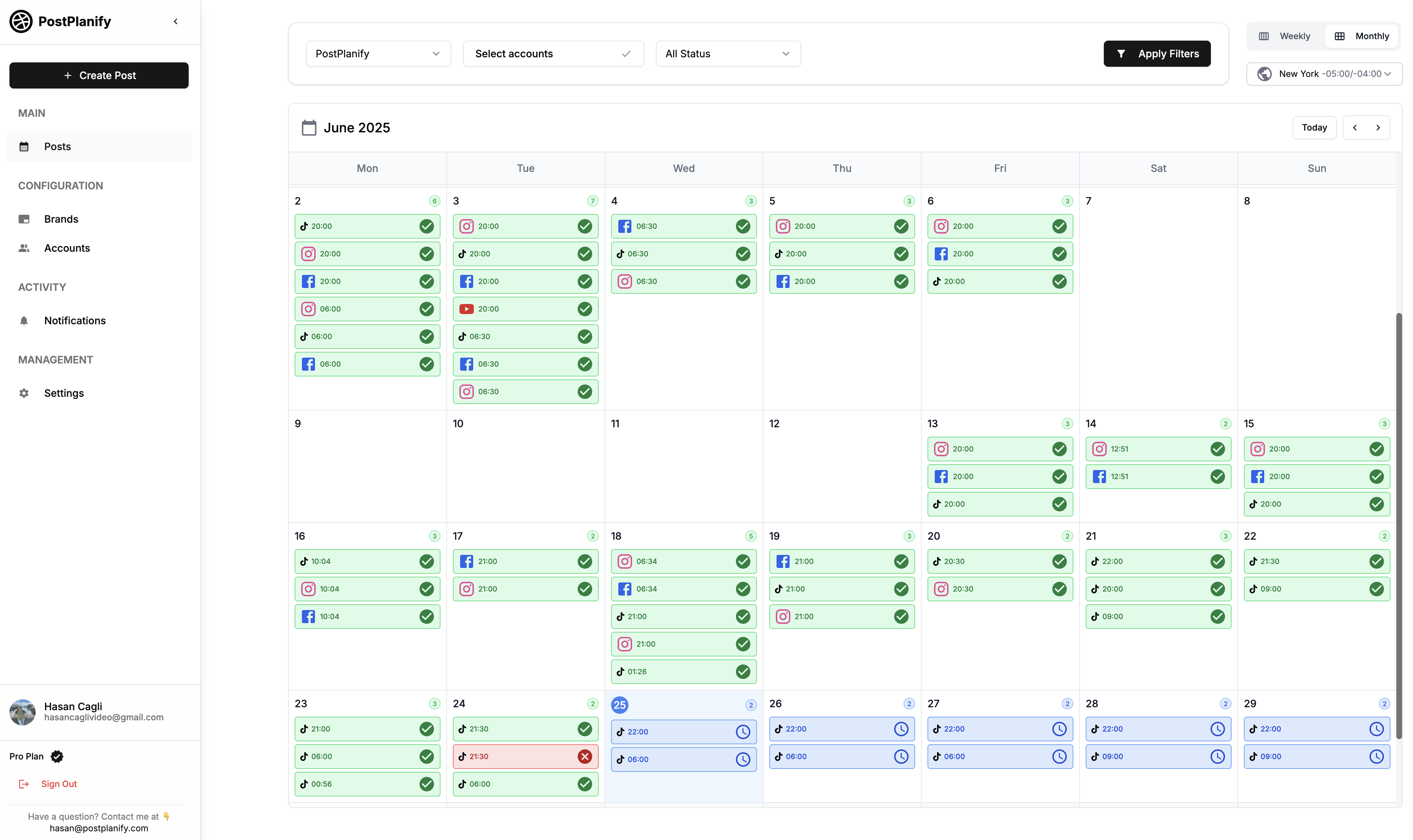
At a glance: PostPlanify
- Pricing: from $39/mo per workspace ($31/mo billed yearly) with 4 social accounts and unlimited users; the rate per workspace drops as you add clients
- Platforms: 11 (Instagram, Facebook, LinkedIn, X, YouTube, TikTok, Pinterest, Threads, Bluesky, Google Business Profile and Telegram)
- Free trial: 14 days, plus a 14-day money-back guarantee
- User ratings: 5/5 on G2
- Best for: agencies serving local businesses that want a simple, clean dashboard with every client in one place
Pricing:
| Plan | Starts at | Includes | Each extra workspace | Social accounts |
|---|---|---|---|---|
| Growth | $39/mo | 1 workspace | from $29, cheaper as you add more | 4 per workspace |
| Premium | $99/mo | 3 workspaces | from $39, cheaper as you add more | 6 per workspace |
| Scale | $199/mo | 5 workspaces | from $39, cheaper as you add more | 8 per workspace |
Unlimited team members on every plan, no per-seat fees. Yearly billing saves 20%. All plans include a 14-day free trial with a 14-day money-back guarantee.
Key features:
- A simple, clean content calendar with every client's posts in one view, and drag and drop to reschedule
- Publishing to 11 platforms, including Google Business Profile, Instagram, Facebook, TikTok and LinkedIn
- A social inbox on every plan: comments from Instagram, Facebook, LinkedIn, Google Business Profile (including reviews), YouTube, Threads and Bluesky, plus Instagram and Facebook DMs, with AI-drafted replies
- An AI assistant for captions and replies, and AI image generation on every plan
- Analytics for every connected account
- Single or multi-step approval workflows on Premium, with a free Client role so clients never take a paid seat
- Client reports with scheduled delivery on Premium, and white labeling of the dashboard, client emails and reports on Scale
- Bulk Schedule (up to 20 posts at once), a media library with Canva and Google Drive, and Link in Bio
- MCP support for Claude, ChatGPT and Gemini, plus API access on every plan
Pros:
- Simple, clean dashboard that's quick to learn
- The per-client rate drops as you add clients
- Unlimited users on every plan
- Social inbox with Google Business Profile reviews on every plan
- Publishes to 11 platforms, including X and Bluesky
Cons:
- Client approvals start on Premium, not the entry plan
- 6 social accounts per workspace on Premium, not unlimited like Cloud Campaign's Team plan
- No custom domain for the white-labeled dashboard
- No ad reporting or done-for-you content service
- A newer platform with a smaller user base
How it compares to Cloud Campaign:
- PostPlanify Premium ($99/mo for 3 workspaces, then less per client): unlimited users, approvals with a free Client role, client reports, social inbox, analytics and AI. Ten clients cost $322/month and twenty $512/month.
- PostPlanify Scale (white labeling): adds a white-labeled dashboard, client emails and reports. Ten clients cost $394/month and twenty $684/month.
- Cloud Campaign Team ($199/mo for 5 workspaces): unlimited users and social accounts, client approvals and standard white labeling. Ten clients cost $344/month and twenty $634/month.
- The trade-off: Cloud Campaign includes white labeling at the Team price and offers a custom domain on Agency. PostPlanify is simpler to use and adds a social inbox with Google Business Profile reviews.
What users say: PostPlanify holds a 5/5 rating on G2. AprovaLeges, a PostPlanify customer, said "the interface is intuitive, and the scheduling works with precision."
Verdict: the best Cloud Campaign alternative for agencies that want a simpler, cleaner tool for client work.
 PostPlanify
All your social media in one simple dashboard
Schedule posts, track analytics, and reply to comments/DMs without switching tabs.

Engagement
+18%
Views
52.8k
2. Sendible: Closest Match for White-Label Agencies
Sendible is a social media management platform built for agencies and growing businesses. It's the closest thing to Cloud Campaign on this list: workspaces per client, unlimited users on every plan, client dashboards and a white-label option that includes a custom domain.
At a glance: Sendible
- Pricing: Core $35, Plus $99, Premium $199, Elite $299, Enterprise $750 per month (15% off yearly)
- Platforms: 10, including X, Bluesky, Google Business Profile and WordPress (no Pinterest)
- Free trial: 14 days, no credit card
- User ratings: 4.5/5 on G2 (899 reviews)
- Best for: agencies that need deep white labeling and a broad platform
Pricing:
| Plan | Monthly | Billed yearly (per month) | Workspaces | Social profiles | Users |
|---|---|---|---|---|---|
| Core | $35 | $29.75 | 1 | 6 | Unlimited |
| Plus | $99 | $84.15 | 3 | 18 | Unlimited |
| Premium | $199 | $169.15 | 7 | 42 | Unlimited |
| Elite | $299 | $254.15 | 15 | 90 | Unlimited |
| Enterprise | $750 | $637.50 | 50 | 300 | Unlimited |
15% off on yearly billing. Extra workspaces cost $15 to $35 a month depending on the plan. White labeling is a paid add-on on Elite ($349/mo) and Enterprise ($800/mo), so the cheapest white-labeled setup is $648 a month.
Key features:
- Priority Inbox for monitoring and replying
- Approval workflows and client dashboards from Plus ($99)
- Custom and automated reports from Premium
- White label covering your domain, logo, email notifications, client dashboard and reports
- AI Assist for captions and Smart Queues for recurring content
How it compares to Cloud Campaign: Sendible's white label goes as deep as Cloud Campaign's, including a custom domain, but costs more: $648 a month against $299 for Cloud Campaign Agency. Without white labeling, Sendible is cheaper at 10 clients ($274 on Premium plus extra workspaces) and supports X and Bluesky.
What users say: reviewers praise its ease of use and multi-account management. Reviews on Reddit call the white-label add-on "a dealbreaker for smaller agencies", and some users report recurring LinkedIn reconnection issues. Configuring advanced features like Smart Queues and approval flows takes some learning.
Verdict: pick Sendible if you need a custom domain and the broadest platform, and the budget clears $648 a month.
For more details, see Sendible pricing, Sendible reviews, and the best Sendible alternatives.
3. Vista Social: Best for Reviews and DM Automations
Vista Social is an all-in-one social media management platform for agencies and enterprises. It goes beyond scheduling with review management across sites like Google and Yelp, DM automations and social listening.
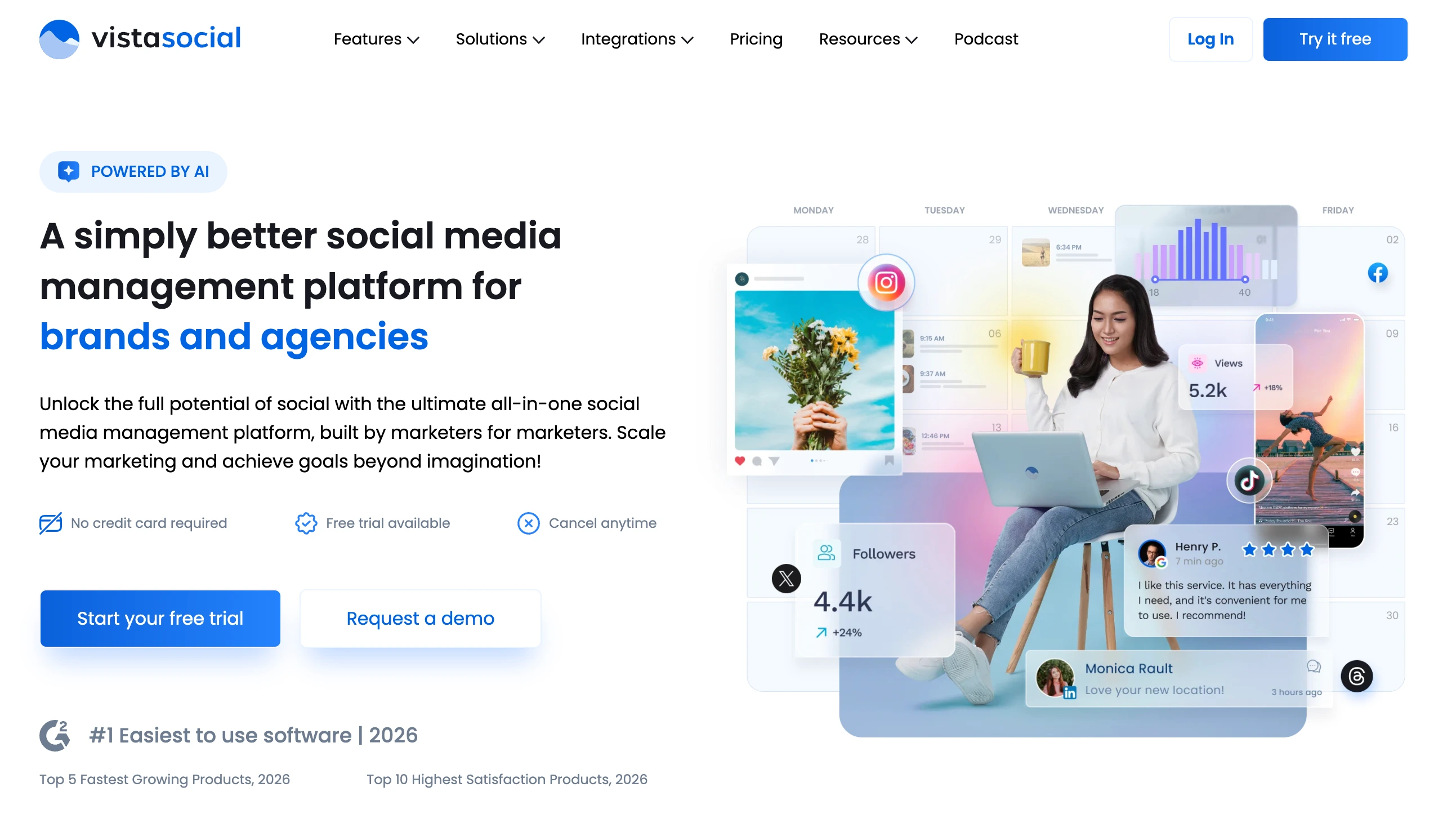
At a glance: Vista Social
- Pricing: Professional $99, Advanced $199, Scale $449 per month ($79, $159 and $359 billed yearly), Enterprise custom
- Platforms: 12 social platforms plus review sites; X is a $29/month add-on
- Free trial: 14 days, no credit card
- User ratings: 4.8/5 on G2 (1,071 reviews)
- Best for: agencies managing reviews and DMs for local businesses
Pricing:
| Plan | Monthly | Billed yearly (per month) | Social profiles | Users | Notable additions |
|---|---|---|---|---|---|
| Professional | $99 | $79 | 15 | 2 | Inbox, reports, review management, DM automations |
| Advanced | $199 | $159 | 30 | 3 | Advanced planning and workflows, advanced reporting |
| Scale | $449 | $359 | 70 | 4 | White label setup, client profile connect |
| Enterprise | Custom | Custom | Unlimited | Unlimited | Sentiment detection, account manager |
Extras: X ($29/mo), advanced social listening ($75/mo) and employee advocacy ($199/mo).
Key features:
- Review management for Google, Yelp and other review sites
- DM automations and a unified social inbox on every plan
- Advanced planning and workflows on Advanced
- White label setup and client profile connect on Scale
- AI credits on every plan
How it compares to Cloud Campaign: Vista Social covers more ground (reviews, listening, DM automations) but caps users, so a 4-person team needs Scale at $449. Cloud Campaign gives unlimited users on every plan and white labeling from $199.
What users say: Vista Social is G2's "#1 Easiest to Use" in its category, with 547 ease-of-use mentions. Reviewers also note a learning curve (79 mentions) because of how many modules it has, and some find the X add-on frustrating.
Verdict: a strong pick if review management and DM automations matter more than unlimited seats.
For more details, see Vista Social pricing, Vista Social reviews, and the best Vista Social alternatives.
4. Planable: Best for Client Approvals
Planable is a social media collaboration and approval platform for teams, agencies and brands. Its whole design centers on getting content reviewed and approved, with pixel-perfect previews clients can comment on.
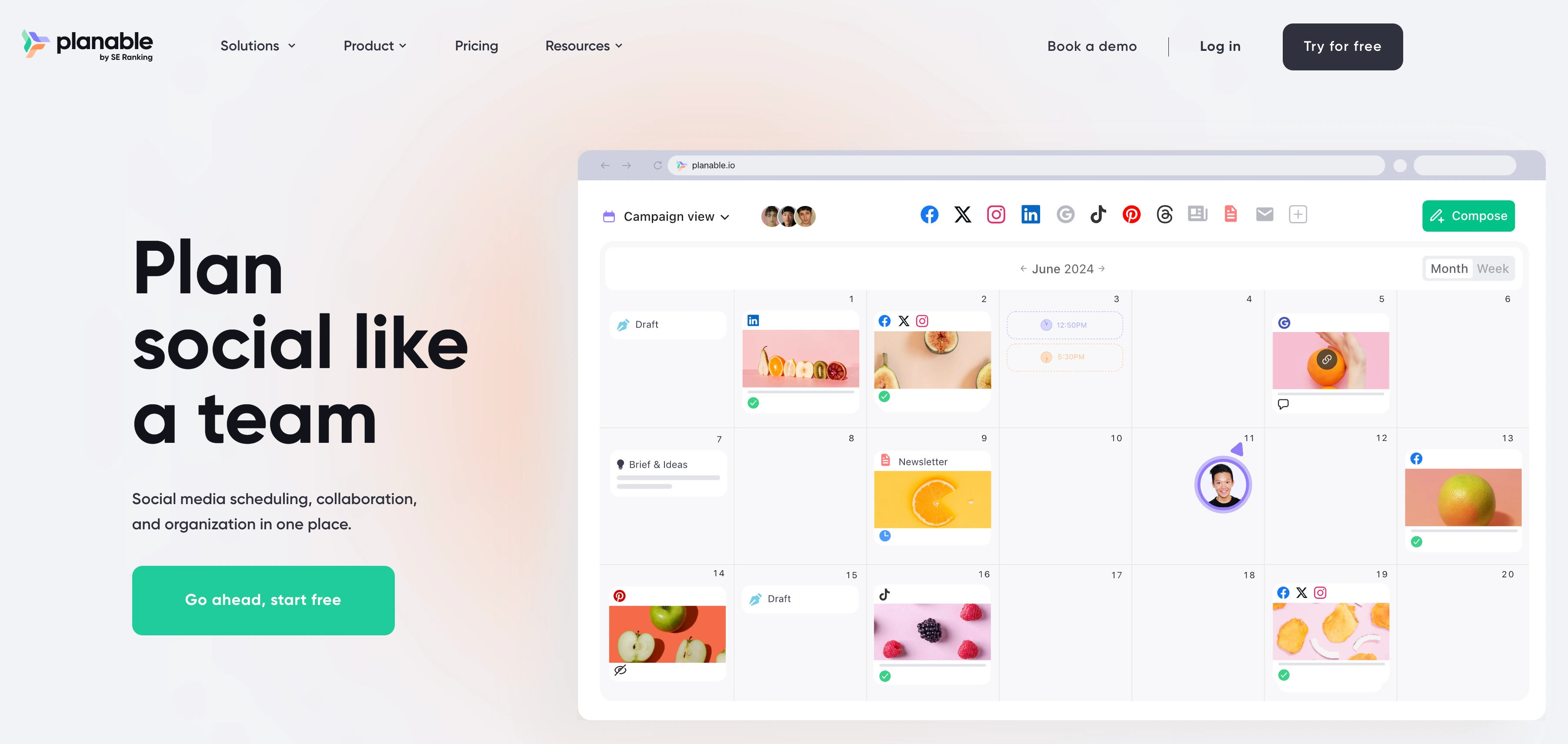
At a glance: Planable
- Pricing: Basic $39 and Pro $59 per workspace per month, Enterprise custom (2 months free on yearly billing)
- Platforms: 9
- Free trial: your first 50 posts are free, no credit card
- User ratings: 4.6/5 on G2 (937 reviews)
- Best for: agencies where client sign-off is the main workflow
Pricing:
| Plan | Price per workspace (monthly) | Posts per month | Social pages | Users | Notable additions |
|---|---|---|---|---|---|
| Basic | $39 | 60 | 4 | Unlimited | 2 approval workflow types, MCP connector |
| Pro | $59 | 150 | 10 | Unlimited | 3 approval types, grid view, public API |
| Enterprise | Custom | Unlimited | Custom | Unlimited | Multi-level approvals, SSO, white labeling |
Yearly billing gives 2 months free. Analytics ($14), social inbox ($9) and listening ($99) are paid add-ons per workspace, and a post sent to 3 platforms counts as 3 posts.
Key features:
- Approval workflows on every plan (multi-level on Enterprise)
- Feed, calendar and grid views with realistic post previews
- Unlimited users and campaigns
- MCP connector on every plan
- White labeling on Enterprise
How it compares to Cloud Campaign: both include client approvals on every plan, but Planable's approval experience is more central to the product. Analytics and the inbox cost extra, and there's no white labeling below Enterprise.
What users say: ease of use is a top G2 tag (104 mentions), and new team members and clients reportedly need minimal training. The most common complaints are pricing (61 mentions) and plan limits like the post cap.
Verdict: the best choice if approvals are the job, and you don't need white labeling or deep analytics.
For more details, see Planable pricing, Planable reviews, and the best Planable alternatives.
5. SocialPilot: Best Budget Option for White-Label Reports
SocialPilot is a social media management platform for agencies, brands and marketing teams. It's one of the cheaper ways to get white-labeled client reports and client approvals.

At a glance: SocialPilot
- Pricing: Essentials $30, Standard $50, Premium $100, Ultimate $200 per month (15% off yearly), Enterprise custom
- Platforms: includes Instagram, Facebook, LinkedIn, Pinterest, X and TikTok
- Free trial: 14 days
- User ratings: 4.5/5 on G2 (841 reviews)
- Best for: budget-conscious agencies that want branded reports
Pricing:
| Plan | Monthly | Billed yearly (per month) | Social accounts | Users | Notable additions |
|---|---|---|---|---|---|
| Essentials | $30 | $25 | 7 | 1 | Scheduling, content library |
| Standard | $50 | $42 | 15 | 3 | Inbox, analytics, manager approval |
| Premium | $100 | $85 | 25 | 6 + unlimited client seats | Client approvals, white-label reports, bulk scheduling |
| Ultimate | $200 | $170 | 50 | Unlimited | Advanced white label, account manager |
| Enterprise | Custom | Custom | Custom | Unlimited | SSO, API access |
15% off on yearly billing. Extra social accounts cost $4 each a month.
Key features:
- Client approval workflows and white-label reports from Premium ($100)
- Social inbox and analytics from Standard
- Bulk scheduling from Premium
- Advanced white label on Ultimate
- AI credits on every plan
How it compares to Cloud Campaign: SocialPilot is cheaper: about $160 a month for 10 clients and $320 for 20 on Premium, against $344 and $634 on Cloud Campaign Team. But its white label covers reports rather than a fully branded dashboard and domain.
What users say: reviewers like the value and the bulk scheduling, but several call the interface "cluttered and less updated" and say reports are surface-level. Its Trustpilot score is 2.4/5 from 33 reviews.
Verdict: the budget pick for branded reports, if you can live with a busier interface.
For more details, see SocialPilot pricing, SocialPilot reviews, and the best SocialPilot alternatives.
6. HeyOrca: Best for No-Login Client Approvals
HeyOrca is an agency-focused social media management tool used by 46,000+ social media managers. Its standout feature is client approvals that work without a login: clients approve or reject posts straight from an email.
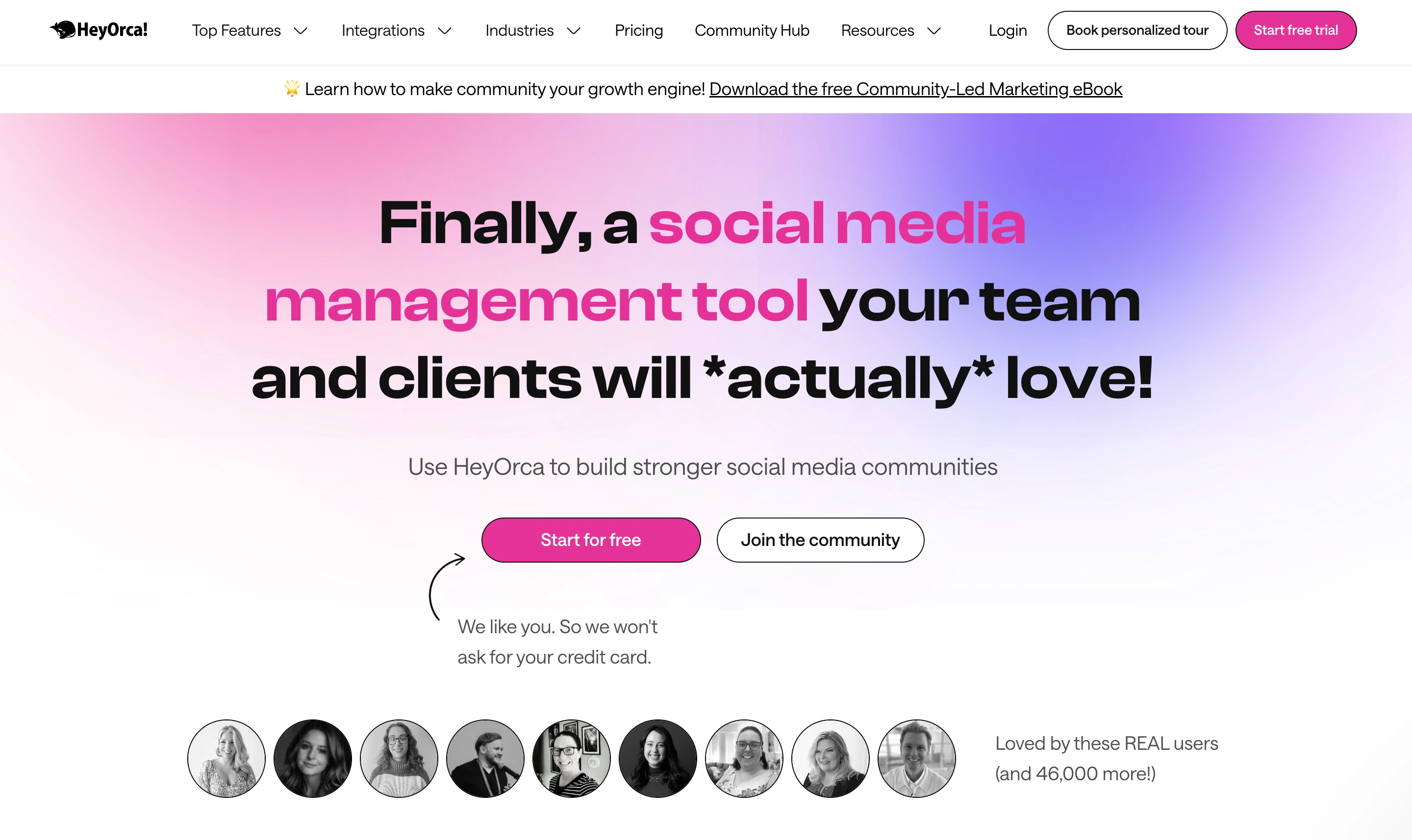
At a glance: HeyOrca
- Pricing: Free, Basic $59 and Pro $149 per calendar per month, Enterprise custom (15% off yearly)
- Platforms: 9, including X and Google Business Profile (no Bluesky)
- Free trial: 14 days, no credit card, plus a free plan
- User ratings: 4.8/5 on G2 (284 reviews)
- Best for: agencies whose clients won't log into another tool
Pricing:
| Plan | Price per calendar (monthly) | Users | Social profiles | Notable additions |
|---|---|---|---|---|
| Free | $0 | 1 | 2 | 15 scheduled posts a month |
| Basic | $59 | Unlimited | 10 per calendar | No-login approvals, link in bio, Canva |
| Pro | $149 | Unlimited | 10 per calendar | AI tools, social inbox, reports, listening |
| Enterprise | Custom | Custom | Custom | Custom branding, account management |
15% off on yearly billing, and 40% off for 5 or more calendars.
Key features:
- No-login client approvals from Basic ($59)
- Free, unlimited client approvers
- Social inbox and reports on Pro (or add-ons on Basic)
- Canva integration and link in bio with click tracking
- A free plan for 1 user and 2 profiles
How it compares to Cloud Campaign: both are built for agencies with unlimited users. With the 40% volume discount, 10 clients on Basic cost about $354 a month, close to Cloud Campaign Team's $344. HeyOrca's approvals are easier for clients, but white labeling needs Enterprise.
What users say: reviewers praise the ease of use and customer service, and one Capterra reviewer said the content review process "has been easy to teach our clients." The main complaint is analytics depth.
Verdict: the best pick if your clients won't log in to approve posts.
For more details, see HeyOrca pricing, HeyOrca reviews, and the best HeyOrca alternatives.
7. Agorapulse: Best for Inbox-Heavy Agencies
Agorapulse is a social media management platform for teams and agencies, best known for its social inbox. If your agency spends more time answering comments and messages than scheduling posts, it's the strongest option here.
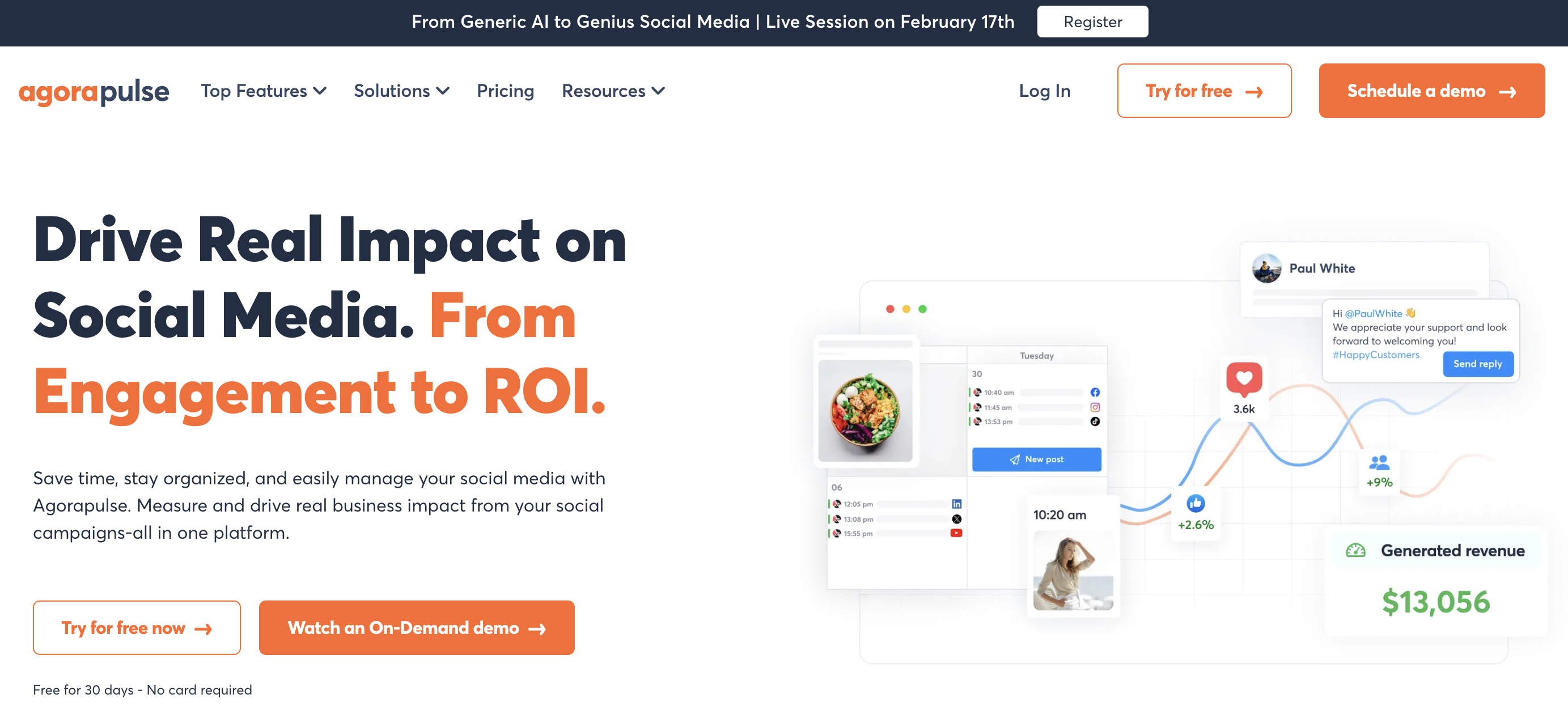
At a glance: Agorapulse
- Pricing: Standard $99, Professional $149, Advanced $199 per user per month ($79, $119 and $149 billed yearly), Custom on request
- Platforms: 11, including X, Bluesky and Google Business Profile
- Free trial: 30 days, no credit card
- User ratings: 4.5/5 on G2 (967 reviews)
- Best for: agencies that manage a lot of community engagement
Pricing:
| Plan | Per user (monthly) | Per user (billed yearly) | Social profiles | Notable additions |
|---|---|---|---|---|
| Standard | $99 | $79 | 10 | Inbox, basic reports, branded report exports |
| Professional | $149 | $119 | 10 | One-step approvals, assignments, Canva |
| Advanced | $199 | $149 | 10 | Bulk publishing, ads and ROI reporting, automation |
| Custom | On request | On request | Unlimited | Multi-step approvals, SSO, API |
Extra profiles cost $15 each a month.
Key features:
- An inbox on every plan, with assignments, saved replies and automation on higher plans
- Approvals from Professional (multi-step on Custom)
- Branded report exports on every plan
- Ads, ROI and competitor reporting on Advanced
- A mobile app
How it compares to Cloud Campaign: Agorapulse's inbox is deeper, but per-user and per-profile pricing makes it expensive for agencies with many clients. Cloud Campaign includes unlimited users and, on Team, unlimited social accounts.
What users say: one reviewer called it "easy to navigate and use. No training required to use it!", and the inbox gets consistent praise. Complaints focus on per-user pricing and connection reliability.
Verdict: pick Agorapulse if engagement is most of your work and your client list is small.
For more details, see Agorapulse pricing, Agorapulse reviews, and the best Agorapulse alternatives.
8. Buffer: Best for Simple, Low-Cost Scheduling
Buffer is a social media management platform for creators, brands and small teams, and the easiest scheduler on this list. Reviewers consistently describe it as quick to learn.
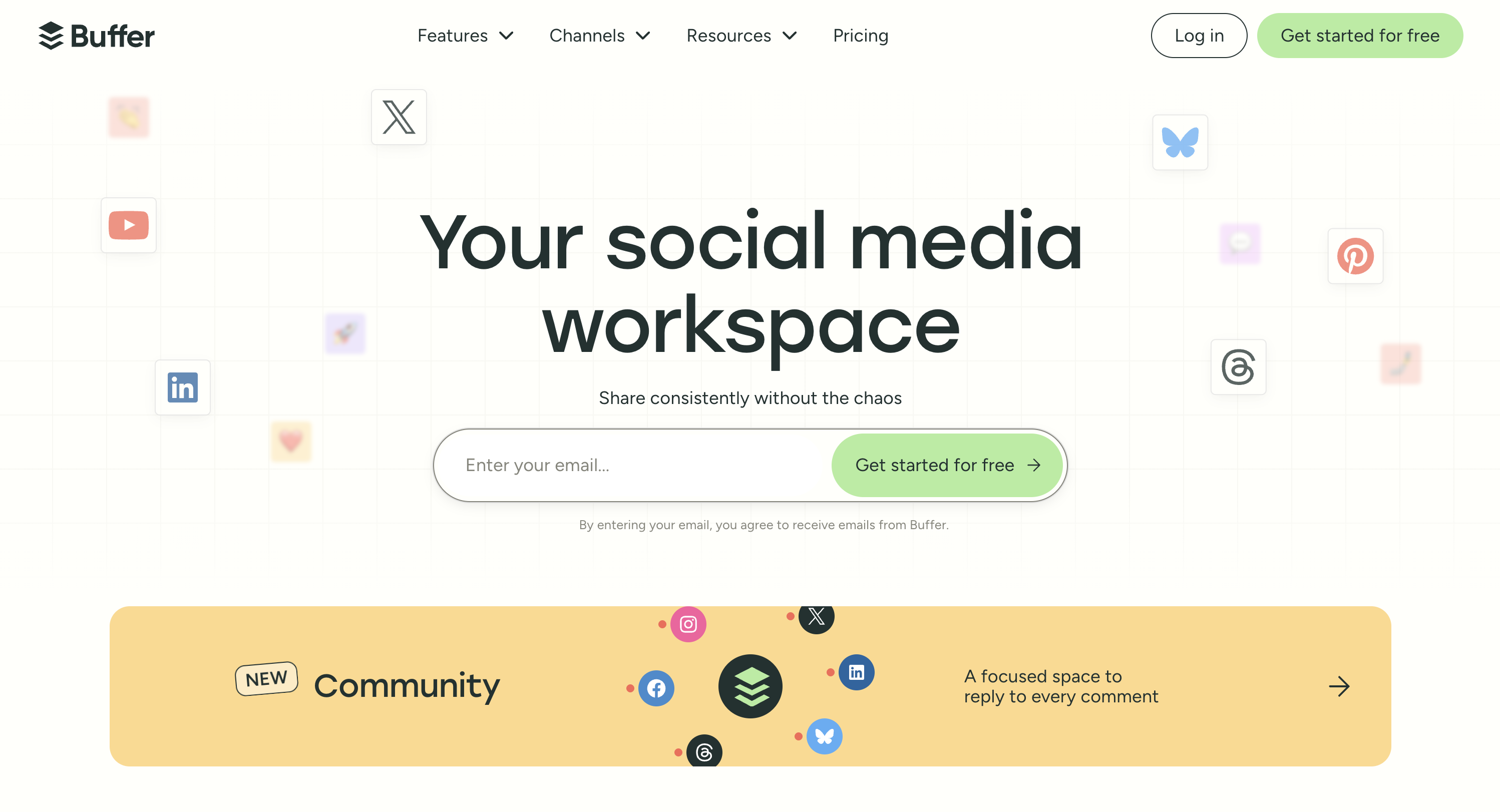
At a glance: Buffer
- Pricing: Free (3 channels), Essentials $6 and Team $12 per channel per month ($5 and $10 billed yearly)
- Platforms: 11, including X, Bluesky, Mastodon and Google Business Profile
- Free trial: 14 days on paid plans, plus a free plan
- User ratings: 4.3/5 on G2 (1,023 reviews)
- Best for: small agencies that mostly need scheduling
Pricing:
| Plan | Per channel (monthly) | Per channel (billed yearly) | Users | Notable additions |
|---|---|---|---|---|
| Free | $0 (up to 3 channels) | $0 | 1 | 10 queued posts per channel |
| Essentials | $6 | $5 | 1 | Unlimited posts, advanced analytics, first comment |
| Team | $12 | $10 | Unlimited | Approvals, access levels, branded reports |
Buffer lowers the per-channel rate above 10 channels but doesn't publish the reduced rate.
Key features:
- A clean, simple scheduler and calendar
- Approvals and access levels on the Team plan
- A community inbox for Instagram, Facebook and LinkedIn
- Branded reports on Team
- A free plan with up to 3 channels
How it compares to Cloud Campaign: Buffer is far simpler and cheaper for a handful of clients. But it has no white labeling, and its inbox covers only 3 platforms.
What users say: reviewers call it "the easiest social media scheduler to learn and use." Analytics are the most common weakness, along with occasional publishing glitches.
Verdict: the right choice if you mainly need simple scheduling for a few clients.
For more details, see Buffer pricing, Buffer reviews, and the best Buffer alternatives.
9. Sprout Social: Best for Enterprise Analytics
Sprout Social is an enterprise-level social media management platform for larger teams, agencies and organizations. It's known for polished analytics, reporting and customer care workflows.
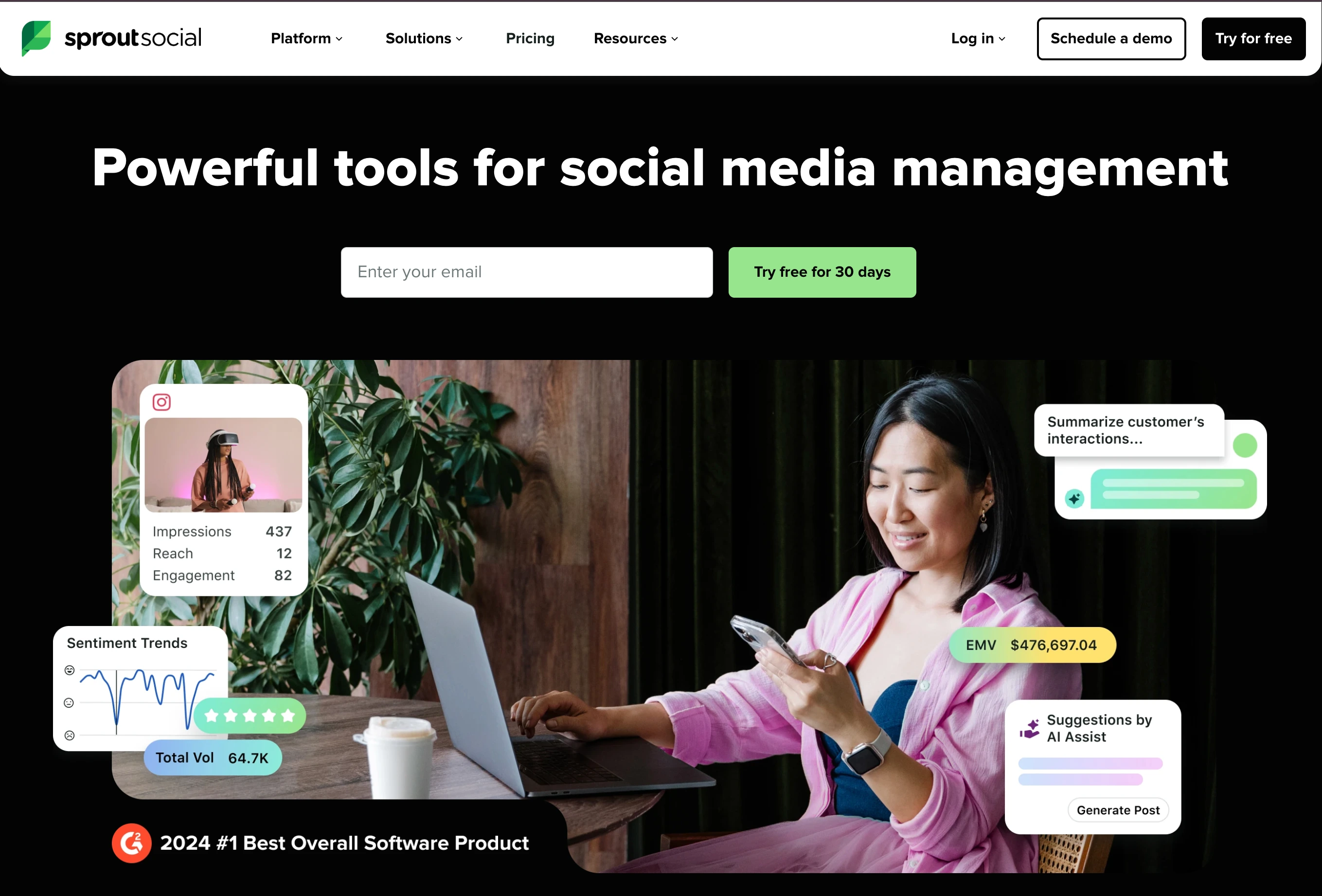
At a glance: Sprout Social
- Pricing: Essentials $79, Standard $199, Professional $299, Advanced $399 per seat per month billed yearly, Enterprise custom
- Free trial: 30 days, no credit card
- User ratings: 4.4/5 on G2 (5,731 reviews)
- Best for: larger agencies that sell reporting and customer care
Pricing:
| Plan | Per seat (billed yearly) | Per seat (monthly) | Social profiles | Notable additions |
|---|---|---|---|---|
| Essentials | $79 | $99 | 5 | Publishing, calendar, basic reporting |
| Standard | $199 | $249 | 5 | Smart Inbox, review management |
| Professional | $299 | $399 | Unlimited | Multi-step approvals, competitor insights |
| Advanced | $399 | $499 | Unlimited | External approvals, inbox sentiment, API |
| Enterprise | Custom | Custom | Unlimited | SSO, priority support |
Client approvals by people outside your team require Advanced.
Key features:
- Smart Inbox from Standard, with sentiment on Advanced
- Multi-step approvals on Professional, external approvals on Advanced
- Competitor and paid insights on Professional
- Trellis AI tools
- Helpdesk and API integrations on Advanced
How it compares to Cloud Campaign: Sprout Social's analytics are deeper, but seat pricing makes it several times more expensive for a small agency. Client approvals also need the $399 plan.
What users say: reviewers call it clean, modern and intuitive. Pricing is the top complaint, with 621 combined G2 mentions of expensive or high pricing.
Verdict: worth it for large agencies that bill for analytics. Too expensive for most small agencies.
For more details, see Sprout Social pricing, Sprout Social reviews, and the best Sprout Social alternatives.
10. Hootsuite: Best for Large Teams and Listening
Hootsuite is one of the most established social media management platforms, used by brands, agencies and enterprises. It's strongest for large teams that need listening and many add-ons in one place.

At a glance: Hootsuite
- Pricing: Standard $99, Professional $199, Advanced $399 per user per month billed yearly, Enterprise custom
- Free trial: 14 days, no credit card
- User ratings: 4.3/5 on G2 (6,615 reviews)
- Best for: large teams that need listening and enterprise add-ons
Pricing:
| Plan | Per user (billed yearly) | Social accounts | Notable additions |
|---|---|---|---|
| Standard | $99 | 10 | Scheduling, inbox, AI posts and images, monitoring |
| Professional | $199 | Unlimited | Automated inbox replies, custom reports |
| Advanced | $399 | Unlimited | Approvals, message routing |
| Enterprise | Custom | Unlimited | SSO, enterprise add-ons |
Hootsuite doesn't publish month-to-month rates.
Key features:
- An inbox on every plan, with automated replies on Professional
- Brand and competitor monitoring
- AI posts and images
- Approvals and message routing on Advanced
- Enterprise add-ons for listening, employee advocacy and review management
How it compares to Cloud Campaign: Hootsuite covers more enterprise needs, but per-user pricing and approvals at $399 per user make it expensive for agency client work. White-label reports aren't listed on any plan.
What users say: reviewers praise its scheduling and analytics, but the learning curve "increases substantially" with advanced features. Its Trustpilot score is 1.8/5 from 511 reviews, mostly about billing and support.
Verdict: only worth it for large teams that need enterprise listening.
For more details, see Hootsuite pricing, Hootsuite reviews, and the best Hootsuite alternatives.
What 10 and 20 Clients Cost on Each Tool
Headline prices hide how each tool scales. Here's the monthly list price for an agency with about 4 social accounts per client, on each tool's cheapest plan that fits:
| Tool | 10 clients | 20 clients | Notes |
|---|---|---|---|
| PostPlanify Premium | $322 | $512 | Approvals and client reports; white labeling on Scale ($394 / $684) |
| Cloud Campaign Team | $344 | $634 | Unlimited users and accounts, approvals and white labeling included |
| Sendible | $274 | $399 | Premium or Elite plus extra workspaces; white label from $648 |
| SocialPilot Premium | $160 | $320 | $4 per extra account; includes client approvals and branded reports |
| Planable Basic | $390 | $780 | Analytics and inbox add-ons extra |
| HeyOrca Basic | $354 | $708 | With the 40% discount for 5+ calendars |
| Vista Social | $449 | Enterprise (custom) | Scale caps at 70 profiles and 4 users |
| Buffer Team | $400 | $800 | Billed yearly; Buffer lowers the rate above 10 channels |
| Agorapulse Standard | $549 | $1,149 | 1 user; $15 per extra profile |
| Hootsuite Professional | $199 | $199 | Per user, billed yearly; approvals need Advanced |
| Sprout Social Professional | $299 | $299 | Per seat, billed yearly |
These are estimates from each vendor's published prices in October 2026. Per-user tools are shown for one user, so multiply by your team size.
Two patterns stand out. Per-user tools like Hootsuite, Sprout Social and Agorapulse get expensive fast as your team grows, while per-client tools like PostPlanify, Cloud Campaign, Planable and HeyOrca stay predictable. And white labeling is the biggest price lever: it's included on Cloud Campaign Team, but costs $648 a month on Sendible and needs Enterprise on Planable and HeyOrca.
Best Cloud Campaign Alternative by Use Case
| If you need... | Pick |
|---|---|
| A simpler dashboard and lower cost per client | PostPlanify |
| White labeling with a custom domain on a broad platform | Sendible |
| Review management and DM automations | Vista Social |
| Client approvals as the core workflow | Planable |
| Approvals clients can do without logging in | HeyOrca |
| The cheapest white-label reports | SocialPilot |
| A deep social inbox | Agorapulse |
| The simplest scheduler or a free plan | Buffer |
| Enterprise analytics and reporting | Sprout Social |
| Enterprise listening and add-ons | Hootsuite |
How to Choose the Right Cloud Campaign Alternative
Start with the reason you're leaving Cloud Campaign, then check these four things:
- Count your clients and your team. Per-client pricing suits agencies with many clients and a small team. Per-user pricing only makes sense for very small teams.
- Decide how much white labeling you need. If clients only see PDF reports, branded reports are enough. If they log into the platform, you need a white-labeled dashboard. Only a few tools offer a custom domain.
- Check where approvals live. Some tools include client approvals on every plan, others gate them behind a higher plan. Make sure clients don't cost a paid seat.
- Try it with a real client. Every tool here has a free trial or free plan. Set up one real client and see how quickly your team finds its way around.
For more on structuring client work, see our guides to social media approval processes and white-label social media reports.
How to Switch From Cloud Campaign
- List your clients and accounts. Note each client brand, its connected social accounts and anything already scheduled.
- Start a trial of your new tool. Set up one workspace per client.
- Reconnect your clients' accounts. Each platform asks you to log in and approve access again.
- Rebuild your schedule. Recreate upcoming posts, invite your team and set up client approvals.
- Run both tools for a week. Cancel Cloud Campaign once everything is publishing. Its help center says cancelling is done through a form under Billing Info, and refunds are reviewed case by case for the most recent billing period only.
Frequently Asked Questions
What is the best Cloud Campaign alternative?
For most agencies, PostPlanify is the best Cloud Campaign alternative. It has a simple, clean dashboard, prices each client workspace on its own from $39/month with unlimited users, and includes a social inbox and analytics on every plan. Sendible is the closest match if you need a custom domain, and Planable is best for client approvals.
Is there a cheaper alternative to Cloud Campaign?
Yes, depending on what you need. SocialPilot costs about $160 a month for 10 clients, and Buffer has a free plan for up to 3 channels. PostPlanify Premium, with client approvals and reports, costs $322 for 10 clients against $344 on Cloud Campaign Team, though Cloud Campaign Team also includes white labeling.
Which Cloud Campaign alternative is easiest to use?
Buffer is the simplest pure scheduler, and PostPlanify is built around a simple, clean dashboard for agencies that need a social inbox, analytics and approvals too. Vista Social is G2's "Easiest to Use" in its category, though reviewers also mention a learning curve.
Which Cloud Campaign alternative has the best white labeling?
Sendible matches Cloud Campaign's depth, including a custom domain, but costs $648 a month. PostPlanify's Scale plan white-labels the dashboard, client emails and reports from $199/month, without a custom domain. SocialPilot offers branded reports from $100 a month.
How much does Cloud Campaign cost?
Cloud Campaign costs $49 a month for Freelancer (1 brand workspace), $199 for Team (5 workspaces) and $299 for Agency, with about 17% off on yearly billing. Extra client workspaces cost $29 to $49 a month. For 10 clients, the Team plan costs $344 a month. See our Cloud Campaign pricing breakdown for every plan.
Who are Cloud Campaign's main competitors?
The main Cloud Campaign competitors among white label social media management tools are PostPlanify, Sendible, Vista Social, Planable, SocialPilot and HeyOrca. Other tools like Cloud Campaign that agencies compare it with include Hootsuite, Sprout Social and Agorapulse.
Does Cloud Campaign support X (Twitter) and Bluesky?
No. Cloud Campaign's posting guide covers Facebook, Instagram, LinkedIn, Threads, YouTube, Google Business Profile, TikTok and Pinterest. If you need X or Bluesky, PostPlanify, Sendible, Agorapulse and Buffer support both.
Is PostPlanify better than Cloud Campaign?
It depends on what you need. PostPlanify is simpler to use and includes Google Business Profile reviews in its social inbox. Its Premium plan, with client approvals and reports, costs $322 a month for 10 clients against $344 on Cloud Campaign Team, which also includes white labeling. Cloud Campaign includes client approvals on every plan, unlimited social accounts on Team, and a custom domain on Agency.
Can I move from Cloud Campaign without losing my clients' accounts?
Yes. Your clients' social accounts belong to them, not to Cloud Campaign, so you simply reconnect each account in the new tool. Rebuild your upcoming schedule there before you cancel.
Final Thoughts
Cloud Campaign is one of the best-reviewed social media management tools for agencies, and if a fully branded client portal is your priority, it's hard to beat. But if your team wants something simpler, or you're paying for white labeling you don't use, there are better fits.
For most agencies serving local businesses, PostPlanify is the best Cloud Campaign alternative: a simple, clean dashboard, a social inbox and analytics on every plan, and a per-client rate that drops as you grow. Start with the 14-day free trial and set up one real client to see the difference.
Related Reading
- Cloud Campaign Pricing 2026
- Cloud Campaign Reviews 2026
- Best Cloud Campaign Alternative: PostPlanify vs Cloud Campaign
- Best White-Label Social Media Management Tools
- Best Social Media Management Tools for Agencies
- Best Social Media Tools With Approval Workflows
- Social Media Agency Pricing Models Compared
PostPlanifyAll your social media in one simple dashboard
Schedule posts, track analytics, and reply to comments/DMs without switching tabs.
Engagement
+18%
Views
52.8k
About the Author

Hasan Cagli
Founder of PostPlanify, a social media management platform for agencies and teams. He focuses on building systems that help businesses, agencies, and teams plan, publish, and manage content and social media more efficiently across platforms.


