


LinkedIn analytics carries more weight per number than any other platform's. Nobody's boss asks about the TikTok grid, but LinkedIn is where the pipeline conversations happen, so its numbers end up in QBRs, client reports, and board decks. Which makes the state of the native analytics genuinely awkward: LinkedIn runs two separate systems depending on whether you're a company page or a person, and neither one covers the full job.
The tooling market just had its own shakeup, too. Shield, for years the best-known LinkedIn analytics specialist, has shut down, sending thousands of creators and teams looking for a replacement. And our own numbers add a wrinkle to the usual advice: in PostPlanify's analysis of 794 LinkedIn company page posts, the famous "never post on weekends" rule turns out to be half right, and the details are further down this guide.
So this comparison covers 10 tools that measure LinkedIn properly, with special attention to the split the platform itself created: company page analytics versus personal profile analytics, because most tools only handle one side.
Quick Answer: What Is the Best LinkedIn Analytics Tool in 2026?
For agencies and marketing teams, the best LinkedIn analytics tool is PostPlanify: LinkedIn analytics with historical trends, period comparison, and benchmarking, stored from the day you connect, alongside LinkedIn scheduling for personal profiles and company pages, a social inbox, and white-labeled client reports for the client-facing side.
For personal-brand builders, AuthoredUp is the strongest specialist since Shield's shutdown, from $19.95/month. Taplio adds AI content and engagement tooling to the analytics, and Socialinsider leads for competitor benchmarking, with Rival IQ as the premium option. LinkedIn's own analytics stays the free baseline.
What LinkedIn's Native Analytics Gives You Free (and Where It Stops)
LinkedIn's built-in analytics is really two products. Company pages get the fuller one: visitor, follower, content, and lead analytics, with page-level data reaching back up to 12 months and manual CSV exports. Personal profiles get post-level LinkedIn metrics (impressions, engagement, profile viewers, search appearances) with far fewer export options and no long-term account view.
What neither side gives you:
- Benchmarks. A 4% engagement rate on LinkedIn is excellent, but the dashboard will never tell you that.
- Competitor context. No view of how other pages in your space perform.
- Flexible history and exports. Company pages cap at 12 months; personal profiles are effectively post-by-post archaeology.
- Cross-account roll-ups. Agencies managing several pages get one dashboard per page and no way to see the book of business.
If you just want a quick read on where a profile or page stands today, our free LinkedIn engagement calculator works without connecting anything. For everything past that, the tools below.
How I Evaluated These LinkedIn Analytics Tools
LinkedIn's split personality drove the criteria:
- Personal profiles, company pages, or both: the single biggest capability difference between these tools
- Data history: does your record survive past LinkedIn's windows, and from when?
- B2B reporting: can it produce something a CMO or client would accept without reformatting?
- Benchmarks and competitors: context for numbers that get scrutinized more than any other platform's
- LinkedIn-specific metrics: saves, sends, and profile-level effects that generic dashboards skip
- Workflow: analytics alone, or connected to publishing and engagement
Quick Picks: Best LinkedIn Analytics Tools at a Glance
| Tool | Starting Price | Free Option | Personal-Brand Focus | Best For |
|---|---|---|---|---|
| PostPlanify | From $39/mo per workspace | Trial + guarantee | Scheduling only | Agencies & marketing teams |
| LinkedIn Native | Free | ✅ Always free | Both, separately | Single pages & profiles |
| AuthoredUp | $19.95/mo | Trial (no card) | ✅ Core focus | Creators & personal brands |
| Taplio | $39/mo (AI from $69) | 7-day trial | ✅ Core focus | AI-assisted LinkedIn growth |
| Socialinsider | $83/mo | 14-day trial | ❌ | Competitor benchmarking |
| Rival IQ | $239/mo | 14-day trial | ❌ | Competitor sets |
| Metricool | $25/mo | ✅ (1 brand) | ❌ | Budget data depth |
| Buffer | $6/channel/mo | ✅ (3 channels) | ❌ | Small teams |
| Sprout Social | $99/seat/mo | 30-day trial | ❌ | Enterprise teams |
| Hootsuite | $99/user/mo | 14-day trial | ❌ | Enterprise breadth |
Pricing and ratings verified against each vendor's own pricing page and current review platforms in October 2026.
1. PostPlanify: Best for Agencies and Marketing Teams
PostPlanify covers the version of LinkedIn analytics that agencies and B2B marketing teams actually get judged on: performance over time, in context, in a report someone else will read. It tracks your LinkedIn company pages with data stored from the day you connect, historical trends, period comparison, and benchmarking, then turns the result into client reports agencies can hand over fully white-labeled on Scale.
The analytics sit inside the full workflow: direct publishing for posts and documents, a social inbox with AI replies for LinkedIn comments, approval workflows for the compliance-minded B2B world, and 9 other platforms in the same dashboard. Pricing runs per client workspace with unlimited team members on every plan, which matters at exactly the moment a LinkedIn program starts involving more people.
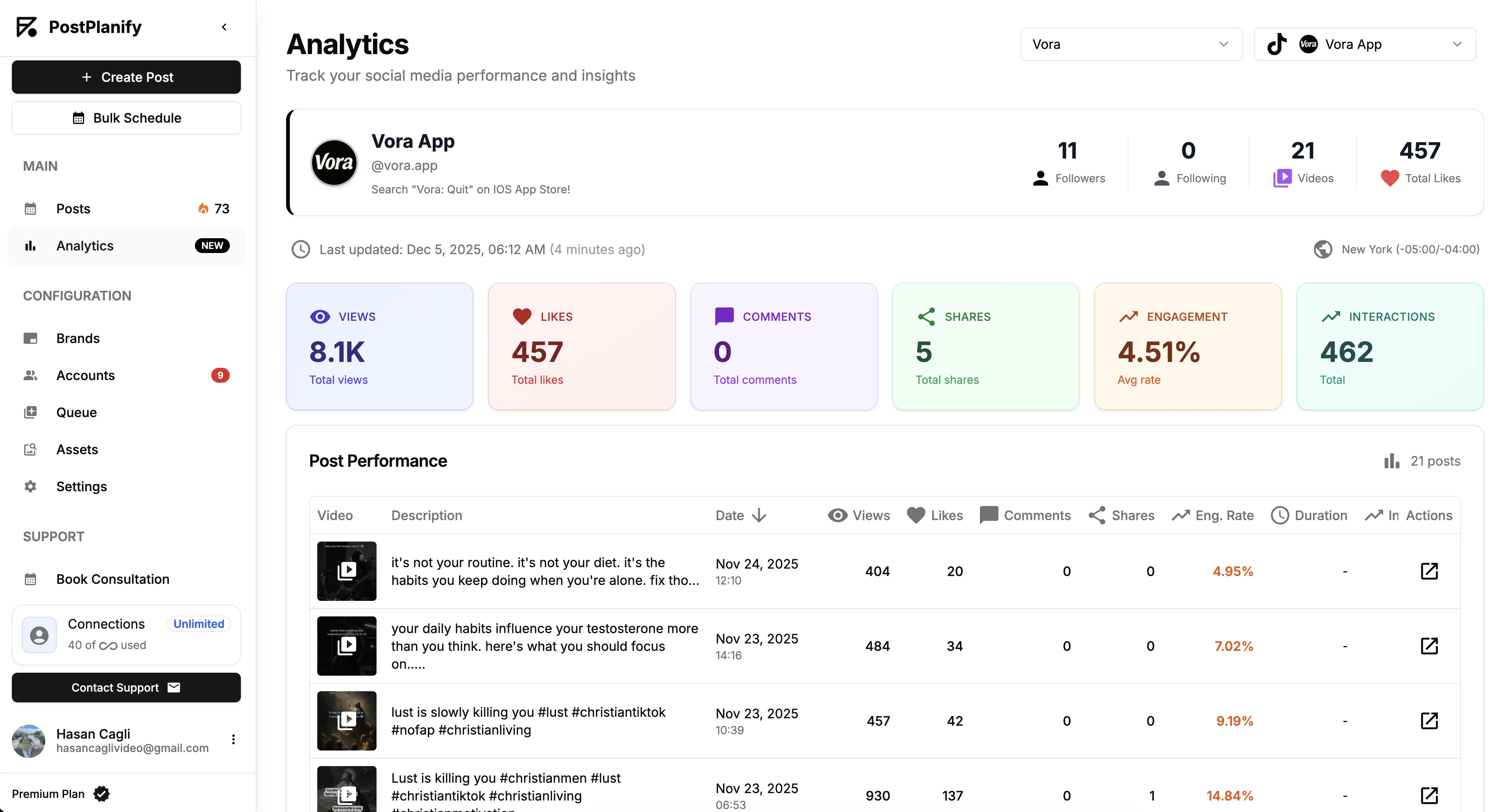
At a glance: PostPlanify
- Pricing: Per client workspace on a graduated scale: $39/mo for the first on Growth ($31/mo billed yearly), $155/mo for 5, $250/mo for 10, up to 100. Premium from $99/mo and Scale from $199/mo per workspace. Unlimited team members on every plan
- Free option: 7-day free trial + 14-day money-back guarantee
- Data history: Stored from the day you connect, across all 10 supported platforms
- Accounts per workspace: 4 on Growth, 6 on Premium, 8 on Scale
- Best for: Agencies and marketing teams that need LinkedIn performance tracked over time and reported to clients or leadership
Key features:
- Full analytics on every plan, with historical trends: growth, impressions, and engagement over any stored period, with period comparison so "up vs last quarter" is one click, not an export ritual
- Benchmarking for the platform where numbers face the most scrutiny (our KPI guide for client reporting pairs well here)
- Client reports on Premium with scheduled delivery and shareable links, and fully white-labeled dashboards, emails, and reports on Scale
- LinkedIn scheduling for personal profiles and company pages, including PDF documents and carousels, with best-time suggestions from your own audience data
- Social inbox with AI replies covering LinkedIn engagement, included on every plan
- The rest of the stack: approval workflows on Premium, AI captions and images, content calendar, 10 platforms total
The honest drawback: PostPlanify schedules to both personal profiles and company pages, but its LinkedIn analytics covers company pages only. If measuring a founder's or creator's personal profile is the core job, AuthoredUp or Taplio handles that side; PostPlanify measures the brand page.
Verdict: The pick when LinkedIn is a channel your team is accountable for, with numbers that go in front of clients or leadership. Writing-first creators should look one entry down.
 PostPlanify
All your social media in one simple dashboard
Schedule posts, track analytics, and reply to comments/DMs without switching tabs.

Engagement
+18%
Views
52.8k
| Plan | Starts at | Includes | Each extra workspace | Social accounts |
|---|---|---|---|---|
| Growth | $39/mo | 1 workspace | from $29, cheaper as you add more | 4 per workspace |
| Premium | $99/mo | 3 workspaces | from $39, cheaper as you add more | 6 per workspace |
| Scale | $199/mo | 5 workspaces | from $39, cheaper as you add more | 8 per workspace |
Unlimited team members on every plan, no per-seat fees. Yearly billing saves 20%. All plans include a 7-day free trial with a 14-day money-back guarantee.
2. LinkedIn Native Analytics: Best Free First-Party Data
LinkedIn's own analytics is the baseline every tool here is measured against, and for one page or one profile it often does the job. Company pages get visitor, follower, content, and lead analytics with up to 12 months of page-level data and CSV export. Personal profiles get post impressions, engagement, profile viewers, and search appearances. It's first-party data with nothing in between, which is exactly why its gaps (covered above) push people to the paid tools.
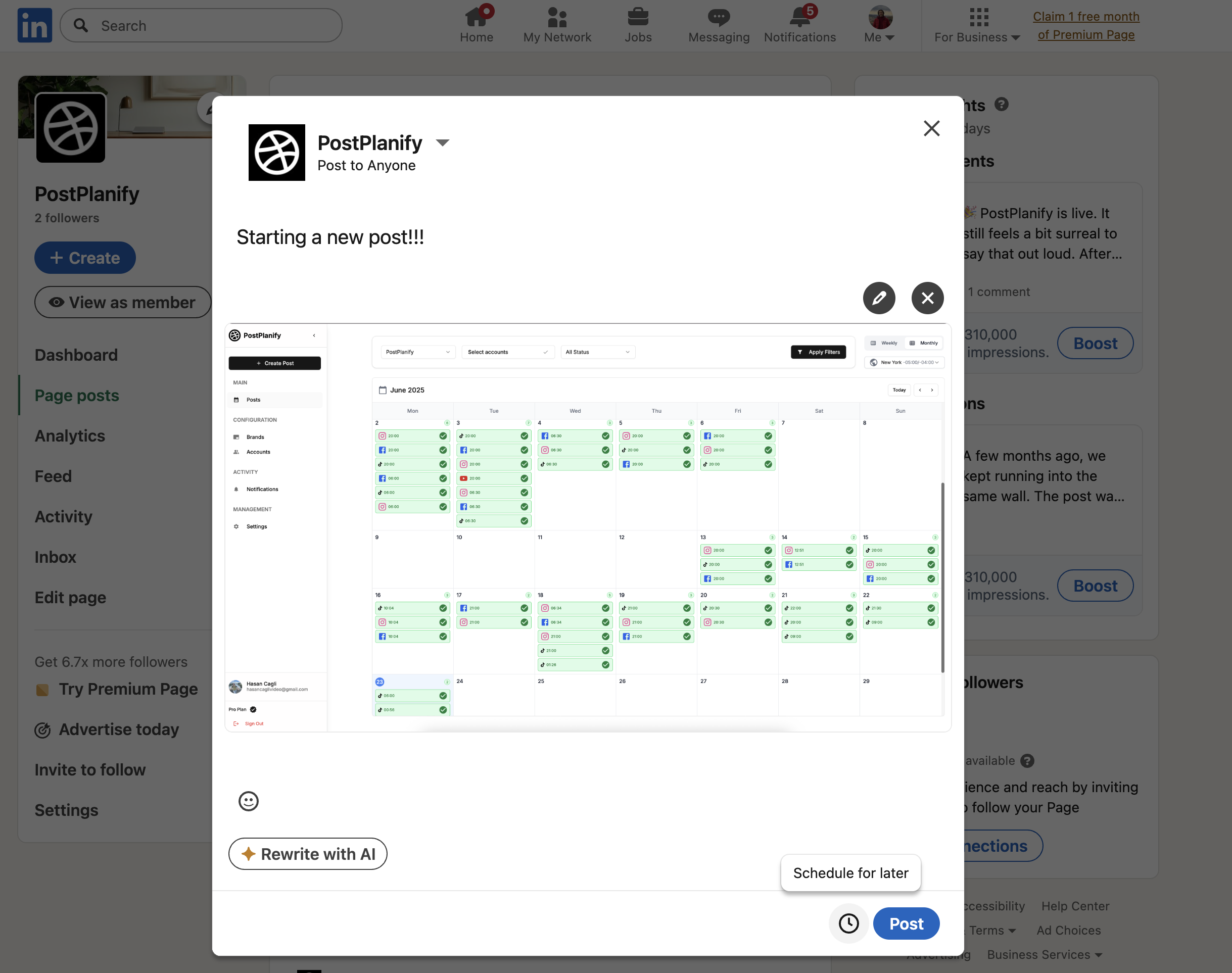
At a glance: LinkedIn Native Analytics
- Pricing: Free with any LinkedIn account or company page
- Free option: It is the free option
- Data history: Up to 12 months for company pages; personal profiles are effectively post-by-post
- Best for: Single pages, single profiles, and anyone who needs the numbers without a subscription
Key features:
- Visitor, follower, content, and lead analytics for company pages
- Visitor demographics by job function, seniority, industry, and company size, the most useful B2B data LinkedIn holds
- Post-level impressions, engagement, profile viewers, and search appearances for personal profiles
- CSV export for company page data
The honest drawback: two separate systems that never meet, no benchmarks, no competitor view, no cross-page roll-up for agencies, and nothing resembling a client-ready report. Saves and sends, the two signals that most predict reach, aren't surfaced at all.
Verdict: Start here, and keep using it for demographics even after you buy a tool. Move when you need history, competitors, multiple pages in one view, or a report someone else reads.
3. AuthoredUp: Best for Personal Profiles and Creators
AuthoredUp is the natural home for the audience Shield left behind. It's a LinkedIn-only tool built around personal publishing: analytics with the advanced metrics LinkedIn hides in plain sight (saves, sends, reach, profile views, followers gained), historical data collection, post comparison, CSV export and an analytics API, wrapped around a genuinely good writing environment with formatting, device previews, a 200+ hook library, and reusable snippets.
It covers company pages too, with no extra fee for unlimited pages, but its center of gravity is the individual: consultants, founders, and creators whose LinkedIn presence is the marketing. At $19.95/month for one profile (or $14.95/profile for teams of 3+), it's the cheapest serious entry on this list.
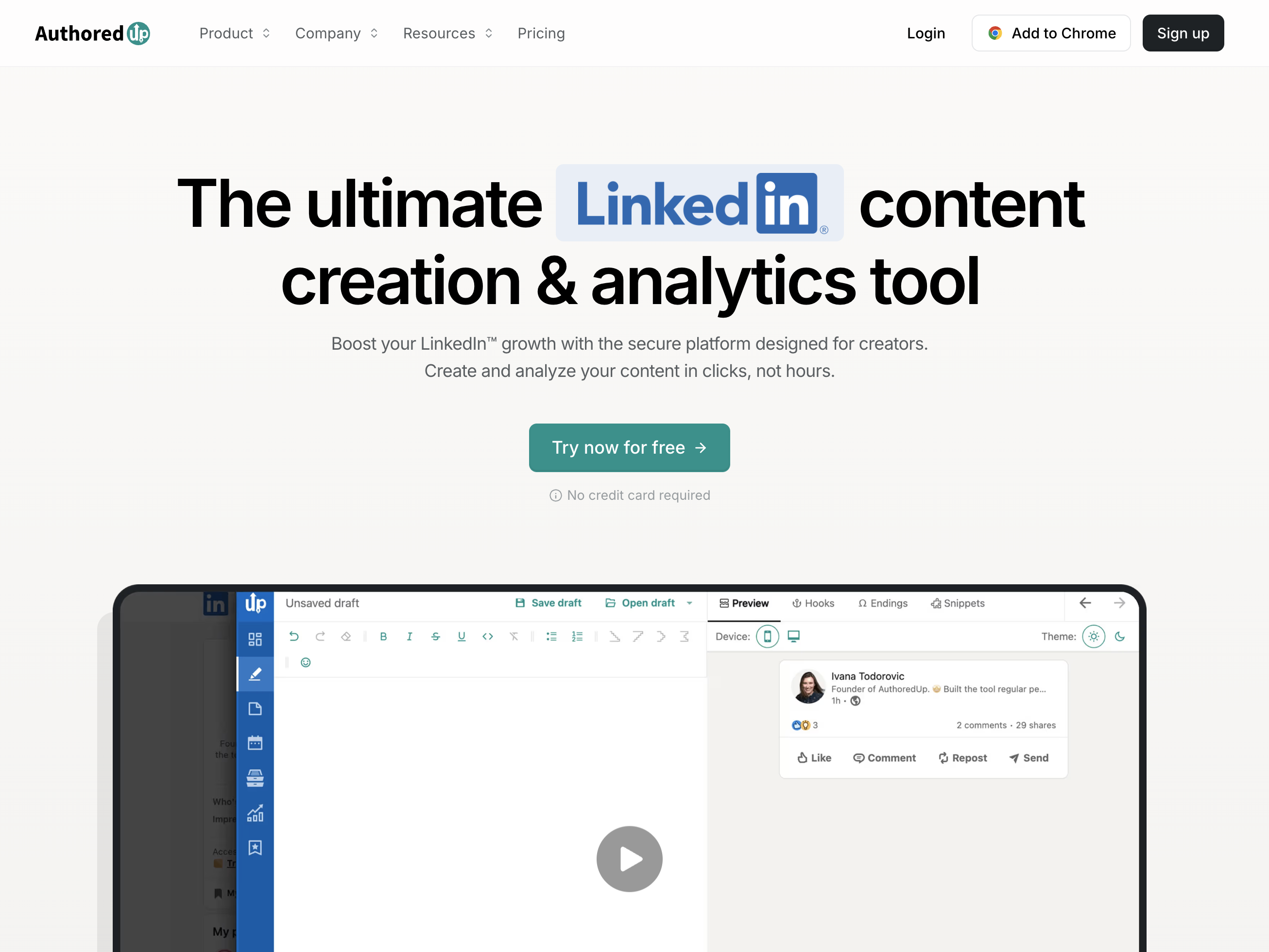
At a glance: AuthoredUp
- Pricing: Individual $19.95/mo or $16.63/mo billed yearly (1 profile) → Business $14.95/profile/mo, minimum 3 profiles ($12.46 yearly) → custom Growth from 10 profiles
- Free option: Full-access trial, no card required
- Data history: Collected and stored from connection, with CSV export and API
- Best for: Creators, consultants, and founders building a personal LinkedIn presence
Key features:
- Advanced post metrics including saves and sends, the two signals most tools miss
- Growth timeline with historical data collection and post comparison
- Writing suite: formatting, previews on desktop and mobile, hooks and closing templates
- Covers personal profiles and unlimited company pages
- CSV export and analytics API for custom reporting
The honest drawback: it's LinkedIn-only and writing-first. If you manage five platforms or need client-facing branded reports, this is a companion tool, not the platform.
Verdict: The strongest Shield replacement and the best sub-$20 way to take LinkedIn seriously as an individual.
4. Taplio: Best AI-Powered LinkedIn Growth Suite
Taplio approaches the same personal-brand problem from the AI side. It bundles content generation (including carousel creation), scheduling at best times, analytics, engagement tooling, and DM outreach into one LinkedIn-only growth suite, positioned for people who want the machine to carry more of the content workload.
Plans run Starter $39/month, Growth $69/month, and Pro $199/month, with a 7-day trial that opens the whole app. The tier detail matters: Starter buys scheduling and core analytics only, AI post writing starts on Growth, and lead outreach automation is Pro. Compared to AuthoredUp, the entry plan is roughly double the price for a similar job, and the AI layer people actually come here for costs more than three times as much.
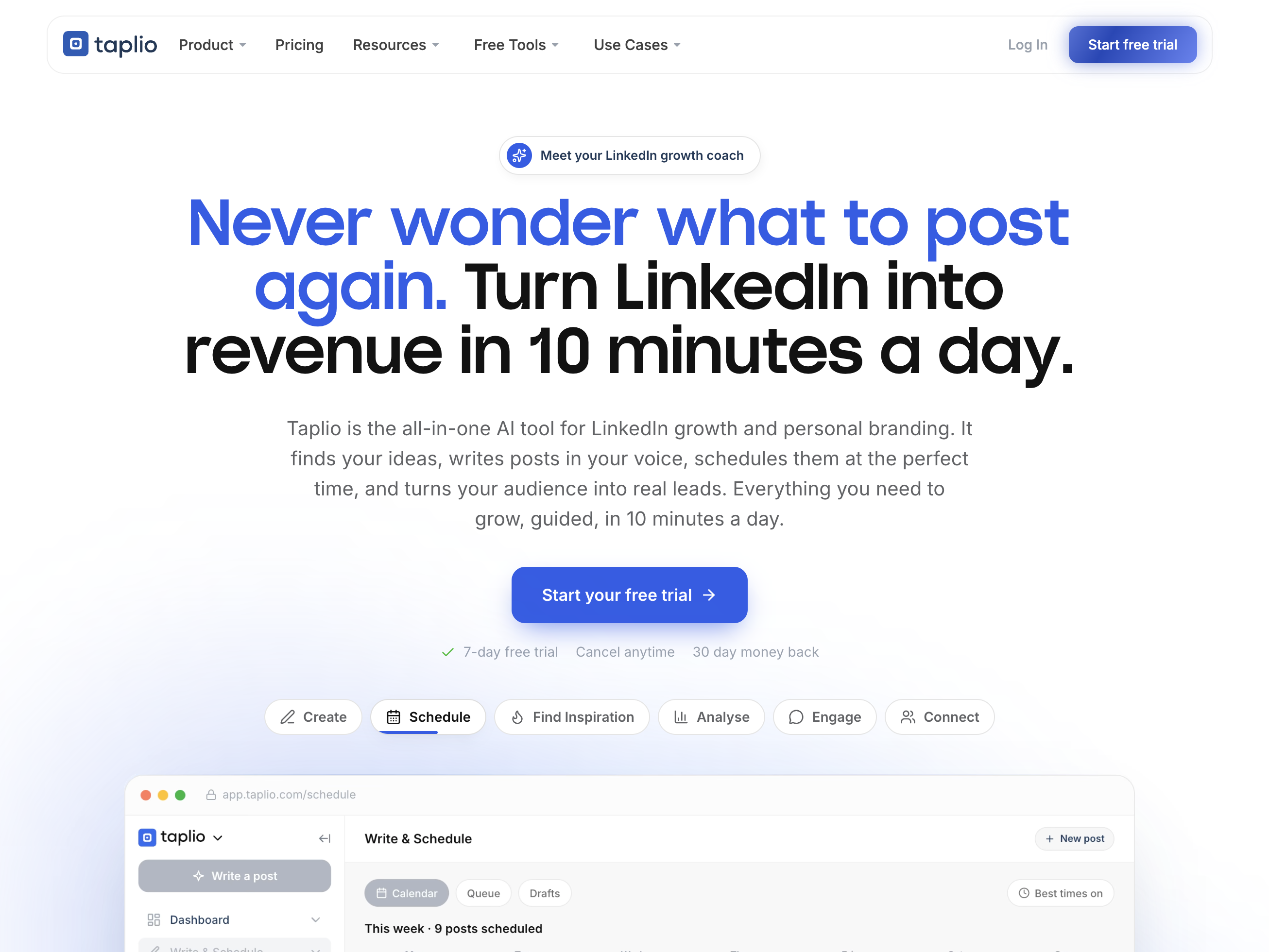
At a glance: Taplio
- Pricing: Starter $39/mo (scheduling, core analytics) → Growth $69/mo (AI posts, faster engagement, team collaboration) → Pro $199/mo (unlimited AI, lead outreach automation); yearly billing saves 25%, team and agency plans up to 30%
- Free option: 7-day trial with full app access, plus a 30-day money-back guarantee
- Data history: Performance tracking with analytics dashboard
- Best for: Founders and marketers who want AI-assisted LinkedIn content plus analytics in one tool
Key features:
- AI post and carousel generation with idea discovery (Growth and up)
- Scheduling with best-time automation on every plan
- Analytics to identify what's working
- Engagement tooling, with DM and lead outreach automation on Pro
The honest drawback: the AI-first positioning cuts both ways; the analytics is one feature among five, not the product's core, the features it's known for sit above the advertised $39, and LinkedIn-only scope limits it for multi-platform teams.
Verdict: Pick it when the bottleneck is producing LinkedIn content at all, and the analytics comes along as the feedback loop.
5. Socialinsider: Best for Competitor Benchmarking
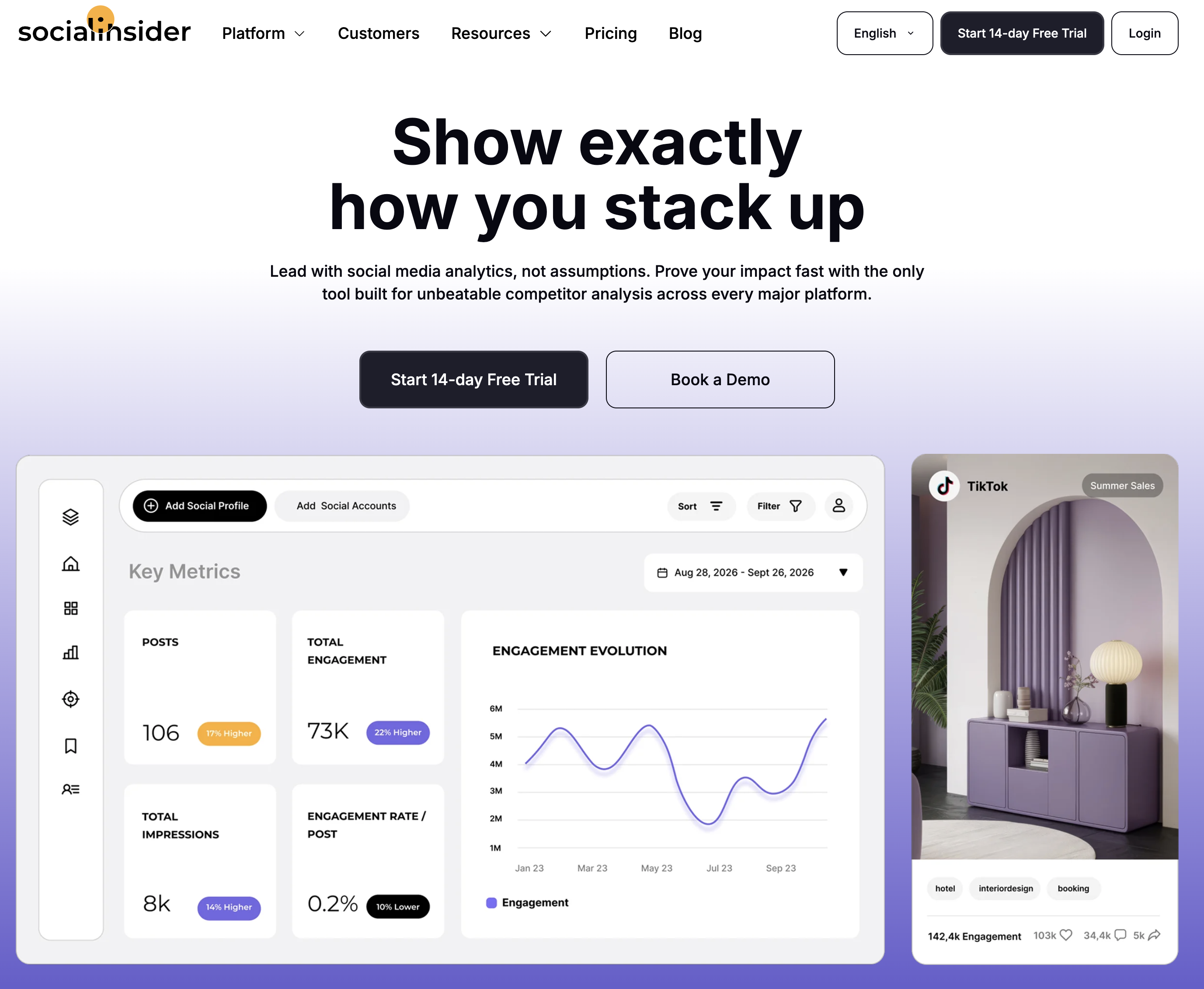
Socialinsider answers the question LinkedIn's native analytics refuses to touch: how do we compare? It benchmarks your LinkedIn presence against competitors across followers, engagement, and content mix, with automated reports and unlimited exports, and its own industry studies are among the most-cited benchmarks in social marketing (we reference them in our engagement benchmarks guide).
Plans scale by tracked accounts and history: 20 accounts with 3 months of history at $83/month up to 40 accounts with 12 months at $199/month, all with a no-card 14-day trial.
At a glance: Socialinsider
- Pricing: Adapt $83/mo (20 accounts, 3-month history) → Optimize $124/mo (30 accounts, 6 months) → Predict $199/mo (40 accounts, 12 months); ~2 months free on annual (~15%)
- Free option: 14-day trial, no card required
- Data history: 3 to 12 months depending on plan
- Best for: B2B marketers whose reporting lives on competitive context
Key features:
- Competitor benchmarking across LinkedIn, Instagram, Facebook, TikTok, X, and YouTube
- Automated reports with unlimited exports
- Industry benchmark datasets from their own research
- API and Looker Studio add-ons
The honest drawback: analytics-only (no publishing or engagement), and the account caps plus monthly replacement limits reward careful plan-reading.
Verdict: If "versus the competition" is the first slide of your report, start the trial here.
6. Rival IQ: Best for Competitive Benchmarking at Scale
Rival IQ prices on tracked companies rather than connected pages, which suits the LinkedIn question it answers best: how does our page compare to the ten companies we sell against? Head-to-head reports, content analysis by topic, post type, and timing, and alerts when a competitor's post outperforms. Its annual industry benchmark reports are among the most quoted numbers in social marketing.
At a glance: Rival IQ
- Pricing: Drive $239/mo (10 tracked companies, 6 months of history, 1 user) → Engage $349/mo (20 companies, 12 months, 2 users) → Engage Pro $559/mo (40 companies, 24 months, 5 users); annual saves 15%, extra companies $50/mo per 5, extra users $10/mo
- Free option: 14-day trial, no credit card required
- Data history: 6 to 24 months depending on plan
- Best for: B2B teams whose LinkedIn reporting is built around a named competitor set
Key features:
- Competitive benchmarking on LinkedIn and every other major network
- Content analysis by topic, post type, and time of day
- Scheduled reports, email alerts, and a Looker Studio connector
- Social listening saved searches from the Engage tier
The honest drawback: it's by far the most expensive entry here, there's no publishing or engagement, company pages only (no personal profiles), and the $239 plan buys one user and 6 months of history, a shorter record than Metricool keeps on a $25 plan.
Verdict: Worth it when the competitor set, not your own page, is the actual subject of the report.
7. Metricool: Best Budget Analytics With Unlimited History
Metricool covers LinkedIn inside its everything-platform: analytics with unlimited history on paid plans, competitor tracking, a planner, and client reports, from $25/month with a real free plan (1 brand). For teams that need LinkedIn measured alongside ten other platforms without specialist pricing, it remains the value pick.
At a glance: Metricool
- Pricing: Free (1 brand, 30-day history) → Starter $25/mo (5 brands) or $45/mo (10 brands) → Advanced $67/mo (15 brands), $107/mo (25), $210/mo (50); yearly billing cuts each by roughly 20%
- Free option: Yes, 1 full brand
- Data history: Unlimited on paid plans
- User ratings: 4.5/5 on G2 (83 reviews); 4.1/5 on Trustpilot
- Best for: Budget-conscious teams measuring LinkedIn as one platform among many
Key features:
- Unlimited analytics history on paid plans
- LinkedIn among 11 supported platforms
- Competitor tracking and client reports, with best time to post on Advanced
- Planner and publishing included
The honest drawback: LinkedIn depth is generalist-grade; saves, sends, and personal-brand metrics aren't the focus, and the interface prioritizes breadth over polish.
Verdict: The best data-per-dollar option for multi-platform teams. Learn more in our Metricool pricing breakdown, Metricool reviews roundup, and best Metricool alternatives guide.
8. Buffer: Best Simple Analytics for Small Teams
Buffer is the simplest LinkedIn analytics on this list and prices per channel rather than per plan, so a single LinkedIn page costs the same as a single Instagram account. Follower growth, engagement, impressions, and post performance sit directly beside the content that produced them, which for a small team is often the whole requirement.
At a glance: Buffer
- Pricing: Free (3 channels, 10 scheduled posts per channel, 30-day analytics history) → Essentials $6/channel/mo ($5 billed yearly) → Team $12/channel/mo ($10 billed yearly, unlimited team members)
- Free option: Yes, free forever for 3 channels
- Data history: 30 days on Free, unlimited on paid plans
- Best for: Solo operators and small teams who want LinkedIn numbers without a reporting project
Key features:
- Unlimited analytics history on any paid plan
- Custom analytics filtered by tag or channel, plus CSV, PDF, and markdown exports
- Branded reports with your logo on the Team plan
- Per-channel billing, so you pay only for the accounts you actually run
The honest drawback: the analytics is deliberately shallow, with no competitor benchmarking and no personal-profile depth, and per-channel pricing adds up fast for agencies: five clients across three networks is 15 channels, or $180/month on Team.
Verdict: The right answer when you want LinkedIn measured well enough to act on, not analyzed. Learn more in our Buffer pricing breakdown, Buffer reviews roundup, and best Buffer alternatives guide.
9. Sprout Social: Best Enterprise Analytics
Sprout Social is the enterprise answer for LinkedIn reporting: cross-network dashboards, deep audience analysis, and the most polished stakeholder-facing reports in the industry. For B2B organizations where LinkedIn data flows into revenue conversations, it's the incumbent standard, priced accordingly from $99 per seat per month and $199 for the tier most teams actually need.
At a glance: Sprout Social
- Pricing: Essentials $99/seat/mo ($79 billed yearly, 5 profiles) → Standard $199/seat/mo (5 profiles) → Professional $299/seat/mo (unlimited profiles) → Advanced $399/seat/mo; custom Enterprise
- Free option: 30-day trial
- Data history: Deep, with premium reporting
- User ratings: 4.4/5 on G2 (5,731 reviews); 1.9/5 on Trustpilot
- Best for: Mid-market and enterprise B2B teams with formal reporting obligations
Key features:
- Best-in-class cross-network reports including LinkedIn
- Deep audience and post analytics
- Social listening add-on
- Enterprise workflows and permissions
The honest drawback: per-seat pricing turns a 3-person team into $597/month, and none of it is LinkedIn-specialist depth; you're buying reporting machinery.
Verdict: The safe enterprise choice when LinkedIn is one channel in a governed, multi-network program. Learn more in our Sprout Social pricing breakdown, Sprout Social reviews roundup, and best Sprout Social alternatives guide.
10. Hootsuite: Best Enterprise Breadth
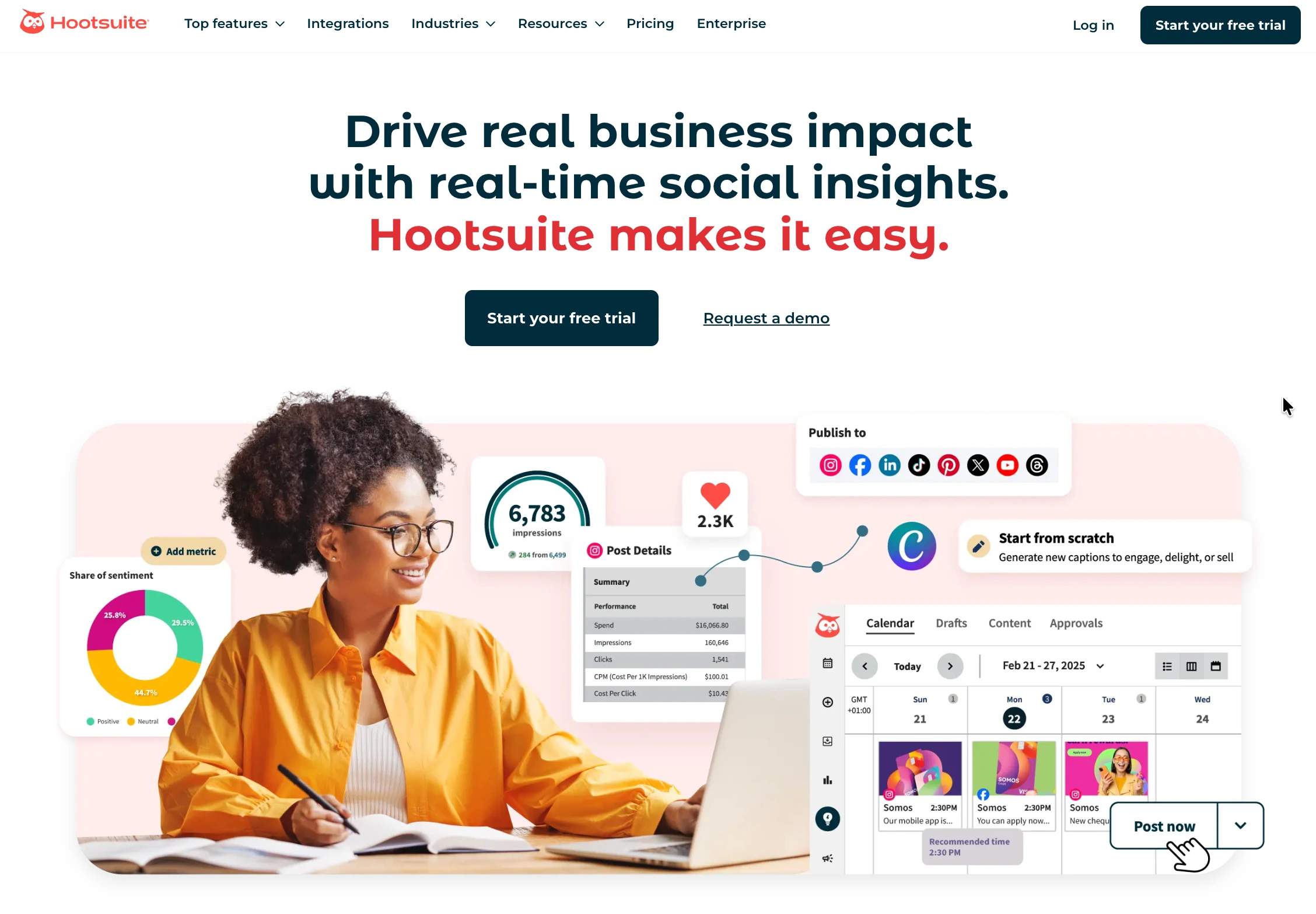
Hootsuite closes the list with LinkedIn analytics inside the longest-running social management platform, plus listening, monitoring, and a custom report builder. Organizations pick it for vendor stability and one-platform-for-everything procurement, from $99 per user per month on annual billing.
At a glance: Hootsuite
- Pricing: Standard $99/user/mo (10 accounts) → Professional $199/user/mo (unlimited accounts) → Advanced $399/user/mo → custom Enterprise; prices shown are per seat on annual billing
- Free option: 14-day trial, no card required
- Data history: Deep, with custom reports
- User ratings: 4.3/5 on G2 (6,615 reviews); 1.3/5 on Trustpilot
- Best for: Enterprise teams standardizing on one vendor across networks
Key features:
- Comprehensive LinkedIn and cross-network analytics
- Social listening and brand monitoring
- Custom report builder
- Enterprise approvals and compliance
The honest drawback: the per-user price only makes sense at organizational scale; smaller teams fund governance they never touch.
Verdict: Enterprise requirements only. Learn more in our Hootsuite pricing breakdown, Hootsuite reviews roundup, and best Hootsuite alternatives guide.
LinkedIn Analytics Tools Comparison Table
| Tool | Entry Price | Free Option | LinkedIn-Only | Personal-Brand Focus | Competitor Benchmarks | Scheduling Included |
|---|---|---|---|---|---|---|
| PostPlanify | From $39/mo per workspace | Trial + guarantee | ❌ (10 platforms) | Scheduling only | Benchmarks ✅ | ✅ Full suite |
| LinkedIn Native | Free | ✅ Always free | ✅ | Both, separately | ❌ | ✅ Native |
| AuthoredUp | $19.95/mo | Trial (no card) | ✅ | ✅ | ❌ | Scheduling ✅ |
| Taplio | $39/mo (AI from $69) | 7-day trial | ✅ | ✅ | ❌ | ✅ |
| Socialinsider | $83/mo | 14-day trial | ❌ (6 networks) | ❌ | ✅ Core focus | ❌ |
| Rival IQ | $239/mo | 14-day trial | ❌ (all networks) | ❌ | ✅ Core focus | ❌ |
| Metricool | $25/mo | ✅ (1 brand) | ❌ (11 platforms) | ❌ | ✅ | ✅ |
| Buffer | $6/channel/mo | ✅ (3 channels) | ❌ (11 channels) | ❌ | ❌ | ✅ |
| Sprout Social | $99/seat/mo | 30-day trial | ❌ | ❌ | Benchmarking | ✅ |
| Hootsuite | $99/user/mo | 14-day trial | ❌ | ❌ | ✅ (listening) | ✅ |
AI and LinkedIn Analytics: Ask Questions Instead of Building Reports
The newest shift in LinkedIn analytics is conversational: asking a question in plain English instead of opening the company page dashboard, the personal profile view, and a spreadsheet to reconcile them.
PostPlanify does this through an MCP server that connects your account to Claude, ChatGPT, Cursor, Gemini, Perplexity, and any other assistant that speaks MCP. Your LinkedIn company page analytics come with it, alongside the other nine platforms, so you can ask "which LinkedIn posts drove the most engagement last quarter" or "compare follower growth across every client page" and get the answer in the assistant you already use. Reporting, publishing, and the inbox run from the same connection, so you act on the answer where you found it.
That's a wider surface than a built-in chatbot. A few tools here ship their own in-app assistants, usually on upper tiers, but those only answer inside their own dashboard. One caution either way: an assistant can only answer what the history holds, which on LinkedIn means a tool that never stored your personal profile posts cannot tell you how this year compares to last.
The Weekday Premium: What 794 LinkedIn Posts Say About Timing
The standard advice says LinkedIn dies on weekends. Our data says it's more specific than that. In PostPlanify's analysis of 794 LinkedIn company page posts from 36 pages (April to July 2026), weekday posts earned a median engagement rate of 2.63% versus 2.27% on weekends, a premium of about 16%, with median impressions higher too (28 vs 22.5). Teams already behave accordingly: only 18.6% of the posts in our dataset were published on a weekend.
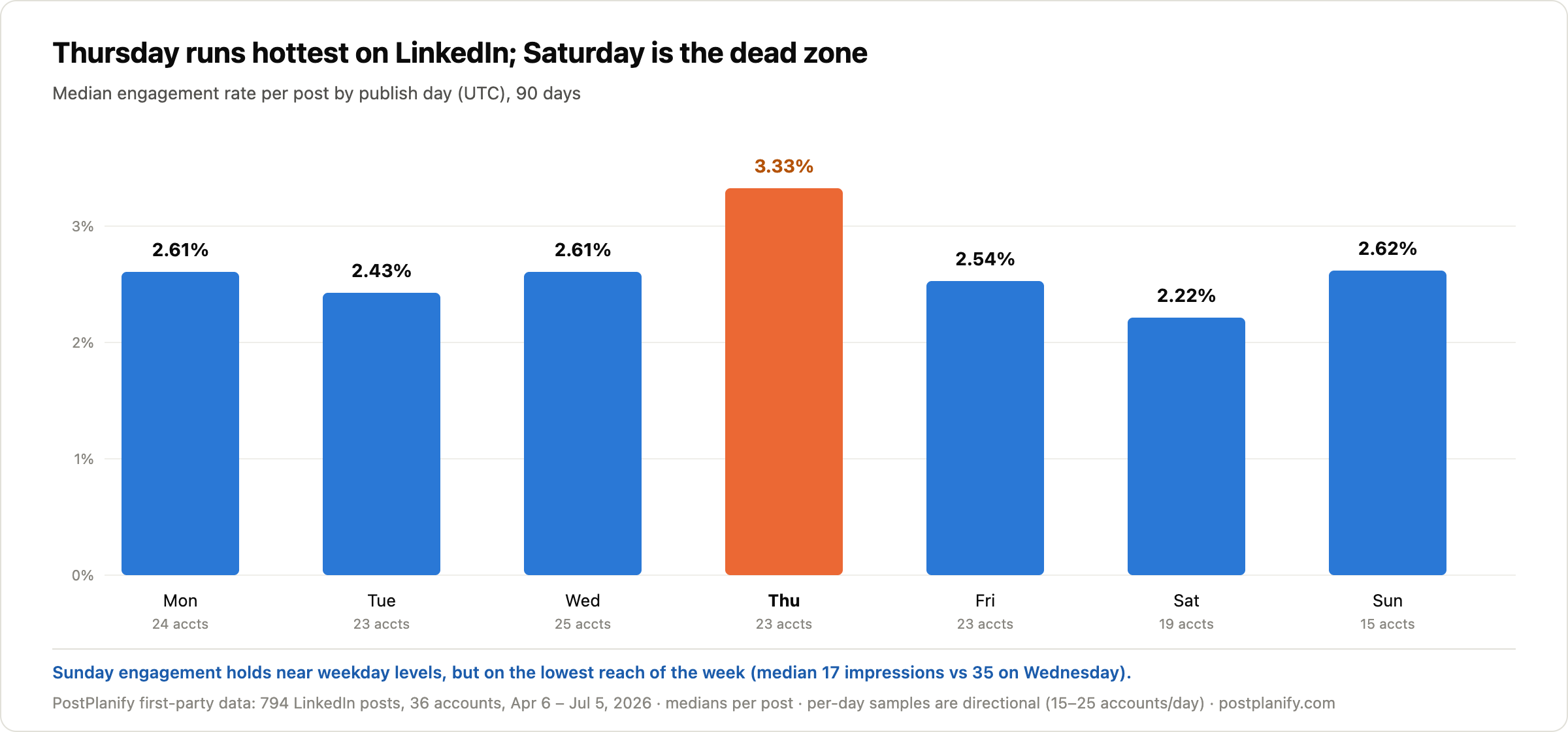
Two details the averages hide. Thursday ran hottest in our sample at a 3.33% median, clearly above every other day. And the weekend isn't one thing: Saturday was the true dead zone (2.22%, the week's lowest), while Sunday engagement held near weekday levels at 2.62%, but on the lowest reach of the week (median 17 impressions vs 35 on Wednesday). Fewer people scrolling, but the ones who are there still engage.
The reason this belongs in an analytics article: none of it is visible in LinkedIn's native dashboard, which won't segment performance by publish day at all. Whichever tool you pick, day-of-week splits are the first custom view worth building.
Methodology: 90-day window (April 6 to July 5, 2026), posts from LinkedIn company pages connected to PostPlanify, at least 7 days old at measurement, engagement rate = interactions / impressions per post, medians throughout, days by UTC publish time. Per-day samples span 15 to 25 accounts and are directional; the weekday/weekend split covers 33 and 22 accounts respectively. Correlation, not causation.
Analytics is only half the job. If you also need to publish on a schedule, we compare the 14 best LinkedIn scheduling tools separately, including which ones handle carousels and first comments.
And if the open question is which channels deserve the effort at all, we compare which platforms are worth your effort in the first place using the same dataset.
How to Choose the Right LinkedIn Analytics Tool
Start from who reads the numbers:
- "Clients or leadership read them" → PostPlanify for tracked history plus white-labeled client reports, or Sprout Social at enterprise budgets
- "I read them, about my own presence" → AuthoredUp, or Taplio if you want AI carrying the content side
- "They're compared to competitors" → Socialinsider, or Rival IQ when the competitor set is the report
- "They're one platform among many, cheaply" → Metricool, or Buffer if you want simple over deep
- "I just need the free numbers" → LinkedIn's native analytics
Whichever tool wins, anchor expectations first: our engagement benchmarks cover what good looks like by platform and formula, and our what to post on LinkedIn guide covers the content side the numbers are measuring. For turning any of these dashboards into something a client reads, our social media analytics and reporting guide covers the workflow. The full cross-platform picture lives in the social media analytics tools comparison, with platform-specific guides for Instagram, TikTok, YouTube, and Facebook.
Frequently Asked Questions
What is the best LinkedIn analytics tool in 2026?
For agencies and marketing teams, PostPlanify is the best LinkedIn analytics tool in 2026: it stores LinkedIn analytics from the day you connect, adds trends, period comparison, and benchmarking, and pairs the data with LinkedIn scheduling for profiles and company pages, a social inbox, and white-labeled client reports, priced per client workspace from $39/mo with unlimited team members. For personal brands and creators, AuthoredUp ($19.95/month) is the strongest LinkedIn-only specialist since Shield shut down.
How far back does LinkedIn's native analytics go?
It depends which LinkedIn you are. Company pages can view page-level analytics reaching back up to 12 months, with manual CSV exports. Personal profiles only get post-level metrics plus profile viewers and search appearances, with minimal export options and no long-term account view. Neither side offers benchmarks, competitor data, or flexible period comparisons, which is the main reason third-party LinkedIn analytics tools exist.
What happened to Shield, the LinkedIn analytics tool?
Shield, one of the best-known LinkedIn analytics tools for personal profiles, has shut down and is no longer available. Former Shield users looking for a replacement typically move to AuthoredUp (the closest match: personal-profile analytics with advanced metrics like saves and sends, from $19.95/month), Taplio (analytics inside an AI content suite), or a full management platform like PostPlanify if they also need scheduling and reporting.
What's the difference between company page and personal profile analytics on LinkedIn?
They're two separate systems with different data and different limits. Company pages get visitor, follower, content, and lead analytics, visitor demographics by job function and seniority, up to 12 months of page-level history, and CSV export. Personal profiles get per-post impressions, engagement, profile viewers, and search appearances, with no long-term account view and far weaker export. Neither side shows the other, and most third-party tools cover only one: PostPlanify, Socialinsider, Metricool, Rival IQ, and the enterprise suites measure company pages, while AuthoredUp and Taplio measure personal profiles. If you need both, you need two tools.
What is a good engagement rate on LinkedIn?
In PostPlanify's analysis of 14,000+ posts across platforms (July 2026), LinkedIn's median engagement rate was 2.55% per view, second only to Instagram among major platforms. Timing shifts it: in the same dataset, weekday posts earned a 2.63% median versus 2.27% on weekends. As always, check the formula before comparing; by-follower benchmarks from industry studies run much lower than per-view numbers.
What is the best day to post on LinkedIn?
In PostPlanify's analysis of 794 company page posts (April to July 2026), Thursday posts earned the highest median engagement rate at 3.33%, against 2.2 to 2.6% on other days, while Saturday was the weakest at 2.22%. Sunday was the surprise: engagement held near weekday levels (2.62%) but on the week's lowest reach. Per-day samples are directional (15 to 25 accounts per day), so treat this as a starting point and verify against your own audience data. Our full best time to post on LinkedIn guide adds the time-of-day layer.
Is there a free LinkedIn analytics tool?
LinkedIn's native analytics is free: fuller for company pages (up to 12 months of page data), minimal for personal profiles. Beyond that, Buffer's free plan covers 3 channels with 30 days of analytics history, Metricool's free plan covers 1 brand on the same window, and AuthoredUp offers a full-access trial without a card. For an instant engagement check on any profile or page, our free LinkedIn engagement calculator works in seconds.
Bottom line: LinkedIn splits its analytics in two and caps both halves, right on the platform where your numbers face the most scrutiny. AuthoredUp and Taplio own the personal side, Socialinsider owns the competitive view, and the enterprise suites own the board deck. PostPlanify covers the middle where most agencies and marketing teams live: company pages tracked over time, benchmarked, and turned into reports that carry your brand.
PostPlanifyAll your social media in one simple dashboard
Schedule posts, track analytics, and reply to comments/DMs without switching tabs.
Engagement
+18%
Views
52.8k
About the Author

Hasan Cagli
Founder of PostPlanify, a content and social media scheduling platform. He focuses on building systems that help businesses, agencies, and teams plan, publish, and manage content and social media more efficiently across platforms.


