


Here is the problem every Instagram marketer eventually hits: the native analytics delete themselves. Instagram Insights only keeps a rolling 90-day window of account data, follower growth graphs go back just 30 days, and once a period scrolls out of that window, it's gone. You cannot compare this quarter to last quarter. You cannot show a client their year-over-year growth. The data existed, you just didn't save it in time.
That single limitation is why Instagram analytics tools exist as a category. The good ones store your history from the day you connect, add the context Instagram never gives you (benchmarks, competitor numbers, trends over time), and turn the raw counts into something you can actually make decisions with.
I tested 9 Instagram analytics tools for this guide, using the lens of our own data work at PostPlanify: 14,000+ analyzed posts that put the median Instagram engagement rate at 3.87% per view, and that quantify the Reels trade (10x the reach of a static post, for about 1.3 points of engagement rate) most tools never surface. Below you'll find what each tool does well, what it costs, and who it actually fits, plus what the free native Insights already cover so you don't pay for things Instagram gives away.
Quick Answer: What Is the Best Instagram Analytics Tool in 2026?
For agencies, marketing teams, and small businesses, the best Instagram analytics tool is PostPlanify: full Instagram account and post analytics with historical trends, period comparison, and benchmarking, stored from the day you connect, priced per client workspace from $39/mo, plus scheduling, a social inbox, and white-labeled client reports in the same platform.
If you want a pure analytics specialist, Iconosquare has the deepest Instagram-specific metrics and competitor benchmarking. On a tight budget, Metricool offers unlimited data history on paid plans from $25/month with a genuinely useful free tier.
What Instagram Insights Gives You Free (and Where It Stops)
Before paying for anything, know what you already have. Every professional account gets Instagram Insights free, in the app and through Meta Business Suite. It covers reach, impressions, profile visits, follower demographics, and per-post metrics including saves and shares. For a full walkthrough of what lives where, see our guide to Instagram business account analytics.
The limits are what push people to third-party tools, and they're stricter than most marketers realize:
- Account insights cover a rolling 90 days. Anything older is unrecoverable through the app.
- Follower growth charts only go back 30 days.
- Post and Reel insights stop updating roughly 90 days after publishing.
- Exports and date-range comparisons are minimal. You get fixed "vs previous period" deltas, not custom comparisons, and there's no competitor view at all.
In practice this means native Insights answers "how did last month go?" but cannot answer "are we better than last year?", "is 3.2% engagement good for my niche?", or "what is my competitor doing differently?" Those three questions are what the tools below are for. (For the wider Instagram stack beyond analytics, see our Instagram marketing tools roundup.) (Curious where you stand right now? Our free Instagram engagement calculator gives you an instant read.)
How I Evaluated These Instagram Analytics Tools
Six criteria, weighted toward what actually breaks for growing accounts:
- Data history: Does the tool store your metrics beyond Instagram's 90-day window, and from when?
- Depth of Instagram metrics: Posts, Reels, and Stories separately, or one blended feed?
- Benchmarks and competitors: Can you see your numbers in context?
- Reporting: Can you produce something client-ready, and is it brandable?
- Workflow around the data: Analytics alone, or connected to scheduling and engagement?
- Price honesty: What the advertised tier actually includes at real account counts
Every price below comes from the vendor's own pricing page, verified in October 2026, quoted monthly unless an annual rate is named.
Quick Picks: Best Instagram Analytics Tools at a Glance
| Tool | Starting Price | Free Plan | Data History | Best For |
|---|---|---|---|---|
| PostPlanify | From $39/mo per workspace | Trial + guarantee | From connection | Agencies, teams & small businesses |
| Iconosquare | $39/mo | ✅ (2 profiles) | Extensive | Instagram-first analysts |
| Metricool | $25/mo | ✅ (1 brand) | Unlimited (paid) | Budget data depth |
| Later | $25/mo | ✅ (limited) | Plan-dependent | Creators & visual brands |
| Pallyy | $25/mo | ✅ (1 set) | Basic | Solo creators on a budget |
| Sprout Social | $99/seat/mo | 30-day trial | Deep | Enterprise teams |
| Hootsuite | $99/user/mo | 14-day trial | Deep | Enterprise breadth |
| Socialinsider | $82/mo | 14-day trial | 3-12 months | Competitor benchmarking |
| Buffer | Free / $6/channel | ✅ (3 channels) | Limited | Free, simple analytics |
1. PostPlanify: Best for Agencies and Marketing Teams
PostPlanify is a social media management platform where Instagram analytics is part of a complete workflow rather than a separate dashboard. It tracks your Instagram account and post performance with historical trends, period comparison, and benchmarking, and because the data is stored from the day you connect your account, the native 90-day wall stops mattering: your January numbers are still there in December.
The analytics sit next to everything else a team needs: an Instagram scheduler with direct publishing for posts, Reels, Stories, and carousels, a social inbox with AI replies, approval workflows for client sign-off, and white-labeled reports agencies can hand over with their own branding. Pricing is per client workspace, and team members and client approvers are never billed as seats.
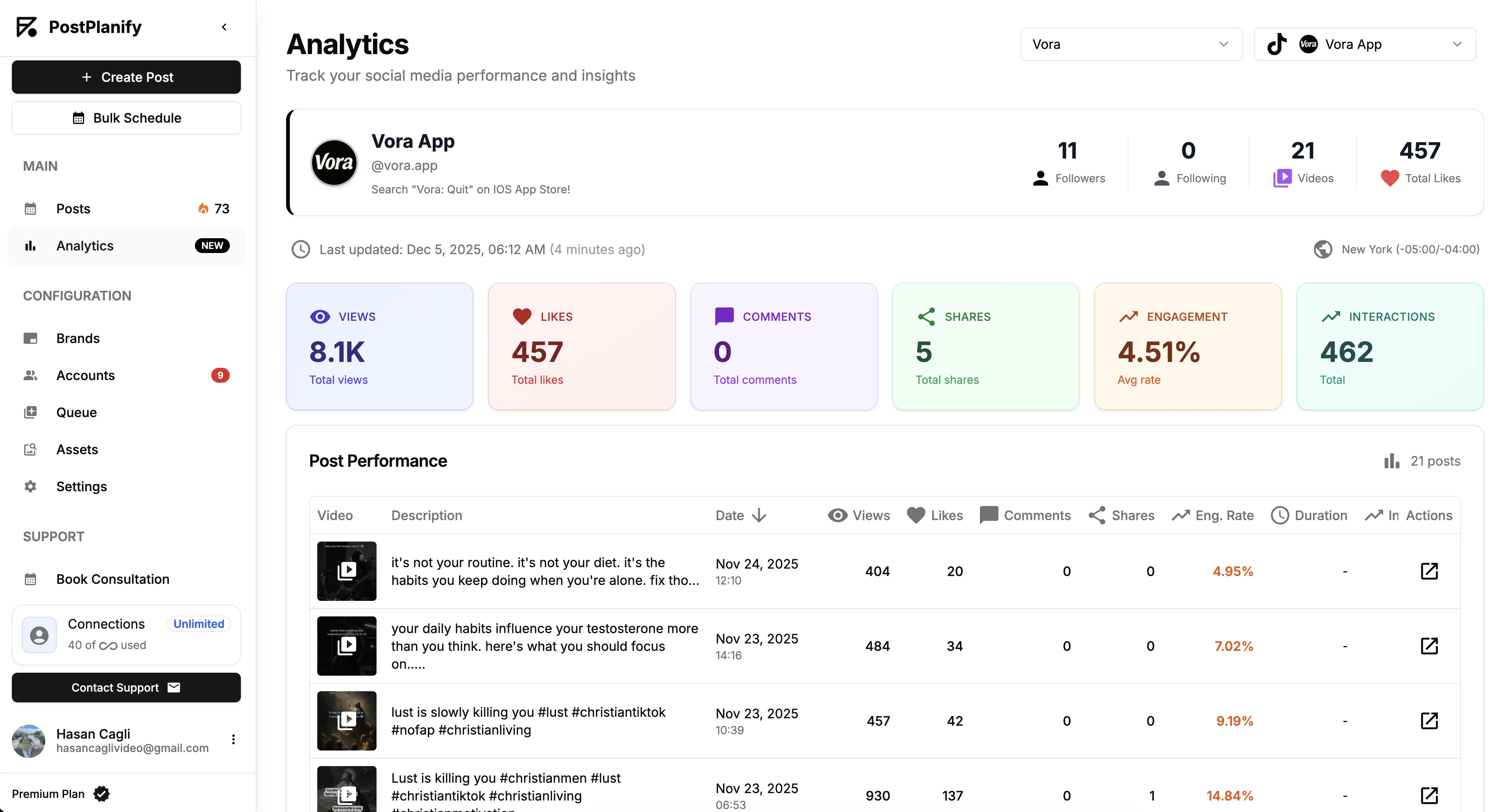
At a glance: PostPlanify
- Pricing: Per client workspace on a graduated scale: $39/mo for the first on Growth ($31/mo billed yearly), $155/mo for 5, $250/mo for 10, up to 100. Premium from $99/mo and Scale from $199/mo per workspace. Unlimited team members on every plan
- Free plan: 7-day free trial + 14-day money-back guarantee
- Data history: Stored from the day you connect, across all 10 supported platforms
- Accounts per workspace: 4 on Growth, 6 on Premium, 8 on Scale
- Best for: Agencies, marketing teams, and small businesses that want Instagram analytics, scheduling, engagement, and client reporting in one tool without per-seat billing
Key features:
- Full analytics on every plan, with historical trends: account growth, reach, impressions, and engagement over any period you choose, with period-over-period comparison
- Per-post and per-Reel performance with the metrics that matter for the algorithm (saves, shares, reach)
- Benchmarking to see your numbers in context instead of in a vacuum
- Client reports on Premium with scheduled delivery and shareable links, and fully white-labeled dashboards, emails, and reports on Scale
- Best times to post calculated from your own audience data
- The full workflow: content calendar, social inbox with AI replies, approval workflows on Premium, and AI content tools, so the numbers connect directly to action
The honest drawback: PostPlanify covers 10 platforms, so it doesn't chase every hyper-granular Instagram-only metric a dedicated specialist tracks. If you need, say, Stories exit-rate analysis by slide position, pair it with a specialist. For the 95% case of tracking what works and reporting it, it's more than enough, and nothing else on this list combines the analytics with scheduling, inbox, and white-label reporting without charging per seat.
Pricing
| Plan | Starts at | Includes | Each extra workspace | Social accounts |
|---|---|---|---|---|
| Growth | $39/mo | 1 workspace | from $29, cheaper as you add more | 4 per workspace |
| Premium | $99/mo | 3 workspaces | from $39, cheaper as you add more | 6 per workspace |
| Scale | $199/mo | 5 workspaces | from $39, cheaper as you add more | 8 per workspace |
Unlimited team members on every plan, no per-seat fees. Yearly billing saves 20%. All plans include a 7-day free trial with a 14-day money-back guarantee.
Verdict: The strongest pick when Instagram analytics is a means to an end: better content, faster reporting, growing client accounts. Analytics specialists go deeper on exotic metrics; nothing here connects data to workflow better.
 PostPlanify
All your social media in one simple dashboard
Schedule posts, track analytics, and reply to comments/DMs without switching tabs.

Engagement
+18%
Views
52.8k
2. Iconosquare: Best Instagram Analytics Specialist
Iconosquare started life as an Instagram statistics tool back when Instagram barely had any, and that heritage shows. It remains the deepest Instagram-specific analytics product in this price range: advanced metrics for posts, Reels, and Stories, competitor tracking, industry benchmarks, and scheduled PDF or Excel reports, now extended across 8 platforms and used by 10,000+ brands and agencies.
The trade-off is that analytics is the product. Publishing exists but is secondary, there's no real engagement inbox, and the per-profile pricing slider climbs quickly if you manage many accounts.
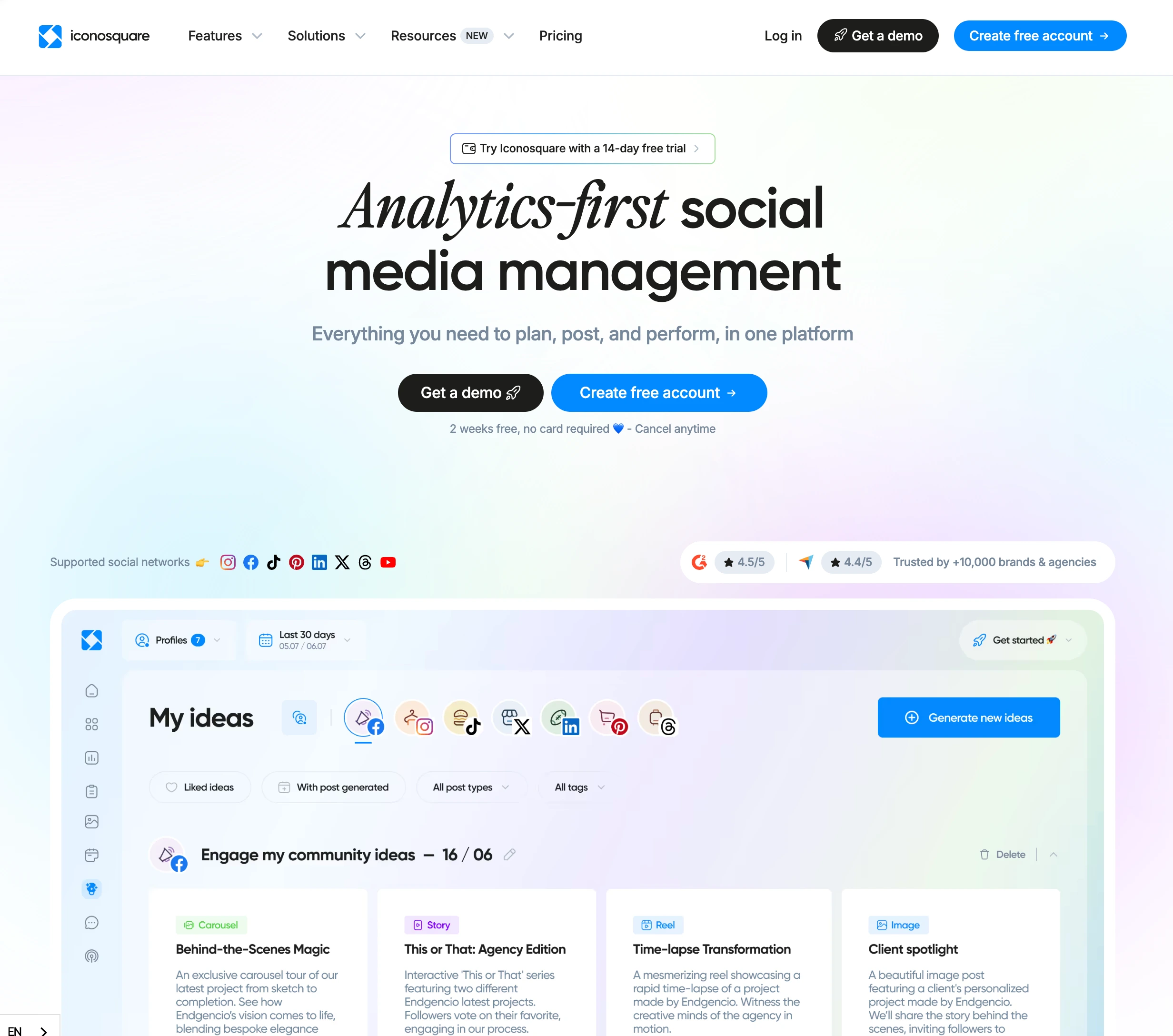
At a glance: Iconosquare
- Pricing: Free (2 profiles, 10 posts/profile) → Launch $39/mo (5 profiles, 1 user) → Scale $83/mo (3 users) → Excel $139/mo (6 users); annual saves ~22%
- Free plan: Yes, 2 profiles with limited features
- Data history: Extensive stored history once connected
- User ratings: 4.5/5 on G2 (135 reviews)
- Best for: Marketers and analysts whose primary job is understanding Instagram performance in depth
Key features:
- Advanced Instagram metrics including Stories and Reels breakdowns
- Competitor tracking and industry benchmarks
- Scheduled, exportable reports (PDF/Excel)
- Custom dashboards for the metrics you actually watch
- Uma, an AI analyst you ask in plain English why a number moved, plus the option to pull your analytics into Claude, ChatGPT, or Gemini
- 8 supported platforms
The honest drawback: you're paying specialist prices for analytics alone; scheduling and engagement still need another tool, and costs rise with the profile slider.
Verdict: If your role is analysis first and publishing second, this is the specialist to beat. Learn more in our Iconosquare pricing breakdown, Iconosquare reviews roundup, and best Iconosquare alternatives guide.
3. Metricool: Best Budget Analytics With Unlimited History
Metricool solves the 90-day problem with brute force: paid plans store unlimited data history, and even the free plan (1 brand) keeps 30 days while giving you a real taste of the product. Add competitor tracking, decent reports, and a capable planner, and it's the best data-per-dollar ratio on this list.
The catch fine print: X/Twitter costs a $5/month add-on, the "unlimited" publishing has fair-use limits, and the interface leans functional rather than pretty. None of those touch the Instagram analytics, which are genuinely strong for the price.
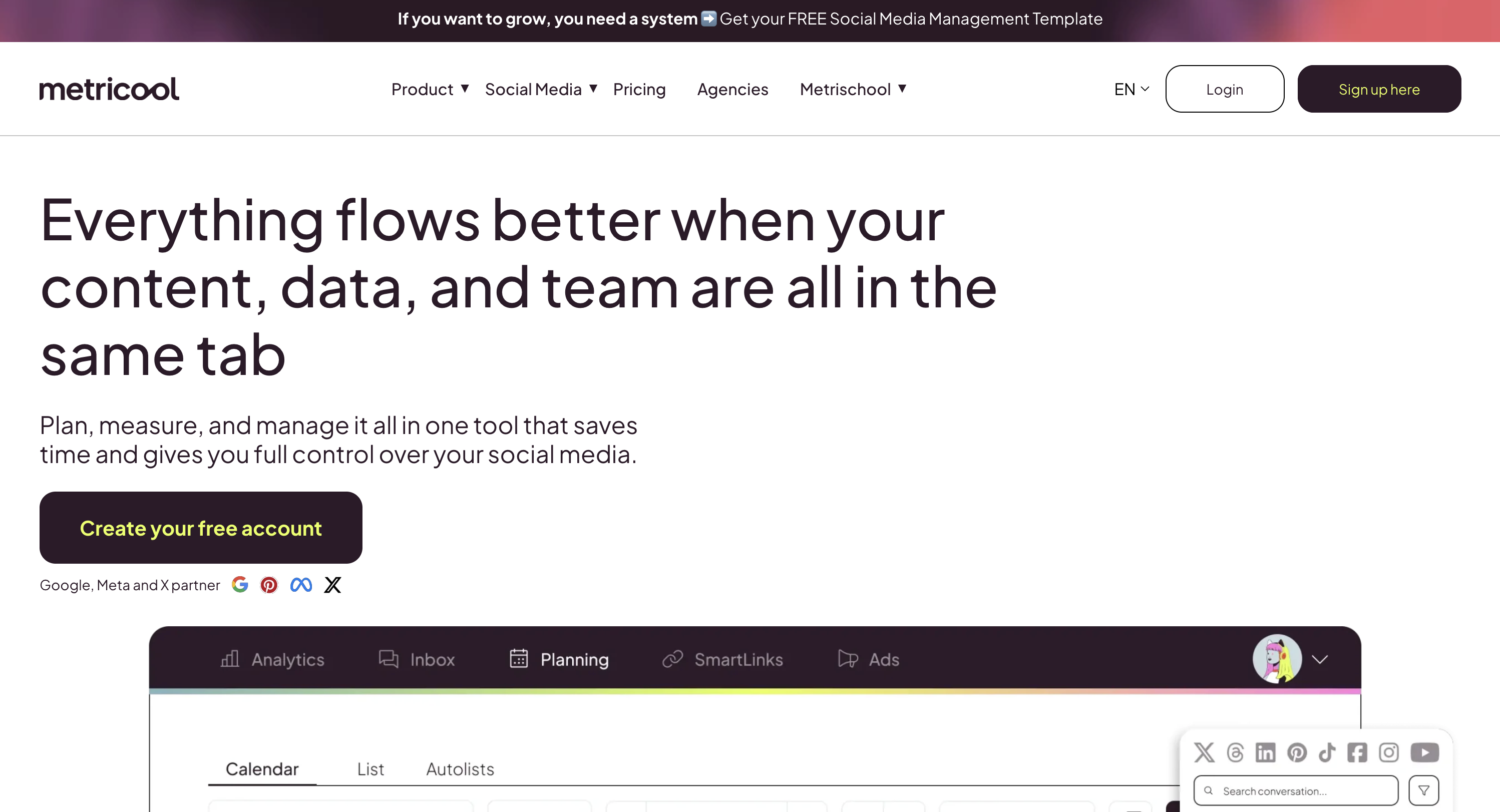
At a glance: Metricool
- Pricing: Free (1 brand, 30-day history, 20 posts/mo, no LinkedIn or X) → Starter from $25/mo (5 brands $25, 10 brands $45) → Advanced from $67/mo (15 brands $67, 25 brands $107, 50 brands $210) → Custom. Billed yearly, Starter is from $20 and Advanced from $53
- Free plan: Yes, 1 full brand
- Data history: Unlimited on paid plans
- User ratings: 4.5/5 on G2 (83 reviews); 4.2/5 on Trustpilot
- Best for: Data-focused marketers and small agencies that want maximum analytics depth on a budget
Key features:
- Unlimited analytics history on paid plans
- Competitor tracking across social profiles
- Brand-based pricing that bundles all of a client's profiles
- Reports for client deliverables on Advanced
- Planner and publishing included
The honest drawback: content and engagement tools are thinner than in publishing-first platforms, and the X add-on plus fair-use limits surprise people at invoice time.
Verdict: The budget answer to Instagram's data amnesia. Learn more in our Metricool pricing breakdown, Metricool reviews roundup, and best Metricool alternatives guide.
4. Later: Best for Visual-First Creators
Later approaches analytics from the creator's side of the desk. The core product is its visual planner (drag posts onto a feed preview before publishing), and the analytics layer answers creator questions: which posts perform, when your audience is online, what drives clicks through the Link in Bio page.
It's not trying to be a data warehouse. History and metric depth scale with the plan tier, and heavy publishers hit the per-profile post caps on lower plans before they hit any analytics ceiling.

At a glance: Later
- Pricing: Starter $25/mo (1 social set, 30 posts/profile) → Growth $50/mo (2 sets, 180 posts/profile) → Scale $110/mo (6 sets, unlimited); annual saves ~17%
- Free plan: Yes, a limited free plan with basic scheduling and Link in Bio, plus a 14-day trial on paid tiers
- Data history: Scales with plan tier
- User ratings: 4.5/5 on G2 (347 reviews); 1.3/5 on Trustpilot
- Best for: Creators and visual brands that want feed planning and performance tracking in one place
Key features:
- Visual feed planner with drag-and-drop preview
- Post performance analytics and best-time suggestions
- Link in Bio page with click tracking
- Strong TikTok and Pinterest support alongside Instagram
The honest drawback: analytics depth is tied to plan tier, and the post limits on Starter (30 per profile) arrive fast for daily publishers.
Verdict: Pick it for the planning workflow with analytics as a solid companion, not the other way around. Learn more in our Later pricing breakdown, Later reviews roundup, and best Later alternatives guide.
5. Pallyy: Best Budget Instagram-First Option
Pallyy is what a solo creator's tool looks like: built Instagram-first by a solo developer since 2019, now past 100,000 users, with a grid planner, scheduling, a simple inbox, and analytics that cover the essentials without ceremony. The free plan is real (1 social set, 15 posts/month) and the $15 Starter undercuts everything else here.
The analytics are honest basics: post performance and account growth, not benchmarking suites or competitor panels. For a lot of solo accounts, that's genuinely all that gets looked at anyway.
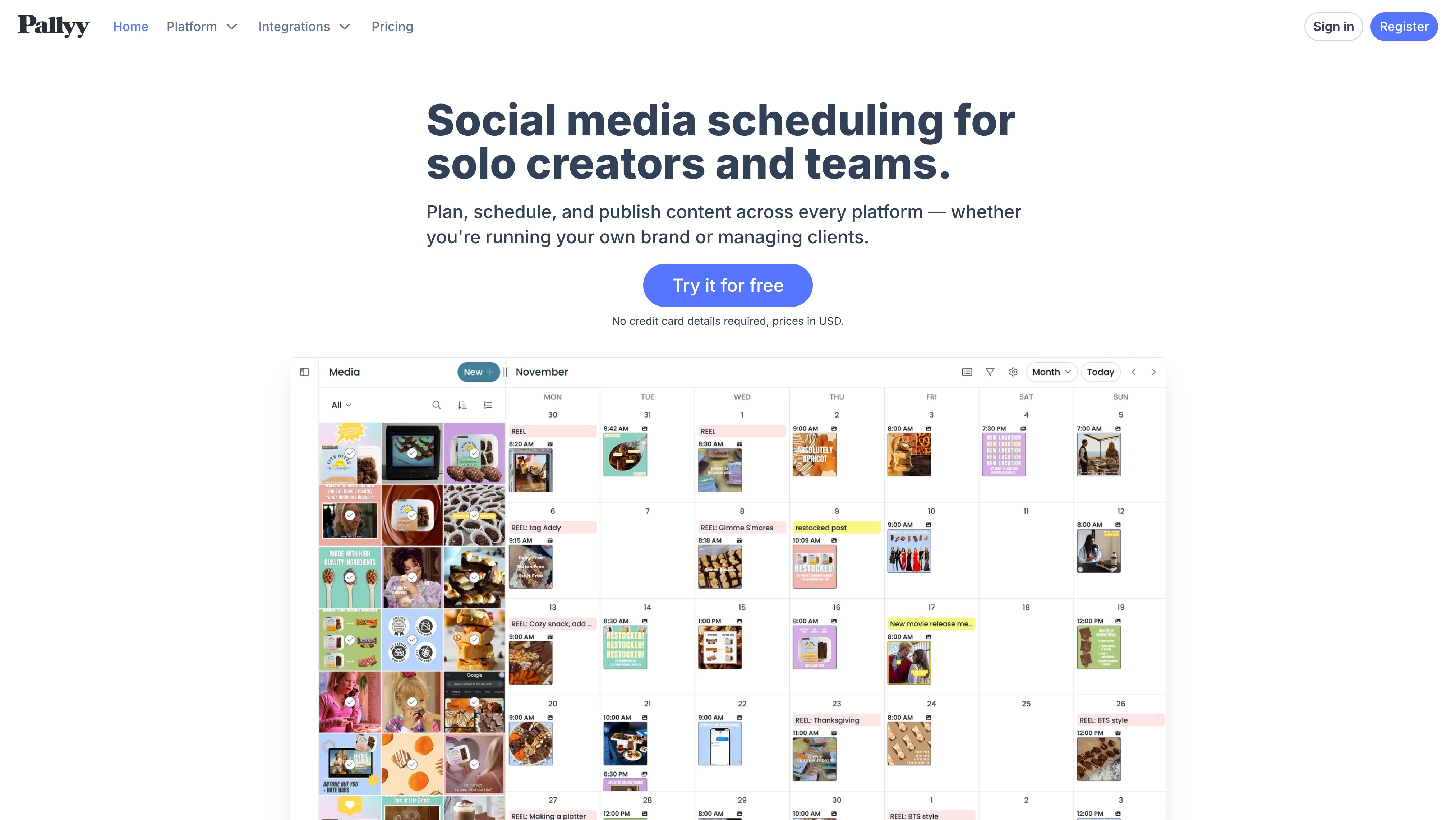
At a glance: Pallyy
- Pricing: Free (1 set, 15 posts/mo, images only) → Pro $25/mo (1 set, unlimited posts, extra sets $10 each) → Agency $99/mo (10 sets, 3 users) → Scale $199/mo (30 sets, 10 users); annual saves up to 25%
- Free plan: Yes
- Data history: Basic
- User ratings: 4.7/5 on Capterra
- Best for: Solo creators and freelancers who want Instagram scheduling plus enough analytics to steer by
Key features:
- Instagram grid planner and visual scheduling
- Core post and account analytics
- Simple social inbox included
- Cheapest paid entry on this list at $25/mo, with a genuinely usable free tier below it
The honest drawback: if you need historical comparisons, competitor data, or client reports, you'll outgrow it; that's the price of the price.
Verdict: The cheapest way to run an Instagram account with data in the loop, and the free tier is worth trying first. Learn more in our Pallyy pricing breakdown, Pallyy reviews roundup, and best Pallyy alternatives guide.
6. Sprout Social: Best Enterprise Analytics
Sprout Social is where Instagram analytics stops being a marketing tool and becomes business intelligence. Cross-network reporting, deep audience analysis, listening add-ons, and dashboards designed for stakeholders who ask hard questions. The reports are the best-looking in the industry, and the data depth backs them up.
The price reflects all of it: $199 per seat per month on Standard, and per-seat means a 3-person team pays $597/month before any add-ons.
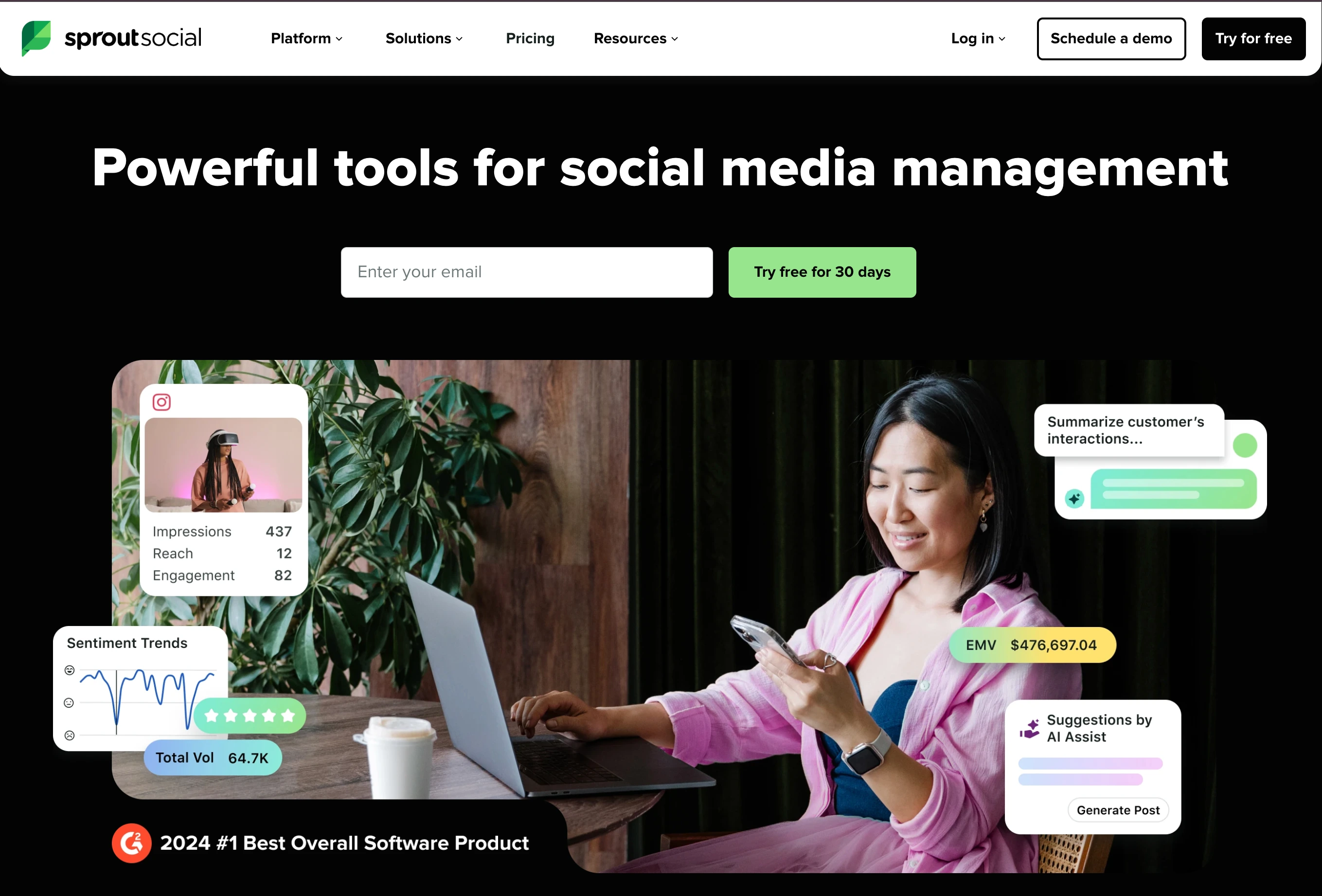
At a glance: Sprout Social
- Pricing: Essentials $99/seat/mo ($79 billed annually, 5 profiles) → Standard $199/seat/mo (5 profiles) → Professional $299/seat/mo (unlimited) → Advanced $399/seat/mo; custom Enterprise
- Free plan: 30-day trial
- Data history: Deep, with premium reporting
- User ratings: 4.4/5 on G2 (5,731 reviews); 2.2/5 on Trustpilot
- Best for: Mid-market and enterprise teams with reporting obligations and budget to match
Key features:
- Best-in-class cross-network reports
- Deep audience and post analytics
- Social listening (add-on) for brand and competitor context
- An AI assistant for asking questions about performance in plain English instead of building a report
- Enterprise workflows, permissions, and support
The honest drawback: per-seat pricing makes it the most expensive path to Instagram analytics here by a wide margin; small teams are paying for governance they may not need.
Verdict: The enterprise benchmark. If the board reads your social reports, this is the tool they're used to seeing. Learn more in our Sprout Social pricing breakdown, Sprout Social reviews roundup, and best Sprout Social alternatives guide.
7. Hootsuite: Best Enterprise Breadth
Hootsuite brings the longest track record in social media management (since 2008) and an analytics suite built for organizations that manage many networks, many stakeholders, and compliance requirements. Instagram analytics is thorough, and the listening and monitoring layers add context none of the smaller tools carry.
Like Sprout, the pricing model is the filter: Hootsuite moved to per-seat billing in August 2026, so Standard is $99 per user per month and every extra person is another $99, which makes sense at enterprise scale and rarely below it.
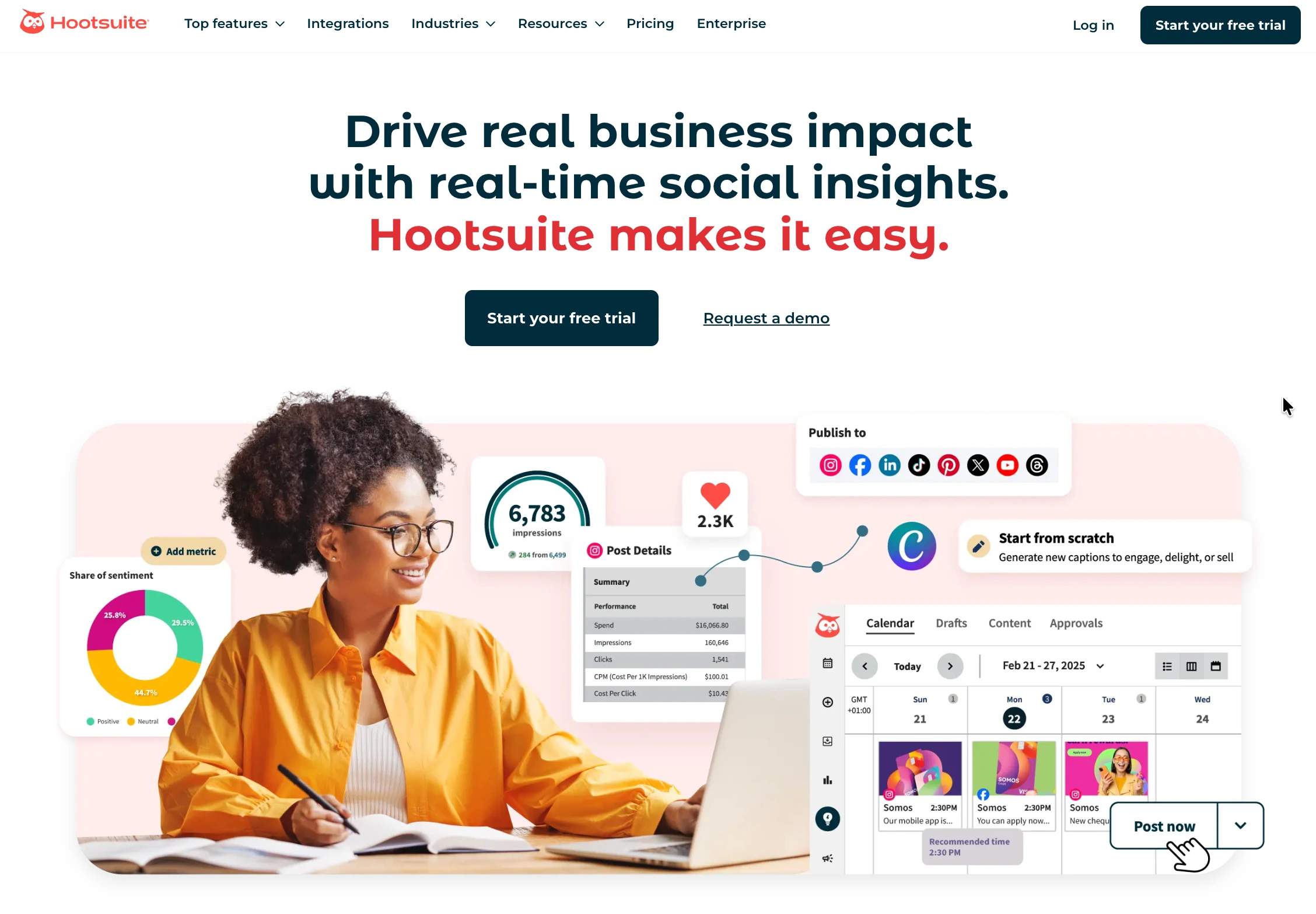
At a glance: Hootsuite
- Pricing: Per user, billed annually: Standard $99/user/mo (10 accounts) → Professional $199/user/mo (unlimited) → Advanced $399/user/mo; custom Enterprise
- Free plan: 14-day trial, no credit card required
- Data history: Deep, with custom reports
- User ratings: 4.3/5 on G2 (6,615 reviews); 1.8/5 on Trustpilot
- Best for: Enterprise teams needing analytics plus listening, monitoring, and governance in one vendor
Key features:
- Comprehensive Instagram and cross-network analytics
- Social listening and brand monitoring built in
- Custom report builder
- Enterprise-grade approvals and compliance workflows
The honest drawback: a 3-person team on Standard pays $747/month; below enterprise scale, most of that budget buys unused governance.
Verdict: Only shortlist it at enterprise requirements; at that level it delivers. Learn more in our Hootsuite pricing breakdown, Hootsuite reviews roundup, and best Hootsuite alternatives guide.
8. Socialinsider: Best for Competitor Benchmarking
Socialinsider is the benchmarking specialist, and it fills the one column where most all-in-one tools show a gap. It compares your Instagram account against named competitors on engagement, posting cadence, content mix, and format split, then turns the comparison into an automated report. If the question you keep being asked is "how do we compare", this is the tool built for it.
It is analytics only. There is no scheduling, no inbox, and no publishing, so it sits alongside whatever you post with rather than replacing it. Its AI assistant answers performance questions in plain English, which is the capability described in the section above.
At a glance: Socialinsider
- Pricing: Adapt $82/mo (20 accounts, 3-month history, 1 seat) → Optimize $124/mo (30 accounts, 6 months, 2 seats) → Predict $199/mo (40 accounts, 12 months, 5 seats) → custom Enterprise. Yearly billing is 2 months free
- Free plan: No, 14-day trial without a credit card
- Data history: 3 to 12 months depending on plan
- Best for: Marketers whose Instagram reporting needs competitive context, not just their own numbers
Key features:
- Competitor benchmarking on engagement, cadence, content mix, and format split
- Content pillar analysis to see which themes actually perform
- Automated, exportable reports with unlimited exports
- Cross-network coverage, so Instagram sits beside the rest of your channels
- AI assistant for plain-English questions about your data
The honest drawback: history is capped by plan, and the cheapest tier stores only 3 months, which is barely better than native Insights. Benchmarking is also its whole job: you will still pay for a scheduler separately.
Verdict: The right pick when competitive context is the deliverable. Pair it with a publishing tool rather than expecting it to be one.
9. Buffer: Best Free Instagram Analytics
Buffer is the cheapest honest answer on this list. The free plan covers 3 channels with basic analytics, and paid plans add fuller reporting at $6 per channel per month, which for a single Instagram account is less than everything else here charges.
The analytics are deliberately simple: post performance, best time to post, and audience basics, presented next to your calendar rather than in a separate reporting product. That is the appeal and the limit. There is no competitor benchmarking and no white-label reporting, so it suits a creator or small business measuring their own account rather than an agency reporting to clients.
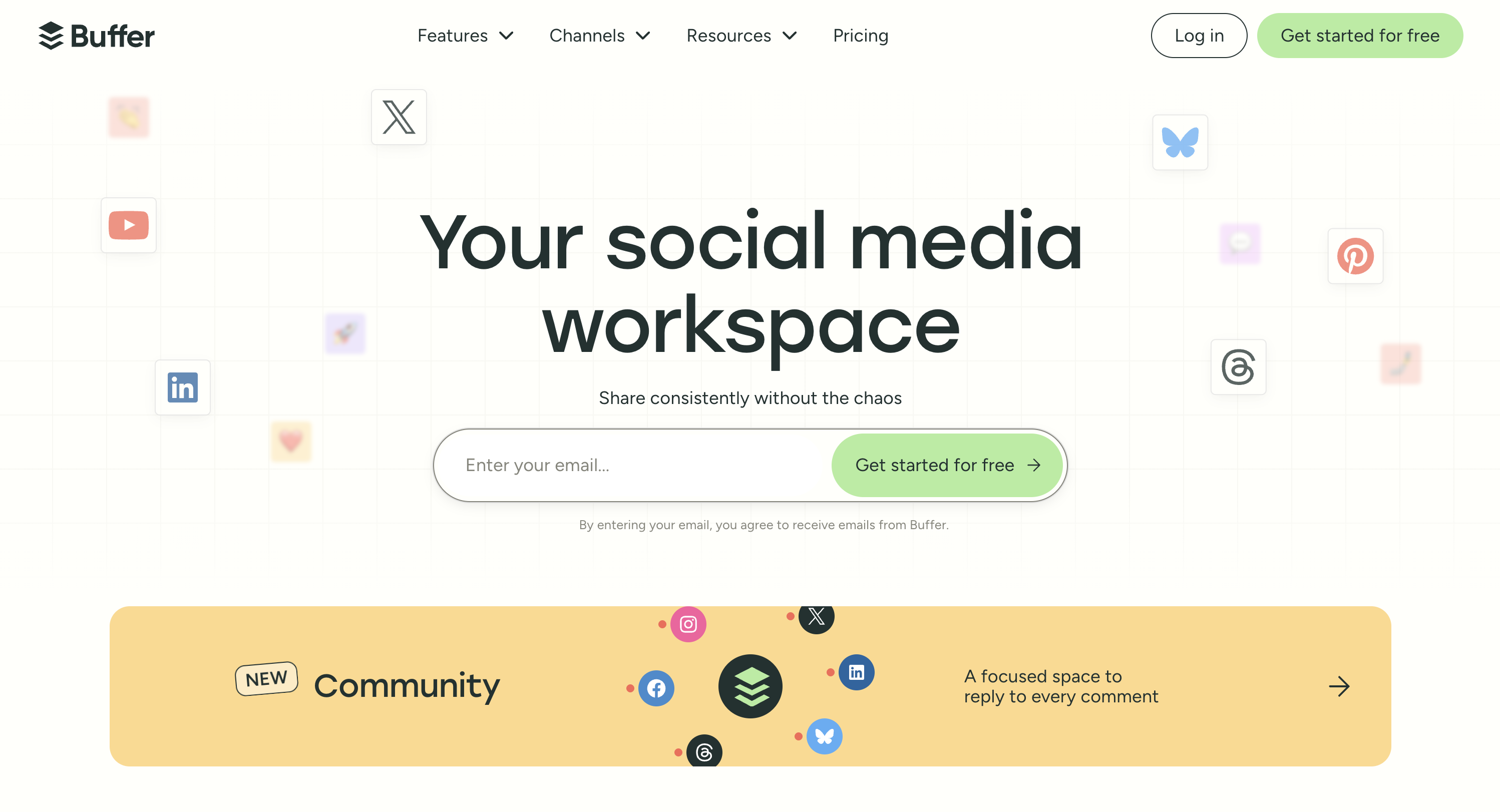
At a glance: Buffer
- Pricing: Free (3 channels, 10 scheduled posts per channel) → Essentials $6/channel/mo → Team $12/channel/mo. Annual billing saves about 17%
- Free plan: Yes, genuinely free with basic analytics included
- Data history: Limited on Free, fuller on paid plans
- User ratings: 4.3/5 on G2 (1,071 reviews)
- Best for: Creators and small businesses who want analytics attached to their scheduling without a separate bill
Key features:
- Basic Instagram analytics on the free plan, which no specialist here offers
- Best time to post calculated from your own posting history
- Analytics sit next to the content calendar, so the loop from insight to post is short
- MCP server, so you can pull Buffer data into Claude, ChatGPT, or Perplexity
- Simplest interface in the category
The honest drawback: no competitor benchmarking, no white-label reports, and per-channel pricing adds up fast if you run more than a handful of accounts. It answers "how did my posts do", not "how do we compare" or "what do I send the client".
Verdict: Start here if you are measuring one Instagram account on a budget. Move on when you need history, benchmarks, or client-ready reports.
Learn more: Buffer pricing · Buffer reviews · Best Buffer alternatives
Instagram Analytics Tools Comparison Table
| Tool | Entry Price | Free Plan | Data History | Competitor Tracking | White-Label Reports | Scheduling Included |
|---|---|---|---|---|---|---|
| PostPlanify | From $39/mo per workspace | Trial + guarantee | From connection | ❌ (benchmarks ✅) | ✅ Scale | ✅ Full suite |
| Iconosquare | $39/mo | ✅ (2 profiles) | Extensive | ✅ | Exports | Basic |
| Metricool | $25/mo | ✅ (1 brand) | Unlimited (paid) | ✅ | ✅ Advanced | ✅ |
| Later | $25/mo | ✅ (limited) | Plan-dependent | ❌ | ❌ | ✅ Visual-first |
| Pallyy | $25/mo | ✅ (1 set) | Basic | ❌ | ❌ | ✅ |
| Sprout Social | $99/seat/mo | 30-day trial | Deep | Benchmarking | ✅ | ✅ |
| Hootsuite | $99/user/mo | 14-day trial | Deep | ✅ (listening) | ✅ | ✅ |
| Socialinsider | $82/mo | 14-day trial | 3-12 months | ✅ Core focus | Exports | ❌ |
| Buffer | Free / $6/channel | ✅ (3 channels) | Limited | ❌ | ❌ | ✅ |
The Format Trade Your Analytics Should Catch
Every Instagram analytics tool will happily chart your engagement rate. Fewer will show you the trade you make when you pick a format, and it's a big one. In PostPlanify's first-party analysis of synced Instagram posts (July 2026, small-to-mid-sized accounts), single images earned the highest median engagement rate at 4.72% but reached a median of just 31 accounts per post. Carousels came in at 4.41% with a median reach of 34. Reels dropped to a 3.42% engagement rate but reached a median of 314 accounts: roughly 10 times the distribution of a static post, bought for about 1.3 points of engagement rate.
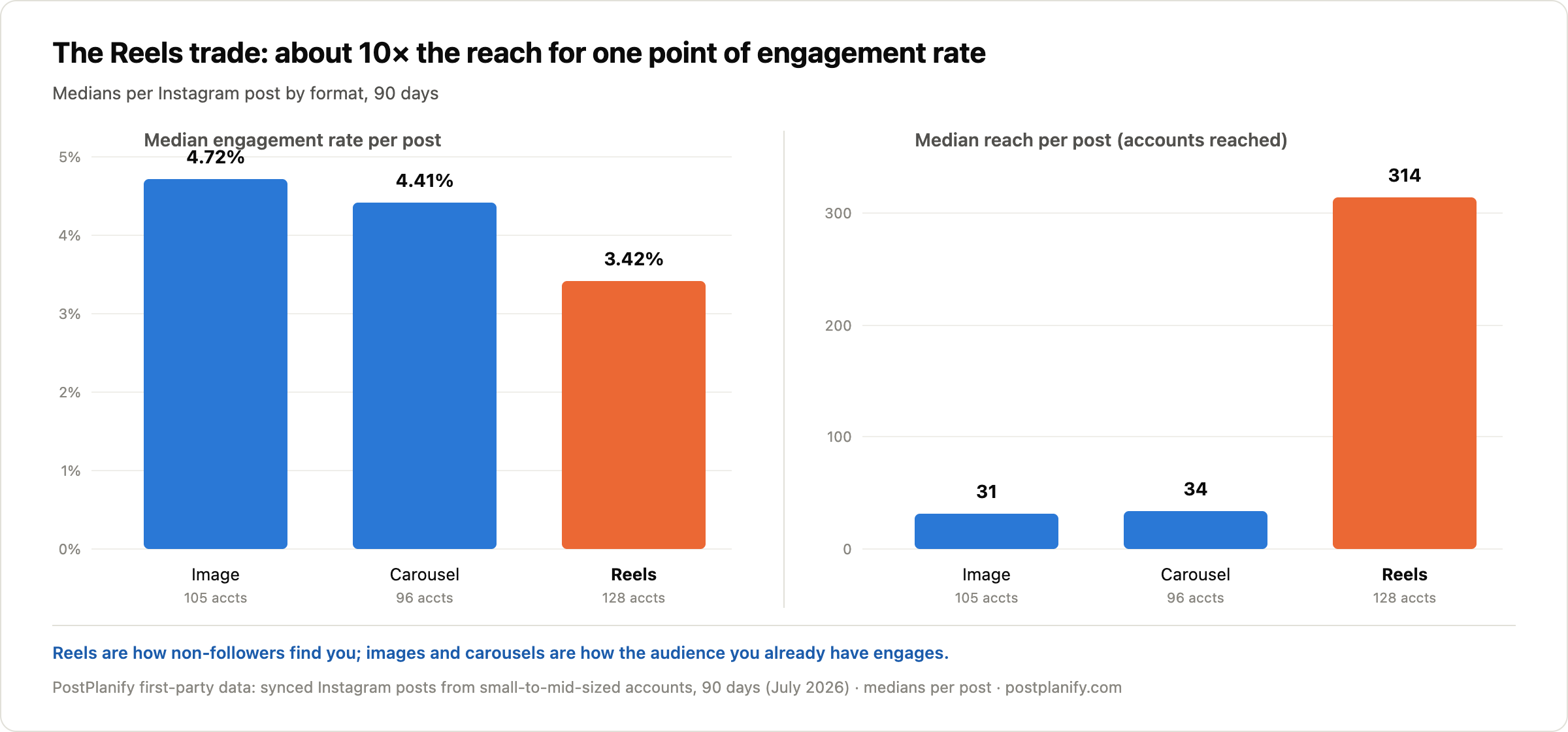
This is exactly the kind of story a blended engagement line hides, and it is why the Instagram Reels algorithm rewards a different mix than the feed does. An account that "declined" from 4.5% to 3.6% engagement may have simply shifted its mix toward Reels, trading rate for reach precisely as the medians predict. When you evaluate the tools below, check whether they split performance by format; the ones that don't will eventually make you diagnose a problem you don't have. Full numbers and methodology are in our engagement rate benchmarks.
Analytics tell you how a platform is performing. If you are still deciding where to spend the effort at all, we compare which platforms are worth your effort in the first place using the same connected-account data.
AI and Instagram Analytics: Ask Questions Instead of Building Reports
The newest shift in Instagram analytics is conversational: asking a question in plain English instead of opening three views and comparing them by hand.
PostPlanify does this through an MCP server that connects your account to Claude, ChatGPT, Cursor, Gemini, Perplexity, and any other assistant that speaks MCP. Your Instagram analytics come with it, alongside the other nine platforms, so you can ask "which post formats performed best on Instagram over the last 90 days" or "give me reach, engagement, and follower change across every account" and get the answer in the assistant you already use. Reporting, publishing, and the inbox run from the same connection, so you act on the answer where you found it.
That is a wider surface than a built-in chatbot. A few analytics specialists ship their own in-app assistants, usually on upper tiers, but those only answer inside their own dashboard. One caution either way: an assistant can only answer what the history holds, so a tool that stores 90 days cannot tell you how this year compares to last.
How to Choose the Right Instagram Analytics Tool
Start from the question you most need answered:
- "I need to know how we compare to competitors" → Socialinsider, the specialist built for it
- "I just want free analytics on one account" → Buffer
- "I need my history to survive past 90 days and turn into client reports" → PostPlanify, or Metricool on a tighter budget
- "I need the deepest possible Instagram metrics" → Iconosquare
- "I need data plus scheduling for the lowest price" → Metricool or Pallyy
- "I plan visually and want performance alongside" → Later
- "The board reads my reports" → Sprout Social or Hootsuite
Whichever you pick, anchor your expectations in real numbers first. Our engagement rate benchmarks break down what "good" actually looks like by platform and formula, and our best times to post on Instagram guide covers the timing side. For the broader toolkit beyond Instagram, see the full social media analytics tools comparison, with sibling guides for TikTok, LinkedIn, YouTube, and Facebook.
Frequently Asked Questions
What is the best Instagram analytics tool in 2026?
For agencies, marketing teams, and small businesses, PostPlanify is the best Instagram analytics tool in 2026: it stores account and post analytics from the day you connect (solving Instagram's 90-day data limit), adds historical trends, period comparison, and benchmarking, priced per client workspace from $39/mo with unlimited team members, and includes scheduling, a social inbox, and white-labeled client reports on Scale. For a pure analytics specialist, Iconosquare offers the deepest Instagram-specific metrics, and Metricool offers unlimited data history from $25/month.
How far back does Instagram Insights go?
Instagram's native Insights covers a rolling 90-day window for account metrics, and follower growth charts only go back 30 days. Individual post and Reel insights stop updating about 90 days after publishing. Data older than these windows is not recoverable through the app, which is the main reason marketers use third-party Instagram analytics tools that store history permanently.
What is a good engagement rate on Instagram?
It depends heavily on the formula and your account size, and our guide to increasing Instagram engagement covers what moves it. In PostPlanify's analysis of 14,000+ posts from 580 small-to-mid-sized accounts (July 2026), the median Instagram engagement rate was 3.87% per view, the highest of any major platform in the dataset. By-follower medians from industry studies run far lower (Quid reports 0.30%, Socialinsider 0.48% for 2026) because they weight toward large brand accounts. Small accounts consistently out-engage big ones, with nano accounts (1K to 10K followers) averaging around 6.23%.
Can I see my competitors' Instagram analytics?
Partially. Nobody can see a competitor's private metrics (reach, impressions, saves), but tools with competitor tracking, such as Iconosquare and Metricool, monitor public data: follower growth, posting frequency, content mix, and engagement calculated from public likes and comments. That's enough to benchmark your share of engagement and spot what's working for them, without access to their account.
Do Reels get more reach than regular Instagram posts?
Yes, by about 10 times, and it costs some engagement rate. In PostPlanify's July 2026 analysis of small-to-mid-sized accounts, Reels reached a median of 314 accounts per post versus 31 for single images, while the median engagement rate fell from 4.72% (images) to 3.42% (Reels). Carousels sat between at 4.41% with a median reach of 34. If reach is the goal, Reels win decisively; if engagement depth matters more, images and carousels still lead per viewer.
Is there a free Instagram analytics tool?
Instagram Insights itself is free for any professional account and covers the last 90 days. Beyond that, Metricool's free plan tracks 1 brand with 30 days of history, Iconosquare's free plan covers 2 profiles with limited features, and Pallyy has a free plan for 1 social set. For a quick engagement check without connecting anything, our free Instagram engagement calculator works instantly.
Related Reading
- Instagram Business Account Analytics: What native Insights covers, metric by metric
- Best Instagram Marketing Tools: The wider Instagram stack beyond analytics
- Instagram Reels Algorithm: Why the format trade in this guide happens
- Best Time to Post on Instagram: Timing data to pair with your analytics
- How to Increase Engagement on Instagram: Acting on what the numbers tell you
- Social Media Engagement Rate Benchmarks: What "good" looks like by platform and formula
- Best Social Media Analytics Tools: The cross-platform field, not just Instagram
- Best Facebook Analytics Tools, TikTok, LinkedIn, and YouTube: The rest of the per-platform set
- Instagram Engagement Calculator and Feed Planner: Free tools for a quick check
Bottom line: Instagram gives you a 90-day memory and no context. Every tool here fixes that in a different direction: Iconosquare with specialist depth, Metricool with cheap unlimited history, Later with creator workflow, Sprout and Hootsuite with enterprise machinery. PostPlanify fixes it for the teams in the middle: agencies, marketing teams, and small businesses that need the data, the scheduling, and the client reports in one place. Try it free for 7 days, backed by a 14-day money-back guarantee.
PostPlanifyAll your social media in one simple dashboard
Schedule posts, track analytics, and reply to comments/DMs without switching tabs.
Engagement
+18%
Views
52.8k
About the Author

Hasan Cagli
Founder of PostPlanify, a content and social media scheduling platform. He focuses on building systems that help businesses, agencies, and teams plan, publish, and manage content and social media more efficiently across platforms.


