


Social media is no longer just a branding channel for ecommerce: it's a direct sales engine. Global social commerce was projected to reach $1.2 trillion by 2025 (Accenture), and 46% of consumers have purchased a product directly through social media: more than double the 21% who had in 2019 (PwC, 2024).
But running an online store is already a full-time job. Between product sourcing, inventory, fulfillment, customer support, and paid ads, social media posting ends up as the thing you do "when there's time." The result: inconsistent posting, chaotic product launches, and missed promo windows that cost you sales.
The right social media management tool changes that. It lets you batch-create a week of product content in one sitting, schedule launch campaigns that run on autopilot, and keep your store visible across Instagram, TikTok, Pinterest, and Facebook, without touching your phone during packing and shipping.
I tested and compared 9 tools specifically through the lens of what ecommerce brands need: product launch scheduling, UGC management, visual content workflows, AI captions for products, Pinterest support, and analytics that show what content actually drives clicks and sales.
Quick Picks: Best Social Media Tools for Ecommerce
| Tool | Best For | Starting Price | Key Ecommerce Feature | Rating |
|---|---|---|---|---|
| PostPlanify | Best overall for ecommerce | From $39/mo per workspace | Analytics + 10-platform scheduling | 5/5 G2 |
| Later | Visual product marketing | $25/mo | Linkin.bio shoppable storefront | 4.5/5 G2 |
| Tailwind | Pinterest & product discovery | Free | SmartSchedule + Shopify integration | 4.3/5 G2 |
| Sprout Social | Enterprise ecommerce analytics | $99/seat/mo | Advanced ROI reporting | 4.4/5 G2 |
| Buffer | Solo store owners getting started | Free | Simple 3-channel scheduling | 4.3/5 G2 |
| SocialBee | Recurring product promos | $29/mo | Category-based content rotation | 4.8/5 G2 |
| Hootsuite | Large ecommerce operations | $99/user/mo | Bulk scheduling (350 posts) | 4.3/5 G2 |
| Loomly | Team approval workflows | $65/mo | Built-in approval flow | 4.6/5 G2 |
| Sendible | Agencies managing ecommerce clients | $35/mo | White-label reporting + Pinterest | 4.5/5 G2 |
How I evaluated these social media management tools
To make this comparison genuinely useful for ecommerce, I focused on the features that actually move product, not generic scheduling. For each tool, I looked at:
| Evaluation area | What I checked |
|---|---|
| Product launch scheduling | Whether you can plan a full launch sequence (teaser → countdown → launch → social proof → reminder) on a calendar and schedule it across platforms in advance. |
| UGC & social proof | Whether the tool organizes customer photos, unboxing videos, and review screenshots in a media library and schedules them alongside product content. |
| Multi-platform coverage | Whether it publishes directly to the channels that drive sales: Instagram, TikTok, Pinterest, and Facebook at minimum. |
| AI captions that sell | Whether the AI writes product-marketing captions (hook → benefit → CTA) and platform-specific variations, not generic text. |
| Visual content calendar | Whether you can balance product spotlights, UGC, demos, lifestyle, and promos so the feed builds desire instead of only pushing sales. |
| Team collaboration & approvals | Whether photographer, copywriter, and brand owner can work through a clean review-and-approve flow before posts go live. |
| Analytics that convert | Whether you can see which content types drive engagement, clicks, and store traffic, so you double down on what moves product. |
I also verified every price against each vendor's current pricing page and pulled ratings from G2 and Trustpilot rather than vendor marketing.
1. PostPlanify: Best Overall for Ecommerce

PostPlanify is a social media management platform built for the kind of workflow ecommerce brands need: batch-create a week of product content in one sitting, schedule it across every platform, and let it run while you handle orders and fulfillment.
Where most tools treat scheduling as a generic task, PostPlanify is designed for speed. You upload product photos, generate captions with AI that understands product marketing (hooks, benefits, CTAs), preview how posts will look on each platform, customize per channel, and schedule, all from one screen.
For ecommerce brands specifically, PostPlanify stands out because it covers the full workflow: a visual content calendar for planning launch campaigns and weekly content mixes, a social inbox for managing product questions and customer messages, analytics across all 10 platforms with best-time-to-post suggestions, and team collaboration with approval workflows included from the entry plan.
Key features for ecommerce:
- Schedule to 10 platforms: Instagram, Facebook, TikTok, X (Twitter), YouTube, LinkedIn, Threads, Pinterest, Bluesky, and Google Business
- Visual content calendar to plan launch campaigns, promos, and weekly content mixes
- Social inbox to manage product questions, order inquiries, and customer messages (see our social media inbox tools comparison)
- Team collaboration with unlimited users on every plan, and approval workflows included in every workspace
- Media library with native Canva and Google Drive integration for product creatives
- Link-in-bio builder for shoppable product links and collection pages
- Analytics across all platforms with best-time-to-post suggestions
- Bulk scheduling: plan an entire week of product content in one session
- Multi-brand support: manage multiple stores or product lines from one dashboard
- Client reports on Premium, fully white-labeled on Scale for agencies and multi-brand operators
- Brand-aware AI assistant: upload a product photo and get benefit-driven captions and images instantly
Pricing:
| Plan | Starts at | Includes | Each extra workspace | Social accounts |
|---|---|---|---|---|
| Growth | $39/mo | 1 workspace | from $29, cheaper as you add more | 4 per workspace |
| Premium | $99/mo | 3 workspaces | from $39, cheaper as you add more | 6 per workspace |
| Scale | $199/mo | 5 workspaces | from $39, cheaper as you add more | 8 per workspace |
Unlimited team members on every plan, no per-seat fees. Yearly billing saves 20%. All plans include a 14-day free trial with a 14-day money-back guarantee.
Pros:
- Per-workspace pricing: no per-user or per-channel fees
- Brand-aware AI generates product captions from photos (hooks, benefits, CTAs)
- 10 platforms including Pinterest and TikTok: critical for ecommerce discovery
- Unlimited team members on every plan, at every size
- Content calendar built for planning launch campaigns and promo sequences
- Social inbox centralizes all customer messages across platforms
Cons:
- Newer platform with a smaller user base
- No social listening feature
- No mobile app yet
- No native Shopify integration (content is managed through the scheduler)
Best for: Ecommerce store owners, D2C brands, and multi-brand operators who need comprehensive social media management (scheduling, AI captions, analytics, inbox, and team collaboration) without paying enterprise prices.
How it compares for ecommerce:
- One workspace ($39/mo on Growth): 4 social accounts, unlimited users, AI captions, content calendar, analytics, and approval workflows, enough for a single-brand store on Instagram, TikTok, and Pinterest.
- Six workspaces ($174/mo on Growth): one workspace per brand or product line, still with unlimited users, built for ecommerce companies running multiple stores.
- Scale (from $199/mo per workspace): 8 accounts per workspace plus full white labeling, for operators sending branded reports to partners or clients.
- The trade-off: PostPlanify covers more all-in-one workflow depth than many lower-cost schedulers, but it's a newer platform. Brands that need enterprise-grade social listening or deep competitive benchmarking may want Sprout Social instead.
For more details, see our PostPlanify pricing page and social media scheduler for ecommerce page.
 PostPlanify
All your social media in one simple dashboard
Schedule posts, track analytics, and reply to comments/DMs without switching tabs.

Engagement
+18%
Views
52.8k
2. Later: Best for Visual Product Marketing

Later started as an Instagram scheduling tool and still excels at visual content planning. For ecommerce brands where product photography drives sales (fashion, beauty, home goods, jewelry), Later's Instagram grid preview and Linkin.bio feature are genuine competitive advantages.
Linkin.bio turns your Instagram feed into a shoppable storefront. Each post links directly to the product page, so when someone taps a product photo, they land on your store, not a generic bio link. For ecommerce, this is a direct conversion tool.
Key features for ecommerce:
- Visual content calendar with drag-and-drop scheduling
- Instagram grid preview: plan how your product feed looks before posting
- Linkin.bio: turn your Instagram feed into a shoppable storefront (link each post to a product page)
- UGC collection tools: curate customer photos and videos for reposting
- AI caption writer for product descriptions
- Smart scheduling with optimal time suggestions (Growth+)
- Social inbox for managing comments and DMs (Growth+)
Pricing:
| Plan | Price | Social Sets | Posts/Profile |
|---|---|---|---|
| Starter | $25/mo | 1 (8 profiles) | 20 |
| Growth | $50/mo | 2 (16 profiles) | 180 |
| Scale | $110/mo | 6 (48 profiles) | Unlimited |
14-day free trial available.
Pros:
- Best Instagram grid preview on the market: essential for visual product brands
- Linkin.bio is a genuine ecommerce conversion tool (shoppable feed)
- Strong UGC collection for customer content
- Visual planning tools built for product photography
- Clean, intuitive interface
Cons:
- Starter plan limits you to 20 posts per profile: not enough for active ecommerce brands
- Social inbox only available on Growth ($50/mo) and above
- Fewer supported platforms (8 vs 9+): no Bluesky or Google Business
- Limited analytics compared to enterprise tools
- No Pinterest-specific optimization
Best for: Instagram-first ecommerce brands (fashion, beauty, jewelry, home décor) where visual feed aesthetics and shoppable links directly impact conversions. Linkin.bio is Later's strongest ecommerce feature.
User ratings: Later holds a 4.5/5 on G2 (347 reviews) and a 1.3/5 on Trustpilot (329 reviews). Many Trustpilot reviews cite billing and cancellation issues.
For more details, see our Later pricing breakdown, Later reviews, Buffer vs Later comparison, and best Later alternatives.
3. Tailwind: Best for Pinterest & Product Discovery
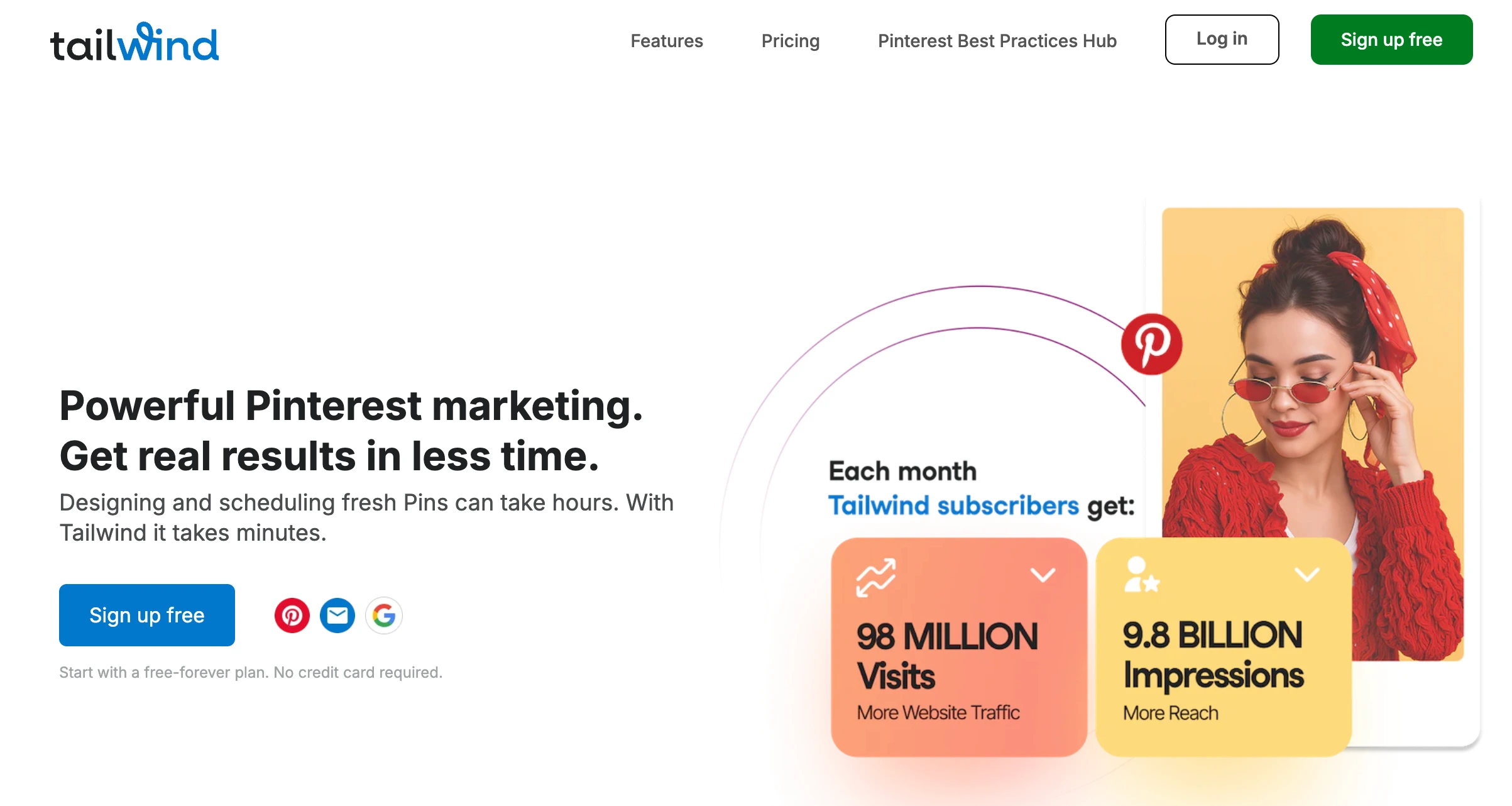
Tailwind is the best scheduling tool specifically for Pinterest, and for ecommerce Pinterest is an underrated sales channel. Pins have a shelf life of months (vs. hours for Instagram posts), and product pins drive traffic long after posting. Tailwind's SmartSchedule, SmartPin, and native Shopify/WooCommerce integrations make it the strongest option for ecommerce brands that rely on Pinterest for product discovery.
Key features for ecommerce:
- SmartSchedule: data-driven optimal posting times for Pinterest
- SmartPin: automated Pin optimization based on engagement data
- Tailwind Create: generate on-brand product pin designs from templates
- Native Shopify, WooCommerce, Squarespace, and WordPress integrations
- Tailwind Communities for collaborative product promotion
- Smart.bio link-in-bio page
- Ghostwriter AI for pin titles, descriptions, and captions
- Bulk pin creation with browser extension
Pricing:
Tailwind restructured in 2026 into three Pinterest products (Tailwind Create, SmartPin, and SmartSchedule), each sold per Pinterest account and metered in Tailwind credits, starting at $14.99/mo. Plans are Pinterest-scoped rather than multi-platform, so price it per Pinterest account you manage.
Pros:
- Best Pinterest scheduling tools on the market (SmartSchedule, SmartPin, Communities)
- Native Shopify and WooCommerce integrations: pull products directly
- Tailwind Create generates professional pin designs from templates
- Free tier available for testing Pinterest scheduling
- Pins drive evergreen traffic for months: not just hours
Cons:
- Plans are Pinterest-scoped and priced per Pinterest account, so it is not a multi-platform scheduler
- Credit-metered rather than unlimited posting
- Cost scales with every additional Pinterest account you manage
- No meaningful team features or approval workflows
- You'll likely need a second tool for non-Pinterest platforms
Best for: Ecommerce brands where Pinterest is a significant traffic and sales channel: home goods, fashion, food products, DIY/craft supplies, gift items. If Pinterest drives a meaningful percentage of your store traffic, Tailwind is worth pairing with a broader scheduling tool.
User ratings: Tailwind holds a 4.3/5 on G2 (141 reviews) and a 3.5/5 on Trustpilot (302 reviews).
For more details, see our Pinterest scheduling tools roundup, Tailwind pricing breakdown, Tailwind reviews, Buffer vs Tailwind comparison, and best Tailwind alternatives.
PostPlanifyAll your social media in one simple dashboard
Schedule posts, track analytics, and reply to comments/DMs without switching tabs.
Engagement
+18%
Views
52.8k
4. Sprout Social: Best for Enterprise Ecommerce Analytics

Sprout Social is the enterprise-grade option on this list. For large ecommerce companies with dedicated marketing teams that need to prove social media ROI to stakeholders, Sprout Social delivers the deepest analytics, custom reporting, and social listening capabilities.
Where Sprout Social excels for ecommerce is its CRM-style engagement: your team can see a customer's interaction history while responding to their Instagram DM, making customer care on social feel informed rather than generic.
Key features for ecommerce:
- Advanced analytics with custom reports and ROI tracking
- Social listening to track brand mentions, product sentiment, and competitor activity
- CRM-style contact management: track customer interactions across platforms
- Unified smart inbox for managing all product questions and support messages
- Sentiment analysis on incoming messages
- Competitor benchmarking
- Employee advocacy tools for multi-location retail teams
Pricing:
| Plan | Price |
|---|---|
| Essentials | $99/seat/mo ($79 billed annually, 5 profiles) |
| Standard | $199/seat/mo (5 profiles) |
| Professional | $299/seat/mo (Unlimited profiles) |
| Advanced | $399/seat/mo (Unlimited profiles) |
| Enterprise | Custom |
30-day free trial available.
Pros:
- Best-in-class analytics and ROI reporting: essential for proving social media's impact on sales
- Social listening tracks product sentiment and brand mentions
- CRM-style engagement lets support teams see customer history
- Strong competitor benchmarking
- Polished, modern interface despite enterprise depth
Cons:
- Per-seat pricing: Essentials is $99/seat and Standard $199/seat, so a 3-person ecommerce team costs $297 to $597/mo
- Social listening is a paid add-on on most plans
- Overkill for small to mid-sized ecommerce brands
- No free plan
- Setup and onboarding take time
Best for: Large ecommerce companies and DTC brands with dedicated marketing teams, $10M+ revenue, and a need to prove social ROI to leadership. Not a fit for bootstrapped stores or solo founders due to cost.
User ratings: Sprout Social holds a 4.4/5 on G2 (5,731 reviews) and a 2.2/5 on Trustpilot (75 reviews).
For more details, see our social media analytics tools roundup, Sprout Social pricing breakdown, Sprout Social reviews, and best Sprout Social alternatives.
5. Buffer: Best for Solo Store Owners Getting Started

Buffer is one of the simplest scheduling tools available, which makes it a reasonable starting point for solo ecommerce founders who are just getting into consistent posting. The free plan covers 3 channels, and the interface is straightforward enough that anyone can learn it in minutes, even if you've never used a scheduling tool before.
Buffer's Start Page feature (link-in-bio) also serves as a simple shoppable landing page, letting you link your Instagram bio to product pages, collections, and your store.
Key features for ecommerce:
- Free plan with 3 channels and 10 scheduled posts per channel
- Clean, minimal interface: zero learning curve
- AI assistant for product caption ideas
- Supports 11 platforms including Pinterest
- Start Page (link-in-bio): create a simple shoppable landing page
- Community inbox on paid plans
Pricing:
| Plan | Price | Details |
|---|---|---|
| Free | $0 | 3 channels, 10 posts each |
| Essentials | $6/channel/mo | Unlimited posts per channel |
| Team | $12/channel/mo | Unlimited users, approval workflows |
Pros:
- Free plan is genuinely usable for getting started
- Simplest interface on this list: no training needed
- Pinterest support (important for ecommerce product discovery)
- Start Page works as a basic shoppable bio link
- Very low entry cost for 1-3 channels
Cons:
- Per-channel pricing adds up fast: 5 channels on Team costs $60/mo
- No Canva integration in the composer
- Analytics are surface-level on lower plans
- No bulk scheduling
- Limited for brands managing multiple stores or product lines
Best for: Solo ecommerce founders and bootstrapped stores that are new to social media scheduling. Best as a starting point before upgrading to a more comprehensive platform as your store grows.
User ratings: Buffer holds a 4.3/5 on G2 (1,023 reviews) and a 2.1/5 on Trustpilot (93 reviews).
For more details, see our Buffer pricing breakdown, Buffer reviews, and best Buffer alternatives.
6. SocialBee: Best for Recurring Product Promotions

SocialBee has a unique category-based scheduling system that's genuinely useful for ecommerce. You create content categories ("Product Spotlights," "UGC & Reviews," "Behind-the-Scenes," "Promos & Offers," "Educational Content") and SocialBee automatically rotates through them on a set schedule.
For ecommerce brands, this solves the "content mix" problem. Instead of manually balancing product posts with social proof, demos, and lifestyle content, you set up the categories once and SocialBee maintains the balance automatically. Evergreen products can be recycled so your best-sellers keep appearing in your feed without manual reposting.
Key features for ecommerce:
- Category-based content scheduling: set up product, UGC, promo, and educational buckets
- Evergreen content recycling: your best-performing product posts automatically reappear
- Schedule to 10 platforms including Google Business Profile, Pinterest, TikTok, and Bluesky
- AI text assistant for product captions
- Canva integration for product graphics and promo creatives
- Approval workflows for team review
- Content calendar with drag-and-drop
- Multi-workspace support for multiple brands (Pro plan)
Pricing:
| Plan | Price | Profiles | Users |
|---|---|---|---|
| Bootstrap | $29/mo | 5 | 1 |
| Accelerate | $49/mo | 10 | 1 |
| Pro | $99/mo | 25 | 3 |
14-day free trial (no credit card required).
Pros:
- Category-based scheduling solves the content mix problem automatically
- Evergreen recycling keeps best-sellers visible without manual reposting
- 14-day free trial with no credit card
- Highest G2 rating on this list (4.8/5)
- Simple, predictable pricing
Cons:
- Only 1 user on Bootstrap and Accelerate: no team collaboration until $99/mo
- No social inbox: engagement management is limited
- AI tools are basic compared to PostPlanify or Sprout Social
- Limited to 5 profiles on Bootstrap
- No Pinterest-specific optimization tools
Best for: Ecommerce brands with a product catalog that benefits from content rotation: different products, recurring promotions, seasonal offers, and evergreen best-sellers that should keep appearing in the feed automatically.
User ratings: SocialBee holds a 4.8/5 on G2 (472 reviews) and a 4.0/5 on Trustpilot (43 reviews).
For more details, see our SocialBee pricing breakdown, SocialBee reviews, and best SocialBee alternatives.
PostPlanifyAll your social media in one simple dashboard
Schedule posts, track analytics, and reply to comments/DMs without switching tabs.
Engagement
+18%
Views
52.8k
7. Hootsuite: Best for Large Ecommerce Operations

Hootsuite has been around since 2008 and is built for large organizations managing social media at scale. For enterprise ecommerce brands with dozens of product lines, multiple storefronts, and large marketing teams, Hootsuite's bulk scheduling (up to 350 posts at once), team permissions, and compliance tools make sense. For everyone else, it's likely more tool and more cost than you need.
Key features for ecommerce:
- Bulk schedule up to 350 posts at once: useful for planning monthly product content across multiple storefronts
- Brand and competitor monitoring with sentiment analysis
- DM assignment and team collaboration tools
- Custom analytics reports with benchmarking against competitors
- Canva templates and content library
- AI assistant with image and caption generator
- Best-time-to-post recommendations
Pricing:
| Plan | Price | Social Accounts |
|---|---|---|
| Standard | $99/user/mo | 10 |
| Professional | $199/user/mo | Unlimited |
| Advanced | $399/user/mo | Unlimited |
| Enterprise | Custom | Custom |
30-day free trial available.
Pros:
- Massive bulk scheduling capacity (350 posts)
- Strong team permissions and approval workflows
- Competitor benchmarking (up to 20 competitors on Advanced)
- Social listening and sentiment analysis on higher tiers
- Well-established platform with extensive integrations
Cons:
- Per-user pricing starts at $99/mo and climbs to $399/user on Advanced, which adds up fast for a growing team
- Free plan was removed in 2023
- Enterprise-oriented interface has a learning curve
- Key features like approval workflows locked behind the $399/user Advanced plan
- Many negative user reviews cite billing issues and difficult cancellation
Best for: Enterprise ecommerce operations with 20+ product lines, large marketing departments, and the budget to match. Not practical for DTC brands or solo store owners.
User ratings: Hootsuite holds a 4.3/5 on G2 (6,615 reviews) and a 1.8/5 on Trustpilot (511 reviews).
For more details, see our Hootsuite pricing breakdown, Hootsuite reviews, Hootsuite vs Later comparison, and best Hootsuite alternatives.
8. Loomly: Best for Ecommerce Teams with Approval Workflows

Loomly is built around content collaboration and approval workflows. For ecommerce brands where multiple people touch social content (the photographer shoots products, the copywriter writes captions, the brand owner gives final approval), Loomly's workflow keeps that process clean and trackable.
Key features for ecommerce:
- Built-in approval workflows and custom roles on all paid plans
- Post mockups and previews before publishing
- Content inspiration and post ideas (useful for product content brainstorming)
- Direct publishing to 10 platforms including Pinterest, Google Business Profile, and Threads
- Interactions inbox for managing comments and DMs
- Hashtag manager
- Recurring posts for weekly promotions and best-seller highlights
- Canva, Unsplash, and Giphy integrations
Pricing:
| Plan | Monthly | Annual | Accounts | Users |
|---|---|---|---|---|
| Starter | $65/mo | $49/mo | 12 | 3 |
| Beyond | $332/mo | $249/mo | 60 | Unlimited |
| Enterprise | Custom | Custom | 61+ | Unlimited |
Loomly no longer offers a free plan: paid plans start at $65/mo, with a 15-day free trial.
15-day free trial (no credit card required).
Pros:
- Approval workflows on all paid plans: not locked behind expensive tiers
- Content inspiration helps with product post ideas
- 10 platform support including Pinterest and Google Business
- Clean visual calendar for planning product content
- Recurring posts work well for weekly promotions
Cons:
- Massive pricing gap between Starter ($65/mo) and Beyond ($332/mo), with no mid-tier option
- No free plan: entry is the $65/mo Starter (15-day trial only)
- Interactions inbox covers comments and DMs but is less robust than dedicated tools
- AI features are limited to caption suggestions
- No Threads or Bluesky support
Best for: Ecommerce brands with 2-3 team members who need a structured approval process for product content. Best on the Starter plan ($49/mo annual), since the jump to Beyond is hard to justify for most online stores.
User ratings: Loomly holds a 4.6/5 on G2 (1,793 reviews) and a 1.7/5 on Trustpilot (26 reviews).
For more details, see our approval workflows feature page, Loomly pricing breakdown, Loomly reviews, Later vs Loomly comparison, and best Loomly alternatives.
9. Sendible: Best for Agencies Managing Ecommerce Clients

Sendible is an agency-focused tool. If you're a marketing agency managing social media for multiple ecommerce clients, Sendible's client dashboards, white-label reporting, and multi-brand management make it a strong fit. It also has solid Pinterest scheduling and Google Business Profile support, both important for ecommerce brands with physical retail presence.
Key features for ecommerce (and agencies managing ecommerce clients):
- Pinterest scheduling with Smart Queues for automated product pin rotation
- Google Business Profile support for ecommerce brands with physical stores
- Client dashboards and white-label reporting
- Team collaboration with assignment and approval workflows (Plus+)
- Priority inbox with sentiment analysis
- 10 platform support including Threads and Bluesky
- Content and hashtag library (Scale+)
- Canva, Google Drive, and Pexels integrations
Pricing:
| Plan | Price | Profiles | Users |
|---|---|---|---|
| Core | $35/mo | 6 | Unlimited |
| Plus | $99/mo | 18 | Unlimited |
| Premium | $199/mo | 42 | Unlimited |
| Elite | $299/mo | 90 | Unlimited |
| Enterprise | $750/mo | 300 | Unlimited |
14-day free trial (no credit card required).
Pros:
- Pinterest scheduling with Smart Queues: good for ecommerce product pins
- 10 platform support including Threads and Bluesky
- Client dashboards for agencies managing multiple ecommerce accounts
- Priority inbox with sentiment analysis for customer messages
- 14-day free trial with no credit card
Cons:
- Creator plan very limited (1 user, 6 profiles)
- Daily sending limits on all plans (100-500/day)
- White-label reporting is a $349/mo add-on, sold only from the $299/mo Elite plan
- Team features and client dashboards start on the $99/mo Plus plan
- AI capabilities are basic (captions only)
Best for: Marketing agencies managing multiple ecommerce clients who need client dashboards, white-label reports, and Pinterest scheduling. Less relevant for individual ecommerce brands.
User ratings: Sendible holds a 4.5/5 on G2 (899 reviews) and a 2.3/5 on Trustpilot (8 reviews).
For more details, see our Sendible pricing breakdown, Sendible reviews, and best Sendible alternatives.
Side-by-Side Comparison: All 9 Tools
| Feature | PostPlanify | Later | Tailwind | Sprout Social | Buffer | SocialBee | Hootsuite | Loomly | Sendible |
|---|---|---|---|---|---|---|---|---|---|
| Starting price | From $39/mo | $25/mo | Free | $99/seat/mo | Free | $29/mo | $99/user/mo | $65/mo | $35/mo |
| Free plan/trial | 7-day trial | 14-day trial | Yes (5 posts/mo) | 30-day trial | Yes (3 channels) | 14-day trial | 30-day trial | 15-day trial | 14-day trial |
| Platforms | 10 | 8 | 3 | 11+ | 11 | 10 | 8+ | 10 | 10 |
| Pinterest support | Yes | No | Yes (best) | Yes | Yes | Yes | Yes | Yes | Yes |
| Shopify integration | No | No | Yes | No | No | No | No | No | No |
| AI captions | Yes (brand-aware) | Yes | Yes (Ghostwriter) | Yes | Yes | Yes | Yes | Basic | Basic |
| Social inbox | Yes | Growth+ | No | Yes | Paid plans | No | Yes | Yes (Interactions) | Yes |
| Analytics | All platforms | Basic-Mid | Pinterest-focused | Advanced | Basic | Basic | Advanced | Basic | Mid |
| Best time to post | Yes | Growth+ | Yes (SmartSchedule) | Yes | No | No | Yes | Yes | No |
| Team collaboration | Unlimited users | Limited | Per Pinterest account | Per seat | Team plan | Pro only ($99) | Per user | All paid plans | Unlimited users |
| Approval workflows | Included | Growth+ | No | Yes | Team only | Pro only | Advanced only | All paid plans | Plus+ |
| UGC collection | Media library | Yes | No | No | No | No | No | No | No |
| Link in bio | Yes | Yes (Linkin.bio) | Yes (Smart.bio) | No | Yes (Start Page) | No | No | No | No |
| Content recycling | No | No | No | No | No | Yes | No | No | Yes (Smart Queues) |
How to Choose the Right Tool for Your Ecommerce Brand
By store type
- Solo Shopify/WooCommerce store: start with one PostPlanify workspace ($39/mo) for full features, or Buffer Free if you just want to test scheduling. If Pinterest is your primary traffic source, add Tailwind (from $14.99/mo per Pinterest account).
- Growing DTC brand (1-2 team members): PostPlanify at $39/mo covers 4 accounts with AI captions, social inbox, and analytics, and adding teammates costs nothing. If you need Instagram grid aesthetics, consider Later Growth ($50/mo) alongside it.
- Multi-brand ecommerce company: PostPlanify at $174/mo for six workspaces on Growth, with approval workflows included. For enterprise analytics needs, Sprout Social (from $99/seat/mo).
- Dropshipping store: PostPlanify ($39/mo) or Buffer Free. Speed matters more than depth: you need fast scheduling for product posts and promos.
- Marketplace seller (Amazon, Etsy): PostPlanify ($39/mo). Most marketplace sellers need to drive external traffic to their listings via social media.
- Fashion brand or visual product brand: Later Growth ($50/mo) for Instagram grid preview and Linkin.bio, or PostPlanify ($39/mo) for broader platform coverage with AI captions. If Pinterest is key for lookbook and outfit inspiration, add Tailwind.
- Agency managing ecommerce clients: Sendible Plus ($99/mo, unlimited users) for client dashboards, or PostPlanify on the Scale plan (from $199/mo per workspace) when branded client reports matter.
By budget
| Monthly Budget | Recommended Tool | What You Get |
|---|---|---|
| $0 | Buffer Free | 3 channels, 10 posts each, basic scheduling |
| Under $30 | Buffer Free or low-cost niche tools | Basic scheduling for very small stores |
| $25-50 (Pinterest focus) | Tailwind (from $14.99 per Pinterest account) | Pinterest optimization; add a PostPlanify workspace from $39/mo when multi-platform coverage matters |
| $50-100 | PostPlanify, 2-3 workspaces ($68-$97/mo) | 8-12 accounts, AI captions, analytics, social inbox, calendar |
| $100-200 | PostPlanify, 4-6 workspaces ($126-$174/mo) | 16-24 accounts, approval workflows, multi-brand |
| $200+ | PostPlanify, 8+ workspaces (from $212/mo) | 32+ accounts, with full white label on the Scale plan |
| $200+ | Sprout Social / Hootsuite | Enterprise analytics, social listening, compliance |
By priority
- "I need to schedule product launches" → PostPlanify. The visual content calendar lets you plan full launch sequences (teaser → launch → proof → reminder → last chance) across all platforms.
- "Pinterest drives most of my traffic" → Tailwind for Pinterest-specific optimization + PostPlanify for everything else.
- "I want to turn my Instagram into a storefront" → Later. Linkin.bio turns every post into a shoppable link to your product pages.
- "I need to rotate product content automatically" → SocialBee. Category-based scheduling keeps product spotlights, UGC, promos, and educational content in rotation without manual effort.
- "I need to prove social media ROI" → Sprout Social for deepest analytics, or PostPlanify for strong analytics at a fraction of the price.
- "I manage multiple ecommerce brands" → PostPlanify for multi-workspace management, one per brand, or Sendible for agency-style client dashboards.
Ecommerce Social Media Strategy: What to Post, Where, and When
Choosing the right tool is half the equation. You also need a content strategy that drives product discovery and sales. Here's a practical framework.
Which platforms should ecommerce brands focus on?
Essential (post 3-5x/week):
- Instagram: Product photography, Reels, Stories, carousels. Strong for building desire, social proof, and converting warm audiences through DMs.
- TikTok: The discovery engine. UGC-style demos, unboxings, "pack an order" videos, and product reviews reach new buyers fast. Short-form video drives impulse purchases. See our roundup of TikTok scheduling tools.
Recommended (post 2-3x/week):
- Pinterest: Evergreen product discovery. Pins drive traffic for months, not hours. Product pins, gift guides, style boards, and collection inspiration. Compare the options in our Pinterest scheduling tools roundup, or see how to schedule Pinterest pins. Essential for home goods, fashion, food, and gift items.
- Facebook: Broad reach, retargeting-friendly audiences, groups, and community sharing. Works well for promos, announcements, and reaching older demographics.
- YouTube: Shorts help discovery, while longer videos build trust (reviews, how-tos, comparisons) and keep driving traffic over time.
Optional (post when relevant):
- Threads: Low-effort cross-posting for updates, launches, and community interaction.
- LinkedIn: Useful for B2B ecommerce, premium goods, or building a founder narrative.
- X (Twitter): Good for founder-led brands and quick updates.
- Bluesky: Worth claiming early for product updates with minimal effort.
What should ecommerce brands post? A 7-day content calendar
| Day | Content Theme | What to Post | Best Platforms |
|---|---|---|---|
| Monday | Product Spotlight | Focus on one product: the problem it solves, who it's for, and the key benefit | Instagram, Facebook, LinkedIn |
| Tuesday | UGC / Social Proof | Share a customer photo, unboxing video, or review screenshot | Instagram, TikTok, Facebook |
| Wednesday | Behind-the-Scenes | Show packing, shipping, manufacturing, or quality checks, which builds trust | TikTok, Instagram, YouTube |
| Thursday | How-To / Demo | Teach usage: demo, styling, setup, care tips, "3 ways to use it" | Instagram, TikTok, Pinterest |
| Friday | Promo / Offer | Weekend offer with clear details: what's included, how long, what to do next | Instagram, Facebook, TikTok |
| Saturday | Lifestyle / Brand Story | Show the vibe: customers using it, founder story, mission, "why we built this" | Instagram, TikTok, YouTube |
| Sunday | Weekly Roundup | Top 3 products this week or "most-loved items" with short reasons and a CTA | Instagram, Facebook, Threads |
Bonus recurring content:
- Objection Handling (2x/week): Answer objections directly: price, shipping, sizing, ingredients, durability, returns. Simple and direct converts.
- Monthly Launch Campaign: Plan one monthly push: new drop, seasonal collection, bundle, or sale. Schedule the full flow: teaser → launch → social proof → reminders → last chance.
How often should ecommerce brands post?
| Platform | Recommended Frequency | Content Type |
|---|---|---|
| 4-5x/week (feed) + daily Stories | Product photos, Reels, carousels, Stories | |
| TikTok | 3-5x/week | Short-form video (15-60 seconds) |
| 5-10 pins/week | Product pins, gift guides, style boards | |
| 3-5x/week | Product posts, promos, events, updates | |
| YouTube | 1-2x/week | Shorts + occasional longer product reviews/demos |
How to schedule a product launch on social media
A product launch isn't one post: it's a campaign. Here's a framework you can schedule in advance using any tool on this list:
Week before launch:
- Day -7: Teaser post: hint at what's coming without revealing the product
- Day -5: Behind-the-scenes: show the making process or packaging
- Day -3: Sneak peek: reveal one detail (color, feature, ingredient)
- Day -1: Countdown: "Tomorrow at [time]" with a clear save/reminder CTA
Launch day:
- Morning: Launch announcement with full product details, pricing, and link
- Midday: Instagram Stories / TikTok showing the product in action
- Evening: First customer reactions or team celebration content
Week after launch:
- Day +1: Social proof: share first orders, customer messages, or reviews
- Day +3: Product demo or "3 ways to use it" content
- Day +5: Reminder post: "Still available" or "Limited stock remaining"
- Day +7: Roundup: launch results, thank-you post, or "what's next" teaser
Schedule this entire sequence in advance using your content calendar. PostPlanify, Later, and Hootsuite all support scheduling weeks ahead.
Making the Switch to PostPlanify
If you're currently using another tool, or posting manually, switching to PostPlanify takes minutes, not days.
Connect your store's Instagram, TikTok, Pinterest, Facebook, and other accounts directly from the dashboard. Most tools offer CSV export if you want to transfer existing scheduled content, and PostPlanify's media library lets you upload product photography in bulk.
Invite your team, since there's no per-seat charge, so your photographer, copywriter, VA, and anyone else involved in content can join immediately. Set up approval workflows so product posts get reviewed before going live.
Use the AI assistant to generate captions for your product photos. Upload an image, and the AI writes benefit-driven copy, suggests hashtags, and creates platform-specific variations. Plan your first week of product content using the content calendar, and schedule it to publish across all your platforms automatically.
Ready to get started? Try PostPlanify free for 7 days and see how much time you save on your store's social media.
Frequently Asked Questions
What is the best social media management tool for ecommerce?
PostPlanify is the best overall social media management tool for ecommerce: it combines 10-platform scheduling (including Pinterest and TikTok), a brand-aware AI assistant for product captions, a content calendar for launch campaigns, a social inbox, and analytics, all on flat pricing. Later is best for Instagram-first visual brands (shoppable Linkin.bio), Tailwind for Pinterest-driven stores, SocialBee for automatic product-content rotation, and Sprout Social for enterprise analytics.
What is the best social media platform for ecommerce?
Instagram and TikTok are essential for most ecommerce brands. Instagram excels at product photography, carousels, and Reels that build desire. TikTok is the top discovery engine, where UGC-style demos and unboxings drive impulse purchases. Pinterest is critical for evergreen product discovery, especially for home goods, fashion, and gift items. Facebook remains important for retargeting, community, and reaching older demographics.
How much should an ecommerce brand spend on social media management tools?
Most growing ecommerce brands can manage social media effectively with free or low-cost schedulers at first, then move to PostPlanify at $39/mo when they need broader platform coverage, analytics, and team access. Multi-brand operations may need $126/month or more. Enterprise tools like Sprout Social (from $99/seat/mo) or Hootsuite (from $99/user/mo) are only necessary for large ecommerce companies with dedicated marketing departments and a need to prove ROI at the executive level.
Can I manage multiple online stores with one tool?
Yes. PostPlanify, Sprout Social, Hootsuite, and Sendible all support multi-brand management with separate workspaces per store. PostPlanify at $174/mo (six workspaces, 24 accounts) and $400/mo (twenty workspaces, 80 accounts) are the most cost-effective options for many multi-brand ecommerce operators.
What type of content sells products on social media?
Short product demos, UGC/unboxing videos, "pack an order" behind-the-scenes, customer review screenshots, comparison content, how-to videos, and clear promotional posts with urgency. User-generated content can earn up to 10x more views than brand-created content (Stackla), making UGC scheduling critical for ecommerce brands.
How do I schedule a product launch campaign on social media?
Plan a sequence: teaser posts (week before) → sneak peeks → countdown → launch-day announcement → social proof (customer reactions) → reminder posts → last-chance urgency. Schedule this entire flow in advance using a content calendar tool like PostPlanify, so launch day runs on autopilot while you handle orders and fulfillment.
How often should ecommerce brands post on social media?
Aim for 4-5 posts per week on Instagram (feed + daily Stories), 3-5 on TikTok, 5-10 pins per week on Pinterest, 3-5 on Facebook, and 1-2 on YouTube. Consistency matters more than volume: posting 4 times a week every week beats posting 10 times one week and disappearing the next. A content calendar and scheduling tool make this sustainable.
Is TikTok Shop worth it for ecommerce brands?
TikTok Shop is growing rapidly and worth testing if you sell physical products. 42% of Gen Z planned to buy holiday gifts through social media in 2024 (Shopify), far more than older generations. Even if you don't use TikTok Shop directly, scheduling product demos and UGC on TikTok drives discovery that leads to purchases on your own store.
How do I use UGC for ecommerce social media?
Encourage customers to share photos and videos of your products (offer incentives, run hashtag campaigns, or simply ask). Collect this UGC in your scheduling tool's media library, then schedule it alongside your brand content. Aim for 2-3 UGC posts per week, because customer content builds trust faster than any amount of brand-created promotional content.
What are the best hashtags for ecommerce on Instagram?
Mix broad, niche, and product-specific hashtags. Broad: #shopsmall, #onlineshopping, #newdrop, #musthave. Niche: #[YourProductCategory] (e.g., #handmadejewelry, #skincareroutine, #homedecor). Brand-specific: #[YourBrandName], #[YourProductLine]. Aim for 5-15 hashtags per post, mixing popular tags with niche ones that your target audience actually follows.
How do I measure social media ROI for my online store?
Track these metrics: engagement rate by content type (product vs. UGC vs. lifestyle), link clicks to your store, follower growth during campaigns, and DMs/comments about products. Use UTM parameters in your bio links and post links to track social traffic in Google Analytics. Tools like PostPlanify and Sprout Social provide analytics dashboards that show which content drives the most engagement, helping you double down on what moves product.
Related Reading
- Social Media Scheduler for Ecommerce: our dedicated ecommerce scheduling page
- Social Media Management for Ecommerce Brands
- Social Media Management for D2C Brands
- Social Media Scheduler for Shopify Stores
- Social Media Scheduler for Fashion Brands
- Content Marketing Strategy for Ecommerce
- Best Social Media Management Tools for Restaurants
- Best Social Media Management Tools for Creators
- Best Social Media Management Tools for Agencies
- Best Social Media Management Tools for Real Estate
- Best Social Media Management Tools for SaaS
- PostPlanify Pricing: full pricing breakdown for all plans
- Best Social Media Scheduling Tools in 2026
- How to Create a Social Media Content Calendar
- How to Measure Social Media ROI
- Content Batching: Plan a Week of Posts in One Session
- Best Times to Post on Instagram
- Instagram Reels Algorithm Guide
- How to Schedule Instagram Posts
- How to Schedule TikTok Posts
- Best Times to Post on Pinterest
- Hootsuite Pricing | Hootsuite Reviews | Hootsuite Alternatives
- Sprout Social Pricing | Sprout Social Reviews | Best Sprout Social Alternatives
- Buffer Pricing | Buffer Reviews | Best Buffer Alternatives
- Later Pricing | Later Reviews | Best Later Alternatives
- Tailwind Pricing | Tailwind Reviews | Best Tailwind Alternatives
- SocialBee Pricing | SocialBee Reviews | Best SocialBee Alternatives
- Loomly Pricing | Loomly Reviews | Best Loomly Alternatives
- Sendible Pricing | Sendible Reviews | Best Sendible Alternatives
- Best Free Social Media Management Tools
- Best AI Social Media Management Tools
- Best Social Media Tools with Approval Workflows
- Best Social Media Management Tools for Teams
- Best Social Media Platforms for Business
PostPlanifyAll your social media in one simple dashboard
Schedule posts, track analytics, and reply to comments/DMs without switching tabs.
Engagement
+18%
Views
52.8k
About the Author

Hasan Cagli
Founder of PostPlanify, a content and social media scheduling platform. He focuses on building systems that help businesses, agencies, and teams plan, publish, and manage content and social media more efficiently across platforms.


