


Pallyy is a solid social media scheduler for solo creators, especially those focused on Instagram. Its clean interface, visual grid planner, and $25/month Pro plan with unlimited posts make it a popular choice for individuals managing one brand.
But as your social media presence grows, Pallyy's limitations start to show. Analytics that only cover 3 out of 9 platforms, $10/month add-on fees for extra social sets, no white-label reports, and no dedicated mobile app can become real bottlenecks for growing creators, teams, and agencies.
Whether you need full analytics across all platforms, white-label reporting for clients, or pricing that doesn't charge per set and per user, there are strong alternatives worth considering.
Quick Answer: What Is the Best Pallyy Alternative in 2026?
For agencies leaving Pallyy, the best alternative is PostPlanify: priced per client workspace from $39/month with unlimited team members, with full analytics across all 10 connected platforms (vs Pallyy's 3), AI caption and image generation on all plans, white-label PDF reports on Scale+, approval workflows with team collaboration on Premium+, and no $10-per-set or $10-per-user add-on fees.
For solopreneurs on the tightest budget, Publer ($12/mo) is the cheapest capable scheduler with DALL-E 3 image generation on the Business plan. For Instagram-first creators who love Pallyy's grid planner, Later ($25/mo) has the industry's best visual grid preview with broader platform support. For data-driven marketers who need free-tier analytics, Metricool offers the most generous free plan with competitor tracking included. For teams that need multi-stakeholder content approval, Planable offers the cleanest visual approval UX with unlimited users. For enterprise teams, Sprout Social and Hootsuite deliver listening and governance depth Pallyy cannot match.
How I Evaluated These Pallyy Alternatives
I scored each of the 12 tools on the dimensions that matter most when you're leaving Pallyy, not feature-count marketing. Pallyy's specific limits (analytics on only 3 of 9 platforms, $10/set and $10/user add-on fees, no white-label reports, no mobile app, and basic AI) were the comparison anchors. For each tool, I looked at:
| Evaluation area | What I checked |
|---|---|
| Pricing (25%) | Predictable cost as brands and people are added, vs Pallyy's per-set and per-user add-ons. |
| Analytics depth (20%) | Coverage across all your platforms, not just 3, plus competitor data. |
| Features (20%) | AI captions and image generation, social inbox, white-label reports. |
| Workflow speed (15%) | Composer, grid/visual planning, and bulk scheduling. |
| Team capabilities (10%) | Approval workflows, roles, and included seats. |
| Support (10%) | Responsiveness and documented reliability. |
Pricing comes directly from each vendor's public pricing page (verified September 2026, monthly rates unless stated), and ratings are aggregated from G2, Capterra, and Trustpilot, weighted toward what matters most to Pallyy switchers (full analytics, add-on-free pricing, and white-label).
Quick Comparison: Best Pallyy Alternatives at a Glance
| Tool | Starting Price | Best For | Platforms | Free Plan |
|---|---|---|---|---|
| PostPlanify | From $39/mo | Agencies managing multiple clients | 10 | 7-day trial |
| Buffer | Free / $6/channel/mo | Beginners wanting simplicity | 11 | Yes (3 channels) |
| Hootsuite | $99/user/mo | Enterprise teams | 10+ | 14-day trial |
| Sprout Social | $99/seat/mo | Enterprise analytics & social listening | 10+ | 30-day trial |
| SocialBee | $29/mo | Evergreen content recycling | 10 | 14-day trial |
| Later | $25/mo | Visual-first Instagram creators | 8 | Limited free plan |
| SocialPilot | $30/mo | Agencies on a budget | 11 | 14-day trial |
| Publer | Free / $12/mo | Budget-conscious solopreneurs | 13 | Yes |
| Metricool | Free / $25/mo | Analytics + free plan users | 11 | Yes |
| Loomly | $65/mo | Teams needing approval workflows | 9 | 15-day trial |
| Sendible | $35/mo | Agency white-labeling | 10 | 14-day trial |
| Planable | Free / $39/workspace/mo | Content approval & collaboration | 9 | Free (50 posts) |
Why People Switch From Pallyy
Before exploring alternatives, it helps to understand the common reasons users look beyond Pallyy. These are the pain points I hear most often from creators, marketers, and agencies:
- Analytics only cover 3 of 9 platforms. This is Pallyy's biggest limitation: you get analytics for Instagram, Facebook, and LinkedIn, but nothing for TikTok, YouTube, Pinterest, X, Threads, or Google Business. Post across multiple platforms and you're flying blind on most of them. Every alternative here offers broader coverage. (See the full Pallyy pricing breakdown for what each plan actually costs.)
- Add-on fees make the real cost unpredictable. The base prices look attractive, but extra social sets cost $10/month each and extra users cost $10/month each, and we rounded up the tools with no per-seat fees separately. A freelancer managing 5 client brands on Pro pays $65/month, not $25. Most alternatives here use flat or tiered pricing without per-set surcharges.
- No white-label reports for agencies. Pallyy's "custom reports" on higher plans can't be branded with your own logo, a dealbreaker for client-facing agencies. Our comparison of white label social media management tools shows which tools brand the dashboard as well as the PDF.
- Occasional publishing failures. Reviewers report posts that don't go out, plus preview and media-loading bugs. For a scheduler, a post that silently fails is the costliest bug there is, and it shows up consistently enough in feedback to be worth testing during a trial.
- Cross-posting uses one time for every platform. You can't set a different posting time per network on a cross-posted update, so a single schedule has to suit Instagram, LinkedIn, and TikTok at once.
- Thin integrations. Pallyy's own integrations page lists no Slack or Zapier connection, so anything you want wired into another tool runs through its API rather than a prebuilt automation.
- No dedicated mobile app. Pallyy's companion apps only send push notifications for manual publishing; there's no full app for scheduling and managing posts on the go.
- Basic AI features. Reviewers describe Pallyy's AI caption generator as limited and not context-aware, and there's no AI image generation.
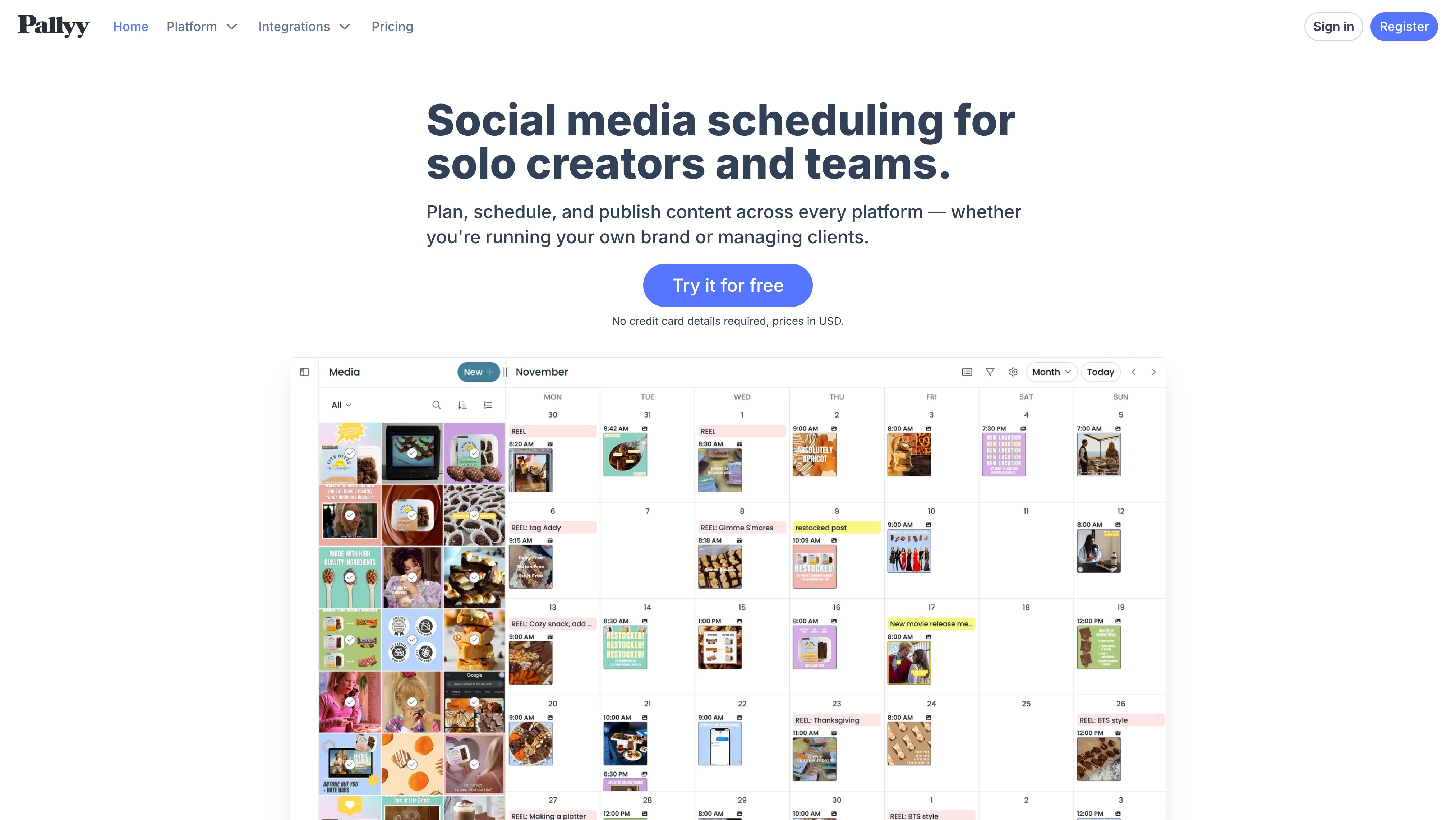
These are consistent themes across user feedback. Pallyy holds a 4.7/5 on Capterra (68 reviews) but has 0 reviews on G2, making it harder to independently verify user satisfaction at scale. Read our full Pallyy reviews analysis for a deeper look at what real users are saying.
For a detailed side-by-side breakdown, see our Pallyy vs PostPlanify comparison.
1. PostPlanify: Best for Agencies
PostPlanify is a social media management platform built for agencies running client work, where analytics across every platform, unlimited seats, and client-facing branding are the things that actually cost money elsewhere. Where Pallyy caps analytics at 3 platforms and charges $10 per extra social set and $10 per extra user, PostPlanify reports across all 10 connected networks and puts no limit on team members at all.
It also closes Pallyy's content gaps: AI caption and image generation on every plan, a social inbox and approval workflows from the entry plan, and full white labeling on Scale, none of which Pallyy offers. You get the whole publishing-to-reporting workflow in one tool, priced per client workspace rather than per seat.

At a glance: PostPlanify
- Pricing: Per client workspace and graduated: Growth from $39/mo, Premium from $59/mo, Scale from $79/mo
- Team members: Unlimited on every plan, where Pallyy allows no extra users on Pro at all and charges $10 each on Agency
- Platforms: 10 including Pinterest, TikTok, X, YouTube, LinkedIn, Threads, Bluesky, and Google Business
- Free trial: 7 days, with a 14-day money-back guarantee
- Best for: Agencies running multiple client brands, where Pallyy's $10/set and $10/user add-ons, 3-platform analytics limit, and lack of white-label reports all bite at once
Key Features
- Content calendar: Plan, edit, and reschedule all your posts from one clean calendar
- 10 platforms supported: TikTok, Instagram, Facebook, LinkedIn, X (Twitter), YouTube, Threads, Pinterest, Bluesky, Google Business
- Full analytics across all 10 platforms: Track performance, engagement, and growth everywhere you post, not just 3 platforms like Pallyy

- Social inbox: Manage comments and messages across platforms from one place
- Bulk scheduling: Schedule up to 20 posts across platforms at the same time
- Team collaboration: Unlimited team members and client approvers on every plan, with roles, approval workflows from the entry plan, and a shared calendar
- Media library: Store, organize, and reuse your brand assets. Import from Canva, Google Drive, or Dropbox directly
- AI assistant: Generate captions and images with brand-aware AI
- White label on Scale: Branded dashboard, client emails, and PDF reports, with client reports on Premium
- Link-in-bio builder: One page, all your links, styled to match your brand
- API access: Automate your workflow from your own tools or AI assistants
Pricing
| Workspaces | Growth | Premium | Scale |
|---|---|---|---|
| 1 workspace | $39/mo | $59/mo | $79/mo |
| 3 workspaces | $97/mo | $157/mo | $197/mo |
| 5 workspaces | $155/mo | $255/mo | $315/mo |
| 10 workspaces | $250/mo | $400/mo | $560/mo |
| Social accounts per workspace | 4 | 6 | 8 |
Unlimited team members on every plan, no per-seat fees. Yearly billing saves 20%. All plans include a 7-day free trial with a 14-day money-back guarantee.
What PostPlanify Does Better Than Pallyy
- Full analytics across all 10 platforms: Pallyy only covers Instagram, Facebook, and LinkedIn
- No add-on fees: Pallyy charges $10 per extra social set, allows no second user on Pro, and charges $10 per extra user on Agency; team members are unlimited here
- White-label PDF reports on Scale: brand reports with your logo for clients
- AI image generation: create images directly in the composer
- Canva, Google Drive & Dropbox integration: import assets without downloading first
- Bulk scheduling: create up to 20 posts at once
- API access: automate workflows programmatically
Where Pallyy Is Still Stronger
- Instagram grid planner: Pallyy's visual feed preview is purpose-built for Instagram aesthetics
- Lower single-brand price: Pallyy Pro at $25/mo against PostPlanify Growth at $39/mo for one workspace, though Pallyy's add-ons close that gap as soon as you add a set or a user
- Free trial without credit card: Pallyy offers 14 days with no card required. PostPlanify requires a credit card for its 7-day trial.
For a detailed feature comparison, visit our Pallyy alternative page.
 PostPlanify
All your social media in one simple dashboard
Schedule posts, track analytics, and reply to comments/DMs without switching tabs.

Engagement
+18%
Views
52.8k
2. Buffer: Best for Beginners Who Want Simplicity
Buffer is one of the oldest social media schedulers, known for its clean interface and beginner-friendly design. It supports 11 platforms including Google Business Profile and Mastodon, broader coverage than Pallyy, with a genuinely useful free plan.
Where Pallyy charges $10 per extra social set, Buffer uses simple per-channel pricing and includes a mobile app (which Pallyy lacks) plus a community inbox on paid plans. For beginners who want the simplest path to consistent posting, it stays out of the way.

At a glance: Buffer
- Pricing: Free plan (3 channels) → $6/channel/mo Essentials (annual) → $12/channel/mo Team (unlimited users)
- Platforms: 11 including Pinterest, Google Business, Bluesky, Mastodon
- Free trial: Free plan available (no credit card required)
- User ratings: 4.3/5 on G2 (1,023), 2.1/5 on Trustpilot (93)
- Best for: Solopreneurs and beginners who want the simplest scheduling UX with per-channel pricing and a genuinely useful free plan, plus broader platform coverage than Pallyy
Key Features
- 11 platforms including Google Business Profile and Mastodon
- Community inbox for managing comments and messages
- AI Assistant for generating post ideas and rewriting captions
- Hashtag manager and first comment scheduling
- Dedicated mobile app for iOS and Android
- Free plan with 3 channels and 10 posts each
How It Compares to Pallyy
Buffer and Pallyy serve similar audiences but differ in pricing structure. Buffer charges per channel ($6-12/mo each), while Pallyy charges per social set ($10/mo for extras). For one brand across 5 platforms, Buffer costs $30-60/month while Pallyy costs $25/month, making Pallyy cheaper for single-brand users.
However, Buffer supports 11 platforms vs Pallyy's 9, has a mature mobile app (Pallyy doesn't), and offers a community inbox on all paid plans. Buffer's analytics are also more comprehensive than Pallyy's 3-platform limitation.
What users say: 4.3/5 on G2 (1,023 reviews), 2.1/5 on Trustpilot (93 reviews). Common complaints include per-channel costs scaling fast and scheduling glitches.
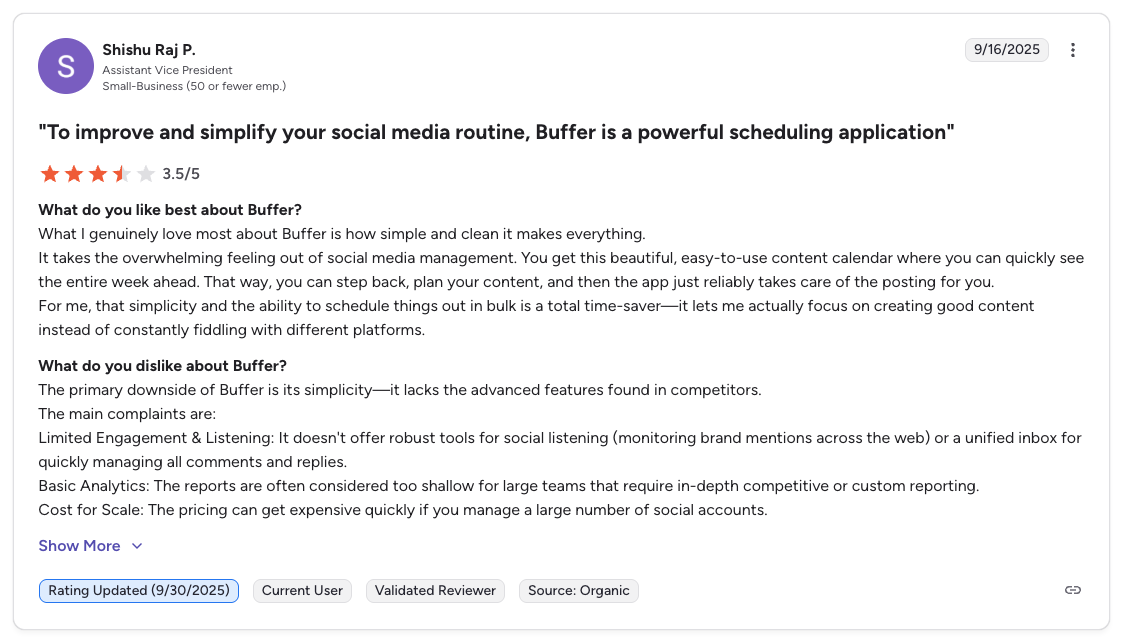
"What I genuinely love most about Buffer is how simple and clean it makes everything... The primary downside of Buffer is its simplicity: it lacks the advanced features found in competitors. Limited Engagement & Listening... Basic Analytics... Cost for Scale." Shishu Raj P., Assistant Vice President (Small Business), 3.5/5 on G2, Sep 2025
For more details, see our Buffer alternatives, Buffer pricing breakdown, and Buffer reviews.
3. Hootsuite: Best for Enterprise Teams
Hootsuite is the largest social media management platform by market share, built for enterprise teams that need social listening, ad management, and multi-level governance, depth Pallyy doesn't attempt.
Where Pallyy is a lean, single-developer scheduler for solo creators, Hootsuite covers every connected platform in analytics, adds keyword-based social listening and competitor benchmarking, and supports approval chains for large teams. The trade-off is price and complexity.

At a glance: Hootsuite
- Pricing: $99/user/mo Standard (10 accounts) → $199/user/mo Professional (unlimited accounts) → $399/user/mo Advanced (approvals, bulk scheduling 350 posts); custom Enterprise
- Platforms: 10+ including Google Business, Reddit, Threads
- Free trial: 14 days, no card required (no free plan)
- User ratings: 4.3/5 on G2 (6,615), 1.5/5 on Trustpilot (540+)
- Best for: Enterprise marketing teams that need social listening, multi-level approval governance, competitor benchmarking, and ad management at scale, features Pallyy cannot match
Key Features
- 10+ platforms including Google Business Profile
- Social listening and brand monitoring
- Advanced analytics with competitor benchmarking
- Ad management for paid social campaigns
- Team workflows with approval chains and user roles
How It Compares to Pallyy
Hootsuite is in a completely different category than Pallyy. Where Pallyy focuses on simplicity and affordability, Hootsuite goes deep on enterprise features. Hootsuite's analytics cover all connected platforms (vs Pallyy's 3), and it includes social listening, ad management, and competitor benchmarking that Pallyy doesn't offer at any price.
The trade-off is cost: Hootsuite bills per user, so a three-person team on Standard is $297/mo against Pallyy's $199/mo Scale plan for ten users. It only makes sense if you genuinely need enterprise-grade features.
What users say: 4.3/5 on G2 (6,615 reviews), 1.5/5 on Trustpilot (540+ reviews). Enterprise users value the feature depth; complaints focus on auto-renewal billing and a cluttered interface.
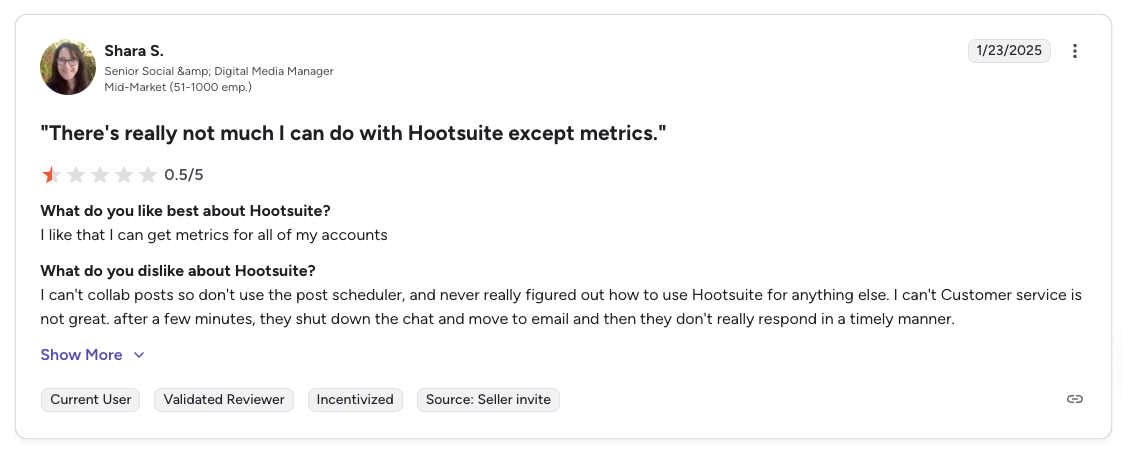
"There's really not much I can do with Hootsuite except metrics. I can't collab posts so don't use the post scheduler... Customer service is not great." Shara S., Senior Social & Digital Media Manager (Mid-Market), 0.5/5 on G2, Jan 2025
For more details, see our Hootsuite alternatives, Hootsuite pricing breakdown, and Hootsuite reviews.
4. Sprout Social: Best for Enterprise Analytics & Social Listening
Sprout Social is the premium option with the deepest analytics, social listening, and reporting capabilities available. Where Pallyy covers 3 platforms with basic metrics, Sprout reports across every connected platform with competitor benchmarking and sentiment analysis.
The price reflects the gap: a single Sprout seat ($199/mo) costs the same as Pallyy's Scale plan but serves one user instead of ten. It's unmatched for analytics and reporting, and overkill for most creators and small teams.

At a glance: Sprout Social
- Pricing: $99/seat/mo Essentials ($79 annual, 5 profiles) → $199/seat/mo Standard (5 profiles) → $299/seat/mo Professional (unlimited profiles) → $399/seat/mo Advanced; custom Enterprise
- Platforms: 10+ including Google Business, Reddit, Threads, and WhatsApp
- Free trial: 30 days (no free plan)
- User ratings: 4.4/5 on G2 (5,700+), 1.9/5 on Trustpilot (79)
- Best for: Mid-market and enterprise teams that need deepest-on-this-list analytics, sentiment analysis, competitor benchmarking, and helpdesk integrations, overkill for Pallyy's solo-creator audience
Key Features
- Deep analytics with customizable, presentation-ready reports
- Social listening powered by AI for brand sentiment and trend analysis
- Smart inbox that unifies messages from all platforms
- Competitor analysis with benchmarking
- Multi-step approval workflows with audit trails
How It Compares to Pallyy
Sprout Social's analytics make Pallyy's look like a toy. Where Pallyy covers 3 platforms with basic metrics, Sprout Social provides deep, customizable analytics across all connected platforms with competitor benchmarking and sentiment analysis.
The price reflects this: a single Sprout Social seat ($199/mo) costs the same as Pallyy's Scale plan ($199/mo) but serves one user vs 10. If analytics and reporting are your priority, Sprout Social is unmatched, but it's overkill for most creators and small teams.
What users say: 4.4/5 on G2 (5,700+ reviews), 1.9/5 on Trustpilot (79 reviews). Praised for analytics depth; complaints focus on pricing and contract lock-in.
For more details, see our Sprout Social alternatives, Sprout Social pricing breakdown, and Sprout Social reviews.
5. SocialBee: Best for Evergreen Content Recycling
SocialBee stands out with its category-based content system. Instead of a linear queue, you organize posts into categories and SocialBee automatically rotates through them, evergreen recycling Pallyy doesn't offer at all.
It also supports 10 platforms (including Google Business, Bluesky, and Threads), approval workflows on all plans, and broader analytics than Pallyy's 3-platform cap. For content marketers with a library of reusable posts, the recycling engine is the draw.

At a glance: SocialBee
- Pricing: $29/mo Bootstrap (5 profiles) → $49/mo Accelerate (10 profiles) → $99/mo Pro (25 profiles, 3 users)
- Platforms: 10 including Pinterest, Google Business, Bluesky, Threads
- Free trial: 14 days (no credit card required)
- User ratings: 4.8/5 on G2 (472), 4.1/5 on Trustpilot (51)
- Best for: Content marketers and solopreneurs with evergreen content libraries who want category-based recycling across 10 platforms, something Pallyy doesn't offer
Key Features
- Category-based scheduling with automatic content rotation
- Evergreen post recycling: content republishes on a set cycle
- 10 platforms including Pinterest, Google Business Profile, Bluesky, and Threads
- Copilot AI for content suggestions and generation
- Approval workflows for teams
- RSS feed automation
How It Compares to Pallyy
SocialBee's killer feature is evergreen content recycling, something Pallyy doesn't offer at all. If you have a library of tips, quotes, or promotional content you want to automatically repost on a schedule, SocialBee handles this natively.
SocialBee also supports Google Business Profile and offers approval workflows on all plans. Analytics are broader than Pallyy's 3-platform limitation but not as deep as enterprise tools.
What users say: 4.8/5 on G2 (472 reviews), 4.1/5 on Trustpilot (51 reviews). Consistently praised for the content recycling system and responsive support.
For more details, see our SocialBee alternatives, SocialBee pricing breakdown, and SocialBee reviews.
PostPlanifyAll your social media in one simple dashboard
Schedule posts, track analytics, and reply to comments/DMs without switching tabs.
Engagement
+18%
Views
52.8k
6. Later: Best for Visual-First Instagram Creators
Later is built for visual content planning with a strong focus on Instagram. Like Pallyy, it offers a visual grid planner, but with a deeper feature set around link-in-bio (Linkin.bio) and influencer tools.
Later supports 8 platforms (it dropped X in 2023 and never added Google Business), and its social inbox starts on the Growth plan. For Instagram-first creators who want the most mature grid-planning experience, it's the closest peer to Pallyy with more polish.

At a glance: Later
- Pricing: $25/mo Starter (8 profiles, 30 posts/profile) → $50/mo Growth (16 profiles, 180 posts/profile, 2 users) → $110/mo Scale (48 profiles, unlimited posts, 4 users). ~15–20% off annual
- Platforms: 8 (Instagram, Facebook, Threads, Pinterest, TikTok, LinkedIn, YouTube, Snapchat; no X/Twitter, no Google Business)
- Free trial: Limited free plan available
- User ratings: 4.5/5 on G2 (347), 1.7/5 on Trustpilot, a "Bad" score
- Best for: Visual-first Instagram creators who want drag-and-drop grid planning plus a more mature Linkin.bio tool than Pallyy offers
Key Features
- Visual content calendar with drag-and-drop scheduling
- Instagram grid planner and feed preview
- Linkin.bio tool for driving traffic from Instagram
- Social inbox on Growth plan and above
- Approval workflows on Advanced and Scale plans
- AI caption writing
How It Compares to Pallyy
Later and Pallyy compete directly for Instagram-focused creators. Both offer grid planners and visual scheduling. Later supports fewer platforms (8 vs Pallyy's 9, since Later dropped X/Twitter in 2023 and never added Google Business) but has a more mature Linkin.bio tool and stronger influencer features.
Later's social inbox is available on Growth+ plans, while Pallyy's starts at Pro. We compare the category in our roundup of social media inbox tools. Both have similar analytics limitations, though Later covers a few more platforms than Pallyy's 3.
What users say: 4.5/5 on G2 (347 reviews), 1.7/5 on Trustpilot, a "Bad" score. G2 users praise visual planning; Trustpilot complaints focus on auto-renewal billing and support responsiveness.
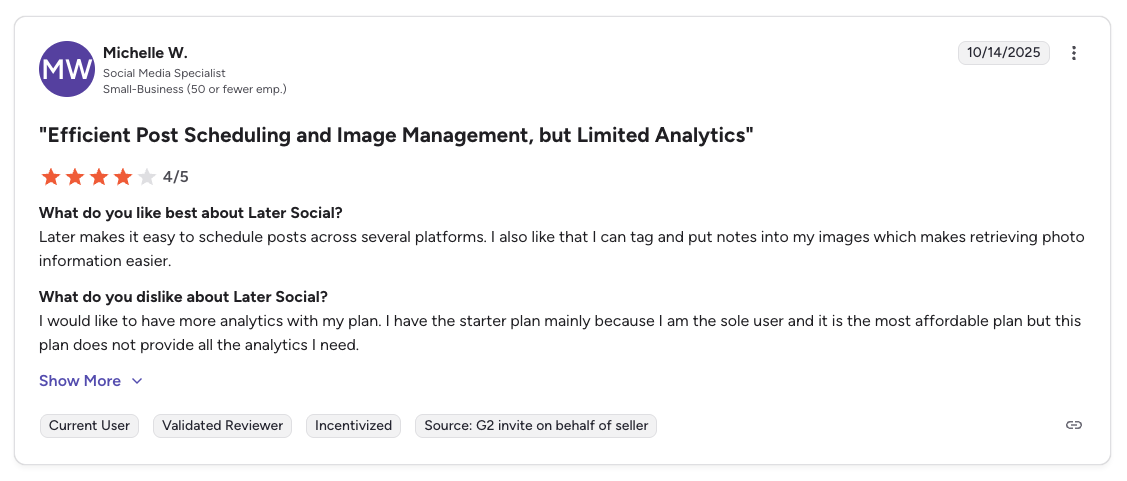
"Later makes it easy to schedule posts across several platforms. I also like that I can tag and put notes into my images which makes retrieving photo information easier. I would like to have more analytics with my plan." Michelle W., Social Media Specialist (Small Business), 4/5 on G2, Oct 2025
For more details, see our Later alternatives, Later pricing breakdown, and Later reviews.
7. SocialPilot: Best for Agencies on a Budget
SocialPilot is built specifically for agencies and teams that need to manage many clients without enterprise pricing. It includes white-label reports, CSV bulk scheduling (500 posts), and client workspaces, agency tools Pallyy lacks.
At $100/month for 25 accounts and 6 users, SocialPilot costs roughly the same as Pallyy's Agency plan ($99/mo) but adds white-label reports and more users, with analytics across more platforms than Pallyy's 3.

At a glance: SocialPilot
- Pricing: $30/mo Essentials (7 accounts) → $50/mo Standard (15 accounts, 3 users) → $100/mo Premium (25 accounts, 6 users, white-label) → $200/mo Ultimate (50 accounts, unlimited users)
- Platforms: 11 including Pinterest, Google Business, Bluesky, Reddit, Threads
- Free trial: 14 days
- User ratings: 4.5/5 on G2 (841), 3.0/5 on Trustpilot (34)
- Best for: Agencies who want Pallyy's affordability but need CSV bulk scheduling (500 posts), white-label reports, client workflows, and 11 platforms, all Pallyy weaknesses for agencies
Key Features
- 11 platforms supported including Pinterest, Google Business, Bluesky, Reddit, Threads
- Bulk scheduling up to 500 posts via CSV
- White-label reports for client-facing analytics
- Client management with separate workspaces
- Content approval workflows
- AI Assistant for caption generation
How It Compares to Pallyy
SocialPilot is a much stronger option for agencies than Pallyy. It includes white-label reports, bulk scheduling (500 posts via CSV vs Pallyy's none), and client management tools. Analytics cover more platforms than Pallyy's 3.
At $100/month for 25 accounts and 6 users, SocialPilot costs roughly the same as Pallyy's Agency plan ($99/mo) but includes white-label reports and more users.
What users say: 4.5/5 on G2 (841 reviews), 3.0/5 on Trustpilot (34 reviews). Praised for agency features and value; complaints about interface polish and occasional bugs.

"SocialPilot is robust in saving time when managing multiple social sites, where they are all consolidated in one dashboard... facilitates the role assigning aspects, and ensures that the approval process is speedily executed." Graziana C., IT Manager (Financial Services, Small Business), 4.5/5 on G2, Dec 2025
For more details, see our SocialPilot alternatives, SocialPilot pricing breakdown, and SocialPilot reviews.
8. Publer: Best Budget-Friendly Alternative
Publer offers one of the most generous free plans and cheapest paid plans on the market. It supports 13 platforms and includes AI features powered by GPT-4 plus DALL·E 3 image generation, which Pallyy doesn't offer.
Publer also covers more platforms than Pallyy (13 vs 9), and its free plan allows 3 accounts vs Pallyy's 1. The trade-offs: no social inbox, no approval workflows, and a less polished interface than Pallyy's.
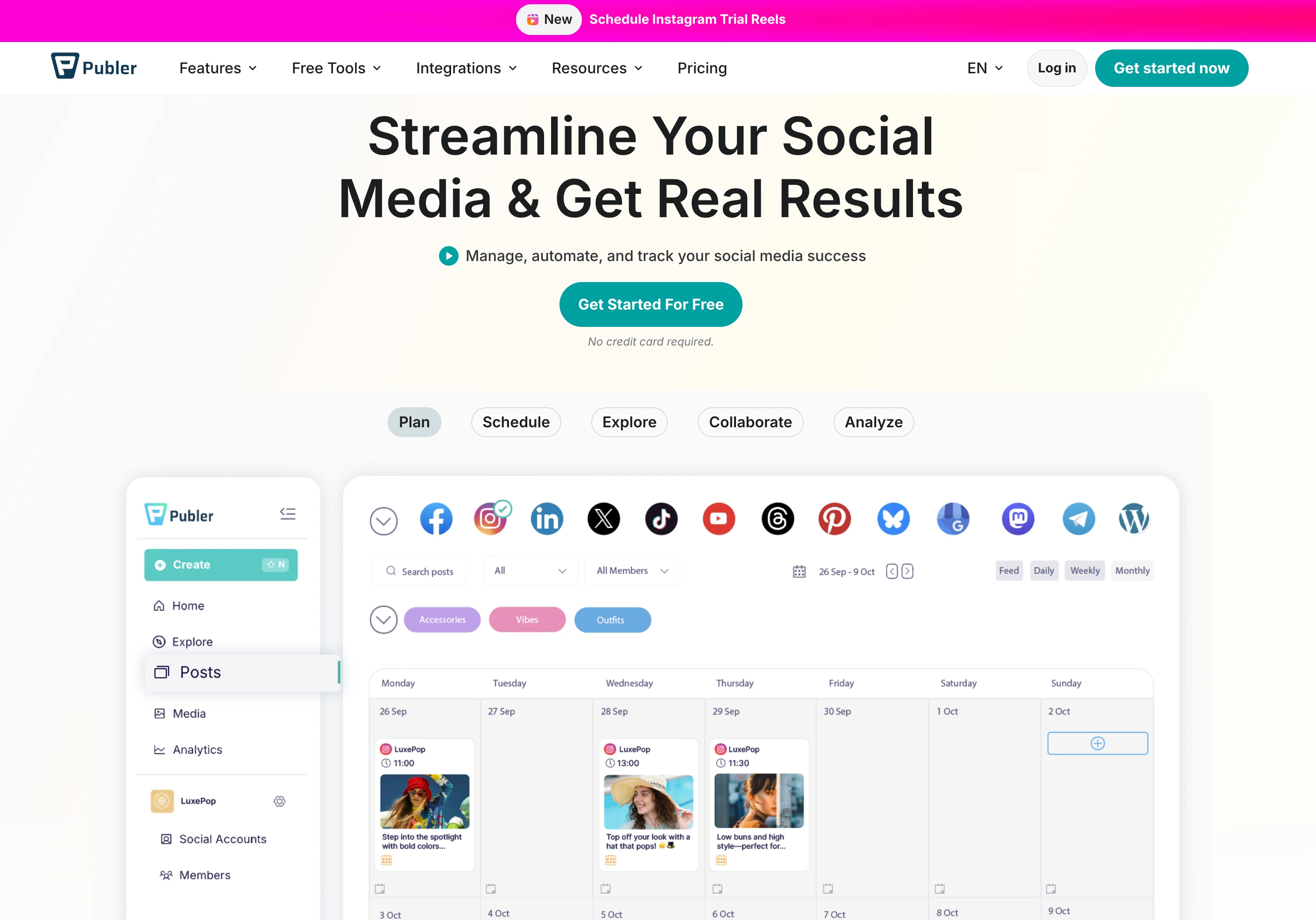
At a glance: Publer
- Pricing: Free plan (3 accounts, no X) → $12/mo Professional (3 accounts + $4/extra) → $21/mo Business (AI + analytics, 3 accounts + $7/extra)
- Platforms: 13 including Pinterest, WordPress, Telegram, Mastodon, Bluesky, Google Business
- Free trial: Free plan available (no credit card required)
- User ratings: 4.7/5 on G2 (486), 4.8/5 on Trustpilot (863)
- Best for: Budget-conscious solopreneurs who want AI image generation (DALL·E 3), bulk scheduling for 500 posts, and the widest platform coverage on this list, and the cheapest paid tier with Pinterest
Key Features
- 13 platforms including Google Business Profile, WordPress, Telegram, Mastodon, and Bluesky
- GPT-4 AI captions and DALL-E 3 image generation
- Bulk scheduling and CSV import
- Link-in-bio tool
- Recurring posts and content recycling
- Free plan with 3 accounts
How It Compares to Pallyy
Publer supports more platforms than Pallyy (13 vs 9) and includes AI image generation (DALL-E 3) which Pallyy doesn't offer. Publer's free plan also allows 3 accounts vs Pallyy's 1.
However, Publer lacks a social inbox and approval workflows. Its interface is less polished than Pallyy's, and analytics are more basic.
What users say: 4.7/5 on G2 (486 reviews), 4.8/5 on Trustpilot (863 reviews). One of the highest-rated tools across both platforms. Users love the value and AI features.
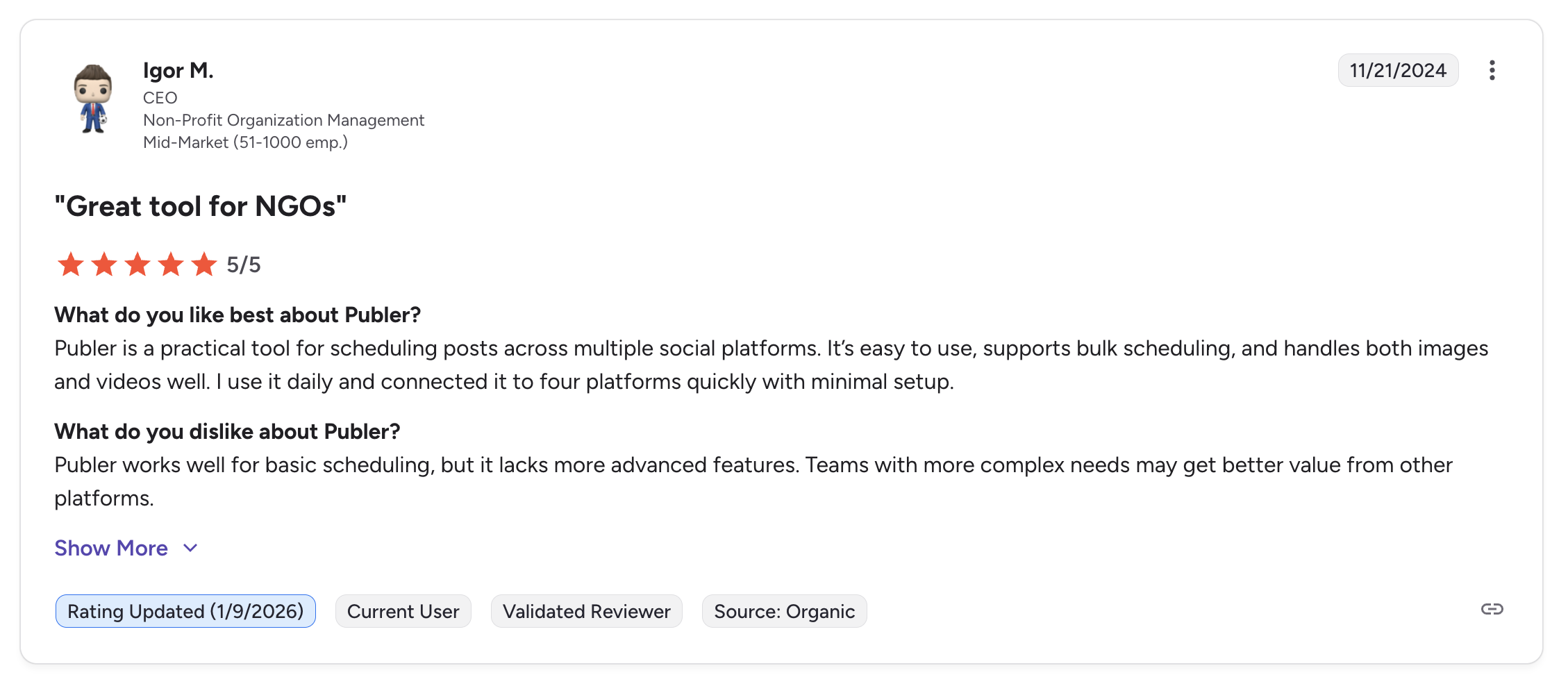
"Publer is a practical tool for scheduling posts across multiple social platforms. It's easy to use, supports bulk scheduling, and handles both images and videos well. I use it daily and connected it to four platforms quickly with minimal setup." Igor M., CEO (Non-Profit, Mid-Market), 5/5 on G2, Nov 2024
For more details, see our Publer alternatives, Publer pricing breakdown, and Publer reviews.
9. Metricool: Best Free Plan With Analytics
Metricool combines scheduling with strong analytics and even ad management, with a free plan that includes analytics for one brand. Where Pallyy caps analytics at 3 platforms, Metricool reports across all connected networks and adds competitor tracking and ad analytics.
It supports 11 platforms (including Bluesky and Twitch), and its free tier is more useful than Pallyy's. The main trade-off is the interface: Metricool is data-heavy and less visually clean than Pallyy's grid-first design.
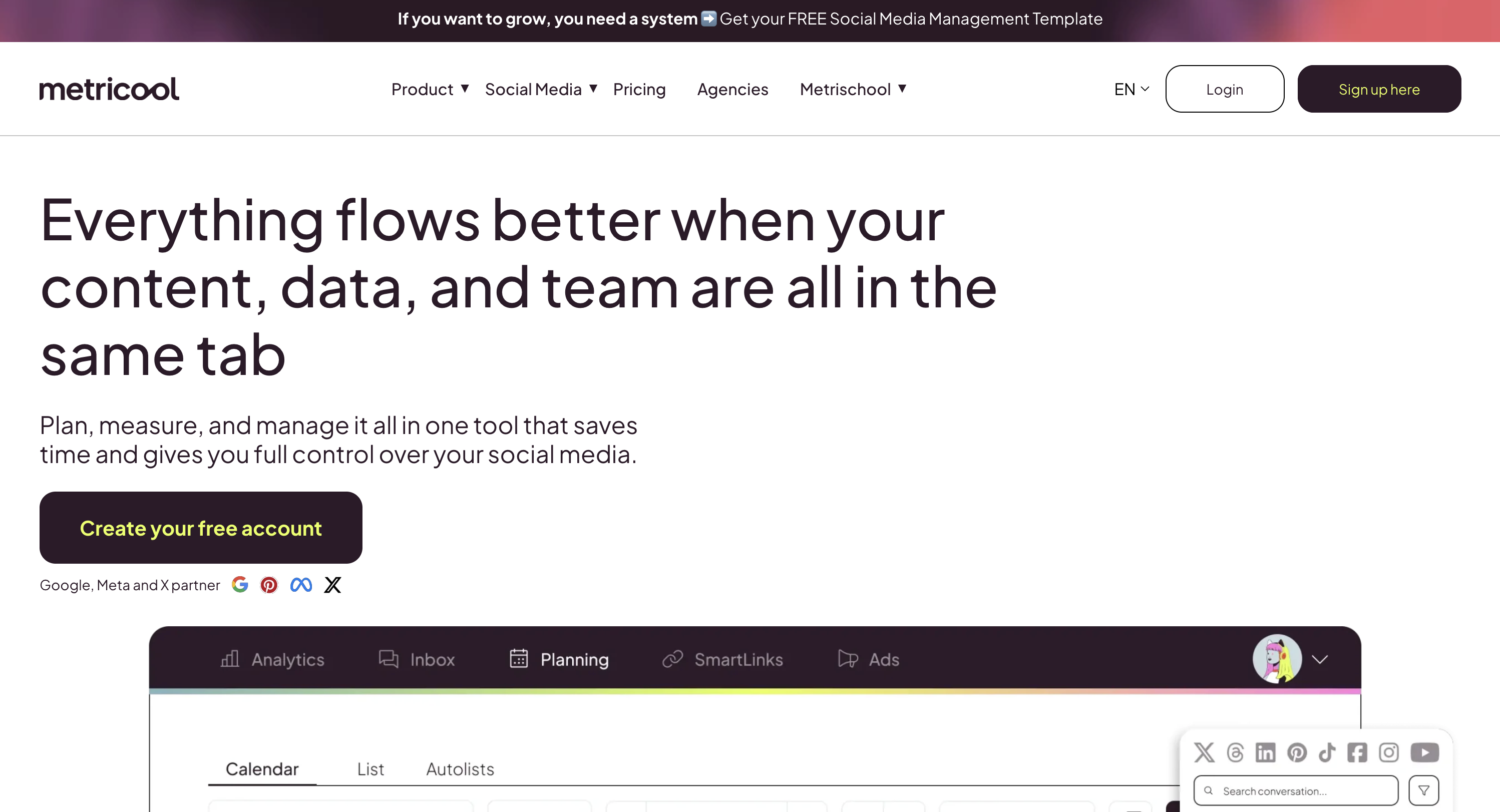
At a glance: Metricool
- Pricing: Free plan (1 brand, 20 posts/mo) → from $25/mo Starter (5 brands) → from $67/mo Advanced (15 brands) → custom Enterprise (50+ brands)
- Platforms: 11 including Pinterest, Google Business, Threads, Bluesky (plus Twitch)
- Free trial: Free plan available, no time limit
- User ratings: 4.5/5 on G2 (83), 4.2/5 on Trustpilot (586)
- Best for: Data-driven marketers who want the most generous free-tier analytics on this list: competitor tracking for up to 100 profiles and ad management included, where Pallyy analytics are capped at 3 platforms
Key Features
- 11 platforms including Bluesky, Google Business Profile, and Twitch
- Advanced analytics with competitor tracking
- Ad management for Google, Facebook, and Instagram ads
- Inbox management for comments and messages
- Hashtag tracking and best time to post
- Free plan with analytics for 1 brand
How It Compares to Pallyy
Metricool's analytics are far more comprehensive than Pallyy's 3-platform limitation. It covers all connected platforms and includes competitor tracking and ad management, features Pallyy doesn't offer at any price.
Metricool's free plan is also more useful than Pallyy's, including analytics for one brand (20 posts/month on free). The main trade-off is that Metricool's interface is more data-heavy and less visually clean than Pallyy's.
What users say: 4.5/5 on G2 (83 reviews), 4.2/5 on Trustpilot (586 reviews). Praised for analytics depth and free plan value. Some complaints about scheduling reliability.
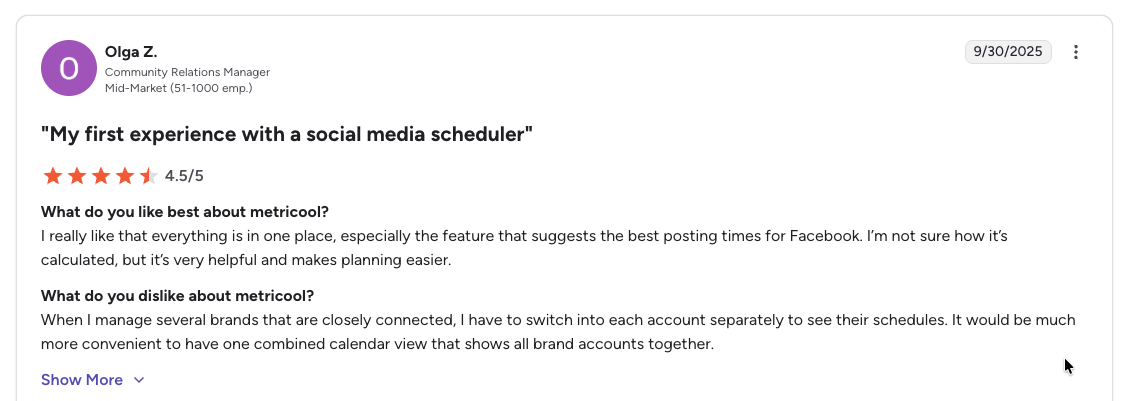
"I really like that everything is in one place, especially the feature that suggests the best posting times for Facebook... When I manage several brands that are closely connected, I have to switch into each account separately to see their schedules." Olga Z., Community Relations Manager (Mid-Market), 4.5/5 on G2, Sep 2025
For more details, see our Metricool alternatives, Metricool pricing breakdown, and Metricool reviews.
10. Loomly: Best for Teams Needing Approval Workflows
Loomly is designed for marketing teams that need structured content approval workflows with multi-step review processes, collaboration depth Pallyy's basic approvals don't match.
It supports 9 platforms (including X and Snapchat), an Interactions inbox for comments and DMs, and post-idea inspiration. The downside is price: Loomly removed its free tier, so the entry point is the $65/month Starter plan, far above Pallyy's $25/mo Pro.

At a glance: Loomly
- Pricing: $65/mo Starter (12 accounts, 3 users, annual ~$49/mo) → $332/mo Beyond (60 accounts, unlimited users, annual ~$249/mo); custom Enterprise
- Platforms: 9 including X, Pinterest, Google Business, Snapchat (no Threads, no Bluesky)
- Free trial: 15 days on paid plans (no free plan)
- User ratings: 4.6/5 on G2 (1,793), 1.7/5 on Trustpilot (62)
- Best for: Marketing teams of 3+ who need multi-step approval workflows, content inspiration, and interaction management, features Pallyy doesn't provide
Key Features
- 9 platforms including X, Google Business Profile, and Snapchat
- Multi-step approval workflows on all paid plans
- Interactions inbox for comments and DMs
- Post ideas and content suggestions
- Hashtag manager and UTM tracking
- Content library for brand assets
How It Compares to Pallyy
Loomly's approval workflows are more structured than Pallyy's, and it ranks high in our guide to social media tools with approval workflows. While Pallyy offers basic approvals on Pro+, Loomly provides multi-step, multi-reviewer workflows designed for teams where content must pass through multiple stakeholders.
Loomly also supports Google Business Profile and Threads, and its "Interactions" inbox handles both comments and DMs. Analytics are broader than Pallyy's 3-platform coverage.
The downside is price: Loomly's Starter plan ($65/mo for 12 accounts and 3 users) is significantly more expensive than Pallyy's Pro ($25/mo).
What users say: 4.6/5 on G2 (1,793 reviews), 1.7/5 on Trustpilot (62 reviews). G2 users love the approval workflows; Trustpilot complaints focus on billing and support.
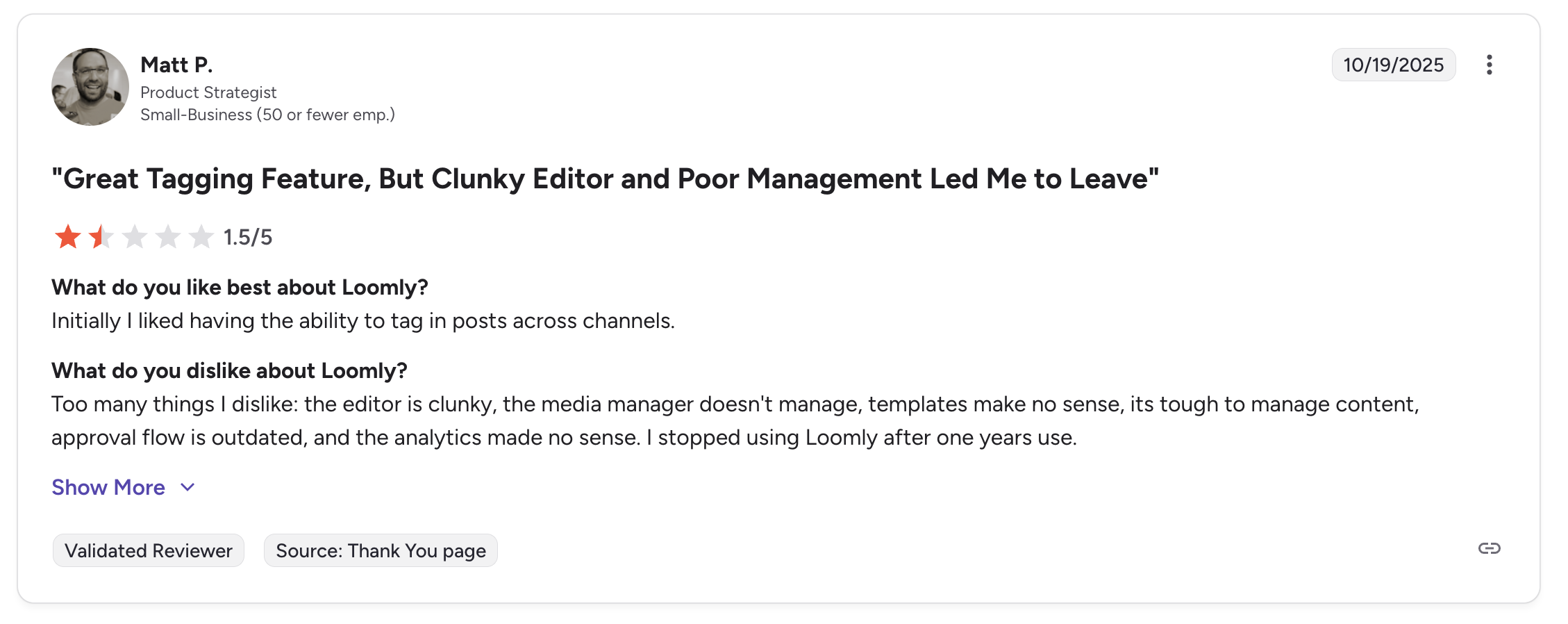
"Initially I liked having the ability to tag in posts across channels... Too many things I dislike: the editor is clunky, the media manager doesn't manage, templates make no sense, its tough to manage content, approval flow is outdated, and the analytics made no sense. I stopped using Loomly after one years use." Matt P., Product Strategist (Small Business), 1.5/5 on G2, Oct 2025
For more details, see our Loomly alternatives, Loomly pricing breakdown, and Loomly reviews.
11. Sendible: Best for Agency White-Labeling
Sendible is built for agencies that need white-label dashboards, branded reports, and client management tools, the agency infrastructure Pallyy lacks at any price.
It supports 10 platforms (including Google Business) and a Priority Inbox, scaling to 90 profiles on Elite with unlimited users on every tier. One caveat: Sendible does not support Pinterest, so if that's a client channel you'd still need a second tool.

At a glance: Sendible
- Pricing: $35/mo Core (6 profiles) → $99/mo Plus (18 profiles) → $199/mo Premium (42 profiles) → $299/mo Elite (90 profiles) → $750/mo Enterprise, with unlimited users on every tier
- Platforms: 10 including Google Business, WordPress, Bluesky, Threads. Note: Sendible does NOT support Pinterest
- Free trial: 14 days (no credit card required)
- User ratings: 4.5/5 on G2 (899), 3.7/5 on Trustpilot (12)
- Best for: Agencies outgrowing Pallyy that need white-label dashboards, client-facing reports, and scaling to 90 profiles with unlimited users, but only if Pinterest is not a client channel
Key Features
- 10 platforms including Google Business Profile
- White-label dashboards: clients see your branding
- Priority Inbox for managing messages across platforms
- Approval workflows with multi-step review
- Content suggestions and RSS feeds
- Custom reporting with branded exports
How It Compares to Pallyy
Sendible fills the gaps Pallyy has for agencies. White-label dashboards and branded reports are Sendible's core differentiators, features Pallyy doesn't offer at any price. Sendible also supports Google Business Profile and has a Priority Inbox.
The trade-off is cost and complexity. Sendible's Core plan ($35/mo for 6 profiles) gives you fewer accounts than Pallyy's Pro ($25/mo for up to 10), and the interface has a steeper learning curve.
What users say: 4.5/5 on G2 (899 reviews), 3.7/5 on Trustpilot (12 reviews). Agencies praise white-labeling; complaints focus on interface complexity and occasional bugs.
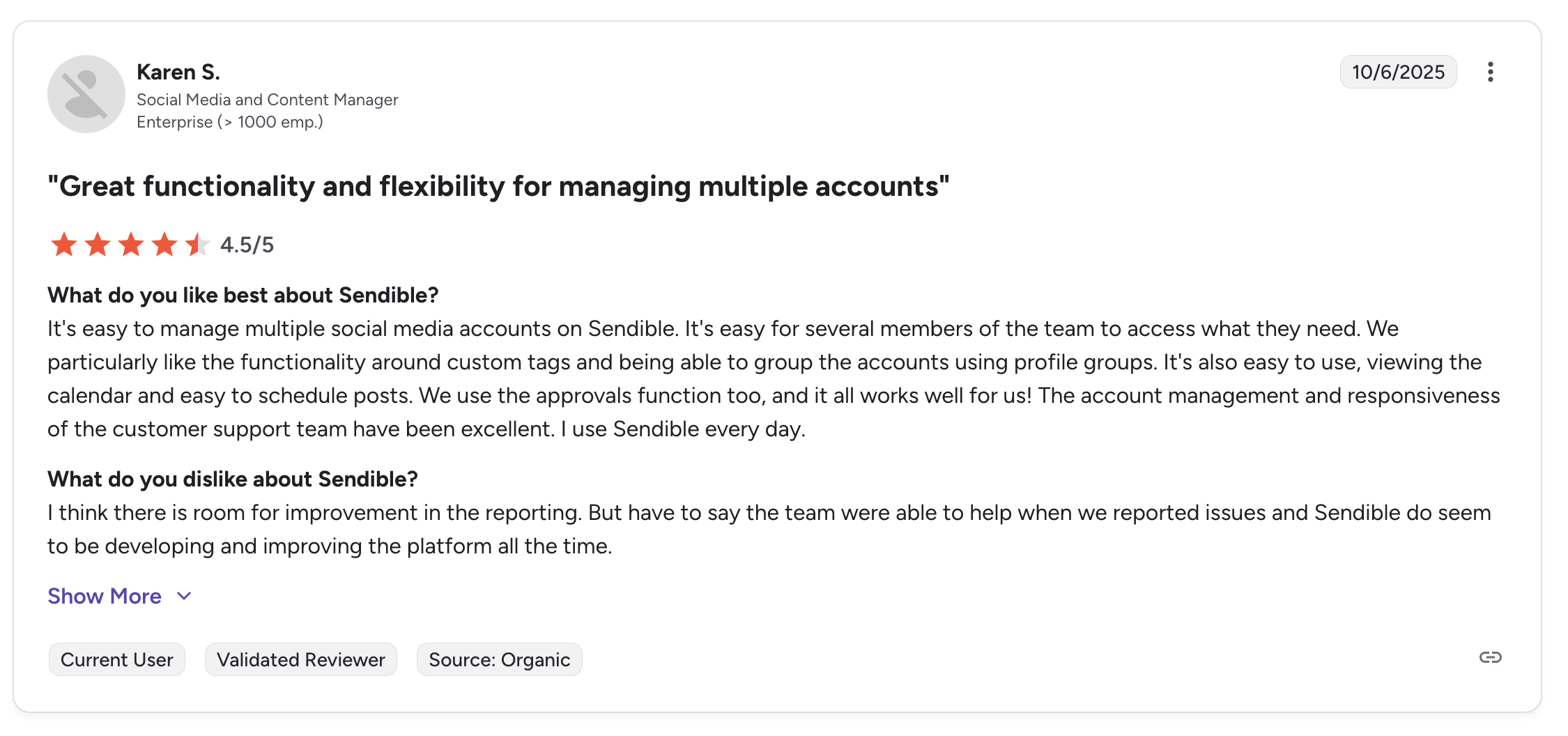
"It's easy to manage multiple social media accounts on Sendible. It's easy for several members of the team to access what they need... The account management and responsiveness of the customer support team have been excellent." Karen S., Social Media and Content Manager (Enterprise), 4.5/5 on G2, Oct 2025
For more details, see our Sendible alternatives, Sendible pricing breakdown, and Sendible reviews.
12. Planable: Best for Content Collaboration & Visual Approval
Planable focuses on content collaboration and visual approval: it's the closest thing to a "Google Docs for social media," designed for teams where multiple stakeholders review and approve content before publishing.
Planable's unlimited users on every paid plan is a standout (Pallyy limits users to 1-10 by plan), and its feed-style previews and multi-level approvals go well beyond Pallyy's basic sign-off. The trade-off: no social inbox and limited analytics, so it's a pure collaboration layer rather than a full management platform.

At a glance: Planable
- Pricing: Free plan (50 total posts, unlimited users) → $39/workspace/mo Basic (4 pages, 60 posts/mo) → $59/workspace/mo Pro (10 pages, 150 posts/mo); custom Enterprise
- Platforms: 9 including Pinterest, Google Business, Threads (no Bluesky)
- Free trial: Free plan available
- User ratings: 4.6/5 on G2 (937), 4.5/5 on Trustpilot (69)
- Best for: Teams and client-agency setups where multi-stakeholder content review before publishing is the top priority, with unlimited users on every paid plan, the cleanest approval UX on this list
Key Features
- 9 platforms supported including Pinterest, Google Business, Threads
- Visual content approval with side-by-side previews
- Unlimited users on all paid plans
- Multi-level approval workflows (none, optional, required, multi-level)
- Content labels and filters for organizing posts by campaign
- Universal content support (social, blogs, newsletters, ads)
How It Compares to Pallyy
Planable and Pallyy serve completely different needs. Pallyy is for solo creators who want simple scheduling. Planable is for teams where 3-5 people need to review and approve every piece of content before it goes live.
Planable's unlimited users on all paid plans is a standout, where Pallyy limits users to 1-10 depending on plan. However, Planable has no social inbox and limited analytics, making it a pure collaboration tool rather than a full management platform.
What users say: 4.6/5 on G2 (937 reviews), 4.5/5 on Trustpilot (69 reviews). Consistently praised for the visual approval experience and unlimited users.
For more details, see our Planable alternatives, Planable pricing breakdown, and Planable reviews.
PostPlanifyAll your social media in one simple dashboard
Schedule posts, track analytics, and reply to comments/DMs without switching tabs.
Engagement
+18%
Views
52.8k
Full Pricing Comparison: All 12 Pallyy Alternatives
Here is a side-by-side pricing comparison to help you find the right tool for your budget.
| Tool | Starting Price | 10 Accounts | Free Plan |
|---|---|---|---|
| Pallyy | Free / $25/mo | $25/mo (1 set) or $115/mo (Pro + 9 sets) | Yes (15 posts/mo) |
| PostPlanify | $39/mo | $97/mo (3 workspaces, 12 accounts) | 7-day trial |
| Buffer | Free / $6/ch/mo | ~$60/mo | Yes (3 channels) |
| Hootsuite | $99/user/mo | $99/user/mo (10 incl.) | No |
| Sprout Social | $99/seat/mo | $199/seat/mo (5 incl.) | Trial only |
| SocialBee | $29/mo | $49/mo | 14-day trial |
| Later | $25/mo | $50/mo (Growth, 16 profiles, 2 users) | Limited |
| SocialPilot | $30/mo (7 accts) | $50/mo (15 accts) | 14-day trial |
| Publer | Free / $12/mo | ~$36/mo | Yes |
| Metricool | Free / $25/mo | $25/mo (Starter, 5 brands) | Yes |
| Loomly | $65/mo | $65/mo (12 accts) | 15-day trial |
| Sendible | $35/mo (6 profiles) | $99/mo (Plus, 18 profiles) | 14-day trial |
| Planable | Free / $39/workspace | $39/workspace | Yes (50 posts) |
Key takeaway: Pallyy's $25/mo Pro plan is competitive for a single brand, but the $10/set add-on costs make it expensive at scale. For 10 accounts, Metricool ($25/mo), SocialPilot ($50/mo), and PostPlanify Growth ($97/mo for 12 accounts with unlimited users) are easier to predict than Pallyy's add-ons. For agencies needing white-label reports, SocialPilot ($100/mo) is the lowest-cost option, while PostPlanify adds full white labeling on Scale (from $79/mo per workspace).
How Pallyy Alternatives Compare by Use Case
Pallyy's clean Instagram grid planner and single-developer attentiveness are genuinely strong, but the 3-platform analytics cap, $10/set and $10/user add-on fees, lack of white-label reports, and no mobile app push most growing users to switch. Here is the fastest way to match a tool to your priority:
- Best for agencies: PostPlanify: from $39/mo per workspace with unlimited users, AI captions and image generation on all plans, full analytics across all 10 platforms, social inbox and approval workflows from the entry plan, and white label on Premium+, and no add-on fees.
- Best for simple per-channel scheduling: Buffer (free or $6/channel annual): 11 platforms with the simplest UX and a genuinely useful free plan.
- Best for enterprise governance: Hootsuite (from $99/user/mo): social listening, multi-level approvals, and ad management at scale.
- Best for enterprise analytics: Sprout Social (from $99/seat/mo): deepest analytics on this list with competitor benchmarking and sentiment analysis.
- Best for evergreen content recycling: SocialBee ($29/mo): category-based recycling across 10 platforms.
- Best for Instagram visual planning: Later ($25/mo): industry-leading drag-and-drop grid preview, the closest peer to Pallyy's grid planner.
- Best for agencies on a budget: SocialPilot ($30/mo): CSV bulk scheduling (500 posts), white-label on Premium+, client workflows at flat rates.
- Best budget-friendly with AI images: Publer ($12/mo, AI on Business $21/mo): DALL-E 3 image generation plus 13 platforms.
- Best free plan for analytics: Metricool: 20 posts/mo with cross-platform analytics, competitor tracking, and ad management on the free tier.
- Best for multi-step approval workflows: Loomly ($65/mo): structured review chains with content inspiration.
- Best for agency white-labeling (no Pinterest): Sendible ($35–$750/mo, white label a $349/mo add-on from Elite): white-label dashboards and branded reports. Note: no Pinterest support.
- Best for content approval UX: Planable (free or $39/workspace): visual multi-stakeholder approval with unlimited users on every paid plan.
How to Choose the Right Pallyy Alternative
The best Pallyy alternative depends on your specific situation. Here is a quick decision framework:
Choose PostPlanify if you need full analytics across all 10 platforms, no per-set or per-user add-on fees, approval workflows from the entry plan, and white label on Scale. Best for agencies managing multiple client brands, and for teams that keep adding people to the account.
Choose Buffer if you want the simplest possible interface with a free plan, a mobile app, and support for 11 platforms. Best for beginners.
Choose Hootsuite if you need enterprise-grade social listening, ad management, and team governance. Best for large marketing departments.
Choose Sprout Social if deep analytics, competitive intelligence, and presentation-ready reports are your top priority. Best for enterprises.
Choose SocialBee if you have a library of evergreen content you want to automatically recycle on a set schedule. Best for content marketers.
Choose Later if Instagram is your primary platform and visual grid planning is essential. Best for influencers and visual brands.
Choose SocialPilot if you run an agency and need white-label reports, bulk scheduling, and client management at a reasonable price. Best for small to mid-size agencies.
Choose Publer if you need a capable scheduler at the lowest possible price with AI image generation. Best for solopreneurs.
Choose Metricool if free analytics, competitor tracking, and ad management matter more than advanced scheduling. Best for data-driven marketers.
Choose Loomly if your team needs structured, multi-step content approval workflows. Best for marketing teams of 3+ people.
Choose Sendible if you need white-label dashboards and branded client-facing reports. Best for digital agencies.
Choose Planable if multi-stakeholder content review and visual approval are your top priorities. Best for collaborative teams.
How to Switch From Pallyy to a New Tool
Switching social media schedulers does not have to be disruptive. Here is the general process:
-
Export your content from Pallyy. Download your scheduled and published post history so you have a record of your content calendar and past performance.
-
Sign up for your chosen alternative. Most tools on this list offer free trials ranging from 7 to 14 days. Take advantage of the trial to test the workflow before committing.
-
Connect your social media accounts. Link your Instagram, Facebook, TikTok, X, YouTube, LinkedIn, Pinterest, Threads, and Bluesky accounts. All tools on this list use secure OAuth authentication.
-
Recreate your posting schedule. Set up your content calendar, time slots, and posting cadence in the new tool. If you chose a tool with bulk scheduling, you can re-upload your exported content quickly. Our guide on how to schedule social media posts covers this step in detail.
-
Invite your team. Add team members, set permissions, and configure approval workflows if applicable.
-
Cancel Pallyy. Once you have verified everything works in the new tool, cancel your Pallyy subscription from your Pallyy dashboard.
Frequently Asked Questions
What is the best Pallyy alternative?
For agencies leaving Pallyy, PostPlanify is the best overall alternative, priced per workspace from $39/mo with full analytics across all 10 platforms (vs Pallyy's 3), AI captions and image generation on every plan, a social inbox and approval workflows from the entry plan, unlimited team members, and white-label reports on Scale, all with no $10/set or $10/user add-on fees. If you want the cheapest option with Pinterest, Publer ($12/mo) and Metricool (free) lead; for Instagram grid planning, Later; for agencies, SocialPilot and Sendible. The right pick depends on your workflow, but PostPlanify is the one most Pallyy switchers settle on once they outgrow a single brand.
What is the best free alternative to Pallyy?
If you need a free plan with real functionality, Metricool, Publer, and Planable are the strongest options, and we rank the whole category in our guide to free social media management tools. Metricool's free plan includes analytics for one brand. Publer's free plan supports 3 social accounts with basic scheduling and AI features. Planable offers 50 free posts with unlimited users. (Loomly no longer offers a free plan, only a 15-day trial.) For a broader comparison, see our social media scheduling tools guide.
Is PostPlanify better than Pallyy?
It depends on your needs. PostPlanify provides full analytics across all 10 platforms (vs Pallyy's 3), AI image generation, Canva/Google Drive/Dropbox integration, API access, approval workflows from the entry plan, white label on Scale, and no per-set or per-user add-on fees. Pallyy has an Instagram grid planner, a lower single-brand price ($25/mo vs $39/mo), and a free trial without credit card. Read our full Pallyy vs PostPlanify comparison for a detailed breakdown.
Which Pallyy alternative is best for agencies?
PostPlanify is the strongest agency pick, with SocialPilot and Sendible close behind for budget and white-label needs specifically. For the wider field beyond Pallyy switchers, see our roundup of social media management tools for agencies and what PostPlanify does for agency workflows. PostPlanify's Premium plan (from $59/mo per workspace) includes 6 accounts per workspace, unlimited users, approvals, and client reports; Scale (from $79/mo) adds full white labeling and 8 accounts per workspace, with 50 workspaces, 12 users, and white-label PDF reports. SocialPilot's Premium ($100/mo) offers 25 accounts and 6 users with white-label reports. Sendible adds white-label dashboards where clients see your branding.
Which Pallyy alternative has the best analytics?
Sprout Social has the deepest analytics with competitor benchmarking, sentiment analysis, and customizable reports, but starts at $199/seat/mo. Our roundup of social media analytics tools compares the field on reporting depth alone. For a more affordable option, PostPlanify's Growth plan (from $39/mo) provides full analytics across all 10 platforms, and Metricool offers strong analytics with a free plan.
Does any Pallyy alternative have an Instagram grid planner?
Yes. Later offers an Instagram grid planner and feed preview similar to Pallyy's, and PostPlanify includes an Instagram grid/feed preview so you can plan how your profile looks before publishing. Buffer and SocialBee offer basic preview features but not a full drag-and-drop grid planner.
Which Pallyy alternative is cheapest?
Publer's paid plans start at approximately $12/month, making it the cheapest option. Metricool starts at $25/month with analytics included. PostPlanify starts at $39/month per workspace with AI and integrations included. Pallyy's Pro plan ($25/mo) is competitive but only for a single brand: multi-brand costs escalate quickly with add-on fees.
Final Thoughts
Pallyy is a strong tool for Instagram-focused solo creators who need a clean interface and affordable pricing for one brand. But once you need analytics beyond 3 platforms, white-label reports, team collaboration at scale, or a mobile app, its limitations become clear. If you want to see what actual users think, our Pallyy reviews breakdown covers the most common praise and complaints.
The best alternative depends on what matters most to you: agency work with full analytics and unlimited seats (PostPlanify), simplicity and free plan (Buffer), enterprise features (Hootsuite or Sprout Social), content recycling (SocialBee), visual planning (Later), agency tools (SocialPilot or Sendible), budget (Publer or Metricool), approval workflows (Loomly or Planable).
Most tools on this list offer free trials, so the best way to decide is to test 2-3 options with your actual workflow before committing. For more social media strategy resources, check out our best social media management platform guide, social media best practices, and social media scheduling tools guide.
Related Reading
- 15 Best Buffer Alternatives in 2026
- 16 Best Hootsuite Alternatives in 2026
- 10 Best Sprout Social Alternatives in 2026
- 13 Best Later Alternatives in 2026
- 12 Best SocialBee Alternatives in 2026
- 11 Best SocialPilot Alternatives in 2026
- 12 Best Publer Alternatives in 2026
- 11 Best Metricool Alternatives in 2026
- 12 Best Loomly Alternatives in 2026
- 11 Best Sendible Alternatives in 2026
- 12 Best Planable Alternatives in 2026
- 12 Best Vista Social Alternatives in 2026
- 12 Best Tailwind Alternatives in 2026
- Pallyy Pricing Breakdown
- Pallyy Reviews
- Alternative to Pallyy
- Best Social Media Management Platform
- Social Media Scheduling Tools Guide
- All Alternatives
- Best Social Media Management Tools for Teams
PostPlanifyAll your social media in one simple dashboard
Schedule posts, track analytics, and reply to comments/DMs without switching tabs.
Engagement
+18%
Views
52.8k
About the Author

Hasan Cagli
Founder of PostPlanify, a content and social media scheduling platform. He focuses on building systems that help businesses, agencies, and teams plan, publish, and manage content and social media more efficiently across platforms.


