


If you run social inside a marketing department, the buying decision is rarely about scheduling features. The real questions sit one level up: does the tool fit the way our marketing team actually operates, can a brand manager and legal reviewer sign off in the same flow, and will the reports we pull at month-end land cleanly in front of a CMO without three hours of manual cleanup?
In-house marketing teams have a different shape from agencies and solo creators. Approvals run cross-functionally: brand, comms, legal, demand gen, and sometimes product marketing all weigh in on the same campaign. Reporting rolls up into broader marketing dashboards alongside paid media, email, and SEO. The platform you pick has to slot into that operating model without forcing the team to invent a side workflow in Slack and Google Sheets.
I tested the 11 best social media management tools for marketing teams through that lens: flat-rate vs per-seat math at typical marketing-team sizes, depth of approval chains, brand governance, social inbox, executive-grade reporting, and how each integrates into the wider marketing stack (BI, CRM, MAP). Every pricing claim was verified against the vendor's public pricing page in April 2026, and every user-rating number is sourced from current G2 and Trustpilot review counts.
Quick Answer: Best Social Media Management Tool for Marketing Teams in 2026
For most in-house marketing teams, the best social media management tool is PostPlanify, priced per brand workspace from $39/mo with unlimited team members, so the reviewers who log in twice a month cost nothing.
Then it depends on what your marketing team needs most:
- Enterprise listening and customer care: Sprout Social (from $79/seat/mo), the deepest reporting and AI sentiment in the category
- Organic and paid in one place: Hootsuite (from $99/user/mo), with employee advocacy and Talkwalker listening
- Structured approval chains: Loomly, approvals on every paid plan, or Planable when content review is the entire job
- Working alongside an external agency: Sendible, for client-style dashboards your stakeholders can open
- Community-led marketing: Agorapulse, when inbox-driven KPIs sit at the center of the plan
- Competitor benchmarking and BI: Metricool, with a Looker Studio connector
- Small team, publishing and basic analytics: Buffer ($6/channel/mo) or Vista Social ($99/mo)
How I Evaluated These Tools for Marketing Teams
I scored each of the 11 tools on the dimensions that actually matter for an in-house marketing department: how the tool fits a cross-functional operating model, not feature-count marketing. For each tool, I looked at:
| Evaluation area | What I checked |
|---|---|
| Approval workflows (20%) | Cross-functional, multi-step, multi-approver chains (brand → legal → comms → demand gen), and which plan unlocks them. |
| Analytics & executive reporting (20%) | Branded/white-label PDFs, custom date comparisons, and clean export into BI (Looker Studio, Tableau, Power BI). |
| Pricing at team scale (15%) | How cost behaves when 2-3 active publishers sit alongside 4-8 occasional reviewers, flat vs. per-seat/per-user. |
| Social inbox (10%) | Team assignment, response-time/SLA tracking, sentiment, and routing inside the tool. |
| AI capabilities (10%) | Whether the AI drafts contextual, on-brand captions and visuals: and where it sits by plan. |
| Brand governance (10%) | Brand kits, audit trails, content versioning, and compliance posture for regulated industries. |
| Integrations (10%) | REST API, Looker Studio/BI connectors, CRM/MAP webhooks, and SSO. |
| Team collaboration (5%) | Shared calendar, roles/permissions, and internal-vs-external review separation. |
Pricing comes directly from each vendor's public pricing page (verified October 2026, monthly rates unless stated), and five of the eleven moved since the last check. Every user-rating number is sourced from current G2 and Trustpilot review counts, weighted toward marketing-side reviewers over agency-only feedback.
At a Glance: Best Social Media Tools for Marketing Teams
| Tool | Best For | Starting Price | Pricing Model | Approvals | G2 Rating |
|---|---|---|---|---|---|
| PostPlanify | All-in-one for marketing teams | From $39/mo | Per workspace, unlimited seats | Multi-approver (Premium) | 5/5 (3) |
| Sprout Social | Enterprise marketing depts | From $79/seat/mo | Per-seat | Yes | 4.4/5 (5,731) |
| Hootsuite | Broad marketing ecosystem | From $99/user/mo | Per-user | Advanced+ | 4.3/5 (6,615) |
| Loomly | Structured approval chains | $65/mo | Tiered | All paid plans | 4.6/5 (1,793) |
| Sendible | Marketing + external stakeholders | From $35/mo | Per workspace, unlimited seats | Plus+ | 4.5/5 (899) |
| Agorapulse | Community-led marketing | $99/user/mo | Per-user | Professional+ | 4.5/5 (967) |
| Vista Social | Mid-market multi-step review | From $99/mo | Tiered | All plans | 4.8/5 (1,071) |
| Metricool | Data-driven marketing | $25/mo | Per-brand | Advanced+ | 4.5/5 (83) |
| Buffer | Small in-house teams | $6/channel/mo | Per-channel | Team plan | 4.3/5 (1,023) |
| Kontentino | Multi-brand approval governance | From $83/mo | Tiered, seats adjust | Starter+ (internal), Standard+ (client) | 4.6/5 |
| Planable | Collaboration-first review | $39/workspace/mo | Per-workspace | Basic+ | 4.6/5 (937) |
1. PostPlanify: Best Overall for Marketing Teams

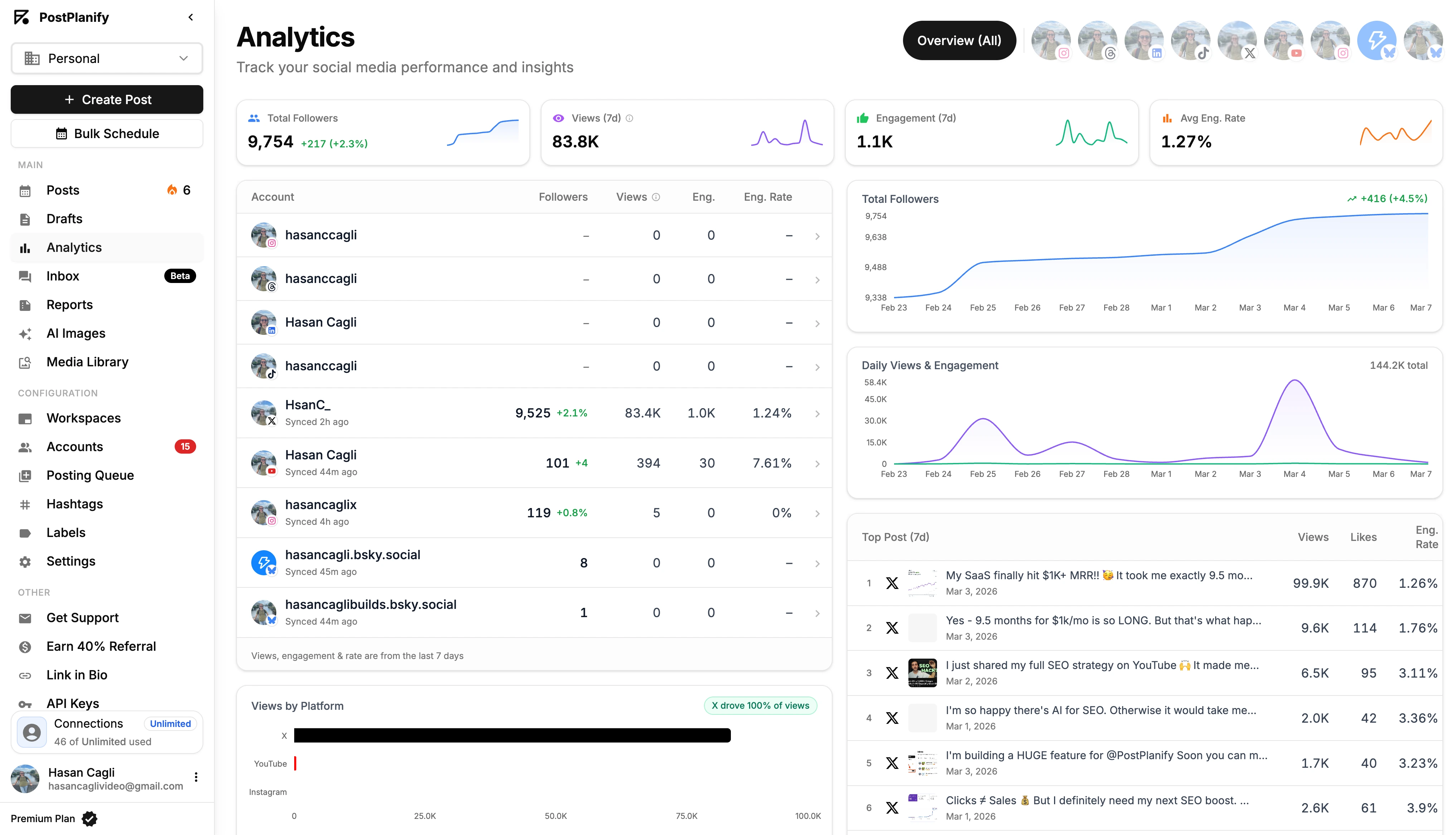
PostPlanify is an all-in-one social media management platform combining advanced analytics, social inbox, a vision-powered AI assistant, content calendar, multi-approver workflows, branded PDF reports, and team collaboration in a single workspace, without per-seat pricing. True white-label PDF reports start on Scale. It's built for in-house marketing teams that need cross-functional content workflows (brand, content, comms, demand gen, legal) connected to reporting that lands cleanly in front of a CMO or VP Marketing.
For marketing departments, the operational story matters more than feature counts. Most reporting friction starts upstream: fragmented approvals across inboxes, content tagged inconsistently across tools, comments unanswered while ad spend runs against the same posts. PostPlanify treats publishing, approvals, inbox, and analytics as one connected job, which is closer to how marketing teams actually work day to day than the per-seat enterprise suites that charge a full license for occasional reviewers.
At a glance: PostPlanify
- Pricing: Growth $99/mo → Premium $199/mo (Most Popular) → Scale $299/mo; Enterprise (demo, custom)
- Platforms: 10: Instagram, TikTok, Facebook, X, LinkedIn, YouTube, Threads, Pinterest, Bluesky, and Google Business
- Free trial: 7 days
- User ratings: 5/5 on G2
- Best for: In-house marketing teams that want analytics, approval workflows, inbox, AI assistant, and branded reporting in one place, priced per brand workspace rather than per seat, without fees that scale with every brand manager or executive viewer
Key features for marketing teams:
- Analytics across all 10 platforms, on every plan: post-level, profile-level, and audience-level reporting with historical daily snapshots; clean exports for BI tools
- Best-time-to-post suggestions based on actual audience engagement patterns, not generic platform averages
- Vision-powered AI assistant: understands images and brand context when generating captions, not just text-only. Brand-voice training and a brand knowledge base are on Premium
- Social inbox on every plan: comments on Instagram, Facebook, LinkedIn, Google Business, YouTube, Threads and Bluesky, DMs on Instagram and Facebook, with assignment, labels and response-time tracking for community managers
- Multi-approver approval workflows (Premium): designate cross-functional approvers per post (brand, legal, comms), track progress in a "2/3 Approved" view, capture rejection notes, and gate publishing on full sign-off
- Client reports (Premium), white-labelled on Scale: custom logo, accent color, footer; download as PDF or share a live link with stakeholders. Scale also puts your branding on the dashboard and client emails
- Content calendar with drag-and-drop rescheduling and shared team view
- Media library with Canva, Google Drive, and Dropbox imports: a single source of truth for brand assets
- Link-in-bio builder with click analytics for owned-channel attribution
- REST API + MCP for piping data into your wider marketing stack (Looker, Tableau, Snowflake, custom BI) and for connecting AI assistants
- Bulk scheduling up to 20 posts per batch
- Roles & permissions: Editor, Owner, Client; invite freelancers, contractors, or agency partners without seat fees
Pricing:
| Plan | Starts at | Includes | Each extra workspace | Social accounts |
|---|---|---|---|---|
| Growth | $39/mo | 1 workspace | from $29, cheaper as you add more | 4 per workspace |
| Premium | $99/mo | 3 workspaces | from $39, cheaper as you add more | 6 per workspace |
| Scale | $199/mo | 5 workspaces | from $39, cheaper as you add more | 8 per workspace |
Unlimited team members on every plan, no per-seat fees. Yearly billing saves 20%. All plans include a 14-day free trial with a 14-day money-back guarantee.
Pros for in-house marketing teams:
- Unlimited team members, so the 4-8 stakeholders who only review or pull a report cost nothing
- Analytics on every plan, where most competitors gate reporting behind a mid or top tier
- Multi-approver review on Premium handles brand, legal and comms in parallel, not one hierarchical chain
- Workspaces map to brands, so a portfolio scales by brand rather than by seat
- Published pricing with no per-seat line item to defend in procurement
Cons:
- No dedicated social listening engine (focused on owned-channel analytics, not market-wide mention tracking, pair with Brandwatch or Talkwalker if listening is core)
- No mobile app yet, web-first workflow
- Newer platform than Sprout or Hootsuite with a smaller public reference base
- Strong on owned channels, but not designed to replace enterprise consumer-intelligence platforms
Skip this if: market-wide social listening or earned-media monitoring sits at the center of your role (pair PostPlanify with Brandwatch or Talkwalker instead), or your team is mobile-first and needs a polished iOS/Android app today.
How it compares for a typical 6-person marketing team running 10 social accounts:
- Sprout Social Standard: $199/seat × 6 = $1,194/mo before any listening add-on
- Hootsuite Standard: $99/user × 6 = $594/mo
- PostPlanify Premium ($99/mo): unlimited team members, 18 connected accounts across 3 brand workspaces, multi-approver workflows, client reports, analytics, social inbox
- The trade-off: Sprout Social and Hootsuite go deeper on enterprise listening, advocacy, and (in Hootsuite's case) paid + organic in one view. PostPlanify covers the operational marketing surface: content, approvals, inbox, analytics, executive reporting, at a fraction of the per-seat cost at this team size.
Used by 1,740+ users across 30+ countries. See the analytics breakdown for how the reporting side works.
 PostPlanify
All your social media in one simple dashboard
Schedule posts, track analytics, and reply to comments/DMs without switching tabs.

Engagement
+18%
Views
52.8k
2. Sprout Social: Best for Enterprise Marketing Departments

Sprout Social is the standard enterprise social media platform for marketing departments with budget for premium reporting, sentiment analysis, and customer-care workflows. It's the tool a Director of Marketing recommends when the org has dedicated social, brand, and customer-care teams that all need to report off the same data.
The trade-off is per-seat pricing that scales aggressively. A 5-person marketing team on the Standard plan pays $995/month before any listening add-on, and the listening suite (powered by Sprout's Talkwalker acquisition) is sold separately on top.
At a glance: Sprout Social
- Pricing: Essentials $79/seat/mo → Standard $199/seat/mo → Professional $299/seat/mo → Advanced $399/seat/mo; Enterprise (custom). Rates are annual billing
- Platforms: 10+ including Reddit, WhatsApp, and most major networks
- Free trial: 30 days, no credit card required
- User ratings: 4.4/5 on G2 (5,731 reviews), 2.2/5 on Trustpilot (75 reviews)
- Best for: Mid-to-large enterprise marketing departments with dedicated budget for analytics depth, sentiment, social listening, and customer-care workflows
Key features:
- 150+ pre-built reports on premium tiers
- Trellis AI for content performance pattern detection and post recommendations
- AI Assist with unlimited text generation across all plans
- Customizable dashboards by team, campaign, or KPI
- Smart Inbox with sentiment analysis (Advanced+)
- Tag-based campaign reporting and audit trails
- Competitive analysis with benchmarking (Professional+)
- Employee advocacy
- Multi-step approval workflows with audit trails
- API access and helpdesk integrations (Zendesk, Salesforce) on Advanced+
- SSO and dedicated onboarding on Enterprise
Pricing:
| Plan | Price (per seat/mo, annual billing) | Social Profiles |
|---|---|---|
| Essentials | $79/seat/mo ($99 billed monthly) | 5 |
| Standard | $199/seat/mo | 5 per seat |
| Professional | $299/seat/mo | Unlimited |
| Advanced | $399/seat/mo | Unlimited |
| Enterprise | Custom | Unlimited |
Standard plan is limited to 5 social profiles per seat, a hidden constraint that pushes most marketing teams toward Professional. Social listening (powered by Talkwalker) is a separate add-on starting around $999/month.
Pros for marketing teams:
- Deepest pre-built report library in the category, presentation-ready out of the box
- Trellis AI surfaces content patterns that often hide in raw analytics
- Smart Inbox with sentiment helps customer-care and brand teams prioritize
- Strong audit trails and compliance posture for regulated industries
- 30-day free trial gives time for cross-functional evaluation
Cons:
- Per-seat pricing punishes growing teams, 5 seats on Standard = $995/mo minimum
- Standard plan capped at 5 social profiles per seat, so most multi-brand orgs are forced to Professional ($299/seat)
- Social listening is a separate paid add-on, not bundled
- Competitor reporting and tagging locked behind Professional ($299/seat)
- API access requires Advanced ($399/seat)
- 2.2/5 Trustpilot rating reflects pricing friction, contract rigidity, and reported difficulty canceling
Skip this if: your marketing team is under 5 people, because the per-seat math never breaks even at that size, and you'll pay enterprise pricing for sentiment, listening, and customer-care features you won't use weekly. Also skip if you need flexible monthly billing; Sprout's annual contracts have well-documented cancellation friction.
For more details: Sprout Social Pricing Breakdown · Sprout Social Reviews · Best Sprout Social Alternatives
3. Hootsuite: Best for Broad Marketing Ecosystem

Hootsuite is the broad-platform pick for marketing departments that need organic + paid social in one view, employee advocacy via Amplify, and Talkwalker-powered social listening as part of the same vendor relationship. It's the largest social media management platform by market share, and 18 years of product iteration shows in feature breadth.
For marketing teams, Hootsuite's strongest cases are: managing paid + organic social from a single dashboard, rolling out employee advocacy at company scale, and integrating with enterprise systems like Salesforce, Microsoft Teams, and compliance tools (Proofpoint).
At a glance: Hootsuite
- Pricing: Standard $99/user/mo → Professional $199/user/mo → Advanced $399/user/mo; Enterprise (custom). Rates are annual billing
- Platforms: 10+ including Google Business Profile
- Free trial: 30 days (no free plan since 2023)
- User ratings: 4.3/5 on G2 (6,615 reviews), 1.8/5 on Trustpilot (511 reviews)
- Best for: Enterprise marketing teams that need broad platform support, organic + paid in one system, employee advocacy, and Talkwalker listening
Key features:
- OwlyGPT AI assistant for caption and summary generation
- Organic + paid social views in one dashboard
- 10+ platforms including Google Business Profile
- Competitor benchmarking (5 competitors on Standard, 20 on Advanced)
- Social listening via Talkwalker integration
- Employee advocacy (Amplify, Enterprise add-on)
- Multi-user approval workflows and custom user permissions (Advanced+)
- Bulk scheduling up to 350 posts at once (Advanced+)
- Saved replies, auto-routing, and DM assignment (Advanced+)
- Salesforce integration and Proofpoint compliance (Enterprise add-ons)
- Ad management for paid social
Pricing:
| Plan | Price (per user/mo, annual billing) | Social Accounts |
|---|---|---|
| Standard | $99/user/mo | 10 |
| Professional | $199/user/mo | Unlimited |
| Advanced | $399/user/mo | Unlimited |
| Enterprise | Custom | Unlimited |
Hootsuite replaced its old two-tier lineup with these four per-seat plans, dropping the entry price from $249 to $99 per user per month on annual billing. Listening, advocacy, and compliance integrations are still paid add-ons on top, and every plan now includes its Wisdom AI assistant.
Pros for marketing teams:
- Broadest enterprise add-on ecosystem (advocacy, social selling, compliance, Salesforce)
- Organic + paid views in one place, closes a gap most other tools punt on
- OwlyGPT generates captions and summary briefs for marketing managers
- Strong governance, custom permissions, audit trails, SSO on Enterprise
- 18 years of product maturity, battle-tested at enterprise scale
- Largest G2 review base (6,615 reviews), wide reference set when defending the buy internally
Cons:
- Per-user pricing is brutal at marketing-team scale, 5 users on Advanced = $2,495/mo
- Bulk scheduling, approvals, custom permissions, and exportable reports all locked behind Advanced ($399/user)
- Listening requires the Talkwalker add-on
- 1.8/5 Trustpilot rating reflects long-standing complaints about billing, support, and difficulty canceling
- Free plan was removed in 2023, 30-day trial is the only no-cost option
- Interface feels heavy for marketing teams managing fewer than 5 brands
Skip this if: you don't already have Salesforce, Proofpoint, or a similar enterprise system in your stack, since you would be paying for an integration ecosystem you won't use, and most lighter platforms cover the same operational surface (publishing + approvals + inbox + analytics) at one-tenth the per-user cost.
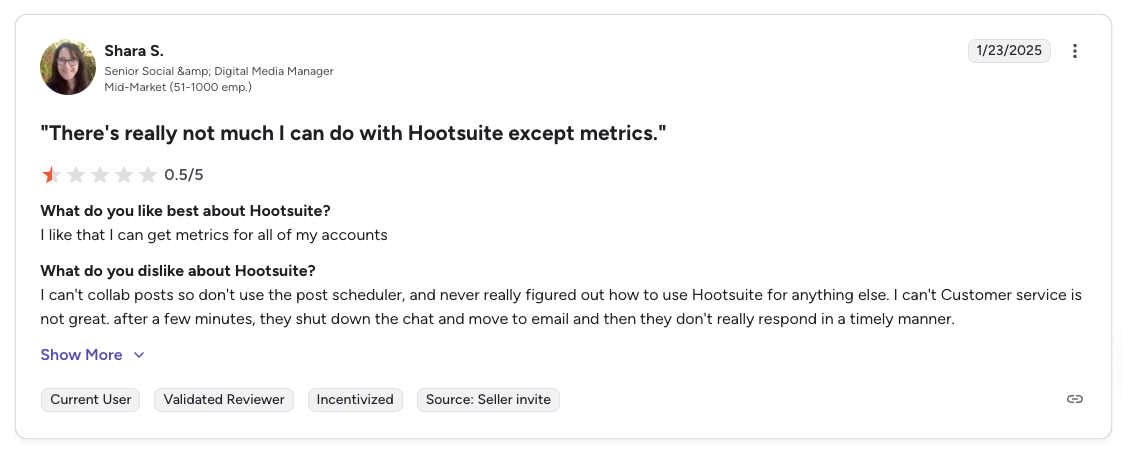
"There's really not much I can do with Hootsuite except metrics. Customer service is not great.", Shara S., Senior Social & Digital Media Manager (Mid-Market), 0.5/5 on G2, Jan 2025
For more details: Hootsuite Pricing Breakdown · Hootsuite Reviews · Best Hootsuite Alternatives · Hootsuite vs PostPlanify
4. Loomly: Best for Structured Approval Chains

Loomly ships approval workflows on every paid plan, including the entry-level Starter at $65/mo. Most competitors gate approvals behind mid-tier or enterprise plans, but Loomly treats them as a core feature from the first paid tier. For mid-market marketing teams that need structured review chains without enterprise pricing, this is rare.
The platform's content calendar, post idea generator, and brand-kit features are also marketing-team friendly. Where Loomly hurts is the pricing cliff: there is no mid-tier between Starter ($65/mo, 3 users, 12 accounts) and Beyond ($332/mo, unlimited users, 60 accounts), so growing marketing teams hit a $267/mo jump with no middle option.
At a glance: Loomly
- Pricing: Starter $65/mo (12 accounts, 3 users) → Beyond $332/mo (60 accounts, unlimited users); Enterprise (custom, 61+ accounts). No free plan, 15-day trial only
- Platforms: 9: Facebook, Instagram, X, LinkedIn, Pinterest, TikTok, YouTube, Snapchat, and Google Business Profile (no Threads or Bluesky)
- Free trial: 15-day trial on paid plans, no credit card required
- User ratings: 4.6/5 on G2 (1,793 reviews), 1.7/5 on Trustpilot (26 reviews)
- Best for: Small marketing teams (2-3 people) that need approval workflows on a tight budget, or larger teams willing to pay $332/mo for unlimited users with custom workflows and roles
Key features:
- Approval workflows and roles on all paid plans (starting at $65/mo)
- Custom workflows and custom roles on Beyond ($332/mo) for cross-functional review chains
- Brand kit: logo, colors, font controls for brand consistency
- Post ideas based on trending topics, holidays, and events
- AI caption suggestions assist content creation
- Interactions inbox: manage comments and DMs alongside team workflows
- Content calendar with drag-and-drop and visual workflow
- Canva, Google Drive, Unsplash, Giphy, and Zapier integrations
- Slack and Microsoft Teams integration (Beyond+)
- Calendar 2FA enforcement (Beyond+), important for regulated industries
- 50% nonprofit discount
Pricing:
| Plan | Monthly | Annual (~25% off) | Social Accounts | Users | Approval Workflows |
|---|---|---|---|---|---|
| Starter | $65/mo | ~$49/mo | 12 | 3 | Standard |
| Beyond | $332/mo | ~$249/mo | 60 | Unlimited | Custom workflows + roles |
| Enterprise | Custom | Custom | 61+ | Unlimited | Custom |
Pros for marketing teams:
- Approval workflows on the first paid plan, accessible from $65/mo
- Custom workflows and custom roles on Beyond fit complex marketing-team structures
- Brand kit enforcement helps with brand governance for multi-stakeholder teams
- Interactions inbox handles engagement alongside approvals, no separate tool needed
- 4.6/5 G2 rating from 1,793 reviews, strong sustained user satisfaction
- 50% lifetime nonprofit discount
Cons:
- Starter plan limited to 3 users, which most marketing teams outgrow quickly
- $267/mo gap between Starter and Beyond with no mid-tier, punishes growing teams
- No Threads or Bluesky support
- AI capabilities limited to caption suggestions, no AI image generation
- Documented chat-only support and recurring Trustpilot complaints about responsiveness
- No free plan: the $65/mo Starter is the entry point (15-day trial only)
Skip this if: your team is between 4 and 7 people, because the $267/mo cliff between Starter and Beyond punishes exactly that team size with no mid-tier option. Also skip if Threads or Bluesky are part of your channel mix; Loomly hasn't added them.
For more details: Loomly Pricing Breakdown · Loomly Reviews · Best Loomly Alternatives
5. Sendible: Best for Marketing Teams with External Stakeholders

Sendible is most often described as an agency tool, but it also fits a specific in-house marketing scenario well: marketing teams that work alongside an external agency or report into stakeholders who need client-style dashboards. The tiered structure scales from a 4-person marketing team (Traction, $89/mo) up to 80-user departments (Enterprise, $750/mo) without a sudden pricing cliff.
The Priority Inbox with sentiment analysis is genuinely useful for community management, and assignment workflows let marketing managers route content to specific team members. The catch is white-labeling, it's a $240/mo add-on on top of the Advanced plan, which makes the math less attractive for teams that need branded reporting.
At a glance: Sendible
- Pricing: Core $35/mo (1 workspace) → Plus $99/mo (3) → Premium $199/mo (7) → Elite $299/mo (15) → Enterprise $750/mo (50), with unlimited users on every plan
- Platforms: 10: Facebook, Instagram, TikTok, X, LinkedIn, Google Business, YouTube, WordPress, Threads, Bluesky
- Free trial: 14-day trial, no credit card required
- User ratings: 4.5/5 on G2 (899 reviews), 2.3/5 on Trustpilot (8 reviews)
- Best for: Marketing teams of 4-20 people, especially when working alongside an external agency or reporting to stakeholders who want client-style dashboards
Key features:
- Graduated user tiers: 1 → 4 → 7 → 20 → 80 across plan levels
- Priority Inbox with color-coded sentiment analysis
- Assignment and approval workflows (Traction+), route content for review and publish
- Custom approval workflows (Scale+) for cross-functional teams
- Client dashboards: share results with stakeholders without giving full platform access
- AI Assist for unlimited caption generation on all plans
- Built-in image and video editor
- Content and hashtag library (Scale+)
- Bulk posting with custom tags (Advanced+)
- White label add-on, available only on Elite ($299/mo) and Enterprise ($750/mo), for branded dashboards and reports
- 25% nonprofit discount on annual billing
Pricing:
| Plan | Monthly | Annual (per month) | Workspaces | Social Profiles | Users |
|---|---|---|---|---|---|
| Core | $35/mo | $31/mo | 1 | 6 | Unlimited |
| Plus | $99/mo | $86/mo | 3 | 18 | Unlimited |
| Premium | $199/mo | $170/mo | 7 | 42 | Unlimited |
| Elite | $299/mo | $255/mo | 15 | 90 | Unlimited |
| Enterprise | $750/mo | $638/mo | 50 | 300 | Unlimited |
Sendible replaced its old Creator/Traction/Scale/Advanced lineup with this workspace model. Users are now unlimited on every plan, each workspace includes 6 social profiles, annual billing saves 15%, and white label is an add-on available only on Elite and Enterprise.
Pros for marketing teams:
- Clear scaling path from 4-person team to 80-user department without surprise cliffs
- Priority Inbox with sentiment helps brand and customer-care marketing teams
- Client dashboards share results with stakeholders without giving full access, useful when execs or external agencies need view-only
- AI Assist included on all plans, no credit caps
- Strong on multi-platform (10 networks including Threads and Bluesky)
Cons:
- White label is an add-on and only sold on Elite ($299/mo) or Enterprise ($750/mo)
- Core is a single workspace, so a multi-brand team starts at Plus ($99/mo)
- Daily sending limits (100-500 sends/day) can throttle high-volume marketing teams
- AI capabilities limited to captions, no AI image generation
- Reporting can feel basic until you reach Scale ($199/mo) for custom and automated reports
- LinkedIn integration issues reported in user reviews
- Trustpilot has only 8 reviews, too small a sample to draw strong conclusions, though Sendible's 100% reply rate to negative reviews is a positive signal
Skip this if: you need white-label reporting and aren't ready to jump to Elite at $299/mo plus the add-on, since that puts per-workspace alternatives well ahead at smaller team sizes. Also skip if LinkedIn is your primary channel; recurring integration issues are well-documented.
For more details: Sendible Pricing Breakdown · Sendible Reviews · Best Sendible Alternatives

6. Agorapulse: Best for Community-Led Marketing
Agorapulse is built around the social inbox, which makes it a strong fit for marketing teams where community management and engagement metrics drive the plan. If your team's KPIs include response time, conversation volume, sentiment trends, and inbox-to-conversion attribution, Agorapulse handles those workflows better than analytics-first platforms.
The catch is per-user pricing. A 5-person marketing team on the Professional plan ($149/user/mo) costs $745/month, and approval workflows only unlock at Professional, while inbox automation and competitor benchmarking require Advanced ($199/user/mo).
At a glance: Agorapulse
- Pricing: Standard $99/user/mo ($79 annual) → Professional $149/user/mo ($119 annual) → Advanced $199/user/mo ($149 annual); Custom (contact sales). No free plan, 30-day trial only
- Platforms: 11: Facebook, Instagram, X, LinkedIn, YouTube, Pinterest, TikTok, Google Business, Threads, Bluesky, and Reddit (Reddit is monitoring/listening, not full publishing)
- Free trial: 30-day trial, no credit card required
- User ratings: 4.5/5 on G2 (967 reviews), 4.0/5 on Trustpilot (57 reviews)
- Best for: Community-led marketing teams where the social inbox, ROI tracking, and ad comment management are central to the plan
Key features:
- Unified social inbox across 11 platforms with assignment, labels, and saved replies
- Post and inbox assignments for distributing work across team members
- AI Writing Assistant, AI Alt Text Generator, and Organization Context AI
- ROI reporting: tie social activity to revenue via UTM tracking
- Team performance analytics, inbox response time, resolution rate
- Ad comment monitoring and moderation (Professional+)
- One-step approval workflows (Professional+); multi-step approvals require Custom plan
- Inbox Assistant, automated moderation rules (Advanced+)
- Competitor benchmarking and ROI analysis (Advanced+)
- PulseLink (link-in-bio tool, Professional+)
- Canva integration (Professional+)
- Built-in social listening for brand mentions, with advanced as add-on
- 20% lifetime nonprofit discount
Pricing:
| Plan | Monthly | Annual | Social Profiles | Approval Workflows |
|---|---|---|---|---|
| Standard | $99/user/mo | $79/user/mo | 10 | No |
| Professional | $149/user/mo | $119/user/mo | 10 | One-step |
| Advanced | $199/user/mo | $149/user/mo | 10 | One-step |
| Custom | Contact sales | Contact sales | Unlimited | Multi-step |
The 10-profile cap holds on every tier below Custom, no matter how many seats you buy.
Pros for marketing teams:
- Best-in-class unified social inbox, community managers report it as the primary reason to stay on Agorapulse
- ROI tracking tied to business outcomes via UTM tagging
- 30-day free trial with no credit card, generous for cross-functional evaluation
- Ad comment moderation on Professional+ closes a real gap for marketing teams running paid social
- 11 platforms including Reddit monitoring, useful for brand-reputation work
Cons:
- Per-user pricing scales fast, 5 users on Professional = $745/mo
- 10 social profiles cap on all standard plans, regardless of users, additional profiles are paid add-ons
- Multi-step approval workflows require the Custom plan (contact sales), a significant gap for cross-functional marketing teams
- No AI image generation
- Reporting bug complaints surface in recent G2 reviews, including a months-long Instagram Stories reporting issue
- Social listening (advanced) requires a paid add-on
Skip this if: your team is over 5 people and the social inbox isn't a primary daily workflow, because per-user pricing without inbox-driven KPIs doesn't justify $99-$199/user/mo. Also skip if you need multi-step approval chains; one-step is the cap on Professional and Advanced, multi-step is locked behind the sales-quoted Custom plan.
For more details: Agorapulse Pricing Breakdown · Agorapulse Reviews · Best Agorapulse Alternatives
7. Vista Social: Best for Mid-Market Marketing with Multi-Step Review

Vista Social is the highest-rated tool on this list at 4.8/5 on G2 from 1,071 reviews, ranked #1 Easiest to Use software in 2026. For mid-market marketing teams, its multi-step approval workflows on every plan, AI-powered DM automations, and review-management across 6 review platforms make it a serious option.
The friction points are X (Twitter) sold as a paid add-on at unspecified pricing, AI credits capped at 500/1,000 on lower plans, and the steeper learning curve that comes with a feature-dense platform.
At a glance: Vista Social
- Pricing: Professional $99/mo (15 profiles, 2 users, 500 AI credits) → Advanced $199/mo (30 profiles, 3 users, 1,000 AI credits) → $449/mo (70 profiles, 4 users, unlimited AI); Enterprise (custom)
- Platforms: 12+ social platforms plus 5 review sites (X requires paid add-on)
- Free trial: 14-day trial, no credit card required
- User ratings: 4.8/5 on G2 (1,071 reviews), 4.1/5 on Trustpilot (62 reviews)
- Best for: Mid-market marketing teams that need multi-step approval chains, DM automations, and review-site management in one workspace
Key features:
- Multi-step approval workflows on every plan: named stages with assigned approvers
- External approval links: clients or executives review without an account
- AI-powered DM automations: keyword-triggered replies, comment-to-DM flows, lead data capture
- Review management across Google Reviews, Trustpilot, Yelp, G2, Capterra, and Tripadvisor
- AI caption generator with credits (500-unlimited depending on plan)
- Vista Page (link-in-bio)
- Unified social inbox with sentiment analysis
- White-label setup (Scale+)
- Zapier, Make, MCP integrations (Advanced+)
- AI Training and Knowledge, feeds your brand context into AI
- Employee Advocacy add-on ($199/mo for 25 employees; 3 free)
- Social Listening add-on ($75/mo)
Pricing:
| Plan | Monthly | Yearly | Social Profiles | Users | AI Credits |
|---|---|---|---|---|---|
| Professional | $99/mo | $950/yr | 15 | 2 | 500 |
| Advanced (Most Popular) | $199/mo | $1,910/yr | 30 | 3 | 1,000 |
| Third tier | $449/mo | $4,310/yr | 70 | 4 | Unlimited |
| Enterprise | Custom | Custom | Customizable | Custom | Unlimited |
Vista Social raised every tier and cut the included seats: Professional went from $79 to $99 and from 3 users to 2. X (Twitter) is a paid add-on, and social listening beyond your own profiles is $75/mo extra.
Pros for marketing teams:
- Multi-step approval workflows on every plan, rare for the price point
- External approval links keep executives and legal in the loop without seat fees
- Highest G2 rating on this list (4.8/5 from 1,071 reviews)
- AI DM automations reduce repetitive workload for community managers
- Review management across 6 platforms unifies brand reputation work
- Strong support, chat, email, helpful turnaround times
Cons:
- X (Twitter) sold as a paid add-on with undisclosed pricing
- AI credits capped at 500/1,000 on most plans, restrictive for high-volume content teams
- No native AI image generation (relies on Canva's Magic Media)
- Bulk scheduling limited to CSV upload, no visual bulk interface
- Mobile app reportedly lags behind desktop experience
- Social listening (advanced) and Employee Advocacy require paid add-ons
Skip this if: X (Twitter) is one of your primary channels, Vista Social charges for X as an add-on with undisclosed pricing, which creates a procurement uncertainty most marketing teams don't want. Also skip if you need a polished mobile app; user feedback flags the mobile experience as lagging behind desktop.
For more details: Vista Social Pricing Breakdown · Vista Social Reviews · Best Vista Social Alternatives
8. Metricool: Best for Data-Driven Marketing Teams
Metricool is the analytics-first pick for marketing teams whose reporting cadence is built around competitor benchmarking, deep performance dashboards, and Looker Studio integration. Its per-brand pricing model, rather than per-user, works well for marketing teams managing multi-brand portfolios.
The trade-offs: X/Twitter is a $5/mo per-account add-on (Metricool passes the X API costs through), the social inbox is more basic than dedicated engagement tools, and the dashboard can feel cluttered when juggling many brands.
At a glance: Metricool
- Pricing: Free (all brands, 20 posts/mo, no LinkedIn or X) → Starter from $25/mo (5-10 brands) → Advanced from $67/mo (15-50 brands); Custom
- Platforms: 11: Instagram, Facebook, TikTok, YouTube, Pinterest, Threads, Bluesky, Twitch, Google Business, LinkedIn (Starter+), X ($5/mo add-on, Starter+)
- Free plan: Yes, with significant limitations
- User ratings: 4.5/5 on G2 (83 reviews), 4.2/5 on Trustpilot (519 reviews)
- Best for: Data-driven marketing teams that prioritize analytics, competitor benchmarking, and Looker Studio dashboards over content collaboration
Key features:
- Unlimited analytics history on Starter+: essential for year-over-year reporting
- Competitor tracking: up to 100 on Starter, unlimited on Advanced
- Looker Studio connector (Advanced+): pipes data into your wider marketing dashboard
- Metricool API + Zapier + Make + MCP (Advanced+) for stack integration
- AI social media assistant with credits
- PDF and PPT report exports (no watermarks on paid plans)
- SmartLinks (link-in-bio profiles)
- Customizable report templates (Advanced+)
- Approval workflows and unlimited users (Advanced+)
- Inbox Manager for comments, DMs, and mentions (Facebook, Instagram, X, TikTok, YouTube, LinkedIn Premium, Google Business)
- Ads management for Google, Meta, and TikTok
- 40% nonprofit discount
Pricing:
| Plan | Monthly | Annual (per month) | Brands |
|---|---|---|---|
| Free | $0 | n/a | All brands, 20 posts/mo, no LinkedIn or X |
| Starter (5 brands) | $25/mo | $20/mo | 5 |
| Starter (10 brands) | $45/mo | $36/mo | 10 |
| Advanced (15 brands) | $67/mo | $53/mo | 15 |
| Advanced (25 brands) | $107/mo | $85/mo | 25 |
| Advanced (50 brands) | $210/mo | $159/mo | 50 |
Annual billing saves up to 24%. | Custom | Sales-quoted | Sales-quoted | 50+ |
X/Twitter add-on: $5/mo per account on Starter+ (not available on Free).
Pros for marketing teams:
- Strongest analytics depth at the price point
- Competitor tracking up to 100 (Starter) or unlimited (Advanced), useful for share-of-voice work
- Looker Studio connector closes the BI gap most tools punt on
- Brand-based pricing fits multi-brand marketing portfolios
- 40% nonprofit discount is the most generous in this list
- Ads management included for Google/Meta/TikTok, paid + organic data in one place
- Replies to 100% of negative Trustpilot reviews within 48 hours
Cons:
- "Unlimited" publishing capped at 600 posts per brand per month under Fair Use Policy
- X/Twitter costs $5/mo per account, adds up for multi-brand teams
- Inbox is more basic than Agorapulse or Vista Social, no automated moderation, sentiment, or DM automations
- Dashboard feels cluttered when managing 15+ brands
- Approval workflows and team features locked to Advanced ($67+/mo)
- White-label reports only on Custom (Enterprise) plan
- Reported double-posting and scheduling reliability issues in user reviews
Skip this if: your role is engagement-heavy or community-led, because the Inbox Manager is more basic than Agorapulse or Vista Social, with no automated moderation, sentiment, or DM automations. Also skip if you publish high volume across many brands; the 600-posts-per-brand-per-month Fair Use cap on "unlimited" plans triggers a manual review that suspends posting.
For more details: Metricool Pricing Breakdown · Metricool Reviews · Best Metricool Alternatives
PostPlanifyAll your social media in one simple dashboard
Schedule posts, track analytics, and reply to comments/DMs without switching tabs.
Engagement
+18%
Views
52.8k
9. Buffer: Best for Small In-House Marketing Teams

Buffer is the simplest tool on this list. For small in-house marketing teams (1-5 people) on a tight budget, it covers core publishing, basic analytics, and team approvals at a per-channel price that's hard to beat at the lower end. The Team plan ($12/channel/mo) includes unlimited users, rare in the category.
The ceiling is real. Analytics stay surface-level even on Team, there is no social inbox for X or TikTok (community inbox covers Instagram, Facebook, LinkedIn), and per-channel pricing escalates fast as the team scales, 20 channels on Team = $240/mo, where flat-rate alternatives undercut it.
At a glance: Buffer
- Pricing: Free (3 channels) → Essentials $6/channel/mo → Team $12/channel/mo
- Platforms: 11: Instagram, Facebook, X, LinkedIn, TikTok, YouTube, Pinterest, Google Business, Threads, Bluesky, Mastodon
- Free trial: Free plan available; 14-day trial on paid plans
- User ratings: 4.3/5 on G2 (1,023 reviews), 2.1/5 on Trustpilot (93 reviews)
- Best for: Small in-house marketing teams (1-5 people) managing fewer than 10 channels, where simplicity and the lowest possible total cost outweigh feature depth
Key features:
- Per-channel pricing starting at $6/channel/mo
- Unlimited users on Team plan ($12/channel/mo)
- AI Assistant for caption suggestions on all plans
- Best time to post, included on all plans, even free
- Community inbox for Instagram, Facebook, LinkedIn
- Basic post-level analytics on Essentials and Team
- First comment scheduling
- Hashtag manager
- Approval workflows (Team plan)
- Access levels and permissions (Team plan)
- Start Page (link-in-bio)
Pricing:
| Plan | Price | Channels | Users | Approval Workflows |
|---|---|---|---|---|
| Free | $0 | 3 max | 1 | No |
| Essentials | $6/channel/mo | Unlimited | 1 | No |
| Team | $12/channel/mo | Unlimited | Unlimited | Yes |
Annual billing saves ~17%. Free plan includes 10 scheduled posts per channel.
Pros for marketing teams:
- Free plan with 3 channels is genuinely useful for testing or solo-driven content programs
- Unlimited users on Team, no per-seat fees as the team grows
- Cleanest interface in the category, minimal learning curve
- 11 platforms including Bluesky, Mastodon, and Google Business
Cons:
- Per-channel pricing scales fast, 10 channels on Team = $120/mo; 20 channels = $240/mo
- Analytics stay surface-level on all plans
- Community inbox covers only Instagram, Facebook and LinkedIn, with no X or TikTok inbox
- No social listening on any plan
- AI is caption-focused only, no AI image generation
- 2.1/5 Trustpilot rating reflects sync failures, support delays, and pricing complaints
- Reporting basic, no white-label PDFs, no custom date comparisons
Skip this if: your marketing team manages more than 10 channels or needs executive-grade reporting, since per-channel pricing past 10 channels is $120+/mo on Team and analytics stay surface-level on every plan, including no white-label PDFs or custom date comparisons. Also skip if cross-platform inbox depth matters; the community inbox covers Instagram, Facebook, and LinkedIn only, no X or TikTok.
For more details: Buffer Pricing Breakdown · Buffer Reviews · Best Buffer Alternatives · Buffer vs PostPlanify
10. Planable: Best for Collaboration-First Content Review

Planable is the cleanest collaboration UX in the category. Where most tools bolt approvals onto a publishing workflow, Planable was designed approvals-first: pixel-accurate platform previews, multi-tier review chains, and external collaborator links that let stakeholders sign off without an account. For marketing teams where content review is the entire job to be done, Planable removes friction other tools introduce.
The model has trade-offs. Per-workspace pricing means each brand portfolio costs separately. Analytics is a paid add-on ($14/workspace/mo). The social inbox is another ($9/workspace/mo). And post limits are real, 60 posts/month on Basic, 150 on Pro, with multi-platform posts counting once per platform.
At a glance: Planable
- Pricing: Free (50 lifetime posts) → Basic $39/workspace/mo (60 posts/mo) → Pro $59/workspace/mo (150 posts/mo); Enterprise (custom, unlimited posts)
- Platforms: 9 major networks including Instagram, Facebook, X, LinkedIn, TikTok, YouTube, Pinterest, Threads, Google Business
- Free plan: Yes, 50 lifetime posts (a true demo, not a renewable tier)
- User ratings: 4.6/5 on G2 (937 reviews), 4.5/5 on Trustpilot (69 reviews)
- Best for: Marketing teams where the bottleneck is content review: multi-stakeholder approvals, brand-perfect previews, and clean external sign-off
Key features:
- Pixel-accurate platform previews: feed, grid, calendar views match the actual network
- Multi-tier approval workflows: 2 types on Basic, 3 on Pro, multi-level on Enterprise
- External collaborator links: clients, execs, or legal review without an account
- Unlimited team members on every paid plan
- Workspace organization, separate brands or campaigns
- Campaign views, group related posts (3 on Basic, 10 on Pro, unlimited on Enterprise)
- Internal notes, team-only discussions separated from client-facing comments
- Analytics add-on ($9/workspace/mo), basic performance reporting
- Engagement add-on ($5/workspace/mo), comment management
- SSO and dedicated account manager (Enterprise)
- 75% reply rate on negative Trustpilot reviews
Pricing:
| Plan | Price | Posts/Month | Social Pages | Approval Types |
|---|---|---|---|---|
| Free | $0 | 50 (lifetime cap) | Limited | Collaboration only |
| Basic | $39/workspace/mo | 60 | 4 | 2 types |
| Pro (Most Popular) | $59/workspace/mo | 150 | 10 | 3 types |
| Enterprise | Custom | Unlimited | Custom | Multi-level |
Add-ons, each per workspace per month: Analytics $14, Social Inbox $9, Social Listening $99. All three are included on Enterprise.
Pros for marketing teams:
- Best-in-class visual previews, exactly how content will appear on each platform
- Unlimited users on all paid plans removes per-seat anxiety
- External approval links keep execs and legal in the loop without seat fees
- Multi-tier approvals fit cross-functional review chains
- Clean internal-vs-external comment separation
- 4.5/5 Trustpilot, narrowest gap to G2 score in the category, suggesting consistent satisfaction
Cons:
- Per-workspace pricing compounds fast for multi-brand marketing teams, 5 brand workspaces on Pro = $295/mo, before add-ons
- Analytics is a paid add-on, not bundled
- Engagement (inbox) is a paid add-on, not bundled
- 50-post lifetime cap on Free, a demo, not a real free tier
- Multi-platform posts count once per platform, hits caps faster than expected
- No AI captions or image generation
- No social listening or competitive benchmarking
- X publishing not supported on Free
Skip this if: you need analytics or a social inbox in the same workspace, since both are paid add-ons per workspace, and a 5-brand multi-brand marketing team running Pro + add-ons stacks the bill north of $300/mo before the publishing strengths even matter. Also skip if you publish high volume; the 60-post (Basic) and 150-post (Pro) monthly caps hit faster than expected, since a single multi-platform post counts against the cap once per platform.
For more details: Planable Pricing Breakdown · Planable Reviews · Best Planable Alternatives
11. Kontentino: Best for Multi-Brand Approval Governance
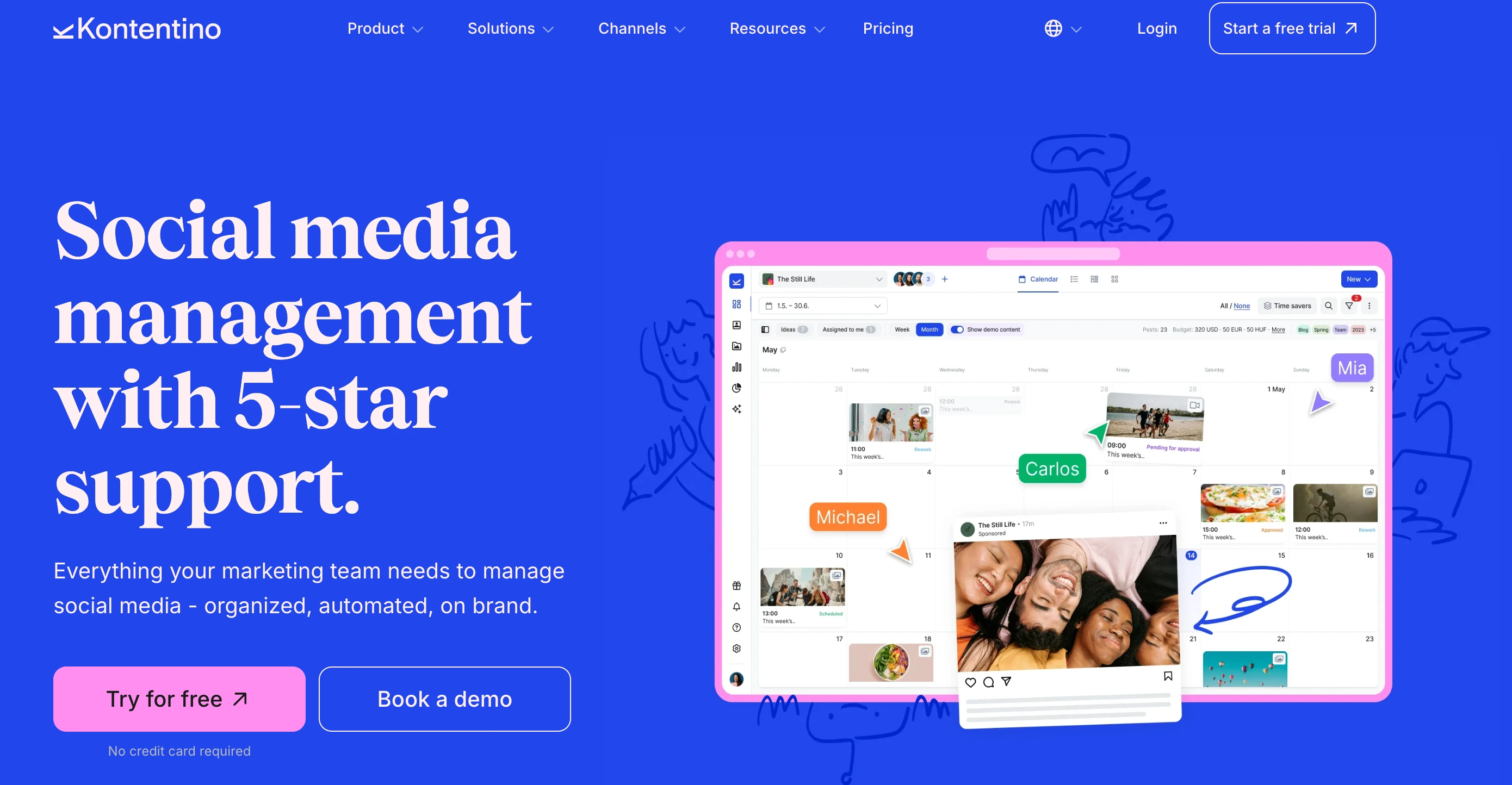
Kontentino is built for the exact shape this article keeps describing: several brands, a long approval chain, and stakeholders who are not full-time publishers. Internal approval workflows ship on the entry Starter plan, which almost no competitor does, and the Brand Hub gives each brand its own guidelines, tone and asset set so reviewers are checking against something written down rather than memory.
The governance depth goes further than most mid-market tools. Post versions and an activity log give you a real audit trail, and the Global Content Manager add-on adds per-market approval flows, which matters if your brand team signs off centrally while regional marketers publish locally.
The catch is that client and external approvals, the Brand Hub and the Instagram grid preview all start on Standard at $179/mo, and seats adjust the price rather than being unlimited.
At a glance: Kontentino
- Pricing: Starter $83/mo ($59 billed annually, 10 profiles, 3 users) → Standard $179/mo ($131 annually, 40 profiles, 10 users) → Pro $323/mo ($239 annually, unlimited profiles); Enterprise custom. Annual billing saves 25%
- Platforms: 10+ networks
- Free plan: No, 14-day trial with no credit card
- User ratings: 4.6/5 on G2 · 4.7/5 on Capterra
- Best for: Multi-brand marketing teams where approvals, brand guidelines and an audit trail matter more than social listening depth
Key features for marketing teams:
- Internal approval workflows on the entry plan, where most competitors gate approvals to a mid tier
- Client and external approvals from Standard, including review without a login
- Brand Hub with AI brand voice: per-brand guidelines, tone and assets that reviewers check against
- Post versions and activity log: a usable audit trail for brand and legal review
- Per-market approval flows via the Global Content Manager add-on, for central brand sign-off with regional publishing
- Kanban board and Instagram grid preview (Standard+)
- AI captions, translation and images, metered at 100 credits on Starter, 1,000 on Standard, unlimited on Pro
Pros for in-house marketing teams:
- Approvals from the first paid plan, so a small brand team isn't pushed up a tier to get sign-off
- Brand Hub makes brand governance a feature rather than a process document
- Per-market approval flows fit central-brand, regional-publishing structures
- Unlimited profiles on Pro suits portfolios without per-brand charges
Cons:
- Client and external approvals require Standard ($179/mo)
- Seats adjust the price, so it is not a flat-rate model
- Analytics is an add-on on Starter and Standard
- No social listening, and the inbox is lighter than Agorapulse or Sprout
- AI credits are metered below Pro
Skip this if: social listening or inbox-driven KPIs sit at the center of your role, or you need analytics included rather than bought as an add-on.
For more details: Kontentino Pricing Breakdown · Kontentino Reviews · Best Kontentino Alternatives
What Marketing Teams Actually Need (and Most Tools Get Wrong)

A social media tool sold to "teams" usually means generic team collaboration: shared calendar, a comments panel, maybe a single-step approval. That's enough for an agency or a small business. It's nowhere near enough for an in-house marketing department with cross-functional stakeholders, brand standards that legal will check, and a CMO who needs a one-page narrative every month.
- Approval chains have to be cross-functional, not just hierarchical. A campaign post might need brand sign-off, comms sign-off (for any external messaging), legal review (for regulated industries), and demand gen check (to align with paid placement). A "Manager → Editor" chain breaks the moment legal needs to weigh in. Look for tools that support multiple named approvers per post or multi-step named workflows.
- Reporting has to roll up, not just out. Marketing leadership doesn't read native social analytics. They read decks. The tool either has to produce executive-grade visuals out of the box (white-label PDF, branded dashboards) or pipe data cleanly into BI (Looker Studio, Tableau, Power BI) where the wider marketing dashboard already lives.
- Brand governance is non-negotiable for regulated industries. If you're in healthcare, finance, legal, or government-adjacent marketing, the tool must support audit trails, content versioning, and (for some) compliance integrations. Sprout Social and Hootsuite carry this load. Lighter tools don't.
- Per-seat pricing fights how marketing teams actually use the platform. A typical in-house team has 2-3 social media specialists actively producing, plus 4-8 stakeholders who occasionally review, comment, or pull a report: brand managers, content leads, demand gen, comms, the VP. Per-seat tools force teams to either pay full freight for occasional reviewers or share logins (which kills audit trails). Flat-rate platforms remove the friction.
- Integrations into the marketing stack matter more than they look on paper. Social is one slot in a wider marketing collaboration stack that also covers chat, project management, design and creative review. A great social analytics dashboard that doesn't connect to your data warehouse becomes a parallel reporting silo. Your CMO ends up with two versions of "engagement", the one in the social tool and the one in the company-wide dashboard. Tools with REST APIs, Looker Studio connectors, or BI exports keep the numbers reconciled.
The 11 tools above are evaluated through this lens, not "is it a good scheduler" but "does it fit how a marketing team actually operates."
Honorable Mentions: Enterprise Tools Worth Knowing About
The 11 tools above cover the operational surface most in-house marketing teams actually buy on. A few enterprise-tier platforms didn't make the main list, either because pricing is fully sales-quoted (so direct cost comparison isn't possible) or because they solve a sliver of the workflow rather than the whole job. Worth knowing for marketing leaders evaluating at the enterprise tier:
-
Sprinklr: Unified-CXM platform that bundles social media management, customer care, marketing analytics, and commerce into one stack with the Copilot (AI+) assistant on top. Quote-based pricing, typically 6-figure annual contracts. The right call for Fortune 500 marketing departments where social is one channel inside a broader CX strategy and the procurement team is comfortable with sales-led contracts. Overkill for marketing orgs below ~100 employees.
-
Khoros: Community + customer engagement platform with strong B2B marketing tooling, particularly for SaaS, tech, and gaming marketing teams running owned community programs (forums, advocacy, super-fans) alongside social. Quote-based pricing with implementation fees. Best when community-led marketing, meaning moderation, advocacy and owned-forum engagement, sits at the center of the plan rather than at the edges. Pair with a publishing tool if owned-channel scheduling depth matters.
-
Brandwatch: Consumer intelligence and social listening platform with Iris AI for narrative summaries, image and logo recognition, and multi-market rollup across billions of indexed conversations. Brandwatch isn't a publishing platform, pair it with PostPlanify, Hootsuite, or Sprout Social for the publishing layer. The standard for enterprise marketing teams that need to monitor public conversation, sentiment, and earned media at scale, particularly for crisis-detection and brand-reputation work.
-
Talkwalker: Sister product to Hootsuite (acquired in 2023). Enterprise listening with Blue Silk + Yeti AI engines, processing 1B+ daily mentions across 187 languages. Predictive trend forecasting and visual recognition. Strongest for PR-heavy marketing teams where earned-media measurement and crisis response are part of the role.
-
Meltwater: Combined media monitoring (news, broadcast, podcasts, print) and social analytics. Most useful when marketing reporting includes earned media coverage alongside owned-channel performance, typical for corporate marketing and public-affairs-adjacent functions. Quote-based pricing.
-
Emplifi: Multi-brand CX + commerce platform (formerly Socialbakers). Strongest for retail, e-commerce, and consumer brands where social, customer care, and live commerce share a reporting stack. Quote-based pricing.
If your evaluation includes any of these, run them through the same operational lens as the main 11, flat vs per-seat math, approval workflow flexibility, and integration into your wider marketing dashboard. Enterprise platforms justify their cost when their bundled capabilities (advocacy, listening, multi-brand governance, compliance) are genuinely used by the team. Most often, marketing departments end up paying enterprise prices for two or three features they actually use weekly.
Brand Governance and Compliance: How the 10 Tools Compare
Choosing social media tools for brand governance is a different exercise from choosing a scheduler. For marketing teams in regulated industries, whether healthcare, finance, legal, government-adjacent or pharma, compliance posture isn't a nice-to-have. It determines whether the platform clears legal review at all. Even outside regulated industries, brand kits, audit trails, content versioning, and SSO matter the moment a marketing team scales past a handful of people and content has to flow consistently across stakeholders.
Here's how the 10 main tools compare on the governance dimensions that surface during procurement and legal review:
| Tool | Brand Kit | Audit Trails | Compliance Integrations | Content Versioning | SSO |
|---|---|---|---|---|---|
| PostPlanify | Media library + Canva, Google Drive, Dropbox imports | Multi-approver progress + rejection notes per post | No | Approval history per post | On request |
| Sprout Social | Asset library | Tagged campaign trails (Professional+); team productivity reports (Advanced+) | Helpdesk + audit posture for regulated industries | Message tagging + approval audit | Enterprise |
| Hootsuite | Canva templates + content library | Yes (Advanced+): full custom permissions and audit | Proofpoint integration (Enterprise add-on) + Salesforce | Approval chains, bulk audit, custom permissions | Enterprise |
| Loomly | Branded subdomain, custom logo, custom favicon (Beyond+) | Approval workflows + custom roles (Beyond+) | Calendar 2FA enforcement (Beyond+) | Approval revisions + rejection notes | Enterprise |
| Sendible | White-label add-on (Elite and Enterprise only) | User management + approval audit | No | Approval workflows | Optional SSO (Enterprise) |
| Agorapulse | No | Post + inbox assignment audit | No | One-step / multi-step (multi-step Custom only) | Custom plan only |
| Vista Social | AI Training + Knowledge feeds brand context | Multi-step workflow logs (all plans) | Brand safety + compliance (Enterprise) | Multi-step approval workflows | Enterprise |
| Metricool | No | Roles + permissions (Advanced+) | No | Approval workflows (Advanced+) | Not documented |
| Buffer | No | Access levels + permissions (Team plan) | No | Approval workflows (Team plan) | No |
| Planable | No | Comment + approval history per post | No | Lock content after approval (Enterprise) | Enterprise |
| Kontentino | Brand Hub: per-brand guidelines, tone, assets | Post versions + activity log | No | Post versions | Enterprise |
How to read this matrix. Hootsuite Enterprise (Proofpoint integration) and Sprout Social Advanced+ carry the deepest compliance load, the right call for healthcare, finance, pharma, and government-adjacent marketing where legal or compliance teams will require formal audit posture. Loomly Beyond ships explicit governance features (branded subdomain, calendar 2FA enforcement, custom workflows and roles) at a meaningful mid-market price point, a strong fit for mid-sized regulated organizations that don't need full enterprise tooling.
PostPlanify, Vista Social, and Sendible carry approval-based audit trails that meet most non-regulated marketing-team governance needs without the enterprise price tag. PostPlanify's multi-approver tracking captures who approved what and when, with rejection notes, adequate for most B2B SaaS, ecommerce, and B2C marketing teams that need a defensible review record but aren't filing the platform for HIPAA or FINRA review.
Buffer, Agorapulse, Metricool, and Planable were not built with regulated-industry compliance as a primary case. That doesn't mean they can't be used in those contexts, but legal or audit reviewers will likely require additional process controls (separate documentation of approvals, supplemental audit logs, or workflow constraints) to clear them.
Practical rule for procurement: if your legal team has previously asked about Proofpoint, audit logs, or compliance certifications for any tool in your stack, your social media platform will get the same questions. Run the platform through legal review during the trial, not after the contract is signed.
Per-Seat vs Flat-Rate Social Media Pricing: Which Model Fits a Marketing Team
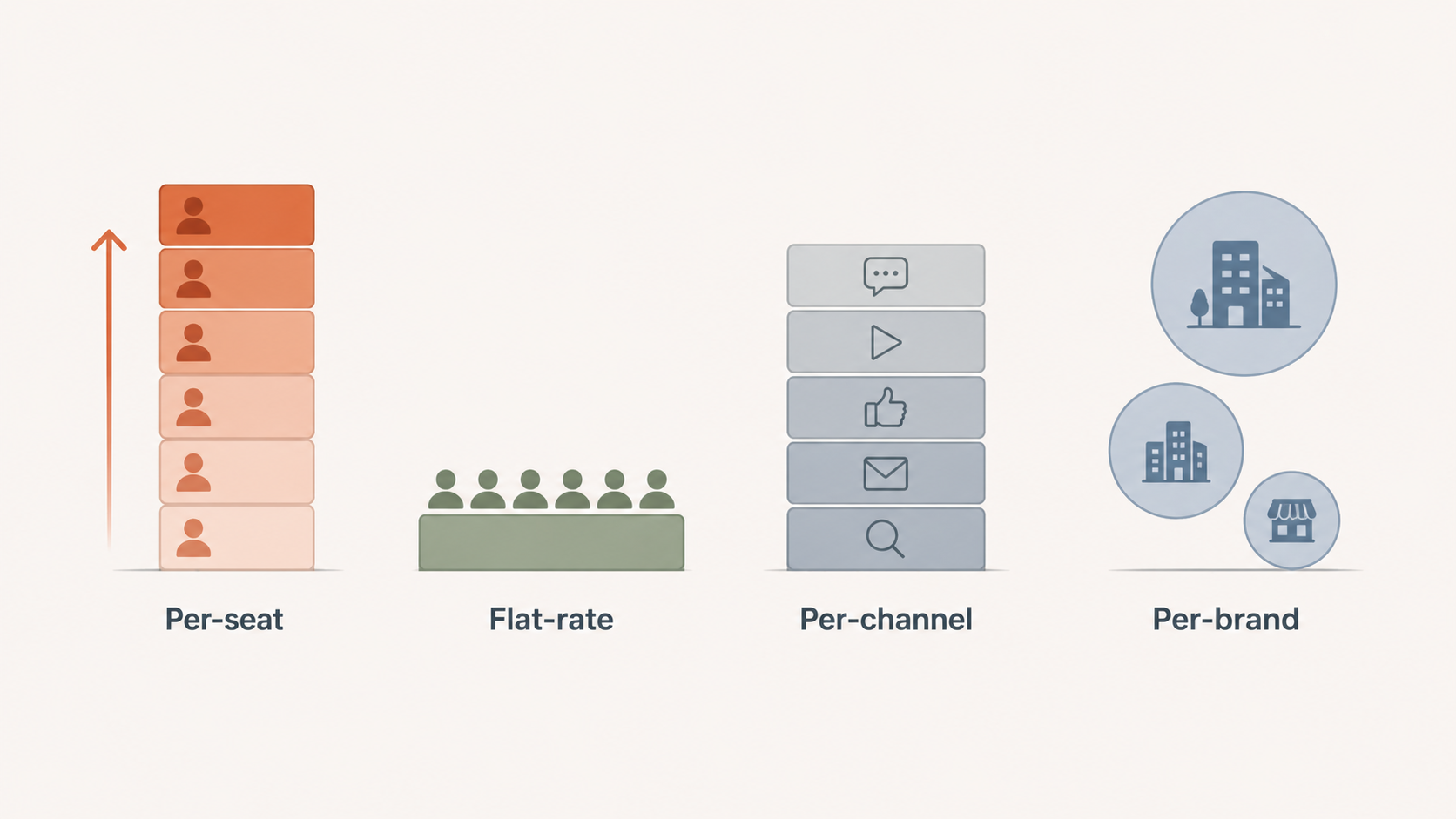
The pricing model your tool uses determines what you actually spend as the marketing team grows, and it shapes who gets access to the platform.
Per-seat pricing (Sprout Social, Hootsuite, Agorapulse)
You pay a fixed amount per person on the platform. Adding a brand manager, demand gen analyst, or executive for occasional review costs the same as a full-time social media manager.
Example for 6-person marketing team on Sprout Social Standard ($199/seat/mo):
| Team Size | Monthly Cost | Annual Cost |
|---|---|---|
| 3 people | $597/mo | $7,164/yr |
| 6 people | $1,194/mo | $14,328/yr |
| 12 people | $2,388/mo | $28,656/yr |
Per-seat pricing creates pressure to limit access. Marketing teams either share logins (which kills audit trails and approval integrity) or simply exclude people who should have visibility, including the executives whose decisions depend on the data.
Per-workspace pricing (PostPlanify, Planable)
You pay per brand workspace, and team members are unlimited. Adding a reviewer, an analyst or an executive doesn't change the bill at all.
Example for the same 6-person team on PostPlanify Premium ($99/mo):
| Team Size | Monthly Cost | Annual Cost |
|---|---|---|
| 3 people | $99/mo | $948/yr |
| 6 people | $99/mo | $948/yr |
| 12 people | $99/mo | $948/yr |
The bill tracks brands, not headcount. Pricing by workspace lets marketing teams give access to everyone who needs it, analysts, brand managers, freelancers, agency partners and executives alike, without an internal cost-center conversation every time.
Per-channel pricing (Buffer)
A middle-ground model where you pay based on connected channels rather than users. Buffer's Team plan ($12/channel/mo) includes unlimited users but each connected social account adds to the bill. Works well for solo or small marketing teams managing 3-5 channels; scales expensively past 10.
Per-brand pricing (Metricool)
Metricool charges per brand workspace. A marketing team managing 5 brands across 50 social accounts pays based on 5 brands, not 50 accounts. This is a sensible fit for multi-brand marketing operations where users are stable but brand portfolios vary.
Flat-rate pricing (Loomly Beyond)
Planable charges per workspace, with unlimited users. A marketing team running 5 brand workspaces on Pro ($59/each) plus analytics and engagement add-ons reaches roughly $365/mo before scale. Strong UX, but the math compounds for multi-brand marketing teams.
The bottom line for marketing departments
If your marketing team has more than 3 people who all need real platform access, per-seat pricing typically costs 5-10× more than flat-rate alternatives for comparable functionality. The deciding factor isn't usually whether per-seat tools have more features, it's whether the marketing-specific features (deep listening, advocacy at scale, customer-care helpdesk integration) are essential to the role social plays inside your marketing operation. For most in-house marketing teams running owned-channel social as part of an integrated marketing program, flat-rate platforms cover the operational surface at dramatically lower cost.
Best Tool by Marketing Team Function
Different marketing functions need different things from a social tool. Here's how to match the right platform to the dominant function.
Brand marketing teams (consistency, governance, executive reporting)
PostPlanify Premium ($99/mo for 3 brand workspaces): multi-approver workflows fit cross-functional brand review, branded PDFs land cleanly in front of executives, and the media library with Canva integration enforces visual consistency across team members. Loomly Beyond ($332/mo) for marketing teams that need brand-kit enforcement at the platform level.
Demand-gen marketing teams (paid and organic, conversion attribution)
Hootsuite Standard ($99/user/mo) for paid + organic in one dashboard with ad management. Metricool Advanced ($53/mo annual) when ads management for Google/Meta/TikTok and Looker Studio integration matter more than the breadth of organic features.
Content marketing teams (publishing volume, AI assistance, calendar)
PostPlanify Growth or Premium: vision-powered AI assistant with image generation, bulk scheduling, content calendar with drag-and-drop, and best-time-to-post suggestions. Buffer Team ($12/channel/mo) for simpler content operations on smaller channel counts.
Community / customer-care marketing teams (inbox, response time, sentiment)
Agorapulse Professional ($149/user/mo): the unified social inbox is best-in-class with assignment, labels, sentiment, and saved replies. Sprout Social Advanced ($399/seat/mo) for sentiment-heavy enterprise community work. PostPlanify (social inbox on every plan) when inbox is part of a broader marketing role rather than the entire job.
PR / comms marketing teams (mentions, listening, earned media)
Sprout Social with the Talkwalker listening add-on, or Hootsuite Enterprise with Talkwalker integrated. PostPlanify covers owned channels; pair with Brandwatch or Talkwalker if listening sits at the center of the role.
Multi-brand marketing teams (portfolio companies, agency-style in-house)
PostPlanify Scale ($199/mo covering 5 brand workspaces, up to 100 self-serve): white-label dashboard, client emails and reports under your own brand. Sendible Advanced+ ($299+/mo) when client-style dashboards for executive stakeholders matter. Metricool Advanced for analytics-focused multi-brand portfolios.
Our guide to managing multiple brands compares how each tool separates brand data; here is the short version for in-house teams.
How to Roll Out a Social Media Tool Inside a Marketing Department

A social media platform inside a marketing department has more stakeholders than people typically plan for. Here's the rollout order that surfaces problems early instead of three months in.
1. Audit current access and tool sprawl. List who currently has access to social accounts, including shared passwords, third-party apps, native logins, and any analytics tools that piped data from social. Marketing departments accumulate access debt fast. Resolve this before adding a new platform.
2. Map the cross-functional approval chain. Not every post needs the same review. Map at least three post types, daily content, campaign content, and any regulated or legal-sensitive content, then identify the approvers per type. Tools that support multiple named approvers (PostPlanify, Vista Social) or multi-step workflows (Planable Enterprise, Hootsuite Advanced) handle this differently. Don't pick a tool until you've mapped the chain.
3. Set up brand governance before inviting people. Brand kit (logos, colors, fonts), media library structure, and content tagging. If brand consistency matters, doing this after team members are already publishing creates inconsistency that's hard to clean up.
4. Define reporting deliverables before configuring dashboards. Marketing teams report into broader marketing dashboards. Decide what gets exported into the company dashboard (usually via API or BI connector) versus what stays in branded PDF for executive distribution. Configure exports and templates accordingly.
5. Run a campaign launch as the trial-period acid test. Before the contract signs, run one real campaign launch through the tool: multi-platform post, full approval chain, scheduled publication, and post-campaign report. The friction points surface immediately. A demo never reveals what a campaign launch does.
6. Train approvers separately from creators. Approvers need 15 minutes on how to review, approve, and reject with feedback. Creators need 30-45 minutes on the full publishing workflow. Don't combine these sessions, the workflows are different and combining them slows both.
7. Set SLAs on approval turnaround. A workflow without SLAs creates bottlenecks. 24 hours for standard posts. Same-day for time-sensitive campaigns. Configure email or Slack notifications for approvers, most tools support this; the question is whether you turn it on.
FAQ: Social Media Management Tools for Marketing Teams
What's the best social media management tool for in-house marketing teams in 2026?
For most in-house marketing teams, PostPlanify is the strongest overall pick because it combines analytics across all 10 platforms with multi-approver workflows, a social inbox, branded PDF reports, and team collaboration in one workspace at flat pricing, without per-seat fees that punish adding occasional reviewers (brand managers, demand gen, executives). Sprout Social ($199/seat/mo) is the best pure-enterprise pick when budget supports per-seat pricing and listening, sentiment, and customer-care workflows are central to the role.
Why is per-seat pricing a problem specifically for marketing teams?
Marketing teams have a different access shape than agencies or solo creators. A typical 6-person marketing team has 2-3 active social media specialists plus 4-8 stakeholders who review, comment, or pull reports occasionally: brand managers, content leads, demand gen, comms, executives. Per-seat tools force the team to pay full price for occasional reviewers (a brand manager who reviews two posts a month costs the same as a full-time SMM) or share logins, which kills audit trails. Flat-rate tools remove this friction by including all stakeholders in one plan.
How do I evaluate approval workflows for a cross-functional marketing team?
Map your real review chain first, not the simplified one. Brand approval, legal review, comms approval, and demand gen check often run in parallel, not sequentially. Tools like PostPlanify (multi-approver per post) and Planable (multi-tier with named workflows) handle parallel approvals well. Sequential single-step approvals (Hootsuite Standard, Buffer Team) break the moment two functions need to weigh in independently. During the trial, run one cross-functional approval cycle with rejection-and-revision and see whether the tool tracks state correctly when reviewers disagree.
Which tool integrates best with our existing marketing stack (BI, CRM, MAP)?
For BI integration: Metricool (Looker Studio connector), Hootsuite Advanced+ (API), Sprout Social Advanced+ (API), and PostPlanify (REST API + MCP) all support clean data export. For CRM/MAP integration: Hootsuite Enterprise (Salesforce native), Sprout Social Advanced+ (helpdesk integrations including Salesforce, Zendesk, HubSpot), and any tool with Zapier/Make support. PostPlanify's REST API + MCP is the most flexible for custom pipelines and AI-assisted workflows. For most marketing teams, the realistic question isn't whether integrations exist, it's whether your data team can pipe what they need into the company-wide dashboard without ongoing maintenance.
What approval workflow features matter most for regulated industries?
Audit trails with timestamps, version history, the ability to lock content after approval, and (where required) compliance integrations like Proofpoint. Sprout Social and Hootsuite Enterprise carry the deepest compliance posture, including Proofpoint integration. PostPlanify, Vista Social, and Loomly Beyond support audit trails and rejection notes that meet most non-regulated marketing-team needs. Planable supports content locking after final approval. If your industry is healthcare, finance, government-adjacent, or pharma, evaluate compliance integrations explicitly, most tools that don't list them don't have them.
Can I share access with executives or external agencies without paying per seat?
On flat-rate or per-workspace platforms, yes. PostPlanify (unlimited team members on every plan, with Editor, Owner and Client roles), Planable (unlimited users on all paid plans), Buffer Team (unlimited users), and Loomly Beyond (unlimited users) all let marketing teams invite executives, agency partners, and freelancers without seat fees. On per-seat platforms (Sprout Social, Hootsuite, Agorapulse), every additional person typically costs the full per-seat rate, this is the single biggest budget driver as marketing teams add stakeholders.
How important is white-label reporting for in-house marketing teams (not agencies)?
More important than people expect. Even for in-house marketing, executive reporting is a stakeholder communication problem. Branded PDFs (with company logo, accent color, custom footer) read as more credible than tool-default exports, particularly when the report goes to a CFO or board. PostPlanify includes branded PDF reports on Premium ($199/mo), with true white-label PDF reports starting on Scale. Sendible offers white labeling as a $240/mo add-on on top of Advanced. Hootsuite locks white-label features behind Enterprise.
What metrics should an in-house marketing team actually track?
Lagging indicators: conversions and revenue attributable to social, customer acquisition cost contribution, retention impact for community-led programs. Leading indicators: engagement rate (with platform-normalized denominators), saves, shares, profile-to-website clicks, and follower growth as a directional signal. Operational metrics for the team itself: response time on the inbox, approval cycle time, time from brief to publish. Vanity metrics (raw impressions) matter for reach context but don't belong in executive reports unless paired with conversion or attribution.
How do I pitch a social media tool budget to my CFO or VP Marketing?
Frame it in three numbers: total cost of ownership (annual contract + add-ons + onboarding), seats and stakeholders supported (compared to per-seat alternatives), and operational cost saved (hours/week on cross-platform reporting, manual approval routing, inbox triage). For a 6-person marketing team, a flat-rate tool at $199/mo delivers a different conversation than $1,194/mo for the same workflow on a per-seat tool, the savings often translate to one or two additional headcount the CFO would otherwise approve. Marketing leaders who pitch tools as "operational leverage that frees marketing FTE" close faster than ones who pitch features.
Should I pick a per-seat tool because it has social listening?
Only if listening is central to the role social plays in your marketing operation. For most in-house marketing teams, listening is occasionally useful (campaign monitoring, share-of-voice for an annual report) but not weekly. In those cases, pair an owned-channel platform like PostPlanify with a dedicated listening tool (Brandwatch, Talkwalker, or Mention) and pay per project rather than $999+/month indefinitely. Per-seat tools with bundled listening make sense at enterprise scale where listening is a daily workflow with dedicated headcount.
What's the cheapest social media management tool for a 5-person marketing team with approvals?
For straightforward approvals on tight budget: Buffer Team at 5 channels = $60/mo with unlimited users and basic approvals, but analytics stay surface-level. For better operational value: PostPlanify Premium at $99/mo includes unlimited team members, 18 accounts across 3 brand workspaces, multi-approver workflows, client reports, full analytics, and a social inbox. SocialPilot Standard ($50/mo for 3 seats) covers manager approvals at the lowest total cost, but lacks AI image generation, white-label reports, and the inbox depth that mid-market marketing teams typically need.
What's the difference between Sprout Social and Hootsuite for a marketing team?
Sprout is the reporting tool, Hootsuite is the breadth tool. Sprout's analytics and AI sentiment are deeper and present better to leadership, but Standard caps you at 5 profiles per seat. Hootsuite covers organic and paid in one dashboard with employee advocacy and Talkwalker listening, and it is now the cheaper entry at $99/user/mo against Sprout's $199 Standard (Sprout's $79 Essentials is 5 profiles with no listening). Both bill per person, so a 6-seat team is $594/mo on Hootsuite and $1,194 on Sprout before add-ons.
Is Hootsuite still worth it in 2026?
More than it was. Hootsuite replaced its two-tier lineup with four per-seat plans and cut the entry price from $249 to $99 per user per month on annual billing, which closes most of the gap that pushed mid-market teams away. The caveats haven't changed: approvals and custom permissions still sit on Advanced at $399/user/mo, listening and advocacy are still add-ons, and its Trustpilot rating is 1.8/5 from 511 reviews with billing and cancellation the recurring complaints.
How many social media tools does a marketing team actually need?
Usually one platform plus one specialist. The platform covers publishing, approvals, inbox and reporting; the specialist covers whatever your role is actually judged on. If that's share-of-voice or earned media, pair with Brandwatch or Talkwalker, because no publishing tool here does market-wide listening well. If it's BI rollup, Metricool's Looker Studio connector or a REST API does it. Teams that end up with four or five tools usually bought a platform that gated approvals or reporting behind a tier they wouldn't pay for.
Can a social media tool replace our customer-care platform for community management?
Partially. Tools like Sprout Social Advanced (helpdesk integrations), Agorapulse Custom (multi-step workflows + AI replies), and Hootsuite Enterprise (advanced inbox) approach customer-care platform depth, including ticket routing and SLA tracking. PostPlanify, Buffer, and Planable have inboxes for community engagement but aren't built to replace Zendesk or Intercom. For most marketing teams, the question is whether to handle community engagement inside the social tool (faster, more contextual) or route it to the customer-care platform (better SLA tracking, integrated with broader CX). Hybrid approaches work, most tools let community managers handle public-facing replies in the social inbox while escalating private support tickets to the help desk.
Key Takeaways
- Choose flat-rate or per-workspace pricing if the marketing team has more than 3 people who need real platform access. Per-seat tools cost 5-10× more for the same operational surface at marketing-team scale, and force teams to limit access in ways that hurt approval integrity and stakeholder visibility.
- Approval workflow flexibility matters more than approval workflow existence. Most tools have approvals. Few support cross-functional parallel review (brand + legal + comms + demand gen all at once) or multi-step named workflows. Run a real cross-functional approval inside the trial to surface where the workflow breaks.
- Reporting has to roll up into the wider marketing dashboard, not just out as PDFs. REST API access, Looker Studio connectors, and CRM/MAP integrations keep social data reconciled with the rest of marketing. Tools with no clean export create parallel reporting silos that surface contradictions in front of executives.
- Pick the social inbox depth that matches the role social plays in your marketing operation. Inbox-driven KPIs need Agorapulse or Sprout Social. Community engagement as part of a broader marketing role works on PostPlanify, Buffer, or Vista Social. Listening as the dominant workflow needs a dedicated tool, not a bundled add-on.
- For most in-house marketing teams, PostPlanify delivers the best operational value: analytics, publishing, approvals, inbox, and executive reporting in one workspace at flat pricing, particularly when stakeholders sit across brand, content, comms, and demand gen and the seat math on per-user tools breaks down.
PostPlanifyAll your social media in one simple dashboard
Schedule posts, track analytics, and reply to comments/DMs without switching tabs.
Engagement
+18%
Views
52.8k
If you're evaluating social media platforms for your in-house marketing team, PostPlanify is worth a serious look, with pricing that doesn't punish adding executive stakeholders, multi-approver workflows that fit cross-functional review, branded PDF reports for executive distribution, and analytics that pipe cleanly into your wider marketing stack via REST API + MCP. Particularly well-suited to marketing teams that have outgrown small-team tools but don't want to absorb enterprise per-seat pricing for an operational surface that flat-rate platforms cover at a fraction of the cost.
Related Reading
- Best Social Media Management Tools for Teams
- Best Social Media Management Tools for Agencies
- How to Start a Social Media Marketing Agency
- Best Social Media Management Tools for Nonprofits
- Best Social Media Tools with Approval Workflows
- Social Media Tools With No Per-Seat Fees
- Best Social Media Analytics Tools
- Best Social Media Management Platform
- White-Label Social Media Reports for Clients
- Social Media KPIs for Agencies to Report to Clients
- Social Media Analytics for Business
- Social Media Management Workflow
- Manage Multiple Social Media Accounts
- Best Hootsuite Alternatives
- Best Sprout Social Alternatives
- Best Buffer Alternatives
- How to Create a Social Media Report
- ROI on Social Media: What Actually Counts
- Best Marketing Collaboration Software
- Best Marketing Planning Software
- Best Social Media Tools with White-Label Reports
PostPlanifyAll your social media in one simple dashboard
Schedule posts, track analytics, and reply to comments/DMs without switching tabs.
Engagement
+18%
Views
52.8k
About the Author

Hasan Cagli
Founder of PostPlanify, a social media management platform for agencies and teams. He focuses on building systems that help businesses, agencies, and teams plan, publish, and manage content and social media more efficiently across platforms.


