


Running a small business means wearing ten hats. Marketing usually gets squeezed between payroll, customer calls, inventory, and whatever fire broke out today. So when people ask which social media tool is best for a small business, the honest answer depends on one thing: how much of your week you're willing to give back to the software.
A tool that saves a bakery owner two hours a week pays for itself every month. A tool that takes two hours a week just to operate is a second job.
This guide ranks the 16 social media tools most small businesses actually consider, tested against real SMB constraints (tight budgets, small teams, limited time, multi-platform posting, and the need to self-learn without an onboarding specialist). The top 8 are my recommended picks; the remaining 8 are covered so you know what to expect if you're comparing against the industry's most searched names (including Hootsuite, Sprout Social, and Vista Social).
Quick Answer: Best Social Media Tools for Small Businesses
If you're a small business (1–10 employees) and want the shortest answer:
- PostPlanify: Best overall for SMBs that want analytics, an AI assistant, a social inbox, and team collaboration in one place, with unlimited team members. Starts at $39/mo. Covers all 10 major platforms.
- Buffer: Best free plan. 3 channels, 10 scheduled posts per channel, simple UI. Perfect for a first social media tool.
- Metricool: Best for free analytics. Free plan includes full analytics and 5 connected profiles.
- Later: Best for visual brands (product shops, restaurants, salons, artists).
- Publer: Best sub-$25 budget pick with AI features.
- SocialBee: Best for evergreen content recycling.
- Zoho Social: Best if you already use Zoho CRM, Books, or Projects.
- Sendible: Best for service businesses that occasionally manage a client's accounts.
Tools I cover but usually don't recommend for SMBs: Hootsuite ($249/user/mo), Sprout Social ($199/seat/mo), and HubSpot Social Tools (requires HubSpot Marketing Hub Professional at $800+/mo) are built for enterprise budgets. I still cover them below so you know what you'd pay and what you'd get.
How I Evaluated These Tools
Every tool on this list was scored on five criteria that actually matter for a small business, not enterprise checklists:
- Total cost for a 1–3 person team. Sticker price plus real add-on fees. No pretending a tool is "affordable" when the useful tier costs $200/mo.
- Time-to-first-post. How quickly can a non-technical owner connect accounts, write a caption, and schedule? Tools that require a sales call to start were ranked lower.
- Feature coverage at the entry tier. Scheduling is table stakes. I weighted entry-tier analytics, social inbox, AI assistance, and content calendar heavily.
- Platform support for the networks SMBs actually use. Instagram, Facebook, TikTok, LinkedIn, YouTube, Pinterest, Threads, X, Google Business Profile, and Bluesky.
- Scalability. Will the tool still fit when the business grows from 1 owner to 3–6 team members? Tools that force a huge tier jump at the wrong moment were penalized.
Sources checked (September 2026): PostPlanify pricing, Buffer pricing, Metricool pricing, Later pricing, Publer pricing, SocialBee pricing, Zoho Social pricing, Sendible pricing, Hootsuite pricing, Sprout Social pricing, Vista Social pricing. I re-verify quarterly.
Quick Picks: 16 Best Social Media Tools for Small Businesses
| Tool | Starting Price | Free Plan? | Platforms | Best For |
|---|---|---|---|---|
| PostPlanify | $39/mo | 7-day trial | 10 | Best overall: analytics, AI, social inbox, team collaboration |
| Buffer | $6/channel/mo | Yes (3 channels) | 11 | Best free plan for first-time users |
| Metricool | From $25/mo | Yes (1 brand, 9 platforms) | 11 | Best free analytics |
| Later | $25/mo | 14-day trial | 8 | Visual/Instagram-first brands |
| Publer | $12/mo (3 accounts) | Yes (3 accounts) | 13 | Budget pick under $25/mo |
| SocialBee | $29/mo | 14-day trial | 10 | Evergreen content recycling |
| Zoho Social | $15/mo | 15-day trial | 8+ | Zoho ecosystem users |
| Sendible | $29/mo | 14-day trial | 10 | Service businesses with clients |
| Meta Business Suite | Free | Free forever | 2 (FB + IG) | Free native tool for FB and IG-only businesses |
| Planable | $39/workspace/mo | Yes (50 posts total) | 8 | Client approval workflows |
| Loomly | $65/mo ($49 annual) | 15-day trial | 9 | Visual content calendar with approvals |
| SocialPilot | $30/mo ($25.50 annual) | 14-day trial | 9+ | Bulk scheduling + client management |
| HubSpot Social Tools | Bundled with Marketing Hub | Free CRM tier (limited) | 6+ | SMBs already on HubSpot CRM |
| Hootsuite | $249/user/mo | 30-day trial | 10+ | Industry recognition: usually too expensive for SMBs |
| Sprout Social | $199/seat/mo | 30-day trial | 10+ | Premium customer care workflows |
| Vista Social | $79/mo (15 profiles, 2 users) | 14-day trial | 12+ (X costs extra) | Feature depth, if you can use 15 profiles |
What Small Businesses Actually Need From a Social Media Tool
Big vendors love listing 40 features on their pricing pages. Most small businesses use six of them. Start with this shortlist when comparing tools:
- Scheduling to the platforms you actually use. Check that the tool supports every platform you post to, including the ones you're planning to start. A tool that covers Instagram and Facebook but not TikTok or LinkedIn will force a second subscription the moment you expand.
- A content calendar that shows the whole month at a glance. Spreadsheets work, but a visual calendar inside the tool keeps you from double-booking and makes it easy to spot gaps. Drag-and-drop rescheduling is a huge quality-of-life feature once you start batching content.
- Basic analytics you'll actually open. You don't need enterprise-grade reporting. You need reach, engagement, follower growth, and which posts performed best. If the analytics tab is too overwhelming to open once a week, it's not doing its job.
- A social inbox for at least your main platforms. If you're missing DMs and comments, you're losing customers. A unified inbox that covers Instagram, Facebook, and LinkedIn is usually enough for an SMB, full coverage for TikTok and X is rare and often expensive.
- An AI assistant that saves you writing time. Small business owners are not copywriters. An AI that drafts captions, suggests hashtags, and turns an uploaded photo into post ideas is one of the single biggest time-savers of the last two years.
- A mobile-friendly experience. You'll post on the go. Either a dedicated mobile app or a mobile-optimized web dashboard should let you approve, reschedule, or publish from your phone.
Nice-to-haves that matter once you grow: team member roles, approval workflows, link-in-bio pages, first-comment scheduling, best-time-to-post suggestions, and white-label PDF reports if you're a service business.
1. PostPlanify: Best Overall for Growing Small Businesses

PostPlanify is a full social media management platform that packages the features small businesses usually have to cobble together from three tools, scheduling, analytics, AI assistant, social inbox, content calendar, media library, link in bio, into one subscription. Your whole business runs in a single workspace, and everyone you add to it is free.
Pricing
| Plan | Starts at | Includes | Each extra workspace | Social accounts |
|---|---|---|---|---|
| Growth | $39/mo | 1 workspace | from $29, cheaper as you add more | 4 per workspace |
| Premium | $99/mo | 3 workspaces | from $39, cheaper as you add more | 6 per workspace |
| Scale | $199/mo | 5 workspaces | from $39, cheaper as you add more | 8 per workspace |
Unlimited team members on every plan, no per-seat fees. Yearly billing saves 20%. All plans include a 7-day free trial with a 14-day money-back guarantee.
One workspace is the SMB entry point. Most single-brand businesses stay there indefinitely, however many people they hire, since team members are unlimited. You only add workspaces when you add brands.
What's Included in Every Workspace (from $39/mo)
- 5 connected social accounts across all 10 supported platforms (Instagram, Facebook, X, LinkedIn, TikTok, YouTube, Threads, Pinterest, Bluesky, Google Business)
- Unlimited scheduled posts
- A separate workspace per brand, added for $39 each (useful if you run two brands, or a personal + business account)
- Unlimited team members with role-based permissions
- Full analytics across every platform
- Social inbox for Instagram, Facebook, LinkedIn, Google Business, YouTube, Threads, and Bluesky comments and DMs
- Vision-powered AI assistant that reads your uploaded images to generate captions, hashtags, and post ideas
- Content calendar, media library, and link in bio pages
- Best-time-to-post suggestions, first comment scheduling, and bulk scheduling

What Changes as You Grow
Nothing is held back for a higher tier, so growing doesn't unlock features, it adds capacity:
- A second brand means a second workspace at $39/mo, with 4 social accounts of its own
- Approval workflows with multi-approver support are already in your first workspace
- Branded PDF reports are included, so a monthly recap for a business partner or investor is an export, not a screenshot exercise
- Shared calendar, roles, and permissions apply from day one, for any number of people
Why SMBs Pick PostPlanify
- No per-seat pricing. Adding a team member never inflates your bill, because there is no seat cap to exceed. No seat-sprawl math.
- One tool replaces three. Scheduling + analytics + social inbox + AI + link in bio means you aren't paying for Buffer, Canva Pro, and a separate analytics tool.
- All 10 platforms in every workspace. No hidden "Twitter add-on" or "Google Business requires Enterprise" surprises.
- Public pricing. No sales call required. You can start a 7-day trial and see every feature before paying.
Limitations to Know
- No free plan: only a 7-day trial. If you want a lifetime free option, Buffer or Metricool fit better.
- The bill tracks brands, not headcount. That is good news if you have one brand and a growing team, and bad news if you run three separate brands with two people: you still pay for three workspaces.
- The social inbox covers Instagram, Facebook, LinkedIn, Google Business, YouTube, Threads, and Bluesky (X, TikTok, and Pinterest aren't in the inbox yet).
Best for:
Growing small businesses that want one tool for scheduling, analytics, AI content help, and customer engagement, at a price that tracks brands rather than headcount.
 PostPlanify
All your social media in one simple dashboard
Schedule posts, track analytics, and reply to comments/DMs without switching tabs.

Engagement
+18%
Views
52.8k
Compare PostPlanify against specific tools: vs Buffer, vs Hootsuite, vs Later, vs Metricool, vs Publer, or see the full PostPlanify pricing breakdown.
2. Buffer: Best Free Plan for Just Getting Started

Buffer is the default "first social media tool" for many small businesses, and for good reason. The Free plan gives you a working product, not a feature-stripped trial. The UI is famously clean, the learning curve is short, and you can connect 3 channels and schedule 10 posts per channel at $0.
Pricing
| Plan | Price | Channels | Users |
|---|---|---|---|
| Free | $0/mo | 3 | 1 |
| Essentials | $6/channel/mo | Unlimited | 1 |
| Team | $12/channel/mo | Unlimited | Unlimited |
What's Good for SMBs
- Free forever for up to 3 channels with 10 scheduled posts per channel (refills)
- Clean, distraction-free interface that new users learn in under an hour
- AI Assistant included on all plans (100 free ideas on the Free plan, unlimited on paid)
- 11 platforms supported, including Google Business Profile and newer networks (Threads, Mastodon, Bluesky)
- Community inbox for Instagram, Facebook, and LinkedIn on paid plans
Limitations
- Pricing is per channel, not flat-rate. A business with 5 channels on the Essentials plan = $30/mo. 10 channels = $60/mo. Multi-brand SMBs hit this ceiling fast.
- Essentials is strictly single-user. Anyone needing collaboration or approvals must upgrade to Team at $12/channel.
- Analytics on the Free plan are limited to 30 days of history.
- No social listening or advanced competitor tracking.
Best for:
First-time social media tool users, businesses with 3 or fewer platforms, and solopreneurs who want a free, no-pressure starting point before committing to paid software.
See our full Buffer pricing breakdown, Buffer reviews, and best Buffer alternatives.
3. Metricool: Best Free Analytics for Small Businesses
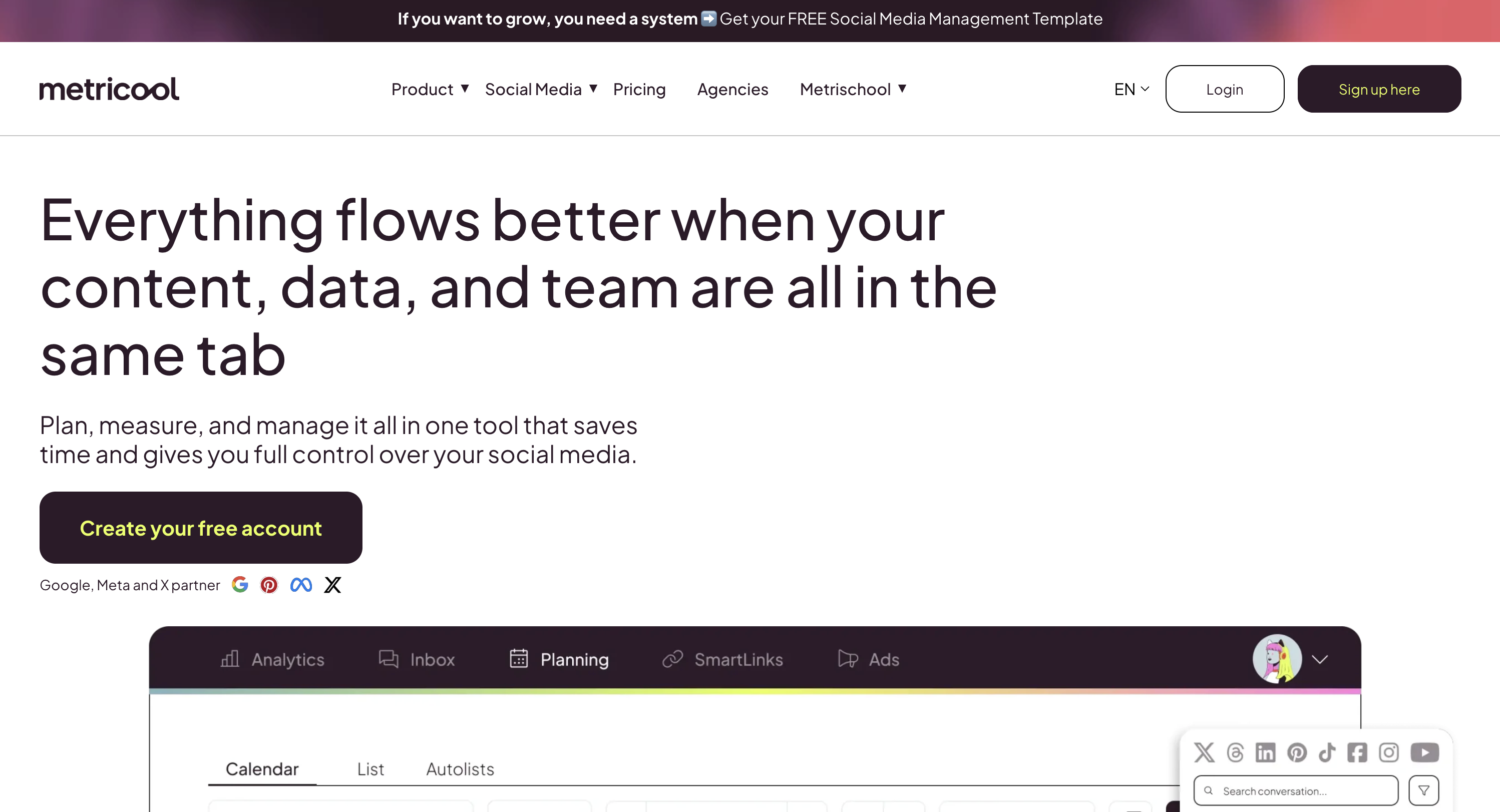
Metricool is one of the few tools where the free plan gives you real analytics depth, competitor tracking and cross-platform reporting in a single view. The free tier is more of a serious preview than a full free plan, but for SMBs just starting to pay attention to metrics, it's the easiest place to test.
Pricing
| Plan | Price (monthly) | Brands | Users | Key Limits |
|---|---|---|---|---|
| Free | $0/mo | 1 brand (up to 9 platforms) | 1 | 20 posts/mo, 30-day analytics, 5 AI credits |
| Starter | From $25/mo (5 brands) | Up to 10 brands | 1 | Unlimited publishing (Fair Use), X add-on $5/mo per account |
| Advanced | From $54/mo (15 brands) | Up to 50 brands | Unlimited | Approval workflows, full X analytics, API |
| Custom | Contact sales | 50+ brands | Unlimited | White-label reports, dedicated account manager |
Annual billing saves ~18% (roughly 2 months free). Pricing scales by number of brands, Starter is $25 for 5 brands, $38 for 10 brands; Advanced is $54 for 15, $88 for 25, $172 for 50.
What's Good for SMBs
- Free plan supports 1 brand across 9 platforms (Instagram, Facebook, TikTok, YouTube, Pinterest, Threads, Bluesky, Twitch, Google Business Profile)
- Paid plans cover 11 platforms total (adds LinkedIn + X/Twitter with $5/mo add-on)
- Competitor tracking on every plan: analyze 5 locked competitors on free, 100 on Starter, unlimited on Advanced
- Canva and Google Drive integrations (on Starter and above)
- Ad management alongside organic scheduling on paid plans
- Chrome extension for saving content ideas from anywhere
Limitations
- Free plan doesn't include LinkedIn or X/Twitter: both require paid plans
- Free plan limited to 20 posts per month total (across all platforms) and 30-day analytics history
- Best-time-to-post is an Advanced-plan feature ($54/mo+)
- Approval workflows and team management only on Advanced
- X/Twitter requires a $5/mo add-on per account even on paid plans
- UI has a learning curve: more dashboards to navigate than Buffer
Best for:
Small businesses that care about analytics and competitor tracking from day one, local businesses posting to Google Business Profile, and SMBs that don't yet rely heavily on LinkedIn or X.
4. Later: Best for Visual Brands and Instagram-First Businesses

Later was built around the visual planner, a drag-and-drop grid preview that shows how your Instagram feed will look before you publish. If your business is product-based, food-based, photo-based, or otherwise visually driven, Later fits the workflow naturally.
Pricing
| Plan | Monthly | Social Sets | Profiles | Users | Posts per Profile |
|---|---|---|---|---|---|
| Starter | $25/mo | 1 social set | 8 profiles | 1 | 30/profile |
| Growth (Most Popular) | $50/mo | 2 social sets | 16 profiles | 2 | 180/profile |
| Scale | $110/mo | 6 social sets | 48 profiles | 4 | Unlimited |
Annual billing saves approximately 17%. Extra social sets cost $15/mo each, extra users $5/mo each (Growth and Scale only). 14-day free trial on paid plans.
What's Good for SMBs
- Visual Instagram grid preview: drag and drop posts to plan feed aesthetics
- Linkin.bio page builder with shoppable product links
- UGC (user-generated content) collection and reposting workflow on Growth and above
- Smart Scheduling with Future Trends (Growth and above)
- AI content credits: 5/mo on Starter, 50/mo on Growth, 100/mo on Scale
- Analytics lookback: 3 months (Starter), 1 year (Growth), 2 years (Scale)
Limitations
- Does not support X (Twitter): a dealbreaker if X is part of your mix
- Does not support Google Business Profile
- Starter plan has no social inbox: that starts on Growth
- Starter plan is strictly 1 social set: a second brand requires Growth ($50/mo)
- No approval workflows on Starter
- Scheduling limits: 30 posts per profile on Starter, 180 on Growth, unlimited on Scale
Best for:
Product-based small businesses, restaurants, boutique shops, photographers, artists, and creators whose primary platform is Instagram, Pinterest, TikTok, or LinkedIn (Later supports 8 platforms total, Instagram, Facebook, Threads, Pinterest, TikTok, LinkedIn, YouTube, Snapchat).
See our full Later pricing breakdown, Later reviews, and best Later alternatives. For the head to head, see Buffer vs Later.
5. Publer: Best Budget Pick Under $25/mo
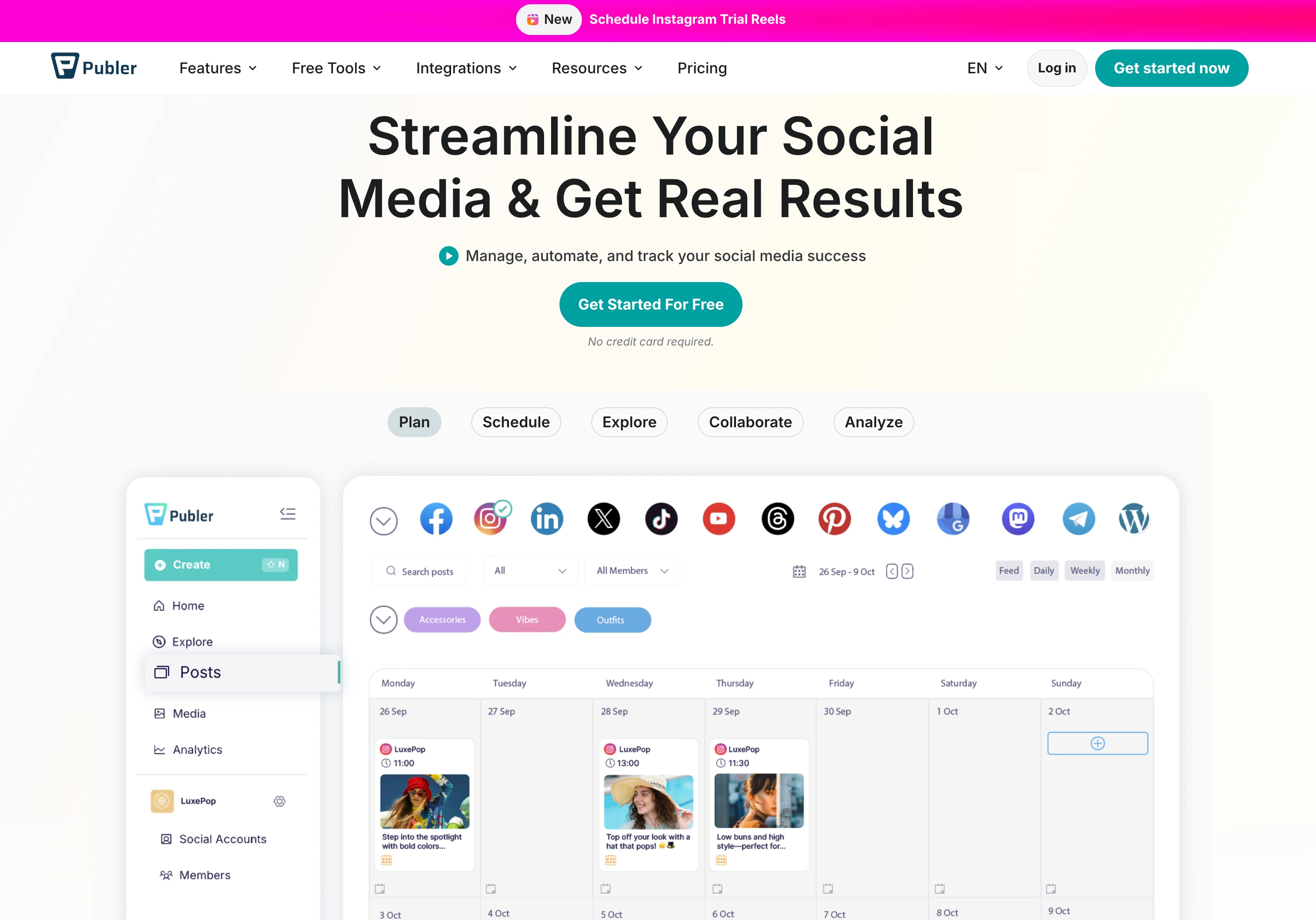
Publer punches well above its price tag. For $12/mo on the Professional plan, you get AI caption writing, AI image generation (DALL-E 3), RSS auto-posting, and support for 13 platforms. For SMBs running tight budgets who still want modern features, Publer is the sharpest value pick.
Pricing
| Plan | Base (3 accounts) | At 10 accounts | Users |
|---|---|---|---|
| Free | $0/mo | N/A (3 max) | 1 |
| Professional | $12/mo | $36/mo | Add at $2/mo each |
| Business | $21/mo | $63/mo | Add at $2/mo each |
What's Good for SMBs
- Supports 13 platforms including Google Business, Telegram, WordPress, and Mastodon
- AI caption generator (GPT-4) and AI image generation (DALL-E 3) on Business
- Bulk scheduling, RSS auto-posting, and recycled evergreen content
- Every 10th account or team member is free (small perk, nice touch)
- Chrome extension for saving links and scheduling from anywhere
Limitations
- No social inbox: you'll still need the native app to respond to DMs and comments
- No approval workflows: fine for solo use, limiting for teams
- AI features and analytics are locked behind the Business plan
- X (Twitter) is not available on the Free plan
Best for:
Solopreneurs, freelancers, and small businesses who want modern features (AI, bulk scheduling, RSS) without crossing the $30/mo line.
See our full Publer pricing breakdown, Publer reviews, and best Publer alternatives. For the budget head to head, see Buffer vs Publer.
6. SocialBee: Best for Content Recycling and Categories

SocialBee's defining feature is its category-based queue system. You tag each piece of content by type (tips, promos, testimonials, behind-the-scenes), set a posting cadence per category, and the tool keeps your feed balanced automatically, and recycles evergreen posts on a schedule you control.
Pricing
| Plan | Price | Social Profiles | Users |
|---|---|---|---|
| Bootstrap | $29/mo | 5 | 1 |
| Accelerate | $49/mo | 10 | 1 |
| Pro | $99/mo | 25 | 3 |
What's Good for SMBs
- Content categories + recycling: ideal for service businesses with a set of evergreen posts (tips, quotes, testimonials, product features)
- AI caption writer and idea generator
- RSS auto-import to turn blog posts into social content
- Canva integration for on-brand visuals
- Supports 10 platforms including Google Business and YouTube
Limitations
- No social inbox at any tier: comments and DMs still require the native app
- Bootstrap is single-user and single-brand; teams need Pro at $99/mo
- Analytics are adequate but not deep
- UI has a bit of a learning curve for the category system
Best for:
Consultants, coaches, course creators, and service businesses who rely on evergreen content and want automatic feed balancing without manually re-posting old content.
7. Zoho Social: Best If You're in the Zoho Ecosystem
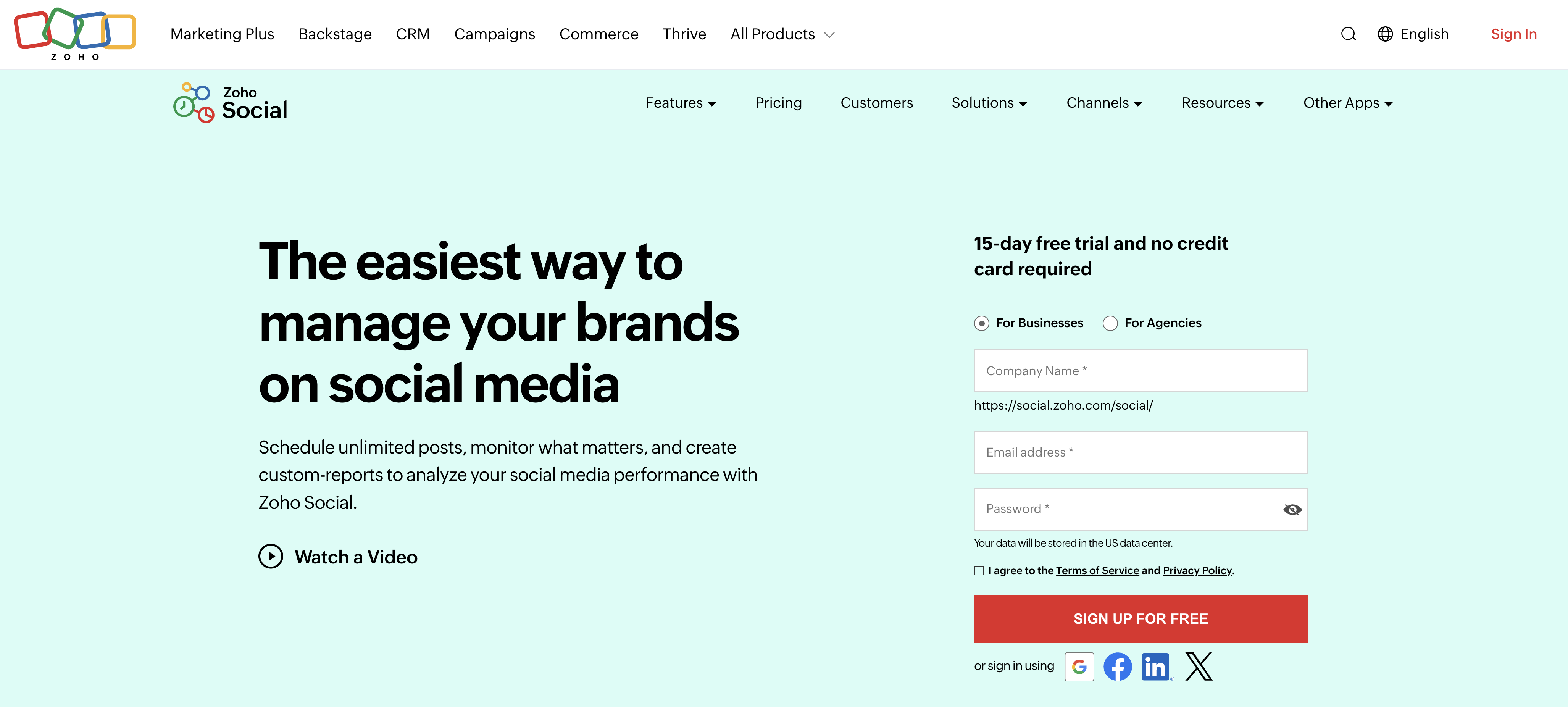
Zoho Social is the social media scheduler that comes bundled with Zoho's broader SMB stack, CRM, Campaigns, Books, Projects, Desk. If you already pay for Zoho One or any of the sub-products, Zoho Social slots into your existing workflow with minimal friction.
Pricing
| Plan | Monthly | Annual (per month) | Brand / Channels | Team Members | AI Credits |
|---|---|---|---|---|---|
| Free | $0/mo | , | 1 brand / 6 channels | 1 | 5 |
| Standard | $15/mo | $10/mo | 1 brand / 11 channels | 1 | 40 |
| Professional | $40/mo | $27/mo | 1 brand / 11 channels | 1 | 40 |
| Premium (Most Popular) | $65/mo | $44/mo | 1 brand / 14 channels | 3 | 80 |
| Agency | $275/mo | , | 10 brands | 5 | , |
| Agency Plus | $400/mo | , | 30 brands | 5 | , |
Annual billing saves ~33%. Additional team members beyond the included count cost $10–$13/mo each.
What's Good for SMBs
- Deep integration with Zoho CRM: inbound social DMs can become CRM leads automatically
- Standard plan at $15/mo ($10/mo billed yearly) is a strong price for solo SMB use
- Unified calendar, publishing queue, and reporting
- Bulk scheduling via CSV on Professional and above
- Social inbox, approval workflows, and team collaboration on Premium
- SmartQ (optimal time scheduling) on Premium
Limitations
- The entry Standard plan is limited to 1 user and 1 brand: small teams will want Premium ($65/mo, 3 users) for collaboration
- The Free plan does not include scheduling, calendar, or analytics: it's essentially a demo
- Social inbox and approval workflows are Premium-only ($65/mo)
- AI credits are tightly capped (5 on Free, 40 on Standard/Professional, 80 on Premium), no AI image generation
- Interface feels less polished than Buffer or PostPlanify
- Value is tied to the Zoho ecosystem: standalone use cases often fit better elsewhere
Best for:
Small businesses already running Zoho CRM, Books, or Projects. If you're not in the Zoho ecosystem, the integration advantage disappears and other tools on this list offer better standalone experiences.
8. Sendible: Best for Service Businesses That Also Manage Client Accounts

Sendible sits at the seam between a small business tool and a small agency tool. If you run a service business (consulting, design, local marketing) and occasionally manage a client's social accounts, Sendible gives you the workflow you need, priority inbox, client groups, and white-label reports, without jumping into full agency software.
Pricing
| Plan | Price | Social Profiles | Users |
|---|---|---|---|
| Creator | $29/mo | 6 | 1 |
| Traction | $89/mo | 24 | 4 |
| Scale | $199/mo | 49 | 7 |
| Advanced | $299/mo | 100 | 20 |
What's Good for SMBs
- Priority Inbox for managing comments and DMs across platforms
- White-label reports (add-on required for full dashboard)
- Client groups / workspace separation at Traction and above
- Supports 10 platforms including Google Business Profile
- Content approval workflows included
Limitations
- Jump from Creator ($29/mo, 1 user) to Traction ($89/mo, 4 users) is steep: there's no 2-user plan
- Full white-label dashboard is a $240/mo add-on, not included in any plan
- Less Instagram-focused UI compared to Later
- AI features are less developed than PostPlanify or Publer
Best for:
Solo consultants, freelance marketers, and service-based small businesses who sometimes handle a client's social posting as part of their service offering.
See our full Sendible pricing breakdown, Sendible reviews, and best Sendible alternatives. For the agency head to head, see Buffer vs Sendible.
9. Meta Business Suite: Best Free Native Tool for Facebook and Instagram
Meta Business Suite is Meta's own free scheduling and management tool for Facebook and Instagram. If those are your only two platforms, you don't technically need to pay for a scheduling tool, Business Suite does the basics for free, directly inside Meta's ecosystem.
Pricing
| Plan | Price | Platforms | Users |
|---|---|---|---|
| Free | $0/mo | Facebook + Instagram only | Based on Page roles |
What's Good for SMBs
- Completely free forever: no trial, no upsell
- Direct publishing to Facebook Feed, Reels, and Stories, plus Instagram Feed, Reels, and Stories
- Unified inbox for Messenger, Instagram DMs, and Facebook comments
- Basic Insights (reach, engagement, follower growth) built in
- Ad creation and boosting from the same dashboard
- Native mobile apps (iOS and Android)
Limitations
- Only Facebook and Instagram: nothing else. If you post to TikTok, LinkedIn, X, or YouTube, you need a separate tool.
- No content calendar view comparable to third-party tools
- No AI caption writing
- No cross-platform analytics: everything is Meta-only
- No team approval workflows
- Interface is cluttered and changes often, with Meta prioritizing ad features over organic scheduling
Best for:
Local businesses, restaurants, and solopreneurs whose entire social presence lives on Facebook + Instagram and who don't need to post anywhere else. As soon as you add a third platform, a proper scheduling tool pays for itself.
10. Planable: Best for Client Approval Workflows

Planable is built around collaboration and approvals rather than pure scheduling. The defining feature is a feed-style preview that looks like the final post on each platform, plus approval layers that clients and stakeholders can use without a separate login. For SMBs who occasionally hand work over to a client, partner, or agency, Planable's preview-first UX is unusually client-friendly.
Pricing
| Plan | Price | Posts/Month | Social Pages per Workspace | Users |
|---|---|---|---|---|
| Free | $0 | 50 total (lifetime cap) | 4 | Unlimited |
| Basic | $39/workspace/mo | 60 | 4 | Unlimited |
| Pro (Most Popular) | $59/workspace/mo | 150 | 10 | Unlimited |
| Enterprise | Custom | Unlimited | Unlimited | Unlimited |
Analytics is a $9/workspace/mo add-on. Engagement is a $5/workspace/mo add-on.
What's Good for SMBs
- Unlimited users on every paid plan: clients and collaborators don't count against a seat limit
- Four approval workflow types (None, Optional, Required, Multi-level on Enterprise)
- Feed, Calendar, Grid, and List views of scheduled content
- Real-time collaboration with comments on drafts
- 15-day free trial on paid plans, plus the Free plan to test workflows
Limitations
- 50-post lifetime cap on the Free plan: not monthly. Once you hit 50, you're locked out until you upgrade.
- Analytics and engagement are paid add-ons, not included in any plan
- No X (Twitter) publishing on the Free plan
- Per-workspace pricing: 5 clients = 5 workspaces = $195–$295/mo
- No AI caption generation built in
- Fewer platform integrations than many scheduling tools (8 platforms supported)
Best for:
SMBs who collaborate with clients or partners on content approvals and want a preview-first UX, especially if unlimited collaborators matters more than deep analytics.
See our full Planable pricing breakdown, Planable reviews, and best Planable alternatives. On approval-first workflows, see Loomly vs Planable.
11. Loomly: Best for Teams That Want a Visual Content Calendar

Loomly's biggest strength is its clean, visual content calendar and built-in approval workflows on all paid plans. The UI is one of the easiest to learn in this list, which makes Loomly a strong pick for SMBs who want a no-friction planning tool and don't mind paying more than they would for Buffer or Metricool.
Pricing
| Plan | Monthly | Billed Yearly | Social Accounts | Users |
|---|---|---|---|---|
| Starter | $65/mo | ~$49/mo (~25% off) | 12 | 3 |
| Beyond | $332/mo | ~$249/mo (~25% off) | 60 | Unlimited |
| Enterprise | Custom | Custom | 61+ | Unlimited |
15-day free trial on paid plans. 50% lifetime discount for verified nonprofits.
What's Good for SMBs
- Approval workflows included on every paid plan starting at $65/mo
- Unlimited scheduling, bulk scheduling, and post previews
- AI caption suggestions and post idea prompts
- Canva, Unsplash, Giphy, Google Drive, and Zapier integrations
- iOS and Android mobile apps
- 9 platforms supported: Facebook, Instagram, X, LinkedIn, Pinterest, TikTok, YouTube, Snapchat, Google Business Profile
Limitations
- Huge $267/mo pricing cliff between Starter ($65/mo, 3 users, 12 accounts) and Beyond ($332/mo, unlimited users, 60 accounts), no middle tier
- No free plan: the $65/mo Starter is the entry point (15-day trial only)
- No unified social inbox (engagement tools only)
- No Threads or Bluesky support
- No AI image generation
Best for:
SMBs who value a polished content calendar UI and need approval workflows from the first paid tier, but only if your team fits within 3 users and 12 accounts (the Starter plan's cap).
See our full Loomly pricing breakdown, Loomly reviews, and best Loomly alternatives. The closest head to head is Loomly vs Planable.
12. SocialPilot: Best for Growing SMBs With Bulk Scheduling Needs
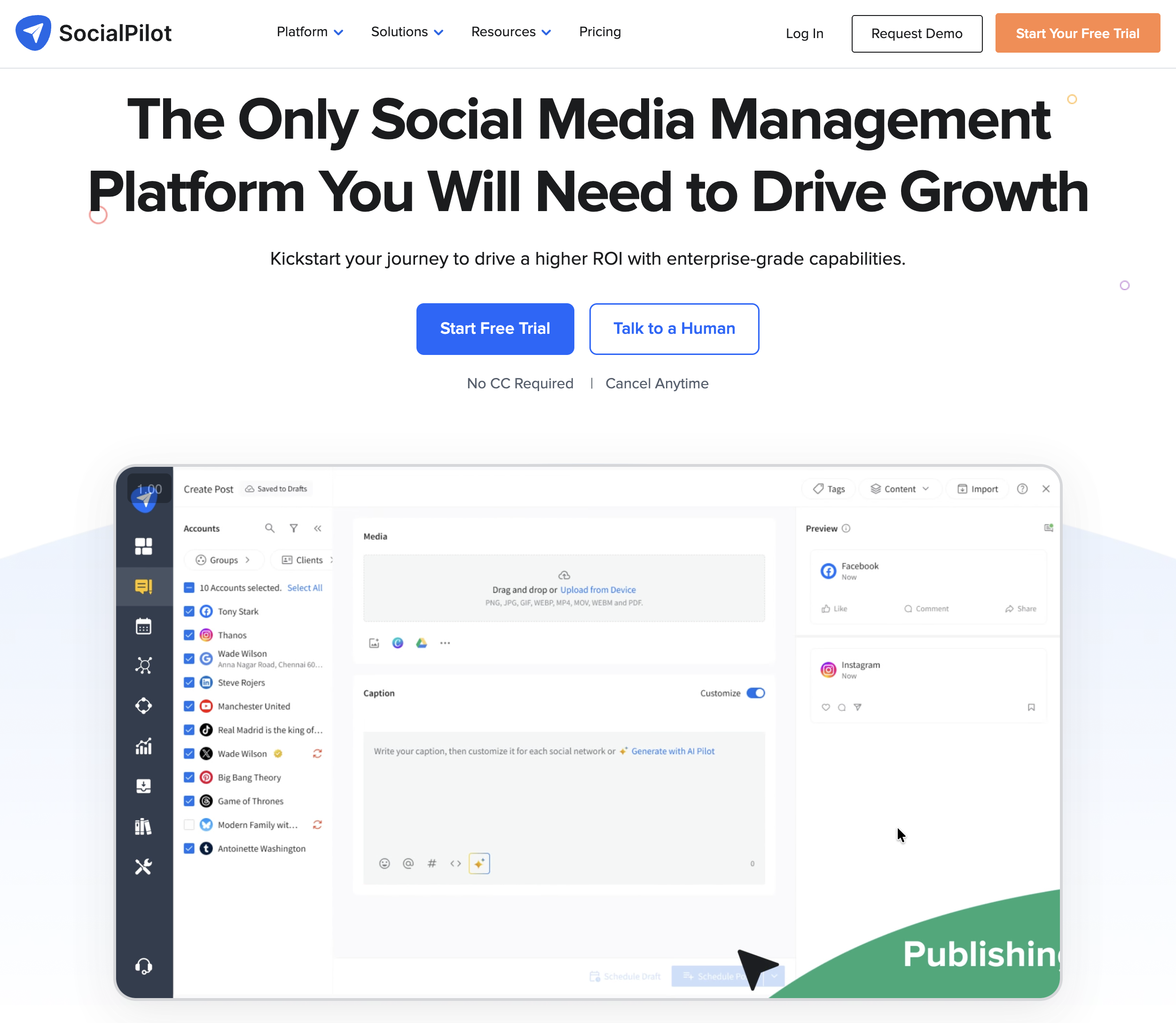
SocialPilot targets SMBs and agencies that need to schedule high post volumes across many accounts. Bulk scheduling, client management, and white-label reports (at higher tiers) make it a stronger fit for SMBs with a content output that exceeds what Buffer or Later can handle smoothly.
Pricing
| Plan | Monthly | Annual (15% off) | Social Accounts | Users |
|---|---|---|---|---|
| Essentials | $30/mo | $25.50/mo | 7 | 1 |
| Standard | $50/mo | $42.50/mo | 15 | 3 |
| Premium (Most Popular) | $100/mo | $85/mo | 25 | 6 |
| Ultimate | $200/mo | $170/mo | 50 | Unlimited |
| Enterprise | Custom | Custom | Custom | Unlimited |
Extra accounts cost $4/mo each. Extra users on Standard and Premium cost $5/mo each. 14-day free trial.
What's Good for SMBs
- 14-day free trial on all plans
- AI credits included from entry tier (500 on Essentials, 5,000 on Premium)
- Content library, tags, and scheduling across major platforms
- Social inbox from Standard ($50/mo) and above
- Client approval workflows and white-label reports on Premium and above
- Bulk scheduling on Premium and above
Limitations
- Social inbox is not on the Essentials plan: you'll need Standard ($50/mo) at minimum for inbox
- Extra-account charges add up: 30 accounts on Premium (25 included) = $100 + $20 = $120/mo
- Dashboard can feel overwhelming for solo users: it's built for agencies first
- No Bluesky support
Best for:
SMBs running high-volume posting (50+ posts per month), service businesses managing 1–3 client accounts, and growing teams who will benefit from bulk scheduling and client approval from Premium onwards.
See our full SocialPilot pricing breakdown, SocialPilot reviews, and best SocialPilot alternatives. For the entry-level head to head, see Buffer vs SocialPilot.
13. HubSpot Social Tools: Best If You Already Use HubSpot CRM
HubSpot's social media tools are part of its Marketing Hub product, not a standalone scheduler. If your small business already runs on HubSpot CRM and you've upgraded to Marketing Hub Professional, the social tools come bundled, so they're effectively "free" in the sense that you're already paying. If you're not on HubSpot, buying the whole Marketing Hub stack just for social is overkill.
Pricing
| Plan | Price | Social Tools Included? |
|---|---|---|
| Free CRM Tools | $0/mo | Limited social publishing and monitoring |
| Marketing Hub Starter | Starts around $20/mo per seat | Limited social features |
| Marketing Hub Professional | Starts at ~$890/mo (3 seats included) | Full social scheduling, monitoring, and reporting |
| Marketing Hub Enterprise | ~$3,600/mo (5 seats included) | Full suite + enterprise controls |
Pricing varies by contact count and billing structure. Verify current pricing at hubspot.com/pricing/marketing.
What's Good for SMBs
- Social interactions are tied directly to HubSpot contacts: a commenter becomes a CRM record automatically
- Campaign tracking ties social to emails, landing pages, and deals in one funnel view
- Native integration with HubSpot CMS, email, workflows, and reporting
- Strong analytics when combined with HubSpot's attribution reports
Limitations
- Full social tools require Marketing Hub Professional (~$800/mo+): prohibitive for SMBs buying social alone
- Platform support is narrower than dedicated schedulers (Facebook, Instagram, LinkedIn, X, YouTube, Threads and Bluesky not supported)
- Not competitive on features or price against dedicated tools if you don't need the CRM integration
- Customizing reports requires HubSpot familiarity
Best for:
SMBs already on HubSpot Marketing Hub Professional or Enterprise who want their social activity wired directly into their CRM. Everyone else is almost always better off with a dedicated scheduling tool like PostPlanify or Buffer.
14. Hootsuite: Most Recognized but Usually Overkill for SMBs

Hootsuite is the most searched social media tool brand on the internet, which is why SMBs keep landing on its pricing page. The reality for most small businesses: the Standard plan costs more per month than you're probably spending on your entire marketing stack. I include it here so you know exactly what you'd pay and whether the feature set justifies the price.
Pricing
| Plan | Price | Social Accounts | Users |
|---|---|---|---|
| Standard | $249/user/mo ($199 annual) | 10 | 1 (add more at $249/each) |
| Advanced | $499/user/mo ($399 annual) | Unlimited | 1 (add more at $499/each) |
| Enterprise | Custom | Custom | Custom |
30-day free trial on Standard and Advanced. No free plan.
What's Good for SMBs (Rarely, but Possible)
- Comprehensive all-in-one platform with scheduling, social inbox, analytics, basic listening, and ad management
- OwlyWriter AI for caption + image generation on all plans
- Canva templates and content library built in
- Bulk scheduling on Advanced
- Best-time-to-post recommendations and review management
- Competitor benchmarking (5 competitors on Standard, 20 on Advanced)
Limitations
- Per-user pricing crushes SMB budgets: a 2-person SMB on Standard pays $498/mo, or $5,976/yr
- Standard plan is capped at 10 social accounts: if you need more, you must jump to Advanced at $499/user/mo
- Critical features like bulk scheduling, approval workflows, custom permissions, and exportable reports are locked behind Advanced
- Advanced listening (via Talkwalker) is a separate paid add-on
- No free plan: only a 30-day trial
Best for:
SMBs only if you genuinely need enterprise-grade listening, compliance features, or Salesforce/Zendesk integrations, and you have the budget to justify $249–$499 per user per month. For most SMBs, tools 1–12 on this list deliver the same or better scheduling at 5–30% of the cost.
See our full Hootsuite pricing breakdown, Hootsuite reviews, and best Hootsuite alternatives. For the enterprise head to head, see Hootsuite vs Sprout Social.
15. Sprout Social: Premium Option Only If Justified by Customer Care Needs

Sprout Social is a premium social media management platform built around customer care, sentiment analysis, and enterprise reporting. For SMBs focused purely on scheduling and basic analytics, Sprout Social is overpowered and overpriced, but if you're running customer service through social DMs at high volume, its Smart Inbox is one of the best in the category.
Pricing
| Plan | Price (annual billing) | Social Profiles | Users |
|---|---|---|---|
| Standard | $199/seat/mo | 5 | 1 (add more at $199/each) |
| Professional | $299/seat/mo | Unlimited | 1 (add more at $299/each) |
| Advanced | $399/seat/mo | Unlimited | 1 (add more at $399/each) |
| Enterprise | Custom | Custom | Custom |
30-day free trial. Monthly billing is 15–25% higher than annual.
What's Good for SMBs (Rarely)
- Smart Inbox with sentiment analysis (sentiment requires Advanced)
- AI-generated text included on all plans (Enhanced Post AI on Professional+)
- Optimal send times and strong reporting (competitor insights require Professional+)
- Review management across platforms
- Integrations with Zendesk, Salesforce, and HubSpot on Advanced
Limitations
- Per-seat pricing is punishing for SMBs: a 3-person team on Standard pays $597/mo, or $7,164/yr
- Standard plan is capped at 5 social profiles: very easy to outgrow
- Competitor reporting, paid ad insights, and message tagging require Professional at $299/seat/mo
- Sentiment analysis, API access, and helpdesk integrations require Advanced at $399/seat/mo
- Listening is a separate paid add-on on top of the base subscription
Best for:
SMBs only if customer care through social DMs is core to your business (high-volume ecommerce, SaaS support, healthcare inquiries) and you can justify paying $199–$399 per user per month. For everyone else, this is enterprise software you don't need.
See our full Sprout Social pricing breakdown, Sprout Social reviews, and best Sprout Social alternatives.
16. Vista Social: Feature-Rich but Priced Past Most Small Businesses

Vista Social is an all-in-one social media management platform covering scheduling, a unified inbox, analytics, DM automations, and review management across 12+ platforms. Its own homepage describes it as a platform "for brands and agencies," and that is who the feature set and the pricing are built around. It is rated 4.8/5 on G2 from more than 1,000 reviews, where the inbox and the sheer breadth of features draw the most praise.
Pricing
| Plan | Monthly Price | Social Profiles | Users |
|---|---|---|---|
| Professional | $79/mo | 15 | 2 |
| Advanced | $149/mo | 30 | 4 |
| Scale | $349/mo | 70 | 8 |
| Enterprise | Custom | Unlimited | Unlimited |
14-day free trial, no card required. Annual billing saves roughly 20%.
A note on pricing: Vista Social used to offer a free plan and a $39/mo Standard tier. Both have been discontinued. As of September 2026 the entry plan is Professional at $79/mo, and X (Twitter) is a $29/mo add-on on every tier, so the real starting cost is $108/mo if X is part of your mix.
What's Good for SMBs
- Genuinely strong unified inbox, one of the best in this price range
- DM automations (keyword replies, comment-to-DM flows) that no other tool on this list matches
- Review management for Google, Facebook, Yelp, and TripAdvisor in the same dashboard, which is rare and useful for local businesses
- 12+ platforms including Reddit, Snapchat, and Tumblr
- Multi-step approval workflows with external approval links on every plan
Limitations
- No free plan and no cheap tier. $79/mo is the floor, roughly 6x Publer and 3x Metricool Starter
- X (Twitter) is a $29/mo add-on, not included on any plan. Budget $108/mo if X is part of your mix
- Only 2 users on the entry plan. A third person means jumping to Advanced at $149/mo, so a 3-person shop pays nearly double
- You pay for 15 profiles whether you use them or not. Most small businesses run 3 to 6, so a large share of the plan goes unused
- Feature density is the most-cited complaint in reviews: the DM builder, review dashboard, and listening module each have their own workflow to learn
- The mobile app lags the desktop experience
Best for:
Small businesses that will actually use the inbox automations and review management, and that run enough profiles to justify 15. If you mainly need scheduling, analytics, and a calendar, you are paying for an agency feature set you won't open. Local businesses tempted by the review management should price it against Metricool or PostPlanify first, since both handle Google Business Profile at a fraction of the cost.
See our full Vista Social pricing breakdown, Vista Social reviews, and best Vista Social alternatives.
Winner by Category for Small Businesses
| Category | Winner | Why |
|---|---|---|
| Best overall for growing SMBs | PostPlanify | Per-workspace pricing, full analytics, AI assistant, social inbox, approval workflows, all 10 platforms |
| Best free plan | Buffer | 3 channels + 10 posts per channel + basic analytics at $0 forever |
| Best free analytics | Metricool | Free plan includes full analytics and 5 profiles |
| Best free native tool | Meta Business Suite | $0 forever for Facebook + Instagram scheduling and inbox direct from Meta |
| Best for Instagram-first brands | Later | Visual grid preview, Linkin.bio, built around visual content |
| Best budget pick | Publer | $12/mo for 3 accounts, AI features, wide platform support |
| Best for evergreen content | SocialBee | Category-based content recycling built into the workflow |
| Best for local businesses (Google Business) | PostPlanify or Metricool | Both support Google Business Profile posting and analytics |
| Best for service businesses with clients | Sendible | White-label reports and client-ready dashboards at a reasonable price |
| Best for client approval workflows | Planable | Feed-style previews + unlimited users per workspace on paid plans |
| Best for visual content calendar with approvals | Loomly | Clean calendar UI with approval workflows built in from $65/mo |
| Best for bulk scheduling | SocialPilot | Designed for agencies and SMBs scheduling hundreds of posts per month |
| Best for Zoho users | Zoho Social | Deep integration with Zoho CRM, Desk, Campaigns, Projects |
| Best for HubSpot users | HubSpot Social Tools | Integrated with HubSpot CRM: useful only if you're already on a Marketing Hub plan |
| Best AI assistant | PostPlanify | Vision-powered AI that reads your uploaded images to generate captions, hashtags, and post ideas |
| Best enterprise-grade customer care (if budget allows) | Sprout Social | Sentiment analysis, helpdesk integrations, premium analytics, starting at $199/seat/mo |
Real Cost Comparison: What a Small Business Actually Pays
Sticker prices don't tell the full story. Here's what three typical small business setups would actually pay per year across the top tools. PostPlanify's annual figure is its yearly-billing price, which works out to about 20% below twelve monthly payments.
Scenario 1: Solo owner, 3 platforms (Instagram, Facebook, TikTok)
A solo business owner posting 3–5 times per week across Instagram, Facebook, and TikTok.
| Tool | Plan | Monthly Cost | Annual Cost |
|---|---|---|---|
| Buffer Free | Free | $0 | $0 |
| Metricool Free | Free | $0 | $0 |
| Publer Professional | 3 accounts | $12/mo | $144/yr |
| Later Starter | 1 social set | $25/mo | $300/yr |
| Buffer Essentials | 3 channels | $18/mo | $216/yr |
| PostPlanify (1 workspace) | 4 accounts, unlimited members | $39/mo | $372/yr |
| Hootsuite Standard | 1 user | $249/mo | $2,988/yr |
Recommendation: Buffer Free works if you post under 10 times per channel per month (the cap refills after publish). Metricool Free caps at 20 total posts per month across all platforms, fine for light posting, tight for 3x/week across 3 platforms. Publer Professional ($12/mo) is the sharpest paid entry point. A single PostPlanify workspace at $39/mo is the fit if you want analytics, social inbox, and AI under one roof.
Scenario 2: 2-person team, 5 platforms (+ LinkedIn, YouTube)
A small team, owner + one employee or contractor, posting across 5 platforms.
| Tool | Plan | Monthly Cost | Annual Cost |
|---|---|---|---|
| Publer Business | 5 accounts + 1 extra member | $27/mo | $324/yr |
| Later Growth | 2 social sets (16 profiles), 2 users | $50/mo | $600/yr |
| Metricool Starter | 5 brands, 1 user | $25/mo | $300/yr |
| Buffer Team | 5 channels | $60/mo | $720/yr |
| PostPlanify (1 workspace) | 4 accounts, unlimited members | $39/mo | $372/yr |
| SocialBee Accelerate | 10 profiles, 1 user | $49/mo | $588/yr |
| Hootsuite Standard | 2 users | $498/mo | $5,976/yr |
Recommendation: Five platforms for one brand fits in a single PostPlanify workspace, so the second person on your team costs nothing. Metricool Starter is cheaper at $25/mo but is a single-user plan, and Buffer Team charges per channel, so the price climbs every time you add a platform.
Scenario 3: 5-person SMB, 7 platforms, multiple brands
A 5-person small business running social for two brands (main brand + side venture) across 7 platforms.
| Tool | Plan | Monthly Cost | Annual Cost |
|---|---|---|---|
| Metricool Advanced | 15 brands, unlimited users | $54/mo | $648/yr |
| PostPlanify (2 workspaces) | 8 accounts, unlimited members | $68/mo | $648/yr |
| SocialPilot Premium | 25 accounts, 6 users | $100/mo | $1,200/yr |
| Later Scale | 6 social sets (48 profiles), 4 users | $110/mo | $1,320/yr |
| Hootsuite Standard | 5 users | $1,245/mo | $14,940/yr |
| Sprout Social Standard | 5 seats | $995/mo | $11,940/yr |
Recommendation: Two brands means two PostPlanify workspaces, $68/mo total or $648 billed yearly, and the fifth team member costs the same as the first. That buys the deepest feature set here: analytics, social inbox, AI, approvals, and branded reports. Metricool Advanced is the cheapest if you only need scheduling and analytics, and its unlimited users are a plus. Hootsuite and Sprout Social are dramatically overpriced at this team size.
PostPlanifyAll your social media in one simple dashboard
Schedule posts, track analytics, and reply to comments/DMs without switching tabs.
Engagement
+18%
Views
52.8k
Free vs Paid: When Should a Small Business Upgrade?
Most SMBs can start on a free plan and stay there for 1–3 months while they figure out what they actually use. Here's the signal to upgrade:
Stay on free as long as:
- You post to 3 or fewer platforms
- One person handles all posting
- You schedule fewer than 10 posts per channel per month
- You don't need approval workflows
- Basic analytics (30 days of data) is enough
Upgrade when:
- You need to post to more than 3 platforms
- You've hit the scheduled-posts-per-channel cap repeatedly
- You want a social inbox to stop missing DMs
- You want AI assistance to reduce caption-writing time
- Someone else needs access (employee, VA, contractor)
- You want analytics beyond 30 days of history
- You start managing a second brand or account
How to Pick the Right Tool for Your Small Business
Use this decision framework:
If you're just starting out and want free → Buffer Free or Metricool Free. Don't pay for tools before you've validated your posting habit. Buffer wins on UX simplicity; Metricool wins on analytics depth.
If you're product-based and Instagram-heavy → Later. The visual grid preview and Linkin.bio page are built for your workflow. Food, fashion, beauty, photography, and retail SMBs fit this profile.
If you want modern features at a budget → Publer Professional. AI caption writing, AI image generation, and 13-platform support at $12/mo. Great for solopreneurs and freelancers.
If you want one tool to replace three (scheduling + analytics + inbox + AI) → PostPlanify. $39/mo for one workspace, which is all a single-brand business ever needs. Most SMBs stay there for years, however much the team grows.
If you lean on evergreen content → SocialBee. Category-based recycling is unique and saves hours per week once set up.
If you already use Zoho → Zoho Social. The CRM integration flip-flops leads from comment to pipeline without copy-paste.
If you occasionally handle client social → Sendible Creator. $29/mo gets you a workflow that scales into light client work without switching tools.
If your team is 4+ people → PostPlanify. Approval workflows, branded reports, and unlimited team members are included in every workspace from $39/mo, so hiring never changes the bill. Tools that charge per seat get more expensive every time you add someone.
Common Mistakes Small Businesses Make Choosing a Social Media Tool
1. Picking Hootsuite or Sprout Social because "everyone uses them." Both are built for enterprise budgets. A solo owner or 2-person team paying $249/mo for Hootsuite almost never uses the social listening, advocacy, or advanced analytics features that justify the price.
2. Optimizing for price alone and ending up with three tools. A $12/mo scheduler + $30/mo analytics + $20/mo Canva subscription = $62/mo with three logins. A single tool at $39/mo often replaces all three with less workflow friction.
3. Ignoring platform support. SMBs who plan to post on TikTok next quarter and pick a tool that doesn't support it end up re-migrating in 60 days. Confirm every platform you use or plan to use is supported at the tier you're buying.
4. Forgetting the social inbox. Missing DMs and comments is the quiet killer of SMB social media growth. A tool without a social inbox means you're still checking each platform's native app every day, defeating half the reason to buy software.
5. Choosing a tool that doesn't scale. The Later Starter plan at $25/mo looks great until you want to add a second brand. Suddenly you're at Growth ($45/mo), and if you need a third brand, Advanced ($80/mo). Plan for 12 months ahead, not this week.
6. Not using free trials. Every tool in this list has a free plan or free trial. Use them. Run your actual content through 2–3 tools for a week before committing to a paid subscription.
7. Skipping the mobile test. If you schedule from your phone (most SMB owners do), test the mobile experience before buying. Some tools have great desktop UIs and terrible mobile workflows.
PostPlanifyAll your social media in one simple dashboard
Schedule posts, track analytics, and reply to comments/DMs without switching tabs.
Engagement
+18%
Views
52.8k
Your First 30 Days: A Small Business Rollout Plan
Week 1: Setup and import
- Pick your tool (use free trials to test 2–3 if you're undecided)
- Connect all your social accounts
- Import any existing scheduled content from your previous tool or spreadsheet
- Set up your content calendar view the way you'll actually use it
Week 2: Batch one month of content
- Block 2–3 hours to write and schedule your first full month of posts
- Use the AI assistant to speed up caption writing and hashtag research
- Set up a few "evergreen" posts that can recycle (product highlights, testimonials, tips)
Week 3: Engagement workflow
- Set a daily 15-minute window to check the social inbox (or twice a day if customer-facing)
- Create a saved-reply template for common DMs
- Identify 5 accounts (customers, partners, local businesses) to engage with weekly
Week 4: Analytics review and refinement
- Open the analytics dashboard: note your top 3 posts of the month
- Check your best-time-to-post suggestions
- Adjust next month's schedule based on what performed
- Decide if your current plan fits or if you need to upgrade
Time-cost estimate: 8–12 hours total for the first 30 days, then 2–4 hours per week ongoing.
Frequently Asked Questions
What's the best social media tool for a small business?
For most small businesses, PostPlanify is the best overall pick, it bundles scheduling, full analytics, a social inbox, a vision-powered AI assistant, content calendar, and team collaboration into one workspace subscription starting at $39/mo, across all 10 major platforms. That means no per-seat fees as you add a team member and no juggling three separate tools. If you want a permanent free plan instead, Buffer (3 channels) or Metricool (free analytics) are the best starting points; Publer ($12/mo) is the sharpest budget pick; and Later is best for visual, Instagram-first brands. The right answer depends on your platforms, team size, and budget, but PostPlanify is the one most growing SMBs settle on and stay with.
What's the best free social media tool for a small business?
For pure simplicity, Buffer Free: 3 channels, clean UI, easy to start. For more platform coverage and analytics on a free plan, Metricool Free: 5 profiles and full analytics. Publer Free is also solid if you want AI features on a free tier. Paid tools like PostPlanify, Later, and Sendible offer free trials but no permanent free plan.
How much should a small business spend on social media software?
Most small businesses land between $0 and $100 per month. Free plans work for 1–3 platforms and solo owners. Paid plans from about $12/mo up to $39/mo (Publer, Metricool, Later, Buffer, PostPlanify) cover the features an SMB actually uses. Anything above $100/mo is usually only worth it if you're running several separate brands, or you genuinely need enterprise extras like social listening and competitor benchmarking.
Is Hootsuite worth it for small businesses?
Almost never. Hootsuite Standard starts at $249/user/month, which means a 2-person SMB pays $498/mo, more than most SMBs spend on their entire marketing stack. The enterprise features (social listening, competitor benchmarking, compliance integrations) rarely get used by small teams. For 90% of SMBs, tools like PostPlanify ($39/mo), Metricool Starter ($22/mo), or Buffer Essentials ($6/channel/mo) deliver the same or better scheduling + analytics at 5–20% of the cost.
What social media platforms does my small business need to be on?
Post where your customers are, not on every platform. Local service businesses usually win with Instagram, Facebook, and Google Business Profile. Product/e-commerce businesses typically need Instagram, Facebook, and TikTok (plus Pinterest for home/beauty/fashion). B2B consultants and service businesses should prioritize LinkedIn first, then add Instagram or X. Start with 2–3 platforms you can post to consistently; adding a fourth only makes sense after the first three are running smoothly.
How often should a small business post on social media?
3–5 times per week per platform is the sweet spot for most SMBs. Posting daily is only worth it if you have the content bandwidth, inconsistent high-volume posting hurts engagement more than steady 3-per-week posting. Use a scheduling tool to batch a month of content in a few hours, then maintain a posting cadence you can sustain long-term.
Can I manage all my social media from my phone?
Partially, yes. Most tools (Buffer, Publer, Later, Metricool, Sendible, PostPlanify, SocialBee) work through mobile web or dedicated mobile apps. For full editing and scheduling, the desktop experience is almost always smoother, but approving posts, responding to DMs in the social inbox, and quick reschedules work well on mobile.
What's the difference between a social media tool and a social media strategy?
A tool is the software, a strategy is your plan for what to post, when, and why. Tools make execution faster; they don't replace strategy. For a full breakdown, see our guide on how to plan social media content and social media marketing strategy for small business.
Do I need a social media manager or can I do it myself?
Most small businesses under $500K in annual revenue run social themselves or with a part-time VA. Above that, the time cost of managing social (10–15 hours per week) usually makes it worth hiring, either a freelance social media manager ($500–$2,000/mo) or a junior in-house hire. The right tool reduces the time cost enough that many SMBs stay DIY well past the point they'd otherwise need to hire.
How long until social media tools pay for themselves?
Fast. A tool that saves 2 hours per week at a $50/hour owner time = $400/mo in reclaimed time. Even a $39/mo tool like PostPlanify clears its cost in the first days of the month. The ROI calculation is simple: (hours saved per month × your hourly value) ÷ monthly tool cost. If the answer is above 3×, the tool is a clear win.
Can small businesses use AI for social media captions?
Yes, and you should. AI caption writers (built into PostPlanify, Buffer, Publer, Metricool, SocialBee) cut writing time by 50–80% for most SMB content. They're best at: draft captions from a photo, hashtag research, repurposing a blog post into 5 social posts, and generating post ideas when you're stuck. They're worst at: original brand voice, nuanced storytelling, and anything that requires specific customer or industry context.
What's the best social media tool for a local business?
Local businesses (restaurants, salons, contractors, shops) benefit from tools that support Google Business Profile alongside Instagram and Facebook. PostPlanify, Metricool, Buffer, Publer, and Sendible all support Google Business. PostPlanify adds best-time-to-post suggestions and local-audience analytics that make it especially strong for location-based businesses.
Can I schedule Instagram Reels and Stories from a social media tool?
Yes, modern tools now support direct publishing for both Reels and Stories. PostPlanify, Later, Metricool, Publer, and Buffer all handle Reels natively. Stories are supported by most paid plans (Later, Metricool, Publer, PostPlanify), some require notification-based reminders instead of auto-publishing for certain features like interactive stickers. For a deep dive, see our guides on how to schedule Instagram Reels and how to schedule Instagram Stories.
Do I need separate tools for analytics and scheduling?
No, most SMBs shouldn't. Tools like PostPlanify, Metricool, Later, and Sendible bundle scheduling, analytics, and social inbox into one subscription. Running separate tools for each function adds cost, workflow friction, and a third login. The one exception is if you need deep competitor or industry analytics (Iconosquare, Rival IQ), those tools specialize in analytics the way schedulers don't.
How do I measure the ROI of social media for my small business?
Pick one number your business actually cares about and track it end to end. For most small businesses that is leads, bookings, or online sales, not followers. The practical setup: add UTM tags to every link you post so traffic shows up correctly in your analytics, log where new customers say they found you (a single dropdown on your intake form or checkout is enough), and review both monthly against what you spent, both software and the hours you put in. A simple version of the math: (revenue attributed to social minus tool cost minus hours x your hourly value) divided by total cost. Follower count, likes, and reach are diagnostic numbers that tell you whether content is landing, but they are not ROI. If you only have time to track one thing, track how many enquiries mention social.
Which social media platform is best for a small business in 2026?
The one where your customers already spend time, which is usually narrower than people expect. Local and service businesses (restaurants, salons, contractors, clinics) get the most from Google Business Profile plus Facebook and Instagram, because those feed local search and maps. Product and visual brands (retail, food, beauty, crafts) do best on Instagram and TikTok, with Pinterest worth testing if you sell physical products. B2B and professional services belong on LinkedIn, where a single post can reach the person who signs the contract. Almost no small business needs to be on all ten. Two platforms posted consistently beats six posted sporadically, and it is the difference between social media taking two hours a week and taking ten.
What's the cheapest all-in-one social media tool for small businesses?
Publer Professional at $12/mo (3 accounts) is the cheapest paid tool with AI features and modern platform support. Metricool Starter at $22/mo adds analytics and social inbox for 2 users. PostPlanify at $39/mo is the best value if you want full analytics, social inbox, an AI assistant, and unlimited team members in one workspace.
Key Takeaways
- Most small businesses overspend on social media software. Hootsuite and Sprout Social are built for enterprises; SMBs almost always get better ROI from flat-rate tools under $100/mo.
- Free plans are real starting points, not just trials. Buffer Free, Metricool Free, and Publer Free cover the basics for 1–3 platforms and solo owners.
- PostPlanify (from $39/mo) replaces 3 tools: scheduling, analytics, social inbox, AI assistant, content calendar, at a per-workspace rate most SMBs stay on for years.
- Platform support matters more than feature checklists. Confirm every platform you use (or plan to use in the next 6 months) is supported at the tier you're buying.
- Scale planning beats spec chasing. Pick a tool whose next tier up covers your realistic 12-month growth, a tool that forces a 3× price jump to add a 4th team member is a bad fit.
- The social inbox is the hidden ROI driver. Missing DMs and comments costs more customers than missed posts. A unified inbox is worth paying for.
- AI has become table-stakes. Every serious tool on this list includes an AI caption writer. The best ones (PostPlanify, Publer, Buffer) are vision-aware and can read your uploaded images.
- Test with a free trial before committing. Every tool offers one: use it to test mobile UX, scheduling flow, analytics, and social inbox with your actual content.
Making the Switch: One Tool to Replace Three
If you're paying for a scheduler, a separate analytics tool, and a graphic design subscription, or if you're jumping between Instagram, Facebook, LinkedIn, and TikTok native apps every day, PostPlanify bundles the full SMB stack into a single workspace subscription:
- Scheduling + content calendar across all 10 platforms (Instagram, Facebook, X, LinkedIn, TikTok, YouTube, Threads, Pinterest, Bluesky, Google Business)
- Full analytics with best-time-to-post suggestions across every platform
- Social inbox for Instagram, Facebook, LinkedIn, Google Business, YouTube, Threads, and Bluesky comments and DMs
- Vision-powered AI assistant that reads your uploaded images to generate captions, hashtags, and post ideas
- Team collaboration with role-based permissions: unlimited members on every plan
- Approval workflows + branded PDF reports: in your first workspace, not locked behind a tier upgrade
- Media library, link in bio, bulk scheduling: built in, no add-ons
Plans start at $39/mo with a 7-day free trial, and every plan includes unlimited team members.
Try PostPlanify free for 7 days →
Related Reading
-
9 Best Social Media Management Tools for Dental Clinics: The dental version, including HIPAA-safe approval workflows
-
10 Best Social Media Management Tools for Nonprofits: The nonprofit equivalent, including verified discount programs
-
13 Best Google My Business Tools: What a local business actually needs beyond a social scheduler
-
Best SocialPilot Alternatives | SocialPilot Pricing Breakdown
-
Best Sprout Social Alternatives | Sprout Social Pricing Breakdown
PostPlanifyAll your social media in one simple dashboard
Schedule posts, track analytics, and reply to comments/DMs without switching tabs.
Engagement
+18%
Views
52.8k
About the Author

Hasan Cagli
Founder of PostPlanify, a content and social media scheduling platform. He focuses on building systems that help businesses, agencies, and teams plan, publish, and manage content and social media more efficiently across platforms.


