


Before a new patient ever calls your dental practice, they've already looked you up. 78% of patients check a dental practice's social media before booking their first appointment, and 77% read reviews first (Click-Vision). Your Instagram grid, your Google Business reviews, and the way you reply to them are doing the work of a front-desk first impression — whether you're managing them or not. There's demand you may be missing, too: 67% of patients want to book online, yet only 26% of practices offer it — so the booking link in your bio is doing more work than you think.
The problem is that dentistry doesn't leave much time for posting. Between chair time, insurance, and running a practice, social media becomes the thing you'll "get to later." And dental social media carries a risk most industries don't: a single before/after photo posted without written consent, or one reply to a review that mentions a patient's treatment, can become a HIPAA violation — with real fines to match (more on that below).
A good social media management tool solves both problems: it lets you batch and schedule content in an hour a week, and it puts approval steps and a shared library in place so nothing patient-related goes live by accident. This guide compares the 9 best social media management tools for dental clinics in 2026 — scored on the features a practice actually uses: Google Business and review management, before/after visual scheduling, a unified patient inbox, approval workflows, and pricing that fits a practice's margins.
Quick Answer: The Best Social Media Tool for Dental Clinics
For most dental practices, the best tool is PostPlanify — flat pricing from $99/month (no per-seat fees), publishing and analytics for all 10 platforms including Google Business, Google review replies from a unified inbox, AI captions and images for before/after and patient-education posts, and approval workflows that keep non-consented content from going live. For large dental groups and DSOs that need enterprise listening and reporting, Sprout Social is the premium pick; for solo practices testing the waters for free, Buffer is the simplest start; and for agencies running social for multiple practices, Sendible leads on white-label client dashboards.
Quick Picks: Best Social Media Tools for Dental Clinics
| Tool | Best for | Starting price | Standout for dental |
|---|---|---|---|
| PostPlanify | Best overall for dental practices | $99/mo (flat) | Google Business + review replies, AI images, approval workflows |
| Sprout Social | Large dental groups & DSOs | $199/seat/mo | Enterprise analytics + social listening |
| Hootsuite | Enterprise multi-location practices | $249/user/mo | Breadth of integrations + listening |
| Sendible | Dental marketing agencies | $29/mo | White-label client dashboards |
| SocialPilot | Budget multi-location management | $30/mo | Bulk scheduling + white-label at low cost |
| Agorapulse | Patient engagement & reviews | $99/user/mo | Strongest unified inbox + social CRM |
| Buffer | Solo practices getting started | Free / $6/channel | Simplest free start |
| Later | Before/after visual content | $25/mo | Instagram-first visual planning |
| Loomly | Practices needing approval sign-off | $65/mo | Structured multi-step approvals |
What Matters in a Social Media Management Tool for a Dental Practice
Not every social media tool is built for a clinic. These are the criteria that actually matter when you're a dental practice, not a marketing agency:
- Google Business Profile + review management. For a local practice, your Google Business Profile drives more new patients than any social feed. The right tool lets you post to Google Business and reply to reviews in one place (we compare the dedicated options in our Google My Business tools roundup) — since 77% of prospective patients read reviews before choosing a dentist.
- A HIPAA-safe workflow (approvals + a content library). Before/after photos and patient stories are protected health information. Look for approval workflows so a second person signs off before anything patient-related is published, and a shared content library so only consented, approved assets are available to post.
- Before/after and visual scheduling. Smile galleries and treatment transformations are your highest-performing content — side-by-side before/afters drive roughly 53% more inquiries. You want a visual calendar, easy image/video scheduling, and platform-specific previews.
- A unified patient inbox. Patients ask questions on Instagram, Facebook, and Google at all hours. One inbox to triage comments, DMs, and review replies — with team assignment — keeps you responsive without giving out logins.
- AI captions and content help. Turning "we do Invisalign" into an engaging educational post is where most practices stall. AI caption and image generation removes the blank-page problem for education, myth-busting, and seasonal posts.
- Multi-location support (if you're a group or DSO). Managing several offices means location-specific calendars, unified analytics, and role-based access from one dashboard.
- Pricing that fits a practice. Most tools charge per user or per channel, which punishes small teams. Flat-rate plans that bundle users and accounts are far more predictable for a clinic.
I evaluated the 9 tools below against these criteria — cross-referencing current pricing from each vendor's page and verified user reviews on G2, Capterra, and Trustpilot — and weighted the features a clinic actually uses (Google Business, reviews, approvals, before/after scheduling) over the enterprise depth most practices never touch.
1. PostPlanify — Best Overall for Dental Clinics
PostPlanify is built for the exact situation most dental practices are in: too little time, a need to look trustworthy locally, and content that has to be handled carefully. It combines scheduling, analytics, a unified inbox, and AI content tools on one flat monthly plan — no per-seat fees as your front office or marketing help grows.

For a clinic specifically, three things stand out. It publishes to Google Business alongside Instagram, Facebook, TikTok, and YouTube, and lets you reply to Google reviews from the social inbox — so your most important local surface is managed in the same place you post. Its AI assistant generates both captions and images, which makes patient-education carousels and before/after posts far faster to produce. And its approval workflows give you a compliance safety net: a team member drafts, a designated approver signs off, and nothing patient-related goes live without a second set of eyes.
At a glance
- Pricing: Growth $99/mo (or $79/mo billed yearly) for 15 accounts and 3 users → Premium $199/mo → Scale $299/mo; custom Enterprise
- Platforms: 10, including Google Business, Instagram, Facebook, TikTok, YouTube, and LinkedIn
- Free trial: 7 days (14-day money-back guarantee)
- Best for dental: Solo and multi-provider practices that want Google Business, reviews, AI content, and approvals in one flat-priced tool
Key features for a dental practice
- Publish to Google Business + reply to Google reviews from the social inbox (Instagram, Facebook, LinkedIn, Google Business, YouTube)
- AI-powered captions and image generation for education, before/after, and seasonal posts
- Approval workflows so patient content gets signed off before it publishes
- Visual content calendar with platform-specific previews and bulk scheduling
- Analytics and reporting across all 10 platforms, including Google Business search impressions and customer actions
- Link-in-bio to send followers straight to your online booking page
How it fits a dental clinic: It runs a single-location practice's entire local presence — posts, Google reviews, patient DMs, and reporting — from one $99/mo plan, with approvals protecting patient privacy, and because pricing is flat it scales to a multi-location group without per-seat costs piling up as you add offices and staff. The trade-off: a very large DSO that needs to aggregate reviews across dozens of locations may want a dedicated review suite for that specific layer alongside it.
Verdict: The best all-round fit for the typical dental practice — strong on the things clinics actually need (Google Business, reviews, AI content, approvals) without enterprise pricing.
Learn more: See the full PostPlanify pricing breakdown or start a free trial.
 PostPlanify
All your social media in one simple dashboard
Schedule posts, track analytics, and reply to comments/DMs without switching tabs.

Engagement
+18%
Views
52.8k
2. Sprout Social — Best for Large Dental Groups & DSOs
Sprout Social is the enterprise option. Its analytics, social listening, and reporting are the deepest in the category, which makes it a fit for large dental groups and DSOs that treat marketing as a measured business function and need to prove ROI across many offices.

The catch is price: Sprout starts at $199 per seat per month, and social listening is a paid add-on on top. For a solo or small practice, you're paying for enterprise governance you won't use.
At a glance
- Pricing: $199/$299/$399 per seat/mo; 30-day trial, no free plan
- Best for dental: Multi-location groups and DSOs needing enterprise reporting and listening
- Ratings: 4.4/5 on G2 (5,731 reviews)
How it fits: Ideal for a DSO's in-house marketing team; overkill (and expensive) for a single practice that mainly needs to post and manage reviews.
Verdict: Best-in-class analytics for large groups — but the per-seat cost is hard to justify below the DSO level.
Learn more: Sprout Social pricing, Sprout Social reviews, and the best Sprout Social alternatives.
3. Hootsuite — Best for Enterprise Multi-Location Practices
Hootsuite competes with Sprout at the enterprise tier, leaning on breadth — a huge app directory, social advertising, employee advocacy, and social listening (via a Talkwalker add-on). Large multi-location dental organizations that want one platform standardized across offices often land here.

Like Sprout, it's priced for enterprises: $249 per user per month on Standard, and no free plan since 2023.
At a glance
- Pricing: $249 (Standard) / $499 (Advanced) per user/mo; 30-day trial
- Best for dental: Enterprise groups needing integrations and governance at scale
- Ratings: 4.3/5 on G2 (6,615 reviews), 1.8/5 on Trustpilot (511) — billing complaints are common
How it fits: A fit for large organizations; small practices will feel the complexity and cost.
Verdict: Powerful and broad, but built for enterprises — most clinics pay for capability they won't touch.
Learn more: Hootsuite pricing, Hootsuite reviews, and the best Hootsuite alternatives.
4. Sendible — Best for Dental Marketing Agencies
Sendible is designed for agencies managing social for multiple clients — which describes many dental marketing companies. Its standout is white-label client dashboards and branded reports, so an agency can give each practice a client-facing view under its own brand, plus a Priority Inbox and client approval links.

Sendible earns its spot on the agency workflow, not the feature list. A dental marketing firm can run a dozen practices from one dashboard, hand each dentist a branded client portal, and route posts through Client Connect approval links so the practice signs off on sensitive before/after content without ever logging in. Where it thins out for clinics is content creation — there's no AI image generation — and its Google review tools are shallower than a dedicated engagement platform's.
At a glance
- Pricing: $29 Creator → $89 Traction → $199 Scale → $299 Advanced → $750 Enterprise; 14-day trial
- Best for dental: Agencies running social for several dental clients
- Ratings: 4.5/5 on G2 (899 reviews)
How it fits: If you're a practice, this is more than you need; if you're the agency serving practices, the white-label workflow is the draw.
Verdict: The agency pick — white-label dashboards and client approvals make it strong for firms managing multiple dental accounts.
Learn more: Sendible pricing, Sendible reviews, and the best Sendible alternatives.
5. SocialPilot — Best Budget Multi-Location Management
SocialPilot offers agency-style features — bulk scheduling, client management, white-label reports — at a fraction of enterprise prices. For a dental group managing several offices on a budget, it hits a useful middle ground, and it supports 10 platforms including Google Business, Threads, and Bluesky.
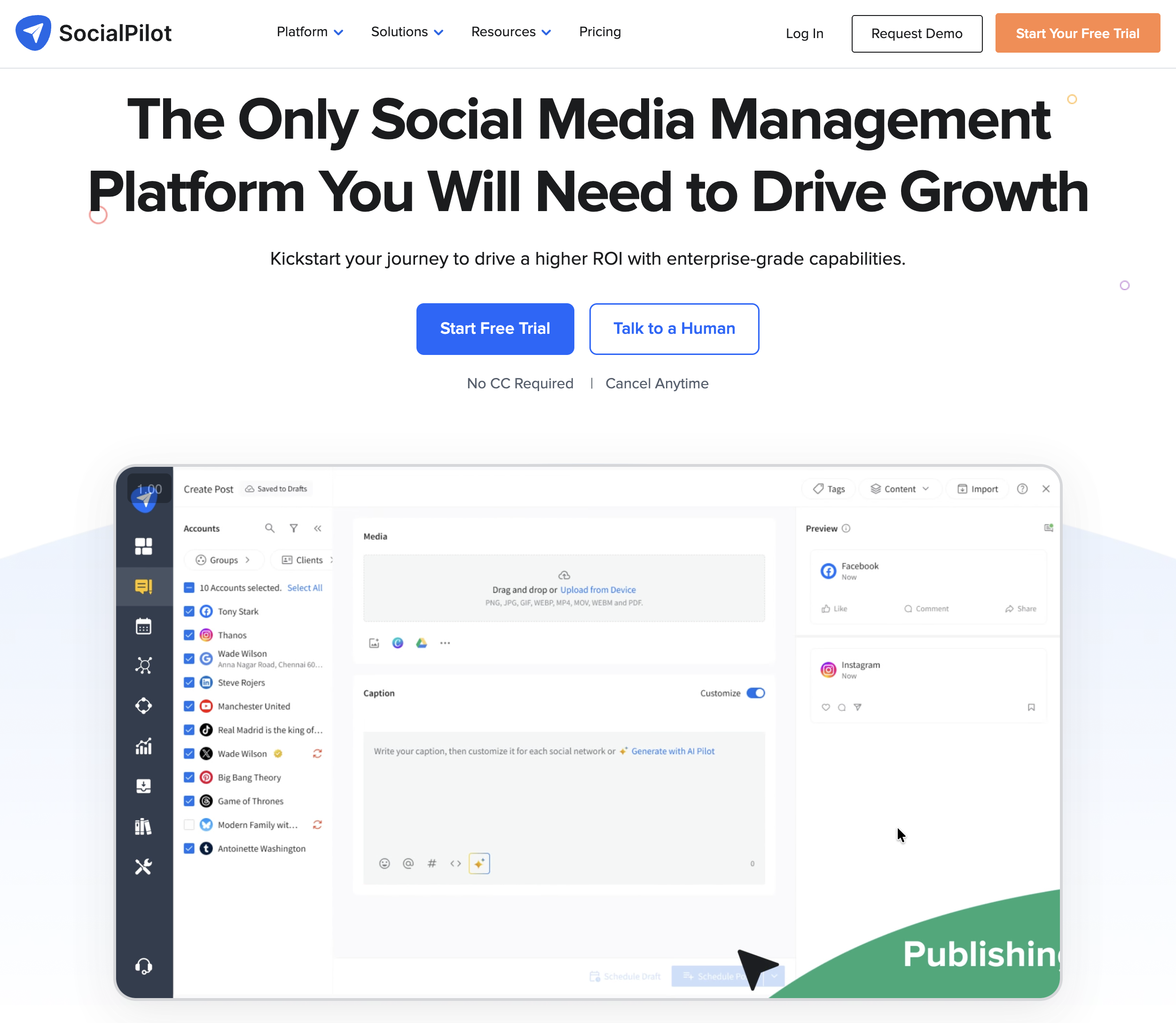
Cost-per-account is where SocialPilot separates itself. A multi-office group can bulk-upload a month of posts for every location in a single CSV, then send each practice a white-labeled performance report (from the Premium tier up). You pay for that value in polish — the dashboard crams a lot on screen and the analytics won't rival Sprout's — but almost nothing else delivers this much multi-location reach at $30–$100 a month.
At a glance
- Pricing: $30 Essentials / $50 Standard / $100 Premium / $200 Ultimate per mo; 14-day trial
- Best for dental: Budget-conscious multi-location practices and small agencies
- Ratings: 4.5/5 on G2 (841 reviews)
How it fits: Great value for managing multiple locations; the interface is functional rather than polished.
Verdict: The best value for multi-account dental management — white-label reports on Premium and bulk scheduling at a low price.
Learn more: SocialPilot pricing, SocialPilot reviews, and the best SocialPilot alternatives.
6. Agorapulse — Best for Patient Engagement & Reviews
Agorapulse is built around engagement. Its unified inbox is the strongest on this list — automated moderation rules, a social CRM that remembers each patient's history, and message assignment — which suits a practice that fields a lot of comments, DMs, and reviews and wants to respond fast without dropping anything.
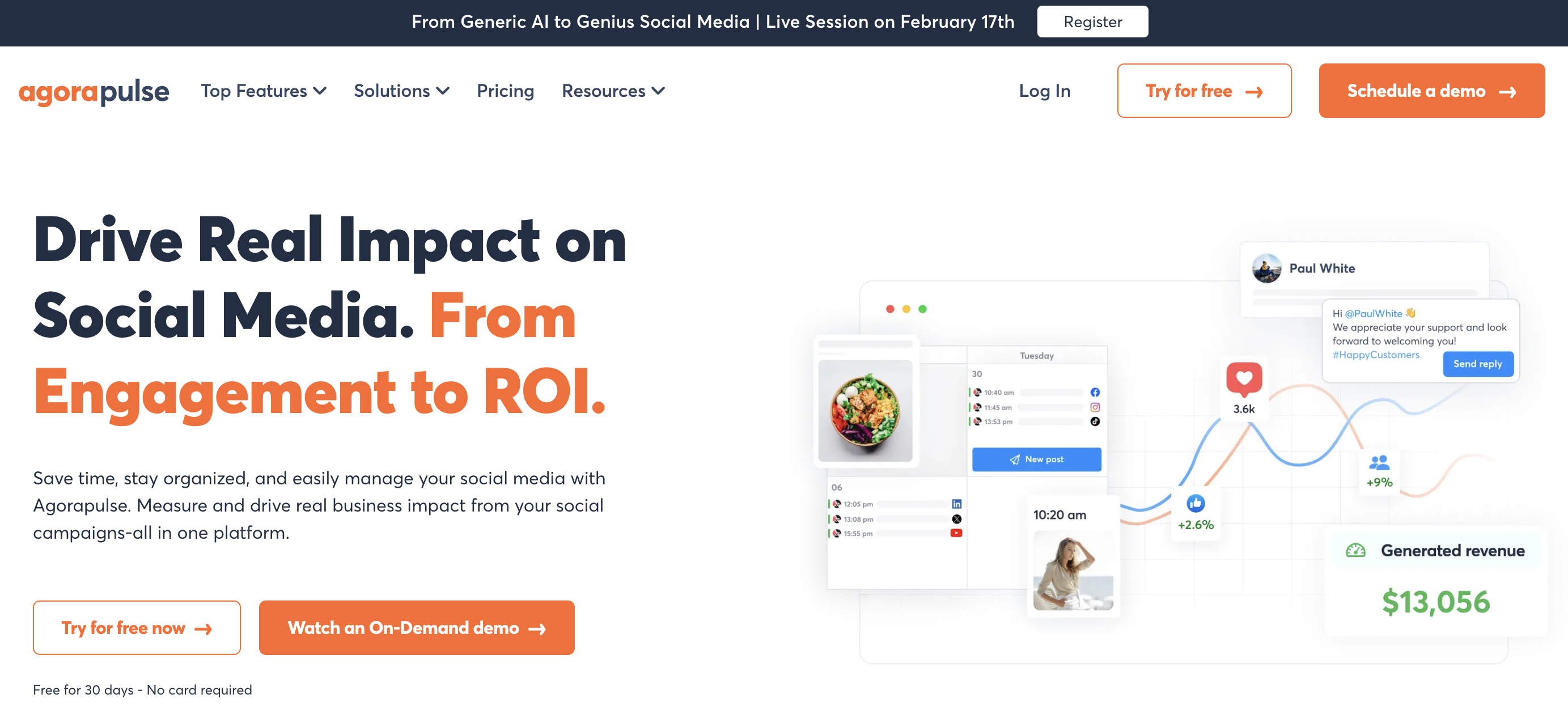
The inbox is the entire reason to pick Agorapulse. Comments, DMs, and Google reviews pour into one queue the front desk can triage and assign, and a built-in social CRM remembers each person's history — so a returning patient's question never gets answered cold. Since it publishes to Google Business as well, your posts and review replies sit in the same workspace. The catch is the meter: at $99–$199 per user, a three- or four-person team pays several times what a flat-rate plan costs.
At a glance
- Pricing: $99/$149/$199 per user/mo ($79/user annual); 30-day trial, no free plan
- Best for dental: Practices where responding to patients and reviews is a priority
- Ratings: 4.5/5 on G2 (967 reviews), 4.0/5 on Trustpilot
How it fits: Excellent if engagement is your focus; per-user pricing adds up for larger teams.
Verdict: The engagement specialist — the best inbox and social CRM for practices that live in patient conversations.
Learn more: Agorapulse pricing, Agorapulse reviews, and the best Agorapulse alternatives.
7. Buffer — Best for Solo Practices Getting Started
Buffer is the simplest way to start. Where the enterprise tools are dense, Buffer strips it down: write a post, schedule it, done — with a free plan for 3 channels and inexpensive per-channel pricing after. It supports Google Business, so a solo dentist can cover the local basics for very little.

There's almost nothing to learn, and that's the point. Connect Facebook, Instagram, and Google Business and a solo dentist can be scheduling the same afternoon, on a free plan. That minimalism is also the ceiling: no AI image generation, no way to reply to Google reviews, approval steps only if you upgrade to Team, and analytics that stop at the basics. Buffer is the tool most practices start on — and the one they outgrow the moment patient-content sign-off and real reporting matter.
At a glance
- Pricing: Free (3 channels) or $6/channel/mo Essentials → $12/channel/mo Team
- Best for dental: Solo practices posting on a tight budget
- Ratings: 4.3/5 on G2 (1,023 reviews)
How it fits: Perfect for a single dentist getting consistent; light on analytics, approvals, and AI images.
Verdict: The easiest, cheapest start — but you'll outgrow it once you need approvals, reviews, and reporting.
Learn more: Buffer pricing, Buffer reviews, and the best Buffer alternatives.
8. Later — Best for Before/After Visual Content
Later was built Instagram-first, and its drag-and-drop visual grid planner is the best on this list for laying out a smile-gallery feed before it goes live. For a practice whose strategy is highly visual — before/after Reels, aesthetic feeds — it's purpose-built.

Later's whole identity is visual planning, and for cosmetic and ortho practices that live by the aesthetics of their feed, that's a genuine asset — you can drag before/after tiles into a grid and see exactly how the smile gallery will look before anything goes live. The catch for a dental clinic is a big one: Later does not support Google Business Profile, so your single most important local surface — where reviews and new-patient discovery happen — has to be managed in a separate tool. Analytics are also thinner on the lower tiers, so it's a visual specialist, not an all-rounder.
At a glance
- Pricing: from $25/mo; limited free plan
- Best for dental: Visually-driven, Instagram-focused practices (cosmetic/ortho)
- Ratings: 4.5/5 on G2 (347 reviews), 1.3/5 on Trustpilot (329)
How it fits: Great for feed aesthetics and before/after planning; not a fit if Google Business and reviews are central (they should be).
Verdict: Best for visual-first cosmetic practices — just pair it with something for Google Business, or choose a tool that covers both.
Learn more: Later pricing, Later reviews, and the best Later alternatives.
9. Loomly — Best for Practices Needing Approval Sign-Off
Loomly is built around content collaboration and structured, multi-step approval workflows with comment threads on each post — which maps neatly onto the dental compliance problem: a designated person reviews every patient-related post before it publishes.

Think of Loomly as an approval engine with a calendar bolted on — which happens to map almost exactly onto the dental compliance problem. Someone drafts a post, an approver leaves inline comments, and it physically can't go live until it's signed off, so a non-consented before/after never escapes by accident. Everything around that is spare: no free plan, a jarring leap from the $65 Starter to the $332 Beyond tier, no AI image generation, and basic analytics. You're buying the review-and-approve discipline, not the extras.
At a glance
- Pricing: $65 Starter → $332 Beyond; no free plan, 15-day trial
- Best for dental: Practices that want a formal review-and-approve step on every post
- Ratings: 4.6/5 on G2 (1,793 reviews)
How it fits: Strong if approvals are your priority; there's a steep gap between the $65 and $332 tiers, and analytics are basic.
Verdict: The approval-workflow pick — a good fit if compliance sign-off is the main thing you need software to enforce.
Learn more: Loomly pricing, Loomly reviews, and the best Loomly alternatives.
Side-by-Side Comparison: All 9 Tools
| Tool | Starting price | Google Business | Review replies | Approval workflow | AI images | Free plan/trial |
|---|---|---|---|---|---|---|
| PostPlanify | $99/mo (flat) | ✅ | ✅ (via inbox) | ✅ Premium+ | ✅ | 7-day trial |
| Sprout Social | $199/seat/mo | ✅ | ✅ | ✅ | ❌ | 30-day trial |
| Hootsuite | $249/user/mo | ✅ | ✅ | ✅ | ❌ | 30-day trial |
| Sendible | $29/mo | ✅ | Limited | ✅ Traction+ | ❌ | 14-day trial |
| SocialPilot | $30/mo | ✅ | Limited | Standard+ | ❌ | 14-day trial |
| Agorapulse | $99/user/mo | ✅ | ✅ | ✅ | ❌ | 30-day trial |
| Buffer | Free / $6/channel | ✅ | ❌ | Team only | ❌ | Free plan |
| Later | $25/mo | ❌ | ❌ | Higher tiers | ❌ | Limited free |
| Loomly | $65/mo | ✅ | ❌ | ✅ (all plans) | ❌ | 15-day trial |
The HIPAA Rule Every Dental Practice Must Follow Before Posting
This section is educational, not legal advice — confirm your own policies with a compliance professional.
Dental social media has a compliance layer most industries don't. Under HIPAA, a patient's full-face photo is protected health information (PHI) — and so are images where a tattoo, distinctive dental feature, or other detail could identify someone, even if the face is hidden. Two rules keep practices out of trouble:
- Never post a patient photo, video, or story without specific written consent. A social media consent form should state exactly how the image will be used (Instagram, Facebook, your website), be dated, and note that the patient can revoke consent at any time — after which you make a good-faith effort to remove the content.
- Never reveal patient details in a public reply — especially to a review. This is where practices actually get fined. Elite Dental Associates was fined $10,000 for disclosing a patient's information in a response to a negative review, and a North Carolina dentist was fined $50,000 for a similar reply (HIPAA Journal). The safe move is a generic public response ("We take feedback seriously — please call our office so we can help") that never confirms the person is a patient or mentions their treatment.
This is exactly where the tool matters. Approval workflows put a second person between "draft" and "published," so a front-desk hire can't accidentally post a non-consented before/after. A shared content library means only approved, consented assets are available to schedule. And managing review replies inside a unified inbox — rather than logging into Google directly under time pressure — makes it easier to keep responses generic and compliant. When you evaluate the tools above, weigh these workflow features as heavily as scheduling.
Dental Social Media Strategy: Platforms, Content, and Frequency
Which platforms should a dental clinic focus on?
- Google Business Profile — the highest-ROI surface for a local practice. Post updates, keep hours and photos current, and reply to every review. This is where new patients decide.
- Facebook — still the primary platform for dentists (97% use it), and strong for local community, older demographics, and reviews.
- Instagram — used by 74% of dentists and the home of before/after Reels, smile galleries, and team culture.
- TikTok — optional but powerful for younger patients (ortho, cosmetic) with education and behind-the-scenes content.
- LinkedIn — worth it (32% of dentists) mainly for referrals and recruiting, less for patient acquisition.
What should a dental practice post? A weekly content mix
Aim for 2–4 posts per week, rotating a few proven pillars:
- Before/after transformations (with consent) — your highest-credibility content
- Patient education carousels — 7–9 slides explaining Invisalign, implants, whitening, or hygiene tips; these earn saves and shares
- Team and culture — introduce the hygienist, show the office; trust comes from familiarity
- Myth-busting — "Does whitening damage enamel?" — quick, shareable authority-building
- Reviews and testimonials — turn a great (consented) review into a graphic
- Seasonal reminders — "Use your dental insurance before it resets in December" is one of the highest-converting posts of the year
How to handle reviews and comments
Respond to every review — good or bad — within a day or two, and keep negative replies generic and off-platform (see the compliance section). A unified inbox with team assignment makes this manageable: one person triages, flags anything sensitive, and moves detailed conversations to a phone call.
How to Choose the Right Tool for Your Practice
- Solo or single-location practice: Start with PostPlanify (Google Business + reviews + AI content + approvals, flat $99/mo) or Buffer if you want a free, bare-bones start.
- Multi-location group: SocialPilot for budget-friendly multi-account management, or PostPlanify for bundled users and Google Business in one plan.
- Large DSO: Sprout Social or Hootsuite for enterprise analytics, listening, and governance across many offices.
- Dental marketing agency: Sendible for white-label client dashboards.
- Engagement-heavy practice: Agorapulse for the strongest inbox and social CRM.
- Compliance-first: Loomly or PostPlanify for structured approval sign-off before anything publishes.
Frequently Asked Questions
What is the best social media management platform for dental clinics?
For most dental practices, PostPlanify is the best all-around choice — it's the only tool that bundles Google Business publishing and review replies, AI captions and images, approval workflows for patient privacy, and analytics across all 10 platforms on one flat plan from $99/mo (no per-seat fees). The best fit still depends on your needs: SocialPilot for budget-friendly multi-location management, Sprout Social or Hootsuite for large DSOs that need enterprise analytics and governance, Sendible for marketing agencies running white-label client dashboards, Agorapulse for engagement-heavy practices that live in the inbox, and Buffer for a solo practice wanting a free, simple start.
What is the best social media platform for a dental clinic?
Google Business Profile and Facebook are the highest-priority platforms for most practices — Google because it drives local discovery and reviews, and Facebook because 97% of dentists use it and it reaches local, older demographics. Instagram is the best home for before/after and visual content. Prioritize Google + Facebook + Instagram before adding TikTok or LinkedIn.
Is it a HIPAA violation to post patient photos on social media?
It can be. A patient's full-face photo — and any image that could identify them — is protected health information, so you need specific written consent before posting. The most common violation is revealing patient details in a reply to a review, which has led to real fines ($10,000 and $50,000 in documented cases). Get consent for photos, and keep public replies generic.
How often should a dental practice post on social media?
Two to four times per week is the sweet spot for most practices — enough to stay visible in local feeds without burning out your team. Consistency matters more than volume; batching a week or two of posts in one sitting with a scheduling tool is the realistic way to keep it up.
How much should a dental clinic spend on a social media management tool?
A solo or small practice can run everything it needs for $99/mo or less on a flat-rate tool like PostPlanify, or start free with Buffer. Per-seat enterprise tools (Sprout, Hootsuite) run $199–$499 per user and only make sense for large groups and DSOs.
Can one tool manage multiple dental office locations?
Yes. PostPlanify bundles multiple accounts and users into one flat plan, SocialPilot is a budget-friendly option for many locations, and Sprout/Hootsuite handle enterprise-scale groups. For aggregating reviews across dozens of locations specifically, a dedicated multi-location review suite goes deeper than most social schedulers.
What type of content gets the most engagement for dental practices?
Before/after transformations (posted with consent), patient-education carousels, team and culture posts, and myth-busting content consistently perform best. Side-by-side before/after posts in particular are associated with meaningfully higher patient inquiries.
Is PostPlanify a good tool for a dental clinic?
Yes — it's our top pick for most practices. It covers Google Business publishing and review replies, AI captions and images for education and before/after content, approval workflows to protect patient privacy, and analytics across all 10 platforms, on flat pricing from $99/mo with no per-seat fees. Larger DSOs that need multi-location review aggregation may want an enterprise suite alongside it.
Making the Switch
Moving to a new tool is straightforward — your Instagram, Facebook, and Google Business accounts live on those platforms, not inside your old scheduler, so you reconnect via secure login and pick up where you left off. Set up your posting schedule, add your team with the right approval permissions, and load a few consented before/after assets into your content library to start.
If PostPlanify fits your practice, you can start a free trial here.
Related Reading
- Best Social Media Management Tools for Small Business
- Social Media Scheduler for Veterinarians
- Best Time to Post on Social Media in 2026
- Google Business Character Counter
- Best Social Media Tools for Franchises and Multi-Location Brands
- 11 Best Social Media Management Tools for Hotels
- Best Social Media Management Tools for Real Estate
PostPlanifyAll your social media in one simple dashboard
Schedule posts, track analytics, and reply to comments/DMs without switching tabs.
Engagement
+18%
Views
52.8k
About the Author

Hasan Cagli
Founder of PostPlanify, a content and social media scheduling platform. He focuses on building systems that help businesses, agencies, and teams plan, publish, and manage content and social media more efficiently across platforms.


