


Most "best Threads scheduler" lists treat Threads support as a checkbox: yes or no. That's not the right question. The right question is how a tool supports Threads: does it publish natively via Meta's Threads Graph API, or does it pop a notification on your phone at 9 AM? Does it let you schedule a chained reply post built on the previous one's ID, or does it cap you at the parent post? Does it surface replies in an inbox, or is "Threads inbox" actually just an Instagram inbox in disguise?
After testing every scheduler that claims Threads support in October 2026, only a handful actually do it well. The rest are either reminder-only, cross-post from Instagram (which strips the API features that make Threads useful), or list Threads as a logo on the marketing page without exposing the API features that matter.
What I look for in a real Threads scheduler:
- Native publish via the Threads Graph API: no phone notifications, no IG cross-post hacks
- Reply chain composer: Threads is a reply-driven platform; the chained
reply_to_idstructure must be a first-class feature, not a workaround - Full media support: text, single image, multi-image carousels (2-20 items), video
- Threads analytics: views, replies, follows, quotes, reposts (basic post metrics aren't enough)
- Reply inbox: Threads has no DMs, so engagement happens entirely in replies; a real "Threads inbox" surfaces and routes those replies
- API quota awareness: Meta enforces 250 posts / 1,000 replies per profile per 24 hours; a heavy publisher needs visibility into the cap
What disqualifies a tool from this list:
- "Reminder-only" scheduling: tools that send a push notification at the chosen time so you finish manually
- Cross-post from Instagram only: no native Threads post (you lose topic tags, reply targeting, and scheduling control)
- No reply chain composer: Threads without chains is just a slow text feed
- Meta Business Suite: Threads scheduling is now rolling out there, but inconsistently and only for eligible accounts, so it is not a dependable answer yet
The 10 tools below are the ones that genuinely pass these filters. I've ranked them by how well they handle the whole Threads workflow: publish, chain, analyze, reply, not by who has the prettiest marketing page.
Quick Answer: Best Threads Scheduling Tools
For most teams and agencies, PostPlanify is the best all-in-one Threads scheduler: native publish via the Threads API, social inbox covering Threads replies, vision-powered AI captions, native analytics, approval workflows, and white-label client reports, priced per client workspace from $39/mo alongside 9 other social networks.
Quick picks by job:
-
PostPlanify (from $39/mo per workspace). Best all-in-one (publish + inbox + AI + analytics + approvals + reports across 10 platforms)
-
Vista Social ($99/mo, $79 yearly). Best dedicated Threads workflow with native sub-thread chains in a unified inbox
-
Buffer (Free / $6/channel). Best free Threads scheduler with Community inbox replies
-
Statusbrew ($89/mo). Best for agencies needing Threads reply management with Rule Engine + approvals
-
Publer (Free / $5 per account/mo). Best reply-chain composer (25-post chains with per-post delays)
-
Sprout Social ($99/seat/mo). Best enterprise analytics with Smart Inbox covering Threads
-
Hootsuite ($99/user/mo). Best for enterprise inbox + Listening with Threads in scope
-
SocialBee ($29/mo). Best budget all-in-one with Engage Module Threads coverage
-
Later ($25/mo). Best for visual planners who want Threads in the same calendar as Instagram
-
Metricool (Free / $25/mo). Best free plan, the only one here with Threads analytics at no cost
The Threads in-app native scheduler (free, launched January 2025) is also worth knowing about: covered in the FAQ.
How I Tested These Threads Schedulers
- API publish verification. I confirmed each tool publishes via Meta's Threads Graph API rather than a reminder notification or an Instagram cross-post, and checked the media types it accepts (text, single image, 2-20 carousel, video). Tools that fail this filter are excluded, full stop.
- Reply chain testing. I scheduled a 3-post reply chain on each tool. Only tools that exposed
reply_to_idas a first-class composer feature got credit. Tools that say "supports Threads" but force you to manually schedule replies one-by-one with copy-pasted post IDs do not pass. - Pricing verified at the source. Every price came from each vendor's pricing page in October 2026. Monthly rates only: not the lower "billed yearly" figures that hide commitment.
- G2 ratings from product pages. Every G2 rating came from each tool's
/products/X/reviewspage, not seller-aggregate pages that combine all vendor products and inflate counts.
Quick Comparison: Threads Scheduling Tools at a Glance
| Tool | Best For | Starting Price | Reply Chain Composer | Threads Inbox | G2 Rating |
|---|---|---|---|---|---|
| PostPlanify | All-in-one across 10 platforms | From $39/mo per workspace | Yes | Yes (1 of 7 inbox platforms) | 5/5 |
| Vista Social | Power users + Threads-first workflows | $99/mo | Yes (sub-threads) | Yes (unified inbox) | 4.8/5 (1,071) |
| Buffer | Free entry + simple Threads workflow | Free / $6/channel | Limited (reply field) | Yes (Community) | 4.3/5 (1,071) |
| Statusbrew | Agencies needing reply rules + approvals | $89/mo | Yes | Yes (Engage Inbox + auto-hide) | 4.8/5 (252) |
| Publer | Reply-chain power users | Free / $5 per account/mo | Yes (best: 25-post chains) | No inbox | 4.7/5 (863) |
| Sprout Social | Enterprise analytics + listening | $199/seat/mo | Replies via Smart Inbox | Yes (Smart Inbox) | 4.4/5 (6,957) |
| Hootsuite | Enterprise inbox + listening at scale | $99/user/mo | Limited | Yes (with Meta restrictions) | 4.3/5 (7,109) |
| Later | Visual planners adding Threads | $25/mo | No | Not documented | 4.5/5 (347) |
| Metricool | Free Threads analytics | Free / $25/mo | No | No | 4.6/5 (194) |
| SocialBee | Budget all-in-one across 10 platforms | $29/mo | Yes (reply scheduling) | Yes (Engage Module) | 4.5/5 (841) |
What Makes Threads Scheduling Different (And Why Most Tools Get It Wrong)
Threads isn't Twitter, it isn't Instagram, and it isn't Facebook. The API mechanics are unique enough that a tool built for "post once to many platforms" has to do specific work to support Threads properly. Most don't.
- Native vs reminder publishing. Real Threads API scheduling only became possible when Meta opened the Threads Graph API to third parties in mid-2024. Tools that integrated it publish on their own; tools that didn't send a push notification with the caption pre-filled and make you tap to post.
- Reply-chain mechanic. Threads has no "thread object": every post in a chain is its own API post, linked by passing the previous post's ID into a
reply_to_idparameter. Without a real chain composer you schedule each reply by hand, copy-pasting IDs between windows. This is the single biggest quality differentiator between Threads tools. - The 250 / 1,000 / 24h API quota. Meta caps each Threads profile at 250 original posts, 1,000 replies, 100 deletions, and 500 location searches per 24 hours. Queue 300 posts and the 251st fails silently, and no major tool warns you first.
- Topic tags vs hashtags. Threads has a dedicated
topic_tagAPI field: one tag, 1-50 characters, no periods or ampersands, behaving like a category rather than an Instagram hashtag spray. Almost no scheduler exposes it, so most people fall back to inline hashtags in the post text (our free Threads hashtag generator and character counter help there). - No DMs: replies are the engagement layer. Threads has no direct messages, so any tool advertising a "Threads DM inbox" is misrepresenting the platform. A real Threads inbox surfaces and routes replies instead.
- Meta Business Suite only partly schedules Threads. Meta has been rolling Threads out as a publish target in Business Suite through 2026, but eligibility is narrow: a professional Threads account linked to an Instagram Business or Creator account and a Facebook Page, in a supported country. Many accounts still see Instagram and Facebook only, so the dependable free Meta-native option remains the Threads in-app scheduler Meta launched in January 2025.
 PostPlanify
All your social media in one simple dashboard
Schedule posts, track analytics, and reply to comments/DMs without switching tabs.

Engagement
+18%
Views
52.8k
1. PostPlanify: Best All-in-One Threads Scheduler
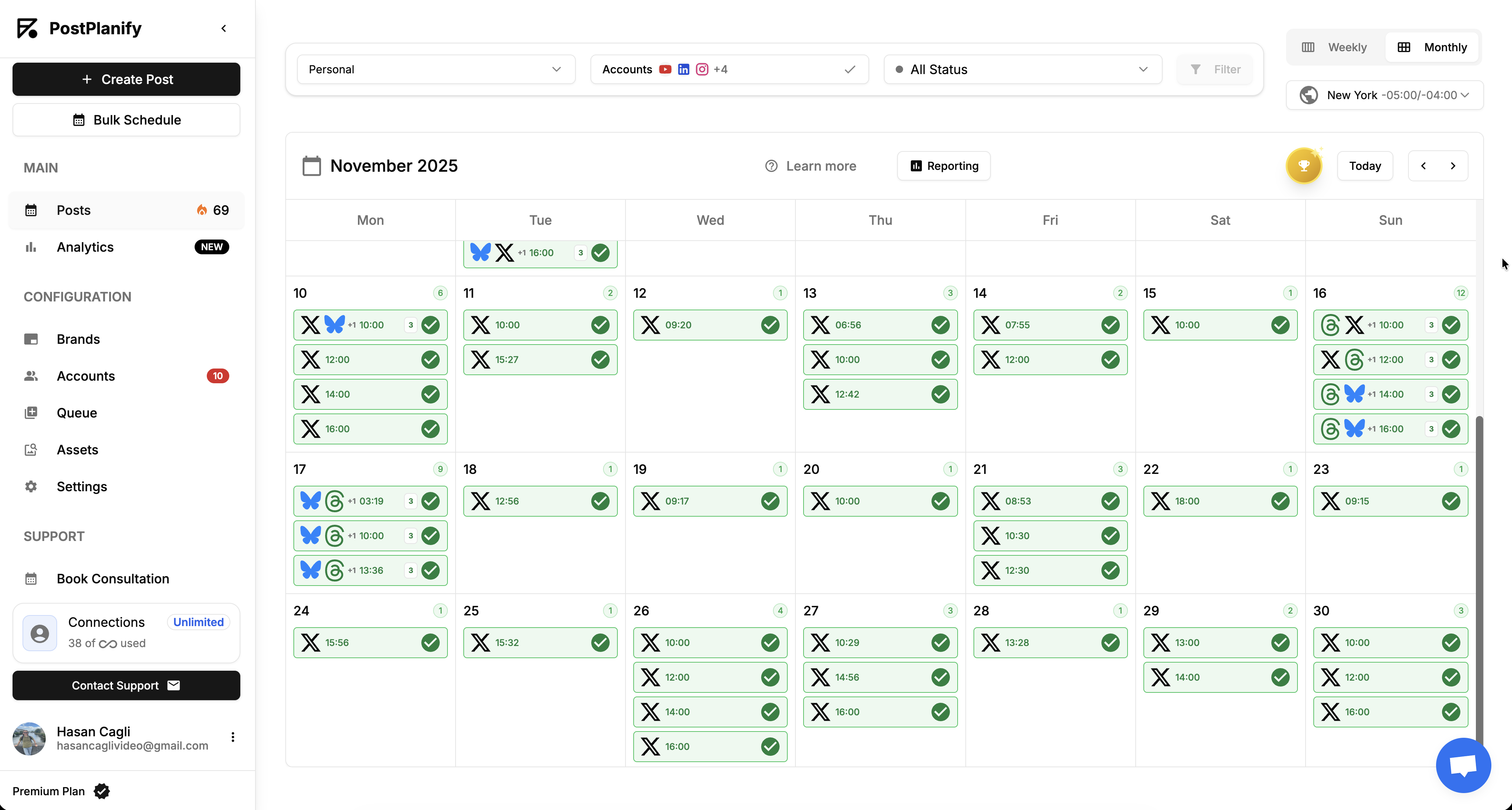
At a glance:
- Best for: Teams and agencies running Threads alongside other social platforms
- Starting price: From $39/mo per client workspace, with unlimited team members
- Accounts per workspace: 4 on Growth, 6 on Premium, 8 on Scale
- Key strength: Native Threads publish + inbox + AI + analytics + approvals in one platform
- G2 rating: 5/5
PostPlanify treats Threads as a first-class citizen alongside Instagram, Facebook, X, LinkedIn, TikTok, YouTube, Pinterest, Bluesky, and Google Business. The Threads scheduler page covers the publishing side in detail. You schedule a Threads post the same way you schedule anything else: write the caption (up to the 500-character cap), attach images (up to 20 in a carousel) or video, set a publish time, optionally route it through an approval workflow, and publish natively via Meta's Threads Graph API.
The differentiator is the rest of the workflow. The social inbox covers Threads as one of 7 supported platforms (Instagram, Facebook, LinkedIn, Google Business, YouTube, Threads, Bluesky), so Threads replies land in the same queue as your other community management, not in a separate tab. The AI assistant is vision-powered, meaning it reads attached images and writes context-aware captions tuned to the 500-character Threads format. And the analytics cover Threads natively: view counts, replies, follows, quotes, reposts, with the same daily snapshot system used for the other 9 platforms.
Key Threads features:
- Native Threads scheduling via Meta's Threads Graph API (text, single image, multi-image carousels of 2-20 items, video)
- Reply chain support with per-post timing controls
- Threads in the unified social inbox: 1 of 7 inbox-supported platforms
- Vision-powered AI captions tuned to the 500-character Threads format
- Best time to post suggestions calculated from your Threads account's actual engagement data
- Threads analytics with views, replies, follows, quotes, reposts, and engagement rate
- Approval workflows from the entry plan: single-step and multi-step routing before any Threads post publishes
- Client reports on Premium, and fully white-labeled dashboards, emails, and reports on Scale
- Bulk scheduling for batch-uploaded Threads posts, included on every plan
Pricing
| Workspaces | Growth | Premium | Scale |
|---|---|---|---|
| 1 workspace | $39/mo | $49/mo | $59/mo |
| 3 workspaces | $97/mo | $127/mo | $157/mo |
| 5 workspaces | $155/mo | $205/mo | $255/mo |
| 10 workspaces | $250/mo | $350/mo | $450/mo |
| Social accounts per workspace | 4 | 6 | 8 |
Unlimited team members on every plan, no per-seat fees. Yearly billing saves 20%. All plans include a 7-day free trial with a 14-day money-back guarantee.
Pros:
- Native Threads in the 10-platform stack with the same inbox, analytics, and AI as the rest
- Vision-powered AI captions actually read your image: not generic templates
- White-labeled reports on Scale for branded Threads deliverables to clients, with unlimited team members on every plan
Cons:
- No mobile app yet, web-only
- No dedicated Threads chain-composer UI: chains are built post-by-post with reply targeting (Publer's composer is more streamlined for chain-heavy workflows)
- Topic-tag API field not exposed (consistent with the rest of the market: almost no scheduler exposes it)
User ratings: 5/5 on G2
2. Vista Social: Best Dedicated Threads Workflow

At a glance:
- Best for: Power users who want sub-thread chains and a unified inbox built around Threads
- Starting price: $99/mo (Professional), or $79/mo billed yearly
- Key strength: Native sub-thread chains with replies surfaced in a unified inbox
- G2 rating: 4.8/5 (1,071 reviews)
Vista Social is one of the rare schedulers built with Threads' reply-chain mechanic in mind. The composer exposes "sub-threads" as a first-class feature: you write a parent post, then add chained replies that publish in sequence with proper reply_to_id targeting. Replies surface in the unified inbox alongside Instagram comments, Facebook messages, and LinkedIn replies, so Threads engagement isn't a separate workflow.
The trade-offs: pricing starts at $99/mo for the Professional tier, or $79/mo billed yearly (no free plan, just a 14-day free trial), AI credits are capped to 500/month on Professional and 1,000 on Advanced, and X (Twitter) is a paid addon on every plan rather than included.
Key Threads features:
- Native Threads publish with sub-thread chain composer
- Threads replies in the unified inbox with sentiment analysis (higher tiers)
- Threads analytics with engagement, demographics, growth
- AI assistant for caption generation (credit-based)
- DM automations for IG, FB, TikTok (notable cross-platform engagement feature)
- Multi-step approval workflows
- Team collaboration with custom roles and permissions (Advanced+)
Pricing
| Plan | Monthly Price | Social Profiles | Users | AI Credits |
|---|---|---|---|---|
| Professional | $99/mo ($79 yearly) | 15 | 2 | 500 |
| Advanced | $199/mo ($159 yearly) | 30 | 3 | 1,000 |
| Scale | $449/mo ($359 yearly) | 70 | 4 | Unlimited |
| Enterprise | Custom | Unlimited | Unlimited | Unlimited |
Pros:
- Sub-thread chain composer is one of the best in the category
- Unified inbox covers Threads replies alongside other platforms
- Highest G2 rating in the category (4.8/5 from 1,071 reviews): #1 Easiest to Use software on G2 in 2026
Cons:
- No free plan: only a 14-day trial (Buffer and Publer both offer free Threads scheduling)
- X (Twitter) is a paid addon on every plan, not included
- AI credits capped at 500/1,000/month on Professional and Advanced: Unlimited requires Scale ($449/mo, or $359 billed yearly)
User ratings: 4.8/5 on G2 (1,071 reviews) · 4.1/5 on Trustpilot (62 reviews)
For more details: Vista Social Pricing · Vista Social Reviews · Best Vista Social Alternatives
3. Buffer: Best Free Threads Scheduler
At a glance:
- Best for: Creators and small teams who want free Threads scheduling with a working inbox
- Starting price: Free (Essentials $6/channel/mo)
- Key strength: Free plan supports Threads natively with Community inbox for replies
- G2 rating: 4.3/5 (1,071 reviews)
Buffer's Threads support is one of the best free entries in the category. The Free plan covers Threads as one of your 3 channels, supports native publishing with full media (text, single image, multi-image carousel, video), and includes the Community inbox for managing replies. Most "free" Threads tools either cap the free tier at one platform (X or Bluesky only) or strip the inbox to upsell. Buffer doesn't.
The catch: Buffer doesn't have a true chain composer. You can schedule reply posts by targeting a prior post's URL, but it's not a unified "write the whole chain, set delays, publish" UX like Publer or Vista Social. For single Threads posts + inbox replies, Buffer is excellent. For chain-heavy strategies, you'll want Publer or Vista Social on top.
Key Threads features:
- Native Threads scheduling (text, single image, multi-image carousel, video)
- Community inbox covers Threads replies
- Best Time to Post analysis
- AI Assistant for caption ideas (100 ideas free, unlimited paid)
- Free plan includes Threads as one of 3 channels
Pricing
| Plan | Monthly Price | Channels | Scheduled Posts | Users |
|---|---|---|---|---|
| Free | $0 | 3 max | 10/channel | 1 |
| Essentials | $6/channel/mo | Unlimited | Unlimited | 1 |
| Team | $12/channel/mo | Unlimited | Unlimited | Unlimited |
Pros:
- Free plan genuinely usable for Threads: full media + Community inbox
- Per-channel pricing scales linearly (no per-user surprises)
- Clean, fast UI: fastest to onboard of the 10 tools here
Cons:
- No first-class reply chain composer
- Analytics paywalled to Essentials ($6/channel/mo): Free tier has 30-day window only
- Per-channel pricing punishes accounts with many platforms (e.g., 10 platforms × $6 = $60/mo)
User ratings: 4.3/5 on G2 (1,071 reviews) · 2.1/5 on Trustpilot (heavy billing/sync complaints)
For more details: Buffer Pricing · Buffer Reviews · Best Buffer Alternatives
4. Statusbrew: Best for Agency Threads Reply Management
At a glance:
- Best for: Agencies that need Threads reply management with rules, sentiment, and approvals
- Starting price: $89/mo (Lite)
- Key strength: Engage Inbox + Rule Engine for Threads reply automation
- G2 rating: 4.8/5 (252 reviews)
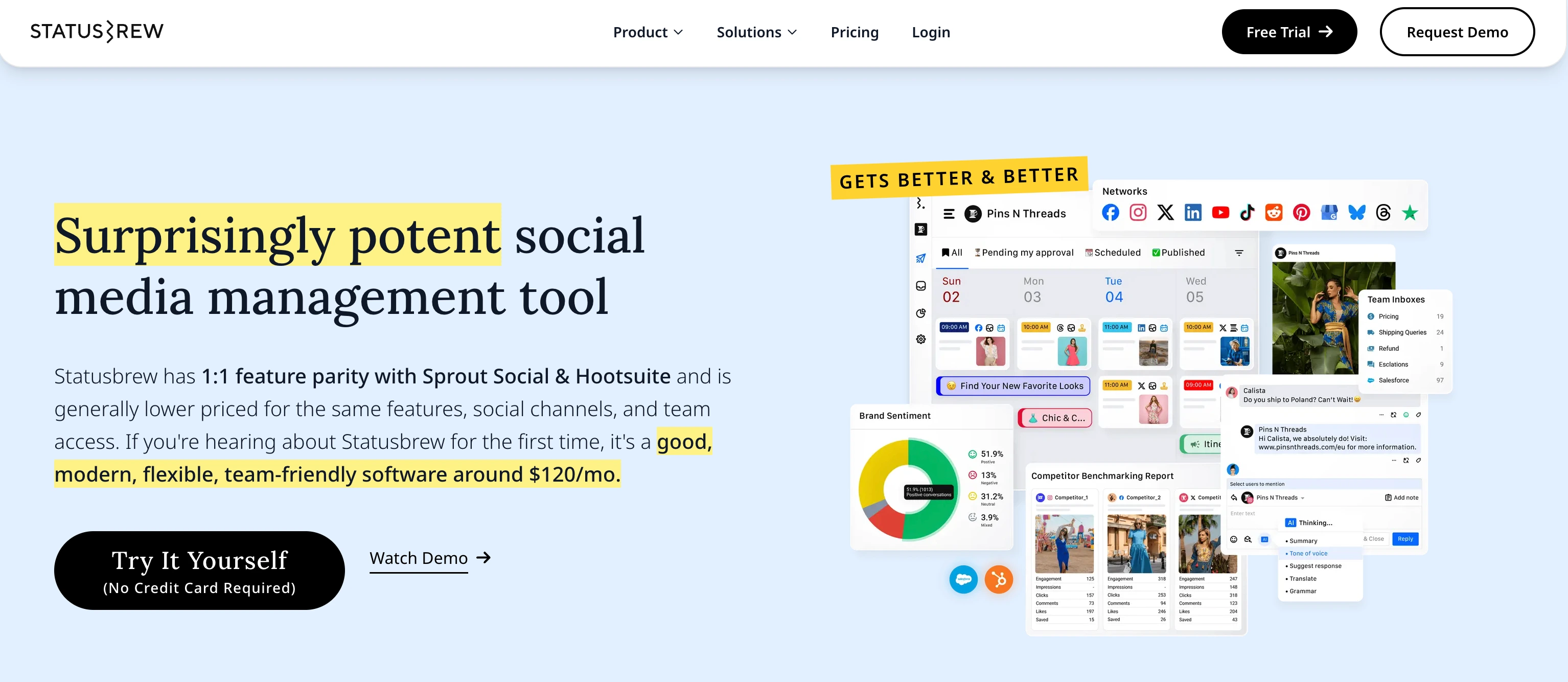
Statusbrew is the tool I'd pick if Threads engagement at agency scale is the core job. The Engage Inbox surfaces Threads replies alongside other platforms; the Rule Engine lets you auto-route, auto-hide spam, auto-assign, or auto-tag replies based on keywords, sentiment, or sender attributes; and the assignment + approval workflows let multi-person teams operate without stepping on each other.
Pricing is per-tier, not per-user, which keeps agency costs predictable. Lite ($89/mo) covers 3 users + 10 profiles; Standard ($179/mo) adds reporting, GBP, and the Rule Engine; Premium ($299/mo) adds AI sentiment analysis, competitor benchmarking, and SLA reporting. Enterprise unlocks unlimited everything.
Key Threads features:
- Native Threads scheduling with reply scheduling support
- Threads in the Engage Inbox (alongside Instagram, Facebook, LinkedIn, X, YouTube)
- Rule Engine for auto-hide, auto-route, auto-assign on Threads replies
- AI sentiment analysis on Threads engagement (Premium+)
- Assignment and approval workflows for team-managed Threads accounts
- Competitor benchmarking on Threads (Premium+)
Pricing
| Plan | Monthly Price | Users | Social Profiles | Best For |
|---|---|---|---|---|
| Lite | $89/mo | 1 | 5 | Solo operators |
| Standard | $179/mo | 3 | 10 | Small agencies |
| Premium | $299/mo | 6 (add more) | 15 (add more) | Growing agencies + AI sentiment |
| Enterprise | Custom | Unlimited | Unlimited | Large brands + SAML SSO |
| Agency | From $49/client/mo | Custom | Custom | Per-client agency billing |
Pros:
- Rule Engine is genuinely best-in-class for reply automation across platforms (including Threads)
- AI sentiment on Threads replies is rare in the category
- Per-tier pricing keeps multi-user agency costs predictable
Cons:
- Pricing is higher than Buffer, Publer, or SocialBee at entry level
- Threads inbox doesn't expose Topic Tag field (consistent with the rest of the market)
- Steeper learning curve than Buffer or Vista Social
User ratings: 4.8/5 on G2 (252 reviews)
For more details: Statusbrew Pricing · Statusbrew Reviews · Best Statusbrew Alternatives
5. Publer: Best Reply-Chain Composer

At a glance:
- Best for: Power users running Threads with chain-heavy strategies
- Starting price: Free (Professional $5/account/mo, $4 billed yearly)
- Key strength: 25-post reply chains with per-post delays and media in follow-ups
- G2 rating: 4.7/5 (863 reviews)
Publer is the best dedicated Threads reply chain scheduler I tested. You write up to 25 posts in a single workflow, set individual delays between each (e.g., post #1 publishes now, #2 at +30 seconds, #3 at +2 minutes), and attach media to follow-up posts, not just the parent. For Threads strategies built around long-form chains (educational threads, story-style content, opinion essays), this UX is unmatched.
The trade-off: Publer doesn't have a social inbox. Replies happen in the Threads app, not inside Publer. If chain composition is your single biggest job and you handle replies in-app, Publer is the strongest pick. If you need a unified inbox alongside scheduling, you'll pair Publer with another tool or pick a different one.
Key Threads features:
- Native Threads publishing with 25-post reply chain composer
- Per-post delay controls within chains
- Media attachments on follow-up posts (not just parent)
- Threads analytics with insights and account sync
- AI tools (GPT-4 + DALL-E 3) for caption + image generation
- Bulk scheduling support
- Auto-watermark on uploaded media
Pricing
| Plan | Base Price (3 accounts) | 10 Accounts | Users |
|---|---|---|---|
| Free | $0/mo | 3 accounts max, 10 posts each | 1 user |
| Professional | $5/account/mo ($4 yearly) | $15/mo for 3, $36/mo yearly at 10 | Extra members billed separately |
| Business | $10/account/mo ($8 yearly) | $30/mo for 3, $72/mo yearly at 10 | Extra members billed separately |
| Enterprise | Custom (annual) | Custom | Custom |
Pricing scales with the number of social accounts, every 10th account is free. Yearly billing gives 2 months free.
Pros:
- 25-post reply chain composer with per-post delays: unmatched in the category
- Free plan supports Threads with full features
- AI tools include image generation (DALL-E 3), not just text
Cons:
- No social inbox: Threads replies happen in the native app
- Per-account pricing gets expensive at scale (10 accounts × $12 = $120/mo before users)
- No team approval workflow
User ratings: 4.7/5 on G2 (863 reviews) · 4.8/5 on Trustpilot
For more details: Publer Pricing · Publer Reviews · Best Publer Alternatives
6. Sprout Social: Best Enterprise Analytics
At a glance:
- Best for: Enterprise teams that need deep Threads analytics + Smart Inbox at scale
- Starting price: $199/seat/mo (Standard)
- Key strength: Smart Inbox covers Threads + deep analytics + listening at enterprise tier
- G2 rating: 4.4/5 (6,957 reviews)
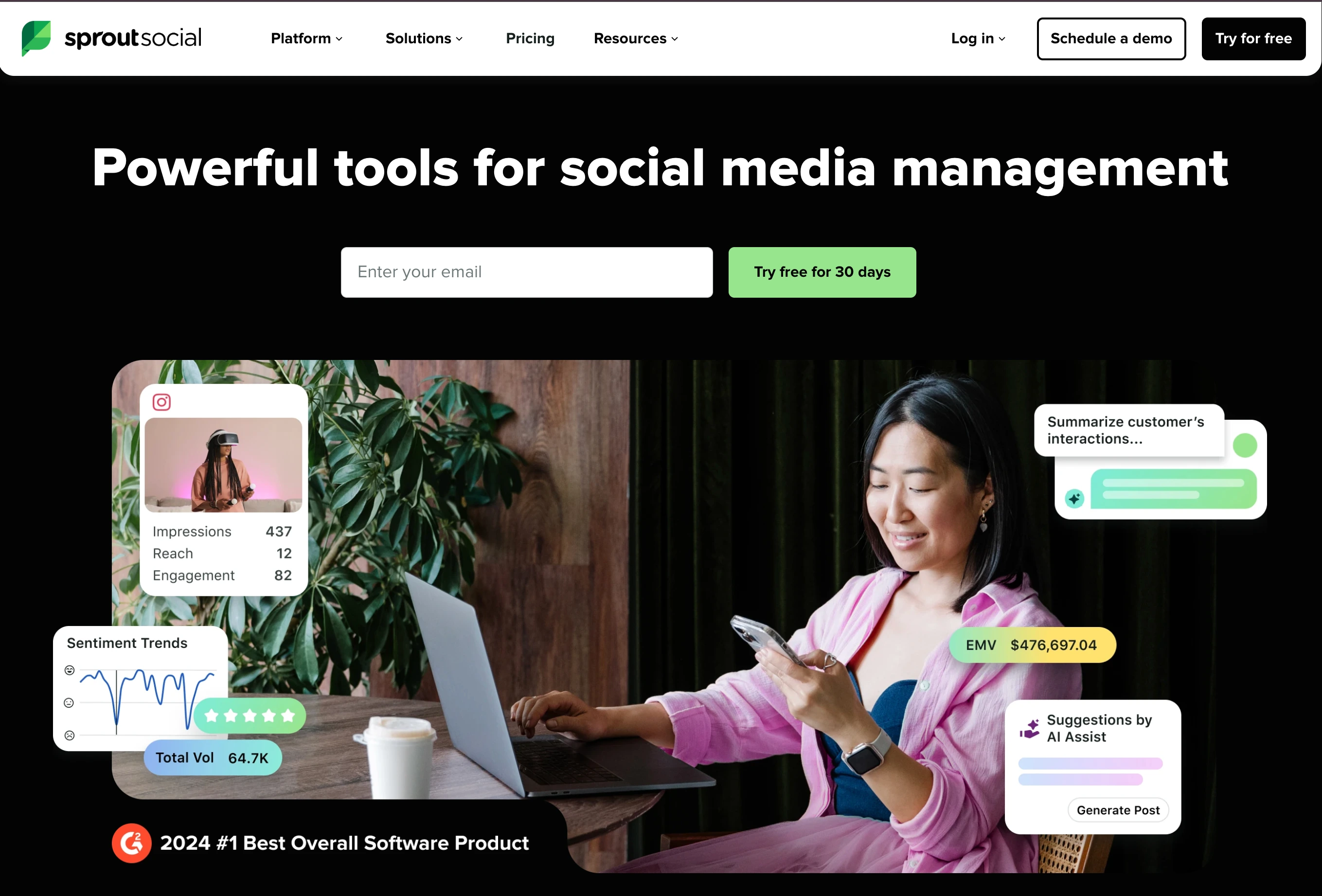
Sprout Social treats Threads as a first-class platform inside its broader enterprise SMM suite. The Smart Inbox surfaces Threads replies alongside other platforms; analytics covers Threads engagement, follower growth, and post-level performance; and the Premium Analytics tier (Professional+) adds cross-platform reporting that includes Threads data.
The trade-off is purely cost. Sprout's per-seat pricing ($199-$399/seat/mo) is the highest in the category. A 5-person agency on the Professional tier ($299/seat/mo) is paying $1,495/mo before any add-ons. The tooling is excellent, but unless you need enterprise-grade approvals, listening, or reporting, the value math gets hard.
Key Threads features:
- Native Threads publishing with full media support
- Smart Inbox covers Threads replies
- Threads analytics with engagement, growth, post-level metrics
- AI-powered Optimal Send Times for Threads
- Sprout Social Listening covers Threads (Advanced+)
- Approval workflows and team collaboration
Pricing
| Plan | Monthly Price | Social Profiles | Smart Inbox |
|---|---|---|---|
| Essentials | $99/seat/mo ($79 yearly) | 5 | Yes |
| Standard | $199/seat/mo | 5 | Yes |
| Professional | $299/seat/mo | Unlimited | Yes |
| Advanced | $399/seat/mo | Unlimited | Yes + Sentiment |
| Enterprise | Custom | Unlimited | Yes + Sentiment |
Pros:
- Smart Inbox is genuinely best-in-class for cross-platform engagement (Threads included)
- Sprout Social Listening covers Threads at the Advanced tier
- Strong analytics depth with cross-platform reporting
Cons:
- Per-seat pricing makes scaling expensive (5 seats × $199 = $995/mo just at Standard)
- Topic-tag API field not exposed (consistent with the market)
- Steep learning curve compared to Buffer or Vista Social
User ratings: 4.4/5 on G2 (6,957 reviews)
For more details: Sprout Social Pricing · Sprout Social Reviews · Best Sprout Social Alternatives
7. Hootsuite: Best for Enterprise Inbox + Listening

At a glance:
- Best for: Enterprise brands needing Threads in an existing Hootsuite workflow
- Starting price: $99/user/mo (Standard), billed annually
- Key strength: Native publish + Inbox replies + Listening at scale
- G2 rating: 4.3/5 (7,109 reviews)
Hootsuite added Threads to its supported networks list in late 2024 and now offers native scheduling, Inbox reply management, and analytics for Threads engagement. The Inbox covers Threads replies (with Meta-enforced limitations. Threads mentions and audio aren't accessible via the API for any tool, and Hootsuite acknowledges this in its docs). Insights covers post-level engagement, quotes, reposts, and profile growth.
The trade-off is the pricing model rather than the headline: Hootsuite moved to per-seat billing in August 2026, so Standard is $99/user/mo and every extra person is another $99. The Professional plan ($199/user/mo) unlocks unlimited social accounts but adds approval workflows and team collaboration that smaller teams won't need. If you're already on Hootsuite for other reasons, adding Threads is straightforward. If you're shopping for a Threads-first tool, the pricing math rarely justifies starting here.
Key Threads features:
- Native Threads publishing with full media support
- Hootsuite Inbox covers Threads replies (with Meta API restrictions)
- Threads analytics in Insights (engagement, quotes, reposts, profile growth)
- AI Assistant for caption + image generation
- Approval workflows and team roles (Advanced+)
- Hootsuite Listening covers Threads (Enterprise)
Pricing
| Plan | Monthly Price | Social Accounts | Users |
|---|---|---|---|
| Standard | $99/user/mo | 10 | 1 (add seats at $99 each) |
| Professional | $199/user/mo | Unlimited | 1 (add seats at $199 each) |
| Advanced | $399/user/mo | Unlimited | 1 (add seats at $399 each) |
| Enterprise | Custom | Unlimited | Custom |
Pros:
- Native Threads in a workflow many enterprises already use
- Listening at Enterprise tier covers Threads (rare in the category)
- Honest about Meta API restrictions (no mentions, no audio): most tools don't disclose this
Cons:
- Per-seat billing means the bill tracks headcount, not accounts
- Per-user pricing punishes teams (5 users x $99 = $495/mo at Standard, $1,995/mo at Advanced)
- 1.8/5 Trustpilot: billing/cancellation complaints are widespread
User ratings: 4.3/5 on G2 (7,109 reviews) · 1.8/5 on Trustpilot (heavy billing complaints)
For more details: Hootsuite Pricing · Hootsuite Reviews · Best Hootsuite Alternatives
PostPlanifyAll your social media in one simple dashboard
Schedule posts, track analytics, and reply to comments/DMs without switching tabs.
Engagement
+18%
Views
52.8k
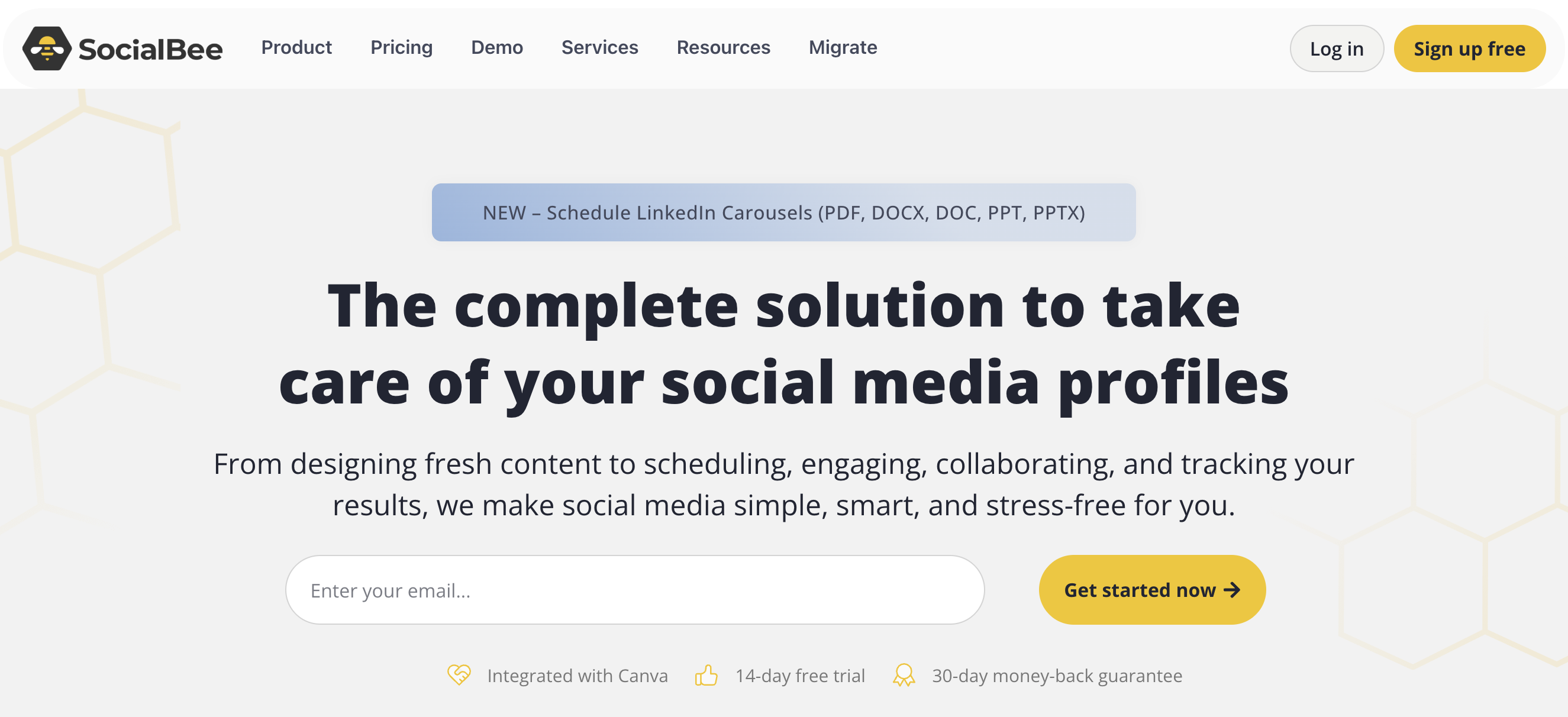
8. SocialBee: Best Budget All-In-One
At a glance:
- Best for: Budget-conscious teams wanting all-in-one Threads support without enterprise pricing
- Starting price: $29/mo (Bootstrap)
- Key strength: Engage Module covers Threads replies + native scheduling at entry-level pricing
- G2 rating: 4.5/5 (841 reviews)
SocialBee is the budget all-in-one in this list. Bootstrap ($29/mo) covers 5 social profiles + 1 user: enough for a solo creator running Threads + a few other platforms. Accelerate ($49/mo) doubles the profiles and adds analytics depth. Pro ($99/mo) opens up 25 profiles + 3 users + 5 workspaces + the Engage Module (SocialBee's social inbox covering Threads, Facebook, Instagram, LinkedIn, X, YouTube).
Threads scheduling is native, text, images, video, multi-image carousels, and reply chain scheduling is supported. The Engage Module covers Threads replies, comments, and DMs on the platforms where DMs exist (Threads has no DMs, so this is replies-only on Threads). Analytics covers Threads engagement at all tiers.
Key Threads features:
- Native Threads scheduling with reply chain support
- Engage Module covers Threads replies (6 platforms total: LinkedIn, FB, IG, X, YouTube, Threads)
- Threads analytics included on all paid plans
- AI assistant for caption generation
- Content categories and posting queues (SocialBee's signature feature)
- Approval workflows
Pricing
| Plan | Monthly Price | Social Profiles | Users | Workspaces |
|---|---|---|---|---|
| Bootstrap | $29/mo | 5 | 1 | 1 |
| Accelerate | $49/mo | 10 | 1 | 1 |
| Pro | $99/mo | 25 | 3 | 5 |
| Pro50 / Pro100 / Pro150 (Agency) | $179 - $449/mo | 50 - 150 | Varies | Varies |
Annual billing saves ~16%. Pro50, Pro100, and Pro150 are agency tiers scaling profile count.
Pros:
- Cheapest entry point with native Threads ($29/mo Bootstrap)
- Engage Module covers Threads replies (rare at this price point)
- Content categories make recurring Threads content easy to manage
Cons:
- Bootstrap tier doesn't include the Engage Module (need Pro+ at $99/mo for Threads inbox)
- Analytics depth is functional but lighter than Vista Social or Sprout
- UI feels dated compared to Buffer or Vista Social
User ratings: 4.5/5 on G2 (841 reviews) · 4.0/5 on Trustpilot
For more details: SocialBee Pricing · SocialBee Reviews · Best SocialBee Alternatives
9. Later: Best for Visual Planners Adding Threads

At a glance:
- Best for: Visual-first teams already planning Instagram in Later who want Threads in the same calendar
- Starting price: $25/mo (Starter)
- Key strength: Threads auto-publishes natively alongside 7 other platforms in one visual calendar
- G2 rating: 4.5/5 (347 reviews)
Later is the most recognised name in this comparison that we had not covered, and it clears the filter that matters: Threads auto-publishes natively, listed on Later's own pricing page alongside Instagram, TikTok, Facebook, Pinterest, and LinkedIn. Threads sits inside the same drag-and-drop calendar as the rest of your content, which is the real reason to pick it: if your Instagram planning already lives in Later, adding Threads costs nothing extra in workflow.
Threads analytics are included, with audience insights and post performance retained for 3 months on Starter, 1 year on Growth, and 2 years on Scale. The limits are structural rather than cosmetic. Later has no reply-chain composer, so chains are built post by post, and it does not document Threads coverage in its inbox, which makes it a publishing and analytics tool for Threads rather than an engagement one. The post caps bite too: Starter allows 30 posts per profile per month, which a serious Threads account burns through in a fortnight.
Key Threads features:
- Native Threads auto-publishing via the API, no reminder mode
- Threads inside the same visual drag-and-drop calendar as Instagram, TikTok, and the rest
- Threads audience insights and post performance, with 3 months to 2 years of history by plan
- Social Sets bundle one profile per platform, so Threads comes with each set
- Link in Bio with click tracking
Pricing
| Plan | Monthly Price | Social Sets | Posts per profile/mo | Users |
|---|---|---|---|---|
| Starter | $25/mo | 1 (8 profiles) | 30 | 1 |
| Growth | $50/mo | 2 (16 profiles) | 180 | 2 |
| Scale | $110/mo | 6 (48 profiles) | Unlimited | 4 |
Annual billing saves roughly 17%. No free plan, 14-day trial on paid tiers.
Pros:
- Genuine native Threads auto-publishing, confirmed on Later's own pricing page
- Best visual calendar here if Threads is one channel in a visual-first workflow
- Up to 2 years of Threads performance history on Scale, deeper retention than most
Cons:
- No reply-chain composer, which is the single biggest Threads differentiator
- Threads is not documented in Later's inbox, so replies are handled in the app
- 30 posts per profile per month on Starter is tight for an active Threads account
- No X/Twitter at all, so it cannot be your only cross-posting tool
User ratings: 4.5/5 on G2 (347 reviews)
For more details: Later Pricing · Later Reviews · Best Later Alternatives
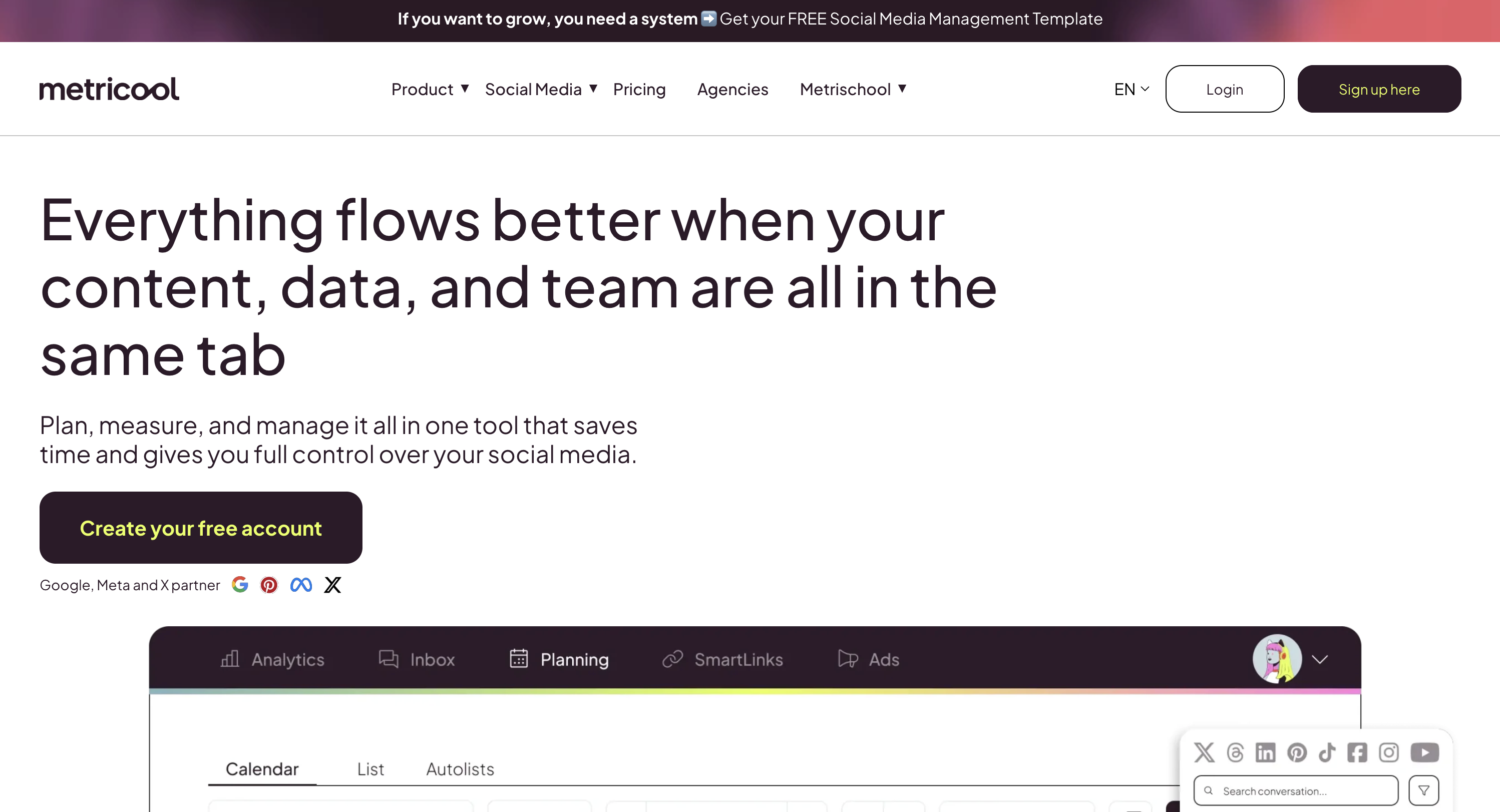
10. Metricool: Best Free Plan With Threads Analytics
At a glance:
- Best for: Analytics-led teams who want Threads reporting without paying for it
- Starting price: Free, then from $25/mo (Starter)
- Key strength: Threads scheduling and analytics on the free plan, which no other tool here offers
- G2 rating: 4.6/5 (194 reviews)
Metricool is the only tool in this comparison where Threads is available on a genuinely free tier rather than a trial. The free plan covers one brand with 20 scheduled posts a month, and Threads is included on it alongside Instagram, Facebook, TikTok, YouTube, Pinterest, Bluesky, Twitch, and Google Business. Paid plans lift the post cap and add brands rather than unlocking Threads, which is a cleaner model than most.
Its strength is reporting rather than publishing. Metricool's analytics depth and automated reports are what it is known for, and its per-brand pricing suits anyone running several Threads accounts. The gaps are specific: there is no reply-chain composer, and Threads is not covered by Metricool's Inbox Manager, which handles Facebook, Instagram, X, TikTok, YouTube, LinkedIn, and Google Business only. For a reply-driven platform, that is a meaningful omission.
Key Threads features:
- Native Threads scheduling on every tier, including Free
- Threads analytics and automated reporting, Metricool's strongest area
- Per-brand pricing, so multiple Threads accounts scale predictably
- Competitor tracking and Looker Studio connector on Advanced
Pricing
| Plan | Monthly Price | Brands | Threads Included |
|---|---|---|---|
| Free | $0 | 1 (20 posts/mo) | Yes |
| Starter | From $25/mo ($20 yearly) | Up to 10 | Yes |
| Advanced | From $67/mo ($53 yearly) | Up to 50 | Yes |
| Custom | Custom | Custom | Yes |
Annual billing saves up to 24%. The free plan excludes LinkedIn and X.
Pros:
- Only tool here with Threads scheduling and analytics on a free plan, not a trial
- Strongest reporting in the budget tier, with automated report delivery
- Per-brand pricing is predictable across several Threads accounts
Cons:
- No reply-chain composer
- Threads is not in the Inbox Manager, so replies happen in the Threads app
- Free plan is capped at 20 posts a month and excludes LinkedIn and X
User ratings: 4.6/5 on G2 (194 reviews)
For more details: Metricool Pricing · Metricool Reviews · Best Metricool Alternatives
What to Look for in a Threads Scheduler
The criteria at the top of this guide are the filter. This is which tools actually win on each of them, plus the points that only matter once you are choosing between finalists. All 10 publish natively via the API, so that filter is already spent.
- Chain composer quality. If you only post single posts, almost any tool works. If you build chains, composer quality is the biggest differentiator: Publer (25-post chains with per-post delays) leads, then Vista Social's sub-threads, then SocialBee and Statusbrew.
- Which tools have a real reply inbox. Threads inbox tools are really reply-routing tools: PostPlanify, Vista Social, Statusbrew, Sprout Social, Hootsuite, Buffer, and SocialBee surface and route Threads replies. Publer does not.
- Depth of the analytics. Sprout, Vista Social, Statusbrew, and PostPlanify report views, quotes, reposts, and follows. Tools that stop at likes and replies leave most of the Threads data on the table.
- Cross-platform reporting if you also post elsewhere. Threads in isolation is a narrow use case. If you also publish to IG, X, LinkedIn, etc., cross-platform analytics matter. PostPlanify, Vista Social, Sprout, and Hootsuite are strongest here.
- API quota awareness. No major tool warns you before you hit the 250 posts / 1,000 replies / 24h cap. If you're publishing heavy volume, split workloads across multiple Threads profiles.
- Honest scope acknowledgment. Meta restricts certain Threads API capabilities (mentions, audio, polls). Tools that pretend these limits don't exist are misrepresenting. Hootsuite's docs disclose this; many don't.
- Pricing that doesn't track headcount. Per-user pricing (Hootsuite, Sprout) punishes team growth. PostPlanify prices per client workspace with unlimited team members, and Statusbrew ($89/$179/$299) and SocialBee ($29/$49/$99) price per plan rather than per seat, which keeps agency costs predictable.
PostPlanifyAll your social media in one simple dashboard
Schedule posts, track analytics, and reply to comments/DMs without switching tabs.
Engagement
+18%
Views
52.8k
Frequently Asked Questions
Is there an official Meta Threads scheduler?
Partly, and it depends on your account. Meta has been rolling Threads out as a publish target inside Business Suite through 2026, but availability is inconsistent: you need a professional Threads account linked to an Instagram Business or Creator account and a Facebook Page, in a country where the feature has shipped. Many accounts still see Instagram and Facebook only. Where it does appear, it is basic scheduling rather than the drafts, analytics, approvals, or reply management a third-party tool gives you. You can also connect Threads via the Threads app, the Threads website's native scheduler (free, launched January 2025), or a third-party scheduler like the 10 tools above.
Can I schedule Threads natively in the Threads app for free?
Yes. Threads launched a native in-app scheduler in January 2025, available free to all public accounts. It covers basic single-post scheduling. It does not include analytics depth, reply chain composer pre-scheduling, cross-platform publishing, or a unified inbox. If you only post to Threads, only schedule single posts, and don't need analytics beyond Threads Insights, the native scheduler is fine. If you publish to multiple platforms, build chains, or run team workflows, you need a third-party tool.
What's the Threads API quota I should know about?
Meta enforces hard per-profile limits per 24 hours: 250 original posts, 1,000 replies, 100 deletions, and 500 location searches. A scheduler that lets you queue 300 posts in a day will silently fail at #251. No major scheduler warns you about this cap. If you're publishing heavy volume, split workloads across multiple Threads profiles.
Does PostPlanify schedule Threads with reply chains and an inbox?
Yes. PostPlanify publishes Threads natively via Meta's Threads Graph API (text, single image, multi-image carousels of 2-20 items, video), supports reply chain scheduling with per-post timing, and covers Threads replies in the social inbox, one of 7 inbox-supported platforms (Instagram, Facebook, LinkedIn, Google Business, YouTube, Threads, Bluesky). Analytics covers Threads natively with views, replies, follows, quotes, and reposts. Starts at $99/mo on Growth.
Which Threads scheduler is best for free?
Buffer is the strongest free Threads option, the Free plan supports Threads as one of 3 channels with full native publishing (text, single image, multi-image carousels, video) and the Community inbox for replies. Publer's Free plan also supports Threads with the reply chain composer (limited posts/month). The Threads in-app native scheduler is also free for any public account.
What's the best Threads scheduler for agencies?
Statusbrew on Standard ($179/mo) or Premium ($299/mo). Rule Engine for reply automation, AI sentiment analysis, assignment + approval workflows, competitor benchmarking, and flat pricing (not per-user). PostPlanify on Scale (from $59/mo per workspace) is the closest all-in-one alternative if you want Threads alongside 9 other platforms at flat pricing with white-label reports.
Can I schedule Threads reply chains in advance?
Yes, but only with a few tools. Publer has the best dedicated chain composer, up to 25 posts with per-post delays and media on follow-ups. Vista Social has sub-thread chains. SocialBee and Statusbrew also support chain scheduling. Buffer, Hootsuite, Sprout Social, and Loomly let you target prior post IDs but don't have a first-class chain composer.
Does Threads have DMs?
No. Threads still has no direct messages. Engagement happens entirely through replies (and reposts/quotes). Any tool advertising a "Threads DM inbox" is misrepresenting the platform, a real Threads inbox surfaces and routes replies.
Can I cross-post from Instagram to Threads automatically?
Yes, via Instagram's "Share to Threads" toggle, but it's a degraded experience. Cross-posts from IG don't expose Threads-native features like topic tags, reply targeting, or scheduling controls. If Threads is part of your strategy, you want native Threads posts via a real scheduler, not IG cross-posts.
How is Threads scheduling different from X (Twitter) scheduling?
Three big differences. Reply chains: Threads has no native thread object, every reply is its own API post linked by reply_to_id, while X has first-class threads. Character limit: Threads is 500 chars per post; X is 280 (or up to 4,000 on X Premium). Topic tags vs hashtags: Threads uses a topic_tag API field (one tag, 1-50 chars) like a category; X uses hashtags inline. Tools built for X (Typefully, Hypefury) often add Threads as a secondary platform but don't always handle these mechanics natively.
Which Threads analytics tools go deepest?
The best Threads analytics are in Sprout Social (cross-platform reporting + sentiment), Vista Social (Threads-specific engagement + demographics), Statusbrew (Threads + competitor benchmarking), and PostPlanify (Threads in unified analytics across 10 platforms). Publer and Buffer have functional but lighter Threads analytics. Threads' own in-app Insights covers basic post-level metrics for free.
Related Reading
- How to Schedule Threads Posts (Complete Guide): step-by-step guide
- How to Schedule Bluesky Posts: sister-platform guide
- Best Social Media Engagement Tools: inbox-focused stack
- Best Social Inbox Tools: community management deep dive
- Best Instagram Marketing Tools: IG-focused stack
- Best Social Media Management Platform: broader multi-platform comparison
- Vista Social Pricing · Vista Social Reviews
- Buffer Pricing · Buffer Reviews
- Statusbrew Pricing · Statusbrew Reviews
- Publer Pricing · Publer Reviews
- Sprout Social Pricing · Sprout Social Reviews
- Hootsuite Pricing · Hootsuite Reviews
- SocialBee Pricing · SocialBee Reviews
- Alternative to Buffer · Alternative to Hootsuite · Alternative to Sprout Social · Alternative to Vista Social · Alternative to Publer · Alternative to Statusbrew · Alternative to SocialBee
PostPlanifyAll your social media in one simple dashboard
Schedule posts, track analytics, and reply to comments/DMs without switching tabs.
Engagement
+18%
Views
52.8k
About the Author

Hasan Cagli
Founder of PostPlanify, a content and social media scheduling platform. He focuses on building systems that help businesses, agencies, and teams plan, publish, and manage content and social media more efficiently across platforms.


