


Are you choosing between content repurposing tools before you've defined what your source content actually is?
That mistake drives a lot of bad software decisions. Marketing teams compare OpusClip, Repurpose.io, Lately AI, and PostPlanify side by side, even though they solve different problems. The result is predictable. They buy a video-clip generator when their primary source is a blog, or they buy a multi-platform social tool when their real bottleneck is turning a 60-minute podcast into 12 short clips.
A better way to evaluate this market is to sort tools by source content type first.
- AI video clippers (OpusClip, Vizard.ai, Munch) take long-form video and auto-generate short clips.
- Podcast/audio repurposing tools (Castmagic, Repurpose.io) turn audio into transcripts, blog posts, social copy, and clips.
- Cross-platform social tools (PostPlanify, PostOnce, Hootsuite, Buffer, SocialBee) take one social post and repurpose it across multiple networks with platform-specific formatting.
- Long-form-to-social tools (Lately AI) ingest articles and webinars and output dozens of social posts.
- Text-to-video tools (Lumen5, Fliki) turn blog posts into videos with stock footage and AI voiceovers.
That framing matters because the best product depends less on feature volume and more on what you're already producing. A podcast-led brand needs different tools than a webinar-led B2B team or a video creator on TikTok.
I tested 15 tools across the five categories, cross-referenced user reviews on G2, Capterra, and Trustpilot, and verified every pricing claim against vendor pricing pages in May 2026. Below are the best content repurposing tools, grouped by what they're best at — with direct trade-offs on where each one fits and where it does not.
Quick Answer: What Is the Best Content Repurposing Tool in 2026?
For most teams, the best content repurposing tool depends on your source. For cross-platform social repurposing — taking one post and shipping it across all 10 networks with platform-specific previews — PostPlanify is the strongest pick, starting at $99/mo with flat pricing. For AI video clipping, OpusClip leads. For podcast repurposing, Castmagic ($19/mo). For long-form-to-social automation, Lately AI ($119/mo).
If you publish natively first and want every post auto-distributed, PostOnce ($29/mo) automates the crossposting layer. If you ship across many channels (social + podcast + blog + newsletter), Repurpose.io ($35/mo) automates 30+ destinations. For evergreen content recycling, SocialBee's category-based scheduler is the signature pick. For blog-to-video, Lumen5 ($19/mo) and Fliki ($14.99/mo) lead.
What Is a Content Repurposing Tool?
A content repurposing tool is a software platform that takes one piece of existing content and transforms it into multiple new formats or distributes it across multiple channels — without manually rewriting, re-editing, or re-uploading from scratch. The best ones combine AI to identify the highlight-worthy parts of long-form content with automated distribution to social, email, podcast players, and blogs.
How I Evaluated These Content Repurposing Tools
I scored each of the 15 tools on the dimensions that actually matter for repurposing work — matched to the source content each one is built for — not feature-count marketing. For each tool, I looked at:
| Evaluation area | What I checked |
|---|---|
| Output quality (25%) | How usable the repurposed output is out of the box — clip selection, caption accuracy, transcript quality — and how much manual editing it needs. |
| Automation depth (20%) | Whether the tool runs hands-off (auto-publish, bulk upload, scheduled recycling) or stops at generation and hands off to another tool. |
| AI quality (15%) | Whether the AI genuinely picks good moments / drafts good copy — virality scoring, theme extraction, performance-trained models — not just generic output. |
| Source-content breadth (15%) | Which inputs it handles natively — long-form video, podcast/audio, blog/article, livestream, webinar. |
| Integrations (15%) | Native channel publishing, Zapier/API, and CMS/Slack connections that remove copy-paste steps. |
| Pricing (10%) | How cost behaves at real output volume — per-minute, per-credit, per-channel, or flat — and what's gated behind higher tiers. |
Pricing comes directly from each vendor's public pricing page (verified May 2026, monthly rates unless stated), and ratings are aggregated from G2, Capterra, and Trustpilot, weighted toward repurposing-specific praise and complaints (output quality, credit limits, edit-required).
At a Glance: Best Content Repurposing Tools Compared
| Tool | Best For | Source → Output | Starting Price | Free Trial |
|---|---|---|---|---|
| PostPlanify | Cross-platform social | One post → 10 platforms with platform-specific previews | Starts at $99/mo | 7 days |
| PostOnce | Auto-crossposting existing posts | Existing post → auto-republished across 9 platforms | $29/mo | 7 days |
| OpusClip | AI video clipping | Long video → viral short clips | Free / $15/mo Starter | Free plan |
| Repurpose.io | Multi-channel automation | Video/podcast/livestream → 30+ destinations | $35/mo | 14 days |
| Castmagic | Podcast → multi-format | Audio/video → transcripts, social, newsletter, blog | $19/mo | Free trial |
| Vizard.ai | Team video repurposing | Long video → short clips with team workspaces | Free plan | Free plan |
| Munch | Multi-platform video | Long video → platform-optimized shorts | $49/mo (annual) | 7-day trial |
| Lately AI | Long-form → social | Article/webinar/transcript → dozens of social posts | $119/mo | Demo only |
| SocialBee | Evergreen recycling | Categories → automatic re-scheduling | $29/mo (Bootstrap) | 14 days |
| Hootsuite | Cross-channel + ads | Repurpose across organic + paid | $249/user/mo | 30 days |
| Buffer | Simple cross-channel | One post → multiple channels (per-channel pricing) | $6/channel/mo | Free plan |
| Lumen5 | Blog → video | Articles/text → AI-generated video | $19/mo (Basic) | Free plan |
| Fliki | AI voiceover video | Text/script → video with AI voice | $14.99/mo | Free plan |
| AmpiFire | Multichannel amplification | One topic → 8 formats across 300+ sites | Custom (contact) | 60-day guarantee |
| Podsqueeze | Automated podcast promotion | Podcast/video → transcripts, clips, show notes, social, newsletters | $8.99/mo | Free generator |
1. PostPlanify — Best for Cross-Platform Social Repurposing

PostPlanify is the strongest pick when your repurposing job is "take this one post and ship it across every social network with platform-specific formatting." 10 platforms — Instagram, Facebook, LinkedIn, X, TikTok, YouTube, Threads, Pinterest, Bluesky, and Google Business — with pixel-accurate previews per platform, bulk scheduling, and a vision-powered AI assistant that drafts platform-tailored captions reading the image.
PostPlanify isn't trying to compete with OpusClip on AI video clipping or Castmagic on podcast transcription. Where it wins is the last mile of repurposing — taking the output of those tools (or your existing posts) and shipping them across every social platform without 30 minutes of manual reformatting per post.
At a glance — PostPlanify
- Pricing: Growth $99/mo → Premium $199/mo (Most Popular) → Scale $299/mo; custom Enterprise (demo)
- Source content: Existing social posts, AI-clipped videos, podcast clips, blog excerpts (any social-ready content)
- Output: Cross-platform publishing across 10 networks with platform-specific previews
- Free trial: 7 days
- User ratings: 5/5 on G2 (3 reviews)
- Best for: Cross-platform social repurposing as the final-mile step
Key repurposing features:
- One-post-to-many-platforms with platform-specific previews showing exactly how each post will look on Instagram vs LinkedIn vs Facebook
- Bulk scheduling — queue up to 20 posts at once
- AI assistant (vision-powered) — drafts captions reading the image, adapts caption length per platform
- Native AI image generation — generate net-new visuals inside the workspace
- Media library — Canva, Google Drive, Dropbox imports
- Content calendar — drag-and-drop multi-platform scheduling
- Hashtag manager + saved sets — fast caption assembly per platform
- Best-time-to-post suggestions — repurposed content ships at peak hours per platform
- Team comments + @mentions for collaborative repurposing reviews (Premium+)
- Multi-step approvals for agency client repurposing workflows (Premium+)
- REST API + MCP support for custom repurposing automations
Pricing:
| Plan | Monthly | Billed Yearly | Social Accounts | Team Members |
|---|---|---|---|---|
| Growth | $99/mo | $79/mo ($948/yr) | 15 | 3 |
| Premium (Most Popular) | $199/mo | $159/mo ($1,908/yr) | 30 | 6 |
| Scale | $299/mo | $239/mo ($2,868/yr) | 100 | 12 |
| Enterprise | Custom | Custom | Custom | Unlimited |
Yearly billing saves 20%. All plans include a 7-day free trial and a 14-day money-back guarantee.
Pros:
- 10-platform cross-posting with platform-specific previews — the broadest in social-first tools
- Flat pricing — no per-channel or per-seat repurposing fees
- Vision-powered AI captions that adapt per platform
- Native AI image generation for net-new repurposed visuals
- Bulk scheduling at scale (up to 20 posts at once)
- Built into the same workspace as analytics, social inbox, and white-label reports
- REST API + MCP support for repurposing automations
Cons:
- Not a long-form video clipper — pair with OpusClip, Vizard, or Munch for the AI clip generation step
- Not a podcast transcription / repurposing tool — pair with Castmagic for that
- No native blog-to-video — pair with Lumen5 or Fliki
How it compares to multi-channel automation:
A typical agency stack repurposing a single 45-min podcast episode:
- Stack A — Repurpose.io alone ($35/mo): Uploads podcast, auto-generates 30+ destinations including 8 social platforms. Limited control over per-platform caption tailoring.
- Stack B — Castmagic + PostPlanify ($19/mo + $199/mo): Castmagic generates clips + transcripts + social copy. PostPlanify ships the social pieces with platform-specific previews + AI caption adaptation + scheduled drops at peak times per platform.
- The trade-off: Stack A is the fastest hands-off automation. Stack B gives you better-quality output and platform-specific tailoring at slightly higher total cost.
Used by 1,860+ users across 30+ countries. You can explore the platform directly at PostPlanify.
 PostPlanify
All your social media in one simple dashboard
Schedule posts, track analytics, and reply to comments/DMs without switching tabs.

Engagement
+18%
Views
52.8k
2. PostOnce — Best for Auto-Crossposting Existing Posts
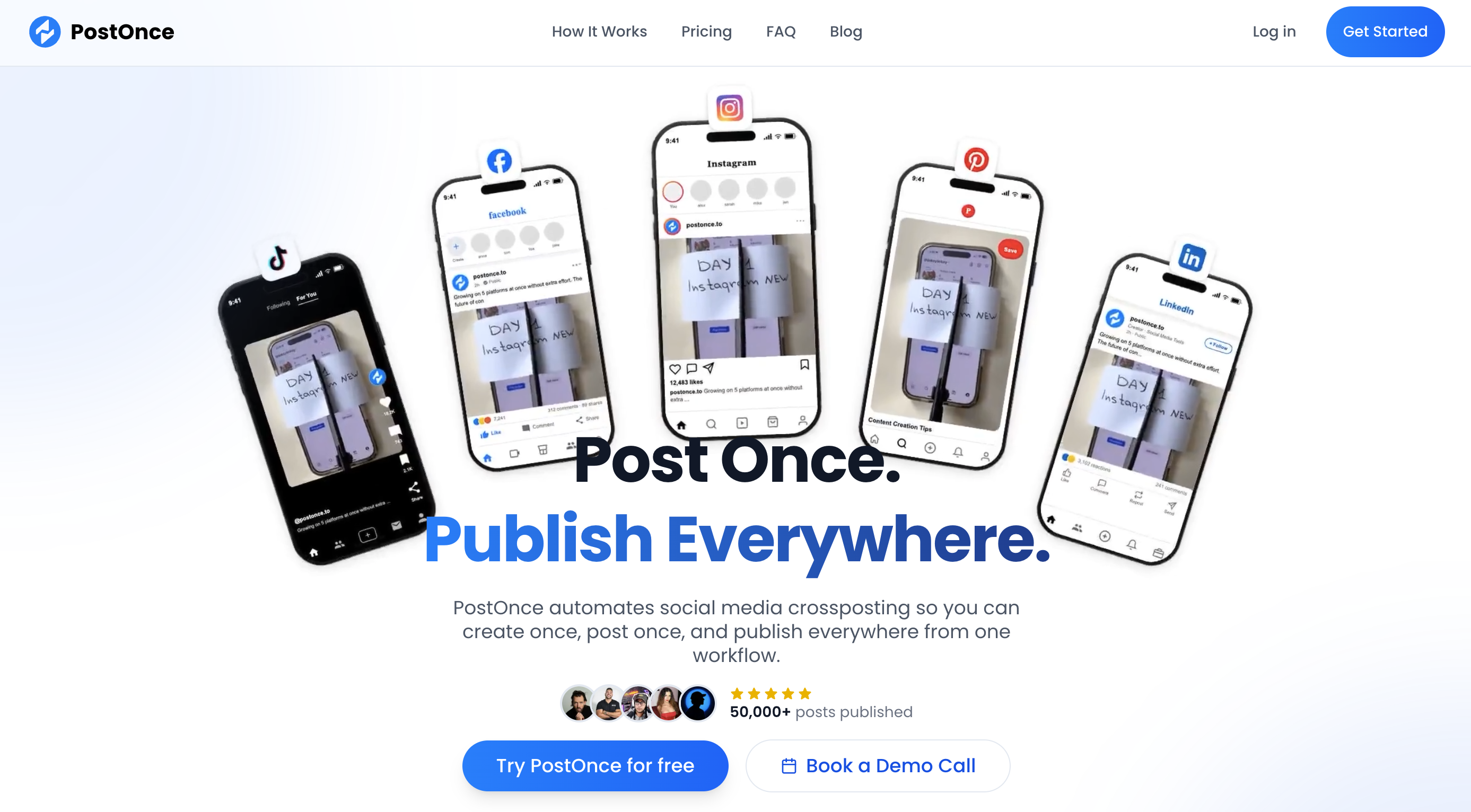
PostOnce is the automation pick for creators who publish natively first. Connect your accounts, set up a workflow, and when you post on your source platform, PostOnce detects it and republishes across TikTok, Instagram, YouTube, Facebook, LinkedIn, X, Threads, Bluesky, and Pinterest — no manual downloading, resizing, or re-uploading. Where Repurpose.io centers on long-form video and podcasts, PostOnce focuses on the social-native layer: the Reel, Short, or image post you already made, distributed everywhere it can keep working.
At a glance — PostOnce
- Pricing: Creator $29/mo (15 accounts) → Pro $69/mo (50 accounts) → Agency $199/mo (200 accounts)
- Source content: Existing social posts — the posts, images, and videos you've already published
- Output: Auto-republished posts across 9 platforms (Reddit support coming soon)
- Free trial: 7 days, with a 7-day full-refund window
- Best for: Creators and small teams who post natively first and want every post distributed everywhere automatically
Key features:
- Automated workflows — detect a new post on a source account and auto-publish it to every connected platform
- 9-platform coverage — TikTok, Instagram, YouTube, Facebook, LinkedIn, X, Threads, Bluesky, Pinterest
- Built for existing content — repurposes what you already posted, not just new scheduled campaigns
- Unlimited workflows and unlimited posts on every paid plan
- Post scheduling alongside the automation layer
- Developer API + MCP support for custom distribution automations
- Reach-parity testing — the team reports no drop in reach for PostOnce posts vs. manual posts in its own testing
Pros:
- True post-once automation — publish natively, workflows handle the rest
- Unlimited workflows and posts on every paid plan
- Strong account limits per dollar (15 accounts on the entry plan)
- API + MCP access included on all plans
Cons:
- Not a long-form AI video clipper or podcast transcription tool — pair with OpusClip or Castmagic for the generation step
- Not a full social inbox / reporting suite
- Reddit support still listed as "coming soon"
3. OpusClip — Best AI Video Clipper
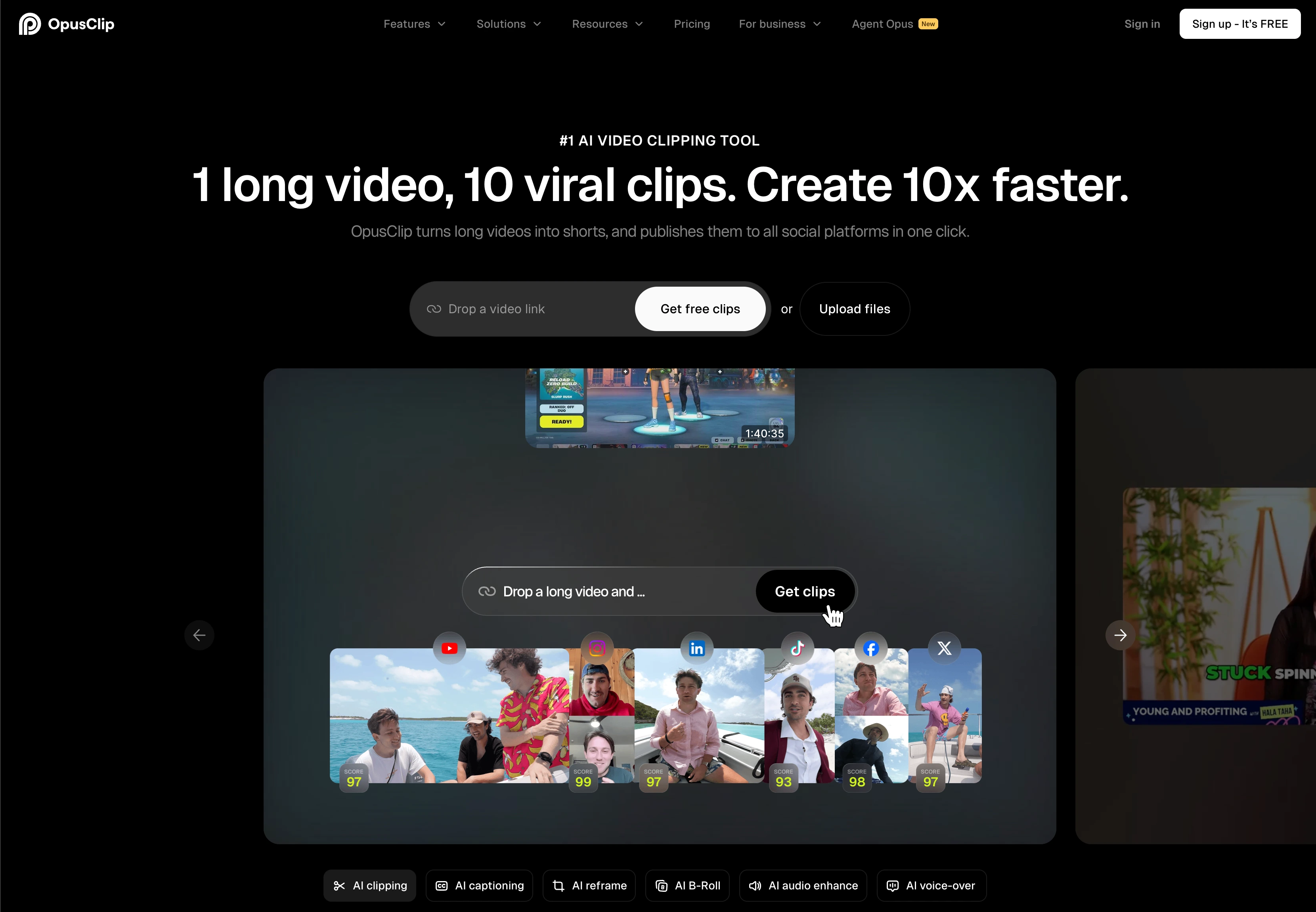
OpusClip is the go-to tool for AI video clipping. Drop a long-form video (podcast recording, webinar, livestream, YouTube upload) and it auto-generates short vertical clips ranked by a "Virality Score" with auto-captions, animated styling, and one-click publishing to social. The free plan is genuinely useful — 60 credits/month covers light volume.
At a glance — OpusClip
- Pricing: Free (60 credits/mo) → Starter $15/mo (150 credits/mo) → Pro $29/mo or $14.50/mo annual (3,600 credits/yr, 2 seats) → Business (custom)
- Source content: Long-form video (podcasts, webinars, livestreams, YouTube uploads)
- Output: Short vertical clips with AI captions, B-roll, virality scoring, social scheduler
- Free trial: Free plan available
- Best for: Creators and teams clipping high-volume long-form video into Reels / Shorts / TikToks
Key features:
- AI-ranked clips with Virality Score — multimodal signals predict engagement
- Auto captions + animated text matching popular Shorts styles
- Auto reframe to 9:16, 1:1, 16:9
- AI B-Roll generation (50 clips/day on Pro+)
- Brand templates (1 on Starter, 2 on Pro)
- Multi-language captions + filler/silence removal
- Social scheduler built in (Pro+)
- API access + SSO + dedicated support on Business
Pros:
- Best-in-class AI clip ranking and Virality Score
- Genuinely useful free plan (60 credits/mo)
- Annual billing drops Pro to $14.50/mo
- AI B-Roll for richer visual output
- Built-in social scheduler reduces tool-switching
Cons:
- No native podcast → blog/transcript output (use Castmagic for that)
- Free plan exports expire after 3 days
- Watermark on free plan
- Filler/silence removal locked behind Starter+
4. Repurpose.io — Best for Multi-Channel Automation
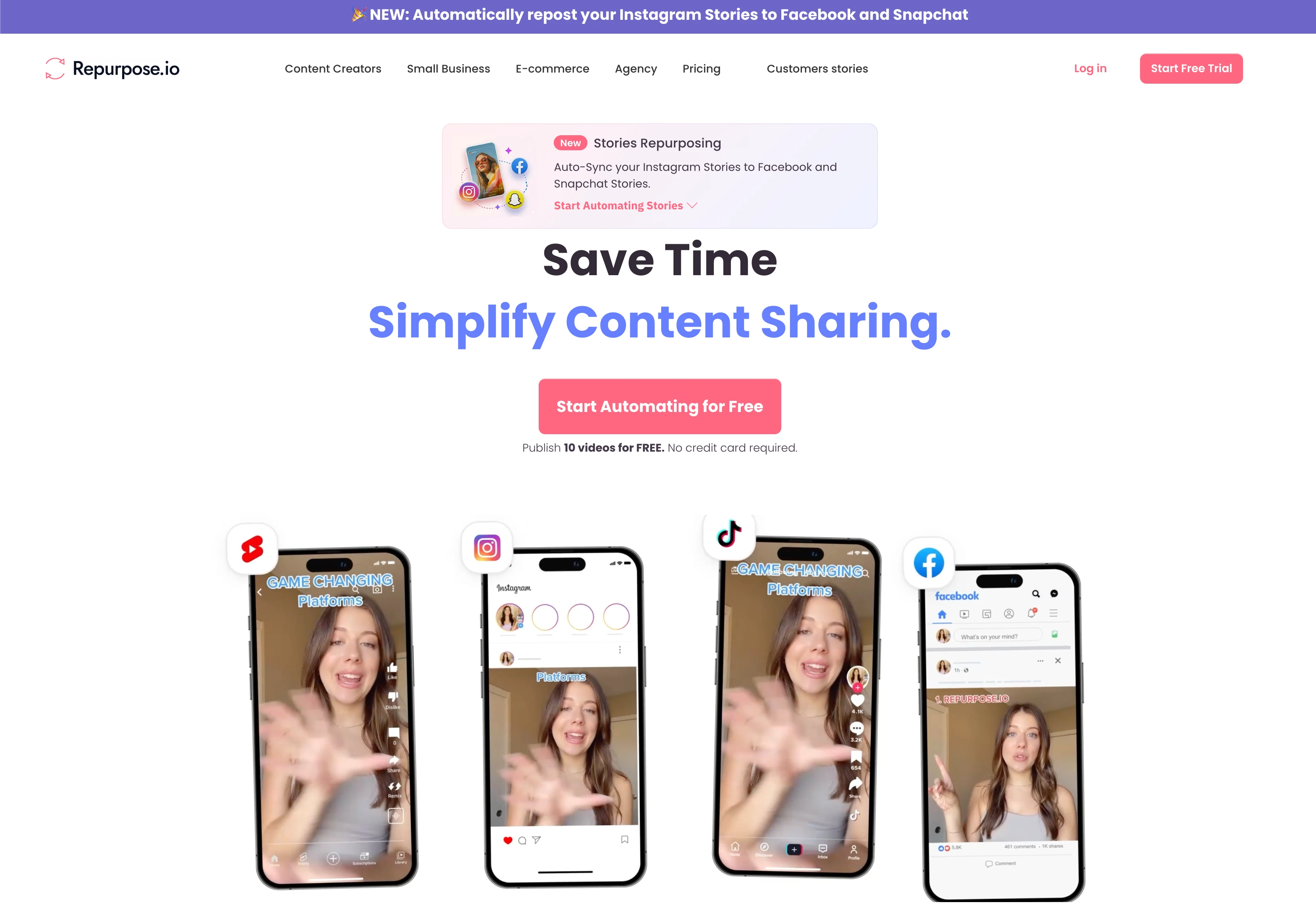
Repurpose.io is the automation play. Upload a video, podcast, or livestream and it auto-publishes to 30+ destinations — TikTok, Instagram Reels, YouTube Shorts, Facebook, LinkedIn, X, podcast players, and more — without further intervention. The "set it once and forget it" workflow is its biggest strength.
At a glance — Repurpose.io
- Pricing: Content Marketer $35/mo → Agency $99/mo → Business (custom)
- Source content: Videos, audio, podcasts, livestreams (Zoom, YouTube, TikTok, Instagram, Facebook Lives)
- Output: Auto-publishes to 30+ destinations with auto-resizing, watermark removal, audio clips
- Free trial: 14 days
- Best for: Creators and teams who want hands-off cross-channel distribution
Key features:
- 30+ destinations — TikTok, IG Reels, YouTube Shorts, FB, LinkedIn, X, podcast players
- Automated resizing to platform-specific aspect ratios
- Watermark removal (TikTok, Instagram source)
- Audio clipping (20+ short clips per long-form recording)
- Templates for branding consistency
- RSS feeds for podcast distribution
- Zapier integration
Pros:
- Broadest destination coverage (30+) of any tool here
- True hands-off automation
- Watermark removal saves manual editing
- Strong for podcast → social automation
Cons:
- Less control over per-platform caption tailoring vs PostPlanify
- AI quality on auto-clips trails OpusClip / Vizard
- Pricing scales with volume + workflows
5. Castmagic — Best for Podcast/Video → Multi-format
Castmagic is the podcast pick. Upload an episode, meeting recording, or webinar and it generates transcripts, show notes, social posts, newsletter drafts, blog summaries, quote-worthy moments, and clip suggestions — all in one workflow. For podcast-led brands, it's the single most efficient repurposing tool on this list.
At a glance — Castmagic
- Pricing: Starter $19/mo → Pro $49/mo → Studio (custom)
- Source content: Podcast episodes, video recordings, meeting recordings, webinars
- Output: Transcripts, show notes, social posts, newsletter drafts, blog drafts, quote cards, clips
- Free trial: Free trial available
- Best for: Podcast hosts, B2B teams running webinars, and creators who want one tool to handle audio → everything
Key features:
- AI transcription with high accuracy
- Show notes generation with timestamps
- Social media post drafts (LinkedIn, X, Instagram captions)
- Newsletter drafts from episodes
- Blog draft generation
- Quote card extraction
- Castmagic Pages + Studio for direct publishing
- Media library for asset organization
Pros:
- Single workflow for podcast → multi-format output
- Strong AI for show notes and quote extraction
- Affordable entry pricing ($19/mo)
- Active product roadmap (Pages + Studio recently launched)
Cons:
- Not built for cross-platform social distribution — pair with PostPlanify
- Pricing limits based on content length per month (except top tier)
- Less established brand than OpusClip / Repurpose.io
- Output requires manual editing for brand voice

6. Vizard.ai — Best for Team Video Workflows
Vizard.ai is the team-friendly video clipper. Auto-generates short clips with AI ranking, auto-captions, and brand styling — paired with team workspaces, project sharing with external viewers, and brand kit access on Business. Stronger than OpusClip for team collaboration; OpusClip leads on raw clip-generation speed.
At a glance — Vizard.ai
- Pricing: Free (60 credits/mo, 1 social account) → Creator (variable) → Business (variable)
- Source content: Long-form video, livestreams, recordings
- Output: Short vertical clips with AI captions, brand templates, scheduled posting
- Free trial: Free plan available
- Best for: Teams clipping high-volume video with brand consistency requirements
Key features:
- AI clip generation with auto-reframe
- Emoji generation + keyword highlighting
- B-roll suggestions
- Post recommendations
- Team workspaces + member invitations (Business)
- Project sharing with external viewers
- Brand kit access + custom fonts (Business)
- API access with rate limits by tier
- Scheduled posting (Creator+)
Pros:
- Strong team workspace + collaboration features
- Free plan with 720p export and basic AI
- Brand kit consistency across team output
- Permanent storage (paid plans)
Cons:
- Less mature AI clip ranking vs OpusClip
- Free plan exports limited to 720p with watermark
- Variable pricing makes budgeting harder
7. Munch — Best for Multi-Platform Distribution
Munch auto-clips long-form video into bite-sized shorts and pushes them across Instagram Reels, Facebook, TikTok, YouTube Shorts, and LinkedIn — adjusting dimensions, resolution, and file specs per platform. Strong on multi-platform distribution as the headline workflow.
At a glance — Munch
- Pricing: Pro $49/mo annual (250 minutes/mo) → Elite $116/mo annual (600 minutes/mo) → Ultimate $220/mo annual (1,150 minutes/mo)
- Source content: Long-form video
- Output: Auto-clipped short videos with platform-optimized dimensions + auto-captions
- Free trial: 7-day free trial
- Best for: Creators producing high-volume long-form video for multi-platform distribution
Key features:
- Topic detection for highlight selection
- Platform-specific copy (captions, hashtags, titles per network)
- Auto-cropping for IG Reels, FB, TikTok, YouTube Shorts, LinkedIn
- Trend-matching (Elite+)
- Unlimited clip exports (Elite+)
- Direct exports to platforms
Pros:
- Platform-specific copy generation per network
- Trend-matching surfaces topical relevance
- Strong multi-platform formatting
- 7-day free trial available
Cons:
- Pricier entry tier than OpusClip/Vizard
- Heavily metered by minutes uploaded
- Less mature workflow vs OpusClip's polished UX
- Annual-only discounts
PostPlanifyAll your social media in one simple dashboard
Schedule posts, track analytics, and reply to comments/DMs without switching tabs.
Engagement
+18%
Views
52.8k
8. Lately AI — Best for Long-form → Social
Lately AI takes long-form content — articles, transcripts, webinar recordings, books, white papers — and auto-generates dozens of social posts per piece. The proprietary AI is trained on what historically performs well on each platform, so output is platform-tuned. Premium pricing reflects premium positioning.
At a glance — Lately AI
- Pricing: Starter $119/mo → Pro $199/mo → Enterprise (custom)
- Source content: Articles, transcripts, webinars, books, white papers
- Output: Dozens of social posts per piece, platform-tuned for X/LinkedIn/Facebook
- Free trial: Demo / waitlist signup only
- Best for: Enterprise marketing teams with high-volume long-form content libraries
Key features:
- AI trained on platform-performance data for tuned output
- Bulk repurposing of long-form into social posts
- Brand voice training for consistent output
- Performance analytics to refine over time
- Annual billing saves ~17%
Pros:
- Strongest AI specifically trained on social performance data
- High-quality output — minimal manual editing
- Strong for B2B teams converting white papers + webinars
Cons:
- $119/mo entry tier is steep for SMBs
- No free plan or trial — demo/waitlist only
- Specialized — not a general-purpose repurposing tool
- Significant upfront commitment + learning curve
9. SocialBee — Best for Evergreen Recycling

SocialBee is the evergreen recycling pick. Its category-based scheduler is a signature differentiator — organize posts by content type (tips, promotions, blog posts, evergreen) and SocialBee re-cycles them automatically on a schedule. For brands that want their best content to keep working without re-editing, this is the strongest tool.
At a glance — SocialBee
- Pricing: Bootstrap $29/mo → Accelerate $49/mo → Pro $99/mo → Pro50 $179/mo → Pro100 $329/mo → Pro150 $449/mo
- Source content: Existing social posts, evergreen content libraries
- Output: Re-cycled posts across 10 platforms on a category-based schedule
- Free trial: 14 days, no credit card. 30-day money-back guarantee
- User ratings: 4.8/5 on G2 (472 reviews), 4.0/5 on Trustpilot (43)
- Best for: Solopreneurs and small teams running heavy evergreen content strategies
Key features:
- Category-based content scheduling (signature feature)
- Post recycling on a schedule
- AI Copilot for caption generation
- Engage Module inbox (FB, IG, X, LinkedIn, YouTube, Threads — 6 platforms)
- Approval workflows on Pro+
- Canva integration + RSS feed imports
- 2 years of analytics history (Accelerate+)
Pros:
- Best-in-class category-based content recycling
- 4.8/5 G2 with 472 reviews
- 30-day money-back guarantee
- Strong fit for evergreen-heavy strategies
Cons:
- Not built for AI video clipping or podcast transcription
- Mobile app widely criticized
- Collaboration locked behind $99/mo Pro plan
- No platform-specific post previews
For more details, see our SocialBee pricing breakdown, SocialBee reviews, and PostPlanify vs SocialBee comparison.
10. Hootsuite — Best All-in-One with Repurposing

Hootsuite covers cross-channel repurposing as part of its broader enterprise stack. Bulk scheduling (350 posts via CSV on Advanced) plus organic + paid views in one calendar makes it useful for teams repurposing across both. OwlyGPT generates captions + images. Per-user pricing is the trade-off.
At a glance — Hootsuite
- Pricing: Standard $249/user/mo → Advanced $499/user/mo; Enterprise (custom)
- Calendar coverage: 10+ platforms including Google Business
- Free trial: 30 days (no free plan)
- User ratings: 4.3/5 on G2 (6,615 reviews), 1.8/5 on Trustpilot (511)
- Best for: Enterprise teams that need organic + paid + repurposing in one tool
Key features:
- Bulk scheduling (350 posts via CSV) on Advanced+
- OwlyGPT AI assistant for caption + image generation
- Cross-platform calendar with drag-and-drop
- Approval workflows on Advanced+
- Best time to post recommendations
- Salesforce + Microsoft Dynamics integrations on Enterprise
Pros:
- Tight CRM integration on Enterprise
- Organic + paid in one calendar
- 18 years of product iteration
Cons:
- Per-user pricing brutal at scale — 3 users on Advanced = $1,497/mo
- Bulk scheduling locked behind Advanced ($499/user)
- No free plan since 2023
For more details, see our Hootsuite pricing breakdown, Hootsuite reviews, and PostPlanify vs Hootsuite comparison.
11. Buffer — Best Budget for Simple Cross-Channel

Buffer covers simple cross-channel repurposing at low entry pricing. Per-channel ($6 Essentials, $12 Team) means a solopreneur with 3-5 channels pays $18–$60/mo for basic cross-posting. Buffer AI Assistant drafts captions. Approvals available on Team. Budget pick for creators not yet at scale.
At a glance — Buffer
- Pricing: Free (3 channels, 10 posts each) → Essentials $6/channel/mo → Team $12/channel/mo
- Calendar coverage: 11 platforms incl. Bluesky, Mastodon, GMB
- Free trial: Free plan available
- User ratings: 4.3/5 on G2 (1,023 reviews), 2.1/5 on Trustpilot (93)
- Best for: Solopreneurs and freelancers cross-posting across 1-5 channels
Key features:
- Cross-channel scheduling across 11 platforms
- Buffer AI Assistant for caption help
- Saved replies in community inbox
- Hashtag manager + first comment scheduling
- Approval workflows on Team plan ($12/channel/mo)
Pros:
- Free plan with 3 channels
- 11 platforms incl. Bluesky, Mastodon, GMB
- Cleanest, simplest UX in the category
- Nonprofit discounts (50% off)
Cons:
- Per-channel pricing scales fast (10 channels on Team = $120/mo)
- Analytics stay surface-level
- Limited AI vs newer tools
- No native AI image generation
For more details, see our Buffer pricing breakdown, Buffer reviews, and PostPlanify vs Buffer comparison.
12. Lumen5 — Best for Blog → Video
Lumen5 is the blog-to-video pick. Paste a blog URL or article and it auto-generates a video with stock footage, captions, music, and brand styling. Strong for content marketers who publish blog-first and need to extend into video distribution without a video editing skillset.
At a glance — Lumen5
- Pricing: Free (5 videos/mo, 480p, watermark) → Basic $19/mo (5 videos/mo, 720p, no watermark) → Starter $59/mo (20 videos/mo, 1080p, brand kit) → Professional $149/mo
- Source content: Blog posts, articles, scripts
- Output: AI-generated video with stock footage, captions, music
- Free trial: Free plan available
- Best for: Content marketers and bloggers extending into video without video-editing skills
Key features:
- AI scene generation from text input
- Stock footage library (Getty + Shutterstock on Starter+)
- Auto-captions + voiceover support
- Brand kit (Starter+) — custom fonts, colors, logo
- Custom watermark + logo overlay
- Annual billing saves 25%
Pros:
- Best-in-class for blog-to-video conversion
- Stock library access on Starter+ saves footage sourcing
- Annual billing 25% off
- Strong fit for content-marketing-led teams
Cons:
- Free plan capped at 5 videos/mo with watermark + 480p
- Output quality varies — manual editing often needed
- Not suited for repurposing existing video (use OpusClip for that)
- Brand kit locked behind Starter ($59/mo)
13. Fliki — Best for AI Voiceover Video
Fliki generates videos from text scripts with AI voiceovers in 80+ languages, AI avatars, and stock footage. Lower entry pricing than Lumen5 ($14.99/mo Basic) makes it the budget-friendly text-to-video pick — particularly strong for multilingual repurposing.
At a glance — Fliki
- Pricing: Basic $14.99/mo → Standard $24/mo → Premium custom
- Source content: Text scripts, articles, blog posts
- Output: AI-generated video with realistic voiceover, avatars, stock footage
- Free trial: Free plan available
- Best for: Multilingual content repurposing + budget-friendly text-to-video
Key features:
- AI voiceovers in 80+ languages
- AI avatars for talking-head style videos
- Stock library access
- Auto-captions + multi-language support
- Cheaper entry tier than Lumen5
Pros:
- Multilingual support (80+ languages)
- Budget-friendly entry pricing
- Realistic AI voiceovers
- Good fit for repurposing English content into multiple languages
Cons:
- AI avatars still feel uncanny vs human-shot video
- Output requires manual review for natural pacing
- Less mature than Lumen5 for blog-first workflows
- Less stock variety vs Lumen5 Starter+
14. AmpiFire — Best for Getting Found in Google and AI Tools
AmpiFire takes a single topic and produces eight content formats through its AmpCast AI engine: news articles, blog posts, interview-style podcasts, short-form reels/shorts, longer informational videos, infographics, flipbooks/slideshows, and social posts. Each piece publishes automatically to 300+ sites: Google News, YouTube, Spotify, Apple Podcasts, Pinterest, LinkedIn, and major news affiliates. Brands end up appearing wherever buyers actually look: Google search, video and podcast apps, news sites, social feeds, and inside AI answers from tools like ChatGPT and Gemini.
At a glance — AmpiFire
- Pricing: Flexible plans from software-only DIY to fully Done-For-You and Managed packages. Contact AmpiFire for current rates.
- Source content: A single topic
- Output: 8 formats (news articles, blog posts, podcasts, reels/shorts, videos, infographics, flipbooks, social posts)
- Free trial: No free trial; 60-day satisfaction guarantee
- Best for: E-commerce, local businesses with multiple locations, health/fitness brands, and agencies that want their brand surfacing across Google results and AI recommendations, not just ranking on one channel
Key features:
- One topic into 8 content formats via the AmpCast AI engine
- Automatic publishing to 300+ sites (Google News, YouTube, Spotify, Apple Podcasts, Pinterest, LinkedIn)
- Cross-format mix: written, video, audio, and visual
- Three service tiers: DIY, Done-For-You, Managed
- 60-day satisfaction guarantee
Pros:
- One topic produces 8 formats, published to 300+ platforms automatically, building the kind of cross-site presence Google and AI assistants pick up and recommend
- Content keeps earning traffic for months or years after publishing
- Three service tiers (DIY, Done-For-You, Managed) backed by a 60-day satisfaction guarantee
Cons:
- Organic results build over time, so this rewards patience rather than delivering immediate traffic like paid ads
- Best fit for established or growing businesses with healthy margins
- Strongest results in English-language markets
15. Podsqueeze — Best for Automated Podcast Promotion
Podsqueeze takes a single podcast episode (audio, video, or a YouTube link) and turns it into a full promotion kit: transcripts, show notes, short-form clips, audiograms, social posts, newsletters, episode titles, and key quotes. It covers the whole post-production workflow, with AI audio enhancement that strips filler words and background noise, a text-based clip editor, and an auto-generated podcast website with SEO episode pages. For podcasters who would rather publish than edit, it handles the repurposing end to end.
At a glance — Podsqueeze
- Pricing: Starter $8.99/mo (120 mins) → Pro $49/mo (320 mins) → Agency Lite $89/mo (600 mins) → Enterprise (custom). Annual billing saves 30%.
- Source content: Podcast audio, video, or YouTube links
- Output: Transcripts, show notes, clips, audiograms, social posts, newsletters, titles, quotes, podcast website
- Free trial: Free sample generator (no credit card); no ongoing free plan
- Best for: Solo podcasters, producers, and agencies that want one episode turned into a full promotion kit
Key features:
- One episode into a full kit: transcript, show notes, clips, audiograms, social posts, and newsletters
- AI audio enhancement that removes filler words, silences, and background noise
- Text-based clip editor for fine-tuning short-form video and captions
- Custom AI prompts to keep a consistent voice across multiple managed shows
- Auto-generated podcast website with embedded player and SEO episode pages
- Minute rollover: accumulate up to 3x your monthly minutes on an active plan
Pros:
- Covers the entire podcast repurposing workflow in one tool, not just clips
- Agency-friendly: managed shows, custom prompts, and a 600-minute Agency tier
- Cheap entry point ($8.99/mo) for solo podcasters
Cons:
- Built for podcast/audio-video source content, not general blog or social repurposing
- No standing free plan, only a free sample generator
- Minute-metered, so heavy publishers move up tiers quickly
Full Comparison Matrix: All 15 Content Repurposing Tools
The table below compares every tool on the dimensions that matter most when picking a repurposing tool — source content type, output format, AI capabilities, multi-platform distribution, automation depth, and pricing structure.
| Tool | Category | Source content | Key output | AI clip ranking | Multi-platform distribution | Bulk / automation | Starting price |
|---|---|---|---|---|---|---|---|
| PostPlanify | Cross-platform social | Existing posts, AI clips, blog excerpts | 10-platform distribution with platform-specific previews | ❌ | ✅ 10 platforms | ✅ Bulk schedule (20 at once) | $99/mo |
| PostOnce | Auto-crossposting | Existing social posts | Auto-republished across 9 platforms via workflows | ❌ | ✅ 9 platforms | ✅ workflow automation | $29/mo |
| OpusClip | AI video clipper | Long-form video | Short vertical clips with AI captions | ✅ Virality Score | Built-in scheduler (Pro+) | ✅ via credits | Free / $15/mo Starter |
| Repurpose.io | Multi-channel automation | Video, podcast, livestream | 30+ destinations auto-published | ✅ basic | ✅ 30+ destinations | ✅ hands-off automation | $35/mo |
| Castmagic | Podcast/video → multi-format | Audio, video, webinars | Transcripts, social, newsletter, blog | ✅ AI extraction | ❌ (use scheduler) | ✅ via credits | $19/mo |
| Vizard.ai | Team video clipper | Long-form video | Short clips with team workspaces | ✅ AI clips | Built-in scheduler (Creator+) | ✅ via credits | Free plan |
| Munch | Multi-platform video | Long-form video | Auto-clipped shorts with platform copy | ✅ topic detection | ✅ direct exports | ✅ via minutes | $49/mo annual |
| Lately AI | Long-form → social | Articles, transcripts, webinars | Dozens of social posts per piece | ✅ performance-trained | ❌ (use scheduler) | ✅ bulk | $119/mo |
| SocialBee | Evergreen recycling | Existing posts, evergreen content | Re-cycled posts across 10 platforms | ❌ | ✅ 10 platforms | ✅ category-based | $29/mo (Bootstrap) |
| Hootsuite | All-in-one with repurposing | Existing posts | Cross-channel + paid scheduling | ❌ | ✅ 10+ platforms | ✅ bulk (350 posts CSV, Adv+) | $249/user/mo |
| Buffer | Budget cross-channel | Existing posts | Simple cross-posting across 11 platforms | ❌ | ✅ 11 platforms | ❌ | $6/channel/mo |
| Lumen5 | Blog → video | Articles, blog posts | AI-generated video with stock footage | ❌ (template-based) | ❌ (download + post) | ✅ via videos/mo | $19/mo (Basic) |
| Fliki | AI voiceover video | Text scripts | Video with AI voice in 80+ languages | ❌ | ❌ (download + post) | ✅ via videos/mo | $14.99/mo |
| AmpiFire | Multichannel amplification | A single topic | 8 formats across 300+ sites | ❌ | ✅ 300+ sites | ✅ automated publishing | Custom (contact) |
| Podsqueeze | Podcast repurposing | Podcast audio/video, YouTube | Transcripts, clips, show notes, social posts, newsletters | ❌ | ❌ (use scheduler) | ✅ via minutes | $8.99/mo |
How to read this table: "AI clip ranking" means the tool uses AI to score / rank clips by predicted engagement (OpusClip's Virality Score, Munch's topic detection). "Multi-platform distribution" means the tool natively publishes across multiple destinations, not just one. "Bulk / automation" means hands-off batch processing (auto-publishing, bulk uploads, scheduled recycling).
Quick decision rules from the matrix:
- Source is long-form video / podcast? Start with OpusClip (clips), Vizard.ai (team), Munch (multi-platform), or Castmagic (podcast → multi-format).
- Source is a blog post or article? Lately AI (high-end), Lumen5 or Fliki (text-to-video).
- You want hands-off cross-channel automation? Repurpose.io.
- You publish natively first and want each post auto-crossposted? PostOnce's workflow automation.
- You already have repurposed assets and need to ship across all social channels? PostPlanify (10 platforms with platform-specific previews) or Buffer (budget cross-posting).
- You want evergreen recycling on autopilot? SocialBee's category-based scheduler.
- The strongest stack: OpusClip / Castmagic + PostPlanify — generate the asset with the AI tool, distribute across all 10 social platforms with PostPlanify.
Honorable Mentions: Tools Worth Knowing About
Not every tool earned a spot in the top 15 — either because they focus on a narrow slice, sit higher in the enterprise tier, or pair best with another tool. Still worth knowing:
- Recast Studio — Long-form video/audio → clips, captions, show notes, social posts. Strong all-in-one for podcast-led brands.
- SummarAIze — Audio/video → 15+ ready-to-publish assets (social, newsletter, clips). Strong for high-volume creators.
- Meet Sona — Voice interview → weeks of LinkedIn, newsletter, and blog content. B2B + thought leadership angle.
- HubSpot Content Remix — Multi-format repurposing within Content Hub Premium ($450/mo). For HubSpot stacks already.
- Storychief — Cross-platform publishing with multi-channel calendars + MailChimp integration. Content-marketing focus.
- BuzzSumo — Evergreen ideation + content discovery (not repurposing per se, but feeds the engine).
- Quuu — Curated content suggestions for repurposing-friendly evergreen sharing.
- Publer — Blog-to-social conversion with WordPress integration.
AI in Content Repurposing 2026: What Changed
AI has gone from a feature to the entire product in this category. Every major tool now leans on AI for clip ranking, transcription, summarization, social drafting, or text-to-video.
Named AI capabilities by tool:
| Tool | AI Capability | What It Does |
|---|---|---|
| OpusClip | Virality Score + multimodal signals | Ranks clips by predicted engagement |
| Vizard.ai | AI clip detection + emoji/keyword highlighting | Highlights + auto-styling |
| Munch | Topic detection + trend matching | Identifies highlights + matches to trends |
| Castmagic | Theme extraction + multi-format generation | Podcast → 7+ output formats |
| Lately AI | Platform-performance-trained AI | Output trained on what historically performs |
| PostPlanify | AI Assistant (vision-powered) | Drafts captions reading the image, native AI image generation |
| Repurpose.io | AI auto-resizing + watermark removal | Hands-off platform formatting |
| SocialBee | AI Copilot | Caption generation + posting strategy |
| Hootsuite | OwlyGPT | Caption + image generation |
| Buffer | Buffer AI Assistant | Caption suggestions |
| Lumen5 | Text → scene AI | Articles → video scenes |
| Fliki | AI voice + AI avatars | Realistic voiceover in 80+ languages |
Four AI repurposing capabilities to actually look for:
- Vision-aware drafting. Does the AI read the image / video frame, or just the topic? Vision-aware tools generate better captions on visual platforms.
- Performance-trained AI. Tools like Lately AI train their AI on what historically performs on each platform — output is platform-tuned.
- Native AI image / video generation. Tools that generate visuals inside the workspace save trips to Canva, Midjourney, and external tools.
- Brand-voice training. AI that learns and respects your brand voice + style, not just generic ChatGPT-style output.
If a tool's AI page only mentions caption writing, it's a 2023-era assistant. Expect more from a 2026 purchase.

The Hidden Cost of Not Repurposing
Most marketing teams produce content as if it's single-use. A blog publishes once, a podcast episode goes to Spotify and stops, a webinar replay sits on a YouTube channel nobody watches. Then the team grinds out new content because the old stuff is "done." The cost is bigger than people realize.
The numbers are striking:
- Per Shno.co's content repurposing research and AutoFaceless 2026 stats, content repurposing saves 60–80% of creation time and boosts content output by 40% — and AI-driven repurposing cuts production costs by up to 65%.
- Active repurposing programs save 10–20+ hours per week per team — equivalent to nearly half a full-time content role.
- Only 35% of marketers actively repurpose — and 49% of content marketers say they don't do enough repurposing. That's the efficiency gap top performers exploit.
- Content repurposing improves ROI by 32% on average (turning webinars into blogs, podcasts into clips, blogs into newsletters).
- Many B2B marketing teams still cite content repurposing as an unsolved challenge — meaning the right tool is a real differentiator.
- A fast-growing share of marketers now use AI to repurpose content — and that share is climbing quickly.
Specific friction points unified repurposing tools eliminate:
Long-form video graveyards. A 45-minute webinar recording sits on YouTube with 12 views. The 8 quote-worthy moments inside it never become Reels, TikToks, or LinkedIn snippets. AI clippers (OpusClip, Vizard, Munch) turn that 12-view webinar into 12 clips with combined reach 100x the original.
Podcast-to-text gaps. A 60-minute podcast episode contains 4–6 blog-worthy stories, 20+ social-quote-worthy lines, and 1 newsletter draft — but the team doesn't have time to manually extract them. Castmagic and Repurpose.io automate this.
Cross-platform manual labor. Publishing one post to Instagram, Facebook, LinkedIn, X, TikTok, YouTube Shorts, Threads, and Bluesky takes 30 minutes of platform-specific re-formatting if you do it manually. Cross-platform tools collapse it to one click.
Evergreen content amnesia. A blog post from 2 years ago that performed well is forgotten. SocialBee's category-based recycler resurfaces it on a schedule.
Format mismatch losses. A blog post and a TikTok video need fundamentally different formats. Without text-to-video tools (Lumen5, Fliki), most marketing teams skip the conversion entirely and lose the channel.
For a deeper breakdown of strategy patterns that pair with these tools, see our guide on content repurposing strategies and how to do content batching.

How to Choose the Right Content Repurposing Tool
A few selection rules narrow things quickly:
- Pick based on source content first. Long-form video → OpusClip / Vizard / Munch. Podcast → Castmagic. Blog → Lumen5 / Fliki / Lately AI. Existing social posts → PostPlanify / SocialBee.
- Pick based on output format second. Short clips → AI clippers. Multi-platform social → cross-platform schedulers. Multilingual → Fliki. Evergreen recycling → SocialBee.
- The strongest stack is usually two tools, not one. AI clip generation tool + PostPlanify is the standard pattern. Castmagic + PostPlanify is the strongest podcast stack.
- Run your real volume against credit limits before committing. Most repurposing tools meter by minutes-uploaded or AI credits.
- Pressure-test pricing at team size. Per-seat tools (Hootsuite) and per-channel tools (Buffer) scale fast. Flat-rate tools usually win at scale.
- Run a real cycle in the trial — take an actual long-form piece and time the output. That's the fastest way to expose friction.
Most guides skip the source-content-first framing. As Planable and Recast Studio both point out, the right pick is rarely the most-featured tool — it's the one that matches your existing content engine.
FAQ: Content Repurposing Tools
What is the best content repurposing tool in 2026?
It depends on your source content. For cross-platform social repurposing, PostPlanify is the strongest pick. For AI video clipping, OpusClip leads. For podcast repurposing, Castmagic. For long-form-to-social automation, Lately AI. For multi-channel hands-off automation across 30+ destinations, Repurpose.io. The strongest stack is usually two tools — an AI generator + a multi-platform distributor like PostPlanify.
Can one tool handle all my repurposing needs?
Rarely. Most teams use 2–3 tools because the source content (video / audio / blog / existing social post) requires different tooling. The most common stack: an AI generator (OpusClip / Castmagic / Lumen5) + a multi-platform scheduler (PostPlanify / Hootsuite). Hootsuite and PostPlanify can act as the "everything goes here" distribution layer, but neither replaces a dedicated AI clipper.
What's the best free content repurposing tool?
OpusClip and Vizard.ai both have free plans with 60 AI credits/month — genuinely useful for light volume. Lumen5's free plan covers 5 videos/month with watermark. Buffer's free plan covers 3 channels for cross-posting. Most free plans cap output volume or quality, but they're real options for solopreneurs.
Are AI repurposing tools worth it for small teams?
Yes if you produce more than 1 long-form piece per week. Below that volume, manual repurposing is fine. Above it, the time saved (per Shno.co data, 10–20+ hours per week for active programs) justifies the tool quickly. The break-even point is usually 4–6 long-form pieces per month.
How much should I budget for content repurposing tools?
Solopreneur tier: $0–$30/mo (OpusClip Starter $15, Castmagic $19, Lumen5 Basic $19, Vizard free + Buffer Essentials $6/channel). Small team / agency: $80–$200/mo (PostPlanify Growth $99 + OpusClip Pro $14.50 annual, plus Castmagic $19 if podcast-led). Enterprise: $500/mo+ (Lately AI Pro $199, Hootsuite Advanced $499/user, plus dedicated repurposing tools).
Which tool has the best AI for clipping long videos?
OpusClip leads on Virality Score and multi-modal AI signal scoring. Vizard.ai is close behind with stronger team workspaces. Munch has stronger topic detection + trend matching. The right pick depends on whether you prioritize raw clip-generation speed (OpusClip), team workflow (Vizard), or platform-specific copy (Munch).
Can I repurpose podcast episodes into blog posts?
Yes — Castmagic is the strongest tool here. Upload an episode and it generates transcripts, show notes, social posts, newsletter drafts, and blog drafts. Repurpose.io and Lately AI also handle this but with less depth on the blog-draft side.
Do these tools support YouTube content repurposing?
Most yes. OpusClip, Vizard, Munch, Repurpose.io, and Castmagic all accept YouTube URLs as input. Output goes to short-form platforms (Instagram Reels, TikTok, YouTube Shorts) automatically. PostPlanify takes the output and ships it across all 10 social networks with platform-specific captions.
What's the difference between content repurposing and content recycling?
Repurposing = transforming one piece into a different format (podcast → blog → social posts). Recycling = republishing the same piece on a schedule (an evergreen post posted again 30 days later). SocialBee's category-based scheduler is the recycling specialist; OpusClip / Castmagic / Lately AI are the repurposing specialists.
How do I handle multilingual content repurposing?
Fliki is the strongest pick — AI voiceovers in 80+ languages let you take English source content and output videos in Spanish, French, German, etc. Castmagic also offers multi-language transcription. PostPlanify supports multi-language captions through its AI assistant for the distribution layer.
Which content repurposing tool is best for agencies?
For client-driven agencies, Repurpose.io Agency ($99/mo) for hands-off automation + PostPlanify Premium ($199/mo) for client-specific cross-platform distribution + Castmagic Pro ($49/mo) for podcast clients. The combined stack runs ~$347/mo for multi-client agency repurposing without per-seat fees.
Do repurposing tools work with Canva?
Most yes. PostPlanify integrates with Canva natively for asset import. SocialBee has Canva integration. Lumen5 + Fliki have their own design layers. OpusClip / Vizard / Munch handle their own visual styling.
What's coming in 2026 for content repurposing tools?
The category is converging on: AI agents that proactively suggest repurposing opportunities, brand-voice cloning that's near-indistinguishable from human writers, real-time live stream → clip generation, AI that auto-translates clips into multiple languages, and tighter Slack / Notion / Asana integrations for team workflows.
Key Takeaways
- Pick by source content first. Video → AI clippers. Podcast → Castmagic. Blog → text-to-video. Existing social posts → cross-platform scheduler. Most expensive mistakes come from picking by output features instead.
- The strongest stack is usually two tools. AI generation (OpusClip / Castmagic / Lumen5) + multi-platform distribution (PostPlanify) covers most teams better than any single tool.
- AI is the entire product now in this category. What matters is vision-aware drafting, performance-trained AI, native image/video generation, and brand-voice training — not generic captions.
- Per-seat pricing looks cheap on page one. Run the math at your real team size before buying. Per-channel + per-seat tools (Buffer, Hootsuite) escalate fast.
- Active repurposing programs save 10–20+ hours per week per team. The break-even is usually 4–6 long-form pieces per month.
- Run a real cycle in the trial — take an actual podcast / video / blog and time the full output. That's the fastest way to expose friction.
- For most teams, an all-in-one cross-platform tool like PostPlanify delivers the best last-mile distribution — pair with OpusClip / Castmagic / Lumen5 for the AI generation step, and PostPlanify covers the 10-platform distribution at flat pricing without per-seat fees.
PostPlanifyAll your social media in one simple dashboard
Schedule posts, track analytics, and reply to comments/DMs without switching tabs.
Engagement
+18%
Views
52.8k
If you want a tool that handles the cross-platform distribution side of repurposing — taking your AI-generated clips, podcast outputs, and blog excerpts and shipping them across all 10 social networks with platform-specific previews — PostPlanify is worth a serious look. Especially well-suited as the last-mile partner to OpusClip, Castmagic, or Lumen5.
Related Reading
- Content Repurposing Strategies
- Content Batching: Save Time on Content Creation
- Social Media Cross-Posting
- Distribution of Content
- Automate Social Media Posts
- Best Social Media Scheduling Tools
- Best Apps to Post to All Social Media at Once
- Best AI Tools for Social Media Marketing
- Best AI Social Media Management Tools
- Best Social Inbox Tools
- Best Content Calendar Tools
- Best Social Media Collaboration Tools
- Best Social Media Analytics Tools
- Best Social Media Management Platform
- Manage Multiple Social Media Accounts
- Save Time on Social Media Management
- Best Social Media Tools for Managing Multiple Brands
- Best SocialBee Alternatives
- Best Hootsuite Alternatives
- Best Buffer Alternatives
- Content Marketing Strategy for Ecommerce
PostPlanifyAll your social media in one simple dashboard
Schedule posts, track analytics, and reply to comments/DMs without switching tabs.
Engagement
+18%
Views
52.8k
About the Author

Hasan Cagli
Founder of PostPlanify, a content and social media scheduling platform. He focuses on building systems that help businesses, agencies, and teams plan, publish, and manage content and social media more efficiently across platforms.


