


Are you choosing between content calendar tools before you've defined what your calendar actually has to do?
That mistake drives a lot of bad software decisions. Teams compare Trello, Notion, Loomly, and Hootsuite side by side, even though they solve different problems. The result is predictable. They either pay for features tied to workflows they don't run, or they buy a lighter tool and outgrow it three months in.
A better way to evaluate this market is to sort tools by calendar type first. Social-first calendars (Loomly, Planable, Vista Social, PostPlanify) are built around posting and previews — drag-and-drop rescheduling, platform-specific previews, approval flows, and direct publishing. General-purpose calendars (Notion, Airtable, Trello) are flexible databases or boards that also show a calendar view — best when your editorial workflow spans blog, email, paid, and social, and you want one workspace for everything.
That framing matters because the best product depends less on feature count and more on the planning pressure your team deals with every week. A 4-person agency running 12 client brands needs a different tool than a content marketing team coordinating blog drops with a launch calendar.
I tested 13 tools across both categories, cross-referenced user reviews on G2, Capterra, and Trustpilot, and verified every pricing claim against vendor pricing pages in May 2026. Below are the best content calendar tools, grouped by what they're best at — with direct trade-offs on where each one fits and where it does not.
What Is a Content Calendar Tool?
A content calendar tool is a software platform that lets teams plan, schedule, and visualize content across channels in a calendar layout. The best ones combine a visual calendar (week / month / day views with drag-and-drop rescheduling) with publishing, approvals, asset storage, and analytics.
Tools in this category fall into two types: social-first calendars (built around posting workflows — Loomly, Planable, PostPlanify) and general-purpose calendars (database or kanban tools that include a calendar view — Notion, Airtable, Trello). Pick the type before the product.
Quick Answer: What Is the Best Content Calendar Tool in 2026?
For most teams, the best content calendar tool is PostPlanify — starts at $99/mo, with a drag-and-drop calendar across 10 platforms, multi-step approval workflows, AI-powered captions and images, white-label PDF reports, and a social inbox. Flat pricing, no per-seat fees.
If your workflow centers on multi-tier client approvals and pixel-perfect previews, Planable ($39/workspace/mo) and Loomly ($65/mo) are the approval-first picks. For enterprise teams, Sprout Social ($199/seat/mo) and Hootsuite ($249/user/mo) lead.
For editorial teams planning beyond social — blog, email, paid, video — Notion ($10/user/mo) for content marketing teams, Airtable ($20/seat/mo) for database-driven calendars, and Trello ($5/user/mo) for kanban-style planning are the general-purpose picks.
How I Evaluated These Content Calendar Tools
I scored each of the 13 tools on the dimensions that actually matter for calendar work — not feature-count marketing. For each tool, I looked at:
| Evaluation area | What I checked |
|---|---|
| Calendar UX (25%) | Drag-and-drop rescheduling, week/month/day views, and whether multiple platforms display in one calendar — or force you out to native apps for previews. |
| Platform coverage (20%) | Which networks the tool natively publishes to, and whether the calendar shows them side by side — not just a logo on the marketing page. |
| Approval workflows (15%) | Whether it supports multi-tier approval flows (creative → manager → client) with audit trails, and which plan unlocks them. |
| AI assistance (15%) | Whether the AI drafts contextual captions and generates images in-tool — and where it sits by plan — not just generic caption writing. |
| Team workflows (15%) | Shared calendars, role-based permissions, internal notes, and multi-brand workspace scaling. |
| Pricing (10%) | How cost behaves at real team sizes — flat vs. per-seat/per-workspace — and what's gated behind higher tiers. |
Pricing comes directly from each vendor's public pricing page (verified May 2026, monthly rates unless stated), and ratings are aggregated from G2, Capterra, and Trustpilot, weighted toward calendar-specific praise and complaints (rescheduling friction, approval depth, publishing reliability).
At a Glance: Best Content Calendar Tools Compared
| Tool | Best For | Starting Price | Calendar Type | Free Trial |
|---|---|---|---|---|
| PostPlanify | All-in-one social calendar | Starts at $99/mo | Social-first | 7 days |
| Loomly | Visual content calendar UX | $65/mo (Starter) | Social-first | 15 days |
| Planable | Approval-first calendar | $39/workspace/mo | Social-first | Free plan |
| Vista Social | Multi-brand + reviews | $79/mo | Social-first | 14 days |
| Sprout Social | Enterprise calendar | $199/seat/mo | Social-first | 30 days |
| Hootsuite | Cross-platform enterprise | $249/user/mo | Social-first | 30 days |
| Pallyy | Drag-and-drop UX | $25/mo (Pro) | Social-first | 14 days |
| Later | Visual + IG-first brands | $25/mo (Starter) | Social-first | Free plan |
| SocialBee | Evergreen content | $29/mo (Bootstrap) | Social-first | 14 days |
| Sendible | Agencies + white-label | $29/mo (Creator) | Social-first | 14 days |
| Notion | Content marketing teams | $10/user/mo (Plus) | General-purpose | Free plan |
| Airtable | Database-driven calendars | $20/seat/mo (Team) | General-purpose | Free plan |
| Trello | Kanban-style planning | $5/user/mo (Standard) | General-purpose | Free plan |
1. PostPlanify — Best Overall for Agencies, Teams & Businesses

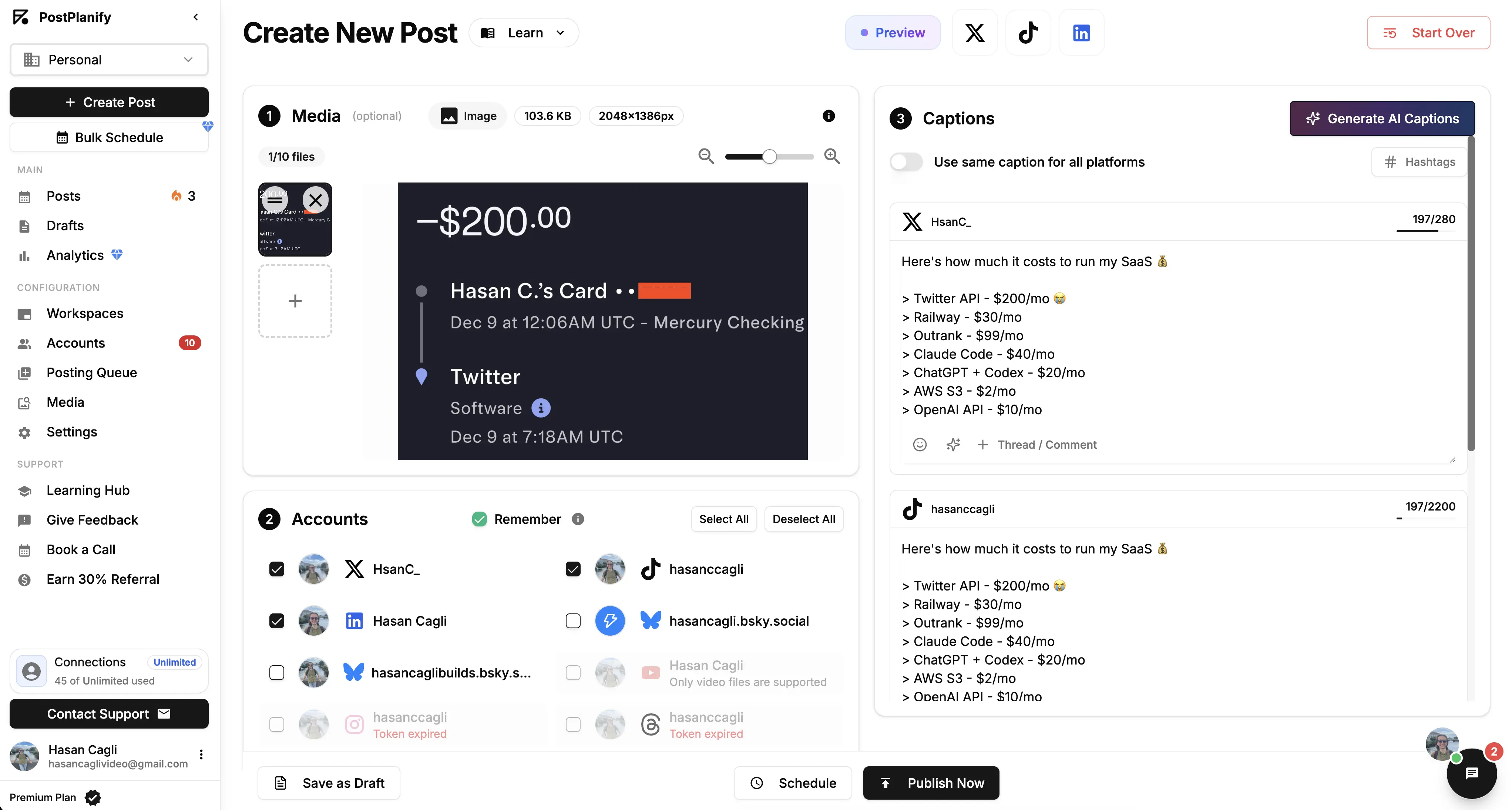
PostPlanify is an all-in-one social media management platform that combines a drag-and-drop content calendar, publishing, approvals, social inbox, and analytics in one workspace — without per-seat pricing. It's built for agencies, in-house teams, and businesses who want planning, approvals, and analytics living in the same calendar that ships the posts.
Where most general-purpose calendars (Notion, Airtable, Trello) require a separate tool to actually publish, and where most social-first calendars charge per seat, PostPlanify treats planning + publishing + approvals + reporting as one job. That matters because most calendar failures start when teams use one tool to plan and another to ship — versions drift, approvals get lost, and the calendar stops matching reality.
At a glance — PostPlanify
- Pricing: Growth $99/mo → Premium $199/mo (Most Popular) → Scale $299/mo; custom Enterprise (demo)
- Calendar coverage: 10 platforms — Instagram, Facebook, LinkedIn, X, TikTok, YouTube, Threads, Pinterest, Bluesky, and Google Business
- Free trial: 7 days
- User ratings: 5/5 on G2 (3 reviews)
- Best for: Agencies, in-house teams, and businesses wanting a unified calendar + publishing + approvals + analytics at flat pricing
Key calendar features:
- Drag-and-drop calendar — week, month, and list views with one-click rescheduling
- Multi-platform display — see Instagram, Facebook, LinkedIn, X, and 6 more in one feed
- Platform-specific previews — exact preview of how each post will look on each network before publishing
- Multi-step approval workflows — assign approvers, multi-tier flows, audit trails (Premium+)
- Shared team calendar — every team member sees the same view, role-based permissions
- AI assistant (vision-powered) — drafts captions that read your image, not just the topic
- AI image generation — native image generation inside the calendar
- Bulk scheduling — queue up to 20 posts at once
- Media library with Canva, Google Drive, Dropbox imports
- Hashtag manager + saved sets for fast caption assembly
- Best-time-to-post suggestions baked in
- Social inbox for IG, FB, LinkedIn, GMB, YouTube, Threads, Bluesky
- Analytics across all 10 platforms with historical daily snapshots
- White-label PDF reports on Scale+
- REST API + MCP support for custom calendar automations
Pricing:
| Plan | Monthly | Billed Yearly | Social Accounts | Team Members |
|---|---|---|---|---|
| Growth | $99/mo | $79/mo ($948/yr) | 15 | 3 |
| Premium (Most Popular) | $199/mo | $159/mo ($1,908/yr) | 30 | 6 |
| Scale | $299/mo | $239/mo ($2,868/yr) | 100 | 12 |
| Enterprise | Custom | Custom | Custom | Unlimited |
Yearly billing saves 20% (roughly 2 months free). All plans include a 7-day free trial and a 14-day money-back guarantee.
Pros:
- Flat pricing beats per-seat tools at team scale — a 6-person team pays one price, not six seat fees
- Plan, publish, approve, report, and reply from one workspace — no stitching a calendar tool to a separate scheduler, analytics suite, and inbox
- Approval workflows are included on Premium, where Sprout, Hootsuite, and Sendible gate them behind top tiers or paid add-ons
- Analytics, social inbox, and white-label reports come built in — not the $9–$240/mo add-ons Planable and Sendible charge for
- Transparent, published pricing with no per-channel or add-on surprises
Cons:
- No mobile app yet — web-first workflow
- Newer platform than Loomly or Hootsuite with a smaller public customer base
- No native blog / email / paid publishing — focused on social channels (pair with Notion or Airtable for cross-channel editorial planning)
How it compares to per-seat all-in-ones:
A 3-person agency managing 8 client accounts is a useful reference.
- Hootsuite Standard ($249/user/mo = $747/mo for 3 users): Strong calendar, but per-user pricing means every extra reviewer is another $249/mo.
- Sprout Social Standard ($199/seat/mo = $597/mo for 3 seats): Deep calendar features, but Standard is capped at 5 social profiles.
- PostPlanify Premium ($199/mo): Flat price, 6 team members included, 30 connected accounts, multi-step approvals, calendar across all 10 platforms, white-label PDF reports on Scale.
- The trade-off: Hootsuite and Sprout go deeper on enterprise listening + sentiment. PostPlanify is dramatically cheaper at team scale and covers the full operational surface (calendar + publishing + approvals + inbox + analytics) those tools split across higher tiers.
Used by 1,860+ users across 30+ countries. You can explore the platform directly at PostPlanify or see the calendar feature on the content calendar page.
 PostPlanify
All your social media in one simple dashboard
Schedule posts, track analytics, and reply to comments/DMs without switching tabs.

Engagement
+18%
Views
52.8k
2. Loomly — Best Visual Calendar UX

Loomly is the calendar-first pick. Its visual content calendar is widely praised across G2 (1,793 reviews, 4.6/5) for clean planning UX, post idea suggestions, and approval flows on every paid plan. The catch: a $267/mo pricing gap between Starter and Beyond, and customer support is chatbot-only.
For marketing teams and agencies that live in a content calendar every day, Loomly's editorial calendar pairs week and month views with a guided post builder that walks you from idea to scheduled post — complete with post-idea prompts, hashtag suggestions, and per-platform optimization tips. It publishes to Facebook, Instagram, X, LinkedIn, Pinterest, TikTok, YouTube, Snapchat, and Google Business, and its native approval workflow keeps drafts, comments, and client sign-offs attached to each calendar entry instead of scattered across email and Slack — a key reason agencies rank it among the best social media content calendar tools for review-heavy workflows.
At a glance — Loomly
- Pricing: Starter $65/mo ($49 annual) → Beyond $332/mo ($249 annual) → Enterprise (custom). No free plan — 15-day trial only
- Calendar coverage: 9 platforms — Facebook, Instagram, X, LinkedIn, Pinterest, TikTok, YouTube, Snapchat, Google Business
- Free trial: 15 days, no credit card
- User ratings: 4.6/5 on G2 (1,793 reviews), 1.7/5 on Trustpilot (26)
- Best for: Small-to-mid agencies whose workflow centers on calendar + approvals
Key calendar features:
- Visual content calendar with drag-and-drop
- Approval workflows on every paid plan (rare in this category)
- Post ideas + content optimization tips
- Hashtag manager
- Canva, Unsplash, Giphy, Google Drive integrations
- Slideshow creator + media editor
- Custom workflows + custom roles (Beyond+)
Pros:
- Calendar UX praised across 1,793 G2 reviews
- Approvals included on Starter ($65/mo)
- Strong post-idea generator for content blocks
Cons:
- $267/mo gap between Starter and Beyond
- No Threads or Bluesky support
- Chatbot-only customer support per Trustpilot reviewers
- Recurring Instagram publishing failures per community feedback
"There is NO option to talk to someone — just a chatbot that tells me nonsense." — long-time customer, 1.7/5 on Trustpilot
For more details, see our Loomly pricing breakdown, Loomly reviews, and PostPlanify vs Loomly comparison.
3. Planable — Best for Approval-First Workflows

Planable is the agency favorite for approval-first calendar workflows. The visual feed, grid, and calendar previews are pixel-perfect, and the approval workflows are widely cited as the best in the category. The catch: posts cap at 60–150 per workspace, and analytics + engagement are paid add-ons.
Planable is built around social media collaboration, so every entry in the content calendar can move through a multi-tier approval workflow (creative → manager → client) with inline comments, version history, and one-click sign-off that locks the post once it's approved. Teams toggle between feed, grid, and calendar views to see exactly how a campaign will render on each network before it ships, which makes it a favorite content calendar for agencies coordinating client approvals across Instagram, Facebook, LinkedIn, X, TikTok, and Google Business — the visual preview and audit trail are why reviewers consistently call its approval flow the best in the category.
At a glance — Planable
- Pricing: Free (50 lifetime posts) → Basic $39/workspace/mo → Pro $59/workspace/mo → Enterprise (custom). Analytics +$9/workspace/mo, Engagement +$5/workspace/mo
- Calendar coverage: Major social platforms (X publishing requires paid plan)
- Free trial: Free plan available
- User ratings: 4.6/5 on G2 (937 reviews), 4.5/5 on Trustpilot (69)
- Best for: Agencies and brand teams running multi-tier client approval flows
Key calendar features:
- Feed, calendar, and grid views — pixel-perfect platform mirroring
- Multi-tier approval workflows (creative → manager → client)
- Unlimited team members on paid plans
- Campaign organization (3 on Basic, 10 on Pro, unlimited on Enterprise)
- One-click client approvals with lock-after-sign-off
- Internal notes (team-only) plus client-visible comments
Pros:
- Best-in-class visual previews (G2 confirms this)
- Multi-tier approval workflows on Basic+
- Unlimited users included in workspace pricing
- Strong rating consistency: 4.6 G2 / 4.5 Trustpilot
Cons:
- Per-workspace pricing scales fast for multi-client agencies
- Analytics + engagement are paid add-ons ($14/workspace/mo combined)
- Posting limits per workspace (60 Basic, 150 Pro)
- No X publishing on Free plan
- No AI captions or platform-specific publishing depth
For more details, see our Planable pricing breakdown, Planable reviews, and PostPlanify vs Planable comparison.
4. Vista Social — Best for Multi-Brand Calendars

Vista Social covers more channels than anyone on this list — 12+ social platforms plus 5 review sites — with a shared calendar, multi-step approval workflows on all plans, and DM automations baked in. Its #1 Easiest to Use G2 badge is earned. The catch: X is a paid add-on with undisclosed pricing.
As a content calendar for multi-brand agencies, Vista Social stands out for breadth — a single shared calendar schedules posts across Facebook, Instagram, TikTok, LinkedIn, YouTube, Pinterest, Google Business, Bluesky, Threads, Reddit, and Snapchat, while folding in review management for Yelp, TripAdvisor, Google, and the app stores. Best-time-to-post recommendations, a built-in link-in-bio page, AI-assisted caption drafting, and per-client workspaces round out an editorial calendar that scales from a single brand to dozens of client accounts without per-seat fees stacking up.
At a glance — Vista Social
- Pricing: Professional $79/mo → Advanced $149/mo → Scale $379/mo; Enterprise (custom). X add-on (undisclosed)
- Calendar coverage: 12+ platforms (FB, IG, X-paid, TikTok, LinkedIn, YouTube, Pinterest, GMB, Bluesky, Threads, Reddit, Snapchat) + 5 review sites
- Free trial: 14 days, no credit card
- User ratings: 4.8/5 on G2 (1,071 reviews), 4.1/5 on Trustpilot (62)
- Best for: Agencies managing many platforms incl. review sites + Reddit + Snapchat
Key calendar features:
- Shared content calendar with drag-and-drop
- Multi-step approval workflows on all plans (rare)
- AI Assistant for caption drafting (500–unlimited credits)
- DM Automations (keyword triggers + comment-to-DM)
- Vista Page (link in bio)
- Review management across 5 review sites
Pros:
- Broadest calendar coverage in this list
- Multi-step approvals on every plan
- 4.8/5 G2 with 1,071 reviews — among the highest
Cons:
- X is a paid add-on, price not publicly disclosed
- AI credits limited (500–1,000 unless on Scale at $379/mo)
- No native AI image generation (relies on Canva)
- Steep learning curve due to feature density
"Vista Social has been adding tools like social listening and inbox automations, and the AI enhancements help in a contextual way without needing to use external tools like GPT." — Marketing Specialist (Enterprise), featured review on 4.8/5 G2
For more details, see our Vista Social pricing breakdown, Vista Social reviews, and PostPlanify vs Vista Social comparison.
5. Sprout Social — Best for Enterprise Calendars

Sprout Social is the enterprise pick. Its content calendar pairs deep publishing with the strongest reporting suite in the category, plus customer-care workflows that link to Zendesk, Salesforce, and HubSpot on Advanced. The trade-off is the per-seat model.
For enterprise marketing teams, Sprout Social's content calendar doubles as a command center — campaign tagging, shared asset libraries, and a publishing approval workflow sit alongside the deepest analytics suite in the category, with 150+ report templates that tie calendar performance back to engagement and conversions. Its Optimal Send Times and ViralPost engine schedule each post when that audience is most active, making it a strong editorial calendar for brands that treat publishing, customer care, and reporting as one connected workflow across Facebook, Instagram, X, LinkedIn, TikTok, YouTube, Pinterest, and Google Business.
At a glance — Sprout Social
- Pricing: Standard $199/seat/mo → Professional $299/seat/mo → Advanced $399/seat/mo; Enterprise (custom)
- Calendar coverage: 10+ platforms (Standard limited to 5 profiles per seat)
- Free trial: 30 days, no credit card
- User ratings: 4.4/5 on G2 (5,731 reviews), 2.2/5 on Trustpilot (75)
- Best for: Mid-to-large enterprise teams where calendar, approvals, customer care, and reporting share the same workspace
Key calendar features:
- Cross-platform calendar with drag-and-drop
- Multi-step approval workflows with audit trails
- AI Assist + Enhance Post by AI (Professional+)
- 150+ pre-built reports tied to calendar performance
- Tag-based campaign reporting
Pros:
- Deepest enterprise reporting in the category
- Strong customer-care workflows tied to calendar
- Trellis AI for pattern recognition
Cons:
- Per-seat pricing scales fast — 5 seats on Standard = $995/mo
- Standard plan capped at 5 social profiles
- Long contracts and reported difficulty canceling
For more details, see our Sprout Social pricing breakdown, Sprout Social reviews, and PostPlanify vs Sprout Social comparison.
6. Hootsuite — Best for Cross-Platform Enterprise

Hootsuite is the veteran enterprise pick. Its Planner content calendar covers organic + paid in one view, integrates with Salesforce, and adds bulk scheduling (350 posts via CSV) on Advanced. Per-user pricing is brutal at scale.
Hootsuite's Planner gives social media managers a cross-network content calendar that spans organic and paid posts in a single drag-and-drop view, with bulk CSV scheduling and best-time-to-publish recommendations baked in. It connects to every major network — Facebook, Instagram, X, LinkedIn, TikTok, YouTube, Pinterest, and Google Business — and layers in OwlyGPT for AI captions plus approval workflows on Advanced, making it a familiar editorial calendar for large, multi-stakeholder marketing teams that need organic, paid, and CRM data in one planning surface.
At a glance — Hootsuite
- Pricing: Standard $249/user/mo → Advanced $499/user/mo; Enterprise (custom)
- Calendar coverage: 10+ platforms incl. Google Business
- Free trial: 30 days (no free plan)
- User ratings: 4.3/5 on G2 (6,615 reviews), 1.8/5 on Trustpilot (511)
- Best for: Enterprise teams wanting organic + paid + CRM in one calendar
Key calendar features:
- Planner calendar with drag-and-drop
- Bulk scheduling (350 posts/CSV) on Advanced
- Approval workflows on Advanced
- OwlyGPT AI assistant for captions + images
- Salesforce, Microsoft Dynamics integrations on Enterprise
- Best time to post recommendations
Pros:
- Tight CRM integration on Enterprise
- Organic + paid in one calendar
- 18 years of product iteration
Cons:
- Per-user pricing brutal at scale — 3 users on Advanced = $1,497/mo
- Bulk scheduling + approvals locked to Advanced ($499/user)
- No free plan since 2023
- Trustpilot rating reflects long-standing billing complaints
"There's really not much I can do with Hootsuite except metrics. Customer service is not great." — Shara S., Senior Social & Digital Media Manager (Mid-Market), 0.5/5 on G2
For more details, see our Hootsuite pricing breakdown, Hootsuite reviews, and PostPlanify vs Hootsuite comparison.
7. Pallyy — Best for Drag-and-Drop UX
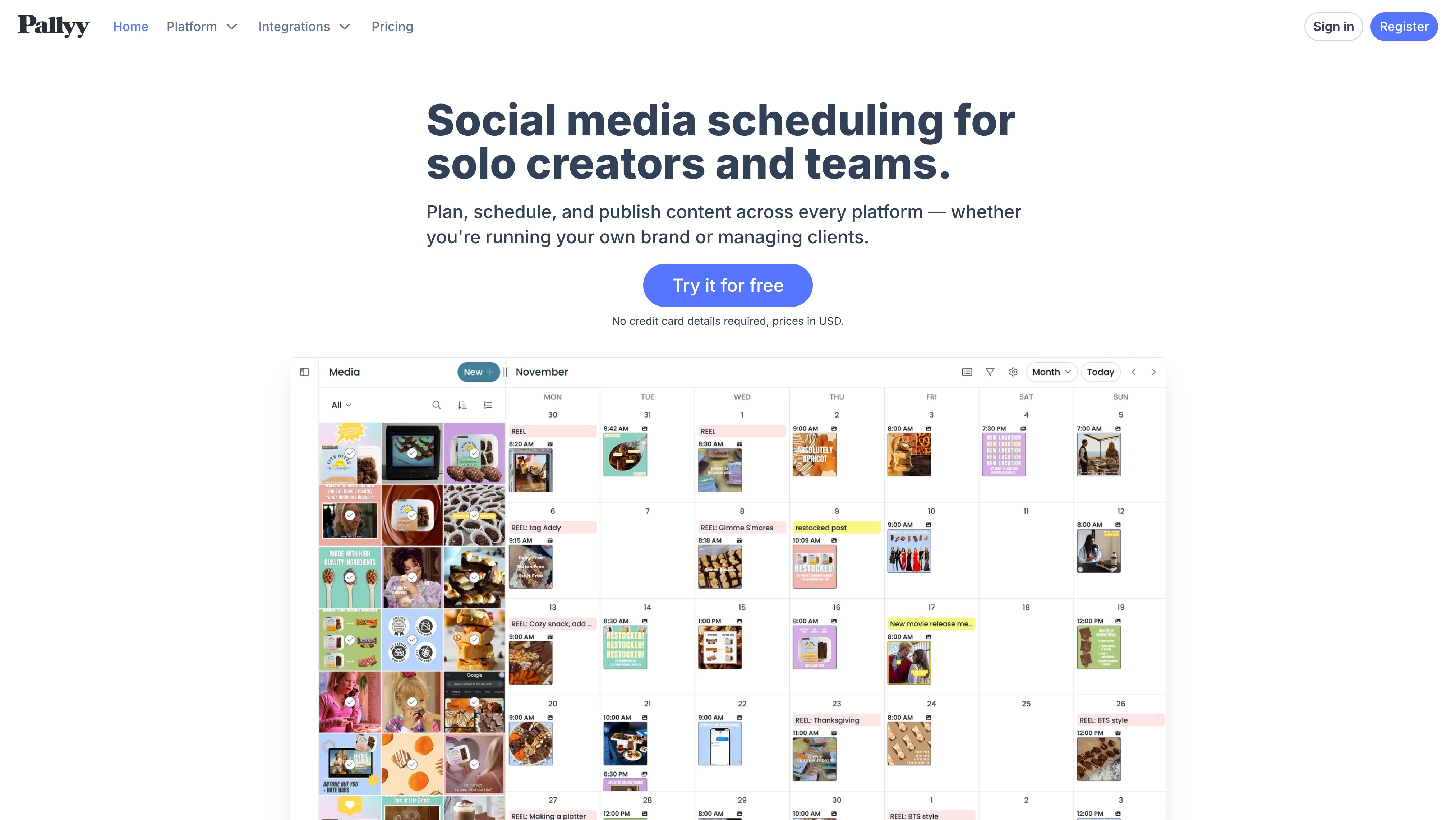
Pallyy is the indie favorite for calendar UX. It's widely praised for having one of the best content-calendar UIs in the category — fully drag-and-drop, with a polished Instagram grid planner and feed preview. Built and maintained by a single developer, Tim Bennetto.
Pallyy's content calendar is purpose-built for visual social media scheduling: a fluid drag-and-drop board, an Instagram grid planner that previews your feed before you post, and bulk uploads make it one of the fastest calendars to plan a full week of content in. It schedules to Instagram, Facebook, LinkedIn, TikTok, Pinterest, X, YouTube, Google Business, and Threads, and bundles a link-in-bio builder, approval workflows, and a social inbox on higher plans — a lot of editorial-calendar value at an indie price point that solo creators and small studios gravitate to.
At a glance — Pallyy
- Pricing: Free → Starter $15/mo → Pro $25/mo → Agency $99/mo → Scale $199/mo. Extra social sets +$10/mo each
- Calendar coverage: 9 platforms (no Bluesky)
- Free trial: 14 days, no credit card
- User ratings: 4.7/5 on Capterra (68 reviews), 0 reviews on G2
- Best for: Solo creators and small studios who post heavily on Instagram and TikTok
Key calendar features:
- Drag-and-drop content calendar (one of the best in the category)
- Instagram grid planner + feed preview
- Bulk scheduling
- Approval workflows on Pro+
- Smily.Bio link-in-bio builder
- Inbox on Pro+ (IG, FB, LinkedIn, GMB, TikTok)
Pros:
- Drag-and-drop calendar UI widely praised by users
- Pro plan at $25/mo with unlimited posts
- Founder ships features fast per Capterra reviews
Cons:
- 0 G2 reviews despite 100,000+ users — limits independent verification
- Analytics limited to 3 platforms (IG, FB, LinkedIn)
- Per-set add-ons compound fast at agency scale
- No dedicated mobile app
- No Bluesky support
For more details, see our Pallyy pricing breakdown, Pallyy reviews, and PostPlanify vs Pallyy comparison.
8. Later — Best for Visual/IG-First Brands

Later is the visual-first pick. Originally built for Instagram, its drag-and-drop calendar shows your IG grid exactly as it will appear before publishing. Smart Scheduling with Future Trends (Growth+) layers in trend-aware posting times.
Later remains the go-to visual content calendar for Instagram-first brands and creators: its media library, drag-and-drop calendar, and grid preview let you design a cohesive feed before a single post goes live, while Linkin.bio turns each post into a shoppable landing page. It schedules to Instagram, Facebook, TikTok, Pinterest, LinkedIn, YouTube, Threads, and Snapchat — though the lack of X and Google Business publishing makes it better suited to visual-led editorial calendars for Instagram and Pinterest than to full cross-channel coverage.
At a glance — Later
- Pricing: Starter $25/mo → Growth $50/mo → Scale $110/mo. Extra Social Sets +$15/mo, +$5/user, +$5/100 AI credits
- Calendar coverage: 8 platforms — IG, FB, Threads, Pinterest, TikTok, LinkedIn, YouTube, Snapchat (no X, no GMB)
- Free trial: 14-day trial on paid plans
- User ratings: 4.5/5 on G2 (347 reviews), 1.3/5 on Trustpilot (329)
- Best for: Solo IG creators and visual brands
Key calendar features:
- Visual calendar with drag-and-drop
- IG grid preview before publishing
- Smart Scheduling with Future Trends (Growth+)
- UGC collection (Growth+)
- Internal + external collaboration / approvals (Growth+)
- AI content tools (5/50/100 credits per plan)
Pros:
- IG-first visual planner with grid preview
- Linkin.bio included on every plan
- Smart Scheduling (Growth+) is genuinely useful for visual brands
Cons:
- Removed Twitter/X scheduling in 2025 (mid-subscription change drove backlash)
- 1.3/5 Trustpilot reflects billing + cancellation complaints
- Add-ons compound — extra sets ($15), users ($5), AI credits ($5/100)
- Starter plan only 30 posts/profile/month
For more details, see our Later pricing breakdown, Later reviews, and PostPlanify vs Later comparison.
PostPlanifyAll your social media in one simple dashboard
Schedule posts, track analytics, and reply to comments/DMs without switching tabs.
Engagement
+18%
Views
52.8k
9. SocialBee — Best for Evergreen Content

SocialBee is the evergreen-content pick. Its category-based scheduling system lets you organize the calendar around content types (tips, promotions, blog posts, evergreen) and recycle automatically — a workflow no other tool on this list matches.
What sets SocialBee apart as a content calendar is its category-based queue: instead of scheduling one post at a time, you build content categories (educational, promotional, curated, evergreen) and SocialBee fills the calendar from each bucket on a recurring schedule, recycling top posts automatically so the calendar never runs dry. It publishes to Facebook, Instagram, LinkedIn, X, Pinterest, TikTok, YouTube, Threads, Google Business, and Bluesky, with AI caption generation and an Engage inbox — an ideal social media content calendar for solopreneurs and small teams running an always-on evergreen content strategy.
At a glance — SocialBee
- Pricing: Bootstrap $29/mo → Accelerate $49/mo → Pro $99/mo → Pro50 $179/mo → Pro100 $329/mo → Pro150 $449/mo (annual saves ~16%)
- Calendar coverage: 10 platforms (FB, IG, Threads, LinkedIn, TikTok, Pinterest, GMB, YouTube, X, Bluesky)
- Free trial: 14 days, no credit card. 30-day money-back guarantee
- User ratings: 4.8/5 on G2 (472 reviews), 4.0/5 on Trustpilot (43)
- Best for: Solopreneurs and small teams running evergreen content strategies
Key calendar features:
- Category-based content scheduling (signature feature)
- Post recycling on a schedule
- Engage Module inbox (FB, IG, X, LinkedIn, YouTube, Threads)
- Approval workflows on Pro+
- AI caption generation
- Canva integration + RSS feed imports
- Up to 2 years of analytics history (Accelerate+)
Pros:
- Category-based scheduling is best in the category for evergreen content
- 4.8/5 G2 with 472 reviews
- 30-day money-back guarantee
- 50% education discount
Cons:
- Mobile app widely criticized
- No platform-specific post previews
- Collaboration locked to Pro ($99/mo)
- Workspaces and user limits restrict growing teams
For more details, see our SocialBee pricing breakdown, SocialBee reviews, and PostPlanify vs SocialBee comparison.
10. Sendible — Best for Agencies

Sendible is built for agencies. Its content calendar pairs profile groups, client dashboards, and approval workflows with white-label options — though full white-label is a $240/mo add-on on Advanced and Enterprise.
Sendible's content calendar is engineered for agencies juggling many clients: profile groups keep each brand's calendar separate, client dashboards give stakeholders a branded view, and Smart Queues recycle evergreen content automatically. It schedules to Facebook, Instagram, TikTok, X, LinkedIn, YouTube, Google Business, WordPress, Threads, and Bluesky — and the native WordPress publishing makes it one of the few social-first editorial calendars that also handles blog content alongside social posts, a genuine edge for agencies running content marketing and social from the same calendar.
At a glance — Sendible
- Pricing: Creator $29/mo → Traction $89/mo → Scale $199/mo → Advanced $299/mo → Enterprise $750/mo. White-label add-on $240/mo
- Calendar coverage: 10 platforms (FB, IG, TikTok, X, LinkedIn, GMB, YouTube, WordPress, Threads, Bluesky)
- Free trial: 14 days, no credit card
- User ratings: 4.5/5 on G2 (899 reviews), 2.3/5 on Trustpilot (8)
- Best for: Agencies managing 5–20+ client calendars
Key calendar features:
- Calendar with profile groups for multi-client organization
- Client dashboards with role-based access
- Approval workflows on Traction+ ($89/mo)
- Smart Queues (post recycling)
- Bulk posting with custom tags (Advanced+)
- WordPress publishing built in
- Built-in image and video editor
Pros:
- Strong agency-focused calendar (profile groups, client dashboards, approvals)
- WordPress publishing native (rare in social-first tools)
- Active support team — replies to 100% of negative Trustpilot reviews within 24 hours
Cons:
- White-label is a $240/mo add-on (Advanced+ only)
- Steep $60/mo jump from Creator ($29) to Traction ($89)
- Daily sending limits (100–500 sends/day depending on plan)
- AI Assist is caption-only
"It's easy to manage multiple social media accounts on Sendible. It's easy for several members of the team to access what they need. We particularly like the functionality around custom tags and being able to group the accounts using profile groups." — featured review, 4.5/5 on G2
For more details, see our Sendible pricing breakdown, Sendible reviews, and PostPlanify vs Sendible comparison.
11. Notion — Best for Content Marketing Teams
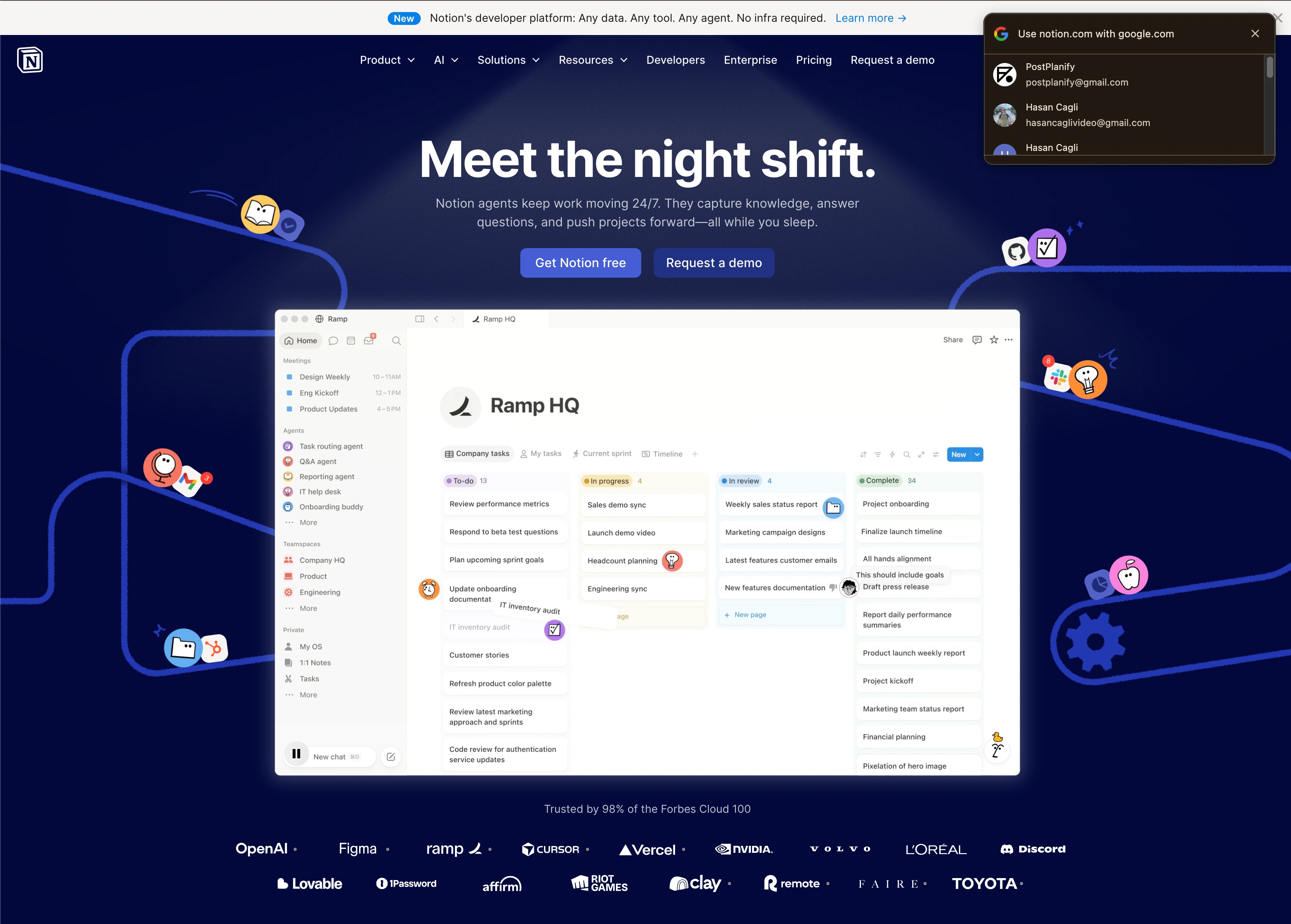
Notion is the content marketing pick for teams whose calendar spans blog + email + paid + social. Its database-meets-doc structure lets the calendar live alongside campaign briefs, brand guidelines, and team playbooks. Notion AI (Business+) drafts copy in-line. The catch: it doesn't publish to social platforms — pair with a scheduler.
As an editorial calendar, Notion shines for content marketing teams whose planning spans far beyond social — blog posts, newsletters, landing pages, video scripts, and campaign briefs all live in the same workspace as the calendar. Database properties let you filter the content calendar by channel, status, owner, or campaign, and dozens of free content-calendar templates get a team running in minutes; pair it with a social scheduler like PostPlanify when it's time to actually publish the social pieces of your editorial calendar.
At a glance — Notion
- Pricing: Free → Plus $10/user/mo annual ($12 monthly) → Business $20/user/mo annual ($24 monthly) → Enterprise (custom)
- Calendar coverage: Generic — works for any content type. No native social publishing
- Free trial: Free plan with unlimited blocks/pages
- User ratings: 4.6/5 on G2 (11,962 reviews)
- Best for: Content marketing teams running editorial calendars that span blog, email, paid, and social
Key calendar features:
- Calendar view + database (filter, sort, group by anything)
- Templates galore (content calendar, social media calendar with AI)
- Notion AI for caption drafting, hooks, copy refinement (Business+)
- Unlimited file uploads (Plus+)
- Private teamspaces (Business+)
- Advanced page analytics (Business+)
- 30-day version history (Plus+) / 90-day (Business+)
- Free for students/educators with school email
Pros:
- Calendar lives alongside briefs, guidelines, and playbooks
- AI Agents and Ask Notion now consolidated into Business tier
- Best-in-class flexibility for editorial teams
- Free tier is genuinely useful for solo users
Cons:
- No native social publishing — you'll need to pair with PostPlanify, Buffer, or Hootsuite
- Per-user pricing scales fast ($20/user/mo on Business)
- AI add-on consolidated into Business in 2025 — used to be cheaper as a separate add-on
- Steep learning curve for non-technical teams
12. Airtable — Best for Database-Driven Calendars
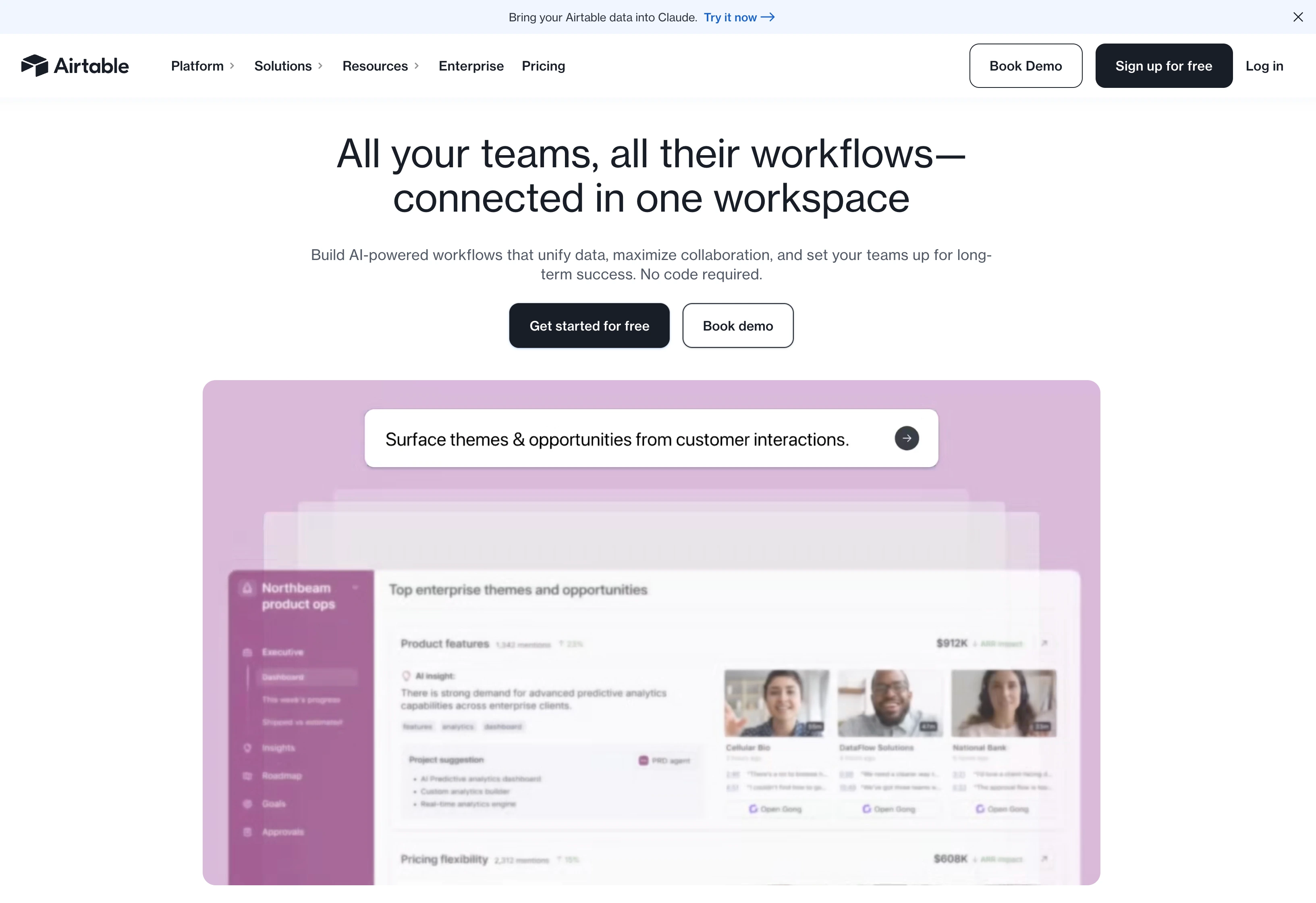
Airtable is the database pick. Its content calendar sits on top of a relational database — custom fields for every metadata point, linked tables for tasks and assets, and filtered views by team member, status, or campaign. Airtable AI (Team+) drafts content in-base. Like Notion, it doesn't publish to social.
Airtable is the most powerful database-driven content calendar for marketing ops teams that need structure — linked tables connect each content piece to its campaign, assets, owner, and deadline, while grid, calendar, kanban, and Gantt views let every stakeholder slice the same editorial calendar their own way. Automations move records through review stages and fire Slack alerts, making it a scalable backbone for complex multi-channel content operations that a simple social media scheduling tool can't model — then push approved social posts to a dedicated scheduler for publishing.
At a glance — Airtable
- Pricing: Free (1,000 records/base) → Team $20/seat/mo annual → Business $45/seat/mo annual → Enterprise Scale (custom)
- Calendar coverage: Generic — works for any content type. No native social publishing
- Free trial: Free plan available
- User ratings: 4.6/5 on G2 (3,220 reviews)
- Best for: Marketing ops teams managing complex multi-channel calendars with custom fields and relational links
Key calendar features:
- Calendar view + database with custom fields
- 50,000 records (Team) / 125,000 records (Business)
- 25,000 automation runs (Team) / 100,000 (Business)
- Unlimited editors (Team+)
- Airtable AI for content drafting and template generation
- Linked tables (relate content pieces to campaigns, tasks, assets)
- Filtered views per team member
- Free content calendar template ready in 15 minutes
Pros:
- Most flexible calendar for complex editorial workflows
- Database-level filtering (per-team-member views, custom statuses)
- Strong automation engine
- Free tier covers small teams
Cons:
- No native social publishing — pair with a scheduler
- Per-seat pricing scales fast ($45/seat on Business)
- Steeper learning curve than Notion
- 1,000-record limit on Free is restrictive
- Hidden costs around automation runs and storage at scale
13. Trello — Best for Kanban-Style Calendars
Trello is the kanban pick. Its content calendar lives on top of board-based workflows — cards move from "Idea" → "Drafting" → "In Review" → "Scheduled" → "Published," with a calendar view layered on top via the Calendar Power-Up (Free) or built-in Calendar / Timeline views (Standard+, Premium+). The simplest tool on this list — and the simplest is sometimes exactly right.
For small teams that want a lightweight content calendar without a steep setup, Trello turns a simple kanban board into an editorial pipeline — each content idea is a card that moves from backlog to published, with due dates surfaced in a Calendar view and Butler automations handling repetitive moves. It's the most approachable planning tool on this list, and a popular free content calendar for solo creators and lean marketing teams who pair it with a dedicated social media scheduler for the actual publishing step.
At a glance — Trello
- Pricing: Free → Standard $5/user/mo annual ($6 monthly) → Premium $10/user/mo annual ($12.50 monthly) → Enterprise $17.50/user/mo
- Calendar coverage: Generic — works for any content type. No native social publishing
- Free trial: Free plan available
- User ratings: 4.4/5 on G2 (14,043 reviews)
- Best for: Small marketing teams or solo content creators who want a visual board + calendar without a complex setup
Key calendar features:
- Kanban boards + Calendar Power-Up (Free) — calendar view with drag-and-drop rescheduling on a single board
- Built-in Calendar, Timeline, Dashboard views (Premium+)
- Trello Planner — calendar-style drag-and-drop scheduling, Google Calendar integration
- Butler automations for auto-assigning, moving cards, adding labels
- Unlimited Power-Ups (Standard+)
- Card cover images for visual planning
Pros:
- Cheapest paid option on this list ($5/user/mo Standard)
- Setup time measured in hours, not days
- Butler automations cover most basic workflow rules
- Free plan is genuinely useful for solo creators
Cons:
- No native social publishing — pair with a scheduler
- Multi-board calendar view requires Premium ($10/user/mo); Free Calendar Power-Up is single-board only
- Less flexibility than Airtable for complex calendars
- No native AI for content drafting (use a separate tool or Power-Up)
Full Comparison Matrix: All 13 Content Calendar Tools
The table below compares every tool on the dimensions that matter most when picking a content calendar — calendar type, drag-and-drop UX, platform coverage, direct publishing, approval workflow depth, AI capabilities, white-label support, pricing structure, and starting price.
| Tool | Type | Drag-drop calendar | Platforms | Direct publish | Approvals | AI captions | AI images | White-label | Pricing model | Starting price |
|---|---|---|---|---|---|---|---|---|---|---|
| PostPlanify | Social-first | ✅ | 10 | ✅ | Multi-step (Premium+) | ✅ vision-powered, unlimited | ✅ native | ✅ Scale+ | Flat | $99/mo |
| Loomly | Social-first | ✅ | 9 | ✅ | All paid plans | ✅ basic | ❌ | Beyond+ ($332/mo) | Flat | $65/mo (Starter) |
| Planable | Social-first | ✅ | 9 | ✅ (X paid) | Multi-tier (Pro+) | ❌ | ❌ | Enterprise | Per workspace | $39/workspace/mo |
| Vista Social | Social-first | ✅ | 12+ | ✅ (X add-on) | Multi-step (all plans) | ✅ credit-limited | ❌ (uses Canva) | Scale+ ($379/mo) | Flat (with X add-on) | $79/mo |
| Sprout Social | Social-first | ✅ | 10+ | ✅ | Multi-step | ✅ Trellis + AI Assist | ❌ | Custom only | Per seat | $199/seat/mo |
| Hootsuite | Social-first | ✅ | 10+ | ✅ | Advanced+ ($499/user) | ✅ OwlyGPT | ✅ OwlyGPT | Enterprise | Per user | $249/user/mo |
| Pallyy | Social-first | ✅ best UX | 9 | ✅ | Pro+ | ✅ basic | ❌ | ❌ | Per social set | $25/mo (Pro) |
| Later | Social-first | ✅ | 8 (no X, GMB) | ✅ | Growth+ | ✅ credit-limited | ❌ | ❌ | Per social set | $25/mo (Starter) |
| SocialBee | Social-first | ❌ | 10 | ✅ | Pro+ ($99/mo) | ✅ AI Copilot | ❌ | ❌ | Flat | $29/mo (Bootstrap) |
| Sendible | Social-first | ✅ | 10 | ✅ | Traction+ ($89/mo) | ✅ AI Assist | ❌ | $240/mo add-on (Adv+) | Flat | $29/mo (Creator) |
| Notion | General-purpose | ✅ calendar view | ❌ | ❌ | Manual workflows | ✅ Notion AI (Business+) | ❌ | N/A | Per user | $10/user/mo (Plus) |
| Airtable | General-purpose | ✅ calendar view | ❌ | ❌ | Custom workflows | ✅ Airtable AI | ❌ | N/A | Per seat | $20/seat/mo (Team) |
| Trello | General-purpose | ✅ Power-Up | ❌ | ❌ | ❌ native | ❌ native (Power-Up) | ❌ | N/A | Per user | $5/user/mo (Standard) |
How to read this table: "Direct publish" means the tool can ship a post live on the platform without a hand-off to a separate scheduler — Notion, Airtable, and Trello all need to be paired with a social-first tool for actual publishing. "Multi-step approvals" means more than one approver tier (creative → manager → client). "Pricing model" matters more than starting price at team scale: per-seat and per-user tools look cheap on page one and expensive in month three.
Quick decision rules from the matrix:
- Need approvals + AI images? PostPlanify is the only tool with both at flat pricing.
- Need calendar that spans blog + email + social? Notion or Airtable, paired with PostPlanify or Loomly for actual publishing.
- Need white-label without an add-on? PostPlanify Scale ($299/mo) or Vista Social Scale ($379/mo). Sendible's white-label is a $240/mo add-on on top of Advanced ($299/mo) = $539/mo.
- Per-seat is a dealbreaker? Avoid Sprout, Hootsuite, Notion, Airtable, Trello. Pick PostPlanify, Loomly, SocialBee, Sendible, or Vista Social.
Honorable Mentions: Tools Worth Knowing About
Not every tool earned a spot in the top 13 — either because they sit higher in the enterprise tier, focus on a narrow slice, or pair best with another tool. Still worth knowing:
- Buffer — Per-channel pricing ($6/channel/mo), simple calendar, no Twitter/TikTok DMs. Best for solopreneurs with 1–3 channels. See our Buffer pricing breakdown.
- Agorapulse — Strong calendar with the best inbox UX in the all-in-one category. Per-user pricing scales fast ($99–$199/user/mo). See our Agorapulse pricing breakdown.
- Metricool — Calendar + analytics-heavy with Twitch and 9+ platforms. Strong mid-tier alternative to Hootsuite.
- CoSchedule — Marketing calendar with WordPress + email + social integrations. Heavier on workflow automation than visual UX.
- ClickUp — Project management tool with a calendar view. Better as a PM-first tool than calendar-first.
- Asana — PM tool with a calendar view. Strong if your team already lives in Asana.
- Monday.com — Visual PM tool with calendar overlay. Good for marketing teams that need broader workflow management.
- SocialPilot — Solid agency calendar at lower price point. See our SocialPilot pricing breakdown.
AI in Content Calendars 2026: What Changed
AI in calendar tools is no longer a differentiator — it's table stakes. What's changed in 2026 is the kind of AI work assistants do.
Named AI assistants by tool:
| Tool | AI Assistant | What It Does |
|---|---|---|
| Sprout Social | Trellis + Enhance Post by AI | Pattern detection, content drafting, post scoring |
| Hootsuite | OwlyGPT | Caption generation + image generation |
| Loomly | AI caption suggestions | Caption variations + post ideas |
| Vista Social | Vista AI Assistant | Personalized captions + DM Automations |
| PostPlanify | AI Assistant (vision) | Caption drafting that reads images, AI image generation |
| SocialBee | AI Copilot | Generates entire calendar from strategy prompts |
| Buffer | Buffer AI Assistant | Caption suggestions |
| Notion | Notion AI (Business+) | In-line writing, brainstorming, calendar generation |
| Airtable | Airtable AI | Content drafting in-base, template generation |
Four AI calendar capabilities to actually look for:
- Vision-aware captions. Does the AI read the image attached to the post, or just the topic? Vision-aware assistants draft better captions on visual platforms (Instagram, TikTok).
- Native AI image generation. Tools that generate the image inside the calendar save trips to Canva or external image tools.
- Calendar generation from strategy. Some tools (SocialBee's Copilot, Notion AI) generate an entire content calendar from a strategy prompt — useful as a draft, not a final plan.
- Approval-aware drafting. AI that respects brand guidelines + approval rules baked into the workspace, not just generic ChatGPT-style drafts.
If a tool's AI page only mentions caption writing, it's a 2023-era assistant. Expect more from a 2026 purchase.

Why Spreadsheet Calendars Aren't Enough
Most content teams start with Google Sheets or Excel. It's free, everyone knows it, and a spreadsheet looks like a calendar if you squint. So why do the tools above exist?
- Spreadsheets don't publish. A row in a Google Sheet doesn't push a post to Instagram. Teams that plan in spreadsheets re-key every post into native dashboards — once for IG, once for FB, once for LinkedIn. That's hours per week of duplicate work.
- The stakes have changed. Per the Content Marketing Institute's 2025 B2B benchmark, 29% of B2B marketers say they lack an editorial calendar with clear deadlines, and most rate their content strategy as only moderately effective. Spreadsheets technically count as a calendar, but they break the moment more than two people touch them.
- Approvals fall through the cracks. Spreadsheet "approvals" mean Slack DMs and email threads. Comments get lost. Versions get confused. Approval-first calendar tools (Planable, Loomly, PostPlanify) keep approvals in-line so nothing ships without a paper trail.
- Visual previews don't exist. A spreadsheet cell can't show what a carousel looks like or how a Reels caption truncates. Calendar tools with platform-specific previews close that gap — and avoid the "we shipped a clipped caption" disasters that drive teams to switch.
- Cross-channel planning gets ugly fast. When your calendar covers blog + email + paid + 5 social platforms, a spreadsheet becomes a 30-column nightmare. Calendar tools with filtering, custom views, and platform tags scale where spreadsheets break.
For a deeper breakdown of how to operationalize content planning, see our guide on how to create a social media content calendar.

How to Choose the Right Content Calendar Tool
A few selection rules narrow things quickly:
- Choose a social-first calendar (PostPlanify, Loomly, Planable, Vista Social) if your calendar's primary job is shipping social content with approvals.
- Choose a general-purpose calendar (Notion, Airtable, Trello) if your calendar spans blog + email + paid + social and you want briefs and playbooks alongside the calendar.
- Pair the two if you have a content marketing team that plans across channels but ships heavily on social — Notion or Airtable for the editorial calendar, PostPlanify or Loomly for the publishing calendar.
- Check approval workflow depth. Solo creators don't need approvals; agencies need multi-tier flows.
- Pressure-test pricing at your real team size. Per-seat tools look cheap on page one and expensive in month three.
- Plan one full week of content inside the trial — drag, reschedule, run a 2-step approval round.
Existing best-tool roundups often skip the "social-first vs general-purpose" framing entirely. Per Hootsuite's content calendar tools roundup and Planable's content calendar tools guide, the right pick is rarely the most-featured tool — it's the one that matches the calendar's actual job in your workflow.
FAQ: Content Calendar Tools
What is the best content calendar tool in 2026?
For most teams, PostPlanify is the best overall pick because it combines a 10-platform drag-and-drop calendar with publishing, approvals, analytics, AI captions, and AI image generation in one workspace — without per-seat fees. Loomly is the best calendar-first alternative for approval-heavy workflows; Planable is the best for visual previews; Notion and Airtable are the best general-purpose picks if your calendar spans more than social.
Should I use a social-first or general-purpose calendar tool?
If your calendar's primary job is shipping social content, use a social-first tool (PostPlanify, Loomly, Planable). If it spans blog + email + paid + social, use a general-purpose tool (Notion, Airtable). Many teams use both — a general-purpose tool for editorial planning and a social-first tool for the publishing calendar.
What's the difference between a content calendar and a scheduling tool?
A scheduling tool is one feature: pushing a post live at a chosen time. A content calendar tool is the broader workspace — visual planning, approvals, multi-platform previews, and the calendar layout itself. The best calendar tools include scheduling, but not every scheduler has a strong calendar.
Can I use Google Sheets or Excel as a content calendar?
For solo creators with 1–2 channels, yes. Once you hit 3+ channels, multiple team members, or any approval flow, spreadsheets break — they don't publish, they don't show platform previews, they don't track approvals, and they get re-keyed into native dashboards anyway. The gap is exactly where the category lives.
Are free content calendar tools worth it?
For small teams and solo creators, yes. Notion's free plan, Trello's free plan, and Airtable's free plan all cover basic editorial calendar needs. Buffer's free plan covers 3 social channels. Planable's free plan gives you 50 lifetime posts. Paid tools become worth it when you need approval workflows, AI assistance, multi-brand workspaces, or analytics.
How much should I budget for a content calendar tool?
Solopreneur tier: $0–$30/mo (Notion Plus $10/user, Trello Standard $5/user, Pallyy Pro $25). Small agency or in-house team: $80–$200/mo (PostPlanify Premium $199/mo, Loomly Starter $65/mo, Sendible Traction $89/mo). Enterprise: $500/mo+ (Hootsuite Advanced $499/user/mo, Sprout Professional $299/seat/mo, or quote-based enterprise tools).
Which tool has the best calendar UX?
Pallyy and Loomly are the most-praised for calendar UX — Pallyy for drag-and-drop fluidity, Loomly for visual planning depth. Planable wins for pixel-perfect platform previews. PostPlanify combines drag-and-drop with multi-platform display and full approval flows. Try the free trial of 2–3 tools before committing.
Do content calendar tools auto-publish to social media?
Social-first tools (PostPlanify, Loomly, Vista Social, Hootsuite, Sprout, Buffer, Later, SocialBee, Sendible) all auto-publish. General-purpose tools (Notion, Airtable, Trello) do not — they're planning surfaces only. If you need auto-publishing, pick a social-first tool or pair a general-purpose tool with a separate scheduler.
Which content calendar tool is best for agencies?
PostPlanify is strongest for agencies because of flat pricing (no per-user fees), white-label PDF reports, multi-step approval workflows, and a 10-platform calendar — no add-on fees. Sendible and Sprout Social are established agency alternatives, though both use per-seat or per-workspace pricing that scales with team size. Planable wins specifically for approval-first agency workflows.
Can content calendar tools support multi-brand workflows?
Yes. PostPlanify supports up to 50 workspaces on Scale. Vista Social, SocialBee, and Sendible all offer multi-brand structures. Planable uses workspace-per-brand pricing. Hootsuite and Sprout handle multi-brand via team permissions. The right pick depends on whether you charge per-brand pricing or want flat multi-brand inclusion.
Do content calendar tools include AI?
In 2026, every major tool ships a named AI layer — Trellis (Sprout), OwlyGPT (Hootsuite), Notion AI, Airtable AI, Vista AI Assistant, PostPlanify AI Assistant. The depth varies. Look for vision-aware captions (reads images, not just topic), native AI image generation, and calendar generation from strategy prompts. Caption-only AI is a 2023-era feature.
Can I integrate Notion or Airtable with a social scheduler?
Yes. Both integrate with Buffer, Hootsuite, and Zapier-based workflows that push to PostPlanify or other social schedulers. The most common pattern: editorial calendar lives in Notion or Airtable for cross-channel planning, then approved social posts get pushed to a social-first tool for publishing.
What metrics should my calendar tool track?
A calendar tool's job is planning + publishing. The reporting that matters is post-level engagement, audience growth, best-time-to-post recommendations, and approval cycle time (how long content sits in review before publishing). Tools like PostPlanify, Sprout, and Hootsuite include all four; Notion and Airtable need a separate analytics tool.

Key Takeaways
- Pick the calendar type before the product. Social-first calendars solve daily publishing + approval workflows. General-purpose calendars span blog + email + paid + social with editorial flexibility. Most expensive mistakes come from choosing the wrong type.
- Spreadsheets aren't a substitute. They cover the basics for solo creators but break the moment you hit 3+ channels, multiple team members, or any approval flow.
- AI is table stakes in 2026. Every major tool ships a named AI layer. What matters now is vision-aware captions, native AI image generation, calendar generation from strategy prompts, and approval-aware drafting.
- Per-seat pricing looks cheap on page one. Run the math at your real team size before buying. A 5-person team on Hootsuite Advanced is $2,495/mo. Flat-rate tools almost always win at scale.
- Approval workflow depth varies wildly. Loomly, Planable, and PostPlanify lead. Trello, Buffer, and Notion don't. Match this to your team's actual review process.
- Plan one full week of content inside the trial — drag, reschedule, run a 2-step approval round, pull a meeting-ready view. That's the fastest way to expose friction.
- For most teams, an all-in-one platform like PostPlanify delivers the best cost-to-value. It combines a drag-and-drop calendar, publishing, approvals, analytics, AI, and social inbox in one workspace at a flat price — which is where fragmented tool stacks usually break down.
PostPlanifyAll your social media in one simple dashboard
Schedule posts, track analytics, and reply to comments/DMs without switching tabs.
Engagement
+18%
Views
52.8k
If you want a tool that handles planning, publishing, approvals, social inbox, and analytics from one calendar without per-seat pricing, PostPlanify is worth a serious look. Especially well-suited to agencies, in-house teams, and businesses who need cross-platform calendar coverage and smoother team workflows without moving into enterprise software territory too early.
Related Reading
- Content Calendar Feature Page
- Content Calendar for Social Media
- Social Media Content Calendar Examples
- How to Plan Social Media Content
- Best Social Inbox Tools
- Best Social Media Analytics Tools
- Best Social Media Management Platform
- Best Social Media Management Tools for Agencies
- Best Social Media Management Tools for Teams
- Best Social Media Tools with Approval Workflows
- Best Loomly Alternatives
- Best Planable Alternatives
- Best Pallyy Alternatives
- Best Buffer Alternatives
- Best Hootsuite Alternatives
- Best Sprout Social Alternatives
- Best Sendible Alternatives
- Best Vista Social Alternatives
- Best SocialBee Alternatives
- Best Later Alternatives
- Content Batching: Save Time on Content Creation
- Content Marketing Strategy for Ecommerce
PostPlanifyAll your social media in one simple dashboard
Schedule posts, track analytics, and reply to comments/DMs without switching tabs.
Engagement
+18%
Views
52.8k
About the Author

Hasan Cagli
Founder of PostPlanify, a content and social media scheduling platform. He focuses on building systems that help businesses, agencies, and teams plan, publish, and manage content and social media more efficiently across platforms.


