


HeyOrca is one of the most loved tools in the social media management category — 4.8/5 on G2 from 284 reviews, 4.5/5 on Capterra from 22 reviews, used by 46,000+ social media managers, and built specifically for digital agencies managing multiple client brands. Founded in 2015 by Joe Teo in St. John's, Newfoundland, the platform is built around no-login client approvals, unlimited users on every paid plan, and per-calendar (per-client) pricing with a 40% volume discount on 5+ calendars.
What HeyOrca does well:
- No-login client approval workflow — clients approve or reject posts from email without creating an account (flagship feature)
- Unlimited users on every paid plan — no per-seat fees
- Per-calendar pricing built for agencies — each client gets isolated workspace with 40% off at 5+ calendars
- Canva, Dropbox, and Mailchimp integrations
- 9 platforms supported — Facebook, Instagram, LinkedIn, X, TikTok, YouTube, Pinterest, Threads, Google Business
- Mobile apps for iOS and Android, plus 14-day free trial with no credit card
But there are specific reasons agencies and teams look beyond HeyOrca:
- Analytics is the most-cited weakness — G2's auto-generated review summary explicitly notes "the lack of robust analytics, which some users feel could be improved." Capterra Features sub-score is 4.3/5 (lowest of the four sub-scores)
- AI tools gated to Pro ($149/calendar/mo) — Basic ($59) excludes AI captions, hashtag library, IG auto DMs, best time to post
- No AI image generation on any tier
- No Bluesky support despite HeyOrca's blog covering Bluesky news
- Social Inbox, Reports, and Listening are $39–$59/mo add-ons on Basic — Basic + all 3 add-ons = $196/mo (more than Pro at $149)
- Custom branding / white-label is Enterprise-only — Basic and Pro don't include white-label client dashboards
- No Google Drive integration (Canva and Dropbox only)
- No MCP support for Claude/ChatGPT/Gemini/Copilot
Whether you need AI image generation, Bluesky publishing, deeper analytics, MCP integration, or white-label at a tier below Enterprise, there are strong alternatives worth considering.
Quick Answer: What Is the Best HeyOrca Alternative in 2026?
For most agencies and teams leaving HeyOrca, the best alternative is PostPlanify.
Why PostPlanify wins:
- Flat pricing — Growth $99/mo, Premium $199/mo, Scale $299/mo
- AI image generation — 200/400/800 per month (HeyOrca has none on any tier)
- Bluesky publishing on every paid plan (HeyOrca doesn't support Bluesky)
- All 10 major platforms including Bluesky and Google Business
- Multi-approver approval workflows on Premium ($199/mo)
- White-label PDF reports on Scale — HeyOrca gates custom branding to Enterprise only
- MCP support for Claude/ChatGPT/Gemini/Copilot on every paid plan
- Full analytics across all 10 platforms on every paid plan — addresses HeyOrca's #1 reviewer critique
- 14-day money-back guarantee — HeyOrca doesn't publicly advertise one
Quick picks by use case:
- Planable ($39/workspace) — closest agency peer with visual approval UX + unlimited users
- Sendible ($89/mo Traction) — agency white-label client dashboards at a tier below Enterprise
- Loomly ($42/mo Base) — visual workflow + approvals + Interactions inbox at flat pricing
- Buffer (Free / $6/channel/mo) — simplest workflow + 11 platforms incl. Bluesky and Mastodon
How I Evaluated These HeyOrca Alternatives
I evaluated 12 social media management tools across six weighted categories, anchored to the specific pain points that push agencies away from HeyOrca — per-calendar pricing, AI tools gated to Pro, no Bluesky, no AI image generation, analytics flagged as weak, and white-label only on Enterprise.
| Criterion | Weight | What I looked at |
|---|---|---|
| Pricing structure | 25% | Per-calendar vs flat-tier, entry value, where features unlock |
| Approval workflow | 20% | Client approval UX, login-free flow, multi-level approvals |
| Features | 20% | Analytics depth, inbox, platform coverage, white-label |
| AI capabilities | 15% | Caption + image generation, MCP integration |
| Team capabilities | 10% | User caps, workspaces, roles, client collaboration |
| Support | 10% | Documentation, responsiveness, onboarding |
Every pricing claim is taken from each vendor's public pricing page using monthly rates unless stated otherwise, and I cross-referenced verified user reviews on G2, Capterra, and Trustpilot to surface the most common praise and complaints for each tool.
Quick Comparison: Best HeyOrca Alternatives at a Glance
| Tool | Starting Price | Best For | Platforms | Free Plan |
|---|---|---|---|---|
| PostPlanify | $99/mo (flat) | Modern UI + AI image gen + Bluesky + MCP | 10 | 7-day trial |
| Planable | Free / $39/workspace/mo | Visual approvals + unlimited users (closest peer) | 9 | Yes (50 posts) |
| Sendible | $29/mo | Agency white-label client dashboards | 10 | 14-day trial |
| Loomly | $42/mo | Visual workflow + approvals at flat pricing | 10 | 15-day trial |
| Buffer | Free / $6/channel/mo | Simplest workflow + 11 platforms | 11 | Yes (3 channels) |
| Sprout Social | $199/seat/mo | Enterprise listening + analytics depth | 10+ | 30-day trial |
| Hootsuite | $249/user/mo | Enterprise scale + ad management | 10+ | 30-day trial |
| Agorapulse | $99/user/mo | Real inbox + ad-comments moderation | 10+ | 30-day trial |
| Statusbrew | $89–$299/mo | Sprout-parity at lower cost + multi-location reviews | 10+ | 14-day trial |
| SocialBee | $29/mo | Content recycling + approvals | 10 | 14-day trial |
| Vista Social | Free / $39/mo | Modern agency tool with broader platforms | 10+ | Yes |
| Publer | Free / $12/mo | Budget AI image gen + 13 platforms | 13 | Yes |
Why People Switch From HeyOrca
Before exploring alternatives, it helps to understand the specific reasons agencies and teams look beyond HeyOrca. The 4.8/5 G2 + 4.5/5 Capterra ratings mean the tool is genuinely loved by most users — the reasons to switch are specific feature gaps, not general dissatisfaction.
-
Analytics is the dominant critique. G2's auto-generated review summary explicitly states "A common limitation noted is the lack of robust analytics, which some users feel could be improved." A verified April 2026 G2 4-star review from Blythe C., Social Media Strategist at a Small-Business, titled "Internal Notes, Calendar, and Canva Integration Make Scheduling Easy" writes: "I don't like the analytics, I feel like they could be more fleshed out." Capterra's Features sub-score is 4.3/5 — the lowest of the four sub-scores.
-
AI tools gated to $149/calendar Pro plan. HeyOrca Basic ($59/calendar/mo) excludes AI captions, hashtag library, Instagram auto DMs, and best time to post — all of which unlock only on Pro ($149/calendar). For agencies managing multiple calendars, scaling AI access means multiplying the $149/calendar cost by every client workspace.
-
No AI image generation on any plan. HeyOrca's AI features cover caption generation and a hashtag library only — there's no AI image generation on Basic, Pro, or Enterprise.
-
No Bluesky support. HeyOrca publishes to 9 platforms (Facebook, Instagram, LinkedIn, X, TikTok, YouTube, Pinterest, Threads, Google Business) but doesn't support Bluesky on any tier — despite HeyOrca's own blog covering Bluesky updates.
-
Add-on math on Basic plan. Social Inbox, Social Reports, and Social Listening are gated to Pro OR available as Basic add-ons at $39/mo, $59/mo, and $39/mo respectively. Basic + all 3 add-ons = $196/mo per calendar — more than Pro ($149/mo) which includes everything.
-
Per-calendar pricing makes single-team scaling expensive. Each "calendar" is one client workspace. Single in-house teams managing one brand pay for capability built around multi-client workflows. PostPlanify Growth at $99/mo gives 15 social accounts and 3 users in a single workspace.
-
White-label / custom branding gated to Enterprise only. Basic and Pro don't include custom branding. For agencies that need client-facing branded dashboards at a tier below Enterprise, HeyOrca's structure doesn't fit.
-
No Google Drive integration. HeyOrca integrates with Canva, Dropbox, and Mailchimp — but not Google Drive. For teams whose primary file store is Google Drive (Workspace customers), this forces manual download/upload cycles.
-
No MCP support. HeyOrca doesn't offer MCP (Model Context Protocol) integration for Claude, ChatGPT, Gemini, or Copilot. For AI-power-user teams building workflows that pipe social data into AI assistants, this is a structural gap.
HeyOrca holds 4.8/5 on G2 (284 reviews) and 4.5/5 on Capterra (22 reviews). Read our full HeyOrca reviews analysis and HeyOrca pricing breakdown for deeper context.
For a detailed side-by-side breakdown, see our HeyOrca vs PostPlanify comparison.
1. PostPlanify — Best Overall HeyOrca Alternative
PostPlanify is a social media management platform built for agencies, teams, and businesses who want the full social workflow — publishing, analytics, social inbox, AI captions and image generation, approvals, and white-label reports — under flat tiered pricing.

At a glance — PostPlanify
- Pricing: Growth $99/mo (15 accounts, 5 workspaces, 3 users) → Premium $199/mo (30 accounts, 15 workspaces, 6 users) → Scale $299/mo (100 accounts, 50 workspaces, 12 users); custom Enterprise
- Platforms: 10 — Instagram, Facebook, LinkedIn, X, YouTube, TikTok, Pinterest, Threads, Bluesky, and Google Business
- Free trial: 7 days + 14-day money-back guarantee
- Best for: Agencies and teams leaving HeyOrca for AI image generation, Bluesky publishing, MCP support, deeper analytics (addresses HeyOrca's #1 reviewer critique), and white-label PDF reports at a tier below Enterprise — at flat pricing with no per-calendar math
Key Features
- Content calendar: Plan, edit, and reschedule all your posts from one calendar
- 10 platforms supported: Instagram, Facebook, LinkedIn, X (Twitter), YouTube, TikTok, Pinterest, Threads, Bluesky, Google Business
- Full analytics across all 10 platforms (Growth+): Historical trends, period comparison, and benchmarking — addresses HeyOrca's analytics gap

- Social inbox with AI Replies (Growth+): Two-way replies on Instagram, Facebook, LinkedIn, Google Business, and YouTube
- AI assistant (Growth+): Vision-powered AI for caption generation, plus AI image generation — 200/400/800 images per month on Growth/Premium/Scale (HeyOrca has no AI image generation)
- Bulk scheduling (Growth+): Schedule up to 20 posts at once
- Multi-approver approval workflows (Premium+): 6 users on Premium, 12 on Scale, with shared calendars and roles
- White-label PDF reports (Scale+): Branded performance reports with shareable links — HeyOrca gates white-label to Enterprise only
- Media library: Canva, Google Drive, Dropbox, and Unsplash integrations — HeyOrca has Canva + Dropbox but no Google Drive
- Link-in-bio builder: 8 themes, click analytics, included on every plan
- MCP support: Claude, ChatGPT, Gemini, and Copilot integration on every paid plan — HeyOrca has none
All plans include unlimited posts, content calendar, vision-powered AI assistant, social inbox, link-in-bio, integrations, a 7-day free trial, and a 14-day money-back guarantee.
What PostPlanify Does Better Than HeyOrca
- AI image generation — 200/400/800 per month (HeyOrca has none on any tier)
- Bluesky publishing on every paid plan (HeyOrca supports 9 platforms, not 10)
- Vision-powered AI captions on every paid plan (HeyOrca gates AI to $149 Pro)
- Full analytics on every paid plan (HeyOrca gates to Pro or charges $59/mo Basic add-on; analytics flagged as weak in G2 review summary)
- Best time to post on every paid plan (HeyOrca gates to Pro)
- Google Drive + Dropbox + Canva + Unsplash in composer (HeyOrca has Canva + Dropbox only)
- MCP support for Claude/ChatGPT/Gemini/Copilot on every paid plan (HeyOrca has none)
- White-label PDF reports on Scale ($299/mo) — HeyOrca gates custom branding to Enterprise only
- 14-day money-back guarantee — HeyOrca doesn't publicly advertise one
Where HeyOrca Is Still Stronger
- No-login client approval workflow — HeyOrca's email-based approval (clients click approve/reject from email without creating an account) is genuinely category-leading
- Unlimited users on every paid plan — PostPlanify caps users by tier (3/6/12)
- Per-calendar workspace isolation — built specifically for agencies running 5+ client brands
- 40% volume discount on 5+ calendars — meaningful for multi-client agencies
- Free plan with 15 posts/month — PostPlanify offers a 7-day trial instead of a permanent free tier
- 4.8/5 G2 rating from 284 reviews — one of the highest ratings in the category
- iOS + Android mobile apps — PostPlanify's mobile app is in development
For a detailed feature comparison, visit our HeyOrca alternative page.
 PostPlanify
All your social media in one simple dashboard
Schedule posts, track analytics, and reply to comments/DMs without switching tabs.

Engagement
+18%
Views
52.8k
2. Planable — Closest Direct Peer for Agencies
Planable is the closest direct peer to HeyOrca for approval-first workflows. Both target agencies, both include unlimited users on paid plans, and both lead with multi-stakeholder content approval. The main differences are workflow style and pricing structure.

At a glance — Planable
- Pricing: Free plan (50 total posts, unlimited users) → Basic $39/workspace/mo (4 pages, 60 posts/mo) → Pro $59/workspace/mo (10 pages, 150 posts/mo); custom Enterprise
- Platforms: 9 including Pinterest, Google Business, Threads (no Bluesky)
- Free trial: Free plan available
- User ratings: 4.6/5 on G2 (937 reviews), 4.5/5 on Trustpilot (69 reviews)
- Best for: HeyOrca users who want visual content approval as the core workflow — Planable is the direct peer with unlimited users on every paid plan and the cleanest visual approval UX in the category
Key Features
- 9 platforms supported including Pinterest, Google Business, Threads
- Visual content approval with side-by-side previews
- Unlimited users on all paid plans — matches HeyOrca
- Multi-level approval workflows (none, optional, required, multi-level)
- Content labels and filters for organizing posts by campaign
- Universal content support (social, blogs, newsletters, ads)
How It Compares to HeyOrca
Planable and HeyOrca are direct competitors for agency content approval workflows. Both include unlimited users on paid plans. The differences:
- Pricing model: Planable charges per-workspace ($39 Basic for 4 pages, $59 Pro for 10 pages); HeyOrca charges per-calendar ($59 Basic, $149 Pro per client). For agencies managing many clients, the math depends on workspace/calendar density.
- Approval style: HeyOrca's no-login email approval is unique — clients click approve/reject from email without creating an account. Planable requires clients to log in (free Reviewer accounts available).
- Visual approval UX: Planable's side-by-side post previews are widely praised; HeyOrca's calendar-based approval is more list-oriented.
- Platform coverage: Both support 9 platforms, neither supports Bluesky.
Both tools have strong G2 ratings (HeyOrca 4.8/284 reviews, Planable 4.6/937 reviews). For agencies that prioritize the visual approval UX and don't need no-login client access, Planable is the closer fit. For agencies whose clients refuse to create accounts, HeyOrca's no-login flow remains unique.
What users say: 4.6/5 on G2 (937 reviews), 4.5/5 on Trustpilot (69 reviews). Consistently praised for visual approval experience and unlimited users.
For more details, see our Planable alternatives guide, Planable pricing breakdown, and Planable reviews.
3. Sendible — Best for Agency White-Label
Sendible is the agency-focused alternative built around white-label client dashboards. Where HeyOrca gates custom branding entirely to Enterprise, Sendible includes white-label dashboards (clients see your branding) starting from Traction ($89/mo).

At a glance — Sendible
- Pricing: Creator $29/mo (6 profiles) → Traction $89/mo (24 profiles, 4 users) → Scale $199/mo (49 profiles, 7 users) → Advanced $299/mo (100 profiles, 20 users) → Enterprise $750/mo (400 profiles, 80 users)
- Platforms: 10 including Google Business, WordPress, Bluesky, Threads — does NOT support Pinterest
- Free trial: 14 days, no credit card required
- User ratings: 4.5/5 on G2 (899 reviews), 2.3/5 on Trustpilot (8 reviews)
- Best for: Agencies leaving HeyOrca specifically for client-facing white-label dashboards — Sendible's white-label is available from Traction ($89/mo), while HeyOrca gates custom branding to Enterprise only
Key Features
- 10 platforms including Google Business, Bluesky, and Threads (HeyOrca doesn't support Bluesky)
- White-label dashboards — clients see your branding (HeyOrca: Enterprise only)
- Priority Inbox for managing messages across platforms
- Multi-step approval workflows — included from Traction $89/mo
- Branded custom reports
- Content suggestions and RSS feeds
- Agency plan structure with client workspaces
How It Compares to HeyOrca
Sendible's biggest advantage over HeyOrca is white-label depth at lower tiers. Sendible Traction at $89/mo includes white-label dashboards + approval workflows + Priority Inbox for 4 users / 24 profiles. The equivalent on HeyOrca would be Pro ($149/calendar) without white-label, OR Enterprise (custom-quoted) to get white-label.
Sendible also supports Bluesky, which HeyOrca doesn't. The trade-off: Sendible doesn't support Pinterest (HeyOrca does). For agencies whose clients need branded reports + Bluesky publishing, Sendible wins. For agencies whose primary workflow is no-login client approvals, HeyOrca remains unique.
What users say: 4.5/5 on G2 (899 reviews), 2.3/5 on Trustpilot (8 reviews). Agencies praise white-labeling; complaints focus on interface complexity.
For more details, see our Sendible alternatives guide, Sendible pricing breakdown, and Sendible reviews.
4. Loomly — Best for Visual Workflow + Approvals at Flat Pricing
Loomly is the flat-tier visual workflow alternative. Where HeyOrca scales linearly per calendar (per client), Loomly uses traditional tier-based pricing with built-in workspace structure and approval workflows on every plan.

At a glance — Loomly
- Pricing: Base $42/mo (10 social accounts, 2 users) → Standard $80/mo (20 accounts, 6 users) → Advanced $175/mo (35 accounts, 14 users) → Premium $369/mo (50 accounts, 27 users) → Enterprise custom
- Platforms: 10 including Pinterest, TikTok, YouTube, Threads, Google Business, Snapchat
- Free trial: 15-day trial, no credit card required
- User ratings: 4.6/5 on G2 (1,800+ reviews), 4.7/5 on Capterra (490+ reviews)
- Best for: Agencies and teams that want flat-tier pricing instead of per-calendar pricing — Loomly Premium at $369/mo for 50 accounts and 27 users is competitive with HeyOrca's per-calendar math at scale
Key Features
- Visual workflow editor with drag-and-drop scheduling
- Approval workflows included on every plan (HeyOrca: only on paid tiers)
- Interactions inbox for comments and DMs (HeyOrca: Pro plan or Basic add-on $39/mo)
- Content suggestions by trending topic
- 10 platforms including Pinterest, Threads, Google Business
- Post previews for each platform
- Custom roles and permissions
How It Compares to HeyOrca
Loomly and HeyOrca compete on visual content workflow + approvals for small teams and agencies. The pricing comparison varies by team size:
- Single-team setup (1 workspace): Loomly Base $42/mo (10 accounts, 2 users) vs HeyOrca Basic $59/calendar (10 profiles, unlimited users). HeyOrca wins on user count; Loomly wins on price.
- 5-client agency: Loomly Premium $369/mo (50 accounts, 27 users) vs HeyOrca Basic × 5 with 40% volume discount = $177/mo. HeyOrca wins on price for this scale.
- Loomly includes Interactions inbox at every tier; HeyOrca gates social inbox to Pro ($149/calendar) or charges $39/mo as a Basic add-on.
For agencies running many clients, HeyOrca's per-calendar volume discount wins on economics. For single in-house teams or agencies running 1–3 clients, Loomly's flat pricing is cleaner.
What users say: 4.6/5 on G2 (1,800+ reviews), 4.7/5 on Capterra (490+ reviews). Praised for approval workflows and content suggestions.
For more details, see our Loomly alternatives guide, Loomly pricing breakdown, and Loomly reviews.
5. Buffer — Best for Simplest Workflow & Free Plan
Buffer is one of the oldest social media schedulers, known for its clean interface and beginner-friendly design. For teams that don't need per-client isolation or no-login client approvals, Buffer's per-channel pricing is dramatically cheaper.

At a glance — Buffer
- Pricing: Free (3 channels) → $6/channel/mo Essentials (annual) → $12/channel/mo Team (unlimited users)
- Platforms: 11 including Pinterest, Google Business, Bluesky, Mastodon
- Free trial: Free plan available, no credit card required
- User ratings: 4.3/5 on G2 (1,023 reviews), 2.1/5 on Trustpilot (93 reviews)
- Best for: Small teams or solo creators who landed on HeyOrca but don't actually need per-calendar agency workflows — Buffer offers a free plan, the simplest interface, and 11 platforms including Bluesky
Key Features
- 11 platforms including Pinterest, Google Business, Bluesky, and Mastodon (HeyOrca: 9 platforms, no Bluesky)
- Community inbox for managing comments and DMs (Essentials+)
- AI Assistant for caption generation
- Hashtag manager and first comment scheduling
- Dedicated mobile app for iOS and Android
- Start Page link-in-bio tool
How It Compares to HeyOrca
Buffer and HeyOrca target different audiences. HeyOrca is agency-focused with per-client calendars and no-login approvals; Buffer is per-channel scheduling at $6/channel/mo for any team size. For a small team on 5 channels, Buffer Essentials at $30/mo (annual) vs HeyOrca Basic at $59/calendar — Buffer is roughly half the price.
Trade-offs: Buffer's community inbox is shallower than HeyOrca's, and Buffer doesn't have HeyOrca's no-login client approval workflow. For agencies whose clients refuse to create accounts to review posts, HeyOrca's approval flow remains unique. For everyone else on a budget with broader platform needs (Bluesky, Mastodon), Buffer is dramatically cheaper.
What users say: 4.3/5 on G2 (1,023 reviews), 2.1/5 on Trustpilot (93 reviews). G2 reviewers value simplicity; Trustpilot complaints concentrate on scheduled posts failing to publish.
For more details, see our Buffer alternatives guide, Buffer pricing breakdown, and Buffer reviews.
PostPlanifyAll your social media in one simple dashboard
Schedule posts, track analytics, and reply to comments/DMs without switching tabs.
Engagement
+18%
Views
52.8k
6. Sprout Social — Best for Enterprise Analytics & Listening
Sprout Social is the enterprise upgrade path from HeyOrca. Where HeyOrca's analytics are explicitly flagged as a weakness in G2's auto-generated review summary, Sprout's analytics are the category gold standard.

At a glance — Sprout Social
- Pricing: Standard $199/seat/mo (5 profiles) → Professional $299/seat/mo (unlimited profiles) → Advanced $399/seat/mo → custom Enterprise
- Platforms: 10+ including Google Business, Reddit, Threads, WhatsApp
- Free trial: 30 days (no free plan)
- User ratings: 4.4/5 on G2 (5,731 reviews), 2.2/5 on Trustpilot (75 reviews)
- Best for: Mid-to-large teams that have outgrown HeyOrca's per-calendar agency positioning and need enterprise-grade analytics, AI listening, and sentiment depth — addresses HeyOrca's #1 G2 critique (weak analytics)
Key Features
- Smart Inbox unifying messages with sentiment tagging
- Deep analytics with customizable, presentation-ready reports
- AI-powered social listening with topic and keyword tracking
- Competitor analysis with benchmarking
- Multi-step approval workflows with audit trails
- Helpdesk integrations with Salesforce, Zendesk, ServiceNow
How It Compares to HeyOrca
Sprout Social is meaningfully more expensive than HeyOrca per user — $199/seat vs HeyOrca's unlimited users at $59–$149/calendar. For a 5-seat team, Sprout runs $995/mo vs HeyOrca Pro at $149/mo (single calendar) — 6× the cost.
The upgrade makes sense only when listening, sentiment, and reporting depth are core to your work. Sprout directly addresses HeyOrca's analytics gap with AI sentiment, competitor benchmarking, and presentation-ready reports. For pure client approval workflows, HeyOrca's no-login approach remains unique. For enterprise analytics depth, Sprout is the category standard.
What users say: 4.4/5 on G2 (5,731 reviews), 2.2/5 on Trustpilot (75 reviews). Praised for analytics depth; complaints focus on pricing and annual contract lock-in.
For more details, see our Sprout Social alternatives guide, Sprout Social pricing breakdown, and Sprout Social reviews.
7. Hootsuite — Best for Enterprise Scale & Ad Management
Hootsuite is the largest social media management platform by market share, founded 2008. For teams that have outgrown HeyOrca's agency-focused positioning and need enterprise depth, Hootsuite delivers governance, listening, and ad management at scale.

At a glance — Hootsuite
- Pricing: Standard $249/user/mo (10 accounts) → Advanced $499/user/mo (50 accounts) → custom Business
- Platforms: 10+ including Google Business, Reddit, Threads
- Free trial: 30 days (no free plan)
- User ratings: 4.3/5 on G2 (6,615 reviews), 1.8/5 on Trustpilot (511 reviews)
- Best for: Large marketing teams that have outgrown HeyOrca and need social listening, integrated ad management, and multi-level approval governance at enterprise scale
Key Features
- 10+ platforms including Google Business Profile and Threads
- Social listening and brand monitoring with sentiment
- Advanced analytics with competitor benchmarking
- Ad management for paid social campaigns across networks
- Team workflows with approval chains
- Bulk scheduling of 350 posts on Advanced
How It Compares to HeyOrca
Hootsuite is dramatically more expensive than HeyOrca per user — Standard at $249/user/mo vs HeyOrca's unlimited users at $59–$149/calendar. For a 5-user team, Hootsuite runs $1,245/mo vs HeyOrca Pro at $149/mo single-calendar (or $447/mo for 3 calendars with discount).
The upgrade makes sense only if you need depth HeyOrca doesn't deliver — listening, integrated ad campaign management, multi-level approval chains, and the largest integration ecosystem in the category. For pure agency client workflows, HeyOrca's economics + no-login approvals win decisively. For enterprise scale, Hootsuite is the category standard.
What users say: 4.3/5 on G2 (6,615 reviews), 1.8/5 on Trustpilot (511 reviews). G2 reviewers value feature depth; Trustpilot complaints focus on auto-renewal billing.
For more details, see our Hootsuite alternatives guide, Hootsuite pricing breakdown, and Hootsuite reviews.
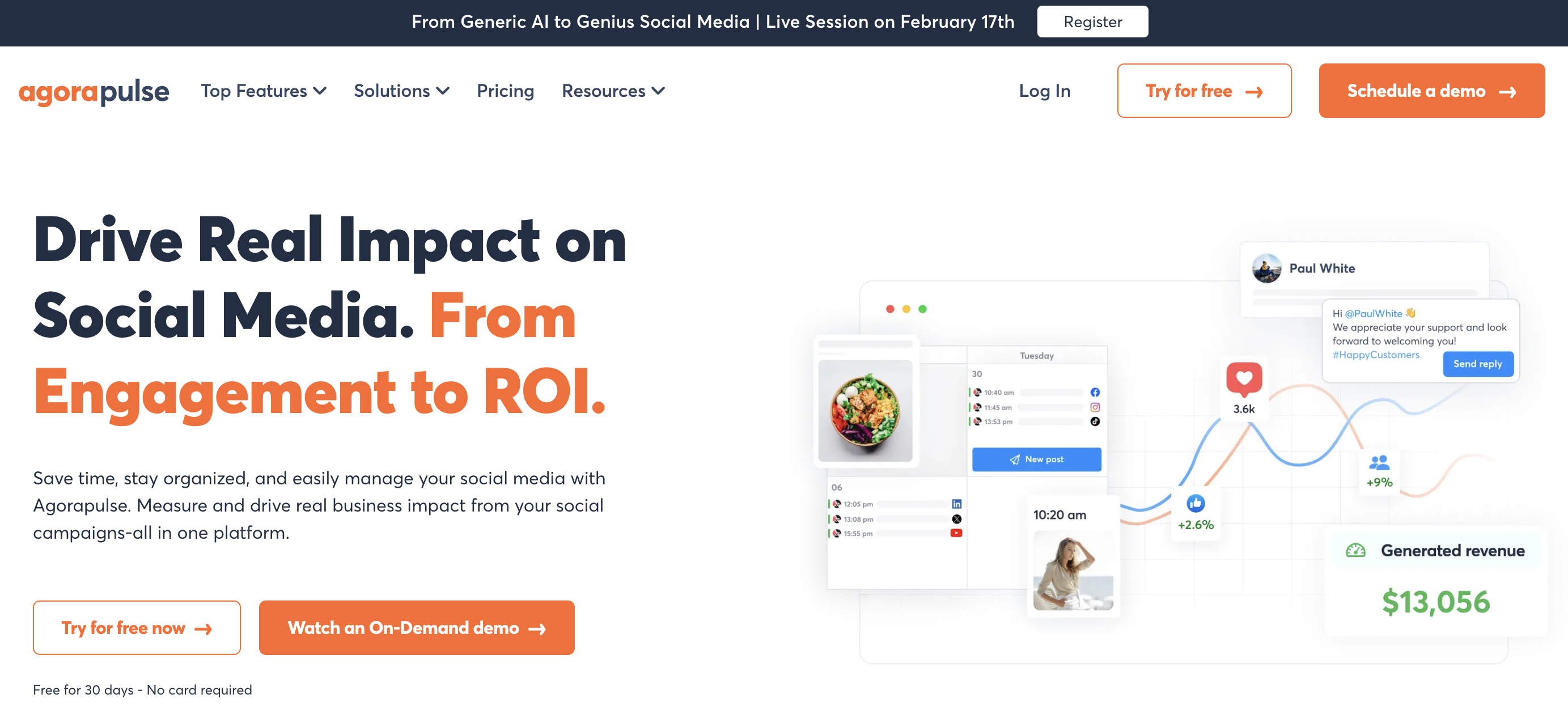
8. Agorapulse — Best for Real Inbox Depth & Ad-Comments Moderation
Agorapulse is built around inbox depth — comments, DMs, mentions, and ad comments unified in one queue. For agencies whose HeyOrca workflow extends to managing paid campaign comments, Agorapulse fills a gap HeyOrca's inbox (Pro plan or $39/mo Basic add-on) doesn't cover.
At a glance — Agorapulse
- Pricing: Standard $99/user/mo → Professional $149/user/mo → Advanced $199/user/mo → custom Enterprise (30-day trial, no free plan)
- Platforms: 10+ including Pinterest, TikTok, YouTube, Google Business, Threads
- Free trial: 30 days, no credit card required (no free plan)
- User ratings: 4.5/5 on G2 (967 reviews), 4.0/5 on Trustpilot (57 reviews)
- Best for: Agencies running paid social campaigns whose inbox needs go beyond HeyOrca's depth — Agorapulse's ad-comments moderation on Facebook + Instagram ad campaigns is a workflow HeyOrca doesn't compete on
Key Features
- Unified Inbox covering Facebook, Instagram, LinkedIn, X, YouTube, TikTok, and Google Business
- Ad-comments moderation on Facebook and Instagram ad campaigns (HeyOrca doesn't compete on this)
- Social listening and reporting included on Professional+
- Content calendar with multi-step approval workflows
- Shared inbox with team assignments
- Mobile app for iOS and Android
How It Compares to HeyOrca
Agorapulse is more expensive per user than HeyOrca — Standard at $99/user/mo vs HeyOrca's unlimited users at $59–$149/calendar. For a 5-user team, Agorapulse runs $495/mo vs HeyOrca Pro single calendar at $149/mo. The upgrade makes sense only if ad-comments moderation or listening depth are dealbreakers.
Where Agorapulse wins: ad-comments moderation on paid campaigns (Facebook + Instagram), social listening, and a deeper unified inbox. Where HeyOrca wins: no-login client approvals, unlimited users at lower cost, and per-client workspace isolation. For agencies whose paid campaigns need real-time comment moderation, Agorapulse delivers a workflow HeyOrca doesn't.
What users say: 4.5/5 on G2 (967 reviews), 4.0/5 on Trustpilot (57 reviews). Praised for inbox depth and reporting.
For more details, see our Agorapulse alternatives guide, Agorapulse pricing breakdown, and Agorapulse reviews.
9. Statusbrew — Best for Sprout-Parity at Lower Cost
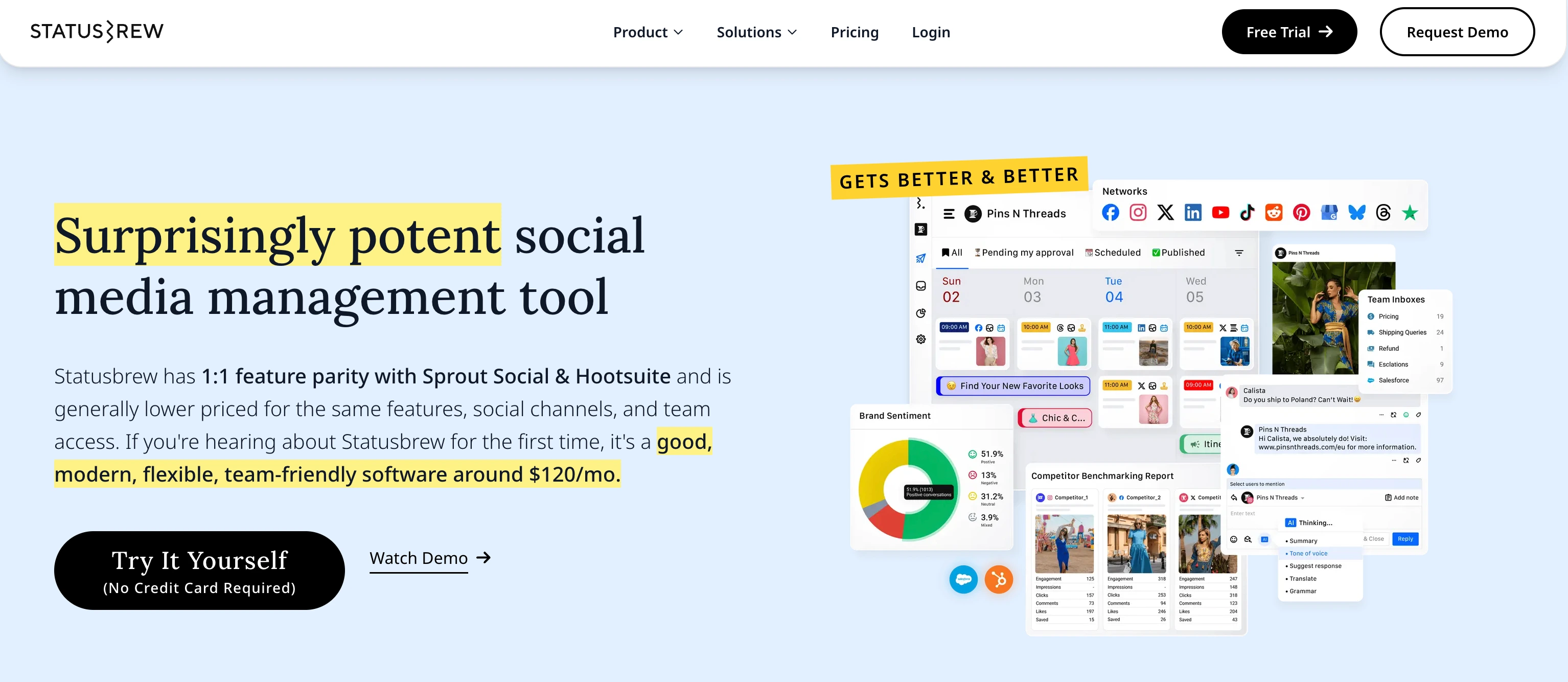
Statusbrew positions itself as "1:1 feature parity with Sprout Social at lower investment." Premium at $299/mo for 6 users undercuts both Sprout and Hootsuite for similar depth. For agencies that have outgrown HeyOrca's per-calendar model and want enterprise-grade depth without enterprise pricing, Statusbrew is competitive.
At a glance — Statusbrew
- Pricing: Lite $89/mo (1 user, 5 profiles) → Standard $179/mo (3 users, 10 profiles) → Premium $299/mo (6 users, 15 profiles, approvals included) → custom Enterprise
- Platforms: 10+ including Instagram, Facebook, LinkedIn, X, YouTube, TikTok, Google Business, Pinterest, Threads, and Bluesky
- Free trial: 14 days, no credit card required
- User ratings: 4.8/5 on G2 (251 reviews), 4.8/5 on Capterra (86 reviews) — one of the highest-rated tools in the category
- Best for: Mid-market agencies and teams that want Sprout-Social-grade depth at lower cost — Statusbrew Premium at $299/mo bundles approvals + listening + benchmarking + multi-location reviews
Key Features
- Unified Inbox covering organic and paid social interactions
- Multi-location review management — category-leading for franchises
- Rule Engine for auto-routing messages by intent and auto-moderating negative comments
- Approval workflows included on Premium
- Smart AI Composer for captions, hashtags, and content ideas
- Listening, sentiment, and benchmarking on Premium
How It Compares to HeyOrca
Statusbrew and HeyOrca target overlapping mid-market audiences. Statusbrew Premium at $299/mo for 6 users and 15 profiles vs HeyOrca's per-calendar math: for a 3-client agency, HeyOrca Pro × 3 calendars with 40% volume discount = $268/mo (vs Statusbrew Premium at $299/mo). For a 6-client agency, HeyOrca becomes meaningfully cheaper.
Trade-offs: Statusbrew's enterprise depth (listening, sentiment, multi-location reviews) is more sophisticated than HeyOrca's, and it covers Bluesky (which HeyOrca doesn't) alongside the full 10+ network list. Statusbrew's biggest critique is learning curve (top G2 con); HeyOrca is widely praised for ease of use.
What users say: 4.8/5 on G2 (251 reviews, 230 five-star), 4.8/5 on Capterra (86 reviews). One of the highest-rated tools in the category.
For more details, see our Statusbrew alternatives guide, Statusbrew pricing breakdown, and Statusbrew reviews.
10. SocialBee — Best for Content Recycling + Approvals
SocialBee leads with category-based content recycling. For agencies running evergreen content strategies for clients (educational posts, tips, promotional content), SocialBee's category rotation engine is purpose-built — and includes approval workflows for client review.

At a glance — SocialBee
- Pricing: Bootstrap $29/mo (5 profiles, 1 user) → Accelerate $49/mo (10 profiles, 1 user) → Pro $99/mo (25 profiles, 3 users); agency plans up to 150 profiles
- Platforms: 10 including Pinterest, Google Business, Bluesky, Threads
- Free trial: 14 days, no credit card required
- User ratings: 4.8/5 on G2 (472 reviews), 4.0/5 on Trustpilot (43 reviews)
- Best for: Agencies and teams with evergreen content libraries who want category-based content recycling alongside approval workflows — a workflow HeyOrca doesn't compete on
Key Features
- Category-based scheduling with automatic content rotation
- Evergreen post recycling with expiration dates
- 10 platforms including Pinterest, Google Business, Bluesky, Threads
- AI Copilot for content variations
- Engage Module inbox covering 6 platforms
- Approval workflows included for teams
- RSS feed automation
How It Compares to HeyOrca
SocialBee and HeyOrca target different workflows. HeyOrca is approval-first with calendar-based scheduling; SocialBee is recycling-first with category-based rotation. SocialBee Pro at $99/mo for 25 profiles and 3 users vs HeyOrca Pro at $149/calendar for unlimited users and 10 profiles — different value propositions.
SocialBee also supports Bluesky (HeyOrca doesn't). For agencies whose core workflow includes building evergreen libraries for clients, SocialBee delivers category recycling HeyOrca doesn't compete on. For client-facing approval workflows, HeyOrca remains stronger.
What users say: 4.8/5 on G2 (472 reviews), 4.0/5 on Trustpilot (43 reviews). One of the highest-rated tools on this list.
For more details, see our SocialBee alternatives guide, SocialBee pricing breakdown, and SocialBee reviews.
11. Vista Social — Best Modern Agency Tool With Broader Platforms
Vista Social is the modern agency-focused challenger. Like HeyOrca, it includes approvals, multiple workspaces, and AI captions. Unlike HeyOrca, the pricing is flat-tier (not per-calendar) and the UI is positioned as more contemporary.

At a glance — Vista Social
- Pricing: Free (3 profiles, 1 user) → Standard $39/mo (8 profiles, 2 users) → Professional $79/mo (15 profiles, 5 users) → Premium $149/mo (25 profiles, 10 users) → Enterprise custom
- Platforms: 10+ including Pinterest, TikTok, YouTube, Threads, Google Business
- Free trial: 14-day trial + free plan
- User ratings: 4.7/5 on G2 (180+ reviews), strong Capterra ratings
- Best for: Agencies and teams that want a modern UI alternative to HeyOrca at lower per-tier pricing — Vista Social's Premium at $149/mo for 25 profiles is dramatically cheaper than HeyOrca Pro × 5 calendars
Key Features
- 10+ platforms with auto-publishing
- Approval workflows included
- AI Assistant for captions
- Listening + reporting (higher tiers)
- Modern UI with platform-specific previews
- Mobile apps for iOS and Android
- Free plan with 3 profiles
How It Compares to HeyOrca
Vista Social and HeyOrca compete on agency workflow + approvals at the mid-market tier. Vista Premium at $149/mo for 25 profiles and 10 users is dramatically cheaper than HeyOrca Pro × 5 calendars (which would be $447/mo with 40% volume discount, for 50 profiles and unlimited users).
For agencies with consolidated client workflows (fewer, larger clients), Vista wins on price. For agencies that need per-client workspace isolation with no-login client approvals, HeyOrca's structure remains unique. Both tools target the same segment with different pricing models.
What users say: 4.7/5 on G2. Praised for modern UI and value.
For more details, see our Vista Social alternatives guide, Vista Social pricing breakdown, and Vista Social reviews.
12. Publer — Best Budget All-in-One With AI Image Generation
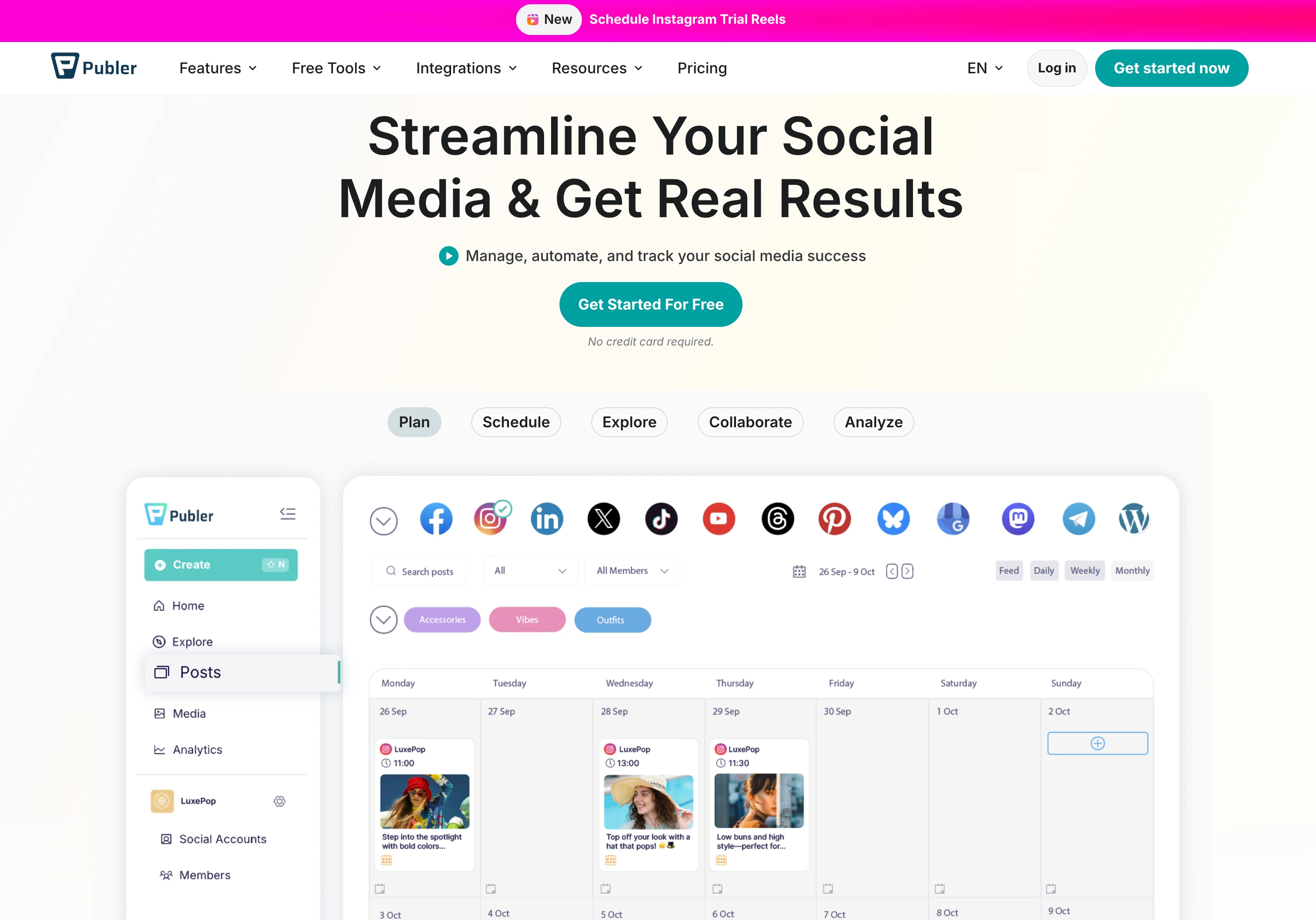
Publer is one of the cheapest capable schedulers in the category. Its Business plan at $21/mo includes GPT-4 AI captions, DALL-E 3 image generation, analytics, and 13 platforms — features HeyOrca doesn't offer (AI image generation) or gates differently (AI captions only on Pro at $149/mo).
At a glance — Publer
- Pricing: Free (3 accounts, no X) → Professional $12/mo (3 accounts + $4/extra) → Business $21/mo (AI + analytics, 3 accounts + $7/extra)
- Platforms: 13 including Pinterest, WordPress, Telegram, Mastodon, Bluesky, Google Business
- Free trial: Free plan available, no credit card required
- User ratings: 4.7/5 on G2 (486 reviews), 4.8/5 on Trustpilot (863 reviews)
- Best for: Solo teams or small agencies who want AI image generation, broader platform coverage including Bluesky, and dramatically lower pricing — at one-quarter HeyOrca Pro's price
Key Features
- 13 platforms — the broadest list here — including Pinterest, Bluesky, WordPress, Telegram, Mastodon, Google Business
- GPT-4 AI captions with no credit cap, and DALL-E 3 image generation (Business)
- Bulk scheduling and CSV import
- Link-in-bio tool
- Recurring posts and content recycling (Business)
- Free plan with 3 accounts (no X)
How It Compares to HeyOrca
Publer Business at $21/mo specifically addresses HeyOrca's biggest gaps: AI image generation (HeyOrca has none) + Bluesky publishing (HeyOrca doesn't support) + 13-platform coverage (HeyOrca: 9). Per-platform: Publer is roughly 1/7th HeyOrca Pro's price for a single user.
Where HeyOrca still wins: no-login client approvals, unlimited users on every paid plan, per-client workspace isolation, and the agency-focused workflow design. For pure budget AI + broader platforms, Publer dramatically undercuts. For agency client work, HeyOrca's structural fit remains stronger.
What users say: 4.7/5 on G2 (486 reviews), 4.8/5 on Trustpilot (863 reviews). One of the highest-rated tools across both platforms.
For more details, see our Publer alternatives guide, Publer pricing breakdown, and Publer reviews.
PostPlanifyAll your social media in one simple dashboard
Schedule posts, track analytics, and reply to comments/DMs without switching tabs.
Engagement
+18%
Views
52.8k
Full Pricing Comparison: All 12 HeyOrca Alternatives
Here is a side-by-side pricing comparison to help you find the right tool for your team and workflow.
| Tool | Starting Price | Mid Tier | Pro Tier | Free Plan |
|---|---|---|---|---|
| HeyOrca | $59/calendar/mo Basic | $149/calendar/mo Pro (Best Value) | Custom Enterprise (only tier with white-label) | Yes (1 user, 15 posts/mo) |
| PostPlanify | $99/mo Growth (3 users, 15 accts) | $199/mo Premium (6 users, 30 accts, approvals) | $299/mo Scale (12 users, 100 accts, white-label) | 7-day trial + 14-day money-back |
| Planable | Free / $39/workspace/mo Basic (unlimited users) | $59/workspace/mo Pro | Custom Enterprise | Yes (50 posts) |
| Sendible | $29/mo Creator | $89/mo Traction (white-label + approvals) | $750/mo Enterprise (400 profiles) | 14-day trial |
| Loomly | $42/mo Base | $80/mo Standard | $369/mo Premium (50 accts, 27 users) | 15-day trial |
| Buffer | Free / $6/channel/mo Essentials | $12/channel/mo Team | n/a | Yes (3 channels) |
| Sprout Social | $199/seat/mo Standard | $299/seat/mo Pro | $399/seat/mo Advanced | 30-day trial |
| Hootsuite | $249/user/mo Standard | $499/user/mo Advanced | Custom Business | 30-day trial |
| Agorapulse | $99/user/mo Standard | $149/user/mo Pro | $199/user/mo Advanced | 30-day trial |
| Statusbrew | $89/mo Lite | $179/mo Standard | $299/mo Premium (approvals) | 14-day trial |
| SocialBee | $29/mo Bootstrap | $49/mo Accelerate | $99/mo Pro | 14-day trial |
| Vista Social | Free / $39/mo Standard | $79/mo Professional | $149/mo Premium (25 profiles, 10 users) | Yes (3 profiles) |
| Publer | Free / $12/mo Professional | $21/mo Business (DALL-E 3) | n/a | Yes |
Key takeaway: HeyOrca's per-calendar pricing is structurally different from every other tool on this list. For agencies managing 5+ client brands with the 40% volume discount, HeyOrca's economics are competitive. For single in-house teams or agencies running 1–3 clients, alternatives like Planable ($39/workspace), Vista Social ($79–$149/mo), and Loomly ($42–$80/mo) deliver more per-dollar. PostPlanify Growth at $99/mo trades the per-calendar model for a flat-tier full-SMM platform with AI image generation, Bluesky, MCP support, and analytics that address HeyOrca's #1 reviewer critique.
How HeyOrca Alternatives Compare by Use Case
HeyOrca's no-login client approval workflow, unlimited users on every paid plan, per-calendar agency pricing, and 4.8/5 G2 rating are real strengths. But the analytics depth (the #1 reviewer critique), AI tool gating to Pro, no AI image generation, no Bluesky support, and white-label gated to Enterprise push specific users to look elsewhere. Here is the fastest way to match a tool to your priority:
- Best overall HeyOrca alternative: PostPlanify — modern full-SMM with AI image generation, Bluesky, MCP support, white-label on Scale, and analytics that address HeyOrca's main critique.
- Closest direct agency peer: Planable ($39/workspace) — visual approvals + unlimited users + clean approval UX.
- Best for agency white-label: Sendible ($89/mo Traction) — client-facing white-label dashboards at a tier below Enterprise.
- Best for visual workflow + approvals at flat pricing: Loomly ($42–$369/mo) — Interactions inbox included on every plan.
- Best for simplest workflow + free plan: Buffer (Free / $6/channel/mo) — 11 platforms with Bluesky and Mastodon.
- Best for enterprise analytics + listening: Sprout Social ($199/seat/mo) — gold-standard AI sentiment + presentation reports.
- Best for enterprise scale + ad management: Hootsuite ($249/user/mo) — largest install base and integration ecosystem.
- Best for inbox + ad-comments moderation: Agorapulse ($99/user/mo) — Facebook + Instagram paid campaign moderation.
- Best for Sprout-parity at lower cost: Statusbrew ($89–$299/mo) — bundled approvals + multi-location reviews.
- Best for content recycling + approvals: SocialBee ($29/mo) — category-based recycling across 10 platforms incl. Bluesky.
- Best modern agency tool with broader platforms: Vista Social ($39–$149/mo) — modern UI with flat-tier pricing.
- Best budget AI image generation: Publer (Free / $12/mo) — DALL-E 3 + 13 platforms at one-quarter HeyOrca Pro's price.
How to Choose the Right HeyOrca Alternative
The best HeyOrca alternative depends on what matters most for your team. Here is a quick decision framework:
Choose PostPlanify if you want AI image generation, Bluesky publishing, MCP support, deeper analytics (addresses HeyOrca's #1 critique), and white-label PDF reports on Scale — at flat pricing with a 14-day money-back guarantee.
Choose Planable if you want the closest direct peer to HeyOrca for visual approvals + unlimited users — and don't need no-login client access.
Choose Sendible if you run an agency and need client-facing white-label dashboards at a tier below HeyOrca's Enterprise.
Choose Loomly if you want flat-tier pricing with approvals + Interactions inbox included on every plan — useful for agencies running 1–3 clients.
Choose Buffer if you've outgrown HeyOrca's complexity and want the simplest possible interface with a free plan and broader platform coverage.
Choose Sprout Social if you need enterprise-grade AI listening, sentiment analysis, and presentation reports — addresses HeyOrca's #1 analytics critique at premium per-seat pricing.
Choose Hootsuite if you need integrated ad campaign management plus the largest enterprise integration ecosystem.
Choose Agorapulse if your primary workflow includes ad-comments moderation on Facebook + Instagram paid campaigns.
Choose Statusbrew if you want Sprout-Social-grade depth + multi-location reviews at meaningfully lower cost.
Choose SocialBee if your clients have evergreen content libraries you want to automatically recycle on a category-based schedule.
Choose Vista Social if you want a modern UI with flat-tier pricing and broader platforms than HeyOrca.
Choose Publer if you need DALL-E 3 AI image generation, Bluesky support, and broader platform coverage at one-quarter HeyOrca's price.
How to Switch From HeyOrca to a New Tool
Switching social media tools doesn't have to be disruptive. Here is the general process:
-
Export your content from HeyOrca. Download your scheduled posts, content libraries, and approved-content history per calendar before you switch.
-
Sign up for your chosen alternative. Most tools on this list offer free trials ranging from 7 to 30 days. PostPlanify adds a 14-day money-back guarantee.
-
Connect your social media accounts. Link Instagram, Facebook, LinkedIn, X, YouTube, TikTok, Pinterest, Threads, Bluesky, and Google Business as supported. All tools on this list use secure OAuth authentication.
-
Rebuild your calendar structure. If you're moving to Planable, Loomly, or Vista Social, the workspace structure transfers cleanly. If you're moving to a full SMM platform (PostPlanify, Sprout, Hootsuite), expect the content calendar to replace per-client calendars.
-
Recreate approval workflows. PostPlanify, Planable, Sendible, Loomly, Sprout, Hootsuite, and Agorapulse all support approvals — but HeyOrca's no-login approval is genuinely unique. Plan for clients to create accounts if you move away from HeyOrca.
-
Set up your posting schedule. Configure your content calendar, time slots, and posting cadence. Our guide on how to schedule social media posts covers this step in detail.
-
Invite your team. Add team members and set permissions. Configure approval workflows on tools that support them.
-
Cancel HeyOrca. Once everything works in the new tool, cancel your HeyOrca subscription. Coordinate with your billing cycle for annual plans.
Frequently Asked Questions
What is the best alternative to HeyOrca in 2026?
For most agencies and teams leaving HeyOrca, PostPlanify is the best overall alternative. It closes HeyOrca's main gaps — AI image generation (HeyOrca has none), Bluesky publishing (HeyOrca doesn't support), deeper analytics (HeyOrca's #1 reviewer critique), MCP support, and white-label PDF reports on Scale (vs HeyOrca's Enterprise-only white-label) — at flat pricing (Growth $99/mo, Premium $199/mo, Scale $299/mo) with a 14-day money-back guarantee. For the closest agency peer, Planable; for agency white-label at a lower tier, Sendible; for flat-tier visual workflow, Loomly. HeyOrca itself remains strongest for no-login client approvals and unlimited users.
What is the best free alternative to HeyOrca?
HeyOrca offers a Free plan (1 user, 2 social profiles, 15 posts/month) and a 14-day trial. For richer free plans, Buffer (3 channels), Publer (3 accounts), Vista Social (3 profiles), and Planable (50 posts, unlimited users) are the strongest options. For a broader comparison, see our social media scheduling tools guide.
Is PostPlanify better than HeyOrca?
It depends on your workflow. PostPlanify wins on AI image generation (HeyOrca has none), Bluesky publishing (HeyOrca doesn't support), deeper analytics (HeyOrca's main critique), MCP support for AI assistants, Google Drive integration, white-label PDF reports on Scale (HeyOrca: Enterprise only), and a 14-day money-back guarantee. HeyOrca wins on no-login client approvals (genuinely unique), unlimited users on every paid plan, per-client workspace isolation, 40% volume discount on 5+ calendars, and a 4.8/5 G2 rating from 284 reviews. Read our full HeyOrca vs PostPlanify comparison for a detailed breakdown.
Which HeyOrca alternative has the closest approval workflow?
Planable is the closest direct peer with visual approvals + unlimited users + multi-level approval workflows. HeyOrca's no-login email-based client approval (clients click approve/reject from email without creating an account) is genuinely unique in the category — most alternatives require client logins.
Which HeyOrca alternative includes AI image generation?
PostPlanify (200/400/800 images/mo on Growth/Premium/Scale), Publer (DALL-E 3 on Business plan $21/mo), Vista Social (paid tiers), and several enterprise tools (Hootsuite, Sprout Social via paid AI tiers) all offer AI image generation. HeyOrca does not offer AI image generation on any plan — AI tools cover captions and hashtag library only.
Does HeyOrca support Bluesky?
No. HeyOrca publishes to 9 platforms — Facebook, Instagram, LinkedIn, X, TikTok, YouTube, Pinterest, Threads, and Google Business — but does not support Bluesky on any tier, despite HeyOrca's blog covering Bluesky updates. PostPlanify, Buffer, Publer, SocialBee, and Sendible all support Bluesky.
Is HeyOrca worth the price in 2026?
Yes — for the right use case. HeyOrca is worth it for digital agencies managing 5+ client brands where the per-calendar pricing model + 40% volume discount + unlimited users + no-login client approvals genuinely work. The 4.8/5 G2 rating from 284 reviews supports the quality claim. It's not a good fit for single in-house teams (per-calendar model doesn't scale), teams that need AI image generation, brands publishing to Bluesky, agencies that need white-label below Enterprise, or buyers who want MCP support for AI assistants.
Which HeyOrca alternative is cheapest?
For paid plans, Publer Professional ($12/mo), Publer Business with DALL-E 3 ($21/mo), SocialBee Bootstrap ($29/mo), Sendible Creator ($29/mo), and Vista Social Standard ($39/mo) are the cheapest. For free plans, HeyOrca's own free tier (1 user, 15 posts/mo), Buffer (3 channels), Publer (3 accounts), Vista Social (3 profiles), and Planable (50 posts, unlimited users) offer the most useful starting options.
How does HeyOrca's per-calendar pricing compare to flat-tier pricing?
HeyOrca charges per "calendar" (per client workspace) — Basic is $59/calendar/mo, Pro is $149/calendar/mo. Agencies running 5+ calendars get 40% off, and annual billing adds another 15% off. For agencies managing many client brands, this scales reasonably. For single in-house teams or agencies running 1–3 clients, flat-tier alternatives (PostPlanify, Loomly, Vista Social, Planable) typically deliver more for less.
Can I switch from HeyOrca without losing my data?
Yes. HeyOrca allows you to export scheduled content, content libraries, and approved-content history per calendar. Most alternatives on this list let you import via CSV or rebuild your schedule directly. The hardest migration challenge is replacing HeyOrca's no-login client approval workflow — most alternatives require clients to create accounts to review posts.
Final Thoughts
HeyOrca is a strong tool for digital agencies running multi-client workflows where the per-calendar pricing model + 40% volume discount + unlimited users + no-login client approvals are the load-bearing features. The 4.8/5 G2 from 284 reviews puts it among the highest-rated tools in the category, and the agency-focused product design — founder Joe Teo previously ran his own social media agency — shows in the workflow. But once your needs expand beyond multi-client approvals into AI image generation, Bluesky publishing, deeper analytics (HeyOrca's main critique), MCP integration, or white-label at a tier below Enterprise, HeyOrca's gaps push many users to switch. If you want to see what actual users think, our HeyOrca reviews breakdown covers the most common praise and complaints, including verbatim quotes from G2 and Capterra.
The best alternative depends on what matters most: modern full-SMM with AI image gen + Bluesky + MCP (PostPlanify), closest direct agency peer (Planable), agency white-label (Sendible), flat-tier workflow + approvals (Loomly), simplicity + free plan (Buffer), enterprise analytics (Sprout Social), enterprise scale (Hootsuite), inbox + ad moderation (Agorapulse), Sprout-parity at lower cost (Statusbrew), content recycling (SocialBee), modern agency tool (Vista Social), or budget AI (Publer).
Most tools on this list offer free trials, so the best way to decide is to test 2-3 options with your actual workflow before committing. For more social media strategy resources, check out our best social media management platform guide, social media best practices, and social media scheduling tools guide.
Related Reading
- 12 Best NapoleonCat Alternatives in 2026
- 12 Best eClincher Alternatives in 2026
- 12 Best Sked Social Alternatives in 2026
- 12 Best Statusbrew Alternatives in 2026
- 12 Best Planoly Alternatives in 2026
- 12 Best MeetEdgar Alternatives in 2026
- 12 Best RecurPost Alternatives in 2026
- 12 Best Sprinklr Alternatives in 2026
- 11 Best Sendible Alternatives in 2026
- 12 Best Planable Alternatives in 2026
- 12 Best Loomly Alternatives in 2026
- 15 Best Buffer Alternatives in 2026
- HeyOrca Pricing Breakdown
- HeyOrca Reviews
- Alternative to HeyOrca
- Best Social Media Management Platform
- Social Media Scheduling Tools Guide
- All Alternatives
- Best Social Media Management Tools for Teams
PostPlanifyAll your social media in one simple dashboard
Schedule posts, track analytics, and reply to comments/DMs without switching tabs.
Engagement
+18%
Views
52.8k
About the Author

Hasan Cagli
Founder of PostPlanify, a content and social media scheduling platform. He focuses on building systems that help businesses, agencies, and teams plan, publish, and manage content and social media more efficiently across platforms.


