


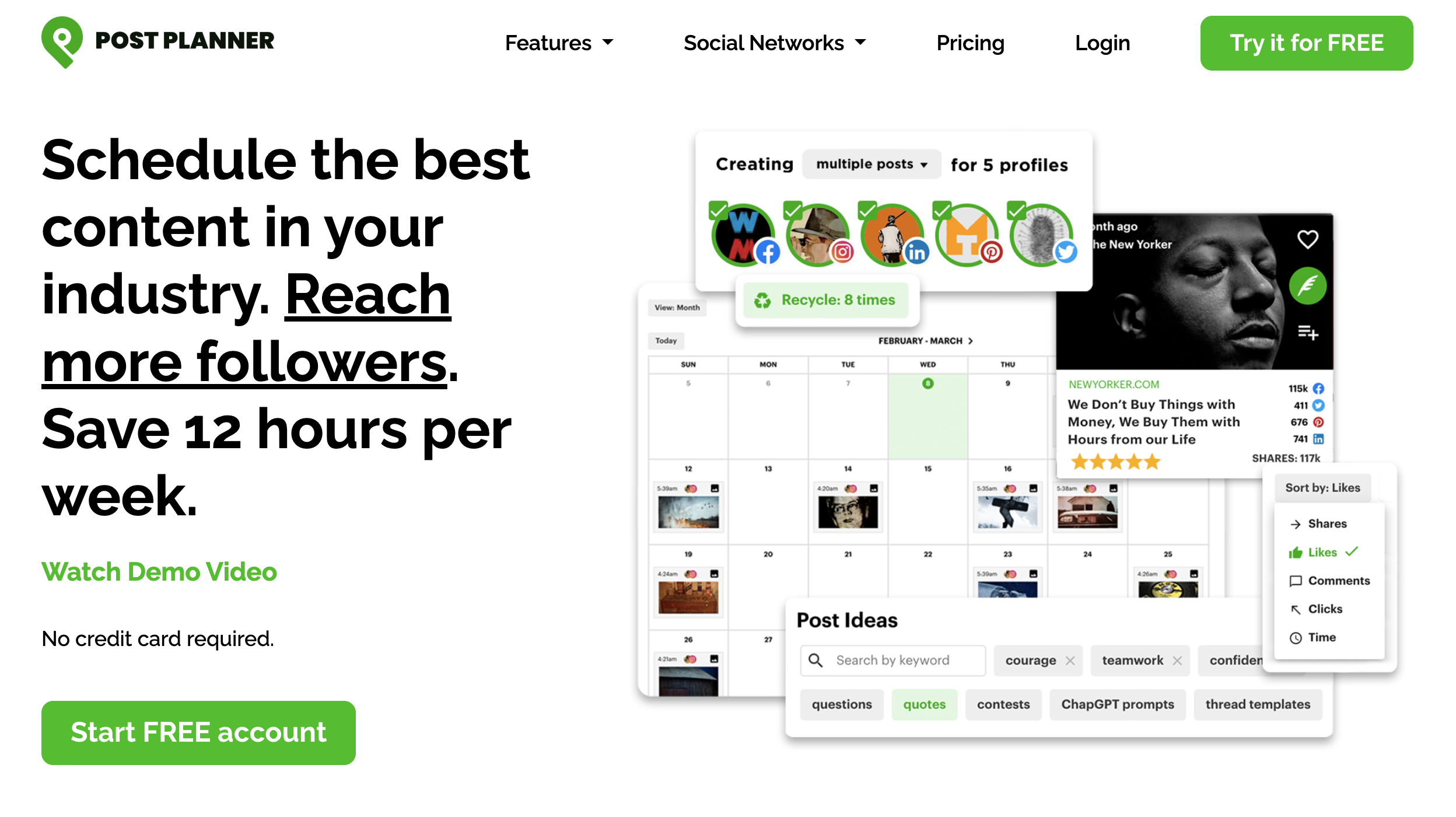
Post Planner is a content-curation-first scheduler. It's cheap at the entry tier and the curation engine genuinely saves time. But the gaps show up fast: no social inbox, no approval workflows, no white-label reports, no AI image generation — at any plan. Plus a daily post cap per account on every tier (12 on Starter, 18 on Growth, 24 on Business). For solo creators recycling viral content, that's fine. For teams, agencies, or anyone publishing high-frequency, the missing features force a switch.
What Post Planner does well:
- Content curation engine — discovery streams pulling from Reddit, RSS, YouTube, GIPHY, Unsplash, OpenAI, and Canva
- Engagement-prediction scoring — surfaces posts that performed historically
- Cheap entry tier — $12/mo monthly, $7/mo billed yearly on Starter
- Facebook posting reliability — strong direct posting to pages and groups
- 10 platforms supported — Facebook, Instagram, Threads, Google Business, LinkedIn, Pinterest, TikTok, X, YouTube, Bluesky
But the gaps push teams to alternatives:
- No social inbox at any tier — can't reply to comments or DMs from inside the tool
- No approval workflows or role-based permissions — single-user assumption baked in
- No white-label PDF reports — agencies have nothing to send clients
- No AI image generation — text-only AI credits
- Daily post caps per account (12/18/24 on paid plans) — high-frequency publishers outgrow this fast
- Auto-renewal complaints — reviewers report charges for full year shortly before expiry, refunds refused
- Slow support on billing — chat support good for quick questions, billing tickets take days to weeks
- Outdated UI — common complaint across G2 reviews
Whether you're an agency that needs approvals + white-label, a creator who needs AI images + inbox, or a high-frequency publisher hitting the daily cap, there are alternatives worth considering.
Quick Answer: What Is the Best Post Planner Alternative in 2026?
For most teams leaving Post Planner, PostPlanify is the best alternative — it bundles what Post Planner is missing into flat-rate plans.
Why PostPlanify wins:
- Flat pricing — Growth $99/mo (15 accounts, 3 users, 5 workspaces), Premium $199/mo (30 accounts, 6 users), Scale $299/mo (100 accounts, 12 users)
- No daily post caps — publish as often as you need on any paid plan
- Social inbox included on Growth — Instagram, Facebook, LinkedIn, Google Business, YouTube, Threads, Bluesky in one place
- AI image generation built in — 200/400/800 images per month across Growth/Premium/Scale
- Approval workflows on Premium — review and reject with notes before publishing
- White-label PDF reports on Scale — branded client deliverables Post Planner doesn't have
- 14-day money-back guarantee — no auto-renewal trap
Quick picks by use case:
- SocialBee ($24.20/mo annual) — best for content recycling with categories (closest match to Post Planner's curation)
- MeetEdgar ($29.99/mo) — best pure evergreen recycling specialist
- Buffer ($6/channel/mo) — cheapest entry for 1–3 channels
- Hootsuite ($249/user/mo) — best enterprise scale with inbox + listening
How I Evaluated These Post Planner Alternatives
I evaluated 10 social media tools across six weighted categories, anchored to the gaps that push people off Post Planner — no social inbox, no approvals, no white-label reports, no AI image generation, and the daily post cap.
| Criterion | Weight | What I looked at |
|---|---|---|
| Pricing & value | 25% | Entry price, flat vs per-user/channel, daily-cap-adjusted real cost |
| Gap-fill features | 25% | Social inbox, approvals, white-label reports, AI image generation |
| No daily post caps | 15% | Whether the tool ceilings posts per account per day |
| Content curation / recycling | 15% | Category and evergreen recycling depth (Post Planner's strength) |
| Team & agency capabilities | 10% | Seats, workspaces, client roles |
| Support & trust | 10% | Review base, refund/auto-renewal policy, support responsiveness |
How I sourced the data:
- Pricing verification. I pulled every price from each vendor's pricing page in June 2026. Per-user, per-channel, and per-account structures are spelled out so you can model real cost vs Post Planner's daily-cap-plus-low-headline-price model.
- Feature gap fill. I scored each tool on what Post Planner is missing — social inbox, approval workflows, white-label reports, AI image generation, no daily caps. Tools that fill more gaps rank higher.
- G2 ratings. Every rating + review count came from each tool's G2 product page, not seller-aggregate pages.
- Honest category placement. PostPlanify leads because it fills the most Post Planner gaps in one tool. SocialBee and MeetEdgar are recognized as the actual content-recycling specialists where Post Planner competes most directly.
Quick Comparison: Best Post Planner Alternatives at a Glance
| Tool | Best For | Starting Price | Social Inbox | AI Images | Daily Post Cap | G2 Rating |
|---|---|---|---|---|---|---|
| PostPlanify | All-around upgrade | $99/mo | Yes (7 platforms) | 200–800/mo | No | 5/5 (3) |
| SocialBee | Content categories + recycling | $24.20/mo (annual) | Engage Module (6 platforms) | No | No | 4.8/5 (472) |
| MeetEdgar | Pure evergreen recycling | $29.99/mo | FB + IG only | No | No | 4.3/5 (57) |
| Buffer | Cheapest paid entry | $6/channel/mo | Community inbox (3 networks) | No | No | 4.3/5 (1,071) |
| Publer | Budget AI features | $12/mo (3 accounts) | No | DALL-E 3 (Business) | No | 4.7/5 (486) |
| Hootsuite | Enterprise scale | $249/user/mo | Yes | Yes (OwlyWriter) | No | 4.3/5 (7,109) |
| Sprout Social | Enterprise inbox + listening | $199/seat/mo | Smart Inbox | No | No | 4.4/5 (6,957) |
| Agorapulse | Mid-tier inbox UX | $99/user/mo | Yes | No | No | 4.5/5 (967) |
| Sendible | Agency workflows + queues | $29/mo | Priority Inbox | No | No | 4.5/5 (902) |
| Planable | Visual content approval | $39/workspace/mo | No (collab focus) | No | No | 4.6/5 (937) |
Why People Switch From Post Planner
Before exploring the alternatives, here's what shows up consistently in Post Planner reviews and what pushes teams to switch:
- The daily post cap is the silent killer. Most users don't notice it until they hit it. 12 posts/day on Starter, 18 on Growth, 24 on Business. For news brands, Pinterest-heavy accounts, or high-frequency publishers, you outgrow this in week one — and most other schedulers (Buffer, Publer, SocialBee, PostPlanify) don't impose a daily ceiling on paid plans.
- No social inbox at any price. Post Planner doesn't offer a unified inbox for comments, DMs, or mentions on any plan, including Enterprise. If you need to manage engagement from inside the tool, you'll need a different platform.
- No approval workflows. Teams that want review-before-publish have to track approvals in Slack, email, or a spreadsheet. Post Planner has no native team-review capability.
- No white-label PDF reports. Agencies that need branded client deliverables have to export raw analytics and rebuild reports manually in another tool.
- No AI image generation. Post Planner's AI credits cover text only. In 2026, most competitors include native image generation (PostPlanify, Hootsuite OwlyWriter, Publer DALL-E 3).
- Auto-renewal and refund issues. Multiple G2 and Trustpilot reviewers report being charged for another full year shortly before their plan expired, with refunds denied. Trustpilot's own data shows Post Planner takes over a month on average to reply to negative reviews.
- Slow support on complex tickets. Chat support is praised for quick questions but reviewers describe support skipping harder questions or taking days to respond on billing.
- LinkedIn limitations. Reviewers flag that LinkedIn posting features lag behind Facebook and Instagram — including missing tagging and limited carousel options on some plans.
Post Planner scores 3.9/5 on G2 (51 reviews) and 4.7/5 on Trustpilot (177 reviews) — the gap reflects a bimodal distribution where users love the curation or have a difficult experience with billing/support.
1. PostPlanify — Best All-Around Alternative
PostPlanify fills the four biggest Post Planner gaps in one tool — social inbox, approval workflows, AI image generation, and white-label PDF reports — at flat pricing with no daily post caps. Plus 3/6/12 team members bundled across Growth/Premium/Scale, versus Post Planner's 1/2/5 user ceiling.
The bigger shift is structural. Post Planner is built around discovering and recycling content; PostPlanify is built around running your own publishing operation end to end — calendar, social inbox, approvals, and reporting in one place. It's the right move once curation stops being your bottleneck and team coordination starts: more accounts, more teammates, and clients who expect to see results, not just posts.
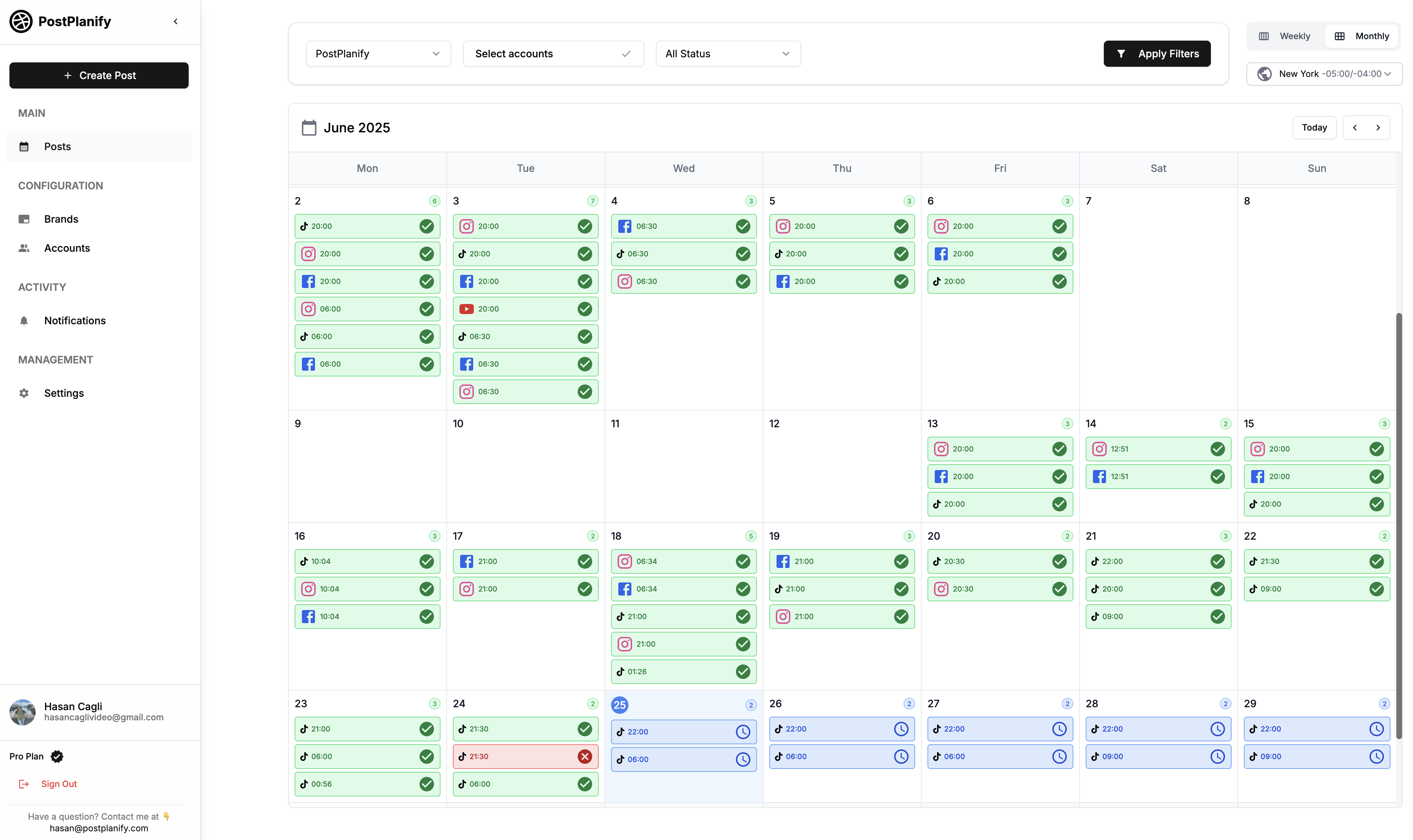
At a glance — PostPlanify
- Pricing: Growth $99/mo → Premium $199/mo → Scale $299/mo → Enterprise custom
- Best for: Teams and agencies switching from Post Planner to get social inbox, approvals, AI images, and white-label reports in one flat-priced platform
- Free trial: 7 days, 14-day money-back guarantee
- G2 rating: 5/5
Key features
- Social inbox for Instagram, Facebook, LinkedIn, Google Business, YouTube, Threads, and Bluesky — Post Planner has no inbox at any tier
- AI image generation — 200/400/800 images per month on Growth/Premium/Scale (Post Planner is text-only)
- Approval workflows on Premium ($199/mo) with multi-approver tracking and rejection notes
- White-label PDF reports on Scale ($299/mo) — branded client deliverables
- No daily post caps on any paid plan — publish as often as you need
- 10 platforms: Instagram, TikTok, Facebook, LinkedIn, X, YouTube, Threads, Pinterest, Bluesky, Google Business
- Analytics across all 10 platforms with historical trends and best time to post
- AI assistant with vision-powered caption generation
- Media library with Canva, Google Drive, and Dropbox imports
- Link in bio builder
- Team collaboration — 3 members on Growth, 6 on Premium, 12 on Scale, unlimited on Enterprise (flat pricing, no per-seat fees)
Pros
- Fills every major Post Planner gap (inbox, approvals, AI images, white-label) in one tool
- No daily post caps on any plan
- Flat pricing — 3/6/12 team members bundled (vs Post Planner's 1/2/5 ceiling)
- 14-day money-back guarantee — no auto-renewal trap
Cons
- More expensive entry tier than Post Planner Starter ($99/mo vs $12/mo)
- Content curation isn't a core feature — PostPlanify is built around publishing, not Reddit/RSS discovery
- Approval workflows require Premium ($199/mo), not Growth
How it compares to Post Planner
- Social inbox: PostPlanify includes a unified inbox across 7 platforms starting on Growth. Post Planner has no inbox at any tier.
- AI image generation: PostPlanify generates 200–800 images/month natively. Post Planner is text-only.
- Approval workflows: PostPlanify Premium ($199/mo) includes multi-approver workflows. Post Planner has no approvals.
- White-label reports: PostPlanify Scale ($299/mo) includes branded PDF reports. Post Planner has no white-label.
- Daily post caps: PostPlanify has none. Post Planner caps every plan (12/18/24).
- Team members: PostPlanify bundles 3/6/12 across Growth/Premium/Scale. Post Planner caps at 1/2/5.
- Trade-off: Post Planner Starter is $12/mo for 3 accounts (cheaper headline). PostPlanify Growth is $99/mo for 15 accounts + inbox + AI images + 3 users — better value for anyone needing more than basic scheduling.
User ratings: 5/5 on G2
For more details: PostPlanify Pricing · PostPlanify vs Post Planner
 PostPlanify
All your social media in one simple dashboard
Schedule posts, track analytics, and reply to comments/DMs without switching tabs.

Engagement
+18%
Views
52.8k
2. SocialBee — Best for Content Categories + Recycling
SocialBee is the closest direct alternative to Post Planner's core value prop — content categories with recycling. You organize content into themed buckets (offers, FAQs, evergreen tips, behind-the-scenes) and SocialBee cycles through them on a schedule. Plus Engage Module inbox on Pro+ (covering LinkedIn, FB, IG, X, YouTube, Threads) — something Post Planner doesn't have.
Where it pulls ahead of Post Planner is depth and freshness control. Categories can hold thousands of posts each, you can set expiration dates so stale content drops out of rotation, and the AI Copilot spins variations so the same evergreen post doesn't republish word-for-word — which matters now that Instagram penalizes obvious reposting. The trade-off is that the inbox and real team collaboration only arrive on Pro ($99/mo).
At a glance — SocialBee
- Pricing: Bootstrap $29/mo ($24.20/mo annual) → Accelerate $49/mo → Pro $99/mo → Agency tiers Pro50 $179/mo, Pro100 $329/mo, Pro150 $449/mo
- Best for: Post Planner users who switched primarily for content recycling — SocialBee's category engine is the direct competitor
- Free trial: 14 days
- G2 rating: 4.8/5 (472 reviews)
Key features
- Content category-based recycling — 10 categories on Bootstrap, 50 on Accelerate+, 5,000 posts per category
- Engage Module inbox on Pro+ covering 6 platforms
- 30-day money-back guarantee — longer than most competitors
- AI text assistance + Canva integration
- RSS feed imports (10 on Bootstrap, 50 on Accelerate+)
- Analytics: 3 months (Bootstrap), 2 years (Accelerate+)
- Agency-tier plans Pro50/Pro100/Pro150 for 50–150 profiles
Pros
- Best-in-class category-based content recycling (the Post Planner-similar workflow)
- 30-day money-back guarantee
- Agency-tier plans for managing 50–150 profiles
- 4.8/5 G2 rating with 472 reviews
Cons
- Bootstrap and Accelerate are single-user plans — no team collab until Pro ($99/mo)
- 3-month analytics on Bootstrap is restrictive
- No AI image generation
- Engage inbox starts on Pro ($99/mo)
How it compares to Post Planner
- Recycling depth: SocialBee's category engine is more flexible than Post Planner's buckets — 50 categories vs Post Planner's smaller setup. Both excel at evergreen rotation.
- Inbox: SocialBee Pro+ includes Engage Module inbox. Post Planner has none.
- Pricing: SocialBee Bootstrap $24.20/mo annual (5 profiles) vs Post Planner Starter $7/mo annual (3 profiles). SocialBee is more per profile but bundles deeper recycling.
- Money-back: SocialBee has a 30-day guarantee. Post Planner reviewers report refund difficulties on auto-renewal.
User ratings: 4.8/5 on G2 (472 reviews) · 4.0/5 on Trustpilot
For more details: SocialBee alternatives guide · SocialBee Pricing · SocialBee Reviews
3. MeetEdgar — Best Pure Evergreen Recycling
MeetEdgar is the pure recycling specialist. Smart Evergreen Automation cycles content automatically across platforms — set it up once and the system republishes from your library based on category schedules. Only 2 plans, both with 20 team members included.
The difference from Post Planner is how hands-off it gets. Once your categories and weekly automations are set, Edgar republishes from the library indefinitely with no daily ceiling — Edgar's 1,000 weekly automations work out to roughly 142 posts a day. What you give up is breadth: there's no AI image generation, no approvals, and the inbox only does two-way replies on Facebook and Instagram.
At a glance — MeetEdgar
- Pricing: Eddie $29.99/mo (5 accounts) → Edgar $49.99/mo (25 accounts)
- Best for: Users who came to Post Planner for evergreen content automation and want a tool purpose-built for it
- Free trial: 30 days (longest on this list)
- G2 rating: 4.3/5 (57 reviews)
Key features
- Smart Evergreen Automation — the core product
- Content categories (4 on Eddie, unlimited on Edgar)
- 10 weekly automations on Eddie, 1,000 on Edgar
- 20 team members included on both plans (unusually high for the price)
- Unlimited scheduled posts on both plans (cap is on weekly automations, not posts)
- Inky AI credits (15 on Eddie, 50 on Edgar)
- 10 platforms supported
Pros
- Purpose-built for evergreen recycling — deeper than Post Planner's buckets
- 30-day free trial (longest among Post Planner alternatives)
- 20 team members included even on Eddie — agency-friendly seat count for the price
- Unlimited scheduled posts on both plans
Cons
- Only 2 plans — Edgar at $49.99 is the cap (Enterprise is custom)
- Social inbox covers Facebook + Instagram only (view-only on others)
- No AI image generation
- No approval workflows, no white-label reports, no workspaces
How it compares to Post Planner
- Recycling: MeetEdgar's Smart Evergreen Automation is deeper and more automated than Post Planner's buckets — once set up, it runs hands-off indefinitely.
- Daily caps: Edgar's 1,000 weekly automations ceiling is roughly 142/day — vastly higher than Post Planner's 18/day on Growth.
- Team members: MeetEdgar bundles 20 team members on both plans. Post Planner caps at 1–5.
- Inbox: Both have limited or no inbox — MeetEdgar covers FB + IG only.
User ratings: 4.3/5 on G2 (57 reviews) · 4.4/5 on Capterra
For more details: MeetEdgar alternatives guide · MeetEdgar Pricing · MeetEdgar Reviews
4. Buffer — Best for Cheapest Entry Paid Scheduling
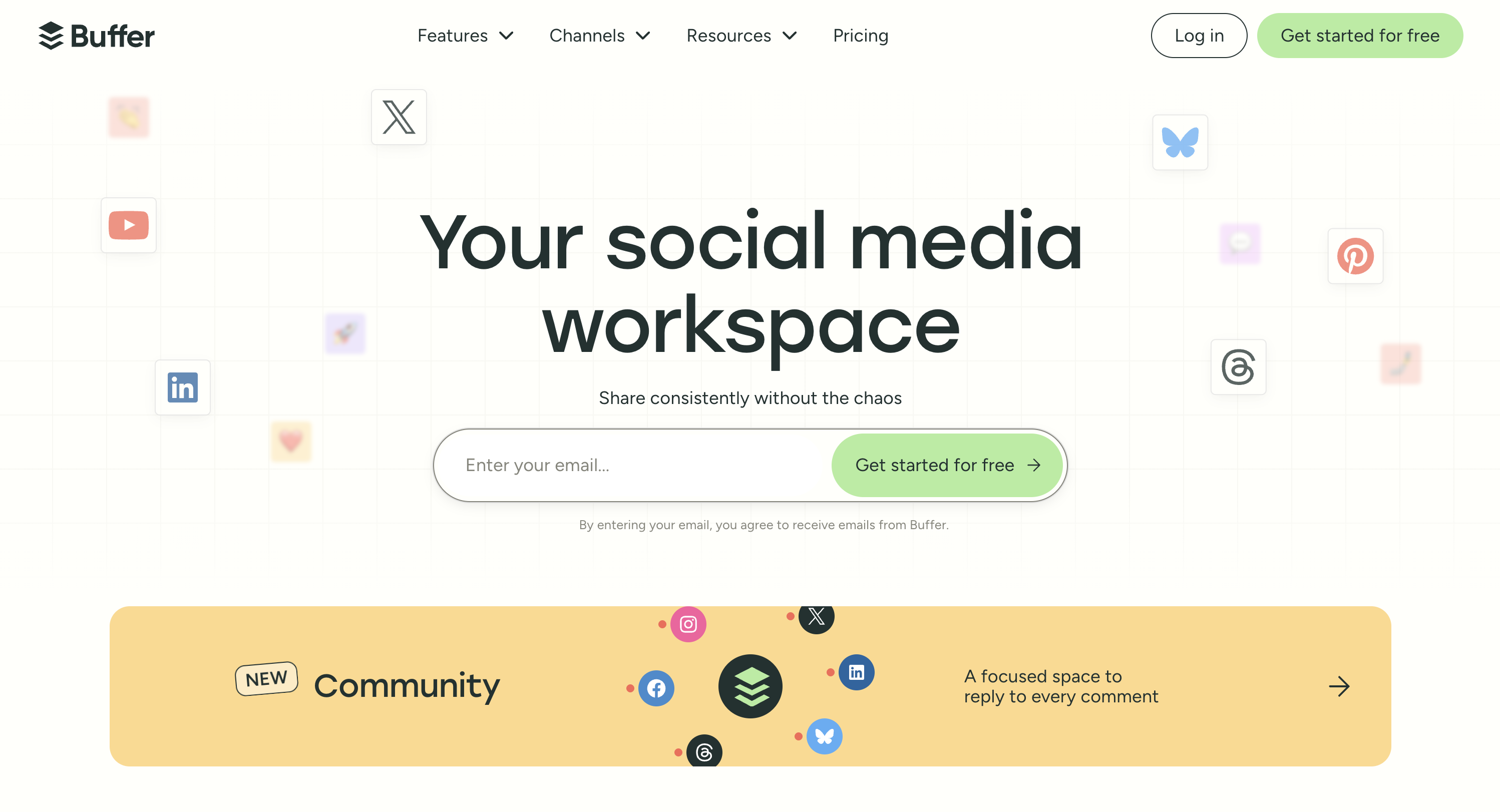
Buffer is the simplest scheduler in this list. Free plan covers 3 channels with 10 scheduled posts per channel; Essentials at $6/channel/mo unlocks unlimited scheduling. Community inbox covers Instagram, Facebook, and LinkedIn — something Post Planner doesn't have. No daily post caps on paid plans.
For a Post Planner user, Buffer is the "less, but cleaner" option. You lose the curation engine entirely, but you gain a genuinely simple calendar, a community inbox across three networks, and broader platform coverage including Bluesky and Mastodon. Just watch the per-channel math — it's cheap at 1–3 channels and gets expensive fast once you're managing ten.
At a glance — Buffer
- Pricing: Free (3 channels) → Essentials $6/channel/mo → Team $12/channel/mo
- Best for: Solo Post Planner users who want simpler scheduling and a community inbox at low per-channel cost
- Free trial: Free plan available
- G2 rating: 4.3/5 (1,071 reviews)
Key features
- Free plan with 3 channels and 10 scheduled posts per channel
- Unlimited scheduling on paid plans
- AI Assistant on all plans
- Community inbox (Instagram, Facebook, LinkedIn only)
- Content approval workflows (Team plan)
- 11 platforms total including Bluesky, Mastodon, Google Business
Pros
- Free plan with community inbox (3 networks) — Post Planner Free has no inbox
- Lowest entry price for paid scheduling ($6/channel/mo)
- No daily post caps on paid plans
- Clean, simple UX
Cons
- Per-channel pricing compounds fast (10 channels on Team = $120/mo)
- Community inbox limited to IG, FB, LinkedIn (no GBP, X, TikTok)
- AI Assistant is basic — no image generation
- Essentials is single-user only
How it compares to Post Planner
- Pricing: Buffer Essentials at $6/channel × 3 channels = $18/mo vs Post Planner Starter $12/mo for 3 accounts. Post Planner is slightly cheaper on small channel counts.
- Inbox: Buffer has community inbox (3 networks) on Free and paid plans. Post Planner has none.
- Approvals: Buffer Team ($12/channel) has content approval workflows. Post Planner has none at any tier.
- Daily caps: Buffer has no caps. Post Planner caps every plan.
User ratings: 4.3/5 on G2 (1,071 reviews) · 2.1/5 on Trustpilot
For more details: Buffer alternatives guide · Buffer Pricing · Buffer Reviews
5. Publer — Best for Budget AI Features
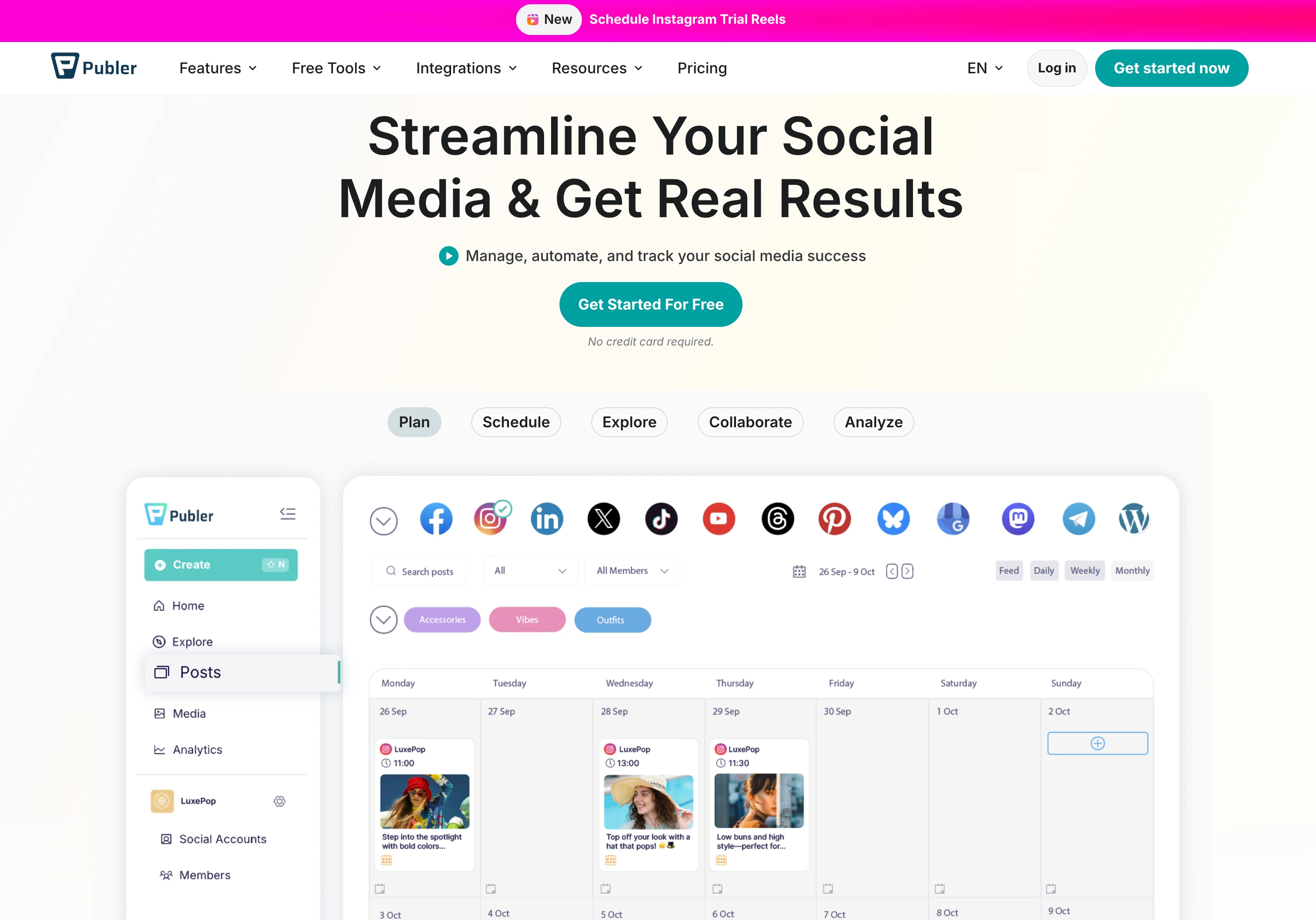
Publer matches Post Planner's entry pricing ($12/mo) but adds GPT-4 caption generation and DALL-E 3 image generation on the Business plan ($21/mo). Per-account pricing — every 10th account is free. Bulk scheduling up to 500 posts via CSV.
Publer is the closest like-for-like on price while fixing Post Planner's biggest AI gap. At the same $12/mo entry, the $21 Business tier adds DALL-E 3 image generation and unlimited GPT-4 captions, plus recurring posts so you keep a recycling workflow. What's still missing is a real social inbox and approvals — Publer is a publishing tool, not an engagement or collaboration one.
At a glance — Publer
- Pricing: Free (3 accounts, no X) → Professional $12/mo (3 accounts) → Business $21/mo (3 accounts) → Enterprise custom
- Best for: Post Planner users who want AI-generated captions + AI image generation at a similar entry price
- Free trial: Free plan + trials on paid features
- G2 rating: 4.7/5 (486 reviews)
Key features
- GPT-4 caption generation (Business plan)
- DALL-E 3 AI image generation (Business plan) — Post Planner has no image AI
- Bulk scheduling up to 500 posts via CSV (Professional+)
- Unlimited RSS Feed automations (Professional+)
- Content recycling (Business+)
- Per-account pricing — every 10th account is free
- 12+ platforms including Mastodon, Telegram, WordPress
- Eternal post history (Professional+)
Pros
- GPT-4 + DALL-E 3 included on Business plan — deepest budget-tier AI
- Same entry price as Post Planner Starter ($12/mo) — more features
- No daily post caps on any paid plan
- 4.7/5 G2 rating
Cons
- Free plan excludes X/Twitter
- AI features require Business plan ($21/mo for 3 accounts)
- No social inbox
- No approval workflows
How it compares to Post Planner
- Pricing: Publer Professional $12/mo (3 accounts) = Post Planner Starter $12/mo (3 accounts). Identical entry pricing.
- AI: Publer Business adds DALL-E 3 for image generation at $21/mo. Post Planner is text-only AI.
- Daily caps: Publer has none. Post Planner caps every plan.
- Inbox: Neither has a real inbox — both miss this layer.
User ratings: 4.7/5 on G2 (486 reviews) · 4.8/5 on Trustpilot
For more details: Publer alternatives guide · Publer Pricing · Publer Reviews
PostPlanifyAll your social media in one simple dashboard
Schedule posts, track analytics, and reply to comments/DMs without switching tabs.
Engagement
+18%
Views
52.8k
6. Hootsuite — Best Enterprise Scaler
Hootsuite is the enterprise incumbent. Standard ($249/user/mo) includes unified inbox, scheduling across 10 accounts, AI assistant, and basic listening. Advanced ($499/user/mo) adds bulk scheduling up to 350 posts, team approval workflows, unlimited accounts, and longer listening windows. Talkwalker integration adds best-in-class social listening as an add-on.
This is a deliberate jump in tier, not a sideways swap. You'd move to Hootsuite only if you've outgrown Post Planner entirely and need enterprise muscle — a unified inbox, governance, employee advocacy, and bulk publishing up to 350 posts. The cost reflects it: per-user pricing means a five-person team on Advanced runs roughly $2,495/mo, and social listening is a paid add-on on top.

At a glance — Hootsuite
- Pricing: Standard $249/user/mo → Advanced $499/user/mo → Enterprise custom
- Best for: Enterprise teams scaling past what Post Planner can handle — listening, advocacy, bulk 350 posts
- Free trial: 30 days
- G2 rating: 4.3/5 (7,109 reviews)
Key features
- Up to 10 social accounts on Standard, unlimited on Advanced
- Unified inbox + DM automations
- Bulk scheduling up to 350 posts (Advanced)
- Team approval workflows (Advanced)
- OwlyWriter AI for caption + image generation
- Add-ons: Listening (Talkwalker), Employee Advocacy (Amplify), Review Management
- Brand and competitor monitoring (7-day Standard, 30-day Advanced)
Pros
- Mature enterprise feature depth (listening, advocacy, compliance)
- Bulk 350 posts on Advanced — best for high-volume publishing
- OwlyWriter AI generates captions + images
- 30-day free trial (longest on this list)
Cons
- Most expensive entry — $249/user/mo
- Per-user pricing compounds fast (5 users on Advanced = $2,495/mo)
- Listening + Advocacy are paid add-ons on top of plan
- No free plan since 2023
How it compares to Post Planner
- Pricing: Hootsuite Standard $249/user/mo is ~20× Post Planner Starter $12/mo. Different tier of buyer entirely.
- Inbox: Hootsuite has a unified inbox with auto-routing. Post Planner has none.
- Approvals: Hootsuite Advanced has team approval workflows. Post Planner has none.
- Listening: Hootsuite + Talkwalker is best-in-class. Post Planner has none.
- Daily caps: Hootsuite has none. Post Planner caps every plan.
User ratings: 4.3/5 on G2 (7,109 reviews) · 1.8/5 on Trustpilot
For more details: Hootsuite alternatives guide · Hootsuite Pricing · Hootsuite Reviews
7. Sprout Social — Best Enterprise Inbox + Listening
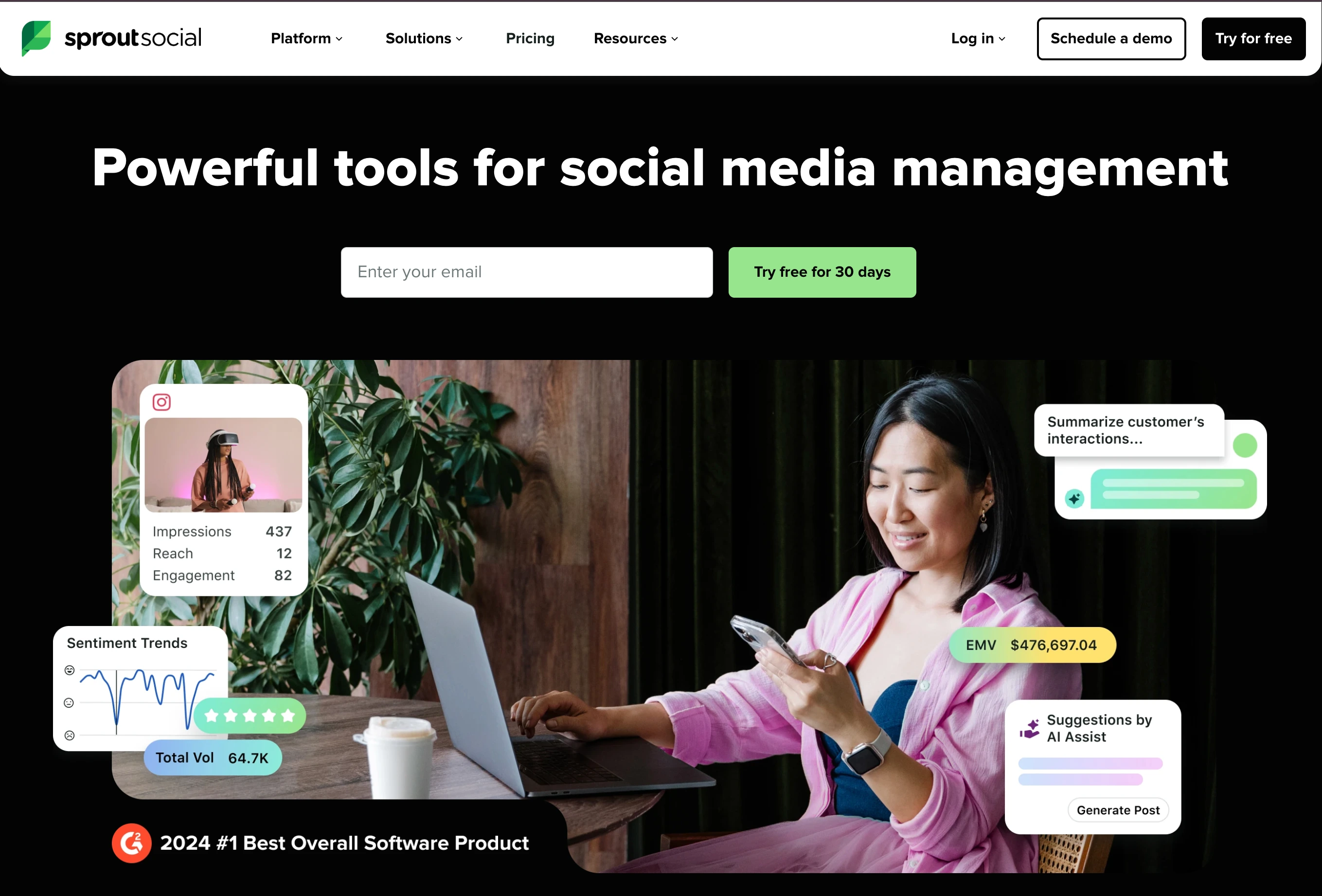
Sprout Social leads on inbox automation at enterprise scale. Smart Inbox unifies messages across networks. Enhance Reply by AI (Advanced) generates branded inbox responses. Sentiment analysis runs across the Smart Inbox on Advanced. #1 in 59 G2 Spring 2026 reports for social listening, analytics, customer service.
Like Hootsuite, Sprout is an upmarket move rather than a direct replacement — its strength is the inbox, not scheduling. If managing and routing conversations at volume, with AI-drafted replies and sentiment, is the actual job, Sprout is the category leader. But the 5-profile cap on Standard pushes most teams to Professional at $299/seat, so it only makes sense when the inbox — not the calendar — is your center of gravity.
At a glance — Sprout Social
- Pricing: Standard $199/seat/mo → Professional $299/seat/mo → Advanced $399/seat/mo → Enterprise custom
- Best for: Enterprise teams that need AI-driven inbox automation + listening + sentiment at scale
- Free trial: Available
- G2 rating: 4.4/5 (6,957 reviews)
Key features
- Unified Smart Inbox across networks
- Unlimited AI-generated text on all plans
- Enhance Post by AI (Professional+) — rewrites for platform fit
- Enhance Reply by AI (Advanced) — branded inbox replies
- Sentiment analysis on Smart Inbox (Advanced+)
- Optimal send time recommendations
- Message tagging (Professional+)
- Message Spike Alerts (Advanced+)
Pros
- Best-in-class enterprise inbox AI (Enhance Reply)
- Sentiment analysis at scale for high-volume inboxes
- #1 across 59 G2 categories in Spring 2026
- Unlimited AI text generation on every plan
Cons
- Standard caps at 5 social profiles — most teams forced to Professional ($299/seat)
- Per-seat pricing — 5 seats on Professional = $1,495/mo
- Enhance Reply AI locked to Advanced ($399/seat)
- No AI image generation
How it compares to Post Planner
- Pricing: Sprout $199/seat/mo is ~16× Post Planner Starter $12/mo. Enterprise tier vs prosumer tier.
- Inbox: Sprout's Smart Inbox is the category standard. Post Planner has none.
- AI: Sprout's Enhance Reply generates inbox responses. Post Planner has text-only caption AI.
- Listening: Sprout includes listening on Advanced; #1 G2 ranking. Post Planner has no listening.
User ratings: 4.4/5 on G2 (6,957 reviews) · 2.5/5 on Trustpilot
For more details: Sprout Social alternatives guide · Sprout Social Pricing · Sprout Social Reviews
8. Agorapulse — Best Mid-Tier Inbox UX
Agorapulse built its platform around the inbox. The unified Inbox Assistant covers messages and organic comments across 11 platforms with AI-suggested replies, automated rules for tagging and routing, and team-collaborative reply workflows. Per-user pricing is high but the inbox UX is the strongest in the mid-tier.
Agorapulse is the mid-tier sweet spot if the inbox is what Post Planner was missing for you. The unified Inbox Assistant covers messages and comments across 11 networks with AI-suggested replies and auto-routing rules, and approvals arrive on Professional. The catch is the per-user model — three users on Professional is roughly $447/mo — and it no longer offers a free plan, just a 30-day trial.

At a glance — Agorapulse
- Pricing: Standard $99/user/mo ($79 annual) → Professional $149/user/mo ($119 annual) → Advanced $199/user/mo ($149 annual) → Custom (30-day trial, no free plan)
- Best for: Mid-size teams that want the cleanest inbox UX in the category
- Free trial: 30 days, no credit card required (no free plan)
- G2 rating: 4.5/5 (967 reviews)
Key features
- Unified inbox for messages + comments across 11 platforms
- AI Writing Assistant for replies
- AI Alt Text Generator
- Organization Context AI (Professional+)
- Inbox Assistant with auto-tagging
- Social listening (Advanced+)
- Approval workflows (Professional+ one-step, multi-step on Custom)
Pros
- Best inbox UX in the mid-tier category
- Strong AI Writing Assistant with brand voice context
- Social listening and ROI tracking on higher tiers
- 30-day free trial (no credit card required)
Cons
- Per-user pricing — 3 users on Professional = $447/mo (annual $357)
- 10 profile cap on every plan up to Advanced
- Listening requires Advanced ($199/user)
- No AI image generation; no permanent free plan
How it compares to Post Planner
- Pricing: Agorapulse Standard $79/user/mo annual is ~7× Post Planner Starter. Targets mid-market not prosumer.
- Inbox: Agorapulse Inbox Assistant is the strongest in the mid-tier. Post Planner has none.
- Free plan: Post Planner has a free plan (no inbox). Agorapulse no longer offers a free plan — only a 30-day no-credit-card trial.
- Approvals: Agorapulse Professional has approvals. Post Planner has none.
User ratings: 4.5/5 on G2 (967 reviews) · 4.0/5 on Trustpilot
For more details: Agorapulse alternatives guide · Agorapulse Pricing · Agorapulse Reviews
9. Sendible — Best for Agency Workflows
Sendible automates scheduling through Smart Queues + assignment workflows built for agencies managing multiple clients. Priority Inbox across 10 platforms. Unlimited AI Assist credits on every plan. Client dashboards (Traction+) make engagement reporting cleaner for agency-to-client communication.
Sendible is the pick when the switch is about clients, not just publishing. Smart Queues keep the time-slot scheduling Post Planner users like, while assignment workflows, a Priority Inbox, and client dashboards from Traction ($89/mo) give an agency the layer Post Planner never had. Full white-label is a $240/mo add-on, so factor that in if client-facing branding is non-negotiable.

At a glance — Sendible
- Pricing: Creator $29/mo → Traction $89/mo → Scale $199/mo → Advanced $299/mo → Enterprise $750/mo
- Best for: Agencies that need queue-based scheduling + assignment workflows + client dashboards
- Free trial: 14 days, no credit card required
- G2 rating: 4.5/5 (902 reviews)
Key features
- Smart Queues for time-slot-based scheduling
- Priority Inbox across 10 platforms
- Unlimited AI Assist caption credits on every plan
- Assignment and approval workflows (Traction+)
- Client dashboards (Traction+)
- Custom approval workflows (Scale+)
- White-label add-on (Advanced+, $240/mo extra)
- Canva, Google Drive, Pexels integrations
Pros
- Priority Inbox + Smart Queues for agency engagement workflows
- Unlimited AI captions on every plan including Creator
- Generous profile counts (24 on Traction, 49 on Scale)
- 14-day free trial without credit card
Cons
- Custom approval workflows require Scale ($199/mo)
- White-label is a $240/mo add-on
- No AI image generation
- Steep price jump from Scale ($199) to Advanced ($299)
How it compares to Post Planner
- Pricing: Sendible Creator $29/mo (6 profiles) vs Post Planner Starter $12/mo (3 profiles). Sendible more per profile but bundles inbox + assignment workflows.
- Inbox: Sendible Priority Inbox is full-featured. Post Planner has none.
- Approvals: Sendible Traction includes assignment + approval workflows. Post Planner has none.
- Client dashboards: Sendible Traction includes client dashboards. Post Planner has no client-facing features.
User ratings: 4.5/5 on G2 (902 reviews) · 2.3/5 on Trustpilot
For more details: Sendible alternatives guide · Sendible Pricing · Sendible Reviews
10. Planable — Best for Visual Content Approval
Planable is built around content collaboration. Visual previews show posts exactly as they'll appear on each platform, real-time comments live alongside the content, and approval workflows are the core feature. For agencies that came to Post Planner for scheduling but need client sign-off before publishing, Planable is the natural switch.
Planable solves the one thing Post Planner can't do at all: get sign-off before anything publishes. Posts render exactly as they'll appear on each network, feedback lives in-context next to the content, and approvals are the product rather than an afterthought — with unlimited users on every paid plan. The trade-off is scope: there's no curation engine and analytics are a paid add-on, so it's a collaboration layer more than a full scheduler.

At a glance — Planable
- Pricing: Free (50 lifetime posts) → Basic $39/workspace/mo → Pro $59/workspace/mo → Enterprise custom
- Best for: Agencies that need visual content review + multi-stakeholder approval before publishing
- Free trial: Free plan available
- G2 rating: 4.6/5 (937 reviews)
Key features
- Visual content preview matching each platform's native look
- 2 approval workflow types on Basic, 3 on Pro, multi-level on Enterprise
- Unlimited users on all paid plans
- Feed, Calendar, Grid views (Pro+)
- Analytics + Engagement available as paid add-ons ($9/$5 per workspace/mo)
- Free plan with full collaboration on 50 lifetime posts
Pros
- Best-in-class visual content previews for approval flows
- Unlimited users on every paid plan
- Strong approval workflows priced lower than agency tools
- Free plan with full collaboration features
Cons
- Per-workspace pricing punishes agencies with many small clients
- Strict post limits (60 Basic, 150 Pro)
- No native AI image generation
- Analytics + Engagement are paid add-ons
How it compares to Post Planner
- Approvals: Planable's core feature. Post Planner has no approvals at any tier.
- Visual preview: Planable shows posts as they'll render on each platform. Post Planner has standard previews.
- Pricing model: Planable charges per workspace ($39 Basic). Post Planner charges per user.
- Recycling: Post Planner wins on content curation. Planable has none.
User ratings: 4.6/5 on G2 (937 reviews) · 4.5/5 on Trustpilot
For more details: Planable alternatives guide · Planable Pricing · Planable Reviews
PostPlanifyAll your social media in one simple dashboard
Schedule posts, track analytics, and reply to comments/DMs without switching tabs.
Engagement
+18%
Views
52.8k
Best Alternative by Use Case
Quick recommendation based on what pushed you to leave Post Planner:
- Hit the daily post cap and need unlimited publishing: PostPlanify, Buffer, Publer, SocialBee, MeetEdgar — all have no daily caps on paid plans.
- Need a social inbox: PostPlanify (7 platforms), Agorapulse (11 platforms), Sprout Social (Smart Inbox), Hootsuite (unified inbox).
- Need approval workflows for clients: PostPlanify Premium, Planable, Sendible Traction+, Agorapulse Professional+.
- Need AI image generation: PostPlanify (200–800/mo), Publer (DALL-E 3 on Business), Hootsuite OwlyWriter.
- Want content curation/recycling specifically (Post Planner's strength): SocialBee (category-based), MeetEdgar (pure recycling specialist).
- Want the cheapest entry: Buffer Free or Essentials ($6/channel), Publer Professional ($12/mo).
- Agency needs white-label reports: PostPlanify Scale ($299/mo), Sendible Advanced+ (white-label add-on).
- Enterprise scale: Hootsuite, Sprout Social.
- Worried about auto-renewal lock-in: PostPlanify (14-day money-back), Buffer (free plan), Publer (free plan), MeetEdgar (30-day trial).
What to Look For When Switching From Post Planner
Six things to check before committing to a Post Planner alternative:
- Daily post limits. If a tool quietly caps posts per account per day, you're back to the same problem. PostPlanify, Buffer, Publer, SocialBee, MeetEdgar have no caps on paid plans.
- Social inbox coverage. Which networks does the inbox cover? PostPlanify (7), Agorapulse (11), Sprout (most major), Hootsuite (most major). Buffer's community inbox covers 3 networks (IG, FB, LinkedIn only).
- Approval workflow type. Single-step (one approver) vs multi-approver (everyone signs off) vs multi-step (sequential reviewers). PostPlanify Premium does multi-approver; Planable does multi-step.
- AI features included vs add-on. Some tools include unlimited AI captions on every plan (Sendible). Others gate it behind higher tiers or add-on credits.
- Refund and trial policies. Post Planner reviewers report auto-renewal lock-in. Look for tools with money-back guarantees (PostPlanify 14-day) or free trials without credit card (Agorapulse, Sendible).
- Real review base. Post Planner has 51 G2 reviews — small sample. Tools with 500+ reviews give a more reliable signal. PostPlanify (2), Buffer (1,071), Hootsuite (7,109), Sprout (6,957), SocialBee (472) all give more validation.
FAQ: Post Planner Alternatives
What is the best alternative to Post Planner?
For most teams, PostPlanify is the strongest all-around alternative — it fills the four biggest Post Planner gaps (social inbox, approval workflows, AI image generation, white-label reports) in one flat-priced platform starting at $99/mo. For users who specifically came to Post Planner for content curation/recycling, SocialBee (category-based recycling) and MeetEdgar (pure evergreen automation) are the direct functional competitors.
Is there a free alternative to Post Planner?
Yes. Buffer Free covers 3 channels with 10 scheduled posts per channel + community inbox. Publer Free covers 3 accounts (no X/Twitter). Planable Free allows 50 lifetime posts with full collaboration. (Agorapulse is trial-only — it no longer offers a permanent free plan.)
Why do people leave Post Planner?
The most common reasons in G2 and Trustpilot reviews: hitting the daily post cap per account (12/18/24 on paid plans), no social inbox at any tier, no approval workflows, no white-label reports, no AI image generation, auto-renewal billing issues, and slow support response on complex tickets. The G2 distribution is bimodal — 33 of 51 reviews are 5-star but 8 are 1-star.
Which Post Planner alternative has the best content recycling?
SocialBee leads on category-based recycling — up to 50 content categories with 5,000 posts per category. MeetEdgar is the pure evergreen specialist with Smart Evergreen Automation built around recycling. Both go deeper than Post Planner's bucket system.
Which Post Planner alternative has a social inbox?
PostPlanify (7 platforms — IG, FB, LinkedIn, GBP, YouTube, Threads, Bluesky), Agorapulse (11 platforms), Sprout Social (Smart Inbox), Hootsuite (unified inbox), Sendible (Priority Inbox), SocialBee (Engage Module on Pro+), Buffer (community inbox on 3 networks).
Does Post Planner have a daily post limit?
Yes — every plan caps posts per account per day: Free 3, Starter 12, Growth 18, Business 24, Enterprise 51+. This is unusual compared to PostPlanify, Buffer, Publer, SocialBee, and MeetEdgar, none of which impose daily ceilings on paid plans.
Which Post Planner alternative is cheapest?
For solo creators on a budget: Buffer Free ($0, 3 channels) or Publer Free ($0, 3 accounts no X). For paid entry: Buffer Essentials at $6/channel/mo for 1–3 channels, or Publer Professional at $12/mo for 3 accounts. PostPlanify Growth at $99/mo is more expensive at entry but bundles 15 accounts, inbox, AI images, and 3 users — better value at scale.
Is Post Planner being shut down?
No public announcement as of June 2026. Post Planner continues operating with active development, and there's no public indication of a shutdown or roadmap change.
Which Post Planner alternative is best for agencies?
PostPlanify (multi-workspace + Client role + white-label PDF reports on Scale), Sendible (Priority Inbox + client dashboards + assignment workflows), and Planable (visual content approvals for client sign-off) all fit agency workflows better than Post Planner, which has no native client-facing features.
How does PostPlanify compare to Post Planner?
PostPlanify is more expensive at entry ($99/mo vs $12/mo Post Planner Starter) but fills every Post Planner gap: social inbox on Growth, AI image generation natively (200–800/mo), approval workflows on Premium, white-label reports on Scale, no daily post caps, 3/6/12 team members bundled (vs Post Planner's 1/2/5 cap), and a 14-day money-back guarantee (vs Post Planner's auto-renewal complaints).
Can I migrate my Post Planner content to another tool?
Most schedulers don't offer direct Post Planner imports, but you can export your scheduled posts as CSV from Post Planner and bulk-import to PostPlanify, Buffer, Publer, Hootsuite (Advanced), or SocialPilot. Content categories don't migrate cleanly — you'll need to recreate those in SocialBee or MeetEdgar if you're keeping the recycling workflow.
Related Reading
- PostPlanify Pricing
- PostPlanify vs Post Planner
- Post Planner Pricing Breakdown
- Post Planner Reviews
- Best Social Media Management Platform
- Best Social Media Scheduling Tools
- Best Social Media Tools with Approval Workflows
- Best Social Media Automation Tools
- Best Social Inbox Tools
- Best Social Media Engagement Tools
- Best Social Media Management Tools for Agencies
- Best Content Repurposing Tools
- Best Free Social Media Management Tools
- Social Media Tools With No Per-Seat Fees
- Best Social Media Management Tools for Teams
PostPlanifyAll your social media in one simple dashboard
Schedule posts, track analytics, and reply to comments/DMs without switching tabs.
Engagement
+18%
Views
52.8k
About the Author

Hasan Cagli
Founder of PostPlanify, a content and social media scheduling platform. He focuses on building systems that help businesses, agencies, and teams plan, publish, and manage content and social media more efficiently across platforms.


